brake light BMW 528I 2012 User Guide
[x] Cancel search | Manufacturer: BMW, Model Year: 2012, Model line: 528I, Model: BMW 528I 2012Pages: 335, PDF Size: 13.16 MB
Page 114 of 335
Driving comfortVehicle equipment
All standard, country-specific and optional
equipment that is offered in the model series is
described in this chapter. Therefore, equipment
is also described that is not available in a vehicle,
e. g., because of the selected optional equip‐
ment or country variant. This also applies for
safety-related functions and systems.
Active Cruise Control with
Stop & Go function, ACC
The concept
This system can be used to select a desired
speed that the vehicle will maintain automati‐
cally on clear roads.
To the extent possible, the system automatically
adjusts the speed to a slower vehicle ahead of
you.
The distance that the vehicle maintains to the
vehicle ahead of you can be varied.
For safety reasons, it depends on the speed.
To maintain a certain distance, the system au‐
tomatically decelerates, applies the brakes
lightly, or accelerates again if the vehicle ahead
begins moving faster.
If the vehicle ahead of you brakes to a halt, the
system is able to detect this within the given
system limits. If the vehicle ahead of your drives
away again from a halt, your vehicle is able to
accelerate if operated accordingly.
Even if some time passes before the vehicle
drives away again, the BMW can still be accel‐
erated automatically and simply.
As soon as the road is clear, it accelerates to the
desired speed.
The speed is also maintained on downhill gra‐
dients, but may not be maintained on uphill
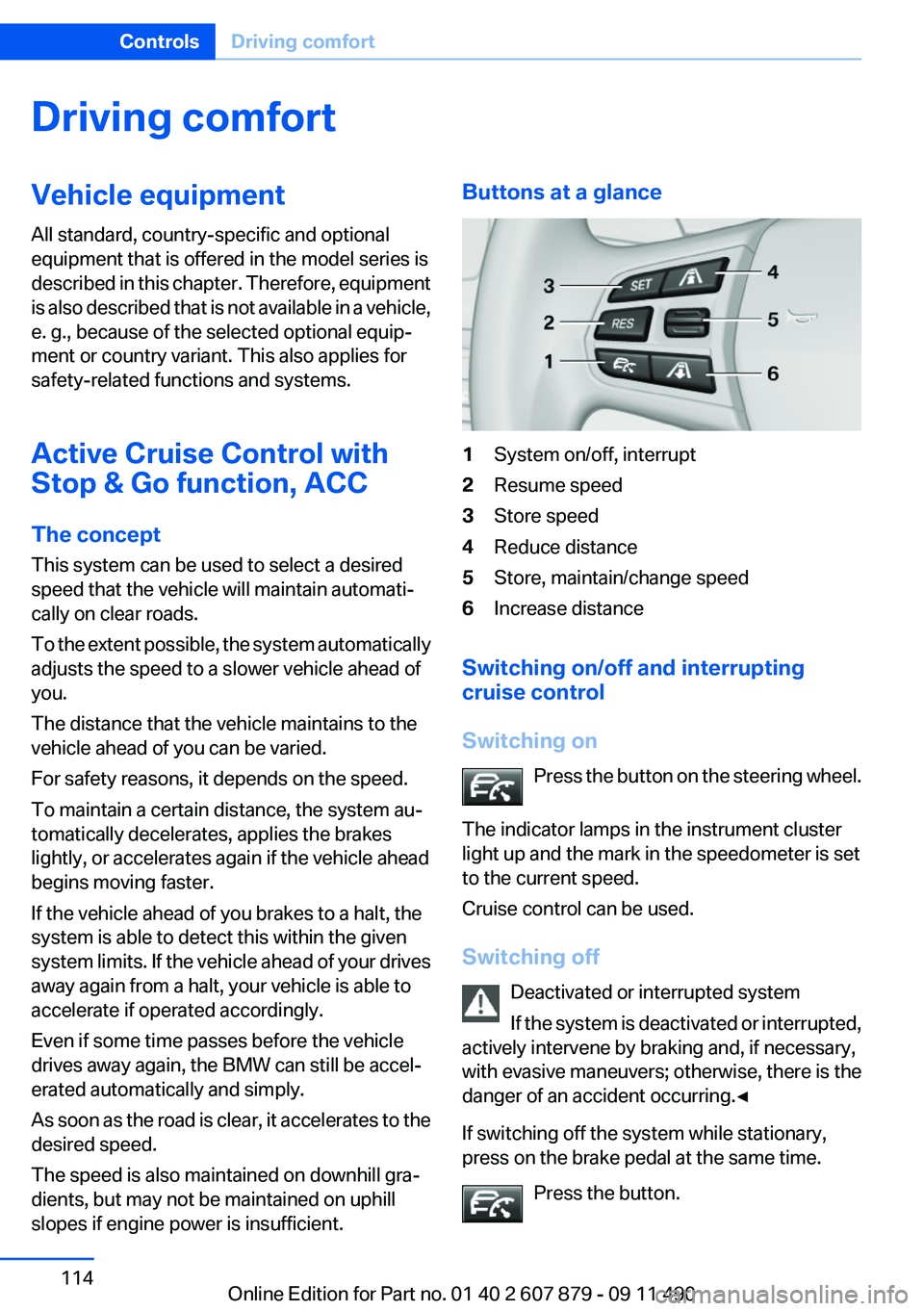
slopes if engine power is insufficient.Buttons at a glance1System on/off, interrupt2Resume speed3Store speed4Reduce distance5Store, maintain/change speed6Increase distance
Switching on/off and interrupting
cruise control
Switching on Press the button on the steering wheel.
The indicator lamps in the instrument cluster
light up and the mark in the speedometer is set
to the current speed.
Cruise control can be used.
Switching off Deactivated or interrupted system
If the system is deactivated or interrupted,
actively intervene by braking and, if necessary,
with evasive maneuvers; otherwise, there is the
danger of an accident occurring.◀
If switching off the system while stationary,
press on the brake pedal at the same time.
Press the button.
Seite 114ControlsDriving comfort114
Online Edition for Part no. 01 40 2 607 879 - 09 11 490
Page 116 of 335
DistanceSelecting a distance
Adjust the distance according to the traffic
and weather conditions; otherwise, there is the
danger of an accident occurring. Maintain the
prescribed safety distance.◀
Reduce distance Press the button repeatedly until the
desired distance is set.
The selected distance, refer to page 117, is dis‐
played in the instrument cluster.
Increase distance Press the button repeatedly until the
desired distance is set.
The selected distance, refer to page 117, is dis‐
played in the instrument cluster.
Calling up the desired speed and
distance
While driving Press the button with the system
switched on.
In the following cases, the stored speed value is
deleted and cannot be called up again:▷When the system is switched off.▷When the ignition is switched off.
While standing
Before leaving the vehicle, secure it
against rolling.
Before leaving the vehicle with the engine run‐
ning, engage position P of the automatic trans‐
mission and apply the parking brake. Otherwise,
the vehicle may begin to roll.◀
The system brought the vehicle to a complete
standstill.
▷Green mark in the speedometer during a
brief idle phase:
The vehicle ahead of you drives away while
the mark is green: your vehicle accelerates
without anything having to be done.▷Switch to orange of the mark in the speed‐
ometer after approx. 2 sec.:
The vehicle ahead of you drives away, while
the mark is orange: in order to accelerate,
briefly press the gas pedal or press the RES
button or SET button.
Rolling bars in the distance indicator mean that
the vehicle ahead of you has driven off.
You actively braked your vehicle to a halt by
pressing on the brake pedal and it is standing
behind another vehicle:
1. Press the button to call up a stored
desired speed.2.Release the brake pedal.3.Press on the accelerator briefly, or press the
RES button or the rocker switch when the
vehicle ahead of you drives away.
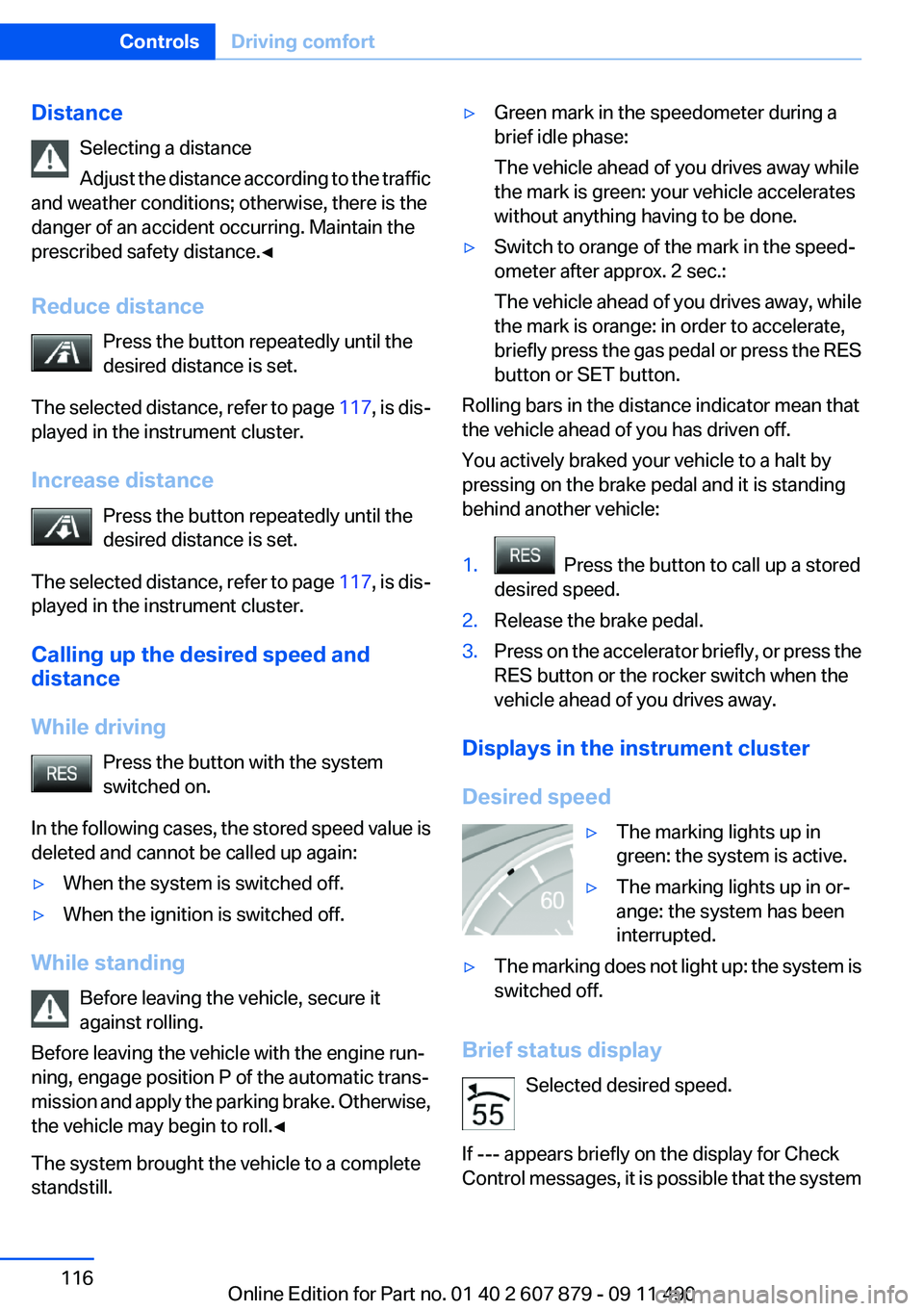
Displays in the instrument cluster
Desired speed
▷The marking lights up in
green: the system is active.▷The marking lights up in or‐
ange: the system has been
interrupted.▷The marking does not light up: the system is
switched off.
Brief status display
Selected desired speed.
If --- appears briefly on the display for Check
Control messages, it is possible that the system
Seite 116ControlsDriving comfort116
Online Edition for Part no. 01 40 2 607 879 - 09 11 490
Page 117 of 335
requirements for operation are currently not
met.
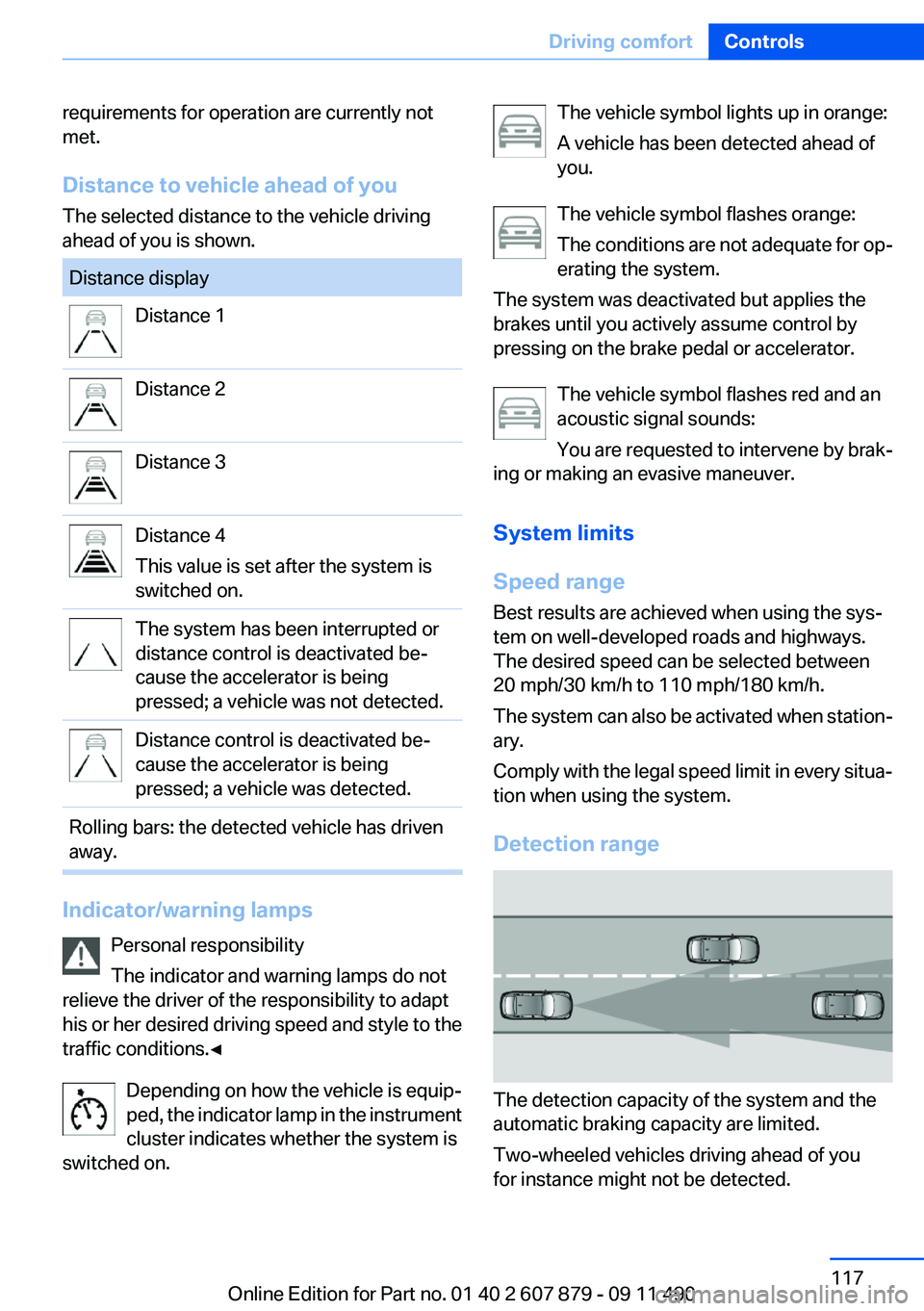
Distance to vehicle ahead of you
The selected distance to the vehicle driving
ahead of you is shown.Distance displayDistance 1Distance 2Distance 3Distance 4
This value is set after the system is
switched on.The system has been interrupted or
distance control is deactivated be‐
cause the accelerator is being
pressed; a vehicle was not detected.Distance control is deactivated be‐
cause the accelerator is being
pressed; a vehicle was detected.Rolling bars: the detected vehicle has driven
away.
Indicator/warning lamps
Personal responsibility
The indicator and warning lamps do not
relieve the driver of the responsibility to adapt
his or her desired driving speed and style to the
traffic conditions.◀
Depending on how the vehicle is equip‐
ped, the indicator lamp in the instrument
cluster indicates whether the system is
switched on.
The vehicle symbol lights up in orange:
A vehicle has been detected ahead of
you.
The vehicle symbol flashes orange:
The conditions are not adequate for op‐
erating the system.
The system was deactivated but applies the
brakes until you actively assume control by
pressing on the brake pedal or accelerator.
The vehicle symbol flashes red and an
acoustic signal sounds:
You are requested to intervene by brak‐
ing or making an evasive maneuver.
System limits
Speed range
Best results are achieved when using the sys‐
tem on well-developed roads and highways.
The desired speed can be selected between
20 mph/30 km/h to 110 mph/180 km/h.
The system can also be activated when station‐
ary.
Comply with the legal speed limit in every situa‐
tion when using the system.
Detection range
The detection capacity of the system and the
automatic braking capacity are limited.
Two-wheeled vehicles driving ahead of you
for instance might not be detected.
Seite 117Driving comfortControls117
Online Edition for Part no. 01 40 2 607 879 - 09 11 490
Page 121 of 335
▷Off: the LED goes out.
The state is stored for the remote control cur‐
rently in use.
Configuring the prewarning
After the warning function is switched on, the
following can be set via the iDrive:
▷The prewarning can be switched on/off.▷The time of the prewarning can be set.
These settings have no effect on the time of the
warning from the Active Cruise Control that
prompts the driver to intervene or brake.
Display in the instrument cluster
The collision warning can be issued in the in‐
strument cluster, in the Head-up Display, and
acoustically.
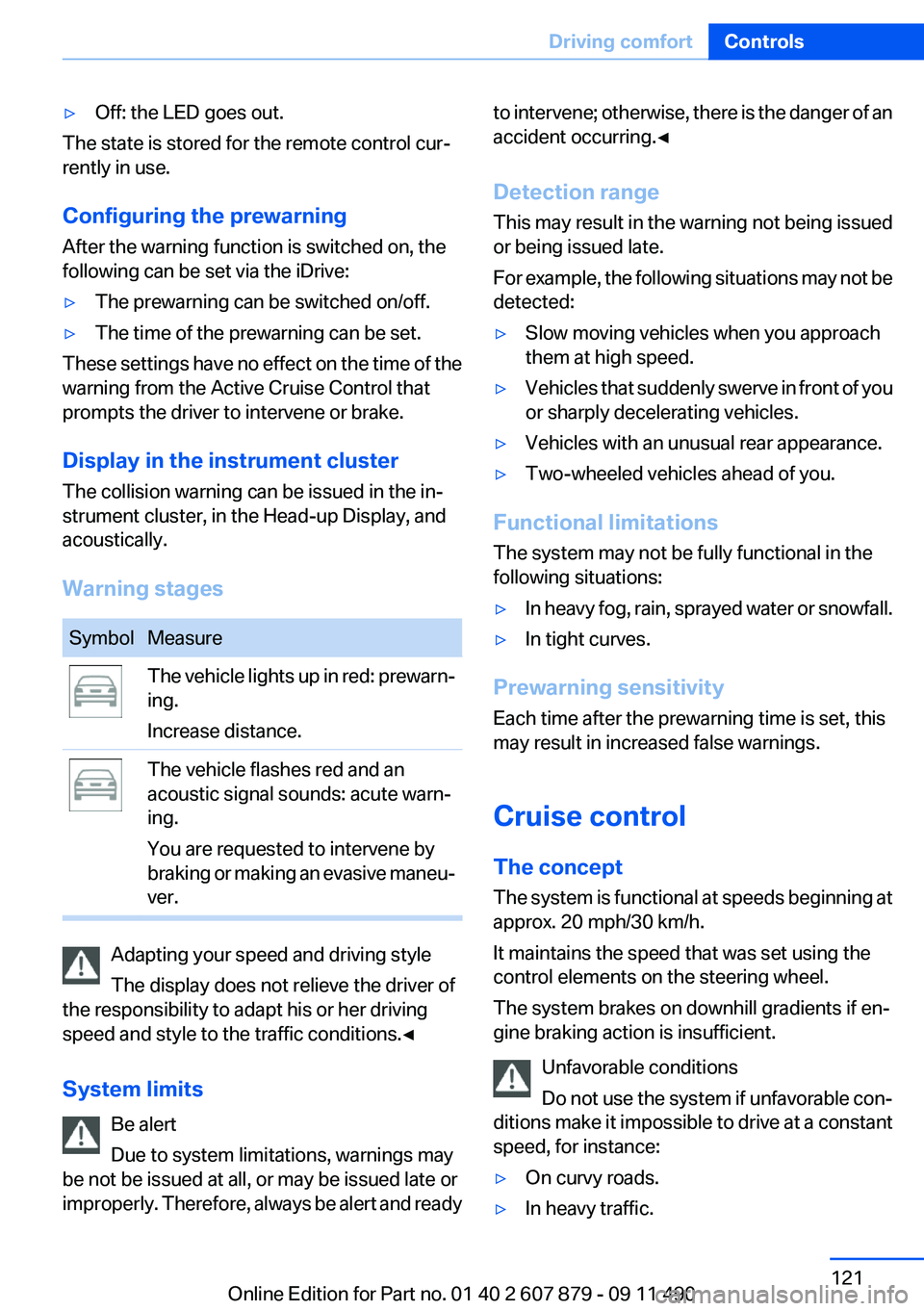
Warning stages
SymbolMeasureThe vehicle lights up in red: prewarn‐
ing.
Increase distance.The vehicle flashes red and an
acoustic signal sounds: acute warn‐
ing.
You are requested to intervene by
braking or making an evasive maneu‐
ver.
Adapting your speed and driving style
The display does not relieve the driver of
the responsibility to adapt his or her driving
speed and style to the traffic conditions.◀
System limits Be alert
Due to system limitations, warnings may
be not be issued at all, or may be issued late or
improperly. Therefore, always be alert and ready
to intervene; otherwise, there is the danger of an
accident occurring.◀
Detection range
This may result in the warning not being issued
or being issued late.
For example, the following situations may not be
detected:▷Slow moving vehicles when you approach
them at high speed.▷Vehicles that suddenly swerve in front of you
or sharply decelerating vehicles.▷Vehicles with an unusual rear appearance.▷Two-wheeled vehicles ahead of you.
Functional limitations
The system may not be fully functional in the
following situations:
▷In heavy fog, rain, sprayed water or snowfall.▷In tight curves.
Prewarning sensitivity
Each time after the prewarning time is set, this
may result in increased false warnings.
Cruise control
The concept
The system is functional at speeds beginning at
approx. 20 mph/30 km/h.
It maintains the speed that was set using the
control elements on the steering wheel.
The system brakes on downhill gradients if en‐
gine braking action is insufficient.
Unfavorable conditions
Do not use the system if unfavorable con‐
ditions make it impossible to drive at a constant
speed, for instance:
▷On curvy roads.▷In heavy traffic.Seite 121Driving comfortControls121
Online Edition for Part no. 01 40 2 607 879 - 09 11 490
Page 162 of 335
Objects in the area around the pedalsNo objects in the area around the pedals
Keep floor mats, carpets, and any other
objects out of the area of motion of the pedals;
otherwise, the function of the pedals could be
impeded while driving
Do not place additional floor mats over existing
mats or other objects.
Only use floor mats that have been approved for
the vehicle and can be properly fixed in place.
Ensure that the floor mats are securely fastened
again after they were removed for cleaning, for
example.◀
Driving in wet conditions
When roads are wet or there is heavy rain, briefly
exert gentle pressure on the brake pedal every
few miles.
Ensure that this action does not endanger other
road users.
The heat generated in this process helps dry the
brake discs and pads.
In this way braking efficiency will be available
when you need it.
Hills
Drive long or steep downhill gradients in the gear
in which the least braking is required. Otherwise,
the brake system may overheat, resulting in a
reduction in the brake system efficiency.
Manual transmission:
You can increase the engine's braking effect by
shifting down, going all the way to first gear, if
necessary.
Automatic transmission:
You can increase the engine's braking effect by
shifting down in the manual mode of the auto‐
matic transmission, refer to page 72.Avoid load on the brakes
Avoid placing excessive load on the brake
system. Light but consistent brake pressure can
lead to high temperatures, brake wear and pos‐
sibly even brake failure.◀
Do not drive in neutral
Do not drive in neutral or with the engine
stopped, as doing so disables engine braking. In
addition, steering and brake assist is unavailable
with the engine stopped.◀
Brake disc corrosion
Corrosion on the brake discs and contamination
on the brake pads are furthered by:▷Low mileage.▷Extended periods when the vehicle is not
used at all.▷Infrequent use of the brakes.
Corrosion occurs when the minimum pressure
that must be exerted by the pads during brake
applications to clean the discs is not reached.
Should corrosion form on the brake discs, the
brakes will tend to respond with a pulsating ef‐
fect that generally cannot be corrected.
Condensation under the parked vehicle
When using the automatic climate control, con‐
densation water develops that exits underneath
the vehicle.
Therefore, traces of condensed water under the
vehicle are normal.
Seite 162Driving tipsThings to remember when driving162
Online Edition for Part no. 01 40 2 607 879 - 09 11 490
Page 295 of 335
5Outside brake lamp6Rear reflector
Turn signal, outer brake, tail, and
license plate lamps
Follow the general instructions on lamps and
bulbs, refer to page 290.
These lights are made using LED technology.
Contact your service center in the event of a
malfunction.
Lamps in the trunk lid
Access to the lamps
1.Remove the three screws using the screw
driver from the onboard vehicle tool kit.2.Fold away the cover.
Inside brake lamp
Follow the general instructions on lamps and
bulbs, refer to page 290.
21-watt bulb, H21W
The illustration shows the position of the bulb in
the installed bulb holder.
Squeeze the clips together and remove the bulb
holder.
Press the bulb into the bulb holder, turn coun‐
terclockwise and remove.
Reversing lamp
Follow the general instructions on lamps and
bulbs, refer to page 290.
16-watt bulb, W16W
The illustration shows the position of the bulb in
the installed bulb holder.
Seite 295Replacing componentsMobility295
Online Edition for Part no. 01 40 2 607 879 - 09 11 490
Page 305 of 335
Automatic transmission:1.Release the parking brake, refer to page 66,
and deactivate Automatic Hold, refer to
page 67.2.Drive into the car wash.3.Depress the brake pedal as needed.4.Engage transmission position N.5.Switch the engine off. In this way, the igni‐
tion remains switched on, and a Check-Con‐
trol message is displayed.
Transmission position P with the igni‐
tion off
When the ignition is switched off, position P
is engaged automatically. When in an auto‐
matic car wash, for example, ensure that the
ignition is not switched off accidentally.◀
The vehicle cannot be locked from the outside
when in transmission position N.
A signal is sounded when an attempt is made to
lock the vehicle.
Transmission position
Transmission position P is engaged automati‐
cally:
▷When the ignition is switched off.▷After approx. 15 minutes.
Headlamps
▷Do not rub dry and do not use abrasive or
caustic cleansers.▷Soak areas that have been soiled e.g. due to
insects, with shampoo and wash off with
water.▷Thaw ice with deicing spray; do not use an
ice scraper.
After washing the vehicle
After washing the vehicle, apply the brakes
briefly to dry them; otherwise, braking action can
be reduced and corrosion of the brake discs can
occur.
Vehicle care
Car care products
BMW recommends using cleaning and care
products from BMW, since these have been
tested and approved.
Car care and cleaning products
Follow the instructions on the container.
When cleaning the interior, open the doors or
windows.
Only use products intended for cleaning vehi‐
cles.
Cleansers can contain substances that are dan‐
gerous and harmful to your health.◀
Vehicle paint
Regular care contributes to driving safety and
value retention.
Environmental influences can act on the vehicle
paint. Tailor the frequency and extent of your car
care to these influences.
Leather care
Remove dust from the leather often, using a
cloth or vacuum cleaner.
Otherwise, particles of dust and road grime
chafe in pores and folds, and lead to increased
wear and premature degradation of the leather
surface.
To guard against discoloration, such as from
clothing, provide leather care roughly every two
months.
Clean light-colored leather more frequently be‐
cause soiling on such surfaces is substantially
more visible.
Use leather care products; otherwise, dirt and
grease will gradually break down the protective
layer of the leather surface.
Suitable care products are available from the
service center.Seite 305CareMobility305
Online Edition for Part no. 01 40 2 607 879 - 09 11 490
Page 324 of 335
Everything from A to Z
IndexA
ABS, Antilock Brake Sys‐ tem 107
ACC, Active Cruise Control with Stop & Go 114
Activated-charcoal filter 142
Active Blind Spot Detec‐ tion 104
Active Cruise Control with Stop & Go, ACC 114
Active Protection 106
Active seat, front 49
Active seat ventilation, front 50
Active Steering, integral 110
Adaptive brake assistant 107
Adaptive brake lights, refer to Brake force display 105
Adaptive drive 110
Adaptive light control 91
Additional telephone 230
Additives, oil 285
Adjustments, seats/head re‐ straints 47
Airbags 94
Airbags, indicator/warning light 95
Air circulation, refer to Recir‐ culated-air mode 141
Air distribution, manual 140
Air drying, refer to Cooling function 141
Air pressure, tires 265
Air vents, refer to Ventila‐ tion 142
Air volume, automatic climate control 140
Alarm system 42
Alarm, unintentional 43 All around the center con‐
sole 14
All around the headliner 15
All around the steering wheel 12
ALL program, automatic cli‐ mate control 141
All-season tires, refer to Win‐ ter tires 279
All-wheel-drive 109
Alternating-code hand-held transmitter 147
Alternative oil types 286
AM/FM station 192
Announcement, navigation, refer to Spoken instruc‐
tions 182
Antifreeze, washer fluid 71
Antilock Brake System, ABS 107
Anti-slip control, refer to DSC 107
Applications 258
Appointments 248
Approved engine oils 285
Apps 258
Apps, video playback 215
Armrest, refer to Center arm‐ rest 154
Arrival time 85
Ashtray 148
Ashtray, front 148
Ashtray, rear 149
Assist 253
Assistance, Roadside Assis‐ tance 299
Assistance when driving off 107
Audio playback 201
Audio playback, Blue‐ tooth 216 AUTO H button, refer to Auto‐
matic Hold 67
AUTO intensity 140
Automatic car wash 304
Automatic climate con‐ trol 139
Automatic Cruise Control with Stop & Go 114
Automatic Curb Monitor 56
Automatic deactivation, front passenger airbags 96
Automatic Engine Start/Stop Function 64
Automatic headlamp con‐ trol 90
Automatic Hold 67
Automatic locking 37
Automatic recirculated-air control 141
Automatic Soft Closing, doors 37
Automatic tailgate 38
Automatic transmission with Steptronic 72
AUTO program, automatic cli‐ mate control 140
AUTO program, intensity 140
AUX-IN port 212
Average fuel consumption 84
Average speed 84
Axle loads, weights 311
B
Backrest curvature, refer to Lumbar support 49
Backup camera 126
Balance 190
Band-Aids, refer to First aid kit 299 Seite 324ReferenceEverything from A to Z324
Online Edition for Part no. 01 40 2 607 879 - 09 11 490
Page 325 of 335
Bar for tow-starting/tow‐ing 302
Bass 190
Battery replacement, remote control, rear entertain‐
ment 222
Battery replacement, vehicle battery 296
Battery replacement, vehicle remote control 30
Battery, vehicle 296
Belts, safety belts 51
Beverage holder, cu‐ pholder 155
Blinds, sun protection 44
Bluetooth audio 216
BMW Assist 253
BMW homepage 6
BMW Internet page 6
BMW Maintenance Sys‐ tem 288
BMW Search 255
Bottle holder, refer to Cu‐ pholder 155
Brake assistant 107
Brake assistant, adaptive 107
Brake discs, breaking in 160
Brake force display 105
Brake lamps, brake force dis‐ play 105
Brake lamps, bulb replace‐ ment 295
Brake lights, adaptive 105
Brake pads, breaking in 160
Braking, notes 161
Breakdown assis‐ tance 298, 299
Breaking in 160
Brightness of Control Dis‐ play 87
Bulb replacement 290
Bulb replacement, front 291
Bulb replacement, rear 294
Bulbs and lamps 290
Button, RES 116
Button, Start/Stop 62 Bypassing, refer to starting
aid 299
C
Calendar 248
California Proposition 65 Warning 7
Camera, backup camera 128
Camera, care 307
Camera, Side View 131
Camera, Top View 130
Can holder, refer to Cu‐ pholder 155
Car battery 296
Car care products 305
Care, displays 307
Care, vehicle 305
Cargo 163
Cargo area, enlarging 150
Cargo area lid 38
Cargo area, storage compart‐ ments 156
Cargo straps, securing cargo 164
Car key, refer to Remote con‐ trol 30
Carpet, care 306
Car wash 304
Catalytic converter, refer to Hot exhaust system 161
CBS Condition Based Serv‐ ice 288
CD/DVD 200
CD/DVD player, rear 221
CDs, storing 207
Cell phone 230
Center armrest 154
Center console 14
Central locking system 33
Central screen, refer to Control Display 16
Changes, technical, refer to Safety 6
Changing parts 290
Changing wheels 296 Changing wheels/tires 278
Check Control 78
Checking the oil level 284
Children, seating position 58
Children, transporting safely 58
Child restraint fixing sys‐ tem 58
Child restraint fixing system LATCH 59
Child restraint fixing systems, mounting 58
Child safety locks 61
Child seat, mounting 58
Child seats 58
Chrome parts, care 306
Cigarette lighter 148
Cleaning, displays 307
Climate control 139
Climate control wind‐ shield 161
Clock 81
Closing/opening from in‐ side 37
Closing/opening via door lock 36
Closing/opening with remote control 34
Clothes hooks 156
Collision warning 120
Combination switch, refer to Turn signals 69
Combination switch, refer to Wiper system 69
COMFORT+ program, Driving Experience Switch 113
Comfort Access 40
COMFORT program, Driving Experience Switch 112
Computer 84
Concierge service 254
Condensation on win‐ dows 140
Condensation under the vehi‐ cle 162 Seite 325Everything from A to ZReference325
Online Edition for Part no. 01 40 2 607 879 - 09 11 490
Page 326 of 335
Condition Based ServiceCBS 288
Confirmation signal 35
Contacts 243, 251
Control Display 16
Control Display, settings 86
Controller 16
Control systems, driving sta‐ bility 107
Convenient opening 34
Coolant 286
Coolant temperature 81
Cooling function 141
Cooling, maximum 141
Cooling system 286
Corrosion on brake discs 162
Cruise control 121
Cruise control, active with Stop & Go 114
Cruising range 81
Cupholder 155
Current fuel consumption 82
Current location, storing 174
Customer Relations 256
D
Damage, tires 278
Damping control, dy‐ namic 110
Data, technical 310
Date 81
Daytime running lights 90
Defrosting, refer to Windows, defrosting 140
Destination distance 84
Destination guidance 180
Destination guidance with in‐ termediate destinations 178
Destination input, naviga‐ tion 172
Digital clock 81
Digital radio 193
Dimensions 310
Dimmable exterior mirrors 56 Dimmable interior rearview
mirror 56
Direction indicator, refer to Turn signals 69
Display, ECO PRO 167
Display, electronic, instrument cluster 77
Display in front wind‐ shield 137
Display lighting, refer to Instru‐ ment lighting 93
Displays 75
Displays, cleaning 307
Disposal, coolant 287
Disposal, vehicle battery 296
Distance control, refer to PDC 123
Distance, selecting for ACC 116
Distance to destination 84
Divided screen view, split screen 20
Door lock, refer to Remote control 30
Doors, Automatic Soft Clos‐ ing 37
Downhill control 109
Drive-off assistant 107
Drive-off assistant, refer to DSC 107
Driving Experience Switch 111
Driving instructions, breaking in 160
Driving notes, general 160
Driving stability control sys‐ tems 107
Driving tips 160
DSC Dynamic Stability Con‐ trol 107
DTC driving dynamics 108
DTC Dynamic Traction Con‐ trol 108
DVD/CD 200
DVD/CD notes 206
DVD/CD player, rear 221 DVD changer 204
DVD settings 203
DVDs, storing 207
DVD, video 202
Dynamic Damping Con‐ trol 110
Dynamic destination guid‐ ance 186
Dynamic Drive 110
Dynamic Stability Control DSC 107
Dynamic Traction Control DTC 108
E
ECO PRO 167
EfficientDynamics 168
EfficientDynamics menu, refer to ECO PRO 167
Electronic displays, instru‐ ment combination 77
Electronic Stability Program ESP, refer to DSC 107
Emergency detection, remote control 31
Emergency release, door lock 37
Emergency release, fuel filler flap 262
Emergency Request 298
Emergency service, refer to Roadside Assistance 299
Emergency start function, en‐ gine start 31
Emergency unlocking, trunk lid 40
Energy Control 82
Energy recovery 82
Engine, automatic start/stop function 64
Engine, automatic switch- off 64
Engine compartment 282
Engine compartment, working in 282 Seite 326ReferenceEverything from A to Z326
Online Edition for Part no. 01 40 2 607 879 - 09 11 490