remote start BMW 528I 2013 User Guide
[x] Cancel search | Manufacturer: BMW, Model Year: 2013, Model line: 528I, Model: BMW 528I 2013Pages: 246, PDF Size: 5.39 MB
Page 108 of 246
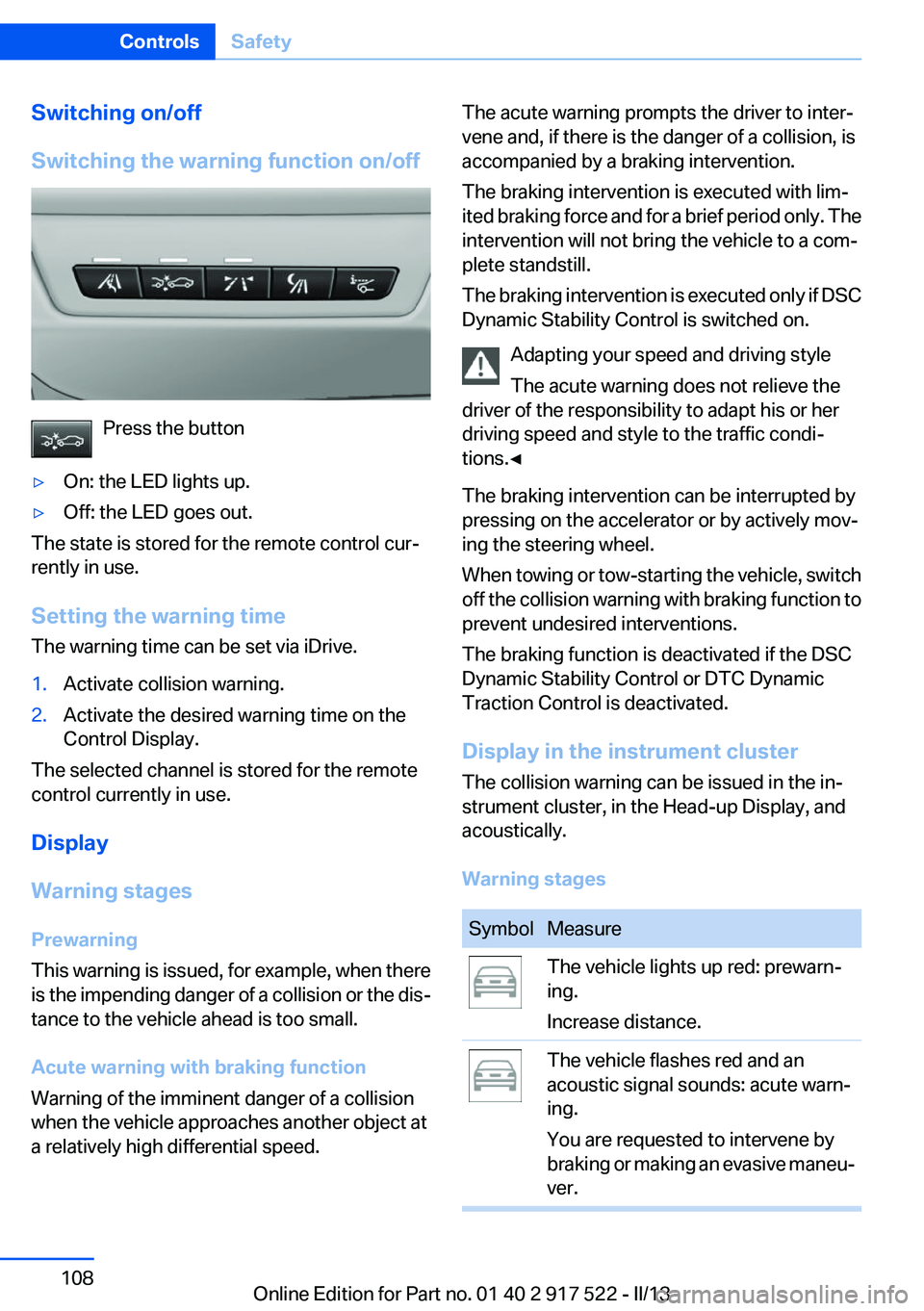
Switching on/off
Switching the warning function on/off
Press the button
▷On: the LED lights up.▷Off: the LED goes out.
The state is stored for the remote control cur‐
rently in use.
Setting the warning time
The warning time can be set via iDrive.
1.Activate collision warning.2.Activate the desired warning time on the
Control Display.
The selected channel is stored for the remote
control currently in use.
Display
Warning stages
Prewarning
This warning is issued, for example, when there
is the impending danger of a collision or the dis‐
tance to the vehicle ahead is too small.
Acute warning with braking function
Warning of the imminent danger of a collision
when the vehicle approaches another object at
a relatively high differential speed.
The acute warning prompts the driver to inter‐
vene and, if there is the danger of a collision, is
accompanied by a braking intervention.
The braking intervention is executed with lim‐
ited braking force and for a brief period only. The
intervention will not bring the vehicle to a com‐
plete standstill.
The braking intervention is executed only if DSC
Dynamic Stability Control is switched on.
Adapting your speed and driving style
The acute warning does not relieve the
driver of the responsibility to adapt his or her
driving speed and style to the traffic condi‐
tions.◀
The braking intervention can be interrupted by
pressing on the accelerator or by actively mov‐
ing the steering wheel.
When towing or tow-starting the vehicle, switch
off the collision warning with braking function to
prevent undesired interventions.
The braking function is deactivated if the DSC
Dynamic Stability Control or DTC Dynamic
Traction Control is deactivated.
Display in the instrument cluster
The collision warning can be issued in the in‐
strument cluster, in the Head-up Display, and
acoustically.
Warning stagesSymbolMeasureThe vehicle lights up red: prewarn‐
ing.
Increase distance.The vehicle flashes red and an
acoustic signal sounds: acute warn‐
ing.
You are requested to intervene by
braking or making an evasive maneu‐
ver.Seite 108ControlsSafety108
Online Edition for Part no. 01 40 2 917 522 - II/13
Page 114 of 246
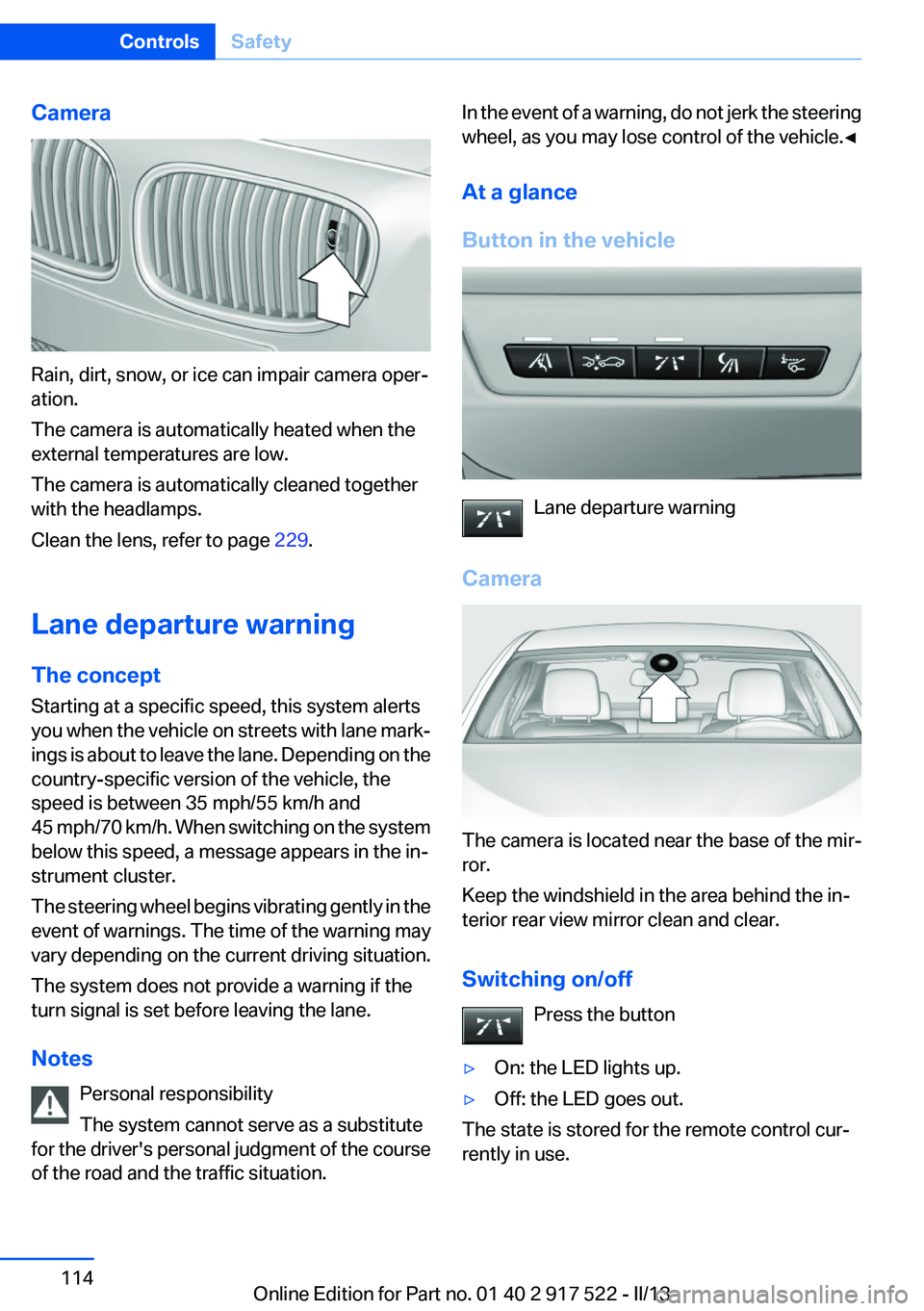
Camera
Rain, dirt, snow, or ice can impair camera oper‐
ation.
The camera is automatically heated when the
external temperatures are low.
The camera is automatically cleaned together
with the headlamps.
Clean the lens, refer to page 229.
Lane departure warning
The concept
Starting at a specific speed, this system alerts
you when the vehicle on streets with lane mark‐
ings is about to leave the lane. Depending on the
country-specific version of the vehicle, the
speed is between 35 mph/55 km/h and
45 mph/70 km/h. When switching on the system
below this speed, a message appears in the in‐
strument cluster.
The steering wheel begins vibrating gently in the
event of warnings. The time of the warning may
vary depending on the current driving situation.
The system does not provide a warning if the
turn signal is set before leaving the lane.
Notes Personal responsibility
The system cannot serve as a substitute
for the driver's personal judgment of the course
of the road and the traffic situation.
In the event of a warning, do not jerk the steering
wheel, as you may lose control of the vehicle.◀
At a glance
Button in the vehicle
Lane departure warning
Camera
The camera is located near the base of the mir‐
ror.
Keep the windshield in the area behind the in‐
terior rear view mirror clean and clear.
Switching on/off Press the button
▷On: the LED lights up.▷Off: the LED goes out.
The state is stored for the remote control cur‐
rently in use.
Seite 114ControlsSafety114
Online Edition for Part no. 01 40 2 917 522 - II/13
Page 156 of 246
rearview mirror. The required distance de‐
pends on the manual transmitter.4.Simultaneously press and hold the button of
the desired function on the hand-held trans‐
mitter and the button to be programmed on
the interior rearview mirror. The LED on the
interior rearview mirror will begin flashing
slowly.5.Release both buttons as soon as the LED
flashes more rapidly. When the LED is flash‐
ing faster, this indicates that the button on
the interior rearview mirror has been pro‐
grammed.
If the LED does not flash faster after at least
60 seconds, change the distance between
the interior rearview mirror and the hand-
held transmitter and repeat the step. Several
more attempts at different distances may be
necessary. Wait at least 15 seconds be‐
tween attempts.
Canada: if programming with the hand-held
transmitter was interrupted, hold down the
interior rearview mirror button and repeat‐
edly press and release the hand-held trans‐
mitter button for 2 seconds.6.To program other functions on other but‐
tons, repeat steps 3 to 5.
The systems can be controlled using the interior
rearview mirror buttons.
Special feature of the alternating-code
wireless system
If you are unable to operate the system after re‐
peated programming, please check if the sys‐
tem to be controlled features an alternating-
code system.
Read the system's operating manual, or press
the programmed button on the interior rearview
mirror longer. If the LED on the interior rearview
mirror starts flashing rapidly and then stays lit
constantly for 2 seconds, the system features
an alternating-code system. Flashing and con‐
tinuous illumination of the LED will repeat for
approximately 20 seconds.
For systems with an alternating-code system,
the integrated universal remote control and the
system also have to be synchronized.
Please read the operating manual of the system
being set up for information on how to syn‐
chronize the system.
Synchronizing is easier with the aid of a second
person.
To synchronize:1.Park the vehicle within range of the remote-
controlled system.2.Program the relevant button on the interior
rearview mirror as described.3.Locate and press the synchronizing button
on the system being programmed. You have
approx. 30 seconds for the next step.4.Hold down the programmed button on the
interior rearview mirror for approximately
3 seconds and then release it. If necessary,
repeat this work step up to three times in or‐
der to finish synchronization. Once synchro‐
nization is complete, the programmed func‐
tion will be carried out.
Reprogramming individual buttons
1.Switch on the ignition.2.Press and hold the interior rearview mirror
button to be programmed.3.As soon as the interior rearview mirror LED
starts flashing slowly, hold the hand-held
transmitter for the system to be controlled
approx. 1 to 3 in/2.5 to 8 cm away from the
buttons on the interior rearview mirror. The
required distance depends on the manual
transmitter.4.Likewise, press and hold the button of the
desired function on the hand-held transmit‐
ter.5.Release both buttons as soon as the interior
rearview mirror LED flashes more rapidly.
When the LED is flashing faster, this indi‐
cates that the button on the interior rearview
mirror has been programmed. The systemSeite 156ControlsInterior equipment156
Online Edition for Part no. 01 40 2 917 522 - II/13
Page 157 of 246
can then be controlled by the button on the
interior rearview mirror.
If the LED does not flash faster after at least
60 seconds, change the distance and repeat
the step. Several more attempts at different
distances may be necessary. Wait at least
15 seconds between attempts.
Canada: if programming with the hand-held
transmitter was interrupted, hold down the
interior rearview mirror button and repeat‐
edly press and release the hand-held trans‐
mitter button for 2 seconds.
Controls
Before operation
Before operating a system using the
integrated universal remote control, ensure that
there are no people, animals, or objects within
the range of movement of the remote-controlled
system; otherwise, there is a risk of injury or
damage.
Also follow the safety instructions of the hand-
held transmitter.◀
The system, such as the garage door, can be
operated using the button on the interior rear‐
view mirror while the engine is running or when
the ignition is started. To do this, hold down the
button within receiving range of the system until
the function is activated. The interior rearview
mirror LED stays lit while the wireless signal is
being transmitted.
Deleting stored functions
Press and hold the left and right button on the
interior rearview mirror simultaneously for ap‐
proximately 20 seconds until the LED flashes
rapidly. All stored functions are deleted. The
functions cannot be deleted individually.
Ashtray/cigarette lighter
Manual transmission: Front
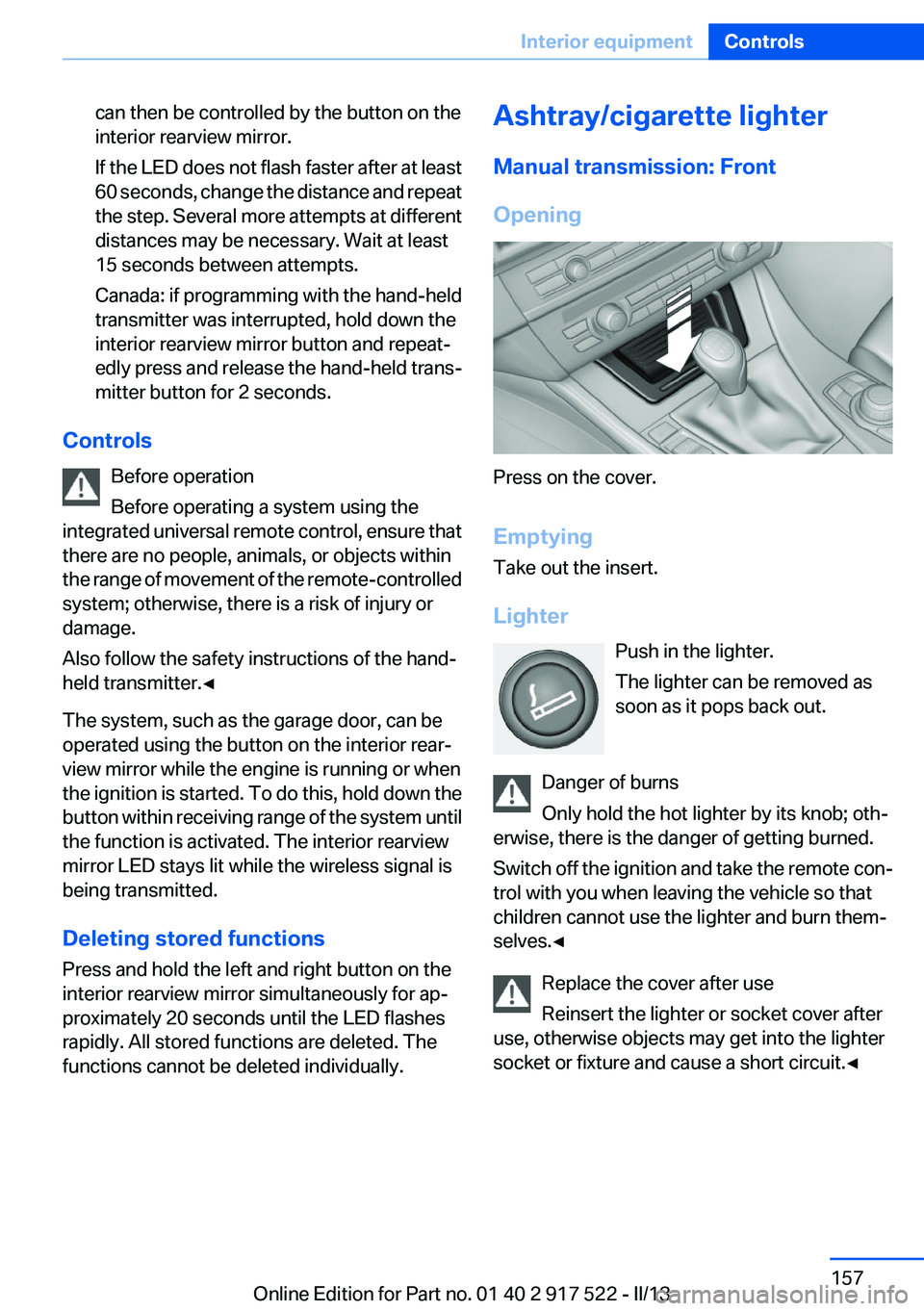
Opening
Press on the cover.
Emptying
Take out the insert.
Lighter Push in the lighter.
The lighter can be removed as
soon as it pops back out.
Danger of burns
Only hold the hot lighter by its knob; oth‐
erwise, there is the danger of getting burned.
Switch off the ignition and take the remote con‐
trol with you when leaving the vehicle so that
children cannot use the lighter and burn them‐
selves.◀
Replace the cover after use
Reinsert the lighter or socket cover after
use, otherwise objects may get into the lighter
socket or fixture and cause a short circuit.◀
Seite 157Interior equipmentControls157
Online Edition for Part no. 01 40 2 917 522 - II/13
Page 236 of 246
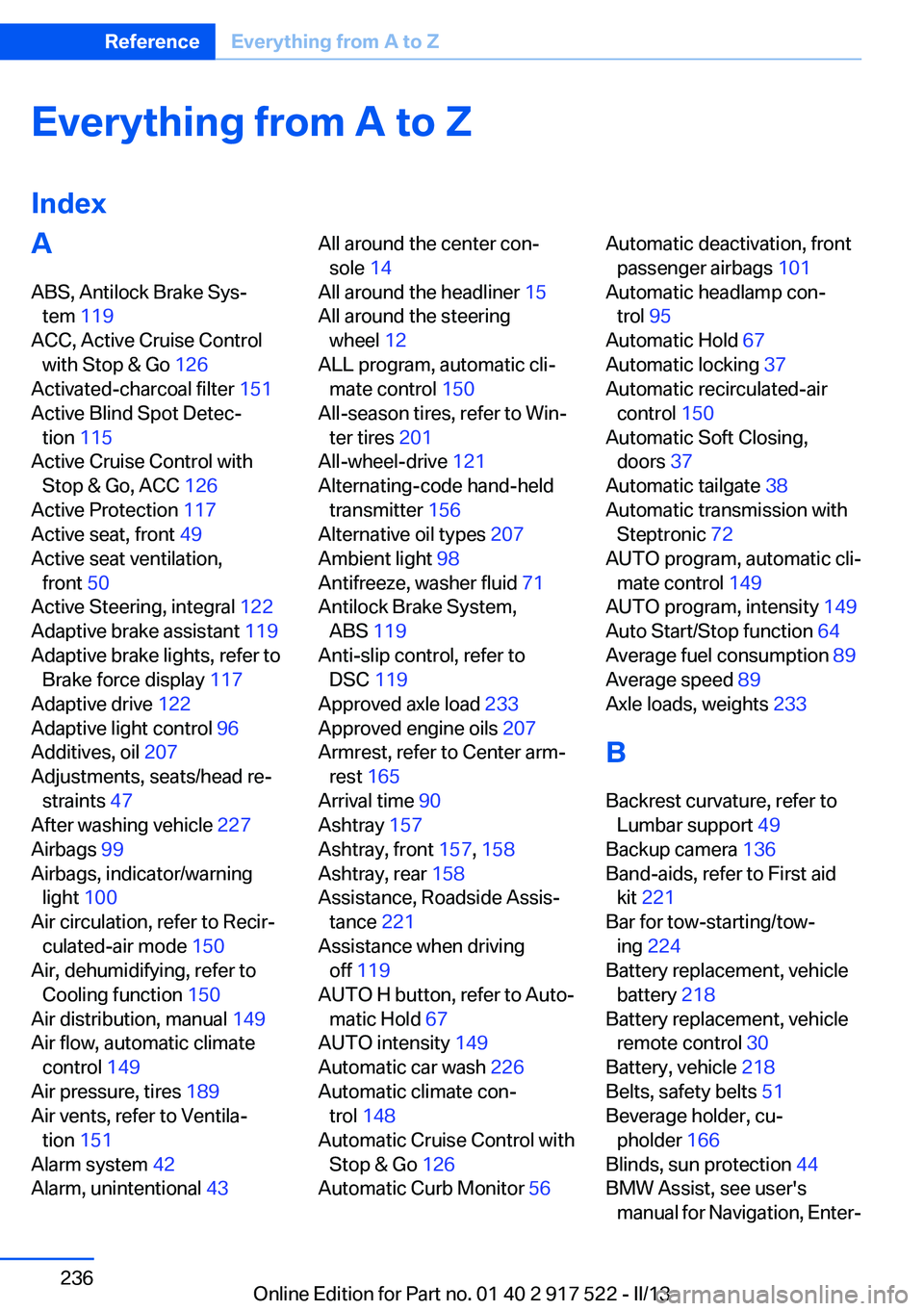
Everything from A to Z
IndexA
ABS, Antilock Brake Sys‐ tem 119
ACC, Active Cruise Control with Stop & Go 126
Activated-charcoal filter 151
Active Blind Spot Detec‐ tion 115
Active Cruise Control with Stop & Go, ACC 126
Active Protection 117
Active seat, front 49
Active seat ventilation, front 50
Active Steering, integral 122
Adaptive brake assistant 119
Adaptive brake lights, refer to Brake force display 117
Adaptive drive 122
Adaptive light control 96
Additives, oil 207
Adjustments, seats/head re‐ straints 47
After washing vehicle 227
Airbags 99
Airbags, indicator/warning light 100
Air circulation, refer to Recir‐ culated-air mode 150
Air, dehumidifying, refer to Cooling function 150
Air distribution, manual 149
Air flow, automatic climate control 149
Air pressure, tires 189
Air vents, refer to Ventila‐ tion 151
Alarm system 42
Alarm, unintentional 43 All around the center con‐
sole 14
All around the headliner 15
All around the steering wheel 12
ALL program, automatic cli‐ mate control 150
All-season tires, refer to Win‐ ter tires 201
All-wheel-drive 121
Alternating-code hand-held transmitter 156
Alternative oil types 207
Ambient light 98
Antifreeze, washer fluid 71
Antilock Brake System, ABS 119
Anti-slip control, refer to DSC 119
Approved axle load 233
Approved engine oils 207
Armrest, refer to Center arm‐ rest 165
Arrival time 90
Ashtray 157
Ashtray, front 157, 158
Ashtray, rear 158
Assistance, Roadside Assis‐ tance 221
Assistance when driving off 119
AUTO H button, refer to Auto‐ matic Hold 67
AUTO intensity 149
Automatic car wash 226
Automatic climate con‐ trol 148
Automatic Cruise Control with Stop & Go 126
Automatic Curb Monitor 56 Automatic deactivation, front
passenger airbags 101
Automatic headlamp con‐ trol 95
Automatic Hold 67
Automatic locking 37
Automatic recirculated-air control 150
Automatic Soft Closing, doors 37
Automatic tailgate 38
Automatic transmission with Steptronic 72
AUTO program, automatic cli‐ mate control 149
AUTO program, intensity 149
Auto Start/Stop function 64
Average fuel consumption 89
Average speed 89
Axle loads, weights 233
B
Backrest curvature, refer to Lumbar support 49
Backup camera 136
Band-aids, refer to First aid kit 221
Bar for tow-starting/tow‐ ing 224
Battery replacement, vehicle battery 218
Battery replacement, vehicle remote control 30
Battery, vehicle 218
Belts, safety belts 51
Beverage holder, cu‐ pholder 166
Blinds, sun protection 44
BMW Assist, see user's manual for Navigation, Enter‐Seite 236ReferenceEverything from A to Z236
Online Edition for Part no. 01 40 2 917 522 - II/13
Page 237 of 246
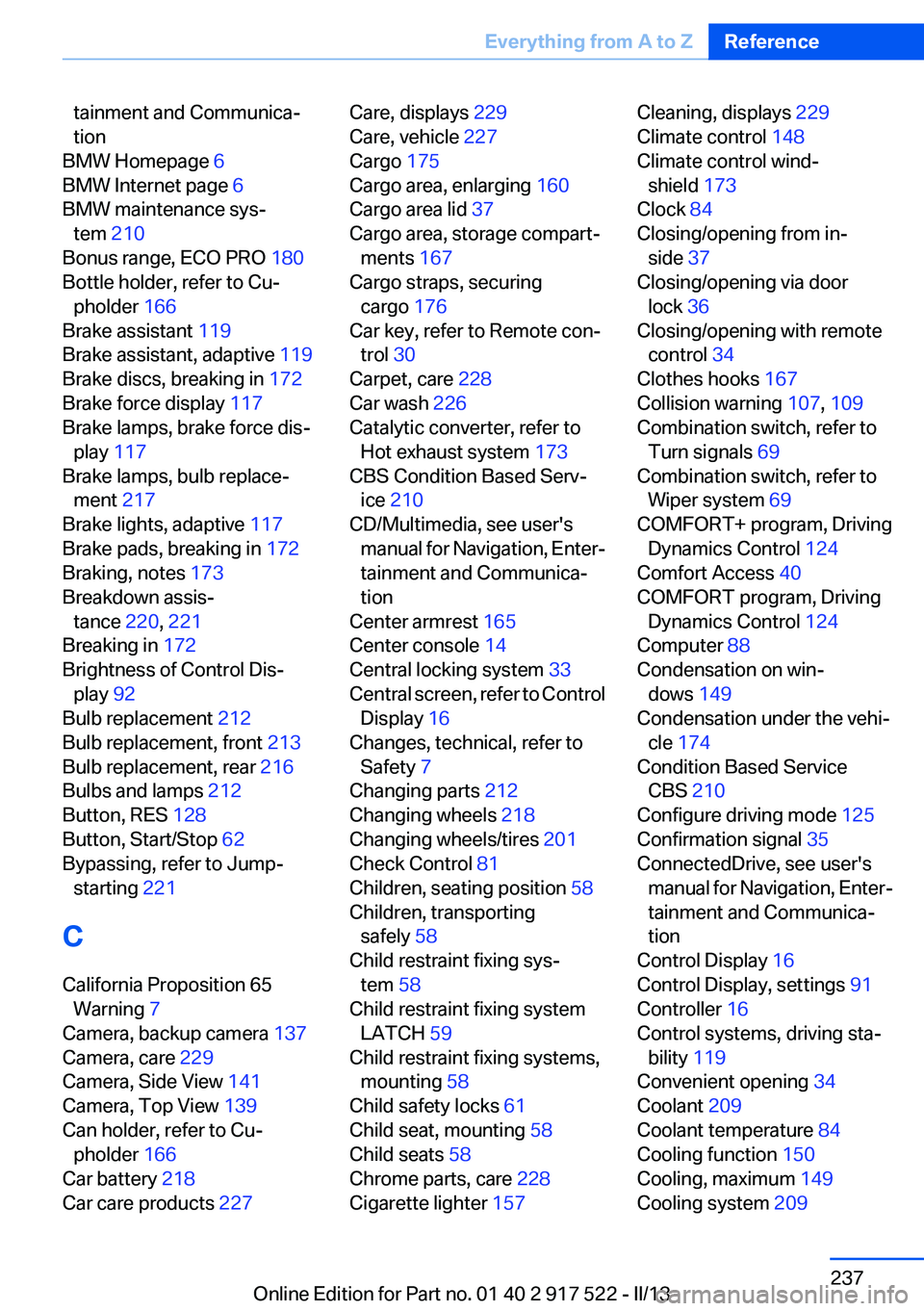
tainment and Communica‐
tion
BMW Homepage 6
BMW Internet page 6
BMW maintenance sys‐ tem 210
Bonus range, ECO PRO 180
Bottle holder, refer to Cu‐ pholder 166
Brake assistant 119
Brake assistant, adaptive 119
Brake discs, breaking in 172
Brake force display 117
Brake lamps, brake force dis‐ play 117
Brake lamps, bulb replace‐ ment 217
Brake lights, adaptive 117
Brake pads, breaking in 172
Braking, notes 173
Breakdown assis‐ tance 220, 221
Breaking in 172
Brightness of Control Dis‐ play 92
Bulb replacement 212
Bulb replacement, front 213
Bulb replacement, rear 216
Bulbs and lamps 212
Button, RES 128
Button, Start/Stop 62
Bypassing, refer to Jump- starting 221
C
California Proposition 65 Warning 7
Camera, backup camera 137
Camera, care 229
Camera, Side View 141
Camera, Top View 139
Can holder, refer to Cu‐ pholder 166
Car battery 218
Car care products 227 Care, displays 229
Care, vehicle 227
Cargo 175
Cargo area, enlarging 160
Cargo area lid 37
Cargo area, storage compart‐ ments 167
Cargo straps, securing cargo 176
Car key, refer to Remote con‐ trol 30
Carpet, care 228
Car wash 226
Catalytic converter, refer to Hot exhaust system 173
CBS Condition Based Serv‐ ice 210
CD/Multimedia, see user's manual for Navigation, Enter‐
tainment and Communica‐
tion
Center armrest 165
Center console 14
Central locking system 33
Central screen, refer to Control Display 16
Changes, technical, refer to Safety 7
Changing parts 212
Changing wheels 218
Changing wheels/tires 201
Check Control 81
Children, seating position 58
Children, transporting safely 58
Child restraint fixing sys‐ tem 58
Child restraint fixing system LATCH 59
Child restraint fixing systems, mounting 58
Child safety locks 61
Child seat, mounting 58
Child seats 58
Chrome parts, care 228
Cigarette lighter 157 Cleaning, displays 229
Climate control 148
Climate control wind‐ shield 173
Clock 84
Closing/opening from in‐ side 37
Closing/opening via door lock 36
Closing/opening with remote control 34
Clothes hooks 167
Collision warning 107, 109
Combination switch, refer to Turn signals 69
Combination switch, refer to Wiper system 69
COMFORT+ program, Driving Dynamics Control 124
Comfort Access 40
COMFORT program, Driving Dynamics Control 124
Computer 88
Condensation on win‐ dows 149
Condensation under the vehi‐ cle 174
Condition Based Service CBS 210
Configure driving mode 125
Confirmation signal 35
ConnectedDrive, see user's manual for Navigation, Enter‐
tainment and Communica‐
tion
Control Display 16
Control Display, settings 91
Controller 16
Control systems, driving sta‐ bility 119
Convenient opening 34
Coolant 209
Coolant temperature 84
Cooling function 150
Cooling, maximum 149
Cooling system 209 Seite 237Everything from A to ZReference237
Online Edition for Part no. 01 40 2 917 522 - II/13
Page 238 of 246
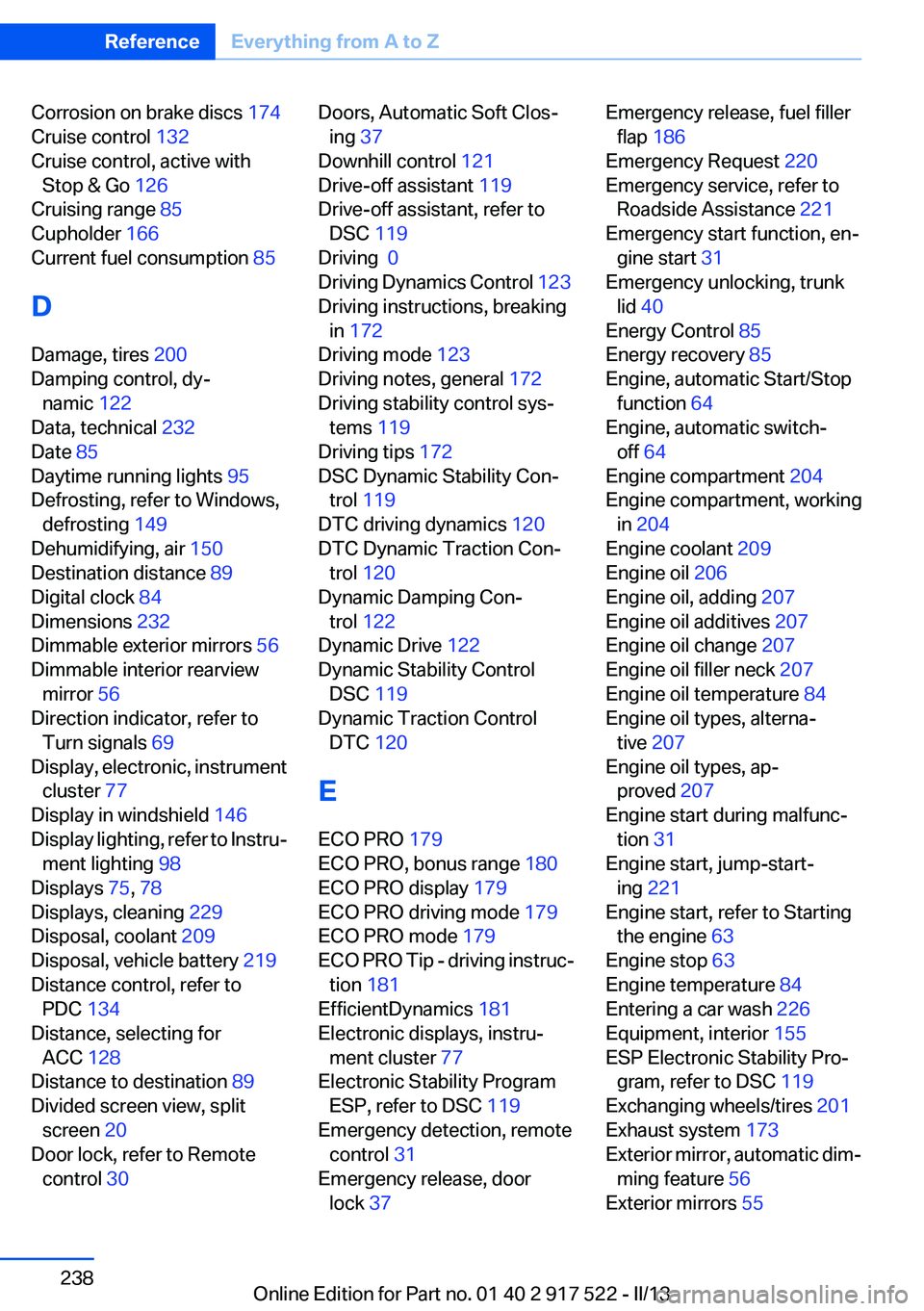
Corrosion on brake discs 174
Cruise control 132
Cruise control, active with Stop & Go 126
Cruising range 85
Cupholder 166
Current fuel consumption 85
D
Damage, tires 200
Damping control, dy‐ namic 122
Data, technical 232
Date 85
Daytime running lights 95
Defrosting, refer to Windows, defrosting 149
Dehumidifying, air 150
Destination distance 89
Digital clock 84
Dimensions 232
Dimmable exterior mirrors 56
Dimmable interior rearview mirror 56
Direction indicator, refer to Turn signals 69
Display, electronic, instrument cluster 77
Display in windshield 146
Display lighting, refer to Instru‐ ment lighting 98
Displays 75, 78
Displays, cleaning 229
Disposal, coolant 209
Disposal, vehicle battery 219
Distance control, refer to PDC 134
Distance, selecting for ACC 128
Distance to destination 89
Divided screen view, split screen 20
Door lock, refer to Remote control 30 Doors, Automatic Soft Clos‐
ing 37
Downhill control 121
Drive-off assistant 119
Drive-off assistant, refer to DSC 119
Driving 0
Driving Dynamics Control 123
Driving instructions, breaking in 172
Driving mode 123
Driving notes, general 172
Driving stability control sys‐ tems 119
Driving tips 172
DSC Dynamic Stability Con‐ trol 119
DTC driving dynamics 120
DTC Dynamic Traction Con‐ trol 120
Dynamic Damping Con‐ trol 122
Dynamic Drive 122
Dynamic Stability Control DSC 119
Dynamic Traction Control DTC 120
E
ECO PRO 179
ECO PRO, bonus range 180
ECO PRO display 179
ECO PRO driving mode 179
ECO PRO mode 179
ECO PRO Tip - driving instruc‐ tion 181
EfficientDynamics 181
Electronic displays, instru‐ ment cluster 77
Electronic Stability Program ESP, refer to DSC 119
Emergency detection, remote control 31
Emergency release, door lock 37 Emergency release, fuel filler
flap 186
Emergency Request 220
Emergency service, refer to Roadside Assistance 221
Emergency start function, en‐ gine start 31
Emergency unlocking, trunk lid 40
Energy Control 85
Energy recovery 85
Engine, automatic Start/Stop function 64
Engine, automatic switch- off 64
Engine compartment 204
Engine compartment, working in 204
Engine coolant 209
Engine oil 206
Engine oil, adding 207
Engine oil additives 207
Engine oil change 207
Engine oil filler neck 207
Engine oil temperature 84
Engine oil types, alterna‐ tive 207
Engine oil types, ap‐ proved 207
Engine start during malfunc‐ tion 31
Engine start, jump-start‐ ing 221
Engine start, refer to Starting the engine 63
Engine stop 63
Engine temperature 84
Entering a car wash 226
Equipment, interior 155
ESP Electronic Stability Pro‐ gram, refer to DSC 119
Exchanging wheels/tires 201
Exhaust system 173
Exterior mirror, automatic dim‐ ming feature 56
Exterior mirrors 55 Seite 238ReferenceEverything from A to Z238
Online Edition for Part no. 01 40 2 917 522 - II/13
Page 239 of 246
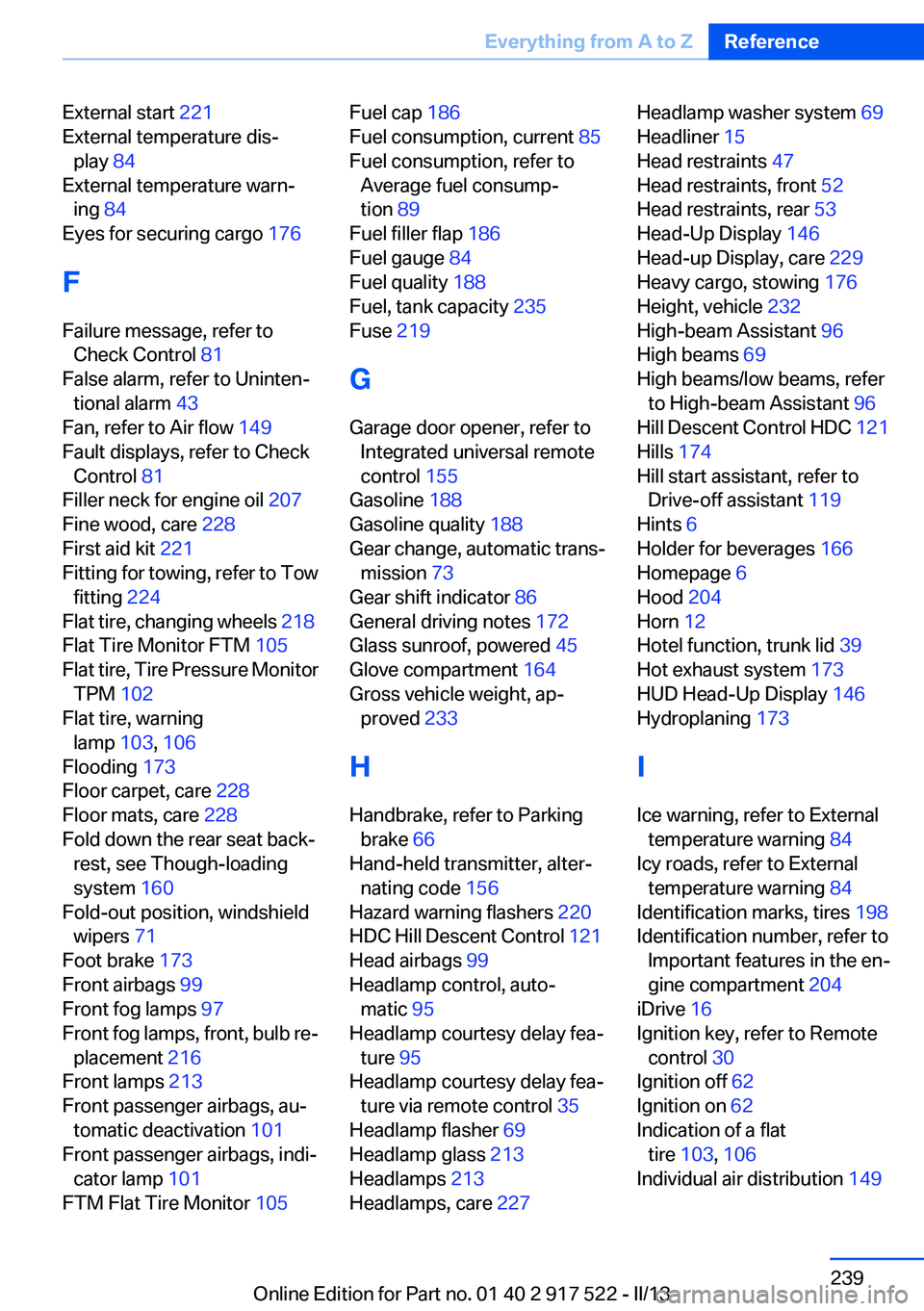
External start 221
External temperature dis‐ play 84
External temperature warn‐ ing 84
Eyes for securing cargo 176
F
Failure message, refer to Check Control 81
False alarm, refer to Uninten‐ tional alarm 43
Fan, refer to Air flow 149
Fault displays, refer to Check Control 81
Filler neck for engine oil 207
Fine wood, care 228
First aid kit 221
Fitting for towing, refer to Tow fitting 224
Flat tire, changing wheels 218
Flat Tire Monitor FTM 105
Flat tire, Tire Pressure Monitor TPM 102
Flat tire, warning lamp 103, 106
Flooding 173
Floor carpet, care 228
Floor mats, care 228
Fold down the rear seat back‐ rest, see Though-loading
system 160
Fold-out position, windshield wipers 71
Foot brake 173
Front airbags 99
Front fog lamps 97
Front fog lamps, front, bulb re‐ placement 216
Front lamps 213
Front passenger airbags, au‐ tomatic deactivation 101
Front passenger airbags, indi‐ cator lamp 101
FTM Flat Tire Monitor 105 Fuel cap 186
Fuel consumption, current 85
Fuel consumption, refer to Average fuel consump‐
tion 89
Fuel filler flap 186
Fuel gauge 84
Fuel quality 188
Fuel, tank capacity 235
Fuse 219
G
Garage door opener, refer to Integrated universal remote
control 155
Gasoline 188
Gasoline quality 188
Gear change, automatic trans‐ mission 73
Gear shift indicator 86
General driving notes 172
Glass sunroof, powered 45
Glove compartment 164
Gross vehicle weight, ap‐ proved 233
H
Handbrake, refer to Parking brake 66
Hand-held transmitter, alter‐ nating code 156
Hazard warning flashers 220
HDC Hill Descent Control 121
Head airbags 99
Headlamp control, auto‐ matic 95
Headlamp courtesy delay fea‐ ture 95
Headlamp courtesy delay fea‐ ture via remote control 35
Headlamp flasher 69
Headlamp glass 213
Headlamps 213
Headlamps, care 227 Headlamp washer system 69
Headliner 15
Head restraints 47
Head restraints, front 52
Head restraints, rear 53
Head-Up Display 146
Head-up Display, care 229
Heavy cargo, stowing 176
Height, vehicle 232
High-beam Assistant 96
High beams 69
High beams/low beams, refer to High-beam Assistant 96
Hill Descent Control HDC 121
Hills 174
Hill start assistant, refer to Drive-off assistant 119
Hints 6
Holder for beverages 166
Homepage 6
Hood 204
Horn 12
Hotel function, trunk lid 39
Hot exhaust system 173
HUD Head-Up Display 146
Hydroplaning 173
I
Ice warning, refer to External temperature warning 84
Icy roads, refer to External temperature warning 84
Identification marks, tires 198
Identification number, refer to Important features in the en‐
gine compartment 204
iDrive 16
Ignition key, refer to Remote control 30
Ignition off 62
Ignition on 62
Indication of a flat tire 103 , 106
Individual air distribution 149 Seite 239Everything from A to ZReference239
Online Edition for Part no. 01 40 2 917 522 - II/13
Page 240 of 246
Individual settings, refer toPersonal Profile 31
Inflation pressure, tires 189
Inflation pressure warning FTM, tires 105
Info display, refer to Com‐ puter 88
Initialization, Integral Active Steering 123
Initialize, Tire Pressure Moni‐ tor TPM 103
Initializing, Flat Tire Monitor FTM 106
Instrument cluster 75
Instrument cluster, electronic displays 77
Instrument display, multifunc‐ tional 78
Instrument lighting 98
Integral Active Steering 122
Integrated key 30
Integrated universal remote control 155
Intensity, AUTO program 149
Interior equipment 155
Interior lamps 98
Interior lamps via remote con‐ trol 35
Interior motion sensor 43
Interior rearview mirror 56
Interior rearview mirror, auto‐ matic dimming feature 56
Internet page 6
Interval display, service re‐ quirements 85
J
Jacking points for the vehicle jack 218
Jack, refer to Vehicle jack 218
Joystick, automatic transmis‐ sion 73
Jump-starting 221 K
Key/remote control 30
Keyless Go, refer to Comfort Access 40
Key Memory, refer to Personal Profile 31
Kickdown, automatic trans‐ mission 72
Knee airbag 99
L
Lamp replacement 212
Lamp replacement, front 213
Lamp replacement, rear 216
Lamps 94
Lamps and bulbs 212
Lane departure warning 114
Lane margin, warning 114
Language on Control Dis‐ play 92
Lashing eyes, securing cargo 176
LATCH child restraint fixing system 59
Leather, care 227
LEDs, light-emitting di‐ odes 213
Length, vehicle 233
Letters and numbers, enter‐ ing 21
License plate lamp, bulb re‐ placement 217
Light-alloy wheels, care 228
Light control 96
Light-emitting diodes, LEDs 213
Lighter, front 157, 158
Lighter, rear 158
Lighting 94
Lighting, speaker 98
Lighting via remote control 35
Light switch 94
Load 175
Loading 175 Lock, door 36
Locking/unlocking from in‐ side 37
Locking/unlocking via door lock 36
Locking/unlocking with re‐ mote control 34
Locking, automatic 37
Locking, central 33
Locking via trunk lid 38
Lock, power window 44
Locks, doors, and win‐ dows 61
Low beams 94
Low beams, automatic, refer to High-beam Assistant 96
Lower back support 49
Luggage rack, refer to Roof- mounted luggage rack 176
Lumbar support 49
M
Maintenance 210
Maintenance require‐ ments 210
Maintenance, service require‐ ments 85
Maintenance system, BMW 210
Malfunction displays, refer to Check Control 81
Manual air distribution 149
Manual air flow 149
Manual brake, refer to Parking brake 66
Manual mode, transmis‐ sion 73
Manual operation, backup camera 137
Manual operation, door lock 37
Manual operation, exterior mir‐ rors 56
Manual operation, fuel filler flap 186 Seite 240ReferenceEverything from A to Z240
Online Edition for Part no. 01 40 2 917 522 - II/13
Page 241 of 246
Manual operation, Park Dis‐tance Control PDC 135
Manual operation, Side View 141
Manual operation, Top View 140
Manual transmission 72
Marking on approved tires 201
Marking, run-flat tires 202
Massage seat, front 49
Master key, refer to Remote control 30
Maximum cooling 149
Maximum speed, display 86
Maximum speed, winter tires 202
Measure, units of 92
Medical kit 221
Memory for seat, mirrors, steering wheel 54
Menu, EfficientDynamics 181
Menu in instrument cluster 88
Menus, operating, iDrive 16
Menus, refer to iDrive operat‐ ing concept 17
Messages, refer to Check Control 81
Microfilter 151
Minimum tread, tires 200
Mirror 55
Mirror memory 54
Mobile communication devi‐ ces in the vehicle 173
Modifications, technical, refer to Safety 7
Moisture in headlamp 213
Monitor, refer to Control Dis‐ play 16
Mounting of child restraint fix‐ ing systems 58
Multifunctional instrument display 78
Multifunction steering wheel, buttons 12 N
Navigation, see user's manual for Navigation, Entertain‐
ment and Communication
Neck restraints, front, refer to Head restraints 52
Neck restraints, rear, refer to Head restraints 53
New wheels and tires 201
Night Vision with pedestrian detection 111
No Passing Information 86
Nylon rope for tow-starting/ towing 224
O
OBD Onboard Diagnos‐ tics 211
Obstacle marking, backup camera 138
Octane rating, refer to Gaso‐ line quality 188
Odometer 84
Office, see user's manual for Navigation, Entertainment
and Communication
Oil 206
Oil, adding 207
Oil additives 207
Oil change 207
Oil change interval, service re‐ quirements 85
Oil filler neck 207
Oil types, alternative 207
Oil types, approved 207
Old batteries, disposal 219
Onboard Diagnostics OBD 211
Onboard monitor, refer to Control Display 16
Onboard vehicle tool kit 212
Opening/closing from in‐ side 37 Opening/closing via door
lock 36
Opening/closing with remote control 34
Opening the trunk lid with no- touch activation 41
Operating concept, iDrive 16
Optional equipment, standard equipment 6
Outside air, refer to Automatic recirculated-air control 150
Overheating of engine, refer to Coolant temperature 84
Overtaking prohibitions 86
P
Paint, vehicle 227
Parallel parking assistant 142
Park Distance Control PDC 134
Parked-car ventilation 153
Parked vehicle, condensa‐ tion 174
Parking aid, refer to PDC 134
Parking assistant 142
Parking brake 66
Parking lamps 94
Parking with Auto Hold 67
Passenger side mirror, tilting downward 56
Pathway lines, backup cam‐ era 138
PDC Park Distance Con‐ trol 134
Pedestrian detection, refer to Night Vision 111
People detection, refer to Night Vision 111
Personal Profile 31
Pinch protection system, glass sunroof 46
Pinch protection system, win‐ dows 44
Plastic, care 228
Power failure 219 Seite 241Everything from A to ZReference241
Online Edition for Part no. 01 40 2 917 522 - II/13