parking brake BMW 528I 2014 User Guide
[x] Cancel search | Manufacturer: BMW, Model Year: 2014, Model line: 528I, Model: BMW 528I 2014Pages: 267, PDF Size: 5.88 MB
Page 129 of 267
Driving stability control systemsVehicle equipmentAll standard, country-specific and optional
equipment that is offered in the model series is
described in this chapter. Therefore, equip‐
ment is also described that is not available in a
vehicle, e. g., because of the selected optional
equipment or country variant. This also applies
for safety-related functions and systems.
Antilock Brake System ABS ABS prevents locking of the wheels during
braking.
The vehicle remains steerable even during full
brake applications, thus increasing active
safety.
ABS is operational every time you start the en‐
gine.
Brake assistant
When you apply the brakes rapidly, this system
automatically produces the maximum braking
force boost. This then reduces braking dis‐ tance to a minimum during full braking. This
system utilizes all of the benefits provided by ABS.
Do not reduce the pressure on the brake pedal
for the duration of the full braking.
When equipped with Driving Assistant Plus or
with Active Cruise Control with Stop & Go
function, ACC is supported by the braking in‐
tervention if there is a possible risk of collision.
To do this, the braking force is automatically increased if the braking pressure is insufficient
when the brakes are applied.Adaptive brake assistant
In combination with the Active Cruise Control,
this system ensures that the brakes respond
even more rapidly when braking in critical sit‐
uations.
Drive-off assistant
This system supports driving away on gradi‐
ents. The parking brake is not required.1.Hold the vehicle in place with the foot
brake.2.Release the foot brake and drive away
without delay.
After the foot brake is released, the vehicle is
held in place for approx. 2 seconds.
Depending on the vehicle load or when a trailer
is being used, the vehicle may roll back
slightly.
Driving off without delay
After releasing the foot brake, start driv‐
ing without delay, since the drive-off assistant
will not hold the vehicle in place for more than
approx. 2 seconds and the vehicle will begin
rolling back.◀
DSC Dynamic Stability
Control
The concept DSC prevents traction loss in the driving
wheels when driving away and accelerating.
DSC also recognizes unstable vehicle condi‐
tions, such as fishtailing or nose-diving. Sub‐
ject to physical limits, DSC helps to keep the
vehicle on a steady course by reducing engine
Seite 129Driving stability control systemsControls129
Online Edition for Part no. 01 40 2 928 000 - II/14
Page 139 of 267
Speed differences
Large differences in speed relative to
other vehicles cannot be compensated by the
system for example in the following situations:▷When quickly approaching a slowly moving
vehicle.▷When another vehicle suddenly swerves
into the wrong lane.▷When stationary objects are approached at
speed.◀
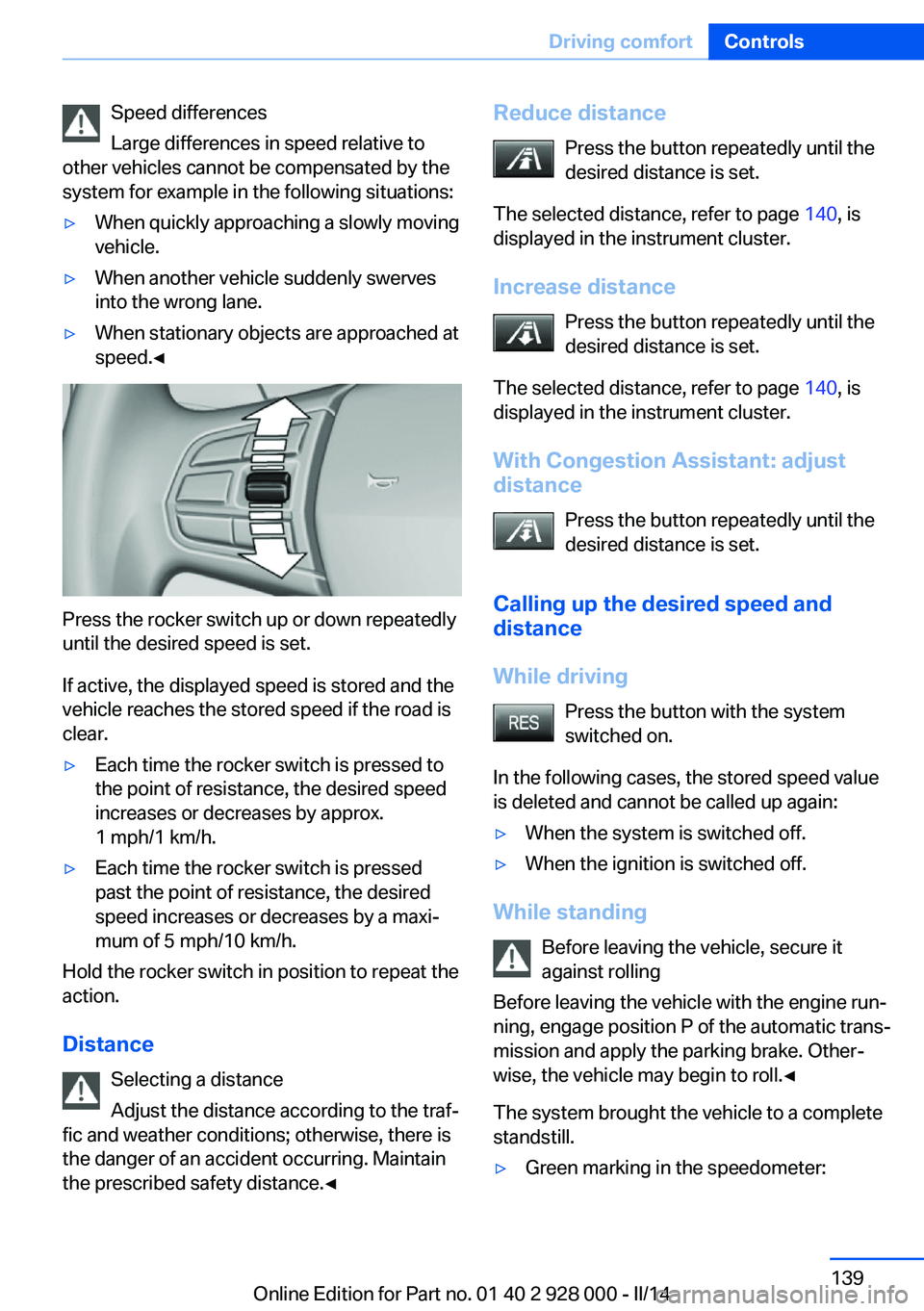
Press the rocker switch up or down repeatedly
until the desired speed is set.
If active, the displayed speed is stored and the
vehicle reaches the stored speed if the road is
clear.
▷Each time the rocker switch is pressed to
the point of resistance, the desired speed
increases or decreases by approx.
1 mph/1 km/h.▷Each time the rocker switch is pressed
past the point of resistance, the desired
speed increases or decreases by a maxi‐
mum of 5 mph/10 km/h.
Hold the rocker switch in position to repeat the
action.
Distance Selecting a distance
Adjust the distance according to the traf‐
fic and weather conditions; otherwise, there is
the danger of an accident occurring. Maintain
the prescribed safety distance.◀
Reduce distance
Press the button repeatedly until the
desired distance is set.
The selected distance, refer to page 140, is
displayed in the instrument cluster.
Increase distance Press the button repeatedly until the
desired distance is set.
The selected distance, refer to page 140, is
displayed in the instrument cluster.
With Congestion Assistant: adjust
distance
Press the button repeatedly until the
desired distance is set.
Calling up the desired speed and distance
While driving Press the button with the system
switched on.
In the following cases, the stored speed value
is deleted and cannot be called up again:▷When the system is switched off.▷When the ignition is switched off.
While standing
Before leaving the vehicle, secure it
against rolling
Before leaving the vehicle with the engine run‐
ning, engage position P of the automatic trans‐
mission and apply the parking brake. Other‐
wise, the vehicle may begin to roll.◀
The system brought the vehicle to a complete
standstill.
▷Green marking in the speedometer:Seite 139Driving comfortControls139
Online Edition for Part no. 01 40 2 928 000 - II/14
Page 158 of 267
Suitable parking space▷Gap between two objects with a minimum
length of approx. 5 ft/1.5 m.▷Min. length of gap between two objects:
your vehicle's length plus approx.
4 ft/1.2 m.▷Minimum depth: approx. 5 ft/1.5 m.
For parking procedure
▷Doors and trunk lid closed.▷Parking brake released.▷When parking in parking spaces on the
driver's side, the corresponding turn signal
must be set where applicable.
Automatic transmission:
▷Driver's seat belt fastened.
At a glance
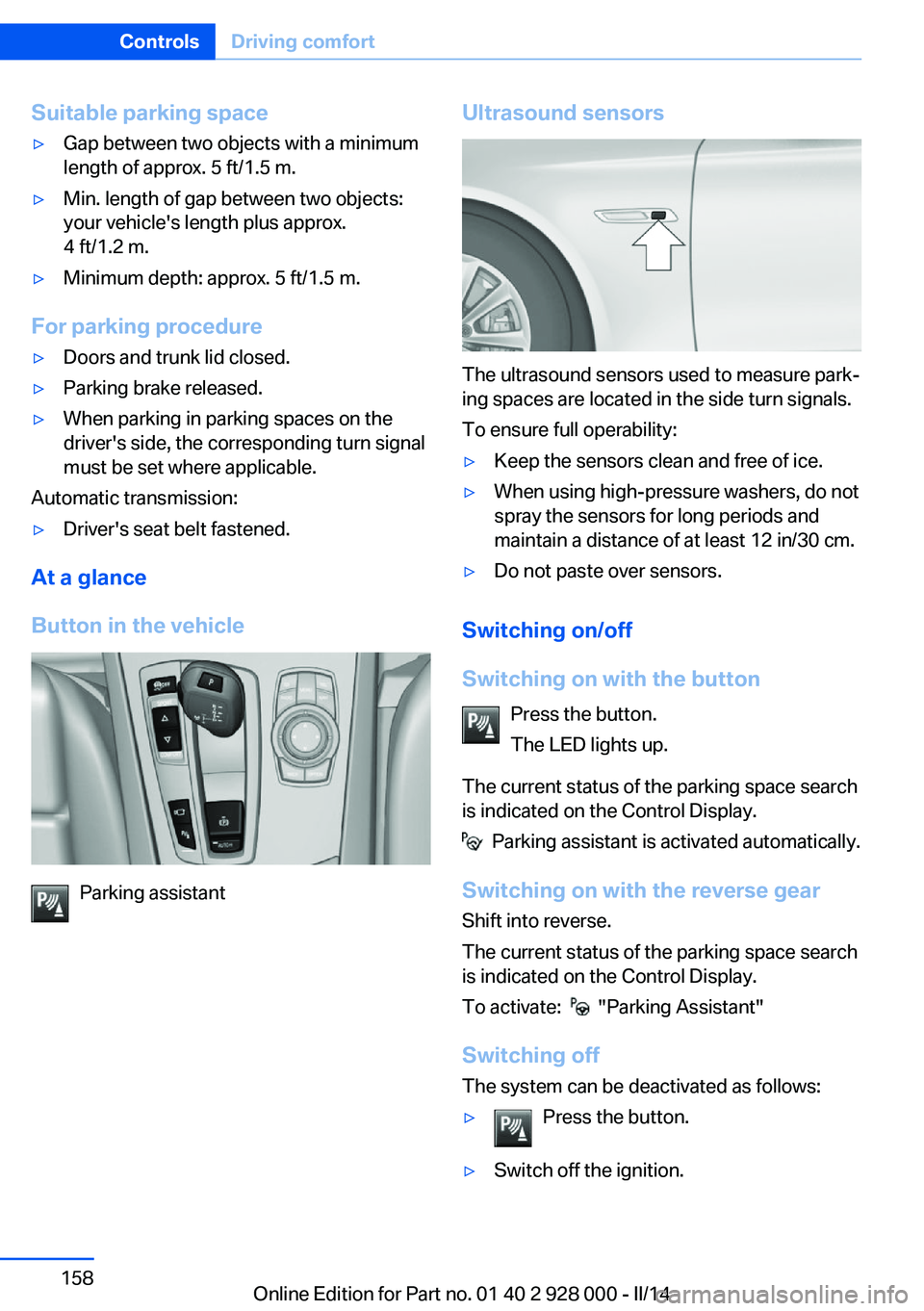
Button in the vehicle
Parking assistant
Ultrasound sensors
The ultrasound sensors used to measure park‐
ing spaces are located in the side turn signals.
To ensure full operability:
▷Keep the sensors clean and free of ice.▷When using high-pressure washers, do not
spray the sensors for long periods and
maintain a distance of at least 12 in/30 cm.▷Do not paste over sensors.
Switching on/off
Switching on with the button Press the button.
The LED lights up.
The current status of the parking space search
is indicated on the Control Display.
Parking assistant is activated automatically.
Switching on with the reverse gear
Shift into reverse.
The current status of the parking space search
is indicated on the Control Display.
To activate:
"Parking Assistant"
Switching off The system can be deactivated as follows:
▷Press the button.▷Switch off the ignition.Seite 158ControlsDriving comfort158
Online Edition for Part no. 01 40 2 928 000 - II/14
Page 160 of 267
activated. When the system is deactivated,
the displays on the Control Display are
shown in gray.
Parking using the parking assistant
Check the traffic situation as well
Loud sounds outside and within the vehi‐
cle can drown out the signal tones of the park‐
ing assistant and PDC.
Check the traffic situation around the vehicle
with your own eyes; otherwise, there is the
danger of an accident.◀
1.Switch on the parking assistant and acti‐
vate it if necessary.
The status of the parking space search is
indicated on the Control Display.2.Follow the instructions on the Control Dis‐
play.
To achieve the best possible parking posi‐
tion, wait for the automatic steering wheel
movement after the gear change when the
vehicle is stationary.
The end of the parking procedure is indi‐
cated on the Control Display.3.Adjust the parking position yourself if nec‐
essary.
Interrupting manually
The parking assistant can be interrupted at any
time:
▷ "Parking Assistant"▷Press the button.
Interrupting automatically
The system is interrupted automatically in the
following situations:
▷If the driver grasps the steering wheel or if
he takes over steering.▷If a gear is selected that does not match
the instruction on the Control Display.▷If the vehicle speed exceeds approx.
6 mph/10 km/h.▷On snow-covered or slippery road surfaces
if necessary.▷When there are obstacles that are hard to
overcome, such as curbs.▷If the Park Distance Control PDC displays
clearances that are too small.▷If a maximum number of parking attempts
or the time taken for parking is exceeded.▷When switching to another function on the
Control Display.
Automatic transmission:
▷When the button is released.▷If the trunk lid is open.▷If doors are open.▷When setting the parking brake.▷During acceleration.▷When braking.▷When unfastening the driver's seat belt.
A Check Control message is displayed.
Resume An interrupted parking procedure can be con‐
tinued if necessary.
Follow the instructions on the Control Display
to do this.
System limits
No parking assistance
The parking assistant does not offer assis‐
tance in the following situations:
▷In tight curves.
Functional limitations
The system may not be fully functional in the
following situations:
▷On bumpy road surfaces such as gravel
roads.Seite 160ControlsDriving comfort160
Online Edition for Part no. 01 40 2 928 000 - II/14
Page 236 of 267
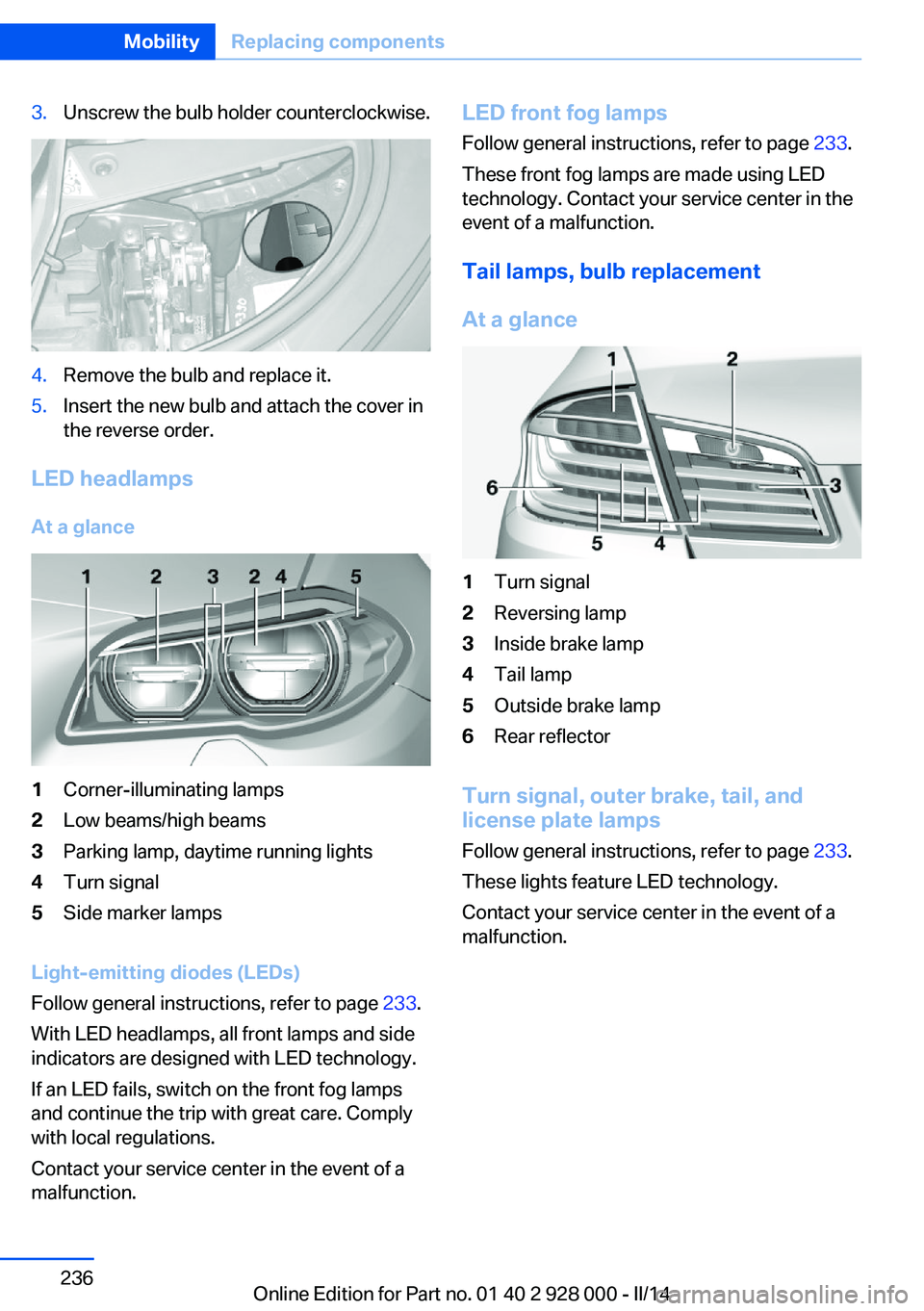
3.Unscrew the bulb holder counterclockwise.4.Remove the bulb and replace it.5.Insert the new bulb and attach the cover in
the reverse order.
LED headlamps
At a glance
1Corner-illuminating lamps2Low beams/high beams3Parking lamp, daytime running lights4Turn signal5Side marker lamps
Light-emitting diodes (LEDs)
Follow general instructions, refer to page 233.
With LED headlamps, all front lamps and side
indicators are designed with LED technology.
If an LED fails, switch on the front fog lamps
and continue the trip with great care. Comply
with local regulations.
Contact your service center in the event of a
malfunction.
LED front fog lamps
Follow general instructions, refer to page 233.
These front fog lamps are made using LED
technology. Contact your service center in the
event of a malfunction.
Tail lamps, bulb replacement
At a glance1Turn signal2Reversing lamp3Inside brake lamp4Tail lamp5Outside brake lamp6Rear reflector
Turn signal, outer brake, tail, and
license plate lamps
Follow general instructions, refer to page 233.
These lights feature LED technology.
Contact your service center in the event of a
malfunction.
Seite 236MobilityReplacing components236
Online Edition for Part no. 01 40 2 928 000 - II/14
Page 243 of 267
If the first starting attempt is not success‐
ful, wait a few minutes before making an‐
other attempt in order to allow the dis‐
charged battery to recharge.3.Let both engines run for several minutes.4.Disconnect the jumper cables in the re‐
verse order.
Check the battery and recharge if necessary.
Tow-starting and towing Automatic transmission: transporting
your vehicle
Note
Your vehicle is not permitted to be towed.
Therefore, contact a service center in the
event of a breakdown.
Do not have the vehicle towed
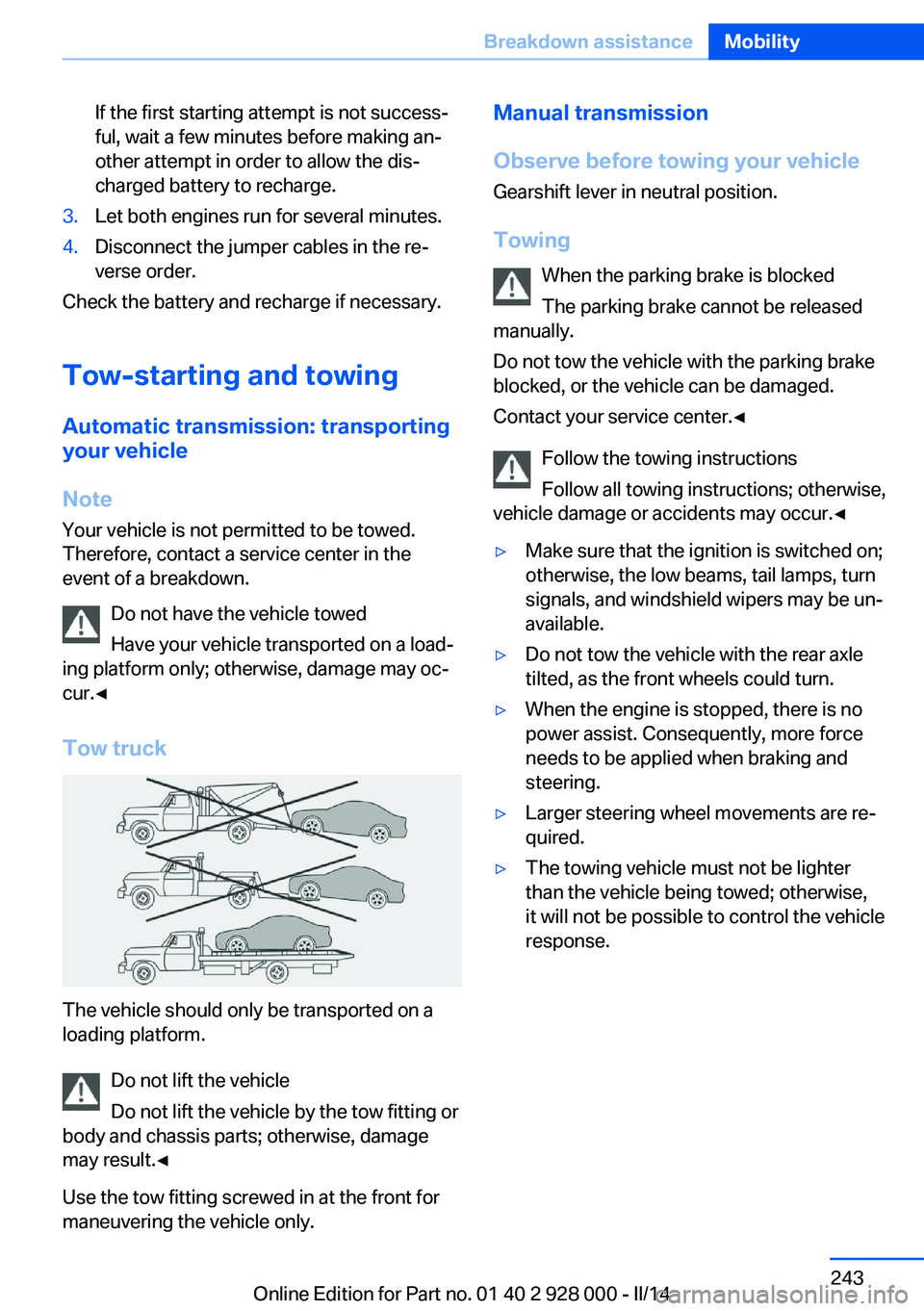
Have your vehicle transported on a load‐
ing platform only; otherwise, damage may oc‐
cur.◀
Tow truck
The vehicle should only be transported on a
loading platform.
Do not lift the vehicle
Do not lift the vehicle by the tow fitting or
body and chassis parts; otherwise, damage
may result.◀
Use the tow fitting screwed in at the front for
maneuvering the vehicle only.
Manual transmission
Observe before towing your vehicle Gearshift lever in neutral position.
Towing When the parking brake is blocked
The parking brake cannot be released
manually.
Do not tow the vehicle with the parking brake
blocked, or the vehicle can be damaged.
Contact your service center.◀
Follow the towing instructions
Follow all towing instructions; otherwise,
vehicle damage or accidents may occur.◀▷Make sure that the ignition is switched on;
otherwise, the low beams, tail lamps, turn
signals, and windshield wipers may be un‐
available.▷Do not tow the vehicle with the rear axle
tilted, as the front wheels could turn.▷When the engine is stopped, there is no
power assist. Consequently, more force
needs to be applied when braking and
steering.▷Larger steering wheel movements are re‐
quired.▷The towing vehicle must not be lighter
than the vehicle being towed; otherwise,
it will not be possible to control the vehicle
response.Seite 243Breakdown assistanceMobility243
Online Edition for Part no. 01 40 2 928 000 - II/14
Page 247 of 267
Automatic transmission:1.Drive into the car wash.2.Engage transmission position N.3.Deactivating Automatic Hold, refer to
page 69.4.Release the parking brake.5.Switch the engine off.
In this way, the ignition remains switched
on, and a Check-Control message is dis‐
played.
Do not turn off the ignition in the car
wash
Do not turn off the ignition in the car wash;
otherwise, selector lever position P is en‐
gaged and damages can result.◀
To start the engine:
1.Depress the brake pedal.2.Press the Start/Stop button.
Pressing the Start/Stop button without step‐
ping on the brake turns the ignition off.
The vehicle cannot be locked from the outside
when in transmission position N. A signal is
sounded when an attempt is made to lock the
vehicle.
Transmission position
Transmission position P is engaged automati‐
cally:
▷When the ignition is switched off.▷After approx. 15 minutes.
Headlamps
▷Do not rub dry and do not use abrasive or
caustic cleansers.▷Soak areas that have been soiled e.g. due
to insects, with shampoo and wash off with
water.▷Thaw ice with deicing spray; do not use an
ice scraper.After washing the vehicle
After washing the vehicle, apply the brakes
briefly to dry them; otherwise, braking action
can be reduced and corrosion of the brake
discs can occur.
Completely remove all residues on the win‐
dows, to minimize loss of visibility due to
smearing and to reduce wiper noises and
wiper blade wear.
Vehicle care
Car care products BMW recommends using cleaning and care
products from BMW, since these have been
tested and approved.
Car care and cleaning products
Follow the instructions on the container.
When cleaning the interior, open the doors or
windows.
Only use products intended for cleaning vehi‐
cles.
Cleansers can contain substances that are
dangerous and harmful to your health.◀
Vehicle paint
Regular care contributes to driving safety and
value retention. Environmental influences in
areas with elevated air pollution or natural con‐
taminants, such as tree resin or pollen can af‐
fect the vehicle's paintwork. Tailor the fre‐
quency and extent of your car care to these
influences.
Aggressive substances, such as spilled fuel,
oil, grease or bird droppings, must be removed
immediately to prevent the finish from being
altered or discolored.
Leather care
Remove dust from the leather often, using a
cloth or vacuum cleaner.Seite 247CareMobility247
Online Edition for Part no. 01 40 2 928 000 - II/14
Page 259 of 267
Emergency start function, en‐gine start 31
Emergency unlocking, trunk lid 38
Energy Control 88
Energy recovery 88
Engine, automatic Start/Stop function 65
Engine, automatic switch- off 65
Engine compartment 224
Engine compartment, work‐ ing in 224
Engine coolant 229
Engine idling when driving, coasting 197
Engine oil 226
Engine oil, adding 227
Engine oil additives 227
Engine oil change 228
Engine oil filler neck 227
Engine oil temperature 87
Engine oil types, alterna‐ tive 228
Engine oil types, ap‐ proved 228
Engine start during malfunc‐ tion 31
Engine start, jump-start‐ ing 241
Engine start, refer to Starting the engine 64
Engine stop 65
Engine temperature 87
Entering a car wash 246
Equipment, interior 170
ESP Electronic Stability Pro‐ gram, refer to DSC 129
Exchanging wheels/tires 221
Exhaust system 187
Exterior mirror, automatic dimming feature 56
Exterior mirrors 55
External start 241
External temperature dis‐ play 87 External temperature warn‐
ing 87
Eyes for securing cargo 191
F
Failure message, refer to Check Control 85
False alarm, refer to Uninten‐ tional alarm 43
Fan, refer to Air flow 164
Fault displays, refer to Check Control 85
Filler neck for engine oil 227
Fine wood, care 248
First aid kit 241
Fitting for towing, refer to Tow fitting 244
Flat tire, changing wheels 238
Flat Tire Monitor FTM 109
Flat tire, Tire Pressure Moni‐ tor TPM 106
Flat tire, warning lamp 107, 110
Flooding 187
Floor carpet, care 249
Floor mats, care 249
Fold down the rear seat back‐ rest, see Though-loading
system 175
Fold-out position, windshield wipers 72
Foot brake 188
Front airbags 103
Front fog lamps 101
Front fog lamps, bulb replace‐ ment 236
Front lamps 234
Front passenger airbags, au‐ tomatic deactivation 105
Front passenger airbags, indi‐ cator lamp 105
FTM Flat Tire Monitor 109
Fuel 204
Fuel cap 202 Fuel consumption, current 88
Fuel consumption, refer to Average fuel consump‐
tion 93
Fuel filler flap 202
Fuel gauge 87
Fuel quality 204
Fuel recommendation 204
Fuel, tank capacity 255
Fuse 239
G
Garage door opener, refer to Universal garage door
opener 170
Gasoline 204
Gear change, automatic transmission 74
Gear shift indicator 89
General driving notes 186
Glass sunroof, powered 45
Glove compartment 179
Gross vehicle weight, ap‐ proved 252
H
Handbrake, refer to Parking brake 67
Hand-held transmitter, alter‐ nating code 171
Hazard warning flashers 240
HDC Hill Descent Con‐ trol 131
Head airbags 103
Headlamp control, auto‐ matic 99
Headlamp courtesy delay fea‐ ture 98
Headlamp courtesy delay fea‐ ture via remote control 34
Headlamp flasher 71
Headlamp glass 234
Headlamps 234
Headlamps, care 247 Seite 259Everything from A to ZReference259
Online Edition for Part no. 01 40 2 928 000 - II/14
Page 261 of 267
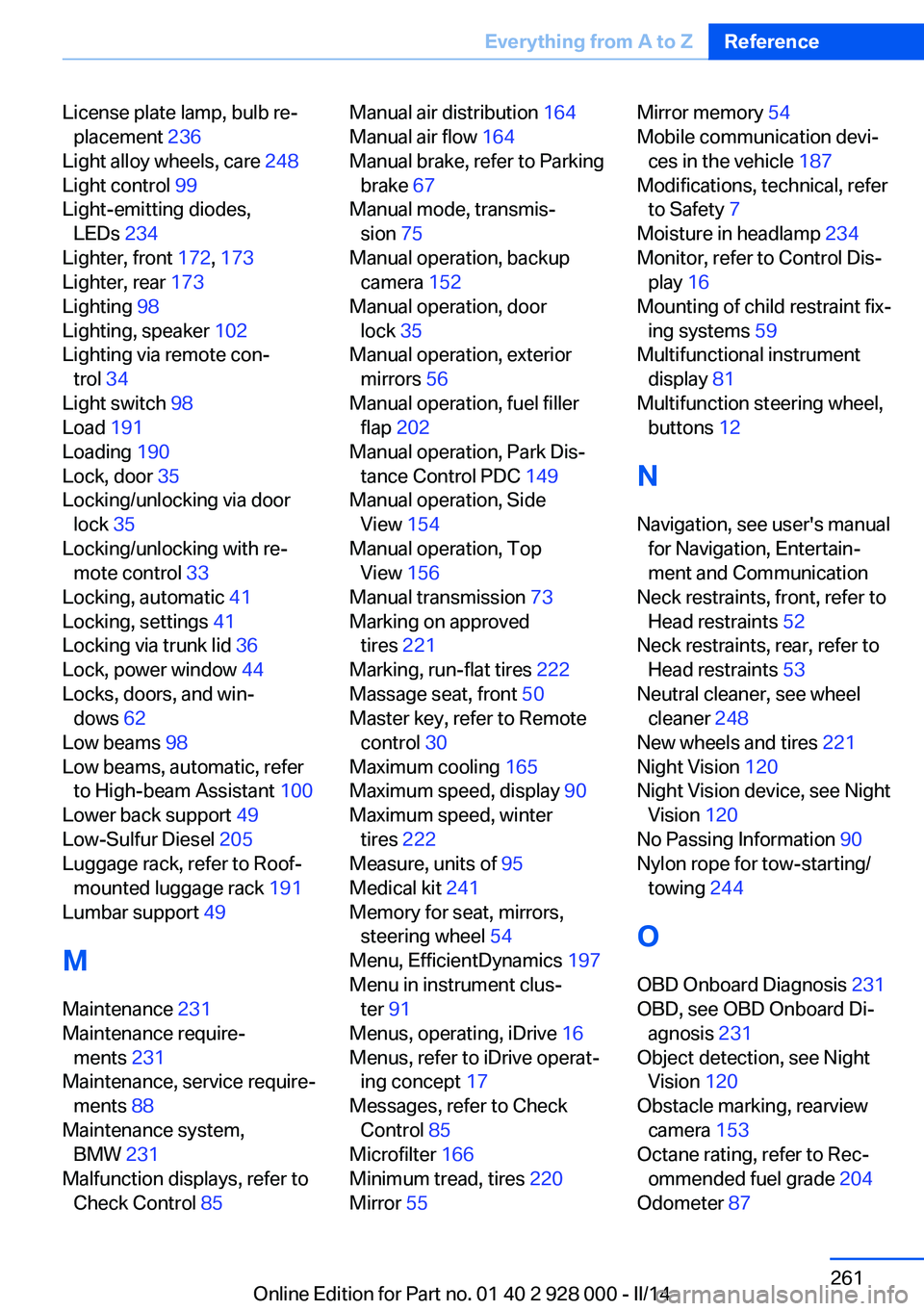
License plate lamp, bulb re‐placement 236
Light alloy wheels, care 248
Light control 99
Light-emitting diodes, LEDs 234
Lighter, front 172, 173
Lighter, rear 173
Lighting 98
Lighting, speaker 102
Lighting via remote con‐ trol 34
Light switch 98
Load 191
Loading 190
Lock, door 35
Locking/unlocking via door lock 35
Locking/unlocking with re‐ mote control 33
Locking, automatic 41
Locking, settings 41
Locking via trunk lid 36
Lock, power window 44
Locks, doors, and win‐ dows 62
Low beams 98
Low beams, automatic, refer to High-beam Assistant 100
Lower back support 49
Low-Sulfur Diesel 205
Luggage rack, refer to Roof- mounted luggage rack 191
Lumbar support 49
M
Maintenance 231
Maintenance require‐ ments 231
Maintenance, service require‐ ments 88
Maintenance system, BMW 231
Malfunction displays, refer to Check Control 85 Manual air distribution 164
Manual air flow 164
Manual brake, refer to Parking brake 67
Manual mode, transmis‐ sion 75
Manual operation, backup camera 152
Manual operation, door lock 35
Manual operation, exterior mirrors 56
Manual operation, fuel filler flap 202
Manual operation, Park Dis‐ tance Control PDC 149
Manual operation, Side View 154
Manual operation, Top View 156
Manual transmission 73
Marking on approved tires 221
Marking, run-flat tires 222
Massage seat, front 50
Master key, refer to Remote control 30
Maximum cooling 165
Maximum speed, display 90
Maximum speed, winter tires 222
Measure, units of 95
Medical kit 241
Memory for seat, mirrors, steering wheel 54
Menu, EfficientDynamics 197
Menu in instrument clus‐ ter 91
Menus, operating, iDrive 16
Menus, refer to iDrive operat‐ ing concept 17
Messages, refer to Check Control 85
Microfilter 166
Minimum tread, tires 220
Mirror 55 Mirror memory 54
Mobile communication devi‐ ces in the vehicle 187
Modifications, technical, refer to Safety 7
Moisture in headlamp 234
Monitor, refer to Control Dis‐ play 16
Mounting of child restraint fix‐ ing systems 59
Multifunctional instrument display 81
Multifunction steering wheel, buttons 12
N Navigation, see user's manual for Navigation, Entertain‐
ment and Communication
Neck restraints, front, refer to Head restraints 52
Neck restraints, rear, refer to Head restraints 53
Neutral cleaner, see wheel cleaner 248
New wheels and tires 221
Night Vision 120
Night Vision device, see Night Vision 120
No Passing Information 90
Nylon rope for tow-starting/ towing 244
O OBD Onboard Diagnosis 231
OBD, see OBD Onboard Di‐ agnosis 231
Object detection, see Night Vision 120
Obstacle marking, rearview camera 153
Octane rating, refer to Rec‐ ommended fuel grade 204
Odometer 87 Seite 261Everything from A to ZReference261
Online Edition for Part no. 01 40 2 928 000 - II/14
Page 262 of 267
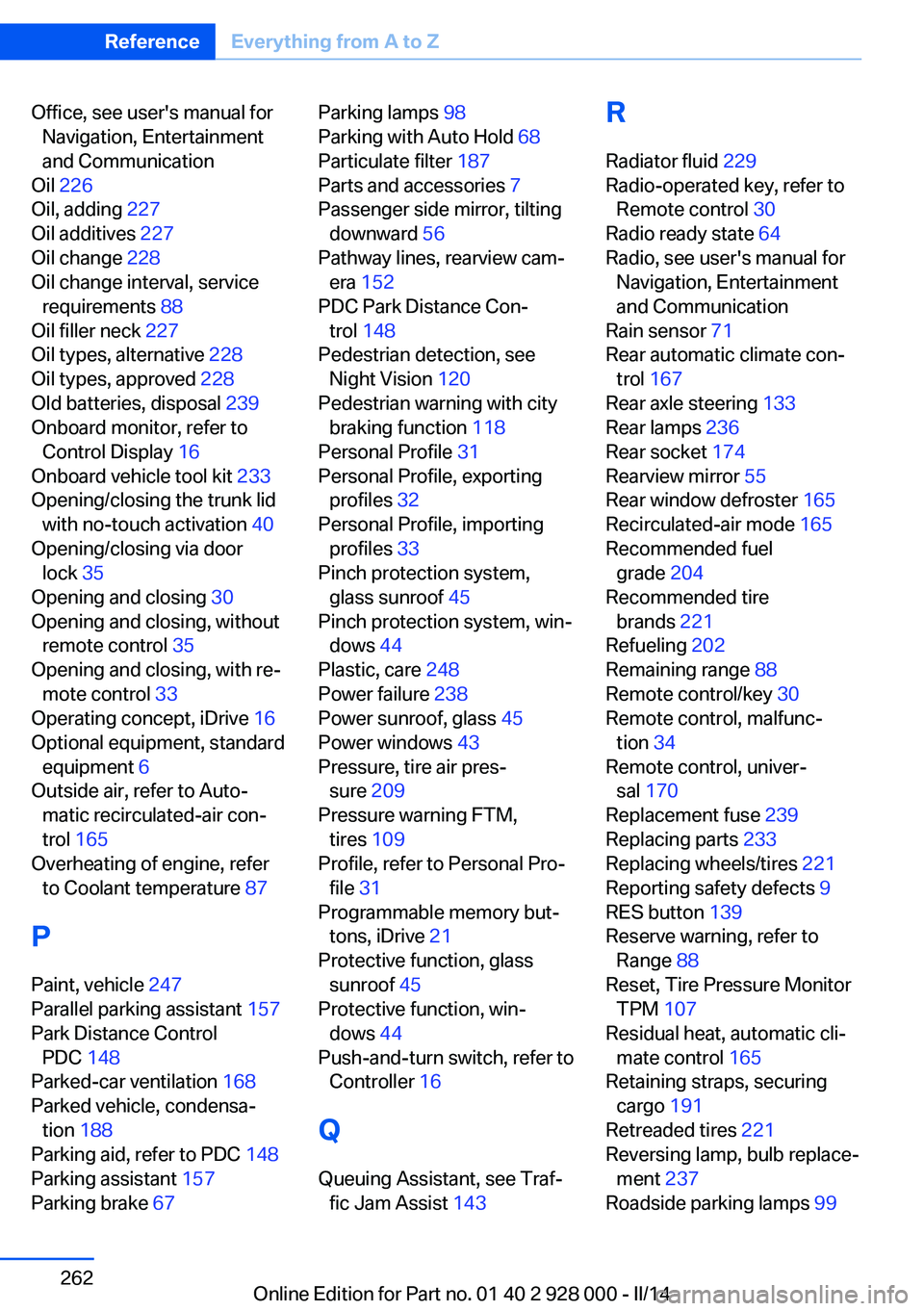
Office, see user's manual forNavigation, Entertainment
and Communication
Oil 226
Oil, adding 227
Oil additives 227
Oil change 228
Oil change interval, service requirements 88
Oil filler neck 227
Oil types, alternative 228
Oil types, approved 228
Old batteries, disposal 239
Onboard monitor, refer to Control Display 16
Onboard vehicle tool kit 233
Opening/closing the trunk lid with no-touch activation 40
Opening/closing via door lock 35
Opening and closing 30
Opening and closing, without remote control 35
Opening and closing, with re‐ mote control 33
Operating concept, iDrive 16
Optional equipment, standard equipment 6
Outside air, refer to Auto‐ matic recirculated-air con‐
trol 165
Overheating of engine, refer to Coolant temperature 87
P Paint, vehicle 247
Parallel parking assistant 157
Park Distance Control PDC 148
Parked-car ventilation 168
Parked vehicle, condensa‐ tion 188
Parking aid, refer to PDC 148
Parking assistant 157
Parking brake 67 Parking lamps 98
Parking with Auto Hold 68
Particulate filter 187
Parts and accessories 7
Passenger side mirror, tilting downward 56
Pathway lines, rearview cam‐ era 152
PDC Park Distance Con‐ trol 148
Pedestrian detection, see Night Vision 120
Pedestrian warning with city braking function 118
Personal Profile 31
Personal Profile, exporting profiles 32
Personal Profile, importing profiles 33
Pinch protection system, glass sunroof 45
Pinch protection system, win‐ dows 44
Plastic, care 248
Power failure 238
Power sunroof, glass 45
Power windows 43
Pressure, tire air pres‐ sure 209
Pressure warning FTM, tires 109
Profile, refer to Personal Pro‐ file 31
Programmable memory but‐ tons, iDrive 21
Protective function, glass sunroof 45
Protective function, win‐ dows 44
Push-and-turn switch, refer to Controller 16
Q Queuing Assistant, see Traf‐ fic Jam Assist 143 R
Radiator fluid 229
Radio-operated key, refer to Remote control 30
Radio ready state 64
Radio, see user's manual for Navigation, Entertainment
and Communication
Rain sensor 71
Rear automatic climate con‐ trol 167
Rear axle steering 133
Rear lamps 236
Rear socket 174
Rearview mirror 55
Rear window defroster 165
Recirculated-air mode 165
Recommended fuel grade 204
Recommended tire brands 221
Refueling 202
Remaining range 88
Remote control/key 30
Remote control, malfunc‐ tion 34
Remote control, univer‐ sal 170
Replacement fuse 239
Replacing parts 233
Replacing wheels/tires 221
Reporting safety defects 9
RES button 139
Reserve warning, refer to Range 88
Reset, Tire Pressure Monitor TPM 107
Residual heat, automatic cli‐ mate control 165
Retaining straps, securing cargo 191
Retreaded tires 221
Reversing lamp, bulb replace‐ ment 237
Roadside parking lamps 99 Seite 262ReferenceEverything from A to Z262
Online Edition for Part no. 01 40 2 928 000 - II/14