ESP BMW 528I 2014 Repair Manual
[x] Cancel search | Manufacturer: BMW, Model Year: 2014, Model line: 528I, Model: BMW 528I 2014Pages: 267, PDF Size: 5.88 MB
Page 241 of 267
if it can be established, are transmitted to
the BMW Response Center.▷If the LED is flashing, but the BMW Re‐
sponse Center can no longer be heard via
the speaker, you can nevertheless still be
heard for the BMW Response Center.
Initiating an Emergency Request
automatically
Under certain conditions, an Emergency Re‐
quest is automatically initiated immediately af‐
ter a severe accident. Automatic Collision Noti‐
fication is not affected by pressing the SOS
button.
Warning triangle
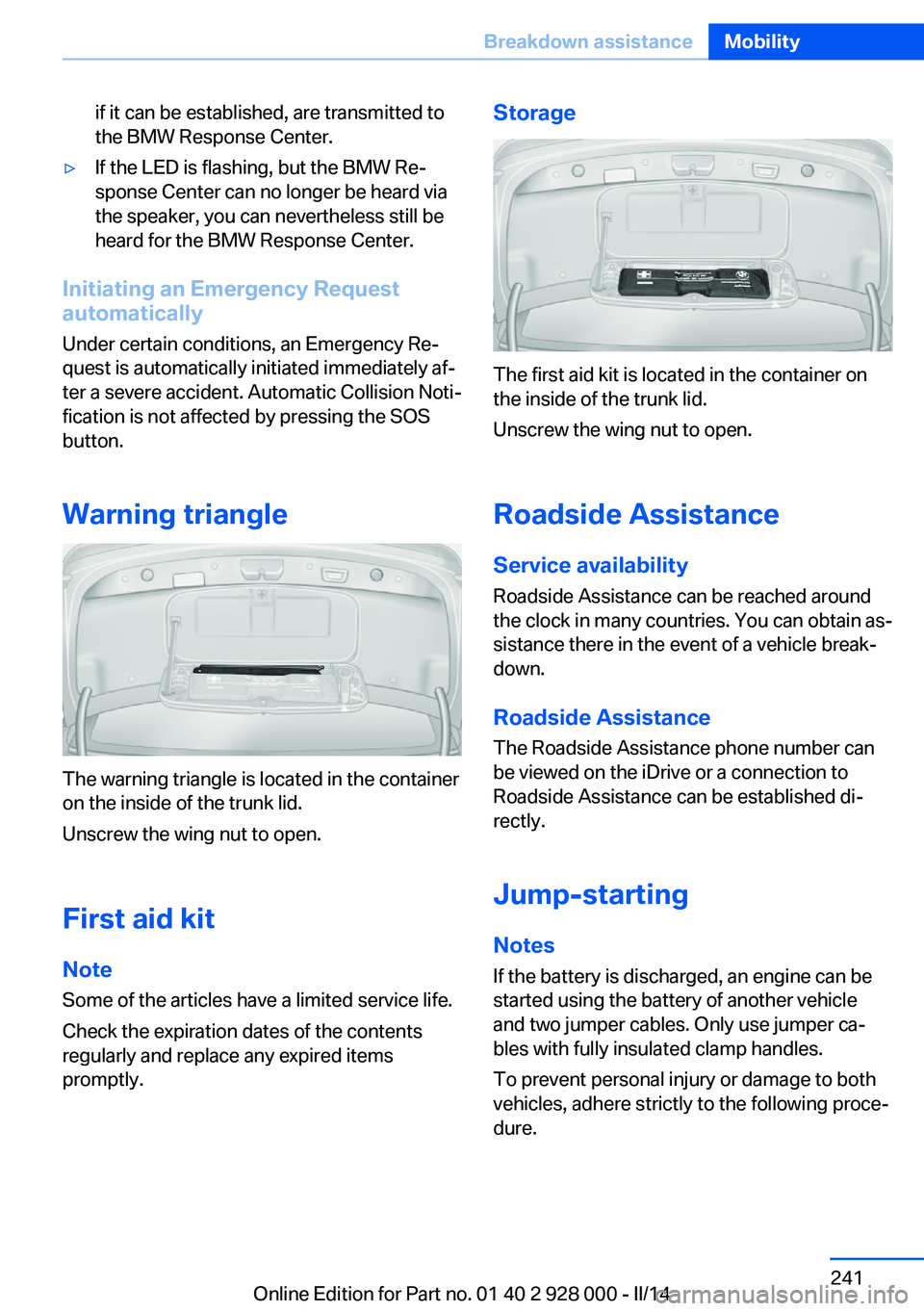
The warning triangle is located in the container
on the inside of the trunk lid.
Unscrew the wing nut to open.
First aid kit
Note Some of the articles have a limited service life.
Check the expiration dates of the contents
regularly and replace any expired items
promptly.
Storage
The first aid kit is located in the container on
the inside of the trunk lid.
Unscrew the wing nut to open.
Roadside Assistance
Service availability
Roadside Assistance can be reached around
the clock in many countries. You can obtain as‐
sistance there in the event of a vehicle break‐
down.
Roadside Assistance The Roadside Assistance phone number can
be viewed on the iDrive or a connection to
Roadside Assistance can be established di‐
rectly.
Jump-starting
Notes If the battery is discharged, an engine can be
started using the battery of another vehicle
and two jumper cables. Only use jumper ca‐
bles with fully insulated clamp handles.
To prevent personal injury or damage to both
vehicles, adhere strictly to the following proce‐
dure.
Seite 241Breakdown assistanceMobility241
Online Edition for Part no. 01 40 2 928 000 - II/14
Page 242 of 267
Do not touch live parts
To avoid the risk of potentially fatal in‐
jury, always avoid all contact with electrical
components while the engine is running.◀
Preparation1.Check whether the battery of the other ve‐
hicle has a voltage of 12 volts. This infor‐
mation can be found on the battery.2.Switch off the engine of the assisting vehi‐
cle.3.Switch off any electronic systems/power
consumers in both vehicles.
Bodywork contact between vehicles
Make sure that there is no contact be‐
tween the bodywork of the two vehicles; other‐
wise, there is the danger of short circuits.◀
Starting aid terminals Connecting order
Connect the jumper cables in the correct
order; otherwise, there is the danger of injury
from sparking.◀
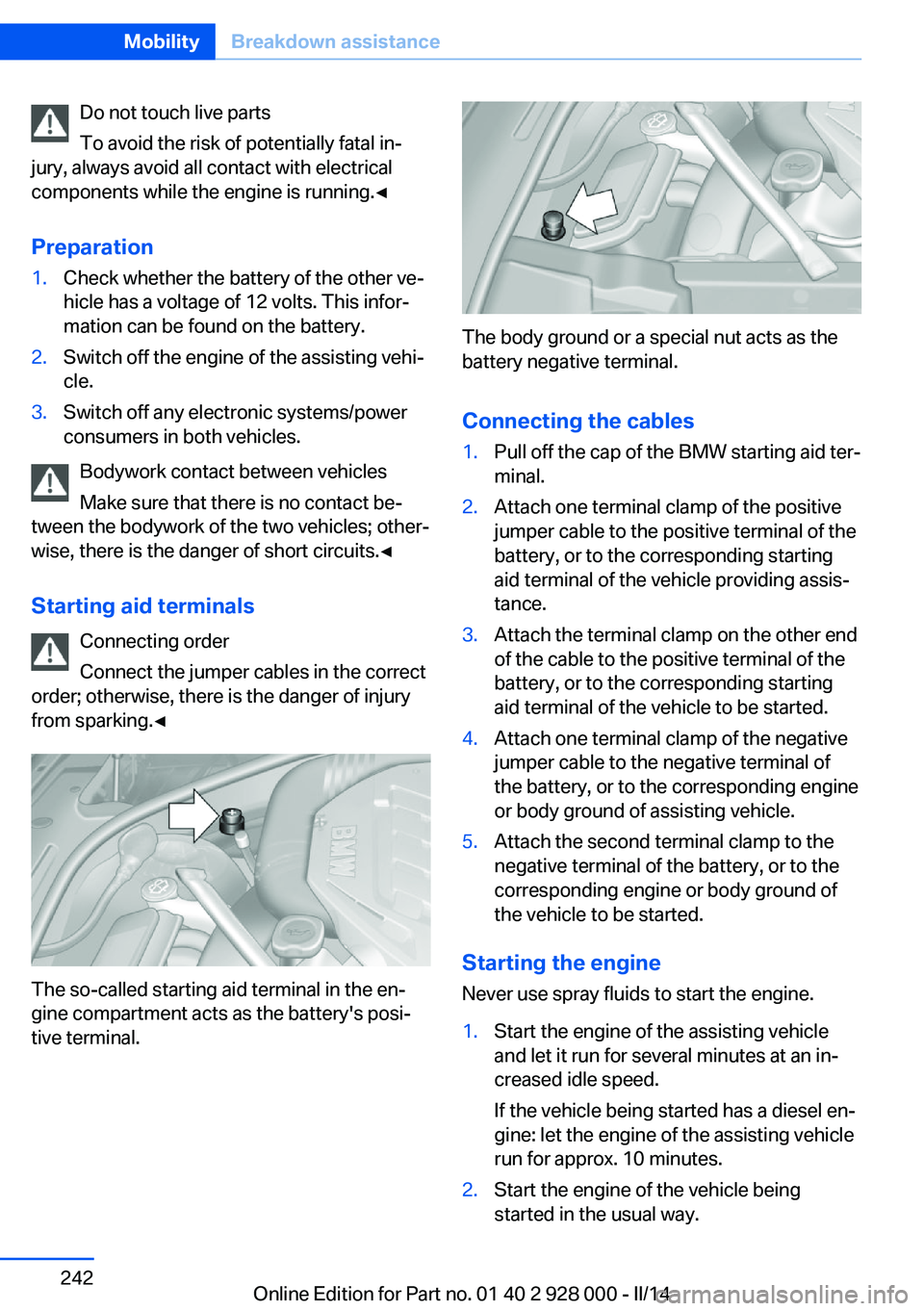
The so-called starting aid terminal in the en‐
gine compartment acts as the battery's posi‐
tive terminal.
The body ground or a special nut acts as the
battery negative terminal.
Connecting the cables
1.Pull off the cap of the BMW starting aid ter‐
minal.2.Attach one terminal clamp of the positive
jumper cable to the positive terminal of the
battery, or to the corresponding starting
aid terminal of the vehicle providing assis‐
tance.3.Attach the terminal clamp on the other end
of the cable to the positive terminal of the
battery, or to the corresponding starting
aid terminal of the vehicle to be started.4.Attach one terminal clamp of the negative
jumper cable to the negative terminal of
the battery, or to the corresponding engine
or body ground of assisting vehicle.5.Attach the second terminal clamp to the
negative terminal of the battery, or to the
corresponding engine or body ground of
the vehicle to be started.
Starting the engine
Never use spray fluids to start the engine.
1.Start the engine of the assisting vehicle
and let it run for several minutes at an in‐
creased idle speed.
If the vehicle being started has a diesel en‐
gine: let the engine of the assisting vehicle
run for approx. 10 minutes.2.Start the engine of the vehicle being
started in the usual way.Seite 242MobilityBreakdown assistance242
Online Edition for Part no. 01 40 2 928 000 - II/14
Page 243 of 267
If the first starting attempt is not success‐
ful, wait a few minutes before making an‐
other attempt in order to allow the dis‐
charged battery to recharge.3.Let both engines run for several minutes.4.Disconnect the jumper cables in the re‐
verse order.
Check the battery and recharge if necessary.
Tow-starting and towing Automatic transmission: transporting
your vehicle
Note
Your vehicle is not permitted to be towed.
Therefore, contact a service center in the
event of a breakdown.
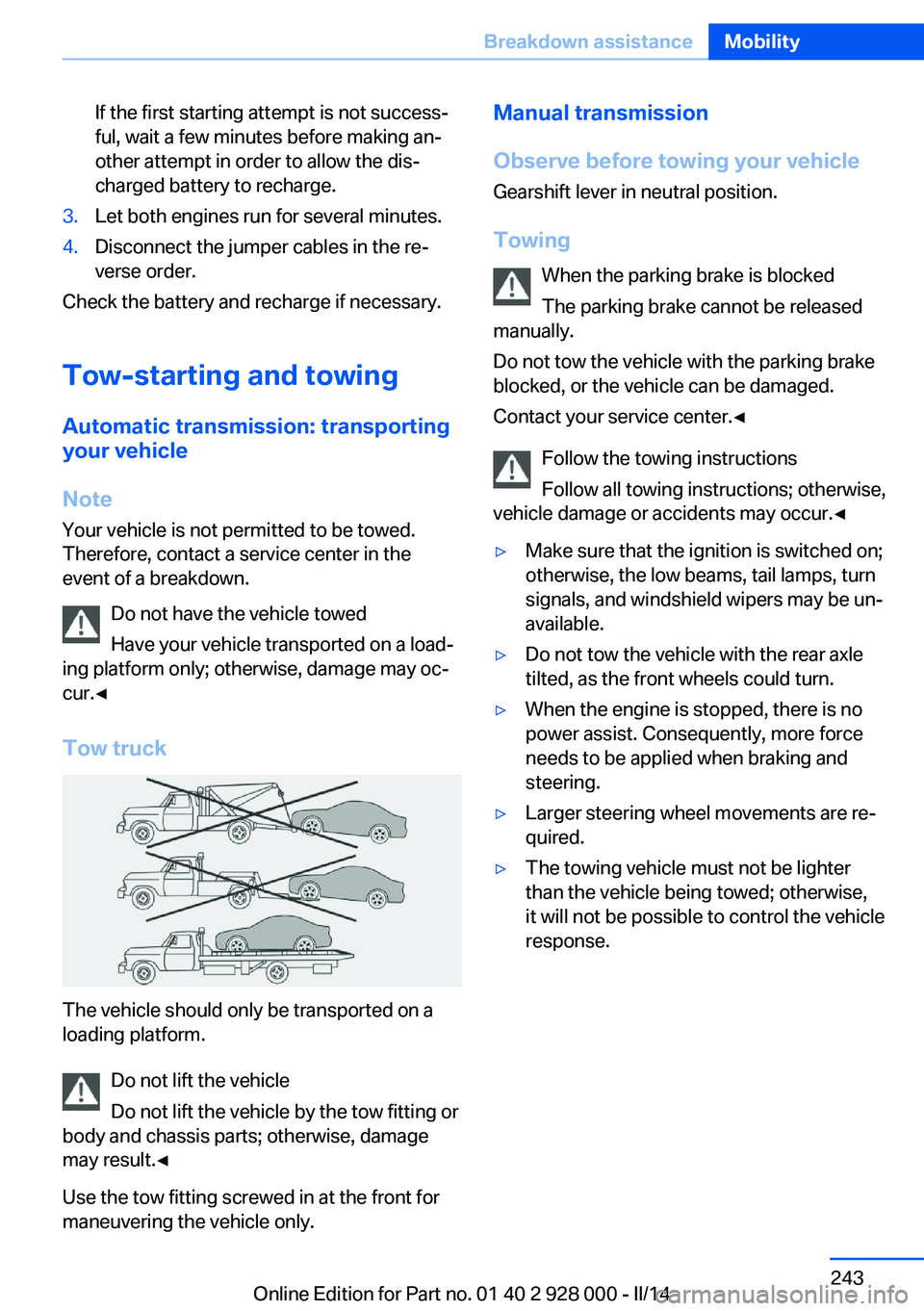
Do not have the vehicle towed
Have your vehicle transported on a load‐
ing platform only; otherwise, damage may oc‐
cur.◀
Tow truck
The vehicle should only be transported on a
loading platform.
Do not lift the vehicle
Do not lift the vehicle by the tow fitting or
body and chassis parts; otherwise, damage
may result.◀
Use the tow fitting screwed in at the front for
maneuvering the vehicle only.
Manual transmission
Observe before towing your vehicle Gearshift lever in neutral position.
Towing When the parking brake is blocked
The parking brake cannot be released
manually.
Do not tow the vehicle with the parking brake
blocked, or the vehicle can be damaged.
Contact your service center.◀
Follow the towing instructions
Follow all towing instructions; otherwise,
vehicle damage or accidents may occur.◀▷Make sure that the ignition is switched on;
otherwise, the low beams, tail lamps, turn
signals, and windshield wipers may be un‐
available.▷Do not tow the vehicle with the rear axle
tilted, as the front wheels could turn.▷When the engine is stopped, there is no
power assist. Consequently, more force
needs to be applied when braking and
steering.▷Larger steering wheel movements are re‐
quired.▷The towing vehicle must not be lighter
than the vehicle being towed; otherwise,
it will not be possible to control the vehicle
response.Seite 243Breakdown assistanceMobility243
Online Edition for Part no. 01 40 2 928 000 - II/14
Page 258 of 267
COMFORT program, DrivingDynamics Control 135
Computer 92
Condensation on win‐ dows 164
Condensation under the vehi‐ cle 188
Condition Based Service CBS 231
Configure driving mode 135
Confirmation signal 41
ConnectedDrive, see user's manual for Navigation, En‐
tertainment and Communi‐
cation
ConnectedDrive Services
Control Display 16
Control Display, settings 94
Controller 16
Control systems, driving sta‐ bility 129
Convenient opening 33
Coolant 229
Coolant temperature 87
Cooling function 165
Cooling, maximum 165
Cooling system 229
Corrosion on brake discs 188
Cruise control 146
Cruise control, active with Stop & Go 136
Cruise Control, refer to Active Cruise Control 136
Cruising range 88
Cupholder 181
Current fuel consumption 88
D
Damage, tires 220
Damping control, dy‐ namic 132
Data, technical 252
Date 88
Daytime running lights 99 Defrosting, refer to Windows,
defrosting 164
Dehumidifying, air 165
Destination distance 93
Diesel exhaust fluid, at low temperatures 206
Diesel exhaust fluid, having refilled 206
Diesel exhaust fluid, on mini‐ mum 206
Diesel exhaust fluid, replen‐ ishing yourself 206
Diesel particulate filter 187
Digital clock 88
Dimensions 252
Dimmable exterior mirrors 56
Dimmable interior rearview mirror 57
Direction indicator, refer to Turn signals 70
Display, electronic, instru‐ ment cluster 80
Display in windshield 96
Display lighting, refer to In‐ strument lighting 101
Displays 78, 81
Displays, cleaning 249
Disposal, coolant 230
Disposal, vehicle battery 239
Distance control, refer to PDC 148
Distance information 161
Distance to destination 93
Divided screen view, split screen 21
Door lock 35
Door lock, refer to Remote control 30
Doors, Automatic Soft Clos‐ ing 36
Downhill control 131
Drive-off assistant 129
Drive-off assistant, refer to DSC 129
Driver assistance, refer to In‐ telligent Safety 111 Driving Assistant, refer to In‐
telligent Safety 111
Driving Dynamics Con‐ trol 133
Driving instructions, breaking in 186
Driving mode 133
Driving notes, general 186
Driving stability control sys‐ tems 129
Driving tips 186
DSC Dynamic Stability Con‐ trol 129
DTC driving dynamics 130
DTC Dynamic Traction Con‐ trol 130
Dynamic Damping Con‐ trol 132
Dynamic Drive 132
Dynamic Stability Control DSC 129
Dynamic Traction Control DTC 130
E ECO PRO 194
ECO PRO, bonus range 196
ECO PRO display 194
ECO PRO displays 83
ECO PRO driving mode 194
ECO PRO mode 194
ECO PRO Tip - driving in‐ struction 196
EfficientDynamics 197
Electronic displays, instru‐ ment cluster 80
Electronic Stability Program ESP, refer to DSC 129
Emergency detection, remote control 31
Emergency release, fuel filler flap 202
Emergency Request 240
Emergency service, refer to Roadside Assistance 241 Seite 258ReferenceEverything from A to Z258
Online Edition for Part no. 01 40 2 928 000 - II/14
Page 259 of 267
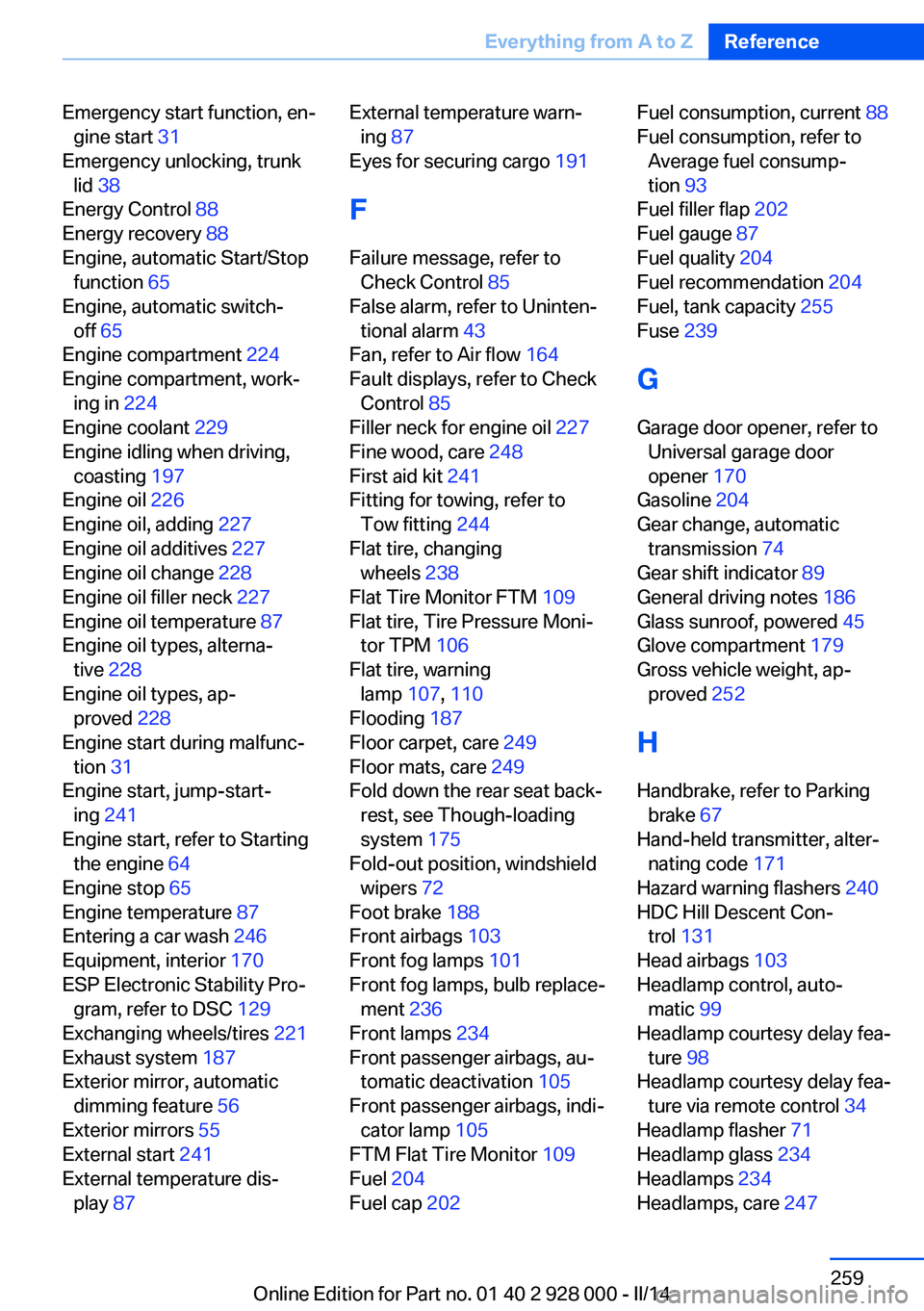
Emergency start function, en‐gine start 31
Emergency unlocking, trunk lid 38
Energy Control 88
Energy recovery 88
Engine, automatic Start/Stop function 65
Engine, automatic switch- off 65
Engine compartment 224
Engine compartment, work‐ ing in 224
Engine coolant 229
Engine idling when driving, coasting 197
Engine oil 226
Engine oil, adding 227
Engine oil additives 227
Engine oil change 228
Engine oil filler neck 227
Engine oil temperature 87
Engine oil types, alterna‐ tive 228
Engine oil types, ap‐ proved 228
Engine start during malfunc‐ tion 31
Engine start, jump-start‐ ing 241
Engine start, refer to Starting the engine 64
Engine stop 65
Engine temperature 87
Entering a car wash 246
Equipment, interior 170
ESP Electronic Stability Pro‐ gram, refer to DSC 129
Exchanging wheels/tires 221
Exhaust system 187
Exterior mirror, automatic dimming feature 56
Exterior mirrors 55
External start 241
External temperature dis‐ play 87 External temperature warn‐
ing 87
Eyes for securing cargo 191
F
Failure message, refer to Check Control 85
False alarm, refer to Uninten‐ tional alarm 43
Fan, refer to Air flow 164
Fault displays, refer to Check Control 85
Filler neck for engine oil 227
Fine wood, care 248
First aid kit 241
Fitting for towing, refer to Tow fitting 244
Flat tire, changing wheels 238
Flat Tire Monitor FTM 109
Flat tire, Tire Pressure Moni‐ tor TPM 106
Flat tire, warning lamp 107, 110
Flooding 187
Floor carpet, care 249
Floor mats, care 249
Fold down the rear seat back‐ rest, see Though-loading
system 175
Fold-out position, windshield wipers 72
Foot brake 188
Front airbags 103
Front fog lamps 101
Front fog lamps, bulb replace‐ ment 236
Front lamps 234
Front passenger airbags, au‐ tomatic deactivation 105
Front passenger airbags, indi‐ cator lamp 105
FTM Flat Tire Monitor 109
Fuel 204
Fuel cap 202 Fuel consumption, current 88
Fuel consumption, refer to Average fuel consump‐
tion 93
Fuel filler flap 202
Fuel gauge 87
Fuel quality 204
Fuel recommendation 204
Fuel, tank capacity 255
Fuse 239
G
Garage door opener, refer to Universal garage door
opener 170
Gasoline 204
Gear change, automatic transmission 74
Gear shift indicator 89
General driving notes 186
Glass sunroof, powered 45
Glove compartment 179
Gross vehicle weight, ap‐ proved 252
H
Handbrake, refer to Parking brake 67
Hand-held transmitter, alter‐ nating code 171
Hazard warning flashers 240
HDC Hill Descent Con‐ trol 131
Head airbags 103
Headlamp control, auto‐ matic 99
Headlamp courtesy delay fea‐ ture 98
Headlamp courtesy delay fea‐ ture via remote control 34
Headlamp flasher 71
Headlamp glass 234
Headlamps 234
Headlamps, care 247 Seite 259Everything from A to ZReference259
Online Edition for Part no. 01 40 2 928 000 - II/14