cruise control BMW 528I SEDAN 2013 User Guide
[x] Cancel search | Manufacturer: BMW, Model Year: 2013, Model line: 528I SEDAN, Model: BMW 528I SEDAN 2013Pages: 273, PDF Size: 6.63 MB
Page 141 of 273
3.Press on the accelerator briefly, or press
the RES button or the rocker switch when
the vehicle ahead of you drives away.
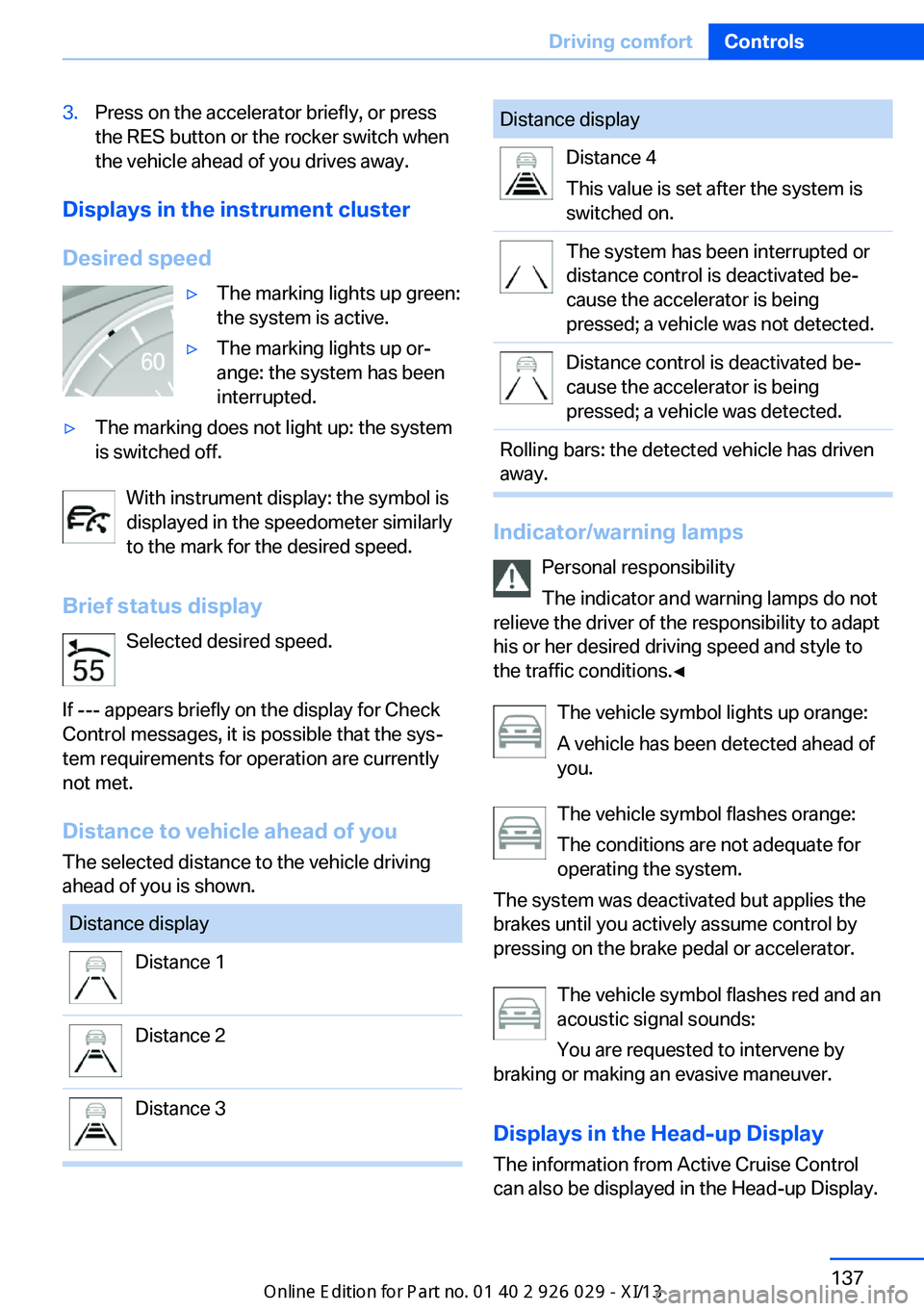
Displays in the instrument cluster
Desired speed
▷The marking lights up green:
the system is active.▷The marking lights up or‐
ange: the system has been
interrupted.▷The marking does not light up: the system
is switched off.
With instrument display: the symbol is
displayed in the speedometer similarly
to the mark for the desired speed.
Brief status display Selected desired speed.
If --- appears briefly on the display for Check
Control messages, it is possible that the sys‐
tem requirements for operation are currently
not met.
Distance to vehicle ahead of you
The selected distance to the vehicle driving
ahead of you is shown.
Distance displayDistance 1Distance 2Distance 3Distance displayDistance 4
This value is set after the system is
switched on.The system has been interrupted or
distance control is deactivated be‐
cause the accelerator is being
pressed; a vehicle was not detected.Distance control is deactivated be‐
cause the accelerator is being
pressed; a vehicle was detected.Rolling bars: the detected vehicle has driven
away.
Indicator/warning lamps
Personal responsibility
The indicator and warning lamps do not
relieve the driver of the responsibility to adapt
his or her desired driving speed and style to
the traffic conditions.◀
The vehicle symbol lights up orange:
A vehicle has been detected ahead of
you.
The vehicle symbol flashes orange:
The conditions are not adequate for
operating the system.
The system was deactivated but applies the
brakes until you actively assume control by
pressing on the brake pedal or accelerator.
The vehicle symbol flashes red and an
acoustic signal sounds:
You are requested to intervene by
braking or making an evasive maneuver.
Displays in the Head-up Display The information from Active Cruise Control
can also be displayed in the Head-up Display.
Seite 137Driving comfortControls137
Online Edition for Part no. 01 40 2 911 177 - VI/13
Page 146 of 273
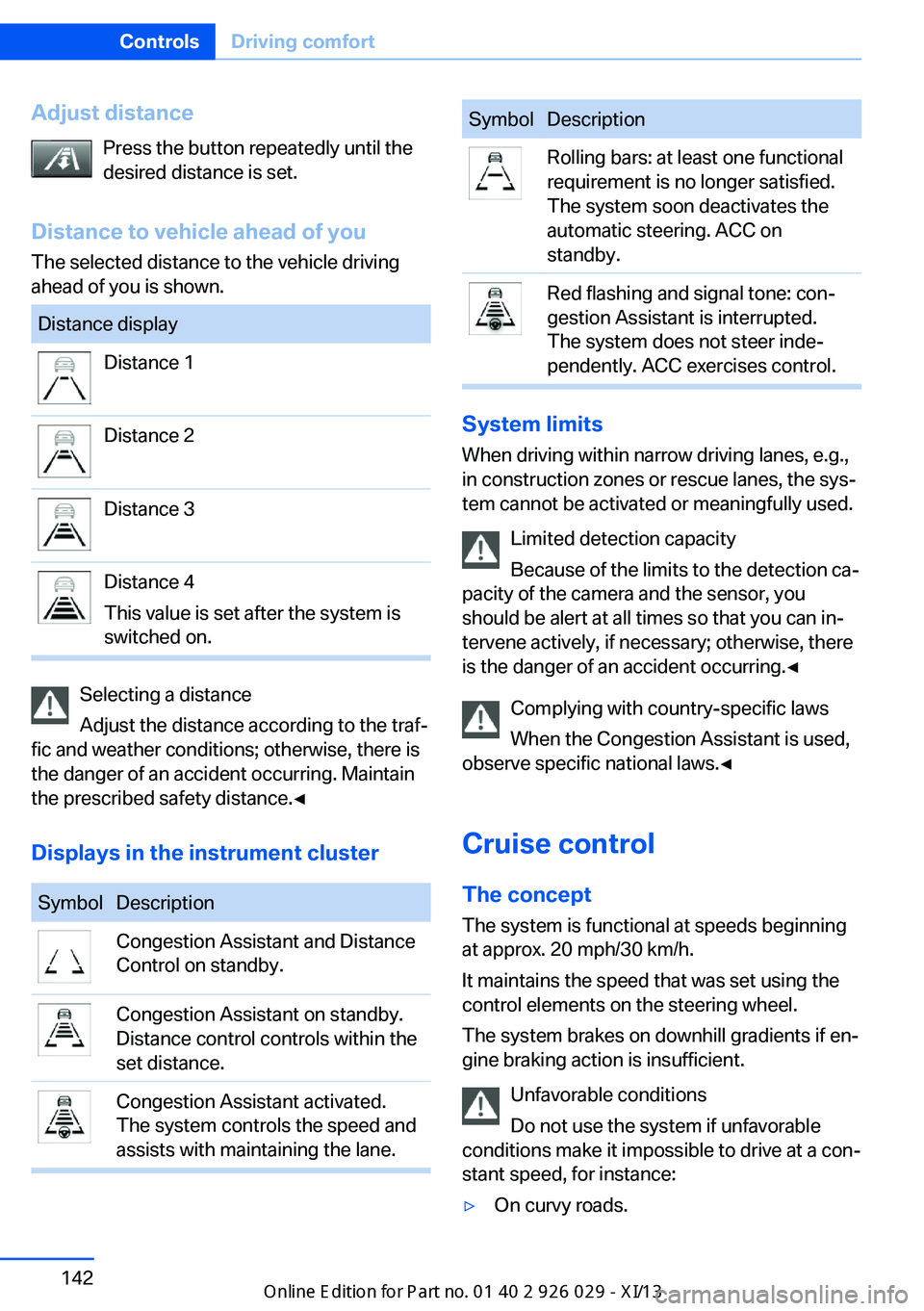
Adjust distancePress the button repeatedly until the
desired distance is set.
Distance to vehicle ahead of you The selected distance to the vehicle driving
ahead of you is shown.Distance displayDistance 1Distance 2Distance 3Distance 4
This value is set after the system is
switched on.
Selecting a distance
Adjust the distance according to the traf‐
fic and weather conditions; otherwise, there is
the danger of an accident occurring. Maintain
the prescribed safety distance.◀
Displays in the instrument cluster
SymbolDescriptionCongestion Assistant and Distance
Control on standby.Congestion Assistant on standby.
Distance control controls within the
set distance.Congestion Assistant activated.
The system controls the speed and
assists with maintaining the lane.SymbolDescriptionRolling bars: at least one functional
requirement is no longer satisfied.
The system soon deactivates the
automatic steering. ACC on
standby.Red flashing and signal tone: con‐
gestion Assistant is interrupted.
The system does not steer inde‐
pendently. ACC exercises control.
System limits
When driving within narrow driving lanes, e.g.,
in construction zones or rescue lanes, the sys‐
tem cannot be activated or meaningfully used.
Limited detection capacity
Because of the limits to the detection ca‐
pacity of the camera and the sensor, you
should be alert at all times so that you can in‐
tervene actively, if necessary; otherwise, there
is the danger of an accident occurring.◀
Complying with country-specific laws
When the Congestion Assistant is used,
observe specific national laws.◀
Cruise control
The concept The system is functional at speeds beginning
at approx. 20 mph/30 km/h.
It maintains the speed that was set using the
control elements on the steering wheel.
The system brakes on downhill gradients if en‐
gine braking action is insufficient.
Unfavorable conditions
Do not use the system if unfavorable
conditions make it impossible to drive at a con‐
stant speed, for instance:
▷On curvy roads.Seite 142ControlsDriving comfort142
Online Edition for Part no. 01 40 2 911 177 - VI/13
Page 147 of 273
▷In heavy traffic.▷On slippery roads, in fog, snow or rain, or
on a loose road surface.
Otherwise, you could lose control of the vehi‐
cle and cause an accident.◀
General information
When ECO PRO is activated, cruise control is
also set to a driving style that saves on fuel
consumption.
Controls
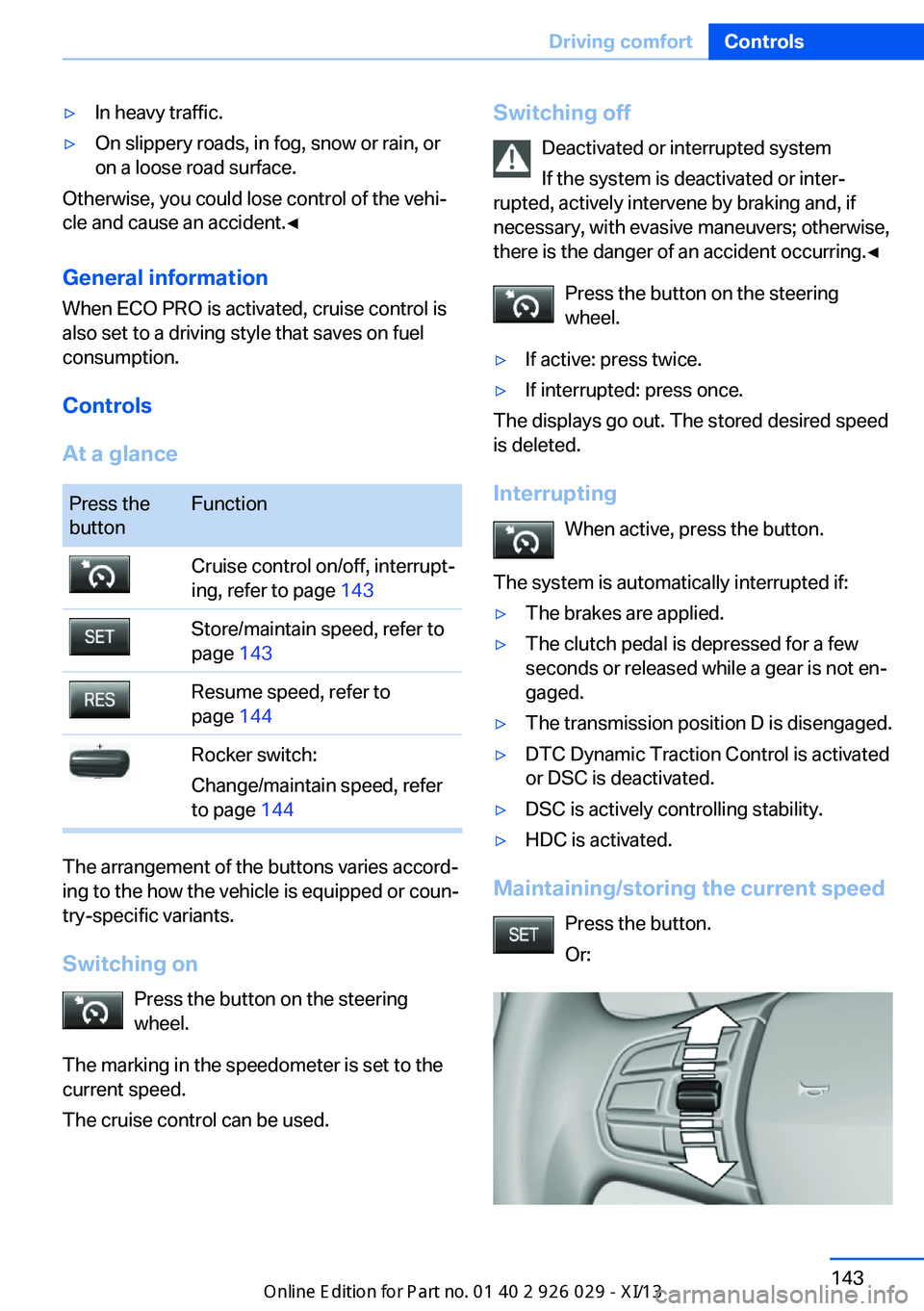
At a glance
Press the
buttonFunctionCruise control on/off, interrupt‐
ing, refer to page 143Store/maintain speed, refer to
page 143Resume speed, refer to
page 144Rocker switch:
Change/maintain speed, refer
to page 144
The arrangement of the buttons varies accord‐
ing to the how the vehicle is equipped or coun‐
try-specific variants.
Switching on Press the button on the steering
wheel.
The marking in the speedometer is set to the
current speed.
The cruise control can be used.
Switching off
Deactivated or interrupted system
If the system is deactivated or inter‐
rupted, actively intervene by braking and, if
necessary, with evasive maneuvers; otherwise,
there is the danger of an accident occurring.◀
Press the button on the steering
wheel.▷If active: press twice.▷If interrupted: press once.
The displays go out. The stored desired speed
is deleted.
Interrupting When active, press the button.
The system is automatically interrupted if:
▷The brakes are applied.▷The clutch pedal is depressed for a few
seconds or released while a gear is not en‐
gaged.▷The transmission position D is disengaged.▷DTC Dynamic Traction Control is activated
or DSC is deactivated.▷DSC is actively controlling stability.▷HDC is activated.
Maintaining/storing the current speed
Press the button.
Or:
Seite 143Driving comfortControls143
Online Edition for Part no. 01 40 2 911 177 - VI/13
Page 148 of 273
Press the rocker switch while the system is in‐
terrupted.
When the system is switched on, the current
speed is maintained and stored as the desired
speed.
It is displayed in the speedometer and briefly
displayed in the instrument cluster, Displays in
the speedometer, refer to page 144.
When cruise control is maintained or stored,
DSC Dynamic Stability Control is switched on,
if necessary.
Changing/maintaining speed The rocker switch can be pressed while the
system is interrupted in order to maintain and
store the current speed.
Adapting the desired speed
Adapt the desired speed to the road con‐
ditions and be ready to brake at all times; oth‐
erwise, there is the danger of an accident oc‐
curring.◀
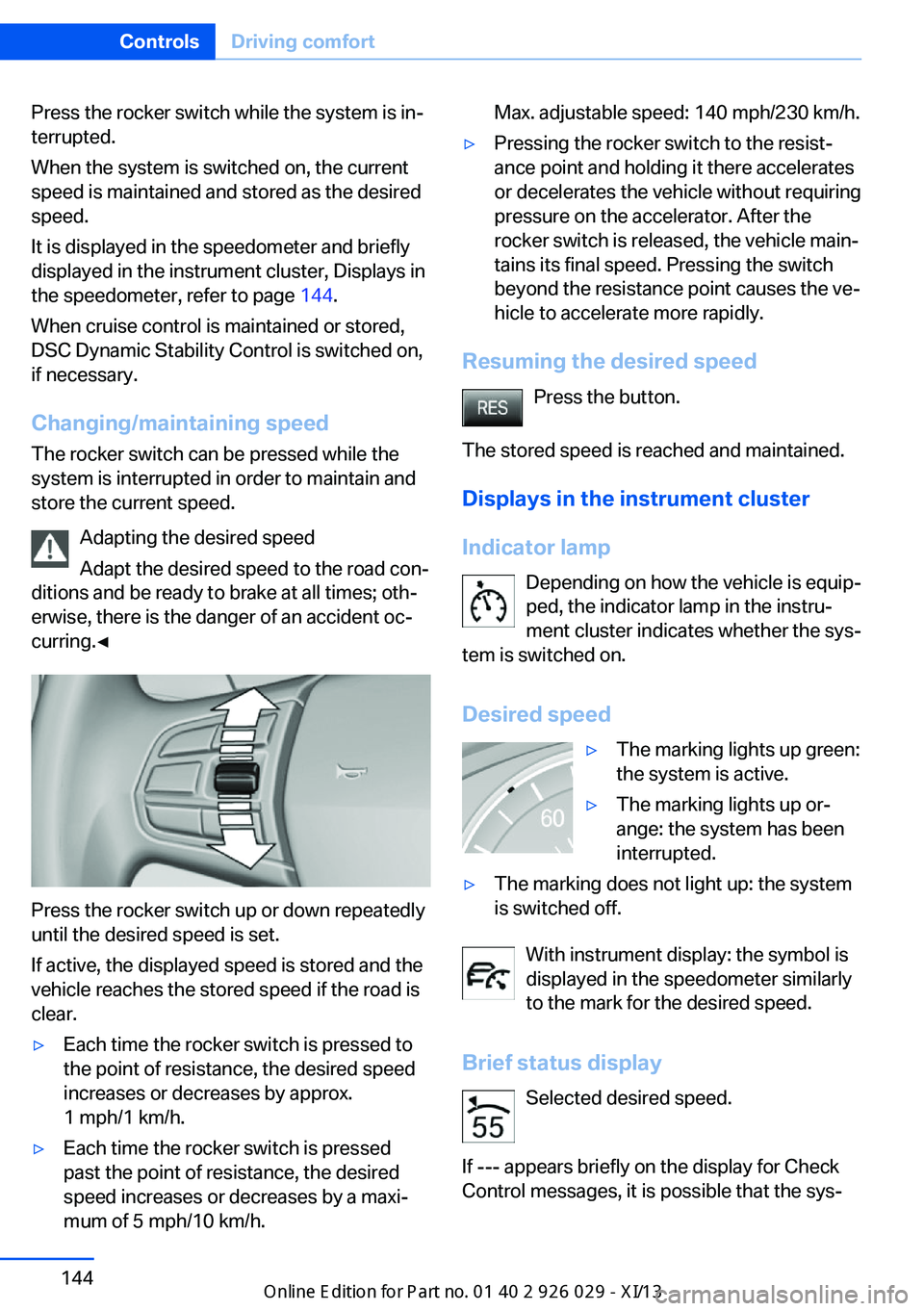
Press the rocker switch up or down repeatedly
until the desired speed is set.
If active, the displayed speed is stored and the
vehicle reaches the stored speed if the road is
clear.
▷Each time the rocker switch is pressed to
the point of resistance, the desired speed
increases or decreases by approx.
1 mph/1 km/h.▷Each time the rocker switch is pressed
past the point of resistance, the desired
speed increases or decreases by a maxi‐
mum of 5 mph/10 km/h.Max. adjustable speed: 140 mph/230 km/h.▷Pressing the rocker switch to the resist‐
ance point and holding it there accelerates
or decelerates the vehicle without requiring
pressure on the accelerator. After the
rocker switch is released, the vehicle main‐
tains its final speed. Pressing the switch
beyond the resistance point causes the ve‐
hicle to accelerate more rapidly.
Resuming the desired speed
Press the button.
The stored speed is reached and maintained. Displays in the instrument cluster
Indicator lamp Depending on how the vehicle is equip‐
ped, the indicator lamp in the instru‐
ment cluster indicates whether the sys‐
tem is switched on.
Desired speed
▷The marking lights up green:
the system is active.▷The marking lights up or‐
ange: the system has been
interrupted.▷The marking does not light up: the system
is switched off.
With instrument display: the symbol is
displayed in the speedometer similarly
to the mark for the desired speed.
Brief status display Selected desired speed.
If --- appears briefly on the display for Check
Control messages, it is possible that the sys‐
Seite 144ControlsDriving comfort144
Online Edition for Part no. 01 40 2 911 177 - VI/13
Page 161 of 273
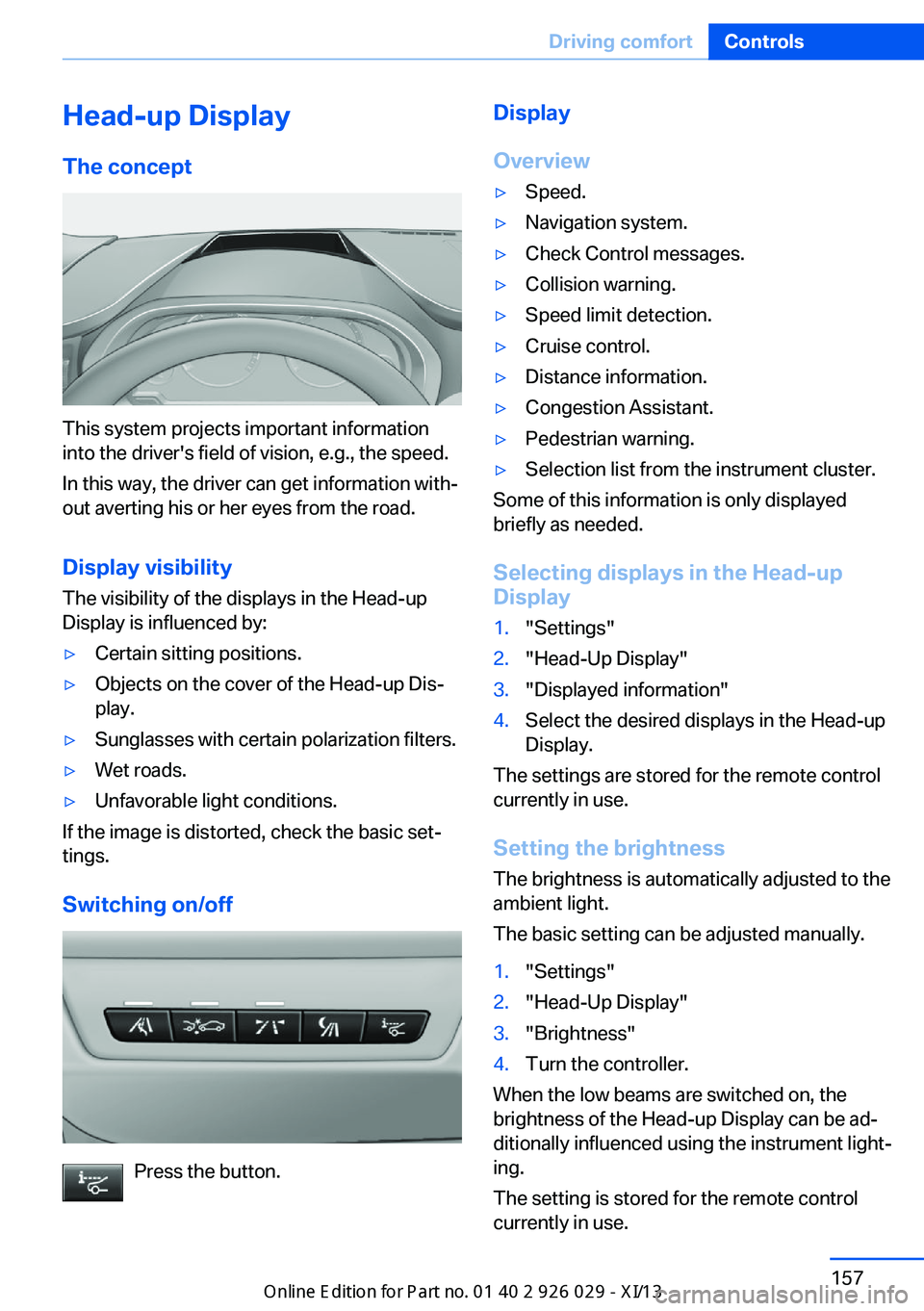
Head-up Display
The concept
This system projects important information
into the driver's field of vision, e.g., the speed.
In this way, the driver can get information with‐
out averting his or her eyes from the road.
Display visibility The visibility of the displays in the Head-up
Display is influenced by:
▷Certain sitting positions.▷Objects on the cover of the Head-up Dis‐
play.▷Sunglasses with certain polarization filters.▷Wet roads.▷Unfavorable light conditions.
If the image is distorted, check the basic set‐
tings.
Switching on/off
Press the button.
Display
Overview▷Speed.▷Navigation system.▷Check Control messages.▷Collision warning.▷Speed limit detection.▷Cruise control.▷Distance information.▷Congestion Assistant.▷Pedestrian warning.▷Selection list from the instrument cluster.
Some of this information is only displayed
briefly as needed.
Selecting displays in the Head-up
Display
1."Settings"2."Head-Up Display"3."Displayed information"4.Select the desired displays in the Head-up
Display.
The settings are stored for the remote control
currently in use.
Setting the brightness
The brightness is automatically adjusted to the
ambient light.
The basic setting can be adjusted manually.
1."Settings"2."Head-Up Display"3."Brightness"4.Turn the controller.
When the low beams are switched on, the
brightness of the Head-up Display can be ad‐
ditionally influenced using the instrument light‐
ing.
The setting is stored for the remote control
currently in use.
Seite 157Driving comfortControls157
Online Edition for Part no. 01 40 2 911 177 - VI/13
Page 162 of 273
Adjusting the height1."Settings"2."Head-Up Display"3."Height"4.Turn the controller.
The setting is stored for the remote control
currently in use.
Setting the rotation
1."Settings"2."Head-Up Display"3."Rotation"4.Turn the controller.
The setting is stored for the remote control
currently in use.
Special windshield
The windshield is part of the system.
The shape of the windshield makes it possible
to display a precise image.
A film in the windshield prevents double im‐
ages from being displayed.
Therefore, have the special windshield re‐
placed by a service center only.
Distance information The conceptThe system displays a symbol in the Head-up
Display to indicate that the distance behind the
vehicle in front is not sufficient.
General information The distance is determined by the radar sen‐
sor of the Active Cruise Control.
Hints
Personal responsibility
The display does not relieve the driver of
the responsibility to adapt his or her distance
and driving style to the traffic conditions. Main‐
tain the prescribed safety distance.◀
At a glance
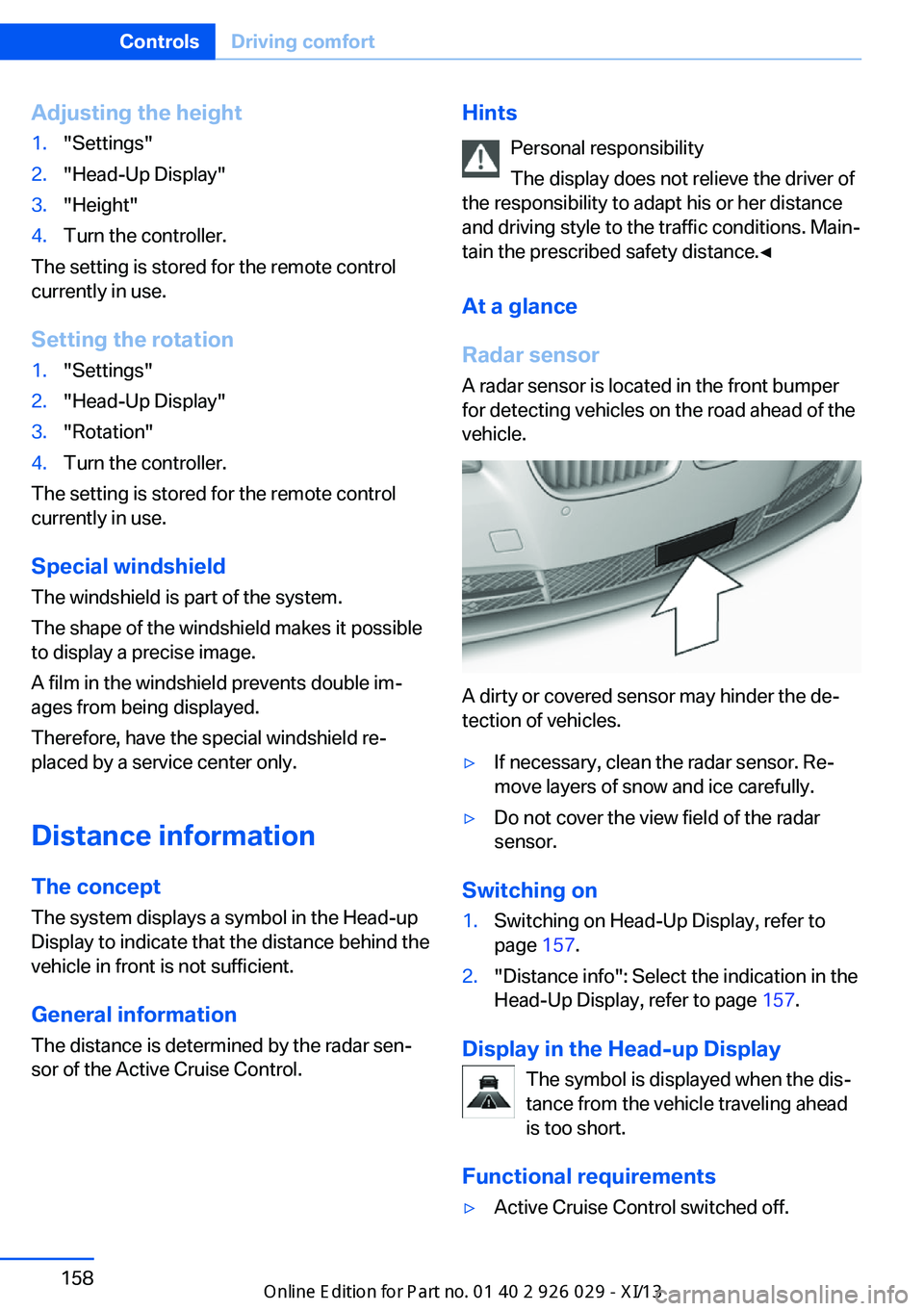
Radar sensor
A radar sensor is located in the front bumper
for detecting vehicles on the road ahead of the
vehicle.
A dirty or covered sensor may hinder the de‐
tection of vehicles.
▷If necessary, clean the radar sensor. Re‐
move layers of snow and ice carefully.▷Do not cover the view field of the radar
sensor.
Switching on
1.Switching on Head-Up Display, refer to
page 157.2."Distance info": Select the indication in the
Head-Up Display, refer to page 157.
Display in the Head-up Display
The symbol is displayed when the dis‐
tance from the vehicle traveling ahead
is too short.
Functional requirements
▷Active Cruise Control switched off.Seite 158ControlsDriving comfort158
Online Edition for Part no. 01 40 2 911 177 - VI/13
Page 199 of 273
Trip interruptions are represented below the
bar on the time axis.
"Consumption history"
Adjusting fuel consumption history time frame
Select the symbol.
Resetting fuel consumption history
1.Open "Options".2."Reset consumption history"
Displaying EfficientDynamics info
The current efficiency can be displayed.
"EfficientDynamics info"
The following systems are displayed:
▷Automatic engine start-stop function.▷Energy recovery.▷Climate control output.▷Coasting.
Display ECO PRO tips
"ECO PRO Tips"
The setting is stored for the profile currently in
use.
Coasting
The concept
The system helps to conserve fuel.
To do this, under certain conditions the engine
is automatically decoupled from the transmis‐
sion when transmission position D is engaged.
The vehicle continues traveling with the engine
idling to reduce fuel consumption. Transmis‐
sion position D remains engaged.
This driving condition is referred to as coast‐
ing.
As soon as the brake or accelerator pedal is
depressed, the engine is automatically coupled
to the transmission again.
Hints
Coasting is a component of the ECO PRO, re‐
fer to page 192, driving mode.
The function is available in a certain speed
range.
A forward-looking driving style helps the driver
to use the function as often as possible and supports the fuel-conserving effect of coast‐
ing.
Safety mode
The function is not available if one of the fol‐
lowing conditions is satisfied.▷DSC OFF or TRACTION activated.▷Driving in the dynamic limit range and on
steep uphill or downhill grades.▷Battery charge status temporarily too low
or vehicle electrical system drawing exces‐
sive current.▷Cruise control activated.
Functional requirements
In ECO PRO mode, this function is available in
a speed range from approximately 30 mph, ap‐
prox. 50 km/h to 100 mph, approx. 160 km/h, if
the following conditions are satisfied:
▷Accelerator pedal and brake pedal are not
operated.▷The selector lever is in transmission posi‐
tion D.▷Engine and transmission are at operating
temperature.
Display
Display in the instrument cluster The mark in the bar display be‐
low the tachometer is backlit in
blue and is located at the zero
point. The tachometer approxi‐
mately indicates idle speed.
Seite 195Saving fuelDriving tips195
Online Edition for Part no. 01 40 2 911 177 - VI/13
Page 262 of 273
Everything from A to Z
IndexA ABS, Antilock Brake Sys‐ tem 126
ACC, Active Cruise Control with Stop & Go 133
Acceleration Assistant, refer to Launch Control 76
Activated-charcoal filter 163
Active Blind Spot Detec‐ tion 122
Active Cruise Control with Stop & Go, ACC 133
Active Protection 123
Active roll stabilization, see Dynamic Drive 129
Active seat, front 50
Active seat ventilation, front 51
Active Steering, integral 130
Adaptive brake assistant 126
Adaptive brake lights, refer to Brake force display 123
Adaptive drive 129
Adaptive light control 97
Additives, oil 227
Adjustments, seats/head re‐ straints 48
After washing vehicle 247
Airbags 101
Airbags, indicator/warning light 102
Air circulation, refer to Recir‐ culated-air mode 162
Air distribution, manual 161
Air drying, refer to Cooling function 162
Air flow, automatic climate control 161
Air pressure, tires 207 Air vents, refer to Ventila‐
tion 163
Alarm system 42
Alarm, unintentional 43
All around the center con‐ sole 14
All around the headliner 15
All around the steering wheel 12
All-season tires, refer to Win‐ ter tires 221
All-wheel-drive 128
Alternating-code hand-held transmitter 168
Alternative oil types 227
Ambient light 100
Antifreeze, washer fluid 72
Antilock Brake System, ABS 126
Anti-slip control, refer to DSC 126
Approved engine oils 227
Armrest, refer to Center arm‐ rest 177
Arrival time 93
Ashtray 169
Ashtray, front 169, 170
Ashtray, rear 170
Assistance, Roadside Assis‐ tance 241
Assistance when driving off 126
Attentiveness assistant 124
AUTO H button, refer to Au‐ tomatic Hold 68
AUTO intensity 161
Automatic car wash 246
Automatic climate con‐ trol 160
Automatic Cruise Control with Stop & Go 133 Automatic Curb Monitor 57
Automatic deactivation, front passenger airbags 103
Automatic headlamp con‐ trol 97
Automatic Hold 68
Automatic locking 41
Automatic recirculated-air control 162
Automatic Soft Closing, doors 36
Automatic tailgate 37
Automatic transmission with Steptronic 73
AUTO program, automatic cli‐ mate control 161
AUTO program, intensity 161
Auto Start/Stop function 65
Average fuel consumption 92
Average speed 92
Axle loads, weights 253
B Backrest curvature, refer to Lumbar support 50
Backrest, width 50
Backup camera 147
Band-aids, refer to First aid kit 241
Bar for tow-starting/ towing 244
Battery replacement, vehicle battery 238
Battery replacement, vehicle remote control 30
Battery, vehicle 238
Belts, safety belts 52
Beverage holder, cu‐ pholder 178
Blinds, sun protection 45 Seite 258ReferenceEverything from A to Z258
Online Edition for Part no. 01 40 2 911 177 - VI/13
Page 264 of 273
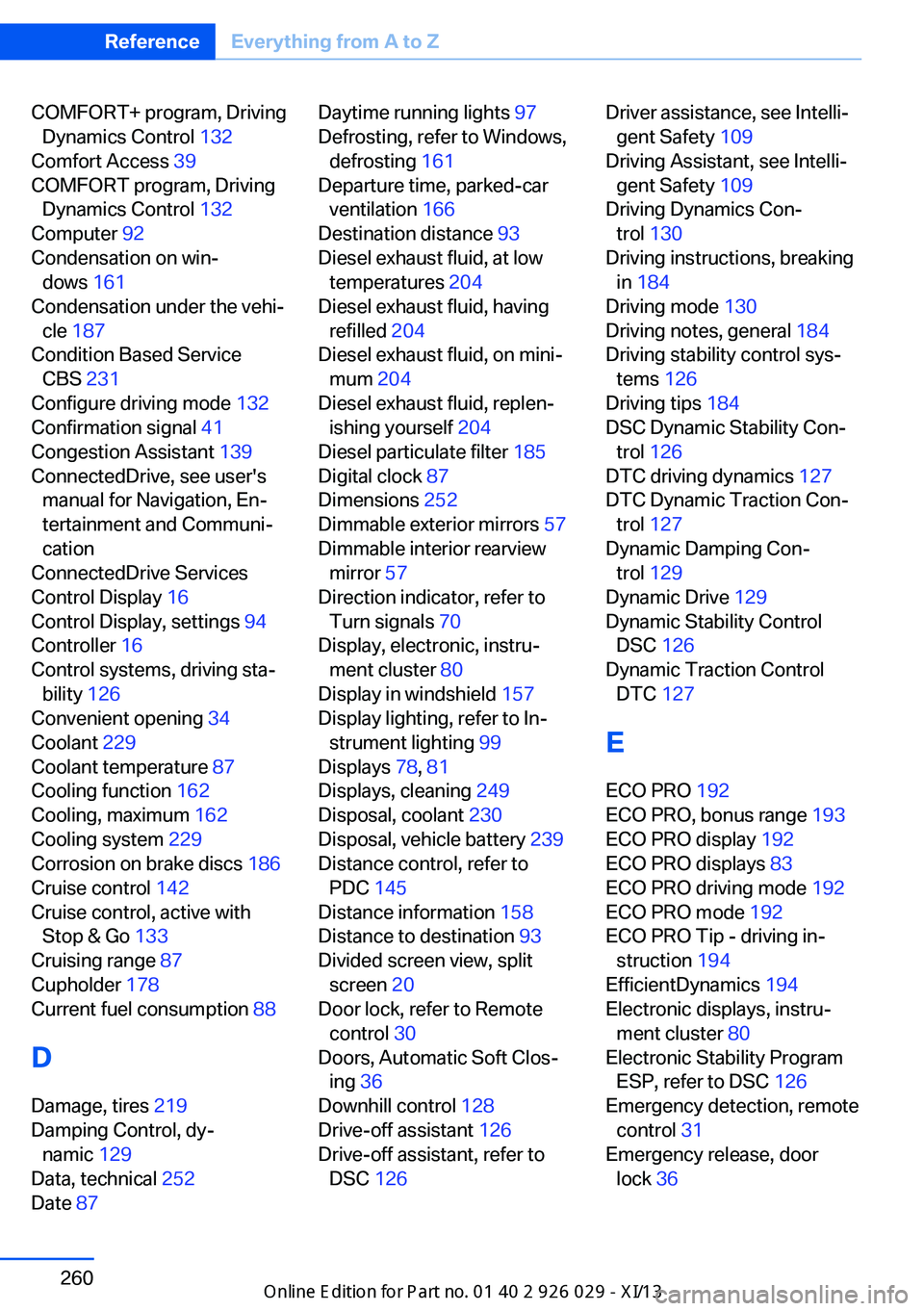
COMFORT+ program, DrivingDynamics Control 132
Comfort Access 39
COMFORT program, Driving Dynamics Control 132
Computer 92
Condensation on win‐ dows 161
Condensation under the vehi‐ cle 187
Condition Based Service CBS 231
Configure driving mode 132
Confirmation signal 41
Congestion Assistant 139
ConnectedDrive, see user's manual for Navigation, En‐
tertainment and Communi‐
cation
ConnectedDrive Services
Control Display 16
Control Display, settings 94
Controller 16
Control systems, driving sta‐ bility 126
Convenient opening 34
Coolant 229
Coolant temperature 87
Cooling function 162
Cooling, maximum 162
Cooling system 229
Corrosion on brake discs 186
Cruise control 142
Cruise control, active with Stop & Go 133
Cruising range 87
Cupholder 178
Current fuel consumption 88
D
Damage, tires 219
Damping Control, dy‐ namic 129
Data, technical 252
Date 87 Daytime running lights 97
Defrosting, refer to Windows, defrosting 161
Departure time, parked-car ventilation 166
Destination distance 93
Diesel exhaust fluid, at low temperatures 204
Diesel exhaust fluid, having refilled 204
Diesel exhaust fluid, on mini‐ mum 204
Diesel exhaust fluid, replen‐ ishing yourself 204
Diesel particulate filter 185
Digital clock 87
Dimensions 252
Dimmable exterior mirrors 57
Dimmable interior rearview mirror 57
Direction indicator, refer to Turn signals 70
Display, electronic, instru‐ ment cluster 80
Display in windshield 157
Display lighting, refer to In‐ strument lighting 99
Displays 78, 81
Displays, cleaning 249
Disposal, coolant 230
Disposal, vehicle battery 239
Distance control, refer to PDC 145
Distance information 158
Distance to destination 93
Divided screen view, split screen 20
Door lock, refer to Remote control 30
Doors, Automatic Soft Clos‐ ing 36
Downhill control 128
Drive-off assistant 126
Drive-off assistant, refer to DSC 126 Driver assistance, see Intelli‐
gent Safety 109
Driving Assistant, see Intelli‐ gent Safety 109
Driving Dynamics Con‐ trol 130
Driving instructions, breaking in 184
Driving mode 130
Driving notes, general 184
Driving stability control sys‐ tems 126
Driving tips 184
DSC Dynamic Stability Con‐ trol 126
DTC driving dynamics 127
DTC Dynamic Traction Con‐ trol 127
Dynamic Damping Con‐ trol 129
Dynamic Drive 129
Dynamic Stability Control DSC 126
Dynamic Traction Control DTC 127
E
ECO PRO 192
ECO PRO, bonus range 193
ECO PRO display 192
ECO PRO displays 83
ECO PRO driving mode 192
ECO PRO mode 192
ECO PRO Tip - driving in‐ struction 194
EfficientDynamics 194
Electronic displays, instru‐ ment cluster 80
Electronic Stability Program ESP, refer to DSC 126
Emergency detection, remote control 31
Emergency release, door lock 36 Seite 260ReferenceEverything from A to Z260
Online Edition for Part no. 01 40 2 911 177 - VI/13
Page 270 of 273
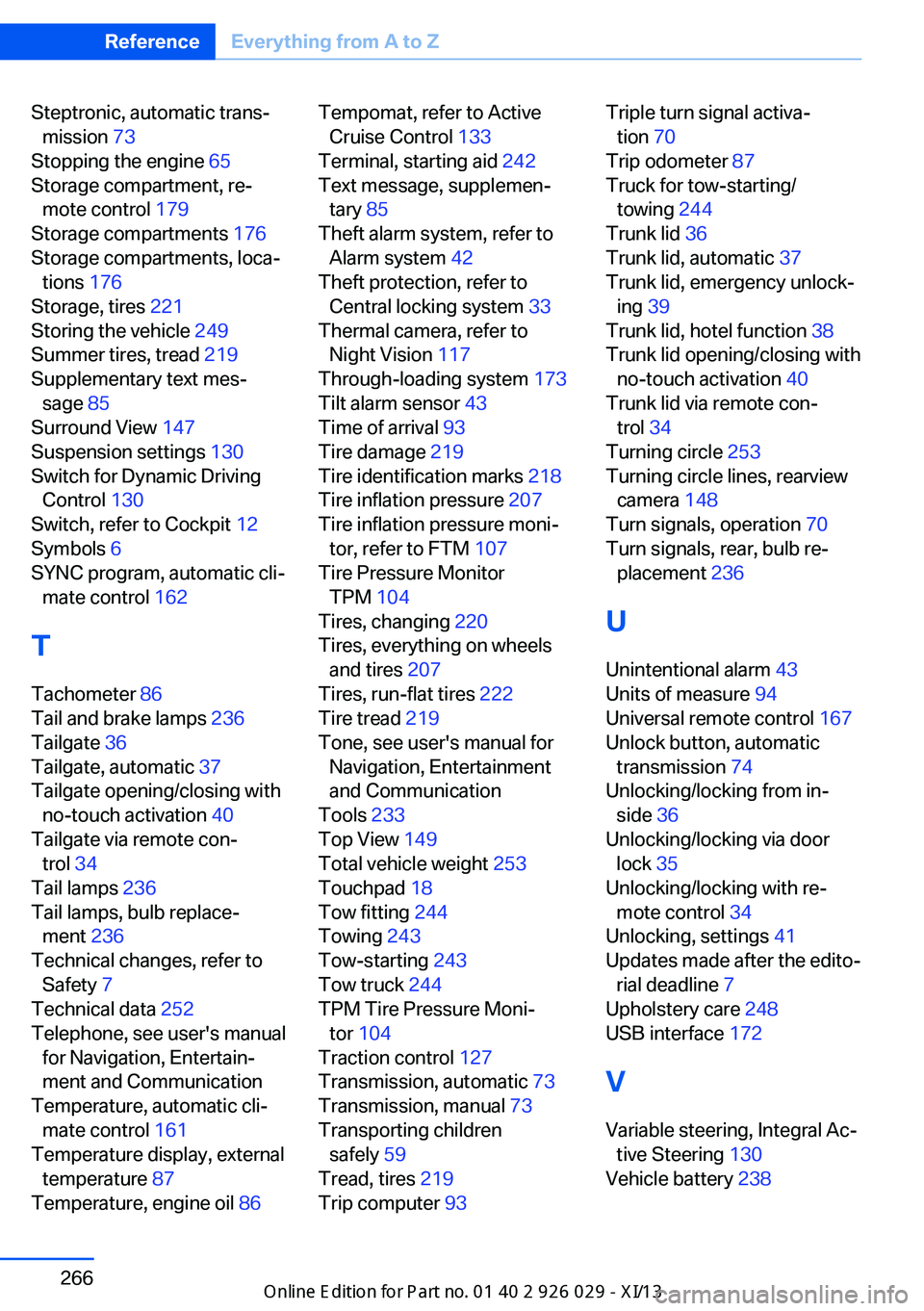
Steptronic, automatic trans‐mission 73
Stopping the engine 65
Storage compartment, re‐ mote control 179
Storage compartments 176
Storage compartments, loca‐ tions 176
Storage, tires 221
Storing the vehicle 249
Summer tires, tread 219
Supplementary text mes‐ sage 85
Surround View 147
Suspension settings 130
Switch for Dynamic Driving Control 130
Switch, refer to Cockpit 12
Symbols 6
SYNC program, automatic cli‐ mate control 162
T Tachometer 86
Tail and brake lamps 236
Tailgate 36
Tailgate, automatic 37
Tailgate opening/closing with no-touch activation 40
Tailgate via remote con‐ trol 34
Tail lamps 236
Tail lamps, bulb replace‐ ment 236
Technical changes, refer to Safety 7
Technical data 252
Telephone, see user's manual for Navigation, Entertain‐
ment and Communication
Temperature, automatic cli‐ mate control 161
Temperature display, external temperature 87
Temperature, engine oil 86 Tempomat, refer to Active
Cruise Control 133
Terminal, starting aid 242
Text message, supplemen‐ tary 85
Theft alarm system, refer to Alarm system 42
Theft protection, refer to Central locking system 33
Thermal camera, refer to Night Vision 117
Through-loading system 173
Tilt alarm sensor 43
Time of arrival 93
Tire damage 219
Tire identification marks 218
Tire inflation pressure 207
Tire inflation pressure moni‐ tor, refer to FTM 107
Tire Pressure Monitor TPM 104
Tires, changing 220
Tires, everything on wheels and tires 207
Tires, run-flat tires 222
Tire tread 219
Tone, see user's manual for Navigation, Entertainment
and Communication
Tools 233
Top View 149
Total vehicle weight 253
Touchpad 18
Tow fitting 244
Towing 243
Tow-starting 243
Tow truck 244
TPM Tire Pressure Moni‐ tor 104
Traction control 127
Transmission, automatic 73
Transmission, manual 73
Transporting children safely 59
Tread, tires 219
Trip computer 93 Triple turn signal activa‐
tion 70
Trip odometer 87
Truck for tow-starting/ towing 244
Trunk lid 36
Trunk lid, automatic 37
Trunk lid, emergency unlock‐ ing 39
Trunk lid, hotel function 38
Trunk lid opening/closing with no-touch activation 40
Trunk lid via remote con‐ trol 34
Turning circle 253
Turning circle lines, rearview camera 148
Turn signals, operation 70
Turn signals, rear, bulb re‐ placement 236
U
Unintentional alarm 43
Units of measure 94
Universal remote control 167
Unlock button, automatic transmission 74
Unlocking/locking from in‐ side 36
Unlocking/locking via door lock 35
Unlocking/locking with re‐ mote control 34
Unlocking, settings 41
Updates made after the edito‐ rial deadline 7
Upholstery care 248
USB interface 172
V
Variable steering, Integral Ac‐ tive Steering 130
Vehicle battery 238 Seite 266ReferenceEverything from A to Z266
Online Edition for Part no. 01 40 2 911 177 - VI/13