lights BMW 530I 2005 Owner's Manual
[x] Cancel search | Manufacturer: BMW, Model Year: 2005, Model line: 530I, Model: BMW 530I 2005Pages: 221, PDF Size: 8.19 MB
Page 89 of 221
Lamps
88 The low beams remain switched on inde-
pendent of the ambient lighting condi-
tions when you switch on the fog lamps.
With the daytime driving lamps
* activated, the
low beams are always switched on when the
ignition key is in position 2.<
The automatic headlamp control cannot
serve as a substitute for your personal
judgment in determining when the lamps
should be switched on in response to ambient
lighting conditions. For example, the system
cannot detect fog. To avoid safety risks, you
should always switch on the lamps manually
under these conditions.<
Adaptive Head Light*
The concept
Adaptive Head Light is a variable headlamp
control system that enables better illumination
of the road surface. Depending on the steering
angle and other assumptions, the light from the
headlamp follows the course of the road.
Activating Adaptive Head Light
In the switch position3, the Adaptive Head
Light is active and the automatic headlamp con-
trol
* is switched on.
To avoid blinding oncoming traffic, the Adaptive
Head Light
>is not active when driving in reverse
>is only active toward passenger side when
stationary
Malfunction
The LED next to the symbol for automatic head-
lamp control flashes. Adaptive Head Light is
faulty or has failed. Have the system checked as
soon as possible.
High beams/roadside parking
lamps
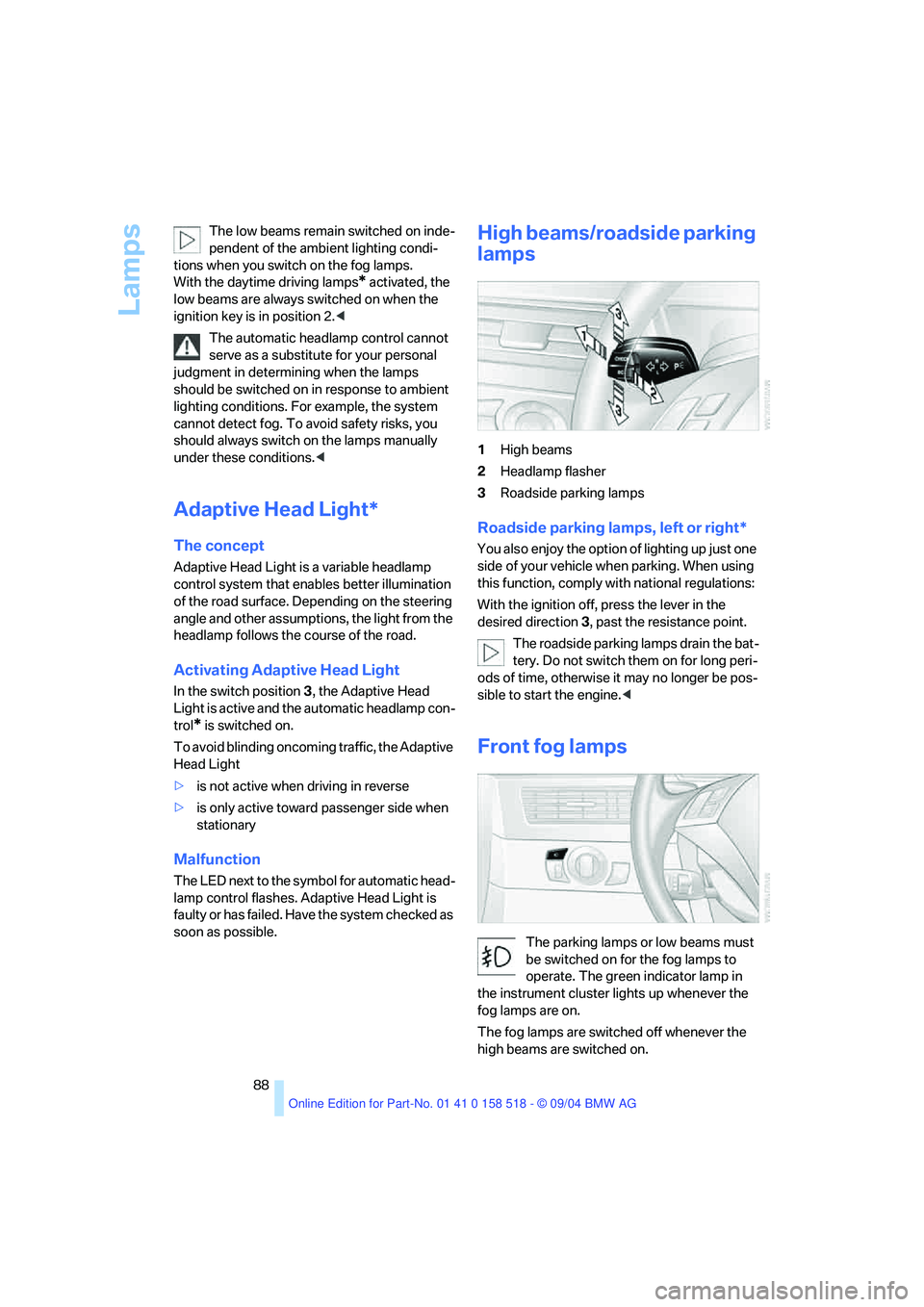
1High beams
2Headlamp flasher
3Roadside parking lamps
Roadside parking lamps, left or right*
You also enjoy the option of lighting up just one
side of your vehicle when parking. When using
this function, comply with national regulations:
With the ignition off, press the lever in the
desired direction3, past the resistance point.
The roadside parking lamps drain the bat-
tery. Do not switch them on for long peri-
ods of time, otherwise it may no longer be pos-
sible to start the engine.<
Front fog lamps
The parking lamps or low beams must
be switched on for the fog lamps to
operate. The green indicator lamp in
the instrument cluster lights up whenever the
fog lamps are on.
The fog lamps are switched off whenever the
high beams are switched on.
Page 93 of 221
A congenial climate
92 The recirculated-air mode should not be used
over an extended period of time, as the air qual-
ity inside the vehicle deteriorates continu-
ously.<
Residual heat mode
Press this button when the engine
is switched off, but warm.
The heat stored in the engine is
used to heat the passenger com-
partment, e.g. while stopped at a school to pick
up a child.
You can adjust the automatic climate control
settings in ignition key position 1.
Provided that the engine has warmed to its nor-
mal operating temperature and the battery is
charged, you can use this function for up to
15 minutes after switching off the ignition. The
LED in the button lights up to confirm compli-
ance with both of these conditions.
Switching off automatic climate control
The air volume, the heater and the
cooling function are all switched
off.
You can restart the automatic cli-
mate control by pressing any of its buttons
except the REST button.
Settings using Control Center
Ignition key:
>On vehicles with separate drives for audio
CDs and navigation DVDs, ignition key in
position 2
>In vehicles with one drive for audio CDs,
ignition key in position 1Control Center, for principle details, refer to
page16.
1.Press button.
This opens the start menu.
2.Move the controller to the left to open "Cli-
mate".
You can set the following:
>Manual air distribution, separate for driver's
side and passenger side
>Adjusting temperature in upper body region
>Intensity of the AUTO program
The settings are stored for the remote control
currently in use.
Manual air distribution
You can preset your air distribution yourself and
also individually adjust the air temperature in
the upper body area.
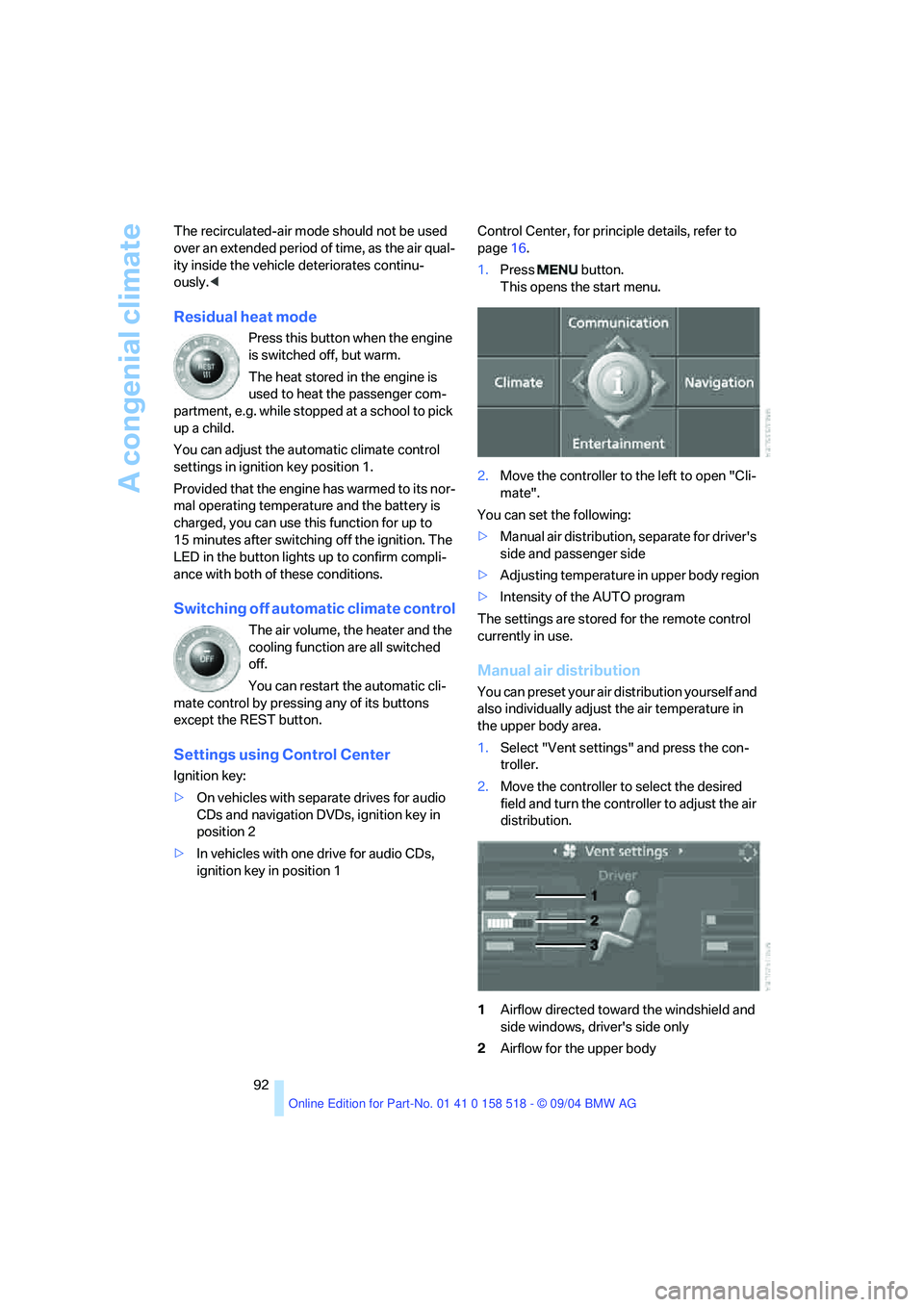
1.Select "Vent settings" and press the con-
troller.
2.Move the controller to select the desired
field and turn the controller to adjust the air
distribution.
1Airflow directed toward the windshield and
side windows, driver's side only
2Airflow for the upper body
Page 96 of 221
Controls
95Reference
At a glance
Driving tips
Communication
Navigation
Entertainment
Mobility
Activating timer
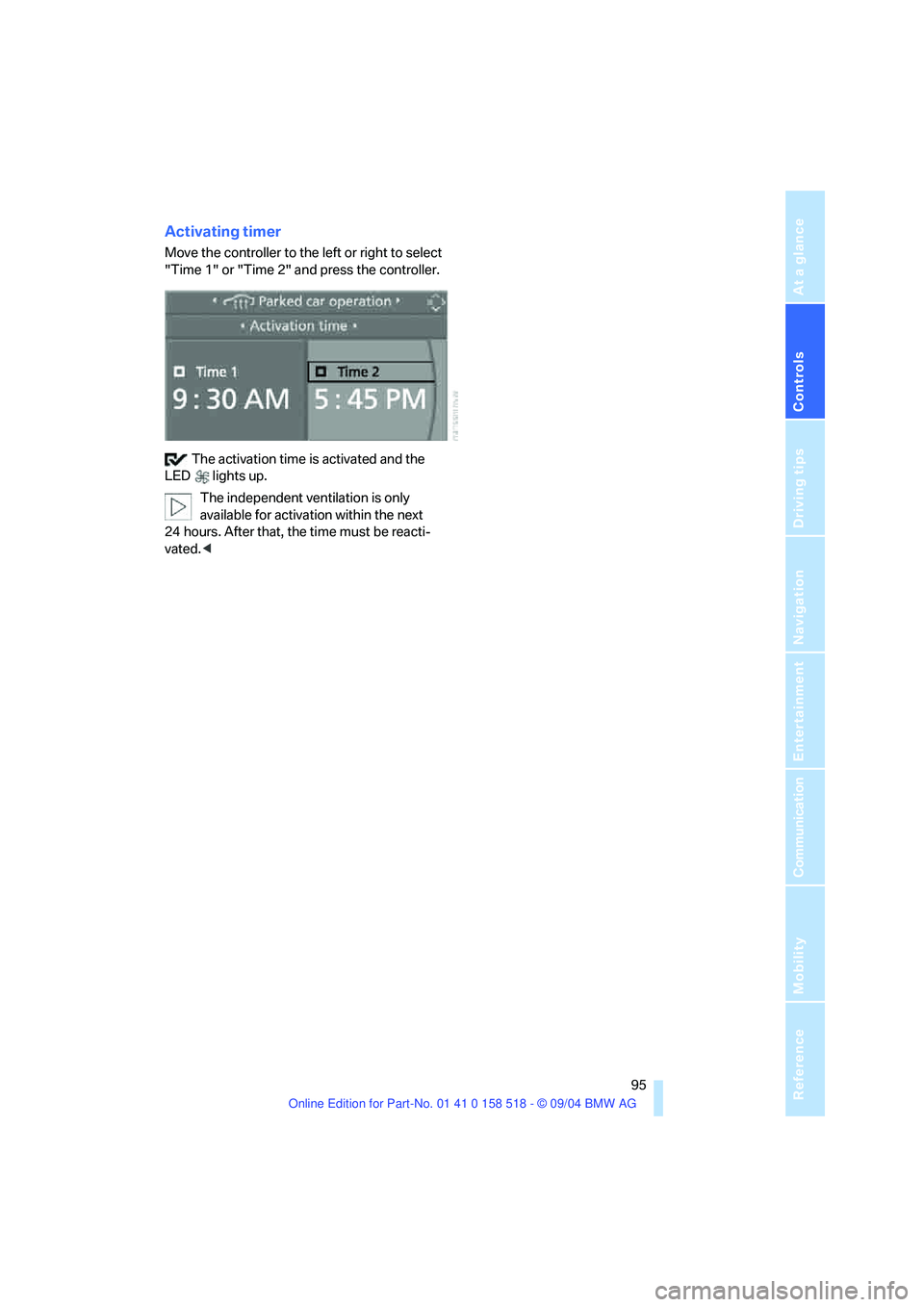
Move the controller to the left or right to select
"Time 1" or "Time 2" and press the controller.
The activation time is activated and the
LED lights up.
The independent ventilation is only
available for activation within the next
24 hours. After that, the time must be reacti-
vated.<
Page 101 of 221
Practical interior accessories
100
Sockets
With the ignition key in position 2, the cigarette
lighter socket can be used as a power outlet for
hand flashlights, car vacuum cleaners, etc., with
power ratings of up to approx. 200 W at 12 V.
Avoid damaging the socket due to inserting
plugs of different shapes or sizes. The same is
true for all power outlets in the vehicle.
Ashtray, rear
Emptying
Press the entire cover down. The ashtray rises
and can be removed.
Cigarette lighter, rear
Refer to Cigarette lighter, front.
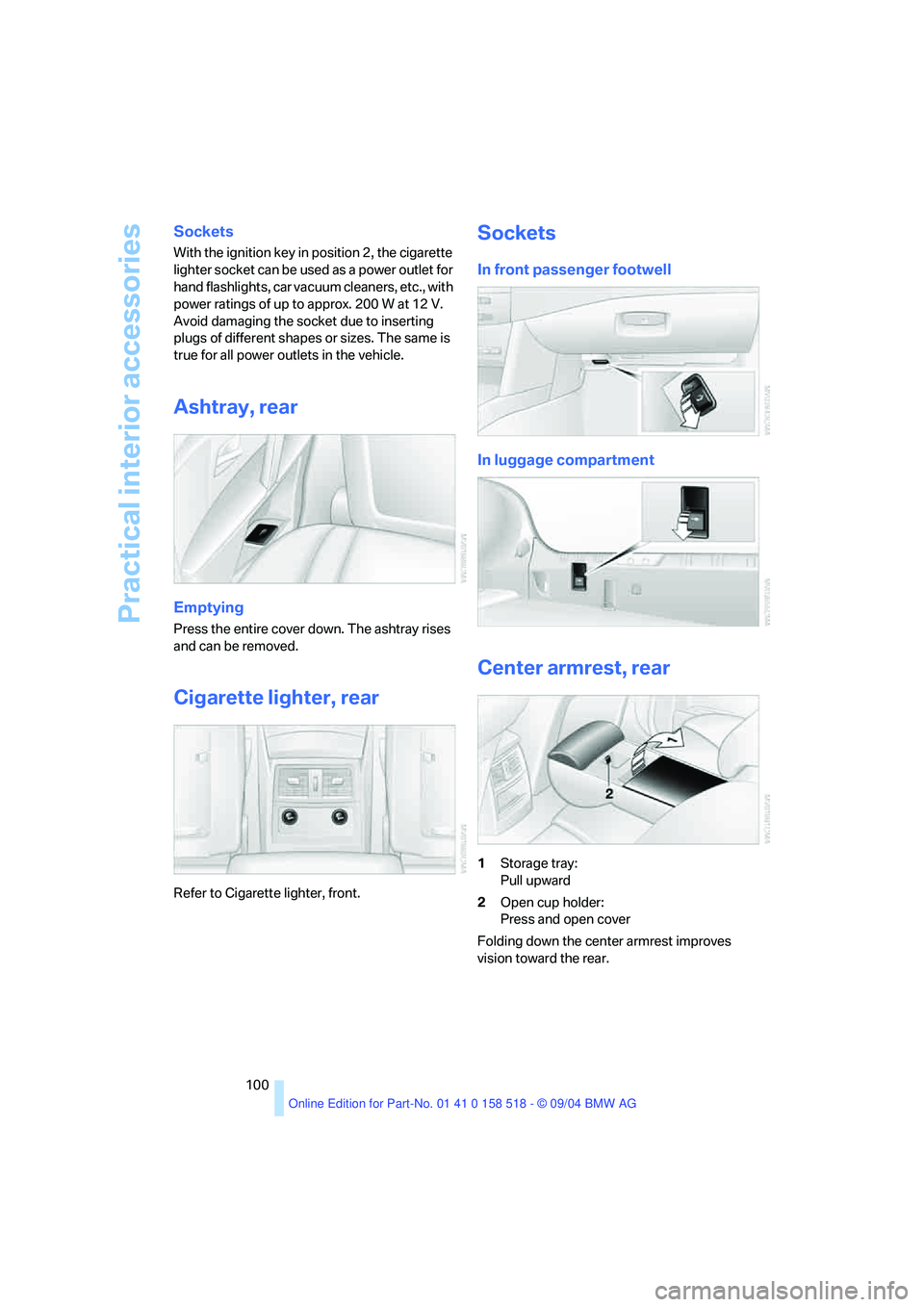
Sockets
In front passenger footwell
In luggage compartment
Center armrest, rear
1Storage tray:
Pull upward
2Open cup holder:
Press and open cover
Folding down the center armrest improves
vision toward the rear.
Page 180 of 221
Mobility
179Reference
At a glance
Controls
Driving tips
Communica-
Navigation
Entertainment
sure to escape, then continue turning to
open.
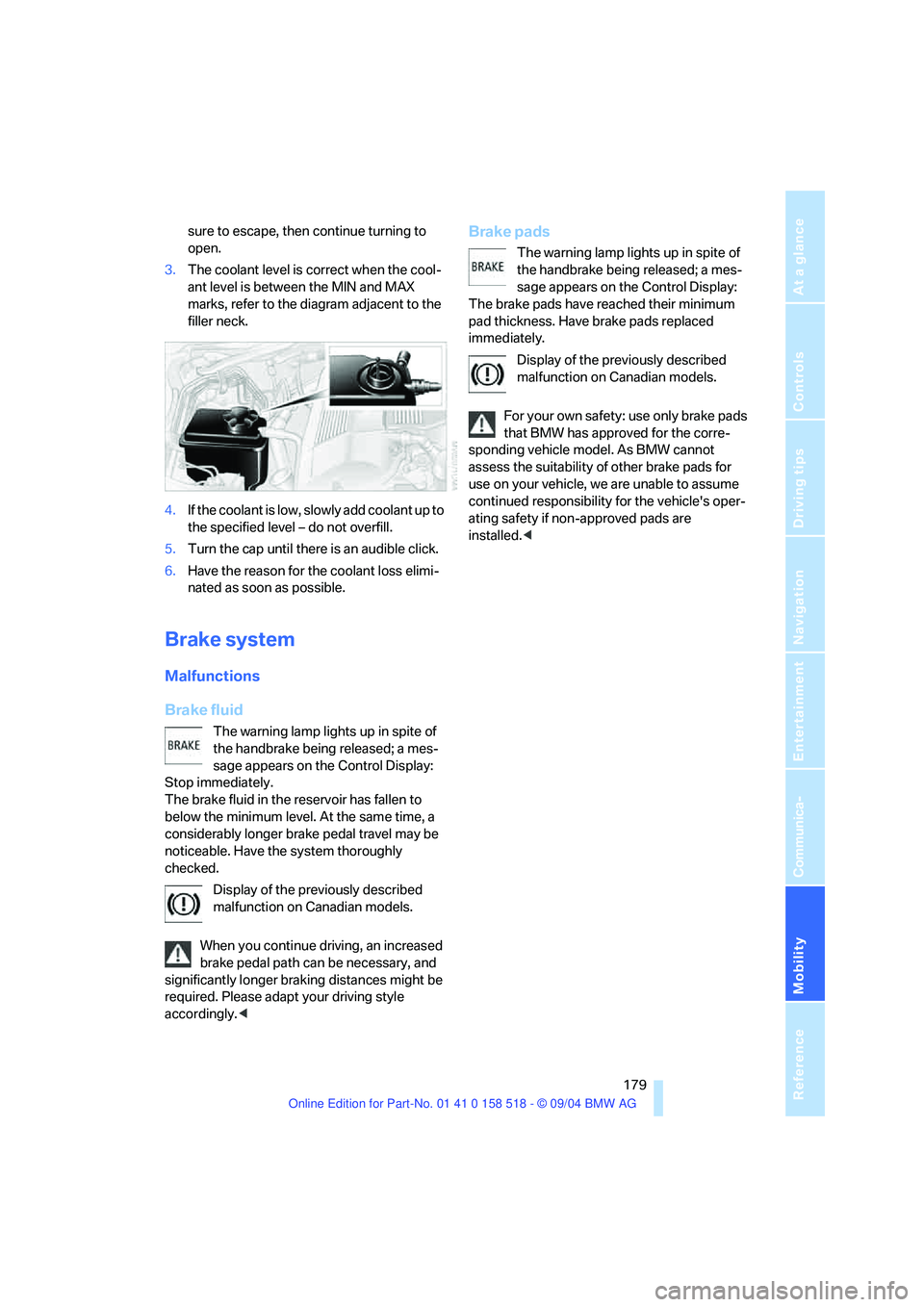
3.The coolant level is correct when the cool-
ant level is between the MIN and MAX
marks, refer to the diagram adjacent to the
filler neck.
4.If the coolant is low, slowly add coolant up to
the specified level – do not overfill.
5.Turn the cap until there is an audible click.
6.Have the reason for the coolant loss elimi-
nated as soon as possible.
Brake system
Malfunctions
Brake fluid
The warning lamp lights up in spite of
the handbrake being released; a mes-
sage appears on the Control Display:
Stop immediately.
The brake fluid in the reservoir has fallen to
below the minimum level. At the same time, a
considerably longer brake pedal travel may be
noticeable. Have the system thoroughly
checked.
Display of the previously described
malfunction on Canadian models.
When you continue driving, an increased
brake pedal path can be necessary, and
significantly longer braking distances might be
required. Please adapt your driving style
accordingly.<
Brake pads
The warning lamp lights up in spite of
the handbrake being released; a mes-
sage appears on the Control Display:
The brake pads have reached their minimum
pad thickness. Have brake pads replaced
immediately.
Display of the previously described
malfunction on Canadian models.
For your own safety: use only brake pads
that BMW has approved for the corre-
sponding vehicle model. As BMW cannot
assess the suitability of other brake pads for
use on your vehicle, we are unable to assume
continued responsibility for the vehicle's oper-
ating safety if non-approved pads are
installed.<
Page 183 of 221
Replacing components
182
Replacing components
Onboard tool kit
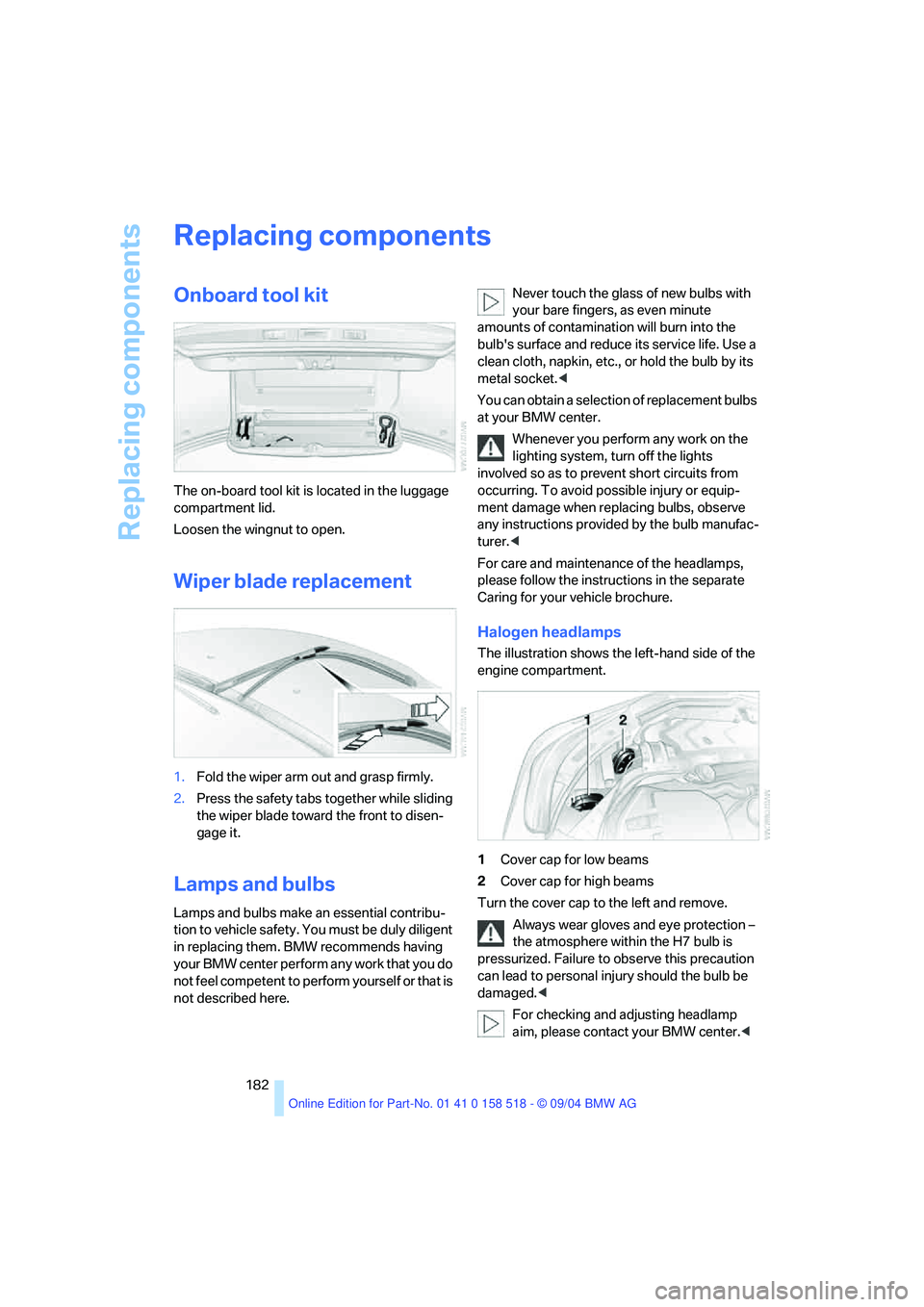
The on-board tool kit is located in the luggage
compartment lid.
Loosen the wingnut to open.
Wiper blade replacement
1.Fold the wiper arm out and grasp firmly.
2.Press the safety tabs together while sliding
the wiper blade toward the front to disen-
gage it.
Lamps and bulbs
Lamps and bulbs make an essential contribu-
tion to vehicle safety. You must be duly diligent
in replacing them. BMW recommends having
your BMW center perform any work that you do
not feel competent to perform yourself or that is
not described here.Never touch the glass of new bulbs with
your bare fingers, as even minute
amounts of contamination will burn into the
bulb's surface and reduce its service life. Use a
clean cloth, napkin, etc., or hold the bulb by its
metal socket.<
You can obtain a selection of replacement bulbs
at your BMW center.
Whenever you perform any work on the
lighting system, turn off the lights
involved so as to prevent short circuits from
occurring. To avoid possible injury or equip-
ment damage when replacing bulbs, observe
any instructions provided by the bulb manufac-
turer.<
For care and maintenance of the headlamps,
please follow the instructions in the separate
Caring for your vehicle brochure.
Halogen headlamps
The illustration shows the left-hand side of the
engine compartment.
1Cover cap for low beams
2Cover cap for high beams
Turn the cover cap to the left and remove.
Always wear gloves and eye protection –
the atmosphere within the H7 bulb is
pressurized. Failure to observe this precaution
can lead to personal injury should the bulb be
damaged.<
For checking and adjusting headlamp
aim, please contact your BMW center.<
Page 190 of 221
Mobility
189Reference
At a glance
Controls
Driving tips
Communication
Navigation
Entertainment
Giving and receiving assistance
Emergency calling*
Conditions for an emergency call:
>Once ignition key is in position 1.
>The car phone is logged on to a cellular
telephone network.
>The emergency call system is operable.
Initiating an emergency call
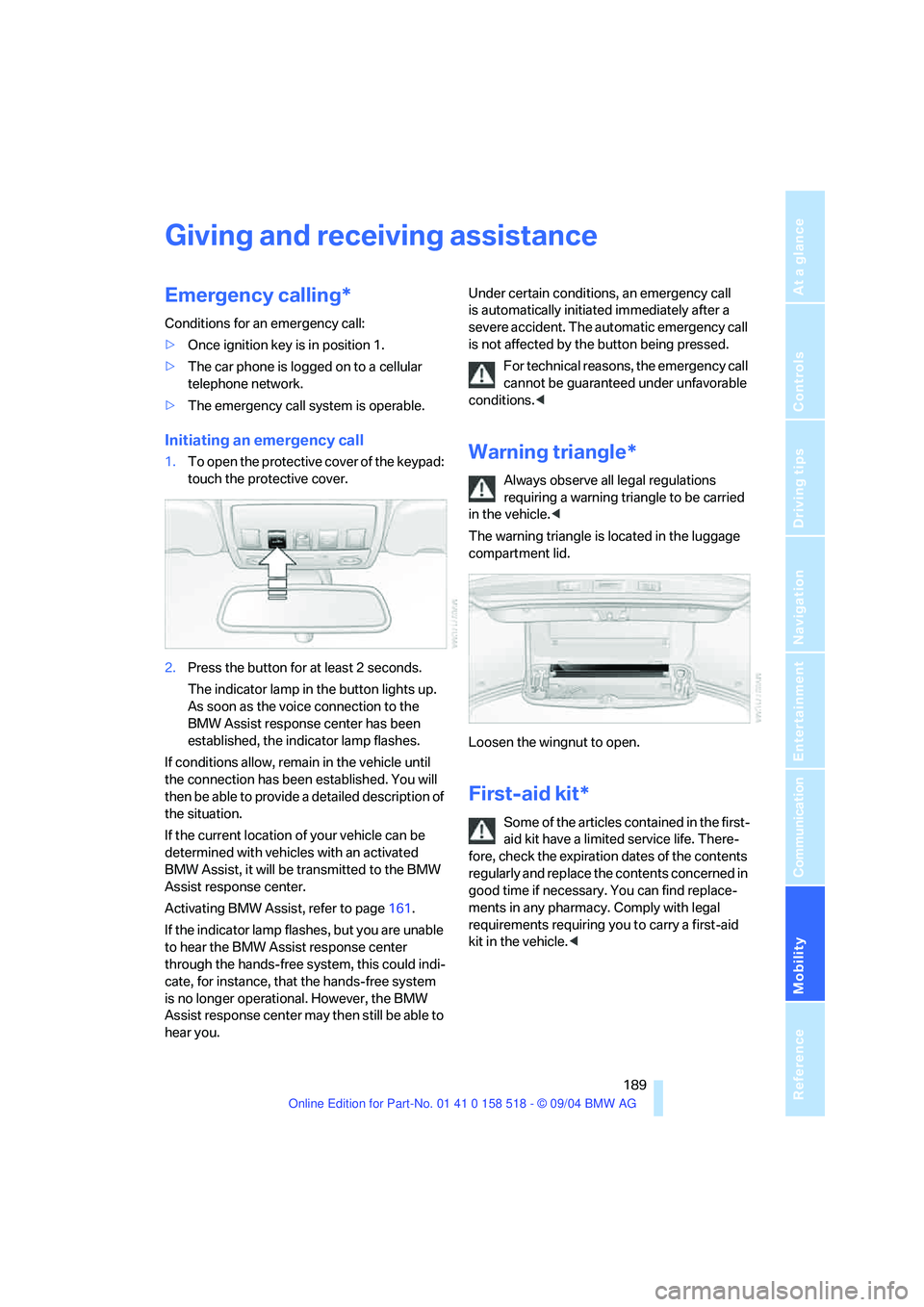
1.To open the protective cover of the keypad:
touch the protective cover.
2.Press the button for at least 2 seconds.
The indicator lamp in the button lights up.
As soon as the voice connection to the
BMW Assist response center has been
established, the indicator lamp flashes.
If conditions allow, remain in the vehicle until
the connection has been established. You will
then be able to provide a detailed description of
the situation.
If the current location of your vehicle can be
determined with vehicles with an activated
BMW Assist, it will be transmitted to the BMW
Assist response center.
Activating BMW Assist, refer to page161.
If the indicator lamp flashes, but you are unable
to hear the BMW Assist response center
through the hands-free system, this could indi-
cate, for instance, that the hands-free system
is no longer operational. However, the BMW
Assist response center may then still be able to
hear you.Under certain conditions, an emergency call
is automatically initiated immediately after a
severe accident. The automatic emergency call
is not affected by the button being pressed.
For technical reasons, the emergency call
cannot be guaranteed under unfavorable
conditions.
requiring a warning triangle to be carried
in the vehicle.<
The warning triangle is located in the luggage
compartment lid.
Loosen the wingnut to open.
First-aid kit*
Some of the articles contained in the first-
aid kit have a limited service life. There-
fore, check the expiration dates of the contents
regularly and replace the contents concerned in
good time if necessary. You can find replace-
ments in any pharmacy. Comply with legal
requirements requiring you to carry a first-aid
kit in the vehicle.<
Page 210 of 221
Reference 209
At a glance
Controls
Driving tips
Communica-
Navigation
Entertainment
Mobility
Indicator/warning lamps13
– ABS Antilock Brake
System79
– active steering81
– airbags84
– brake fluid179
– brake pads179
– brake system13,79
– DSC Dynamic Stability
Control13,78
– DTC Dynamic Traction
Control13,78
– Flat Tire Monitor80
– front fog lamps13
– overview13
– safety belt warning42
Individual air distribution92
Individually assignable
buttons on the steering
wheel46
Individual settings, refer to
Key Memory28
Inflation pressure, refer to Tire
inflation pressure170
Inflation pressure monitoring,
refer to Flat Tire Monitor79
Information
– on another location118
– on current position118
– on destination location118
"Information" for
navigation119
"Information on
destination"119
Initializing, refer to Power
loss187
"Input map"118
Installation location
– CD changer147
– portable phone98
Instructions for navigation
system, refer to Voice
instructions125
Instrument cluster12
Instrument illumination, refer
to Instrument lighting89
Instrument lighting89Instrument panel
– refer to Cockpit10
– refer to Instrument
cluster12
Integrated universal remote
control96
"Interim time"73
Interior lamps89
– remote control30
Interior motion sensor34
– switching off34
Interior rearview mirror45
– automatic dimming
feature107
Interlock on automatic
transmission51
Intermittent mode of the
wipers57
J
Jacking points186
Joystick, refer to Control
Center16
Jumpering, refer to Jump
starting190
Jump starting190
K
Key Memory28
"Keypad"157
Keys28
Kick-down
– automatic transmission with
Steptronic56
– SMG Sequential manual
transmission54
Knock control169
L
Lamps, refer to Parking lamps/
low beams87
Lamps and bulbs182
"Languages"74
– for navigation126
Lashing down cargo, refer to
Securing cargo109
Lashing eyes, refer to
Securing cargo109
Last destinations, refer to
Destination list119
"Last seat pos."41
LATCH child-restraint fixing
system49
LEDs light-emitting
diodes185
Length, refer to
Dimensions197
Letter symbol with portable
phone157
License plate lamp, replacing
bulbs184
"Light"56,87
Light-emitting diodes
LEDs185
Lighter99
Lighter socket100
Lighting
– instruments89
– of the vehicle, refer to
Lamps87
Lights on warning87
Light switch87
"Limit"72
Loading
– securing cargo109
– stowing cargo109
– vehicle108
Location, navigation drive114
"Lock after driving off"32
Lock buttons in the doors,
refer to Locking32
Locking
– from inside32
– from outside30
– setting confirmation
signals30