Window BMW 530I SEDAN 2004 E60 User Guide
[x] Cancel search | Manufacturer: BMW, Model Year: 2004, Model line: 530I SEDAN, Model: BMW 530I SEDAN 2004 E60Pages: 220, PDF Size: 7.12 MB
Page 84 of 220
Technology for comfort, convenience and safety
82
System malfunctions
Indicator lamp
The symbol in the instrument clus-
ter lights up yellow and a message
appears on the Control Display.
Please contact your BMW center.
Please note any supplementary information
that appears on the Control Display.
Active steering*
The concept
The active steering is a system that actively
varies the steering angle of the front wheels
in relation to the steering wheel move-
ments.
When you are driving in the low road speed
range, e.g. in a town or when parking, the
steering angle is reinforced, i.e. the steer-
ing becomes very direct and significantly
improves the handling capability of your
BMW.
In the higher road speed range, on the
other hand, the steering angle is reduced,
also optimizing the handling capability.
In critical situations, the system can make
targeted changes to the steering angle pro-
vided by the driver and thus stabilize the
vehicle before the driver intervenes.
Indicator lamp
The indicator lamp lights up perma-
nently: malfunction in the system.
Please have the system inspected
at your BMW center.
Conventional steering efficiency remains
available without limitations.
Brake Force Display
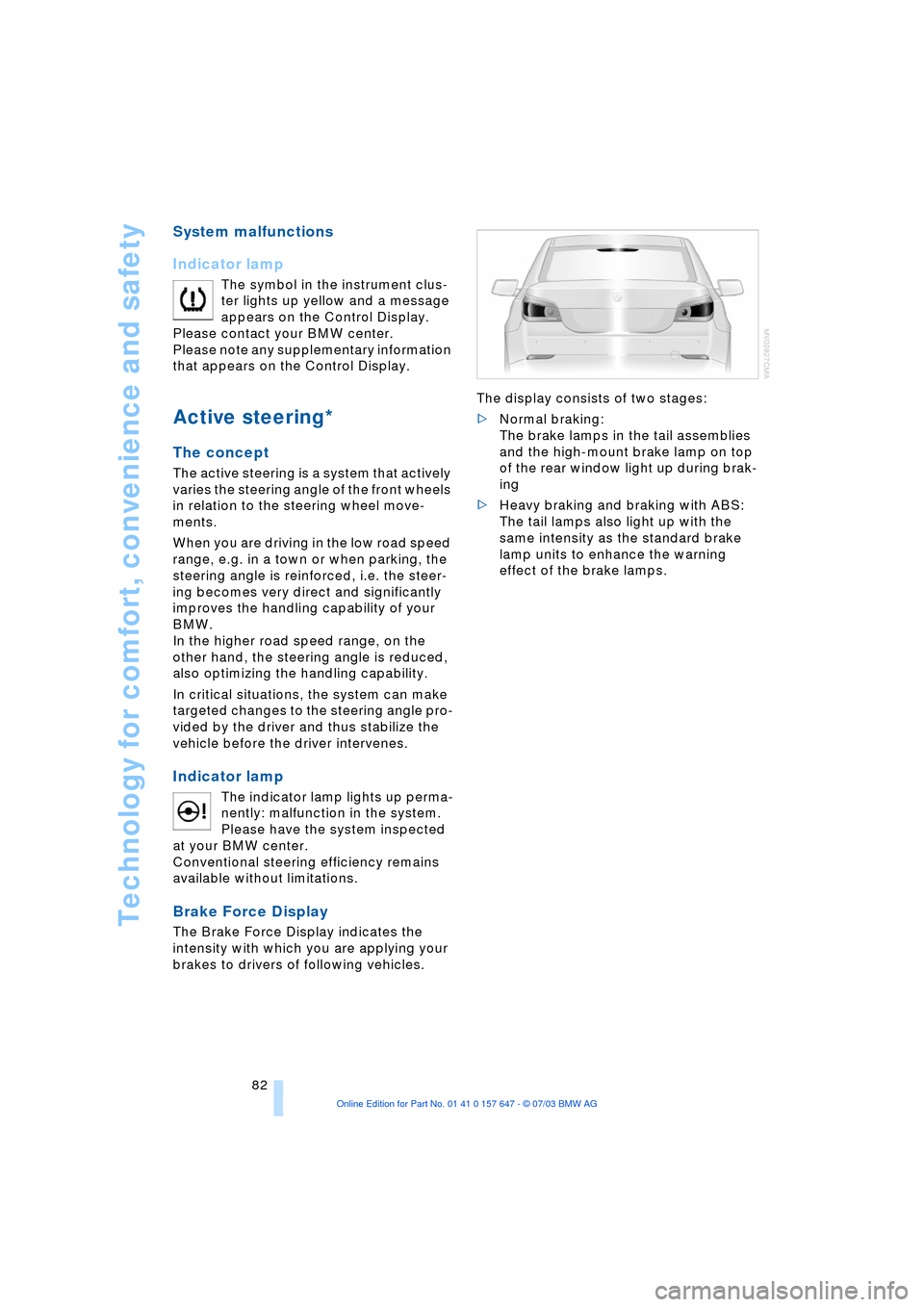
The Brake Force Display indicates the
intensity with which you are applying your
brakes to drivers of following vehicles. The display consists of two stages:
>Normal braking:
The brake lamps in the tail assemblies
and the high-mount brake lamp on top
of the rear window light up during brak-
ing
>Heavy braking and braking with ABS:
The tail lamps also light up with the
same intensity as the standard brake
lamp units to enhance the warning
effect of the brake lamps.
Page 92 of 220
A congenial climate
90
A congenial climate
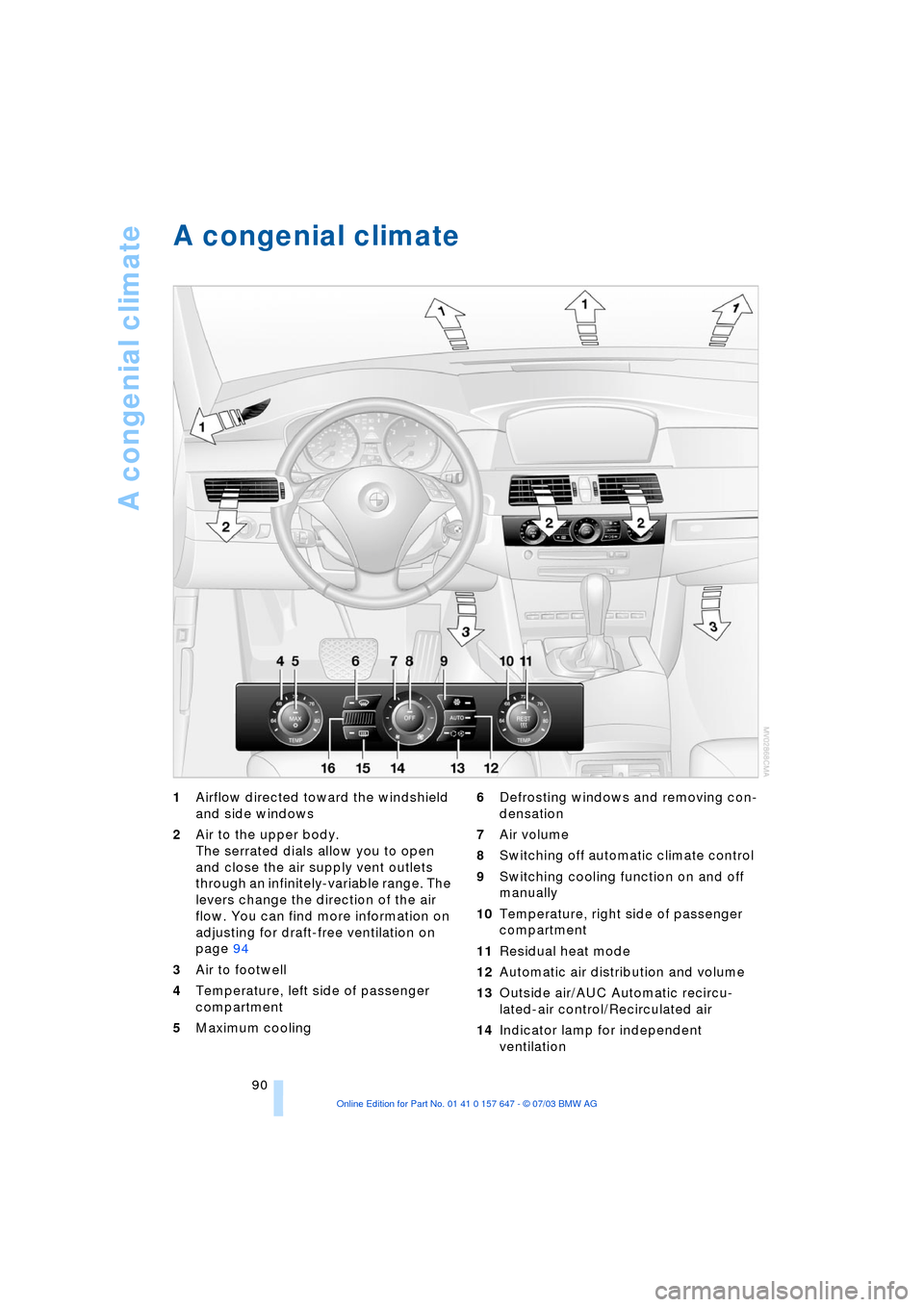
1Airflow directed toward the windshield
and side windows
2Air to the upper body.
The serrated dials allow you to open
and close the air supply vent outlets
through an infinitely-variable range. The
levers change the direction of the air
flow. You can find more information on
adjusting for draft-free ventilation on
page 94
3Air to footwell
4Temperature, left side of passenger
compartment
5Maximum cooling 6Defrosting windows and removing con-
densation
7Air volume
8Switching off automatic climate control
9Switching cooling function on and off
manually
10Temperature, right side of passenger
compartment
11Residual heat mode
12Automatic air distribution and volume
13Outside air/AUC Automatic recircu-
lated-air control/Recirculated air
14Indicator lamp for independent
ventilation
Page 93 of 220
Controls
91Reference
At a glance
Driving tips
Communications
Navigation
Entertainment
Mobility
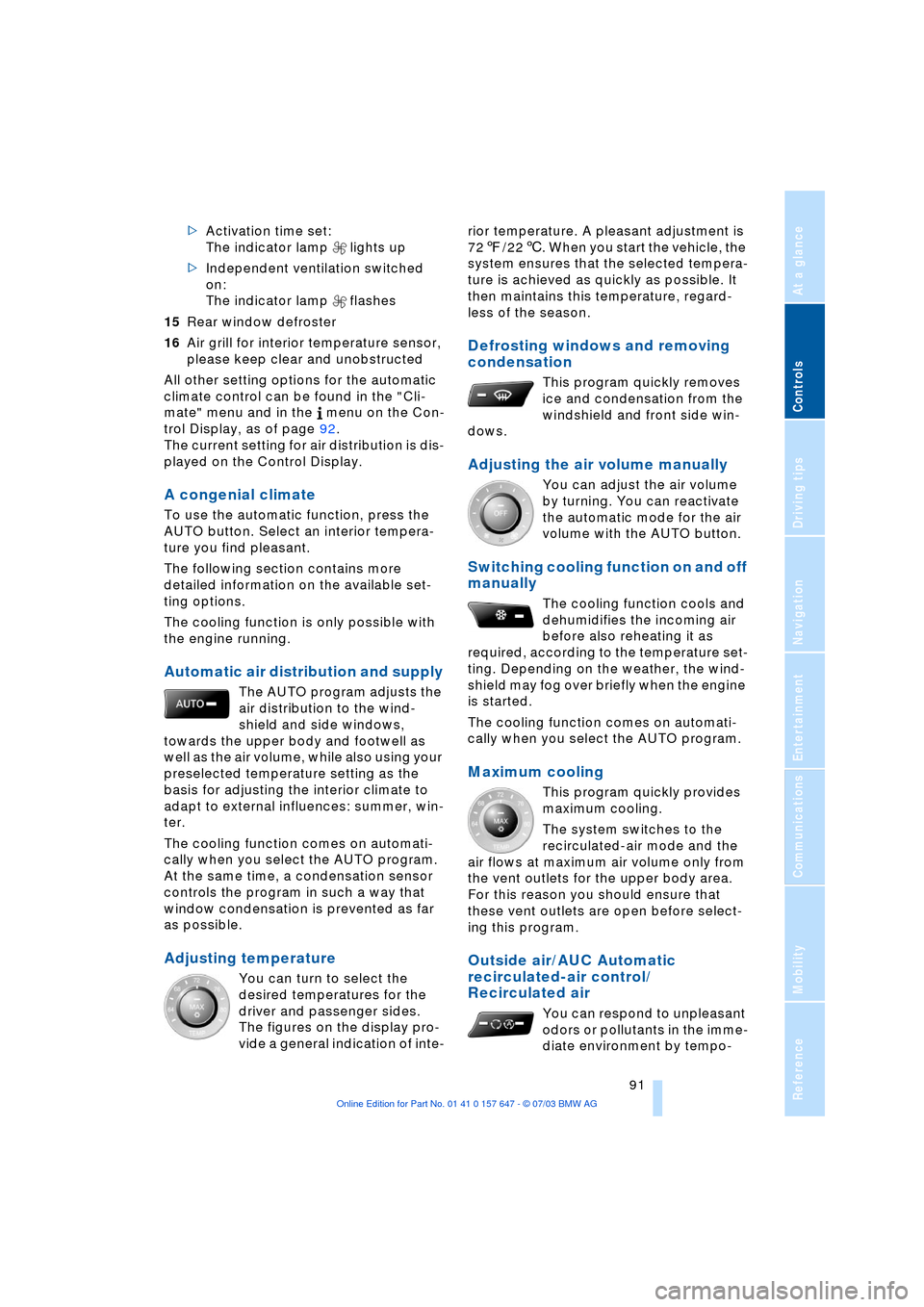
>Activation time set:
The indicator lamp lights up
>Independent ventilation switched
on:
The indicator lamp flashes
15Rear window defroster
16Air grill for interior temperature sensor,
please keep clear and unobstructed
All other setting options for the automatic
climate control can be found in the "Cli-
mate" menu and in the menu on the Con-
trol Display, as of page 92.
The current setting for air distribution is dis-
played on the Control Display.
A congenial climate
To use the automatic function, press the
AUTO button. Select an interior tempera-
ture you find pleasant.
The following section contains more
detailed information on the available set-
ting options.
The cooling function is only possible with
the engine running.
Automatic air distribution and supply
The AUTO program adjusts the
air distribution to the wind-
shield and side windows,
towards the upper body and footwell as
well as the air volume, while also using your
preselected temperature setting as the
basis for adjusting the interior climate to
adapt to external influences: summer, win-
ter.
The cooling function comes on automati-
cally when you select the AUTO program.
At the same time, a condensation sensor
controls the program in such a way that
window condensation is prevented as far
as possible.
Adjusting temperature
You can turn to select the
desired temperatures for the
driver and passenger sides.
The figures on the display pro-
vide a general indication of inte-rior temperature. A pleasant adjustment is
727/226. When you start the vehicle, the
system ensures that the selected tempera-
ture is achieved as quickly as possible. It
then maintains this temperature, regard-
less of the season.
Defrosting windows and removing
condensation
This program quickly removes
ice and condensation from the
windshield and front side win-
dows.
Adjusting the air volume manually
You can adjust the air volume
by turning. You can reactivate
the automatic mode for the air
volume with the AUTO button.
Switching cooling function on and off
manually
The cooling function cools and
dehumidifies the incoming air
before also reheating it as
required, according to the temperature set-
ting. Depending on the weather, the wind-
shield may fog over briefly when the engine
is started.
The cooling function comes on automati-
cally when you select the AUTO program.
Maximum cooling
This program quickly provides
maximum cooling.
The system switches to the
recirculated-air mode and the
air flows at maximum air volume only from
the vent outlets for the upper body area.
For this reason you should ensure that
these vent outlets are open before select-
ing this program.
Outside air/AUC Automatic
recirculated-air control/
Recirculated air
You can respond to unpleasant
odors or pollutants in the imme-
diate environment by tempo-
Page 94 of 220
A congenial climate
92 rarily suspending the supply of outside air.
The system then recirculates the air cur-
rently within the vehicle. AUC executes this
function automatically.
Press the button repeatedly to run through
the following control sequence:
>Indicator lamps off: outside air flows in
>Right indicator lamp on, AUC mode: the
system detects pollutants in the outside
air and responds by blocking the supply
of outside air when required. The sys-
tem then recirculates the air currently
within the vehicle.
Depending upon air quality require-
ments, in the automatic mode the sys-
tem alternates between its outside-air
and recirculated-air modes
>Left indicator lamp on, recirculated-air
mode: the supply of outside air is per-
manently blocked. The system then
recirculates the air currently within the
vehicle.
If condensation starts to form on the
inside window surfaces during opera-
tion in the recirculated-air mode, you
should switch it off while also increasing
the air volume as required.
The recirculated-air mode should not be
used over a sustained longer period of
time, as the air quality inside the vehicle
deteriorates continuously.<
Residual heat mode
The system uses the warmth
stored in the engine to heat the
interior when the ignition is off,
for instance, while the vehicle is
stopped at a school to pick up a
child.
You can adjust the automatic climate con-
trol settings in ignition key position 1.
Provided that the engine has warmed
to its normal operating temperature
and the battery is charged, you can use this
function for up to 15 minutes after switch-
ing off the ignition. The LED within the but-
ton lights up to confirm compliance with
these conditions.<
Switching automatic climate control
off
The air volume, the heater and
the cooling function are all
switched off. You can restart
the automatic climate control
by pressing any of its buttons
except the REST button.
Settings using the Control Center
You can make the settings for each specific
key.
Control Center, for principle details, refer to
page 16:
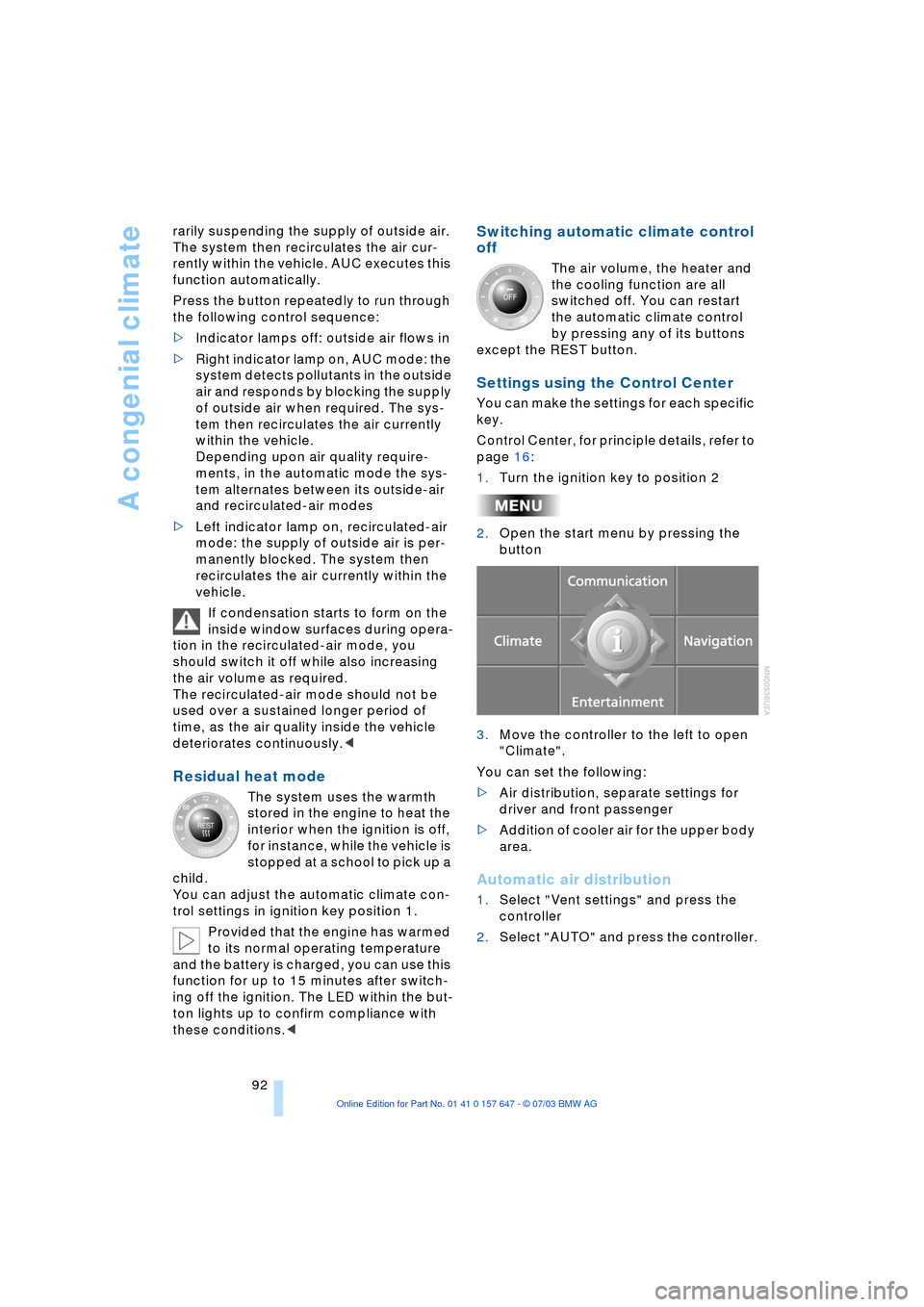
1.Turn the ignition key to position 2
2.Open the start menu by pressing the
button
3.Move the controller to the left to open
"Climate".
You can set the following:
>Air distribution, separate settings for
driver and front passenger
>Addition of cooler air for the upper body
area.
Automatic air distribution
1.Select "Vent settings" and press the
controller
2.Select "AUTO" and press the controller.
Page 95 of 220
Controls
93Reference
At a glance
Driving tips
Communications
Navigation
Entertainment
Mobility
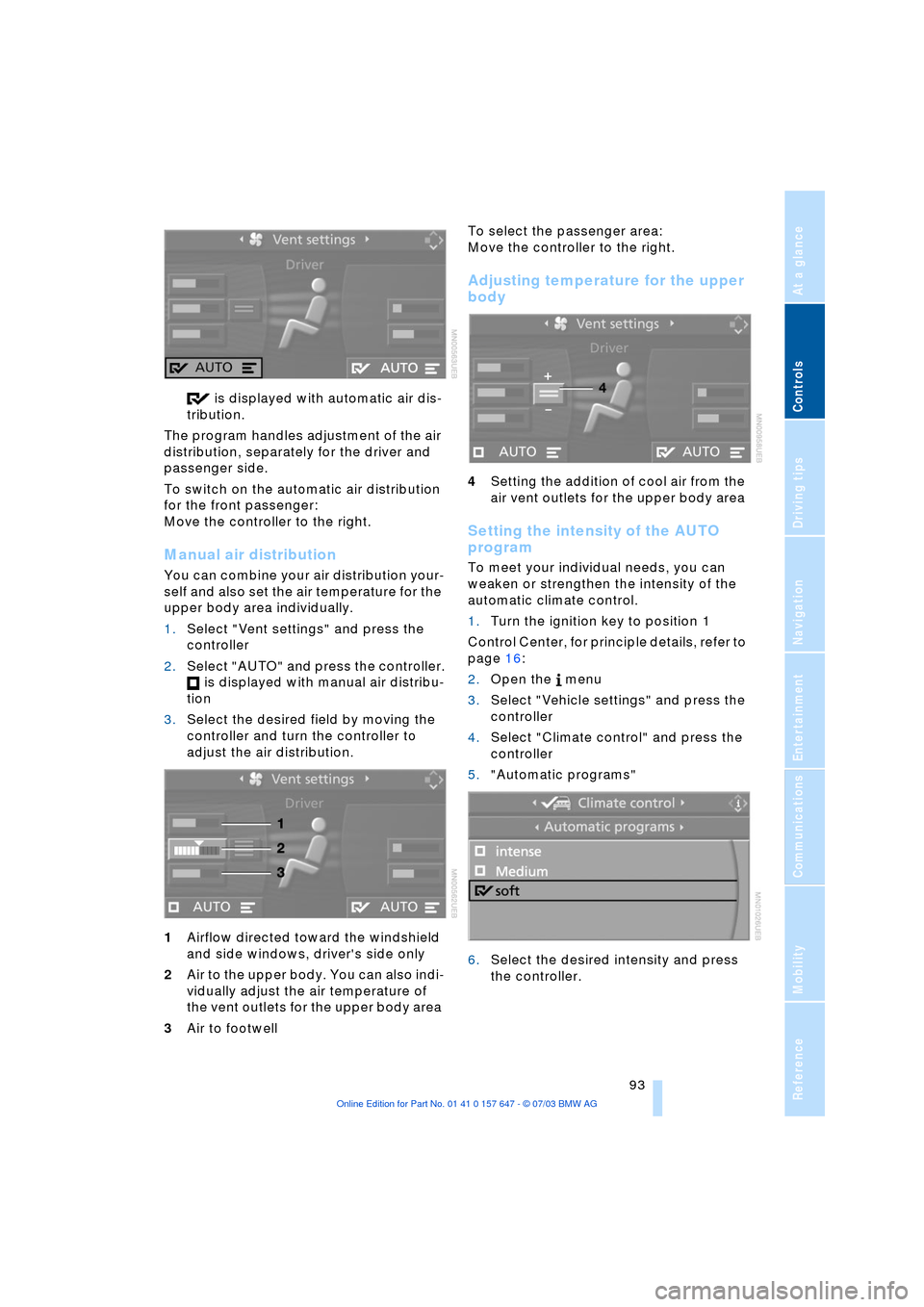
is displayed with automatic air dis-
tribution.
The program handles adjustment of the air
distribution, separately for the driver and
passenger side.
To switch on the automatic air distribution
for the front passenger:
Move the controller to the right.
Manual air distribution
You can combine your air distribution your-
self and also set the air temperature for the
upper body area individually.
1.Select "Vent settings" and press the
controller
2.Select "AUTO" and press the controller.
is displayed with manual air distribu-
tion
3.Select the desired field by moving the
controller and turn the controller to
adjust the air distribution.
1Airflow directed toward the windshield
and side windows, driver's side only
2Air to the upper body. You can also indi-
vidually adjust the air temperature of
the vent outlets for the upper body area
3Air to footwell To select the passenger area:
Move the controller to the right.
Adjusting temperature for the upper
body
4Setting the addition of cool air from the
air vent outlets for the upper body area
Setting the intensity of the AUTO
program
To meet your individual needs, you can
weaken or strengthen the intensity of the
automatic climate control.
1.Turn the ignition key to position 1
Control Center, for principle details, refer to
page 16:
2.Open the menu
3.Select "Vehicle settings" and press the
controller
4.Select "Climate control" and press the
controller
5."Automatic programs"
6.Select the desired intensity and press
the controller.
Page 99 of 220
Controls
97Reference
At a glance
Driving tips
Communications
Navigation
Entertainment
Mobility
The equipment can be used as of ignition
key position 2.
If the device cannot be used even
after repeated programming, check
whether the original hand-held transmitter
is equipped with an alternating-code sys-
tem. Here, either read the instructions for
the original hand-held transmitter or hold
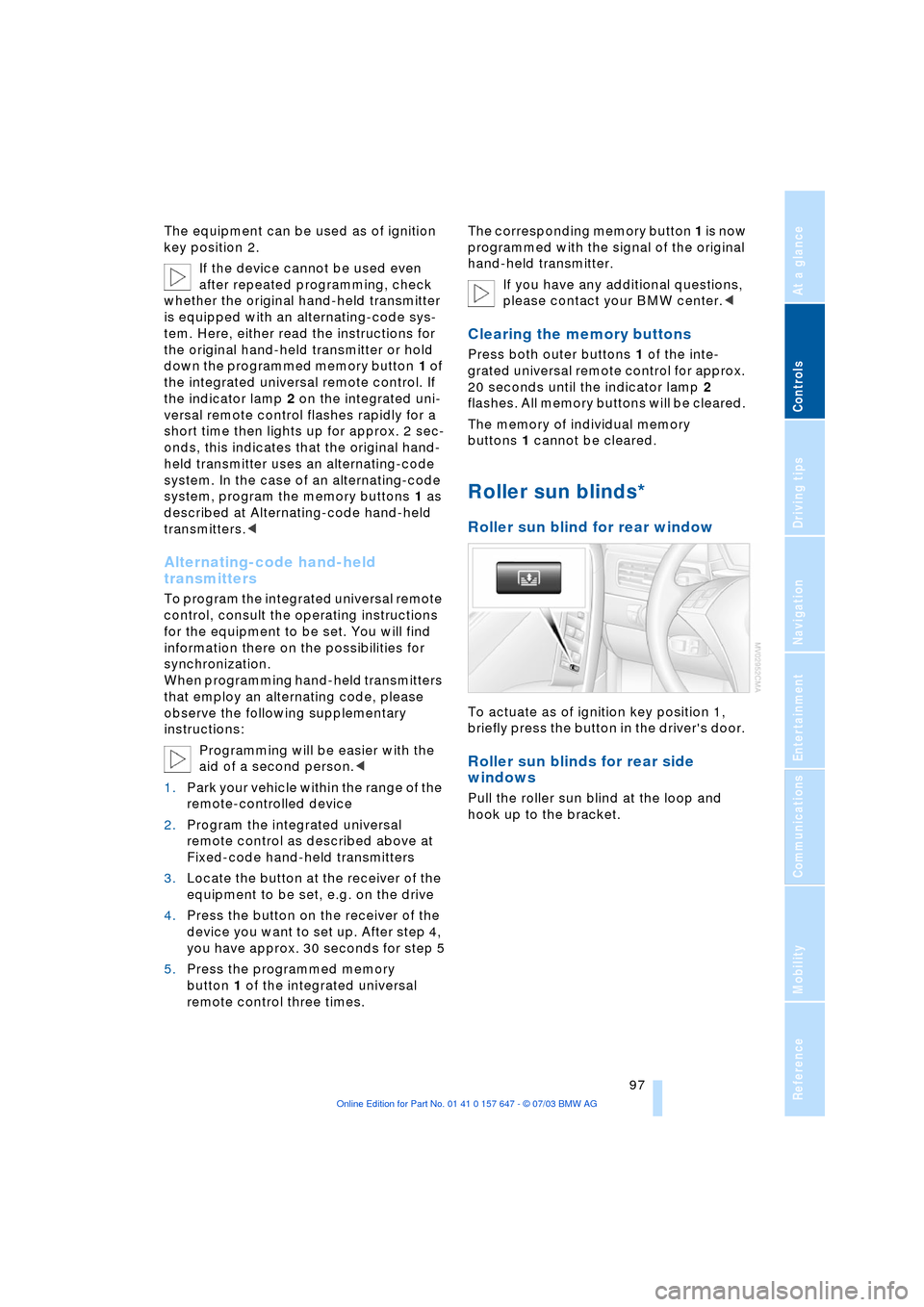
down the programmed memory button 1 of
the integrated universal remote control. If
the indicator lamp 2 on the integrated uni-
versal remote control flashes rapidly for a
short time then lights up for approx. 2 sec-
onds, this indicates that the original hand-
held transmitter uses an alternating-code
system. In the case of an alternating-code
system, program the memory buttons 1 as
described at Alternating-code hand-held
transmitters.<
Alternating-code hand-held
transmitters
To program the integrated universal remote
control, consult the operating instructions
for the equipment to be set. You will find
information there on the possibilities for
synchronization.
When programming hand-held transmitters
that employ an alternating code, please
observe the following supplementary
instructions:
Programming will be easier with the
aid of a second person.<
1.Park your vehicle within the range of the
remote-controlled device
2.Program the integrated universal
remote control as described above at
Fixed-code hand-held transmitters
3.Locate the button at the receiver of the
equipment to be set, e.g. on the drive
4.Press the button on the receiver of the
device you want to set up. After step 4,
you have approx. 30 seconds for step 5
5.Press the programmed memory
button 1 of the integrated universal
remote control three times. The corresponding memory button 1 is now
programmed with the signal of the original
hand-held transmitter.
If you have any additional questions,
please contact your BMW center.<
Clearing the memory buttons
Press both outer buttons 1 of the inte-
grated universal remote control for approx.
20 seconds until the indicator lamp 2
flashes. All memory buttons will be cleared.
The memory of individual memory
buttons 1 cannot be cleared.
Roller sun blinds*
Roller sun blind for rear window
To actuate as of ignition key position 1,
briefly press the button in the driver's door.
Roller sun blinds for rear side
windows
Pull the roller sun blind at the loop and
hook up to the bracket.
Page 117 of 220
Navigation
Driving tips
115Reference
At a glance
Controls
Communications
Entertainment
Mobility
Display in assistance
window
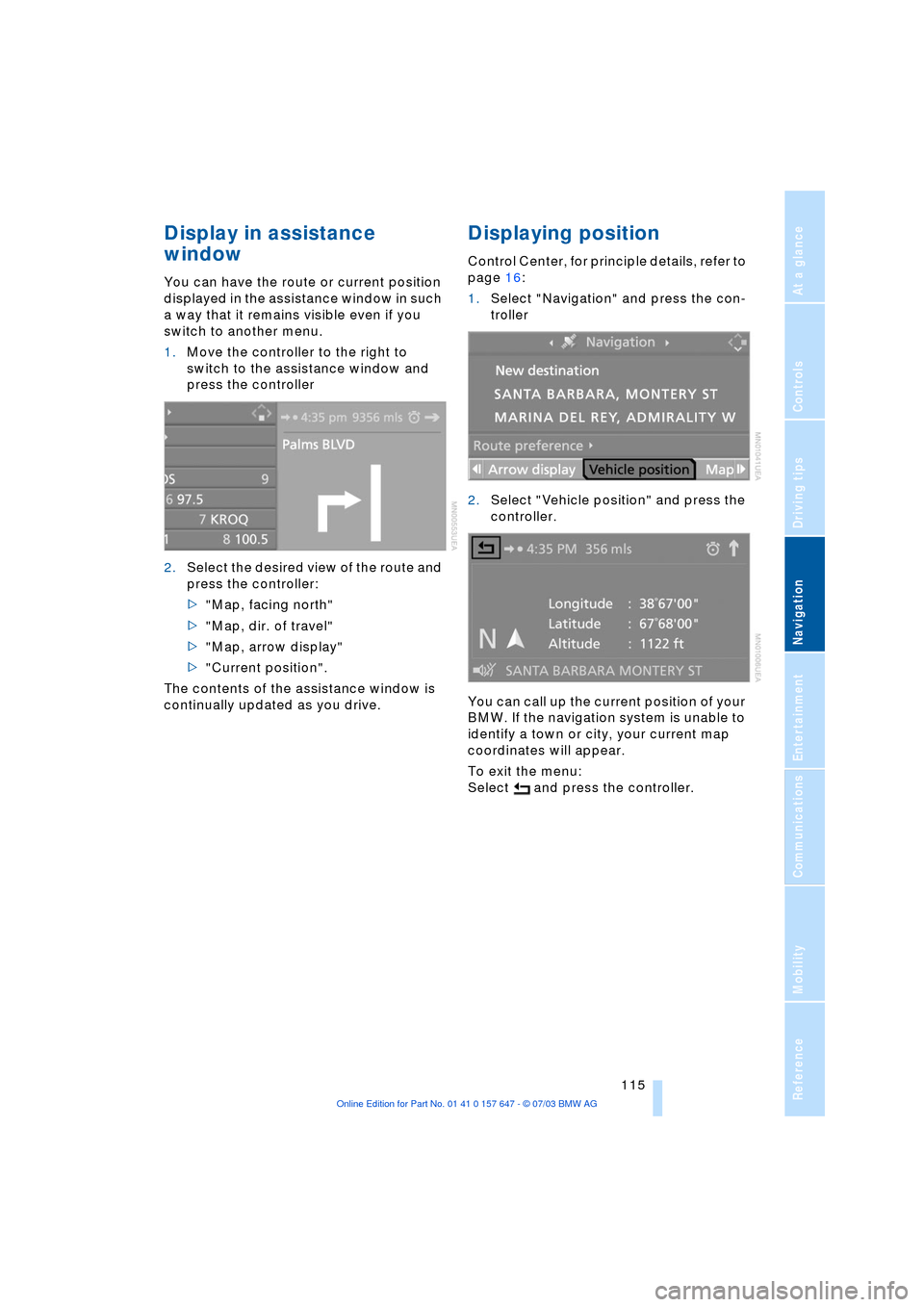
You can have the route or current position
displayed in the assistance window in such
a way that it remains visible even if you
switch to another menu.
1.Move the controller to the right to
switch to the assistance window and
press the controller
2.Select the desired view of the route and
press the controller:
>"Map, facing north"
>"Map, dir. of travel"
>"Map, arrow display"
>"Current position".
The contents of the assistance window is
continually updated as you drive.
Displaying position
Control Center, for principle details, refer to
page 16:
1.Select "Navigation" and press the con-
troller
2.Select "Vehicle position" and press the
controller.
You can call up the current position of your
BMW. If the navigation system is unable to
identify a town or city, your current map
coordinates will appear.
To exit the menu:
Select and press the controller.
Page 162 of 220
Telephoning
160
Notes
The voice commands were available
in English on going to print. Other lan-
guages are currently not available.<
Important for voice input
Issue the commands fluently and at normal
volume, avoiding excessive emphasis and
pauses.
On vehicles with a phone, two micro-
phones are installed near the interior rear-
view mirror of your vehicle. Although the
system is designed to filter out ambient
noise, you can help ensure that your com-
mands will be understood by observing the
following instructions:
>Keep the doors, windows and glass
roof closed to prevent interference from
ambient noise
>Avoid other sources of noise in the
vehicle while speaking, and ask other
vehicle occupants to refrain from talk-
ing while you are using the system.
Page 203 of 220
Reference 201
At a glance
Controls
Driving tips
Communications
Navigation
Entertainment
Mobility
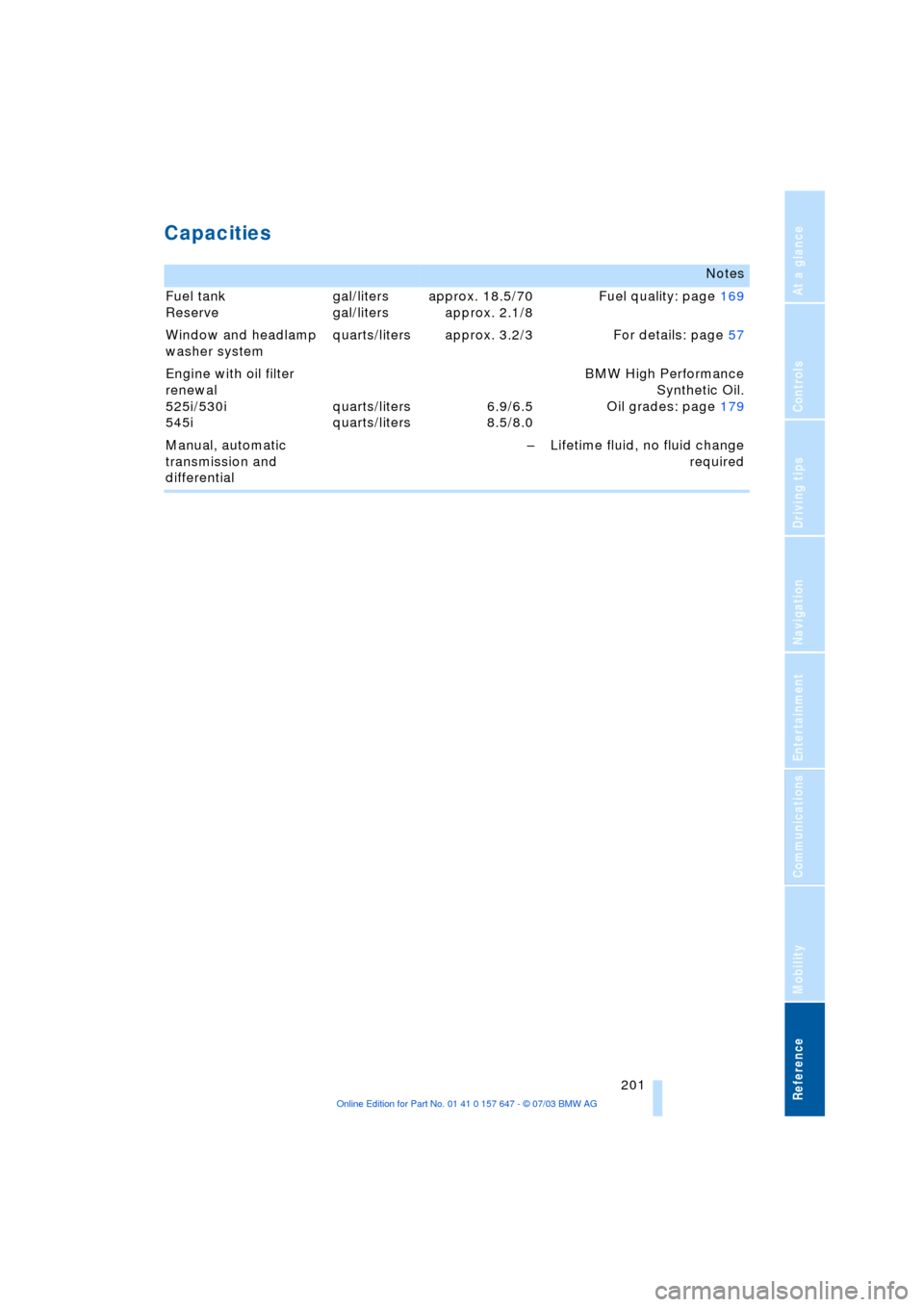
Capacities
Notes
Fuel tank
Reserve gal/liters
gal/litersapprox. 18.5/70
approx. 2.1/8Fuel quality: page 169
Window and headlamp
washer system quarts/liters approx. 3.2/3 For details: page 57
Engine with oil filter
renewal
525i/530i
545iquarts/liters
quarts/liters6.9/6.5
8.5/8.0BMW High Performance
Synthetic Oil.
Oil grades: page 179
Manual, automatic
transmission and
differential Ð Lifetime fluid, no fluid change
required
Page 204 of 220
Everything from A to Z
202
Everything from A to Z
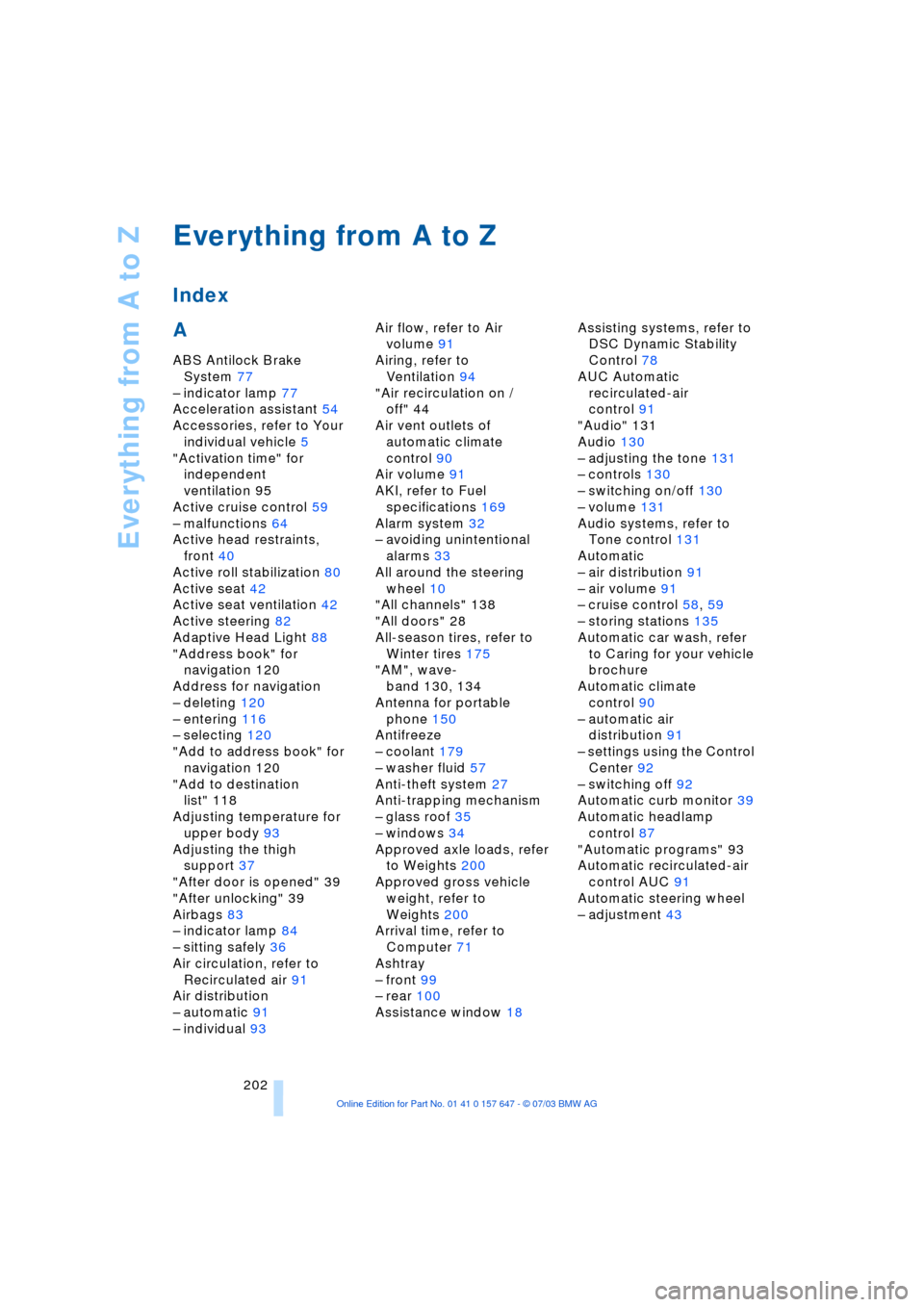
Index
A
ABS Antilock Brake
System 77
Ð indicator lamp 77
Acceleration assistant 54
Accessories, refer to Your
individual vehicle 5
"Activation time" for
independent
ventilation 95
Active cruise control 59
Ð malfunctions 64
Active head restraints,
front 40
Active roll stabilization 80
Active seat 42
Active seat ventilation 42
Active steering 82
Adaptive Head Light 88
"Address book" for
navigation 120
Address for navigation
Ð deleting 120
Ð entering 116
Ð selecting 120
"Add to address book" for
navigation 120
"Add to destination
list" 118
Adjusting temperature for
upper body 93
Adjusting the thigh
support 37
"After door is opened" 39
"After unlocking" 39
Airbags 83
Ð indicator lamp 84
Ð sitting safely 36
Air circulation, refer to
Recirculated air 91
Air distribution
Ð automatic 91
Ð individual 93Air flow, refer to Air
volume 91
Airing, refer to
Ventilation 94
"Air recirculation on /
off" 44
Air vent outlets of
automatic climate
control 90
Air volume 91
AKI, refer to Fuel
specifications 169
Alarm system 32
Ð avoiding unintentional
alarms 33
All around the steering
wheel 10
"All channels" 138
"All doors" 28
All-season tires, refer to
Winter tires 175
"AM", wave-
band 130, 134
Antenna for portable
phone 150
Antifreeze
Ð coolant 179
Ð washer fluid 57
Anti-theft system 27
Anti-trapping mechanism
Ð glass roof 35
Ð windows 34
Approved axle loads, refer
to Weights 200
Approved gross vehicle
weight, refer to
Weights 200
Arrival time, refer to
Computer 71
Ashtray
Ð front 99
Ð rear 100
Assistance window 18Assisting systems, refer to
DSC Dynamic Stability
Control 78
AUC Automatic
recirculated-air
control 91
"Audio" 131
Audio 130
Ð adjusting the tone 131
Ð controls 130
Ð switching on/off 130
Ð volume 131
Audio systems, refer to
Tone control 131
Automatic
Ð air distribution 91
Ð air volume 91
Ð cruise control 58, 59
Ð storing stations 135
Automatic car wash, refer
to Caring for your vehicle
brochure
Automatic climate
control 90
Ð automatic air
distribution 91
Ð settings using the Control
Center 92
Ð switching off 92
Automatic curb monitor 39
Automatic headlamp
control 87
"Automatic programs" 93
Automatic recirculated-air
control AUC 91
Automatic steering wheel
Ð adjustment 43