Acc BMW 530I SEDAN 2004 E60 Owner's Manual
[x] Cancel search | Manufacturer: BMW, Model Year: 2004, Model line: 530I SEDAN, Model: BMW 530I SEDAN 2004 E60Pages: 220, PDF Size: 7.12 MB
Page 5 of 220
Reference
At a glance
Controls
Driving tips
Communications
Navigation
Entertainment
Mobility
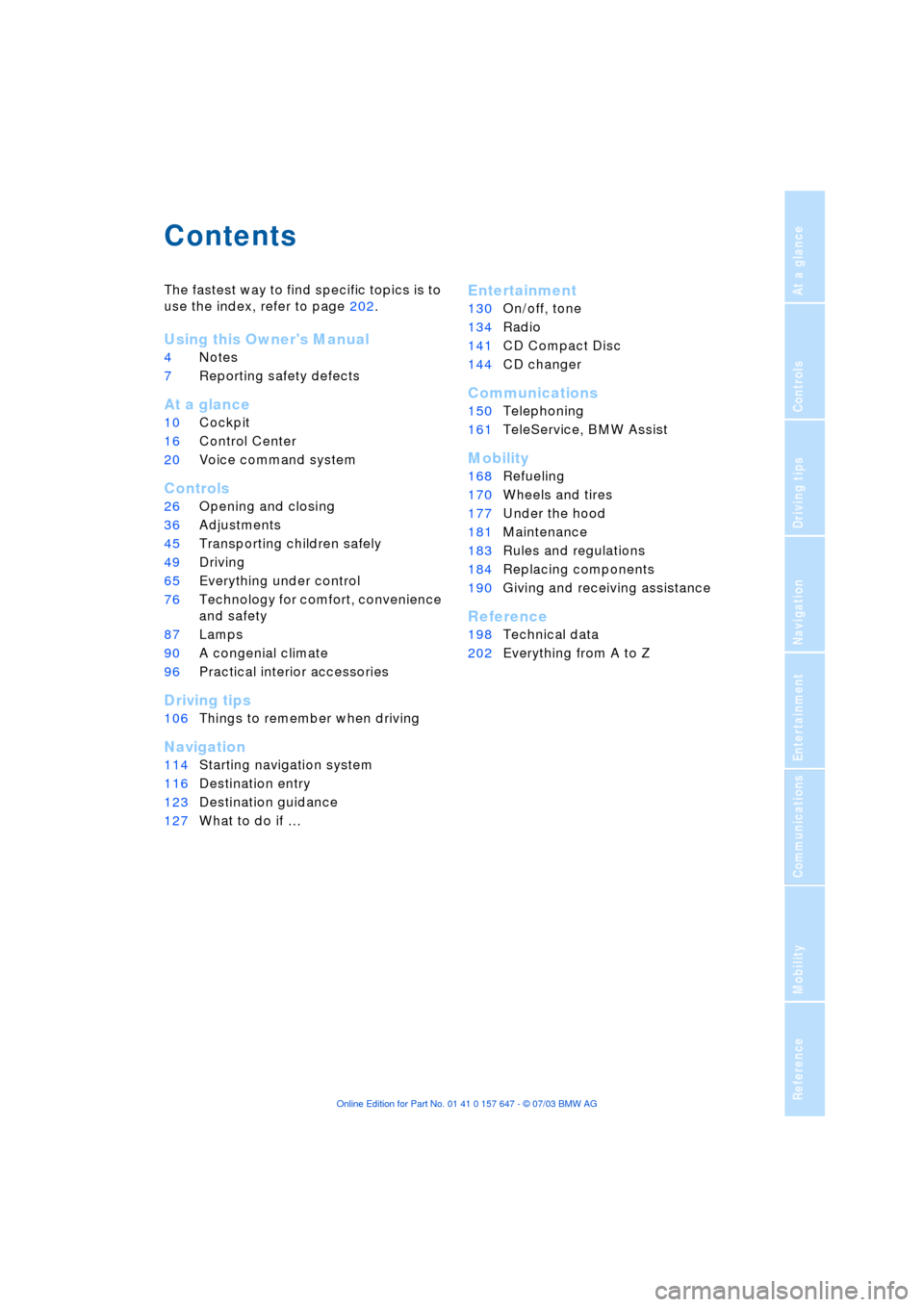
Contents
The fastest way to find specific topics is to
use the index, refer to page 202.
Using this Owner's Manual
4Notes
7Reporting safety defects
At a glance
10Cockpit
16Control Center
20Voice command system
Controls
26Opening and closing
36Adjustments
45Transporting children safely
49Driving
65Everything under control
76Technology for comfort, convenience
and safety
87Lamps
90A congenial climate
96Practical interior accessories
Driving tips
106Things to remember when driving
Navigation
114Starting navigation system
116Destination entry
123Destination guidance
127What to do if É
Entertainment
130On/off, tone
134Radio
141CD Compact Disc
144CD changer
Communications
150Telephoning
161TeleService, BMW Assist
Mobility
168Refueling
170Wheels and tires
177Under the hood
181Maintenance
183Rules and regulations
184Replacing components
190Giving and receiving assistance
Reference
198Technical data
202Everything from A to Z
Page 7 of 220
5
Reference
At a glance
Controls
Driving tips
Communications
Navigation
Entertainment
Mobility
The individual vehicle
On purchasing your BMW, you have
decided in favor of a model with individual-
ized equipment and features. This Owner's
Manual describes the entire array of
options and equipment available with a
specific BMW model.
Please bear in mind that the manual may
contain information on accessories and
equipment that you have not specified for
your own vehicle. Sections describing
options and special equipment are marked
by asterisks
*
to assist you in identifying
possible differences between the descrip-
tions in this manual and your own vehicle's
equipment.
Should your BMW be equipped with fea-
tures or accessories not described in this
manual, please consult the enclosed sup-
plementary manual(s).
Editorial notice
BMW pursues a policy of continuous,
ongoing development that is conceived to
ensure that our vehicles continue to
embody the highest quality and safety
standards combined with advanced, state-
of-the-art technology. For this reason, the
features described in this Owner's Manual
may differ from those on your vehicle. Nor
can errors and omissions be entirely ruled
out. You are therefore asked to appreciate
that no legal claims can be entertained on
the basis of the data, illustrations or
descriptions in this Owner's Manual.
Page 8 of 220
Notes
6
For your own safety
Fuels
Use unleaded gasoline only. Fuels
containing up to and including
10% ethanol or other oxygenates with up
to 2.8% oxygen by weight Ð that is,
15% MTBE or 3% methanol plus an equiv-
alent amount of co-solvent Ð will not void
the applicable warranties with respect to
defects in materials or workmanship. Field
experience has indicated significant differ-
ences in fuel quality Ð volatility, composi-
tion, additives, etc. Ð among gasolines
offered for sale in the United States and
Canada. The use of poor-quality fuels may
result in driveability, starting and stalling
problems, especially under certain environ-
mental conditions such as high ambient
temperature and high altitude.
Should you encounter driveability prob-
lems which you suspect could be related to
the fuel you are using, we recommend that
you respond by switching to a recognized
high-quality brand.
Failure to comply with these recommenda-
tions may result in unscheduled mainte-
nance.
Follow the relevant safety rules when you
are handling gasoline.
<
Maintenance and repair
Advanced technology, e. g. the use of
modern materials and high-perform-
ance electronics, requires specially
adapted maintenance and repair methods.
Therefore, only have corresponding work
on your BMW carried out by a BMW center
or a workshop that works according to
BMW repair procedures with correspond-
ingly trained personnel. If work is carried
out improperly there is a danger of conse-
quential damage and the related safety
risks.
<
Parts and accessories
For your own safety, use genuine
parts and accessories approved by
BMW.
When you purchase accessories tested
and approved by BMW and Genuine BMW
Parts, you simultaneously acquire the
assurance that they have been thoroughly
tested by BMW to ensure optimum perfor-
mance when installed on your vehicle.
BMW warrants these parts to be free from
defects in material and workmanship.
BMW will not accept any liability for dam-
age resulting from installation of parts and
accessories not approved by BMW.
BMW cannot test every product made by
other manufacturers to verify if it can be
used on a BMW safely and without risk to
either the vehicle, its operation, or its occu-
pants.
Genuine BMW Parts, BMW Accessories
and other products approved by BMW,
together with professional advice on using
these items, are available from all BMW
centers.
Installation and operation of non-BMW
approved accessories such as alarms,
radios, amplifiers, radar detectors, wheels,
suspension components, brake dust
shields, telephones Ð including operation of
any portable phone from within the vehicle
without using an externally mounted
antenna Ð or transceiver equipment, for
instance, CBs, walkie-talkie, ham radio or
similar accessories, may cause extensive
damage to the vehicle, compromise its
safety, interfere with the vehicle's electrical
system or affect the validity of the BMW
Limited Warranty. Consult your BMW cen-
ter for additional information.
<
Maintenance, replacement, or repair
of the emission control devices and
systems may be performed by any automo-
tive repair establishment or individual using
any certified automotive part.
<
Page 13 of 220
At a glance
11
Reference
Controls
Driving tips
Communications
Navigation
Entertainment
Mobility
6
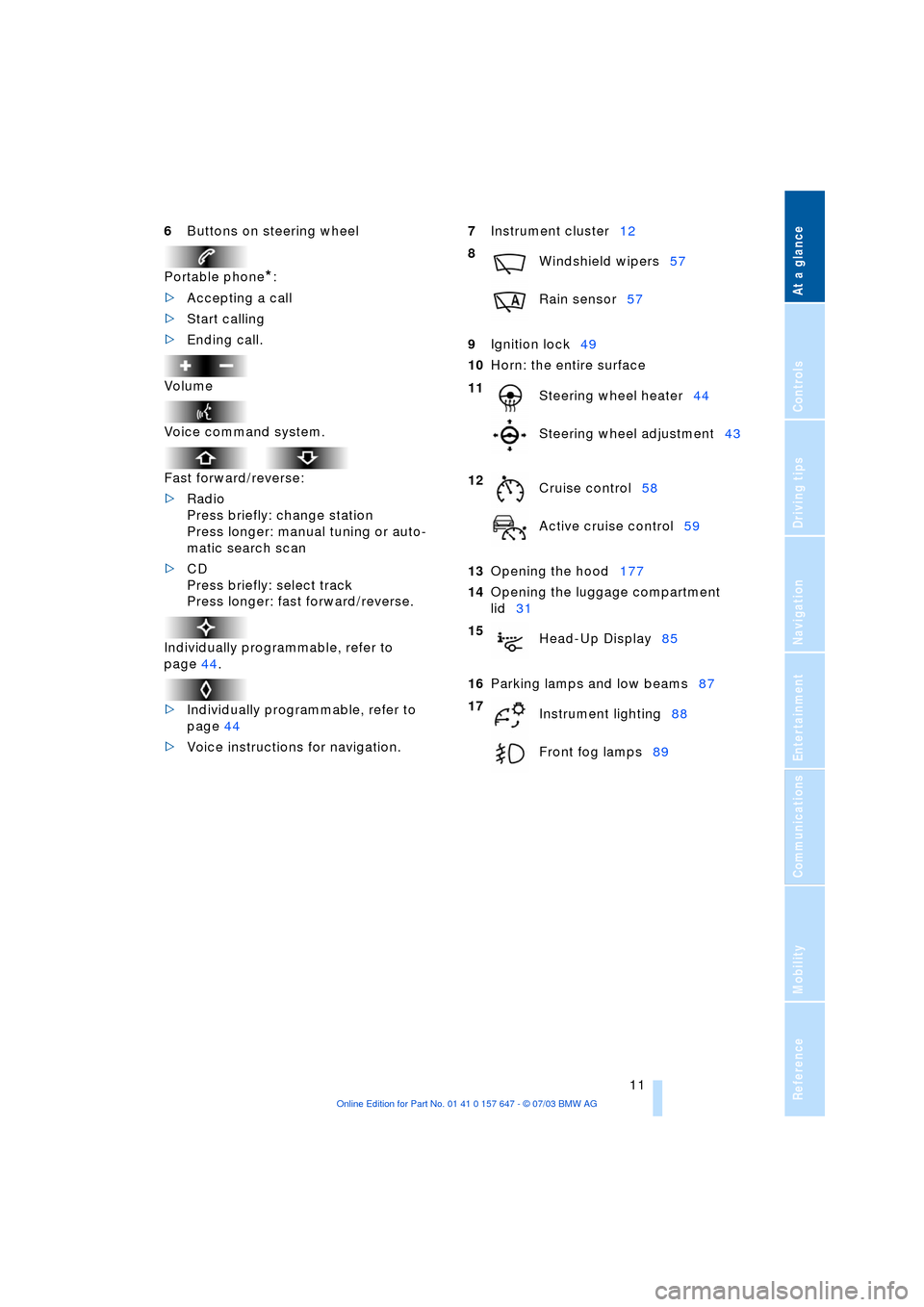
Buttons on steering wheel
Portable phone
*
:
>
Accepting a call
>
Start calling
>
Ending call.
Volume
Voice command system.
Fast forward/reverse:
>
Radio
Press briefly: change station
Press longer: manual tuning or auto-
matic search scan
>
CD
Press briefly: select track
Press longer: fast forward/reverse.
Individually programmable, refer to
page 44.
>
Individually programmable, refer to
page 44
>
Voice instructions for navigation.
7
Instrument cluster12
9
Ignition lock49
10
Horn: the entire surface
13
Opening the hood177
14
Opening the luggage compartment
lid31
16
Parking lamps and low beams87
8
Windshield wipers57
Rain sensor57
11
Steering wheel heater44
Steering wheel adjustment43
12
Cruise control58
Active cruise control59
15
Head-Up Display85
17
Instrument lighting88
Front fog lamps89
Page 15 of 220
At a glance
13Reference
Controls
Driving tips
Communications
Navigation
Entertainment
Mobility
Indicator and warning
lamps
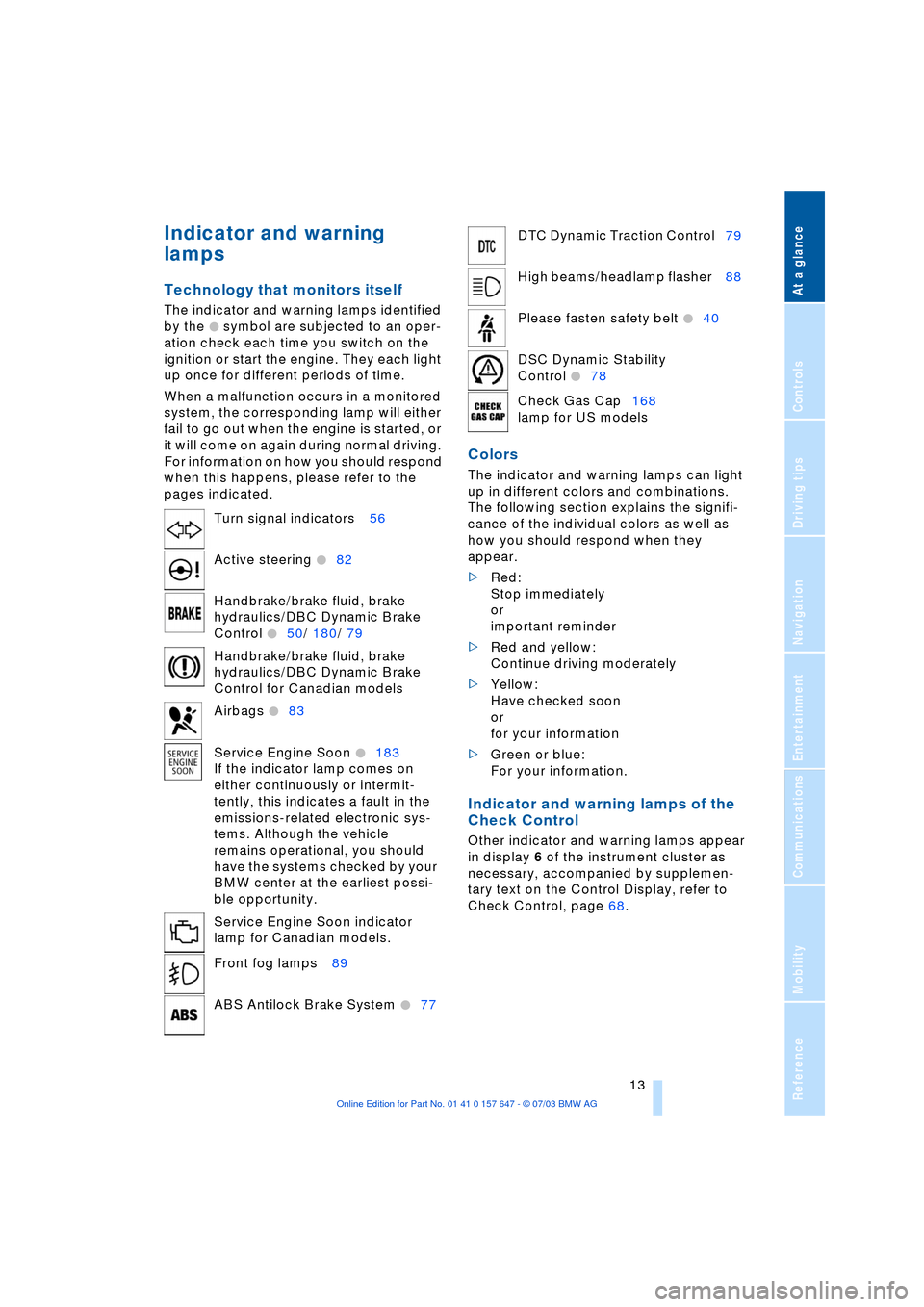
Technology that monitors itself
The indicator and warning lamps identified
by the
+ symbol are subjected to an oper-
ation check each time you switch on the
ignition or start the engine. They each light
up once for different periods of time.
When a malfunction occurs in a monitored
system, the corresponding lamp will either
fail to go out when the engine is started, or
it will come on again during normal driving.
For information on how you should respond
when this happens, please refer to the
pages indicated.
Colors
The indicator and warning lamps can light
up in different colors and combinations.
The following section explains the signifi-
cance of the individual colors as well as
how you should respond when they
appear.
>Red:
Stop immediately
or
important reminder
>Red and yellow:
Continue driving moderately
>Yellow:
Have checked soon
or
for your information
>Green or blue:
For your information.
Indicator and warning lamps of the
Check Control
Other indicator and warning lamps appear
in display 6 of the instrument cluster as
necessary, accompanied by supplemen-
tary text on the Control Display, refer to
Check Control, page 68. Turn signal indicators 56
Active steering
+82
Handbrake/brake fluid, brake
hydraulics/DBC Dynamic Brake
Control
+50/ 180/ 79
Handbrake/brake fluid, brake
hydraulics/DBC Dynamic Brake
Control for Canadian models
Airbags
+83
Service Engine Soon
+183
If the indicator lamp comes on
either continuously or intermit-
tently, this indicates a fault in the
emissions-related electronic sys-
tems. Although the vehicle
remains operational, you should
have the systems checked by your
BMW center at the earliest possi-
ble opportunity.
Service Engine Soon indicator
lamp for Canadian models.
Front fog lamps 89
ABS Antilock Brake System
+77
DTC Dynamic Traction Control79
High beams/headlamp flasher 88
Please fasten safety belt
+40
DSC Dynamic Stability
Control
+78
Check Gas Cap168
lamp for US models
Page 27 of 220
Controls
This chapter is intended to provide
you with information for complete control
of your vehicle. Its extensive array of
features and accessories, both for
driving and for your own safety, comfort
and convenience, are described here.
Page 28 of 220
Opening and closing
26
Opening and closing
The key set
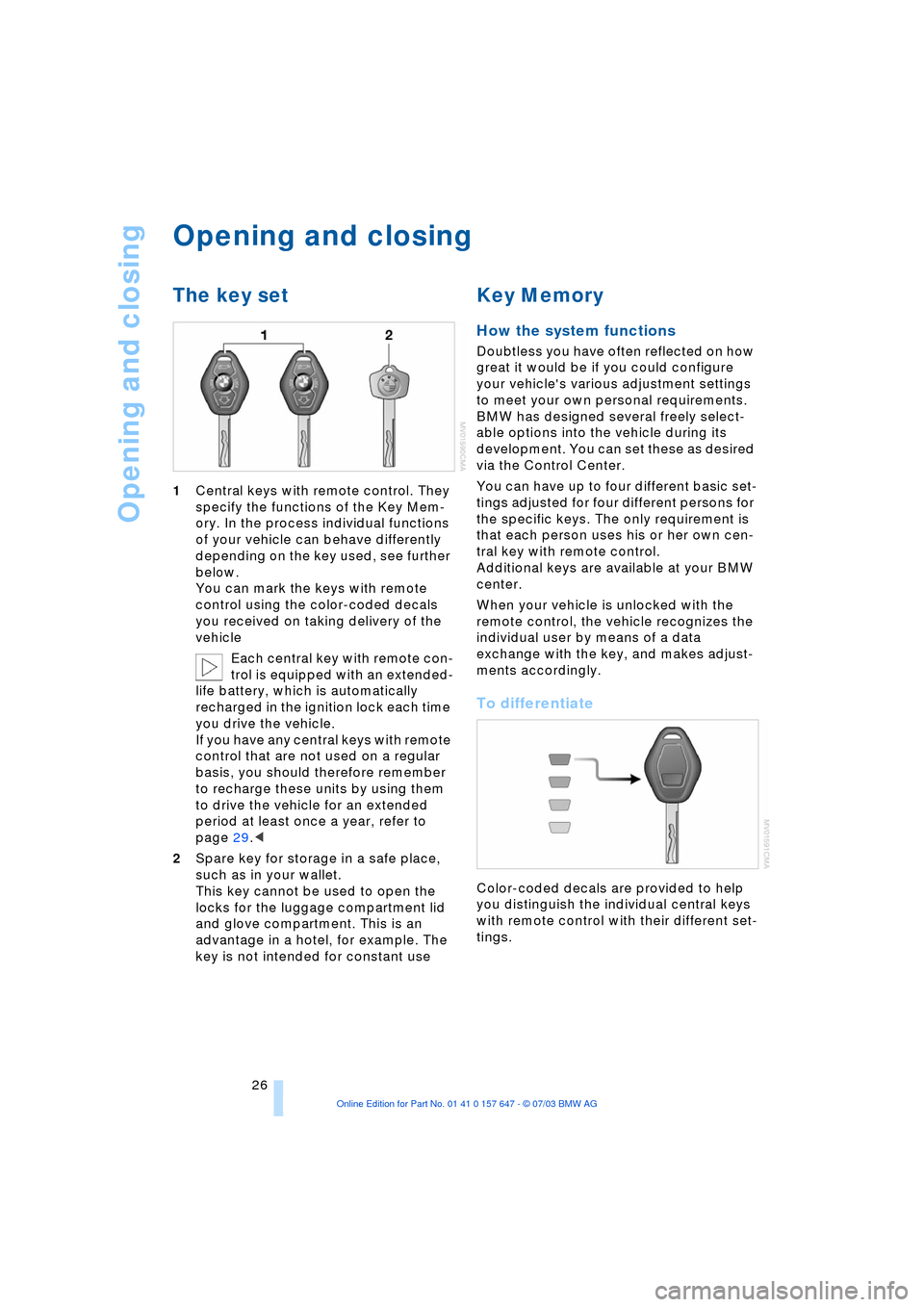
1Central keys with remote control. They
specify the functions of the Key Mem-
ory. In the process individual functions
of your vehicle can behave differently
depending on the key used, see further
below.
You can mark the keys with remote
control using the color-coded decals
you received on taking delivery of the
vehicle
Each central key with remote con-
trol is equipped with an extended-
life battery, which is automatically
recharged in the ignition lock each time
you drive the vehicle.
If you have any central keys with remote
control that are not used on a regular
basis, you should therefore remember
to recharge these units by using them
to drive the vehicle for an extended
period at least once a year, refer to
page 29.<
2Spare key for storage in a safe place,
such as in your wallet.
This key cannot be used to open the
locks for the luggage compartment lid
and glove compartment. This is an
advantage in a hotel, for example. The
key is not intended for constant use
Key Memory
How the system functions
Doubtless you have often reflected on how
great it would be if you could configure
your vehicle's various adjustment settings
to meet your own personal requirements.
BMW has designed several freely select-
able options into the vehicle during its
development. You can set these as desired
via the Control Center.
You can have up to four different basic set-
tings adjusted for four different persons for
the specific keys. The only requirement is
that each person uses his or her own cen-
tral key with remote control.
Additional keys are available at your BMW
center.
When your vehicle is unlocked with the
remote control, the vehicle recognizes the
individual user by means of a data
exchange with the key, and makes adjust-
ments accordingly.
To differentiate
Color-coded decals are provided to help
you distinguish the individual central keys
with remote control with their different set-
tings.
Page 29 of 220
Controls
27Reference
At a glance
Driving tips
Communications
Navigation
Entertainment
Mobility
Examples of Key Memory functions
>Automatic adjustment of the electric
driver's seat
>Locking the vehicle after moving off
>When unlocking with the remote con-
trol, either unlock only the driver's door
or the entire vehicle
>Activating optical warning for Park Dis-
tance Control PDC
>Setting the volume.
Central locking system
The concept
The central locking system is ready for
operation whenever the driver's door is
closed. This simultaneously engages and
releases the locks on the following:
>Doors
>Luggage compartment lid
>Fuel filler door.
The central locking system can be oper-
ated from the outside
>via the remote control
>via the driver's door lock
and from inside via the button for the cen-
tral locking system.
When the system is locked from inside, the
fuel filler door remains unlocked, refer to
page 30.
The anti-theft system is automatically acti-
vated whenever you operate the central
locking system from outside the vehicle. It
prevents the doors from being unlocked
using the safety lock buttons or door han-
dles. The alarm system is armed/disarmed
at the same time.
In the event of an accident, the central
locking system automatically unlocks the
vehicle. In addition, the hazard warning
flashers and interior lamps come on.
Opening and closing: from
outside
Using the remote control
The remote control provides two additional
functions for the central locking system:
>Switching on the interior lamps, refer to
page 28.
You can also use this function to locate
your vehicle in parking garages etc.
>Opening the luggage compartment lid,
refer to page 28.
The luggage compartment lid opens,
regardless of whether it was previously
locked or unlocked.
In addition, the remote control offers you
another function:
>Panic mode
In case of danger, you can trigger an
alarm.
When you lock/unlock the vehicle, you
simultaneously activate/deactivate the
anti-theft system, arm/disarm the alarm
system, and switch the interior lamps on/
off.
Protect the remote control against
unauthorized use by handing over
only the spare key, for example when using
hotel valet parking.<
Because any persons or animals left
unattended in a parked vehicle could
lock the doors from the inside, you should
always keep the remote control with you;
this precaution ensures that you will remain
able to unlock the vehicle from the outside
at all times.<
Unlocking
Press the button.
You can set which doors are to be
unlocked for each specific key:
Control Center, for principle details, refer to
page 16:
1.Open the menu
2.Select "Vehicle settings" and press the
controller
Page 31 of 220
Controls
29Reference
At a glance
Driving tips
Communications
Navigation
Entertainment
Mobility
Malfunctions
External systems or devices may cause
local interference in the functions of the
remote control.
Should the remote control fail to operate
owing to interference of this kind, you can
respond by using the central key to unlock
your vehicle at one of the doors.
In the event of a system malfunction,
please contact your BMW center, which is
also your source for replacement keys.
When it is no longer possible to lock the
vehicle via the remote control, the battery is
discharged. Use this remote control during
an extended drive; this will recharge the
battery, refer to page 26.
For US owners only
The transmitter and receiver units comply
with part 15 of the FCC/Federal Communi-
cation Commission regulations. Operation
is governed by the following:
FCC ID: LX8766S
LX8766E
LX8CAS
Compliance statement:
This device complies with part 15 of the
FCC Rules. Operation is subject to the fol-
lowing two conditions:
>This device may not cause harmful
interference, and
>this device must accept any interfer-
ence received, including interference
that may cause undesired operation.
Any unauthorized modifications or
changes to these devices could void
the user's authority to operate this equip-
ment.<
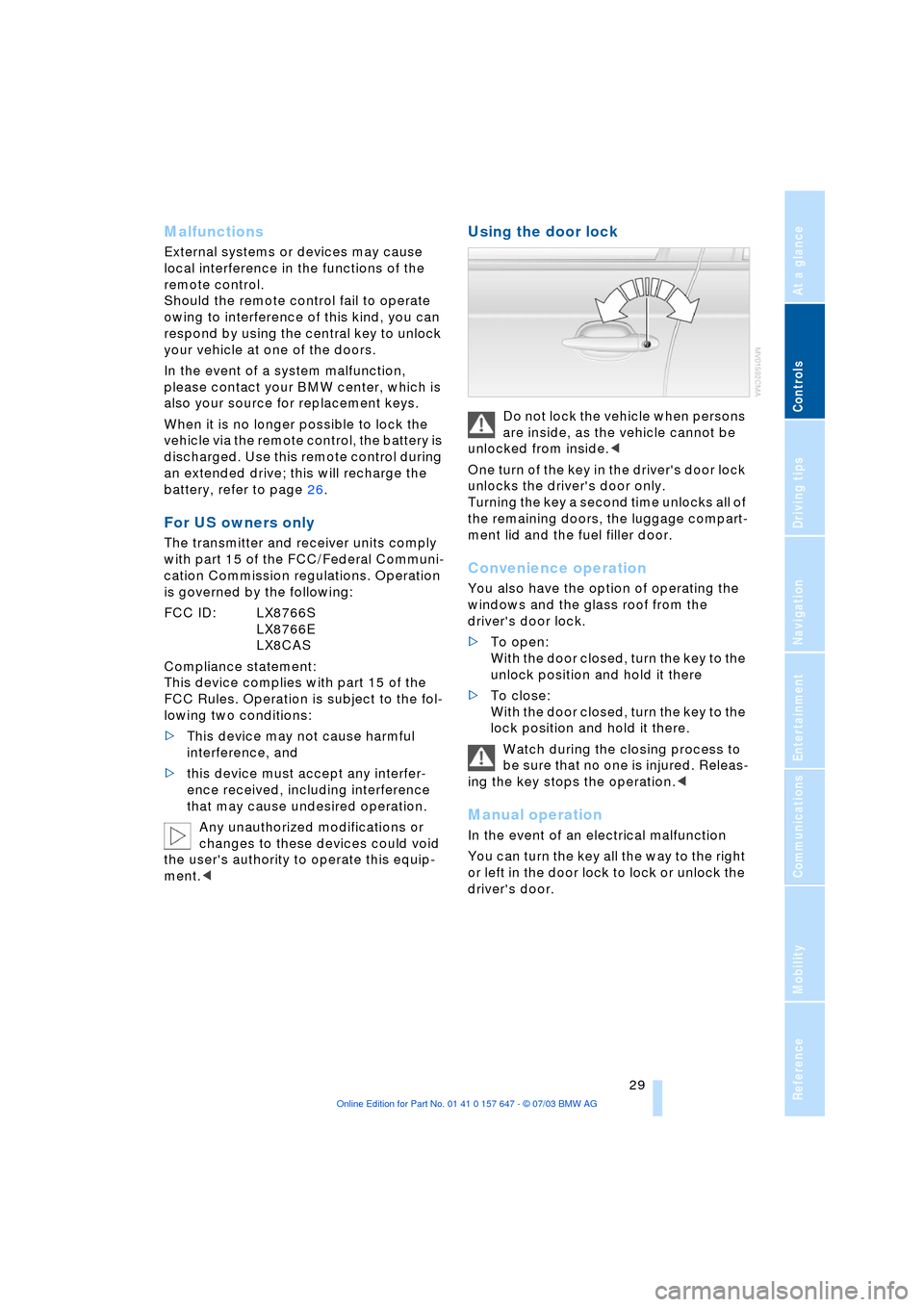
Using the door lock
Do not lock the vehicle when persons
are inside, as the vehicle cannot be
unlocked from inside.<
One turn of the key in the driver's door lock
unlocks the driver's door only.
Turning the key a second time unlocks all of
the remaining doors, the luggage compart-
ment lid and the fuel filler door.
Convenience operation
You also have the option of operating the
windows and the glass roof from the
driver's door lock.
>To open:
With the door closed, turn the key to the
unlock position and hold it there
>To close:
With the door closed, turn the key to the
lock position and hold it there.
Watch during the closing process to
be sure that no one is injured. Releas-
ing the key stops the operation.<
Manual operation
In the event of an electrical malfunction
You can turn the key all the way to the right
or left in the door lock to lock or unlock the
driver's door.
Page 33 of 220
Controls
31Reference
At a glance
Driving tips
Communications
Navigation
Entertainment
Mobility
Luggage compartment lid
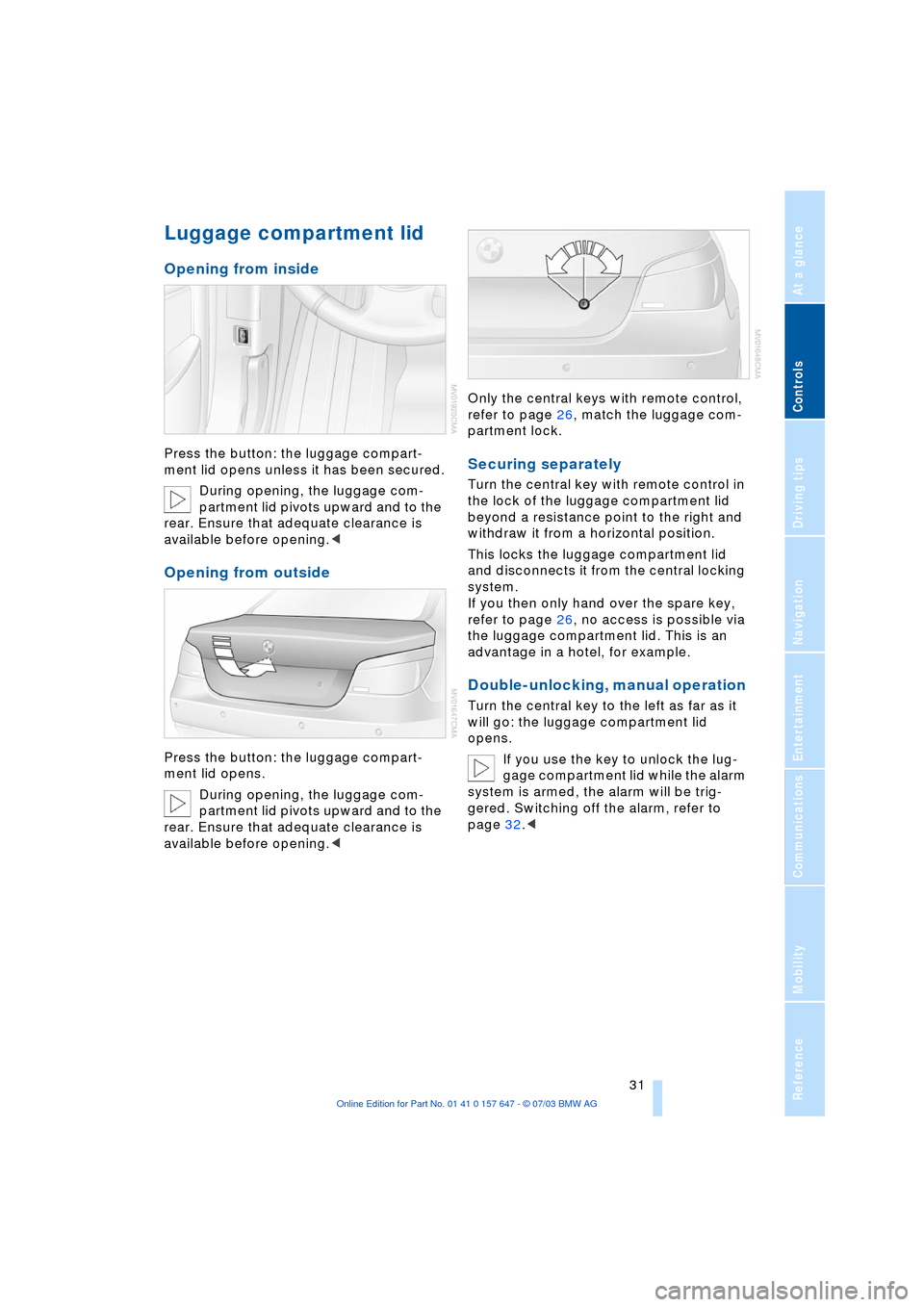
Opening from inside
Press the button: the luggage compart-
ment lid opens unless it has been secured.
During opening, the luggage com-
partment lid pivots upward and to the
rear. Ensure that adequate clearance is
available before opening.<
Opening from outside
Press the button: the luggage compart-
ment lid opens.
During opening, the luggage com-
partment lid pivots upward and to the
rear. Ensure that adequate clearance is
available before opening.
partment lock.
Securing separately
Turn the central key with remote control in
the lock of the luggage compartment lid
beyond a resistance point to the right and
withdraw it from a horizontal position.
This locks the luggage compartment lid
and disconnects it from the central locking
system.
If you then only hand over the spare key,
refer to page 26, no access is possible via
the luggage compartment lid. This is an
advantage in a hotel, for example.
Double-unlocking, manual operation
Turn the central key to the left as far as it
will go: the luggage compartment lid
opens.
If you use the key to unlock the lug-
gage compartment lid while the alarm
system is armed, the alarm will be trig-
gered. Switching off the alarm, refer to
page 32.<