low beam BMW 530XI SEDAN WAGON 2006 User Guide
[x] Cancel search | Manufacturer: BMW, Model Year: 2006, Model line: 530XI SEDAN WAGON, Model: BMW 530XI SEDAN WAGON 2006Pages: 259, PDF Size: 8.9 MB
Page 214 of 259
Replacing components
212
Lamps and bulbs
Lamps and bulbs make an essential contribu-
tion to vehicle safety. You must be duly diligent
in replacing them. BMW recommends having
your BMW center perform any work that you do
not feel competent to perform yourself or that is
not described here.
Never touch the glass of new bulbs with
your bare fingers, as even minute
amounts of contamination will burn into the
bulb's surface and reduce its service life. Use a
clean cloth, napkin, etc., or hold the bulb by its
metal socket.<
A selection of replacement bulbs is available at
your BMW center.
Whenever you perform any work on the
electrical system, turn off the consumers
involved to prevent short circuits from occur-
ring. To avoid possible injury or equipment
damage when replacing bulbs, observe any
instructions provided by the bulb manufac-
turer.<
For care and maintenance of the headlamps,
please follow the instructions in the separate
Caring for your vehicle brochure.
For bulbs for which changing is not
described, and for checking and adjusting
headlamp aim, please contact your BMW cen-
ter.<
Light-emitting diodes LEDs
Light-emitting diodes installed behind translu-
cent lenses serve as the light source for many of
the controls and displays in your vehicle. These
light-emitting diodes, which operate using a
concept similar to that applied in conventional
lasers, are officially designated as Class 1 light-
emitting diodes.
Do not remove the covers, and never
stare into the unfiltered light for several
hours, as irritation of the retina could result.<
Halogen headlamps
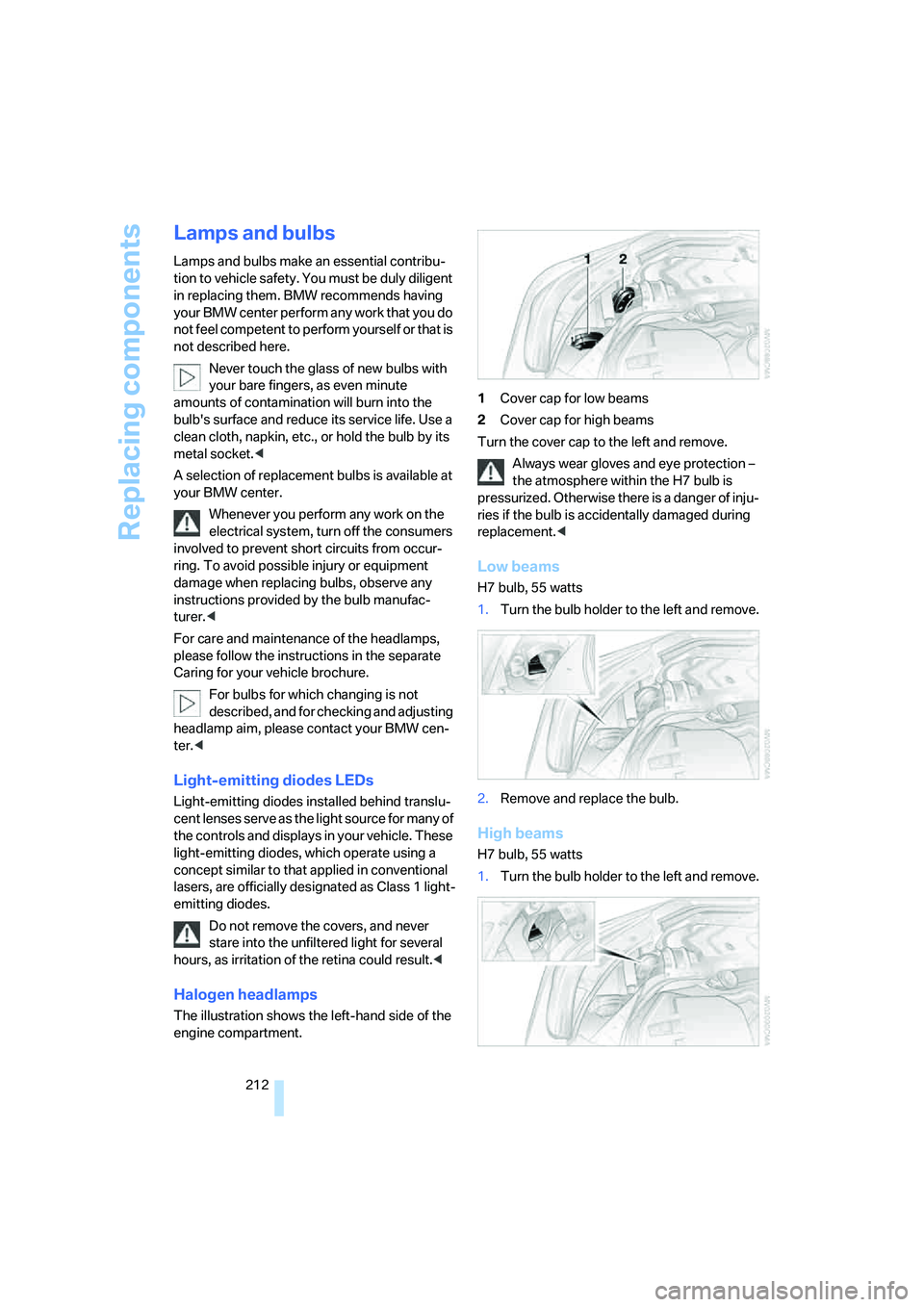
The illustration shows the left-hand side of the
engine compartment.1Cover cap for low beams
2Cover cap for high beams
Turn the cover cap to the left and remove.
Always wear gloves and eye protection –
the atmosphere within the H7 bulb is
pressurized. Otherwise there is a danger of inju-
ries if the bulb is accidentally damaged during
replacement.<
Low beams
H7 bulb, 55 watts
1.Turn the bulb holder to the left and remove.
2.Remove and replace the bulb.
High beams
H7 bulb, 55 watts
1.Turn the bulb holder to the left and remove.
Page 215 of 259
Mobility
213Reference
At a glance
Controls
Driving tips
Communications
Navigation
Entertainment
2.Remove and replace the bulb.
Parking and roadside parking lamps
Bulb 5 watts, W 5 W
One bulb each is located above the low beams
and high beams.
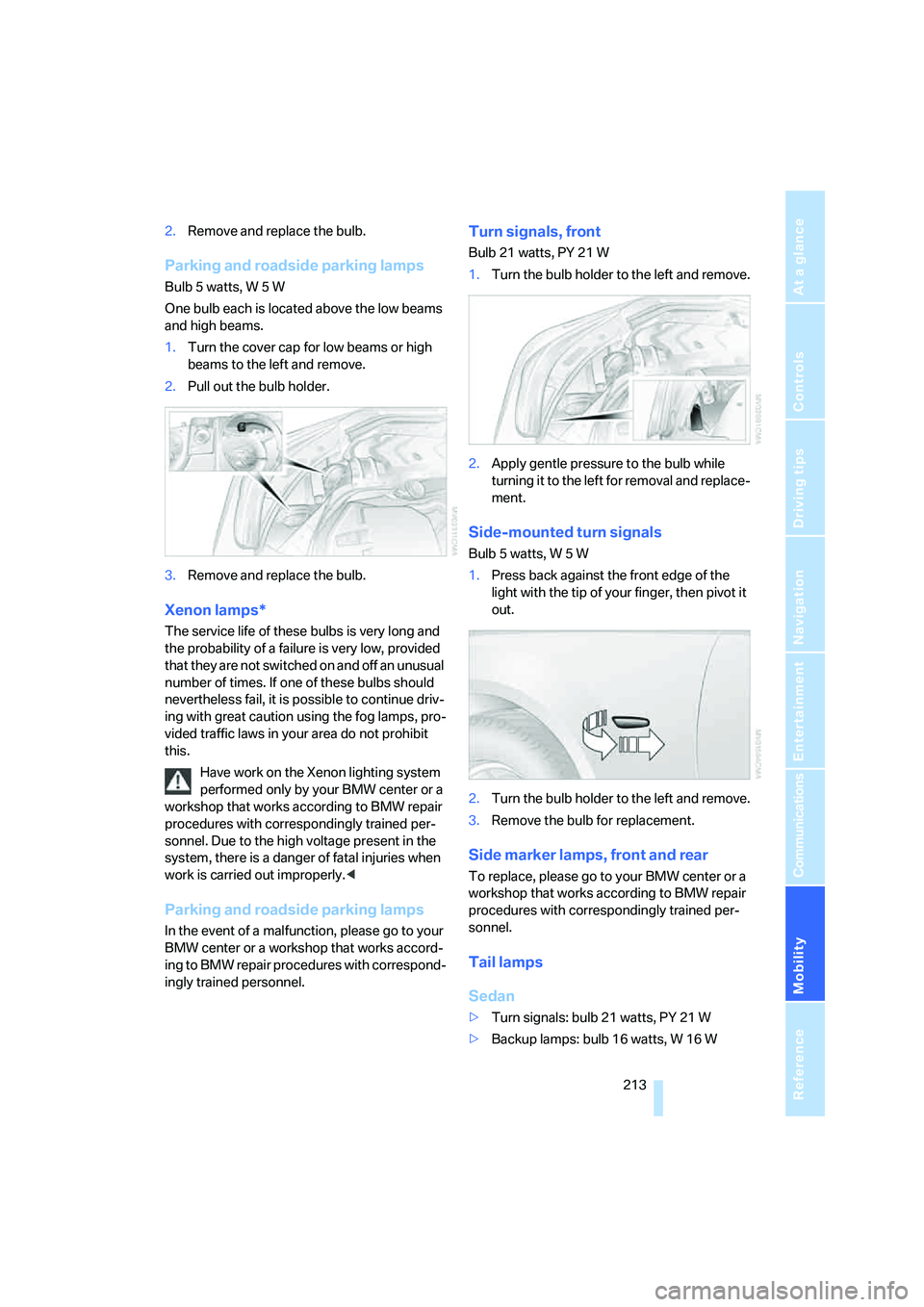
1.Turn the cover cap for low beams or high
beams to the left and remove.
2.Pull out the bulb holder.
3.Remove and replace the bulb.
Xenon lamps*
The service life of these bulbs is very long and
the probability of a failure is very low, provided
that they are not switched on and off an unusual
number of times. If one of these bulbs should
nevertheless fail, it is possible to continue driv-
ing with great caution using the fog lamps, pro-
vided traffic laws in your area do not prohibit
this.
Have work on the Xenon lighting system
performed only by your BMW center or a
workshop that works according to BMW repair
procedures with correspondingly trained per-
sonnel. Due to the high voltage present in the
system, there is a danger of fatal injuries when
work is carried out improperly.<
Parking and roadside parking lamps
In the event of a malfunction, please go to your
BMW center or a workshop that works accord-
ing to BMW repair procedures with correspond-
ingly trained personnel.
Turn signals, front
Bulb 21 watts, PY 21 W
1.Turn the bulb holder to the left and remove.
2.Apply gentle pressure to the bulb while
turning it to the left for removal and replace-
ment.
Side-mounted turn signals
Bulb 5 watts, W 5 W
1.Press back against the front edge of the
light with the tip of your finger, then pivot it
out.
2.Turn the bulb holder to the left and remove.
3.Remove the bulb for replacement.
Side marker lamps, front and rear
To replace, please go to your BMW center or a
workshop that works according to BMW repair
procedures with correspondingly trained per-
sonnel.
Tail lamps
Sedan
>Turn signals: bulb 21 watts, PY 21 W
>Backup lamps: bulb 16 watts, W 16 W
Page 224 of 259
Giving and receiving assistance
222 Sedan:
It is located in the toolkit in the luggage com-
partment lid, refer to page211.
Sports Wagon:
It is located in the toolkit behind the left side
panel in the cargo area, refer to page211.
Use only the tow fitting provided with the
vehicle and screw it all the way in. Use the
tow fitting for towing only on roads. Avoid lateral
loading of the tow fitting, e.g. do not lift the vehi-
cle by the tow fitting. Otherwise damage to the
tow fitting and the vehicle can occur.<
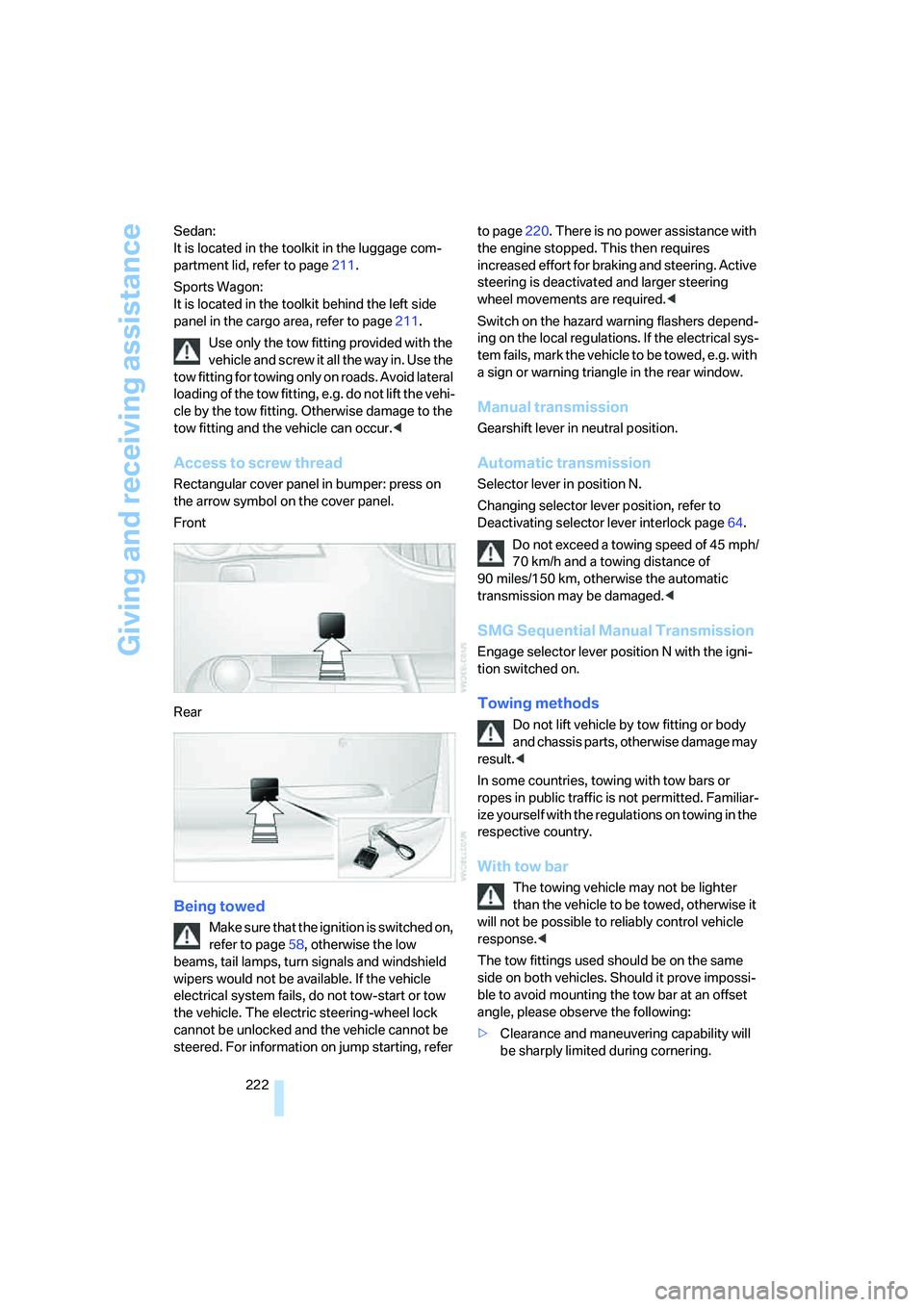
Access to screw thread
Rectangular cover panel in bumper: press on
the arrow symbol on the cover panel.
Front
Rear
Being towed
Make sure that the ignition is switched on,
refer to page58, otherwise the low
beams, tail lamps, turn signals and windshield
wipers would not be available. If the vehicle
electrical system fails, do not tow-start or tow
the vehicle. The electric steering-wheel lock
cannot be unlocked and the vehicle cannot be
steered. For information on jump starting, refer to page220. There is no power assistance with
the engine stopped. This then requires
increased effort for braking and steering. Active
steering is deactivated and larger steering
wheel movements are required.<
Switch on the hazard warning flashers depend-
ing on the local regulations. If the electrical sys-
tem fails, mark the vehicle to be towed, e.g. with
a sign or warning triangle in the rear window.
Manual transmission
Gearshift lever in neutral position.
Automatic transmission
Selector lever in position N.
Changing selector lever position, refer to
Deactivating selector lever interlock page64.
Do not exceed a towing speed of 45 mph/
70 km/h and a towing distance of
90 miles/150 km, otherwise the automatic
transmission may be damaged.<
SMG Sequential Manual Transmission
Engage selector lever position N with the igni-
tion switched on.
Towing methods
Do not lift vehicle by tow fitting or body
and chassis parts, otherwise damage may
result.<
In some countries, towing with tow bars or
ropes in public traffic is not permitted. Familiar-
ize yourself with the regulations on towing in the
respective country.
With tow bar
The towing vehicle may not be lighter
than the vehicle to be towed, otherwise it
will not be possible to reliably control vehicle
response.<
The tow fittings used should be on the same
side on both vehicles. Should it prove impossi-
ble to avoid mounting the tow bar at an offset
angle, please observe the following:
>Clearance and maneuvering capability will
be sharply limited during cornering.
Page 239 of 259
Reference 237
At a glance
Controls
Driving tips
Communications
Navigation
Entertainment
Mobility
Arrival time
– refer to Computer76
– refer to Starting destination
guidance144
"Arrow display" for navigation
system145
Ashtray
– front115
– rear115
Assist, refer to
BMW Assist187
Assistance systems, refer to
Driving stability control
systems86
Assistance window20
"Assist. window off"21
AUC Automatic recirculated-
air control108
Audio152
– controls152
– switching on/off152
– tone control153
– volume153
"Audio", refer to Tone
control153
"Audio Aux"152,171
– on external audio device171
Audio device, external114
Automatic
– air distribution106
– air volume106
– garage door opener111
– headlamp control101
– service notification188
– steering wheel adjustment,
refer to Easy entry/exit52
– storing stations157
– tailgate operation36
Automatically switching
between high beams and
low beams, refer to High-
beam assistant103
Automatic car washes126
– also refer to Caring for your
vehicle brochure
Automatic climate control105
– automatic air
distribution106
– switching off108Automatic closing of doors,
refer to Automatic soft
closing33
Automatic curb monitor52
Automatic lighting
– refer to Automatic headlamp
control101
– refer to Daytime running
lamps102
– refer to High-beam
assistant103
– refer to Interior lamps104
– refer to Pathway lighting101
Automatic low-beam function,
refer to High-beam
assistant103
"Automatic programs"106
Automatic recirculated-air
control AUC108
Automatic roll-up cover,
Sports Wagon117
Automatic soft closing33
Automatic station search157
Automatic transmission with
Steptronic63
– deactivating selector lever
interlock64
– interlock63
– kick-down64
– selector lever interlock63
– shiftlock63
– sport program64
– tow-starting222,223
– with comfort access40
"Automatic ventilation"109
AUTO program for automatic
climate control106
"Autostore" on the
radio156,158
AUX-In
– connection114
– refer to External audio
device171
Average fuel consumption75
– setting the units84
Average speed, refer to
Computer75
"Avoid ferries" for navigation
system143"Avoid highways" for
navigation system143
Avoiding freeways for
navigation142
Avoiding unintentional
alarms38
"Avoid tollroads" for
navigation system143
Axle loads, refer to
Weights229
"A - Z"180
B
Backrest contour, refer to
Lumbar support46
Backrests, refer to Seats46
Backrest width adjustment46
Back seats, refer to Rear seats
Backup lamps, refer to
Reverse gear61
– replacing bulbs213
"Balance", refer to Tone
control154
Balance, refer to Tone
control154
Band-aids, refer to First-aid
kit220
Bass, refer to Tone
control153
"Bass", tone control154
Battery, refer to Vehicle
battery217
– jump starting220
Battery disposal
– remote control with comfort
access40
– vehicle battery218
Battery replacement, remote
control with comfort
access40
Being towed222
Belts, refer to Safety belts49
Beverage holder, refer to Cup
holders114
Blower, refer to Air
volume107
"BMW Assist"189
Page 243 of 259
Reference 241
At a glance
Controls
Driving tips
Communications
Navigation
Entertainment
Mobility
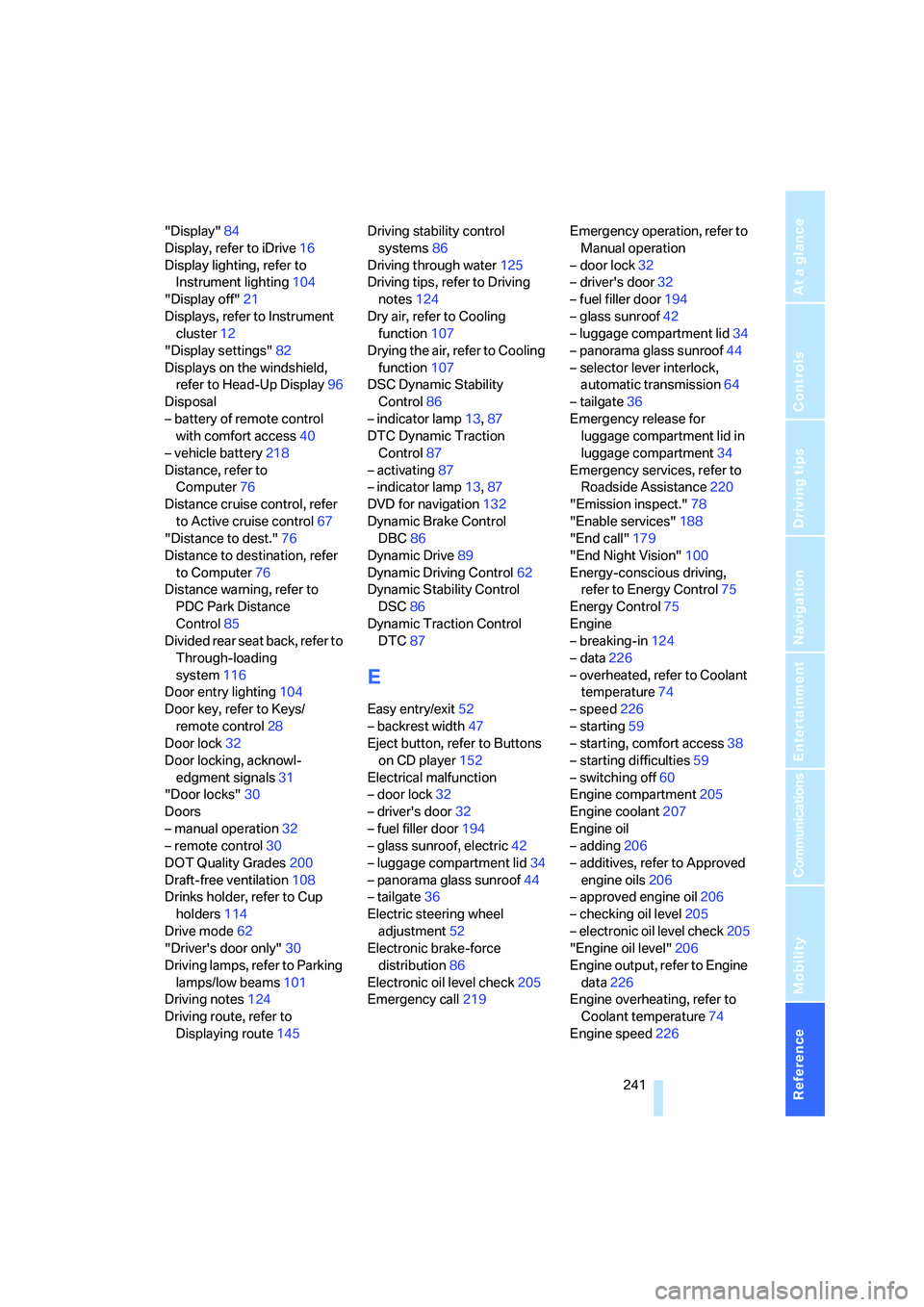
"Display"84
Display, refer to iDrive16
Display lighting, refer to
Instrument lighting104
"Display off"21
Displays, refer to Instrument
cluster12
"Display settings"82
Displays on the windshield,
refer to Head-Up Display96
Disposal
– battery of remote control
with comfort access40
– vehicle battery218
Distance, refer to
Computer76
Distance cruise control, refer
to Active cruise control67
"Distance to dest."76
Distance to destination, refer
to Computer76
Distance warning, refer to
PDC Park Distance
Control85
Divided rear seat back, refer to
Through-loading
system116
Door entry lighting104
Door key, refer to Keys/
remote control28
Door lock32
Door locking, acknowl-
edgment signals31
"Door locks"30
Doors
– manual operation32
– remote control30
DOT Quality Grades200
Draft-free ventilation108
Drinks holder, refer to Cup
holders114
Drive mode62
"Driver's door only"30
Driving lamps, refer to Parking
lamps/low beams101
Driving notes124
Driving route, refer to
Displaying route145Driving stability control
systems86
Driving through water125
Driving tips, refer to Driving
notes124
Dry air, refer to Cooling
function107
Drying the air, refer to Cooling
function107
DSC Dynamic Stability
Control86
– indicator lamp13,87
DTC Dynamic Traction
Control87
– activating87
– indicator lamp
13,87
DVD for navigation132
Dynamic Brake Control
DBC86
Dynamic Drive89
Dynamic Driving Control62
Dynamic Stability Control
DSC86
Dynamic Traction Control
DTC87
E
Easy entry/exit52
– backrest width47
Eject button, refer to Buttons
on CD player152
Electrical malfunction
– door lock32
– driver's door32
– fuel filler door194
– glass sunroof, electric42
– luggage compartment lid34
– panorama glass sunroof44
– tailgate36
Electric steering wheel
adjustment52
Electronic brake-force
distribution86
Electronic oil level check205
Emergency call219Emergency operation, refer to
Manual operation
– door lock32
– driver's door32
– fuel filler door194
– glass sunroof42
– luggage compartment lid34
– panorama glass sunroof44
– selector lever interlock,
automatic transmission64
– tailgate36
Emergency release for
luggage compartment lid in
luggage compartment34
Emergency services, refer to
Roadside Assistance220
"Emission inspect."78
"Enable services"188
"End call"179
"End Night Vision"100
Energy-conscious driving,
refer to Energy Control75
Energy Control75
Engine
– breaking-in124
– data226
– overheated, refer to Coolant
temperature74
– speed226
– starting59
– starting, comfort access38
– starting difficulties59
– switching off60
Engine compartment205
Engine coolant207
Engine oil
– adding206
– additives, refer to Approved
engine oils206
– approved engine oil206
– checking oil level205
– electronic oil level check205
"Engine oil level"206
Engine output, refer to Engine
data226
Engine overheating, refer to
Coolant temperature74
Engine speed226
Page 246 of 259
Everything from A to Z
244 Ignition key position 1, refer to
Radio readiness58
Ignition key position 2, refer to
Ignition on58
Ignition lock58
– starting engine with comfort
access40
Independent ventilation, refer
to Parked car ventilation109
Indicator/warning lamps
– active steering94
– airbags96
– brake fluid207
– brake pads208
– DSC13,87
– DTC13,87
– Flat Tire Monitor90
– fog lamps13
– safety belt warning49
– TPM Tire Pressure
Monitor92
Indicator and warning
lamps13
Individual air distribution107
Individually programmable
buttons on steering
wheel53
Individual settings, refer to
Personal Profile29
Inflation pressure, refer to Tire
inflation pressure196
Inflation pressure monitoring
– refer to Flat Tire Monitor89
– refer to TPM Tire Pressure
Monitor91
Information
– on another location138
– on current position138
– on destination location138
"Information" for navigation
system138
"Information on
destination"140
"Initializing..."90Initializing
– Flat Tire Monitor90
– radio, refer to Storing
stations158
– refer to Power failure218
– refer to Setting time and
date82
– seat, mirror and steering
wheel memory47
"Input map"138
Installation location
– CD changer169
– mobile phone113
– navigation drive132
Instructions for navigation
system, refer to Voice
instructions147
Instrument cluster12
Instrument illumination, refer
to Instrument lighting104
Instrument lighting104
Instrument panel
– refer to Cockpit10
– refer to Instrument
cluster12
Integrated key28
Integrated universal remote
control111
Interesting destination for
navigation138
"Interim time"82
Interior lamps104
– switching on with remote
control31
Interior motion sensor38
– switching off38
Interior rearview mirror52
– automatic dimming
feature125
Interlock on automatic
transmission63
Intermittent mode of the
wipers65
J
Jacking points216
Joystick, refer to iDrive16
Jumpering, refer to Jump
starting220
Jump starting220
K
Keyless-Go, refer to Comfort
access38
Keyless opening and closing,
refer to Comfort access38
Key Memory, refer to Personal
Profile29
"Keypad"182
Keys28
– key-related settings, refer to
Personal Profile29
Kick-down
– automatic transmission with
Steptronic64
– SMG Sequential Manual
Transmission62
Knock control195
L
Lamps, refer to Parking lamps/
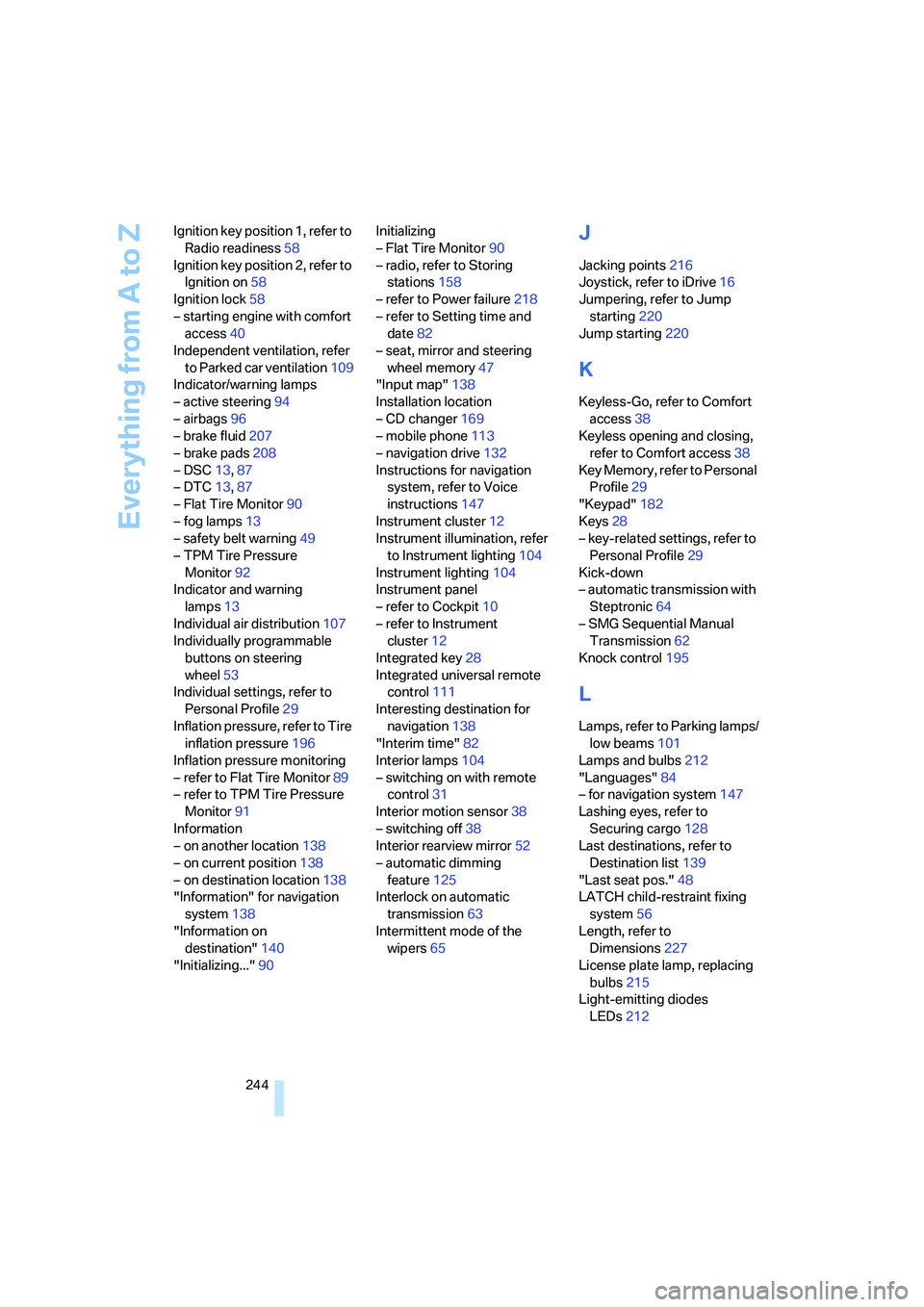
low beams101
Lamps and bulbs212
"Languages"84
– for navigation system147
Lashing eyes, refer to
Securing cargo128
Last destinations, refer to
Destination list139
"Last seat pos."48
LATCH child-restraint fixing
system56
Length, refer to
Dimensions227
License plate lamp, replacing
bulbs215
Light-emitting diodes
LEDs212
Page 247 of 259
Reference 245
At a glance
Controls
Driving tips
Communications
Navigation
Entertainment
Mobility
Lighter115
Lighter socket115
"Lighting"65,102
Lighting
– instruments104
– of the vehicle, refer to
Lamps101
– refer to High-beam
assistant103
Light switch101
"Limit"81
Loading
– securing cargo128
– stowing cargo127
– vehicle126
"Lock after driving"33
Lock buttons in the doors,
refer to Locking33
Locking
– from inside33
– from outside31
– setting confirmation
signals31
– without key, refer to Comfort
access38
Locking and unlocking doors
– from inside32
– from outside30
– setting confirmation
signals31
Locking out, refer to
Unlocking39
Locking without key, refer to
Comfort access38
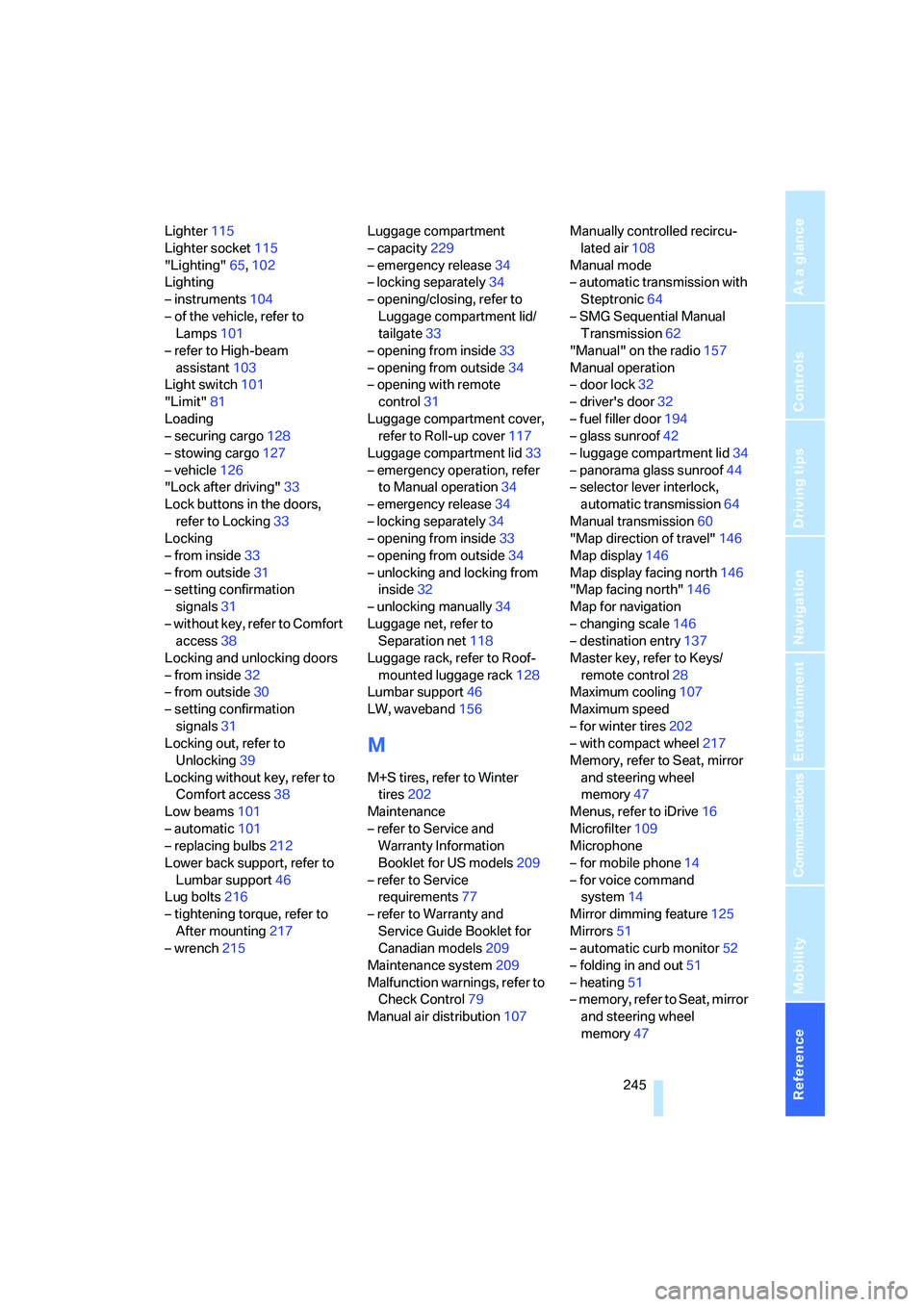
Low beams101
– automatic101
– replacing bulbs212
Lower back support, refer to
Lumbar support46
Lug bolts216
– tightening torque, refer to
After mounting217
– wrench215Luggage compartment
– capacity229
– emergency release34
– locking separately34
– opening/closing, refer to
Luggage compartment lid/
tailgate33
– opening from inside33
– opening from outside34
– opening with remote
control31
Luggage compartment cover,
refer to Roll-up cover117
Luggage compartment lid33
– emergency operation, refer
to Manual operation34
– emergency release34
– locking separately34
– opening from inside33
– opening from outside34
– unlocking and locking from
inside32
– unlocking manually34
Luggage net, refer to
Separation net118
Luggage rack, refer to Roof-
mounted luggage rack128
Lumbar support46
LW, waveband156
M
M+S tires, refer to Winter
tires202
Maintenance
– refer to Service and
Warranty Information
Booklet for US models209
– refer to Service
requirements77
– refer to Warranty and
Service Guide Booklet for
Canadian models209
Maintenance system209
Malfunction warnings, refer to
Check Control79
Manual air distribution107Manually controlled recircu-
lated air108
Manual mode
– automatic transmission with
Steptronic64
– SMG Sequential Manual
Transmission62
"Manual" on the radio157
Manual operation
– door lock32
– driver's door32
– fuel filler door194
– glass sunroof42
– luggage compartment lid34
– panorama glass sunroof44
– selector lever interlock,
automatic transmission64
Manual transmission60
"Map direction of travel"146
Map display146
Map display facing north146
"Map facing north"146
Map for navigation
– changing scale146
– destination entry137
Master key, refer to Keys/
remote control28
Maximum cooling107
Maximum speed
– for winter tires202
– with compact wheel217
Memory, refer to Seat, mirror
and steering wheel
memory47
Menus, refer to iDrive16
Microfilter109
Microphone
– for mobile phone14
– for voice command
system14
Mirror dimming feature125
Mirrors51
– automatic curb monitor52
– folding in and out51
– heating51
– memory, refer to Seat, mirror
and steering wheel
memory47
Page 253 of 259
Reference 251
At a glance
Controls
Driving tips
Communications
Navigation
Entertainment
Mobility
Starting off on slopes, refer to
Starting assistant125
Start menu, iDrive17
"Start route guidance"138
"Start service"189
"State / Province" for desti-
nation entry134
"State inspection"78
Station, refer to Radio156
"Stations", presets163
"Status"78
Status of this Owner's Manual
at time of printing5
Steering wheel
– adjustment52
– buttons on steering
wheel11
– easy entry/exit52
– heating52
– lock58
– locking58
– memory47
– programmable buttons53
"Steering wheel buttons"53
Steering-wheel shift buttons,
refer to Shift paddles62
Steering with variable ratio,
refer to Active steering93
Steptronic, refer to Automatic
transmission with
Steptronic63
"Stop" for stopwatch82
"Stopwatch"82
Stopwatch81
Storage area package119
Storage compartments114
"Store in address book" for
navigation system140
"Store" on the radio158,163
Storing current position140
Storing radio stations158
Storing sitting position, refer
to Seat, mirror and steering
wheel memory47
Storing tires202
Straps, refer to Loading128
"Street" for destination
entry135Summer tires, refer to Wheels
and tires196
Sun blinds112
"Surround Settings", refer to
Tone control154
SW, waveband156
Switches, refer to Cockpit10
Switching between high
beams and low beams,
automatic, refer to High-
beam assistant103
Switching cooling function on
and off107
Switching off engine60
Switching off tilt alarm
sensor38
Switching on
– audio152
– CD changer152
– CD player152
– radio152
Switching on hour signal83
Swiveling headlamps, refer to
Adaptive Head Light102
Symbols4
– indicator/warning lamps13
T
Tachometer74
"Tailgate"36
Tailgate33,35
– automatic operation36
– locking and unlocking from
inside32
– opening from inside, Sports
Wagon35
Tail lamps213
– replacing bulbs213
Tank contents, refer to
Capacities230
Target cursor for
navigation138
Technical alterations, refer to
For your own safety5
Technical data226
Telematic, refer to
TeleService,
BMW Assist187Telephone, refer to Mobile
phone174
"Telephone list"53
TeleService187
– enabling187
– services offered188
Temperature
– adjusting in upper body
region106
– adjusting with automatic
climate control106
– of coolant, refer to Coolant
temperature74
Temperature display
– outside temperature74
– setting units84
– temperature warning74
Temperature warning74
Tempomat, refer to Cruise
control66
"Terminate services"190
"Text language"84
"Theater", refer to Tone
control154
The individual vehicle5
Third brake lamp, refer to
Center brake lamp214
Through-loading system116
Tightening torque of the lug
bolts, refer to After
mounting217
Tilting down passenger-side
exterior mirror52
"Time"83
"Time format"83
Timer, refer to Preselecting
activation time109
"Timer 1" for parked car
ventilation110
"Timer 2" for parked car
ventilation110
Tire inflation pressures196
Tire pressure loss90,91
Tire pressure monitoring,
refer to Flat Tire Monitor89
Tire Pressure Monitor
TPM91
Tire Quality Grading200