ECO mode BMW 530XI TOURING 2006 E61 User Guide
[x] Cancel search | Manufacturer: BMW, Model Year: 2006, Model line: 530XI TOURING, Model: BMW 530XI TOURING 2006 E61Pages: 259, PDF Size: 8.9 MB
Page 126 of 259
Things to remember when driving
124
Things to remember when driving
Break-in period
Moving parts need breaking-in time to adjust to
each other. To ensure that your vehicle contin-
ues to provide optimized economy of operation
throughout an extended service life, we request
that you devote careful attention to the follow-
ing section.
Engine and differential
Always obey all official speed limits.
Up to 1,200 miles/2,000 km
Drive at changing engine and driving speeds,
however do not exceed 4,500 rpm or 100 mph/
160 km/h.
Avoid full-throttle operation and use of the
transmission's kick-down mode during these
initial miles.
From 1,200 miles/2,000 km
The engine and vehicle speed can gradually be
increased.
SMG Sequential Manual Transmission
Do not use the acceleration assistant during the
break-in period, refer to page63.
Tires
Due to technical factors associated with their
manufacture, tires do not achieve their full trac-
tion potential until after an initial break-in
period. Therefore, drive reservedly during the
first 200 miles/300 km.
Brake system
Brakes require an initial break-in period of
approx. 300 miles/500 km to achieve optimized
contact and wear patterns between brake pads
and rotors. Drive in a reserved manner during
this break-in period.
Clutch
The function of the clutch is only at its opti-
mized level after a distance driven of approx.
300 miles/500 km. During this break-in period,
engage the clutch gently.
Following part replacement
Observe the break-in instructions again if com-
ponents mentioned above must be replaced
after subsequent driving operation.
General driving notes
Closing luggage compartment lid/
tailgate
Operate the vehicle only when the lug-
gage compartment lid/tailgate is com-
pletely closed. Otherwise, exhaust fumes could
enter the interior of the vehicle.<
If special circumstances should make it abso-
lutely necessary to operate the vehicle with the
luggage compartment lid/tailgate open:
1.Close all windows and the glass sunroof or
panorama glass sunroof.
2.Increase the air volume of the automatic cli-
mate control to a high level, refer to
page107.
Hot exhaust system
As in all vehicles, extremely high temper-
atures are generated on the exhaust sys-
tem. Do not remove the heat shields installed
adjacent to it, and never apply undercoating to
them. When driving, standing at idle and while
parking take care to avoid possible contact
between the hot exhaust system and any highly
flammable materials such as hay, leaves, grass,
etc. Such contact could lead to a fire, and with it
the risk of serious property damage as well as
personal injury.<
Page 127 of 259
Driving tips
125Reference
At a glance
Controls
Communications
Navigation
Entertainment
Mobility
Mobile communications devices in
vehicle
BMW discourages the use of mobile
communications devices, e. g. mobile
phones, inside the vehicle without a direct con-
nection to an outside antenna. Otherwise, the
vehicle electronics and mobile communication
device can influence one another. In addition,
there is no assurance that the radiation which
results from transmission will be dissipated
from the vehicle interior.<
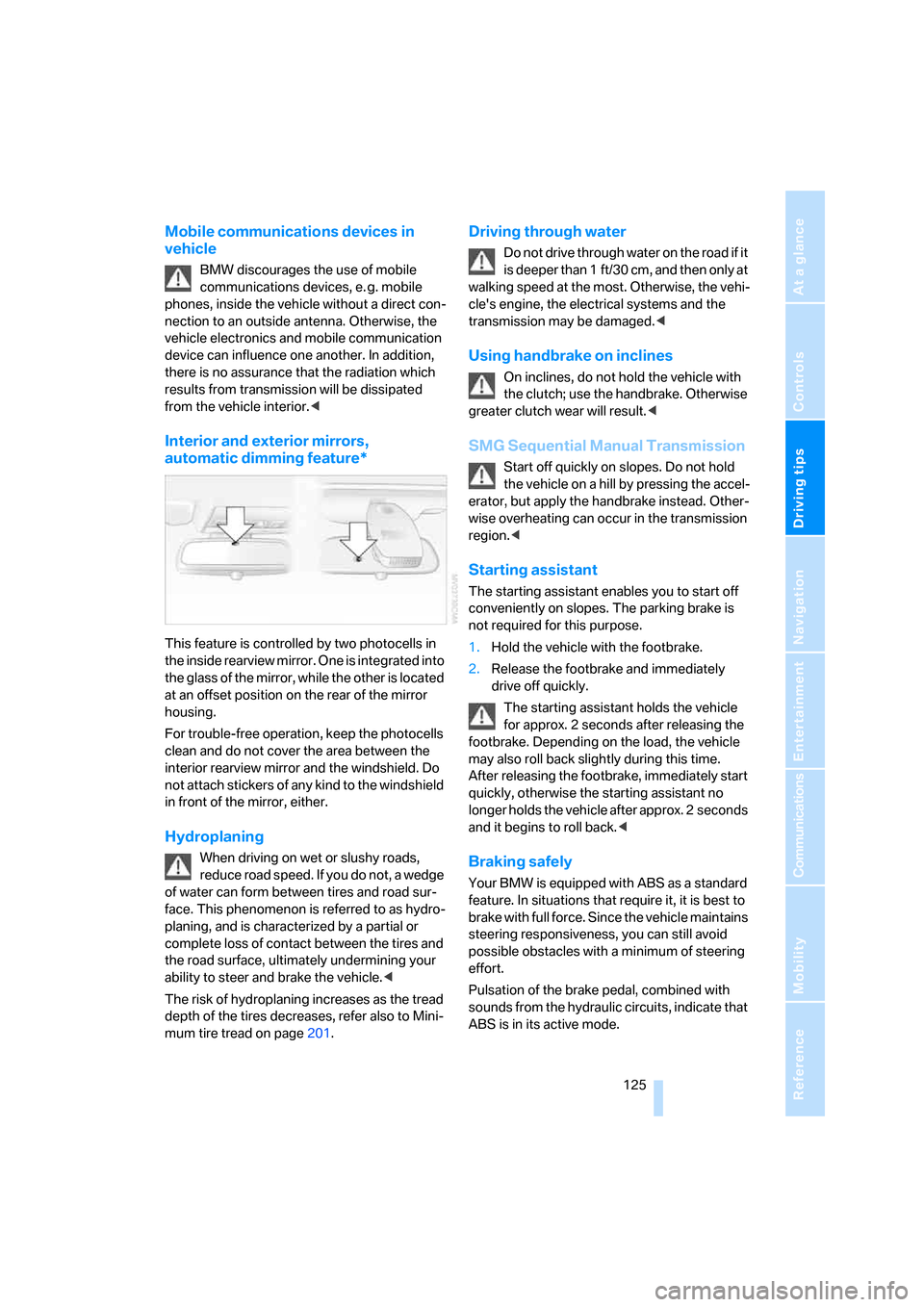
Interior and exterior mirrors,
automatic dimming feature*
This feature is controlled by two photocells in
the inside rearview mirror. One is integrated into
the glass of the mirror, while the other is located
at an offset position on the rear of the mirror
housing.
For trouble-free operation, keep the photocells
clean and do not cover the area between the
interior rearview mirror and the windshield. Do
not attach stickers of any kind to the windshield
in front of the mirror, either.
Hydroplaning
When driving on wet or slushy roads,
reduce road speed. If you do not, a wedge
of water can form between tires and road sur-
face. This phenomenon is referred to as hydro-
planing, and is characterized by a partial or
complete loss of contact between the tires and
the road surface, ultimately undermining your
ability to steer and brake the vehicle.<
The risk of hydroplaning increases as the tread
depth of the tires decreases, refer also to Mini-
mum tire tread on page201.
Driving through water
Do not drive through water on the road if it
is deeper than 1 ft/30 cm, and then only at
walking speed at the most. Otherwise, the vehi-
cle's engine, the electrical systems and the
transmission may be damaged.<
Using handbrake on inclines
On inclines, do not hold the vehicle with
the clutch; use the handbrake. Otherwise
greater clutch wear will result.<
SMG Sequential Manual Transmission
Start off quickly on slopes. Do not hold
the vehicle on a hill by pressing the accel-
erator, but apply the handbrake instead. Other-
wise overheating can occur in the transmission
region.<
Starting assistant
The starting assistant enables you to start off
conveniently on slopes. The parking brake is
not required for this purpose.
1.Hold the vehicle with the footbrake.
2.Release the footbrake and immediately
drive off quickly.
The starting assistant holds the vehicle
for approx. 2 seconds after releasing the
footbrake. Depending on the load, the vehicle
may also roll back slightly during this time.
After releasing the footbrake, immediately start
quickly, otherwise the starting assistant no
longer holds the vehicle after approx. 2 seconds
and it begins to roll back.<
Braking safely
Your BMW is equipped with ABS as a standard
feature. In situations that require it, it is best to
brake with full force. Since the vehicle maintains
steering responsiveness, you can still avoid
possible obstacles with a minimum of steering
effort.
Pulsation of the brake pedal, combined with
sounds from the hydraulic circuits, indicate that
ABS is in its active mode.
Page 178 of 259
Telephoning
176
Preparation with mobile phone
6.Additional operations must be carried out
on the mobile phone and differ depending
on the model, refer to the operating instruc-
tions of your mobile phone, e.g. find, con-
nect or link under Bluetooth device.
Logging on
Depending on your mobile phone, you will first
be requested consecutively via the display of
your mobile phone or the Control Display to
enter the Bluetooth passkey you specified.
Display on the Control Display if the Bluetooth
passkey can be entered with iDrive:
7.Select "Add device" and press the control-
ler.
8.Enter the Bluetooth passkey.
Depending on the mobile phone, approx.
30 seconds are available for entering the
Bluetooth passkey on the mobile phone
and on the Control Display.
9.Select "Confirm passkey" and press the
controller.
10.Wait a few seconds until the list of the
logged-on mobile phones is shown on the
Control Display and "Phone" is selected.To cancel the logon of the mobile phone on the
vehicle:
Select "Refuse connection" and press the con-
troller.
The next time you use the mobile phone in the
vehicle interior, it will be detected within a max-
imum of 2 minutes with the engine running or
the ignition switched on.
As soon as a mobile phone is detected by the
vehicle, the phone book entries stored on the
SIM card or on your mobile phone are trans-
ferred to your vehicle, refer to the operating
instructions of your mobile phone if necessary.
This transfer is dependent on your mobile
phone, refer to the operating instructions of
your mobile phone if necessary, and can take
several minutes.
Up to four mobile phones can be logged on
consecutively. If you log on a fifth mobile phone,
the logon data of the last mobile phone in the
list will be deleted, refer to below.
List of logged-on mobile phones
All mobile phones for which the vehicle has
stored the logon data can be displayed. If sev-
eral logged-on mobile phones are detected by
the vehicle simultaneously, you can operate the
mobile phone highest up in the list via the vehi-
cle.
You can change the order of the mobile phones
in the list. As long as a mobile phone is selected
in this list, the mobile phones cannot be oper-
ated via the vehicle.
iDrive, for explanation of principle, refer to
page16.
1.Press the button to open the start
menu.
2.Open the menu by pressing the controller.
3.Select "Communication settings" and
press the controller.
4.Select "Bluetooth" and press the controller.
5.Select "Phone" and press the controller.
Page 185 of 259
183
Entertainment
Reference
At a glance
Controls
Driving tips Communications
Navigation
Mobility
Act according to what is shown on the
mobile phone display, refer to the operating
instructions of your mobile phone.
>Press the button above the storage
compartment. Switching over may take
several seconds.
From handsfree system to mobile
phone
When you telephone via the handsfree system,
you can also continue the call via the mobile
phone if necessary, depending on the mobile
phone model. Act according to what is shown
on the mobile phone display, refer to the oper-
ating instructions of your mobile phone.
Operation by voice*
The concept
You can operate your mobile phone without
having to remove your hands from the steering
wheel. When making your entries, you will be
supported by announcements and questions in
many cases.
The same prerequisites as for operation via
iDrive apply, refer to page178.
Symbols in Owner's Manual
Voice commands
Activating system
1.Press the button on the steering wheel.
An acoustic signal indicates that you can
say commands.
2.Say the command.
The text or numbers that the voice com-
mand system has registered will appear on
the Control Display.
Ending/canceling operation by voice
Press the button on the steering wheel
or
In dialogs where text is spoken, not a command,
e.g. a name, canceling is only possible using the
button on the steering wheel.
Having possible commands read aloud
The system understands default commands
that must be spoken word for word.
You can have the possible commands spoken
by the system at any point:
Using alternative commands
There are often a number of commands to run a
function, e.g.:
The system recognizes digits from zero to nine.
You can say each digit individually or group
them into a sequence to accelerate the input.
{...}Say the specified commands word for
word.
{{...}} Indicates responses of the system.
{Cancel}.
{Help}
{Dial name} or {Name}.
Page 211 of 259
Mobility
209Reference
At a glance
Controls
Driving tips
Communications
Navigation
Entertainment
Maintenance
BMW maintenance system
The BMW maintenance system supports the
preservation of the traffic and operating safety
of your BMW. The service schedule also
includes operations related to the vehicle's
comfort and convenience features, such as
replacement of the filters for the inside air.
The ultimate objective is to ensure economical
maintenance by providing the ideal service for
your vehicle.
Should the day come when you decide to sell
your BMW, a complete dealer service history
will prove to be an asset of inestimable value.
CBS Condition Based Service
Sensors and special algorithms take the differ-
ent driving conditions of your BMW into
account. Condition Based Service uses this to
determine the current and future service
requirements. By letting you define a service
and maintenance regimen that reflects your
own individual requirements, the system builds
the basis for trouble-free driving.
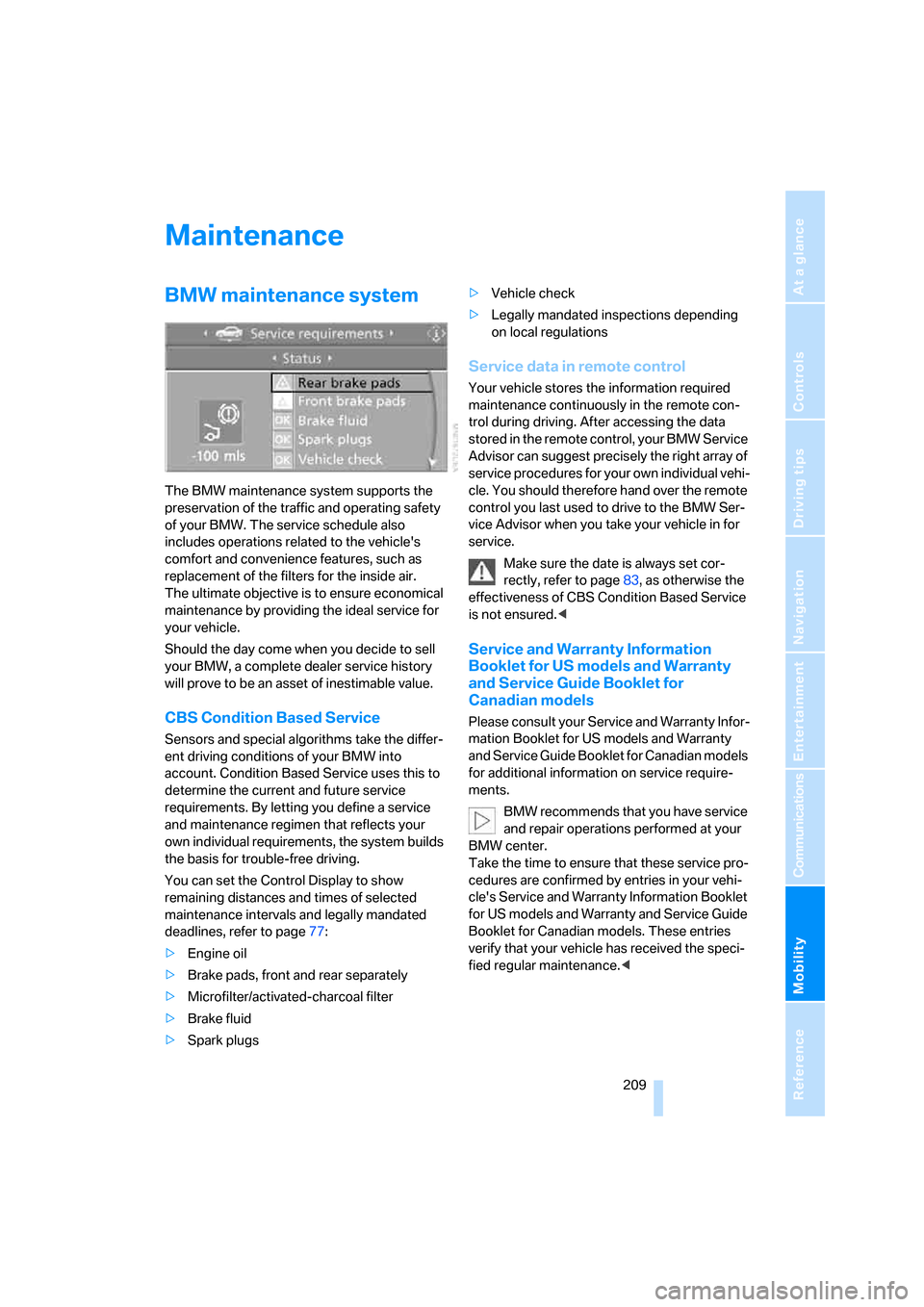
You can set the Control Display to show
remaining distances and times of selected
maintenance intervals and legally mandated
deadlines, refer to page77:
>Engine oil
>Brake pads, front and rear separately
>Microfilter/activated-charcoal filter
>Brake fluid
>Spark plugs>Vehicle check
>Legally mandated inspections depending
on local regulations
Service data in remote control
Your vehicle stores the information required
maintenance continuously in the remote con-
trol during driving. After accessing the data
stored in the remote control, your BMW Service
Advisor can suggest precisely the right array of
service procedures for your own individual vehi-
cle. You should therefore hand over the remote
control you last used to drive to the BMW Ser-
vice Advisor when you take your vehicle in for
service.
Make sure the date is always set cor-
rectly, refer to page83, as otherwise the
effectiveness of CBS Condition Based Service
is not ensured.<
Service and Warranty Information
Booklet for US models and Warranty
and Service Guide Booklet for
Canadian models
Please consult your Service and Warranty Infor-
mation Booklet for US models and Warranty
and Service Guide Booklet for Canadian models
for additional information on service require-
ments.
BMW recommends that you have service
and repair operations performed at your
BMW center.
Take the time to ensure that these service pro-
cedures are confirmed by entries in your vehi-
cle's Service and Warranty Information Booklet
for US models and Warranty and Service Guide
Booklet for Canadian models. These entries
verify that your vehicle has received the speci-
fied regular maintenance.<
Page 212 of 259
Maintenance
210
Socket for OBD Onboard
Diagnostics interface
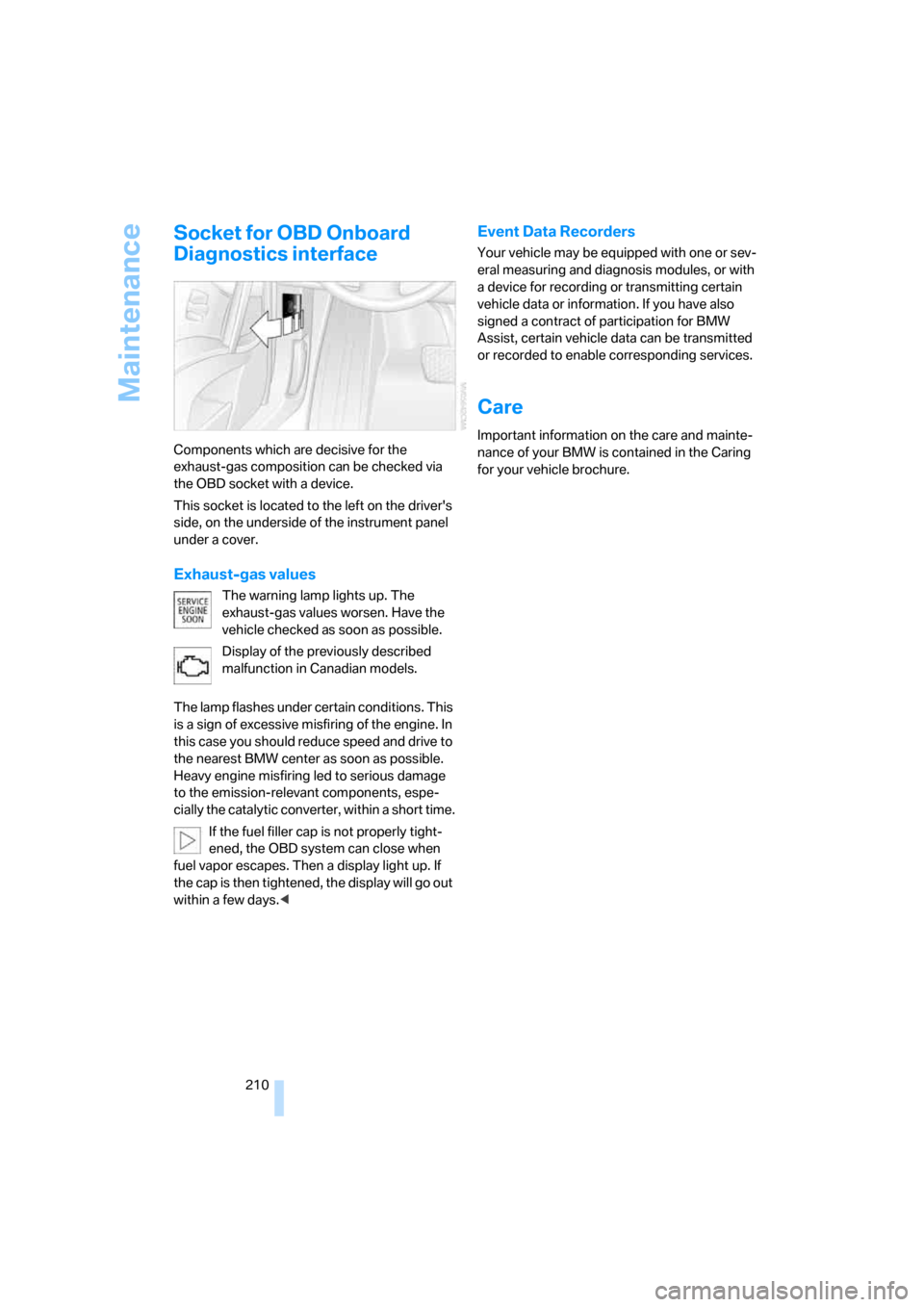
Components which are decisive for the
exhaust-gas composition can be checked via
the OBD socket with a device.
This socket is located to the left on the driver's
side, on the underside of the instrument panel
under a cover.
Exhaust-gas values
The warning lamp lights up. The
exhaust-gas values worsen. Have the
vehicle checked as soon as possible.
Display of the previously described
malfunction in Canadian models.
The lamp flashes under certain conditions. This
is a sign of excessive misfiring of the engine. In
this case you should reduce speed and drive to
the nearest BMW center as soon as possible.
Heavy engine misfiring led to serious damage
to the emission-relevant components, espe-
cially the catalytic converter, within a short time.
If the fuel filler cap is not properly tight-
ened, the OBD system can close when
fuel vapor escapes. Then a display light up. If
the cap is then tightened, the display will go out
within a few days.<
Event Data Recorders
Your vehicle may be equipped with one or sev-
eral measuring and diagnosis modules, or with
a device for recording or transmitting certain
vehicle data or information. If you have also
signed a contract of participation for BMW
Assist, certain vehicle data can be transmitted
or recorded to enable corresponding services.
Care
Important information on the care and mainte-
nance of your BMW is contained in the Caring
for your vehicle brochure.
Page 242 of 259
Everything from A to Z
240 Control Center, refer to
iDrive16
Control Display, refer to
iDrive16
– setting brightness83
Controller, refer to iDrive16
Controls, refer to Cockpit10
Convenience operation
– glass sunroof31
– windows31
Convenience start, refer to
Starting engine59
Coolant207
– checking level207
– temperature74
Cooling, maximum107
Cornering Brake Control
CBC86
Country of destination for
navigation134
Courtesy lamps104
Cover, roll-up cover,
Sports Wagon117
Cradle for telephone or mobile
phone113
Cruise control66,67
– active cruise control67
Cruising range75
Cup holders114
Curb weight, refer to
Weights229
Current fuel consumption75
"Current position"148
Current position
– displaying148
– entering140
– storing140
"Curve mode" with
BMW Night Vision100
"Customer
Relations"182,190
Cylinders, refer to Engine
data226
D
Dashboard, refer to
Cockpit10
Data226
– capacities230
– dimensions227
– engine226
– technical data226
– weights229
"Date"83
Date74
– display format83
– retrieval74
– setting83
"Date format"83
Daytime running lamps102
DBC Dynamic Brake
Control86
"Deactivated"48
Deactivating selector lever
interlock64
Decommissioning the vehicle,
refer to Caring for your
vehicle brochure
Defect
– fuel filler door194
– glass sunroof42
– luggage compartment lid34
– tailgate36
Defrosting windows107
Defrosting windows and
removing condensation107
Defrost position, refer to
Defrosting windows107
"Delete address book" for
navigation system142
"Delete all numbers" for
mobile phone181
"Delete data" for navigation
system142
"Delete" for mobile
phone181
Destination address
– deleting141
– entering133,136Destination for navigation
– destination list139
– entering via voice136
– entry133
– selecting from address
book141
– selecting using
information138
– storing140
Destination guidance144
– bypassing route
sections148
– canceling voice
instructions53
– changing specified
route142
– displaying routes
145
– distance and arrival144
– interrupting144
– starting144
– terminating/continuing144
– voice instructions147
– volume of voice
instructions147
Destination list for
navigation139
Destinations recently driven
to139
"Details" in audio mode167
"Dial" for mobile phone179
"Dial number"179
"Diamond button"53
Diamond button53
Digital clock74
Digital radio, refer to High
Definition Radio160
Dimensions227
Directional indicators, refer to
Turn signals64
Direction announcements,
refer to Voice
instructions147
Direction instructions, refer to
Voice instructions147
Directory for navigation, refer
to Address book140
Displacement, refer to Engine
data226
Page 250 of 259
Everything from A to Z
248 Radio position, refer to Radio
readiness58
Radio readiness58
– switched off58
– switched on58
– with comfort access39
Rain sensor65
"Random", random play
sequence168
"Random all" in audio
mode169
"Random directory" in audio
mode169
"RDS"159
Reading lamps104
Rear armrest, refer to Center
armrest, rear116
Rear lamps, refer to Tail
lamps213
– replacing bulbs213
Rear seat back,
folding116,117
Rear seats
– adjusting head restraints49
– folding over
backrest116,117
– heating50
Rear ventilation109
Rearview mirror51
Rear window
– changing wiper blade211
– heating107
– opening and closing on
Sports Wagon34
– roller sun blind, refer to Sun
blinds112
– window wiper on Sports
Wagon66,126
Rear window safety switch41
"Received calls"180
Reception
– quality159
– radio stations159
– regional station157
Reception level of mobile
phone, refer to Status
information20Rechargeable flashlight113
Recirculated-air mode
– air recirculation108
– AUC Automatic recircu-
lated-air control108
Reclining seat, refer to
Backrest46
Recording times, refer to
Stopwatch81
"Redial" for mobile phone180
Reflectors, refer to Tail
lamps213
Refueling194
Releasing, hood204
"Relock door if not
opened"33
Remaining distance, refer to
Cruising range75
Remaining distance to desti-
nation, refer to Computer76
Remote control28
– battery replacement40
– comfort access38
– garage door opener111
– luggage compartment lid31
– malfunction31,40
– tailgate31
Removing condensation on
the windows107
"Repeat directory" in audio
mode168
"Repeat" in audio mode168
"Repeat track" in audio
mode168
Replacement fuses218
Replacement of tires, refer to
Changing wheels215
Replacing bulbs, refer to
Lamps and bulbs212
Replacing tires202
Replacing wheels/tires, refer
to New wheels and tires201
Reporting an accident, refer
Initiating an emergency
call219
Reporting safety defects7Reserve warning, refer to Fuel
gauge75
Reservoir for washer
systems66
"Reset"92
– stopwatch82
– tone settings155
Reset, refer to Resetting tone
settings155
Residual heat108
Restraint systems
– for children54
– refer to Safety belts49
Retaining straps, refer to
Storage area package119
Retreaded tires202
Reverse, fast
– CD changer169
– CD player169
Reverse gear
– automatic transmission with
Steptronic63
– manual transmission61
– SMG Sequential Manual
Transmission61
Road map146
"Roadside
Assistance"182
,189
Roadside Assistance220
Roadside parking lamps102
– replacing bulbs213
Roller sun blind, refer to Sun
blinds112
Roll-up cover, Sports
Wagon117
Roof load capacity229
Roof-mounted luggage
rack128
Rope, refer to Tow-starting
and towing221
Rotary pushbutton, refer to
iDrive16