lights BMW 535D 2014 Workshop Manual
[x] Cancel search | Manufacturer: BMW, Model Year: 2014, Model line: 535D, Model: BMW 535D 2014Pages: 267, PDF Size: 5.88 MB
Page 156 of 267
Switching on/off
Switching on automatically With the engine running, engage selector lever
position R.
The Top View and PDC images are displayed if
the system is switched on via iDrive.
Automatic deactivation during forward
travel
The system switches off when a certain driving
distance or speed is exceeded.
Switch the system back on if necessary.
Switching on/off manually Press the button.▷On: the LED lights up.▷Off: the LED goes out.
Top View is displayed.
Display
Visual warning
The approach of the vehicle to an object can
be shown on the Control Display.
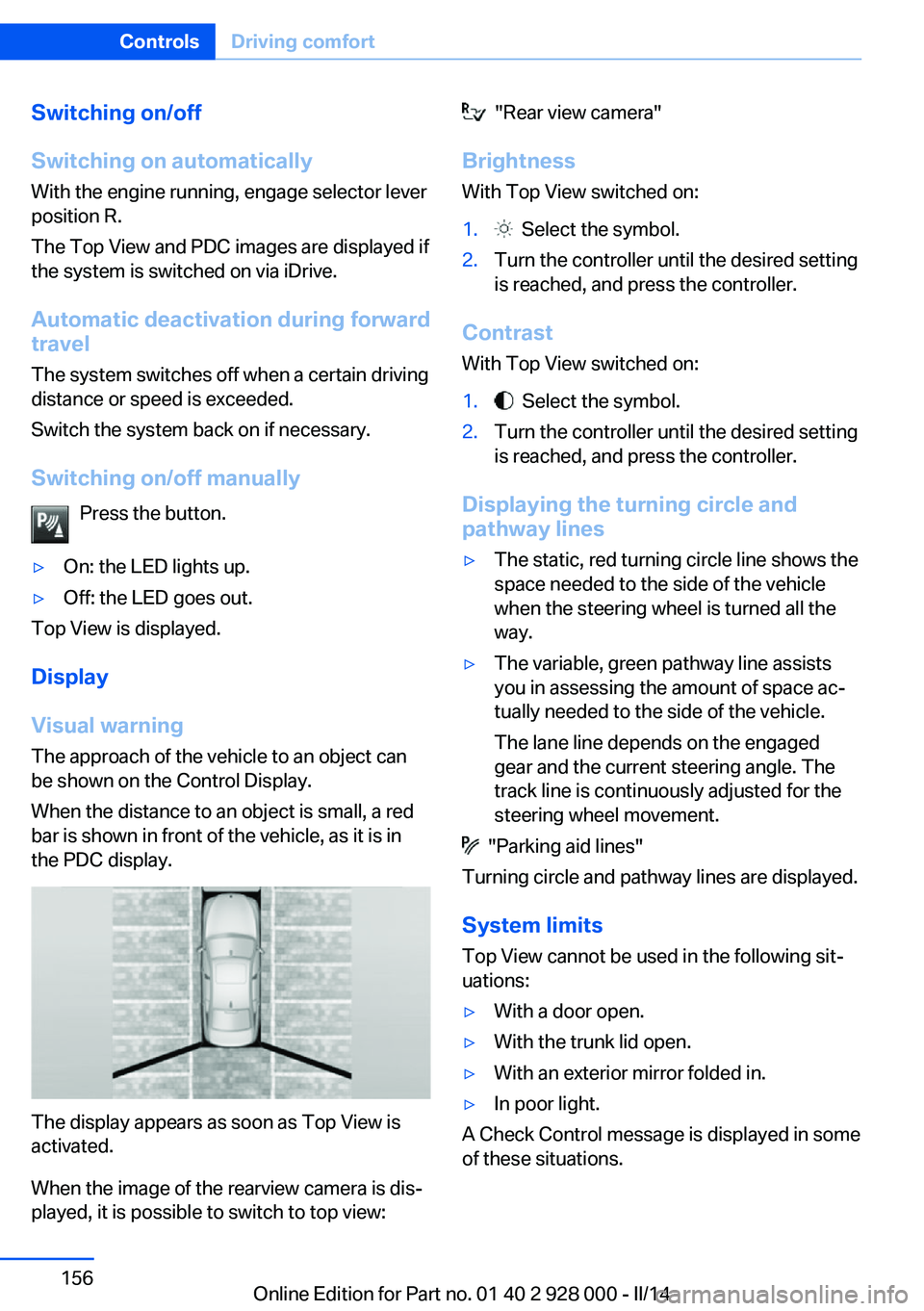
When the distance to an object is small, a red
bar is shown in front of the vehicle, as it is in
the PDC display.
The display appears as soon as Top View is
activated.
When the image of the rearview camera is dis‐
played, it is possible to switch to top view:
"Rear view camera"
Brightness With Top View switched on:1. Select the symbol.2.Turn the controller until the desired setting
is reached, and press the controller.
Contrast
With Top View switched on:
1. Select the symbol.2.Turn the controller until the desired setting
is reached, and press the controller.
Displaying the turning circle and
pathway lines
▷The static, red turning circle line shows the
space needed to the side of the vehicle
when the steering wheel is turned all the
way.▷The variable, green pathway line assists
you in assessing the amount of space ac‐
tually needed to the side of the vehicle.
The lane line depends on the engaged
gear and the current steering angle. The
track line is continuously adjusted for the
steering wheel movement.
"Parking aid lines"
Turning circle and pathway lines are displayed.
System limits
Top View cannot be used in the following sit‐
uations:
▷With a door open.▷With the trunk lid open.▷With an exterior mirror folded in.▷In poor light.
A Check Control message is displayed in some
of these situations.
Seite 156ControlsDriving comfort156
Online Edition for Part no. 01 40 2 928 000 - II/14
Page 158 of 267
Suitable parking space▷Gap between two objects with a minimum
length of approx. 5 ft/1.5 m.▷Min. length of gap between two objects:
your vehicle's length plus approx.
4 ft/1.2 m.▷Minimum depth: approx. 5 ft/1.5 m.
For parking procedure
▷Doors and trunk lid closed.▷Parking brake released.▷When parking in parking spaces on the
driver's side, the corresponding turn signal
must be set where applicable.
Automatic transmission:
▷Driver's seat belt fastened.
At a glance
Button in the vehicle
Parking assistant
Ultrasound sensors
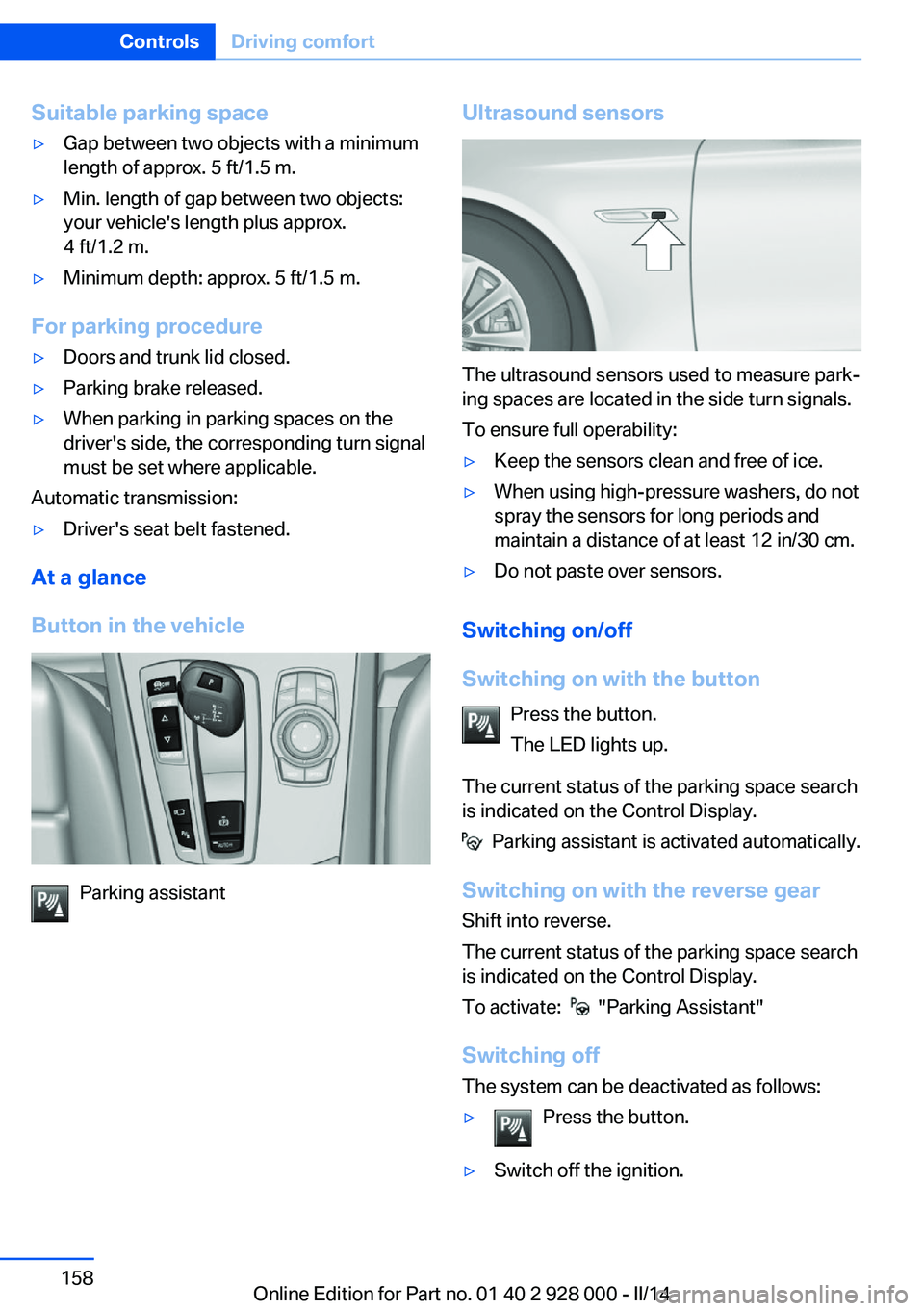
The ultrasound sensors used to measure park‐
ing spaces are located in the side turn signals.
To ensure full operability:
▷Keep the sensors clean and free of ice.▷When using high-pressure washers, do not
spray the sensors for long periods and
maintain a distance of at least 12 in/30 cm.▷Do not paste over sensors.
Switching on/off
Switching on with the button Press the button.
The LED lights up.
The current status of the parking space search
is indicated on the Control Display.
Parking assistant is activated automatically.
Switching on with the reverse gear
Shift into reverse.
The current status of the parking space search
is indicated on the Control Display.
To activate:
"Parking Assistant"
Switching off The system can be deactivated as follows:
▷Press the button.▷Switch off the ignition.Seite 158ControlsDriving comfort158
Online Edition for Part no. 01 40 2 928 000 - II/14
Page 169 of 267
Functional requirements
Parked-car ventilation▷Using the preset switch-on time or when
operated directly: any external tempera‐
ture.
Open the vents to allow air to flow out.
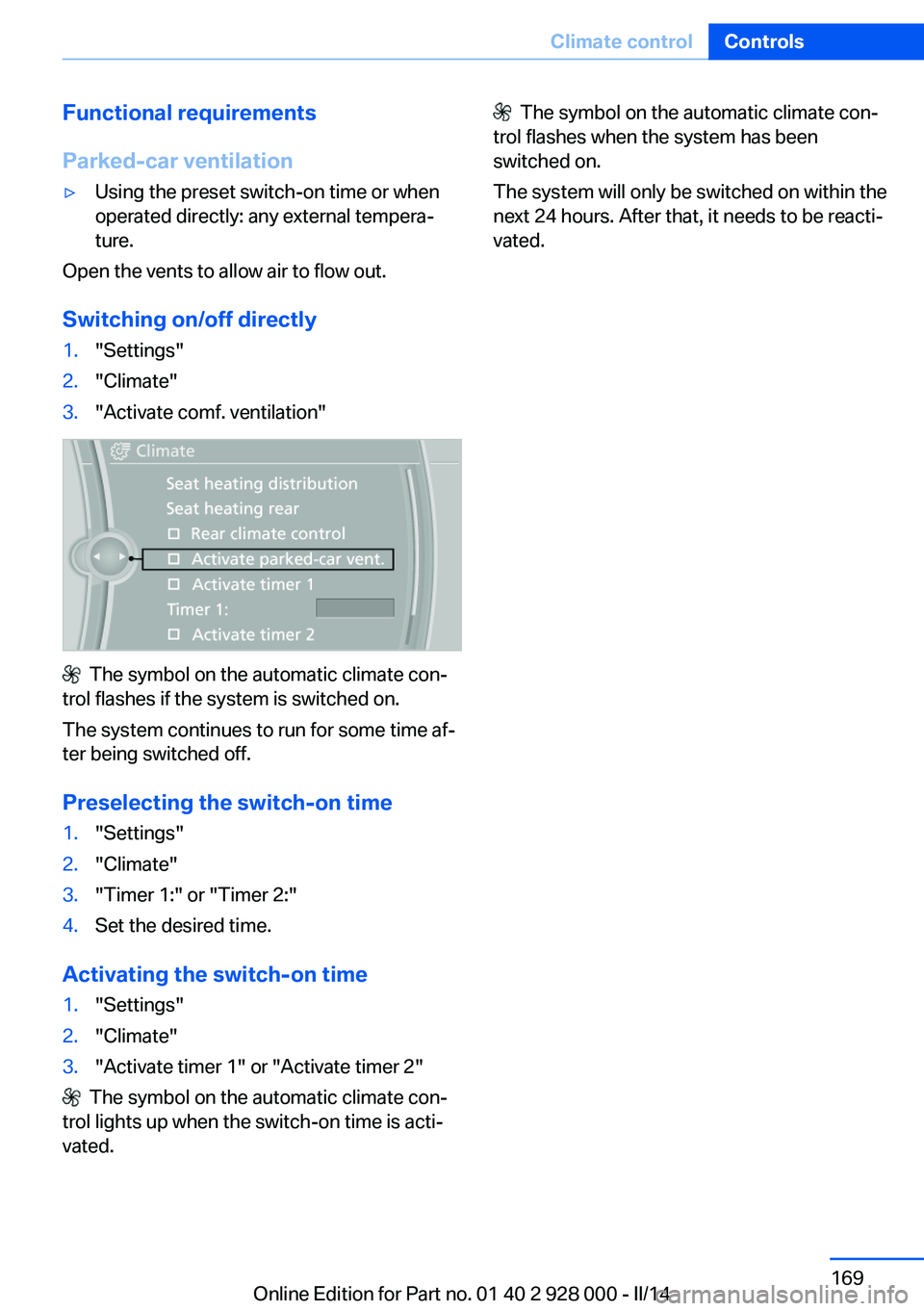
Switching on/off directly
1."Settings"2."Climate"3."Activate comf. ventilation"
The symbol on the automatic climate con‐
trol flashes if the system is switched on.
The system continues to run for some time af‐
ter being switched off.
Preselecting the switch-on time
1."Settings"2."Climate"3."Timer 1:" or "Timer 2:"4.Set the desired time.
Activating the switch-on time
1."Settings"2."Climate"3."Activate timer 1" or "Activate timer 2"
The symbol on the automatic climate con‐
trol lights up when the switch-on time is acti‐
vated.
The symbol on the automatic climate con‐
trol flashes when the system has been
switched on.
The system will only be switched on within the
next 24 hours. After that, it needs to be reacti‐
vated.Seite 169Climate controlControls169
Online Edition for Part no. 01 40 2 928 000 - II/14
Page 194 of 267
Avoid high engine speeds
Use 1st gear to get the vehicle in motion. Be‐
ginning with 2nd gear, accelerate rapidly.
When accelerating, shift up before reaching
high engine speeds.
When you reach the desired speed, shift into
the highest applicable gear and drive with the
engine speed as low as possible and at a con‐
stant speed.
As a rule: driving at low engine speeds lowers
fuel consumption and reduces wear.
The gear shift indicator of your vehicle indi‐
cates the most fuel efficient gear.
Use coasting When approaching a red light, take your foot
off the accelerator and let the vehicle coast to
a halt.
On a downhill gradient, take your foot off the
accelerator and let the vehicle roll.
The flow of fuel is interrupted while coasting.
Switch off the engine during longer stops
Switch off the engine during longer stops, e.g.,
at traffic lights, railroad crossings or in traffic
congestion.
Auto Start/Stop function The Auto Start/Stop function of your vehicle
automatically switches off the engine during a
stop.
If the engine is switched off and then restarted
rather than leaving the engine running con‐
stantly, fuel consumption and emissions are
reduced. Savings can begin within a few sec‐
onds of switching off the engine.
In addition, fuel consumption is also deter‐
mined by other factors, such as driving style,road conditions, maintenance or environmental
factors.
Switch off any functions that
are not currently needed
Functions such as seat heating and the rear
window defroster require a lot of energy and
reduce the range, especially in city and stop-
and-go traffic.
Therefore, switch off these functions if they
are not actually needed.
The ECO PRO driving program supports the
energy conserving use of comfort functions.
These functions are automatically deactivated
partially or completely.
Have maintenance carried
out
Have vehicles maintained regularly to achieve
optimal vehicle economy and operating life.
The maintenance should be carried out by
your service center.
Also note the BMW Maintenance System, refer
to page 231.
ECO PRO
The concept ECO PRO supports a driving style that saves
on fuel consumption. For this purpose, the en‐
gine control and comfort functions, e. g. the
climate control output, are adjusted.
Under certain conditions the engine is auto‐
matically decoupled from the transmission in
the D selector lever position. The vehicle con‐
tinues traveling with the engine idling to re‐
duce fuel consumption. Selector lever position
D remains engaged.Seite 194Driving tipsSaving fuel194
Online Edition for Part no. 01 40 2 928 000 - II/14
Page 232 of 267
correspondingly trained personnel and other
authorized persons. Otherwise, use may result
in operating problems for the vehicle.◀
Position
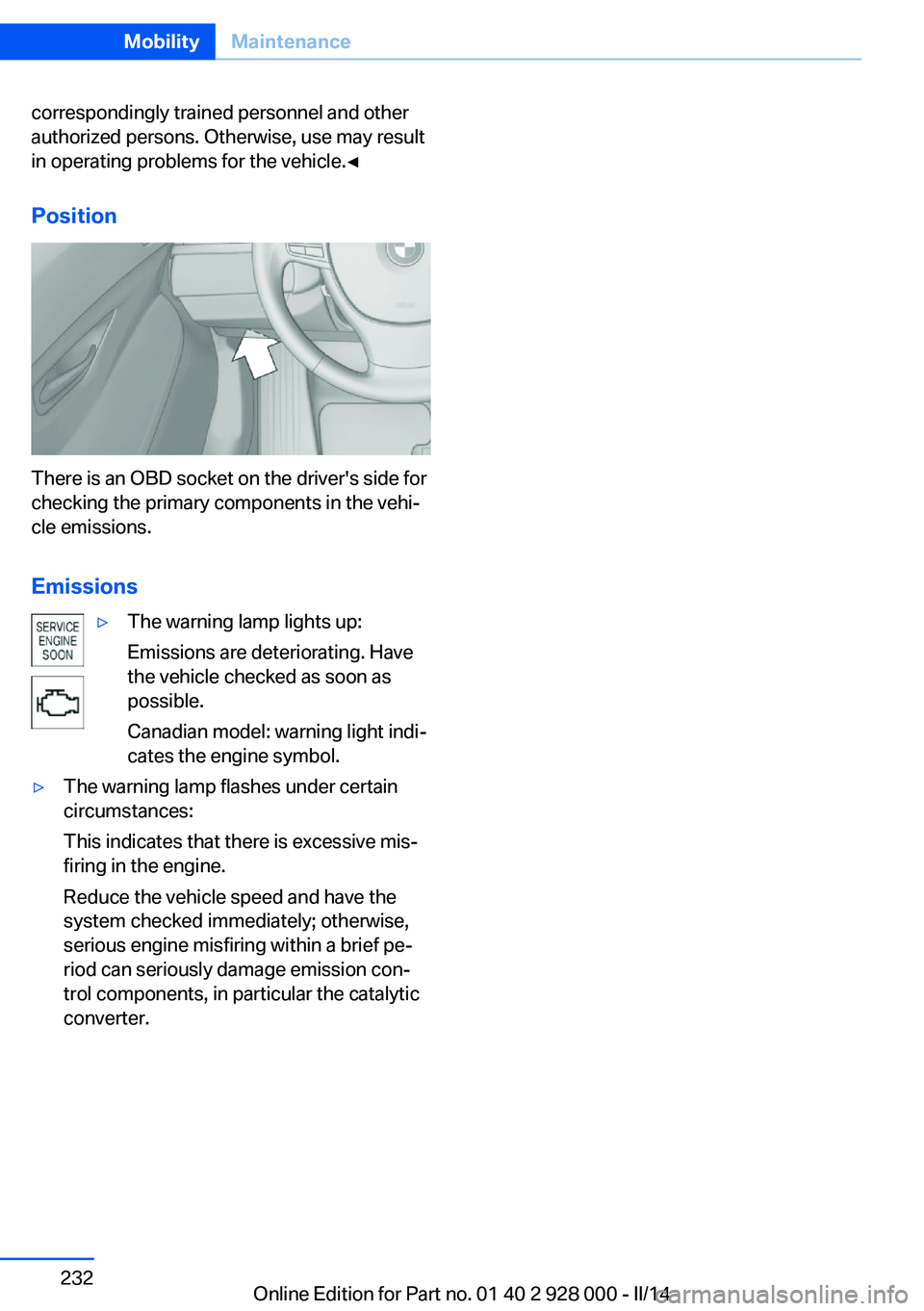
There is an OBD socket on the driver's side for
checking the primary components in the vehi‐
cle emissions.
Emissions
▷The warning lamp lights up:
Emissions are deteriorating. Have
the vehicle checked as soon as
possible.
Canadian model: warning light indi‐
cates the engine symbol.▷The warning lamp flashes under certain
circumstances:
This indicates that there is excessive mis‐
firing in the engine.
Reduce the vehicle speed and have the
system checked immediately; otherwise,
serious engine misfiring within a brief pe‐
riod can seriously damage emission con‐
trol components, in particular the catalytic
converter.Seite 232MobilityMaintenance232
Online Edition for Part no. 01 40 2 928 000 - II/14
Page 234 of 267
the service center if you are unfamiliar with
them or they are not described here.
You can obtain a selection of replacement
bulbs at the service center.
Danger of burns
Only change bulbs when they are cool;
otherwise, there is the danger of getting
burned.◀
Working on the lighting system
When working on the lighting system,
you should always switch off the lights af‐
fected to prevent short circuits.
To avoid possible injury or equipment damage
when replacing bulbs, observe any instructions
provided by the bulb manufacturer.◀
Do not perform work/bulb replacement
on xenon headlamps
Have any work on the xenon lighting system,
including bulb replacement, performed only by
a service center. Due to the high voltage
present in the system, there is the danger of
fatal injuries if work is carried out improperly.◀
Do not touch the bulbs
Do not touch the glass of new bulbs with
your bare hands, as even minute amounts of
contamination will burn into the bulb's surface
and reduce its service life.
Use a clean tissue, cloth or something similar,
or hold the bulb by its base.◀
Light-emitting diodes (LEDs)
Some items of equipment use light-emitting
diodes installed behind a cover as a light
source.
These light-emitting diodes, which are related
to conventional lasers, are officially designated as Class 1 light-emitting diodes.Do not remove the covers
Do not remove the covers, and never
stare into the unfiltered light for several hours;
otherwise, irritation of the retina could result.◀
Headlamp glass
Condensation can form on the inside of the ex‐
ternal lamps in cool or humid weather. When
driving with the light switched on, the conden‐
sation evaporates after a short time. The head‐
lamp glasses do not need to be changed.
If the headlamps do not dim despite driving
with the light switched on, increasing humidity
forms, e. g. water droplets in the light, have the
service center check this.
Headlamp setting
The headlamp adjustments can be affected by
changing lamps and bulbs. Therefore after a
change, have the headlamp setting checked
and corrected by Service.
Front lamps, bulb replacement
Xenon headlamps
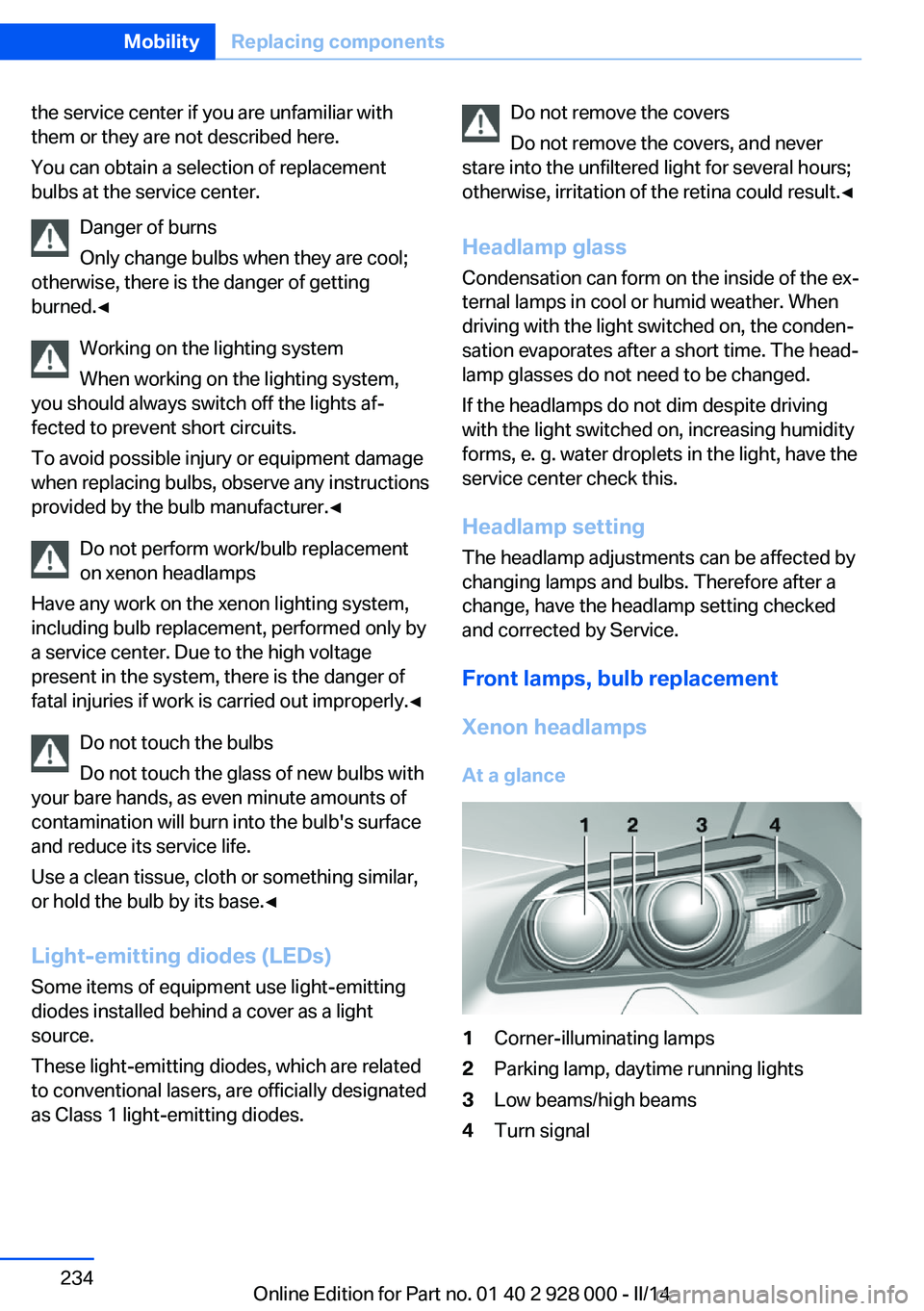
At a glance1Corner-illuminating lamps2Parking lamp, daytime running lights3Low beams/high beams4Turn signalSeite 234MobilityReplacing components234
Online Edition for Part no. 01 40 2 928 000 - II/14
Page 235 of 267
Hints
Because of the long life of these bulbs, the
likelihood of failure is very low. Switching the
lamps on and off frequently shortens their life.
If a bulb fails, switch on the front fog lamps and
continue the trip with great care. Comply with
local regulations.
Do not perform work/bulb replacement
on xenon headlamps
Have any work on the xenon lighting system,
including bulb replacement, performed only by
a service center. Due to the high voltage
present in the system, there is the danger of
fatal injuries if work is carried out improperly.◀
For checking and adjusting headlamp aim,
please contact your BMW center.
Parking lamps and roadside parking lamps,
turn signal lamp
Follow general instructions, refer to page 233.
These lights feature LED technology.
Contact your service center in the event of a
malfunction.
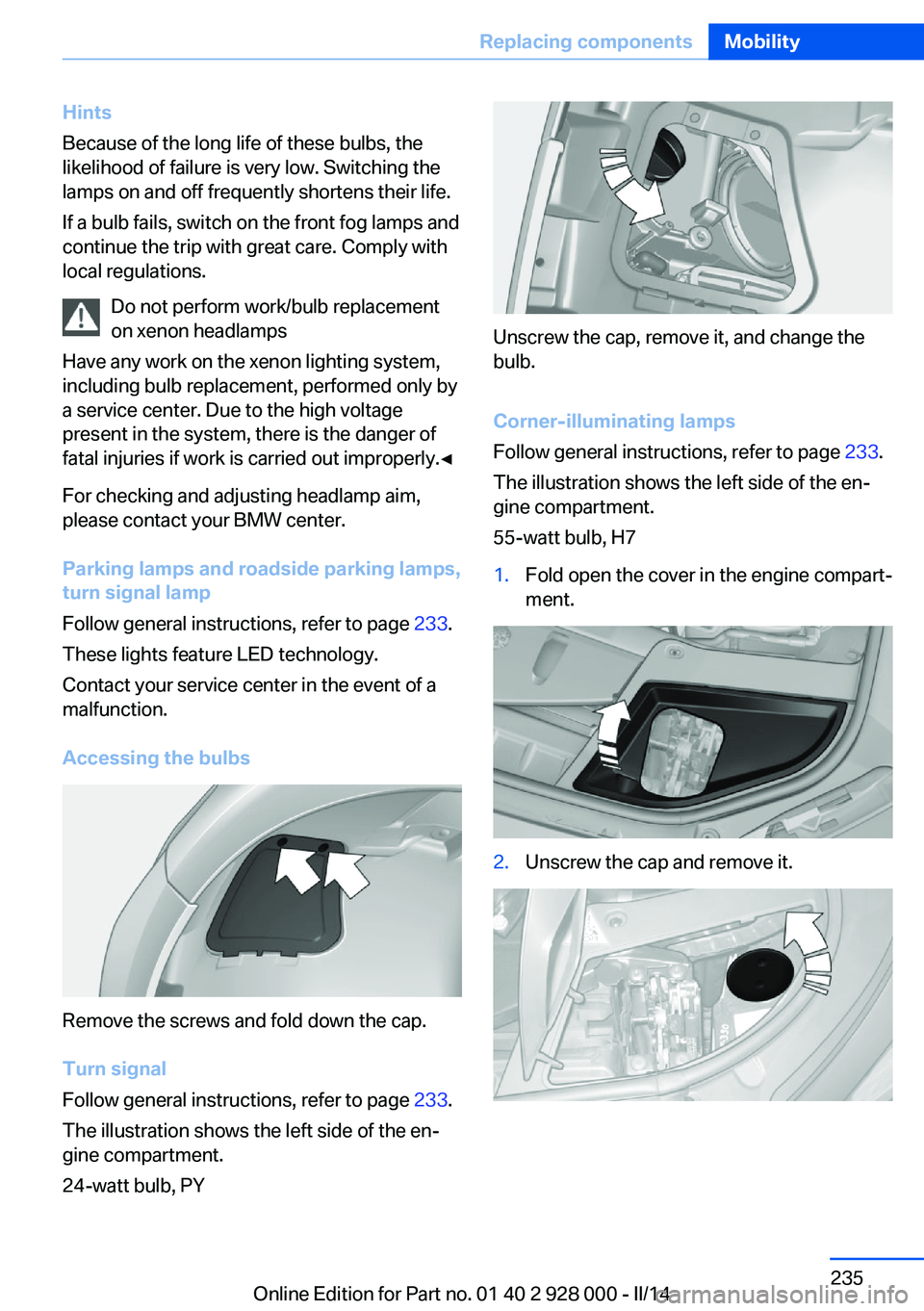
Accessing the bulbs
Remove the screws and fold down the cap.
Turn signal
Follow general instructions, refer to page 233.
The illustration shows the left side of the en‐
gine compartment.
24-watt bulb, PY
Unscrew the cap, remove it, and change the
bulb.
Corner-illuminating lamps
Follow general instructions, refer to page 233.
The illustration shows the left side of the en‐
gine compartment.
55-watt bulb, H7
1.Fold open the cover in the engine compart‐
ment.2.Unscrew the cap and remove it.Seite 235Replacing componentsMobility235
Online Edition for Part no. 01 40 2 928 000 - II/14
Page 236 of 267
3.Unscrew the bulb holder counterclockwise.4.Remove the bulb and replace it.5.Insert the new bulb and attach the cover in
the reverse order.
LED headlamps
At a glance
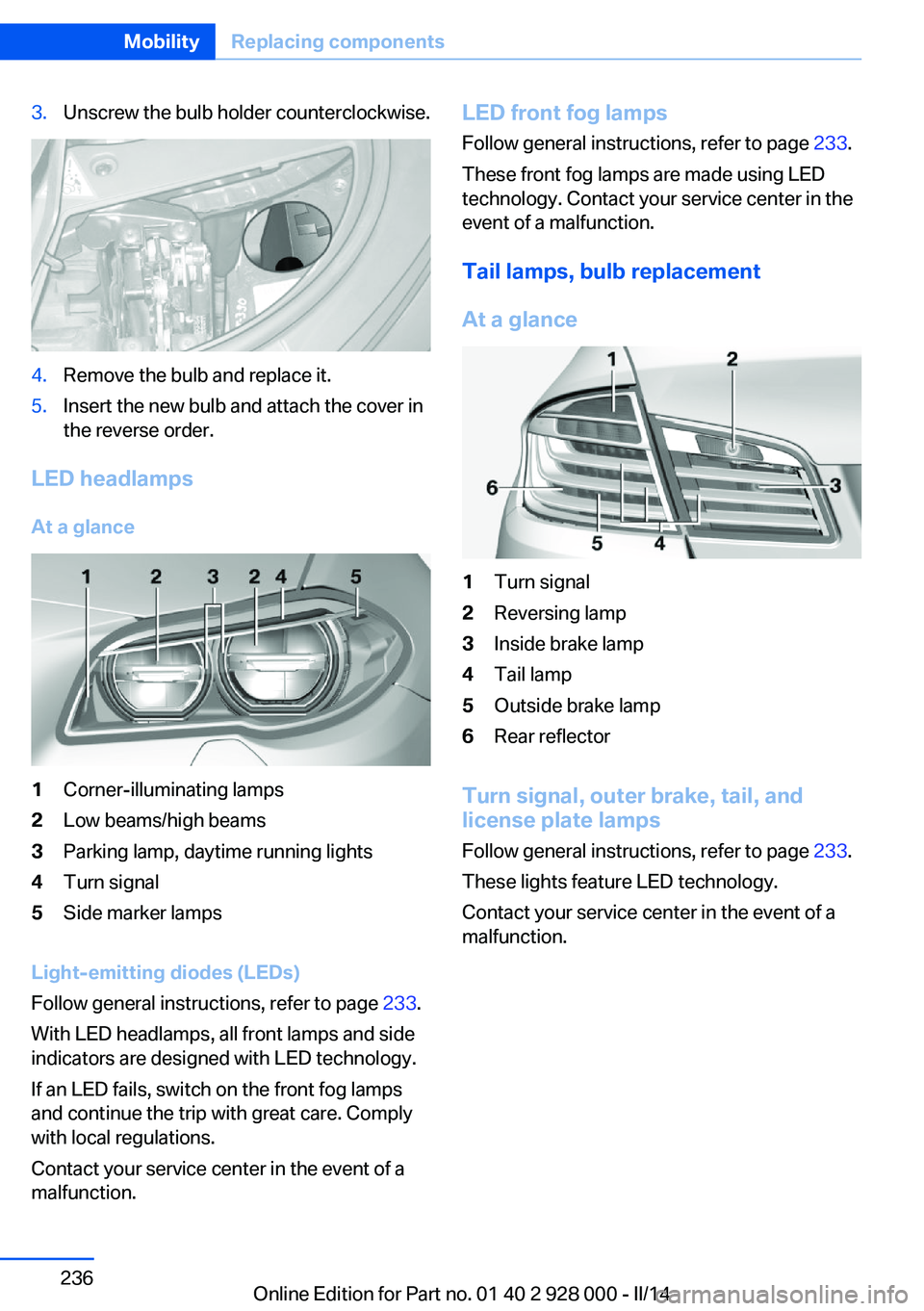
1Corner-illuminating lamps2Low beams/high beams3Parking lamp, daytime running lights4Turn signal5Side marker lamps
Light-emitting diodes (LEDs)
Follow general instructions, refer to page 233.
With LED headlamps, all front lamps and side
indicators are designed with LED technology.
If an LED fails, switch on the front fog lamps
and continue the trip with great care. Comply
with local regulations.
Contact your service center in the event of a
malfunction.
LED front fog lamps
Follow general instructions, refer to page 233.
These front fog lamps are made using LED
technology. Contact your service center in the
event of a malfunction.
Tail lamps, bulb replacement
At a glance1Turn signal2Reversing lamp3Inside brake lamp4Tail lamp5Outside brake lamp6Rear reflector
Turn signal, outer brake, tail, and
license plate lamps
Follow general instructions, refer to page 233.
These lights feature LED technology.
Contact your service center in the event of a
malfunction.
Seite 236MobilityReplacing components236
Online Edition for Part no. 01 40 2 928 000 - II/14
Page 240 of 267
Breakdown assistanceVehicle equipment
All standard, country-specific and optional
equipment that is offered in the model series is
described in this chapter. Therefore, equip‐
ment is also described that is not available in a
vehicle, e. g., because of the selected optional
equipment or country variant. This also applies
for safety-related functions and systems.
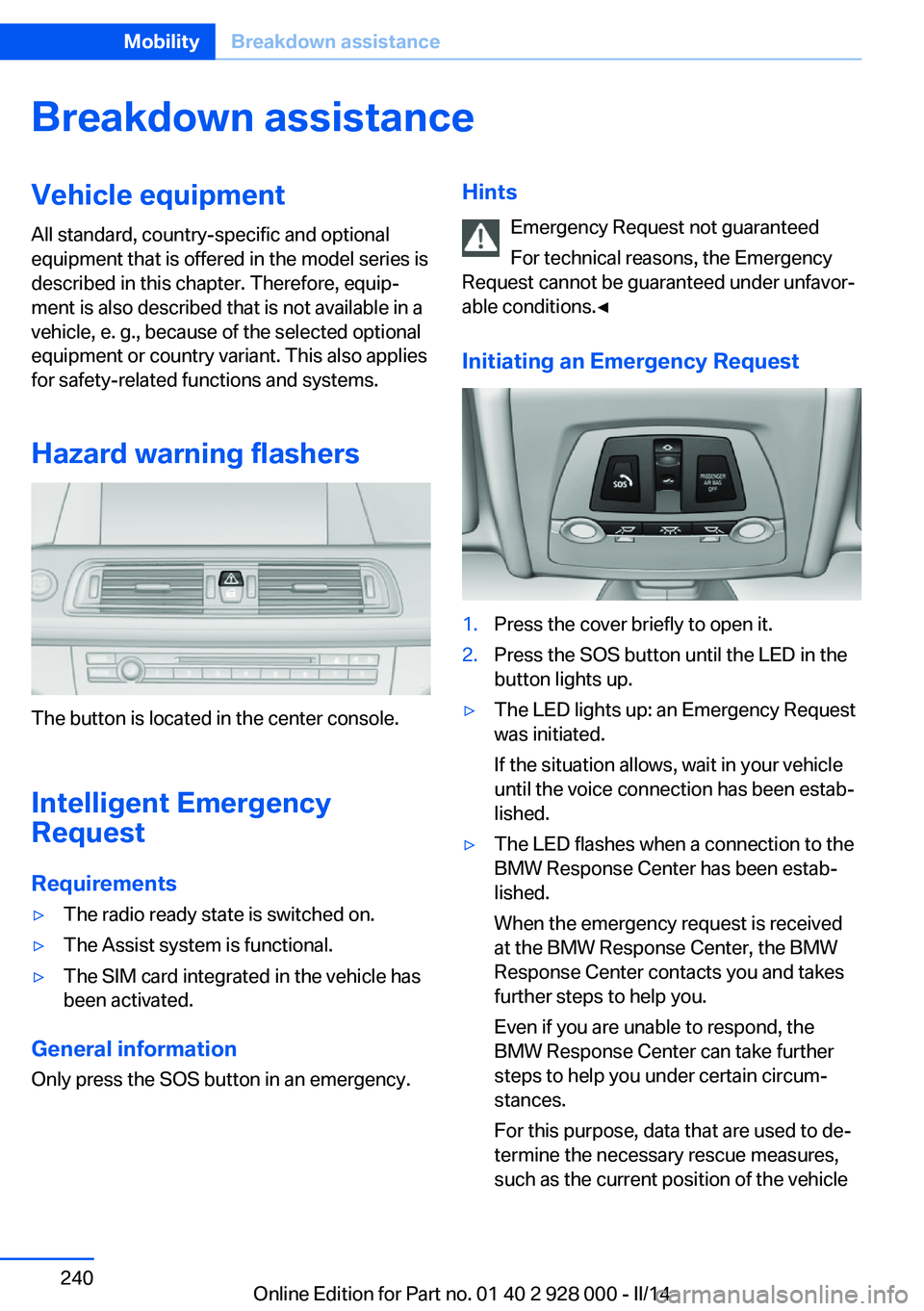
Hazard warning flashers
The button is located in the center console.
Intelligent Emergency
Request
Requirements
▷The radio ready state is switched on.▷The Assist system is functional.▷The SIM card integrated in the vehicle has
been activated.
General information
Only press the SOS button in an emergency.
Hints
Emergency Request not guaranteed
For technical reasons, the Emergency
Request cannot be guaranteed under unfavor‐
able conditions.◀
Initiating an Emergency Request1.Press the cover briefly to open it.2.Press the SOS button until the LED in the
button lights up.▷The LED lights up: an Emergency Request
was initiated.
If the situation allows, wait in your vehicle
until the voice connection has been estab‐
lished.▷The LED flashes when a connection to the
BMW Response Center has been estab‐
lished.
When the emergency request is received
at the BMW Response Center, the BMW
Response Center contacts you and takes
further steps to help you.
Even if you are unable to respond, the
BMW Response Center can take further
steps to help you under certain circum‐
stances.
For this purpose, data that are used to de‐
termine the necessary rescue measures,
such as the current position of the vehicleSeite 240MobilityBreakdown assistance240
Online Edition for Part no. 01 40 2 928 000 - II/14
Page 256 of 267
Everything from A to Z
IndexA ABS, Antilock Brake Sys‐ tem 129
ACC, Active Cruise Control with Stop & Go 136
Acceleration Assistant, refer to Launch Control 76
Accessories and parts 7
Activated-charcoal filter 166
Active Blind Spot Detec‐ tion 124
Active Cruise Control with Stop & Go, ACC 136
Active Protection 126
Active seat, front 50
Active seat ventilation, front 51
Active Steering, integral 133
Adaptive brake assistant 129
Adaptive brake lights, refer to Brake force display 126
Adaptive drive 132
Adaptive light control 99
Additives, oil 227
Adjustments, seats/head re‐ straints 47
After washing vehicle 247
Airbags 103
Airbags, indicator/warning light 104
Air circulation, refer to Recir‐ culated-air mode 165
Air, dehumidifying, refer to Cooling function 165
Air distribution, manual 164
Air flow, automatic climate control 164
Air pressure, tires 209
Air vents, refer to Ventila‐ tion 166 Alarm system 41
Alarm, unintentional 43
All around the center con‐ sole 14
All around the headliner 15
All around the steering wheel 12
All-season tires, refer to Win‐ ter tires 222
All-wheel-drive 131
Alternating-code hand-held transmitter 171
Alternative oil types 228
Ambient light 102
Animal detection, see Night Vision 120
Antifreeze, washer fluid 73
Antilock Brake System, ABS 129
Anti-slip control, refer to DSC 129
Approved axle load 252
Approved engine oils 228
Armrest, refer to Center arm‐ rest 180
Arrival time 93
Ashtray 172
Ashtray, front 172, 173
Ashtray, rear 173
Assistance, Roadside Assis‐ tance 241
Assistance when driving off 129
Attentiveness assistant 126
AUTO H button, refer to Au‐ tomatic Hold 68
AUTO intensity 164
Automatic car wash 246
Automatic climate con‐ trol 163 Automatic Cruise Control
with Stop & Go 136
Automatic Curb Monitor 56
Automatic deactivation, front passenger airbags 105
Automatic headlamp con‐ trol 99
Automatic Hold 68
Automatic locking 41
Automatic recirculated-air control 165
Automatic Soft Closing, doors 36
Automatic transmission with Steptronic 74
Automatic trunk lid 37
AUTO program, automatic cli‐ mate control 164
AUTO program, intensity 164
Auto Start/Stop function 65
Average fuel consumption 93
Average speed 93
Axle loads, weights 252
B Backrest curvature, refer to Lumbar support 49
Backrest, width 49
Backup camera 151
Band-aids, refer to First aid kit 241
Bar for tow-starting/ towing 244
Battery replacement, vehicle battery 238
Battery replacement, vehicle remote control 30
Battery, vehicle 238
Belts, safety belts 51 Seite 256ReferenceEverything from A to Z256
Online Edition for Part no. 01 40 2 928 000 - II/14