cruise control BMW 535I 2010 User Guide
[x] Cancel search | Manufacturer: BMW, Model Year: 2010, Model line: 535I, Model: BMW 535I 2010Pages: 271, PDF Size: 8.83 MB
Page 87 of 271
Controls
85Reference
At a glance
Driving tips
Communications
Navigation
Entertainment
Mobility
System limits
Even with PDC, final responsibility for
estimating the distance between the
vehicle and any obstructions always remains
with the driver. Even when sensors are pro-
vided, there is a blind spot in which objects can
no longer be detected. The system is also sub-
ject to the physical limits that apply to all forms
of ultrasonic measurement, such as those
encountered with tow bars and trailer cou-
plings, or thin and wedge-shaped objects, etc.
Low objects already displayed, e. g. curbs, can
also disappear from the detection area of the
sensors again before or after a continuous tone
already sounds. Higher, protruding objects,
e.g., ledges, cannot be detected. For this rea-
son, drive with care; otherwise, there is a danger
of personal injury or property damage.
Loud sources of sound, inside and outside the
vehicle, could drown out the PDC signal tone.<
Driving stability control
systems
Your BMW is equipped with an extended array
of systems designed to enhance and maintain
vehicle stability under extreme conditions.
Antilock Brake System ABS
ABS prevents locking of the wheels during
braking. Safe steering response is maintained
even during full braking. Active safety is thus
increased.
The ABS is operational every time you start the
engine. Braking safely refer to page126.
CBC Cornering Brake Control
When braking during curves or when braking
during a lane change, driving stability and steer-
ing response are improved further.
Electronic brake-force distribution
The system controls the brake pressure in the
rear wheels to ensure stable braking behavior.
Brake assistant
When you apply the brakes rapidly, this system
produces maximum braking force boosting and
thus helps to achieve the shortest possible
braking distance during full braking maneuvers.
This system exploits all of the benefits provided
by ABS.
Do not reduce the pressure on the brake for the
duration of the full brake application.
Adaptive brake assistant*
In conjunction with the active cruise control
with the stop-and-go function, the adaptive
brake assistant ensures that the brake
responds even more quickly during braking
with the brake assistant.
DSC Dynamic Stability Control
DSC prevents traction loss in the driving wheels
when starting off and accelerating. The system
also identifies unstable driving conditions, such
as a loss of traction at the rear of the vehicle or
sliding of the vehicle in its front wheels. In these
cases, DSC helps the vehicle maintain a safe
course within physical limits by reducing engine
output and through braking actions in the indi-
vidual wheels.
The laws of physics cannot be repealed,
even with DSC. An appropriate driving
style always remains the responsibility of the
driver. Therefore, do not restrict the additional
safety margin with a risky driving style, as other-
wise there is a risk of an accident.<
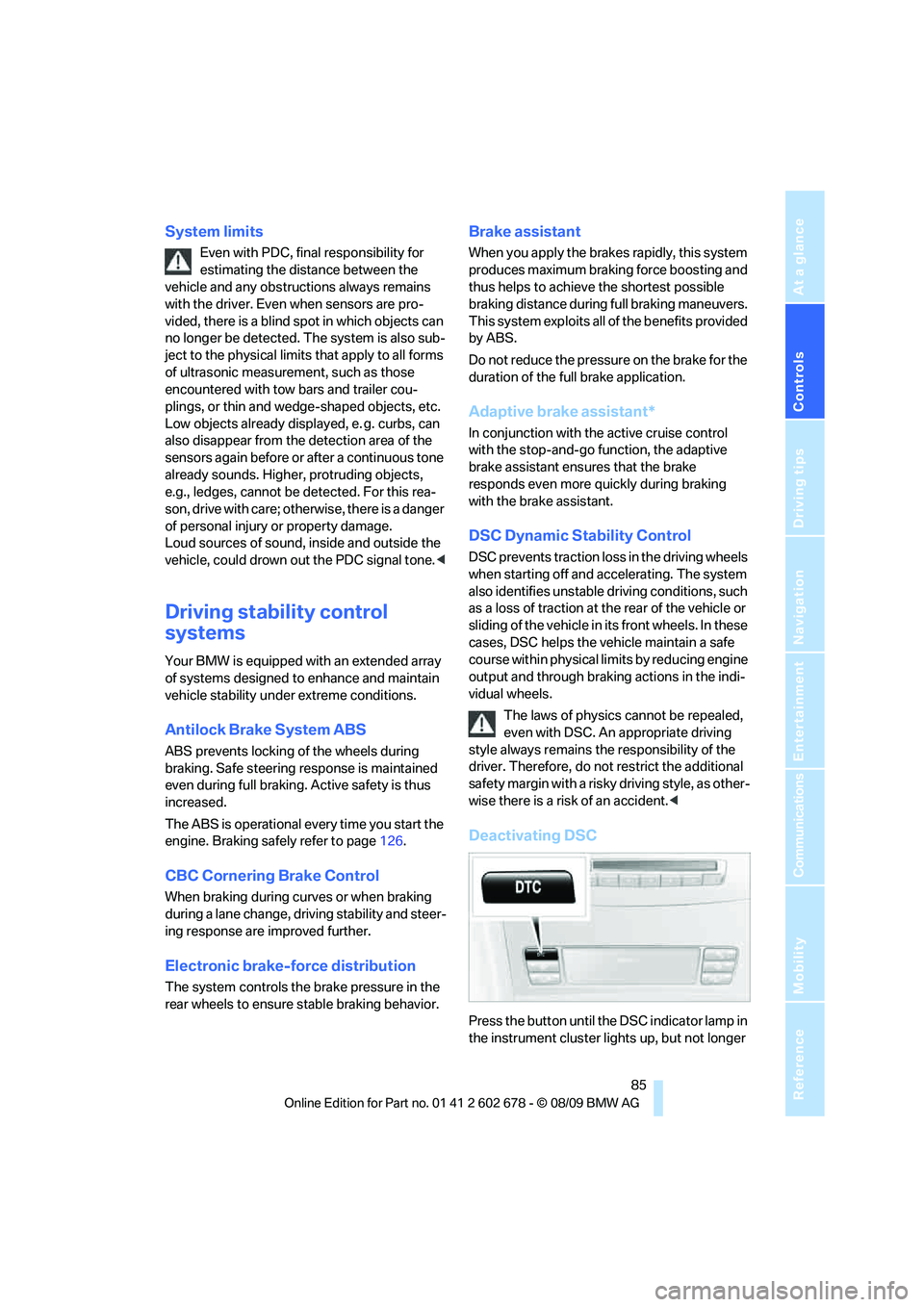
Deactivating DSC
Press the button until the DSC indicator lamp in
the instrument cluster lights up, but not longer
Page 89 of 271
Controls
87Reference
At a glance
Driving tips
Communications
Navigation
Entertainment
Mobility
down steep hills with a speed below approx.
22 mph/35 km/h, the vehicle reduces speed
automatically down to approximately twice nor-
mal walking speed, approx. 7 mph/12 km/h, and
then keeps this speed constant.
You can use the accelerator or brakes to vary
this automatically controlled speed within a
range extending from approx. 3 mph/5 km/h to
15 mph/25 km/h.
You can specify a target speed within the same
range by using the lever of the cruise control
*.
Activating HDC
Use the button on the steering wheel.
Deactivating HDC
Use the button on the steering wheel; the HDC
display goes out.
HDC is automatically deactivated at speeds
greater than approximately 37 mph/60 km/h.
Using HDC
Manual transmission:
Use HDC in low gears and reverse gear.
Automatic transmission:
You can use HDC in every drive position.
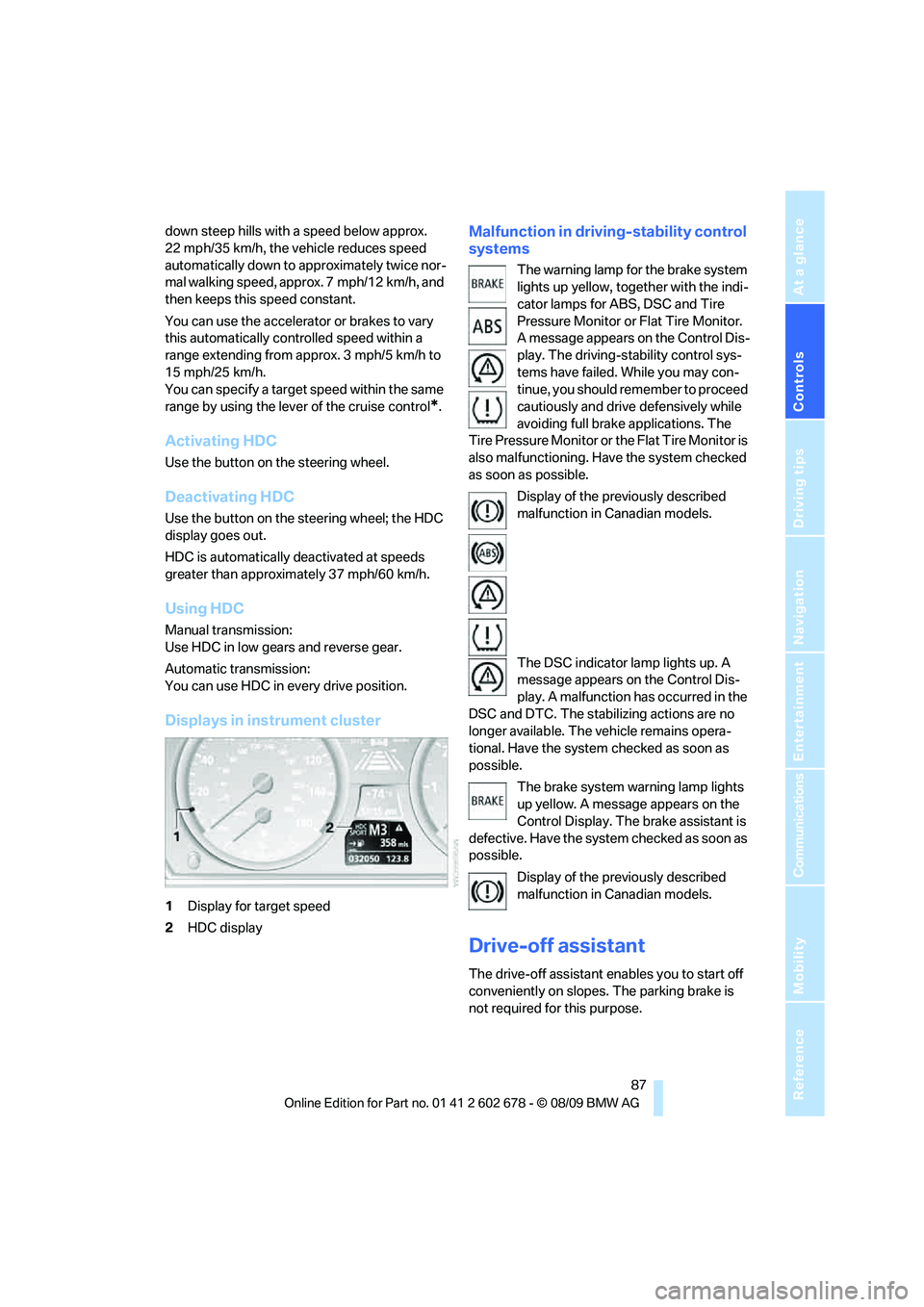
Displays in instrument cluster
1Display for target speed
2HDC display
Malfunction in driving-stability control
systems
The warning lamp for the brake system
lights up yellow, together with the indi-
cator lamps for ABS, DSC and Tire
Pressure Monitor or Flat Tire Monitor.
A message appears on the Control Dis-
play. The driving-stability control sys-
tems have failed. While you may con-
tinue, you should remember to proceed
cautiously and drive defensively while
avoiding full brake applications. The
Tire Pressure Monitor or the Flat Tire Monitor is
also malfunctioning. Have the system checked
as soon as possible.
Display of the previously described
malfunction in Canadian models.
The DSC indicator lamp lights up. A
message appears on the Control Dis-
play. A malfunction has occurred in the
DSC and DTC. The stabilizing actions are no
longer available. The vehicle remains opera-
tional. Have the system checked as soon as
possible.
The brake system warning lamp lights
up yellow. A message appears on the
Control Display. The brake assistant is
defective. Have the system checked as soon as
possible.
Display of the previously described
malfunction in Canadian models.
Drive-off assistant
The drive-off assistant enables you to start off
conveniently on slopes. The parking brake is
not required for this purpose.
Page 97 of 271
Controls
95Reference
At a glance
Driving tips
Communications
Navigation
Entertainment
Mobility
purpose is properly detected on the seat.
The front and side airbags on the front pas-
senger side are not activated.
Most child seats are detected by the sys-
tem, especially the child seats required by
the NHTSA at the time the vehicle is manufac-
tured. After installing a child seat, make sure
that the indicator lamp for the front passenger
airbags lights up. This indicates that the child
seat has been detected and the front passenger
airbags are not activated.<
>The indicator lamp does not light up if, for
example, the system detects a person of
sufficient size seated correctly on the seat.
The front and side airbags on the front pas-
senger side are activated.
>The indicator lamp does not light up when
the seat is empty.
However, the front and side airbags on the
front passenger side are not activated.
Operational readiness of airbag system
From radio readiness, refer to page57, the
warning lamp lights up briefly, indicating the
operational readiness of the entire airbag sys-
tem and the safety belt tensioners.
Airbag system malfunction
>Warning lamp does not light up from radio
readiness.
>Warning lamp lights up continuously.
Have the airbag system checked immedi-
ately in case of a malfunction, otherwise
there is a danger that the airbag system may not
respond in the expected manner in an accident
despite an impact of corresponding intensity.<
Head-up Display*
The concept
With the Head-up Display important informa-
tion is projected into the driver's field of view,
e.g., navigation instructions. This enables you
to take in this information without looking away
from the road.
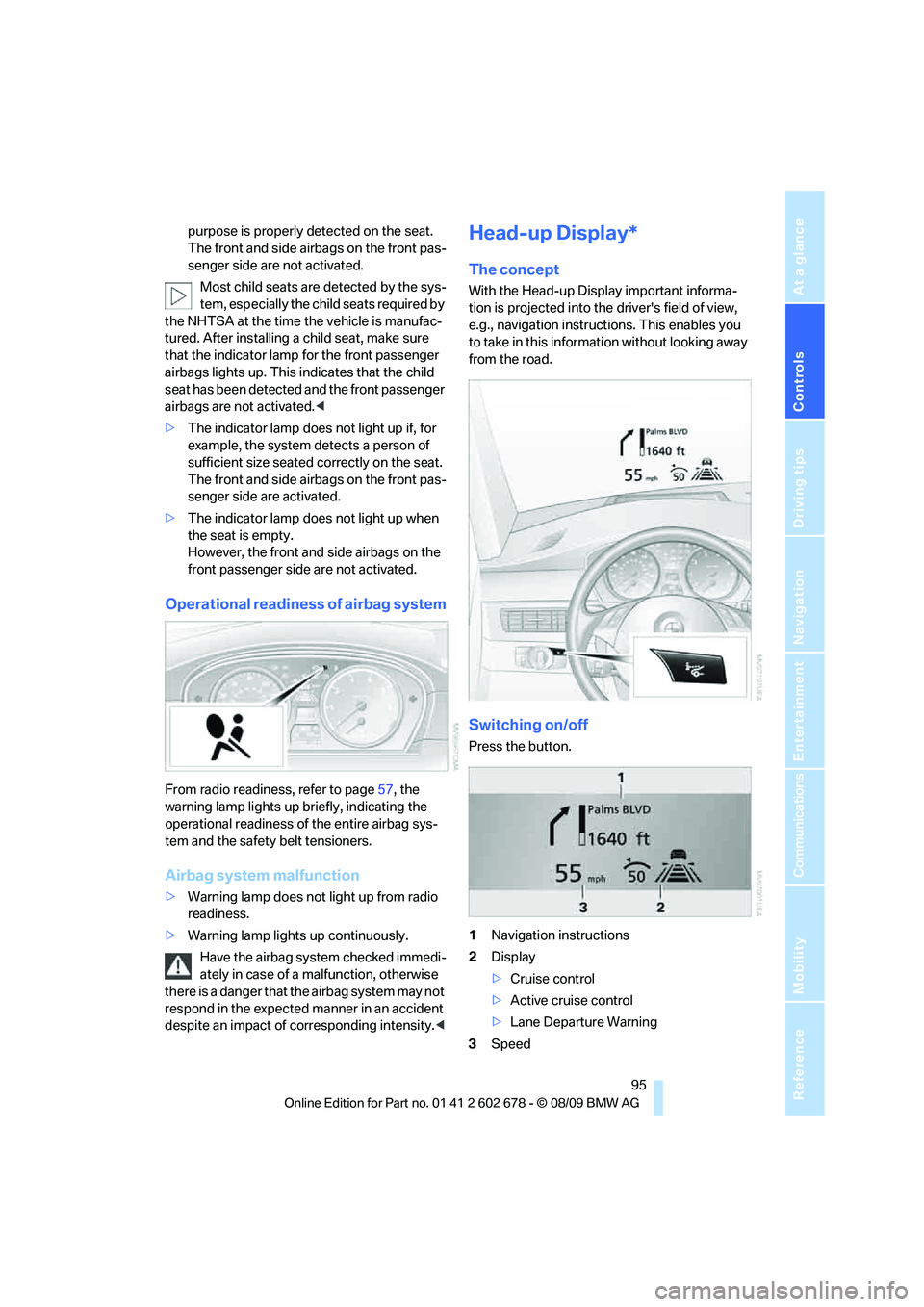
Switching on/off
Press the button.
1Navigation instructions
2Display
>Cruise control
>Active cruise control
>Lane Departure Warning
3Speed
Page 252 of 271
Everything from A to Z
250
Everything from A to Z
Index
A
ABS Antilock Brake
System85
– indicator lamp87
ACC, refer to Active cruise
control66
Accessories6
Accident, refer to Emergency
request231
Acoustic signal, refer to Check
Control79
Activated-charcoal filter for
automatic climate
control108
Activation times of parked car
ventilation, preselecting109
Active backrest width,
adjusting45
Active cruise control66
– indicator lamp70
– radar sensors70
– selecting distance68
– warning lamps70
Active front head restraints47
Active seat50
Active seat ventilation50
Active steering92
– warning lamp93
Adapter for spare key26
Adaptive brake assistant85
Adaptive brake lamps, refer to
Brake force display93
Adaptive Light Control101
Additional connection of
music player in mobile
phone172
Additives
– coolant214
– engine oil, refer to Approved
engine oils213
Address for navigation
– entering133Adjusting interior
temperature106
Adjusting the tone during
audio operation, refer to
Tone control152
Adjusting thigh support44
Airbags93
– indicator/warning lamp95
– indicator lamp for front
passenger airbags94
– sitting safely43
Air distribution
– automatic106
– manual107
Airing, refer to Ventilation108
Air recirculation
– AUC Automatic
recirculated-air control107
– recirculated-air mode107
Air recirculation, refer to
Recirculated-air mode107
Air supply, automatic climate
control105
Air volume107
AKI, refer to Fuel
specifications201
Alarm system35
– avoiding unintentional
alarms36
– interior motion sensor36
– switching off alarm35
– switching off tilt alarm
sensor and interior motion
sensor36
– tilt alarm sensor36
Albums of music
collection169
Alloy wheels218
All-season tires, refer to
Winter tires209
All-wheel drive, refer to
xDrive86Alterations, technical, refer to
For your own safety5
Altering stretch of road143
Antenna for mobile phone178
Antifreeze
– coolant214
– washer fluid65
Anti-theft alarm system, refer
to Alarm system35
Anti-theft system, refer to
Central lokking system27
Approved axle loads, refer to
Weights241
Approved engine oils213
Approved gross vehicle
weight, refer to Weights241
Armrest, refer to Center
armrest
– rear116
Around the center console14
Around the steering wheel10
Arrival time
– refer to Computer76
Ashtray
– front114
– rear115
Assistance systems, refer to
Driving stability control
systems85
AUC Automatic recirculated-
air control107
Audio152
– controls152
– switching on/off152
– tone control152
– volume152
Audio device, external113
Page 253 of 271
Reference 251
At a glance
Controls
Driving tips
Communications
Navigation
Entertainment
Mobility
Automatic
– air distribution106
– air volume106
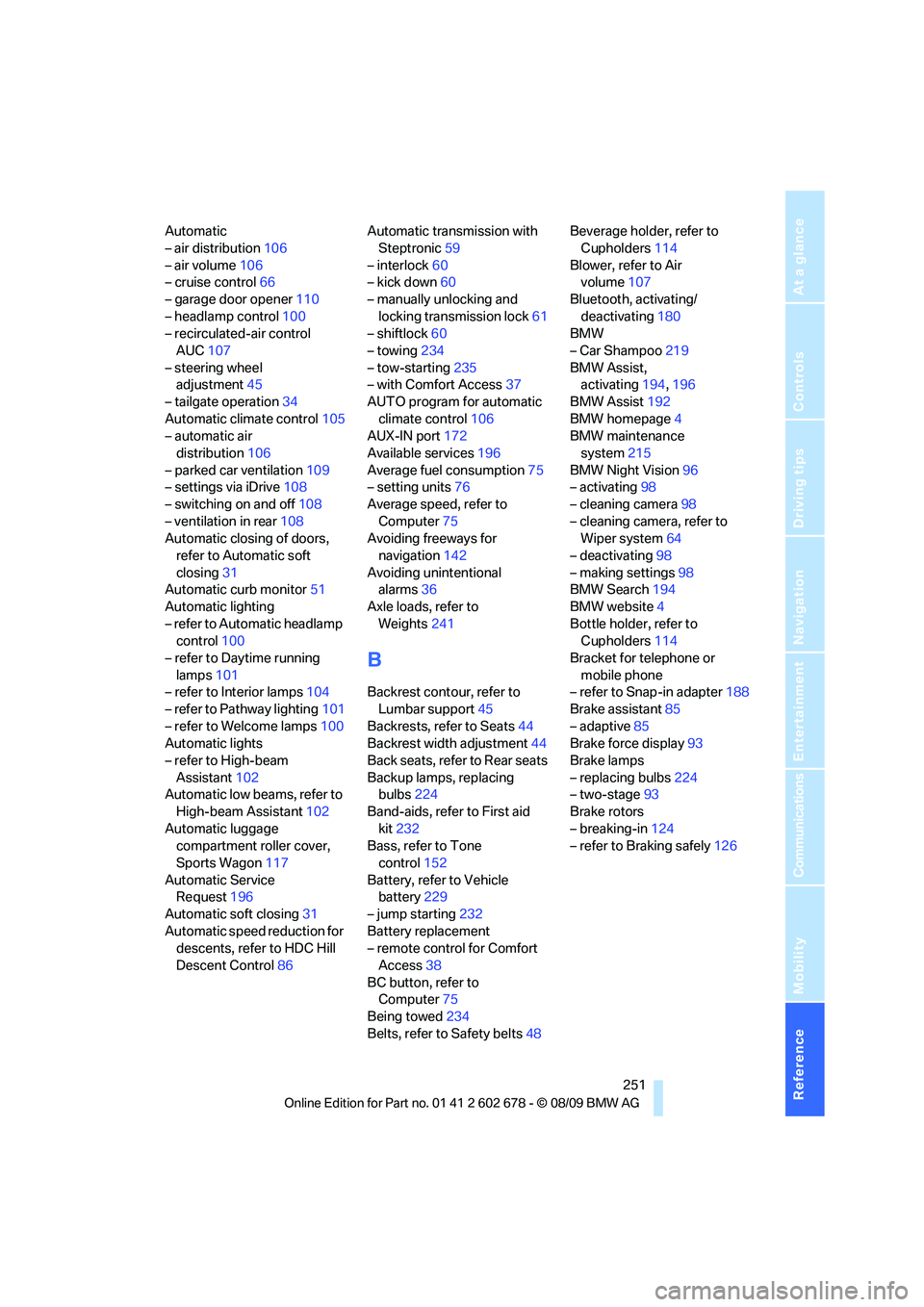
– cruise control66
– garage door opener110
– headlamp control100
– recirculated-air control
AUC107
– steering wheel
adjustment45
– tailgate operation34
Automatic climate control105
– automatic air
distribution106
– parked car ventilation109
– settings via iDrive108
– switching on and off108
– ventilation in rear108
Automatic closing of doors,
refer to Automatic soft
closing31
Automatic curb monitor51
Automatic lighting
– refer to Automatic headlamp
control100
– refer to Daytime running
lamps101
– refer to Interior lamps104
– refer to Pathway lighting101
– refer to Welcome lamps100
Automatic lights
– refer to High-beam
Assistant102
Automatic low beams, refer to
High-beam Assistant102
Automatic luggage
compartment roller cover,
Sports Wagon117
Automatic Service
Request196
Automatic soft closing31
Automatic speed reduction for
descents, refer to HDC Hill
Descent Control86Automatic transmission with
Steptronic59
– interlock60
– kick down60
– manually unlocking and
locking transmission lock61
– shiftlock60
– towing234
– tow-starting235
– with Comfort Access37
AUTO program for automatic
climate control106
AUX-IN port172
Available services196
Average fuel consumption75
– setting units76
Average speed, refer to
Computer75
Avoiding freeways for
navigation142
Avoiding unintentional
alarms36
Axle loads, refer to
Weights241
B
Backrest contour, refer to
Lumbar support45
Backrests, refer to Seats44
Backrest width adjustment44
Back seats, refer to Rear seats
Backup lamps, replacing
bulbs224
Band-aids, refer to First aid
kit232
Bass, refer to Tone
control152
Battery, refer to Vehicle
battery229
– jump starting232
Battery replacement
– remote control for Comfort
Access38
BC button, refer to
Computer75
Being towed234
Belts, refer to Safety belts48Beverage holder, refer to
Cupholders114
Blower, refer to Air
volume107
Bluetooth, activating/
deactivating180
BMW
– Car Shampoo219
BMW Assist,
activating194,196
BMW Assist192
BMW homepage4
BMW maintenance
system215
BMW Night Vision96
– activating98
– cleaning camera98
– cleaning camera, refer to
Wiper system64
– deactivating98
– making settings98
BMW Search194
BMW website4
Bottle holder, refer to
Cupholders114
Bracket for telephone or
mobile phone
– refer to Snap-in adapter188
Brake assistant85
– adaptive85
Brake force display93
Brake lamps
– replacing bulbs224
– two-stage93
Brake rotors
– breaking-in124
– refer to Braking safely126
Page 256 of 271
Everything from A to Z
254 Cooling function, automatic
climate control107
Cooling system, refer to
Coolant214
Copyright2
Cornering Brake Control
CBC85
Country codes DVD162
Country of destination for
navigation133
Courtesy lamps104
Cradle for telephone or mobile
phone112
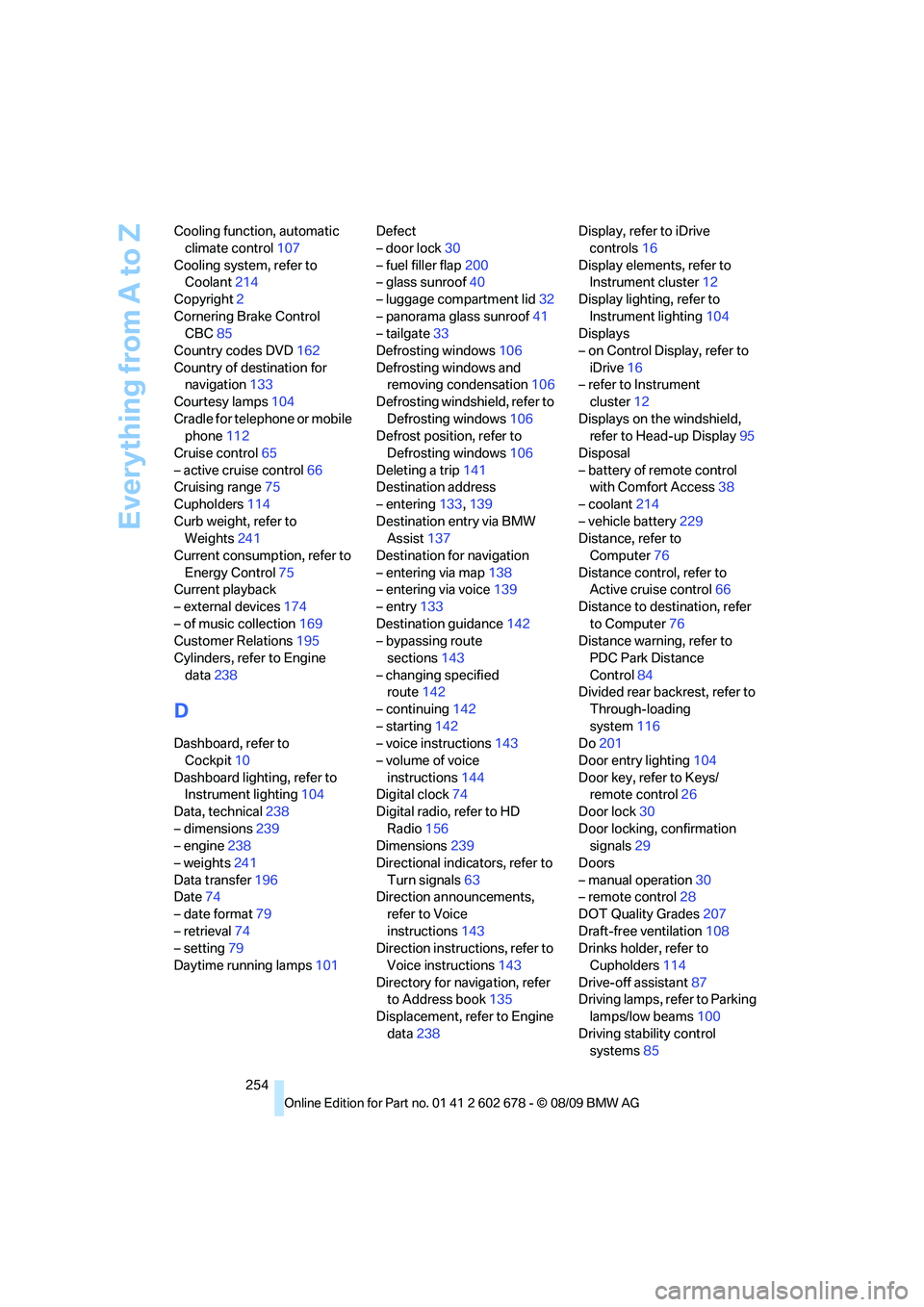
Cruise control65
– active cruise control66
Cruising range75
Cupholders114
Curb weight, refer to
Weights241
Current consumption, refer to
Energy Control75
Current playback
– external devices174
– of music collection169
Customer Relations195
Cylinders, refer to Engine
data238
D
Dashboard, refer to
Cockpit10
Dashboard lighting, refer to
Instrument lighting104
Data, technical238
– dimensions239
– engine238
– weights241
Data transfer196
Date74
– date format79
– retrieval74
– setting79
Daytime running lamps101Defect
– door lock30
– fuel filler flap200
– glass sunroof40
– luggage compartment lid32
– panorama glass sunroof41
– tailgate33
Defrosting windows106
Defrosting windows and
removing condensation106
Defrosting windshield, refer to
Defrosting windows106
Defrost position, refer to
Defrosting windows106
Deleting a trip141
Destination address
– entering133,139
Destination entry via BMW
Assist137
Destination for navigation
– entering via map138
– entering via voice139
– entry133
Destination guidance142
– bypassing route
sections143
– changing specified
route142
– continuing142
– starting142
– voice instructions143
– volume of voice
instructions144
Digital clock74
Digital radio, refer to HD
Radio156
Dimensions239
Directional indicators, refer to
Turn signals63
Direction announcements,
refer to Voice
instructions143
Direction instructions, refer to
Voice instructions143
Directory for navigation, refer
to Address book
135
Displacement, refer to Engine
data238Display, refer to iDrive
controls16
Display elements, refer to
Instrument cluster12
Display lighting, refer to
Instrument lighting104
Displays
– on Control Display, refer to
iDrive16
– refer to Instrument
cluster12
Displays on the windshield,
refer to Head-up Display95
Disposal
– battery of remote control
with Comfort Access38
– coolant214
– vehicle battery229
Distance, refer to
Computer76
Distance control, refer to
Active cruise control66
Distance to destination, refer
to Computer76
Distance warning, refer to
PDC Park Distance
Control84
Divided rear backrest, refer to
Through-loading
system116
Do201
Door entry lighting104
Door key, refer to Keys/
remote control26
Door lock30
Door locking, confirmation
signals29
Doors
– manual operation30
– remote control28
DOT Quality Grades207
Draft-free ventilation108
Drinks holder, refer to
Cupholders114
Drive-off assistant87
Driving lamps, refer to Parking
lamps/low beams100
Driving stability control
systems85
Page 264 of 271
Everything from A to Z
262 Route information, refer to
Destination guidance with
voice instructions143
Route map, refer to Displaying
map view144
Route selection142
Run-flat tires
– continuing driving with
damaged tire89,91
– flat tire89,91
– Flat Tire Monitor88
– inflation pressure89
– tire inflation pressure202
– Tire Pressure Monitor90
S
Safety5
Safety belts48
– damage48
– sitting safely43
– warning lamp48
Safety belt tensioners
– refer to Airbags93
– refer to Safety belts48
Safety systems
– ABS Antilock Brake
System85
– airbags93
– driving stability control
systems85
– safety belts48
Satellite radio158
– enabling or disabling
channel158
– selecting channel159
– storing channel159
Screen, refer to iDrive16
Screw thread for tow
fitting234
SDARS, refer to Satellite
radio158Seats44
– active backrest width
adjustment45
– adjusting the seats44
– comfort seat44
– easy entry/exit45
– heating49
– lumbar support45
– memory, refer to Seat, mirror
and steering wheel
memory45
– shoulder support44
– sitting safely43
– storing the setting45
– thigh support44
– ventilation, refer to Active
seat ventilation50
Securing load
– refer to Securing cargo128
– with ski bag, refer to
Securing cargo120
Selecting a detour147
Selecting distance with active
cruise control68
Selecting route142
Selection options with
navigation system142
Selector lever
– automatic transmission with
Steptronic59,60
Selector lever lock, refer to
Selecting transmission
positions60
Self-leveling suspension88
Sequential Manual
Transmission with
Drivelogic
– towing234
Service, refer to Roadside
Assistance232
Service and Warranty
Information Booklet for
US models215
Service Interval Display
– refer to CBS Condition
Based Service215
– refer to Service
requirements77
Service Request195Service requirements77
– refer to CBS Condition
Based Service215
Services status196
Setting button, refer to
Controls, controller16
Settings
– BMW Night Vision98
– changing on Control
Display82
– clock, 12h/24h mode79
– configuring, refer to
Personal Profile26
– DVD163
– language82
Settings for the map view145
Setting time, refer to
Preselecting activation
times109
Shifting gears, Automatic
transmission with
Steptronic61
Shift paddles on steering
wheel62
Short commands for the voice
activation system243
Short route in navigation, refer
to Selecting route142
Shoulder support44
Shuffled, refer to Random
– CD changer161
– CD player161
Side airbags93
Side marker lamps, replacing
bulbs224
Side-mounted turn signals,
replacing bulbs224
Side window blinds, refer to
Sun blinds111
Signal horn, refer to Horn10
Sitting safely43
– with airbags43
– with head restraint43
– with safety belts43
Ski bag119
Page 266 of 271
Everything from A to Z
264 Storing sitting position, refer
to Seat, mirror and steering
wheel memory45
Storing tires209
Storing your vehicle220
Street, entering,
navigation134
Summer tires, refer to Wheels
and tires202
Sun blinds111
Surround153
SVCD162
SW, waveband155
Swinging up floor panel,
Sports Wagon118
Switches, refer to Cockpit10
Switching automatically
between high beams and
low beams, refer to High-
beam Assistant102
Switching off
– engine58
Switching on
– audio152
– CD changer152
– CD player152
– radio152
Swiveling
– headlamps, refer to Adaptive
Light Control101
Symbols4
– indicator/warning lamps13
T
Tachometer74
Tailgate31
– automatic operation34
– emergency operation, refer
to Opening manually33
– locking and unlocking from
inside30
– opening from inside33
Tail lamps224
– replacing bulbs224
Tank contents, refer to
Capacities242
Target cursor for
navigation138Technical alterations, refer to
For your own safety5
Technical data238
– capacities242
– dimensions239
Telephone178
– installation location, refer to
Center armrest112
– voice commands185
TeleService192
TeleService Diagnosis194
TeleService Help194
Temperature
– adjusting in upper body
region108
– adjusting with automatic
climate control106
– changing unit of measure76
– refer to Coolant
temperature74
Temperature display
– outside temperature74
– outside temperature
warning74
– setting the units76
Tempomat, refer to Cruise
control65
The individual vehicle5
Third brake lamp, refer to
Center brake lamp225
Through-loading system116
Tightening torque of the lug
bolts, refer to After
mounting228
Tilt alarm sensor36
– switching off36
Tilting down passenger-side
exterior mirror51
Timer, refer to Preselecting
activation times109
Tire inflation pressures202
Tire pressure
– loss89,90
Tire Pressure Monitor
TPM90
Tire Quality Grading
207
Tire replacement
– new wheels and tires208Tires
– age207
– air loss89,91
– breaking-in124
– changing208
– condition208
– damage208
– flat tire, refer to Changing
wheels226
– inflation pressure202
– new wheels and tires208
– pressure monitoring, refer to
Flat Tire Monitor88
– pressure monitoring, refer to
TPM Tire Pressure
Monitor90
– replacing226
– retreaded tires209
– size206
– tread208
– wear indicators208
– wheel/tire combination208
– winter tires209
Tires, run-flat
– continuing driving with
damaged tire89,91
– flat tire91
– inflation pressure91
– new tires208
– new wheels and tires208
Tire trouble
– changing wheels226
– compact wheel228
TMC station, refer to Traffic
information145
Tone
– control152
– middle setting154
Tools, refer to Onboard
vehicle tool kit221
Top 50 of music
collection169
Torque
– refer to Engine data238
Torque, lug bolts, refer to
After mounting228
Tow bar234
Tow fitting233