high beam BMW 535I 2010 User Guide
[x] Cancel search | Manufacturer: BMW, Model Year: 2010, Model line: 535I, Model: BMW 535I 2010Pages: 271, PDF Size: 8.83 MB
Page 106 of 271
Lamps
104
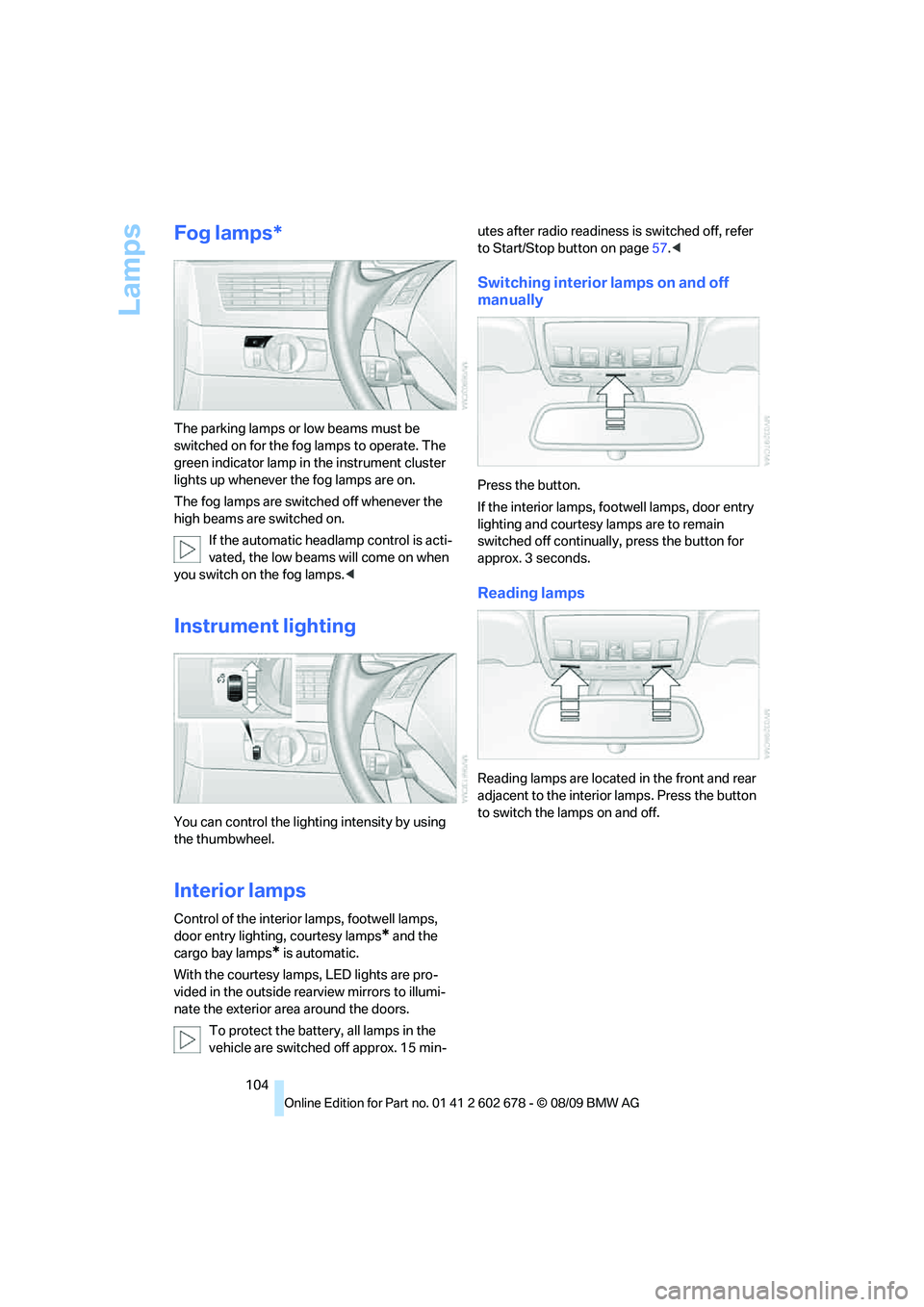
Fog lamps*
The parking lamps or low beams must be
switched on for the fog lamps to operate. The
green indicator lamp in the instrument cluster
lights up whenever the fog lamps are on.
The fog lamps are switched off whenever the
high beams are switched on.
If the automatic headlamp control is acti-
vated, the low beams will come on when
you switch on the fog lamps.<
Instrument lighting
You can control the lighting intensity by using
the thumbwheel.
Interior lamps
Control of the interior lamps, footwell lamps,
door entry lighting, courtesy lamps
* and the
cargo bay lamps
* is automatic.
With the courtesy lamps,
LED lights are pro-
vided in the outside rearview mirrors to illumi-
nate the exterior area around the doors.
To protect the battery, all lamps in the
vehicle are switched off approx. 15 min-utes after radio readiness is switched off, refer
to Start/Stop button on page57.<
Switching interior lamps on and off
manually
Press the button.
If the interior lamps, footwell lamps, door entry
lighting and courtesy lamps are to remain
switched off continually, press the button for
approx. 3 seconds.
Reading lamps
Reading lamps are located in the front and rear
adjacent to the interior lamps. Press the button
to switch the lamps on and off.
Page 221 of 271
Mobility
219Reference
At a glance
Controls
Driving tips
Communications
Navigation
Entertainment
Interior care
Upholstery/fabrics
Clean regularly with a vacuum cleaner in order
to remove surface dirt.
In the event of more serious soiling such as bev-
erage stains, use a soft sponge or a lint-free
microfiber cloth in combination with suitable
interior cleaners. Follow the instructions on the
packaging.
Clean upholstery material over a large
area extending out to the seams. Avoid
intense friction.<
Open Velcro fasteners on pants or other
items of clothing can cause damage to
the seat covering. Make sure that the Velcro
fasteners are closed.<
Leather/leather coverings
The leather used by BMW is a high quality
natural product. Slight patterns in the
grain are part of the typical properties of a natu-
ral leather.
Dust and dirt from the road chafe in pores and
folds and result in considerable wear and cause
the leather surface to become prematurely brit-
tle. We therefore suggest that you clean the
leather with a dust cloth or vacuum cleaner at
regular intervals.<
Particularly with light-colored leather, make
sure to clean it regularly since it has a greater
tendency to become soiled.
Treat the leather twice a year with a leather
lotion since dirt and grease harm the protective
layer of the leather.
Carpets/cargo bay
Carpeting, floor mats, and luggage compart-
ment rugs and paneling can be cleaned with a
vacuum or in the event of more serious soiling,
cleansed with an interior cleaner.
Floor mats and luggage compartment rugs can
be removed for cleaning. When inserting into
place, make sure that the seat rails do not pro-
trude over the floor mats; otherwise floor mats
can be damaged.Fluff on new floor mats is a result of the produc-
tion process and can be removed by repeated
vacuuming.
Plastic components inside
Clean the glass cover of the instrument panel,
imitation leather surfaces, lamp lenses, and
matte components with water and, if necessary,
a solvent-free plastic cleaner.
Fine wooden components
Use a damp cloth to clean fine wooden trim
panels and components. Follow up by drying
with a soft cloth.
Safety belts
Dirty belt straps impede the reeling action and
thus have a negative impact on safety.
Chemical cleaning
Do not clean chemically, as this may
destroy the webbing.<
Inside sensors
Clean inside sensors such as those of the high-
beam assistant using a lint-free cloth moist-
ened with glass cleaner.
Displays
Clean displays like the radio or the Control Dis-
play using a display-cleaning cloth or a soft,
nonabrasive lint-free cloth.
Avoid using excessive pressure when
cleaning displays; otherwise, you could
damage them.<
Never use chemical-based cleansers or
household scouring products. Keep all
liquids away from the equipment. Otherwise
corrosion or damage to surfaces or electrical
components can occur.<
CD/DVD drives
Do not use cleaning CDs; they can dam-
age parts of the player.<
Page 224 of 271
Replacing components
222 Never touch the glass of new bulbs with
your bare fingers, as even minute
amounts of contamination will burn into the
bulb's surface and reduce its service life. Use a
clean cloth, napkin, etc., or hold the bulb by its
metal socket.<
A selection of replacement bulbs is available at
your BMW center.
Only replace bulbs when cool, as other-
wise you may be burned.<
Whenever you perform any work on the
electrical system, turn off the systems/
consumers involved to prevent short circuits
from occurring. To avoid possible injury or
equipment damage when replacing bulbs,
observe any instructions provided by the bulb
manufacturer.<
For information on how to care for the head-
lamps, please follow the instructions on
page217.
For bulbs for which changing is not
described, and for checking and adjusting
headlamp aim, please contact your BMW cen-
ter.<
Light-emitting diodes LEDs
Light-emitting diodes installed behind translu-
cent lenses serve as the light source for many of
the controls and displays in your vehicle. These
light-emitting diodes, which operate using a
concept similar to that applied in conventional
lasers, are officially designated as Class 1 light-
emitting diodes.
Do not remove the covers, and never
stare into the unfiltered light for several
hours, as irritation of the retina could result.<
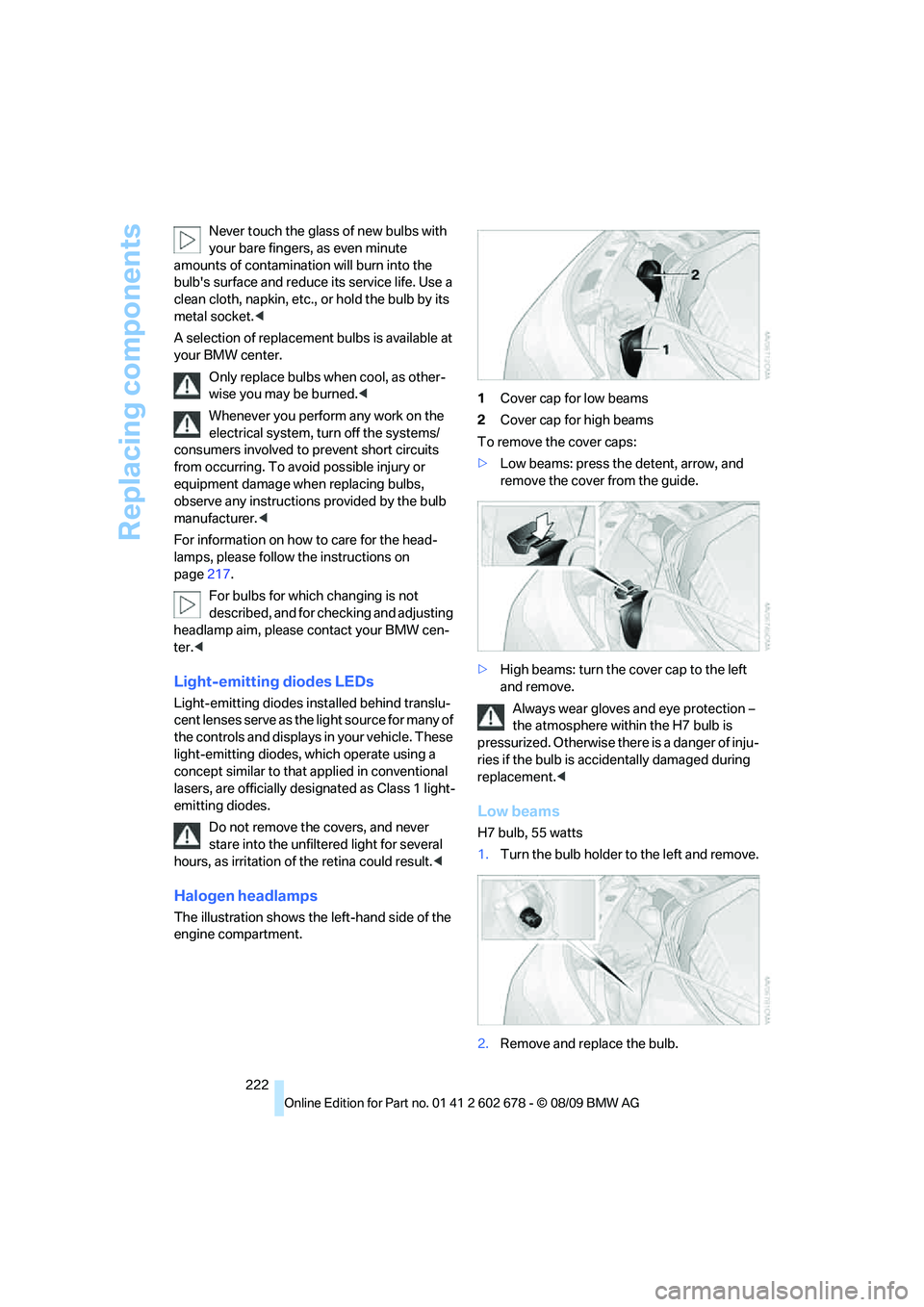
Halogen headlamps
The illustration shows the left-hand side of the
engine compartment.1Cover cap for low beams
2Cover cap for high beams
To remove the cover caps:
>Low beams: press the detent, arrow, and
remove the cover from the guide.
>High beams: turn the cover cap to the left
and remove.
Always wear gloves and eye protection –
the atmosphere within the H7 bulb is
pressurized. Otherwise there is a danger of inju-
ries if the bulb is accidentally damaged during
replacement.<
Low beams
H7 bulb, 55 watts
1.Turn the bulb holder to the left and remove.
2.Remove and replace the bulb.
Page 225 of 271
Mobility
223Reference
At a glance
Controls
Driving tips
Communications
Navigation
Entertainment
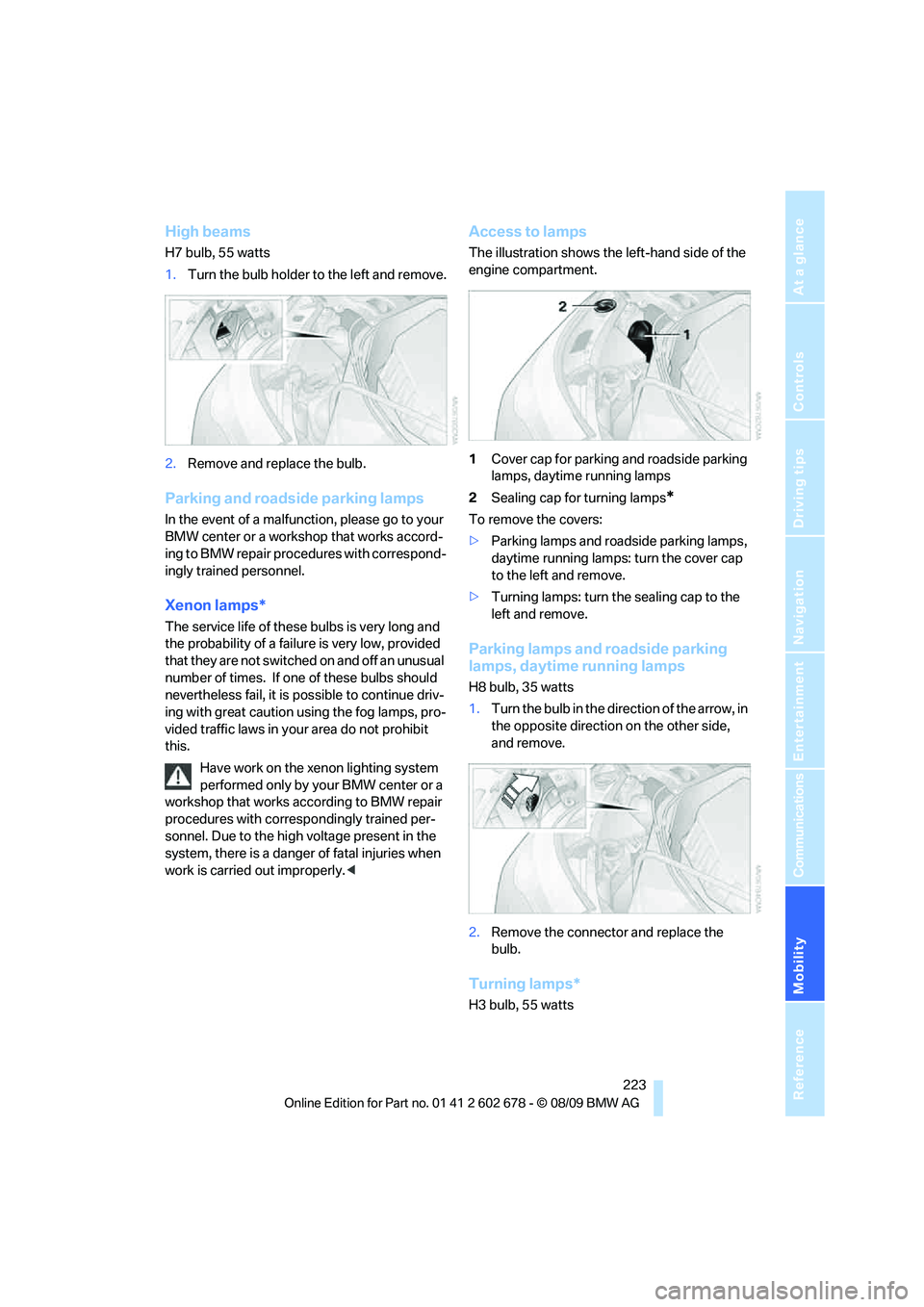
High beams
H7 bulb, 55 watts
1.Turn the bulb holder to the left and remove.
2.Remove and replace the bulb.
Parking and roadside parking lamps
In the event of a malfunction, please go to your
BMW center or a workshop that works accord-
ing to BMW repair procedures with correspond-
ingly trained personnel.
Xenon lamps*
The service life of these bulbs is very long and
the probability of a failure is very low, provided
that they are not switched on and off an unusual
number of times. If one of these bulbs should
nevertheless fail, it is possible to continue driv-
ing with great caution using the fog lamps, pro-
vided traffic laws in your area do not prohibit
this.
Have work on the xenon lighting system
performed only by your BMW center or a
workshop that works according to BMW repair
procedures with correspondingly trained per-
sonnel. Due to the high voltage present in the
system, there is a danger of fatal injuries when
work is carried out improperly.<
Access to lamps
The illustration shows the left-hand side of the
engine compartment.
1Cover cap for parking and roadside parking
lamps, daytime running lamps
2Sealing cap for turning lamps
*
To remove the covers:
>Parking lamps and roadside parking lamps,
daytime running lamps: turn the cover cap
to the left and remove.
>Turning lamps: turn the sealing cap to the
left and remove.
Parking lamps and roadside parking
lamps, daytime running lamps
H8 bulb, 35 watts
1.Turn the bulb in the direction of the arrow, in
the opposite direction on the other side,
and remove.
2.Remove the connector and replace the
bulb.
Turning lamps*
H3 bulb, 55 watts
Page 253 of 271
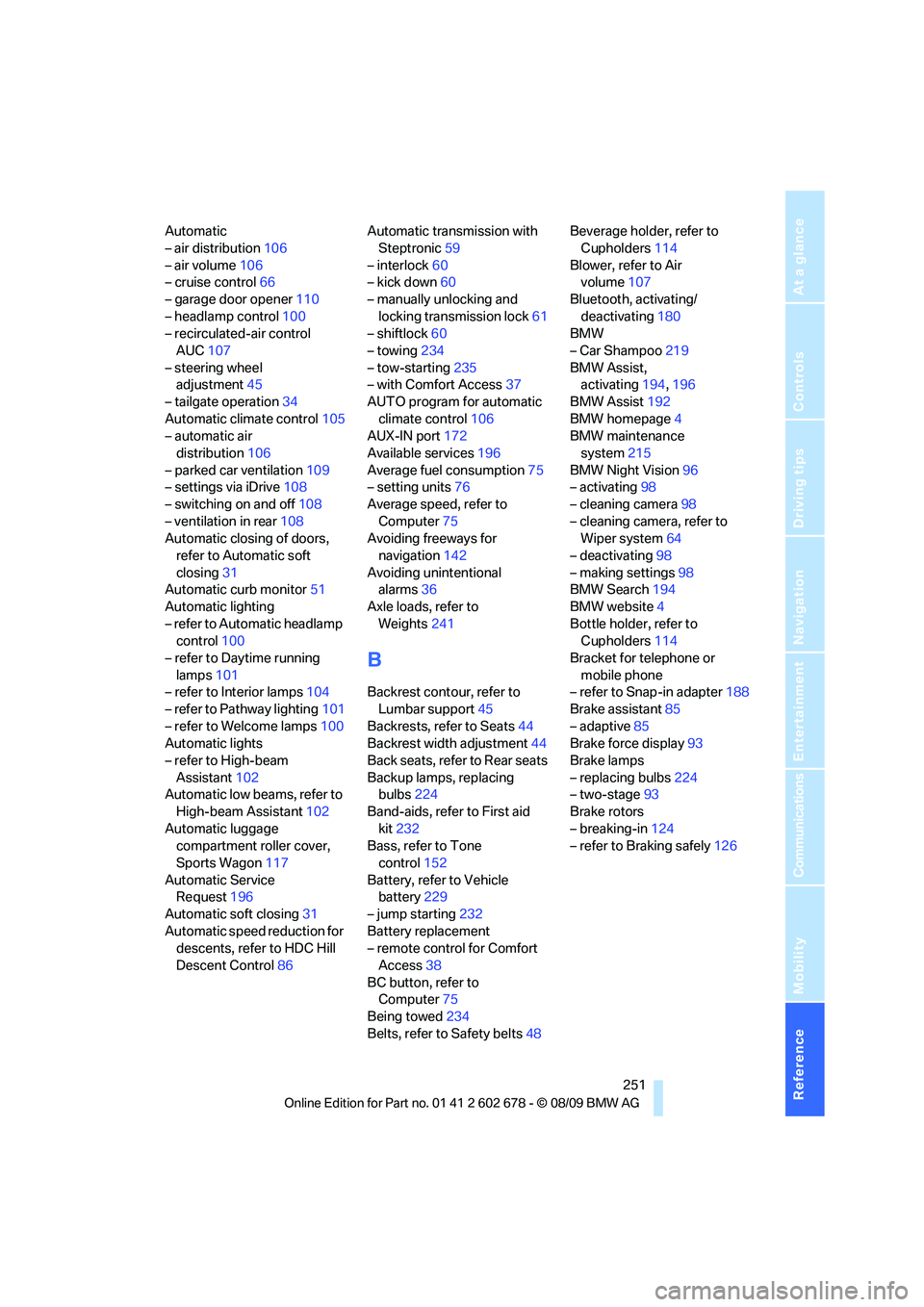
Reference 251
At a glance
Controls
Driving tips
Communications
Navigation
Entertainment
Mobility
Automatic
– air distribution106
– air volume106
– cruise control66
– garage door opener110
– headlamp control100
– recirculated-air control
AUC107
– steering wheel
adjustment45
– tailgate operation34
Automatic climate control105
– automatic air
distribution106
– parked car ventilation109
– settings via iDrive108
– switching on and off108
– ventilation in rear108
Automatic closing of doors,
refer to Automatic soft
closing31
Automatic curb monitor51
Automatic lighting
– refer to Automatic headlamp
control100
– refer to Daytime running
lamps101
– refer to Interior lamps104
– refer to Pathway lighting101
– refer to Welcome lamps100
Automatic lights
– refer to High-beam
Assistant102
Automatic low beams, refer to
High-beam Assistant102
Automatic luggage
compartment roller cover,
Sports Wagon117
Automatic Service
Request196
Automatic soft closing31
Automatic speed reduction for
descents, refer to HDC Hill
Descent Control86Automatic transmission with
Steptronic59
– interlock60
– kick down60
– manually unlocking and
locking transmission lock61
– shiftlock60
– towing234
– tow-starting235
– with Comfort Access37
AUTO program for automatic
climate control106
AUX-IN port172
Available services196
Average fuel consumption75
– setting units76
Average speed, refer to
Computer75
Avoiding freeways for
navigation142
Avoiding unintentional
alarms36
Axle loads, refer to
Weights241
B
Backrest contour, refer to
Lumbar support45
Backrests, refer to Seats44
Backrest width adjustment44
Back seats, refer to Rear seats
Backup lamps, replacing
bulbs224
Band-aids, refer to First aid
kit232
Bass, refer to Tone
control152
Battery, refer to Vehicle
battery229
– jump starting232
Battery replacement
– remote control for Comfort
Access38
BC button, refer to
Computer75
Being towed234
Belts, refer to Safety belts48Beverage holder, refer to
Cupholders114
Blower, refer to Air
volume107
Bluetooth, activating/
deactivating180
BMW
– Car Shampoo219
BMW Assist,
activating194,196
BMW Assist192
BMW homepage4
BMW maintenance
system215
BMW Night Vision96
– activating98
– cleaning camera98
– cleaning camera, refer to
Wiper system64
– deactivating98
– making settings98
BMW Search194
BMW website4
Bottle holder, refer to
Cupholders114
Bracket for telephone or
mobile phone
– refer to Snap-in adapter188
Brake assistant85
– adaptive85
Brake force display93
Brake lamps
– replacing bulbs224
– two-stage93
Brake rotors
– breaking-in124
– refer to Braking safely126
Page 259 of 271
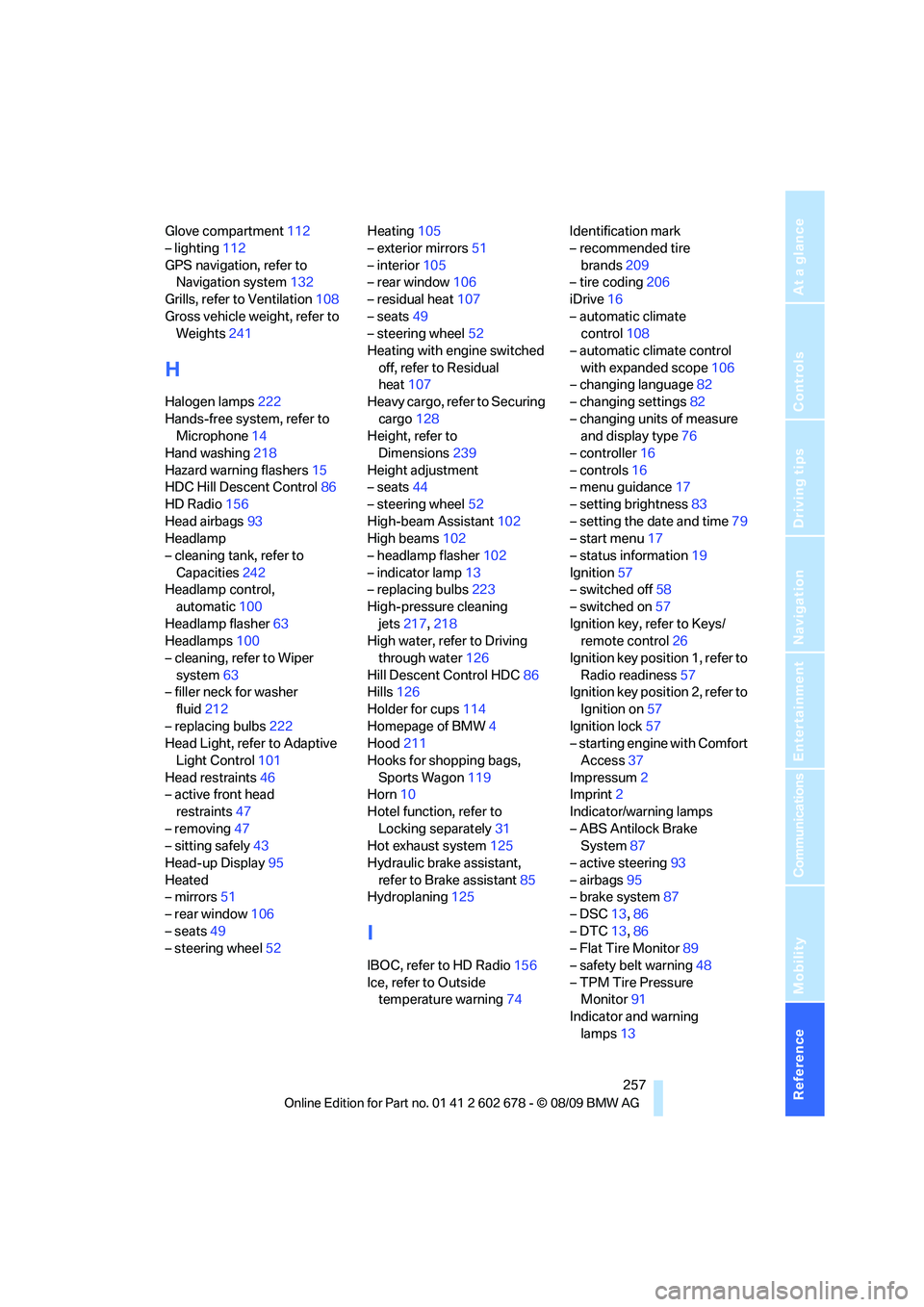
Reference 257
At a glance
Controls
Driving tips
Communications
Navigation
Entertainment
Mobility
Glove compartment112
– lighting112
GPS navigation, refer to
Navigation system132
Grills, refer to Ventilation108
Gross vehicle weight, refer to
Weights241
H
Halogen lamps222
Hands-free system, refer to
Microphone14
Hand washing218
Hazard warning flashers15
HDC Hill Descent Control86
HD Radio156
Head airbags93
Headlamp
– cleaning tank, refer to
Capacities242
Headlamp control,
automatic100
Headlamp flasher63
Headlamps100
– cleaning, refer to Wiper
system63
– filler neck for washer
fluid212
– replacing bulbs222
Head Light, refer to Adaptive
Light Control101
Head restraints46
– active front head
restraints47
– removing47
– sitting safely43
Head-up Display95
Heated
– mirrors51
– rear window106
– seats49
– steering wheel52Heating105
– exterior mirrors51
– interior105
– rear window106
– residual heat107
– seats49
– steering wheel52
Heating with engine switched
off, refer to Residual
heat107
Heavy cargo, refer to Securing
cargo128
Height, refer to
Dimensions239
Height adjustment
– seats44
– steering wheel52
High-beam Assistant102
High beams102
– headlamp flasher102
– indicator lamp13
– replacing bulbs223
High-pressure cleaning
jets217,218
High water, refer to Driving
through water126
Hill Descent Control HDC86
Hills126
Holder for cups114
Homepage of BMW4
Hood211
Hooks for shopping bags,
Sports Wagon119
Horn10
Hotel function, refer to
Locking separately31
Hot exhaust system125
Hydraulic brake assistant,
refer to Brake assistant85
Hydroplaning125
I
IBOC, refer to HD Radio156
Ice, refer to Outside
temperature warning74Identification mark
– recommended tire
brands209
– tire coding206
iDrive16
– automatic climate
control108
– automatic climate control
with expanded scope106
– changing language82
– changing settings82
– changing units of measure
and display type76
– controller16
– controls16
– menu guidance17
– setting brightness83
– setting the date and time79
– start menu17
– status information19
Ignition57
– switched off58
– switched on57
Ignition key, refer to Keys/
remote control26
Ignition key position 1, refer to
Radio readiness57
Ignition key position 2, refer to
Ignition on57
Ignition lock57
– starting engine with Comfort
Access37
Impressum2
Imprint2
Indicator/warning lamps
– ABS Antilock Brake
System87
– active steering93
– airbags95
– brake system87
– DSC13,86
– DTC13,86
– Flat Tire Monitor89
– safety belt warning48
– TPM Tire Pressure
Monitor91
Indicator and warning
lamps13
Page 260 of 271
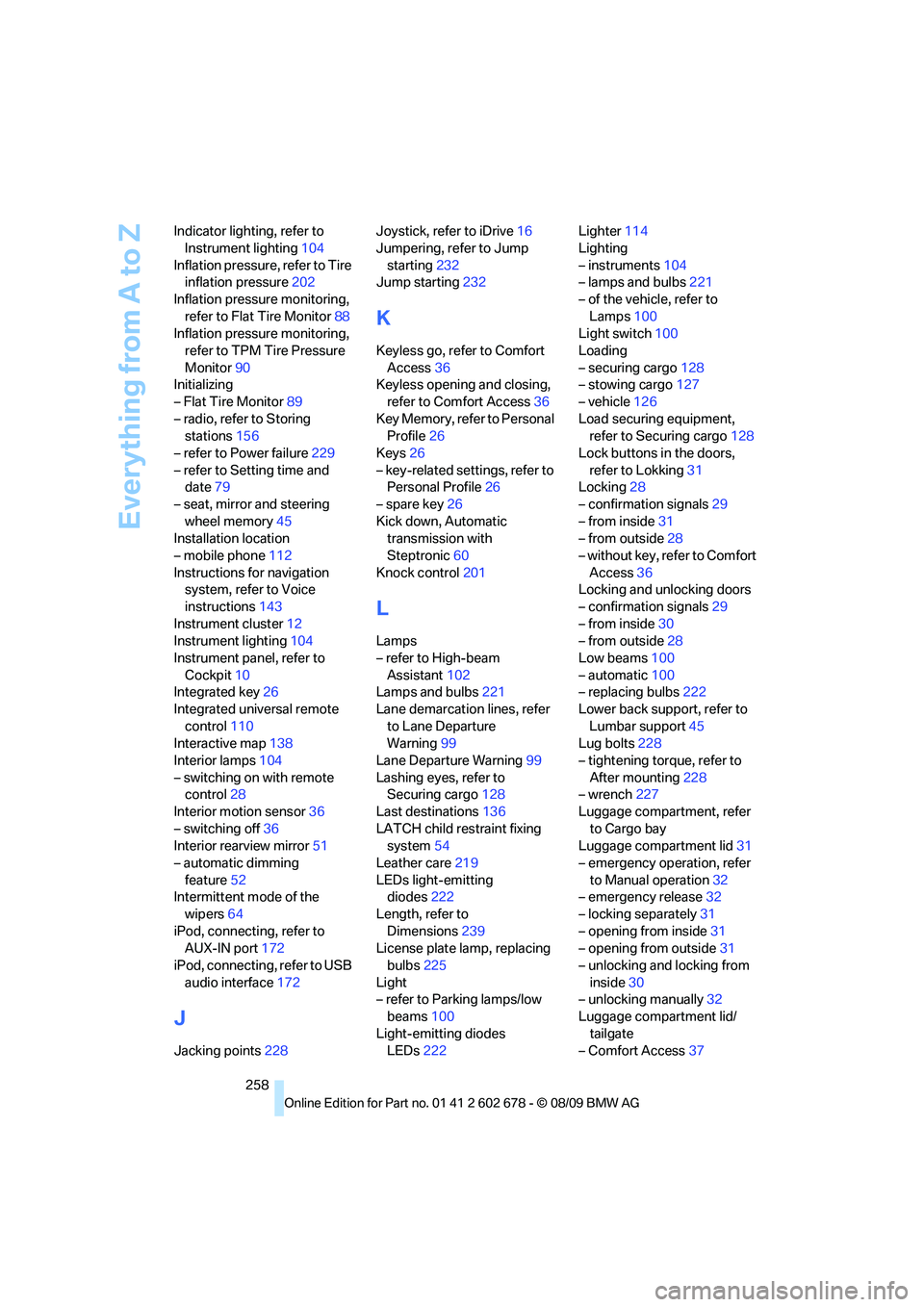
Everything from A to Z
258 Indicator lighting, refer to
Instrument lighting104
Inflation pressure, refer to Tire
inflation pressure202
Inflation pressure monitoring,
refer to Flat Tire Monitor88
Inflation pressure monitoring,
refer to TPM Tire Pressure
Monitor90
Initializing
– Flat Tire Monitor89
– radio, refer to Storing
stations156
– refer to Power failure229
– refer to Setting time and
date79
– seat, mirror and steering
wheel memory45
Installation location
– mobile phone112
Instructions for navigation
system, refer to Voice
instructions143
Instrument cluster12
Instrument lighting104
Instrument panel, refer to
Cockpit10
Integrated key26
Integrated universal remote
control110
Interactive map138
Interior lamps104
– switching on with remote
control28
Interior motion sensor36
– switching off36
Interior rearview mirror51
– automatic dimming
feature52
Intermittent mode of the
wipers64
iPod, connecting, refer to
AUX-IN port172
iPod, connecting, refer to USB
audio interface172
J
Jacking points228Joystick, refer to iDrive16
Jumpering, refer to Jump
starting232
Jump starting232
K
Keyless go, refer to Comfort
Access36
Keyless opening and closing,
refer to Comfort Access36
Key Memory, refer to Personal
Profile26
Keys26
– key-related settings, refer to
Personal Profile26
– spare key26
Kick down, Automatic
transmission with
Steptronic60
Knock control201
L
Lamps
– refer to High-beam
Assistant102
Lamps and bulbs221
Lane demarcation lines, refer
to Lane Departure
Warning99
Lane Departure Warning99
Lashing eyes, refer to
Securing cargo128
Last destinations136
LATCH child restraint fixing
system54
Leather care219
LEDs light-emitting
diodes222
Length, refer to
Dimensions239
License plate lamp, replacing
bulbs225
Light
– refer to Parking lamps/low
beams100
Light-emitting diodes
LEDs222Lighter114
Lighting
– instruments104
– lamps and bulbs221
– of the vehicle, refer to
Lamps100
Light switch100
Loading
– securing cargo128
– stowing cargo127
– vehicle126
Load securing equipment,
refer to Securing cargo128
Lock buttons in the doors,
refer to Lokking31
Locking28
– confirmation signals29
– from inside31
– from outside28
– without key, refer to Comfort
Access36
Locking and unlocking doors
– confirmation signals29
– from inside30
– from outside28
Low beams100
– automatic100
– replacing bulbs222
Lower back support, refer to
Lumbar support45
Lug bolts228
– tightening torque, refer to
After mounting228
– wrench227
Luggage compartment, refer
to Cargo bay
Luggage compartment lid31
– emergency operation, refer
to Manual operation
32
– emergency release32
– locking separately31
– opening from inside31
– opening from outside31
– unlocking and locking from
inside30
– unlocking manually32
Luggage compartment lid/
tailgate
– Comfort Access37
Page 266 of 271
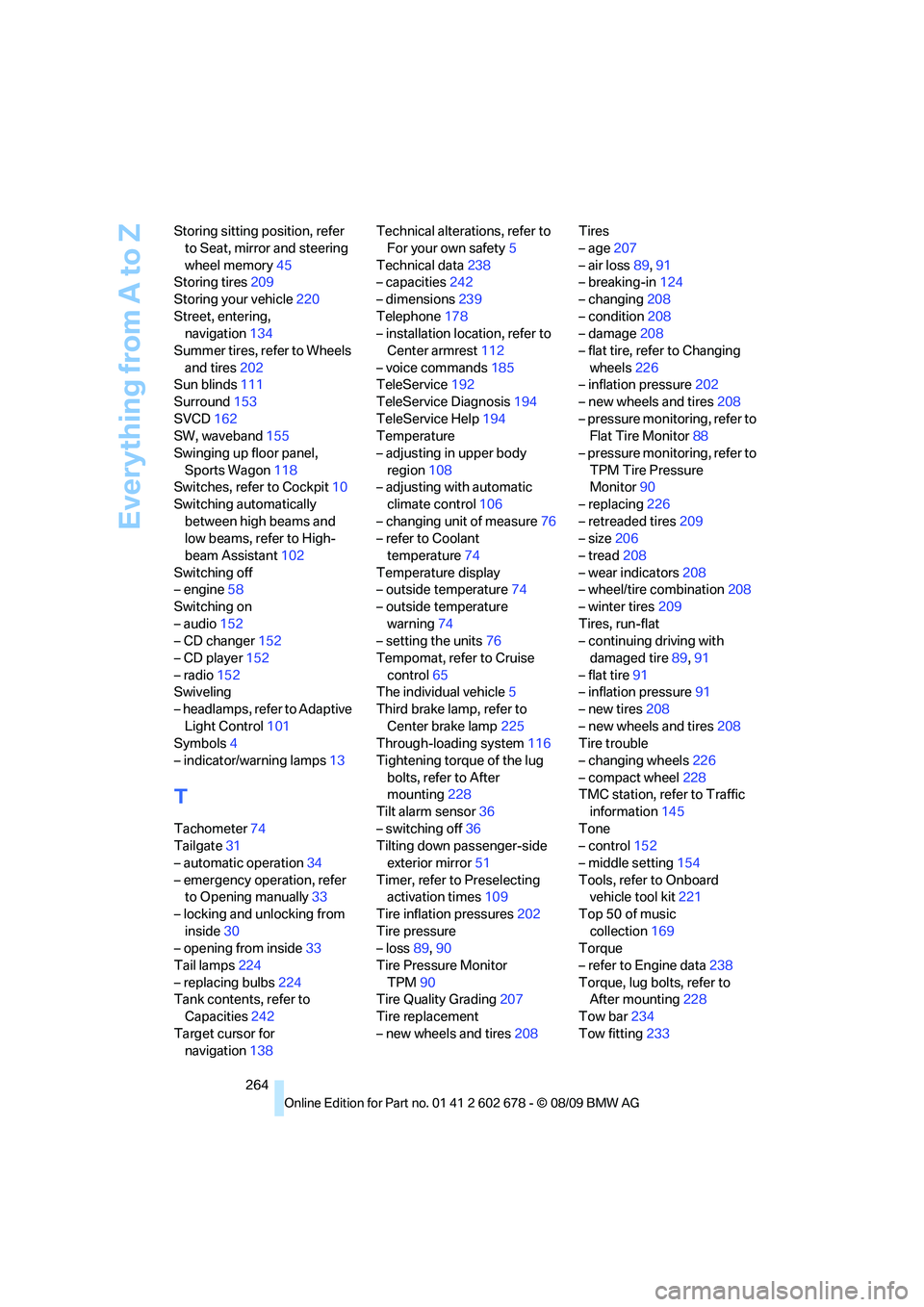
Everything from A to Z
264 Storing sitting position, refer
to Seat, mirror and steering
wheel memory45
Storing tires209
Storing your vehicle220
Street, entering,
navigation134
Summer tires, refer to Wheels
and tires202
Sun blinds111
Surround153
SVCD162
SW, waveband155
Swinging up floor panel,
Sports Wagon118
Switches, refer to Cockpit10
Switching automatically
between high beams and
low beams, refer to High-
beam Assistant102
Switching off
– engine58
Switching on
– audio152
– CD changer152
– CD player152
– radio152
Swiveling
– headlamps, refer to Adaptive
Light Control101
Symbols4
– indicator/warning lamps13
T
Tachometer74
Tailgate31
– automatic operation34
– emergency operation, refer
to Opening manually33
– locking and unlocking from
inside30
– opening from inside33
Tail lamps224
– replacing bulbs224
Tank contents, refer to
Capacities242
Target cursor for
navigation138Technical alterations, refer to
For your own safety5
Technical data238
– capacities242
– dimensions239
Telephone178
– installation location, refer to
Center armrest112
– voice commands185
TeleService192
TeleService Diagnosis194
TeleService Help194
Temperature
– adjusting in upper body
region108
– adjusting with automatic
climate control106
– changing unit of measure76
– refer to Coolant
temperature74
Temperature display
– outside temperature74
– outside temperature
warning74
– setting the units76
Tempomat, refer to Cruise
control65
The individual vehicle5
Third brake lamp, refer to
Center brake lamp225
Through-loading system116
Tightening torque of the lug
bolts, refer to After
mounting228
Tilt alarm sensor36
– switching off36
Tilting down passenger-side
exterior mirror51
Timer, refer to Preselecting
activation times109
Tire inflation pressures202
Tire pressure
– loss89,90
Tire Pressure Monitor
TPM90
Tire Quality Grading
207
Tire replacement
– new wheels and tires208Tires
– age207
– air loss89,91
– breaking-in124
– changing208
– condition208
– damage208
– flat tire, refer to Changing
wheels226
– inflation pressure202
– new wheels and tires208
– pressure monitoring, refer to
Flat Tire Monitor88
– pressure monitoring, refer to
TPM Tire Pressure
Monitor90
– replacing226
– retreaded tires209
– size206
– tread208
– wear indicators208
– wheel/tire combination208
– winter tires209
Tires, run-flat
– continuing driving with
damaged tire89,91
– flat tire91
– inflation pressure91
– new tires208
– new wheels and tires208
Tire trouble
– changing wheels226
– compact wheel228
TMC station, refer to Traffic
information145
Tone
– control152
– middle setting154
Tools, refer to Onboard
vehicle tool kit221
Top 50 of music
collection169
Torque
– refer to Engine data238
Torque, lug bolts, refer to
After mounting228
Tow bar234
Tow fitting233