key BMW 535I 2012 User Guide
[x] Cancel search | Manufacturer: BMW, Model Year: 2012, Model line: 535I, Model: BMW 535I 2012Pages: 335, PDF Size: 13.16 MB
Page 218 of 335
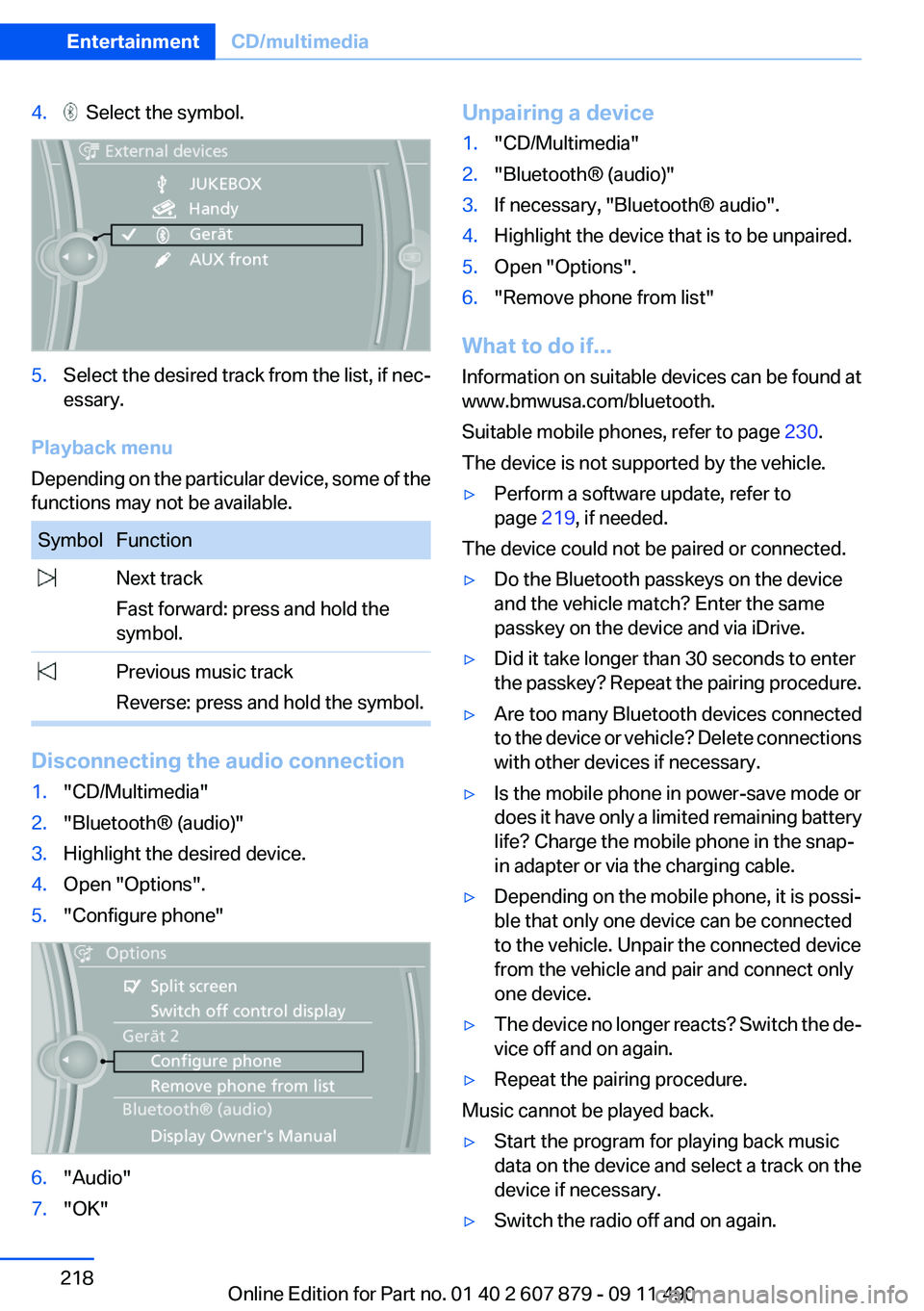
4. Select the symbol.5.Select the desired track from the list, if nec‐
essary.
Playback menu
Depending on the particular device, some of the
functions may not be available.
SymbolFunction Next track
Fast forward: press and hold the
symbol. Previous music track
Reverse: press and hold the symbol.
Disconnecting the audio connection
1."CD/Multimedia"2."Bluetooth® (audio)"3.Highlight the desired device.4.Open "Options".5."Configure phone"6."Audio"7."OK"Unpairing a device1."CD/Multimedia"2."Bluetooth® (audio)"3.If necessary, "Bluetooth® audio".4.Highlight the device that is to be unpaired.5.Open "Options".6."Remove phone from list"
What to do if...
Information on suitable devices can be found at
www.bmwusa.com/bluetooth.
Suitable mobile phones, refer to page 230.
The device is not supported by the vehicle.
▷Perform a software update, refer to
page 219, if needed.
The device could not be paired or connected.
▷Do the Bluetooth passkeys on the device
and the vehicle match? Enter the same
passkey on the device and via iDrive.▷Did it take longer than 30 seconds to enter
the passkey? Repeat the pairing procedure.▷Are too many Bluetooth devices connected
to the device or vehicle? Delete connections
with other devices if necessary.▷Is the mobile phone in power-save mode or
does it have only a limited remaining battery
life? Charge the mobile phone in the snap-
in adapter or via the charging cable.▷Depending on the mobile phone, it is possi‐
ble that only one device can be connected
to the vehicle. Unpair the connected device
from the vehicle and pair and connect only
one device.▷The device no longer reacts? Switch the de‐
vice off and on again.▷Repeat the pairing procedure.
Music cannot be played back.
▷Start the program for playing back music
data on the device and select a track on the
device if necessary.▷Switch the radio off and on again.Seite 218EntertainmentCD/multimedia218
Online Edition for Part no. 01 40 2 607 879 - 09 11 490
Page 222 of 335
Notes▷Do not cover lower screen edge, since this
is where the sensors and the infrared inter‐
face are installed.▷When loading the rear seats and adjusting
the backrest of the front seat, fold in the
screens.▷When using the through-loading system,
fold the screens down.▷When cleaning the screen, follow the care
instructions, refer to page 307.
Remote control
In the center armrest in the rear
Storage is possible in a horizontal position in the
center armrest.
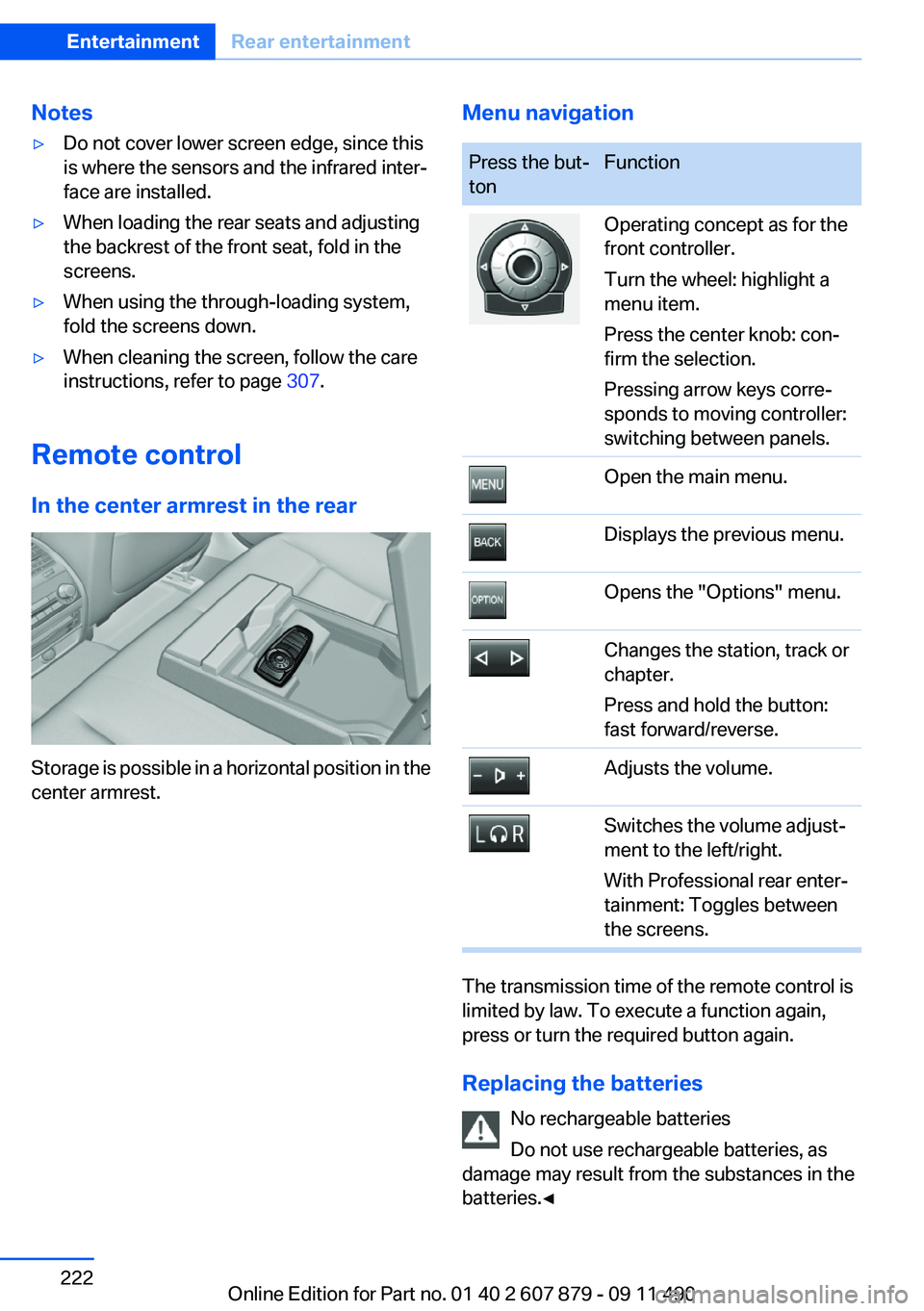
Menu navigationPress the but‐
tonFunctionOperating concept as for the
front controller.
Turn the wheel: highlight a
menu item.
Press the center knob: con‐
firm the selection.
Pressing arrow keys corre‐
sponds to moving controller:
switching between panels.Open the main menu.Displays the previous menu.Opens the "Options" menu.Changes the station, track or
chapter.
Press and hold the button:
fast forward/reverse.Adjusts the volume.Switches the volume adjust‐
ment to the left/right.
With Professional rear enter‐
tainment: Toggles between
the screens.
The transmission time of the remote control is
limited by law. To execute a function again,
press or turn the required button again.
Replacing the batteries No rechargeable batteries
Do not use rechargeable batteries, as
damage may result from the substances in the
batteries.◀
Seite 222EntertainmentRear entertainment222
Online Edition for Part no. 01 40 2 607 879 - 09 11 490
Page 230 of 335
TelephoneVehicle equipment
All standard, country-specific and optional
equipment that is offered in the model series is
described in this chapter. Therefore, equipment
is also described that is not available in a vehicle,
e. g., because of the selected optional equip‐
ment or country variant. This also applies for
safety-related functions and systems.
At a glance
The concept
Mobile phones or other external devices such as
audio players can be connected to the vehicle
via Bluetooth.
After these devices are paired once, they are
recognized automatically when the ignition is
switched on as soon as they are inside the ve‐
hicle and can be operated via iDrive, the buttons
on the steering wheel, and via voice activation.
Depending on their functionality, external devi‐
ces can be used via the vehicle as a telephone
or as an audio source.
The telephone functions are described in the
following. Operation of the audio functions, refer
to page 216.
Up to four external devices can be paired.
Certain functions may need to be enabled by the
mobile phone provider or service provider.
Using the mobile phone while driving
Make entries only when traffic and road
conditions allow. Do not hold the mobile phone
in your hand while you are driving; use the
hands-free system instead. If you do not ob‐
serve this precaution, you can endanger the ve‐
hicle occupants and other road users.◀Snap-in adapter
The snap-in adapter is used to:▷Hold the mobile phone.▷Recharge the battery.▷Connect the mobile phone to an outside an‐
tenna of the vehicle.
This provides for better network reception
and consistent sound quality.
Approved mobile phones
Details on which mobile phones and external
devices with a Bluetooth interface are sup‐
ported by the mobile phone preparation pack‐
age can be obtained at www.bmwusa.com/blue‐
tooth.
Displaying the vehicle identification
number and software part number
The vehicle identification number and software
part number are needed to determine which mo‐
bile phones are supported by the mobile phone
preparation package. The software version of
the mobile phone may also be required.
1."Telephone"2.Open "Options".3."Bluetooth® info"4."Display system information"
These approved mobile phones with a certain
software version, support the vehicle functions
described below.
Malfunctions may occur with other mobile
phones or software versions.
Do not operate a mobile phone that is connected
to the vehicle on the mobile phone keypad, as
this may lead to a malfunction.
A software update can be performed if neces‐
sary.
Seite 230CommunicationTelephone230
Online Edition for Part no. 01 40 2 607 879 - 09 11 490
Page 231 of 335
Notes
At high temperatures, the charge function of the
mobile phone can be limited where appropriate
and the functions are no longer executed.
When the mobile phone is used via the vehicle,
heed the operating manual of the mobile phone.
Pairing/unpairing the mobile
phone
General information
The following functions are available:▷Use of a mobile phone as a telephone.▷Use of a mobile phone as an additional tele‐
phone.▷Use of a mobile phone as an audio source.▷Use of an audio device as an audio source,
refer to page 216.
Requirements
▷The mobile phone is suitable.▷The mobile phone is ready for operation.▷Bluetooth is activated in the vehicle and on
the mobile phone.▷Bluetooth presettings may need to be made
on the mobile phone, e.g., for a connection
without confirmation or visibility, refer to the
mobile phone operating instructions.▷Deactivate Bluetooth audio if necessary.▷A number with at least four and a maximum
of 16 digits was defined as the Bluetooth
passkey. It is only required once for pairing.▷The ignition is switched on.
Activating/deactivating Bluetooth
Bluetooth is not permitted everywhere. Comply
with all safety guidelines and regulations.
1."Telephone"2."Options" Open.3."Bluetooth®"Additional functions
Activating/deactivating the additional
functions
Activate the functions before pairing to be able
to use them in the vehicle. Information on suit‐
able mobile phones, refer to page 230, that sup‐
port these functions.1."Telephone"2."Bluetooth® (phone)"3."Options" Open.4."Configure Bluetooth®"5.Select the desired additional function.▷"Additional telephone"▷"Office"▷"Bluetooth® audio"6."OK"
As long as an additional function is deactivated,
it cannot be assigned to a telephone.
Additional telephone
A mobile phone can be used as an additional
telephone.
The additional telephone can be used to accept
incoming calls, refer to page 234. While a call is
active on the additional telephone, incoming
calls are displayed on the Control Display.
Audio source
A mobile phone can be used as an audio source.
Pairing and connecting cell phone Pairing the mobile phone
To avoid becoming distracted and posing
an unnecessary hazard both to your own vehi‐
cle's occupants and to other road users, only
pair the mobile phone while the vehicle is sta‐
tionary.◀
Seite 231TelephoneCommunication231
Online Edition for Part no. 01 40 2 607 879 - 09 11 490
Page 232 of 335
Pair the vehicle entirely on the front or rear Con‐
trol Display.1."Telephone"2."Bluetooth® (phone)"3."Add new phone"
The Bluetooth name of the vehicle is dis‐
played.4.To perform additional steps on the mobile
phone, refer to the mobile phone operating
instructions: e.g. search for or connect the
Bluetooth device or a new device.
The Bluetooth name of the vehicle appears
on the mobile phone display.5.Select the Bluetooth name of the vehicle on
the mobile phone display.
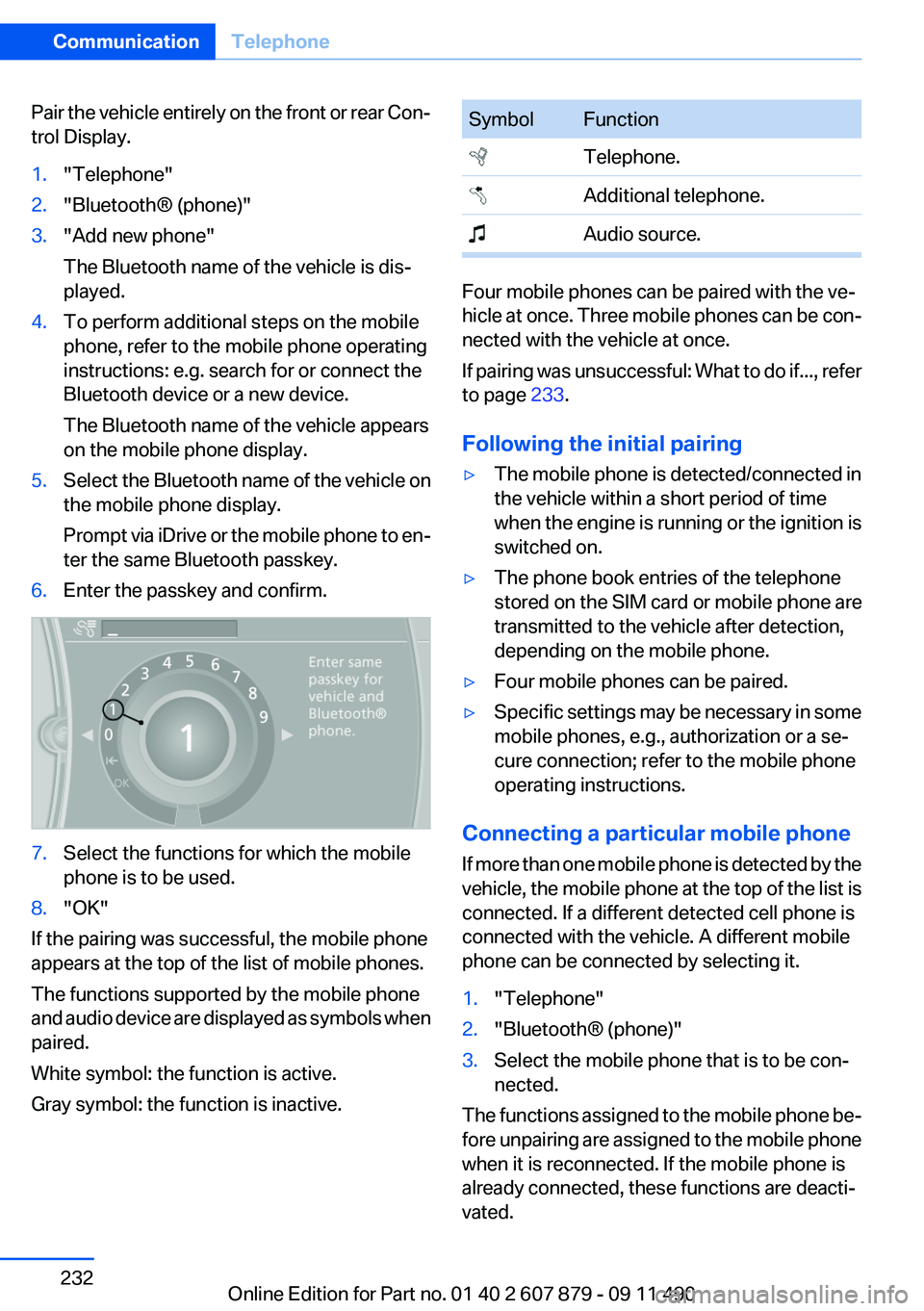
Prompt via iDrive or the mobile phone to en‐
ter the same Bluetooth passkey.6.Enter the passkey and confirm.7.Select the functions for which the mobile
phone is to be used.8."OK"
If the pairing was successful, the mobile phone
appears at the top of the list of mobile phones.
The functions supported by the mobile phone
and audio device are displayed as symbols when
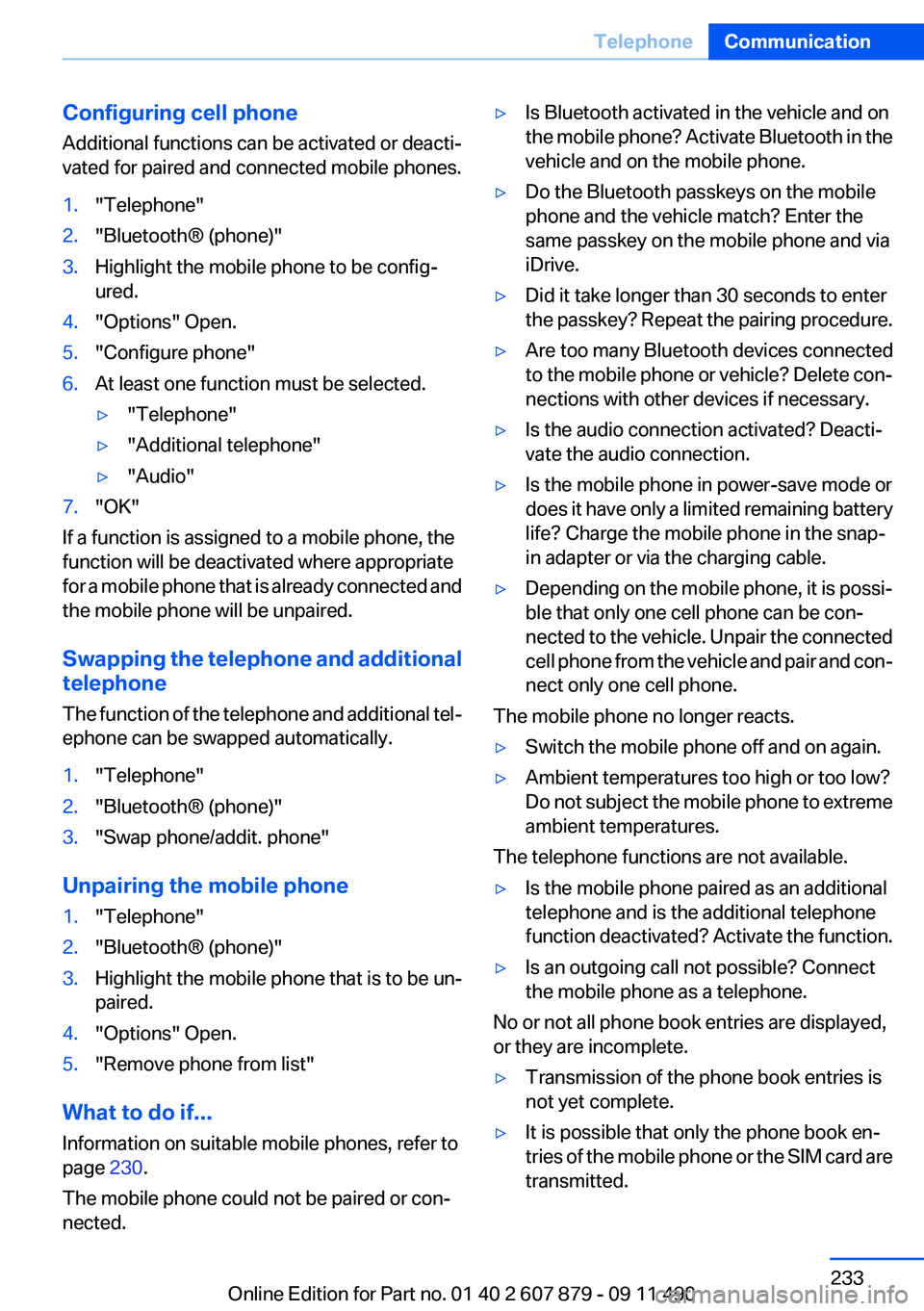
paired.
White symbol: the function is active.
Gray symbol: the function is inactive.
SymbolFunction Telephone. Additional telephone. Audio source.
Four mobile phones can be paired with the ve‐
hicle at once. Three mobile phones can be con‐
nected with the vehicle at once.
If pairing was unsuccessful: What to do if..., refer
to page 233.
Following the initial pairing
▷The mobile phone is detected/connected in
the vehicle within a short period of time
when the engine is running or the ignition is
switched on.▷The phone book entries of the telephone
stored on the SIM card or mobile phone are
transmitted to the vehicle after detection,
depending on the mobile phone.▷Four mobile phones can be paired.▷Specific settings may be necessary in some
mobile phones, e.g., authorization or a se‐
cure connection; refer to the mobile phone
operating instructions.
Connecting a particular mobile phone
If more than one mobile phone is detected by the
vehicle, the mobile phone at the top of the list is
connected. If a different detected cell phone is
connected with the vehicle. A different mobile
phone can be connected by selecting it.
1."Telephone"2."Bluetooth® (phone)"3.Select the mobile phone that is to be con‐
nected.
The functions assigned to the mobile phone be‐
fore unpairing are assigned to the mobile phone
when it is reconnected. If the mobile phone is
already connected, these functions are deacti‐
vated.
Seite 232CommunicationTelephone232
Online Edition for Part no. 01 40 2 607 879 - 09 11 490
Page 233 of 335
Configuring cell phone
Additional functions can be activated or deacti‐
vated for paired and connected mobile phones.1."Telephone"2."Bluetooth® (phone)"3.Highlight the mobile phone to be config‐
ured.4."Options" Open.5."Configure phone"6.At least one function must be selected.▷"Telephone"▷"Additional telephone"▷"Audio"7."OK"
If a function is assigned to a mobile phone, the
function will be deactivated where appropriate
for a mobile phone that is already connected and
the mobile phone will be unpaired.
Swapping the telephone and additional
telephone
The function of the telephone and additional tel‐
ephone can be swapped automatically.
1."Telephone"2."Bluetooth® (phone)"3."Swap phone/addit. phone"
Unpairing the mobile phone
1."Telephone"2."Bluetooth® (phone)"3.Highlight the mobile phone that is to be un‐
paired.4."Options" Open.5."Remove phone from list"
What to do if...
Information on suitable mobile phones, refer to
page 230.
The mobile phone could not be paired or con‐
nected.
▷Is Bluetooth activated in the vehicle and on
the mobile phone? Activate Bluetooth in the
vehicle and on the mobile phone.▷Do the Bluetooth passkeys on the mobile
phone and the vehicle match? Enter the
same passkey on the mobile phone and via
iDrive.▷Did it take longer than 30 seconds to enter
the passkey? Repeat the pairing procedure.▷Are too many Bluetooth devices connected
to the mobile phone or vehicle? Delete con‐
nections with other devices if necessary.▷Is the audio connection activated? Deacti‐
vate the audio connection.▷Is the mobile phone in power-save mode or
does it have only a limited remaining battery
life? Charge the mobile phone in the snap-
in adapter or via the charging cable.▷Depending on the mobile phone, it is possi‐
ble that only one cell phone can be con‐
nected to the vehicle. Unpair the connected
cell phone from the vehicle and pair and con‐
nect only one cell phone.
The mobile phone no longer reacts.
▷Switch the mobile phone off and on again.▷Ambient temperatures too high or too low?
Do not subject the mobile phone to extreme
ambient temperatures.
The telephone functions are not available.
▷Is the mobile phone paired as an additional
telephone and is the additional telephone
function deactivated? Activate the function.▷Is an outgoing call not possible? Connect
the mobile phone as a telephone.
No or not all phone book entries are displayed,
or they are incomplete.
▷Transmission of the phone book entries is
not yet complete.▷It is possible that only the phone book en‐
tries of the mobile phone or the SIM card are
transmitted.Seite 233TelephoneCommunication233
Online Edition for Part no. 01 40 2 607 879 - 09 11 490
Page 236 of 335
Accepting a call while speaking to
another party
This function might have to be activated by the
service provider and the mobile phone must be
adjusted accordingly.
If a second call comes in during an ongoing call,
a call waiting signal is sounded where appropri‐
ate.
"Accept"
The call is accepted and the existing call is put
on hold.
Establishing a second call
Establish an additional call during an active call.
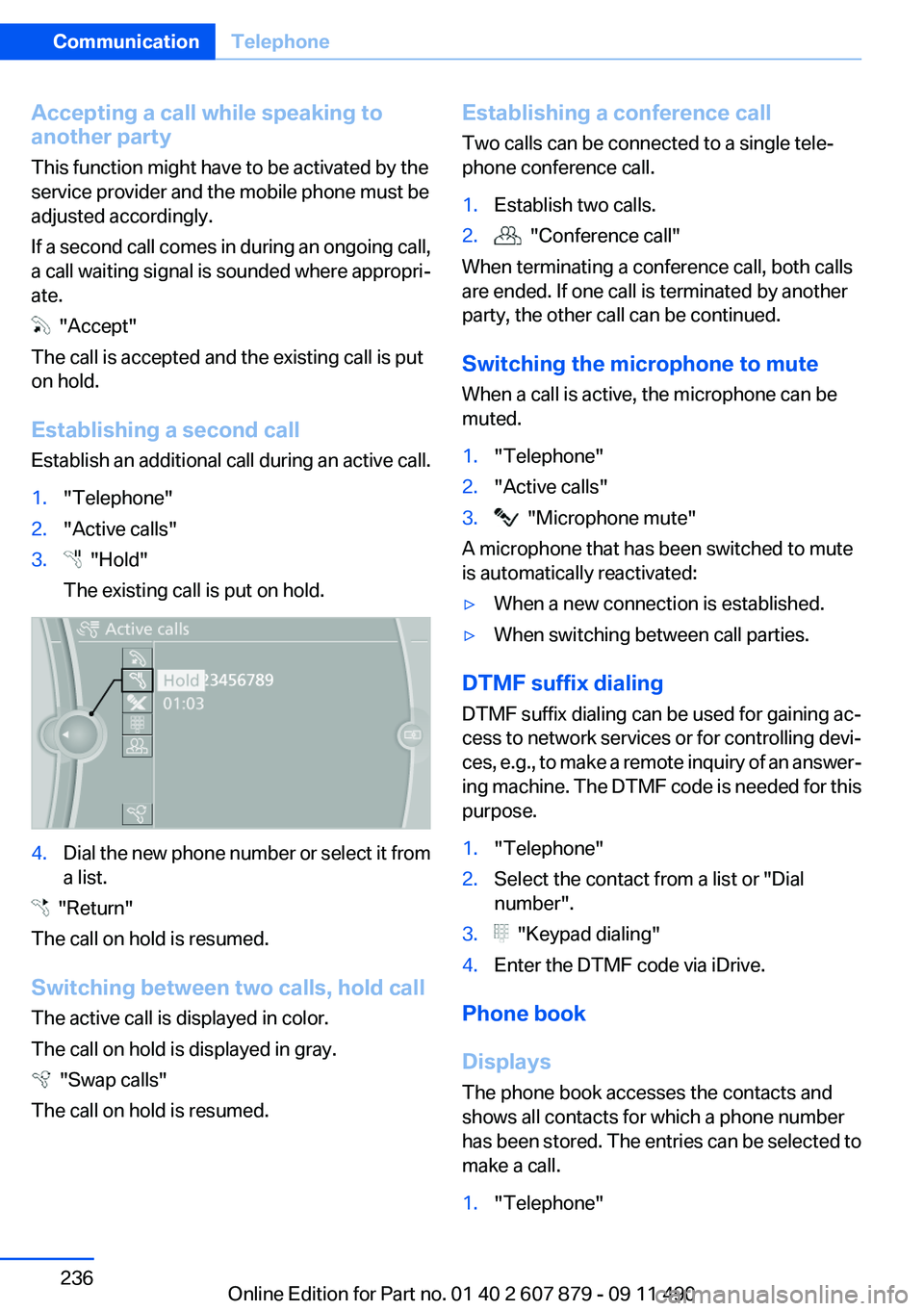
1."Telephone"2."Active calls"3. "Hold"
The existing call is put on hold.4.Dial the new phone number or select it from
a list.
"Return"
The call on hold is resumed.
Switching between two calls, hold call
The active call is displayed in color.
The call on hold is displayed in gray.
"Swap calls"
The call on hold is resumed.
Establishing a conference call
Two calls can be connected to a single tele‐
phone conference call.1.Establish two calls.2. "Conference call"
When terminating a conference call, both calls
are ended. If one call is terminated by another
party, the other call can be continued.
Switching the microphone to mute
When a call is active, the microphone can be
muted.
1."Telephone"2."Active calls"3. "Microphone mute"
A microphone that has been switched to mute
is automatically reactivated:
▷When a new connection is established.▷When switching between call parties.
DTMF suffix dialing
DTMF suffix dialing can be used for gaining ac‐
cess to network services or for controlling devi‐
ces, e.g., to make a remote inquiry of an answer‐
ing machine. The DTMF code is needed for this
purpose.
1."Telephone"2.Select the contact from a list or "Dial
number".3. "Keypad dialing"4.Enter the DTMF code via iDrive.
Phone book
Displays
The phone book accesses the contacts and
shows all contacts for which a phone number
has been stored. The entries can be selected to
make a call.
1."Telephone"Seite 236CommunicationTelephone236
Online Edition for Part no. 01 40 2 607 879 - 09 11 490
Page 325 of 335
Bar for tow-starting/tow‐ing 302
Bass 190
Battery replacement, remote control, rear entertain‐
ment 222
Battery replacement, vehicle battery 296
Battery replacement, vehicle remote control 30
Battery, vehicle 296
Belts, safety belts 51
Beverage holder, cu‐ pholder 155
Blinds, sun protection 44
Bluetooth audio 216
BMW Assist 253
BMW homepage 6
BMW Internet page 6
BMW Maintenance Sys‐ tem 288
BMW Search 255
Bottle holder, refer to Cu‐ pholder 155
Brake assistant 107
Brake assistant, adaptive 107
Brake discs, breaking in 160
Brake force display 105
Brake lamps, brake force dis‐ play 105
Brake lamps, bulb replace‐ ment 295
Brake lights, adaptive 105
Brake pads, breaking in 160
Braking, notes 161
Breakdown assis‐ tance 298, 299
Breaking in 160
Brightness of Control Dis‐ play 87
Bulb replacement 290
Bulb replacement, front 291
Bulb replacement, rear 294
Bulbs and lamps 290
Button, RES 116
Button, Start/Stop 62 Bypassing, refer to starting
aid 299
C
Calendar 248
California Proposition 65 Warning 7
Camera, backup camera 128
Camera, care 307
Camera, Side View 131
Camera, Top View 130
Can holder, refer to Cu‐ pholder 155
Car battery 296
Car care products 305
Care, displays 307
Care, vehicle 305
Cargo 163
Cargo area, enlarging 150
Cargo area lid 38
Cargo area, storage compart‐ ments 156
Cargo straps, securing cargo 164
Car key, refer to Remote con‐ trol 30
Carpet, care 306
Car wash 304
Catalytic converter, refer to Hot exhaust system 161
CBS Condition Based Serv‐ ice 288
CD/DVD 200
CD/DVD player, rear 221
CDs, storing 207
Cell phone 230
Center armrest 154
Center console 14
Central locking system 33
Central screen, refer to Control Display 16
Changes, technical, refer to Safety 6
Changing parts 290
Changing wheels 296 Changing wheels/tires 278
Check Control 78
Checking the oil level 284
Children, seating position 58
Children, transporting safely 58
Child restraint fixing sys‐ tem 58
Child restraint fixing system LATCH 59
Child restraint fixing systems, mounting 58
Child safety locks 61
Child seat, mounting 58
Child seats 58
Chrome parts, care 306
Cigarette lighter 148
Cleaning, displays 307
Climate control 139
Climate control wind‐ shield 161
Clock 81
Closing/opening from in‐ side 37
Closing/opening via door lock 36
Closing/opening with remote control 34
Clothes hooks 156
Collision warning 120
Combination switch, refer to Turn signals 69
Combination switch, refer to Wiper system 69
COMFORT+ program, Driving Experience Switch 113
Comfort Access 40
COMFORT program, Driving Experience Switch 112
Computer 84
Concierge service 254
Condensation on win‐ dows 140
Condensation under the vehi‐ cle 162 Seite 325Everything from A to ZReference325
Online Edition for Part no. 01 40 2 607 879 - 09 11 490
Page 328 of 335
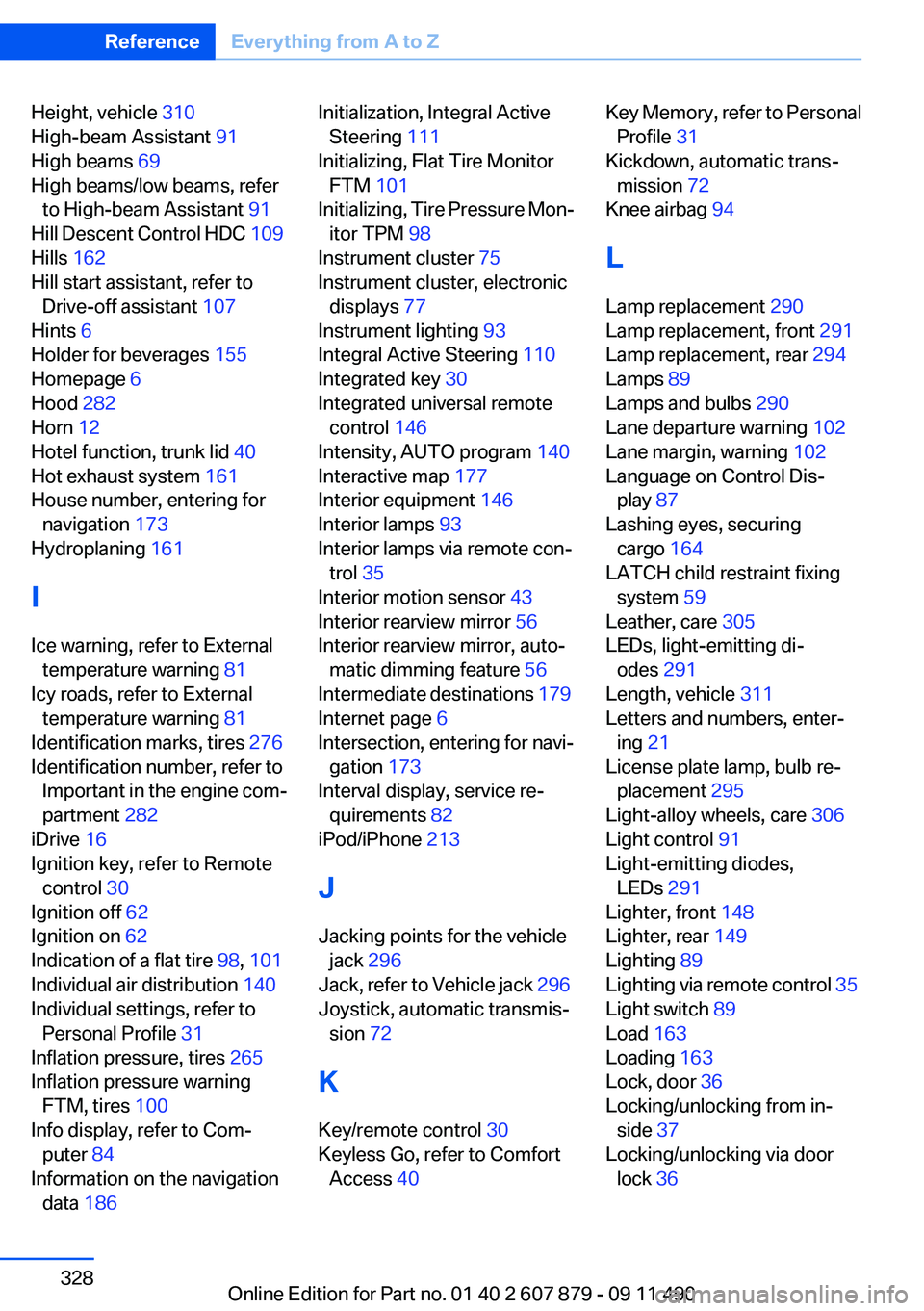
Height, vehicle 310
High-beam Assistant 91
High beams 69
High beams/low beams, refer to High-beam Assistant 91
Hill Descent Control HDC 109
Hills 162
Hill start assistant, refer to Drive-off assistant 107
Hints 6
Holder for beverages 155
Homepage 6
Hood 282
Horn 12
Hotel function, trunk lid 40
Hot exhaust system 161
House number, entering for navigation 173
Hydroplaning 161
I
Ice warning, refer to External temperature warning 81
Icy roads, refer to External temperature warning 81
Identification marks, tires 276
Identification number, refer to Important in the engine com‐
partment 282
iDrive 16
Ignition key, refer to Remote control 30
Ignition off 62
Ignition on 62
Indication of a flat tire 98, 101
Individual air distribution 140
Individual settings, refer to Personal Profile 31
Inflation pressure, tires 265
Inflation pressure warning FTM, tires 100
Info display, refer to Com‐ puter 84
Information on the navigation data 186 Initialization, Integral Active
Steering 111
Initializing, Flat Tire Monitor FTM 101
Initializing, Tire Pressure Mon‐ itor TPM 98
Instrument cluster 75
Instrument cluster, electronic displays 77
Instrument lighting 93
Integral Active Steering 110
Integrated key 30
Integrated universal remote control 146
Intensity, AUTO program 140
Interactive map 177
Interior equipment 146
Interior lamps 93
Interior lamps via remote con‐ trol 35
Interior motion sensor 43
Interior rearview mirror 56
Interior rearview mirror, auto‐ matic dimming feature 56
Intermediate destinations 179
Internet page 6
Intersection, entering for navi‐ gation 173
Interval display, service re‐ quirements 82
iPod/iPhone 213
J
Jacking points for the vehicle jack 296
Jack, refer to Vehicle jack 296
Joystick, automatic transmis‐ sion 72
K
Key/remote control 30
Keyless Go, refer to Comfort Access 40 Key Memory, refer to Personal
Profile 31
Kickdown, automatic trans‐ mission 72
Knee airbag 94
L
Lamp replacement 290
Lamp replacement, front 291
Lamp replacement, rear 294
Lamps 89
Lamps and bulbs 290
Lane departure warning 102
Lane margin, warning 102
Language on Control Dis‐ play 87
Lashing eyes, securing cargo 164
LATCH child restraint fixing system 59
Leather, care 305
LEDs, light-emitting di‐ odes 291
Length, vehicle 311
Letters and numbers, enter‐ ing 21
License plate lamp, bulb re‐ placement 295
Light-alloy wheels, care 306
Light control 91
Light-emitting diodes, LEDs 291
Lighter, front 148
Lighter, rear 149
Lighting 89
Lighting via remote control 35
Light switch 89
Load 163
Loading 163
Lock, door 36
Locking/unlocking from in‐ side 37
Locking/unlocking via door lock 36 Seite 328ReferenceEverything from A to Z328
Online Edition for Part no. 01 40 2 607 879 - 09 11 490
Page 329 of 335
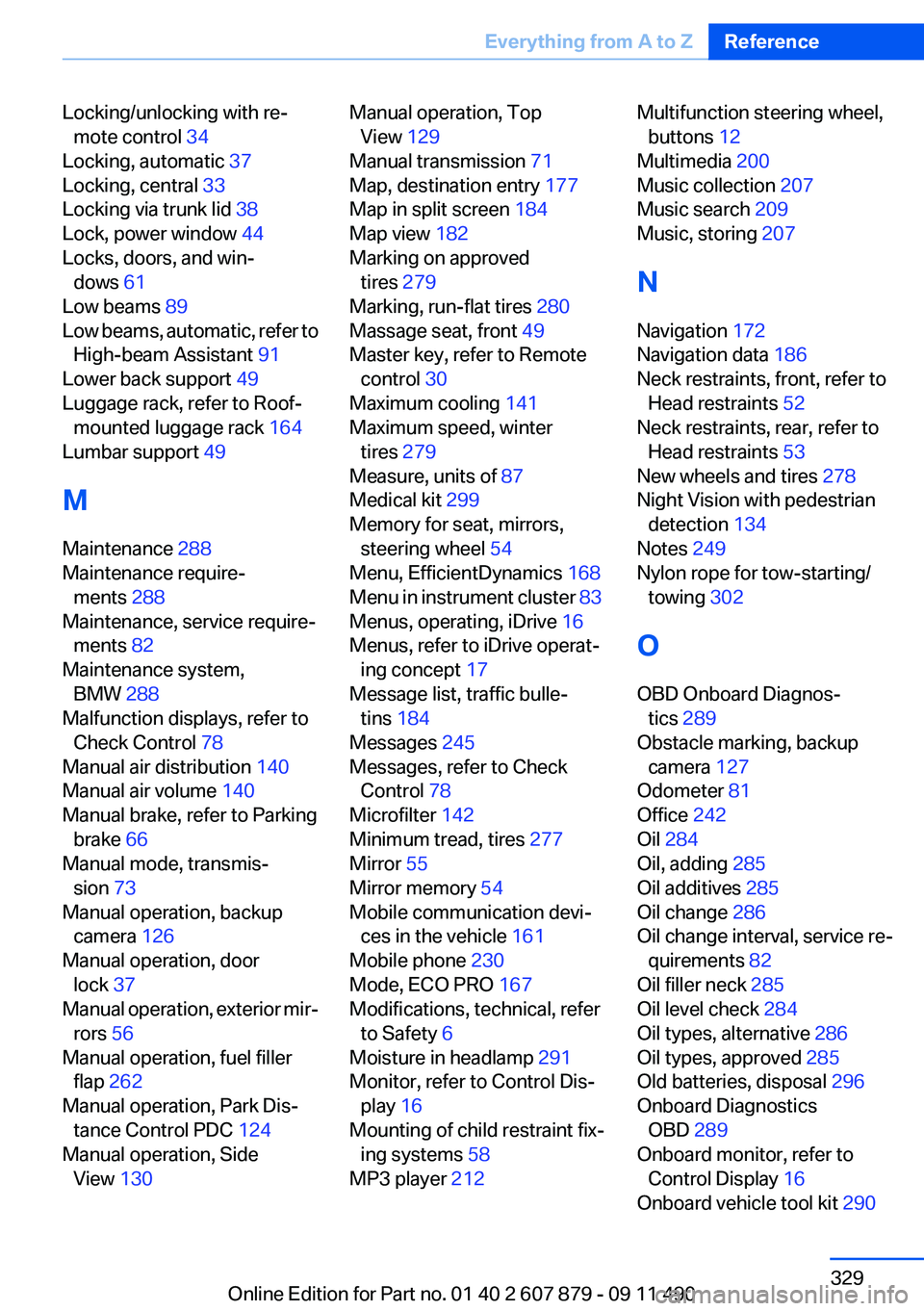
Locking/unlocking with re‐mote control 34
Locking, automatic 37
Locking, central 33
Locking via trunk lid 38
Lock, power window 44
Locks, doors, and win‐ dows 61
Low beams 89
Low beams, automatic, refer to High-beam Assistant 91
Lower back support 49
Luggage rack, refer to Roof- mounted luggage rack 164
Lumbar support 49
M
Maintenance 288
Maintenance require‐ ments 288
Maintenance, service require‐ ments 82
Maintenance system, BMW 288
Malfunction displays, refer to Check Control 78
Manual air distribution 140
Manual air volume 140
Manual brake, refer to Parking brake 66
Manual mode, transmis‐ sion 73
Manual operation, backup camera 126
Manual operation, door lock 37
Manual operation, exterior mir‐ rors 56
Manual operation, fuel filler flap 262
Manual operation, Park Dis‐ tance Control PDC 124
Manual operation, Side View 130 Manual operation, Top
View 129
Manual transmission 71
Map, destination entry 177
Map in split screen 184
Map view 182
Marking on approved tires 279
Marking, run-flat tires 280
Massage seat, front 49
Master key, refer to Remote control 30
Maximum cooling 141
Maximum speed, winter tires 279
Measure, units of 87
Medical kit 299
Memory for seat, mirrors, steering wheel 54
Menu, EfficientDynamics 168
Menu in instrument cluster 83
Menus, operating, iDrive 16
Menus, refer to iDrive operat‐ ing concept 17
Message list, traffic bulle‐ tins 184
Messages 245
Messages, refer to Check Control 78
Microfilter 142
Minimum tread, tires 277
Mirror 55
Mirror memory 54
Mobile communication devi‐ ces in the vehicle 161
Mobile phone 230
Mode, ECO PRO 167
Modifications, technical, refer to Safety 6
Moisture in headlamp 291
Monitor, refer to Control Dis‐ play 16
Mounting of child restraint fix‐ ing systems 58
MP3 player 212 Multifunction steering wheel,
buttons 12
Multimedia 200
Music collection 207
Music search 209
Music, storing 207
N
Navigation 172
Navigation data 186
Neck restraints, front, refer to Head restraints 52
Neck restraints, rear, refer to Head restraints 53
New wheels and tires 278
Night Vision with pedestrian detection 134
Notes 249
Nylon rope for tow-starting/ towing 302
O
OBD Onboard Diagnos‐ tics 289
Obstacle marking, backup camera 127
Odometer 81
Office 242
Oil 284
Oil, adding 285
Oil additives 285
Oil change 286
Oil change interval, service re‐ quirements 82
Oil filler neck 285
Oil level check 284
Oil types, alternative 286
Oil types, approved 285
Old batteries, disposal 296
Onboard Diagnostics OBD 289
Onboard monitor, refer to Control Display 16
Onboard vehicle tool kit 290 Seite 329Everything from A to ZReference329
Online Edition for Part no. 01 40 2 607 879 - 09 11 490