transmission BMW 535I 2012 Service Manual
[x] Cancel search | Manufacturer: BMW, Model Year: 2012, Model line: 535I, Model: BMW 535I 2012Pages: 335, PDF Size: 13.16 MB
Page 255 of 335
nection is established to Roadside Assis‐
tance.
Start Roadside Assistance with BMW
Assist or TeleServices
General information
If the vehicle is equipped with TeleServices,
support is first offered through TeleService Di‐
agnosis and, where applicable, then through
TeleService Help.
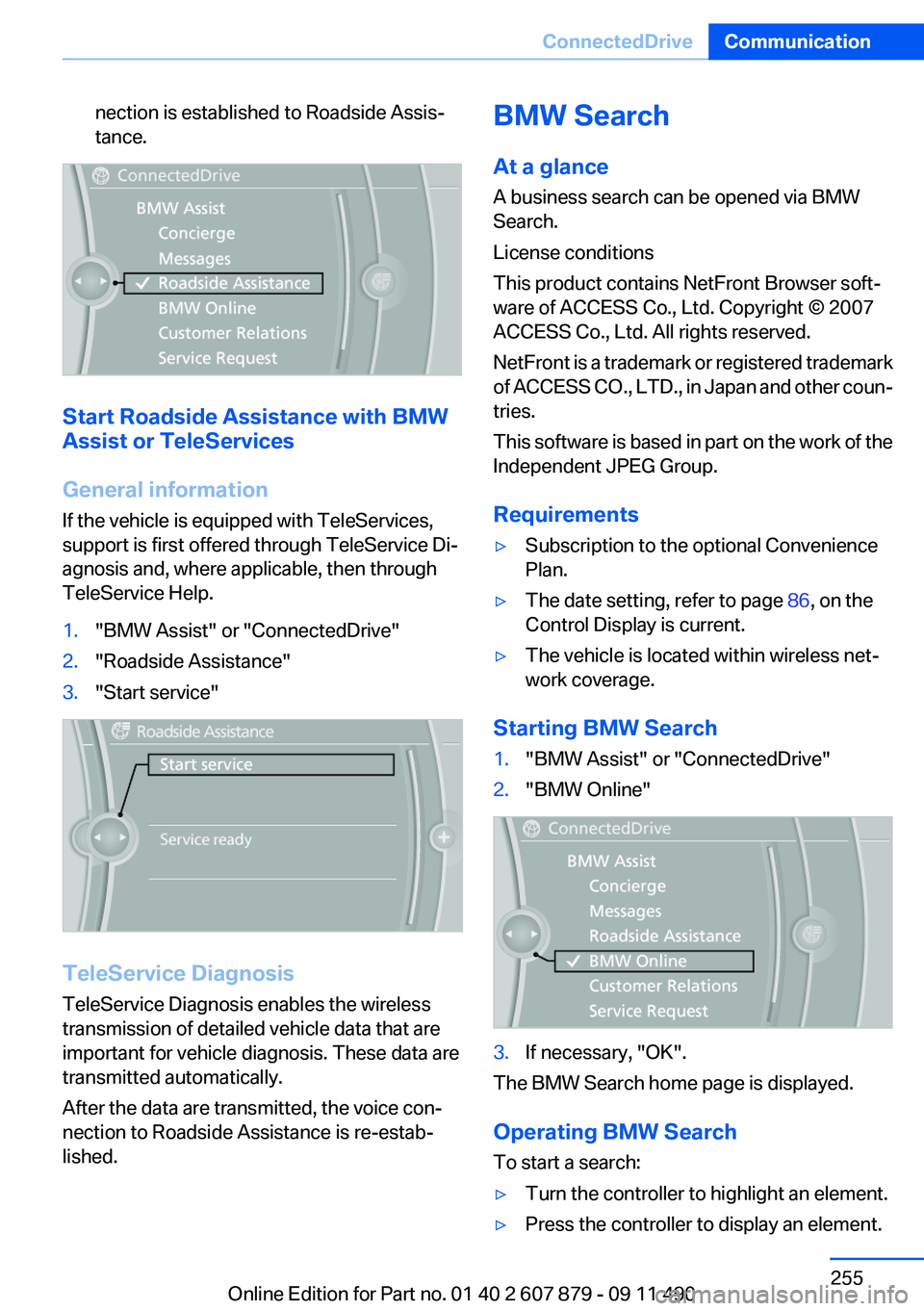
1."BMW Assist" or "ConnectedDrive"2."Roadside Assistance"3."Start service"
TeleService Diagnosis
TeleService Diagnosis enables the wireless
transmission of detailed vehicle data that are
important for vehicle diagnosis. These data are
transmitted automatically.
After the data are transmitted, the voice con‐
nection to Roadside Assistance is re-estab‐
lished.
BMW Search
At a glance
A business search can be opened via BMW
Search.
License conditions
This product contains NetFront Browser soft‐
ware of ACCESS Co., Ltd. Copyright © 2007
ACCESS Co., Ltd. All rights reserved.
NetFront is a trademark or registered trademark
of ACCESS CO., LTD., in Japan and other coun‐
tries.
This software is based in part on the work of the
Independent JPEG Group.
Requirements▷Subscription to the optional Convenience
Plan.▷The date setting, refer to page 86, on the
Control Display is current.▷The vehicle is located within wireless net‐
work coverage.
Starting BMW Search
1."BMW Assist" or "ConnectedDrive"2."BMW Online"3.If necessary, "OK".
The BMW Search home page is displayed.
Operating BMW Search
To start a search:
▷Turn the controller to highlight an element.▷Press the controller to display an element.Seite 255ConnectedDriveCommunication255
Online Edition for Part no. 01 40 2 607 879 - 09 11 490
Page 258 of 335
Apps
At a glance
Certain software applications of a suitable cell
phone can be integrated in the vehicle. These
software applications are displayed on the Con‐
trol Display.
Operation can be performed via iDrive.
Requirements▷The mobile phone is suitable.▷The cell phone operating system supports
the software applications of Apps.▷Software applications are installed on the
cell phone and ready to use.▷Corresponding mobile wireless contract.
Any additionally incurred costs are not a part
of Apps.▷Use only BMW approved software applica‐
tions; otherwise, it may result in malfunc‐
tions.
Information about suitable cell phones, available
software applications and their installation can
be found at www.bmw.com/connectivity or at
the service center.
Create the entries.
Make entries only when traffic and road
conditions allow. Otherwise, the vehicle occu‐
pants and other road users may be put in danger
because of the distraction from driving.
For reasons of safety, some software applica‐
tions are usable only while the vehicle is station‐
ary.◀
Use apps
1.Connect the cell phone via the snap-in
adapter or via the USB audio interface.2."ConnectedDrive"3.Select the desired software application.Displaying status
Information about the currently available soft‐
ware applications can be displayed.1."ConnectedDrive"2."BMW apps"
PlugIn
Selected functions of the cell phone are dis‐
played on the Control Display. Operation can be
performed via iDrive.
1.Connect cell phone via the snap-in adapter.2."ConnectedDrive"3."PlugIn"4."Activate PlugIn"5.Navigate to the displayed functions via the
controller and select, for example, a desired
category or track.
Press button to switch within the cell
phone functions to a higher level or back.
Press button twice to switch back to the
main menu.
Notes
▷The ranges of Apps that can be displayed on
the Control Display depend on the range of
installed software applications on the cell
phone.▷The data transmission of the software ap‐
plications from the cell phone to the vehicle
can last some time. Some software applica‐
tions depend on the speed of the available
Internet connection of the cell phone.▷Some cell phones cannot simultaneously
use Apps and the Bluetooth hands-free sys‐
tem.
If necessary, restart the software application
on the cell phone after a phone conversa‐
tion.Seite 258CommunicationConnectedDrive258
Online Edition for Part no. 01 40 2 607 879 - 09 11 490
Page 285 of 335
▷"Engine oil at minimum. Add 1 quart of
engine oil!"
Within the next 125 miles/200 km, a maxi‐
mum of 1 US quart/liter oil.▷"Engine oil level below minimum. Add 1
quart!"
Immediately add 1 US quart/liter of oil.
Detailed measurement
Requirements:
▷Vehicle is on a level road and the engine is
running at operating temperature.▷Manual transmission: Shift lever in neutral
position clutch and gas pedal not de‐
pressed.▷Automatic transmission: Selector lever in
transmission position N or P and gas pedal
not depressed.
In order to perform a detailed measurement of
the engine oil level:
1."Vehicle Info"2."Vehicle status"3. "Measure engine oil level"4."Start measurement"
The oil level is checked and displayed via a scale.
During the detailed measurement, the idle
speed is increased somewhat.
Duration: approx. 1 minute.
Adding engine oil
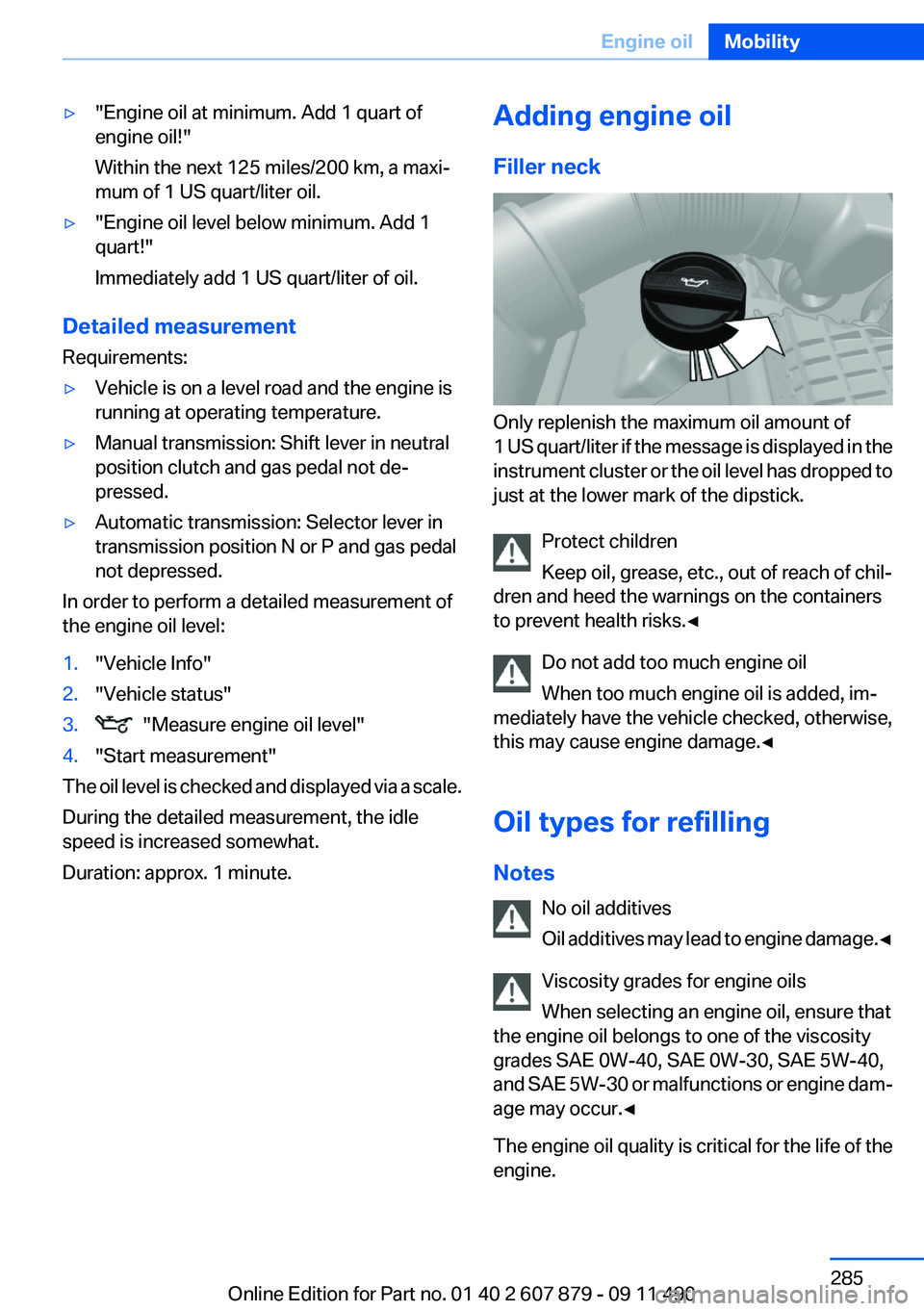
Filler neck
Only replenish the maximum oil amount of
1 US quart/liter if the message is displayed in the
instrument cluster or the oil level has dropped to
just at the lower mark of the dipstick.
Protect children
Keep oil, grease, etc., out of reach of chil‐
dren and heed the warnings on the containers
to prevent health risks.◀
Do not add too much engine oil
When too much engine oil is added, im‐
mediately have the vehicle checked, otherwise,
this may cause engine damage.◀
Oil types for refilling
Notes No oil additives
Oil additives may lead to engine damage. ◀
Viscosity grades for engine oils
When selecting an engine oil, ensure that
the engine oil belongs to one of the viscosity
grades SAE 0W-40, SAE 0W-30, SAE 5W-40,
and SAE 5W-30 or malfunctions or engine dam‐
age may occur.◀
The engine oil quality is critical for the life of the
engine.
Seite 285Engine oilMobility285
Online Edition for Part no. 01 40 2 607 879 - 09 11 490
Page 301 of 335
attempt in order to allow the discharged bat‐
tery to recharge.3.Let both engines run for several minutes.4.Disconnect the jumper cables in the reverse
order.
Check the battery and recharge if necessary.
Tow-starting and towing
Automatic transmission: transporting
your vehicle
Note
Your vehicle is not permitted to be towed.
Therefore, contact a service center in the event
of a breakdown.
Do not have the vehicle towed
Have your vehicle transported on a loading
platform only; otherwise, damage may occur.◀
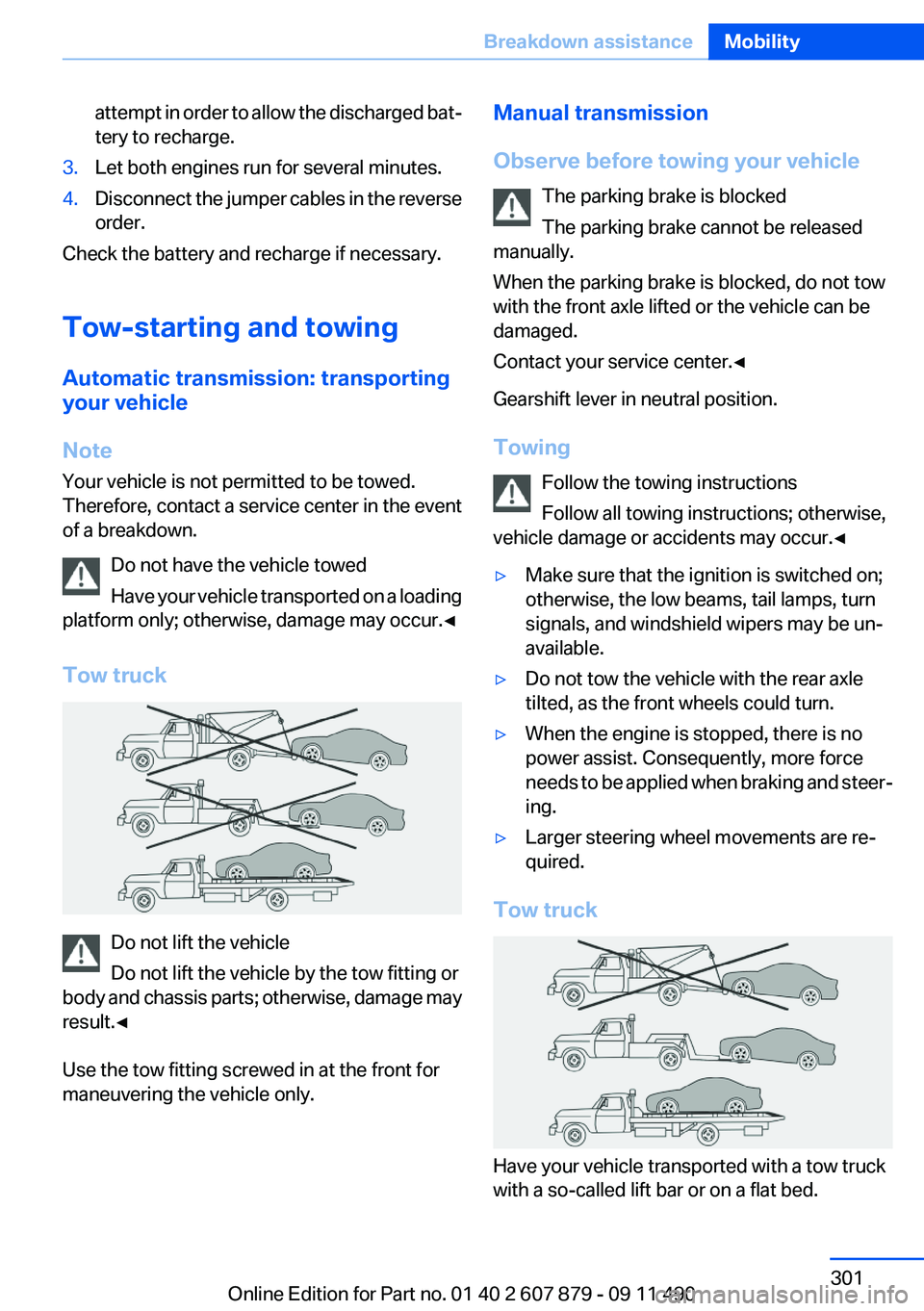
Tow truck
Do not lift the vehicle
Do not lift the vehicle by the tow fitting or
body and chassis parts; otherwise, damage may
result.◀
Use the tow fitting screwed in at the front for
maneuvering the vehicle only.
Manual transmission
Observe before towing your vehicle The parking brake is blocked
The parking brake cannot be released
manually.
When the parking brake is blocked, do not tow
with the front axle lifted or the vehicle can be
damaged.
Contact your service center.◀
Gearshift lever in neutral position.
Towing Follow the towing instructions
Follow all towing instructions; otherwise,
vehicle damage or accidents may occur.◀▷Make sure that the ignition is switched on;
otherwise, the low beams, tail lamps, turn
signals, and windshield wipers may be un‐
available.▷Do not tow the vehicle with the rear axle
tilted, as the front wheels could turn.▷When the engine is stopped, there is no
power assist. Consequently, more force
needs to be applied when braking and steer‐
ing.▷Larger steering wheel movements are re‐
quired.
Tow truck
Have your vehicle transported with a tow truck
with a so-called lift bar or on a flat bed.
Seite 301Breakdown assistanceMobility301
Online Edition for Part no. 01 40 2 607 879 - 09 11 490
Page 303 of 335
Tow-starting
Automatic transmission
Do not tow-start the vehicle.
Due to the automatic transmission, the engine
cannot be started by tow-starting.
Have the cause of the starting difficulties rem‐
edied.
Manual transmission
If possible, do not tow-start the vehicle but start
the engine by jump-starting, refer to page 299.
If the vehicle is equipped with a catalytic con‐
verter, only tow-start while the engine is cold.1.Switch on the hazard warning system and
comply with local regulations.2.Ignition, refer to page 62, on.3.Engage third gear.4.Have the vehicle tow-started with the clutch
pressed and slowly release the clutch. After
the engine starts, immediately press on the
clutch again.5.Stop at a suitable location, remove the tow
bar or rope, and switch off the hazard warn‐
ing system.6.Have the vehicle checked.Seite 303Breakdown assistanceMobility303
Online Edition for Part no. 01 40 2 607 879 - 09 11 490
Page 304 of 335
CareVehicle equipment
All standard, country-specific and optional
equipment that is offered in the model series is
described in this chapter. Therefore, equipment
is also described that is not available in a vehicle,
e. g., because of the selected optional equip‐
ment or country variant. This also applies for
safety-related functions and systems.
Car washes
Notes Steam jets or high-pressure washers
When using steam jets or high-pressure
washers, hold them a sufficient distance away
and use a maximum temperature of 140 ℉/
60 ℃.
Holding them too close or using excessively
high pressures or temperatures can cause dam‐
age or preliminary damage that may then lead to
long-term damage.
Follow the operating instructions for the high-
pressure washer.◀
Cleaning sensors/cameras with high-
pressure washers
When using high-pressure washers, do not
spray the exterior sensors and cameras, e.g.,
Park Distance Control, for extended periods of
time and only from a distance of at least 12 in/
30 cm.◀
Wash your vehicle frequently, particularly in win‐
ter.
Intense soiling and road salt can damage the ve‐
hicle.Washing in automatic car washes
Give preference to cloth car washes or those
that use soft brushes in order to avoid paint
damage.
Notes
Note the following:▷Make sure that the wheels and tires are not
damaged by the transport mechanisms.▷Fold in the exterior mirrors; otherwise, they
may be damaged, depending on the width of
the vehicle.▷Deactivate the rain sensor, refer to page 70,
to avoid unintentional wiper activation.▷In some cases, an unintentional alarm can be
triggered by the interior motion sensor of the
alarm system. Follow the instructions on
avoiding an unintentional alarm, refer to
page 43.
Guide rails in car washes
Avoid car washes with guide rails higher
than 4 in/10 cm; otherwise, the vehicle body
could be damaged.◀
Before driving into a car wash
In order to ensure that the vehicle can roll in a car
wash, take the following steps:
Manual transmission:
1.Release the parking brake, refer to page 66.2.Drive into the car wash.3.Shift to neutral.4.Switch the engine off.5.Switch on the ignition.Seite 304MobilityCare304
Online Edition for Part no. 01 40 2 607 879 - 09 11 490
Page 305 of 335
Automatic transmission:1.Release the parking brake, refer to page 66,
and deactivate Automatic Hold, refer to
page 67.2.Drive into the car wash.3.Depress the brake pedal as needed.4.Engage transmission position N.5.Switch the engine off. In this way, the igni‐
tion remains switched on, and a Check-Con‐
trol message is displayed.
Transmission position P with the igni‐
tion off
When the ignition is switched off, position P
is engaged automatically. When in an auto‐
matic car wash, for example, ensure that the
ignition is not switched off accidentally.◀
The vehicle cannot be locked from the outside
when in transmission position N.
A signal is sounded when an attempt is made to
lock the vehicle.
Transmission position
Transmission position P is engaged automati‐
cally:
▷When the ignition is switched off.▷After approx. 15 minutes.
Headlamps
▷Do not rub dry and do not use abrasive or
caustic cleansers.▷Soak areas that have been soiled e.g. due to
insects, with shampoo and wash off with
water.▷Thaw ice with deicing spray; do not use an
ice scraper.
After washing the vehicle
After washing the vehicle, apply the brakes
briefly to dry them; otherwise, braking action can
be reduced and corrosion of the brake discs can
occur.
Vehicle care
Car care products
BMW recommends using cleaning and care
products from BMW, since these have been
tested and approved.
Car care and cleaning products
Follow the instructions on the container.
When cleaning the interior, open the doors or
windows.
Only use products intended for cleaning vehi‐
cles.
Cleansers can contain substances that are dan‐
gerous and harmful to your health.◀
Vehicle paint
Regular care contributes to driving safety and
value retention.
Environmental influences can act on the vehicle
paint. Tailor the frequency and extent of your car
care to these influences.
Leather care
Remove dust from the leather often, using a
cloth or vacuum cleaner.
Otherwise, particles of dust and road grime
chafe in pores and folds, and lead to increased
wear and premature degradation of the leather
surface.
To guard against discoloration, such as from
clothing, provide leather care roughly every two
months.
Clean light-colored leather more frequently be‐
cause soiling on such surfaces is substantially
more visible.
Use leather care products; otherwise, dirt and
grease will gradually break down the protective
layer of the leather surface.
Suitable care products are available from the
service center.Seite 305CareMobility305
Online Edition for Part no. 01 40 2 607 879 - 09 11 490
Page 311 of 335
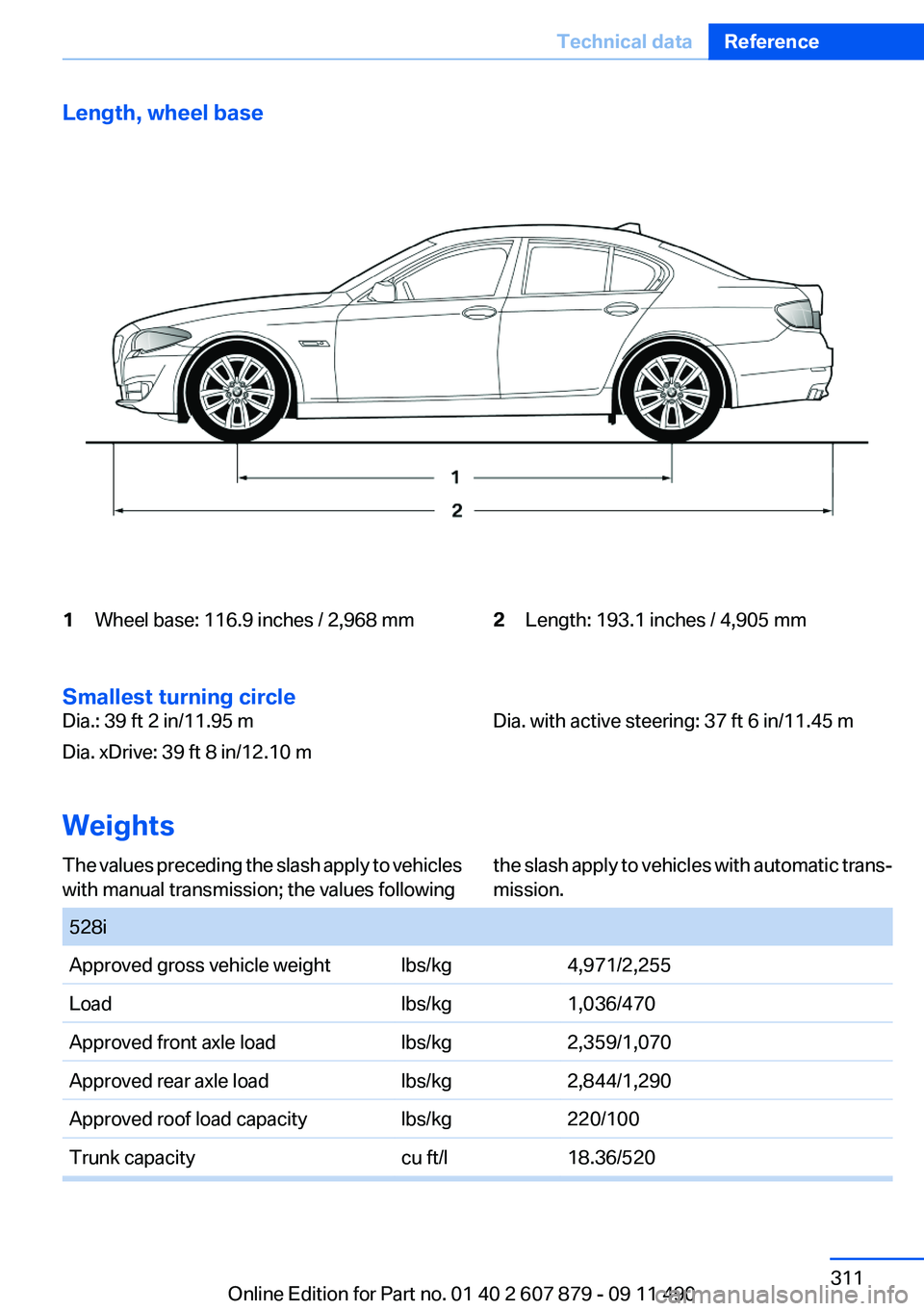
Length, wheel base1Wheel base: 116.9 inches / 2,968 mm2Length: 193.1 inches / 4,905 mm
Smallest turning circle
Dia.: 39 ft 2 in/11.95 m
Dia. xDrive: 39 ft 8 in/12.10 mDia. with active steering: 37 ft 6 in/11.45 m
Weights
The values preceding the slash apply to vehicles
with manual transmission; the values followingthe slash apply to vehicles with automatic trans‐
mission. 528iApproved gross vehicle weightlbs/kg4,971/2,255Loadlbs/kg1,036/470Approved front axle loadlbs/kg2,359/1,070Approved rear axle loadlbs/kg2,844/1,290Approved roof load capacitylbs/kg220/100Trunk capacitycu ft/l18.36/520Seite 311Technical dataReference311
Online Edition for Part no. 01 40 2 607 879 - 09 11 490
Page 324 of 335
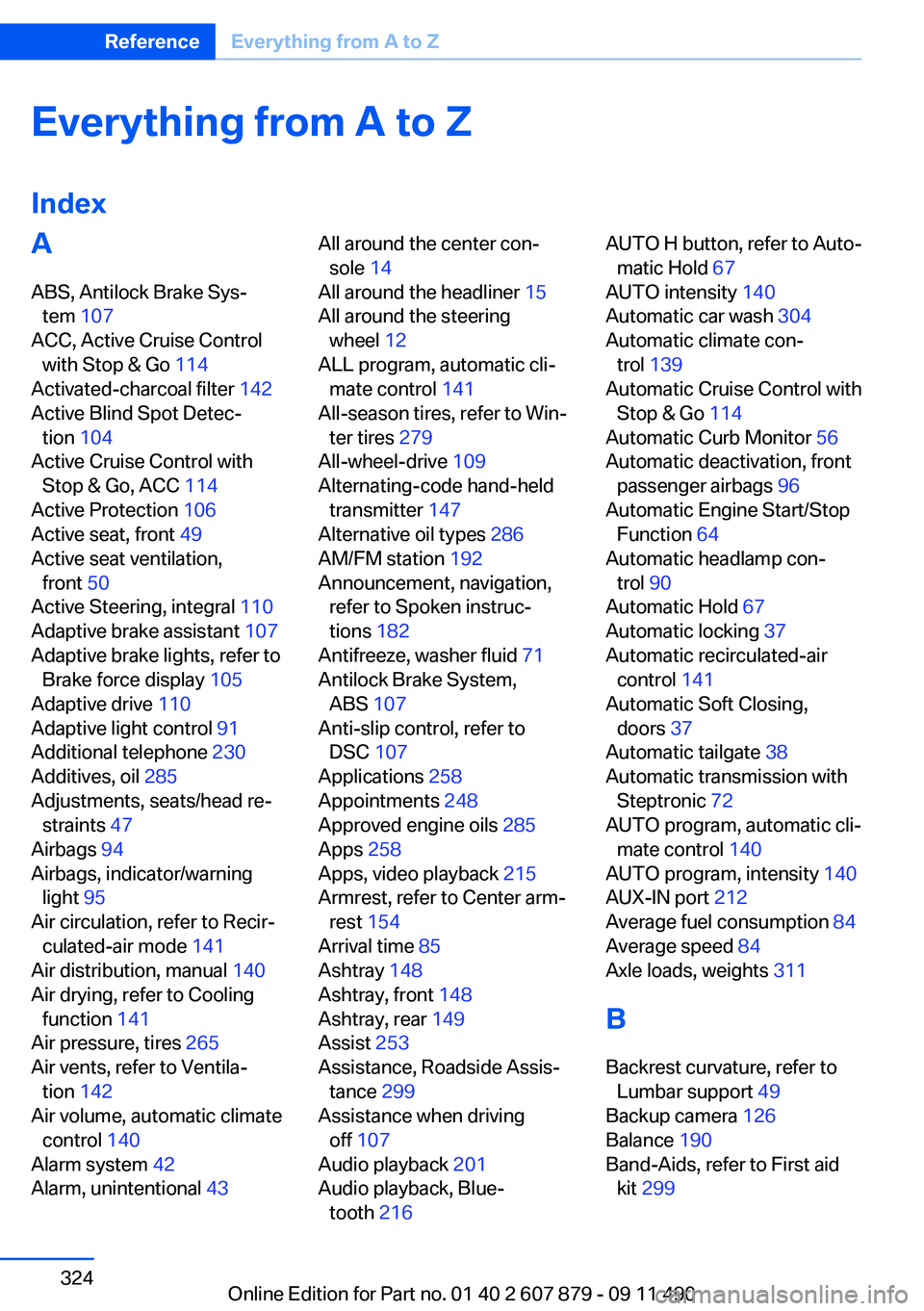
Everything from A to Z
IndexA
ABS, Antilock Brake Sys‐ tem 107
ACC, Active Cruise Control with Stop & Go 114
Activated-charcoal filter 142
Active Blind Spot Detec‐ tion 104
Active Cruise Control with Stop & Go, ACC 114
Active Protection 106
Active seat, front 49
Active seat ventilation, front 50
Active Steering, integral 110
Adaptive brake assistant 107
Adaptive brake lights, refer to Brake force display 105
Adaptive drive 110
Adaptive light control 91
Additional telephone 230
Additives, oil 285
Adjustments, seats/head re‐ straints 47
Airbags 94
Airbags, indicator/warning light 95
Air circulation, refer to Recir‐ culated-air mode 141
Air distribution, manual 140
Air drying, refer to Cooling function 141
Air pressure, tires 265
Air vents, refer to Ventila‐ tion 142
Air volume, automatic climate control 140
Alarm system 42
Alarm, unintentional 43 All around the center con‐
sole 14
All around the headliner 15
All around the steering wheel 12
ALL program, automatic cli‐ mate control 141
All-season tires, refer to Win‐ ter tires 279
All-wheel-drive 109
Alternating-code hand-held transmitter 147
Alternative oil types 286
AM/FM station 192
Announcement, navigation, refer to Spoken instruc‐
tions 182
Antifreeze, washer fluid 71
Antilock Brake System, ABS 107
Anti-slip control, refer to DSC 107
Applications 258
Appointments 248
Approved engine oils 285
Apps 258
Apps, video playback 215
Armrest, refer to Center arm‐ rest 154
Arrival time 85
Ashtray 148
Ashtray, front 148
Ashtray, rear 149
Assist 253
Assistance, Roadside Assis‐ tance 299
Assistance when driving off 107
Audio playback 201
Audio playback, Blue‐ tooth 216 AUTO H button, refer to Auto‐
matic Hold 67
AUTO intensity 140
Automatic car wash 304
Automatic climate con‐ trol 139
Automatic Cruise Control with Stop & Go 114
Automatic Curb Monitor 56
Automatic deactivation, front passenger airbags 96
Automatic Engine Start/Stop Function 64
Automatic headlamp con‐ trol 90
Automatic Hold 67
Automatic locking 37
Automatic recirculated-air control 141
Automatic Soft Closing, doors 37
Automatic tailgate 38
Automatic transmission with Steptronic 72
AUTO program, automatic cli‐ mate control 140
AUTO program, intensity 140
AUX-IN port 212
Average fuel consumption 84
Average speed 84
Axle loads, weights 311
B
Backrest curvature, refer to Lumbar support 49
Backup camera 126
Balance 190
Band-Aids, refer to First aid kit 299 Seite 324ReferenceEverything from A to Z324
Online Edition for Part no. 01 40 2 607 879 - 09 11 490
Page 329 of 335
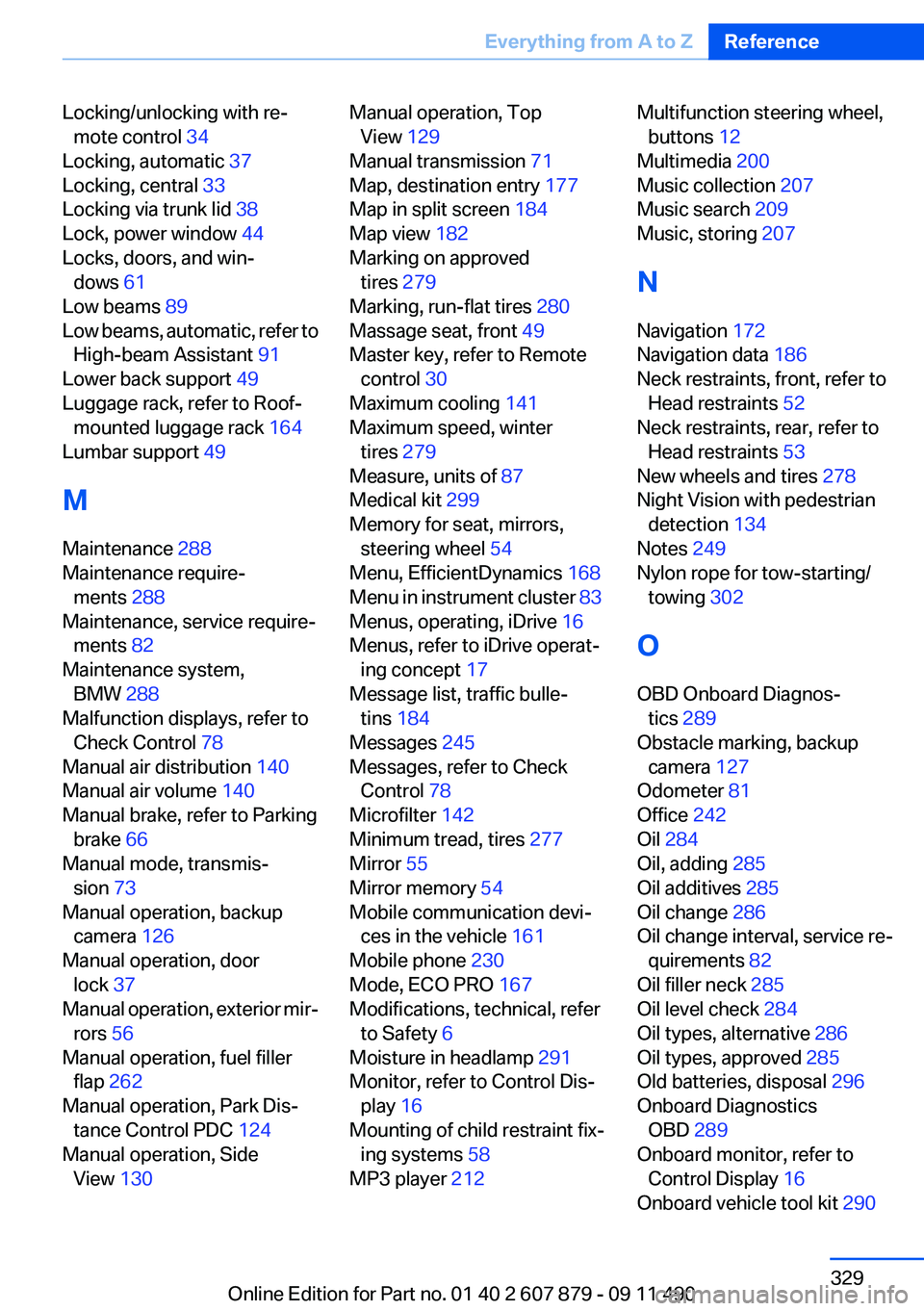
Locking/unlocking with re‐mote control 34
Locking, automatic 37
Locking, central 33
Locking via trunk lid 38
Lock, power window 44
Locks, doors, and win‐ dows 61
Low beams 89
Low beams, automatic, refer to High-beam Assistant 91
Lower back support 49
Luggage rack, refer to Roof- mounted luggage rack 164
Lumbar support 49
M
Maintenance 288
Maintenance require‐ ments 288
Maintenance, service require‐ ments 82
Maintenance system, BMW 288
Malfunction displays, refer to Check Control 78
Manual air distribution 140
Manual air volume 140
Manual brake, refer to Parking brake 66
Manual mode, transmis‐ sion 73
Manual operation, backup camera 126
Manual operation, door lock 37
Manual operation, exterior mir‐ rors 56
Manual operation, fuel filler flap 262
Manual operation, Park Dis‐ tance Control PDC 124
Manual operation, Side View 130 Manual operation, Top
View 129
Manual transmission 71
Map, destination entry 177
Map in split screen 184
Map view 182
Marking on approved tires 279
Marking, run-flat tires 280
Massage seat, front 49
Master key, refer to Remote control 30
Maximum cooling 141
Maximum speed, winter tires 279
Measure, units of 87
Medical kit 299
Memory for seat, mirrors, steering wheel 54
Menu, EfficientDynamics 168
Menu in instrument cluster 83
Menus, operating, iDrive 16
Menus, refer to iDrive operat‐ ing concept 17
Message list, traffic bulle‐ tins 184
Messages 245
Messages, refer to Check Control 78
Microfilter 142
Minimum tread, tires 277
Mirror 55
Mirror memory 54
Mobile communication devi‐ ces in the vehicle 161
Mobile phone 230
Mode, ECO PRO 167
Modifications, technical, refer to Safety 6
Moisture in headlamp 291
Monitor, refer to Control Dis‐ play 16
Mounting of child restraint fix‐ ing systems 58
MP3 player 212 Multifunction steering wheel,
buttons 12
Multimedia 200
Music collection 207
Music search 209
Music, storing 207
N
Navigation 172
Navigation data 186
Neck restraints, front, refer to Head restraints 52
Neck restraints, rear, refer to Head restraints 53
New wheels and tires 278
Night Vision with pedestrian detection 134
Notes 249
Nylon rope for tow-starting/ towing 302
O
OBD Onboard Diagnos‐ tics 289
Obstacle marking, backup camera 127
Odometer 81
Office 242
Oil 284
Oil, adding 285
Oil additives 285
Oil change 286
Oil change interval, service re‐ quirements 82
Oil filler neck 285
Oil level check 284
Oil types, alternative 286
Oil types, approved 285
Old batteries, disposal 296
Onboard Diagnostics OBD 289
Onboard monitor, refer to Control Display 16
Onboard vehicle tool kit 290 Seite 329Everything from A to ZReference329
Online Edition for Part no. 01 40 2 607 879 - 09 11 490