reset BMW 535I GRAN TURISMO 2011 User Guide
[x] Cancel search | Manufacturer: BMW, Model Year: 2011, Model line: 535I GRAN TURISMO, Model: BMW 535I GRAN TURISMO 2011Pages: 297, PDF Size: 8.59 MB
Page 94 of 297
Continued driving with a flat tire
If continuing to drive with a damaged tire:
1.
Avoid sudden braking and steering maneu‐
vers.
2. Do not exceed a speed of 50 mph/80 km/h.
3. Check the air pressure in all four tires at the
next opportunity.
If the tire inflation pressure in all four tires is
correct, the Tire Pressure Monitor may not
have been initialized. In this case, initialize
the system.
Possible driving distance with complete loss of
tire inflation pressure:
The possible driving distance after a loss of tire
inflation pressure depends on the cargo load
and the driving style and conditions.
For a vehicle containing an average load, the
possible driving distance is approx. 50 miles/
80 km.
When the vehicle is driven with a damaged tire,
its handling characteristics change, e.g., re‐
duced lane stability during braking, a longer
braking distance, and altered self-steering
properties. Adjust your driving style accord‐
ingly. Avoid abrupt steering maneuvers or driv‐
ing over obstacles, e.g., curbs, potholes, etc.
Because
the possible driving distance depends
on how the vehicle is used during the trip, the
actual distance may be smaller or greater de‐
pending on the driving speed, road conditions,
external temperature, cargo load, etc.
Continued driving with a flat tire
Drive moderately and do not exceed a
speed of 50 mph/80 km/h.
A loss of tire inflation pressure results in a
change in the handling characteristics, e.g., re‐
duced lane stability during braking, a longer
braking distance and altered self-steering prop‐
erties.◀
Final tire failure
Vibrations or loud noises while driving can
indicate the final failure of the tire. Reduce speed
and stop; otherwise, pieces of the tire could come loose and cause an accident. Do not con‐
tinue
driving, and contact your service center.◀
Message when the system was not
reset
A Check Control message is displayed.
The system detected a wheel change but was
not reset.
Warnings regarding the current tire inflation
pressure are not reliable.
Check the tire inflation pressure and reset the
system.
Malfunction The yellow warning lamp flashes and
then lights up continuously. A Check
Control message is displayed. No flat
tire can be detected.
Display in the following situations:
▷ A wheel without TPM electronics is fitted:
have
the service center check it if necessary.
▷ Malfunction: have the system checked by
your service center.
▷ TPM could not be fully reset. Reset the sys‐
tem again.
▷ Disturbance by systems or devices with the
same
radio frequency: after leaving the area
of the disturbance, the system automatically
becomes active again.
Declaration according to NHTSA/
FMVSS 138 Tire Pressure Monitoring
System
Each tire, including the spare (if provided)
should be checked monthly when cold and in‐
flated
to the inflation pressure recommended by
the vehicle manufacturer on the vehicle placard
or tire inflation pressure label. (If your vehicle has
tires of a different size than the size indicated on
the vehicle placard or tire inflation pressure la‐
bel, you should determine the proper tire infla‐
tion pressure for those tires.) As an added safety
feature, your vehicle has been equipped with a
tire pressure monitoring system (TPMS) that il‐
luminates a low tire pressure telltale when one Seite 94
94 Online Edition for Part no. 01 40 2 606 445 - 03 11 490
Safety
Page 132 of 297
The selected air volume is shown on the display
of the automatic climate control.
Switching the system on/off
Switching off
At the lowest fan speed, press the left
side of the button on the driver's side.
Switching on
Press any button.
Maximum cooling Press the button.
The system is set to the lowest tem‐
perature,
maximum air volume and recirculated-
air mode.
Air flows out of the vents for the upper body re‐
gion. Open them for this purpose.
Air is cooled as quickly as possible:
▷ At an external temperature of approx. 32 ℉/
0 ℃.
▷ When the engine is running.
Parked-car ventilation
The concept
The
parked-car ventilation ventilates the vehicle
interior and lowers its temperature, if necessary.
The system can be switched on and off directly
or by using two preset switch-on times. It re‐
mains switched on for 30 minutes.
They can be operated via iDrive.
Parked-car ventilation
Using the preset switch-on time or when oper‐
ated directly: any external temperature.
Open the vents to allow air to flow out.
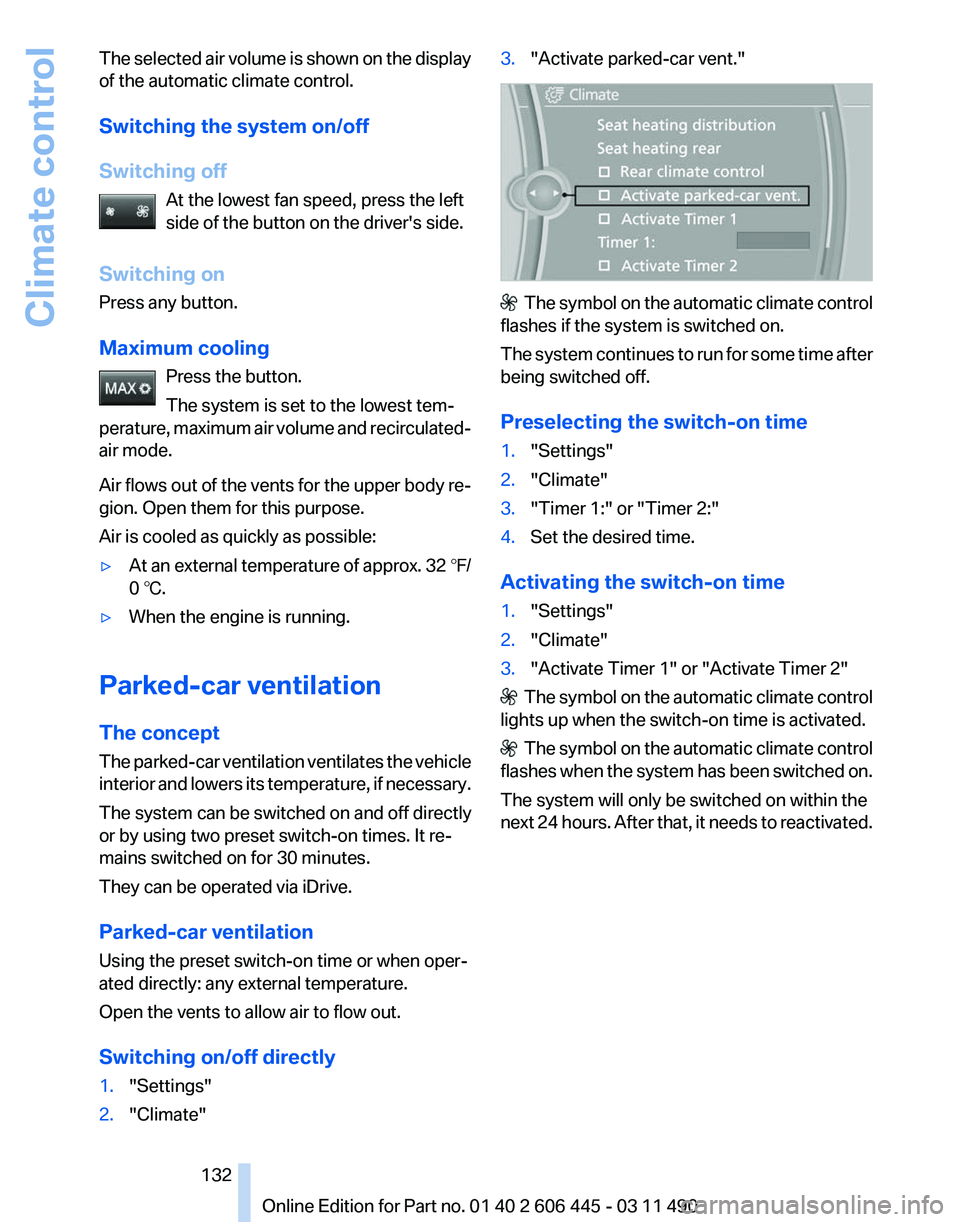
Switching on/off directly
1. "Settings"
2. "Climate" 3.
"Activate parked-car vent." The symbol on the automatic climate control
flashes if the system is switched on.
The
system continues to run for some time after
being switched off.
Preselecting the switch-on time
1. "Settings"
2. "Climate"
3. "Timer 1:" or "Timer 2:"
4. Set the desired time.
Activating the switch-on time
1. "Settings"
2. "Climate"
3. "Activate Timer 1" or "Activate Timer 2" The symbol on the automatic climate control
lights up when the switch-on time is activated. The symbol on the automatic climate control
flashes
when the system has been switched on.
The system will only be switched on within the
next 24 hours. After that, it needs to reactivated.
Seite 132
132 Online Edition for Part no. 01 40 2 606 445 - 03 11 490
Climate control
Page 173 of 297
When surround is activated, multi-channel play‐
back is simulated when a stereo audio track is
played.
Volume
▷
"Speed volume": speed-dependent volume
control.
▷ "PDC": volume of the PDC signal* com‐
pared to the entertainment sound output.
▷ "Gong": volume of the signal, such as the
safety belt reminder, compared to the en‐
tertainment sound output.
▷ "Microphone": volume of the microphone*
during a phone call.
▷ "Loudspeak.":
volume of the loudspeakers*
during a phone call.
The following volumes are only stored for the
respective paired telephone:
"Microphone",
"Loudspeak.".
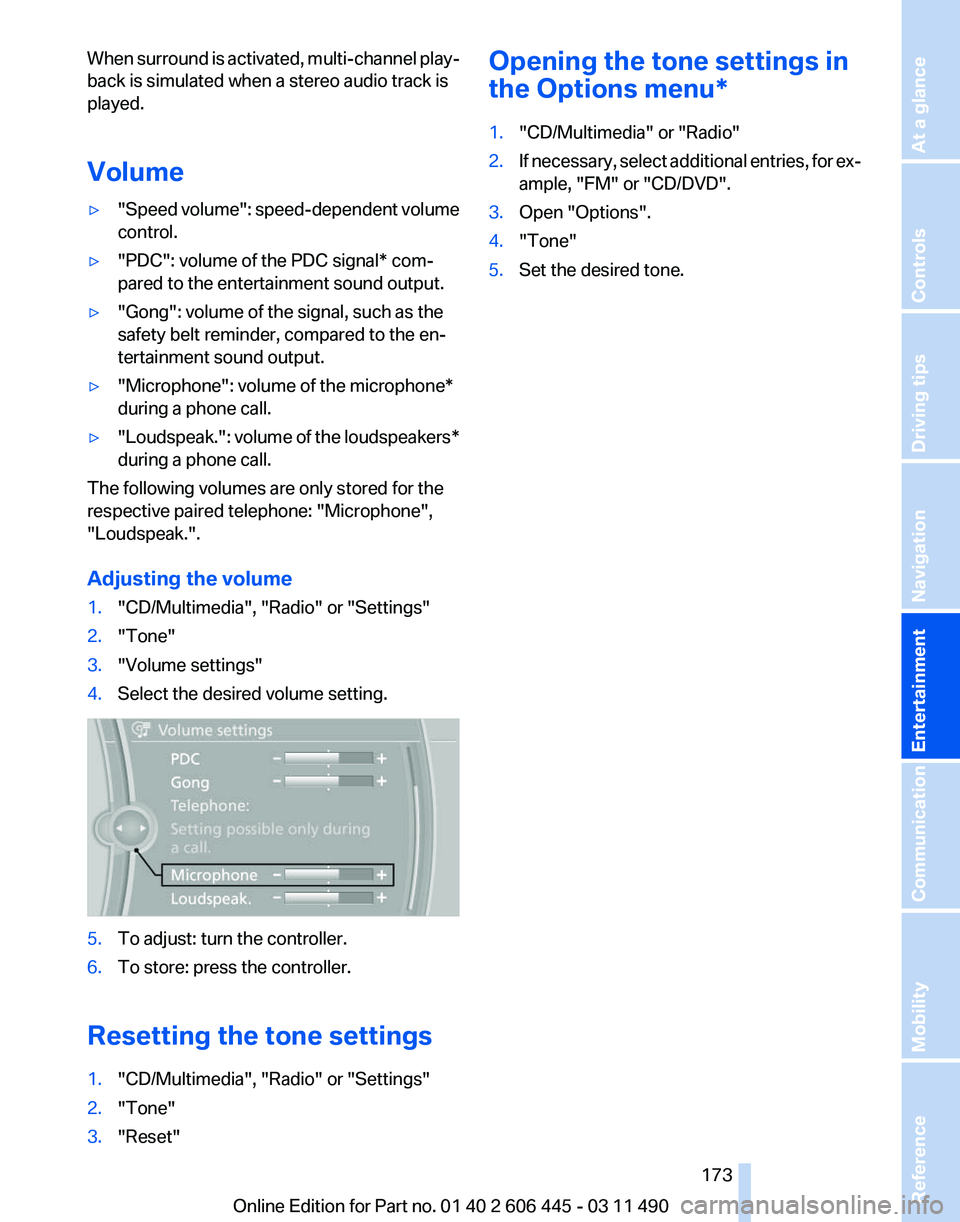
Adjusting the volume
1. "CD/Multimedia", "Radio" or "Settings"
2. "Tone"
3. "Volume settings"
4. Select the desired volume setting. 5.
To adjust: turn the controller.
6. To store: press the controller.
Resetting the tone settings
1. "CD/Multimedia", "Radio" or "Settings"
2. "Tone"
3. "Reset" Opening the tone settings in
the Options menu
*
1. "CD/Multimedia" or "Radio"
2. If necessary, select additional entries, for ex‐
ample, "FM" or
"CD/DVD".
3. Open "Options".
4. "Tone"
5. Set the desired tone.
Seite 173
173Online Edition for Part no. 01 40 2 606 445 - 03 11 490
Reference Mobility Communication
Entertainment Navigation Driving tips Controls At a glance
Page 180 of 297
Select one of the symbols to deactivate Traffic
Jump.
Automatic update
About
twice a year, Sirius performs an update of
the channel names and positions. The update
takes place automatically and may take several
minutes.
Notes
▷ Reception may not be available in some sit‐
uations, such as under certain environmen‐
tal or topographic conditions. The satellite
radio has no influence on this.
▷ The signal may not be available in tunnels or
underground garages next to tall buildings
or near trees, mountains or other powerful
sources of radio interference.
Stored stations
General information
It is possible to store up to 40 stations.
Calling up a station
1. "Radio"
2. "Presets"
3. Select the desired station.
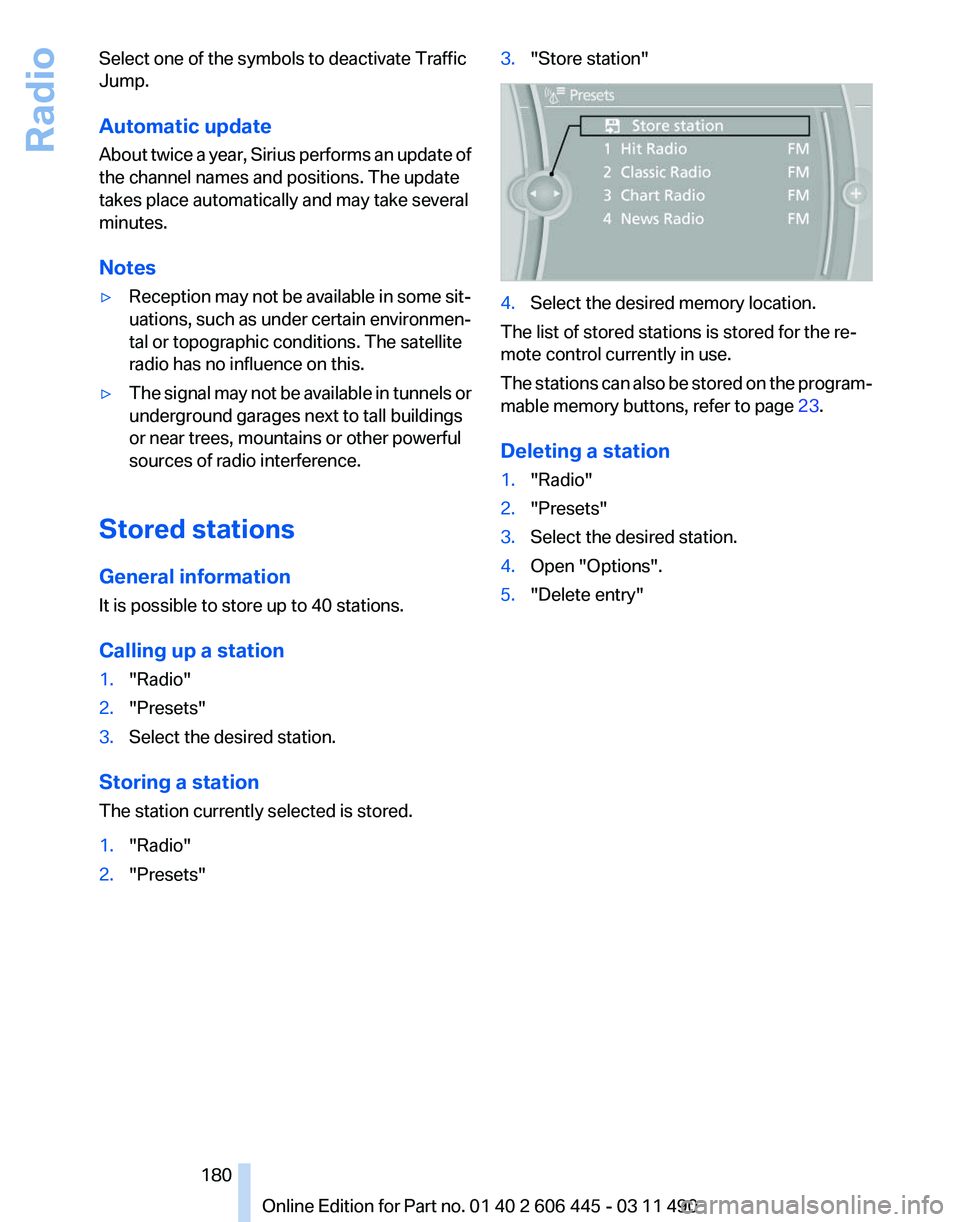
Storing a station
The station currently selected is stored.
1. "Radio"
2. "Presets" 3.
"Store station" 4.
Select the desired memory location.
The list of stored stations is stored for the re‐
mote control currently in use.
The
stations can also be stored on the program‐
mable memory buttons, refer to page 23.
Deleting a station
1. "Radio"
2. "Presets"
3. Select the desired station.
4. Open "Options".
5. "Delete entry"
Seite 180
180 Online Edition for Part no. 01 40 2 606 445 - 03 11 490
Radio
Page 196 of 297
Depending on the configuration of the audio
files, e.g., bit rates greater than 256 kbit/s, the
files may not play back correctly in each case.
Information on connection
▷
The connected audio device is supplied with
a
max. power of 500 mA if supported by the
device. Therefore, do not additionally con‐
nect the device to a socket in the vehicle;
otherwise, playback may be compromised.
▷ Do not use force when plugging the con‐
nector into the USB interface.
▷ Do not connect devices such as fans or
lamps to the USB audio interface.
▷ Do not connect USB hard drives.
▷ Do not use the USB audio interface to re‐
charge external devices.
Bluetooth audio*
At a glance
▷ Music files on external devices such as audio
devices or mobile phones can be played
back via Bluetooth.
Use of a mobile phone as an audio source,
refer to page 211.
▷ The sound is output on the vehicle loud‐
speakers.
▷ The volume of the sound output is depend‐
ent on the device. If necessary, adjust the
volume on the device.
▷ Up to four external devices can be paired
with the vehicle.
Requirements
▷ The device is suitable. Information under
www.bmwusa.com/bluetooth.
▷ The device is ready for operation.
▷ The ignition is switched on.
▷ Bluetooth is activated on the vehicle, refer to
page 211, and on the device.
▷ Bluetooth presettings must be made on the
device, such as for a connection without confirmation or visibility; refer to the device
operating instructions.
▷ A number with at least four and a maximum
of
16 digits is defined as the Bluetooth pass‐
key. It is only required once for pairing.
Pairing and connecting Pairing a device
To
avoid becoming distracted and posing
an unnecessary hazard both to your own vehi‐
cle's occupants and to other road users, only
pair the device while the vehicle is stationary.◀
1. "CD/Multimedia"
2. "Bluetooth® (audio)"
3. If necessary, "Bluetooth® audio".
4. "Add new phone"
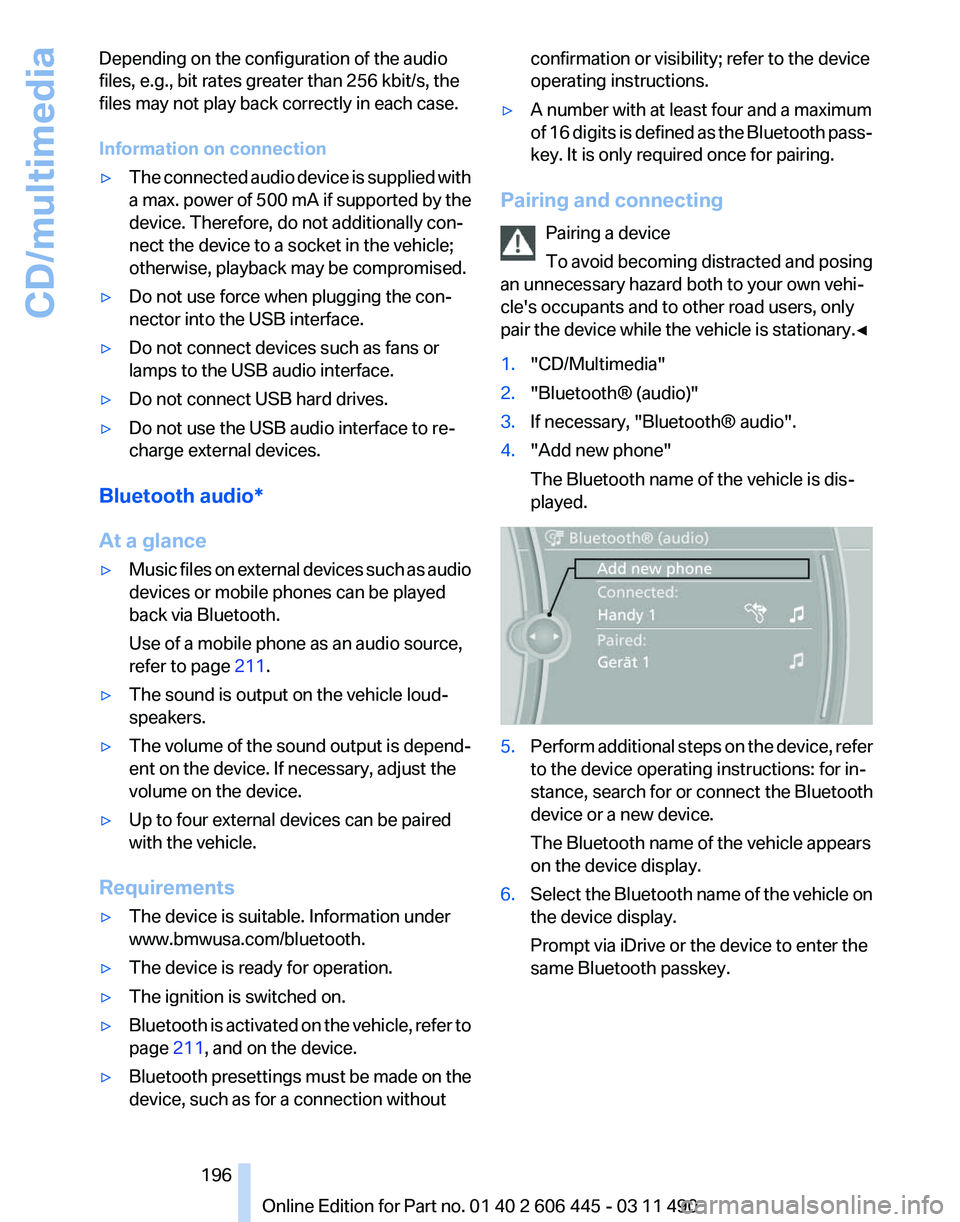
The Bluetooth name of the vehicle is dis‐
played. 5.
Perform additional steps on the device, refer
to the device operating instructions: for in‐
stance, search for or connect the Bluetooth
device or a new device.
The Bluetooth name of the vehicle appears
on the device display.
6. Select the Bluetooth name of the vehicle on
the device display.
Prompt via iDrive or the device to enter the
same Bluetooth passkey. Seite 196
196 Online Edition for Part no. 01 40 2 606 445 - 03 11 490
CD/multimedia
Page 211 of 297
▷
The mobile phone is ready for operation.
▷ Bluetooth is activated in the vehicle and on
the mobile phone.
▷ Bluetooth presettings may need to be made
on the mobile phone, e.g., for a connection
without
confirmation or visibility, refer to the
mobile phone operating instructions.
▷ Deactivate Bluetooth audio if necessary.
▷ A number with at least four and a maximum
of 16 digits was defined as the Bluetooth
passkey. It is only required once for pairing.
▷ The ignition is switched on.
Activating/deactivating Bluetooth
Bluetooth
is not permitted everywhere. Comply
with all safety guidelines and regulations.
1. "Telephone"
2. Open "Options".
3. "Bluetooth®"
Additional functions
General information
Activate the functions before pairing to be able
to use them in the vehicle. Information on suit‐
able
mobile phones, refer to page 210, that sup‐
port these functions.
Additional telephone
A mobile phone can be used as an additional
telephone.
The additional telephone can be used to accept
incoming calls, refer to page 214. While a call is
active on the additional telephone, incoming
calls are displayed on the Control Display.
Audio source
A mobile phone can be used as an audio source.
Activating/deactivating the additional
functions
1. "Telephone"
2. "Bluetooth® (phone)" 3.
Open "Options".
4. Select the desired additional function.
▷"Additional telephone"
▷ "Office"
▷ "Bluetooth® audio"
Pairing and connecting a device Pairing a device
To
avoid becoming distracted and posing
an unnecessary hazard both to your own vehi‐
cle's occupants and to other road users, only
pair the device while the vehicle is stationary.◀
Pair the vehicle entirely on the front or rear Con‐
trol Display.
1. "Telephone"
2. "Bluetooth® (phone)"
3. "Add new phone"
The Bluetooth name of the vehicle is dis‐
played.
4. To perform additional steps on the mobile
phone, refer to the mobile phone operating
instructions:
for instance, search for or con‐
nect the Bluetooth device or a new device.
The Bluetooth name of the vehicle appears
on the mobile phone display.
5. Select the Bluetooth name of the vehicle on
the mobile phone display.
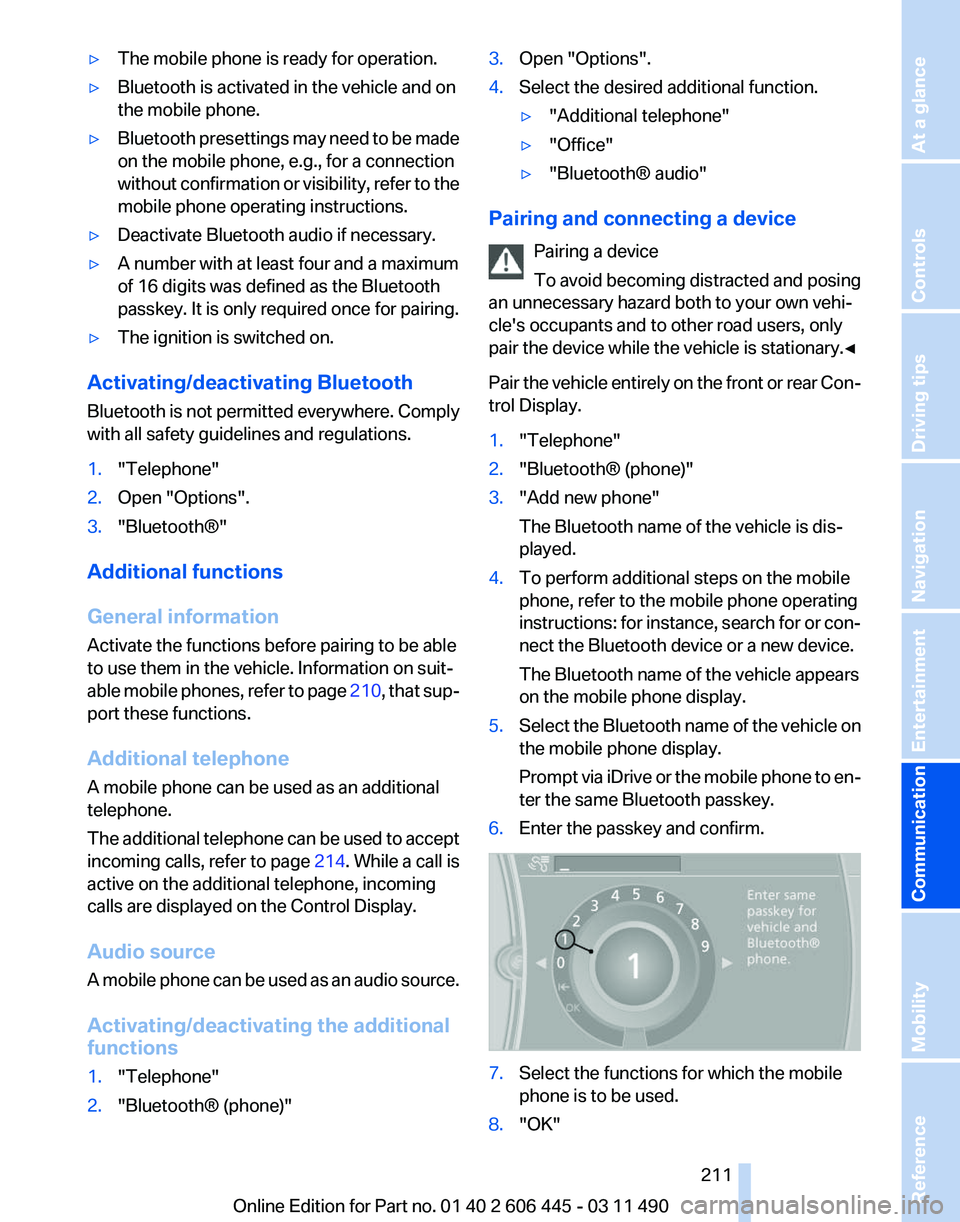
Prompt
via iDrive or the mobile phone to en‐
ter the same Bluetooth passkey.
6. Enter the passkey and confirm. 7.
Select the functions for which the mobile
phone is to be used.
8. "OK" Seite 211
211Online Edition for Part no. 01 40 2 606 445 - 03 11 490
Reference Mobility
Communication Entertainment Navigation Driving tips Controls At a glance
Page 219 of 297
Adjusting the volume
Turn the knob during an announcement.
▷
The volume remains constant even if the
volume of other audio sources is changed.
▷ The volume is stored for the remote control
currently in use.
Notes
Do not use the voice operation to initiate an
Emergency
Request. In stressful situations, the
voice and vocal pitch can change. This can un‐
necessarily delay the establishment of a tele‐
phone connection.
Instead, use the SOS button*, refer to
page 264, in the vicinity of the interior mirror.
Environmental conditions
▷ Say the commands, numbers, and letters
smoothly and with normal volume, empha‐
sis, and speed.
▷ Always say commands in the language of
the system. The language for the mobile
phone voice operation is preset and cannot
be changed in the Control Display.
▷ Keep the doors, windows, and glass sun‐
roof* closed to prevent noise interference.
▷ Avoid making other noise in the vehicle
while speaking.
Snap-in adapter*
Installation position
In the center armrest. Inserting the snap-in adapter
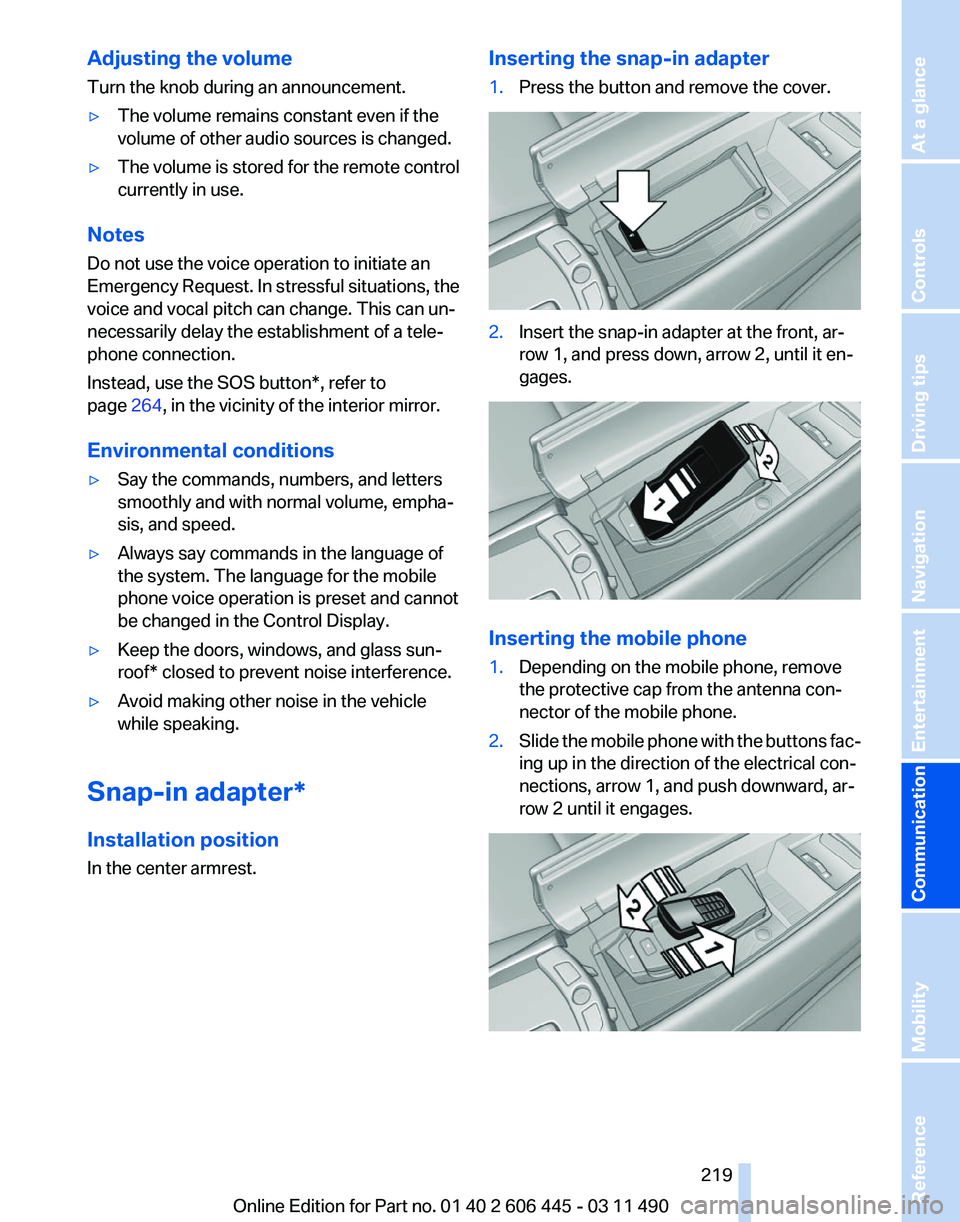
1.
Press the button and remove the cover. 2.
Insert the snap-in adapter at the front, ar‐
row 1, and press down, arrow 2, until it en‐
gages. Inserting the mobile phone
1.
Depending on the mobile phone, remove
the protective cap from the antenna con‐
nector of the mobile phone.
2. Slide the mobile phone with the buttons fac‐
ing up in the direction of the electrical con‐
nections, arrow 1, and push downward, ar‐
row 2 until it engages. Seite 219
219Online Edition for Part no. 01 40 2 606 445 - 03 11 490
Reference Mobility
Communication Entertainment Navigation Driving tips Controls At a glance
Page 281 of 297
Function
Command
Select a frequency range. ›Select frequency‹
Open a station. ›Select station‹AM
Function
Command
Open a frequency. ›Frequency ... Kilohertz‹ e.g., frequency 753 or
753 kilohertz
Open the AM stations. ›A M‹
Open the manual search. ›Manual‹Weather Band
Function
Command
Open the Weather Band. ›Weather band‹
Switch on the Weather Band. ›Weather band on‹
Select a Weather Band station. ›Select a weather channel‹Satellite radio*
Function
Command
Open the satellite radio. ›Satellite radio‹
Switch on the satellite radio. ›Satellite radio on‹
Select a satellite radio channel. ›Select satellite radio‹ e.g., satellite radio channel
2Stored stations
Function
Command
Open the stored stations. ›Presets‹
Choose a stored station. ›Select preset‹
Select a stored station. ›Preset ...‹ e.g., stored station 2 Seite 281
281Online Edition for Part no. 01 40 2 606 445 - 03 11 490
Reference Mobility Communication Entertainment Navigation Driving tips Controls At a glance
Page 292 of 297
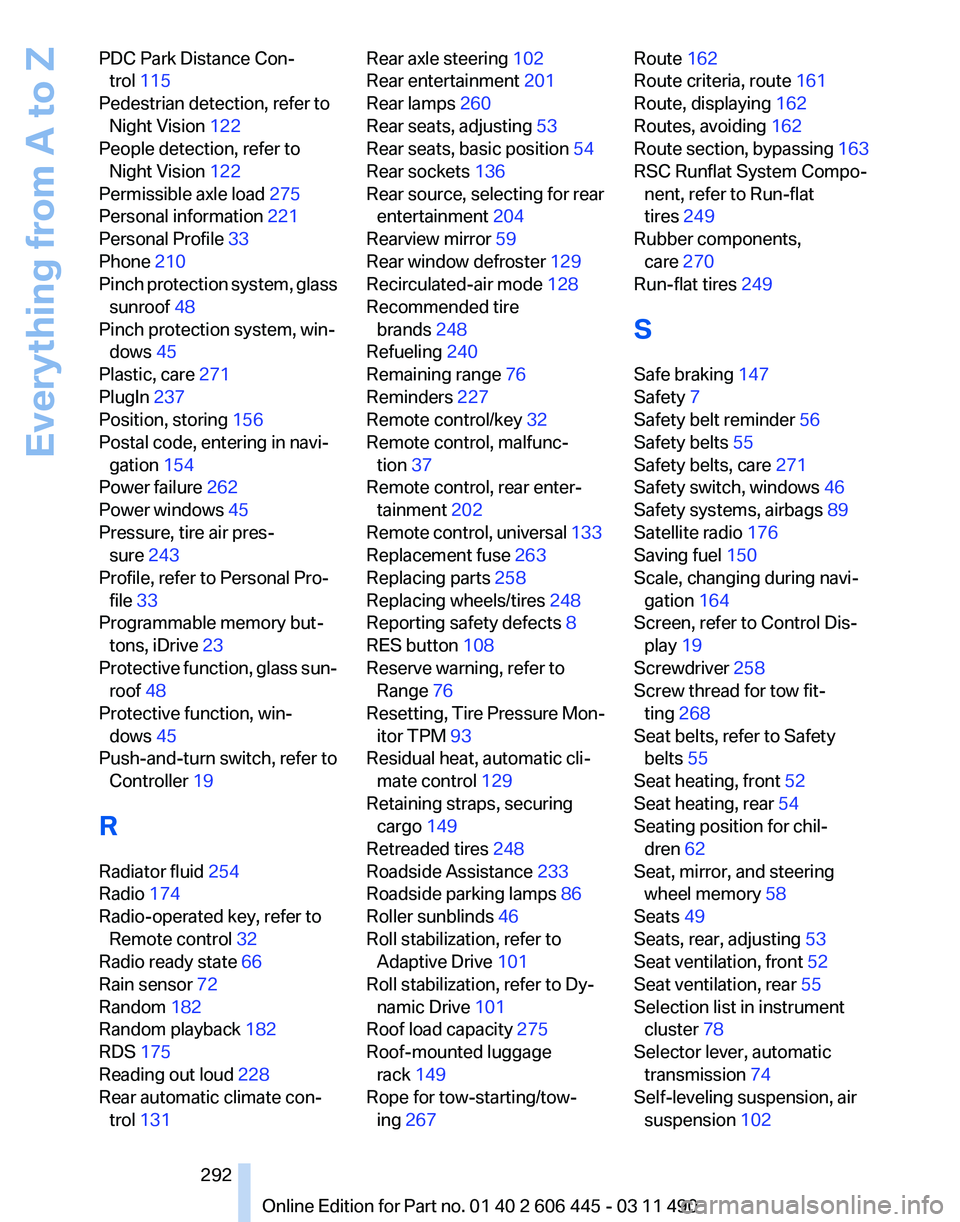
PDC Park Distance Con‐
trol 115
Pedestrian detection, refer to Night Vision 122
People detection, refer to Night Vision 122
Permissible axle load 275
Personal information 221
Personal Profile 33
Phone 210
Pinch
protection system, glass
sunroof 48
Pinch protection system, win‐ dows 45
Plastic, care 271
PlugIn 237
Position, storing 156
Postal code, entering in navi‐ gation 154
Power failure 262
Power windows 45
Pressure, tire air pres‐ sure 243
Profile, refer to Personal Pro‐ file 33
Programmable memory but‐ tons, iDrive 23
Protective function, glass sun‐ roof 48
Protective function, win‐ dows 45
Push-and-turn switch, refer to Controller 19
R
Radiator fluid 254
Radio 174
Radio-operated key, refer to Remote control 32
Radio ready state 66
Rain sensor 72
Random 182
Random playback 182
RDS 175
Reading out loud 228
Rear automatic climate con‐ trol 131 Rear axle steering 102
Rear entertainment 201
Rear lamps 260
Rear seats, adjusting
53
Rear seats, basic position 54
Rear sockets 136
Rear source, selecting for rear entertainment 204
Rearview mirror 59
Rear window defroster 129
Recirculated-air mode 128
Recommended tire brands 248
Refueling 240
Remaining range 76
Reminders 227
Remote control/key 32
Remote control, malfunc‐ tion 37
Remote control, rear enter‐ tainment 202
Remote
control, universal 133
Replacement fuse 263
Replacing parts 258
Replacing wheels/tires 248
Reporting safety defects 8
RES button 108
Reserve warning, refer to Range 76
Resetting, Tire Pressure Mon‐ itor TPM 93
Residual heat, automatic cli‐ mate control 129
Retaining straps, securing cargo 149
Retreaded tires 248
Roadside Assistance 233
Roadside parking lamps 86
Roller sunblinds 46
Roll stabilization, refer to Adaptive Drive 101
Roll stabilization, refer to Dy‐ namic Drive 101
Roof load capacity 275
Roof-mounted luggage rack 149
Rope for tow-starting/tow‐ ing 267 Route 162
Route criteria, route 161
Route, displaying
162
Routes, avoiding 162
Route
section, bypassing 163
RSC Runflat System Compo‐ nent, refer to Run-flat
tires 249
Rubber components, care 270
Run-flat tires 249
S
Safe braking 147
Safety 7
Safety belt reminder 56
Safety belts 55
Safety belts, care 271
Safety switch, windows 46
Safety systems, airbags 89
Satellite radio 176
Saving fuel 150
Scale, changing during navi‐ gation 164
Screen, refer to Control Dis‐ play 19
Screwdriver 258
Screw thread for tow fit‐ ting 268
Seat belts, refer to Safety belts 55
Seat heating, front 52
Seat heating, rear 54
Seating position for chil‐ dren 62
Seat, mirror, and steering wheel memory 58
Seats 49
Seats, rear, adjusting 53
Seat ventilation, front 52
Seat ventilation, rear 55
Selection list in instrument cluster 78
Selector lever, automatic transmission 74
Self-leveling suspension, air suspension 102
Seite 292
292 Online Edition for Part no. 01 40 2 606 445 - 03 11 490
Everything from A to Z