buttons BMW 535I GRAN TURISMO 2012 Owner's Guide
[x] Cancel search | Manufacturer: BMW, Model Year: 2012, Model line: 535I GRAN TURISMO, Model: BMW 535I GRAN TURISMO 2012Pages: 321, PDF Size: 12.7 MB
Page 201 of 321
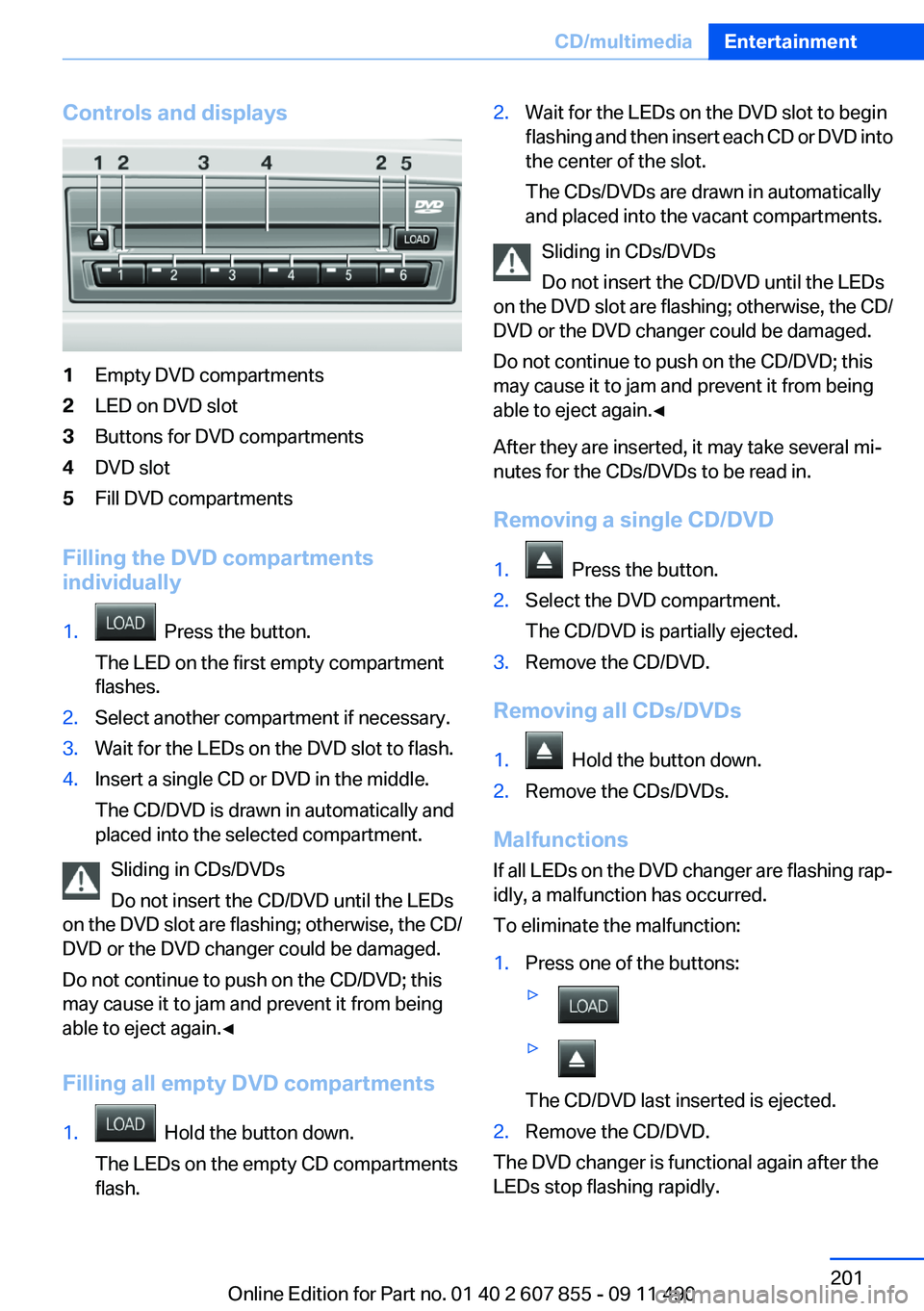
Controls and displays1Empty DVD compartments2LED on DVD slot3Buttons for DVD compartments4DVD slot5Fill DVD compartments
Filling the DVD compartments
individually
1. Press the button.
The LED on the first empty compartment
flashes.2.Select another compartment if necessary.3.Wait for the LEDs on the DVD slot to flash.4.Insert a single CD or DVD in the middle.
The CD/DVD is drawn in automatically and
placed into the selected compartment.
Sliding in CDs/DVDs
Do not insert the CD/DVD until the LEDs
on the DVD slot are flashing; otherwise, the CD/
DVD or the DVD changer could be damaged.
Do not continue to push on the CD/DVD; this
may cause it to jam and prevent it from being
able to eject again.◀
Filling all empty DVD compartments
1. Hold the button down.
The LEDs on the empty CD compartments
flash.2.Wait for the LEDs on the DVD slot to begin
flashing and then insert each CD or DVD into
the center of the slot.
The CDs/DVDs are drawn in automatically
and placed into the vacant compartments.
Sliding in CDs/DVDs
Do not insert the CD/DVD until the LEDs
on the DVD slot are flashing; otherwise, the CD/
DVD or the DVD changer could be damaged.
Do not continue to push on the CD/DVD; this
may cause it to jam and prevent it from being
able to eject again.◀
After they are inserted, it may take several mi‐
nutes for the CDs/DVDs to be read in.
Removing a single CD/DVD
1. Press the button.2.Select the DVD compartment.
The CD/DVD is partially ejected.3.Remove the CD/DVD.
Removing all CDs/DVDs
1. Hold the button down.2.Remove the CDs/DVDs.
Malfunctions
If all LEDs on the DVD changer are flashing rap‐
idly, a malfunction has occurred.
To eliminate the malfunction:
1.Press one of the buttons:▷▷
The CD/DVD last inserted is ejected.
2.Remove the CD/DVD.
The DVD changer is functional again after the
LEDs stop flashing rapidly.
Seite 201CD/multimediaEntertainment201
Online Edition for Part no. 01 40 2 607 855 - 09 11 490
Page 215 of 321
Music files can only be played back softly.▷Adjust the volume settings on the device.
Playback is disturbed when buttons are pressed
or by other messages on the device.
▷Switch off the button tones and other signal
tones on the device.
Playback is interrupted by a telephone call or
traffic bulletin and is not resumed automatically.
▷Switch the radio off and on again.
Playback is not possible if the mobile phone is
connected both via Bluetooth Audio and via the
extended connectivity of the music player in the
mobile phone.
▷Disconnect one of the two connections; for
example, disconnect the audio connection,
refer to page 214, and restart playback.
If all points in this list have been checked and the
required function is still not available, please
contact the hotline or service center.
Software Update
The vehicle supports various external devices
depending on the current software version. With
a software update, the vehicle can support new
cell phones or new external devices.
The updating of the software is done via:
▷USB.
Updates and related current information is
available at www.bmw.com/update.
Displaying the current version
The currently installed software is displayed.
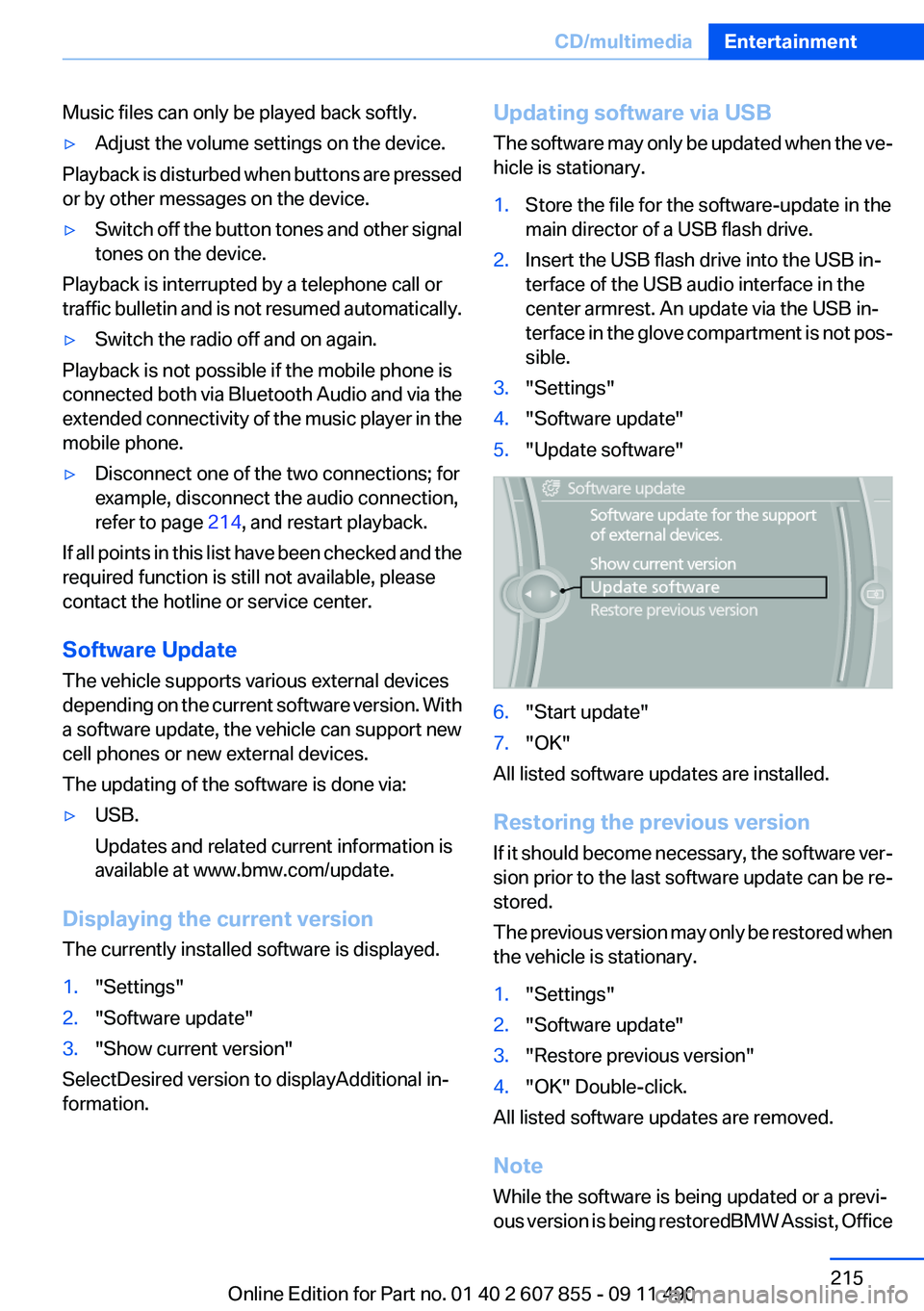
1."Settings"2."Software update"3."Show current version"
SelectDesired version to displayAdditional in‐
formation.
Updating software via USB
The software may only be updated when the ve‐
hicle is stationary.1.Store the file for the software-update in the
main director of a USB flash drive.2.Insert the USB flash drive into the USB in‐
terface of the USB audio interface in the
center armrest. An update via the USB in‐
terface in the glove compartment is not pos‐
sible.3."Settings"4."Software update"5."Update software"6."Start update"7."OK"
All listed software updates are installed.
Restoring the previous version
If it should become necessary, the software ver‐
sion prior to the last software update can be re‐
stored.
The previous version may only be restored when
the vehicle is stationary.
1."Settings"2."Software update"3."Restore previous version"4."OK" Double-click.
All listed software updates are removed.
Note
While the software is being updated or a previ‐
ous version is being restoredBMW Assist, Office
Seite 215CD/multimediaEntertainment215
Online Edition for Part no. 01 40 2 607 855 - 09 11 490
Page 226 of 321
TelephoneVehicle equipment
All standard, country-specific and optional
equipment that is offered in the model series is
described in this chapter. Therefore, equipment
is also described that is not available in a vehicle,
e. g., because of the selected optional equip‐
ment or country variant. This also applies for
safety-related functions and systems.
At a glance
The concept
Mobile phones or other external devices such as
audio players can be connected to the vehicle
via Bluetooth.
After these devices are paired once, they are
recognized automatically when the ignition is
switched on as soon as they are inside the ve‐
hicle and can be operated via iDrive, the buttons
on the steering wheel, and via voice activation.
Depending on their functionality, external devi‐
ces can be used via the vehicle as a telephone
or as an audio source.
The telephone functions are described in the
following. Operation of the audio functions, refer
to page 212.
Up to four external devices can be paired.
Certain functions may need to be enabled by the
mobile phone provider or service provider.
Using the mobile phone while driving
Make entries only when traffic and road
conditions allow. Do not hold the mobile phone
in your hand while you are driving; use the
hands-free system instead. If you do not ob‐
serve this precaution, you can endanger the ve‐
hicle occupants and other road users.◀Snap-in adapter
The snap-in adapter is used to:▷Hold the mobile phone.▷Recharge the battery.▷Connect the mobile phone to an outside an‐
tenna of the vehicle.
This provides for better network reception
and consistent sound quality.
Approved mobile phones
Details on which mobile phones and external
devices with a Bluetooth interface are sup‐
ported by the mobile phone preparation pack‐
age can be obtained at www.bmwusa.com/blue‐
tooth.
Displaying the vehicle identification
number and software part number
The vehicle identification number and software
part number are needed to determine which mo‐
bile phones are supported by the mobile phone
preparation package. The software version of
the mobile phone may also be required.
1."Telephone"2.Open "Options".3."Bluetooth® info"4."Display system information"
These approved mobile phones with a certain
software version, support the vehicle functions
described below.
Malfunctions may occur with other mobile
phones or software versions.
Do not operate a mobile phone that is connected
to the vehicle on the mobile phone keypad, as
this may lead to a malfunction.
A software update can be performed if neces‐
sary.
Seite 226CommunicationTelephone226
Online Edition for Part no. 01 40 2 607 855 - 09 11 490
Page 237 of 321
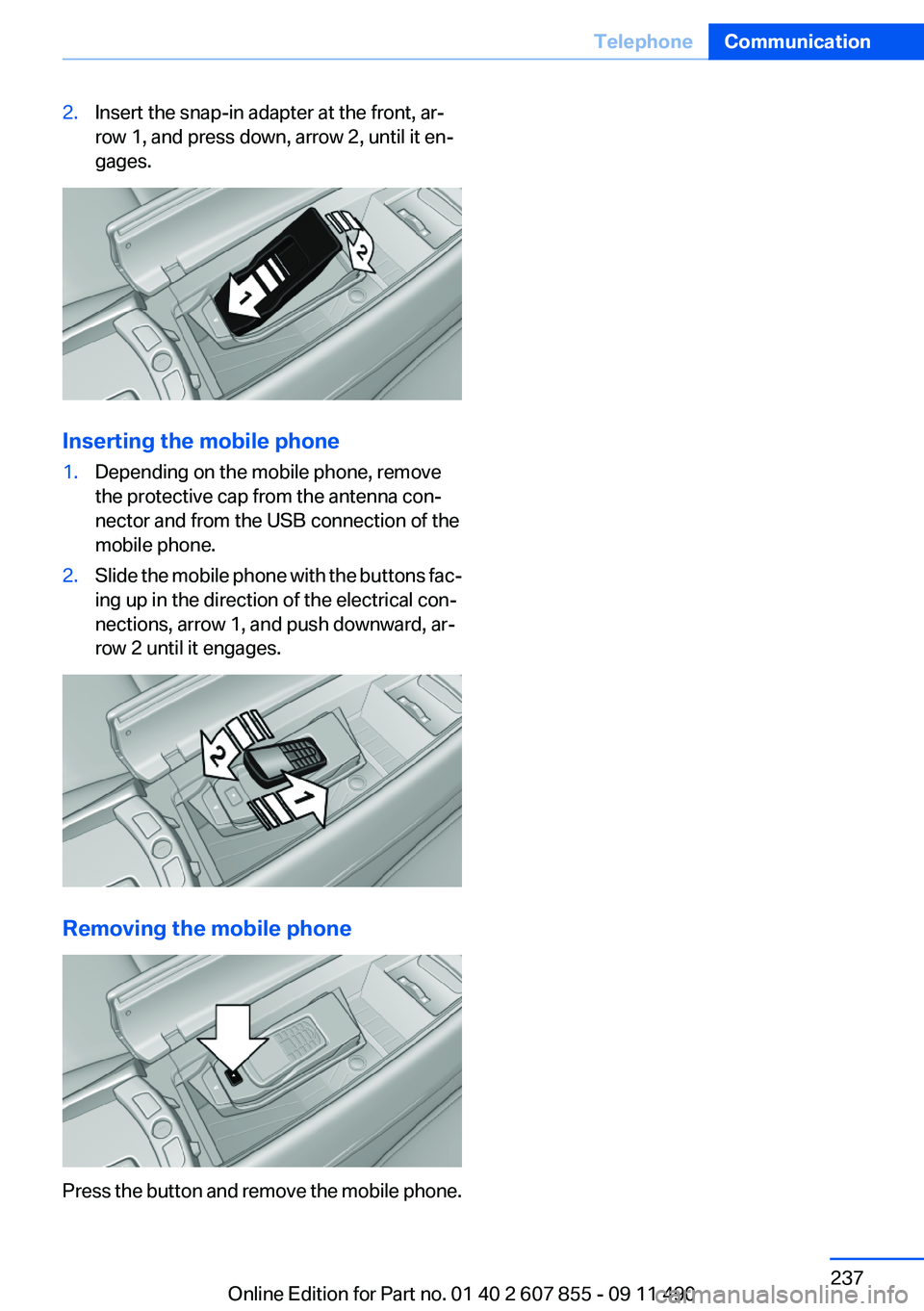
2.Insert the snap-in adapter at the front, ar‐
row 1, and press down, arrow 2, until it en‐
gages.
Inserting the mobile phone
1.Depending on the mobile phone, remove
the protective cap from the antenna con‐
nector and from the USB connection of the
mobile phone.2.Slide the mobile phone with the buttons fac‐
ing up in the direction of the electrical con‐
nections, arrow 1, and push downward, ar‐
row 2 until it engages.
Removing the mobile phone
Press the button and remove the mobile phone.
Seite 237TelephoneCommunication237
Online Edition for Part no. 01 40 2 607 855 - 09 11 490
Page 315 of 321
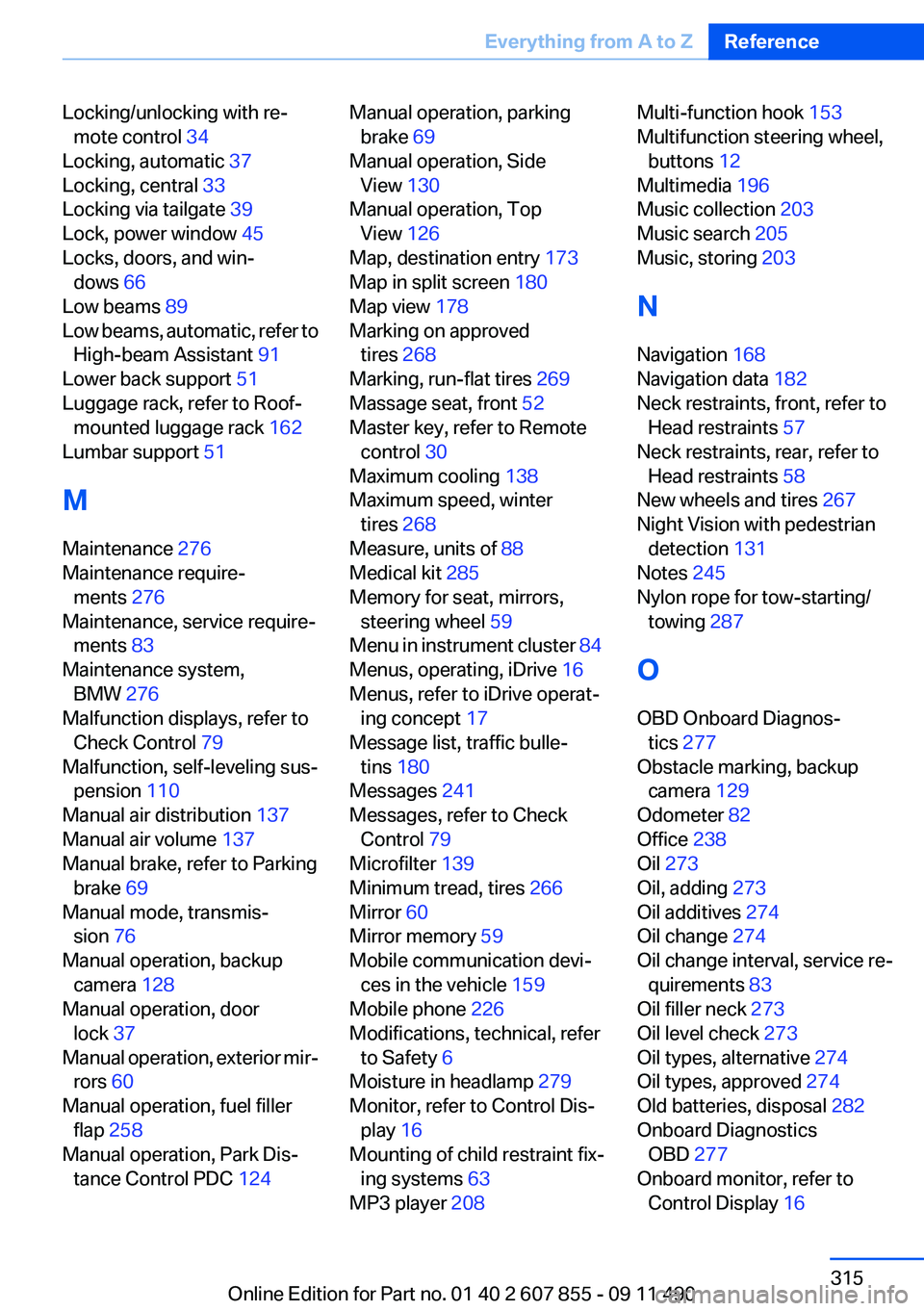
Locking/unlocking with re‐mote control 34
Locking, automatic 37
Locking, central 33
Locking via tailgate 39
Lock, power window 45
Locks, doors, and win‐ dows 66
Low beams 89
Low beams, automatic, refer to High-beam Assistant 91
Lower back support 51
Luggage rack, refer to Roof- mounted luggage rack 162
Lumbar support 51
M
Maintenance 276
Maintenance require‐ ments 276
Maintenance, service require‐ ments 83
Maintenance system, BMW 276
Malfunction displays, refer to Check Control 79
Malfunction, self-leveling sus‐ pension 110
Manual air distribution 137
Manual air volume 137
Manual brake, refer to Parking brake 69
Manual mode, transmis‐ sion 76
Manual operation, backup camera 128
Manual operation, door lock 37
Manual operation, exterior mir‐ rors 60
Manual operation, fuel filler flap 258
Manual operation, Park Dis‐ tance Control PDC 124 Manual operation, parking
brake 69
Manual operation, Side View 130
Manual operation, Top View 126
Map, destination entry 173
Map in split screen 180
Map view 178
Marking on approved tires 268
Marking, run-flat tires 269
Massage seat, front 52
Master key, refer to Remote control 30
Maximum cooling 138
Maximum speed, winter tires 268
Measure, units of 88
Medical kit 285
Memory for seat, mirrors, steering wheel 59
Menu in instrument cluster 84
Menus, operating, iDrive 16
Menus, refer to iDrive operat‐ ing concept 17
Message list, traffic bulle‐ tins 180
Messages 241
Messages, refer to Check Control 79
Microfilter 139
Minimum tread, tires 266
Mirror 60
Mirror memory 59
Mobile communication devi‐ ces in the vehicle 159
Mobile phone 226
Modifications, technical, refer to Safety 6
Moisture in headlamp 279
Monitor, refer to Control Dis‐ play 16
Mounting of child restraint fix‐ ing systems 63
MP3 player 208 Multi-function hook 153
Multifunction steering wheel, buttons 12
Multimedia 196
Music collection 203
Music search 205
Music, storing 203
N
Navigation 168
Navigation data 182
Neck restraints, front, refer to Head restraints 57
Neck restraints, rear, refer to Head restraints 58
New wheels and tires 267
Night Vision with pedestrian detection 131
Notes 245
Nylon rope for tow-starting/ towing 287
O
OBD Onboard Diagnos‐ tics 277
Obstacle marking, backup camera 129
Odometer 82
Office 238
Oil 273
Oil, adding 273
Oil additives 274
Oil change 274
Oil change interval, service re‐ quirements 83
Oil filler neck 273
Oil level check 273
Oil types, alternative 274
Oil types, approved 274
Old batteries, disposal 282
Onboard Diagnostics OBD 277
Onboard monitor, refer to Control Display 16 Seite 315Everything from A to ZReference315
Online Edition for Part no. 01 40 2 607 855 - 09 11 490