ignition BMW 535I GRAN TURISMO 2012 Owner's Guide
[x] Cancel search | Manufacturer: BMW, Model Year: 2012, Model line: 535I GRAN TURISMO, Model: BMW 535I GRAN TURISMO 2012Pages: 321, PDF Size: 12.7 MB
Page 227 of 321
Notes
At high temperatures, the charge function of the
mobile phone can be limited where appropriate
and the functions are no longer executed.
When the mobile phone is used via the vehicle,
heed the operating manual of the mobile phone.
Pairing/unpairing the mobile
phone
General information
The following functions are available:▷Use of a mobile phone as a telephone.▷Use of a mobile phone as an additional tele‐
phone.▷Use of a mobile phone as an audio source.▷Use of an audio device as an audio source,
refer to page 212.
Requirements
▷The mobile phone is suitable.▷The mobile phone is ready for operation.▷Bluetooth is activated in the vehicle and on
the mobile phone.▷Bluetooth presettings may need to be made
on the mobile phone, e.g., for a connection
without confirmation or visibility, refer to the
mobile phone operating instructions.▷Deactivate Bluetooth audio if necessary.▷A number with at least four and a maximum
of 16 digits was defined as the Bluetooth
passkey. It is only required once for pairing.▷The ignition is switched on.
Activating/deactivating Bluetooth
Bluetooth is not permitted everywhere. Comply
with all safety guidelines and regulations.
1."Telephone"2."Options" Open.3."Bluetooth®"Additional functions
Activating/deactivating the additional
functions
Activate the functions before pairing to be able
to use them in the vehicle. Information on suit‐
able mobile phones, refer to page 226, that sup‐
port these functions.1."Telephone"2."Bluetooth® (phone)"3."Options" Open.4."Configure Bluetooth®"5.Select the desired additional function.▷"Additional telephone"▷"Office"▷"Bluetooth® audio"6."OK"
As long as an additional function is deactivated,
it cannot be assigned to a telephone.
Additional telephone
A mobile phone can be used as an additional
telephone.
The additional telephone can be used to accept
incoming calls, refer to page 230. While a call is
active on the additional telephone, incoming
calls are displayed on the Control Display.
Audio source
A mobile phone can be used as an audio source.
Pairing and connecting cell phone Pairing the mobile phone
To avoid becoming distracted and posing
an unnecessary hazard both to your own vehi‐
cle's occupants and to other road users, only
pair the mobile phone while the vehicle is sta‐
tionary.◀
Seite 227TelephoneCommunication227
Online Edition for Part no. 01 40 2 607 855 - 09 11 490
Page 228 of 321
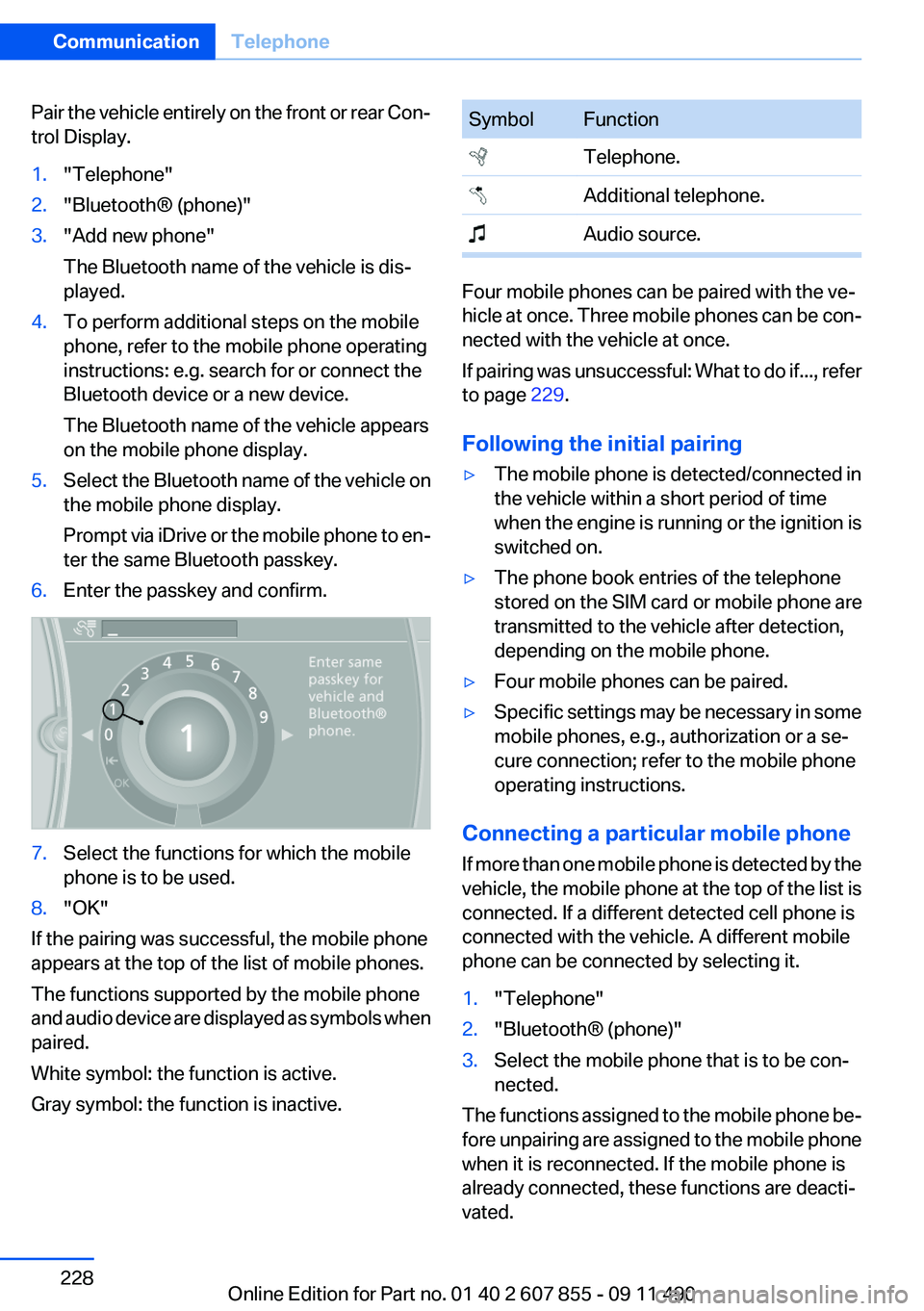
Pair the vehicle entirely on the front or rear Con‐
trol Display.1."Telephone"2."Bluetooth® (phone)"3."Add new phone"
The Bluetooth name of the vehicle is dis‐
played.4.To perform additional steps on the mobile
phone, refer to the mobile phone operating
instructions: e.g. search for or connect the
Bluetooth device or a new device.
The Bluetooth name of the vehicle appears
on the mobile phone display.5.Select the Bluetooth name of the vehicle on
the mobile phone display.
Prompt via iDrive or the mobile phone to en‐
ter the same Bluetooth passkey.6.Enter the passkey and confirm.7.Select the functions for which the mobile
phone is to be used.8."OK"
If the pairing was successful, the mobile phone
appears at the top of the list of mobile phones.
The functions supported by the mobile phone
and audio device are displayed as symbols when
paired.
White symbol: the function is active.
Gray symbol: the function is inactive.
SymbolFunction Telephone. Additional telephone. Audio source.
Four mobile phones can be paired with the ve‐
hicle at once. Three mobile phones can be con‐
nected with the vehicle at once.
If pairing was unsuccessful: What to do if..., refer
to page 229.
Following the initial pairing
▷The mobile phone is detected/connected in
the vehicle within a short period of time
when the engine is running or the ignition is
switched on.▷The phone book entries of the telephone
stored on the SIM card or mobile phone are
transmitted to the vehicle after detection,
depending on the mobile phone.▷Four mobile phones can be paired.▷Specific settings may be necessary in some
mobile phones, e.g., authorization or a se‐
cure connection; refer to the mobile phone
operating instructions.
Connecting a particular mobile phone
If more than one mobile phone is detected by the
vehicle, the mobile phone at the top of the list is
connected. If a different detected cell phone is
connected with the vehicle. A different mobile
phone can be connected by selecting it.
1."Telephone"2."Bluetooth® (phone)"3.Select the mobile phone that is to be con‐
nected.
The functions assigned to the mobile phone be‐
fore unpairing are assigned to the mobile phone
when it is reconnected. If the mobile phone is
already connected, these functions are deacti‐
vated.
Seite 228CommunicationTelephone228
Online Edition for Part no. 01 40 2 607 855 - 09 11 490
Page 234 of 321
5.Complete the entries if necessary.6.If necessary, "Store contact in vehicle".
Received calls
Displaying calls
The 20 calls that were last received are dis‐
played.
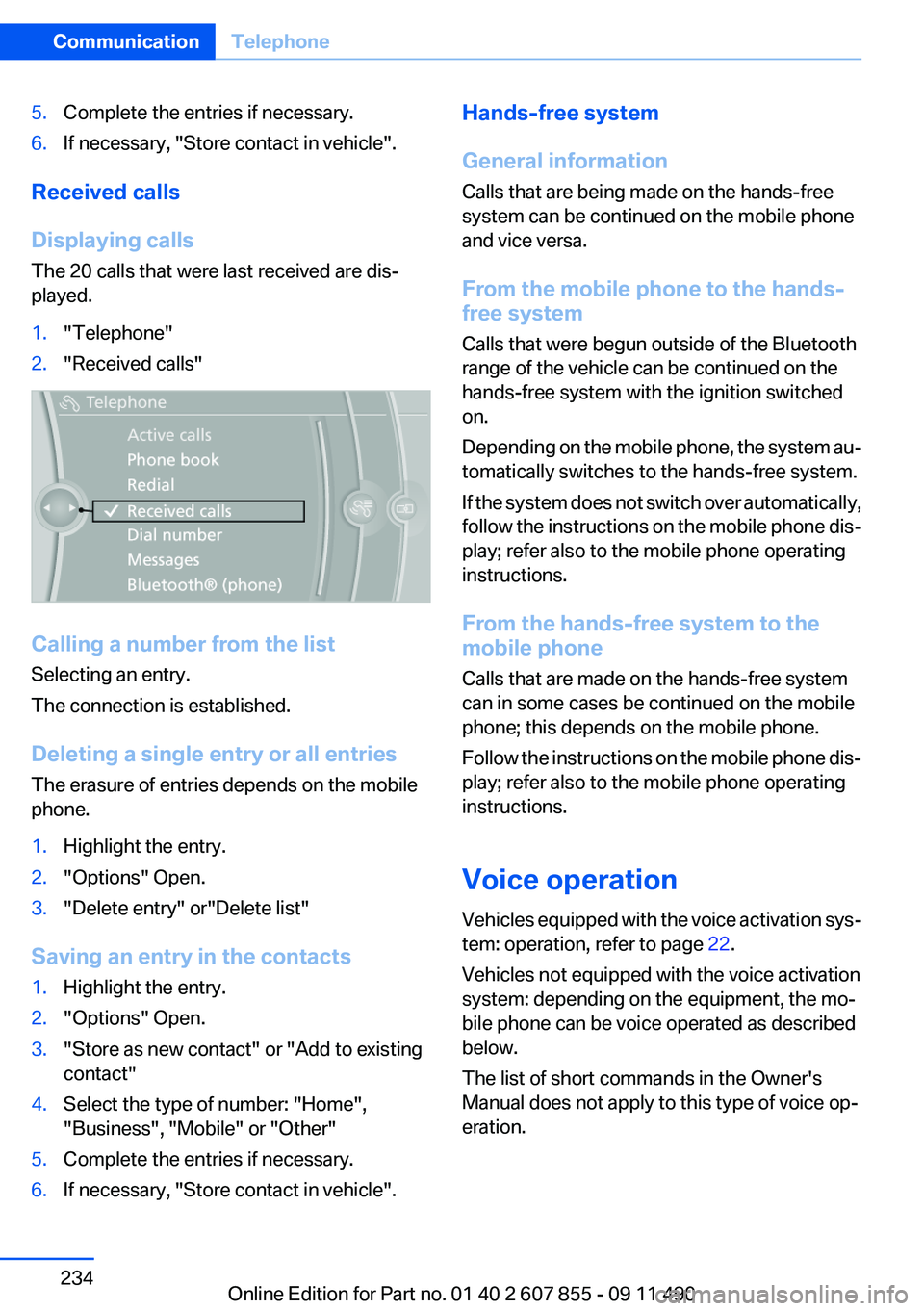
1."Telephone"2."Received calls"
Calling a number from the list
Selecting an entry.
The connection is established.
Deleting a single entry or all entries
The erasure of entries depends on the mobile
phone.
1.Highlight the entry.2."Options" Open.3."Delete entry" or"Delete list"
Saving an entry in the contacts
1.Highlight the entry.2."Options" Open.3."Store as new contact" or "Add to existing
contact"4.Select the type of number: "Home",
"Business", "Mobile" or "Other"5.Complete the entries if necessary.6.If necessary, "Store contact in vehicle".Hands-free system
General information
Calls that are being made on the hands-free
system can be continued on the mobile phone
and vice versa.
From the mobile phone to the hands-
free system
Calls that were begun outside of the Bluetooth
range of the vehicle can be continued on the
hands-free system with the ignition switched
on.
Depending on the mobile phone, the system au‐
tomatically switches to the hands-free system.
If the system does not switch over automatically,
follow the instructions on the mobile phone dis‐
play; refer also to the mobile phone operating
instructions.
From the hands-free system to the
mobile phone
Calls that are made on the hands-free system
can in some cases be continued on the mobile
phone; this depends on the mobile phone.
Follow the instructions on the mobile phone dis‐
play; refer also to the mobile phone operating
instructions.
Voice operation
Vehicles equipped with the voice activation sys‐
tem: operation, refer to page 22.
Vehicles not equipped with the voice activation
system: depending on the equipment, the mo‐
bile phone can be voice operated as described
below.
The list of short commands in the Owner's
Manual does not apply to this type of voice op‐
eration.Seite 234CommunicationTelephone234
Online Edition for Part no. 01 40 2 607 855 - 09 11 490
Page 250 of 321
Press the SOS button to contact the BMW
Assist Response Center.
TeleService
General information
TeleService supports communication with your
service center.
▷Data on the vehicle's service requirements
can be sent directly to the service center. In
this way, the service center can plan its work
in advance. This shortens the duration of the
service appointment.▷In the event of a breakdown, data on the ve‐
hicle's condition can be sent directly to
Roadside Assistance.▷The service varies by country.▷Connection costs may ensue.▷Services may be restricted abroad.
Requirements
▷BMW Assist is activated.▷Wireless reception is available.▷The ignition is switched on.
Use of TeleService
The TeleServices are typically activated in the
vehicle.
Even TeleService Customer Service is not ac‐
tive, a voice contact to Roadside Assistance is
still possible.
To continue using or to deactivate the services,
please contact your service partner or the BMW
customer hotline.
Concierge service
General information
The BMW Assist Concierge service offers infor‐
mation on events, gas stations or hotels, and
provides phone numbers and addresses. Hotels
can be booked directly by the BMW Assist Con‐
cierge service. The Concierge service is part of
the optional BMW Convenience Plan.
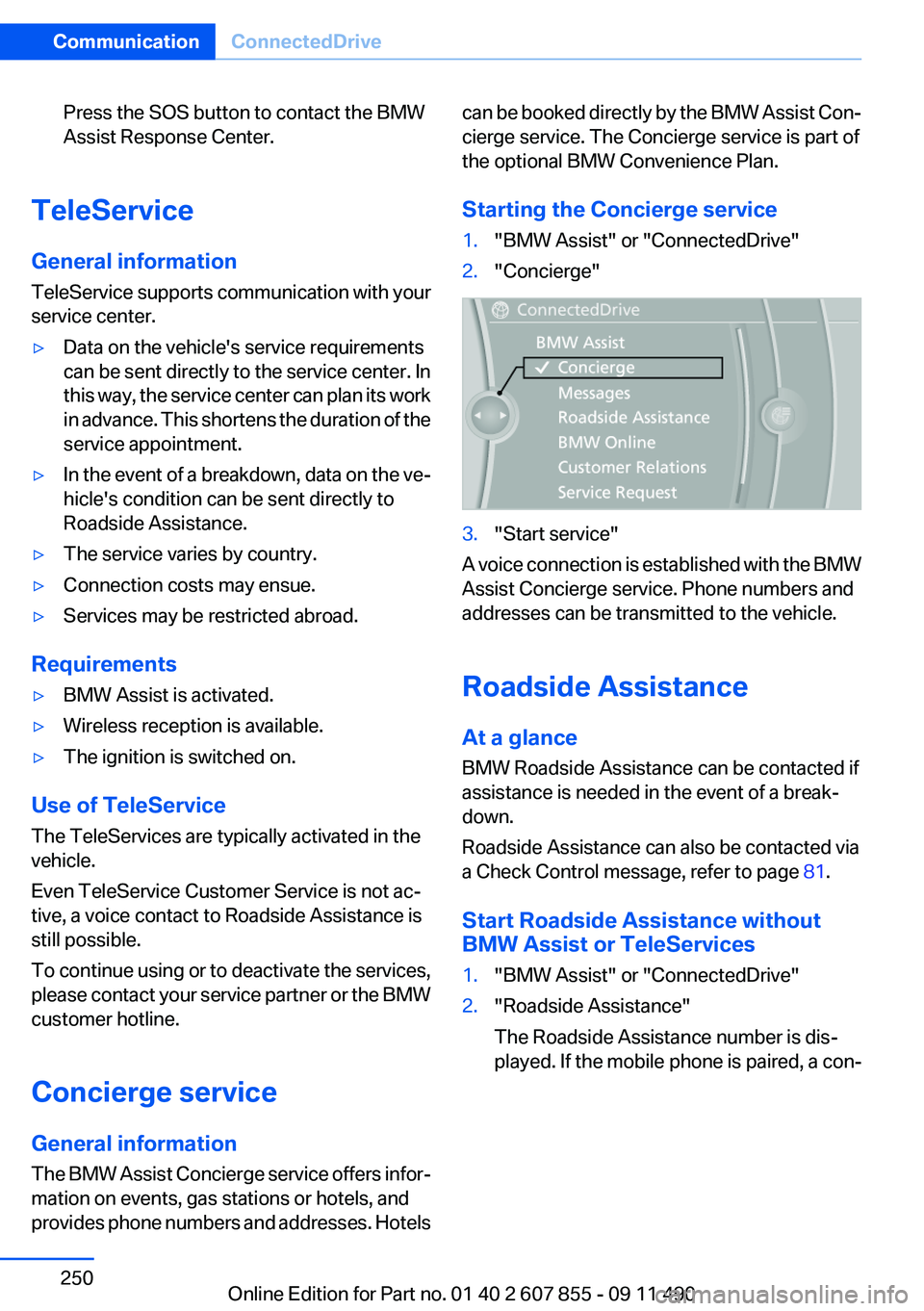
Starting the Concierge service1."BMW Assist" or "ConnectedDrive"2."Concierge"3."Start service"
A voice connection is established with the BMW
Assist Concierge service. Phone numbers and
addresses can be transmitted to the vehicle.
Roadside Assistance
At a glance
BMW Roadside Assistance can be contacted if
assistance is needed in the event of a break‐
down.
Roadside Assistance can also be contacted via
a Check Control message, refer to page 81.
Start Roadside Assistance without
BMW Assist or TeleServices
1."BMW Assist" or "ConnectedDrive"2."Roadside Assistance"
The Roadside Assistance number is dis‐
played. If the mobile phone is paired, a con‐Seite 250CommunicationConnectedDrive250
Online Edition for Part no. 01 40 2 607 855 - 09 11 490
Page 290 of 321
Transmission position P with the igni‐
tion off
When the ignition is switched off, position P
is engaged automatically. When in an auto‐
matic car wash, for example, ensure that the
ignition is not switched off accidentally.◀
The vehicle cannot be locked from the outside
when in transmission position N.
A signal is sounded when an attempt is made to
lock the vehicle.
Transmission position
Transmission position P is engaged automati‐
cally:
▷When the ignition is switched off.▷After approx. 15 minutes.
Headlamps
▷Do not rub dry and do not use abrasive or
caustic cleansers.▷Soak areas that have been soiled e.g. due to
insects, with shampoo and wash off with
water.▷Thaw ice with deicing spray; do not use an
ice scraper.
After washing the vehicle
After washing the vehicle, apply the brakes
briefly to dry them; otherwise, braking action can
be reduced and corrosion of the brake discs can
occur.
Vehicle care
Car care products
BMW recommends using cleaning and care
products from BMW, since these have been
tested and approved.
Car care and cleaning products
Follow the instructions on the container.
When cleaning the interior, open the doors or
windows.
Only use products intended for cleaning vehi‐
cles.
Cleansers can contain substances that are dan‐
gerous and harmful to your health.◀
Vehicle paint
Regular care contributes to driving safety and
value retention.
Environmental influences can act on the vehicle
paint. Tailor the frequency and extent of your car
care to these influences.
Leather care
Remove dust from the leather often, using a
cloth or vacuum cleaner.
Otherwise, particles of dust and road grime
chafe in pores and folds, and lead to increased
wear and premature degradation of the leather
surface.
To guard against discoloration, such as from
clothing, provide leather care roughly every two
months.
Clean light-colored leather more frequently be‐
cause soiling on such surfaces is substantially
more visible.
Use leather care products; otherwise, dirt and
grease will gradually break down the protective
layer of the leather surface.
Suitable care products are available from the
service center.
Upholstery material care
Vacuum regularly with a vacuum cleaner.
If they are very dirty, e.g., beverage stains, use a
soft sponge or microfiber cloth with a suitable
interior cleaner.
Clean the upholstery down to the seams using
large sweeping motions. Avoid rubbing the ma‐
terial vigorously.Seite 290MobilityCare290
Online Edition for Part no. 01 40 2 607 855 - 09 11 490
Page 314 of 321
High beams 73
High beams/low beams, refer to High-beam Assistant 91
Hill Descent Control HDC 108
Hills 160
Hill start assistant, refer to Drive-off assistant 106
Hints 6
Holder for beverages 152
Homepage 6
Hood 271
Horn 12
Hotel function, tailgate 41
Hot exhaust system 158
House number, entering for navigation 169
Hydroplaning 159
I
Ice warning, refer to External temperature warning 82
Icy roads, refer to External temperature warning 82
Identification marks, tires 265
Identification number, refer to Important in the engine com‐
partment 271
iDrive 16
Ignition key, refer to Remote control 30
Ignition off 67
Ignition on 67
Indication of a flat tire 98, 101
Indicator and warning mes‐ sages 79
Indicator lamps 79
Individual air distribution 137
Individual settings, refer to Personal Profile 31
Inflation pressure, tires 261
Inflation pressure warning FTM, tires 100
Info display, refer to Com‐ puter 84 Information on the navigation
data 182
Initialization, Integral Active Steering 110
Initializing, Flat Tire Monitor FTM 101
Initializing, Tire Pressure Mon‐ itor TPM 98
Instrument cluster 78
Instrument cluster, electronic displays 79
Instrument lighting 92
Integral Active Steering 109
Integrated key 30
Integrated universal remote control 143
Intensity, AUTO program 137
Interactive map 173
Interior equipment 143
Interior lamps 93
Interior lamps via remote con‐ trol 35
Interior motion sensor 44
Interior rearview mirror 61
Interior rearview mirror, auto‐ matic dimming feature 61
Intermediate destinations 175
Internet page 6
Intersection, entering for navi‐ gation 169
Interval display, service re‐ quirements 83
iPod/iPhone 209
J
Jacking points for the vehicle jack 282
Jack, refer to Vehicle jack 282
Joystick, automatic transmis‐ sion 75
K
Key/remote control 30 Keyless Go, refer to Comfort
Access 41
Key Memory, refer to Personal Profile 31
Kickdown, automatic trans‐ mission 75
Knee airbag 94
L
Lamp replacement 278
Lamp replacement, front 279
Lamp replacement, rear 281
Lamps 89
Lamps and bulbs 278
Lane departure warning 102
Lane margin, warning 102
Language on Control Dis‐ play 87
Lashing eyes, securing cargo 162
LATCH child restraint fixing system 64
Leather, care 290
LEDs, light-emitting di‐ odes 279
Length, vehicle 297
Letters and numbers, enter‐ ing 21
License plate lamp, bulb re‐ placement 281
Light-alloy wheels, care 291
Light control 91
Light-emitting diodes, LEDs 279
Lighting 89
Lighting via remote control 35
Light switch 89
Load 161
Loading 161
Loading position 149
Lock, door 36
Locking/unlocking from in‐ side 37
Locking/unlocking via door lock 36 Seite 314ReferenceEverything from A to Z314
Online Edition for Part no. 01 40 2 607 855 - 09 11 490