remote control BMW 535I GRAN TURISMO 2013 User Guide
[x] Cancel search | Manufacturer: BMW, Model Year: 2013, Model line: 535I GRAN TURISMO, Model: BMW 535I GRAN TURISMO 2013Pages: 240, PDF Size: 5.49 MB
Page 39 of 240
Keep the closing path clear
Make sure that the closing path of the tail‐
gate is clear; otherwise, injuries may result.◀
Do not place the remote control in the
cargo area
Take the remote control with you and do not
leave it in the cargo area; otherwise, the remote
control is locked inside the vehicle when the tail‐
gate is closed.◀
Automatic Soft Closing
To close the tailgate fully, press down lightly
only.
It is closed automatically.
Keep the closing path clear
Make sure that the closing path is clear;
otherwise, injuries may result.◀
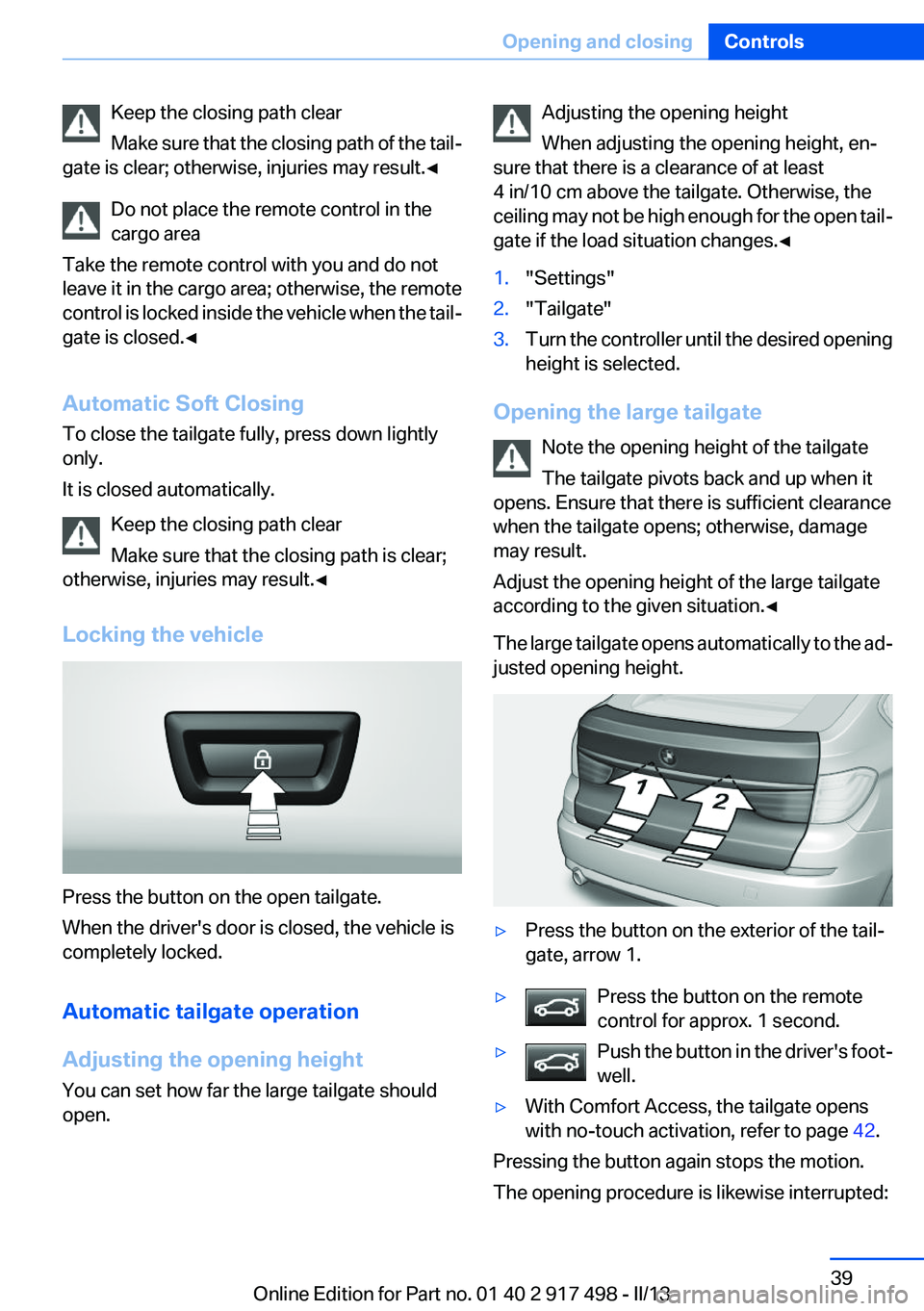
Locking the vehicle
Press the button on the open tailgate.
When the driver's door is closed, the vehicle is
completely locked.
Automatic tailgate operation
Adjusting the opening height
You can set how far the large tailgate should
open.
Adjusting the opening height
When adjusting the opening height, en‐
sure that there is a clearance of at least
4 in/10 cm above the tailgate. Otherwise, the
ceiling may not be high enough for the open tail‐
gate if the load situation changes.◀1."Settings"2."Tailgate"3.Turn the controller until the desired opening
height is selected.
Opening the large tailgate
Note the opening height of the tailgate
The tailgate pivots back and up when it
opens. Ensure that there is sufficient clearance
when the tailgate opens; otherwise, damage
may result.
Adjust the opening height of the large tailgate
according to the given situation.◀
The large tailgate opens automatically to the ad‐
justed opening height.
▷Press the button on the exterior of the tail‐
gate, arrow 1.▷Press the button on the remote
control for approx. 1 second.▷Push the button in the driver's foot‐
well.▷With Comfort Access, the tailgate opens
with no-touch activation, refer to page 42.
Pressing the button again stops the motion.
The opening procedure is likewise interrupted:
Seite 39Opening and closingControls39
Online Edition for Part no. 01 40 2 917 498 - II/13
Page 40 of 240
▷When starting the engine.▷When the vehicle starts moving.▷By pressing the button in the driver's foot‐
well.▷By pressing the button on the inside of the
tailgate.
Opening the large tailgate further
Press and hold the button on the inside of the
large tailgate, arrow 2, to open the large tailgate
to the maximum opening height.
Releasing the button stops the motion.
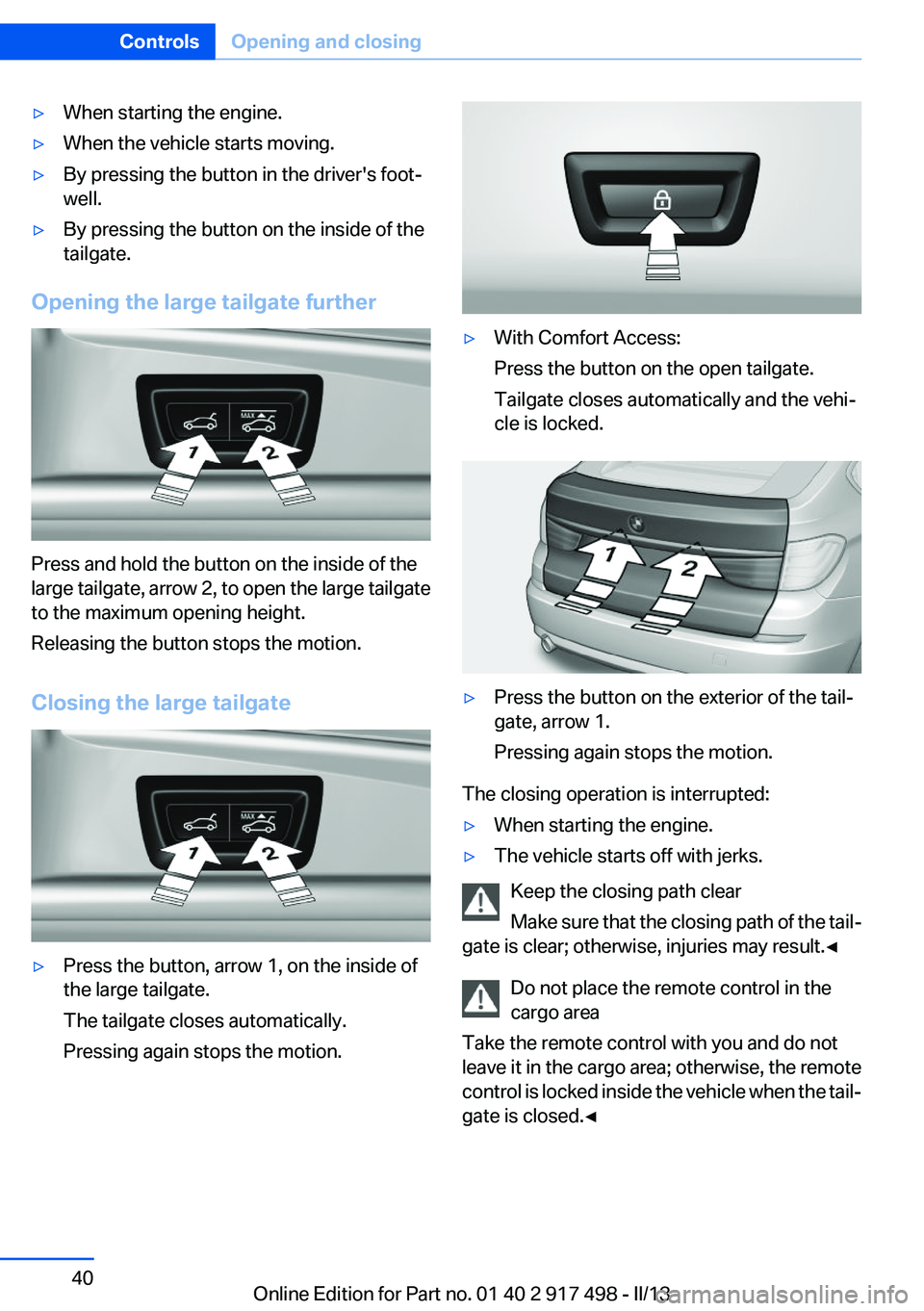
Closing the large tailgate
▷Press the button, arrow 1, on the inside of
the large tailgate.
The tailgate closes automatically.
Pressing again stops the motion.▷With Comfort Access:
Press the button on the open tailgate.
Tailgate closes automatically and the vehi‐
cle is locked.▷Press the button on the exterior of the tail‐
gate, arrow 1.
Pressing again stops the motion.
The closing operation is interrupted:
▷When starting the engine.▷The vehicle starts off with jerks.
Keep the closing path clear
Make sure that the closing path of the tail‐
gate is clear; otherwise, injuries may result.◀
Do not place the remote control in the
cargo area
Take the remote control with you and do not
leave it in the cargo area; otherwise, the remote
control is locked inside the vehicle when the tail‐
gate is closed.◀
Seite 40ControlsOpening and closing40
Online Edition for Part no. 01 40 2 917 498 - II/13
Page 41 of 240
Manual operation
In the event of an electrical malfunction, operate
the unlocked tailgate manually with a slow and
smooth motion.
Do not operate the tailgate manually if it is
blocked
If the tailgate is blocked, do not operate it man‐
ually as the tailgate may otherwise become
damaged and injury may result.
Contact your service center.◀
Locking separately
The tailgate can be locked separately, using the
switch in the front center armrest.▷The tailgate is locked, ar‐
row 1.
The small and large tailgates
are locked.▷The tailgate is unlocked, ar‐
row 2.
Slide the switch into the arrow 1 position. This
secures the tailgate and disconnects it from the
central locking system.
When the center armrest is locked, the tailgate
cannot be accessed. This is beneficial when the
vehicle is parked using valet service. The infra‐
red remote control can be handed out without
the key.
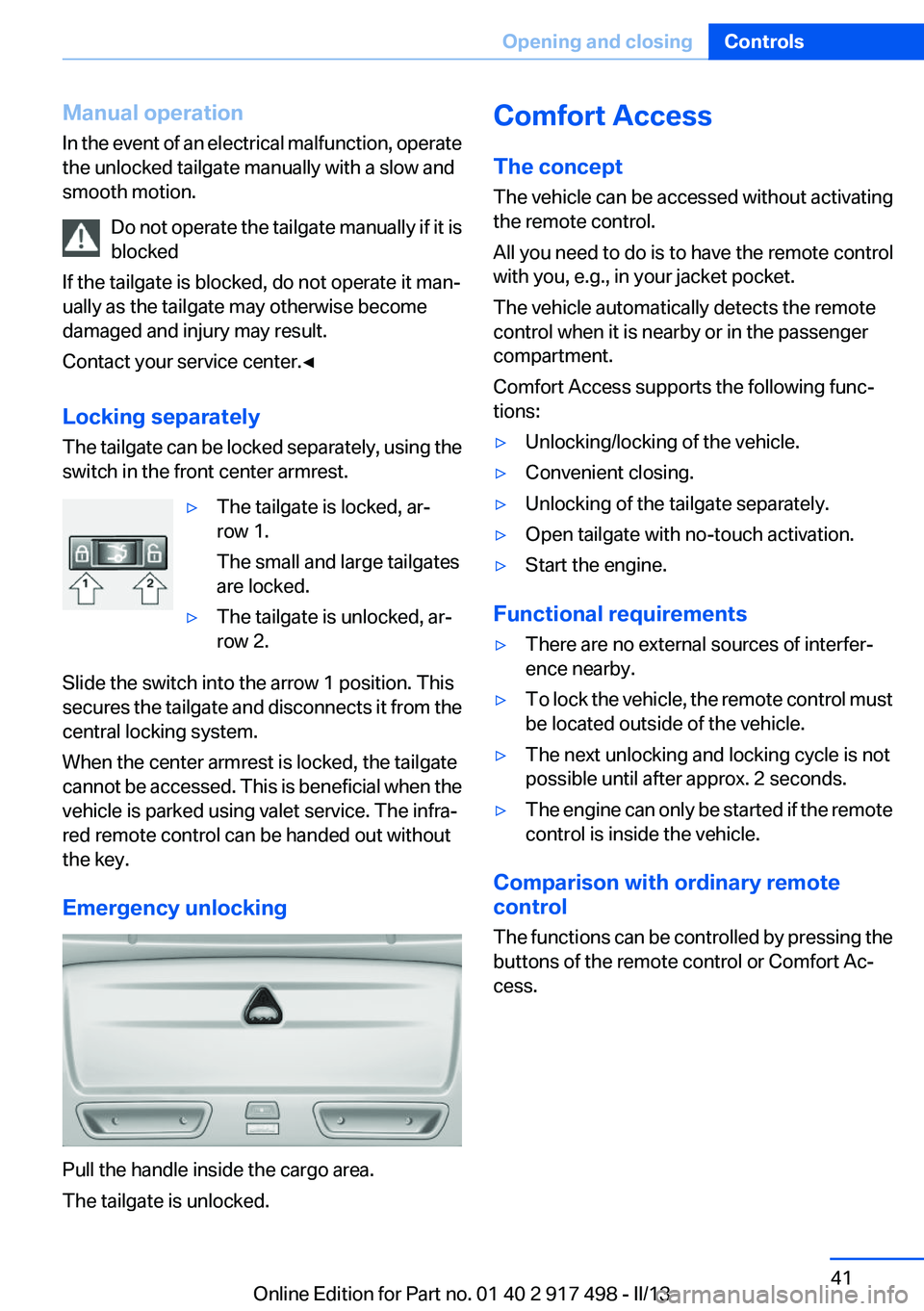
Emergency unlocking
Pull the handle inside the cargo area.
The tailgate is unlocked.
Comfort Access
The concept
The vehicle can be accessed without activating
the remote control.
All you need to do is to have the remote control
with you, e.g., in your jacket pocket.
The vehicle automatically detects the remote
control when it is nearby or in the passenger
compartment.
Comfort Access supports the following func‐
tions:▷Unlocking/locking of the vehicle.▷Convenient closing.▷Unlocking of the tailgate separately.▷Open tailgate with no-touch activation.▷Start the engine.
Functional requirements
▷There are no external sources of interfer‐
ence nearby.▷To lock the vehicle, the remote control must
be located outside of the vehicle.▷The next unlocking and locking cycle is not
possible until after approx. 2 seconds.▷The engine can only be started if the remote
control is inside the vehicle.
Comparison with ordinary remote
control
The functions can be controlled by pressing the
buttons of the remote control or Comfort Ac‐
cess.
Seite 41Opening and closingControls41
Online Edition for Part no. 01 40 2 917 498 - II/13
Page 42 of 240
Unlocking
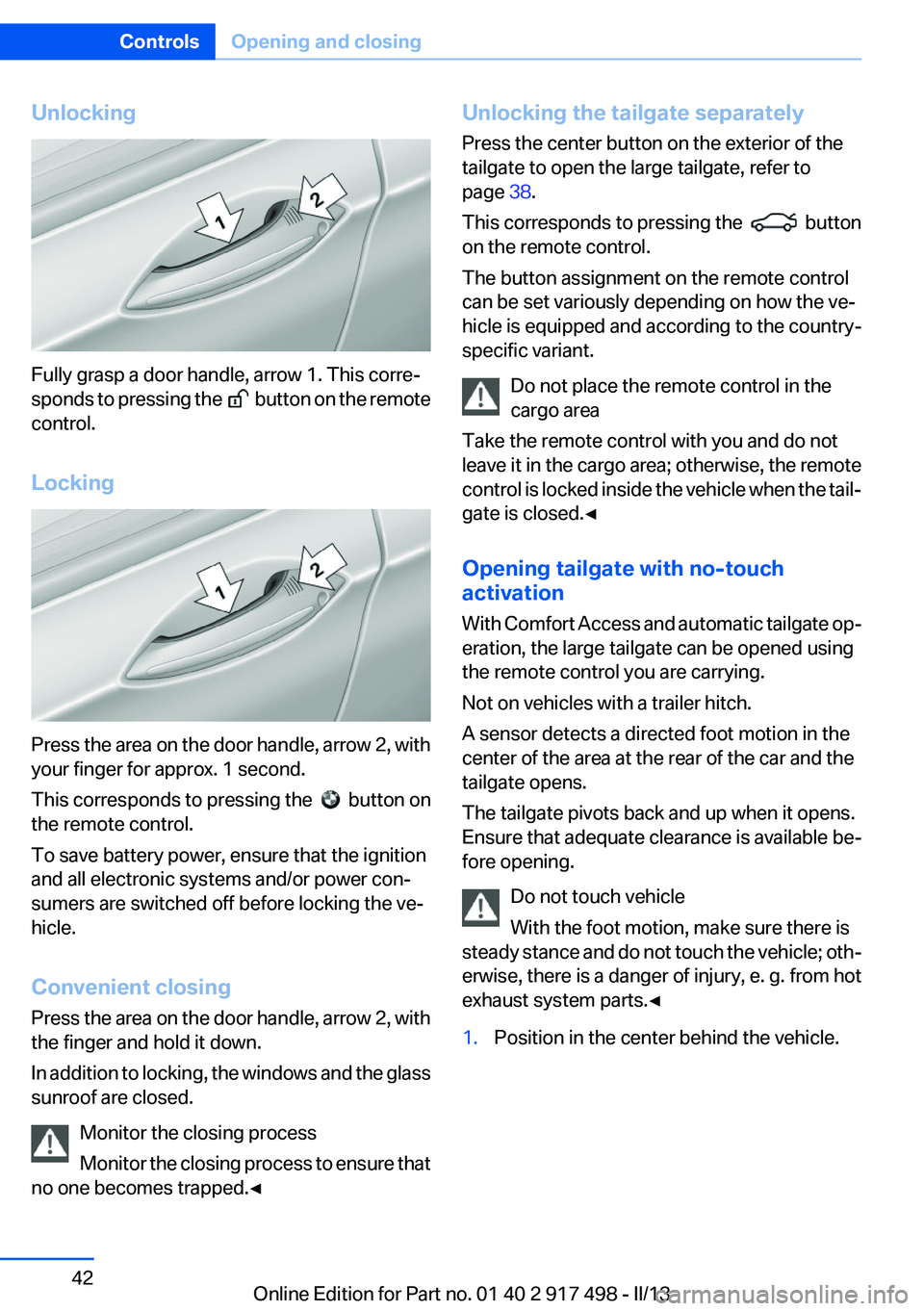
Fully grasp a door handle, arrow 1. This corre‐
sponds to pressing the
button on the remote
control.
Locking
Press the area on the door handle, arrow 2, with
your finger for approx. 1 second.
This corresponds to pressing the
button on
the remote control.
To save battery power, ensure that the ignition
and all electronic systems and/or power con‐
sumers are switched off before locking the ve‐
hicle.
Convenient closing
Press the area on the door handle, arrow 2, with
the finger and hold it down.
In addition to locking, the windows and the glass
sunroof are closed.
Monitor the closing process
Monitor the closing process to ensure that
no one becomes trapped.◀
Unlocking the tailgate separately
Press the center button on the exterior of the
tailgate to open the large tailgate, refer to
page 38.
This corresponds to pressing the
button
on the remote control.
The button assignment on the remote control
can be set variously depending on how the ve‐
hicle is equipped and according to the country-
specific variant.
Do not place the remote control in the
cargo area
Take the remote control with you and do not
leave it in the cargo area; otherwise, the remote
control is locked inside the vehicle when the tail‐
gate is closed.◀
Opening tailgate with no-touch
activation
With Comfort Access and automatic tailgate op‐
eration, the large tailgate can be opened using
the remote control you are carrying.
Not on vehicles with a trailer hitch.
A sensor detects a directed foot motion in the
center of the area at the rear of the car and the
tailgate opens.
The tailgate pivots back and up when it opens.
Ensure that adequate clearance is available be‐
fore opening.
Do not touch vehicle
With the foot motion, make sure there is
steady stance and do not touch the vehicle; oth‐
erwise, there is a danger of injury, e. g. from hot
exhaust system parts.◀
1.Position in the center behind the vehicle.Seite 42ControlsOpening and closing42
Online Edition for Part no. 01 40 2 917 498 - II/13
Page 43 of 240
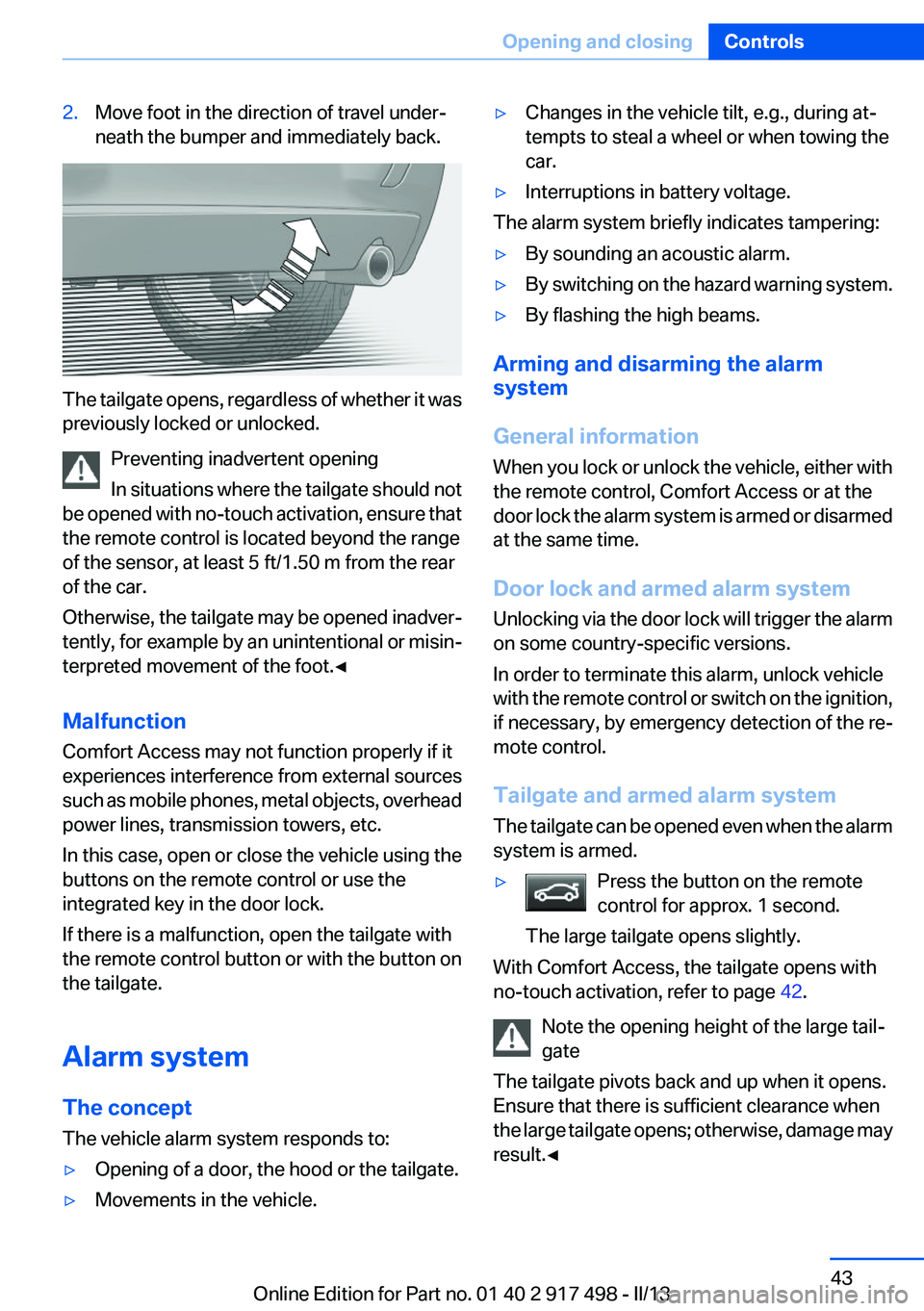
2.Move foot in the direction of travel under‐
neath the bumper and immediately back.
The tailgate opens, regardless of whether it was
previously locked or unlocked.
Preventing inadvertent opening
In situations where the tailgate should not
be opened with no-touch activation, ensure that
the remote control is located beyond the range
of the sensor, at least 5 ft/1.50 m from the rear
of the car.
Otherwise, the tailgate may be opened inadver‐
tently, for example by an unintentional or misin‐
terpreted movement of the foot.◀
Malfunction
Comfort Access may not function properly if it
experiences interference from external sources
such as mobile phones, metal objects, overhead
power lines, transmission towers, etc.
In this case, open or close the vehicle using the
buttons on the remote control or use the
integrated key in the door lock.
If there is a malfunction, open the tailgate with
the remote control button or with the button on
the tailgate.
Alarm system
The concept
The vehicle alarm system responds to:
▷Opening of a door, the hood or the tailgate.▷Movements in the vehicle.▷Changes in the vehicle tilt, e.g., during at‐
tempts to steal a wheel or when towing the
car.▷Interruptions in battery voltage.
The alarm system briefly indicates tampering:
▷By sounding an acoustic alarm.▷By switching on the hazard warning system.▷By flashing the high beams.
Arming and disarming the alarm
system
General information
When you lock or unlock the vehicle, either with
the remote control, Comfort Access or at the
door lock the alarm system is armed or disarmed
at the same time.
Door lock and armed alarm system
Unlocking via the door lock will trigger the alarm
on some country-specific versions.
In order to terminate this alarm, unlock vehicle
with the remote control or switch on the ignition,
if necessary, by emergency detection of the re‐
mote control.
Tailgate and armed alarm system
The tailgate can be opened even when the alarm
system is armed.
▷Press the button on the remote
control for approx. 1 second.
The large tailgate opens slightly.
With Comfort Access, the tailgate opens with
no-touch activation, refer to page 42.
Note the opening height of the large tail‐
gate
The tailgate pivots back and up when it opens.
Ensure that there is sufficient clearance when
the large tailgate opens; otherwise, damage may
result.◀
Seite 43Opening and closingControls43
Online Edition for Part no. 01 40 2 917 498 - II/13
Page 44 of 240
After the tailgate is closed, it is locked and moni‐
tored again if the doors are locked. The hazard
warning system flashes once.
In some vehicle equipment variants, the tailgate
can only be opened using the remote control if
the vehicle was unlocked first.
Panic mode
You can trigger the alarm system if you find
yourself in a dangerous situation.
Press the button on the remote control
for at least 3 seconds.
To switch off the alarm: press any button.
Switching off the alarm▷Unlock the vehicle using the remote control.▷With Comfort Access: If you are carrying the
remote control with you, pull on the driver
side or front passenger side door handle.
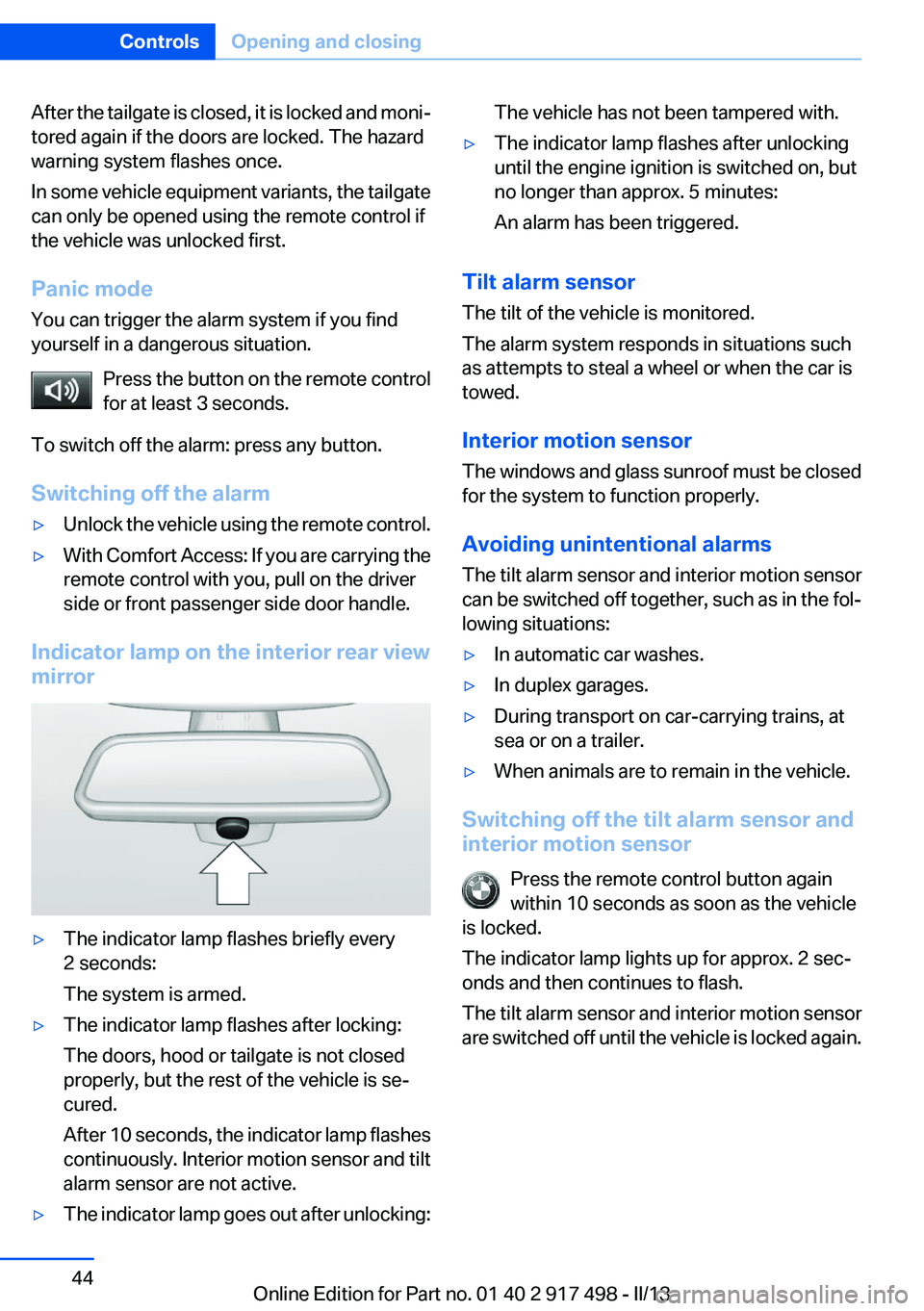
Indicator lamp on the interior rear view
mirror
▷The indicator lamp flashes briefly every
2 seconds:
The system is armed.▷The indicator lamp flashes after locking:
The doors, hood or tailgate is not closed
properly, but the rest of the vehicle is se‐
cured.
After 10 seconds, the indicator lamp flashes
continuously. Interior motion sensor and tilt
alarm sensor are not active.▷The indicator lamp goes out after unlocking:The vehicle has not been tampered with.▷The indicator lamp flashes after unlocking
until the engine ignition is switched on, but
no longer than approx. 5 minutes:
An alarm has been triggered.
Tilt alarm sensor
The tilt of the vehicle is monitored.
The alarm system responds in situations such
as attempts to steal a wheel or when the car is
towed.
Interior motion sensor
The windows and glass sunroof must be closed
for the system to function properly.
Avoiding unintentional alarms
The tilt alarm sensor and interior motion sensor
can be switched off together, such as in the fol‐
lowing situations:
▷In automatic car washes.▷In duplex garages.▷During transport on car-carrying trains, at
sea or on a trailer.▷When animals are to remain in the vehicle.
Switching off the tilt alarm sensor and
interior motion sensor
Press the remote control button again
within 10 seconds as soon as the vehicle
is locked.
The indicator lamp lights up for approx. 2 sec‐
onds and then continues to flash.
The tilt alarm sensor and interior motion sensor
are switched off until the vehicle is locked again.
Seite 44ControlsOpening and closing44
Online Edition for Part no. 01 40 2 917 498 - II/13
Page 45 of 240
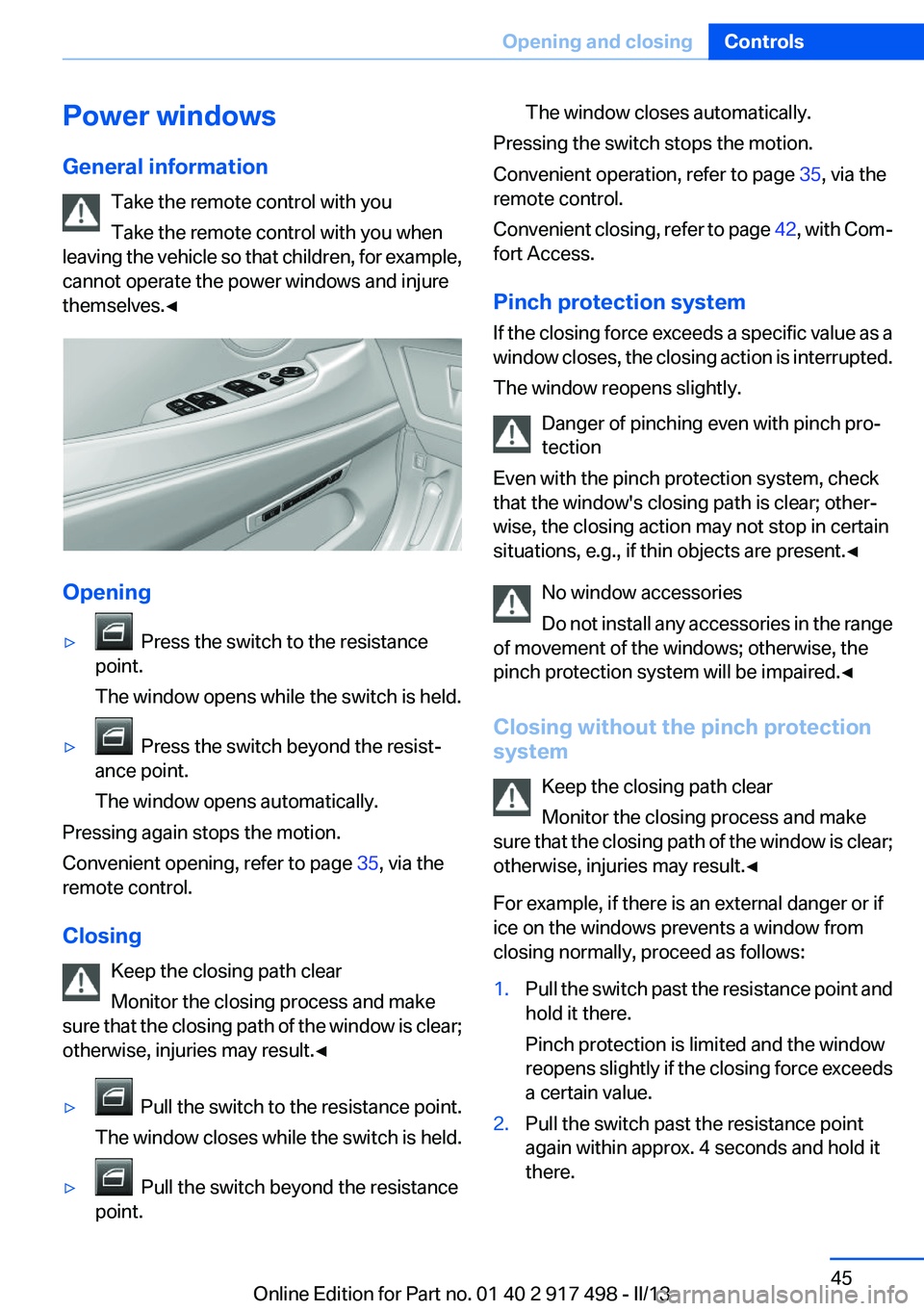
Power windows
General information Take the remote control with you
Take the remote control with you when
leaving the vehicle so that children, for example,
cannot operate the power windows and injure
themselves.◀
Opening
▷ Press the switch to the resistance
point.
The window opens while the switch is held.▷ Press the switch beyond the resist‐
ance point.
The window opens automatically.
Pressing again stops the motion.
Convenient opening, refer to page 35, via the
remote control.
Closing Keep the closing path clear
Monitor the closing process and make
sure that the closing path of the window is clear;
otherwise, injuries may result.◀
▷ Pull the switch to the resistance point.
The window closes while the switch is held.▷ Pull the switch beyond the resistance
point.The window closes automatically.
Pressing the switch stops the motion.
Convenient operation, refer to page 35, via the
remote control.
Convenient closing, refer to page 42, with Com‐
fort Access.
Pinch protection system
If the closing force exceeds a specific value as a
window closes, the closing action is interrupted.
The window reopens slightly.
Danger of pinching even with pinch pro‐
tection
Even with the pinch protection system, check
that the window's closing path is clear; other‐
wise, the closing action may not stop in certain
situations, e.g., if thin objects are present.◀
No window accessories
Do not install any accessories in the range
of movement of the windows; otherwise, the
pinch protection system will be impaired.◀
Closing without the pinch protection
system
Keep the closing path clear
Monitor the closing process and make
sure that the closing path of the window is clear;
otherwise, injuries may result.◀
For example, if there is an external danger or if
ice on the windows prevents a window from
closing normally, proceed as follows:
1.Pull the switch past the resistance point and
hold it there.
Pinch protection is limited and the window
reopens slightly if the closing force exceeds
a certain value.2.Pull the switch past the resistance point
again within approx. 4 seconds and hold it
there.Seite 45Opening and closingControls45
Online Edition for Part no. 01 40 2 917 498 - II/13
Page 47 of 240
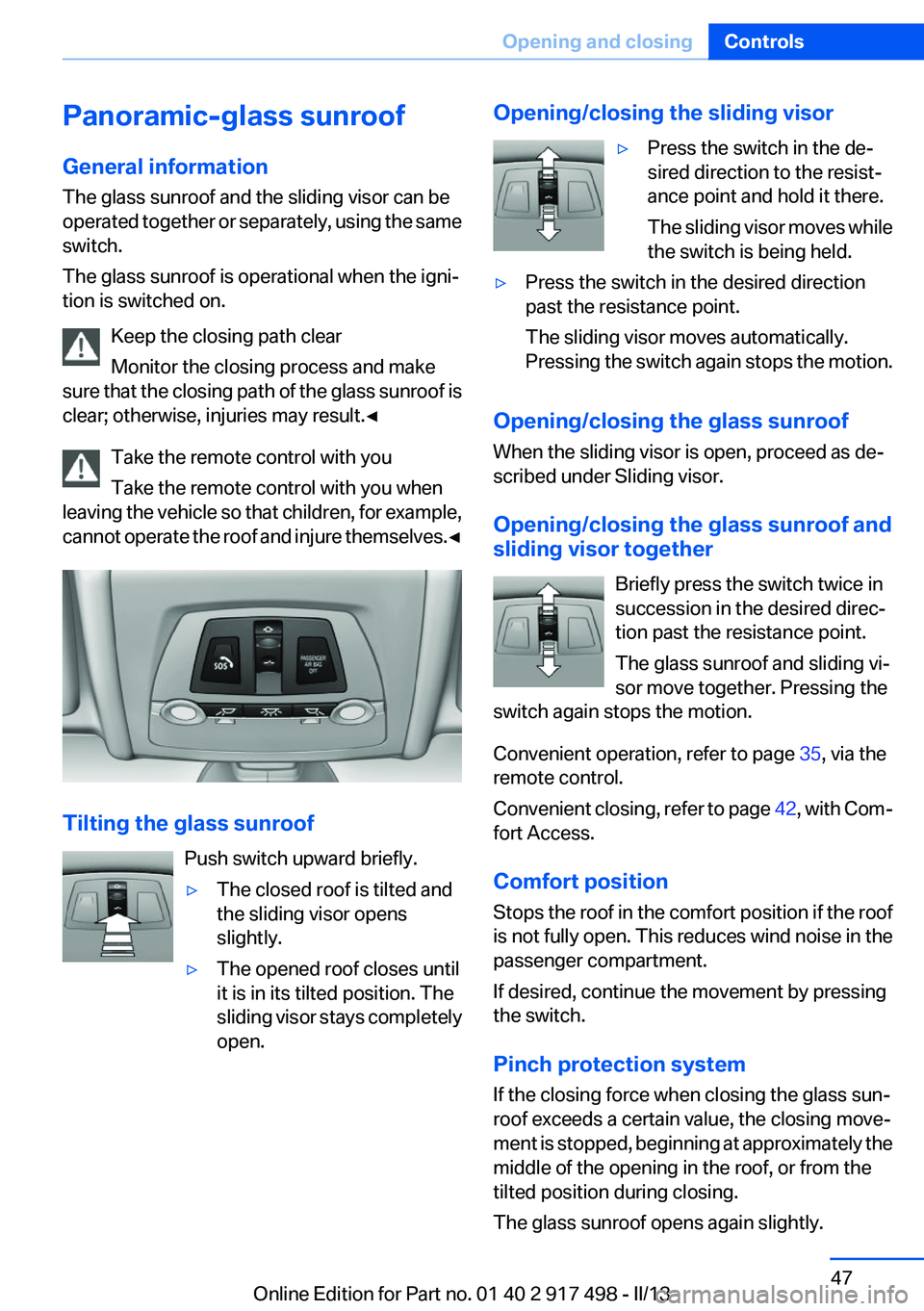
Panoramic-glass sunroof
General information
The glass sunroof and the sliding visor can be
operated together or separately, using the same
switch.
The glass sunroof is operational when the igni‐
tion is switched on.
Keep the closing path clear
Monitor the closing process and make
sure that the closing path of the glass sunroof is
clear; otherwise, injuries may result.◀
Take the remote control with you
Take the remote control with you when
leaving the vehicle so that children, for example,
cannot operate the roof and injure themselves. ◀
Tilting the glass sunroof
Push switch upward briefly.
▷The closed roof is tilted and
the sliding visor opens
slightly.▷The opened roof closes until
it is in its tilted position. The
sliding visor stays completely
open.Opening/closing the sliding visor▷Press the switch in the de‐
sired direction to the resist‐
ance point and hold it there.
The sliding visor moves while
the switch is being held.▷Press the switch in the desired direction
past the resistance point.
The sliding visor moves automatically.
Pressing the switch again stops the motion.
Opening/closing the glass sunroof
When the sliding visor is open, proceed as de‐
scribed under Sliding visor.
Opening/closing the glass sunroof and
sliding visor together
Briefly press the switch twice in
succession in the desired direc‐
tion past the resistance point.
The glass sunroof and sliding vi‐
sor move together. Pressing the
switch again stops the motion.
Convenient operation, refer to page 35, via the
remote control.
Convenient closing, refer to page 42, with Com‐
fort Access.
Comfort position
Stops the roof in the comfort position if the roof
is not fully open. This reduces wind noise in the
passenger compartment.
If desired, continue the movement by pressing
the switch.
Pinch protection system
If the closing force when closing the glass sun‐
roof exceeds a certain value, the closing move‐
ment is stopped, beginning at approximately the
middle of the opening in the roof, or from the
tilted position during closing.
The glass sunroof opens again slightly.
Seite 47Opening and closingControls47
Online Edition for Part no. 01 40 2 917 498 - II/13
Page 50 of 240
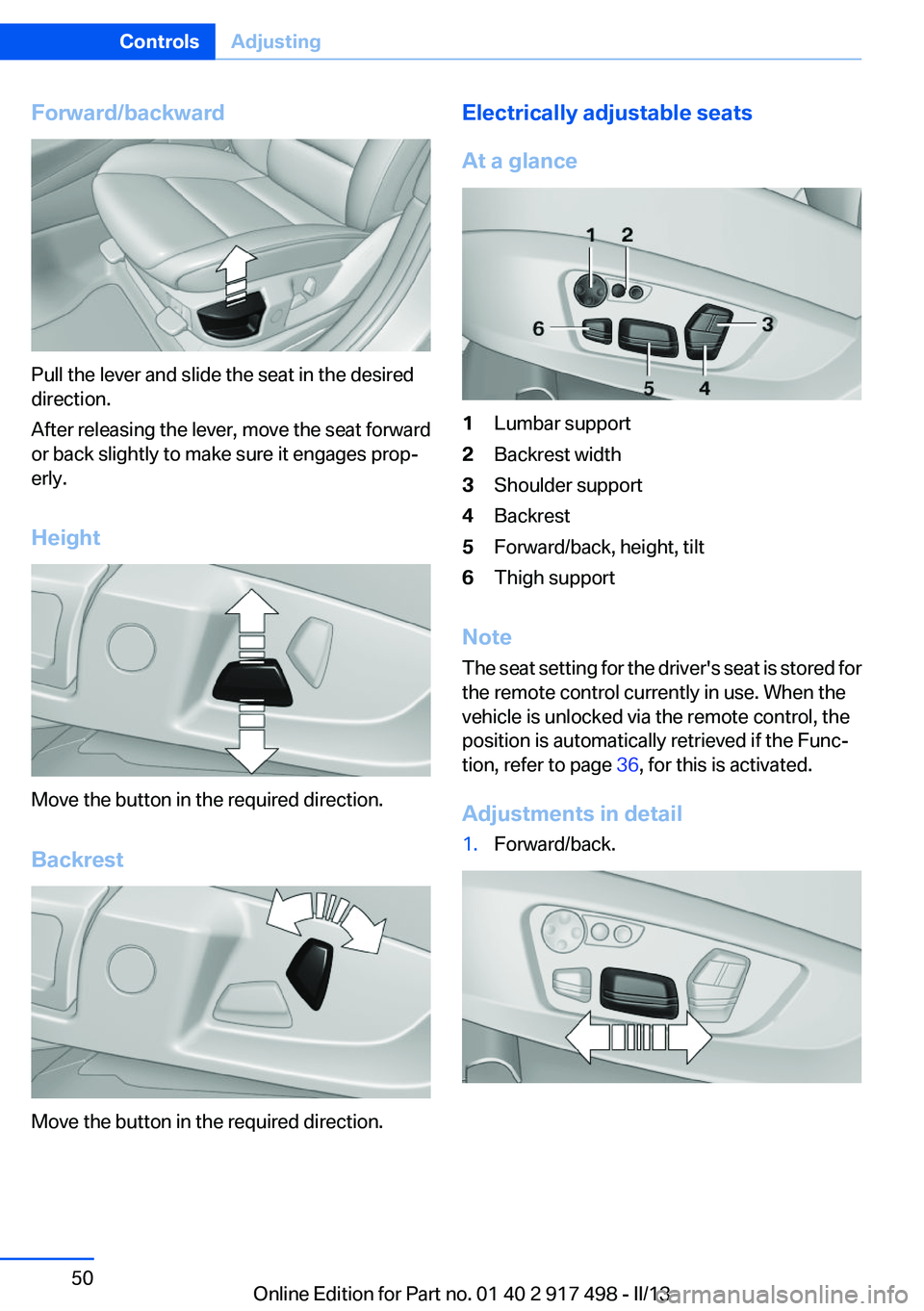
Forward/backward
Pull the lever and slide the seat in the desired
direction.
After releasing the lever, move the seat forward
or back slightly to make sure it engages prop‐
erly.
Height
Move the button in the required direction.
Backrest
Move the button in the required direction.
Electrically adjustable seats
At a glance1Lumbar support2Backrest width3Shoulder support4Backrest5Forward/back, height, tilt6Thigh support
Note
The seat setting for the driver's seat is stored for
the remote control currently in use. When the
vehicle is unlocked via the remote control, the
position is automatically retrieved if the Func‐
tion, refer to page 36, for this is activated.
Adjustments in detail
1.Forward/back.Seite 50ControlsAdjusting50
Online Edition for Part no. 01 40 2 917 498 - II/13
Page 59 of 240
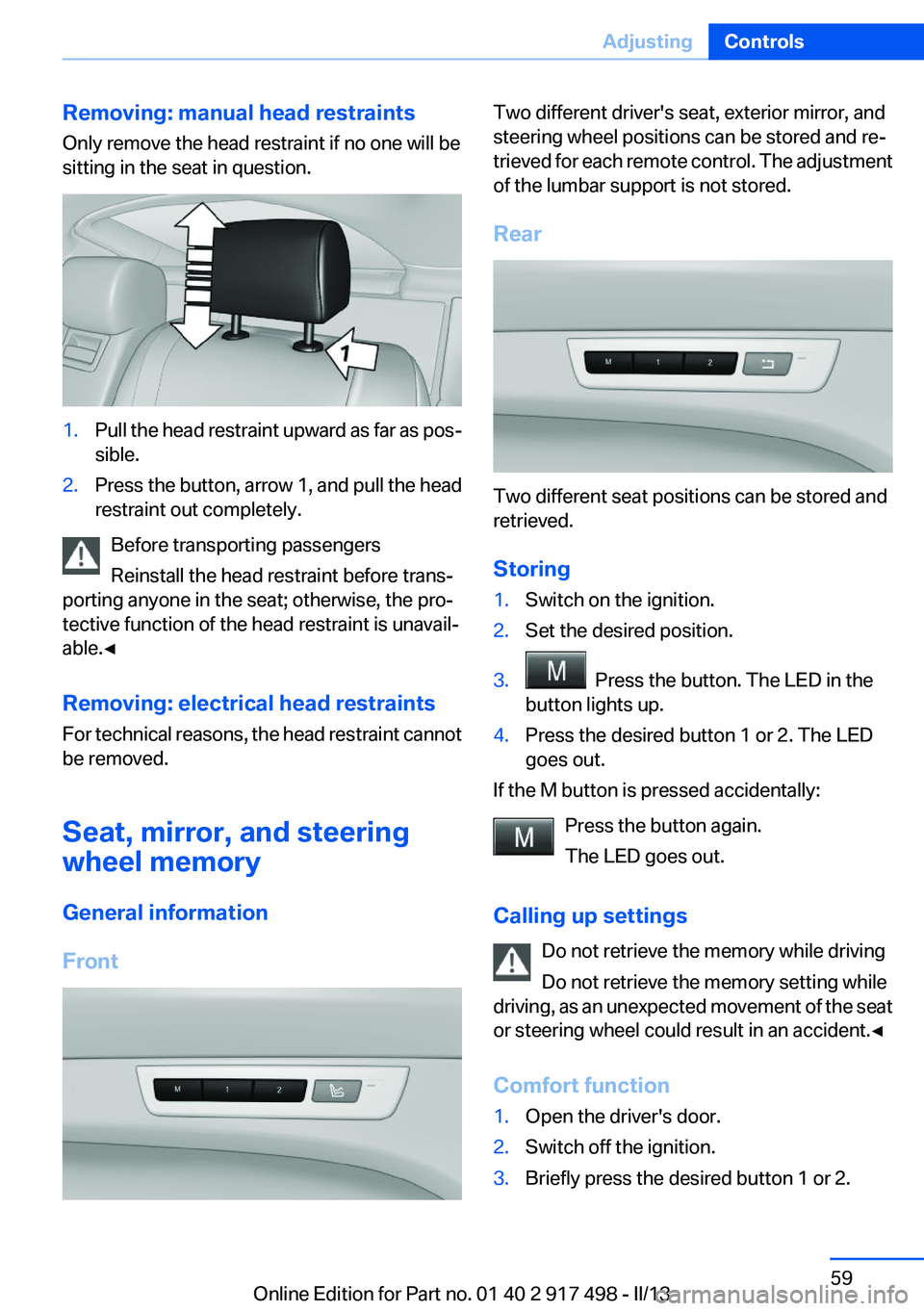
Removing: manual head restraints
Only remove the head restraint if no one will be
sitting in the seat in question.1.Pull the head restraint upward as far as pos‐
sible.2.Press the button, arrow 1, and pull the head
restraint out completely.
Before transporting passengers
Reinstall the head restraint before trans‐
porting anyone in the seat; otherwise, the pro‐
tective function of the head restraint is unavail‐
able.◀
Removing: electrical head restraints
For technical reasons, the head restraint cannot
be removed.
Seat, mirror, and steering
wheel memory
General information
Front
Two different driver's seat, exterior mirror, and
steering wheel positions can be stored and re‐
trieved for each remote control. The adjustment
of the lumbar support is not stored.
Rear
Two different seat positions can be stored and
retrieved.
Storing
1.Switch on the ignition.2.Set the desired position.3. Press the button. The LED in the
button lights up.4.Press the desired button 1 or 2. The LED
goes out.
If the M button is pressed accidentally:
Press the button again.
The LED goes out.
Calling up settings Do not retrieve the memory while driving
Do not retrieve the memory setting while
driving, as an unexpected movement of the seat
or steering wheel could result in an accident.◀
Comfort function
1.Open the driver's door.2.Switch off the ignition.3.Briefly press the desired button 1 or 2.Seite 59AdjustingControls59
Online Edition for Part no. 01 40 2 917 498 - II/13