width BMW 535I GRAN TURISMO 2014 Owners Manual
[x] Cancel search | Manufacturer: BMW, Model Year: 2014, Model line: 535I GRAN TURISMO, Model: BMW 535I GRAN TURISMO 2014Pages: 251, PDF Size: 7.64 MB
Page 50 of 251
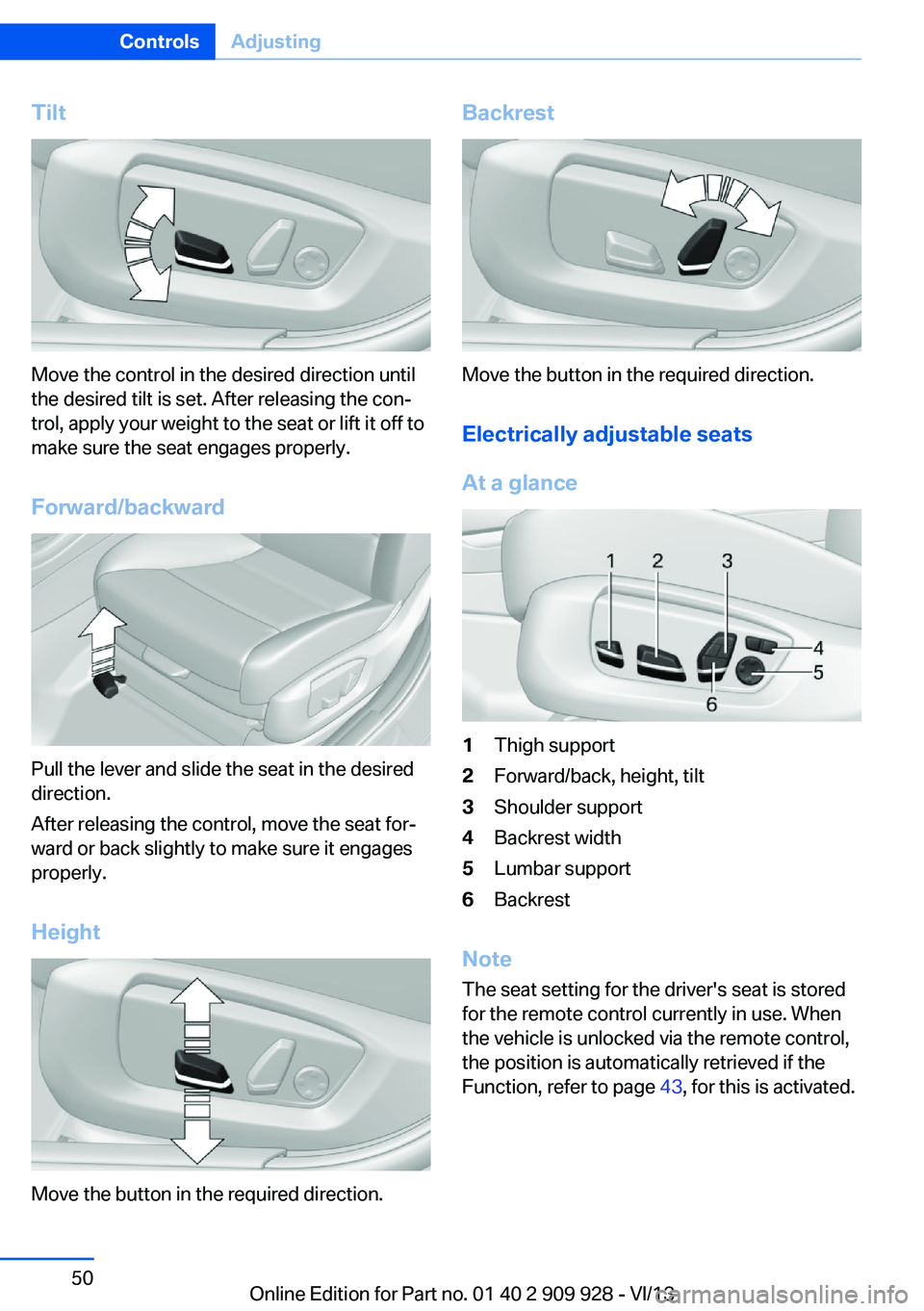
Tilt
Move the control in the desired direction until
the desired tilt is set. After releasing the con‐
trol, apply your weight to the seat or lift it off to
make sure the seat engages properly.
Forward/backward
Pull the lever and slide the seat in the desired
direction.
After releasing the control, move the seat for‐
ward or back slightly to make sure it engages
properly.
Height
Move the button in the required direction.
Backrest
Move the button in the required direction. Electrically adjustable seats
At a glance
1Thigh support2Forward/back, height, tilt3Shoulder support4Backrest width5Lumbar support6Backrest
Note The seat setting for the driver's seat is stored
for the remote control currently in use. When
the vehicle is unlocked via the remote control,
the position is automatically retrieved if the
Function, refer to page 43, for this is activated.
Seite 50ControlsAdjusting50
Online Edition for Part no. 01 40 2 909 928 - VI/13
Page 51 of 251
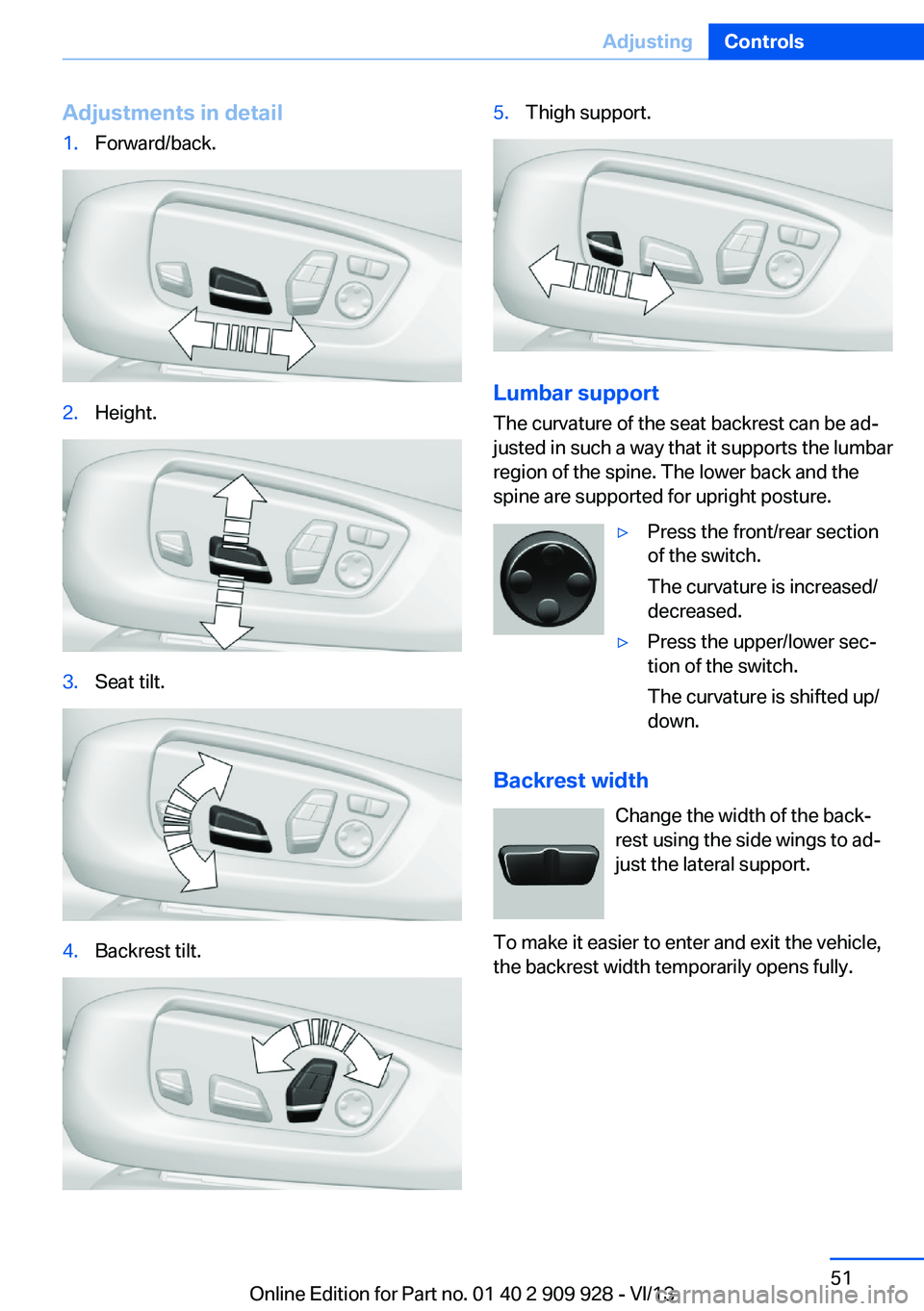
Adjustments in detail1.Forward/back.2.Height.3.Seat tilt.4.Backrest tilt.5.Thigh support.
Lumbar support
The curvature of the seat backrest can be ad‐
justed in such a way that it supports the lumbar
region of the spine. The lower back and the
spine are supported for upright posture.
▷Press the front/rear section
of the switch.
The curvature is increased/
decreased.▷Press the upper/lower sec‐
tion of the switch.
The curvature is shifted up/
down.
Backrest width
Change the width of the back‐
rest using the side wings to ad‐
just the lateral support.
To make it easier to enter and exit the vehicle,
the backrest width temporarily opens fully.
Seite 51AdjustingControls51
Online Edition for Part no. 01 40 2 909 928 - VI/13
Page 58 of 251
General information
The mirror on the passenger side is more
curved than the driver's side mirror.
Estimating distances correctly
Objects reflected in the mirror are closer
than they appear. Do not estimate the distance
to the traffic behind you based on what you
see in the mirror, as this will increase your risk
of an accident.◀
Depending on how the vehicle is equipped, the
mirror setting is stored for the remote control
in use. When the vehicle is unlocked via the re‐
mote control, the position is automatically re‐
trieved if the setting for this function is active.
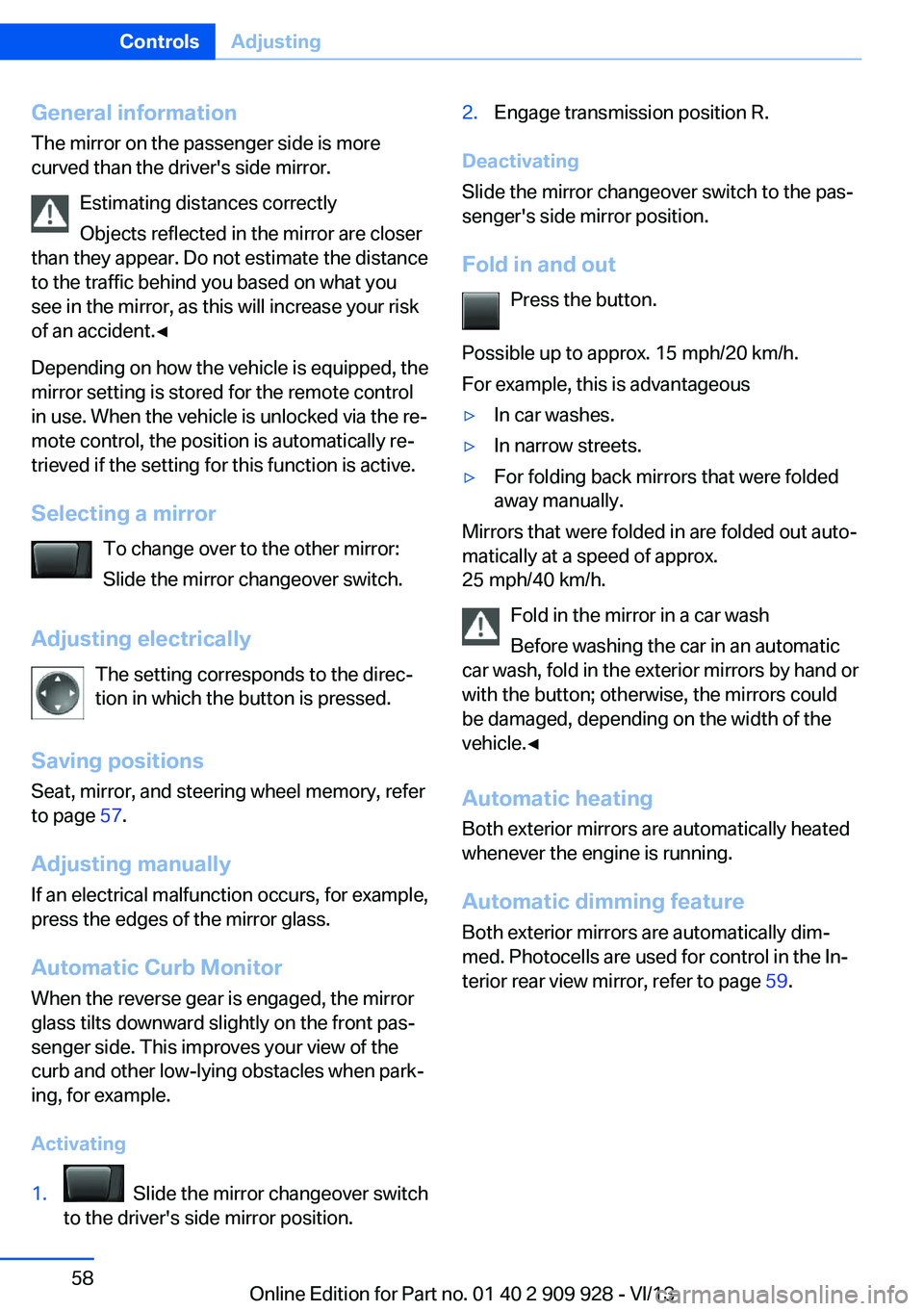
Selecting a mirror To change over to the other mirror:Slide the mirror changeover switch.
Adjusting electrically The setting corresponds to the direc‐
tion in which the button is pressed.
Saving positions Seat, mirror, and steering wheel memory, refer
to page 57.
Adjusting manually If an electrical malfunction occurs, for example,
press the edges of the mirror glass.
Automatic Curb Monitor When the reverse gear is engaged, the mirror
glass tilts downward slightly on the front pas‐
senger side. This improves your view of the
curb and other low-lying obstacles when park‐
ing, for example.
Activating1. Slide the mirror changeover switch
to the driver's side mirror position.2.Engage transmission position R.
Deactivating
Slide the mirror changeover switch to the pas‐
senger's side mirror position.
Fold in and out Press the button.
Possible up to approx. 15 mph/20 km/h.
For example, this is advantageous
▷In car washes.▷In narrow streets.▷For folding back mirrors that were folded
away manually.
Mirrors that were folded in are folded out auto‐
matically at a speed of approx.
25 mph/40 km/h.
Fold in the mirror in a car wash
Before washing the car in an automatic
car wash, fold in the exterior mirrors by hand or
with the button; otherwise, the mirrors could
be damaged, depending on the width of the
vehicle.◀
Automatic heating
Both exterior mirrors are automatically heated
whenever the engine is running.
Automatic dimming feature Both exterior mirrors are automatically dim‐
med. Photocells are used for control in the In‐
terior rear view mirror, refer to page 59.
Seite 58ControlsAdjusting58
Online Edition for Part no. 01 40 2 909 928 - VI/13
Page 62 of 251
Lock the rear seat backrests in position
Before installing a child restraint system,
make sure that the rear seat backrests are
locked; otherwise, the protective effect is not
guaranteed and there is an increased risk of in‐
jury for the child in the event of an accident.◀
On the front passenger seat
Deactivating airbags
After installing a child restraint fixing system in
the front passenger seat, make sure that the
front, knee and side airbags on the front pas‐
senger side are deactivated.
Deactivate the front passenger airbags auto‐
matically, refer to page 104.
Deactivating the front passenger airbags
If a child restraint fixing system is used in
the front passenger seat, the front passenger
airbags must be deactivated; otherwise, there
is an increased risk of injury to the child when
the airbags are triggered, even with a child re‐
straint fixing system.◀
Seat position and height
Before installing a child restraint fixing system,
move the front passenger seat as far back as
possible and bring it up to medium height to
obtain the best possible position for the belt
and to offer optimal protection in the event of
an accident.
Do not change the seat position and height af‐
ter this.
Backrest width Adjustable backrest width: before installing a
child restraint fixing system in the front pas‐
senger seat, open the backrest width com‐
pletely. Do not change the backrest width
again and do not call up a memory position.Backrest width for the child seat
Before installing a child restraint fixing
system in the front passenger seat, the back‐
rest width must be opened completely. Do not
change the adjustment after this; otherwise,
the stability of the child seat will be reduced.◀
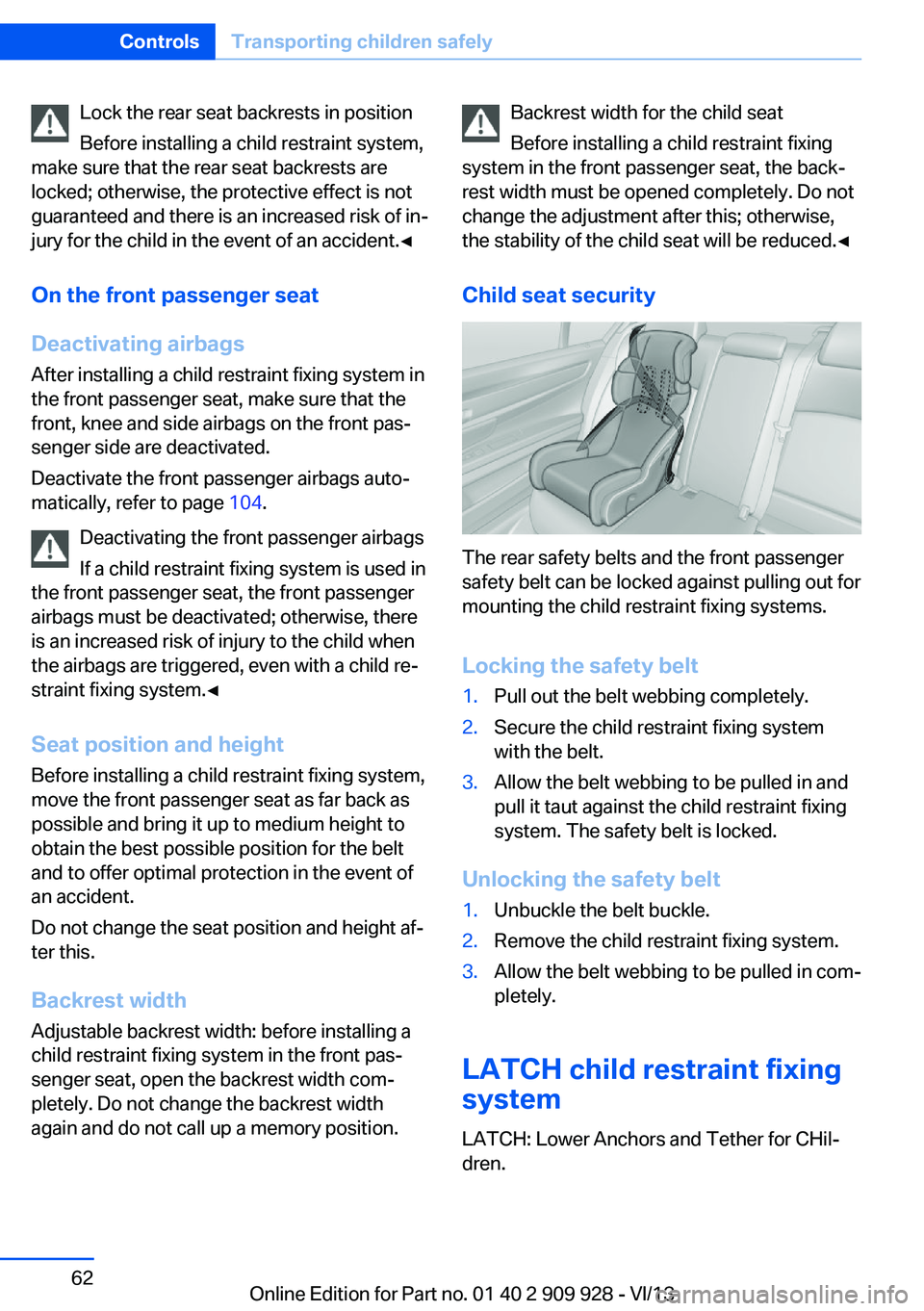
Child seat security
The rear safety belts and the front passenger
safety belt can be locked against pulling out for
mounting the child restraint fixing systems.
Locking the safety belt
1.Pull out the belt webbing completely.2.Secure the child restraint fixing system
with the belt.3.Allow the belt webbing to be pulled in and
pull it taut against the child restraint fixing
system. The safety belt is locked.
Unlocking the safety belt
1.Unbuckle the belt buckle.2.Remove the child restraint fixing system.3.Allow the belt webbing to be pulled in com‐
pletely.
LATCH child restraint fixing
system
LATCH: Lower Anchors and Tether for CHil‐dren.
Seite 62ControlsTransporting children safely62
Online Edition for Part no. 01 40 2 909 928 - VI/13
Page 142 of 251
General information
The congestion assistant determines speed
and distance from the vehicle in front via a ra‐
dar sensor and the position of the lane marking
via a camera.
Sensors on the steering wheel detect whether
the steering wheel is being touched.
The system is deactivated as soon as contact
with the steering wheel is no longer detected.
In order to be able to use the Congestion As‐
sistant, place your hands around the steering
wheel.
When driving with gloves or with protective
covers, contact with the steering wheel cannot
be detected by the sensors. The system in this
case cannot be used.
Notes Personal responsibility
The system does not relieve the driver of
the responsibility to adapt his or her speed,
distance and driving style to the traffic condi‐
tions. Drive attentively, and react to the current
traffic events. Intervene actively when neces‐
sary, e.g., by braking, steering or making an
evasive maneuver, otherwise, there is danger
of an accident.◀
Functional requirements▷Drive on approved road type. The data on
this are stored in the navigation system.▷Driving on the limited access highway or
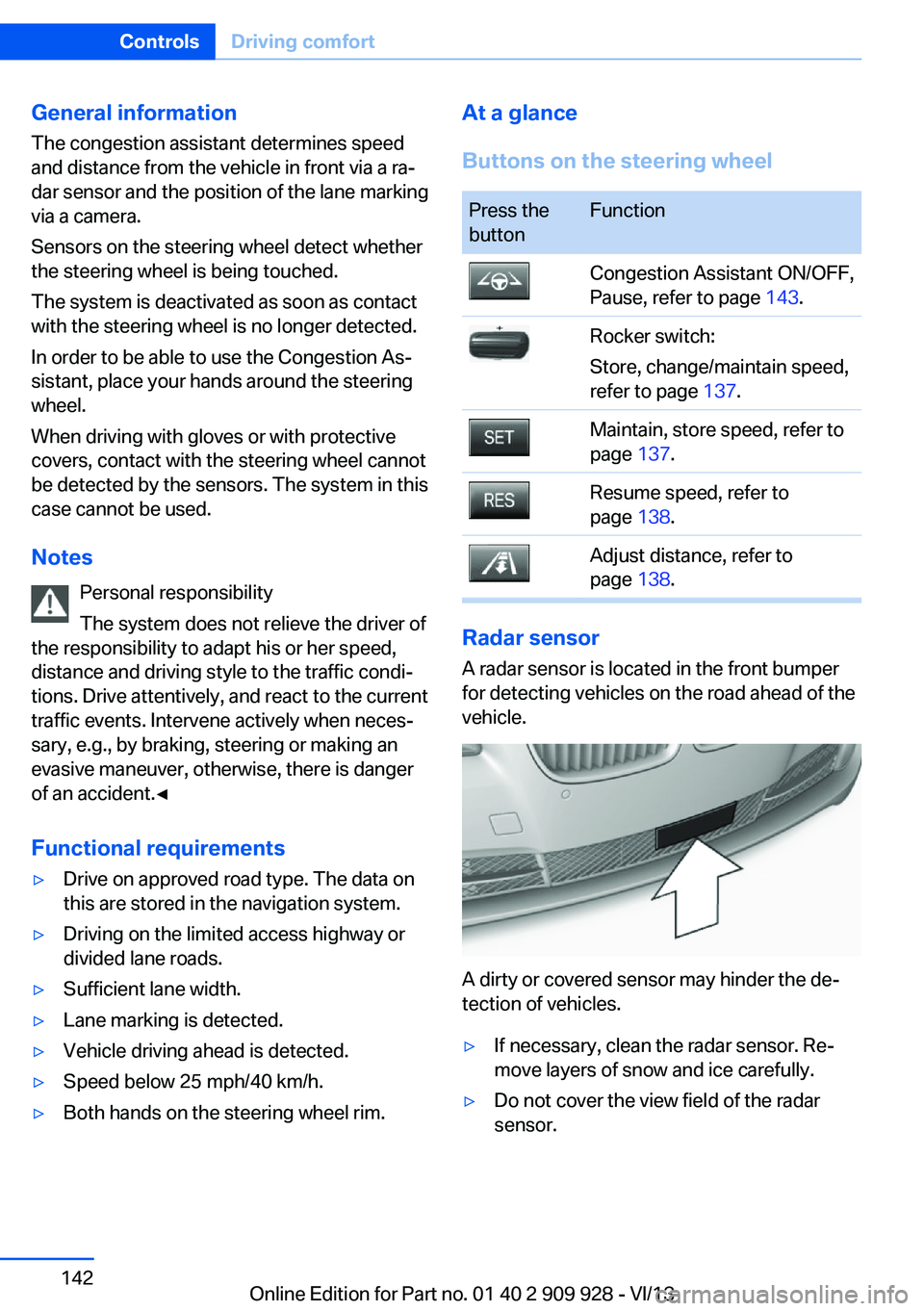
divided lane roads.▷Sufficient lane width.▷Lane marking is detected.▷Vehicle driving ahead is detected.▷Speed below 25 mph/40 km/h.▷Both hands on the steering wheel rim.At a glance
Buttons on the steering wheelPress the
buttonFunctionCongestion Assistant ON/OFF,
Pause, refer to page 143.Rocker switch:
Store, change/maintain speed,
refer to page 137.Maintain, store speed, refer to
page 137.Resume speed, refer to
page 138.Adjust distance, refer to
page 138.
Radar sensor
A radar sensor is located in the front bumper
for detecting vehicles on the road ahead of the
vehicle.
A dirty or covered sensor may hinder the de‐
tection of vehicles.
▷If necessary, clean the radar sensor. Re‐
move layers of snow and ice carefully.▷Do not cover the view field of the radar
sensor.Seite 142ControlsDriving comfort142
Online Edition for Part no. 01 40 2 909 928 - VI/13
Page 205 of 251
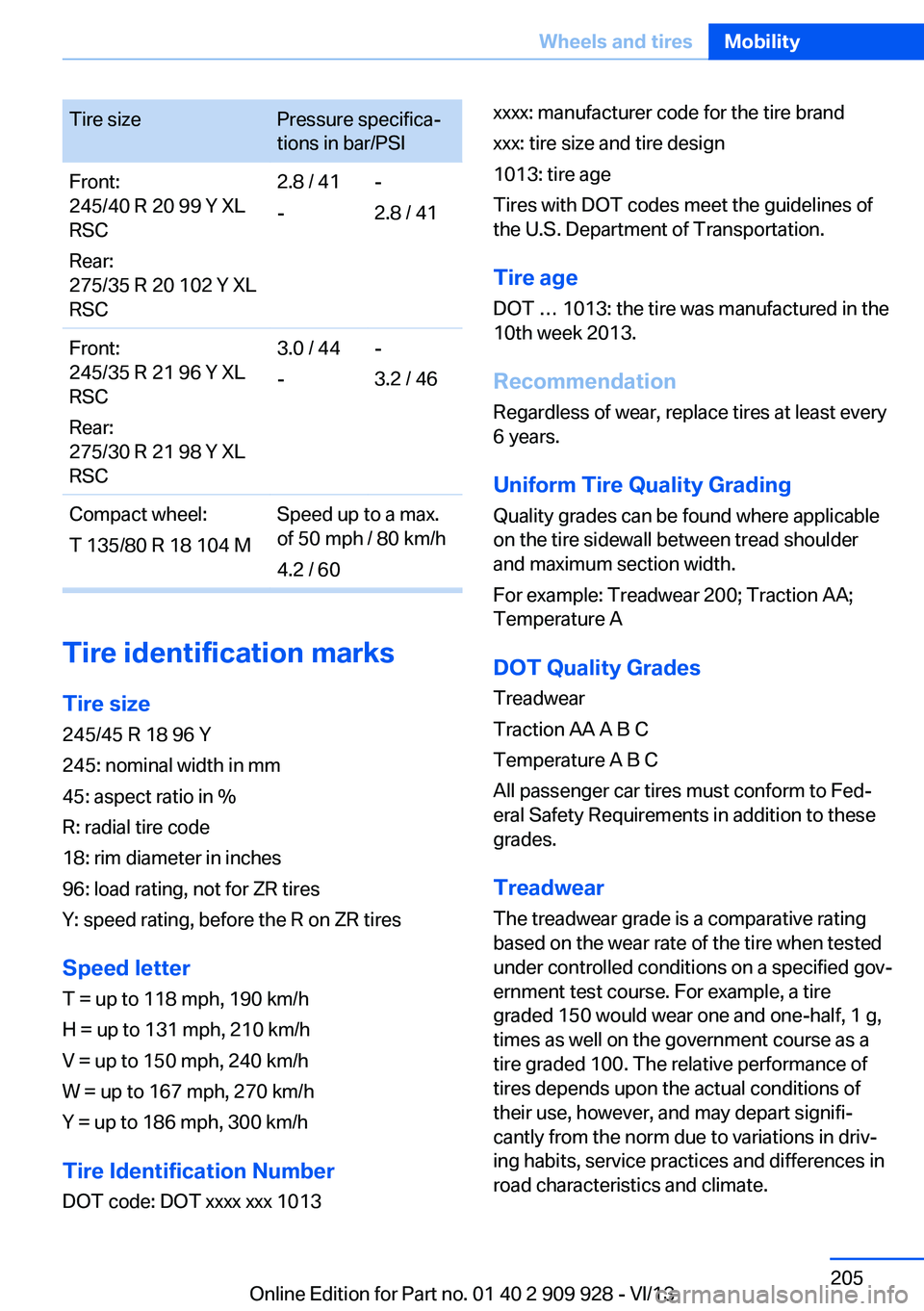
Tire sizePressure specifica‐
tions in bar/PSIFront:
245/40 R 20 99 Y XL
RSC
Rear:
275/35 R 20 102 Y XL
RSC2.8 / 41
--
2.8 / 41Front:
245/35 R 21 96 Y XL
RSC
Rear:
275/30 R 21 98 Y XL
RSC3.0 / 44
--
3.2 / 46Compact wheel:
T 135/80 R 18 104 MSpeed up to a max.
of 50 mph / 80 km/h
4.2 / 60
Tire identification marks
Tire size 245/45 R 18 96 Y
245: nominal width in mm
45: aspect ratio in %
R: radial tire code
18: rim diameter in inches
96: load rating, not for ZR tires
Y: speed rating, before the R on ZR tires
Speed letter
T = up to 118 mph, 190 km/h
H = up to 131 mph, 210 km/h
V = up to 150 mph, 240 km/h
W = up to 167 mph, 270 km/h
Y = up to 186 mph, 300 km/h
Tire Identification Number
DOT code: DOT xxxx xxx 1013
xxxx: manufacturer code for the tire brand
xxx: tire size and tire design
1013: tire age
Tires with DOT codes meet the guidelines of
the U.S. Department of Transportation.
Tire age
DOT … 1013: the tire was manufactured in the
10th week 2013.
Recommendation
Regardless of wear, replace tires at least every
6 years.
Uniform Tire Quality GradingQuality grades can be found where applicable
on the tire sidewall between tread shoulder
and maximum section width.
For example: Treadwear 200; Traction AA;
Temperature A
DOT Quality Grades Treadwear
Traction AA A B C
Temperature A B C
All passenger car tires must conform to Fed‐
eral Safety Requirements in addition to these
grades.
TreadwearThe treadwear grade is a comparative rating
based on the wear rate of the tire when tested
under controlled conditions on a specified gov‐
ernment test course. For example, a tire
graded 150 would wear one and one-half, 1 g,
times as well on the government course as a
tire graded 100. The relative performance of
tires depends upon the actual conditions of
their use, however, and may depart signifi‐
cantly from the norm due to variations in driv‐
ing habits, service practices and differences in
road characteristics and climate.Seite 205Wheels and tiresMobility205
Online Edition for Part no. 01 40 2 909 928 - VI/13
Page 230 of 251
CareVehicle equipmentAll standard, country-specific and optional
equipment that is offered in the model series is
described in this chapter. Therefore, equip‐
ment is also described that is not available in a
vehicle, e. g., because of the selected optional
equipment or country variant. This also applies
for safety-related functions and systems.
Car washes Hints Steam jets or high-pressure washers
When using steam jets or high-pressure
washers, hold them a sufficient distance away and use a maximum temperature of
140 ℉/60 ℃.
If the vehicle has a glass sunroof, ensure that a distance of at least 31.5 inches/80 cm is main‐
tained. Holding them too close or using exces‐
sively high pressures or temperatures can
cause damage or preliminary damage that may
then lead to long-term damage.
Follow the user's manual for the high-pressure
washer.◀
Cleaning sensors/cameras with high-
pressure washers
When using high-pressure washers, do not
spray the exterior sensors and cameras, e.g., Park Distance Control, for extended periods of
time and only from a distance of at least
12 in/30 cm.◀
Regularly remove foreign items such as leaves
in the area below the windshield when the
hood is raised.
Wash your vehicle frequently, particularly in
winter.Intense soiling and road salt can damage the
vehicle.
Automatic car washes
Hints
Note the following:▷Give preference to cloth car washes or
those that use soft brushes in order to
avoid paint damage.▷Make sure that the wheels and tires are not
damaged by the transport mechanisms.▷Fold in the exterior mirrors; otherwise, they
may be damaged, depending on the width
of the vehicle.▷Deactivate the rain sensor, refer to
page 76, to avoid unintentional wiper acti‐
vation.▷In some cases, an unintentional alarm can
be triggered by the interior motion sensor
of the alarm system. Follow the instruc‐
tions on avoiding an unintentional alarm,
refer to page 44.
Guide rails in car washes
Avoid car washes with guide rails higher
than 4 in/10 cm; otherwise, the vehicle body
could be damaged.◀
Before driving into a car wash In order to ensure that the vehicle can roll in a
car wash, take the following steps:
1.Drive into the car wash.2.Engage transmission position N.3.Switch the engine off.
In this way, the ignition remains switched
on, and a Check-Control message is dis‐
played.Seite 230MobilityCare230
Online Edition for Part no. 01 40 2 909 928 - VI/13
Page 236 of 251
Technical dataVehicle equipment
All standard, country-specific and optional
equipment that is offered in the model series is
described in this chapter. Therefore, equip‐
ment is also described that is not available in a
vehicle, e. g., because of the selected optional
equipment or country variant. This also applies
for safety-related functions and systems.Dimensions
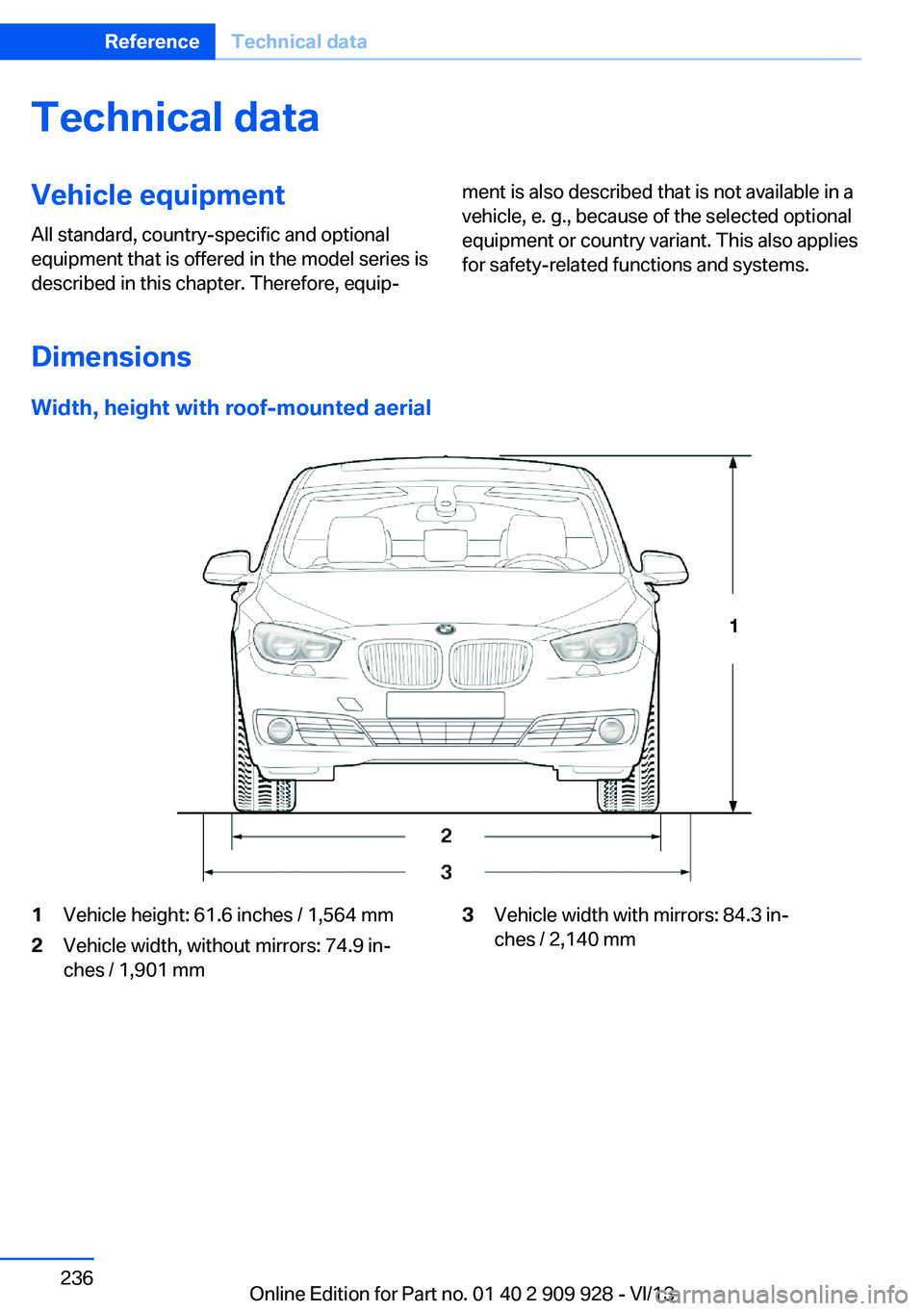
Width, height with roof-mounted aerial
1Vehicle height: 61.6 inches / 1,564 mm2Vehicle width, without mirrors: 74.9 in‐
ches / 1,901 mm
3Vehicle width with mirrors: 84.3 in‐
ches / 2,140 mm
Seite 236ReferenceTechnical data236
Online Edition for Part no. 01 40 2 909 928 - VI/13
Page 240 of 251
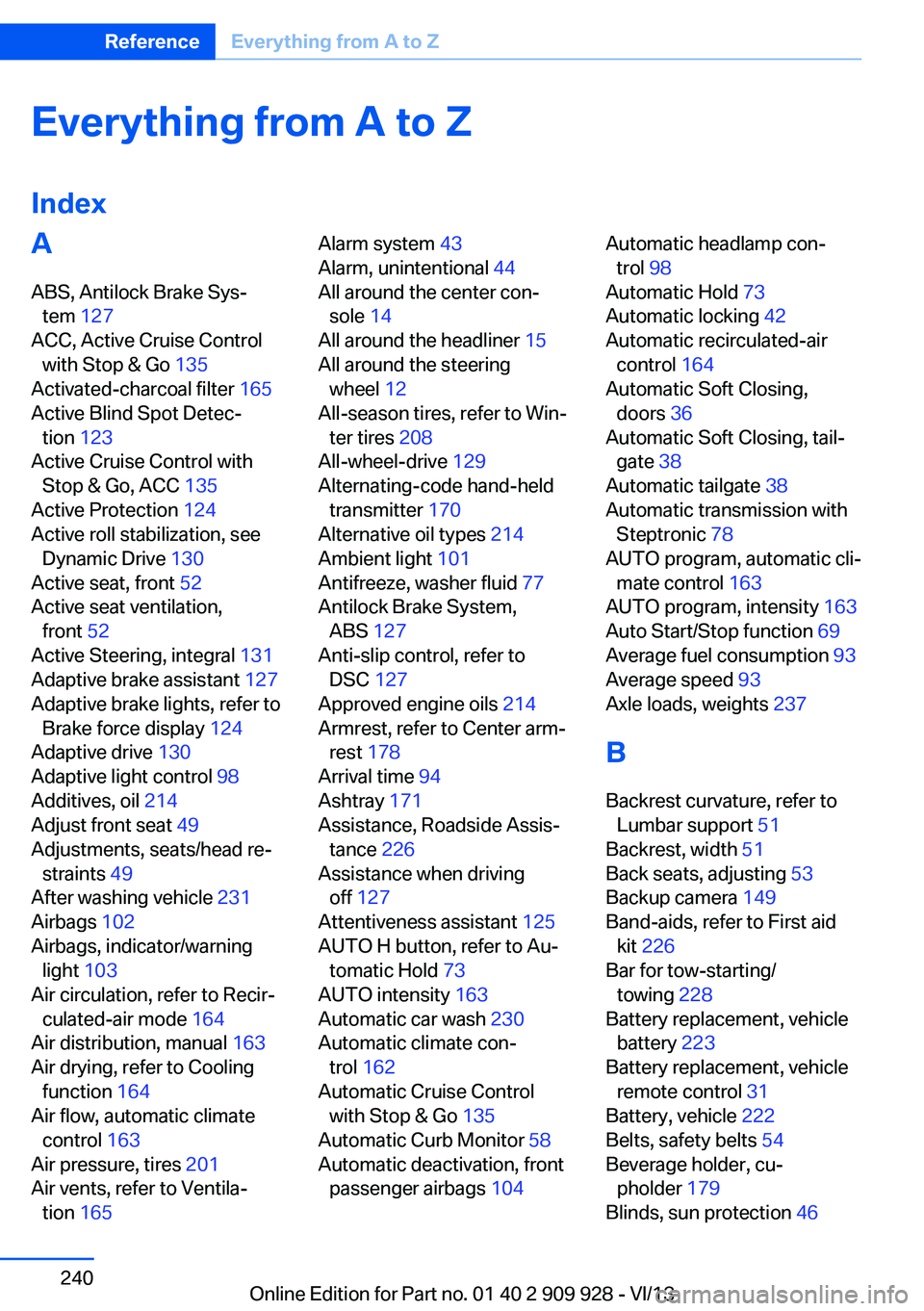
Everything from A to Z
IndexA ABS, Antilock Brake Sys‐ tem 127
ACC, Active Cruise Control with Stop & Go 135
Activated-charcoal filter 165
Active Blind Spot Detec‐ tion 123
Active Cruise Control with Stop & Go, ACC 135
Active Protection 124
Active roll stabilization, see Dynamic Drive 130
Active seat, front 52
Active seat ventilation, front 52
Active Steering, integral 131
Adaptive brake assistant 127
Adaptive brake lights, refer to Brake force display 124
Adaptive drive 130
Adaptive light control 98
Additives, oil 214
Adjust front seat 49
Adjustments, seats/head re‐ straints 49
After washing vehicle 231
Airbags 102
Airbags, indicator/warning light 103
Air circulation, refer to Recir‐ culated-air mode 164
Air distribution, manual 163
Air drying, refer to Cooling function 164
Air flow, automatic climate control 163
Air pressure, tires 201
Air vents, refer to Ventila‐ tion 165 Alarm system 43
Alarm, unintentional 44
All around the center con‐ sole 14
All around the headliner 15
All around the steering wheel 12
All-season tires, refer to Win‐ ter tires 208
All-wheel-drive 129
Alternating-code hand-held transmitter 170
Alternative oil types 214
Ambient light 101
Antifreeze, washer fluid 77
Antilock Brake System, ABS 127
Anti-slip control, refer to DSC 127
Approved engine oils 214
Armrest, refer to Center arm‐ rest 178
Arrival time 94
Ashtray 171
Assistance, Roadside Assis‐ tance 226
Assistance when driving off 127
Attentiveness assistant 125
AUTO H button, refer to Au‐ tomatic Hold 73
AUTO intensity 163
Automatic car wash 230
Automatic climate con‐ trol 162
Automatic Cruise Control with Stop & Go 135
Automatic Curb Monitor 58
Automatic deactivation, front passenger airbags 104 Automatic headlamp con‐
trol 98
Automatic Hold 73
Automatic locking 42
Automatic recirculated-air control 164
Automatic Soft Closing, doors 36
Automatic Soft Closing, tail‐ gate 38
Automatic tailgate 38
Automatic transmission with Steptronic 78
AUTO program, automatic cli‐ mate control 163
AUTO program, intensity 163
Auto Start/Stop function 69
Average fuel consumption 93
Average speed 93
Axle loads, weights 237
B Backrest curvature, refer to Lumbar support 51
Backrest, width 51
Back seats, adjusting 53
Backup camera 149
Band-aids, refer to First aid kit 226
Bar for tow-starting/ towing 228
Battery replacement, vehicle battery 223
Battery replacement, vehicle remote control 31
Battery, vehicle 222
Belts, safety belts 54
Beverage holder, cu‐ pholder 179
Blinds, sun protection 46 Seite 240ReferenceEverything from A to Z240
Online Edition for Part no. 01 40 2 909 928 - VI/13
Page 249 of 251
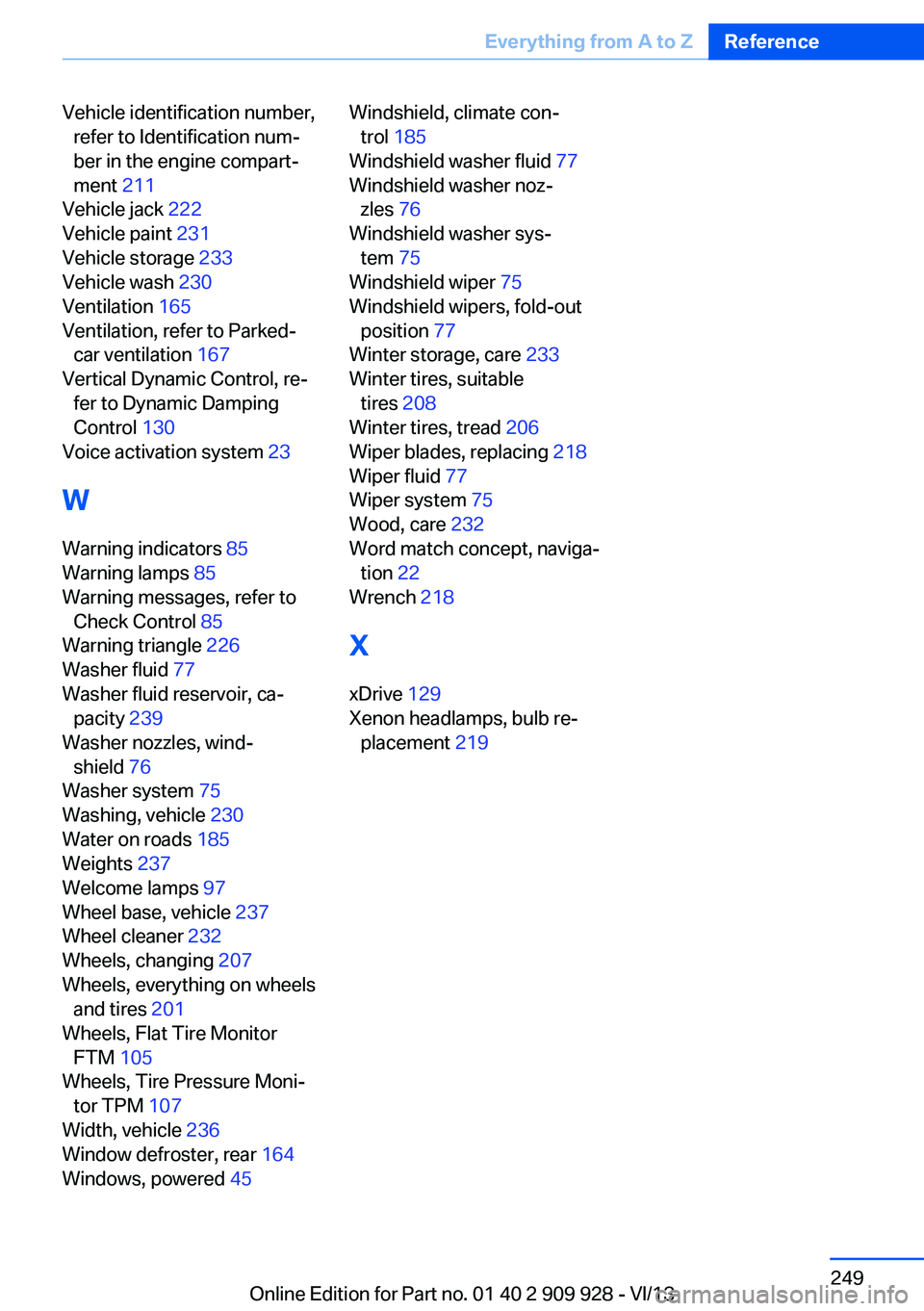
Vehicle identification number,refer to Identification num‐
ber in the engine compart‐
ment 211
Vehicle jack 222
Vehicle paint 231
Vehicle storage 233
Vehicle wash 230
Ventilation 165
Ventilation, refer to Parked- car ventilation 167
Vertical Dynamic Control, re‐ fer to Dynamic Damping
Control 130
Voice activation system 23
W Warning indicators 85
Warning lamps 85
Warning messages, refer to Check Control 85
Warning triangle 226
Washer fluid 77
Washer fluid reservoir, ca‐ pacity 239
Washer nozzles, wind‐ shield 76
Washer system 75
Washing, vehicle 230
Water on roads 185
Weights 237
Welcome lamps 97
Wheel base, vehicle 237
Wheel cleaner 232
Wheels, changing 207
Wheels, everything on wheels and tires 201
Wheels, Flat Tire Monitor FTM 105
Wheels, Tire Pressure Moni‐ tor TPM 107
Width, vehicle 236
Window defroster, rear 164
Windows, powered 45 Windshield, climate con‐
trol 185
Windshield washer fluid 77
Windshield washer noz‐ zles 76
Windshield washer sys‐ tem 75
Windshield wiper 75
Windshield wipers, fold-out position 77
Winter storage, care 233
Winter tires, suitable tires 208
Winter tires, tread 206
Wiper blades, replacing 218
Wiper fluid 77
Wiper system 75
Wood, care 232
Word match concept, naviga‐ tion 22
Wrench 218
X
xDrive 129
Xenon headlamps, bulb re‐ placement 219 Seite 249Everything from A to ZReference249
Online Edition for Part no. 01 40 2 909 928 - VI/13