CD player BMW 535XI 2008 User Guide
[x] Cancel search | Manufacturer: BMW, Model Year: 2008, Model line: 535XI, Model: BMW 535XI 2008Pages: 288, PDF Size: 7.03 MB
Page 186 of 288
CD player and CD changer
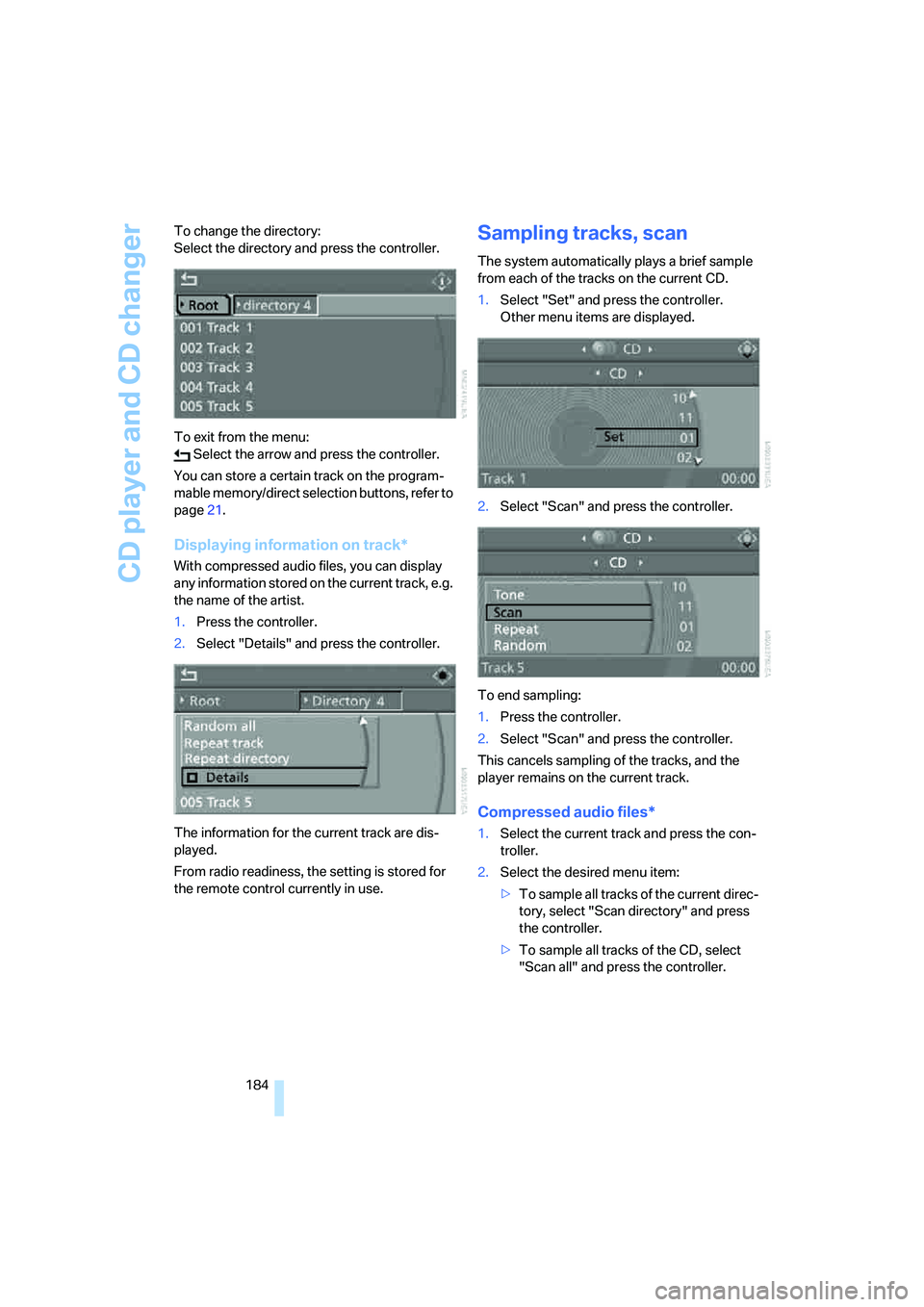
184 To change the directory:
Select the directory and press the controller.
To exit from the menu:
Select the arrow and press the controller.
You can store a certain track on the program-
mable memory/direct selection buttons, refer to
page21.
Displaying information on track*
With compressed audio files, you can display
any information stored on the current track, e.g.
the name of the artist.
1.Press the controller.
2.Select "Details" and press the controller.
The information for the current track are dis-
played.
From radio readiness, the setting is stored for
the remote control currently in use.
Sampling tracks, scan
The system automatically plays a brief sample
from each of the tracks on the current CD.
1.Select "Set" and press the controller.
Other menu items are displayed.
2.Select "Scan" and press the controller.
To end sampling:
1.Press the controller.
2.Select "Scan" and press the controller.
This cancels sampling of the tracks, and the
player remains on the current track.
Compressed audio files*
1.Select the current track and press the con-
troller.
2.Select the desired menu item:
>To sample all tracks of the current direc-
tory, select "Scan directory" and press
the controller.
>To sample all tracks of the CD, select
"Scan all" and press the controller.
Page 187 of 288
Navigation
Entertainment
Driving tips
185Reference
At a glance
Controls
Communications
Mobility
To end sampling:
1.Press the controller.
2.Select "Scan directory" or "Scan all" and
press the controller.
This cancels sampling, and the player remains
on the current track.
Repeating a track
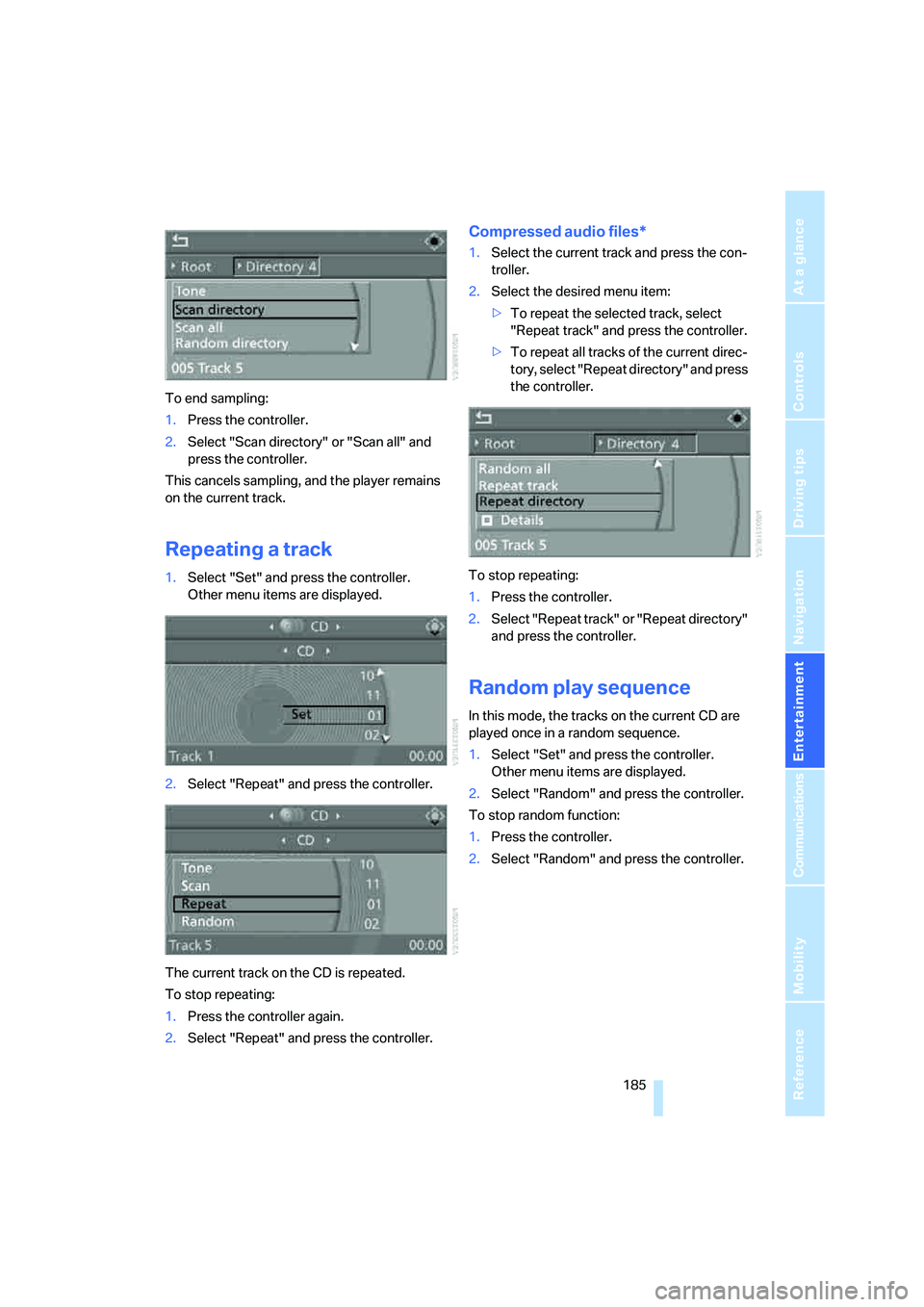
1.Select "Set" and press the controller.
Other menu items are displayed.
2.Select "Repeat" and press the controller.
The current track on the CD is repeated.
To stop repeating:
1.Press the controller again.
2.Select "Repeat" and press the controller.
Compressed audio files*
1.Select the current track and press the con-
troller.
2.Select the desired menu item:
>To repeat the selected track, select
"Repeat track" and press the controller.
>To repeat all tracks of the current direc-
tory, select "Repeat directory" and press
the controller.
To stop repeating:
1.Press the controller.
2.Select "Repeat track" or "Repeat directory"
and press the controller.
Random play sequence
In this mode, the tracks on the current CD are
played once in a random sequence.
1.Select "Set" and press the controller.
Other menu items are displayed.
2.Select "Random" and press the controller.
To stop random function:
1.Press the controller.
2.Select "Random" and press the controller.
Page 188 of 288
CD player and CD changer
186
Compressed audio files*
1.Select the current track and press the con-
troller.
2.Select the desired menu item:
>To pla y all tracks of the current directory
in random order, select "Random direc-
tory" and press the controller.
>To play all tracks of the CD in random
order, select "Random all" and press the
controller.
To stop random function:
1.Press the controller.
2.Select "Random directory" or "Random all"
and press the controller.
Fast forward/reverse
Buttons next to CD player:
Press and hold the button for the corre-
sponding direction.
CD magazine
The BMW CD changer for six CDs is installed in
the glove compartment.
Removing CD magazine
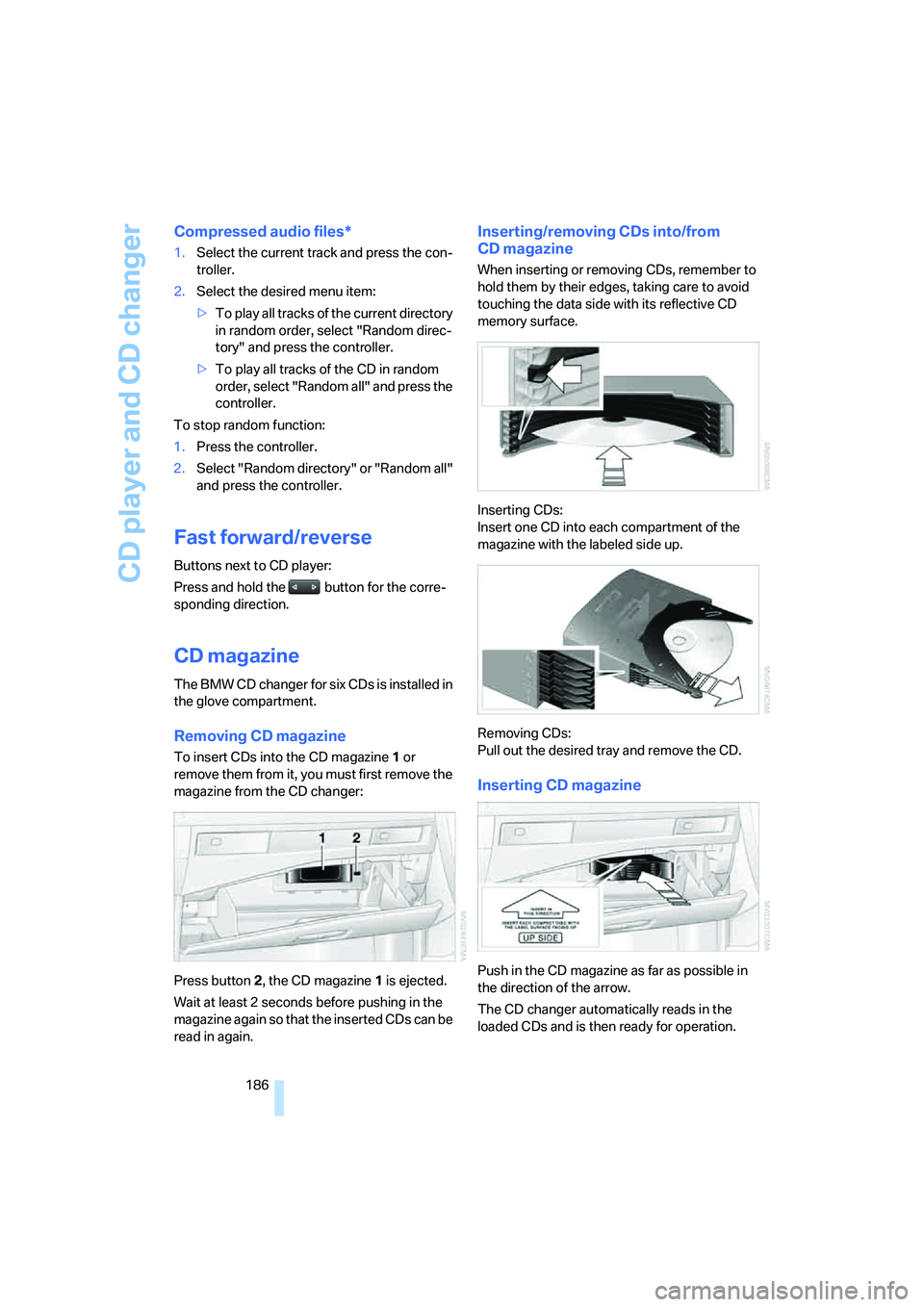
To insert CDs into the CD magazine 1 or
remove them from it, you must first remove the
magazine from the CD changer:
Press button2, the CD magazine1 is ejected.
Wait at least 2 seconds before pushing in the
magazine again so that the inserted CDs can be
read in again.
Inserting/removing CDs into/from
CD magazine
When inserting or removing CDs, remember to
hold them by their edges, taking care to avoid
touching the data side with its reflective CD
memory surface.
Inserting CDs:
Insert one CD into each compartment of the
magazine with the labeled side up.
Removing CDs:
Pull out the desired tray and remove the CD.
Inserting CD magazine
Push in the CD magazine as far as possible in
the direction of the arrow.
The CD changer automatically reads in the
loaded CDs and is then ready for operation.
Page 189 of 288
Navigation
Entertainment
Driving tips
187Reference
At a glance
Controls
Communications
Mobility
Notes
BMW CD/DVD players and changers are
officially designated Class 1 laser prod-
ucts. Do not operate if the cover is damaged,
otherwise severe eye damage can result.
Do not use self-recorded CDs/DVDs with labels
applied as these can become detached during
playback due to heat buildup and can cause
irreparable damage to the device.
Only use round CDs/DVDs with a standard
diameter of 4.7 in/12 cm and do not play CDs/
D V D s w it h a n a d a p t e r , e . g . C D s i n g le s , a s o t h er -
wise the CD/DVD or the adapter can jam and
may no longer eject properly.
Do not use a combined CD/DVD, e. g. DVD
Plus,
otherwise the CD/DVD can jam and will no
longer eject.<
General malfunctions
BMW CD/DVD changers and players have been
optimized for performance in vehicles. In some
instances they may be more sensitive to faulty
CDs/DVDs than stationary devices would be.
If a CD/DVD cannot be played, first check
whether it has been inserted correctly.
Humidity
High levels of humidity can lead to condensa-
tion on the CD/DVD or the laser's scan lens and
temporarily prevent playback.
Malfunctions with individual CDs/DVDs
If malfunctions occur only with particular CDs/
DVDs, this can be due to one of the following
causes.
Self-recorded CDs/DVDs
Possible reasons for malfunctions with self-
recorded CDs/DVDs are, e.g., inconsistent
data-creation or recording processes, or poor
quality or high age of the CD/DVD blank.
Only label CDs/DVDs on the upper side with a
pen intended for this purpose.
Damaged CDs/DVDs
Avoid fingerprints, dust, scratches and mois-
ture.
Store CDs/DVDs in a sleeve.
Do not subject CDs/DVDs to temperatures over
1227/506, high levels of humidity or direct
sunlight.
CDs/DVDs with copy protection
CDs/DVDs are often provided with a copy pro-
tection feature by the manufacturer. This can
m e a n t h a t s o m e C D s / D V D s c a n n o t b e p l a y e d o r
can only be played to a limited extent.
Care
If necessary, clean the reflective scanning side
of the CDs/DVDs with a commercially available
cleaning cloth by wiping in straight lines from
the center outward.
Page 190 of 288
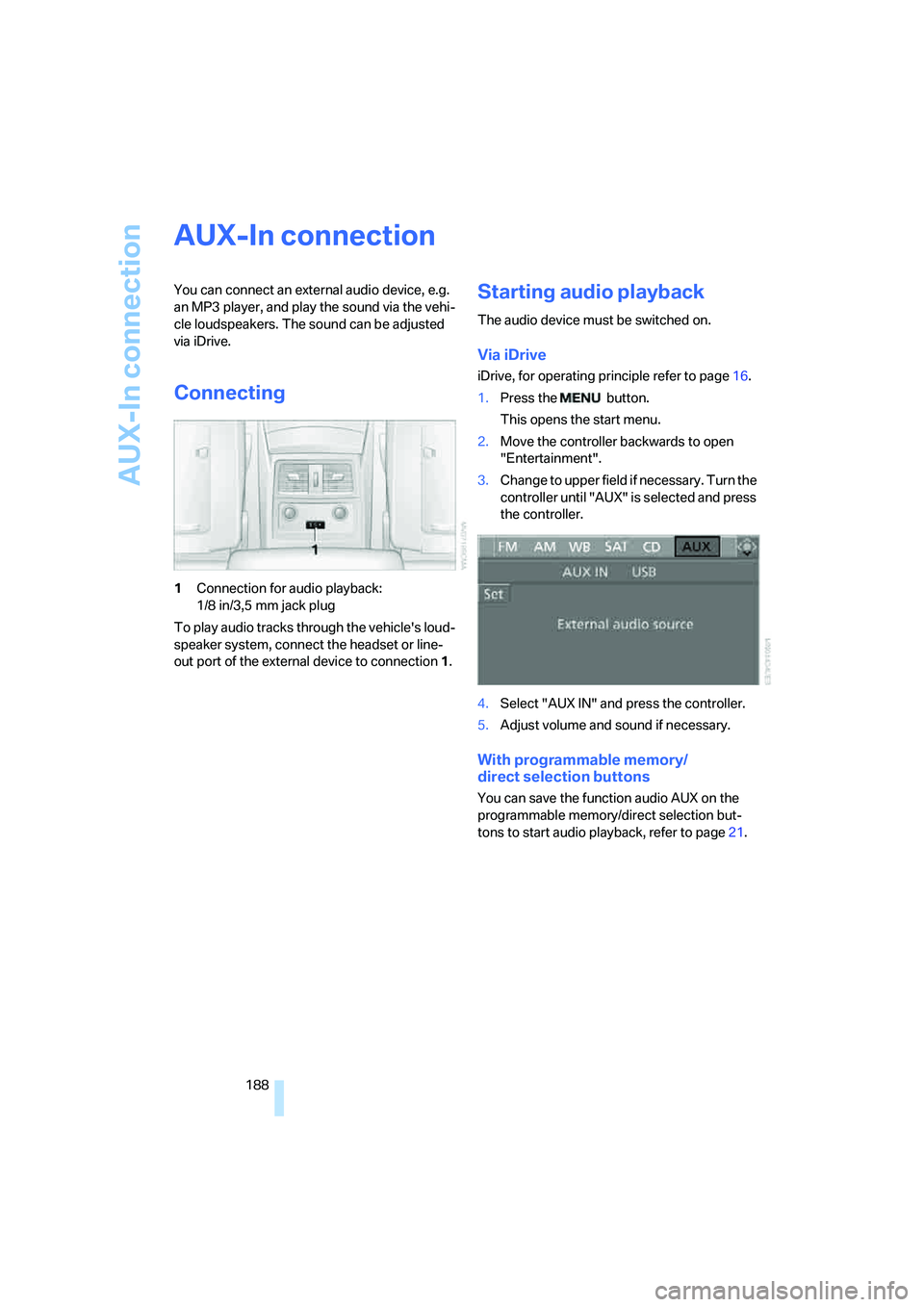
AUX-In connection
188
AUX-In connection
You can connect an external audio device, e.g.
an MP3 player, and play the sound via the vehi-
cle loudspeakers. The sound can be adjusted
via iDrive.
Connecting
1Connection for audio playback:
1/8 in/3,5 mm jack plug
To play audio tracks through the vehicle's loud-
speaker system, connect the headset or line-
out port of the external device to connection 1.
Starting audio playback
The audio device must be switched on.
Via iDrive
iDrive, for operating principle refer to page16.
1.Press the button.
This opens the start menu.
2.Move the controller backwards to open
"Entertainment".
3.Change to upper field if necessary. Turn the
controller until "AUX" is selected and press
the controller.
4.Select "AUX IN" and press the controller.
5.Adjust volume and sound if necessary.
With programmable memory/
direct selection buttons
You can save the function audio AUX on the
programmable memory/direct selection but-
tons to start audio playback, refer to page21.
Page 191 of 288
Navigation
Entertainment
Driving tips
189Reference
At a glance
Controls
Communications
Mobility
USB/audio interface
You can connect audio devices to the USB/
audio interface, e.g. an iPod or a USB device
(MP3 player, USB memory stick). You can then
operate these via iDrive.
The system can play back common audio files,
e.g. MP3, WMA, WAV (PCM) and ACC, as well
as playback lists in the M3U format.
Due to the large number of audio devices avail-
able on the market, operation via the vehicle
cannot be ensured for every audio device.
Ask your BMW center which audio devices are
suitable.
Connecting
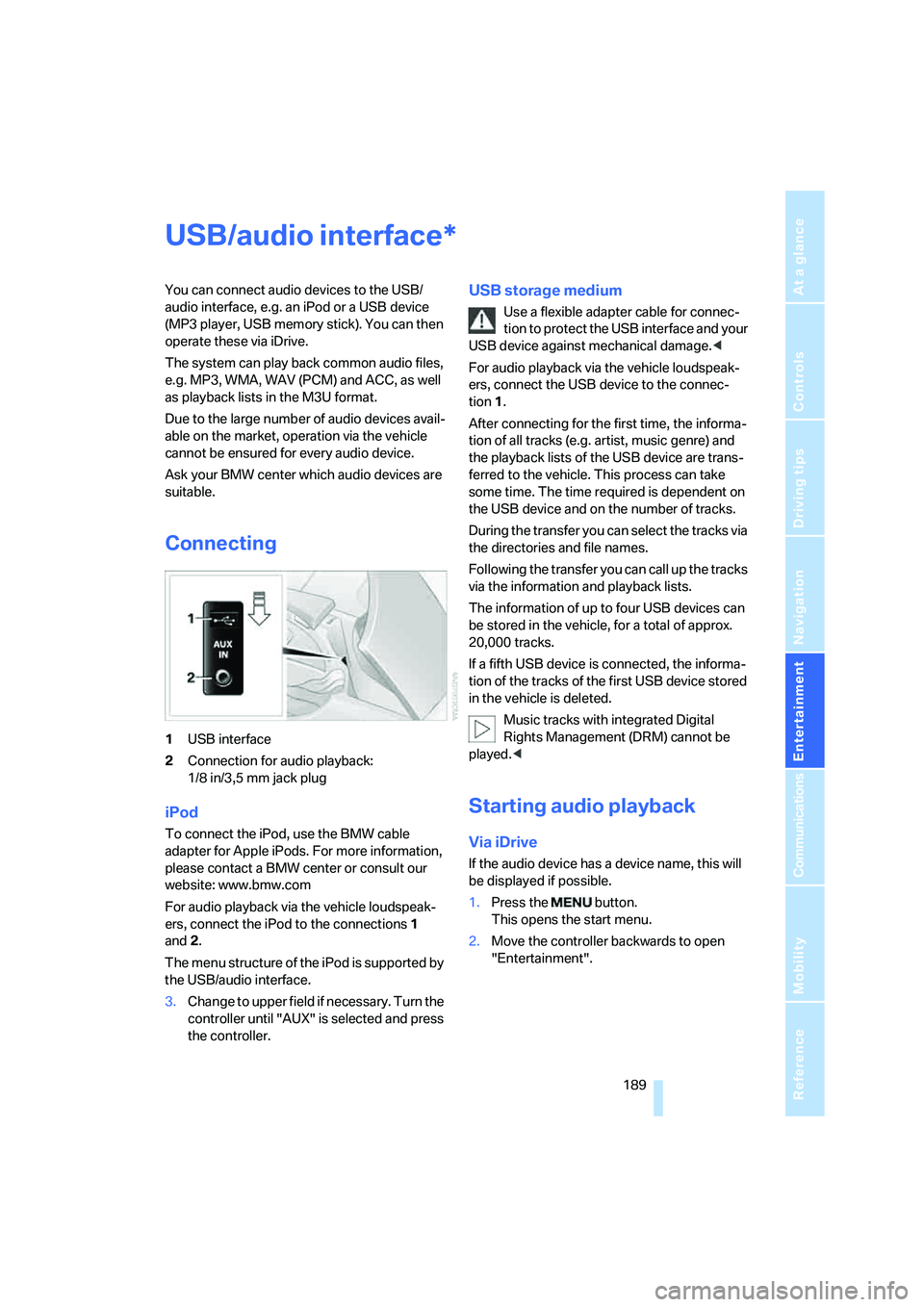
1USB interface
2Connection for audio playback:
1/8 in/3,5 mm jack plug
iPod
To connect the iPod, use the BMW cable
adapter for Apple iPods. For more information,
please contact a BMW center or consult our
website: www.bmw.com
For audio playback via the vehicle loudspeak-
ers, connect the iPod to the connections1
and2.
The menu structure of the iPod is supported by
the USB/audio interface.
USB storage medium
Use a flexible adapter cable for connec-
tion to protect the USB interface and your
USB device against mechanical damage.<
For audio playback via the vehicle loudspeak-
ers, connect the USB device to the connec-
tion 1.
After connecting for the first time, the informa-
tion of all tracks (e.g. artist, music genre) and
the playback lists of the USB device are trans-
ferred to the vehicle. This process can take
some time. The time required is dependent on
the USB device and on the number of tracks.
During the transfer you can select the tracks via
the directories and file names.
Following the transfer you can call up the tracks
via the information and playback lists.
The information of up to four USB devices can
be stored in the vehicle, for a total of approx.
20,000 tracks.
If a fifth USB device is connected, the informa-
tion of the tracks of the first USB device stored
in the vehicle is deleted.
Music tracks with integrated Digital
Rights Management (DRM) cannot be
played.<
Starting audio playback
Via iDrive
If the audio device has a device name, this will
be displayed if possible.
1.Press the button.
This opens the start menu.
2.Move the controller backwards to open
"Entertainment".
3.Change to upper field if necessary. Turn the
controller until "AUX" is selected and press
the controller.
*
Page 193 of 288
Navigation
Entertainment
Driving tips
191Reference
At a glance
Controls
Communications
Mobility
Random play sequence
You can play back the tracks of the selected list
in random order, e.g. all tracks of an artist.
1.Select the current track and press the con-
troller.
2.Select "Random" and press the controller.
End random playback:
1.Press the controller.
2.Select "Random" and press the controller.
Fast forward/reverse
Buttons next to CD player:
Press and hold the button for the corre-
sponding direction.
Notes
Do not subject the audio device to
extreme environmental conditions, e.g.
extremely high temperatures, refer to the oper-
ating instructions of the audio device. Other-
wise, the audio device can be damaged and the
resulting distraction can reduce road safety
while driving.<
Depending on the configuration of the audio
files, e.g. bit rates greater than 256 Kbit/s,
proper playback cannot always be ensured.
Connecting instructions
>The USB/audio interface supplies the con-
nected audio device with power, provided
the audio device supports this function. It is
therefore unnecessary to connect the audio
device to a socket in the vehicle during
operation.
>Do not force the plug into the USB interface.
>Do not connect any devices, e.g. fans or
lamps, to the USB/audio interface.
>Do not connect USB hard disks.
>Do not use the audio interface to recharge
external devices.
Page 263 of 288
Reference 261
At a glance
Controls
Driving tips
Communications
Navigation
Entertainment
Mobility
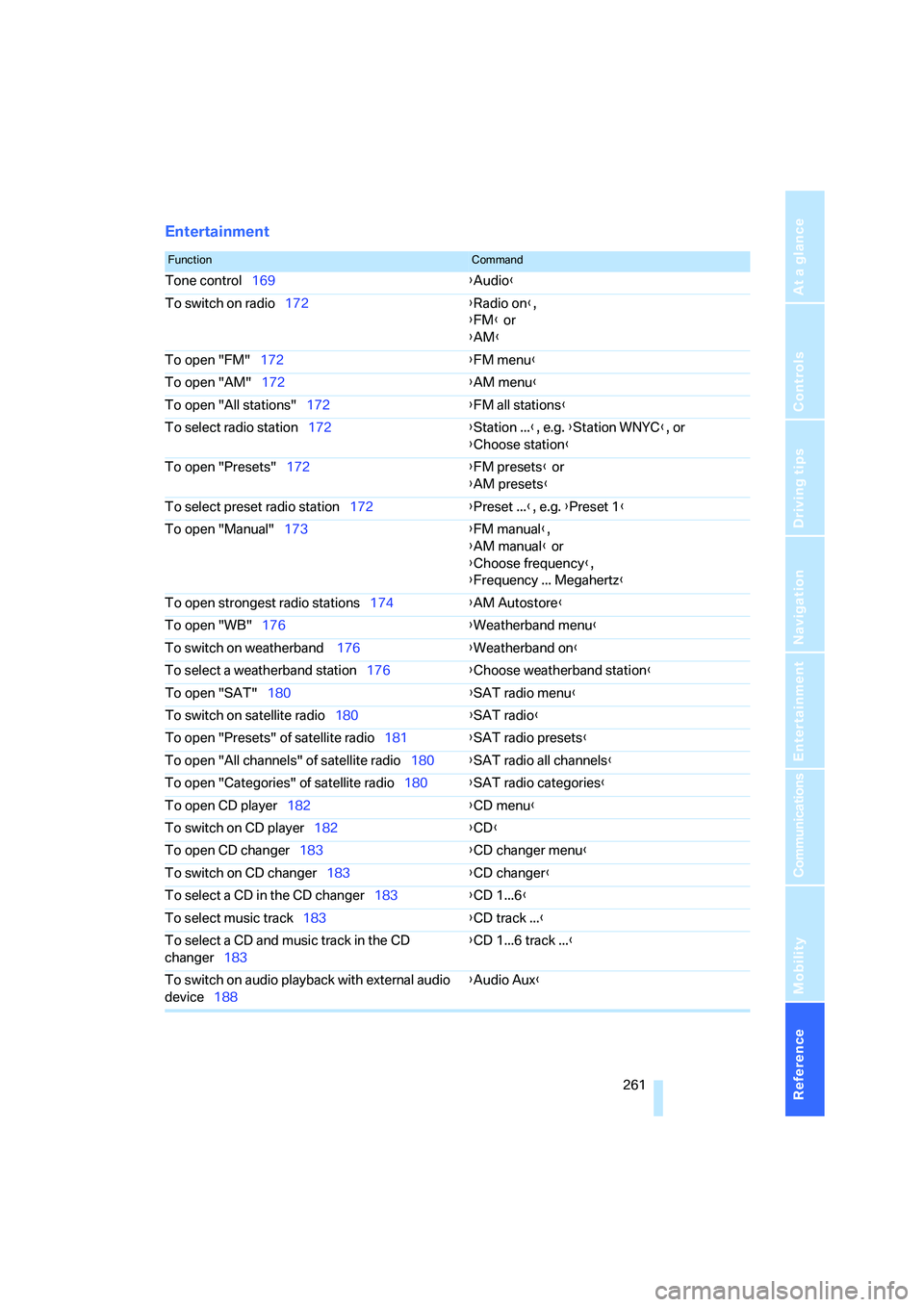
Entertainment
FunctionCommand
Tone control169{Audio}
To switch on radio172{Radio on},
{FM} or
{AM}
To open "FM"172{FM menu}
To open "AM"172{AM menu}
To open "All stations"172{FM all stations}
To select radio station172{Station ...}, e.g. {Station WNYC}, or
{Choose station}
To open "Presets"172{FM presets} or
{AM presets}
To select preset radio station172{Preset ...}, e.g. {Preset 1}
To open "Manual"173{FM manual},
{AM manual} or
{Choose frequency},
{Frequency ... Megahertz}
To open strongest radio stations174{AM Autostore}
To open "WB"176{Weatherband menu}
To switch on weatherband 176{Weatherband on}
To select a weatherband station176{Choose weatherband station}
To open "SAT"180{SAT radio menu}
To switch on satellite radio180{SAT radio}
To open "Presets" of satellite radio181{SAT radio presets}
To open "All channels" of satellite radio180{SAT radio all channels}
To open "Categories" of satellite radio180{SAT radio categories}
To open CD player182{CD menu}
To switch on CD player182{CD}
To open CD changer183{CD changer menu}
To switch on CD changer183{CD changer}
To select a CD in the CD changer183{CD 1...6}
To select music track183{CD track ...}
To select a CD and music track in the CD
changer183{CD 1...6 track ...}
To switch on audio playback with external audio
device188{Audio Aux}
Page 269 of 288
Reference 267
At a glance
Controls
Driving tips
Communications
Navigation
Entertainment
Mobility
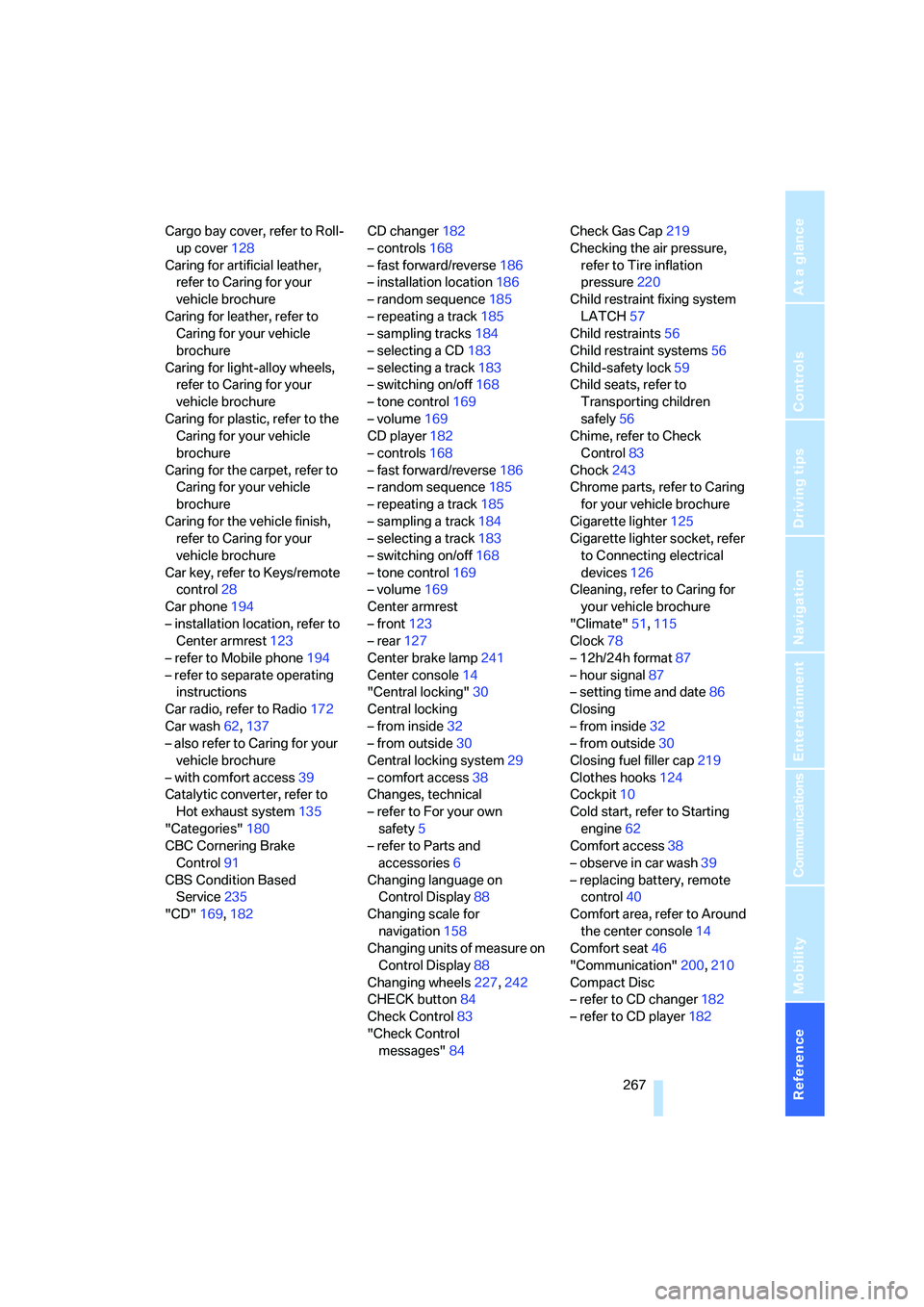
Cargo bay cover, refer to Roll-
up cover128
Caring for artificial leather,
refer to Caring for your
vehicle brochure
Caring for leather, refer to
Caring for your vehicle
brochure
Caring for light-alloy wheels,
refer to Caring for your
vehicle brochure
Caring for plastic, refer to the
Caring for your vehicle
brochure
Caring for the carpet, refer to
Caring for your vehicle
brochure
Caring for the vehicle finish,
refer to Caring for your
vehicle brochure
Car key, refer to Keys/remote
control28
Car phone194
– installation location, refer to
Center armrest123
– refer to Mobile phone194
– refer to separate operating
instructions
Car radio, refer to Radio172
Car wash62,137
– also refer to Caring for your
vehicle brochure
– with comfort access39
Catalytic converter, refer to
Hot exhaust system135
"Categories"180
CBC Cornering Brake
Control91
CBS Condition Based
Service235
"CD"169,182CD changer182
– controls168
– fast forward/reverse186
– installation location186
– random sequence185
– repeating a track185
– sampling tracks184
– selecting a CD183
– selecting a track183
– switching on/off168
– tone control169
– volume169
CD player182
– controls168
– fast forward/reverse186
– random sequence185
– repeating a track185
– sampling a track184
– selecting a track183
– switching on/off168
– tone control169
– volume
169
Center armrest
– front123
– rear127
Center brake lamp241
Center console14
"Central locking"30
Central locking
– from inside32
– from outside30
Central locking system29
– comfort access38
Changes, technical
– refer to For your own
safety5
– refer to Parts and
accessories6
Changing language on
Control Display88
Changing scale for
navigation158
Changing units of measure on
Control Display88
Changing wheels227,242
CHECK button84
Check Control83
"Check Control
messages"84Check Gas Cap219
Checking the air pressure,
refer to Tire inflation
pressure220
Child restraint fixing system
LATCH57
Child restraints56
Child restraint systems56
Child-safety lock59
Child seats, refer to
Transporting children
safely56
Chime, refer to Check
Control83
Chock243
Chrome parts, refer to Caring
for your vehicle brochure
Cigarette lighter125
Cigarette lighter socket, refer
to Connecting electrical
devices126
Cleaning, refer to Caring for
your vehicle brochure
"Climate"51,115
Clock78
– 12h/24h format87
– hour signal87
– setting time and date86
Closing
– from inside32
– from outside30
Closing fuel filler cap219
Clothes hooks124
Cockpit10
Cold start, refer to Starting
engine62
Comfort access38
– observe in car wash39
– replacing battery, remote
control40
Comfort area, refer to Around
the center console14
Comfort seat46
"Communication"200,210
Compact Disc
– refer to CD changer182
– refer to CD player182
Page 271 of 288
Reference 269
At a glance
Controls
Driving tips
Communications
Navigation
Entertainment
Mobility
Destination for navigation
– destination list150
– entering via voice147
– entry144
– selecting from address
book152
– selecting using
information149
– storing151
Destination guidance156
– bypassing route
sections160
– canceling voice
instructions55
– changing specified
route154
– displaying route157
– distance and arrival156
– interrupting156
– starting156
– terminating/continuing156
– voice instructions159
– volume of voice
instructions160
Destination list for
navigation150
Destinations recently driven
to150
"Details" in audio
mode184,190
"Dial" for mobile phone201
"Dial number"201
"Diamond button"55
Diamond button54
Digital clock78
Digital radio, refer to High
Definition Radio176
Dimensions255
Directional indicators, refer to
Turn signals67
Direction instructions, refer to
Voice instructions159
Directory, refer to Phone
book202
Directory for navigation, refer
to Address book151
Direct selection buttons21
Displacement, refer to Engine
data254"Display"88
Display, refer to iDrive
controls16
Display elements, refer to
Instrument cluster12
Displaying vehicle data215
Display lighting, refer to
Instrument lighting112
"Display off"21
Displays
– on Control Display, refer to
iDrive16
– refer to Instrument
cluster12
"Display settings"88,103
Displays on the windshield,
refer to Head-Up
Display102
Disposal
– battery of remote control
with comfort access40
– coolant233
– vehicle battery245
Distance, refer to
Computer80
Distance control, refer to
Active cruise control70
"Distance to dest."80
Distance to destination, refer
to Computer80
Distance warning, refer to
PDC Park Distance
Control90
Divided rear backrest, refer to
Through-loading
system127
Door entry lighting112
Door key, refer to Keys/
remote control28
Door lock32
Door locking, confirmation
signals31
"Door locks"30
Doors
– manual operation32
– remote control30
DOT Quality Grades226
Draft-free ventilation118Drinks holder, refer to Cup
holders125
"Driver's door only"30
Driving lamps, refer to Parking
lamps/low beams108
Driving route, refer to
Displaying route157
Driving stability control
systems91
Driving through water136
Driving tips, refer to General
driving notes134
Dry air, refer to Cooling
function117
Drying the air, refer to Cooling
function117
DSC Dynamic Stability
Control92
– indicator lamp13,92
– malfunction94
DTC Dynamic Traction
Control92
– activating92
– indicator lamp13,93
DVD for navigation
142
Dynamic Drive94
Dynamic Driving Control66
"Dynamic route" for
navigation154
Dynamic Stability Control
DSC92
Dynamic Traction Control
DTC92
E
Easy entry/exit54
– backrest width47
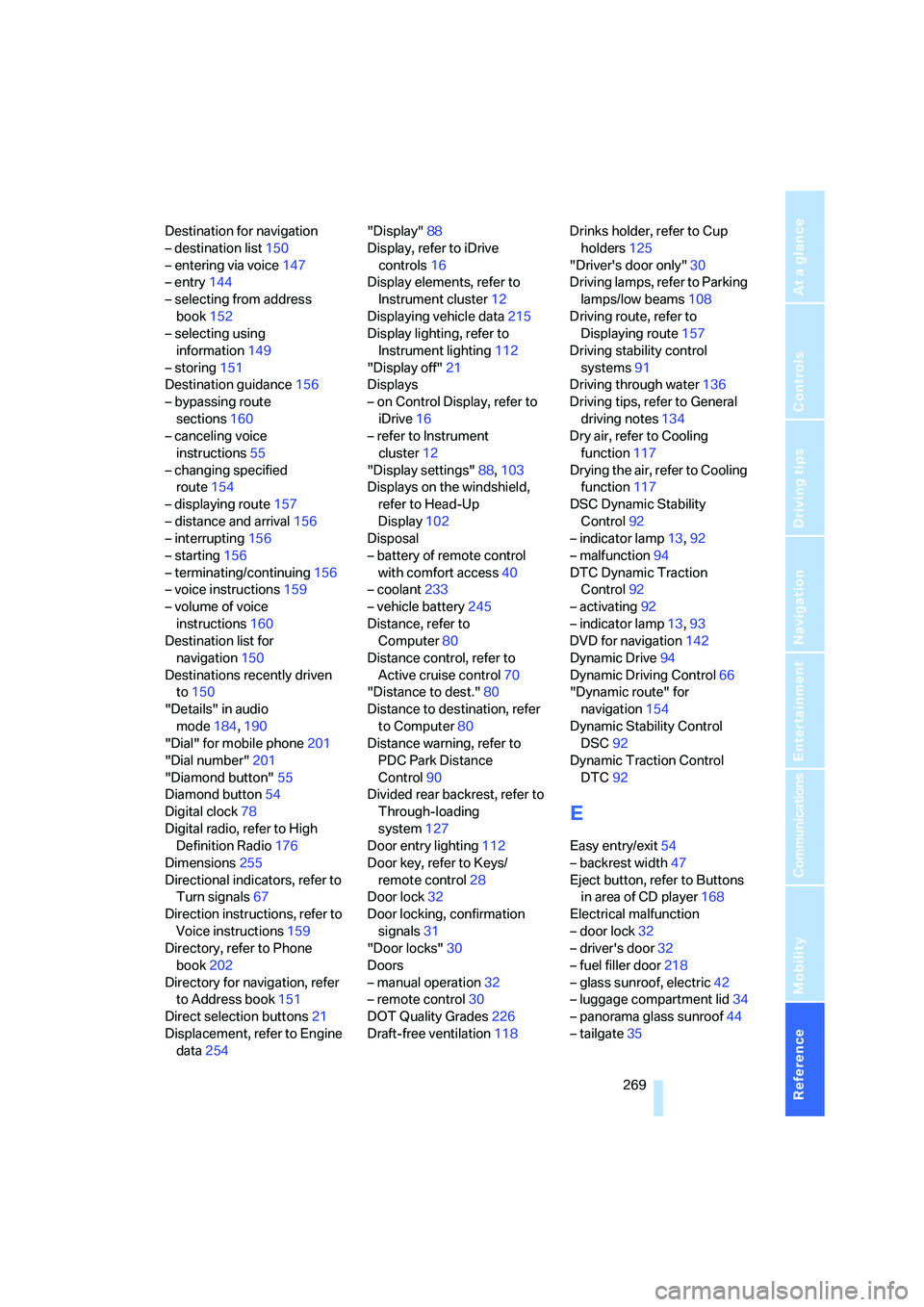
Eject button, refer to Buttons
in area of CD player168
Electrical malfunction
– door lock32
– driver's door32
– fuel filler door218
– glass sunroof, electric42
– luggage compartment lid34
– panorama glass sunroof44
– tailgate35