transmission BMW 540I SEDAN 2000 User Guide
[x] Cancel search | Manufacturer: BMW, Model Year: 2000, Model line: 540I SEDAN, Model: BMW 540I SEDAN 2000Pages: 217, PDF Size: 1.69 MB
Page 71 of 217
71n
RepairsIndexOverview Controls Car care Technology Data
Automatic transmission
*
The automatic transmission of your
BMW is equipped with Adaptive Trans-
mission Control (ATC), a system which
reacts with precision to your individual
driving style and the driving conditions.
To achieve this, different driving pro-
grams are automatically engaged.
For details concerning ATC, please
refer to the chapter describing
"Advanced technology" on page 188.390us625
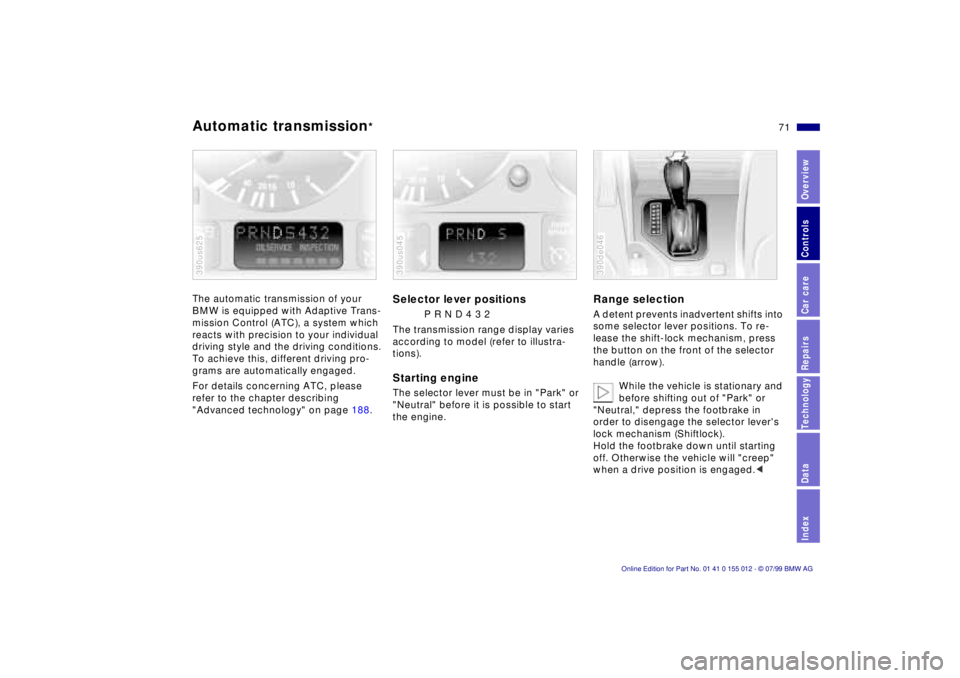
Selector lever positions
P R N D 4 3 2
The transmission range display varies
according to model (refer to illustra-
tions).
Starting engineThe selector lever must be in "Park" or
"Neutral" before it is possible to start
the engine.390us045
Range selectionA detent prevents inadvertent shifts into
some selector lever positions. To re-
lease the shift-lock mechanism, press
the button on the front of the selector
handle (arrow).
While the vehicle is stationary and
before shifting out of "Park" or
"Neutral," depress the footbrake in
order to disengage the selector lever's
lock mechanism (Shiftlock).
Hold the footbrake down until starting
off. Otherwise the vehicle will "creep"
when a drive position is engaged.< 390de046
Page 72 of 217

72n
Automatic transmission
*
Before leaving the vehicle when
the engine is running, shift the se-
lector lever to the "Park" or "Neutral"
position and apply the parking brake.
The vehicle could move if this is not
done.
Never leave the car unattended with the
engine running. An unattended vehicle
with a running engine represents a po-
tential safety hazard.
If you should accidentally select "Neu-
tral" while traveling at high speed,
remove your foot from the accelerator
pedal immediately. Allow the engine
speed to drop to idle before selecting
the desired drive position. Damage
could otherwise occur due to excessive
engine speed.<
P ParkSelect "Park" only when the vehicle is
stationary. The transmission locks to
prevent the rear wheels from turning.R ReverseSelect "Reverse" only when the vehicle
is stationary.
N NeutralSelect "Neutral" only if your journey is
interrupted for a long period.D Drive
(automatic shift program)This position is designed for driving
under all normal operating conditions.
All forward gears are available.4 Ð Sport ProgramThis position is recommended if you
wish to select a performance-oriented
driving style.
3 and 2 Ð Shift limiterSelect this range when you wish to limit
gear changes (on steep uphill or down-
hill slopes, for instance). The transmis-
sion shifts up only as far as the selected
gear."Kickdown" In the "Kickdown" mode, you achieve
maximum performance.
To activate this mode, depress the ac-
celerator pedal beyond the full-throttle
position, at which a resistance point
must be overcome.
Page 73 of 217
73n
RepairsIndexOverview Controls Car care Technology Data
Automatic transmission
*
Electronic transmission control
module
If the indicator lamp comes on
or if the message "TRANS.
FAILSAFE PROG" appears in
the Check Control
*, there is a malfunc-
tion in the transmission system.
Bring the vehicle to a stop, select the
"Park" position, apply the parking brake
and shut the engine off (ignition key po-
sition 0). Restart the engine after a few
seconds. If the indicator lamp goes out
again after a few seconds, the normal
transmission functions have been re-
stored. You may continue to drive as
usual.
If the indicator lamp does not go out,
you can place the selector lever in all
positions. However, the vehicle will now
only drive forward with limited gear
selection.
Under these circumstances, avoid ex-
treme engine loads and consult the
nearest authorized BMW center.
Do not work in the engine com-
partment when a drive gear (for-
ward or reverse) is engaged. If you do
this, the vehicle could move.<
For jump-starting, towing and tow-
starting, refer to pages 182 and 183.
Page 74 of 217
74n
Automatic transmission with Steptronic
*
You can drive as with a normal auto-
matic transmission, including Adaptive
Transmission Control (ATC). In addition,
you can also shift manually.
For individual gear selection, move the
selector lever from the "D" position to
the left and into the M/S range. This
selects the Sport Program of the auto-
matic transmission. As soon as you
move the selector lever in the "+" or "Ð"
direction, Steptronic changes the gear.
If you wish to utilize the automatic driv-
ing position once again, move the se-
lector lever to the right and into posi-
tion "D."
For details concerning ATC, please re-
fer to the chapter describing "Advanced
technology" on page 188.
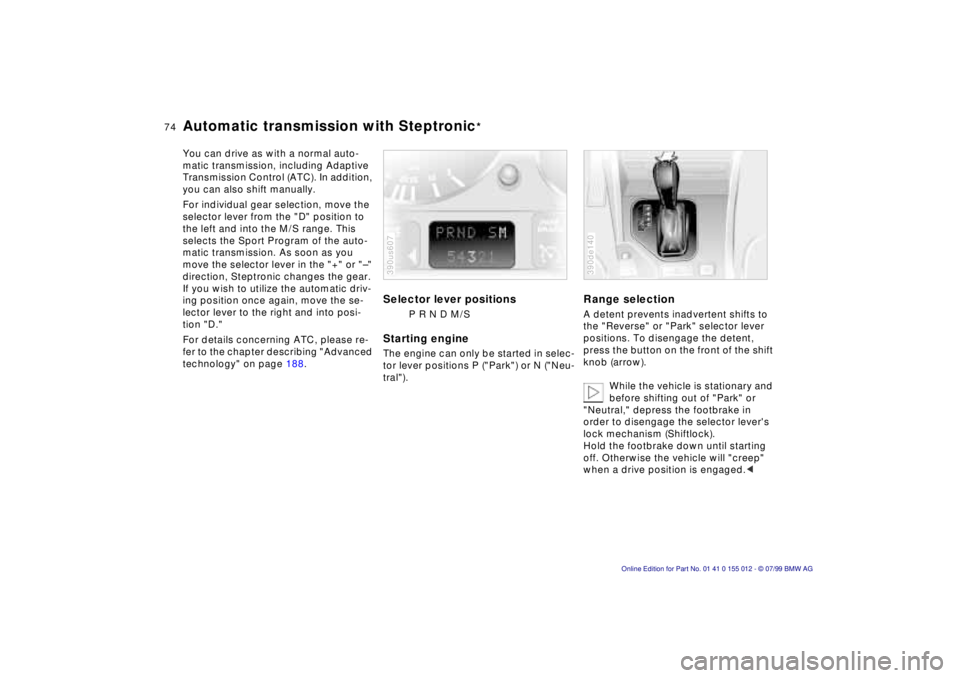
Selector lever positions
P R N D M/S
Starting engineThe engine can only be started in selec-
tor lever positions P ("Park") or N ("Neu-
tral").390us607
Range selectionA detent prevents inadvertent shifts to
the "Reverse" or "Park" selector lever
positions. To disengage the detent,
press the button on the front of the shift
knob (arrow).
While the vehicle is stationary and
before shifting out of "Park" or
"Neutral," depress the footbrake in
order to disengage the selector lever's
lock mechanism (Shiftlock).
Hold the footbrake down until starting
off. Otherwise the vehicle will "creep"
when a drive position is engaged.< 390de140
Page 75 of 217
75n
RepairsIndexOverview Controls Car care Technology Data
Automatic transmission with Steptronic
*
Before leaving the vehicle when
the engine is running, shift the se-
lector lever to the "Park" or "Neutral"
position and apply the parking brake.
The vehicle could move if this is not
done. Do not leave the car unattended
with the engine running. An unattended
vehicle with a running engine repre-
sents a potential safety hazard.
If you should inadvertently select "Neu-
tral" while traveling at high speed, re-
move your foot from the accelerator
pedal immediately. Allow the engine
speed to drop to idle before selecting
the desired drive position. Damage
could otherwise occur due to excessive
engine speed.<
P ParkSelect "Park" only when the vehicle is
stationary. The transmission locks to
prevent the rear wheels from turning.R ReverseSelect "Reverse" only when the vehicle
is stationary.N NeutralSelect "Neutral" only if your journey is
interrupted for a long period.
D Drive
(automatic shift program)This position is designed for driving un-
der all normal operating conditions. All
forward gears are available."Kickdown" In the "Kickdown" mode, you achieve
maximum performance.
To activate this mode, depress the ac-
celerator pedal beyond the full-throttle
position, at which a resistance point
must be overcome.
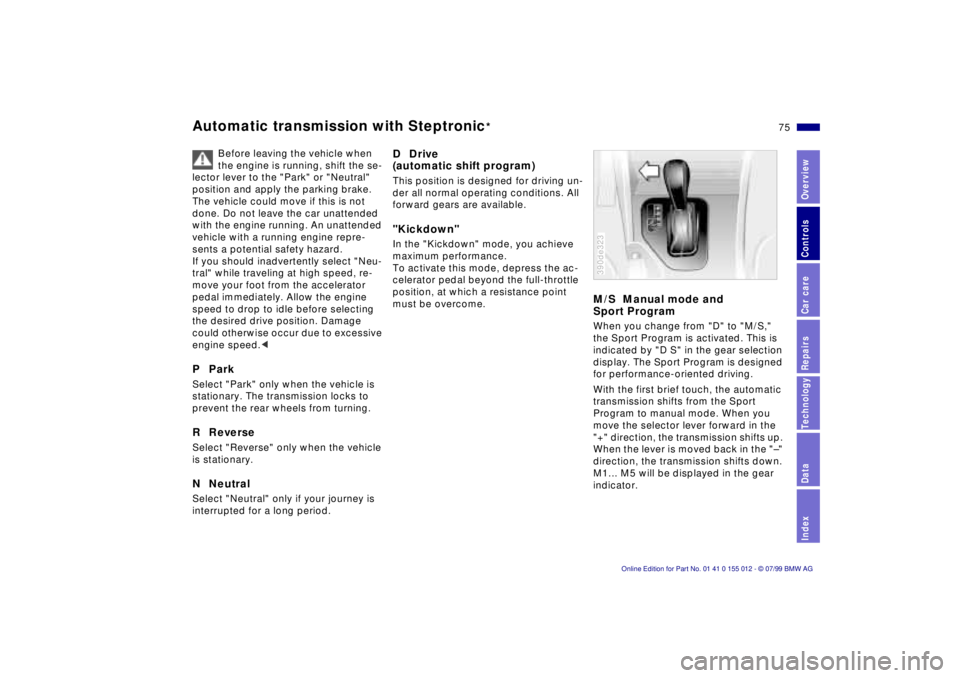
M/S Manual mode and
Sport ProgramWhen you change from "D" to "M/S,"
the Sport Program is activated. This is
indicated by "D S" in the gear selection
display. The Sport Program is designed
for performance-oriented driving.
With the first brief touch, the automatic
transmission shifts from the Sport
Program to manual mode. When you
move the selector lever forward in the
"+" direction, the transmission shifts up.
When the lever is moved back in the "Ð"
direction, the transmission shifts down.
M1... M5 will be displayed in the gear
indicator.390de323
Page 76 of 217
76n
Automatic transmission with Steptronic
*
Upshifts or downshifts will be carried
out by the ATC only at appropriate en-
gine speeds and road speeds. For in-
stance, if engine speed is too high, a
downshift will not be executed. The
gear selected will appear briefly in the
instrument cluster followed by the cur-
rent gear.
If you are driving in the manual
mode and wish to accelerate rap-
idly from low road speeds (when pass-
ing, for instance), you must shift down
manually or with the kickdown func-
tion.<
You can only change from "M/S" to se-
lector lever positions "P,""R," and "N"
via the "D" position.
In the following situations, the Step-
tronic "thinks" for you in the manual
mode:
>In order to prevent engine over-
speeding, the transmission shifts au-
tomatically to the next higher gear
shortly before the RPM cutoff point
>At low speeds, the transmission shifts
down automatically Ð you do not have
to act
>In the kickdown mode, the transmis-
sion shifts down to the lowest gear
which is possible, depending on the
engine speed
>According to the situation, for
instance in wintry conditions, the
vehicle can be started in 2nd or
3rd gear.Electronic transmission control
module
If the indicator lamp comes on
or the message "TRANS.FAIL-
SAFE PROG" appears in the
Check Control
*, there is a fault in the
transmission system.
Bring the vehicle to a stop. Move the
transmission selector lever to "P." Set
the parking brake and turn the engine
off (ignition key to position 0).
Wait a few seconds, then start the
engine.
If the indicator lamp goes out after a
few seconds, normal transmission per-
formance has been restored. You may
continue to drive as usual. If the indica-
tor lamp does not go out, you can place
the selector lever in all positions. How-
ever, the vehicle will now only drive for-
ward with limited gear selection.
If this happens, avoid extreme engine
loads and consult the nearest autho-
rized BMW center.
Do not work in the engine com-
partment when a drive gear (for-
ward or reverse) is engaged. If you do
this, the vehicle could move.<
For jump-starting, towing and tow-
starting, refer to pages 182 and 183.
Page 81 of 217

81n
RepairsIndexOverview Controls Car care Technology Data
Cruise controlTo deactivate the cruise controlWhen the system is activated, press
button 4. The indicator lamp stays on.
You can use the cruise control again as
desired.
In addition, the system is also automati-
cally deactivated in response to the fol-
lowing conditions:
>When you apply pressure to the
brake pedal
>When you apply pressure to the
clutch pedal, and when you move the
automatic transmission selector le-
ver from "Drive" to "Neutral"
>If you exceed or fall below the pro-
grammed speed for an extended pe-
riod (by depressing the accelerator,
for example).
To resume the stored settingPress button 3:
The vehicle accelerates to and main-
tains the last speed stored. When you
turn the ignition key to position 0, the
stored speed is deleted from the sys-
tem's memory and the system is deacti-
vated.To deactivate the systemWhen the cruise control has been can-
celed, press button 4 again. The indica-
tor lamp goes off and the memorized
speed is canceled.Do not use cruise control on twist-
ing roads, when high traffic den-
sity prevents driving at a constant
speed, when the road surface is slick
(snow, rain, ice), or when the road sur-
face is loose (rocks or gravel, sand).<
Page 105 of 217
105n
RepairsIndexOverview Controls Car care Technology Data
The conceptThe BMW Universal Transmitter re-
places up to three hand-held transmit-
ters that control different devices such
as a garage door opener, alarm sys-
tems or a door locking system. The
BMW Universal Transmitter recognizes
and "learns" the transmitted signal from
each of the original hand-held transmit-
ters.
The signal of an original hand-held
transmitter can be programmed to one
of three channel keys. Following that,
each of the devices can be operated
with the channel key that you have pro-
grammed for it. A transmission of the
signal is indicated by the indicator lamp.
Before you sell your vehicle, the pro-
grammed channel keys should be de-
leted. Refer to page 107 for the de-
scription of this process.
To prevent potential injuries or
damage: During the programming
operation and before every remote trig-
gering of a programmed device using
the BMW Universal Transmitter, be sure
that there are no persons, animals or
objects within the range of movement
of the respective device. Read and
comply with the safety instructions for
the original hand-held transmitter
also.<
To Canadian residents:
During programming, your hand-
held transmitter may automatically stop
transmitting after two seconds. This
may not be long enough to program the
BMW Universal Transmitter. If you are
programming from one of these hand-
held transmitters, the Universal Trans-
mitter's lamp may begin to flash in a se-
ries of double flashes. If this occurs,
continue to hold the button on the Uni-
versal Transmitter while you reactivate
your hand-held transmitter. You may
have to repeat this function several
times while programming.<
Before programming, read the
"User's information" section on
page 107.<
The original hand-held transmitter
If this symbol is depicted on the
packaging or in the user's in-
structions for the original hand-
held transmitter, it may be assumed
that this original hand-held transmitter
is compatible with the BMW Universal
Transmitter.
Checking for the change codeIn order to determine whether the origi-
nal hand-held transmitter is equipped
with a change code system, you may
either refer to the instructions for the
original hand-held transmitter or pro-
gram a channel key as described in the
left column on page 106 under "Pro-
gramming."
Following that, press and hold the pro-
grammed channel key of the BMW Uni-
versal Transmitter. If the indicator lamp
of the BMW Universal Transmitter
flashes rapidly for two seconds and
then stays on continuously, the original
hand-held transmitter is equipped with
a change code system. If the change
code system is available, program the
channel keys as described in the right-
hand column on page 106 under "Pro-
gramming a hand-held transmitter with
change code."
If you have additional questions,
please consult your BMW center
or call 1-800-355-3515.<
BMW Universal Transmitter
*
Page 125 of 217

125n
RepairsIndexOverview Controls Car care Technology Data
Driving notes
Brakes:
Do not drive with your foot resting
on the brake pedal. Even light but con-
sistent pedal pressure can lead to high
temperatures, brake wear and possibly
even brake failure.
Aquaplaning:
When driving on wet or slushy roads,
reduce road speed. If you do not, a
wedge of water can form between tires
and road surface. This phenomenon is
referred to as aquaplaning or hydro-
planing. It is characterized by a partial
or complete loss of contact between
the tires and the road surface. The ulti-
mate results are loss of steering and
braking control.
Driving through water:
Do not drive through water more than
1 foot (30 cm) deep. Drive only at walk-
ing speed. Driving at a faster speed
could cause damage to the engine, the
electrical system and the transmission.
Rear parcel tray:
Do not use the rear parcel tray to store
heavy or bulky objects. They could
pose a danger to the occupants during
braking, evasive maneuvers, or in a
crash.
Clothes hooks:
Hang items of clothing from the hooks
so that they will not obstruct the driver's
vision. In order to avoid personal
injuries during braking or evasive
maneuvers, do not hang heavy objects
on the hooks.<
Page 129 of 217
129n
RepairsIndexOverview Controls Car care Technology Data
Disc brakesDriving notesWhen driving in wet conditions and in
heavy rain, it is a good idea to apply
light pressure to the brake pedal every
few miles (kilometers). Watch traffic
conditions to ensure that this maneuver
does not endanger other road users.
The heat which is generated by the
brake applications helps to dry the
brake pads and rotors.
Maximum braking force is obtained
while the wheels continue to rotate,
peaking when the wheels remain on the
verge of locking without actually doing
so. ABS maintains this state automati-
cally. If the ABS fails, you should revert
to the staggered braking technique de-
scribed below (refer to page 131).
Extended or steep mountain descents
do not necessarily have to lead to re-
duced braking efficiency. Shift down to
a gear in which only minimal periodic
brake applications are required or move
the selector lever to the appropriate
lower range with automatic transmis-
sion.
You can increase the engine's braking
effect by selecting progressively lower
gears, downshifting as far as 1st gear,
or the 1st or 2nd shift position, on steep
descents.Should engine braking prove inade-
quate, you should still avoid extended,
continuous braking. Instead of main-
taining low to moderate pressure over
an extended period of time, you should
decelerate by applying more substantial
pressure to the brake pedal (watch for
following traffic!), then releasing the
pedal, then repeating the application.
This staggered braking technique al-
lows the brakes to cool in the intervals
between active braking phases, pre-
venting overheating and ensuring that
full braking capacity remains available
at all times.
Do not coast with the clutch de-
pressed or with the transmission
or selector lever in neutral. Do not coast
with the engine shut off. The engine
provides no braking effect when the
clutch is depressed or the transmission
is in neutral, and there is no power-as-
sist for braking or steering when the
engine is not running.
Never allow floor mats, carpets or any
other objects to protrude into the area
around the accelerator, clutch and
brake pedals and obstruct their move-
ment.<
Dynamic Brake Control (DBC)
*
If you apply the brakes rapidly, this sys-
tem automatically produces the maxi-
mum braking force boost and thus
helps to achieve the shortest possible
braking distance during "panic stops."
All of the benefits of the ABS system
are exploited under these circum-
stances.
Do not reduce the pressure on the
brake pedal for the duration of the
brake application. When the brake
pedal is released, the DBC is deacti-
vated.
In the event of a malfunction, the yellow
warning lamp comes on. Conventional
braking efficiency is available without
limitations.
Have the system checked and repaired
at your BMW center as soon as possi-
ble.
For "Information for your safety"
covering the ABS system, refer to
page 128. This information also gener-
ally applies for DBC.<