Vents BMW 545I SEDAN 2004 E60 Owner's Manual
[x] Cancel search | Manufacturer: BMW, Model Year: 2004, Model line: 545I SEDAN, Model: BMW 545I SEDAN 2004 E60Pages: 220, PDF Size: 7.12 MB
Page 29 of 220
Controls
27Reference
At a glance
Driving tips
Communications
Navigation
Entertainment
Mobility
Examples of Key Memory functions
>Automatic adjustment of the electric
driver's seat
>Locking the vehicle after moving off
>When unlocking with the remote con-
trol, either unlock only the driver's door
or the entire vehicle
>Activating optical warning for Park Dis-
tance Control PDC
>Setting the volume.
Central locking system
The concept
The central locking system is ready for
operation whenever the driver's door is
closed. This simultaneously engages and
releases the locks on the following:
>Doors
>Luggage compartment lid
>Fuel filler door.
The central locking system can be oper-
ated from the outside
>via the remote control
>via the driver's door lock
and from inside via the button for the cen-
tral locking system.
When the system is locked from inside, the
fuel filler door remains unlocked, refer to
page 30.
The anti-theft system is automatically acti-
vated whenever you operate the central
locking system from outside the vehicle. It
prevents the doors from being unlocked
using the safety lock buttons or door han-
dles. The alarm system is armed/disarmed
at the same time.
In the event of an accident, the central
locking system automatically unlocks the
vehicle. In addition, the hazard warning
flashers and interior lamps come on.
Opening and closing: from
outside
Using the remote control
The remote control provides two additional
functions for the central locking system:
>Switching on the interior lamps, refer to
page 28.
You can also use this function to locate
your vehicle in parking garages etc.
>Opening the luggage compartment lid,
refer to page 28.
The luggage compartment lid opens,
regardless of whether it was previously
locked or unlocked.
In addition, the remote control offers you
another function:
>Panic mode
In case of danger, you can trigger an
alarm.
When you lock/unlock the vehicle, you
simultaneously activate/deactivate the
anti-theft system, arm/disarm the alarm
system, and switch the interior lamps on/
off.
Protect the remote control against
unauthorized use by handing over
only the spare key, for example when using
hotel valet parking.<
Because any persons or animals left
unattended in a parked vehicle could
lock the doors from the inside, you should
always keep the remote control with you;
this precaution ensures that you will remain
able to unlock the vehicle from the outside
at all times.<
Unlocking
Press the button.
You can set which doors are to be
unlocked for each specific key:
Control Center, for principle details, refer to
page 16:
1.Open the menu
2.Select "Vehicle settings" and press the
controller
Page 36 of 220
Opening and closing
34 To open, press the switch beyond the
resistance point.
When leaving the vehicle parked,
always remove the central key with
remote control from the ignition lock and
close the doors; this precaution prevents
children from operating the power win-
dows and injuring themselves etc.<
For information on using the convenience
operation mode at the door lock or with the
remote control, refer to page 28 or 29.
Safety feature
If the closing force rises beyond a pre-
defined threshold during closing, the sys-
tem will immediately stop moving the win-
dow prior to lowering it slightly.
Despite this safety feature you should
always inspect the window's travel
path prior to closing it, as the safety system
might fail to detect certain kinds of obstruc-
tions, such as very thin objects, and the
window would continue closing.
Pulling the switch beyond the resistance
point and holding it limits the response of
the safety feature.
Under these conditions the window will
respond to forces beyond a defined thresh-
old by only opening several inches/millime-
ters.
If you again pull the switch past the resis-
tance point and hold it in position within a
period of roughly 4 seconds, the safety fea-
ture is deactivated.<
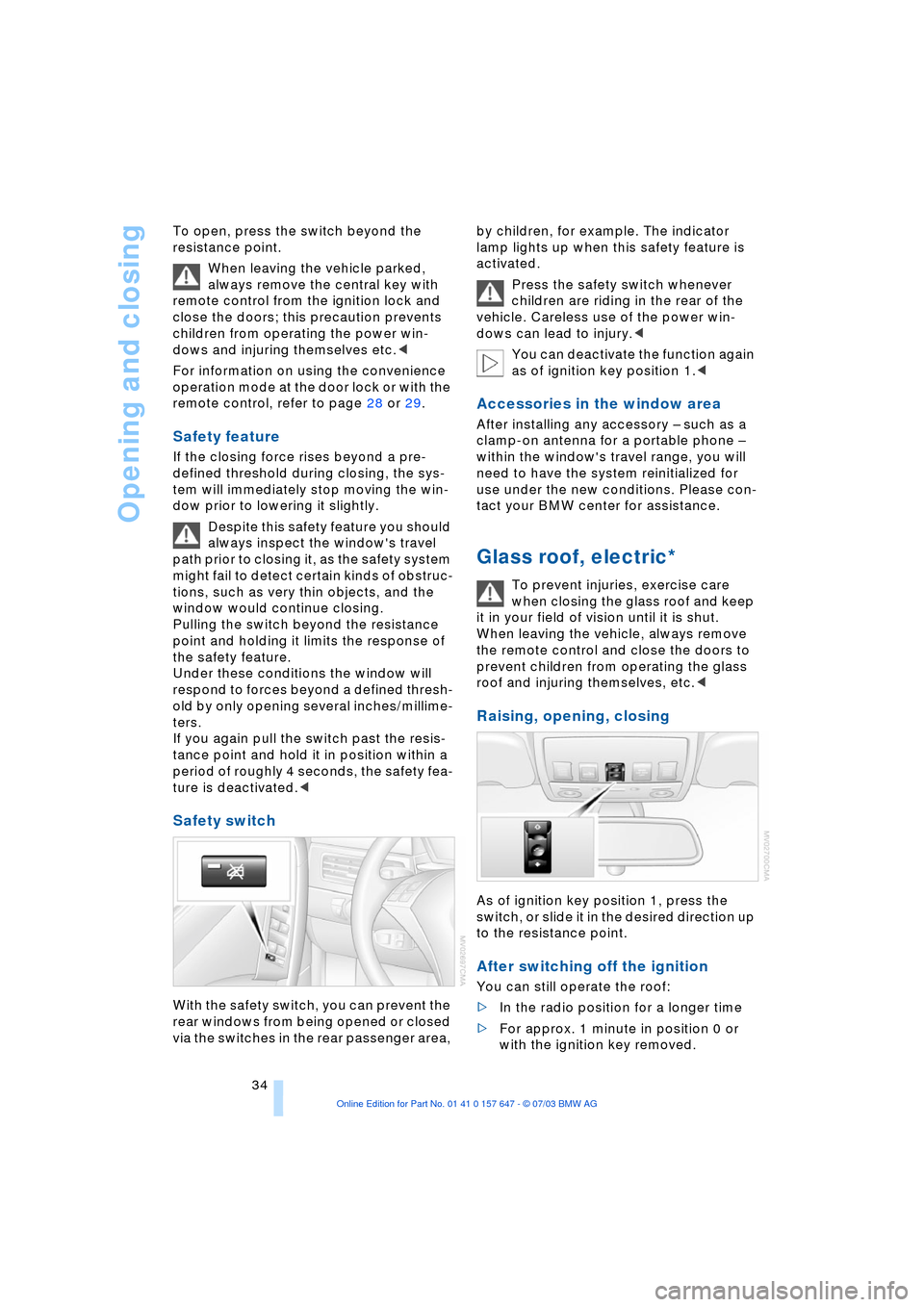
Safety switch
With the safety switch, you can prevent the
rear windows from being opened or closed
via the switches in the rear passenger area, by children, for example. The indicator
lamp lights up when this safety feature is
activated.
Press the safety switch whenever
children are riding in the rear of the
vehicle. Careless use of the power win-
dows can lead to injury.<
You can deactivate the function again
as of ignition key position 1.<
Accessories in the window area
After installing any accessory Ð such as a
clamp-on antenna for a portable phone Ð
within the window's travel range, you will
need to have the system reinitialized for
use under the new conditions. Please con-
tact your BMW center for assistance.
Glass roof, electric*
To prevent injuries, exercise care
when closing the glass roof and keep
it in your field of vision until it is shut.
When leaving the vehicle, always remove
the remote control and close the doors to
prevent children from operating the glass
roof and injuring themselves, etc.<
Raising, opening, closing
As of ignition key position 1, press the
switch, or slide it in the desired direction up
to the resistance point.
After switching off the ignition
You can still operate the roof:
>In the radio position for a longer time
>For approx. 1 minute in position 0 or
with the ignition key removed.
Page 38 of 220
Adjustments
36
Adjustments
Sitting safely
The ideal sitting position can make a vital
contribution to relaxed, fatigue-free driv-
ing.The sitting position of the occupants
plays an important role together with the
safety belts and airbags in an accident. To
ensure that the safety systems operate with
optimal efficiency, we strongly urge you to
observe the instructions contained in the
following section.
For additional information on transporting
children safely, refer to page 45.
Sitting safely with airbags
Always maintain an adequate dis-
tance between yourself and the air-
bags. Always hold the steering wheel by
its rim with hands at the 9 o'clock and
3 o'clock positions, to minimize the risk of
injuries to your hands and arms in the event
of airbag deployment.
No one and nothing is to come between the
airbags and the seat occupant.
Do not use the cover of the front airbag on
the front passenger side as a storage area.
Make sure that the front passenger is cor-
rectly seated and does not rest feet or legs
on the instrument panel, otherwise leg inju-
ries can occur if the knee and front airbag
are triggered.
Never let an occupant's head rest near or
on a side airbag because the inflating air-
bag could cause a serious or fatal injury.<
Even if you adhere to all the instructions
injuries resulting from contact with airbags
cannot be fully excluded, depending on the
circumstances. The ignition and inflation
noise may provoke a mild hearing loss in
extremely sensitive individuals. This effect
is usually only temporary.
For airbag locations and additional infor-
mation on airbags, refer to page 83.
Sitting safely with safety belts
Fasten your safety belt before starting any
trip. Airbags complement the safety belt as
an additional safety device, but they do not
represent a substitute.
Your vehicle has five seats that are all
equipped with a safety belt.
At all times, occupants should sit
upright and be properly restrained Ð
infants and small children in appropriate
child-restraint systems; larger children and
adults using the safety belts.
Expectant mothers should always wear
their safety belts, taking care to position
the lap belt against the lower hips, where it
will not exert pressure against the abdomi-
nal area.
Never allow more than one person to wear
a single safety belt. Never allow infants or
small children to ride in a passenger's lap.
Do not route the belt across your neck, or
run it across sharp edges. Be sure that the
belt does not become caught or jammed.
Avoid twisting the belt while routing it firmly
across the hips and shoulder. Do not allow
the belt to rest against hard or fragile
objects. Otherwise, in the event of a frontal
impact, a loose lap belt could slide over
your hips, leading to abdominal injury.
Avoid wearing clothing that prevents the
belt from fitting properly and pull the lap
belt periodically to readjust the tension
across your shoulder in order to avoid a
reduction in the retention effect of the
safety belt.<
For instructions on operating safety belts,
refer to page 40.
Seats
Note before adjusting
Never attempt to adjust your seat
while the vehicle is moving. The seat
could respond with unexpected move-
Page 57 of 220
Controls
55Reference
At a glance
Driving tips
Communications
Navigation
Entertainment
Mobility
Changing the selector-lever
positions
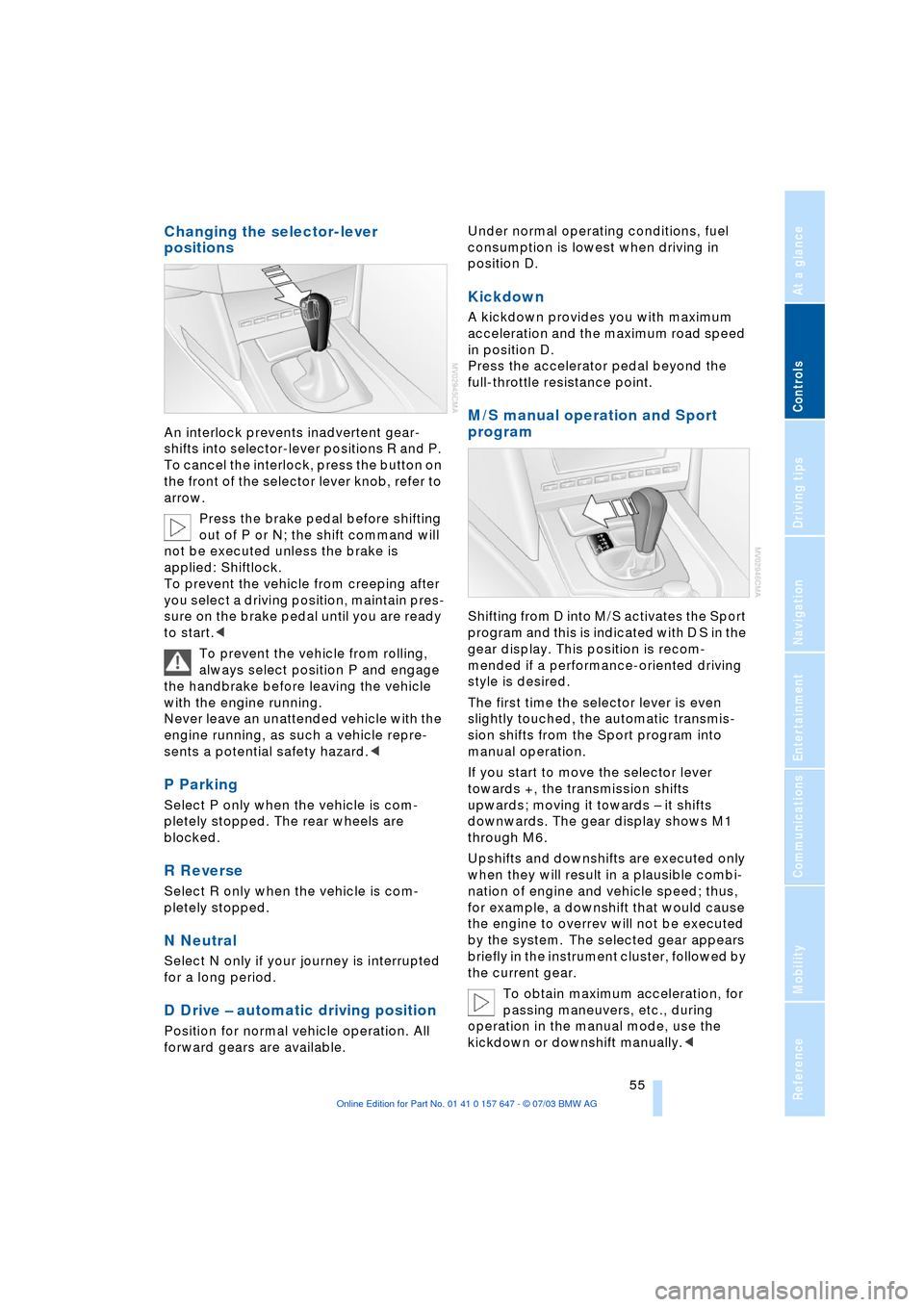
An interlock prevents inadvertent gear-
shifts into selector-lever positions R and P.
To cancel the interlock, press the button on
the front of the selector lever knob, refer to
arrow.
Press the brake pedal before shifting
out of P or N; the shift command will
not be executed unless the brake is
applied: Shiftlock.
To prevent the vehicle from creeping after
you select a driving position, maintain pres-
sure on the brake pedal until you are ready
to start.<
To prevent the vehicle from rolling,
always select position P and engage
the handbrake before leaving the vehicle
with the engine running.
Never leave an unattended vehicle with the
engine running, as such a vehicle repre-
sents a potential safety hazard.<
P Parking
Select P only when the vehicle is com-
pletely stopped. The rear wheels are
blocked.
R Reverse
Select R only when the vehicle is com-
pletely stopped.
N Neutral
Select N only if your journey is interrupted
for a long period.
D Drive Ð automatic driving position
Position for normal vehicle operation. All
forward gears are available.Under normal operating conditions, fuel
consumption is lowest when driving in
position D.
Kickdown
A kickdown provides you with maximum
acceleration and the maximum road speed
in position D.
Press the accelerator pedal beyond the
full-throttle resistance point.
M/S manual operation and Sport
program
Shifting from D into M/S activates the Sport
program and this is indicated with D S in the
gear display. This position is recom-
mended if a performance-oriented driving
style is desired.
The first time the selector lever is even
slightly touched, the automatic transmis-
sion shifts from the Sport program into
manual operation.
If you start to move the selector lever
towards +, the transmission shifts
upwards; moving it towards Ð it shifts
downwards. The gear display shows M1
through M6.
Upshifts and downshifts are executed only
when they will result in a plausible combi-
nation of engine and vehicle speed; thus,
for example, a downshift that would cause
the engine to overrev will not be executed
by the system. The selected gear appears
briefly in the instrument cluster, followed by
the current gear.
To obtain maximum acceleration, for
passing maneuvers, etc., during
operation in the manual mode, use the
kickdown or downshift manually.<
Page 96 of 220
A congenial climate
94
Front ventilation
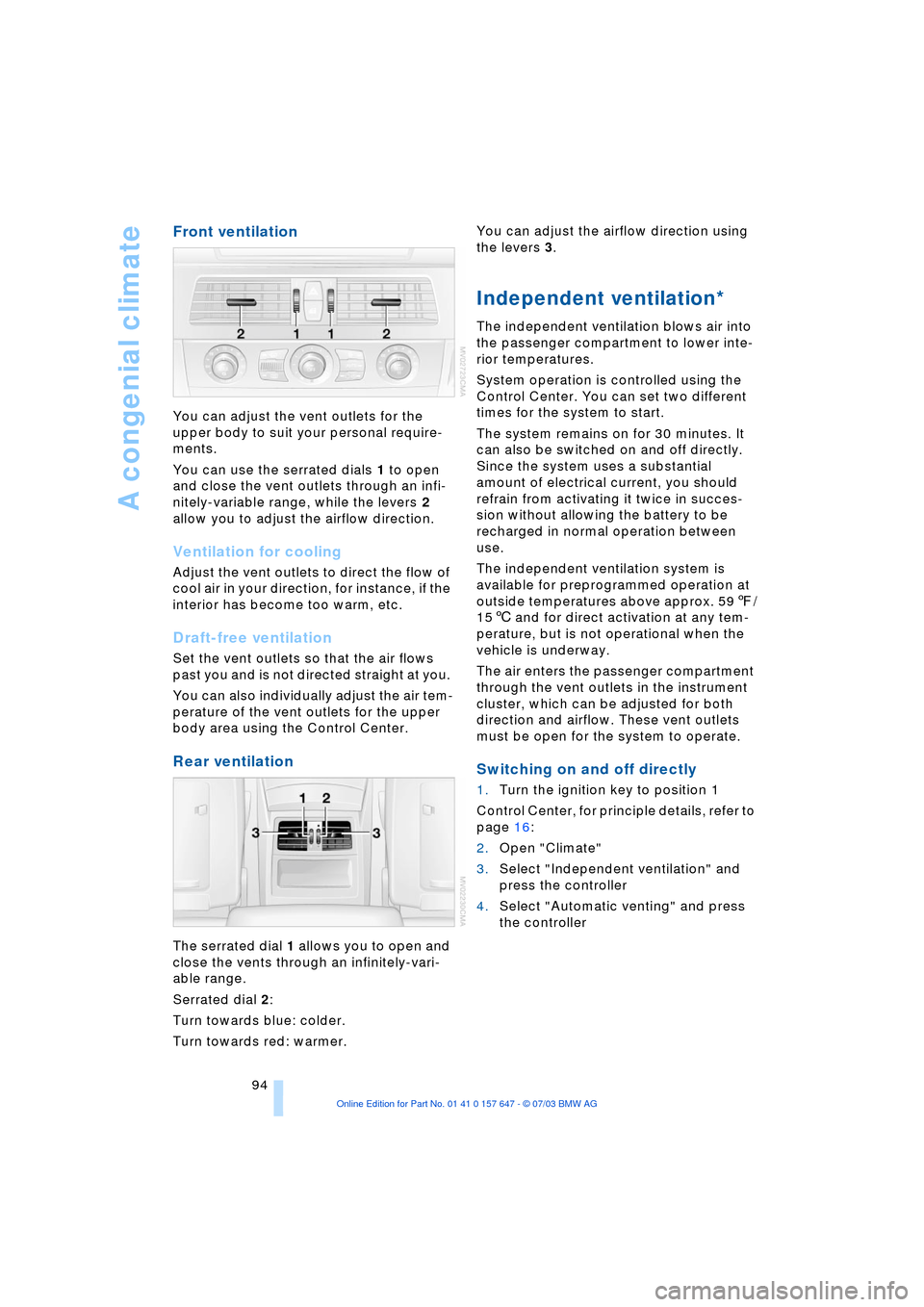
You can adjust the vent outlets for the
upper body to suit your personal require-
ments.
You can use the serrated dials 1 to open
and close the vent outlets through an infi-
nitely-variable range, while the levers 2
allow you to adjust the airflow direction.
Ventilation for cooling
Adjust the vent outlets to direct the flow of
cool air in your direction, for instance, if the
interior has become too warm, etc.
Draft-free ventilation
Set the vent outlets so that the air flows
past you and is not directed straight at you.
You can also individually adjust the air tem-
perature of the vent outlets for the upper
body area using the Control Center.
Rear ventilation
The serrated dial 1 allows you to open and
close the vents through an infinitely-vari-
able range.
Serrated dial 2:
Turn towards blue: colder.
Turn towards red: warmer. You can adjust the airflow direction using
the levers 3.
Independent ventilation*
The independent ventilation blows air into
the passenger compartment to lower inte-
rior temperatures.
System operation is controlled using the
Control Center. You can set two different
times for the system to start.
The system remains on for 30 minutes. It
can also be switched on and off directly.
Since the system uses a substantial
amount of electrical current, you should
refrain from activating it twice in succes-
sion without allowing the battery to be
recharged in normal operation between
use.
The independent ventilation system is
available for preprogrammed operation at
outside temperatures above approx. 597/
156 and for direct activation at any tem-
perature, but is not operational when the
vehicle is underway.
The air enters the passenger compartment
through the vent outlets in the instrument
cluster, which can be adjusted for both
direction and airflow. These vent outlets
must be open for the system to operate.
Switching on and off directly
1.Turn the ignition key to position 1
Control Center, for principle details, refer to
page 16:
2.Open "Climate"
3.Select "Independent ventilation" and
press the controller
4.Select "Automatic venting" and press
the controller
Page 140 of 220
Radio
138
Satellite radio*
You can receive up to 100 different chan-
nels with high tone quality.
You can listen to one of these channels free
of charge at any time to obtain a first
impression. The channel is marked
with .
To listen to additional channels of your
choice, you must have these channels acti-
vated.
You may experience signal drops and
muting events related to this new
technology.<
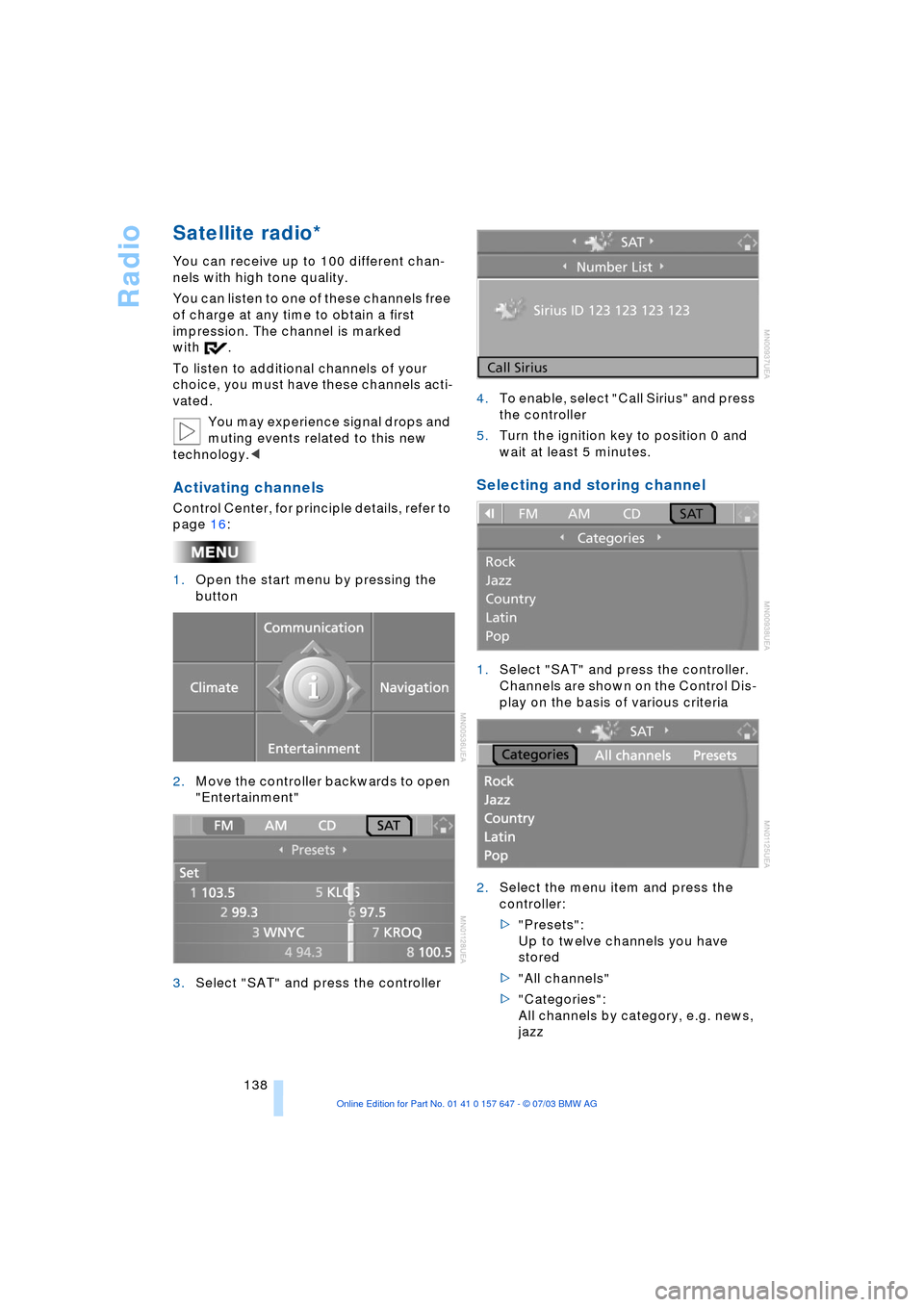
Activating channels
Control Center, for principle details, refer to
page 16:
1.Open the start menu by pressing the
button
2.Move the controller backwards to open
"Entertainment"
3.Select "SAT" and press the controller4.To enable, select "Call Sirius" and press
the controller
5.Turn the ignition key to position 0 and
wait at least 5 minutes.
Selecting and storing channel
1.Select "SAT" and press the controller.
Channels are shown on the Control Dis-
play on the basis of various criteria
2.Select the menu item and press the
controller:
>"Presets":
Up to twelve channels you have
stored
>"All channels"
>"Categories":
All channels by category, e.g. news,
jazz
Page 166 of 220
TeleService, BMW Assist
164 If you have received a message with a tele-
phone number or an address, you can for-
ward this to your portable phone or naviga-
tion system.
New messages are announced via SMS.
For more detailed information, refer to
page 156.
Info Plus*
This information service supplies you with a
whole range of current, interesting informa-
tion on request.
You can have telephone numbers and
addresses transferred and directly dial the
telephone number or copy the address to
the destination guidance of the navigation
system.
This option provides you with a current
information service, e.g. in the following
areas:
>Information on businesses
e.g. florist, doctor
>Accommodations
e.g. hotels, motels
>Mobility
e.g. filling stations, airports, car rental,
BMW dealers
>Eating and drinking
e.g. restaurants, cafŽs, bars
>Current information
e.g. movies playing, events.
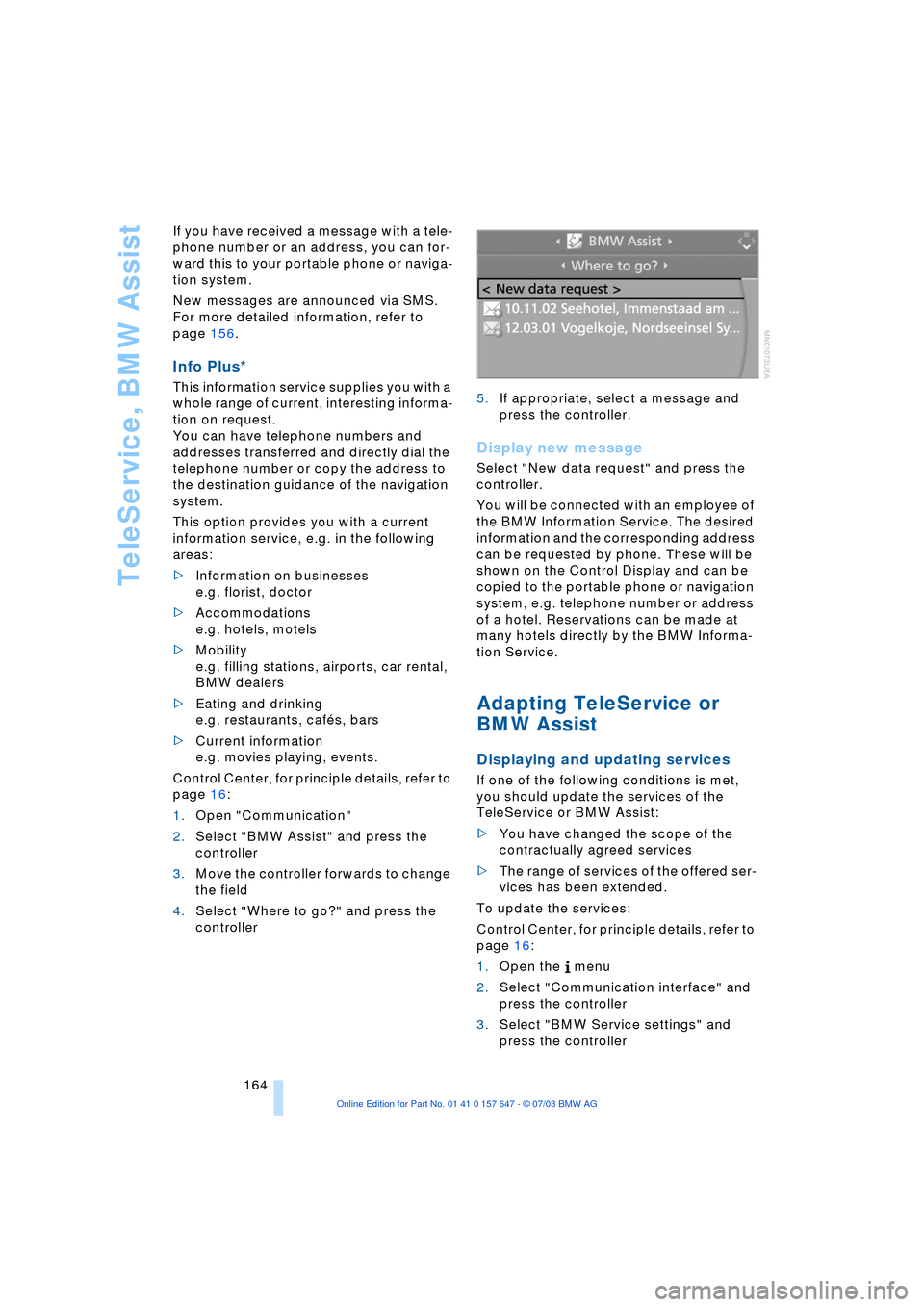
Control Center, for principle details, refer to
page 16:
1.Open "Communication"
2.Select "BMW Assist" and press the
controller
3.Move the controller forwards to change
the field
4.Select "Where to go?" and press the
controller 5.If appropriate, select a message and
press the controller.
Display new message
Select "New data request" and press the
controller.
You will be connected with an employee of
the BMW Information Service. The desired
information and the corresponding address
can be requested by phone. These will be
shown on the Control Display and can be
copied to the portable phone or navigation
system, e.g. telephone number or address
of a hotel. Reservations can be made at
many hotels directly by the BMW Informa-
tion Service.
Adapting TeleService or
BMW Assist
Displaying and updating services
If one of the following conditions is met,
you should update the services of the
TeleService or BMW Assist:
>You have changed the scope of the
contractually agreed services
>The range of services of the offered ser-
vices has been extended.
To update the services:
Control Center, for principle details, refer to
page 16:
1.Open the menu
2.Select "Communication interface" and
press the controller
3.Select "BMW Service settings" and
press the controller
Page 216 of 220
Everything from A to Z
214 TeleService 161
Ð enabling 161
Ð services offered 162
Temperature display
Ð ice warning 65
Ð outside temperature 65
Ð setting the units 74
"Terminate services" 165
"Text language" 74
The BMW Maintenance
System 181
Tightening torque, refer to
Tightening lug bolts 188
Tilt function, passenger-
side mirror 39
"Time" 74
"Time 1" for independent
ventilation 95
"Time 2" for independent
ventilation 95
Timer, refer to Preselecting
switch-on time 95
Tire pressure monitoring,
refer to Flat Tire
Monitor 80
Tire Quality Grading 173
Tires
Ð age 172
Ð changing 174
Ð condition 173
Ð damage 174
Ð flat 187
Ð inflation pressure 170
Ð pressure monitoring 80
Ð replacing 187
Ð run-flat 175
Ð size 172
Ð tread 173
Ð wear indicators 174
Tone control 131
Tone on locking/
unlocking 28
Tools, refer to Onboard tool
kit 184
"Top 8" for portable
phone 155
Torque 198
Ð lug bolts 188
Touch tone dialing 156
Tow fitting 193Towing
Ð with automatic
transmission 193
Ð with sequential manual
transmission SMG 193
Towing eye 193
Tow sockets for tow
fitting 194
Tracks
Ð random play
sequence 142, 146
Ð sample scan 142, 145
Track width, refer to
Dimensions 199
Traction Control System,
refer to DSC 78
Transmission
Ð automatic transmission
with Steptronic 54
Ð manual transmission 51
Ð Sequential manual
transmission SMG 51
Transporting children
safely 45
Transport securing device,
refer to Securing the
load 109
Tread depth, refer to Tire
tread 173
"Treble", audio
systems 132
"Trip computer" 72
Trip computer 71
Trip-distance counter, refer
to Trip odometer 65
"Triple turn signal
activation" 56
Trip odometer 65
Trunk lid, refer to Luggage
compartment lid 31
Turning circle, refer to
Dimensions 199
Turn signal indicators 56
Ð replacing the bulbs 185
U
Underbody protection,
refer to Caring for your
vehicle brochureUniform Tire Quality
Grading 173
"Units" 74
Units
Ð average fuel
consumption 74
Ð temperature 74
Universal garage-door
opener, refer to
Integrated universal
remote control 96
Universal remote
control 96
Unlock code 152
Unlocking
Ð engine hood 177
Ð from inside 30
Ð from outside 27
"Update services" 165
V
Valve stem seal caps 188
Vehicle
Ð battery 188
Ð care, refer to Caring for
your vehicle brochure
Ð dimensions 199
Ð loading 108
Ð parking 50
Ð washing, refer to Caring
for your vehicle brochure
Ð weights 200
Vehicle jack 187
Vehicle position 115
"Vehicle settings" 38
Ventilation 94
Ð draft-free 94
Ð front 94
Ð rear 94
Ventilation while parked 94
"Vent settings" 92
Vents of the automatic
climate control 90
Voice command system 20
Voice instructions for
navigation system 124
Ð muting 125
Ð repeating 125
Ð switching on/off 124
Ð volume 125