child lock BMW 6 SERIES GRAN COUPE 2014 F06 Owner's Manual
[x] Cancel search | Manufacturer: BMW, Model Year: 2014, Model line: 6 SERIES GRAN COUPE, Model: BMW 6 SERIES GRAN COUPE 2014 F06Pages: 253, PDF Size: 5.47 MB
Page 49 of 253
Avoiding unintentional alarms
The tilt alarm sensor and interior motion sen‐
sor can be switched off together, such as in
the following situations:▷In automatic car washes.▷In duplex garages.▷During transport on trains carrying vehi‐
cles, at sea or on a trailer.▷With animals in the vehicle.
Switching off the tilt alarm sensor and
interior motion sensor
Press the remote control button again
within 10 seconds as soon as the vehicle
is locked.
The indicator lamp lights up for approx. 2 sec‐
onds and then continues to flash.
The tilt alarm sensor and interior motion sen‐
sor are turned off, until the vehicle is locked again.
Switching off the alarm
▷Unlock vehicle with the remote control or
reel on the ignition, if needed through
emergency detection of remote control, re‐
fer to page 35.▷With Comfort Access: If you are carrying
the remote control on your person, grasp
the driver side or front passenger side door
handle completely.
Power windows
General information Take the remote control with you
Take the remote control with you when
leaving the vehicle so that children, e.g., can‐
not operate the power windows and injure
themselves.◀
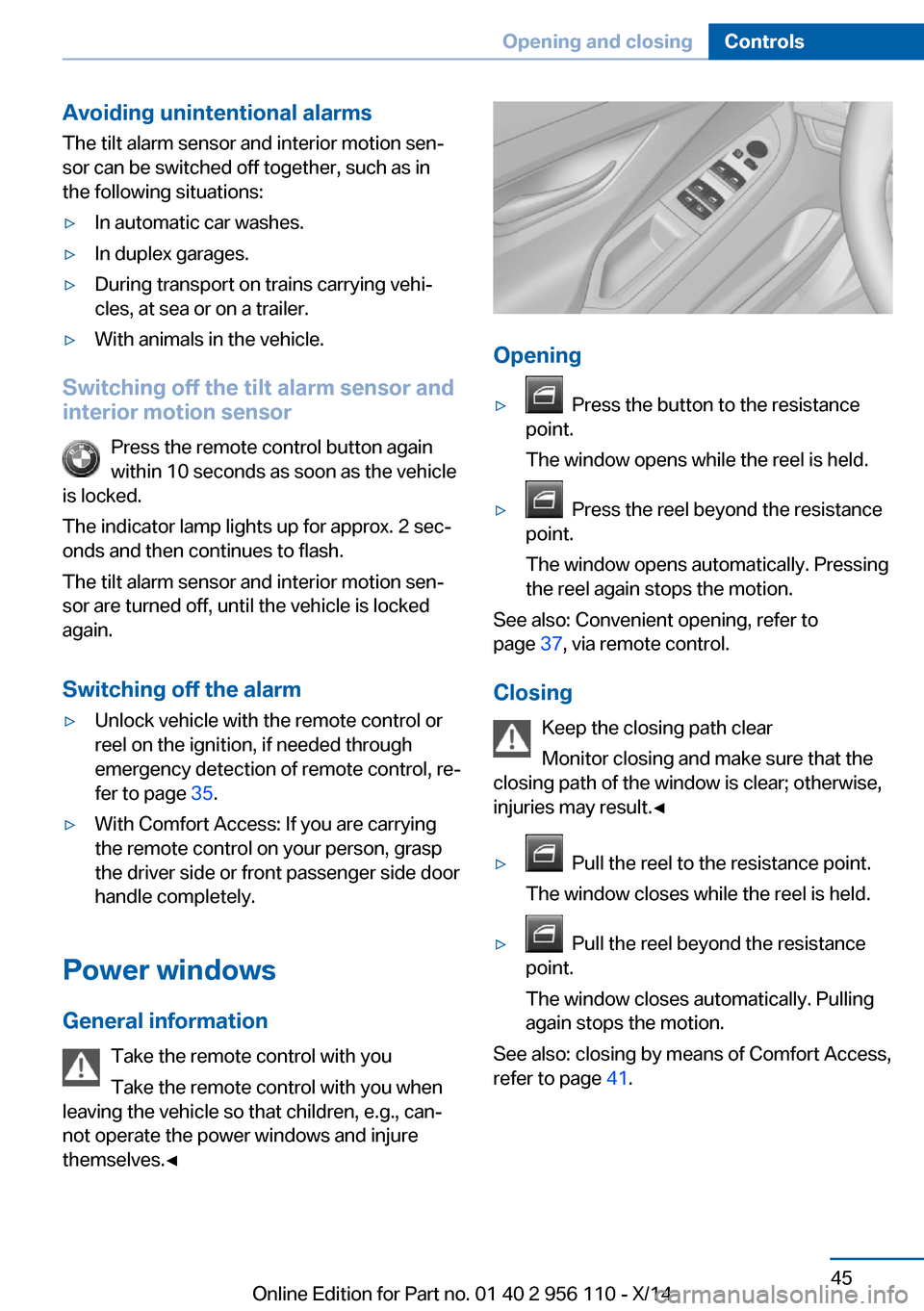
Opening
▷ Press the button to the resistance
point.
The window opens while the reel is held.▷ Press the reel beyond the resistance
point.
The window opens automatically. Pressing
the reel again stops the motion.
See also: Convenient opening, refer to
page 37, via remote control.
Closing Keep the closing path clear
Monitor closing and make sure that the
closing path of the window is clear; otherwise,
injuries may result.◀
▷ Pull the reel to the resistance point.
The window closes while the reel is held.▷ Pull the reel beyond the resistance
point.
The window closes automatically. Pulling
again stops the motion.
See also: closing by means of Comfort Access,
refer to page 41.
Seite 45Opening and closingControls45
Online Edition for Part no. 01 40 2 956 110 - X/14
Page 50 of 253
Pinch protection systemDanger of jamming even with pinch pro‐
tection
Even with the pinch protection system, check
that the window's closing path is clear; other‐
wise, the closing action may not stop in certain
situations, e.g., if thin objects are present.◀
No window accessories
Do not install any accessories in the win‐
dow's range of movement; otherwise, the
pinch protection system will be impaired.◀
If closing force exceeds a specific margin as a
window closes, closing is interrupted.
The window reopens slightly.
Closing without the pinch protection
system
Keep the closing path clear
Monitor closing and make sure that the
closing path of the window is clear; otherwise,
injuries may result.◀
E.g. danger from the outside or ice might pre‐
vent window from closing properly - proceed
as follows:1.Pull the reel past the resistance point and
hold it there.
The pinch protection is limited and the
window reopens slightly if the closing force
exceeds a certain margin.2.Pull the reel past the resistance point again
within approx. 4 seconds and hold it there.
The window closes without jam protection.
Safety reel
General information
The following functions can be locked simulta‐
neously, using the reel:
▷Opening and closing of the rear windows
using the switches in the rear.▷Operation of the roller sunblinds using the
switches in the rear.▷Adjustment of the power rear seats.▷Adjustment of the power head restraints in
the rear.
Switching on and off
Press button.
The LED lights up if the safety func‐
tion is switched on.
Safety reel for rear operation
Press the safety reel when transporting
children in the rear; otherwise, injury may re‐
sult if the windows are closed without supervi‐
sion.◀
Roller sunblinds
General information
The safety reel in the driver's door can be used
to prevent children, e. g., from operating the
roller sunblinds using the switches in the rear.
Press the safety reel in the driver's door. The
LED lights up if the safety function is switched
on.
If you are no longer able to move the roller sun‐
blinds after having activated them consecu‐
tively a number of times, the system is blocked
for a limited time to prevent overheating. Let
the system cool.
The roller sunblinds cannot be moved at low
interior temperatures.
Seite 46ControlsOpening and closing46
Online Edition for Part no. 01 40 2 956 110 - X/14
Page 63 of 253
Transporting children safelyVehicle features and optionsThis chapter describes all standard, country-
specific and optional features offered with the
series. It also describes features that are notnecessarily available in your car, e. g., due to
the selected options or country versions. This
also applies to safety-related functions and
systems.
The right place for children
Note
Children in the vehicle
Do not leave children unattended in the
vehicle; otherwise, they could endanger them‐
selves and other persons, e.g., by opening the
doors.◀
Children should always be in the rear Accident research shows that the safest place
for children is in the back seat.
Transporting children in the rear
Only transport children younger than
13 years of age or shorter than 5 ft/150 cm in
the rear in child restraint systems provided in
accordance with the age, weight and size of
the child; otherwise, there is an increased risk
of injury in an accident.
Children 13 years of age or older must wear a
safety belt as soon as a suitable child restraint
system can no longer be used due to their age,
weight and size.◀
Children on the front passenger seat
Should it ever be necessary to use a child re‐
straint system in the front passenger seat,
make sure that the front, knee and side airbags
on the front passenger side are deactivated.
Automatic deactivation of front-seat passen‐
ger airbags, refer to page 103.Note
Deactivating the front-seat passenger
airbags
If a child restraint system is used in the front
passenger seat, deactivate the front-seat pas‐
senger airbags; otherwise, there is an in‐
creased risk of injury to the child when the air‐
bags are activated, even with a child restraint
system.◀
Installing child restraint
systems
Hints Manufacturer's information for child re‐straint systems
To select, mount and use child restraint sys‐
tems, observe the information provided by the
system manufacturer; otherwise, the protec‐
tive effect can be lost.◀
Ensuring the stability of the child seat
When installing child restraint systems,
make sure that the child seat is securely fas‐
tened to the backrest of the seat. Angle and
headrest of the backrest might need to be ad‐
justed or possibly be removed. Make sure that
all backrests are securely locked. Otherwise
the stability of the child seat can be affected,
and there is an increased risk of injury becauseSeite 59Transporting children safelyControls59
Online Edition for Part no. 01 40 2 956 110 - X/14
Page 64 of 253
of unexpected movement of the rear seat
backrest.◀
On the front passenger seat
Deactivating airbags Deactivating the front-seat passenger
airbags
If a child restraint system is used in the front
passenger seat, deactivate the front-seat pas‐
senger airbags; otherwise, there is an in‐
creased risk of injury to the child when the air‐
bags are activated, even with a child restraint
system.◀
After installing a child restraint system in the
front passenger seat, make sure that the front,
knee and side airbags on the front passenger
side are deactivated.
Deactivate the front-seat passenger airbags
automatically, refer to page 103.
Seat position and height
Before installing a child restraint system, move
the front passenger seat as far back as possi‐
ble and adjust its height to the highest and
thus best possible position for the belt and to
offer optimal protection in the event of an acci‐
dent.
If the upper anchorage of the safety belt is lo‐
cated in front of the belt guide of the child seat,
move the passenger seat carefully forward un‐
til the best possible belt guide position is
reached.
Backrest width Backrest width for the child seat
Before installing a child restraint system
in the front passenger seat, the backrest width
must be opened completely. Do not change
the adjustment after this; otherwise, the stabil‐
ity of the child seat will be reduced.◀
Adjustable backrest width: before installing a
child restraint system in the front passengerseat, open the backrest width completely. Do
not change the backrest width again and do
not call up a memory position.
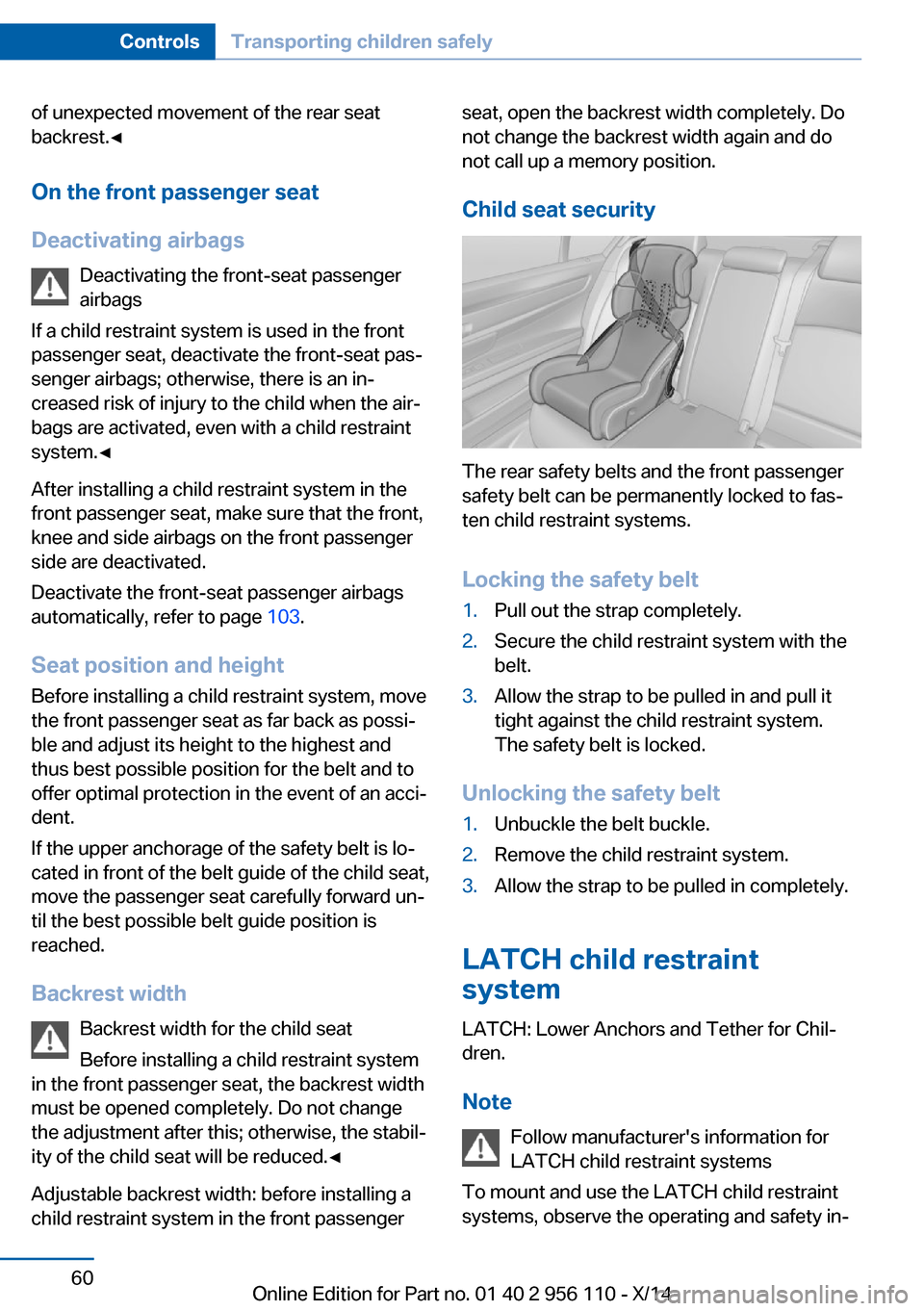
Child seat security
The rear safety belts and the front passenger
safety belt can be permanently locked to fas‐
ten child restraint systems.
Locking the safety belt
1.Pull out the strap completely.2.Secure the child restraint system with the
belt.3.Allow the strap to be pulled in and pull it
tight against the child restraint system.
The safety belt is locked.
Unlocking the safety belt
1.Unbuckle the belt buckle.2.Remove the child restraint system.3.Allow the strap to be pulled in completely.
LATCH child restraint
system
LATCH: Lower Anchors and Tether for Chil‐
dren.
Note Follow manufacturer's information for
LATCH child restraint systems
To mount and use the LATCH child restraint
systems, observe the operating and safety in‐
Seite 60ControlsTransporting children safely60
Online Edition for Part no. 01 40 2 956 110 - X/14
Page 66 of 253
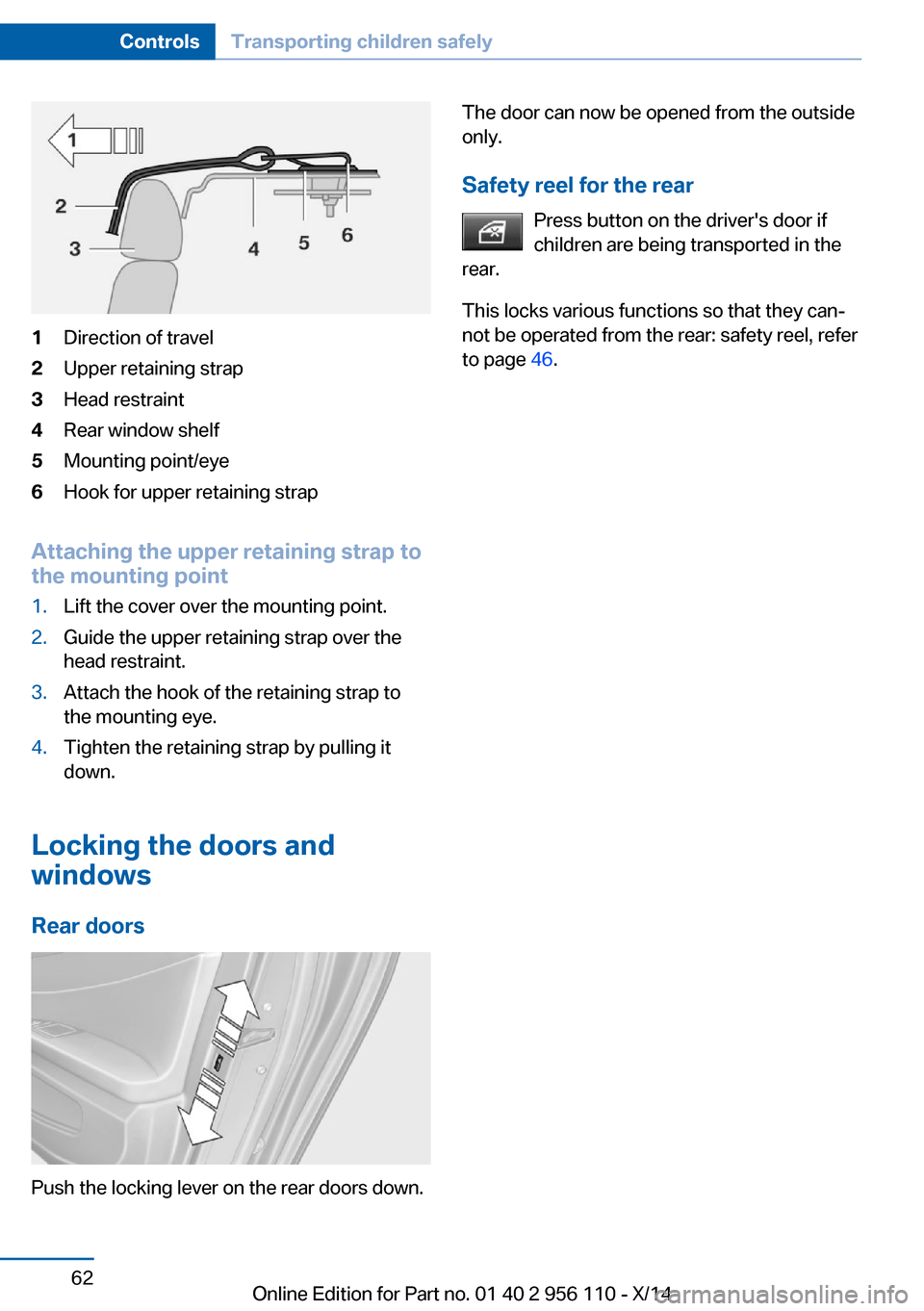
1Direction of travel2Upper retaining strap3Head restraint4Rear window shelf5Mounting point/eye6Hook for upper retaining strap
Attaching the upper retaining strap to
the mounting point
1.Lift the cover over the mounting point.2.Guide the upper retaining strap over the
head restraint.3.Attach the hook of the retaining strap to
the mounting eye.4.Tighten the retaining strap by pulling it
down.
Locking the doors and
windows
Rear doors
Push the locking lever on the rear doors down.
The door can now be opened from the outside
only.
Safety reel for the rear Press button on the driver's door if
children are being transported in the
rear.
This locks various functions so that they can‐
not be operated from the rear: safety reel, refer
to page 46.Seite 62ControlsTransporting children safely62
Online Edition for Part no. 01 40 2 956 110 - X/14
Page 68 of 253
▷When the vehicle is locked using the cen‐
tral locking system.▷Shortly before the battery is discharged
completely, so that the engine can still be
started.
The radio-ready state remains active if, e.g.,
the ignition is automatically switched off for the
following reasons:
▷Opening or closing the driver's door.▷Unfastening of the driver's safety belt.▷When automatically switching from low
beams to parking lights.
Starting the engine
Hints Enclosed areas
Do not let the engine run in enclosed
areas, since breathing in exhaust fumes may
lead to loss of consciousness and death. The
exhaust gases contain carbon monoxide, an
odorless and colorless but highly toxic gas.◀
Unattended vehicle
Do not leave the vehicle unattended with
the engine running; doing so poses a risk of
danger.
Before leaving the vehicle with the engine run‐
ning, set the parking brake and place the trans‐
mission in selector lever position P or N to pre‐
vent the vehicle from moving.◀
Repeated starting in quick succession
Avoid trying to start the vehicle repeat‐
edly and in quick succession. Otherwise, the fuel is not burned or is inadequately burned,
posing a risk of overheating and damage to the
catalytic converter.◀
Do not wait for the engine to warm-up while
the vehicle remains stationary. Start driving at
moderate engine speeds.
Steptronic transmission
Starting the engine1.Depress the brake pedal.2.Press the Start/Stop button.
The ignition is activated automatically for a
certain time and is stopped as soon as the en‐
gine starts.
Engine stop
Hints Take the remote control with you
Take the remote control with you when
leaving the vehicle so that children, e.g., can‐
not start the engine.◀
Apply parking brake and further secure
the vehicle if needed.
Set the parking brake firmly when parking; oth‐
erwise, the vehicle could roll. On steep upward
and downward inclines, further secure the ve‐
hicle, e.g., by turning the steering wheel in the
direction of the curb.◀
Before driving into a car wash
So that the vehicle can roll into a car wash ob‐
serve instructions for going into an automatic
car wash, refer to page 228.
Steptronic transmission
Switching off the engine
1.Engage selector lever position P with the
vehicle stopped.2.Press the Start/Stop button.
The engine is switched off.
The radio-ready state is switched on.3.Set the parking brake.Seite 64ControlsDriving64
Online Edition for Part no. 01 40 2 956 110 - X/14
Page 173 of 253
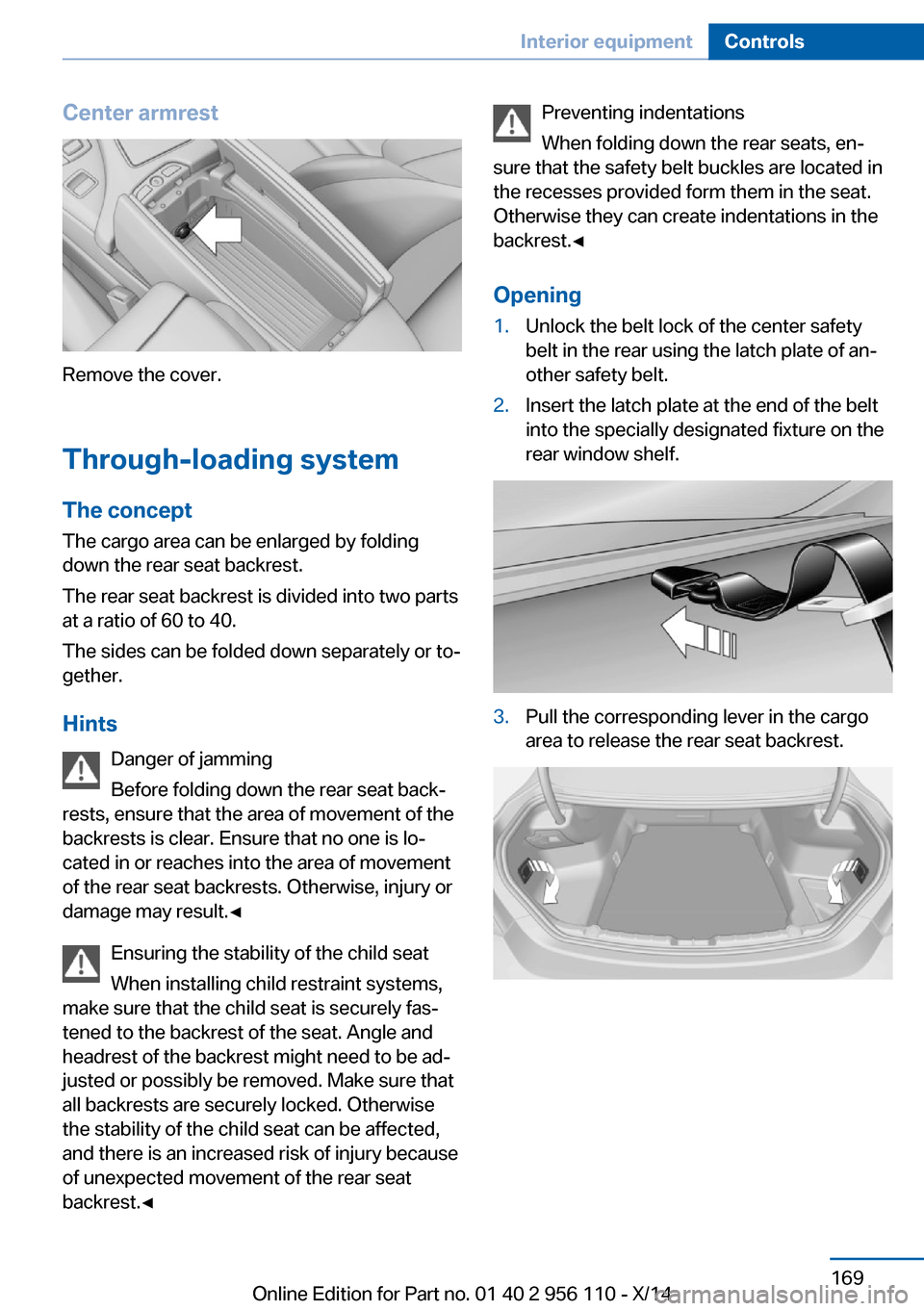
Center armrest
Remove the cover.
Through-loading system The concept The cargo area can be enlarged by folding
down the rear seat backrest.
The rear seat backrest is divided into two parts
at a ratio of 60 to 40.
The sides can be folded down separately or to‐
gether.
Hints Danger of jamming
Before folding down the rear seat back‐
rests, ensure that the area of movement of the backrests is clear. Ensure that no one is lo‐
cated in or reaches into the area of movement
of the rear seat backrests. Otherwise, injury or
damage may result.◀
Ensuring the stability of the child seat
When installing child restraint systems,
make sure that the child seat is securely fas‐
tened to the backrest of the seat. Angle and
headrest of the backrest might need to be ad‐
justed or possibly be removed. Make sure that
all backrests are securely locked. Otherwise
the stability of the child seat can be affected,
and there is an increased risk of injury because
of unexpected movement of the rear seat backrest.◀
Preventing indentations
When folding down the rear seats, en‐
sure that the safety belt buckles are located in
the recesses provided form them in the seat.
Otherwise they can create indentations in the
backrest.◀
Opening1.Unlock the belt lock of the center safety
belt in the rear using the latch plate of an‐
other safety belt.2.Insert the latch plate at the end of the belt
into the specially designated fixture on the
rear window shelf.3.Pull the corresponding lever in the cargo
area to release the rear seat backrest.Seite 169Interior equipmentControls169
Online Edition for Part no. 01 40 2 956 110 - X/14
Page 243 of 253
Belts, safety belts 52
Beverage holder, cu‐ pholder 174
Blinds, sun protection 46
BMW Assist, see user's manual for Navigation, En‐
tertainment and Communi‐
cation
BMW maintenance sys‐ tem 215
Bonus range, ECO PRO 185
Bottle holder, refer to Cu‐ pholder 174
Brake assistant 128
Brake assistant, adaptive 128
Brake discs, break-in 178
Brake force display 125
Brake lights, adaptive 125
Brake lights, brake force dis‐ play 125
Brake lights, bulb replace‐ ment 219
Brake pads, break-in 178
Braking, hints 179
Breakdown assis‐ tance 223, 224
Break-in 178
Brightness of Control Dis‐ play 93
Bulb replacement, front 217
Bulb replacement, rear 219
Button, RES 139
Button, Start/Stop 63
Bypassing, refer to Jump- starting 224
C
California Proposition 65 Warning 7
Calling up mirror adjust‐ ment 43
Calling up seat adjust‐ ment 43
Calling up steering wheel ad‐ justment 43 Camera, care 231
Camera, rearview cam‐ era 148
Camera, Side View 150
Camera, Top View 152
Can holder, refer to Cu‐ pholder 174
Car battery 221
Car care products 229
Care, displays 231
Care, vehicle 229
Cargo 181
Cargo area, enlarging 169
Cargo area, storage compart‐ ments 175
Cargo, securing 182
Cargo straps, securing cargo 182
Car key, refer to Remote con‐ trol 34
Carpet, care 231
Car wash 228
Catalytic converter, refer to Hot exhaust system 178
CBS Condition Based Serv‐ ice 215
CD/Multimedia, see user's manual for Navigation, En‐
tertainment and Communi‐
cation
Center console 16
Central locking system 39
Central screen, refer to Con‐ trol Display 18
Changes, technical, refer to Safety 7
Changing parts 217
Changing wheels 220
Changing wheels/tires 204
Chassis number, see vehicle identification number 9
Check Control 81
Checking the engine oil level electronically 210
Checking the oil level elec‐ tronically 210 Children, seating position 59
Children, transporting safely 59
Child restraint fixing sys‐ tem 59
Child restraint fixing system LATCH 60
Child restraint fixing systems, mounting 59
Child safety locks 62
Child seat, mounting 59
Child seats 59
Chrome parts, care 230
Cigarette lighter 167
Cleaning displays 231
Climate control 157
Climate control laminated tinted safety glass 179
Climate control wind‐ shield 179
Clock 86
Closing/opening via door lock 39
Closing/opening with remote control 37
Clothes hooks 174
Coasting 187
Coasting with engine decou‐ pled, coasting 187
Coasting with idling en‐ gine 187
Combination reel, refer to Turn signals 69
Combination reel, refer to Wiper system 70
COMFORT+ program, Driving Dynamics Control 134
Comfort Access 41
COMFORT program, Driving Dynamics Control 134
Computer 90
Condensation on win‐ dows 158
Condensation under the vehi‐ cle 180 Seite 239Everything from A to ZReference239
Online Edition for Part no. 01 40 2 956 110 - X/14
Page 247 of 253
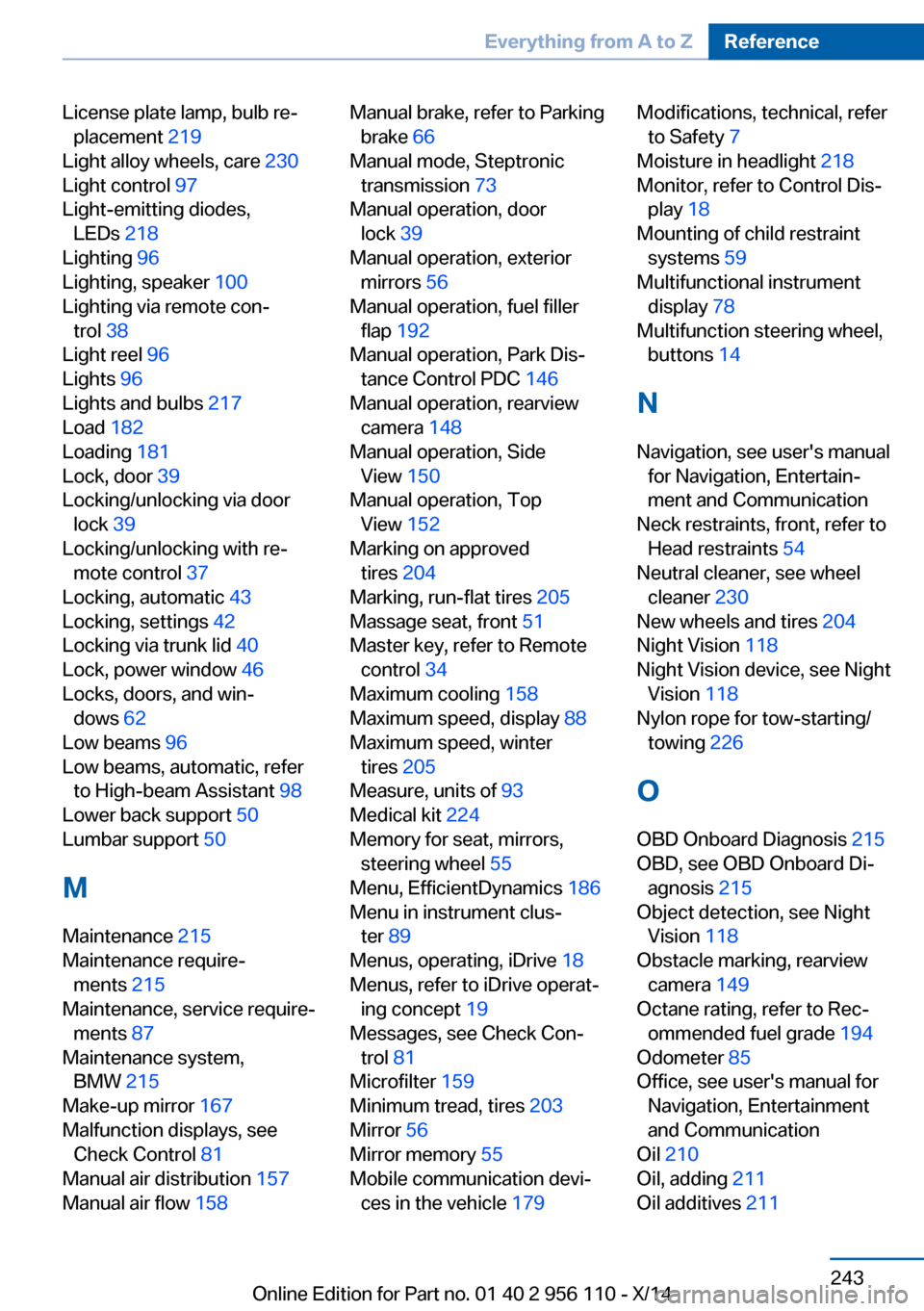
License plate lamp, bulb re‐placement 219
Light alloy wheels, care 230
Light control 97
Light-emitting diodes, LEDs 218
Lighting 96
Lighting, speaker 100
Lighting via remote con‐ trol 38
Light reel 96
Lights 96
Lights and bulbs 217
Load 182
Loading 181
Lock, door 39
Locking/unlocking via door lock 39
Locking/unlocking with re‐ mote control 37
Locking, automatic 43
Locking, settings 42
Locking via trunk lid 40
Lock, power window 46
Locks, doors, and win‐ dows 62
Low beams 96
Low beams, automatic, refer to High-beam Assistant 98
Lower back support 50
Lumbar support 50
M
Maintenance 215
Maintenance require‐ ments 215
Maintenance, service require‐ ments 87
Maintenance system, BMW 215
Make-up mirror 167
Malfunction displays, see Check Control 81
Manual air distribution 157
Manual air flow 158 Manual brake, refer to Parking
brake 66
Manual mode, Steptronic transmission 73
Manual operation, door lock 39
Manual operation, exterior mirrors 56
Manual operation, fuel filler flap 192
Manual operation, Park Dis‐ tance Control PDC 146
Manual operation, rearview camera 148
Manual operation, Side View 150
Manual operation, Top View 152
Marking on approved tires 204
Marking, run-flat tires 205
Massage seat, front 51
Master key, refer to Remote control 34
Maximum cooling 158
Maximum speed, display 88
Maximum speed, winter tires 205
Measure, units of 93
Medical kit 224
Memory for seat, mirrors, steering wheel 55
Menu, EfficientDynamics 186
Menu in instrument clus‐ ter 89
Menus, operating, iDrive 18
Menus, refer to iDrive operat‐ ing concept 19
Messages, see Check Con‐ trol 81
Microfilter 159
Minimum tread, tires 203
Mirror 56
Mirror memory 55
Mobile communication devi‐ ces in the vehicle 179 Modifications, technical, refer
to Safety 7
Moisture in headlight 218
Monitor, refer to Control Dis‐ play 18
Mounting of child restraint systems 59
Multifunctional instrument display 78
Multifunction steering wheel, buttons 14
N
Navigation, see user's manual for Navigation, Entertain‐
ment and Communication
Neck restraints, front, refer to Head restraints 54
Neutral cleaner, see wheel cleaner 230
New wheels and tires 204
Night Vision 118
Night Vision device, see Night Vision 118
Nylon rope for tow-starting/ towing 226
O OBD Onboard Diagnosis 215
OBD, see OBD Onboard Di‐ agnosis 215
Object detection, see Night Vision 118
Obstacle marking, rearview camera 149
Octane rating, refer to Rec‐ ommended fuel grade 194
Odometer 85
Office, see user's manual for Navigation, Entertainment
and Communication
Oil 210
Oil, adding 211
Oil additives 211 Seite 243Everything from A to ZReference243
Online Edition for Part no. 01 40 2 956 110 - X/14
Page 250 of 253
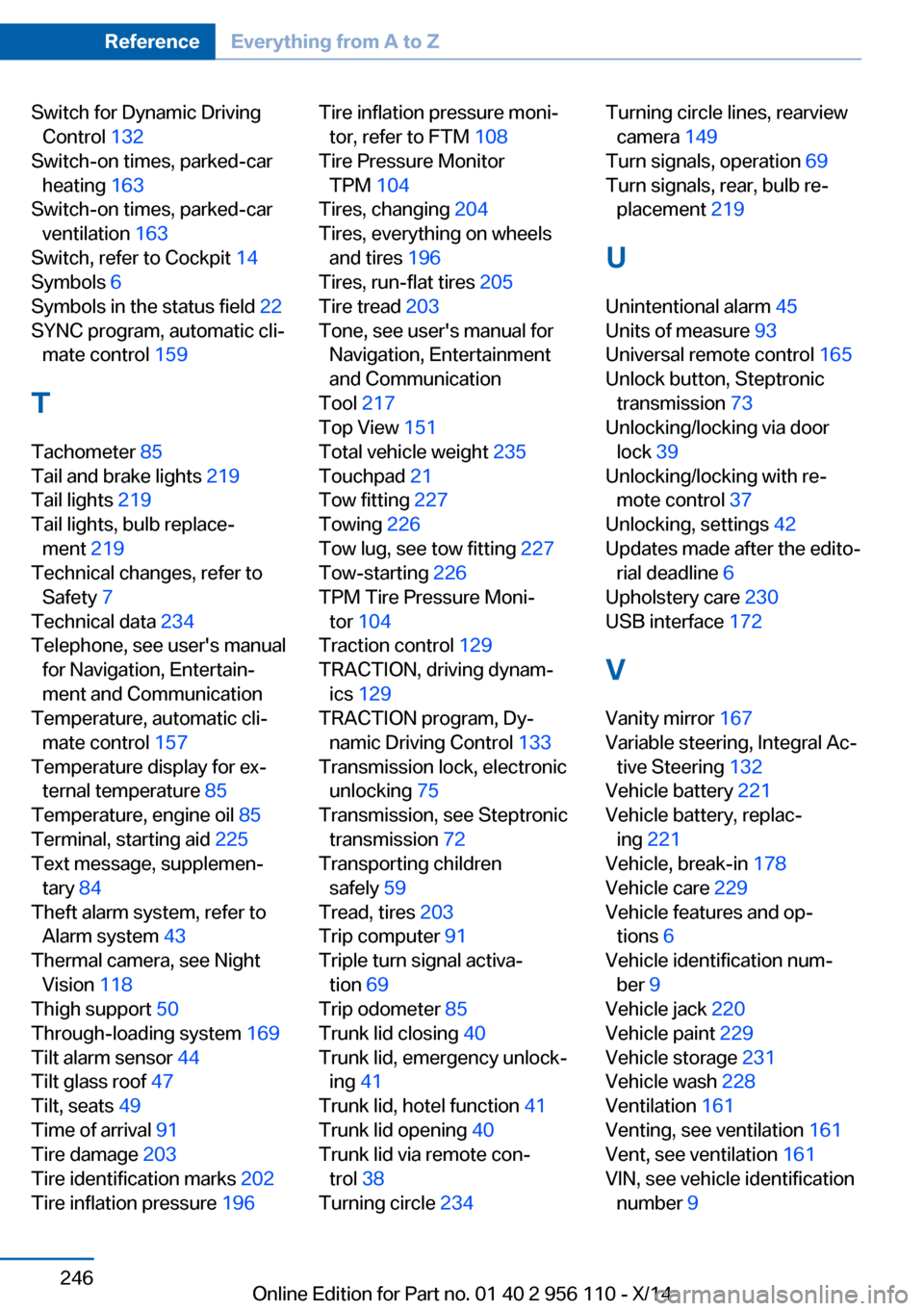
Switch for Dynamic DrivingControl 132
Switch-on times, parked-car heating 163
Switch-on times, parked-car ventilation 163
Switch, refer to Cockpit 14
Symbols 6
Symbols in the status field 22
SYNC program, automatic cli‐ mate control 159
T Tachometer 85
Tail and brake lights 219
Tail lights 219
Tail lights, bulb replace‐ ment 219
Technical changes, refer to Safety 7
Technical data 234
Telephone, see user's manual for Navigation, Entertain‐
ment and Communication
Temperature, automatic cli‐ mate control 157
Temperature display for ex‐ ternal temperature 85
Temperature, engine oil 85
Terminal, starting aid 225
Text message, supplemen‐ tary 84
Theft alarm system, refer to Alarm system 43
Thermal camera, see Night Vision 118
Thigh support 50
Through-loading system 169
Tilt alarm sensor 44
Tilt glass roof 47
Tilt, seats 49
Time of arrival 91
Tire damage 203
Tire identification marks 202
Tire inflation pressure 196 Tire inflation pressure moni‐
tor, refer to FTM 108
Tire Pressure Monitor TPM 104
Tires, changing 204
Tires, everything on wheels and tires 196
Tires, run-flat tires 205
Tire tread 203
Tone, see user's manual for Navigation, Entertainment
and Communication
Tool 217
Top View 151
Total vehicle weight 235
Touchpad 21
Tow fitting 227
Towing 226
Tow lug, see tow fitting 227
Tow-starting 226
TPM Tire Pressure Moni‐ tor 104
Traction control 129
TRACTION, driving dynam‐ ics 129
TRACTION program, Dy‐ namic Driving Control 133
Transmission lock, electronic unlocking 75
Transmission, see Steptronic transmission 72
Transporting children safely 59
Tread, tires 203
Trip computer 91
Triple turn signal activa‐ tion 69
Trip odometer 85
Trunk lid closing 40
Trunk lid, emergency unlock‐ ing 41
Trunk lid, hotel function 41
Trunk lid opening 40
Trunk lid via remote con‐ trol 38
Turning circle 234 Turning circle lines, rearview
camera 149
Turn signals, operation 69
Turn signals, rear, bulb re‐ placement 219
U
Unintentional alarm 45
Units of measure 93
Universal remote control 165
Unlock button, Steptronic transmission 73
Unlocking/locking via door lock 39
Unlocking/locking with re‐ mote control 37
Unlocking, settings 42
Updates made after the edito‐ rial deadline 6
Upholstery care 230
USB interface 172
V
Vanity mirror 167
Variable steering, Integral Ac‐ tive Steering 132
Vehicle battery 221
Vehicle battery, replac‐ ing 221
Vehicle, break-in 178
Vehicle care 229
Vehicle features and op‐ tions 6
Vehicle identification num‐ ber 9
Vehicle jack 220
Vehicle paint 229
Vehicle storage 231
Vehicle wash 228
Ventilation 161
Venting, see ventilation 161
Vent, see ventilation 161
VIN, see vehicle identification number 9 Seite 246ReferenceEverything from A to Z246
Online Edition for Part no. 01 40 2 956 110 - X/14