seat memory BMW 6 SERIES GRAN COUPE 2014 F06 Owner's Manual
[x] Cancel search | Manufacturer: BMW, Model Year: 2014, Model line: 6 SERIES GRAN COUPE, Model: BMW 6 SERIES GRAN COUPE 2014 F06Pages: 253, PDF Size: 5.47 MB
Page 40 of 253
scope of storable settings is country- and
equipment-dependable.▷Unlocking and locking.▷Lights.▷Climate control.▷Radio.▷Instrument cluster.▷Programmable memory buttons.▷Volumes, tone.▷Control Display.▷Navigation.▷TV.▷Park Distance Control PDC.▷Rearview camera▷Side View.▷Head-up Display.▷Driving Dynamics Control.▷Driver's seat position, exterior mirror posi‐
tion, steering wheel position.▷Cruise control.▷Intelligent Safety.▷Active Blind Spot Detection.▷Night vision.
Profile management
Opening profiles Regardless of the remote control in use a dif‐
ferent profile may be activated.
1."Settings"2."Profiles"3.Select a profile.
The activated profile is assigned to the cur‐
rently used remote control.
Renaming profiles
1."Settings"2."Profiles"3."Options"4."Rename current profile"
Resetting profiles The settings of the active profile are reset to
their default values.
1."Settings"2."Profiles"3."Options"4."Reset current profile"
Exporting profiles
Most settings of the active profile and the
saved contacts can be exported.
This can be helpful for securing and retrieving
personal settings, before delivering the vehicle
to a workshop, e.g. Profiles can be taken to an‐
other vehicle equipped with the Personal Pro‐
file function.
The following export options are available:
▷Via BMW Online.▷Via the USB port to a USB device.
Popular file systems for USB devices are
supported. FAT32 and exFAT are the rec‐
ommended formats for profile export.
Other formats may not support the export.1."Settings"2."Profiles"3."Export profile"4.BMW Online: "BMW Online"
USB port: "USB device"
Importing profiles
Profiles exported via BMW Online can also be
imported via BMW Online.
Profiles stored on a USB device can be im‐
ported via the USB interface.
Seite 36ControlsOpening and closing36
Online Edition for Part no. 01 40 2 956 110 - X/14
Page 47 of 253
3. Select the symbol.4.Select the desired function:▷"Driver's door only"
Only the driver's door and the fuel filler
flap are unlocked. Pressing again un‐
locks the entire vehicle.▷"All doors"
The entire vehicle is unlocked.
Trunk lid
Depending on optional features and country
version, this setting is not offered in some
cases.
1."Settings"2."Doors/key"3. Select the symbol.4.Select the desired function:▷"Tailgate"
The trunk lid is opened.▷"Tailgate + door(s)"
The trunk lid is opened and the doors
are unlocked.
Confirmation signals from the vehicle
The settings are saved in the active profile, re‐
fer to page 35.
1."Settings"2."Doors/key"3.Deactivate or activate the desired confir‐
mation signals.▷"Acoustic sig. lock/unlock"▷"Flash when lock/unlock"
Automatic locking
The settings are saved in the active profile, re‐fer to page 35.
1."Settings"2."Doors/key"3.Select the desired function:▷"Lock if no door is opened"
The vehicle locks automatically after a
short period of time if no door is
opened.▷"Lock after start driving"
The vehicle locks automatically after
you drive off.
Retrieving the seat, mirror, and
steering wheel settings
The driver's seat, exterior mirror, and steering
wheel position adjusted last will be stored for
the active profile.
When the vehicle is unlocked, these positions
are automatically retrieved if this function was
activated.
Pinch hazard when moving back the seat
If this function is used, first make sure
that the footwell behind the driver's seat is
empty. Otherwise, people might get injured or
objects damaged when the seat is moved
back.◀
The adjustment procedure is interrupted:
▷When a seat position reel is pressed.▷When a button of the seat, mirror, and
steering wheel memory is pressed briefly.
Activating the setting
1."Settings"2."Doors/key"3."Last seat position autom."
Alarm system
The conceptWhen the vehicle is locked, the vehicle alarm
system responds to:
▷Opening a door, the hood or the trunk lid.▷Movements in the interior.Seite 43Opening and closingControls43
Online Edition for Part no. 01 40 2 956 110 - X/14
Page 53 of 253
AdjustingVehicle features and options
This chapter describes all standard, country-
specific and optional features offered with the
series. It also describes features that are not
necessarily available in your car, e. g., due to
the selected options or country versions. This
also applies to safety-related functions and
systems.
Sitting safely
The ideal seating position can make a vital
contribution to relaxed, fatigue-free driving.
The seating position plays an important role in
an accident in combination with:▷Safety belts, refer to page 52.▷Head restraints, refer to page 54.▷Airbags, refer to page 101.
Seats
Hints Do not adjust the seat while driving
Do not adjust the driver's seat while driv‐
ing, or the seat could respond with unexpected
movement and the ensuing loss of vehicle
control could lead to an accident.◀
Do not incline the backrest too far to the
rear
Also on the front passenger side, do not incline
the backrest on the front passenger side too far to the rear while driving, or there is a risk of
slipping under the safety belt in the event of an
accident. This would eliminate the protection
normally provided by the belt.◀
Keep the movement area unobstructed
When changing the seat position, keep
the seat's area of movement unobstructed;
otherwise, people might get injured or objects
damaged.◀
Middle seat
The 6 Series Gran Coupe is designed as a
4+1-seater vehicle.
The middle seat is of limited usefulness. It is
recommended that this seat only be used by
persons who can use the backrest as a substi‐
tute for the head restraint.
Adjusting the head restraints, refer to
page 54.
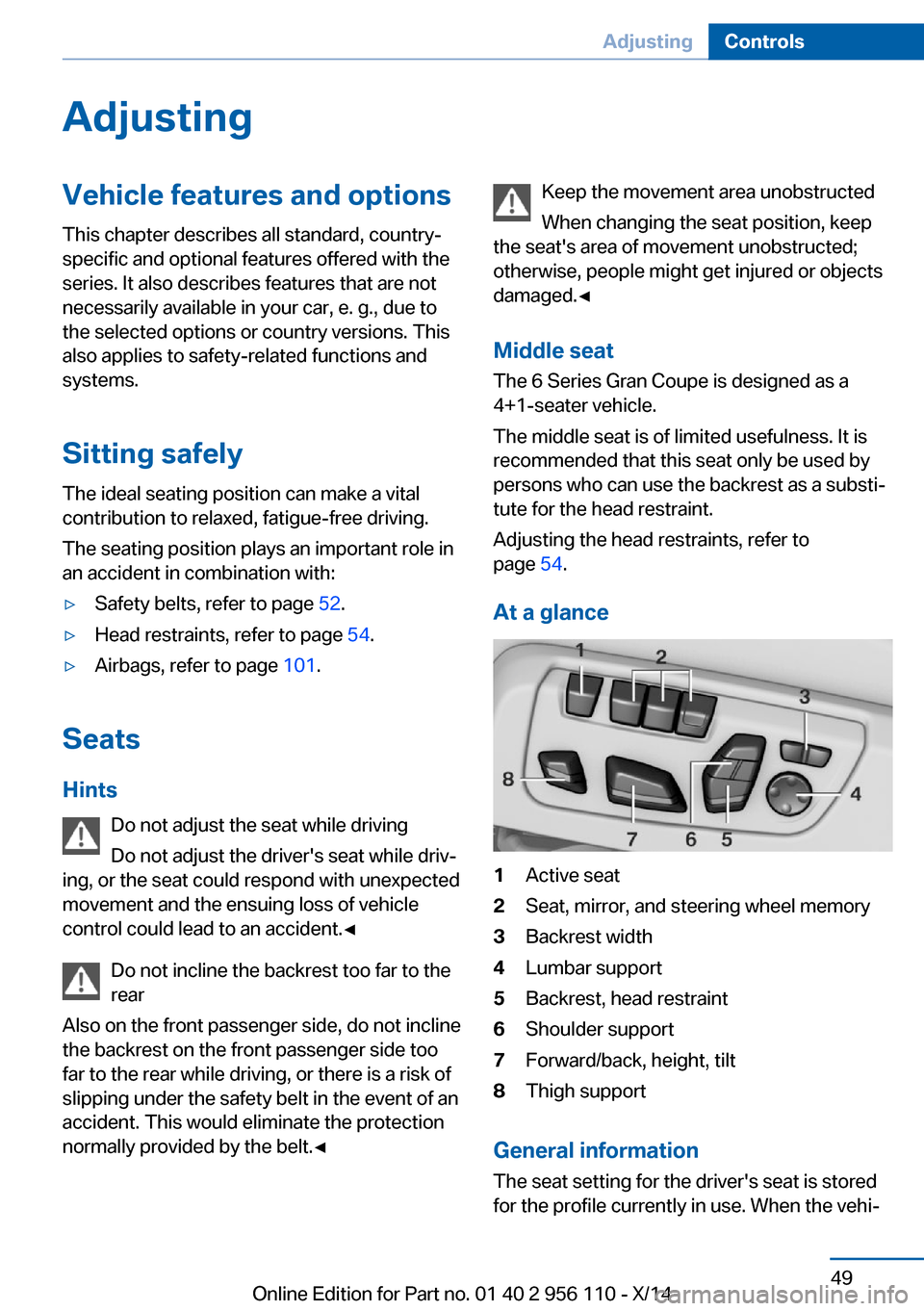
At a glance1Active seat2Seat, mirror, and steering wheel memory3Backrest width4Lumbar support5Backrest, head restraint6Shoulder support7Forward/back, height, tilt8Thigh support
General information
The seat setting for the driver's seat is stored
for the profile currently in use. When the vehi‐
Seite 49AdjustingControls49
Online Edition for Part no. 01 40 2 956 110 - X/14
Page 59 of 253
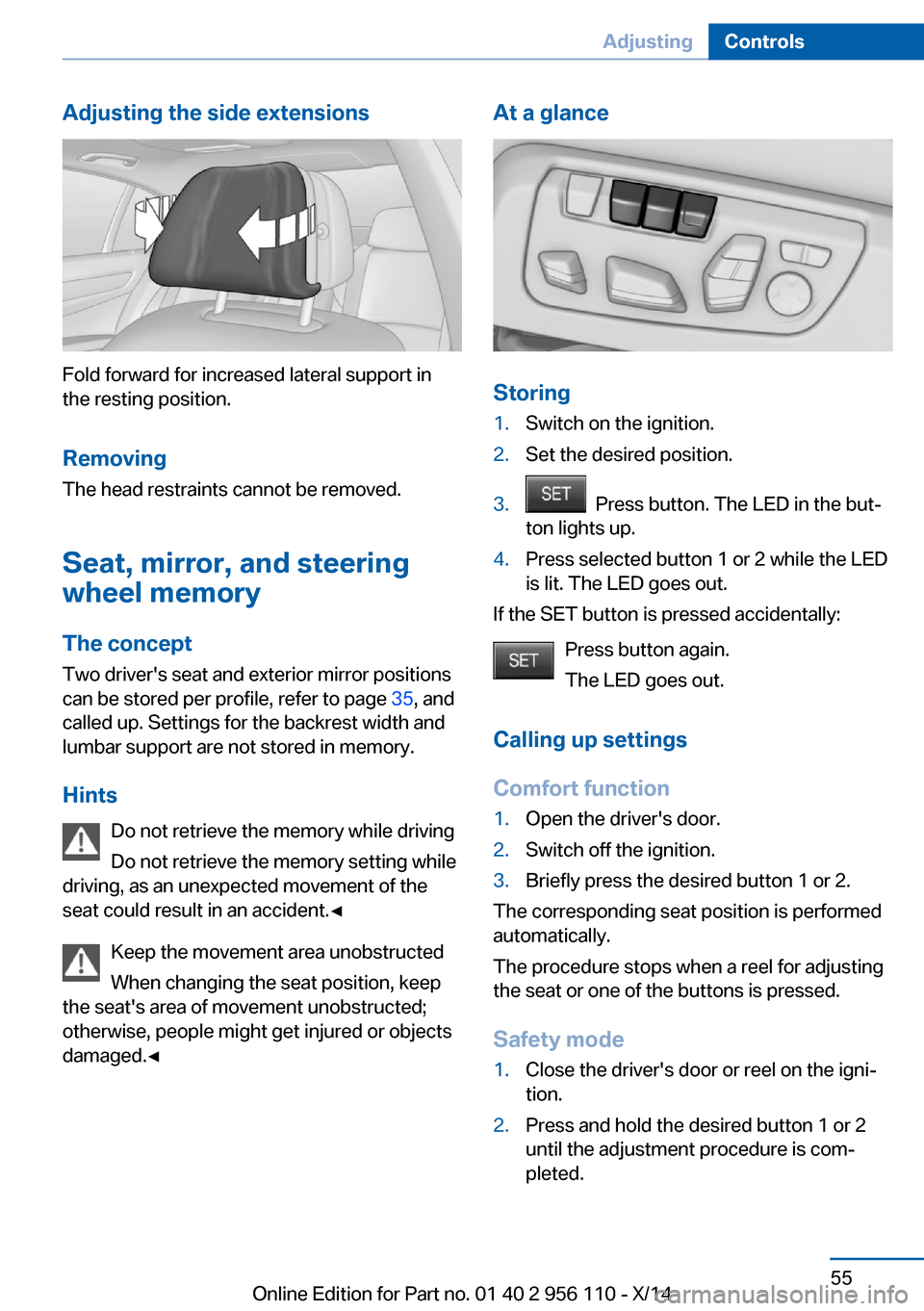
Adjusting the side extensions
Fold forward for increased lateral support in
the resting position.
Removing The head restraints cannot be removed.
Seat, mirror, and steering
wheel memory
The concept
Two driver's seat and exterior mirror positions
can be stored per profile, refer to page 35, and
called up. Settings for the backrest width and
lumbar support are not stored in memory.
Hints Do not retrieve the memory while driving
Do not retrieve the memory setting while
driving, as an unexpected movement of the
seat could result in an accident.◀
Keep the movement area unobstructed
When changing the seat position, keep
the seat's area of movement unobstructed;
otherwise, people might get injured or objects
damaged.◀
At a glance
Storing
1.Switch on the ignition.2.Set the desired position.3. Press button. The LED in the but‐
ton lights up.4.Press selected button 1 or 2 while the LED
is lit. The LED goes out.
If the SET button is pressed accidentally:
Press button again.
The LED goes out.
Calling up settings
Comfort function
1.Open the driver's door.2.Switch off the ignition.3.Briefly press the desired button 1 or 2.
The corresponding seat position is performed
automatically.
The procedure stops when a reel for adjusting
the seat or one of the buttons is pressed.
Safety mode
1.Close the driver's door or reel on the igni‐
tion.2.Press and hold the desired button 1 or 2
until the adjustment procedure is com‐
pleted.Seite 55AdjustingControls55
Online Edition for Part no. 01 40 2 956 110 - X/14
Page 60 of 253
Calling up of a seat position
deactivated
After a brief period, calling up stored seat posi‐
tions is deactivated to save battery power.
To reactivate calling up of a seat position:▷Open or close the door or trunk lid.▷Press a button on the remote control.▷Press the Start/Stop button.
Mirrors
Exterior mirrors
General information The mirror on the passenger side is more
curved than the driver's side mirror.
Depending on the vehicle equipment, the mir‐
ror setting is stored for the profile currently in
use. When the vehicle is unlocked via the re‐
mote control, the position is automatically re‐
trieved if this function is active.
Note Estimating distances correctly
Objects reflected in the mirror are closer
than they appear. Do not estimate the distance
to the traffic behind you based on what you
see in the mirror, as this will increase your risk
of an accident.◀
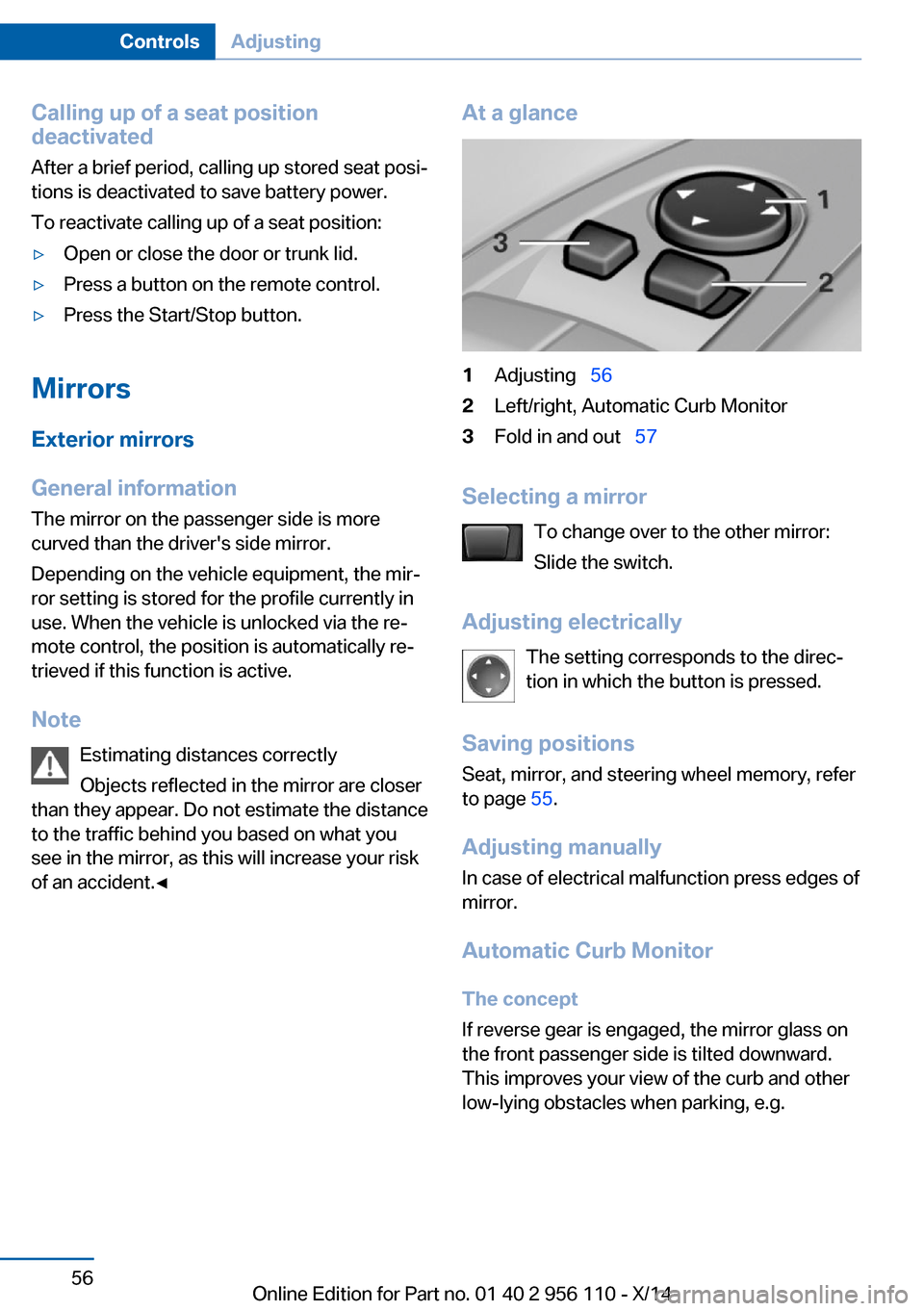
At a glance1Adjusting 562Left/right, Automatic Curb Monitor3Fold in and out 57
Selecting a mirror
To change over to the other mirror:
Slide the switch.
Adjusting electrically The setting corresponds to the direc‐
tion in which the button is pressed.
Saving positions
Seat, mirror, and steering wheel memory, refer
to page 55.
Adjusting manually In case of electrical malfunction press edges of
mirror.
Automatic Curb Monitor The concept
If reverse gear is engaged, the mirror glass on
the front passenger side is tilted downward.
This improves your view of the curb and other
low-lying obstacles when parking, e.g.
Seite 56ControlsAdjusting56
Online Edition for Part no. 01 40 2 956 110 - X/14
Page 62 of 253
Adjusting
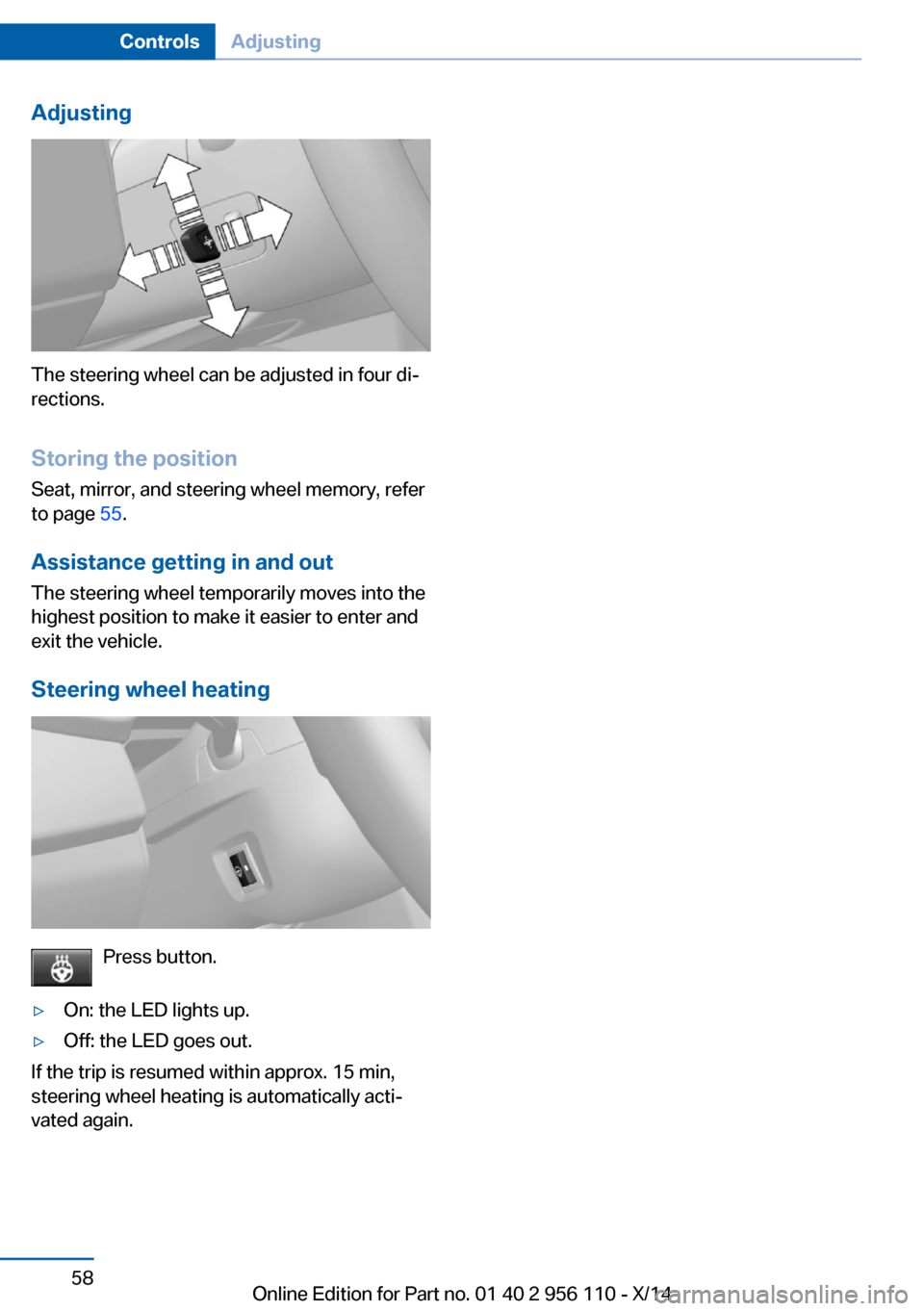
The steering wheel can be adjusted in four di‐
rections.
Storing the position Seat, mirror, and steering wheel memory, refer
to page 55.
Assistance getting in and out
The steering wheel temporarily moves into the
highest position to make it easier to enter and
exit the vehicle.
Steering wheel heating
Press button.
▷On: the LED lights up.▷Off: the LED goes out.
If the trip is resumed within approx. 15 min,
steering wheel heating is automatically acti‐
vated again.
Seite 58ControlsAdjusting58
Online Edition for Part no. 01 40 2 956 110 - X/14
Page 64 of 253
of unexpected movement of the rear seat
backrest.◀
On the front passenger seat
Deactivating airbags Deactivating the front-seat passenger
airbags
If a child restraint system is used in the front
passenger seat, deactivate the front-seat pas‐
senger airbags; otherwise, there is an in‐
creased risk of injury to the child when the air‐
bags are activated, even with a child restraint
system.◀
After installing a child restraint system in the
front passenger seat, make sure that the front,
knee and side airbags on the front passenger
side are deactivated.
Deactivate the front-seat passenger airbags
automatically, refer to page 103.
Seat position and height
Before installing a child restraint system, move
the front passenger seat as far back as possi‐
ble and adjust its height to the highest and
thus best possible position for the belt and to
offer optimal protection in the event of an acci‐
dent.
If the upper anchorage of the safety belt is lo‐
cated in front of the belt guide of the child seat,
move the passenger seat carefully forward un‐
til the best possible belt guide position is
reached.
Backrest width Backrest width for the child seat
Before installing a child restraint system
in the front passenger seat, the backrest width
must be opened completely. Do not change
the adjustment after this; otherwise, the stabil‐
ity of the child seat will be reduced.◀
Adjustable backrest width: before installing a
child restraint system in the front passengerseat, open the backrest width completely. Do
not change the backrest width again and do
not call up a memory position.
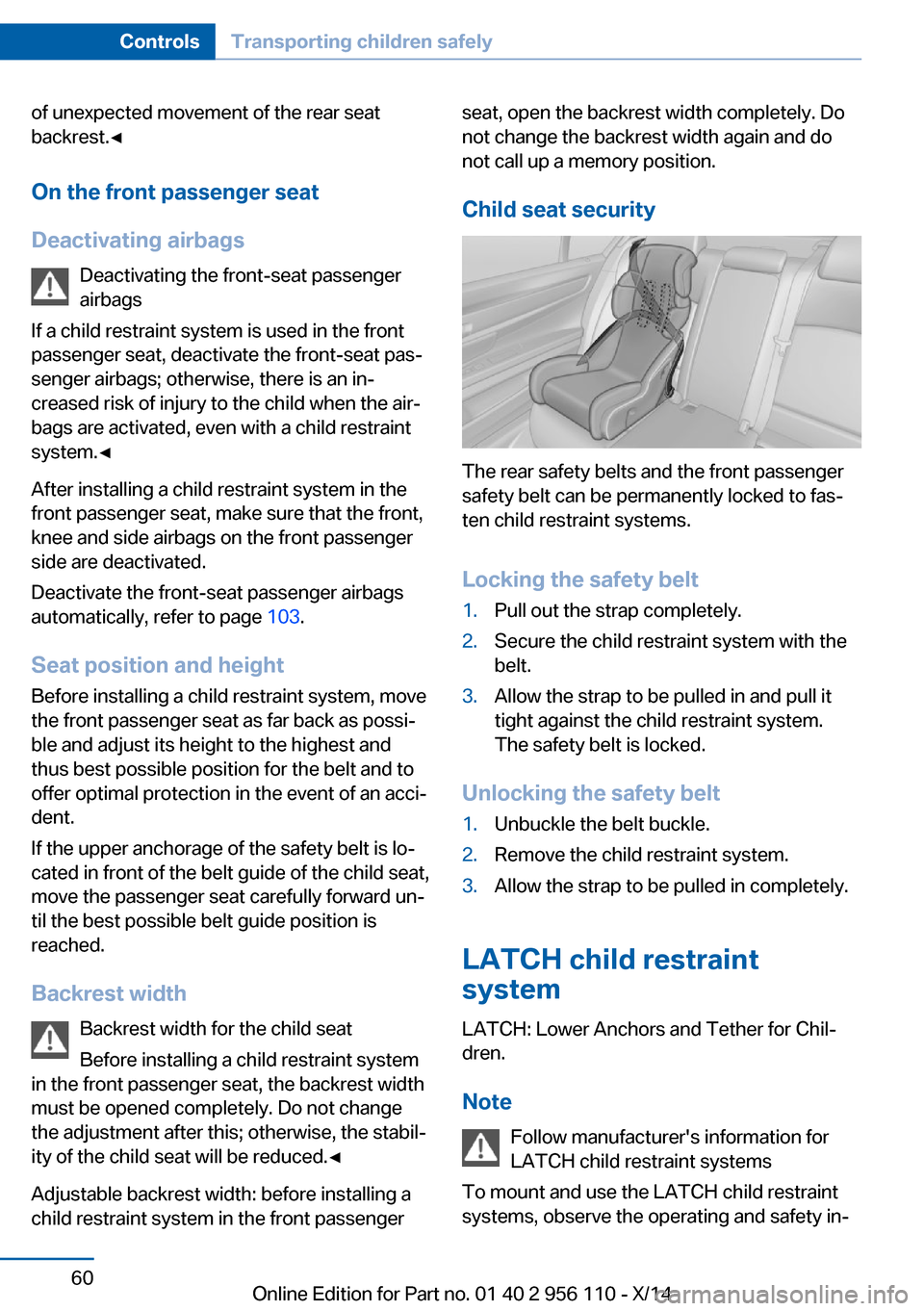
Child seat security
The rear safety belts and the front passenger
safety belt can be permanently locked to fas‐
ten child restraint systems.
Locking the safety belt
1.Pull out the strap completely.2.Secure the child restraint system with the
belt.3.Allow the strap to be pulled in and pull it
tight against the child restraint system.
The safety belt is locked.
Unlocking the safety belt
1.Unbuckle the belt buckle.2.Remove the child restraint system.3.Allow the strap to be pulled in completely.
LATCH child restraint
system
LATCH: Lower Anchors and Tether for Chil‐
dren.
Note Follow manufacturer's information for
LATCH child restraint systems
To mount and use the LATCH child restraint
systems, observe the operating and safety in‐
Seite 60ControlsTransporting children safely60
Online Edition for Part no. 01 40 2 956 110 - X/14
Page 225 of 253
Vehicle batteryMaintenance
The battery is maintenance-free.
The added amount of acid is sufficient for the
service life of the battery.
Further information about the battery can be
obtained from your service center.
Battery replacement Use approved vehicle batteries only
Only use vehicle batteries that have been
approved for your vehicle by the manufacturer;
otherwise, the vehicle could be damaged and
systems or functions may not be fully availa‐
ble.◀
After a battery replacement, have the battery
registered on the vehicle by your service cen‐
ter to ensure that all comfort features are fully
available and that any Check Control mes‐
sages of these comfort features are no longer
displayed.
Charging the battery
Note Do not connect charging devices to the12 volt socket in the vehicle
Do not connect battery chargers to the fac‐
tory-installed 12 volt sockets in the vehicle as
this may damage the vehicle battery due to an
increased power consumption.◀
General information Make sure that the battery is always suffi‐
ciently charged to guarantee that the battery
remains usable for its full service life.
The battery may need to be charged in the fol‐
lowing cases:▷When making frequent short-distance
drives.▷If the vehicle is not used for prolonged pe‐
riods, longer than a month.
Starting aid terminals
In the vehicle, only charge the battery via the
starting aid terminals, refer to page 225, in the
engine compartment with the engine off.
Power failure After a temporary power loss, some equipment
needs to be newly initialized or individual set‐
tings updated, e.g.:
▷Seat, mirror, and steering wheel memory:
store the positions again.▷Time: update.▷Date: update.▷Glass sunroof: initialize the system, refer to
page 48.
Disposing of old batteries
Have old batteries disposed of by your
service center or bring them to a recy‐
cling center.
Maintain the battery in an upright position for
transport and storage. Secure the battery so
that it does not tip over during transport.
Fuses Hints Replacing fuses
Never attempt to repair a blown fuse and
do not replace a defective fuse with a substi‐
tute of another color or amperage rating; this
could lead to a circuit overload, ultimately re‐
sulting in a fire in the vehicle.◀
Plastic tweezers and information on the fuse
types and locations are stored in the fuse box
in the cargo area.
Seite 221Replacing componentsMobility221
Online Edition for Part no. 01 40 2 956 110 - X/14
Page 246 of 253
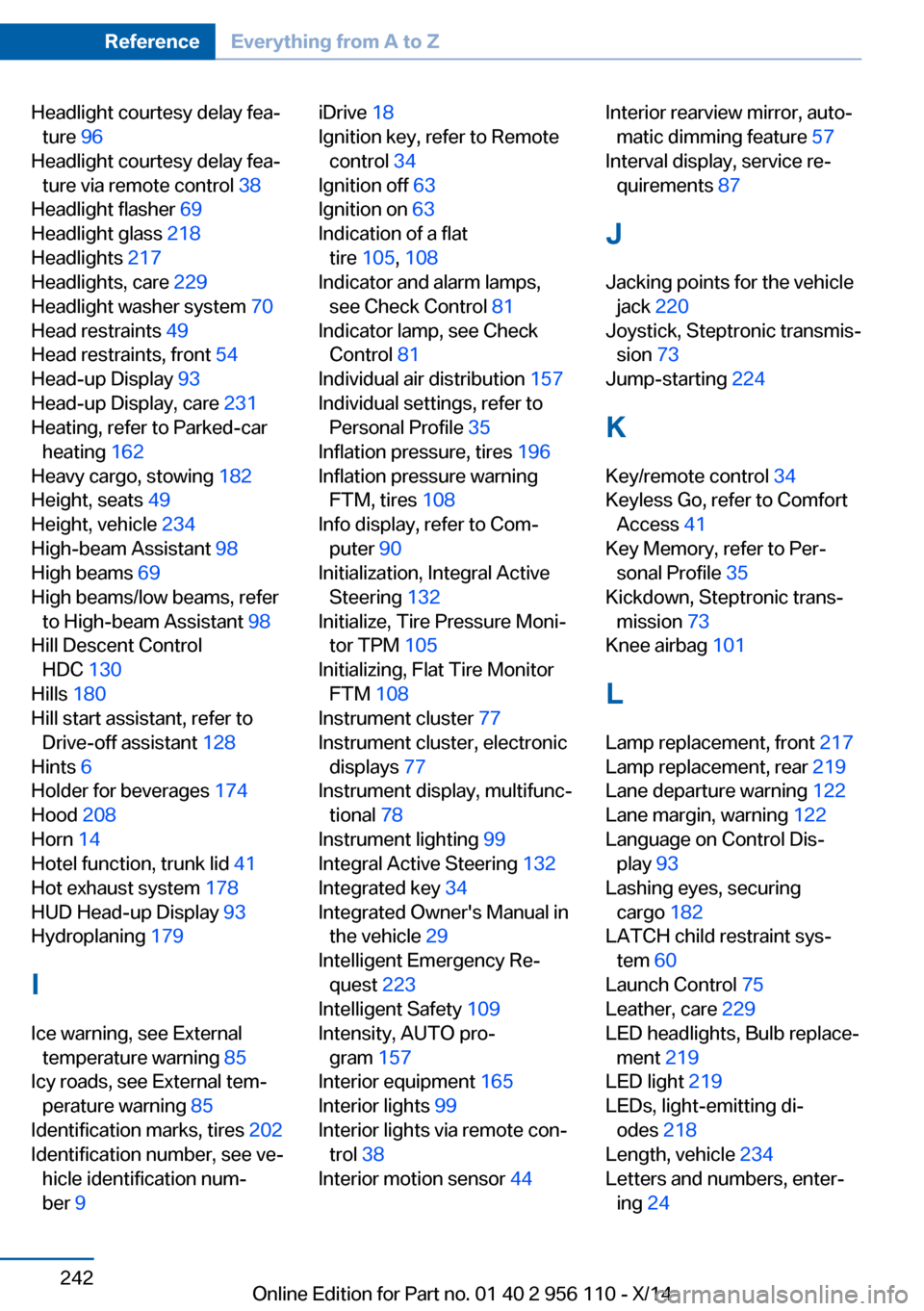
Headlight courtesy delay fea‐ture 96
Headlight courtesy delay fea‐ ture via remote control 38
Headlight flasher 69
Headlight glass 218
Headlights 217
Headlights, care 229
Headlight washer system 70
Head restraints 49
Head restraints, front 54
Head-up Display 93
Head-up Display, care 231
Heating, refer to Parked-car heating 162
Heavy cargo, stowing 182
Height, seats 49
Height, vehicle 234
High-beam Assistant 98
High beams 69
High beams/low beams, refer to High-beam Assistant 98
Hill Descent Control HDC 130
Hills 180
Hill start assistant, refer to Drive-off assistant 128
Hints 6
Holder for beverages 174
Hood 208
Horn 14
Hotel function, trunk lid 41
Hot exhaust system 178
HUD Head-up Display 93
Hydroplaning 179
I Ice warning, see External temperature warning 85
Icy roads, see External tem‐ perature warning 85
Identification marks, tires 202
Identification number, see ve‐ hicle identification num‐
ber 9 iDrive 18
Ignition key, refer to Remote control 34
Ignition off 63
Ignition on 63
Indication of a flat tire 105 , 108
Indicator and alarm lamps, see Check Control 81
Indicator lamp, see Check Control 81
Individual air distribution 157
Individual settings, refer to Personal Profile 35
Inflation pressure, tires 196
Inflation pressure warning FTM, tires 108
Info display, refer to Com‐ puter 90
Initialization, Integral Active Steering 132
Initialize, Tire Pressure Moni‐ tor TPM 105
Initializing, Flat Tire Monitor FTM 108
Instrument cluster 77
Instrument cluster, electronic displays 77
Instrument display, multifunc‐ tional 78
Instrument lighting 99
Integral Active Steering 132
Integrated key 34
Integrated Owner's Manual in the vehicle 29
Intelligent Emergency Re‐ quest 223
Intelligent Safety 109
Intensity, AUTO pro‐ gram 157
Interior equipment 165
Interior lights 99
Interior lights via remote con‐ trol 38
Interior motion sensor 44 Interior rearview mirror, auto‐
matic dimming feature 57
Interval display, service re‐ quirements 87
J Jacking points for the vehicle jack 220
Joystick, Steptronic transmis‐ sion 73
Jump-starting 224
K
Key/remote control 34
Keyless Go, refer to Comfort Access 41
Key Memory, refer to Per‐ sonal Profile 35
Kickdown, Steptronic trans‐ mission 73
Knee airbag 101
L Lamp replacement, front 217
Lamp replacement, rear 219
Lane departure warning 122
Lane margin, warning 122
Language on Control Dis‐ play 93
Lashing eyes, securing cargo 182
LATCH child restraint sys‐ tem 60
Launch Control 75
Leather, care 229
LED headlights, Bulb replace‐ ment 219
LED light 219
LEDs, light-emitting di‐ odes 218
Length, vehicle 234
Letters and numbers, enter‐ ing 24 Seite 242ReferenceEverything from A to Z242
Online Edition for Part no. 01 40 2 956 110 - X/14
Page 247 of 253
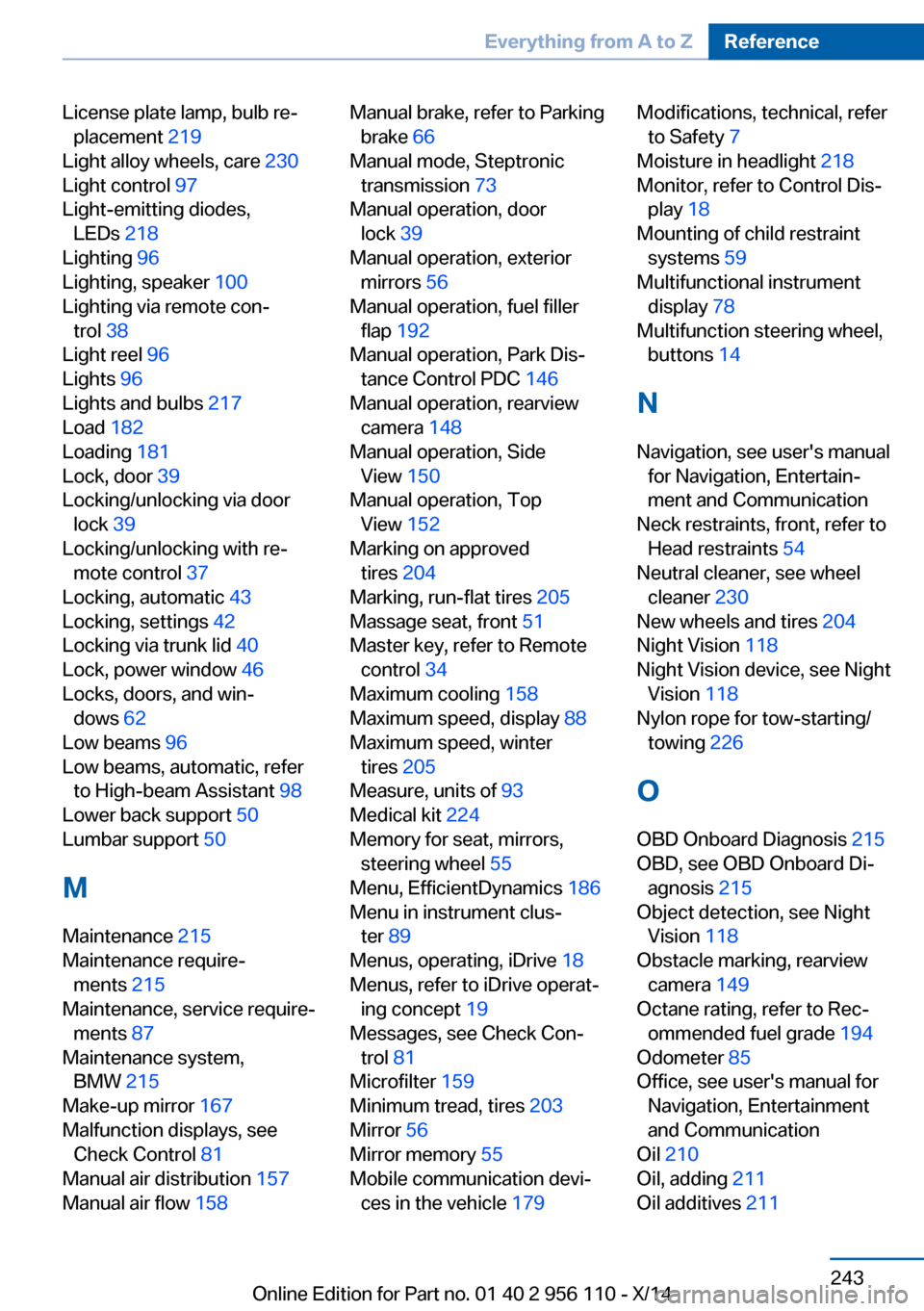
License plate lamp, bulb re‐placement 219
Light alloy wheels, care 230
Light control 97
Light-emitting diodes, LEDs 218
Lighting 96
Lighting, speaker 100
Lighting via remote con‐ trol 38
Light reel 96
Lights 96
Lights and bulbs 217
Load 182
Loading 181
Lock, door 39
Locking/unlocking via door lock 39
Locking/unlocking with re‐ mote control 37
Locking, automatic 43
Locking, settings 42
Locking via trunk lid 40
Lock, power window 46
Locks, doors, and win‐ dows 62
Low beams 96
Low beams, automatic, refer to High-beam Assistant 98
Lower back support 50
Lumbar support 50
M
Maintenance 215
Maintenance require‐ ments 215
Maintenance, service require‐ ments 87
Maintenance system, BMW 215
Make-up mirror 167
Malfunction displays, see Check Control 81
Manual air distribution 157
Manual air flow 158 Manual brake, refer to Parking
brake 66
Manual mode, Steptronic transmission 73
Manual operation, door lock 39
Manual operation, exterior mirrors 56
Manual operation, fuel filler flap 192
Manual operation, Park Dis‐ tance Control PDC 146
Manual operation, rearview camera 148
Manual operation, Side View 150
Manual operation, Top View 152
Marking on approved tires 204
Marking, run-flat tires 205
Massage seat, front 51
Master key, refer to Remote control 34
Maximum cooling 158
Maximum speed, display 88
Maximum speed, winter tires 205
Measure, units of 93
Medical kit 224
Memory for seat, mirrors, steering wheel 55
Menu, EfficientDynamics 186
Menu in instrument clus‐ ter 89
Menus, operating, iDrive 18
Menus, refer to iDrive operat‐ ing concept 19
Messages, see Check Con‐ trol 81
Microfilter 159
Minimum tread, tires 203
Mirror 56
Mirror memory 55
Mobile communication devi‐ ces in the vehicle 179 Modifications, technical, refer
to Safety 7
Moisture in headlight 218
Monitor, refer to Control Dis‐ play 18
Mounting of child restraint systems 59
Multifunctional instrument display 78
Multifunction steering wheel, buttons 14
N
Navigation, see user's manual for Navigation, Entertain‐
ment and Communication
Neck restraints, front, refer to Head restraints 54
Neutral cleaner, see wheel cleaner 230
New wheels and tires 204
Night Vision 118
Night Vision device, see Night Vision 118
Nylon rope for tow-starting/ towing 226
O OBD Onboard Diagnosis 215
OBD, see OBD Onboard Di‐ agnosis 215
Object detection, see Night Vision 118
Obstacle marking, rearview camera 149
Octane rating, refer to Rec‐ ommended fuel grade 194
Odometer 85
Office, see user's manual for Navigation, Entertainment
and Communication
Oil 210
Oil, adding 211
Oil additives 211 Seite 243Everything from A to ZReference243
Online Edition for Part no. 01 40 2 956 110 - X/14