ECU BMW 640I CONVERTIBLE 2013 Owner's Manual
[x] Cancel search | Manufacturer: BMW, Model Year: 2013, Model line: 640I CONVERTIBLE, Model: BMW 640I CONVERTIBLE 2013Pages: 240, PDF Size: 9.64 MB
Page 168 of 240
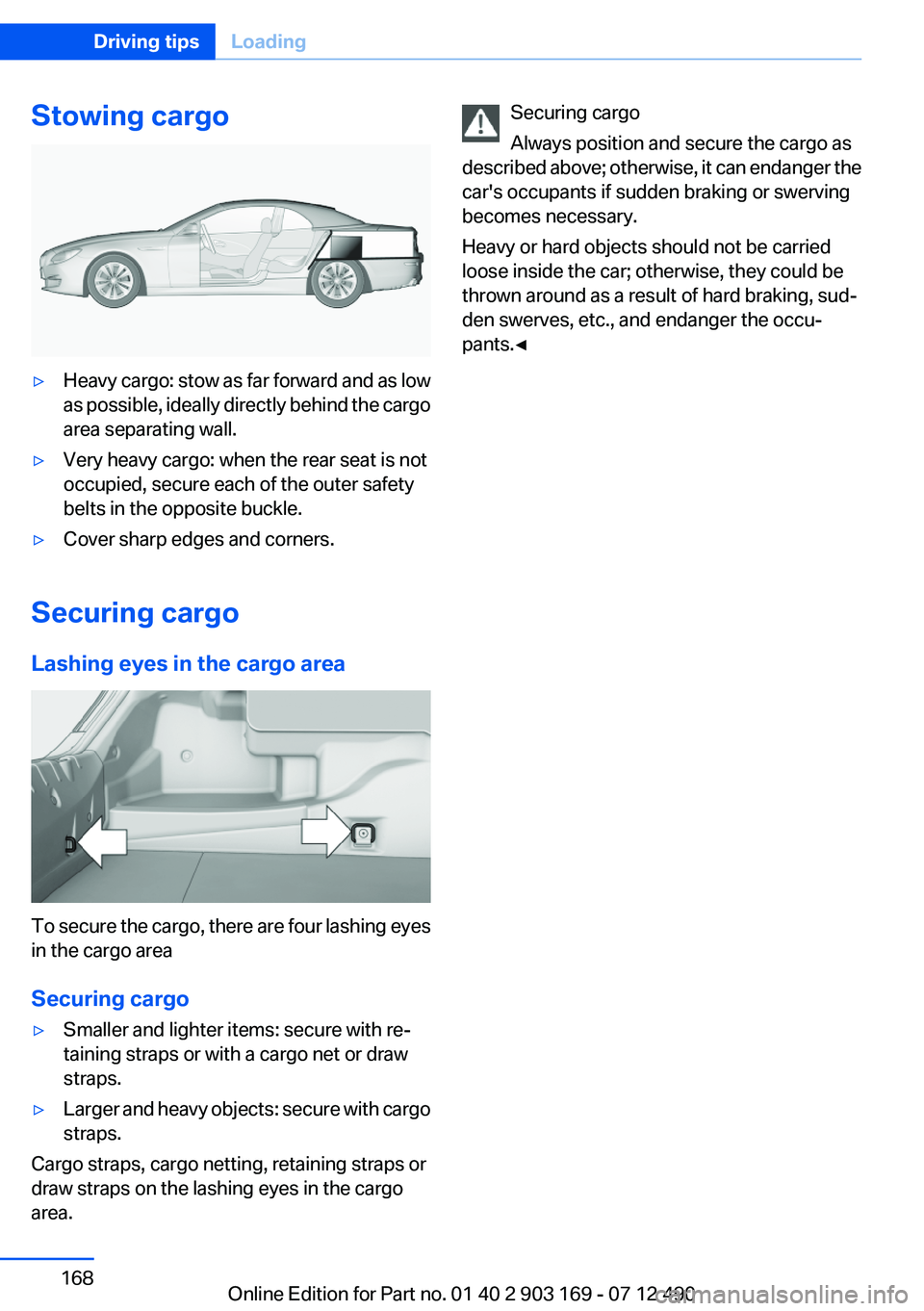
Stowing cargo▷Heavy cargo: stow as far forward and as low
as possible, ideally directly behind the cargo
area separating wall.▷Very heavy cargo: when the rear seat is not
occupied, secure each of the outer safety
belts in the opposite buckle.▷Cover sharp edges and corners.
Securing cargo
Lashing eyes in the cargo area
To secure the cargo, there are four lashing eyes
in the cargo area
Securing cargo
▷Smaller and lighter items: secure with re‐
taining straps or with a cargo net or draw
straps.▷Larger and heavy objects: secure with cargo
straps.
Cargo straps, cargo netting, retaining straps or
draw straps on the lashing eyes in the cargo
area.
Securing cargo
Always position and secure the cargo as
described above; otherwise, it can endanger the
car's occupants if sudden braking or swerving
becomes necessary.
Heavy or hard objects should not be carried
loose inside the car; otherwise, they could be
thrown around as a result of hard braking, sud‐
den swerves, etc., and endanger the occu‐
pants.◀Seite 168Driving tipsLoading168
Online Edition for Part no. 01 40 2 903 169 - 07 12 490
Page 190 of 240
Never reach into the engine compartment
Never reach into the intermediate spaces
or gaps in the engine compartment. Otherwise,
there is risk of injury, e.g. from rotating or hot
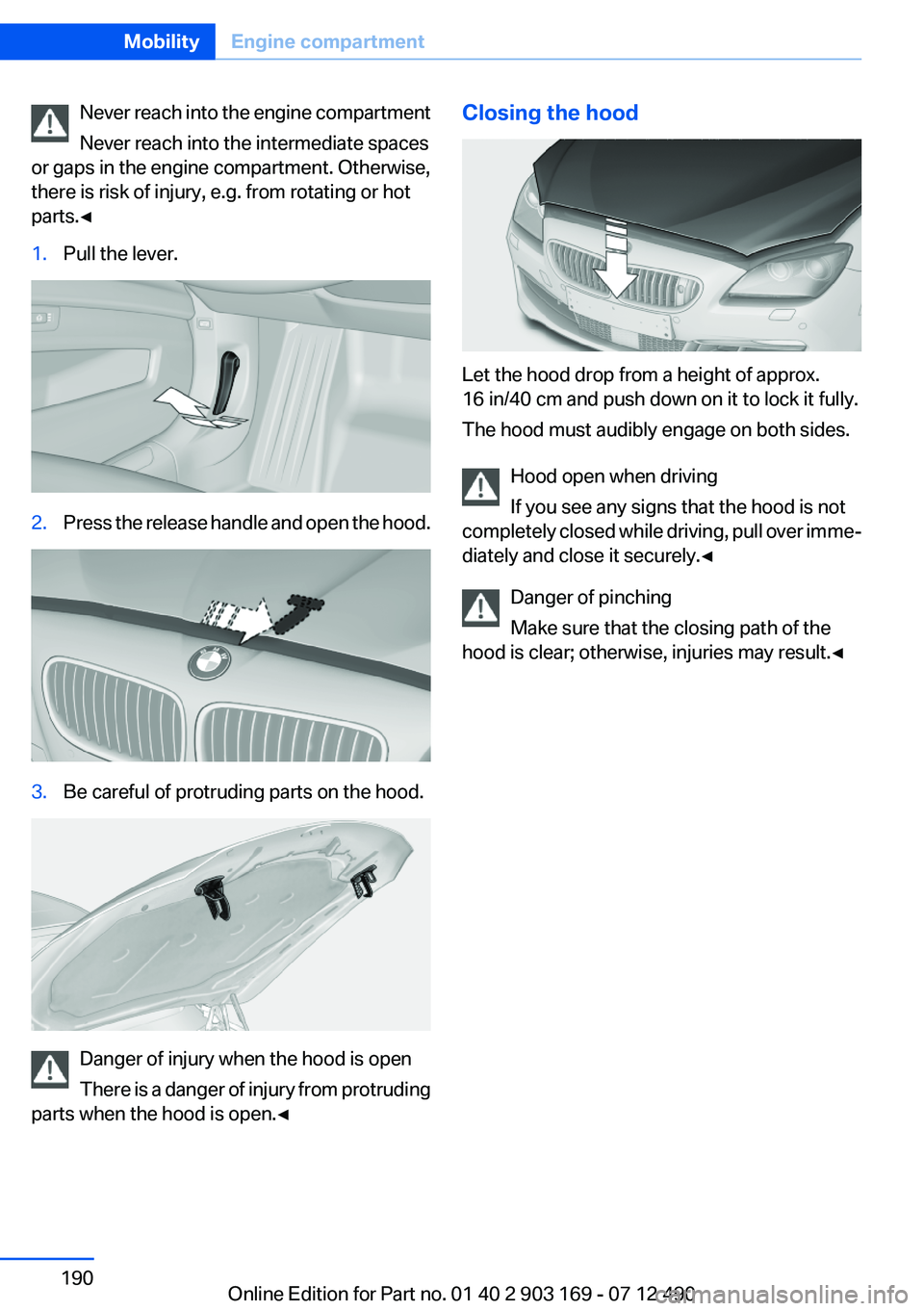
parts.◀1.Pull the lever.2.Press the release handle and open the hood.3.Be careful of protruding parts on the hood.
Danger of injury when the hood is open
There is a danger of injury from protruding
parts when the hood is open.◀
Closing the hood
Let the hood drop from a height of approx.
16 in/40 cm and push down on it to lock it fully.
The hood must audibly engage on both sides.
Hood open when driving
If you see any signs that the hood is not
completely closed while driving, pull over imme‐
diately and close it securely.◀
Danger of pinching
Make sure that the closing path of the
hood is clear; otherwise, injuries may result.◀
Seite 190MobilityEngine compartment190
Online Edition for Part no. 01 40 2 903 169 - 07 12 490
Page 200 of 240
Turning lamp on the Xenon headlamp
Follow the general instructions on lamps and
bulbs, refer to page 198.
The illustration shows the left side of the engine
compartment.
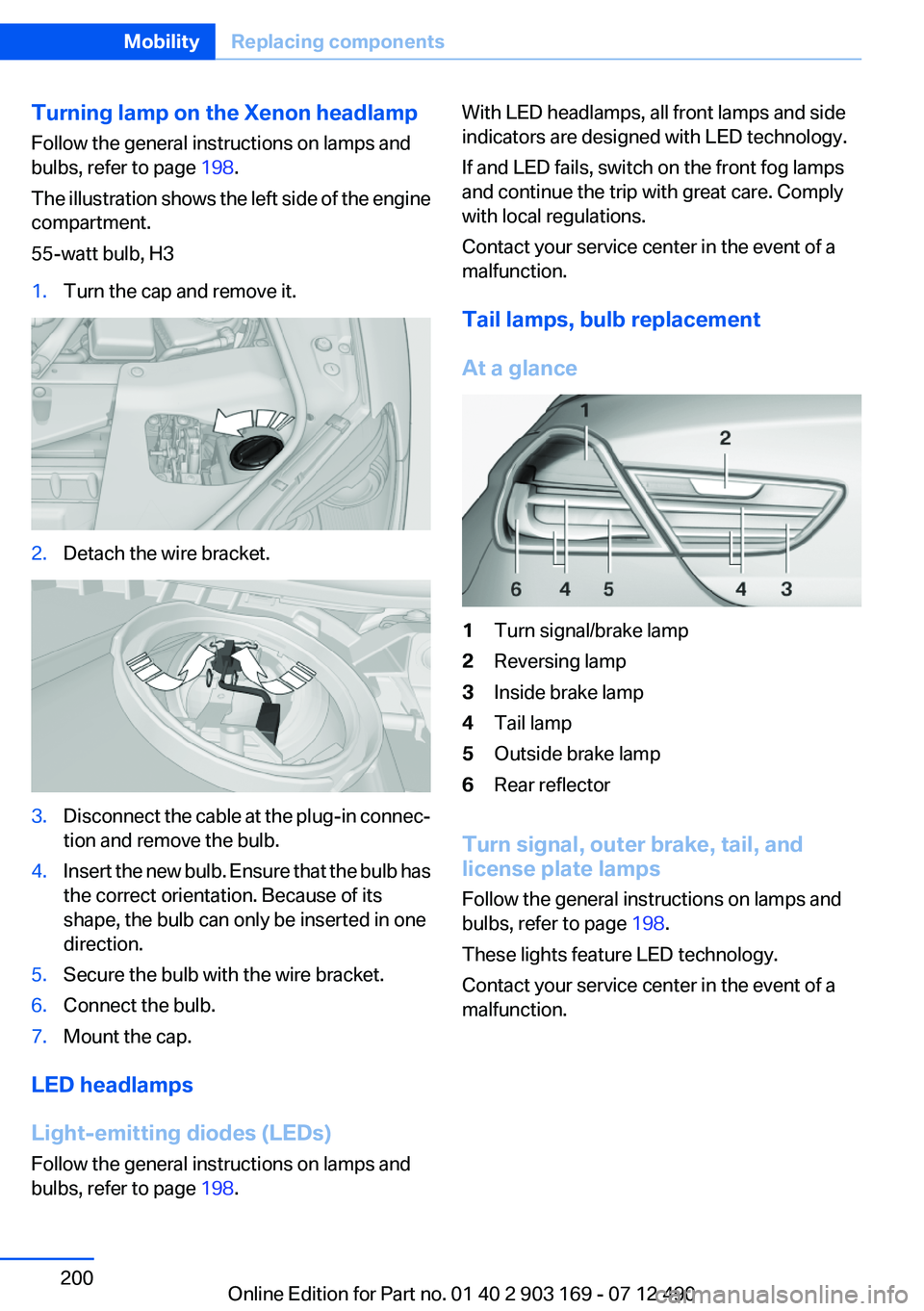
55-watt bulb, H31.Turn the cap and remove it.2.Detach the wire bracket.3.Disconnect the cable at the plug-in connec‐
tion and remove the bulb.4.Insert the new bulb. Ensure that the bulb has
the correct orientation. Because of its
shape, the bulb can only be inserted in one
direction.5.Secure the bulb with the wire bracket.6.Connect the bulb.7.Mount the cap.
LED headlamps
Light-emitting diodes (LEDs)
Follow the general instructions on lamps and
bulbs, refer to page 198.
With LED headlamps, all front lamps and side
indicators are designed with LED technology.
If and LED fails, switch on the front fog lamps
and continue the trip with great care. Comply
with local regulations.
Contact your service center in the event of a
malfunction.
Tail lamps, bulb replacement
At a glance1Turn signal/brake lamp2Reversing lamp3Inside brake lamp4Tail lamp5Outside brake lamp6Rear reflector
Turn signal, outer brake, tail, and
license plate lamps
Follow the general instructions on lamps and
bulbs, refer to page 198.
These lights feature LED technology.
Contact your service center in the event of a
malfunction.
Seite 200MobilityReplacing components200
Online Edition for Part no. 01 40 2 903 169 - 07 12 490
Page 202 of 240
Lug bolt lock
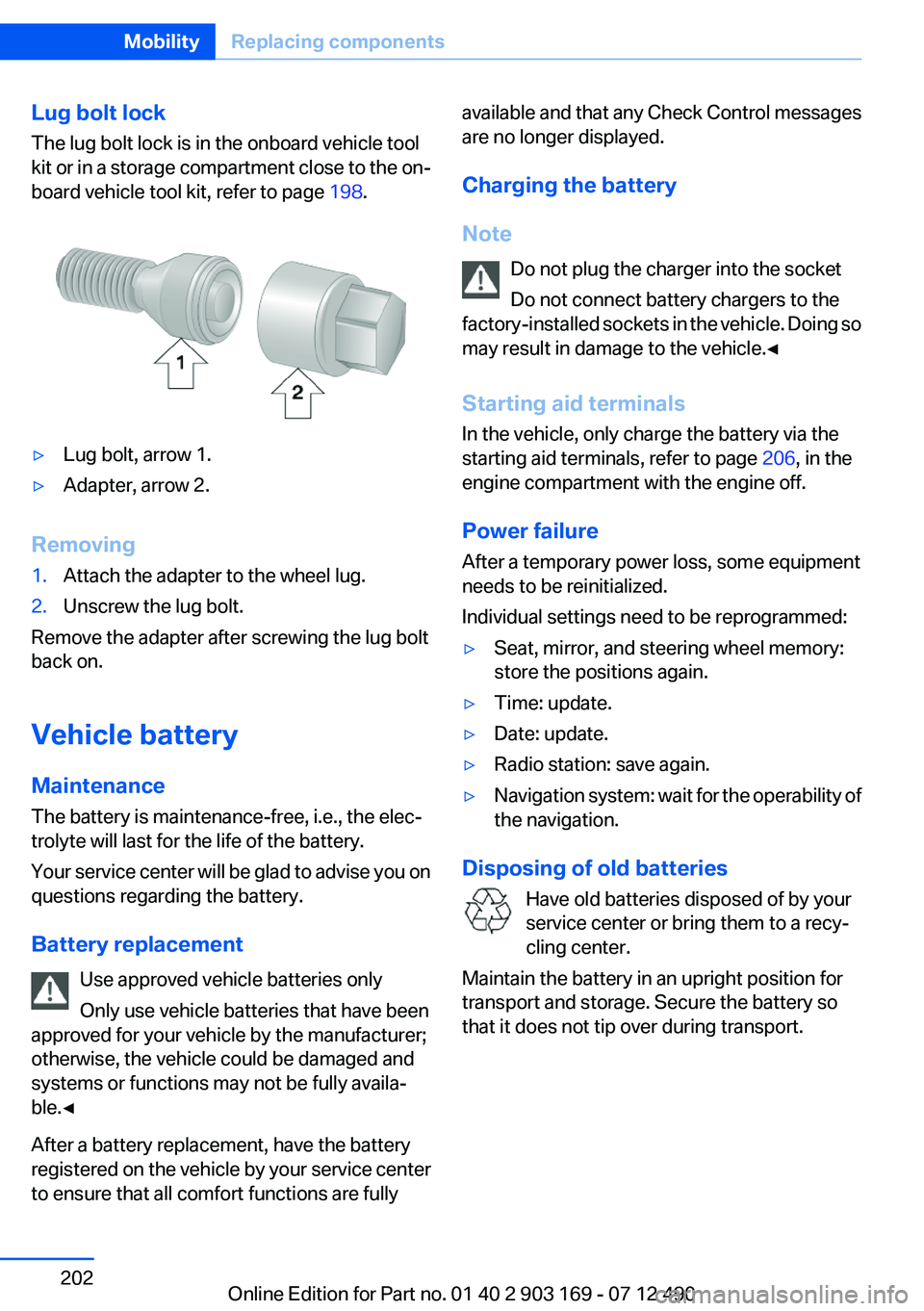
The lug bolt lock is in the onboard vehicle tool
kit or in a storage compartment close to the on‐
board vehicle tool kit, refer to page 198.▷Lug bolt, arrow 1.▷Adapter, arrow 2.
Removing
1.Attach the adapter to the wheel lug.2.Unscrew the lug bolt.
Remove the adapter after screwing the lug bolt
back on.
Vehicle battery
Maintenance
The battery is maintenance-free, i.e., the elec‐
trolyte will last for the life of the battery.
Your service center will be glad to advise you on
questions regarding the battery.
Battery replacement Use approved vehicle batteries only
Only use vehicle batteries that have been
approved for your vehicle by the manufacturer;
otherwise, the vehicle could be damaged and
systems or functions may not be fully availa‐
ble.◀
After a battery replacement, have the battery
registered on the vehicle by your service center
to ensure that all comfort functions are fully
available and that any Check Control messages
are no longer displayed.
Charging the battery
Note Do not plug the charger into the socket
Do not connect battery chargers to the
factory-installed sockets in the vehicle. Doing so
may result in damage to the vehicle.◀
Starting aid terminals
In the vehicle, only charge the battery via the
starting aid terminals, refer to page 206, in the
engine compartment with the engine off.
Power failure
After a temporary power loss, some equipment
needs to be reinitialized.
Individual settings need to be reprogrammed:▷Seat, mirror, and steering wheel memory:
store the positions again.▷Time: update.▷Date: update.▷Radio station: save again.▷Navigation system: wait for the operability of
the navigation.
Disposing of old batteries
Have old batteries disposed of by your
service center or bring them to a recy‐
cling center.
Maintain the battery in an upright position for
transport and storage. Secure the battery so
that it does not tip over during transport.
Seite 202MobilityReplacing components202
Online Edition for Part no. 01 40 2 903 169 - 07 12 490
Page 208 of 240
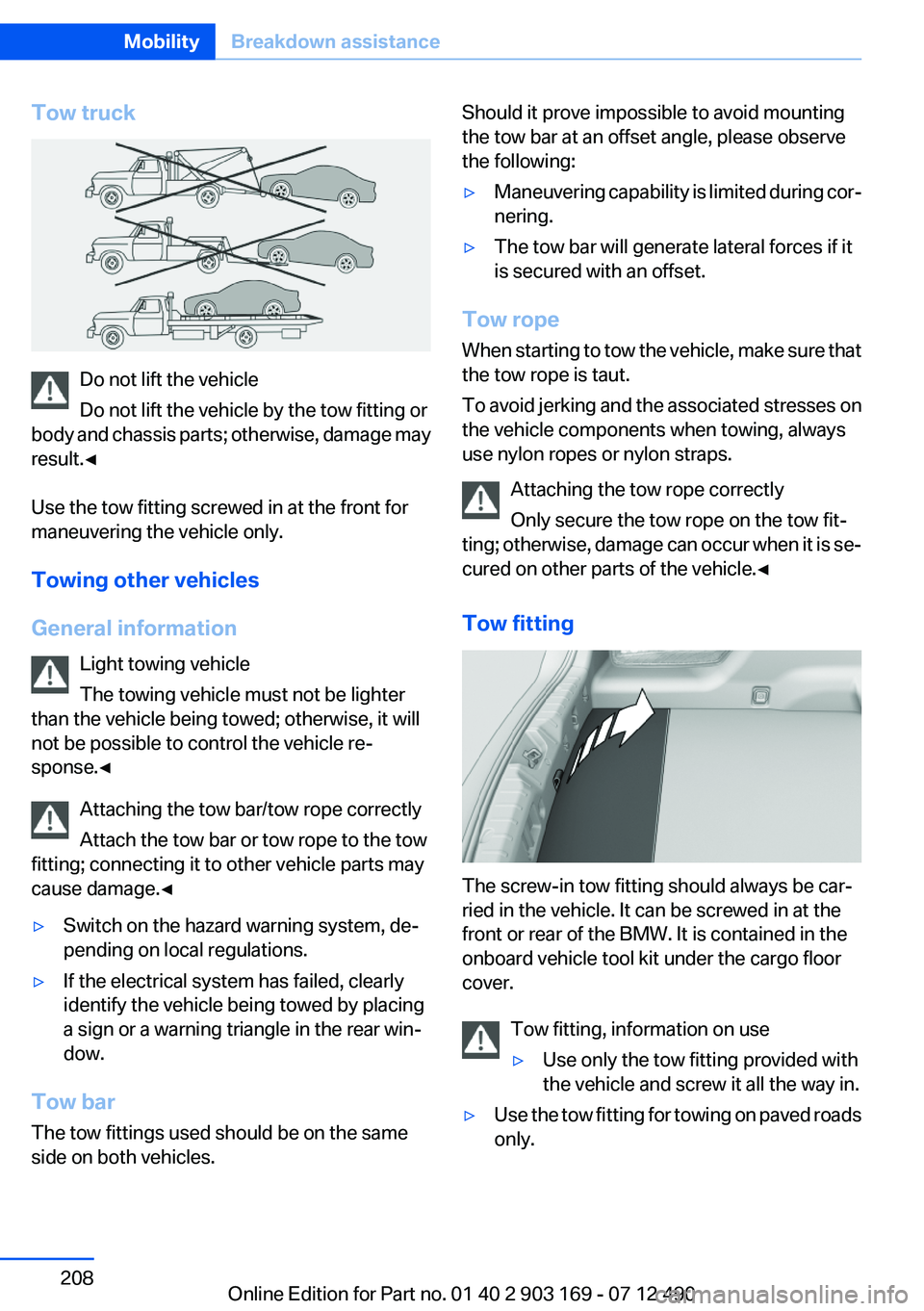
Tow truck
Do not lift the vehicle
Do not lift the vehicle by the tow fitting or
body and chassis parts; otherwise, damage may
result.◀
Use the tow fitting screwed in at the front for
maneuvering the vehicle only.
Towing other vehicles
General information Light towing vehicle
The towing vehicle must not be lighter
than the vehicle being towed; otherwise, it will
not be possible to control the vehicle re‐
sponse.◀
Attaching the tow bar/tow rope correctly
Attach the tow bar or tow rope to the tow
fitting; connecting it to other vehicle parts may
cause damage.◀
▷Switch on the hazard warning system, de‐
pending on local regulations.▷If the electrical system has failed, clearly
identify the vehicle being towed by placing
a sign or a warning triangle in the rear win‐
dow.
Tow bar
The tow fittings used should be on the same
side on both vehicles.
Should it prove impossible to avoid mounting
the tow bar at an offset angle, please observe
the following:▷Maneuvering capability is limited during cor‐
nering.▷The tow bar will generate lateral forces if it
is secured with an offset.
Tow rope
When starting to tow the vehicle, make sure that
the tow rope is taut.
To avoid jerking and the associated stresses on
the vehicle components when towing, always
use nylon ropes or nylon straps.
Attaching the tow rope correctly
Only secure the tow rope on the tow fit‐
ting; otherwise, damage can occur when it is se‐
cured on other parts of the vehicle.◀
Tow fitting
The screw-in tow fitting should always be car‐
ried in the vehicle. It can be screwed in at the
front or rear of the BMW. It is contained in the
onboard vehicle tool kit under the cargo floor
cover.
Tow fitting, information on use
▷Use only the tow fitting provided with
the vehicle and screw it all the way in.▷Use the tow fitting for towing on paved roads
only.Seite 208MobilityBreakdown assistance208
Online Edition for Part no. 01 40 2 903 169 - 07 12 490
Page 213 of 240
Damage from Velcro® fasteners
Open Velcro® fasteners on pants or other
articles of clothing can damage the seat covers.
Ensure that any Velcro® fasteners are closed. ◀
Caring for special components
Light-alloy wheels
Use wheel cleaner, particularly during the winter
months. Do not use aggressive, acidic, strongly
alkaline or abrasive cleaners, or steam jets
above 140 ℉/60 ℃; follow the manufacturer's
instructions.
Chrome surfaces
Carefully clean components such as the radiator
grille or door handles with an ample supply of
water, possibly with shampoo added, particu‐
larly when they have been exposed to road salt.
Rubber components
Aside from water, treat only with rubber cleans‐
ers.
When cleaning rubber seals, do not use any sil‐
icon-containing car care products in order to
avoid damage or reduced noise damping.
Fine wood parts
Clean fine wood facing and fine wood compo‐
nents only with a moist rag. Then dry with a soft
cloth.
Plastic components
These include:▷Imitation leather surfaces.▷Headliner.▷Lamp lenses.▷Instrument cluster cover.▷Matte black spray-coated components.▷Painted parts in the interior.
Clean with a microfiber cloth.
Lightly dampen the cloth with water.
Do not soak the headliner.
Do not use cleansers that contain alcohol
or solvents
Do not use cleansers that contain alcohol or sol‐
vents, such as lacquer thinners, heavy-duty
grease removers, fuel, or such; this could lead to
surface damage.◀
Safety belts
Dirty belt straps impede the reeling action and
thus have a negative impact on safety.
Chemical cleaning
Do not clean chemically; this can destroy
the webbing.◀
Use only a mild soapy solution, with the safety
belts clipped into their buckles.
Do not allow the reels to retract the safety belts
until they are dry.
Carpets and floor mats No objects in the area around the pedals
Keep floor mats, carpets, and any other
objects out of the area of motion of the pedals;
otherwise, the function of the pedals could be
impeded while driving
Do not place additional floor mats over existing
mats or other objects.
Only use floor mats that have been approved for
the vehicle and can be properly fixed in place.
Ensure that the floor mats are securely fastened
again after they were removed for cleaning, for
example.◀
Floor mats can be removed from the passenger
compartment for cleaning.
If the floor carpets are very dirty, clean with a
microfiber cloth and water or a textile cleaner. To
prevent matting of the carpet, rub back and forth
in the direction of travel only.Seite 213CareMobility213
Online Edition for Part no. 01 40 2 903 169 - 07 12 490
Page 231 of 240
Bottle holder, refer to Cu‐pholder 159
Brake assistant 118
Brake assistant, adaptive 118
Brake discs, breaking in 164
Brake force display 117
Brake lamps, brake force dis‐ play 117
Brake lamps, bulb replace‐ ment 200
Brake lights, adaptive 117
Brake pads, breaking in 164
Braking, notes 165
Breakdown assis‐ tance 204, 205
Breaking in 164
Brightness of Control Dis‐ play 91
Bulb replacement 198
Bulb replacement, front 0
Bulb replacement, rear 200
Bulbs and lamps 198
Button, RES 128
Button, Start/Stop 63
Bypassing, refer to Jump- starting 206
C
California Proposition 65 Warning 7
Camera, backup camera 137
Camera, care 214
Camera, Side View 141
Camera, Top View 139
Can holder, refer to Cu‐ pholder 159
Car battery 202
Car care products 211
Care, displays 214
Care, vehicle 211
Cargo 167
Cargo area lid 38
Cargo area partition 46
Cargo area, storage compart‐ ments 160 Cargo straps, securing
cargo 168
Car key, refer to Remote con‐ trol 30
Carpet, care 213
Car wash 210
Catalytic converter, refer to Hot exhaust system 165
CBS Condition Based Serv‐ ice 195
CD/Multimedia, see user's manual for Navigation, Enter‐
tainment and Communica‐
tion
Center console 14
Central locking system 33
Central screen, refer to Control Display 16
Changes, technical, refer to Safety 7
Changing parts 198
Changing wheels 201
Changing wheels/tires 186
Check Control 80
Children, seating position 60
Children, transporting safely 60
Child restraint fixing sys‐ tem 60
Child restraint fixing system LATCH 61
Child restraint fixing systems, mounting 60
Child seat, mounting 60
Child seats 60
Chrome parts, care 213
Cigarette lighter 155
Cleaning, displays 214
Climate control 148
Climate control wind‐ shield 165
Clock 83
Closing/opening from in‐ side 37
Closing/opening via door lock 37 Closing/opening with remote
control 34
Collision warning 107, 109
Combination switch, refer to Turn signals 69
Combination switch, refer to Wiper system 70
COMFORT+ program, Driving Experience Switch 124
Comfort Access 39
COMFORT program, Driving Experience Switch 124
Computer 87
Condensation on win‐ dows 149
Condensation under the vehi‐ cle 166
Condition Based Service CBS 195
Configure driving mode 124
Confirmation signal 36
ConnectedDrive, see user's manual for Navigation, Enter‐
tainment and Communica‐
tion
Control Display 16
Control Display, settings 90
Controller 16
Control systems, driving sta‐ bility 118
Convenient closing 35
Convenient opening 35
Convertible, convertible top 43
Convertible mode, automatic climate control 149
Convertible program, auto‐ matic climate control 149
Convertible top 43
Convertible top, care 212
Convertible top, cargo area partition 46
Convertible top, emergency operation 46
Convertible top, rollover pro‐ tection system 101 Seite 231Everything from A to ZReference231
Online Edition for Part no. 01 40 2 903 169 - 07 12 490
Page 233 of 240
Exterior mirror, automatic dim‐ming feature 58
Exterior mirrors 57
External start 206
External temperature dis‐ play 83
External temperature warn‐ ing 83
Eyes for securing cargo 168
F
Failure message, refer to Check Control 80
False alarm, refer to Uninten‐ tional alarm 42
Fan, refer to Air flow 149
Fault displays, refer to Check Control 80
Filler neck for engine oil 192
Fine wood, care 213
First aid kit 205
Fitting for towing, refer to Tow fitting 208
Flat tire, changing wheels 201
Flat Tire Monitor FTM 105
Flat tire, Tire Pressure Monitor TPM 102
Flat tire, warning lamp 103, 106
Flooding 165
Floor carpet, care 213
Floor mats, care 213
Fold-out position, windshield wipers 72
Foot brake 165
Front airbags 98
Front center armrest 159
Front fog lamps 96
Front lamps 0
Front passenger airbags, au‐ tomatic deactivation 99
Front passenger airbags, indi‐ cator lamp 100
Front seats 51 Front turn signals, refer to
Light-emitting diodes,
LEDs 199
FTM Flat Tire Monitor 105
Fuel cap 176
Fuel consumption, current 84
Fuel consumption, refer to Average fuel consump‐
tion 88
Fuel filler flap 176
Fuel gauge 83
Fuel quality 178
Fuel, tank capacity 220
Fuse 203
G
Garage door opener, refer to Integrated universal remote
control 153
Gasoline 178
Gasoline quality 178
Gear change, automatic trans‐ mission 73
Gear shift indicator 85
General driving notes 164
Glove compartment 158
Gross vehicle weight, ap‐ proved 219
H
Handbrake, refer to Parking brake 67
Hand-held transmitter, alter‐ nating code 154
Hazard warning flashers 204
HDC Hill Descent Control 120
Headlamp control, auto‐ matic 94
Headlamp courtesy delay fea‐ ture 94
Headlamp courtesy delay fea‐ ture via remote control 35
Headlamp flasher 70
Headlamp glass 199 Headlamps 0
Headlamps, care 211
Headlamp washer system 70
Head restraints 51
Head restraints, front 55
Head-Up Display 146
Head-up Display, care 214
Heavy cargo, stowing 168
Height, seats 51
Height, vehicle 218
High-beam Assistant 95
High beams 70
High beams/low beams, refer to High-beam Assistant 95
Hill Descent Control HDC 120
Hills 166
Hill start assistant, refer to Drive-off assistant 118
Hints 6
Holder for beverages 159
Homepage 6
Hood 189
Horn 12
Hotel function, trunk lid 39
Hot exhaust system 165
HUD Head-Up Display 146
Hydroplaning 165
I
Ice warning, refer to External temperature warning 83
Icy roads, refer to External temperature warning 83
Identification marks, tires 184
Identification number, refer to Important features in the en‐
gine compartment 189
iDrive 16
Ignition key, refer to Remote control 30
Ignition off 63
Ignition on 63
Indication of a flat tire 103 , 106
Individual air distribution 149 Seite 233Everything from A to ZReference233
Online Edition for Part no. 01 40 2 903 169 - 07 12 490
Page 234 of 240
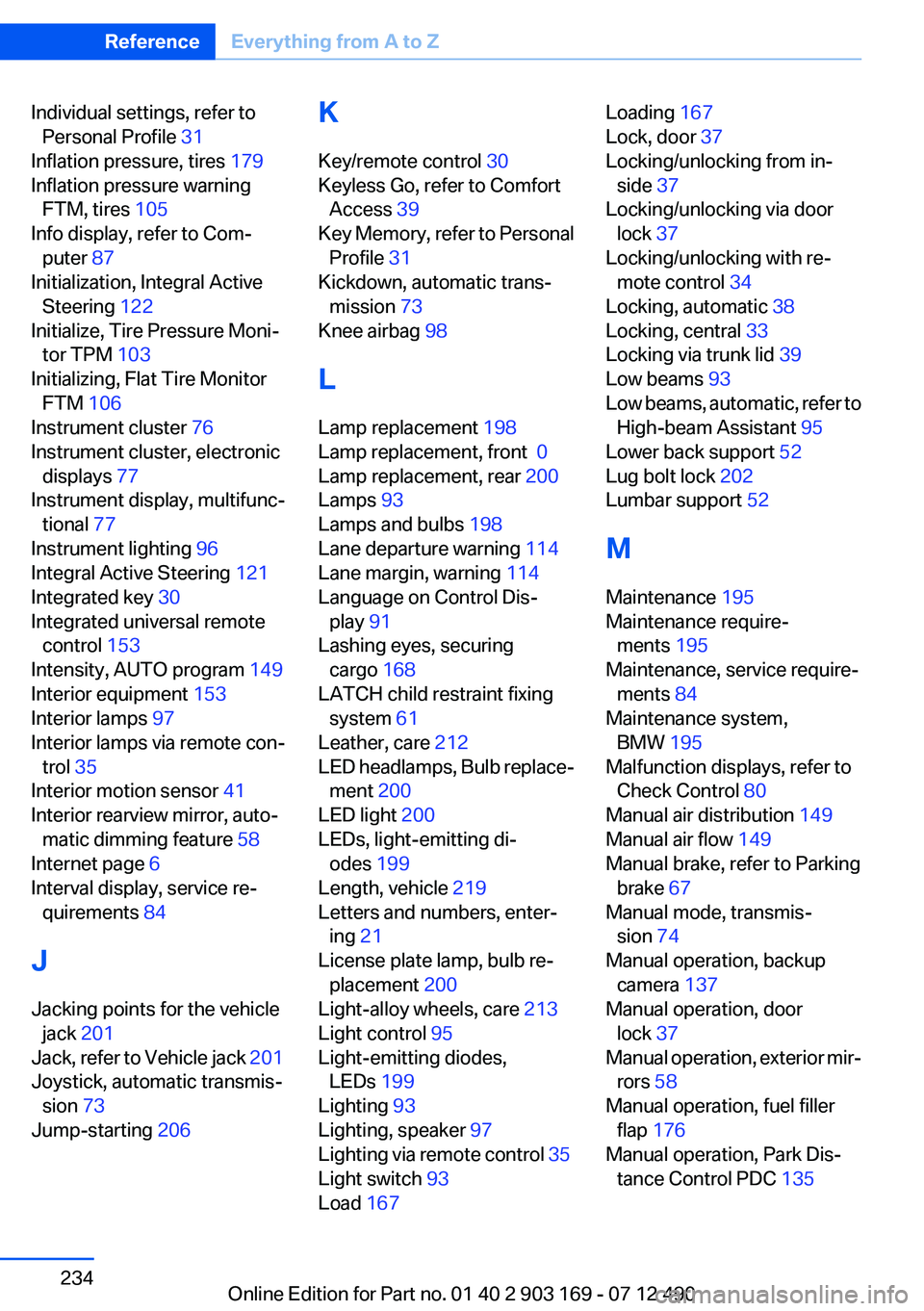
Individual settings, refer toPersonal Profile 31
Inflation pressure, tires 179
Inflation pressure warning FTM, tires 105
Info display, refer to Com‐ puter 87
Initialization, Integral Active Steering 122
Initialize, Tire Pressure Moni‐ tor TPM 103
Initializing, Flat Tire Monitor FTM 106
Instrument cluster 76
Instrument cluster, electronic displays 77
Instrument display, multifunc‐ tional 77
Instrument lighting 96
Integral Active Steering 121
Integrated key 30
Integrated universal remote control 153
Intensity, AUTO program 149
Interior equipment 153
Interior lamps 97
Interior lamps via remote con‐ trol 35
Interior motion sensor 41
Interior rearview mirror, auto‐ matic dimming feature 58
Internet page 6
Interval display, service re‐ quirements 84
J
Jacking points for the vehicle jack 201
Jack, refer to Vehicle jack 201
Joystick, automatic transmis‐ sion 73
Jump-starting 206 K
Key/remote control 30
Keyless Go, refer to Comfort Access 39
Key Memory, refer to Personal Profile 31
Kickdown, automatic trans‐ mission 73
Knee airbag 98
L
Lamp replacement 198
Lamp replacement, front 0
Lamp replacement, rear 200
Lamps 93
Lamps and bulbs 198
Lane departure warning 114
Lane margin, warning 114
Language on Control Dis‐ play 91
Lashing eyes, securing cargo 168
LATCH child restraint fixing system 61
Leather, care 212
LED headlamps, Bulb replace‐ ment 200
LED light 200
LEDs, light-emitting di‐ odes 199
Length, vehicle 219
Letters and numbers, enter‐ ing 21
License plate lamp, bulb re‐ placement 200
Light-alloy wheels, care 213
Light control 95
Light-emitting diodes, LEDs 199
Lighting 93
Lighting, speaker 97
Lighting via remote control 35
Light switch 93
Load 167 Loading 167
Lock, door 37
Locking/unlocking from in‐ side 37
Locking/unlocking via door lock 37
Locking/unlocking with re‐ mote control 34
Locking, automatic 38
Locking, central 33
Locking via trunk lid 39
Low beams 93
Low beams, automatic, refer to High-beam Assistant 95
Lower back support 52
Lug bolt lock 202
Lumbar support 52
M
Maintenance 195
Maintenance require‐ ments 195
Maintenance, service require‐ ments 84
Maintenance system, BMW 195
Malfunction displays, refer to Check Control 80
Manual air distribution 149
Manual air flow 149
Manual brake, refer to Parking brake 67
Manual mode, transmis‐ sion 74
Manual operation, backup camera 137
Manual operation, door lock 37
Manual operation, exterior mir‐ rors 58
Manual operation, fuel filler flap 176
Manual operation, Park Dis‐ tance Control PDC 135 Seite 234ReferenceEverything from A to Z234
Online Edition for Part no. 01 40 2 903 169 - 07 12 490
Page 236 of 240
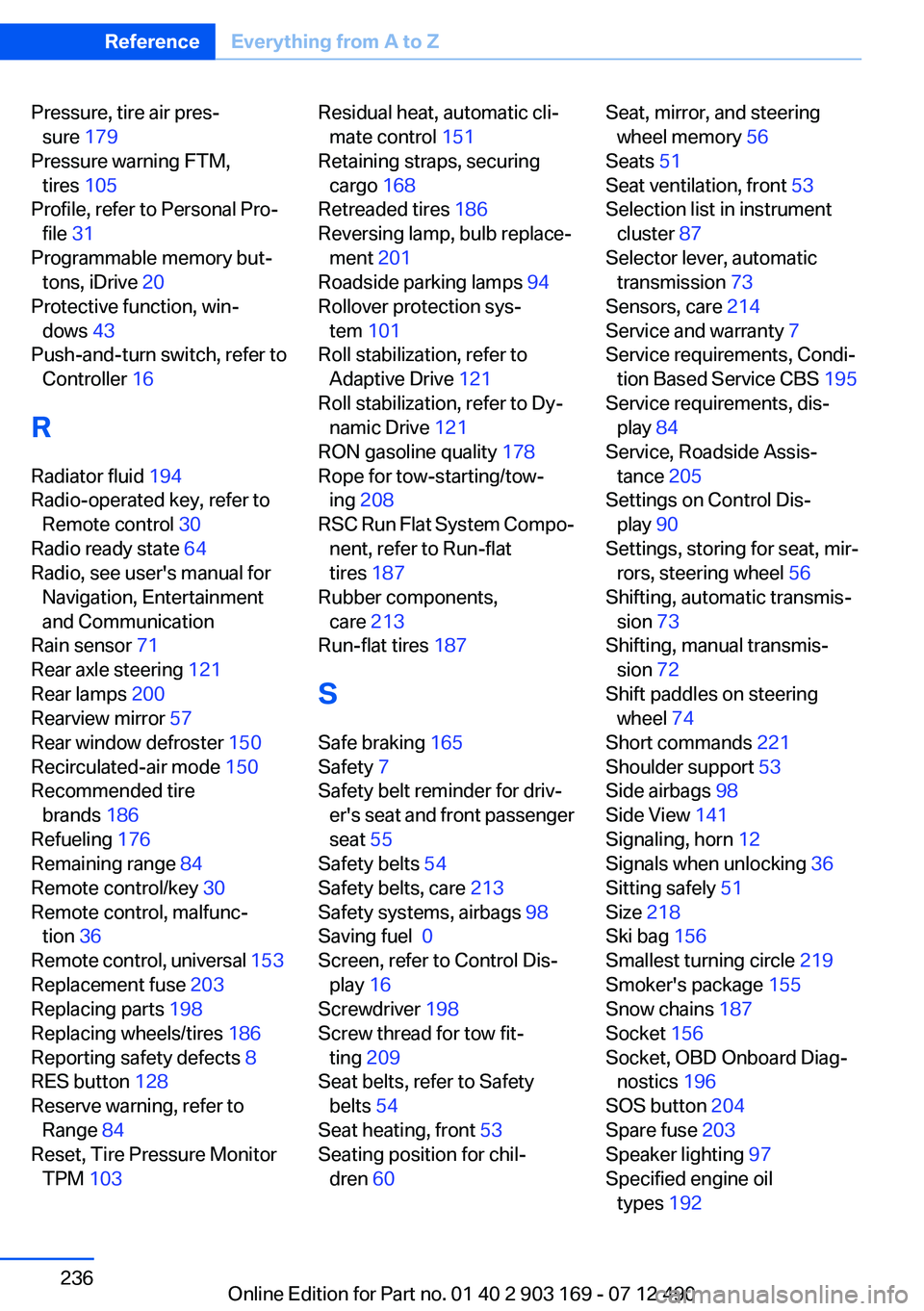
Pressure, tire air pres‐sure 179
Pressure warning FTM, tires 105
Profile, refer to Personal Pro‐ file 31
Programmable memory but‐ tons, iDrive 20
Protective function, win‐ dows 43
Push-and-turn switch, refer to Controller 16
R
Radiator fluid 194
Radio-operated key, refer to Remote control 30
Radio ready state 64
Radio, see user's manual for Navigation, Entertainment
and Communication
Rain sensor 71
Rear axle steering 121
Rear lamps 200
Rearview mirror 57
Rear window defroster 150
Recirculated-air mode 150
Recommended tire brands 186
Refueling 176
Remaining range 84
Remote control/key 30
Remote control, malfunc‐ tion 36
Remote control, universal 153
Replacement fuse 203
Replacing parts 198
Replacing wheels/tires 186
Reporting safety defects 8
RES button 128
Reserve warning, refer to Range 84
Reset, Tire Pressure Monitor TPM 103 Residual heat, automatic cli‐
mate control 151
Retaining straps, securing cargo 168
Retreaded tires 186
Reversing lamp, bulb replace‐ ment 201
Roadside parking lamps 94
Rollover protection sys‐ tem 101
Roll stabilization, refer to Adaptive Drive 121
Roll stabilization, refer to Dy‐ namic Drive 121
RON gasoline quality 178
Rope for tow-starting/tow‐ ing 208
RSC Run Flat System Compo‐ nent, refer to Run-flat
tires 187
Rubber components, care 213
Run-flat tires 187
S
Safe braking 165
Safety 7
Safety belt reminder for driv‐ er's seat and front passenger
seat 55
Safety belts 54
Safety belts, care 213
Safety systems, airbags 98
Saving fuel 0
Screen, refer to Control Dis‐ play 16
Screwdriver 198
Screw thread for tow fit‐ ting 209
Seat belts, refer to Safety belts 54
Seat heating, front 53
Seating position for chil‐ dren 60 Seat, mirror, and steering
wheel memory 56
Seats 51
Seat ventilation, front 53
Selection list in instrument cluster 87
Selector lever, automatic transmission 73
Sensors, care 214
Service and warranty 7
Service requirements, Condi‐ tion Based Service CBS 195
Service requirements, dis‐ play 84
Service, Roadside Assis‐ tance 205
Settings on Control Dis‐ play 90
Settings, storing for seat, mir‐ rors, steering wheel 56
Shifting, automatic transmis‐ sion 73
Shifting, manual transmis‐ sion 72
Shift paddles on steering wheel 74
Short commands 221
Shoulder support 53
Side airbags 98
Side View 141
Signaling, horn 12
Signals when unlocking 36
Sitting safely 51
Size 218
Ski bag 156
Smallest turning circle 219
Smoker's package 155
Snow chains 187
Socket 156
Socket, OBD Onboard Diag‐ nostics 196
SOS button 204
Spare fuse 203
Speaker lighting 97
Specified engine oil types 192 Seite 236ReferenceEverything from A to Z236
Online Edition for Part no. 01 40 2 903 169 - 07 12 490