reset BMW 640I COUPE 2013 User Guide
[x] Cancel search | Manufacturer: BMW, Model Year: 2013, Model line: 640I COUPE, Model: BMW 640I COUPE 2013Pages: 232, PDF Size: 8.98 MB
Page 99 of 232
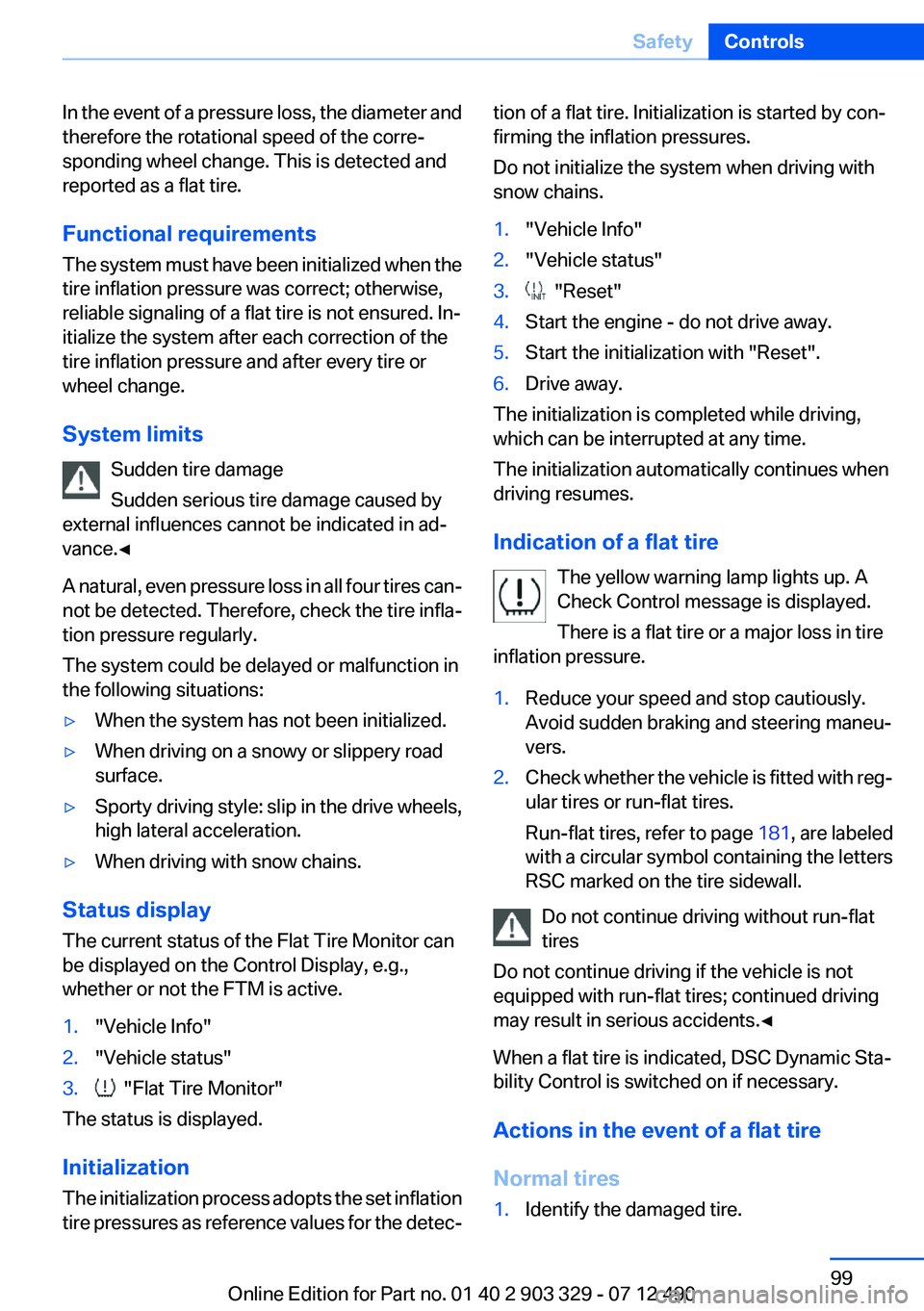
In the event of a pressure loss, the diameter and
therefore the rotational speed of the corre‐
sponding wheel change. This is detected and
reported as a flat tire.
Functional requirements
The system must have been initialized when the
tire inflation pressure was correct; otherwise,
reliable signaling of a flat tire is not ensured. In‐
itialize the system after each correction of the
tire inflation pressure and after every tire or
wheel change.
System limits Sudden tire damage
Sudden serious tire damage caused by
external influences cannot be indicated in ad‐
vance.◀
A natural, even pressure loss in all four tires can‐
not be detected. Therefore, check the tire infla‐
tion pressure regularly.
The system could be delayed or malfunction in
the following situations:▷When the system has not been initialized.▷When driving on a snowy or slippery road
surface.▷Sporty driving style: slip in the drive wheels,
high lateral acceleration.▷When driving with snow chains.
Status display
The current status of the Flat Tire Monitor can
be displayed on the Control Display, e.g.,
whether or not the FTM is active.
1."Vehicle Info"2."Vehicle status"3. "Flat Tire Monitor"
The status is displayed.
Initialization
The initialization process adopts the set inflation
tire pressures as reference values for the detec‐
tion of a flat tire. Initialization is started by con‐
firming the inflation pressures.
Do not initialize the system when driving with
snow chains.1."Vehicle Info"2."Vehicle status"3. "Reset"4.Start the engine - do not drive away.5.Start the initialization with "Reset".6.Drive away.
The initialization is completed while driving,
which can be interrupted at any time.
The initialization automatically continues when
driving resumes.
Indication of a flat tire The yellow warning lamp lights up. A
Check Control message is displayed.
There is a flat tire or a major loss in tire
inflation pressure.
1.Reduce your speed and stop cautiously.
Avoid sudden braking and steering maneu‐
vers.2.Check whether the vehicle is fitted with reg‐
ular tires or run-flat tires.
Run-flat tires, refer to page 181, are labeled
with a circular symbol containing the letters
RSC marked on the tire sidewall.
Do not continue driving without run-flat
tires
Do not continue driving if the vehicle is not
equipped with run-flat tires; continued driving
may result in serious accidents.◀
When a flat tire is indicated, DSC Dynamic Sta‐
bility Control is switched on if necessary.
Actions in the event of a flat tire
Normal tires
1.Identify the damaged tire.Seite 99SafetyControls99
Online Edition for Part no. 01 40 2 903 329 - 07 12 490
Page 144 of 232
is shown on the display of the automatic cli‐
mate control.
The interior temperature, air volume and air dis‐
tribution can be adjusted with the ignition
switched on.
Switching off
At the lowest fan speed, press the left side of the
button on the driver's side.
on the display of the automatic climate control
goes out.
Switching the system on/off
Switching off
▷Complete system: Press and hold the left button on
the driver's side until the control
clicks off.▷On the front passenger side:
Press and hold the left button on
the front passenger side.
Switching on
Press any button except:
▷ALL program.▷Rear window defroster.▷Left side of Air volume button.▷Seat heating.▷Seat ventilation.
Microfilter/activated-charcoal filter
The microfilter removes dust and pollen from
the incoming air.
The activated-charcoal filter removes gaseous
pollutants from the outside air that enters the
vehicle.
This combined filter should be replaced during
scheduled maintenance, refer to page 189, of
your vehicle.
Ventilation
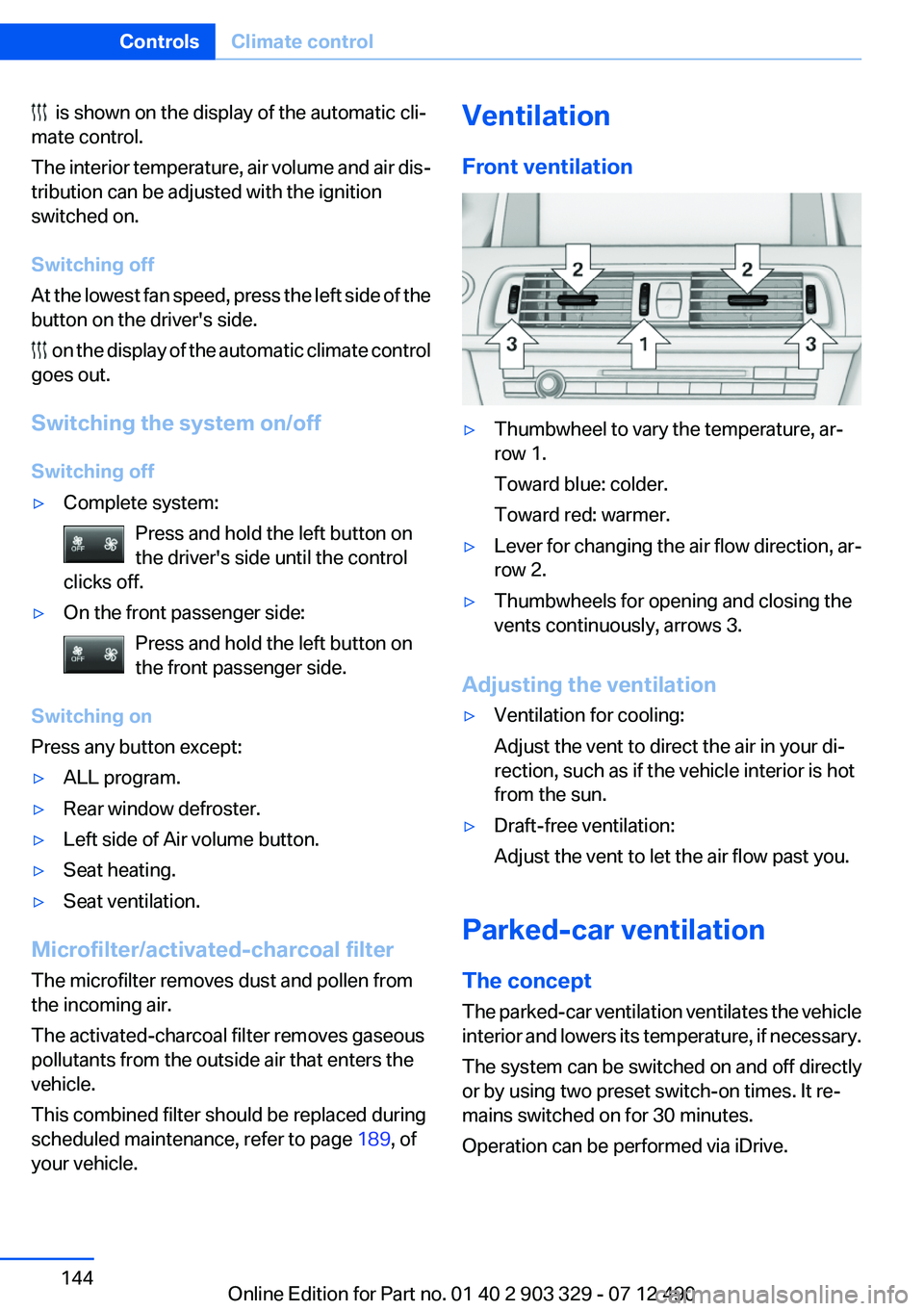
Front ventilation▷Thumbwheel to vary the temperature, ar‐
row 1.
Toward blue: colder.
Toward red: warmer.▷Lever for changing the air flow direction, ar‐
row 2.▷Thumbwheels for opening and closing the
vents continuously, arrows 3.
Adjusting the ventilation
▷Ventilation for cooling:
Adjust the vent to direct the air in your di‐
rection, such as if the vehicle interior is hot
from the sun.▷Draft-free ventilation:
Adjust the vent to let the air flow past you.
Parked-car ventilation
The concept
The parked-car ventilation ventilates the vehicle
interior and lowers its temperature, if necessary.
The system can be switched on and off directly
or by using two preset switch-on times. It re‐
mains switched on for 30 minutes.
Operation can be performed via iDrive.
Seite 144ControlsClimate control144
Online Edition for Part no. 01 40 2 903 329 - 07 12 490
Page 145 of 232
Parked-car ventilation
Using the preset switch-on time or when oper‐
ated directly: any external temperature.
Open the vents to allow air to flow out.
Switching on/off directly1."Settings"2."Climate"3."Activate parked-car vent."
The symbol on the automatic climate control
flashes if the system is switched on.
The system continues to run for some time after
being switched off.
Preselecting the switch-on time
1."Settings"2."Climate"3."Timer 1:" or "Timer 2:"4.Set the desired time.
Activating the switch-on time
1."Settings"2."Climate"3."Activate Timer 1" or "Activate Timer 2"
The symbol on the automatic climate control
lights up when the switch-on time is activated.
The symbol on the automatic climate control
flashes when the system has been switched on.
The system will only be switched on within the
next 24 hours. After that, it needs to reactivated.
Seite 145Climate controlControls145
Online Edition for Part no. 01 40 2 903 329 - 07 12 490
Page 166 of 232
The climate control is adjusted to be fuel-effi‐
cient.
By making a slight change to the set tempera‐
ture, or adjusting the rate of heating or cooling
of the passenger compartment fuel consump‐
tion can be economized.
The output of the seat heater is also reduced.
ECO PRO Potential
The percentage of potential savings that can be
achieved with the current configuration is dis‐
played.
Indications on the Control Display
EfficientDynamics
Information on fuel consumption and technol‐
ogy can be displayed during driving.1."Vehicle Info"2."EfficientDynamics"
Displaying fuel consumption history
The average fuel consumption can be displayed
within an adjustable time frame.
"Consumption history"
Adjusting fuel consumption history
time frame
Select the symbol.
Resetting fuel consumption history
1.Open "Options".2."Reset consumption history"
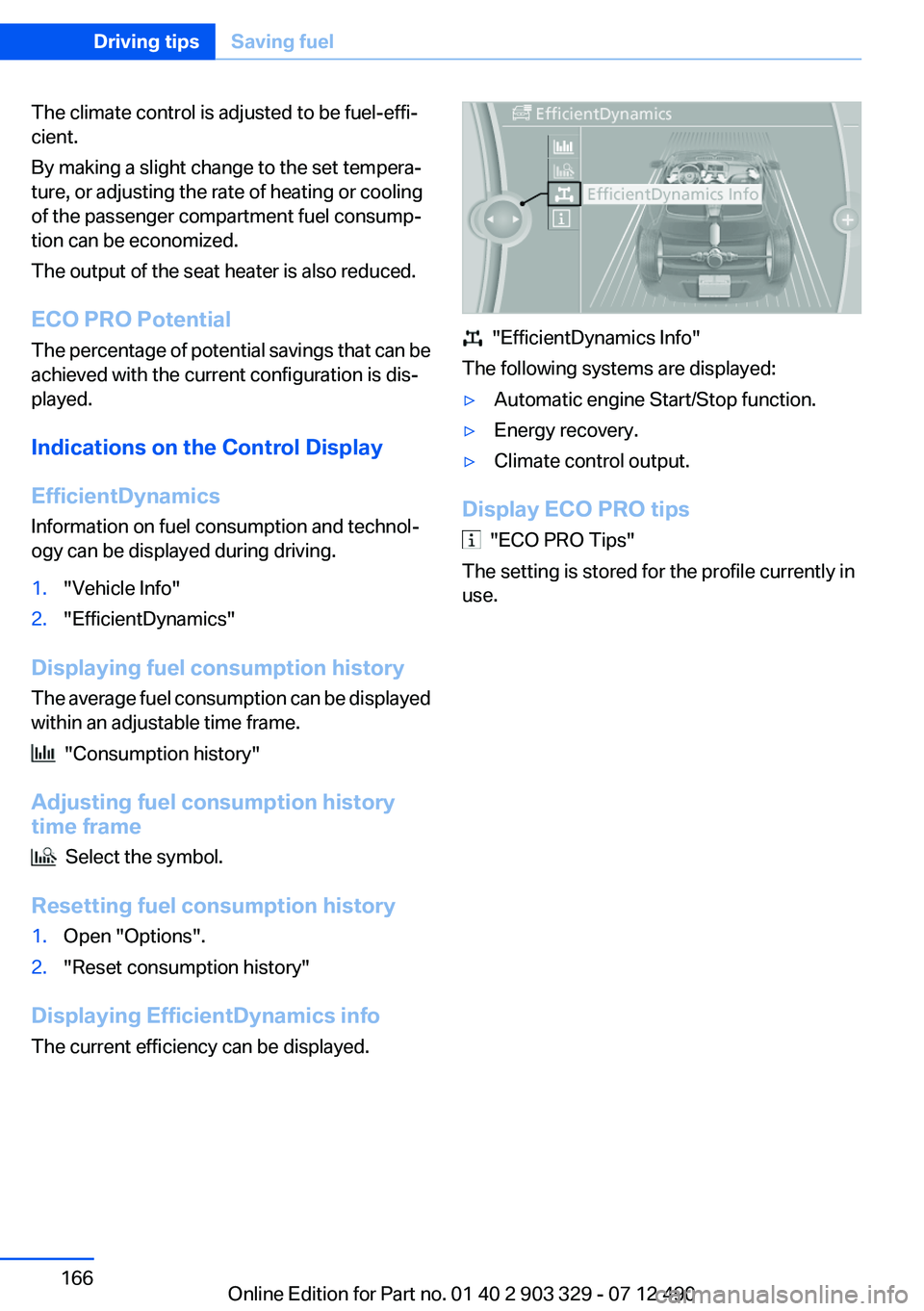
Displaying EfficientDynamics info
The current efficiency can be displayed.
"EfficientDynamics Info"
The following systems are displayed:
▷Automatic engine Start/Stop function.▷Energy recovery.▷Climate control output.
Display ECO PRO tips
"ECO PRO Tips"
The setting is stored for the profile currently in
use.
Seite 166Driving tipsSaving fuel166
Online Edition for Part no. 01 40 2 903 329 - 07 12 490
Page 218 of 232
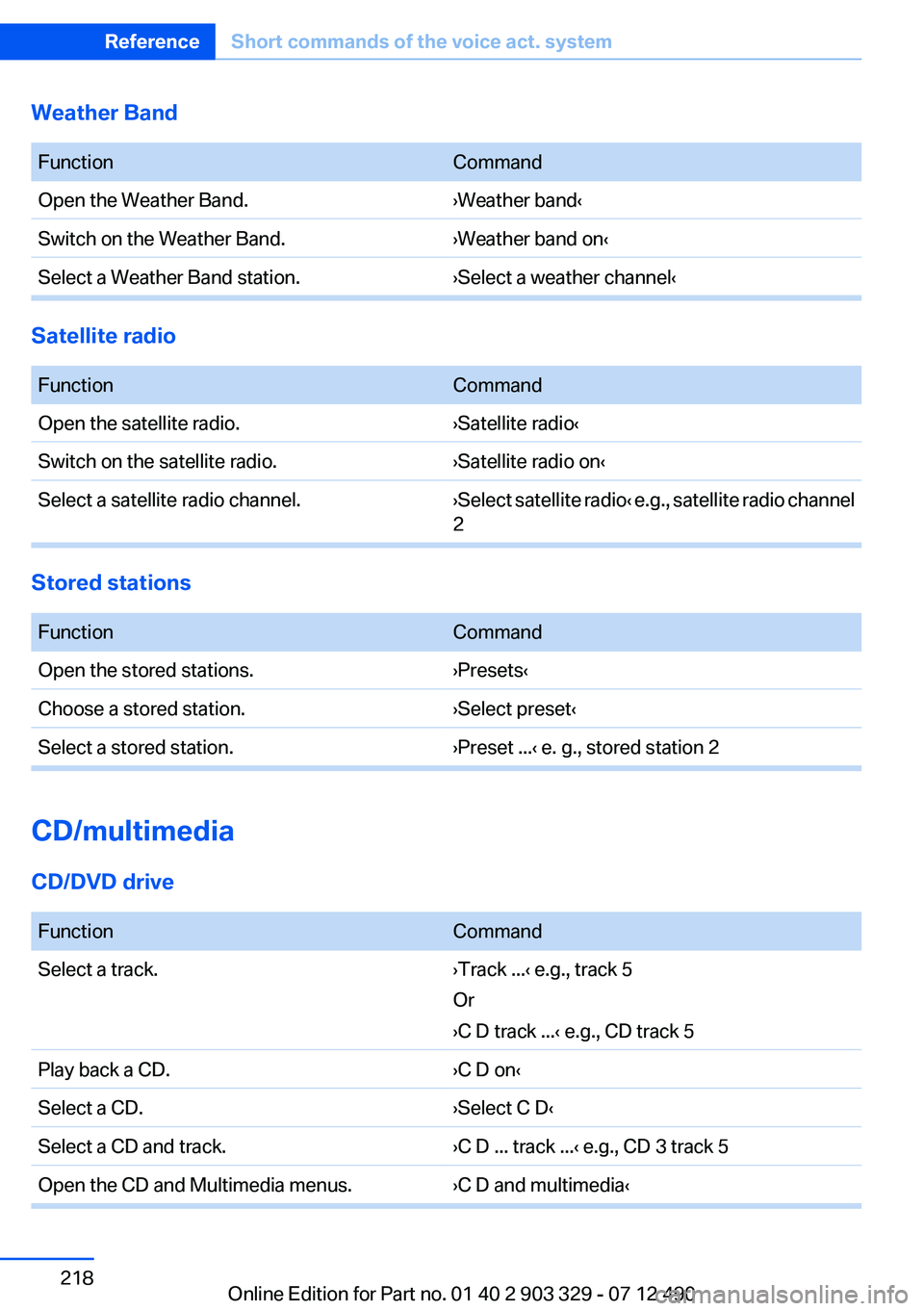
Weather Band
FunctionCommandOpen the Weather Band.›Weather band‹Switch on the Weather Band.›Weather band on‹Select a Weather Band station.›Select a weather channel‹
Satellite radio
FunctionCommandOpen the satellite radio.›Satellite radio‹Switch on the satellite radio.›Satellite radio on‹Select a satellite radio channel.› Select satellite radio ‹ e.g., satellite radio channel
2
Stored stations
FunctionCommandOpen the stored stations.›Presets‹Choose a stored station.›Select preset‹Select a stored station.›Preset ...‹ e. g., stored station 2
CD/multimedia
CD/DVD drive
FunctionCommandSelect a track.›Track ...‹ e.g., track 5
Or
›C D track ...‹ e.g., CD track 5Play back a CD.›C D on‹Select a CD.›Select C D‹Select a CD and track.›C D ... track ...‹ e.g., CD 3 track 5Open the CD and Multimedia menus.›C D and multimedia‹Seite 218ReferenceShort commands of the voice act. system218
Online Edition for Part no. 01 40 2 903 329 - 07 12 490
Page 228 of 232
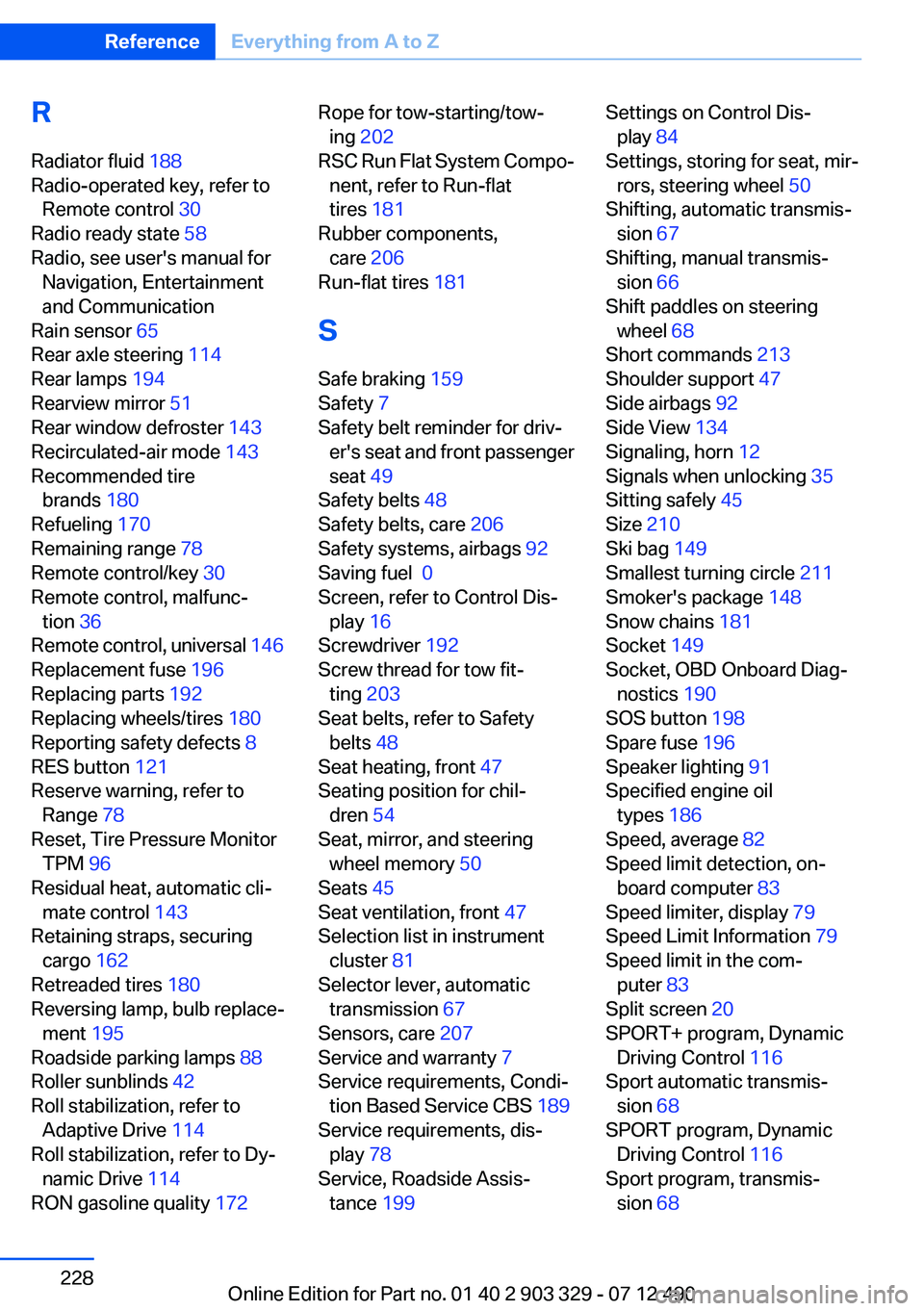
R
Radiator fluid 188
Radio-operated key, refer to Remote control 30
Radio ready state 58
Radio, see user's manual for Navigation, Entertainment
and Communication
Rain sensor 65
Rear axle steering 114
Rear lamps 194
Rearview mirror 51
Rear window defroster 143
Recirculated-air mode 143
Recommended tire brands 180
Refueling 170
Remaining range 78
Remote control/key 30
Remote control, malfunc‐ tion 36
Remote control, universal 146
Replacement fuse 196
Replacing parts 192
Replacing wheels/tires 180
Reporting safety defects 8
RES button 121
Reserve warning, refer to Range 78
Reset, Tire Pressure Monitor TPM 96
Residual heat, automatic cli‐ mate control 143
Retaining straps, securing cargo 162
Retreaded tires 180
Reversing lamp, bulb replace‐ ment 195
Roadside parking lamps 88
Roller sunblinds 42
Roll stabilization, refer to Adaptive Drive 114
Roll stabilization, refer to Dy‐ namic Drive 114
RON gasoline quality 172 Rope for tow-starting/tow‐
ing 202
RSC Run Flat System Compo‐ nent, refer to Run-flat
tires 181
Rubber components, care 206
Run-flat tires 181
S
Safe braking 159
Safety 7
Safety belt reminder for driv‐ er's seat and front passenger
seat 49
Safety belts 48
Safety belts, care 206
Safety systems, airbags 92
Saving fuel 0
Screen, refer to Control Dis‐ play 16
Screwdriver 192
Screw thread for tow fit‐ ting 203
Seat belts, refer to Safety belts 48
Seat heating, front 47
Seating position for chil‐ dren 54
Seat, mirror, and steering wheel memory 50
Seats 45
Seat ventilation, front 47
Selection list in instrument cluster 81
Selector lever, automatic transmission 67
Sensors, care 207
Service and warranty 7
Service requirements, Condi‐ tion Based Service CBS 189
Service requirements, dis‐ play 78
Service, Roadside Assis‐ tance 199 Settings on Control Dis‐
play 84
Settings, storing for seat, mir‐ rors, steering wheel 50
Shifting, automatic transmis‐ sion 67
Shifting, manual transmis‐ sion 66
Shift paddles on steering wheel 68
Short commands 213
Shoulder support 47
Side airbags 92
Side View 134
Signaling, horn 12
Signals when unlocking 35
Sitting safely 45
Size 210
Ski bag 149
Smallest turning circle 211
Smoker's package 148
Snow chains 181
Socket 149
Socket, OBD Onboard Diag‐ nostics 190
SOS button 198
Spare fuse 196
Speaker lighting 91
Specified engine oil types 186
Speed, average 82
Speed limit detection, on‐ board computer 83
Speed limiter, display 79
Speed Limit Information 79
Speed limit in the com‐ puter 83
Split screen 20
SPORT+ program, Dynamic Driving Control 116
Sport automatic transmis‐ sion 68
SPORT program, Dynamic Driving Control 116
Sport program, transmis‐ sion 68 Seite 228ReferenceEverything from A to Z228
Online Edition for Part no. 01 40 2 903 329 - 07 12 490