remote control BMW 640I GRAN COUPE 2013 Workshop Manual
[x] Cancel search | Manufacturer: BMW, Model Year: 2013, Model line: 640I GRAN COUPE, Model: BMW 640I GRAN COUPE 2013Pages: 305, PDF Size: 11.87 MB
Page 220 of 305
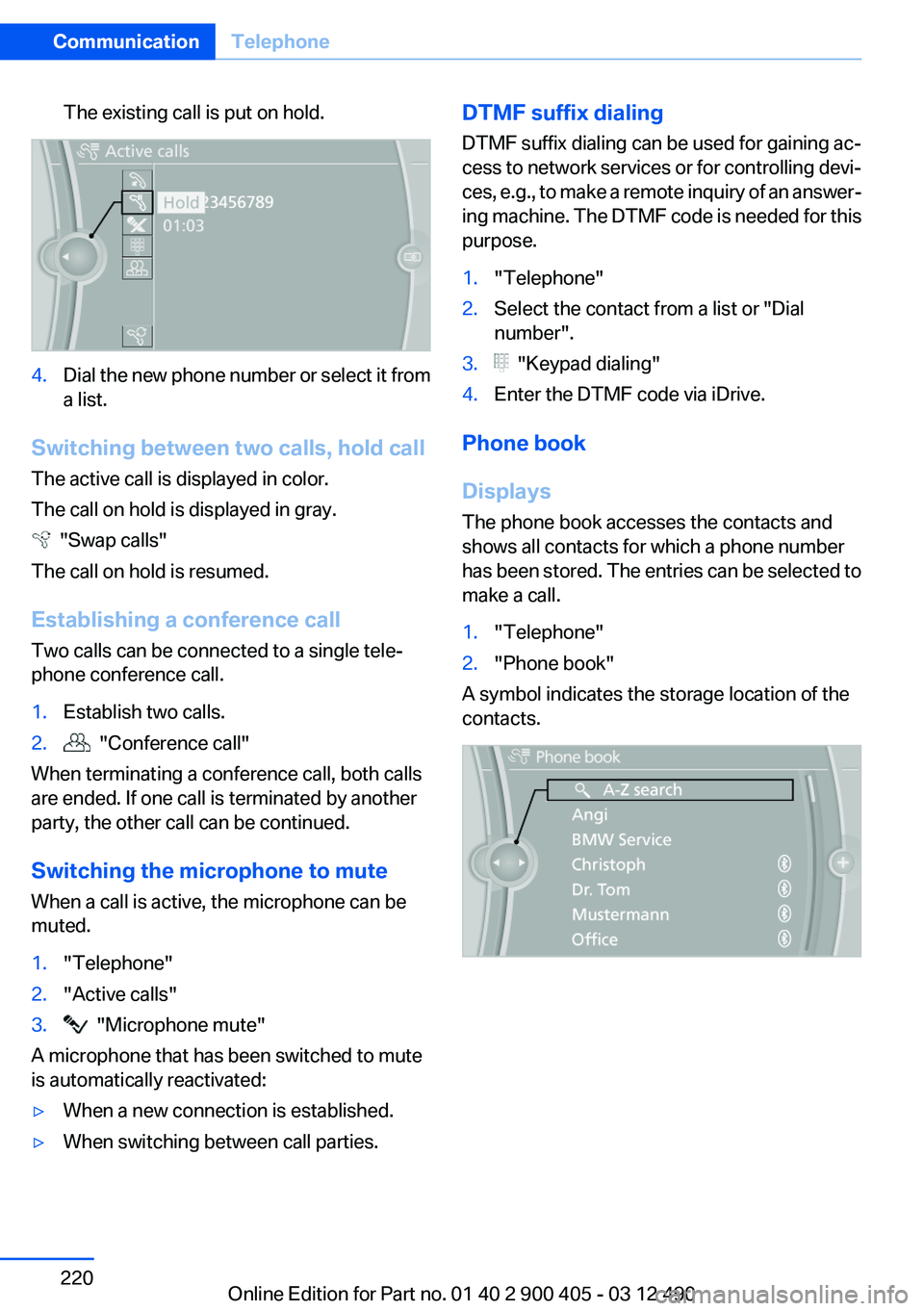
The existing call is put on hold.4.Dial the new phone number or select it from
a list.
Switching between two calls, hold call
The active call is displayed in color.
The call on hold is displayed in gray.
"Swap calls"
The call on hold is resumed.
Establishing a conference call
Two calls can be connected to a single tele‐
phone conference call.
1.Establish two calls.2. "Conference call"
When terminating a conference call, both calls
are ended. If one call is terminated by another
party, the other call can be continued.
Switching the microphone to mute
When a call is active, the microphone can be
muted.
1."Telephone"2."Active calls"3. "Microphone mute"
A microphone that has been switched to mute
is automatically reactivated:
▷When a new connection is established.▷When switching between call parties.DTMF suffix dialing
DTMF suffix dialing can be used for gaining ac‐
cess to network services or for controlling devi‐
ces, e.g., to make a remote inquiry of an answer‐
ing machine. The DTMF code is needed for this
purpose.1."Telephone"2.Select the contact from a list or "Dial
number".3. "Keypad dialing"4.Enter the DTMF code via iDrive.
Phone book
Displays
The phone book accesses the contacts and
shows all contacts for which a phone number
has been stored. The entries can be selected to
make a call.
1."Telephone"2."Phone book"
A symbol indicates the storage location of the
contacts.
Seite 220CommunicationTelephone220
Online Edition for Part no. 01 40 2 900 405 - 03 12 490
Page 224 of 305
Deleting all entries1.›Delete phonebook‹
The dialog for deleting the phone book is
opened.2.Confirm the query with ›Yes‹.3.Confirm the query again with ›Yes‹.
Reading and selecting entries
1.›Read phonebook‹
The dialog for reading the phone book is
opened.2.Say ›Dial number‹ when the desired entry is
read.
Selecting an entry
1.›Dial name‹2.Say the name after being prompted to do so.3.Confirm the query with ›Yes‹.
Adjusting the volume
Turn the knob during an announcement.
▷The volume remains constant even if the
volume of other audio sources is changed.▷The volume is stored for the remote control
currently in use.
Notes
Do not use the voice operation to initiate an
Emergency Request. In stressful situations, the
voice and vocal pitch can change. This can un‐
necessarily delay the establishment of a tele‐
phone connection.
Instead, use the SOS button, refer to
page 270, in the vicinity of the interior mirror.
Environmental conditions
▷Say the commands, numbers, and letters
smoothly and with normal volume, empha‐
sis, and speed.▷Always say commands in the language of
the system. The language for the mobilephone voice operation is preset and cannot
be changed in the Control Display.▷Keep the doors, windows, and glass sun‐
roof closed to prevent noise interference.▷Avoid making other noise in the vehicle
while speaking.
Snap-in adapter
General information
Detailed information about snap-in adapters,
which support the functions of the mobile
phone, is available from the service center.
Notes
At high temperatures, the charge functions of
the mobile phone can be limited under certain
circumstances, and the functions are no longer
executed.
When the mobile phone is used via the vehicle,
heed the operating manual of the mobile phone.
Installation position
In the center armrest.
Inserting the snap-in adapter
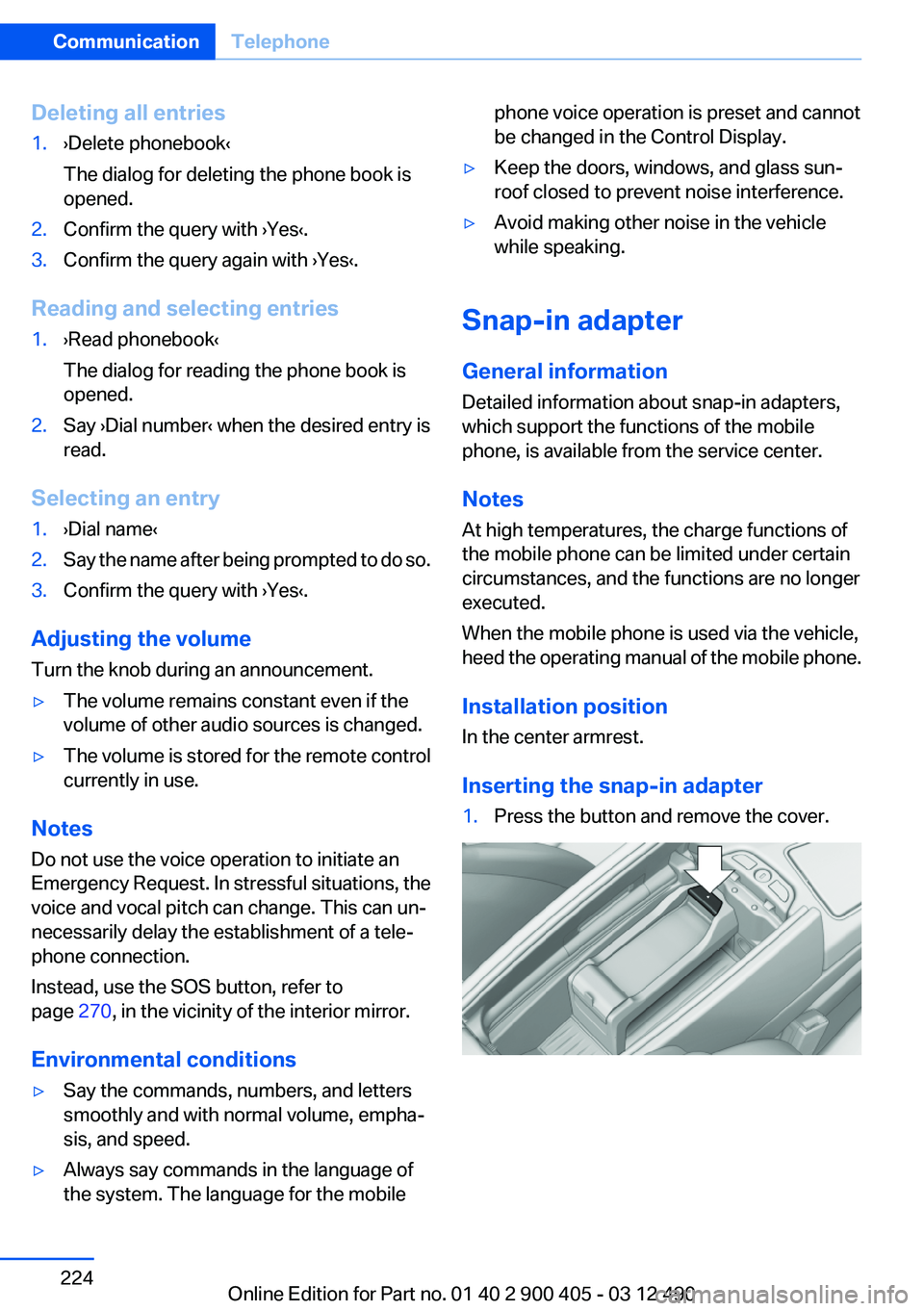
1.Press the button and remove the cover.Seite 224CommunicationTelephone224
Online Edition for Part no. 01 40 2 900 405 - 03 12 490
Page 237 of 305
ConnectedDriveVehicle equipment
All standard, country-specific and optional
equipment that is offered in the model series is
described in this chapter. Therefore, equipment
is also described that is not available in a vehicle,
e. g., because of the selected optional equip‐
ment or country variant. This also applies for
safety-related functions and systems.
BMW Assist
General information
BMW Assist provides you with certain services,
e.g., transmission of the position data of your
vehicle to the BMW Assist Response Center if
an Emergency Request has been initiated.
Many BMW Assist services depend on the indi‐
vidually agreed upon contract.
After your contract has expired, the BMW Assist
system will be deactivated by the BMW Assist
Response Center without your having to visit a
service center. After the BMW Assist system
has been deactivated, no BMW Assist services
will be available. The BMW Assist system can be
reactivated by a service center after you sign a
new contract.
Requirements▷The installed BMW Assist system is logged
in to a wireless communications network.
This network must be capable of transmit‐
ting the services.▷To transmit position data, the vehicle must
be able to determine the current position.▷The BMW Assist service contract was
signed with your service center or with the
BMW Assist Response Center. Enabling
must have been completed.▷BMW Assist is activated.Services offered▷Emergency Request: when you press the
SOS button, a connection to the BMW As‐
sist Response Center is established. The
BMW Assist Response Center then speaks
with you and takes further steps to help you.▷Automatic Collision Notification: under cer‐
tain conditions, a connection is established
to the BMW Assist Response Center after a
serious accident. If possible, the BMW As‐
sist Response Center then speaks with you
and takes further steps to help you.▷Enhanced Roadside Assistance: BMW
Roadside Assistance can be contacted if as‐
sistance is needed in the event of a break‐
down. If possible, the vehicle and position
data are transmitted in the process.▷Customer Relations: connection with Cus‐
tomer Relations for information on all as‐
pects of your vehicle.▷TeleService: data on your vehicle's service
status or required inspections are transmit‐
ted to your service center, either automati‐
cally before a service due date or when you
request a BMW service appointment.▷Remote Door Unlock: the BMW Assist Re‐
sponse Center provides assistance if, for ex‐
ample, the remote control is not available
and the vehicle needs to be opened.▷Stolen Vehicle Recovery: after you report
that your vehicle was stolen to the police, the
BMW Assist Response Center can deter‐
mine its position.▷In addition to these services, the optional
Convenience Plan offers Concierge service
and information for route planning, traffic,
and weather. A limited number of calls can
be made via the BMW Assist Response
Center with Critical Calling if, for example,
the mobile phone is not available or dis‐
charged.Seite 237ConnectedDriveCommunication237
Online Edition for Part no. 01 40 2 900 405 - 03 12 490
Page 262 of 305
MaintenanceVehicle equipment
All standard, country-specific and optional
equipment that is offered in the model series is
described in this chapter. Therefore, equipment
is also described that is not available in a vehicle,
e. g., because of the selected optional equip‐
ment or country variant. This also applies for
safety-related functions and systems.
BMW Maintenance System
The maintenance system directs you to re‐
quired maintenance measures and thereby sup‐
ports you in maintaining road safety and the op‐
erational reliability of the vehicle.
Condition Based Service CBS
Sensors and special algorithms take into ac‐
count the driving conditions of your vehicle.
Based on this, Condition Based Service deter‐
mines the maintenance requirements.
The system makes it possible to adapt the
amount of maintenance you need to your user
profile.
Details on the service requirements, refer to
page 75, can be displayed on the Control Dis‐
play.
Service data in the remote control
Information on the required maintenance is con‐
tinuously stored in the remote control. Your
service center will read out this data and suggest
the right array of service procedures for your ve‐
hicle.
Therefore, hand your service specialist the re‐
mote control that you used most recently.Storage periods
Storage periods during which the vehicle bat‐
tery was disconnected are not taken into ac‐
count.
If this occurs, have a service center update the
time-dependent maintenance procedures,
such as checking brake fluid and, if necessary,
changing the engine oil and the microfilter/acti‐
vated-charcoal filter.
Service and Warranty
Information Booklet for US
models and Warranty and
Service Guide Booklet for
Canadian models
Please consult your Service and Warranty Infor‐
mation Booklet for US models and Warranty and
Service Guide Booklet for Canadian models for
additional information on service requirements.
Maintenance and repair should be performed by
your service center. Make sure to have regular
maintenance procedures recorded in the vehi‐
cle's Service and Warranty Information Booklet
for US models, and in the Warranty and Service
Guide Booklet for Canadian models. These en‐
tries are proof of regular maintenance.Seite 262MobilityMaintenance262
Online Edition for Part no. 01 40 2 900 405 - 03 12 490
Page 263 of 305
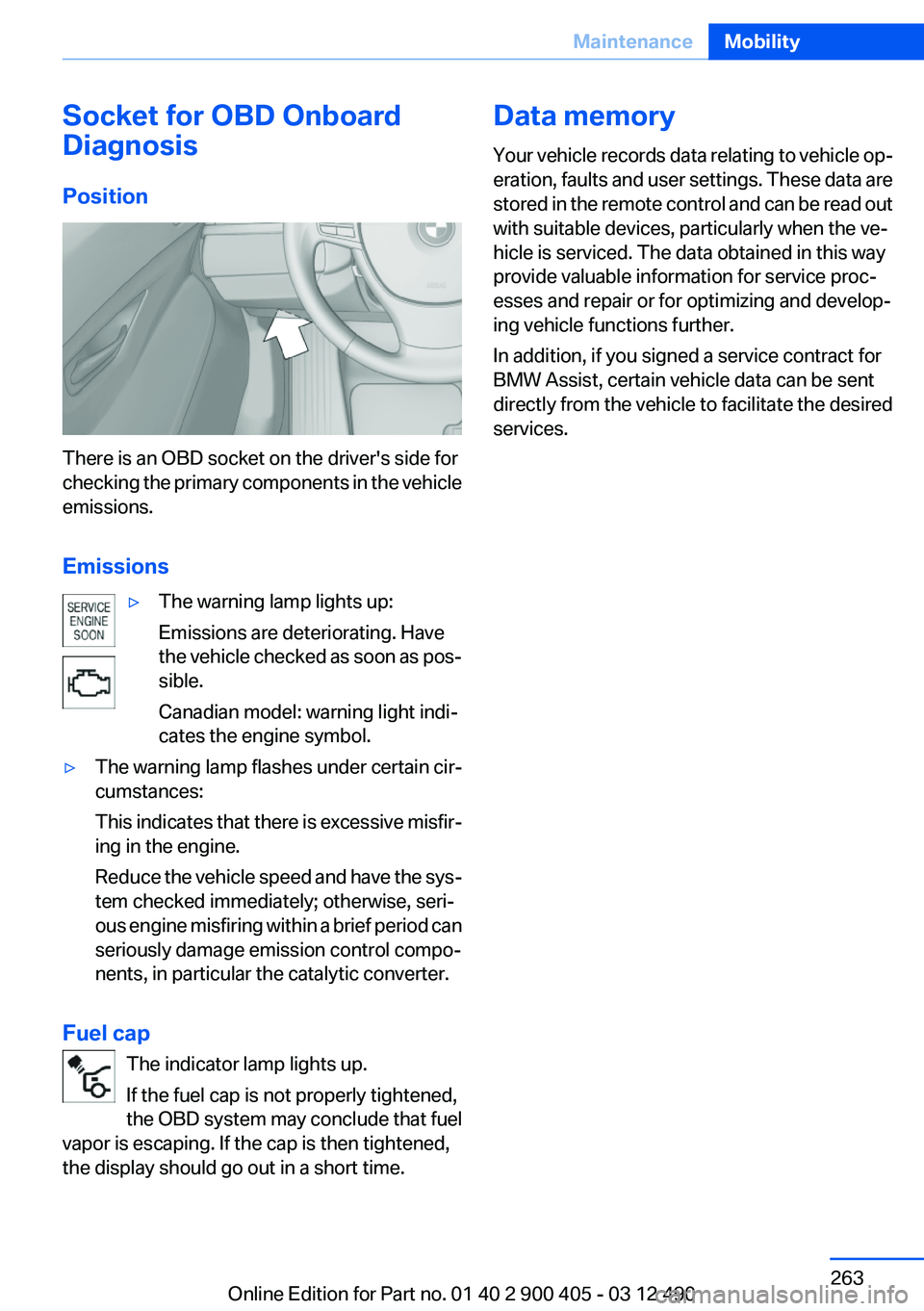
Socket for OBD Onboard
Diagnosis
Position
There is an OBD socket on the driver's side for
checking the primary components in the vehicle
emissions.
Emissions
▷The warning lamp lights up:
Emissions are deteriorating. Have
the vehicle checked as soon as pos‐
sible.
Canadian model: warning light indi‐
cates the engine symbol.▷The warning lamp flashes under certain cir‐
cumstances:
This indicates that there is excessive misfir‐
ing in the engine.
Reduce the vehicle speed and have the sys‐
tem checked immediately; otherwise, seri‐
ous engine misfiring within a brief period can
seriously damage emission control compo‐
nents, in particular the catalytic converter.
Fuel cap
The indicator lamp lights up.
If the fuel cap is not properly tightened,
the OBD system may conclude that fuel
vapor is escaping. If the cap is then tightened,
the display should go out in a short time.
Data memory
Your vehicle records data relating to vehicle op‐
eration, faults and user settings. These data are
stored in the remote control and can be read out
with suitable devices, particularly when the ve‐
hicle is serviced. The data obtained in this way
provide valuable information for service proc‐
esses and repair or for optimizing and develop‐
ing vehicle functions further.
In addition, if you signed a service contract for
BMW Assist, certain vehicle data can be sent
directly from the vehicle to facilitate the desired
services.Seite 263MaintenanceMobility263
Online Edition for Part no. 01 40 2 900 405 - 03 12 490
Page 295 of 305
Bar for tow-starting/tow‐ing 273
Bass 180
Battery replacement, vehicle battery 268
Battery replacement, vehicle remote control 30
Battery, vehicle 268
Belts, safety belts 49
Beverage holder, cu‐ pholder 145
Blinds, sun protection 43
Bluetooth audio 206
Bluetooth connection, activat‐ ing/deactivating 215
BMW Assist 237
BMW Homepage 6
BMW Internet page 6
BMW Maintenance Sys‐ tem 262
BMW Search 239
Bottle holder, refer to Cu‐ pholder 145
Brake assistant 99
Brake assistant, adaptive 99
Brake discs, breaking in 150
Brake force display 98
Brake lamps, brake force dis‐ play 98
Brake lamps, bulb replace‐ ment 266
Brake lights, adaptive 98
Brake pads, breaking in 150
Braking, notes 151
Breakdown assis‐ tance 270, 271
Breaking in 150
Brightness of Control Dis‐ play 81
Bulb replacement 264
Bulb replacement, front 265
Bulb replacement, rear 266
Bulbs and lamps 264
Button, RES 107
Button, Start/Stop 58 Bypassing, refer to Jump-
starting 271
C
Calendar 231
California Proposition 65 Warning 7
Camera, backup camera 119
Camera, care 278
Camera, Side View 122
Camera, Top View 121
Can holder, refer to Cu‐ pholder 145
Car battery 268
Car care products 276
Care, displays 278
Care, vehicle 276
Cargo 153
Cargo area, enlarging 139
Cargo area lid 38
Cargo area, storage compart‐ ments 145
Cargo straps, securing cargo 154
Car key, refer to Remote con‐ trol 30
Carpet, care 277
Car wash 275
Catalytic converter, refer to Hot exhaust system 150
CBS Condition Based Serv‐ ice 262
CD/DVD 191
CDs, storing 198
Cell phone 214
Center console 14
Center speaker 181
Central locking system 33
Central screen, refer to Control Display 16
Central speaker 181
Changes, technical, refer to Safety 6
Changing parts 264
Changing wheels 267 Changing wheels/tires 253
Check Control 71
Children, seating position 55
Children, transporting safely 55
Child restraint fixing sys‐ tem 55
Child restraint fixing system LATCH 56
Child restraint fixing systems, mounting 55
Child seat, mounting 55
Child seats 55
Chrome parts, care 277
Cigarette lighter 138
Cleaning, displays 278
Climate control 131
Climate control wind‐ shield 151
Clock 74
Closing/opening from in‐ side 37
Closing/opening via door lock 36
Closing/opening with remote control 34
Clothes hooks 145
Collision warning 111
Combination switch, refer to Turn signals 64
Combination switch, refer to Wiper system 64
Comfort Access 39
COMFORT program, Driving Experience Switch 104
Computer 77
Concierge service 238
Condensation on win‐ dows 132
Condensation under the vehi‐ cle 152
Condition Based Service CBS 262
Confirmation signal 35
Contacts 227, 235
Control Display 16 Seite 295Everything from A to ZReference295
Online Edition for Part no. 01 40 2 900 405 - 03 12 490
Page 296 of 305
Control Display, settings 79
Controller 16
Control systems, driving sta‐ bility 99
Convenient opening 35
Coolant 261
Coolant temperature 74
Cooling function 133
Cooling, maximum 132
Cooling system 261
Corrosion on brake discs 152
Cruise control 113
Cruise control, active with Stop & Go 105
Cruising range 75
Cupholder 145
Current fuel consumption 75
Current location, storing 162
Customer Relations 240
D
Damage, tires 253
Damping control, dy‐ namic 101
Data, technical 282
Date 75
Daytime running lights 83
Defrosting, refer to Windows, defrosting 132
Dehumidifying, air 133
Destination distance 78
Destination guidance 168
Destination guidance with in‐ termediate destinations 167
Destination input, naviga‐ tion 160
Digital clock 74
Digital radio 184
Dimensions 282
Dimmable exterior mirrors 53
Dimmable interior rearview mirror 54
Direction indicator, refer to Turn signals 64
Display, ECO PRO 156 Display in windshield 129
Display lighting, refer to Instru‐ ment lighting 85
Displays 70
Displays, cleaning 278
Disposal, coolant 261
Disposal, vehicle battery 268
Distance control, refer to PDC 115
Distance, selecting for ACC 107
Distance to destination 78
Divided screen view, split screen 20
Door lock, refer to Remote control 30
Doors, Automatic Soft Clos‐ ing 38
Drive-off assistant 99
Drive-off assistant, refer to DSC 99
Driving Experience Switch 102
Driving instructions, breaking in 150
Driving notes, general 150
Driving stability control sys‐ tems 99
Driving tips 150
DSC Dynamic Stability Con‐ trol 99
DTC driving dynamics 100
DTC Dynamic Traction Con‐ trol 100
DVD/CD 191
DVD/CD notes 197
DVD changer 195
DVD settings 194
DVDs, storing 198
DVD, video 193
Dynamic Damping Con‐ trol 101
Dynamic destination guid‐ ance 175
Dynamic Drive 101 Dynamic Stability Control
DSC 99
Dynamic Traction Control DTC 100
E
ECO PRO 156
EfficientDynamics 157
EfficientDynamics menu, refer to ECO PRO 156
Electronic displays, instru‐ ment cluster 71
Electronic Stability Program ESP, refer to DSC 99
Emergency detection, remote control 31
Emergency release, door lock 37
Emergency release, fuel filler flap 246
Emergency Request 270
Emergency service, refer to Roadside Assistance 271
Emergency start function, en‐ gine start 31
Emergency unlocking, trunk lid 39
Energy Control 75
Energy recovery 75
Engine, automatic Start/Stop function 59
Engine, automatic switch- off 59
Engine compartment 257
Engine compartment, working in 257
Engine coolant 261
Engine oil 259
Engine oil, adding 259
Engine oil additives 260
Engine oil change 260
Engine oil filler neck 259
Engine oil temperature 74
Engine oil types, alterna‐ tive 260 Seite 296ReferenceEverything from A to Z296
Online Edition for Part no. 01 40 2 900 405 - 03 12 490
Page 297 of 305
Engine oil types, ap‐proved 260
Engine start during malfunc‐ tion 31
Engine start, jump-start‐ ing 271
Engine start, refer to Starting the engine 59
Engine stop 59
Engine temperature 74
Entering/exiting vehicle, assis‐ tance, steering wheel 54
Entering a car wash 275
Equalizer 180
Equipment, interior 136
ESP Electronic Stability Pro‐ gram, refer to DSC 99
Exchanging wheels/tires 253
Exhaust system 150
Exterior mirror, automatic dim‐ ming feature 53
Exterior mirrors 52
External devices 203
External start 271
External temperature dis‐ play 74
External temperature warn‐ ing 74
Eyes for securing cargo 154
F
Fader 180
Failure message, refer to Check Control 71
False alarm, refer to Uninten‐ tional alarm 41
Fan, refer to Air volume 132
Fault displays, refer to Check Control 71
Filler neck for engine oil 259
Fine wood, care 277
First aid kit 271
Fitting for towing, refer to Tow fitting 274
Flat tire, changing wheels 267 Flat Tire Monitor FTM 93
Flat tire, Tire Pressure Monitor TPM 90
Flat tire, warning lamp 91, 94
Flooding 151
Floor carpet, care 277
Floor mats, care 277
FM/AM station 183
Fold-out position, windshield wipers 66
Foot brake 151
For the headliner, refer to All around the interior rearview
mirror 15
Front airbags 87
Front center armrest 144
Front fog lamps 85
Front lamps 265
Front passenger airbags, au‐ tomatic deactivation 89
Front passenger airbags, indi‐ cator lamp 89
Front seats 46
FTM Flat Tire Monitor 93
Fuel cap 246
Fuel consumption, current 75
Fuel consumption, refer to Average fuel consump‐
tion 78
Fuel filler flap 246
Fuel gauge 74
Fuel quality 248
Fuel, tank capacity 284
Fuse 268
G
Garage door opener, refer to Integrated universal remote
control 136
Gas station recommenda‐ tion 170
Gear change, automatic trans‐ mission 67
General driving notes 150 Glass sunroof, powered with
tilt function 44
Glove compartment 143
Gong, volume equaliza‐ tion 181
GPS navigation 160
Gray display of the map 174
Gross vehicle weight, ap‐ proved 283
H
Handbrake, refer to Parking brake 61
Hand-held transmitter, alter‐ nating code 137
Hazard warning flashers 270
HD Radio 184
Head airbags 87
Headlamp control, auto‐ matic 83
Headlamp courtesy delay fea‐ ture 83
Headlamp courtesy delay fea‐ ture via remote control 35
Headlamp flasher 64
Headlamp glass 265
Headlamps 265
Headlamps, care 276
Headlamp washer system 64
Head restraints 46
Head restraints, front 51
Head-Up Display 129
Head-up Display, care 278
Heavy cargo, stowing 154
Height, seats 46
Height, vehicle 282
High-beam Assistant 84
High beams 64
High beams/low beams, refer to High-beam Assistant 84
Hills 152
Hill start assistant, refer to Drive-off assistant 99
Hints 6
Holder for beverages 145 Seite 297Everything from A to ZReference297
Online Edition for Part no. 01 40 2 900 405 - 03 12 490
Page 298 of 305
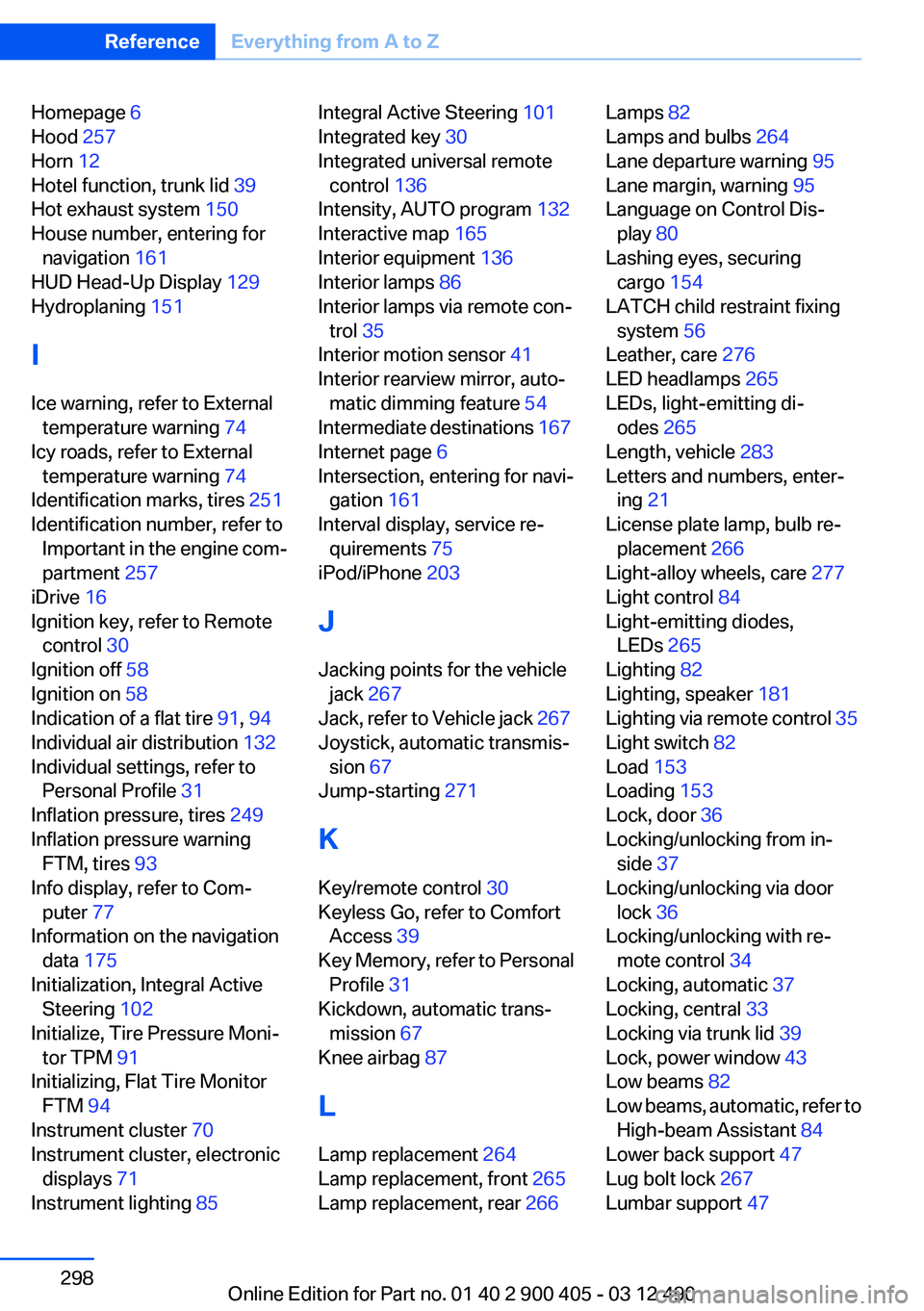
Homepage 6
Hood 257
Horn 12
Hotel function, trunk lid 39
Hot exhaust system 150
House number, entering for navigation 161
HUD Head-Up Display 129
Hydroplaning 151
I
Ice warning, refer to External temperature warning 74
Icy roads, refer to External temperature warning 74
Identification marks, tires 251
Identification number, refer to Important in the engine com‐
partment 257
iDrive 16
Ignition key, refer to Remote control 30
Ignition off 58
Ignition on 58
Indication of a flat tire 91, 94
Individual air distribution 132
Individual settings, refer to Personal Profile 31
Inflation pressure, tires 249
Inflation pressure warning FTM, tires 93
Info display, refer to Com‐ puter 77
Information on the navigation data 175
Initialization, Integral Active Steering 102
Initialize, Tire Pressure Moni‐ tor TPM 91
Initializing, Flat Tire Monitor FTM 94
Instrument cluster 70
Instrument cluster, electronic displays 71
Instrument lighting 85 Integral Active Steering 101
Integrated key 30
Integrated universal remote control 136
Intensity, AUTO program 132
Interactive map 165
Interior equipment 136
Interior lamps 86
Interior lamps via remote con‐ trol 35
Interior motion sensor 41
Interior rearview mirror, auto‐ matic dimming feature 54
Intermediate destinations 167
Internet page 6
Intersection, entering for navi‐ gation 161
Interval display, service re‐ quirements 75
iPod/iPhone 203
J
Jacking points for the vehicle jack 267
Jack, refer to Vehicle jack 267
Joystick, automatic transmis‐ sion 67
Jump-starting 271
K
Key/remote control 30
Keyless Go, refer to Comfort Access 39
Key Memory, refer to Personal Profile 31
Kickdown, automatic trans‐ mission 67
Knee airbag 87
L
Lamp replacement 264
Lamp replacement, front 265
Lamp replacement, rear 266 Lamps 82
Lamps and bulbs 264
Lane departure warning 95
Lane margin, warning 95
Language on Control Dis‐ play 80
Lashing eyes, securing cargo 154
LATCH child restraint fixing system 56
Leather, care 276
LED headlamps 265
LEDs, light-emitting di‐ odes 265
Length, vehicle 283
Letters and numbers, enter‐ ing 21
License plate lamp, bulb re‐ placement 266
Light-alloy wheels, care 277
Light control 84
Light-emitting diodes, LEDs 265
Lighting 82
Lighting, speaker 181
Lighting via remote control 35
Light switch 82
Load 153
Loading 153
Lock, door 36
Locking/unlocking from in‐ side 37
Locking/unlocking via door lock 36
Locking/unlocking with re‐ mote control 34
Locking, automatic 37
Locking, central 33
Locking via trunk lid 39
Lock, power window 43
Low beams 82
Low beams, automatic, refer to High-beam Assistant 84
Lower back support 47
Lug bolt lock 267
Lumbar support 47 Seite 298ReferenceEverything from A to Z298
Online Edition for Part no. 01 40 2 900 405 - 03 12 490
Page 299 of 305
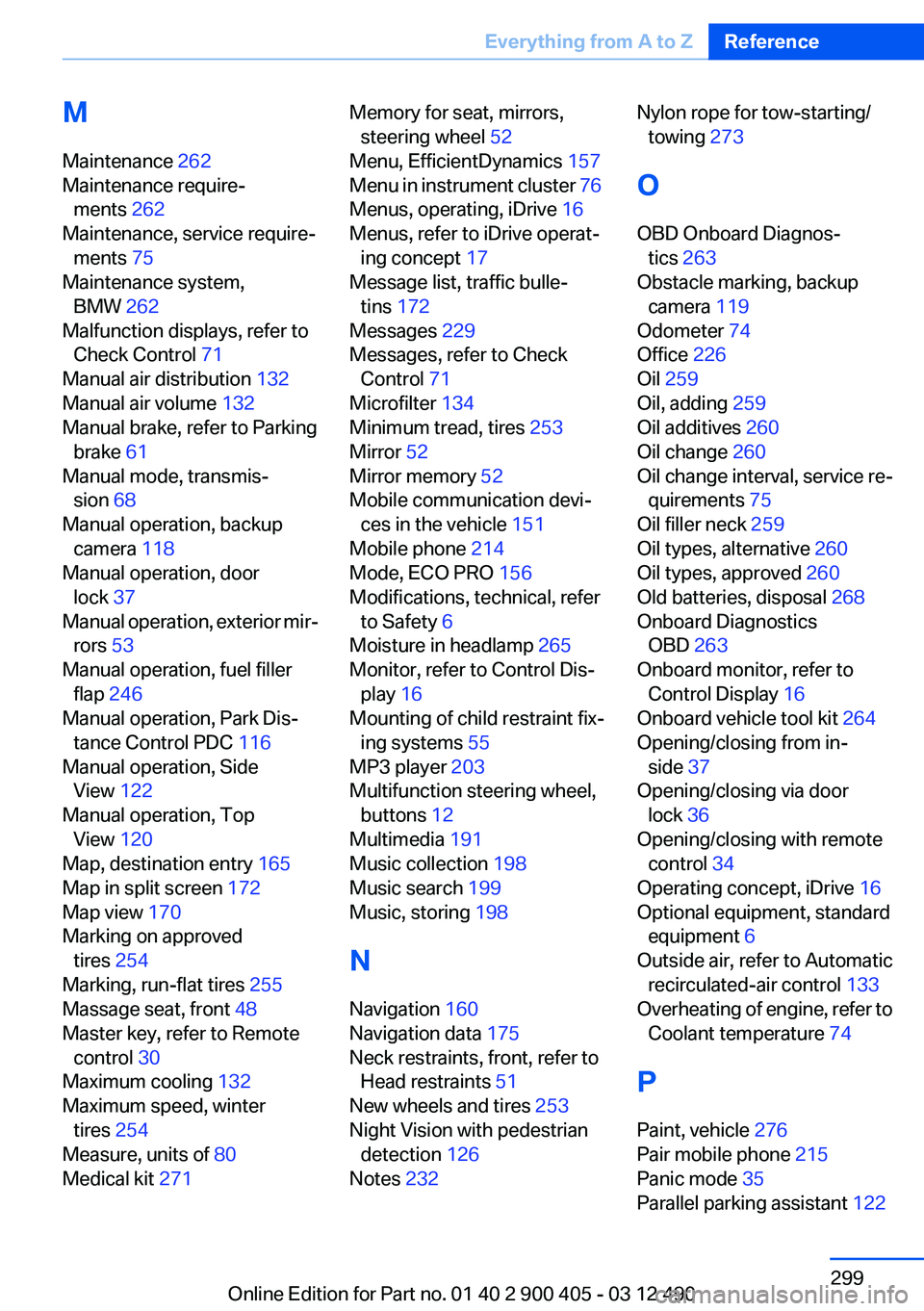
M
Maintenance 262
Maintenance require‐ ments 262
Maintenance, service require‐ ments 75
Maintenance system, BMW 262
Malfunction displays, refer to Check Control 71
Manual air distribution 132
Manual air volume 132
Manual brake, refer to Parking brake 61
Manual mode, transmis‐ sion 68
Manual operation, backup camera 118
Manual operation, door lock 37
Manual operation, exterior mir‐ rors 53
Manual operation, fuel filler flap 246
Manual operation, Park Dis‐ tance Control PDC 116
Manual operation, Side View 122
Manual operation, Top View 120
Map, destination entry 165
Map in split screen 172
Map view 170
Marking on approved tires 254
Marking, run-flat tires 255
Massage seat, front 48
Master key, refer to Remote control 30
Maximum cooling 132
Maximum speed, winter tires 254
Measure, units of 80
Medical kit 271 Memory for seat, mirrors,
steering wheel 52
Menu, EfficientDynamics 157
Menu in instrument cluster 76
Menus, operating, iDrive 16
Menus, refer to iDrive operat‐ ing concept 17
Message list, traffic bulle‐ tins 172
Messages 229
Messages, refer to Check Control 71
Microfilter 134
Minimum tread, tires 253
Mirror 52
Mirror memory 52
Mobile communication devi‐ ces in the vehicle 151
Mobile phone 214
Mode, ECO PRO 156
Modifications, technical, refer to Safety 6
Moisture in headlamp 265
Monitor, refer to Control Dis‐ play 16
Mounting of child restraint fix‐ ing systems 55
MP3 player 203
Multifunction steering wheel, buttons 12
Multimedia 191
Music collection 198
Music search 199
Music, storing 198
N
Navigation 160
Navigation data 175
Neck restraints, front, refer to Head restraints 51
New wheels and tires 253
Night Vision with pedestrian detection 126
Notes 232 Nylon rope for tow-starting/
towing 273
O
OBD Onboard Diagnos‐ tics 263
Obstacle marking, backup camera 119
Odometer 74
Office 226
Oil 259
Oil, adding 259
Oil additives 260
Oil change 260
Oil change interval, service re‐ quirements 75
Oil filler neck 259
Oil types, alternative 260
Oil types, approved 260
Old batteries, disposal 268
Onboard Diagnostics OBD 263
Onboard monitor, refer to Control Display 16
Onboard vehicle tool kit 264
Opening/closing from in‐ side 37
Opening/closing via door lock 36
Opening/closing with remote control 34
Operating concept, iDrive 16
Optional equipment, standard equipment 6
Outside air, refer to Automatic recirculated-air control 133
Overheating of engine, refer to Coolant temperature 74
P
Paint, vehicle 276
Pair mobile phone 215
Panic mode 35
Parallel parking assistant 122 Seite 299Everything from A to ZReference299
Online Edition for Part no. 01 40 2 900 405 - 03 12 490