technical data BMW 640I GRAN COUPE 2013 Owners Manual
[x] Cancel search | Manufacturer: BMW, Model Year: 2013, Model line: 640I GRAN COUPE, Model: BMW 640I GRAN COUPE 2013Pages: 305, PDF Size: 11.87 MB
Page 5 of 305
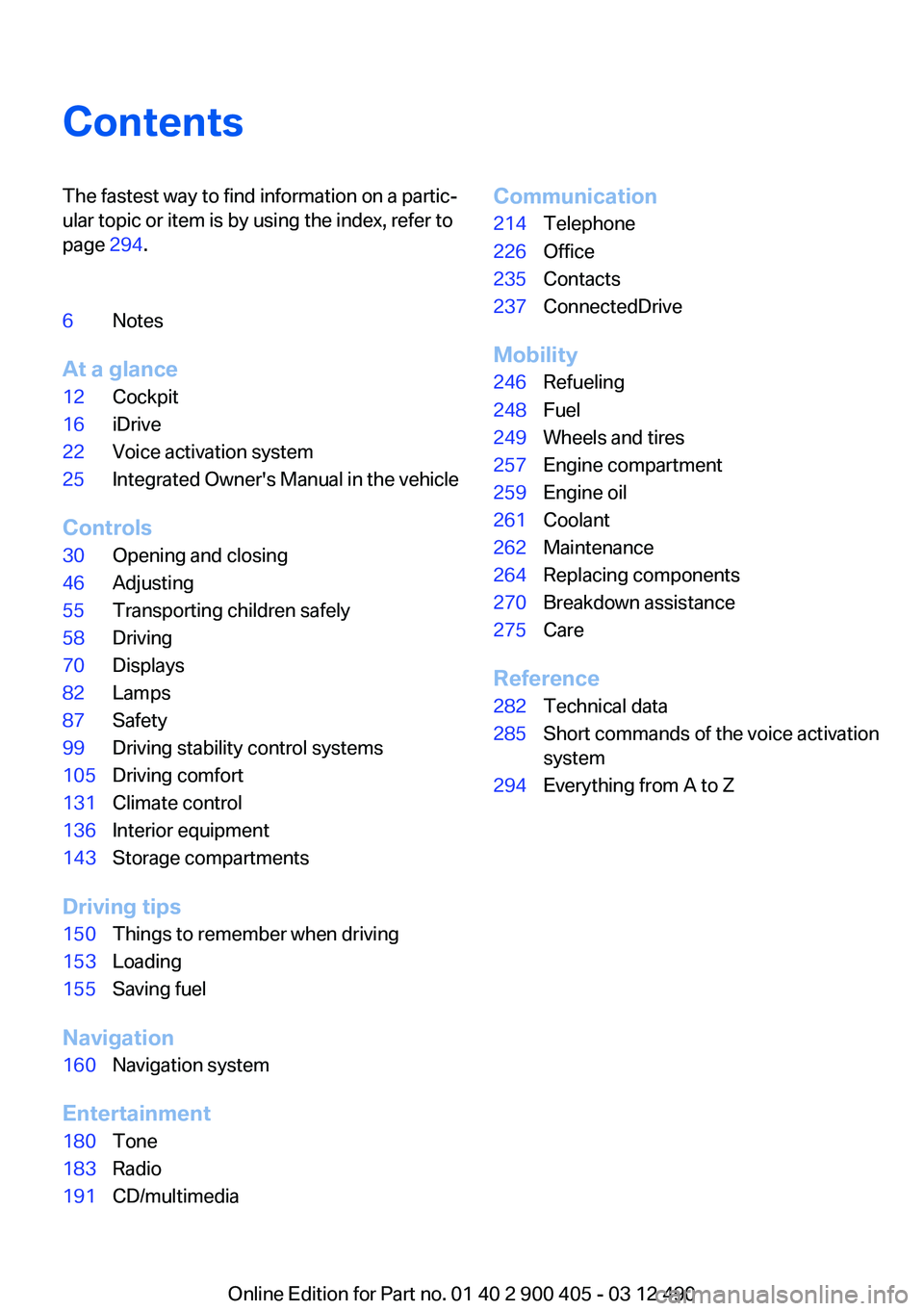
ContentsThe fastest way to find information on a partic‐
ular topic or item is by using the index, refer to
page 294.6Notes
At a glance
12Cockpit16iDrive22Voice activation system25Integrated Owner's Manual in the vehicle
Controls
30Opening and closing46Adjusting55Transporting children safely58Driving70Displays82Lamps87Safety99Driving stability control systems105Driving comfort131Climate control136Interior equipment143Storage compartments
Driving tips
150Things to remember when driving153Loading155Saving fuel
Navigation
160Navigation system
Entertainment
180Tone183Radio191CD/multimediaCommunication214Telephone226Office235Contacts237ConnectedDrive
Mobility
246Refueling248Fuel249Wheels and tires257Engine compartment259Engine oil261Coolant262Maintenance264Replacing components270Breakdown assistance275Care
Reference
282Technical data285Short commands of the voice activation
system294Everything from A to Z
Online Edition for Part no. 01 40 2 900 405 - 03 12 490
Page 66 of 305
The system sprays washer fluid on the wind‐
shield and activates the wipers briefly.
In addition, the headlamps are cleaned at regular
intervals when the vehicle lights are switched
on.
Do not use the washer system at freezing
temperatures
Do not use the washers if there is any danger
that the fluid will freeze on the windshield; oth‐
erwise, your vision could be obscured. For this
reason, use antifreeze.
Avoid using the washer when the reservoir is
empty; otherwise, you could damage the
pump.◀
Windshield washer nozzles
The washer jets are automatically heated when‐
ever the ignition is switched on.
Fold-out position of the wipers
Required when changing the wiper blades or
under frosty conditions, for example.1.Switch off the ignition.2.Under frosty conditions, ensure that the
wiper blades are not frozen onto the wind‐
shield.3.Press the wiper lever up beyond the point of
resistance and hold it for approx. 3 seconds,
until the wiper remains in a nearly vertical
position.
After the wipers are folded back down, the wiper
system must be reactivated.
Fold the wipers back down
Before switching the ignition on, fold the
wipers back down to the windshield; otherwise,
the wipers may become damaged when they are
switched on.◀
1.Switch on the ignition.2.Press the wiper levers down. The wipers
move to their resting position and are ready
for operation.Washer fluid
General information Antifreeze for washer fluid
Antifreeze is flammable. Therefore, keep
it away from sources of ignition.
Only keep it in the closed original container and
inaccessible to children.
Follow the instructions on the container.◀
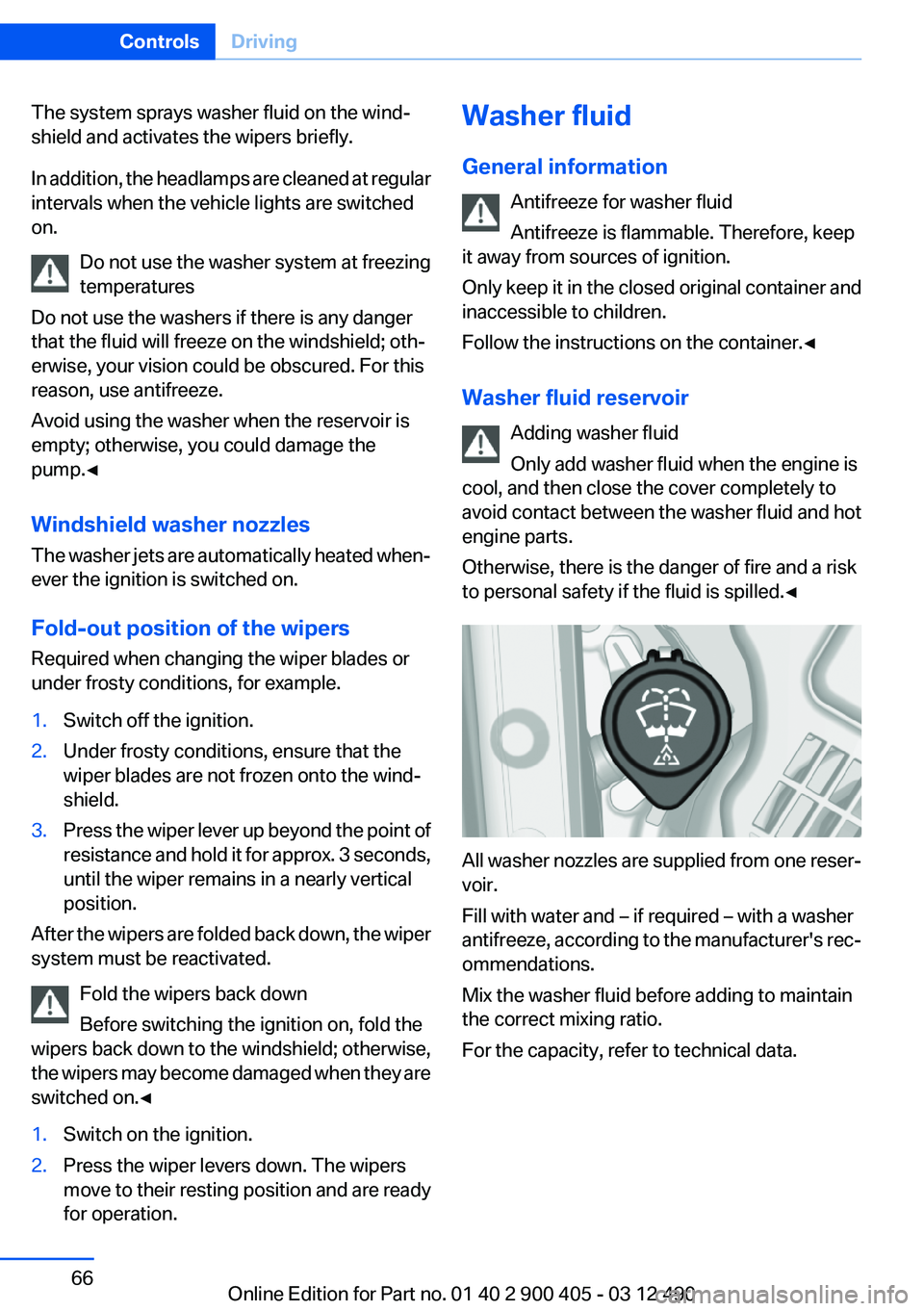
Washer fluid reservoir Adding washer fluid
Only add washer fluid when the engine is
cool, and then close the cover completely to
avoid contact between the washer fluid and hot
engine parts.
Otherwise, there is the danger of fire and a risk
to personal safety if the fluid is spilled.◀
All washer nozzles are supplied from one reser‐
voir.
Fill with water and – if required – with a washer
antifreeze, according to the manufacturer's rec‐
ommendations.
Mix the washer fluid before adding to maintain
the correct mixing ratio.
For the capacity, refer to technical data.
Seite 66ControlsDriving66
Online Edition for Part no. 01 40 2 900 405 - 03 12 490
Page 241 of 305
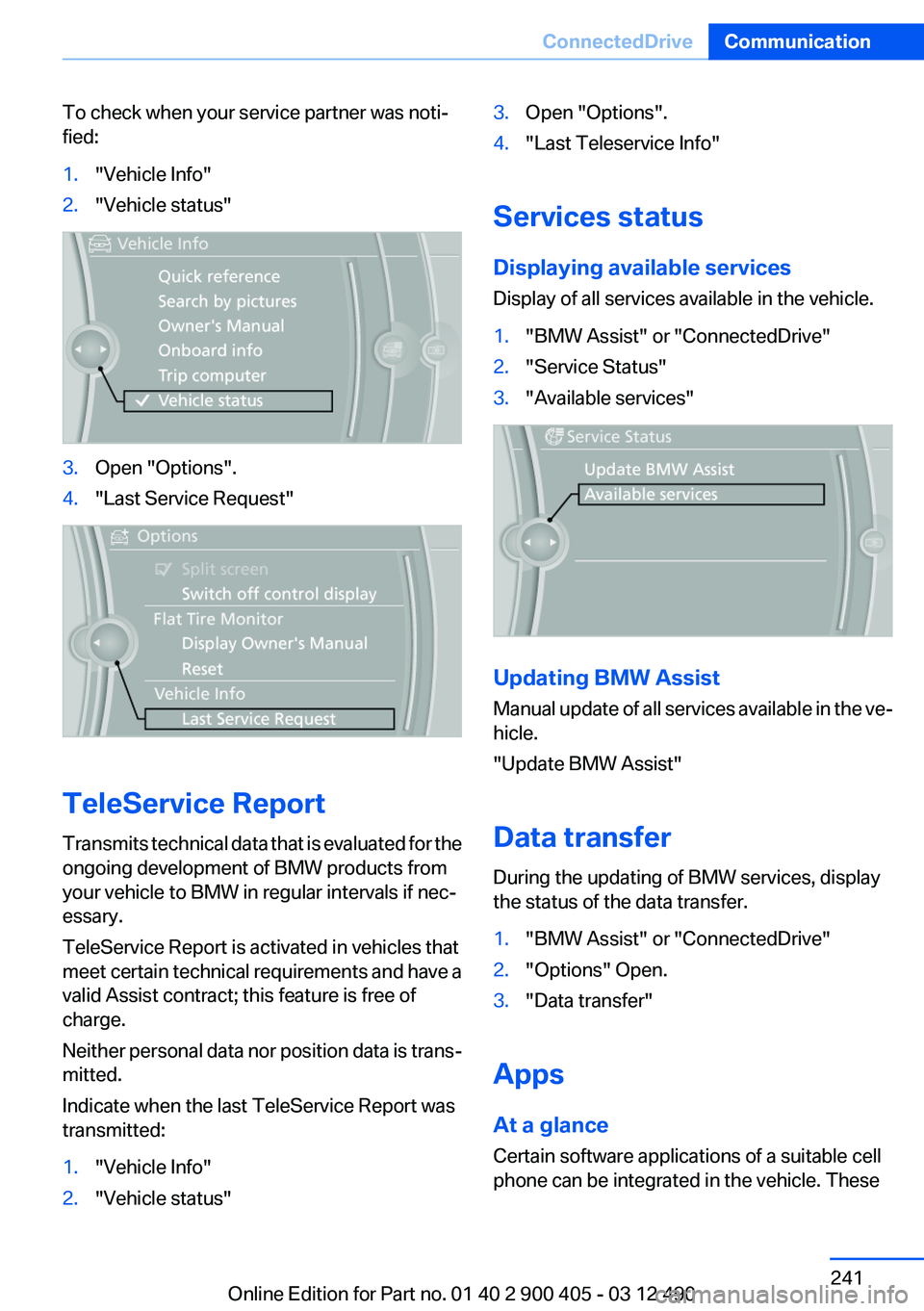
To check when your service partner was noti‐
fied:1."Vehicle Info"2."Vehicle status"3.Open "Options".4."Last Service Request"
TeleService Report
Transmits technical data that is evaluated for the
ongoing development of BMW products from
your vehicle to BMW in regular intervals if nec‐
essary.
TeleService Report is activated in vehicles that
meet certain technical requirements and have a
valid Assist contract; this feature is free of
charge.
Neither personal data nor position data is trans‐
mitted.
Indicate when the last TeleService Report was
transmitted:
1."Vehicle Info"2."Vehicle status"3.Open "Options".4."Last Teleservice Info"
Services status
Displaying available services
Display of all services available in the vehicle.
1."BMW Assist" or "ConnectedDrive"2."Service Status"3."Available services"
Updating BMW Assist
Manual update of all services available in the ve‐
hicle.
"Update BMW Assist"
Data transfer
During the updating of BMW services, display
the status of the data transfer.
1."BMW Assist" or "ConnectedDrive"2."Options" Open.3."Data transfer"
Apps
At a glance
Certain software applications of a suitable cell
phone can be integrated in the vehicle. These
Seite 241ConnectedDriveCommunication241
Online Edition for Part no. 01 40 2 900 405 - 03 12 490
Page 281 of 305
Reference
This chapter contains technical data, short
commands for the voice activation system, and an index that will quickly take you to the information you need.Online Edition for Part no. 01 40 2 900 405 - 03 12 490
Page 282 of 305
Technical dataVehicle equipment
All standard, country-specific and optional
equipment that is offered in the model series is
described in this chapter. Therefore, equipmentis also described that is not available in a vehicle,
e. g., because of the selected optional equip‐
ment or country variant. This also applies for
safety-related functions and systems.
Dimensions
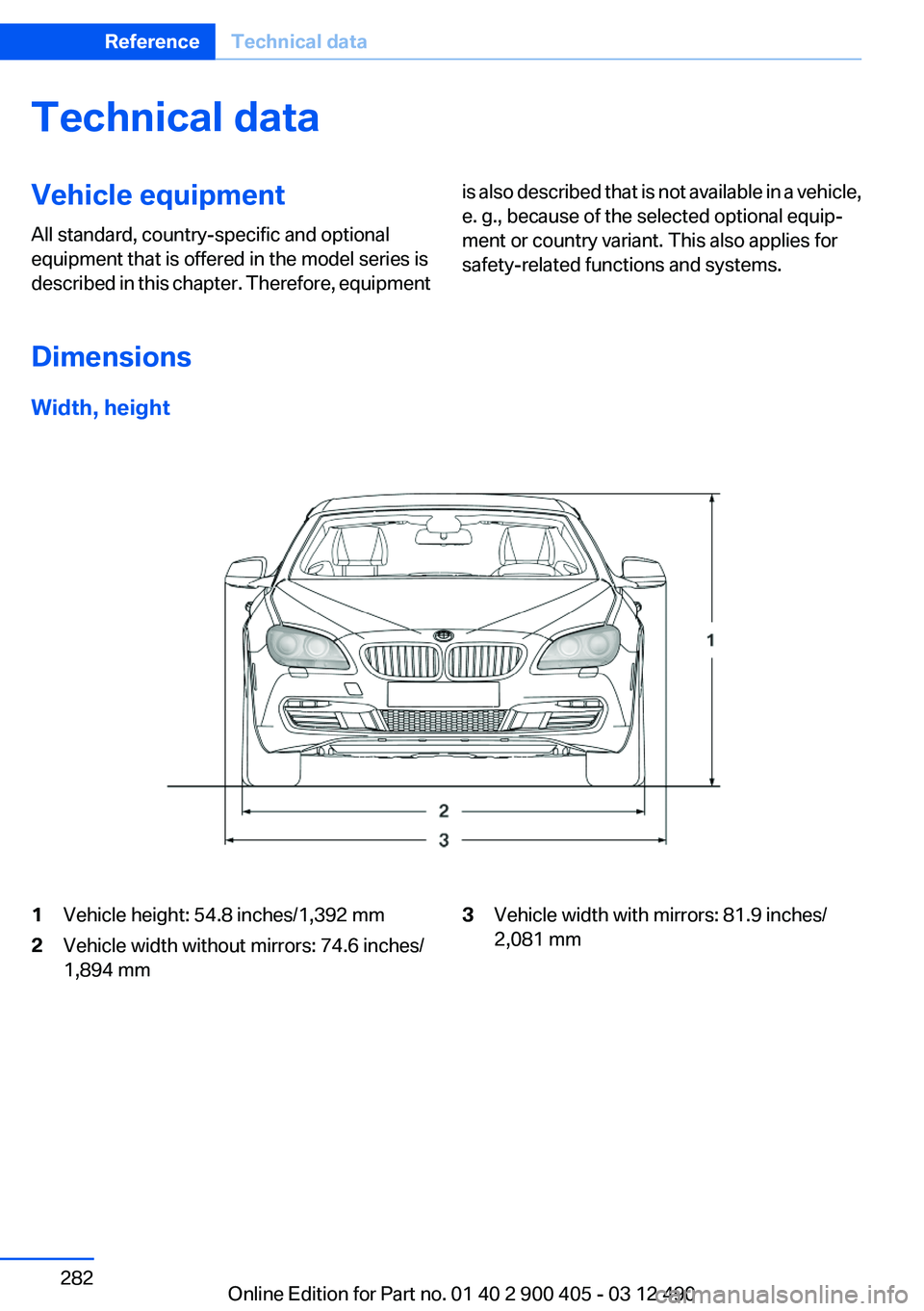
Width, height
1Vehicle height: 54.8 inches/1,392 mm2Vehicle width without mirrors: 74.6 inches/
1,894 mm3Vehicle width with mirrors: 81.9 inches/
2,081 mmSeite 282ReferenceTechnical data282
Online Edition for Part no. 01 40 2 900 405 - 03 12 490
Page 283 of 305
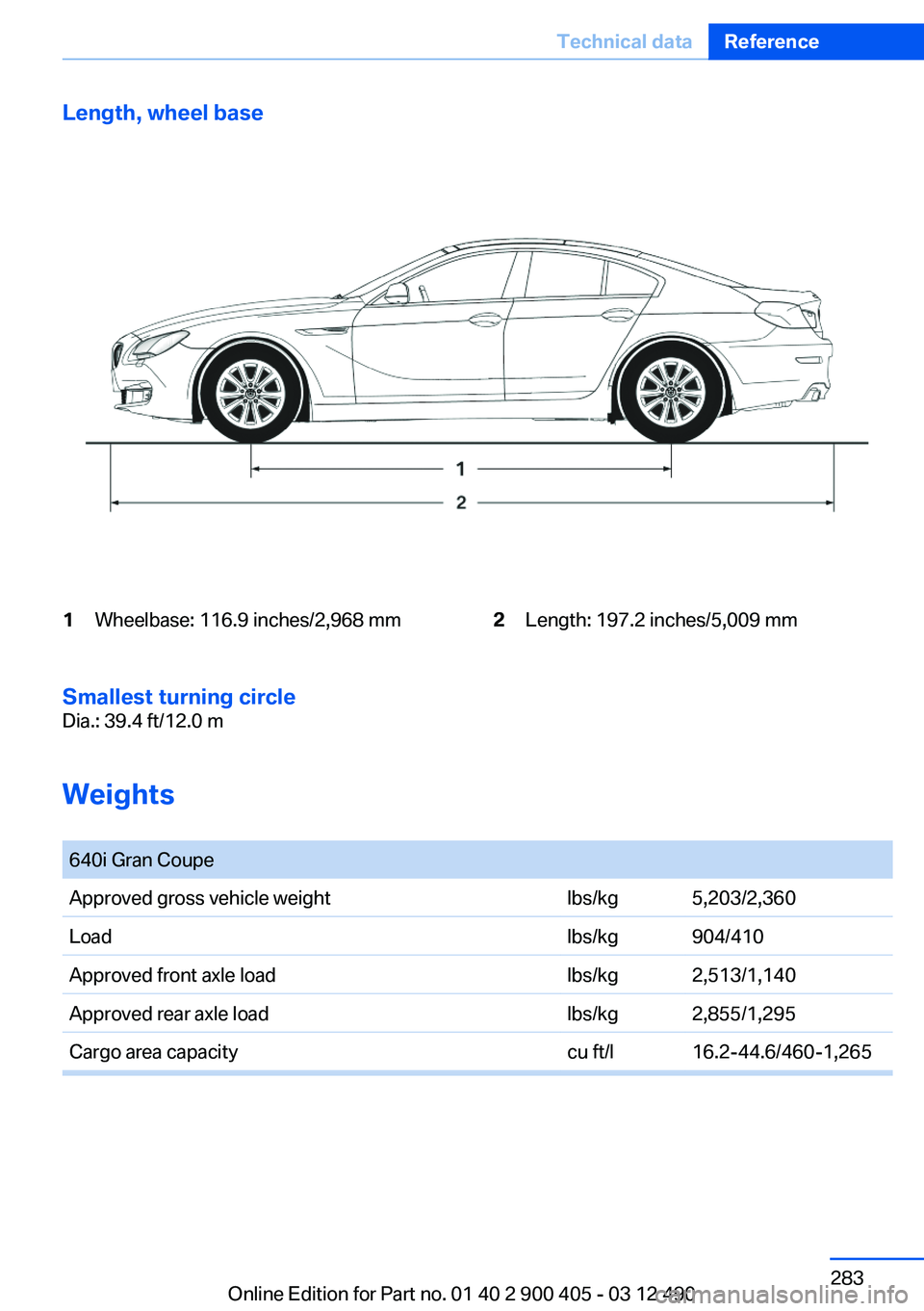
Length, wheel base1Wheelbase: 116.9 inches/2,968 mm2Length: 197.2 inches/5,009 mm
Smallest turning circle
Dia.: 39.4 ft/12.0 m
Weights
640i Gran CoupeApproved gross vehicle weightlbs/kg5,203/2,360Loadlbs/kg904/410Approved front axle loadlbs/kg2,513/1,140Approved rear axle loadlbs/kg2,855/1,295Cargo area capacitycu ft/l16.2-44.6/460-1,265Seite 283Technical dataReference283
Online Edition for Part no. 01 40 2 900 405 - 03 12 490
Page 284 of 305
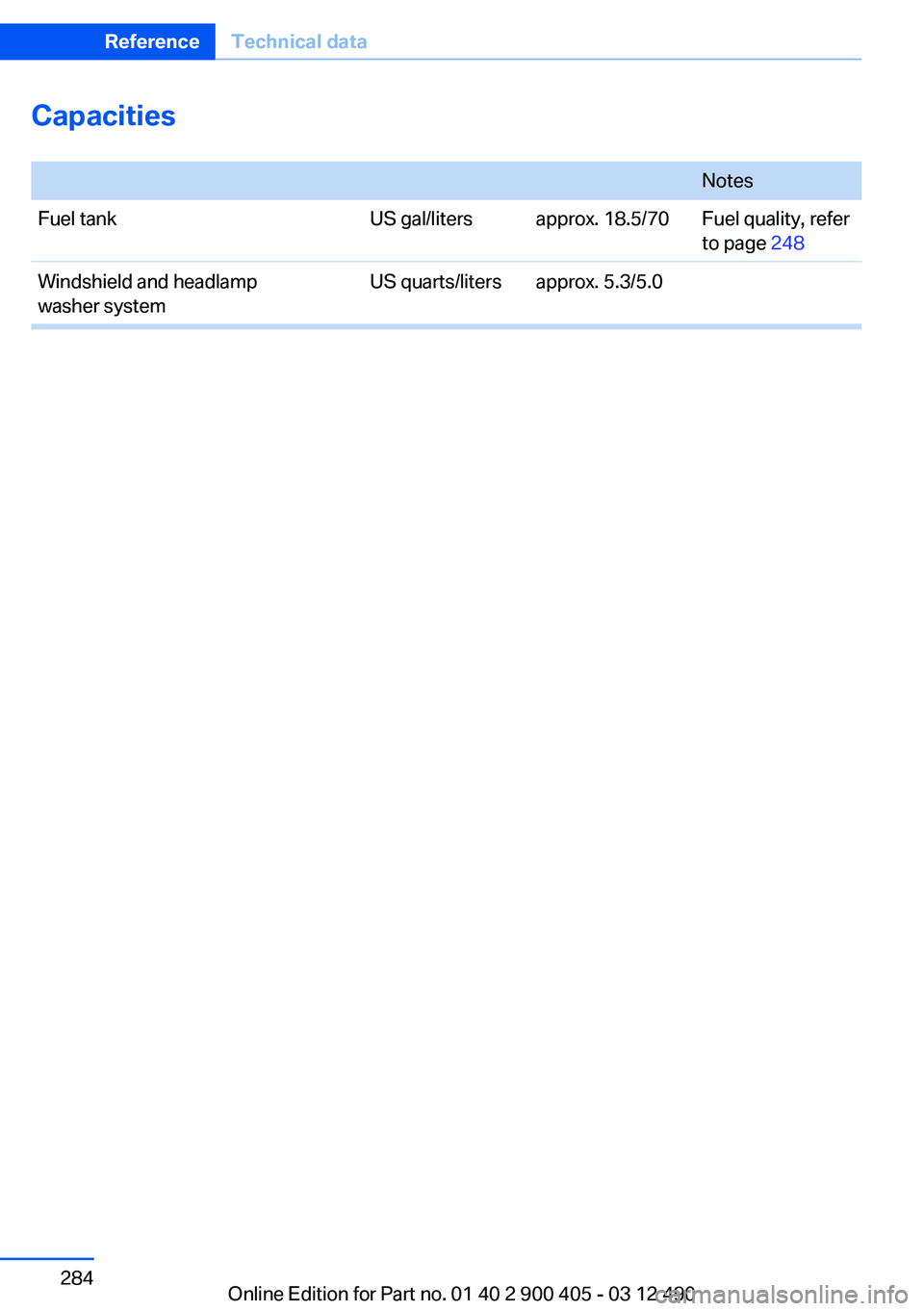
Capacities
NotesFuel tankUS gal/litersapprox. 18.5/70Fuel quality, refer
to page 248Windshield and headlamp
washer systemUS quarts/litersapprox. 5.3/5.0Seite 284ReferenceTechnical data284
Online Edition for Part no. 01 40 2 900 405 - 03 12 490
Page 296 of 305
Control Display, settings 79
Controller 16
Control systems, driving sta‐ bility 99
Convenient opening 35
Coolant 261
Coolant temperature 74
Cooling function 133
Cooling, maximum 132
Cooling system 261
Corrosion on brake discs 152
Cruise control 113
Cruise control, active with Stop & Go 105
Cruising range 75
Cupholder 145
Current fuel consumption 75
Current location, storing 162
Customer Relations 240
D
Damage, tires 253
Damping control, dy‐ namic 101
Data, technical 282
Date 75
Daytime running lights 83
Defrosting, refer to Windows, defrosting 132
Dehumidifying, air 133
Destination distance 78
Destination guidance 168
Destination guidance with in‐ termediate destinations 167
Destination input, naviga‐ tion 160
Digital clock 74
Digital radio 184
Dimensions 282
Dimmable exterior mirrors 53
Dimmable interior rearview mirror 54
Direction indicator, refer to Turn signals 64
Display, ECO PRO 156 Display in windshield 129
Display lighting, refer to Instru‐ ment lighting 85
Displays 70
Displays, cleaning 278
Disposal, coolant 261
Disposal, vehicle battery 268
Distance control, refer to PDC 115
Distance, selecting for ACC 107
Distance to destination 78
Divided screen view, split screen 20
Door lock, refer to Remote control 30
Doors, Automatic Soft Clos‐ ing 38
Drive-off assistant 99
Drive-off assistant, refer to DSC 99
Driving Experience Switch 102
Driving instructions, breaking in 150
Driving notes, general 150
Driving stability control sys‐ tems 99
Driving tips 150
DSC Dynamic Stability Con‐ trol 99
DTC driving dynamics 100
DTC Dynamic Traction Con‐ trol 100
DVD/CD 191
DVD/CD notes 197
DVD changer 195
DVD settings 194
DVDs, storing 198
DVD, video 193
Dynamic Damping Con‐ trol 101
Dynamic destination guid‐ ance 175
Dynamic Drive 101 Dynamic Stability Control
DSC 99
Dynamic Traction Control DTC 100
E
ECO PRO 156
EfficientDynamics 157
EfficientDynamics menu, refer to ECO PRO 156
Electronic displays, instru‐ ment cluster 71
Electronic Stability Program ESP, refer to DSC 99
Emergency detection, remote control 31
Emergency release, door lock 37
Emergency release, fuel filler flap 246
Emergency Request 270
Emergency service, refer to Roadside Assistance 271
Emergency start function, en‐ gine start 31
Emergency unlocking, trunk lid 39
Energy Control 75
Energy recovery 75
Engine, automatic Start/Stop function 59
Engine, automatic switch- off 59
Engine compartment 257
Engine compartment, working in 257
Engine coolant 261
Engine oil 259
Engine oil, adding 259
Engine oil additives 260
Engine oil change 260
Engine oil filler neck 259
Engine oil temperature 74
Engine oil types, alterna‐ tive 260 Seite 296ReferenceEverything from A to Z296
Online Edition for Part no. 01 40 2 900 405 - 03 12 490
Page 299 of 305
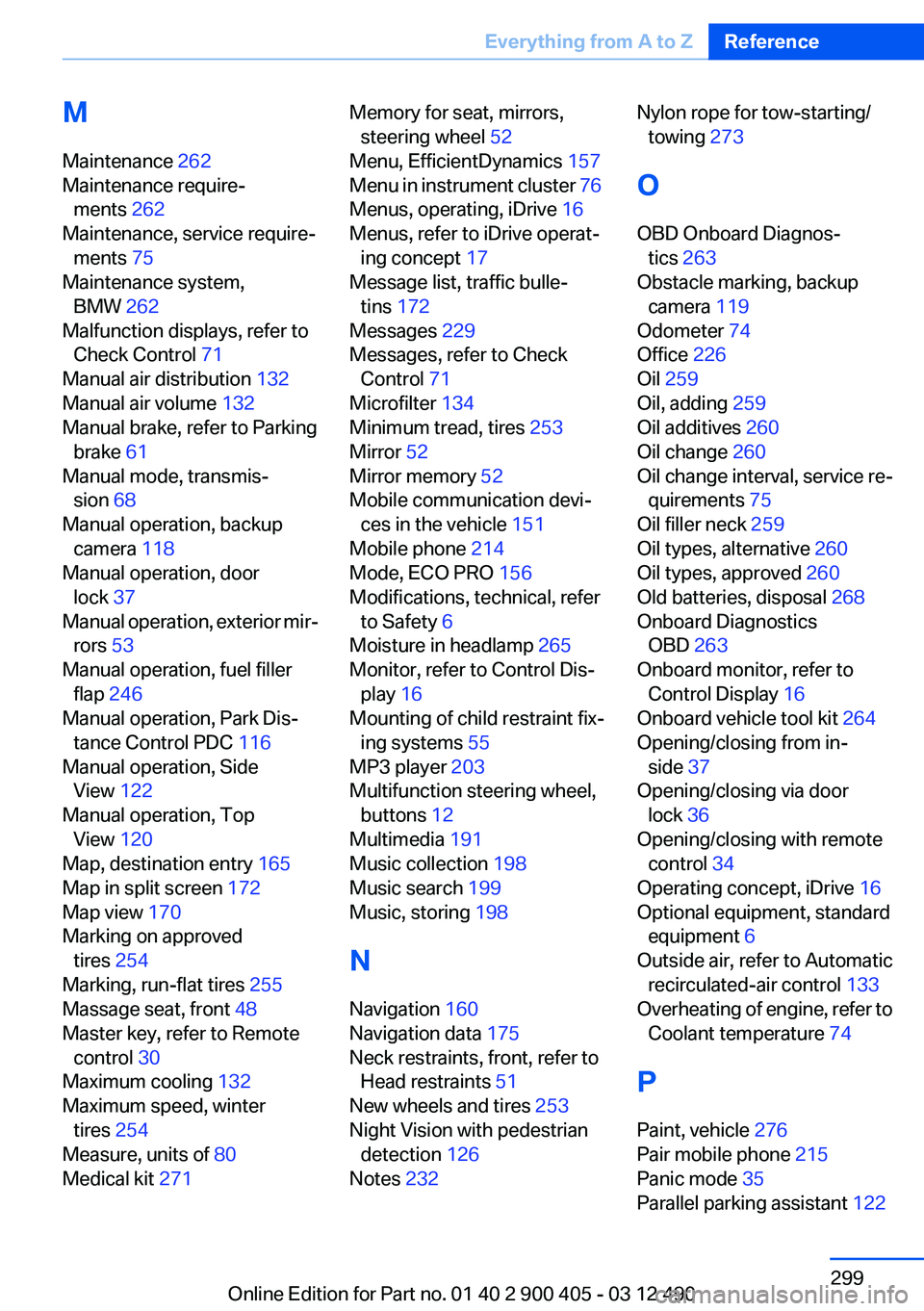
M
Maintenance 262
Maintenance require‐ ments 262
Maintenance, service require‐ ments 75
Maintenance system, BMW 262
Malfunction displays, refer to Check Control 71
Manual air distribution 132
Manual air volume 132
Manual brake, refer to Parking brake 61
Manual mode, transmis‐ sion 68
Manual operation, backup camera 118
Manual operation, door lock 37
Manual operation, exterior mir‐ rors 53
Manual operation, fuel filler flap 246
Manual operation, Park Dis‐ tance Control PDC 116
Manual operation, Side View 122
Manual operation, Top View 120
Map, destination entry 165
Map in split screen 172
Map view 170
Marking on approved tires 254
Marking, run-flat tires 255
Massage seat, front 48
Master key, refer to Remote control 30
Maximum cooling 132
Maximum speed, winter tires 254
Measure, units of 80
Medical kit 271 Memory for seat, mirrors,
steering wheel 52
Menu, EfficientDynamics 157
Menu in instrument cluster 76
Menus, operating, iDrive 16
Menus, refer to iDrive operat‐ ing concept 17
Message list, traffic bulle‐ tins 172
Messages 229
Messages, refer to Check Control 71
Microfilter 134
Minimum tread, tires 253
Mirror 52
Mirror memory 52
Mobile communication devi‐ ces in the vehicle 151
Mobile phone 214
Mode, ECO PRO 156
Modifications, technical, refer to Safety 6
Moisture in headlamp 265
Monitor, refer to Control Dis‐ play 16
Mounting of child restraint fix‐ ing systems 55
MP3 player 203
Multifunction steering wheel, buttons 12
Multimedia 191
Music collection 198
Music search 199
Music, storing 198
N
Navigation 160
Navigation data 175
Neck restraints, front, refer to Head restraints 51
New wheels and tires 253
Night Vision with pedestrian detection 126
Notes 232 Nylon rope for tow-starting/
towing 273
O
OBD Onboard Diagnos‐ tics 263
Obstacle marking, backup camera 119
Odometer 74
Office 226
Oil 259
Oil, adding 259
Oil additives 260
Oil change 260
Oil change interval, service re‐ quirements 75
Oil filler neck 259
Oil types, alternative 260
Oil types, approved 260
Old batteries, disposal 268
Onboard Diagnostics OBD 263
Onboard monitor, refer to Control Display 16
Onboard vehicle tool kit 264
Opening/closing from in‐ side 37
Opening/closing via door lock 36
Opening/closing with remote control 34
Operating concept, iDrive 16
Optional equipment, standard equipment 6
Outside air, refer to Automatic recirculated-air control 133
Overheating of engine, refer to Coolant temperature 74
P
Paint, vehicle 276
Pair mobile phone 215
Panic mode 35
Parallel parking assistant 122 Seite 299Everything from A to ZReference299
Online Edition for Part no. 01 40 2 900 405 - 03 12 490
Page 301 of 305
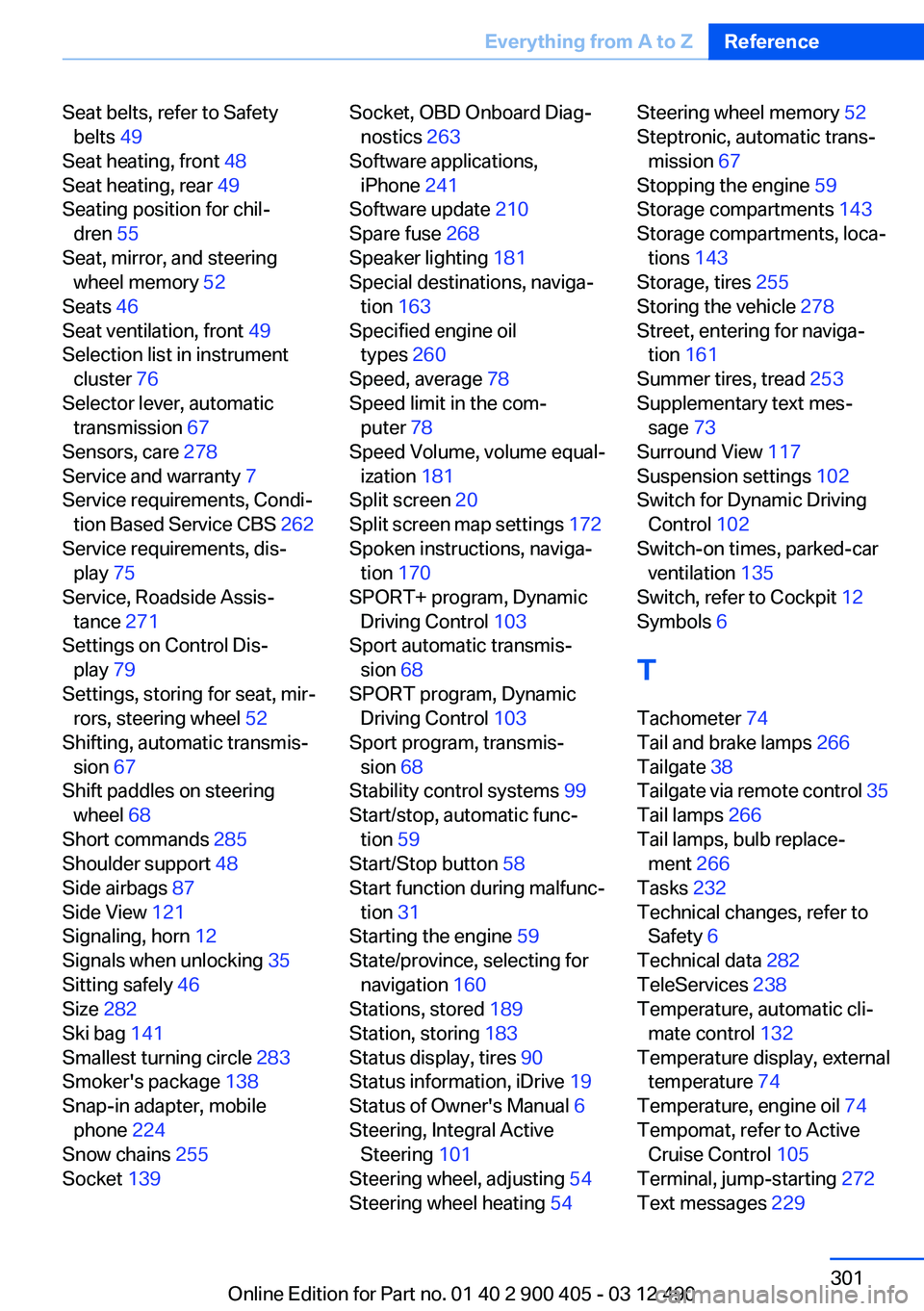
Seat belts, refer to Safetybelts 49
Seat heating, front 48
Seat heating, rear 49
Seating position for chil‐ dren 55
Seat, mirror, and steering wheel memory 52
Seats 46
Seat ventilation, front 49
Selection list in instrument cluster 76
Selector lever, automatic transmission 67
Sensors, care 278
Service and warranty 7
Service requirements, Condi‐ tion Based Service CBS 262
Service requirements, dis‐ play 75
Service, Roadside Assis‐ tance 271
Settings on Control Dis‐ play 79
Settings, storing for seat, mir‐ rors, steering wheel 52
Shifting, automatic transmis‐ sion 67
Shift paddles on steering wheel 68
Short commands 285
Shoulder support 48
Side airbags 87
Side View 121
Signaling, horn 12
Signals when unlocking 35
Sitting safely 46
Size 282
Ski bag 141
Smallest turning circle 283
Smoker's package 138
Snap-in adapter, mobile phone 224
Snow chains 255
Socket 139 Socket, OBD Onboard Diag‐
nostics 263
Software applications, iPhone 241
Software update 210
Spare fuse 268
Speaker lighting 181
Special destinations, naviga‐ tion 163
Specified engine oil types 260
Speed, average 78
Speed limit in the com‐ puter 78
Speed Volume, volume equal‐ ization 181
Split screen 20
Split screen map settings 172
Spoken instructions, naviga‐ tion 170
SPORT+ program, Dynamic Driving Control 103
Sport automatic transmis‐ sion 68
SPORT program, Dynamic Driving Control 103
Sport program, transmis‐ sion 68
Stability control systems 99
Start/stop, automatic func‐ tion 59
Start/Stop button 58
Start function during malfunc‐ tion 31
Starting the engine 59
State/province, selecting for navigation 160
Stations, stored 189
Station, storing 183
Status display, tires 90
Status information, iDrive 19
Status of Owner's Manual 6
Steering, Integral Active Steering 101
Steering wheel, adjusting 54
Steering wheel heating 54 Steering wheel memory 52
Steptronic, automatic trans‐ mission 67
Stopping the engine 59
Storage compartments 143
Storage compartments, loca‐ tions 143
Storage, tires 255
Storing the vehicle 278
Street, entering for naviga‐ tion 161
Summer tires, tread 253
Supplementary text mes‐ sage 73
Surround View 117
Suspension settings 102
Switch for Dynamic Driving Control 102
Switch-on times, parked-car ventilation 135
Switch, refer to Cockpit 12
Symbols 6
T
Tachometer 74
Tail and brake lamps 266
Tailgate 38
Tailgate via remote control 35
Tail lamps 266
Tail lamps, bulb replace‐ ment 266
Tasks 232
Technical changes, refer to Safety 6
Technical data 282
TeleServices 238
Temperature, automatic cli‐ mate control 132
Temperature display, external temperature 74
Temperature, engine oil 74
Tempomat, refer to Active Cruise Control 105
Terminal, jump-starting 272
Text messages 229 Seite 301Everything from A to ZReference301
Online Edition for Part no. 01 40 2 900 405 - 03 12 490