Armrest BMW 640I GRAN COUPE 2014 Owners Manual
[x] Cancel search | Manufacturer: BMW, Model Year: 2014, Model line: 640I GRAN COUPE, Model: BMW 640I GRAN COUPE 2014Pages: 243, PDF Size: 8.02 MB
Page 30 of 243
Opening and closingVehicle equipment
All standard, country-specific and optional
equipment that is offered in the model series is
described in this chapter. Therefore, equip‐
ment is also described that is not available in a
vehicle, e. g., because of the selected optional
equipment or country variant. This also applies
for safety-related functions and systems.
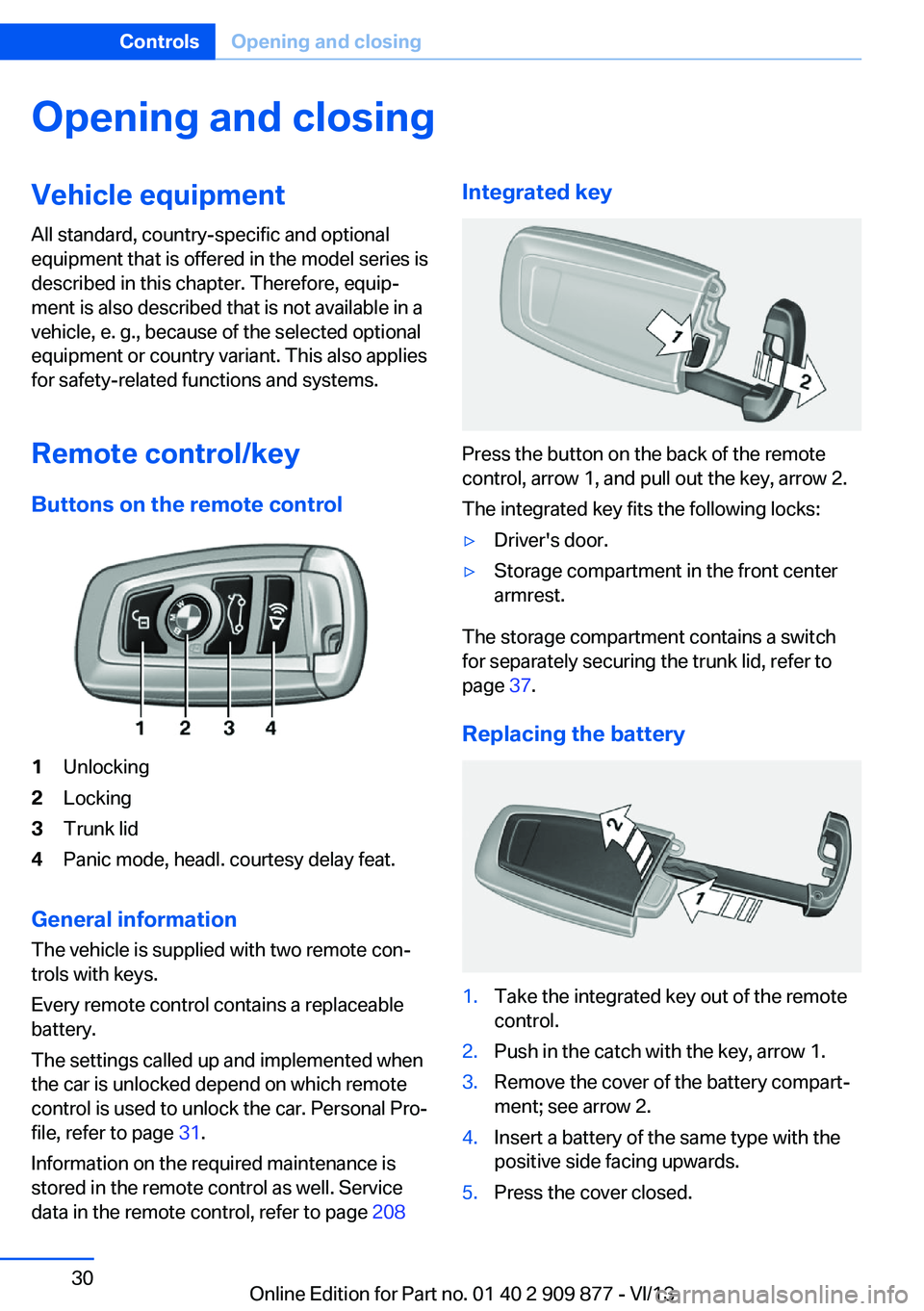
Remote control/key Buttons on the remote control1Unlocking2Locking3Trunk lid4Panic mode, headl. courtesy delay feat.
General information
The vehicle is supplied with two remote con‐
trols with keys.
Every remote control contains a replaceable
battery.
The settings called up and implemented when
the car is unlocked depend on which remote
control is used to unlock the car. Personal Pro‐
file, refer to page 31.
Information on the required maintenance is
stored in the remote control as well. Service
data in the remote control, refer to page 208
Integrated key
Press the button on the back of the remote
control, arrow 1, and pull out the key, arrow 2.
The integrated key fits the following locks:
▷Driver's door.▷Storage compartment in the front center
armrest.
The storage compartment contains a switch
for separately securing the trunk lid, refer to
page 37.
Replacing the battery
1.Take the integrated key out of the remote
control.2.Push in the catch with the key, arrow 1.3.Remove the cover of the battery compart‐
ment; see arrow 2.4.Insert a battery of the same type with the
positive side facing upwards.5.Press the cover closed.Seite 30ControlsOpening and closing30
Online Edition for Part no. 01 40 2 909 877 - VI/13
Page 31 of 243
Take the used battery to a recycling
center or to your service center.
New remote controls You can obtain new remote controls from your
service center.
Loss of the remote controls Lost remote controls can be blocked by your
service center.
Emergency detection of remote
control
It is possible to switch on the ignition or start
the engine in situations such as the following:▷Interference of radio transmission to re‐
mote control by external sources.▷Discharged battery in the remote control.▷Interference of radio transmission by mo‐
bile devices in close proximity to the re‐
mote control.▷Interference of radio transmission by
charger while charging items such as mo‐
bile devices in the vehicle.
A Check Control message is displayed if an at‐
tempt is made to switch on the ignition or start
the engine.
Starting the engine with emergency
detection of the remote control
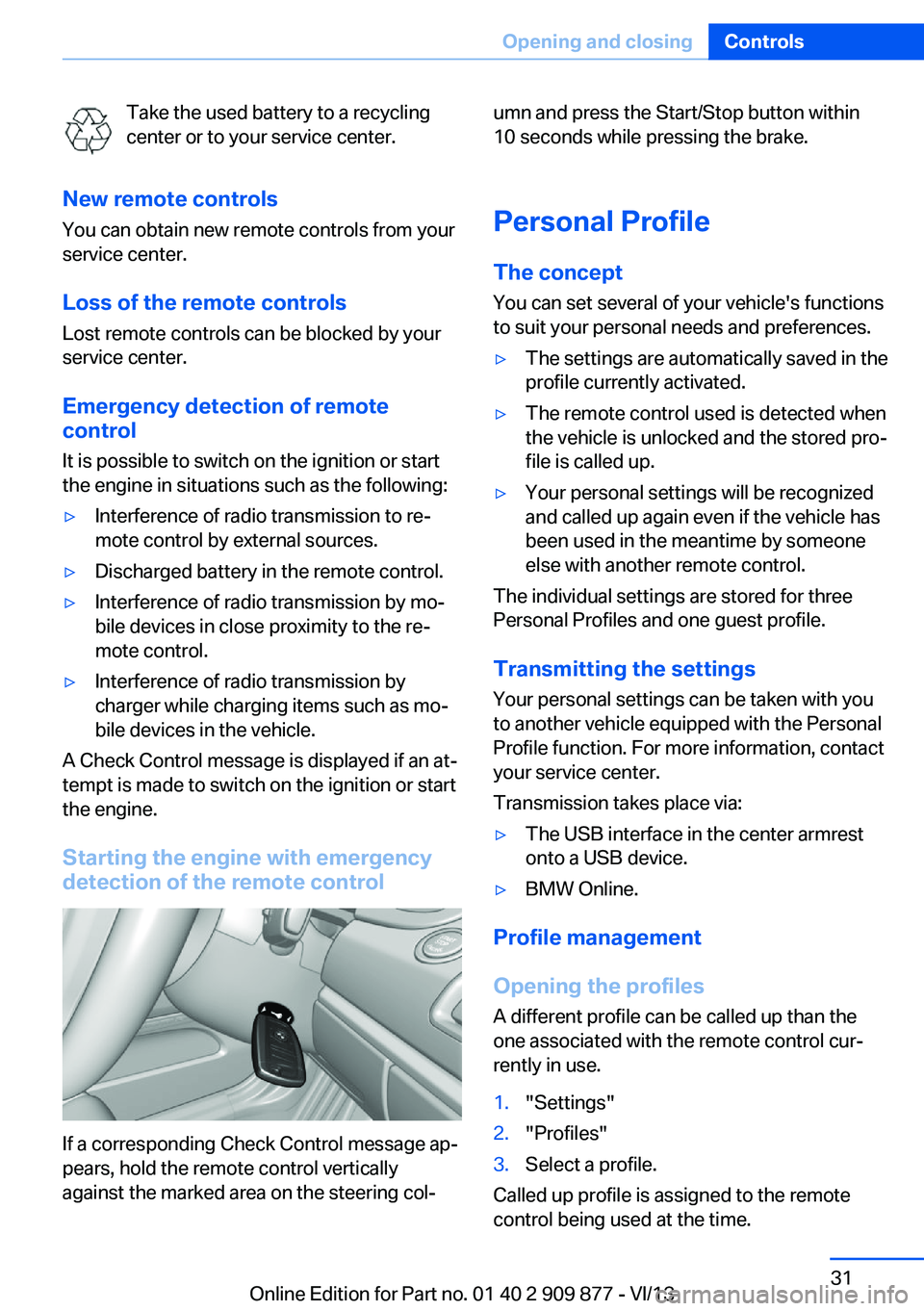
If a corresponding Check Control message ap‐
pears, hold the remote control vertically
against the marked area on the steering col‐
umn and press the Start/Stop button within
10 seconds while pressing the brake.
Personal Profile The conceptYou can set several of your vehicle's functions
to suit your personal needs and preferences.▷The settings are automatically saved in the
profile currently activated.▷The remote control used is detected when
the vehicle is unlocked and the stored pro‐
file is called up.▷Your personal settings will be recognized
and called up again even if the vehicle has
been used in the meantime by someone
else with another remote control.
The individual settings are stored for three
Personal Profiles and one guest profile.
Transmitting the settings
Your personal settings can be taken with you
to another vehicle equipped with the Personal
Profile function. For more information, contact
your service center.
Transmission takes place via:
▷The USB interface in the center armrest
onto a USB device.▷BMW Online.
Profile management
Opening the profiles A different profile can be called up than the
one associated with the remote control cur‐
rently in use.
1."Settings"2."Profiles"3.Select a profile.
Called up profile is assigned to the remote
control being used at the time.
Seite 31Opening and closingControls31
Online Edition for Part no. 01 40 2 909 877 - VI/13
Page 163 of 243
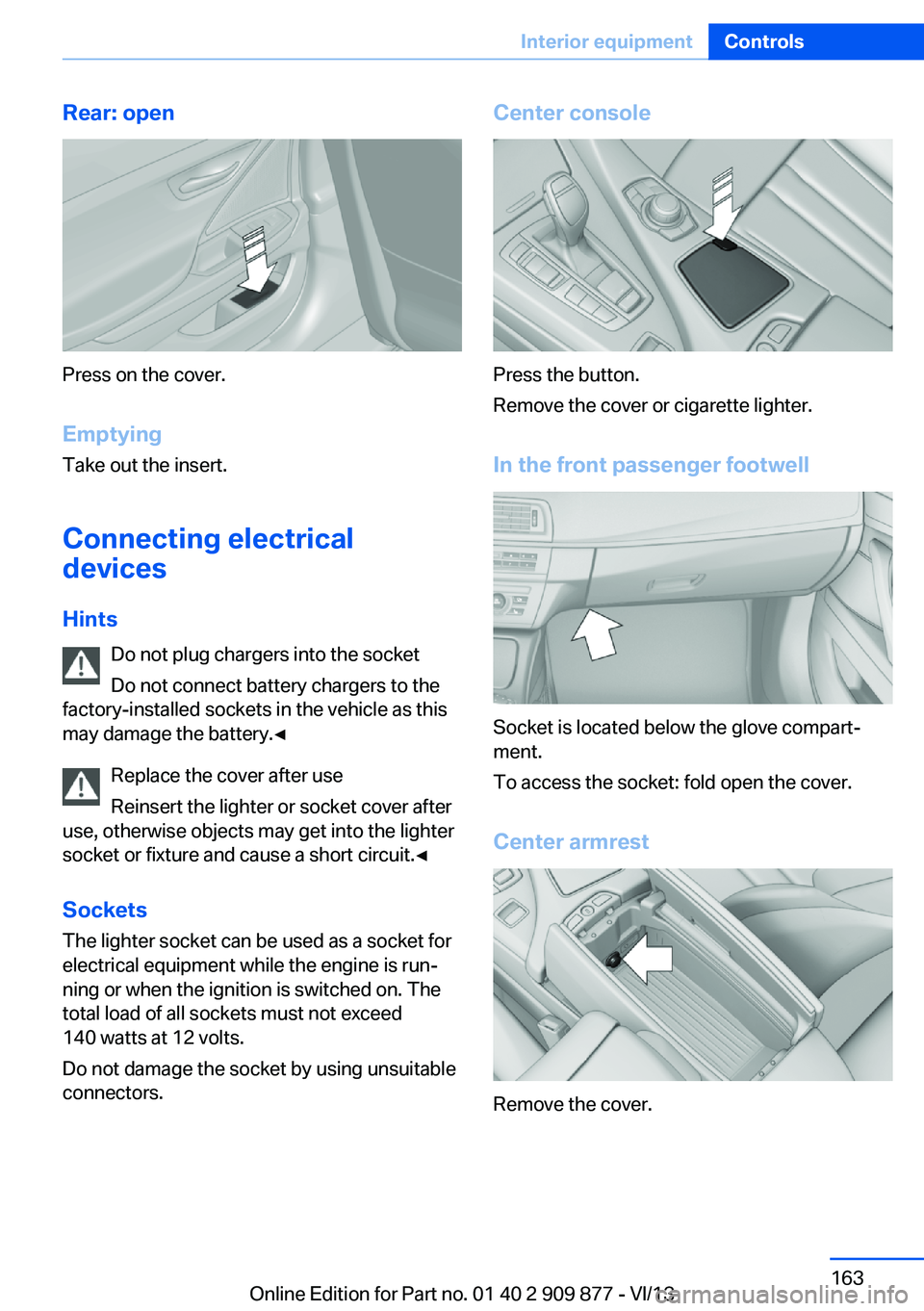
Rear: open
Press on the cover.
Emptying Take out the insert.
Connecting electrical devices
Hints Do not plug chargers into the socket
Do not connect battery chargers to the
factory-installed sockets in the vehicle as this
may damage the battery.◀
Replace the cover after use
Reinsert the lighter or socket cover after
use, otherwise objects may get into the lighter
socket or fixture and cause a short circuit.◀
Sockets
The lighter socket can be used as a socket for
electrical equipment while the engine is run‐
ning or when the ignition is switched on. The
total load of all sockets must not exceed
140 watts at 12 volts.
Do not damage the socket by using unsuitable
connectors.
Center console
Press the button.
Remove the cover or cigarette lighter.
In the front passenger footwell
Socket is located below the glove compart‐
ment.
To access the socket: fold open the cover.
Center armrest
Remove the cover.
Seite 163Interior equipmentControls163
Online Edition for Part no. 01 40 2 909 877 - VI/13
Page 165 of 243
Ensure that the lock is securely en‐
gaged
Make sure that the lock engages properly
when folding back, otherwise transported
cargo could enter the passenger compart‐
ment during braking or evasive maneuvers
and endanger the vehicle occupants.◀2.Release the belt tongue from the fixture on
the rear window shelf.3.Insert the belt tongue in the belt lock of the
center safety belt. Make sure you hear the
latch plate engage.
To secure cargo, refer to page 178, with nets
or draw straps, the cargo area is fitted with
lashing eyes.
Ski bag
Capacity
The ski bag can be used to transport up to four
pairs of skis with a length of up to 6 ft/2.10 m
or, depending on the binding, up to two snow‐
boards with a length of up to 5 ft/1.60 m.
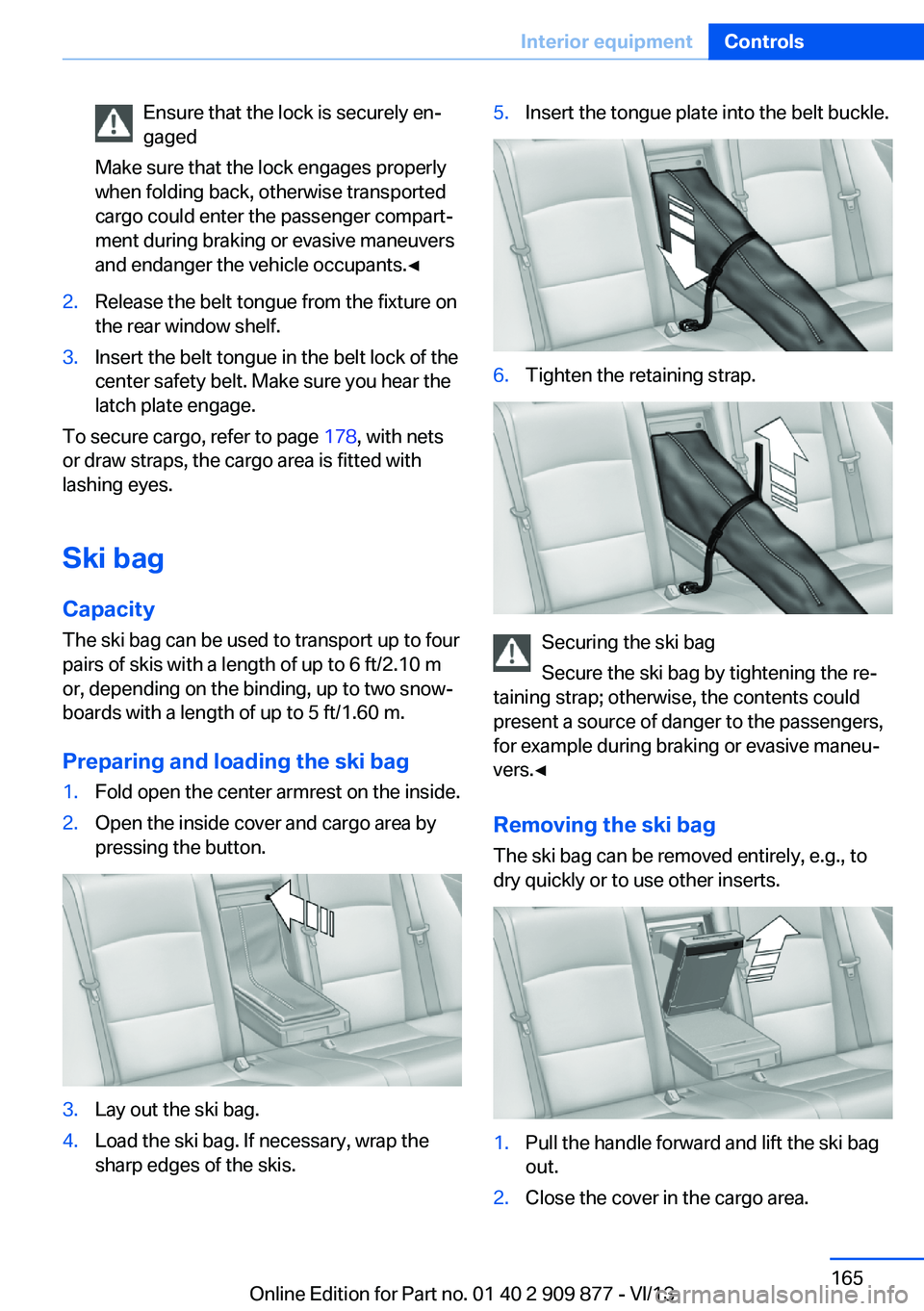
Preparing and loading the ski bag
1.Fold open the center armrest on the inside.2.Open the inside cover and cargo area by
pressing the button.3.Lay out the ski bag.4.Load the ski bag. If necessary, wrap the
sharp edges of the skis.5.Insert the tongue plate into the belt buckle.6.Tighten the retaining strap.
Securing the ski bag
Secure the ski bag by tightening the re‐
taining strap; otherwise, the contents could
present a source of danger to the passengers,
for example during braking or evasive maneu‐
vers.◀
Removing the ski bag The ski bag can be removed entirely, e.g., to
dry quickly or to use other inserts.
1.Pull the handle forward and lift the ski bag
out.2.Close the cover in the cargo area.Seite 165Interior equipmentControls165
Online Edition for Part no. 01 40 2 909 877 - VI/13
Page 167 of 243
Storage compartmentsVehicle equipmentAll standard, country-specific and optional
equipment that is offered in the model series is
described in this chapter. Therefore, equip‐
ment is also described that is not available in a
vehicle, e. g., because of the selected optional
equipment or country variant. This also applies
for safety-related functions and systems.
Notes No loose objects in the passenger com‐
partment
Do not stow any objects in the passenger
compartment without securing them; other‐
wise, they may present a danger to occupants
for instance during braking and avoidance ma‐
neuvers.◀
Do not place anti-slip mats on the dash‐
board
Do not place anti-slip mats on the dashboard.
The mat materials could damage the dash‐
board.◀
Storage compartments
The following storage compartments are avail‐
able in the vehicle interior:▷Glove compartment on the front passenger
side, refer to page 167.▷Storage compartment in the front center
armrest, refer to page 168.▷Storage compartment in the rear center
armrest, refer to page 169.▷Compartments in the doors.▷Pockets on the backrests of the front
seats.▷Net in the front passenger footwell.Glove compartment
Note Close the glove compartment again im‐
mediately
Close the glove compartment immediately af‐
ter use while driving; otherwise, injury may oc‐
cur during accidents.◀
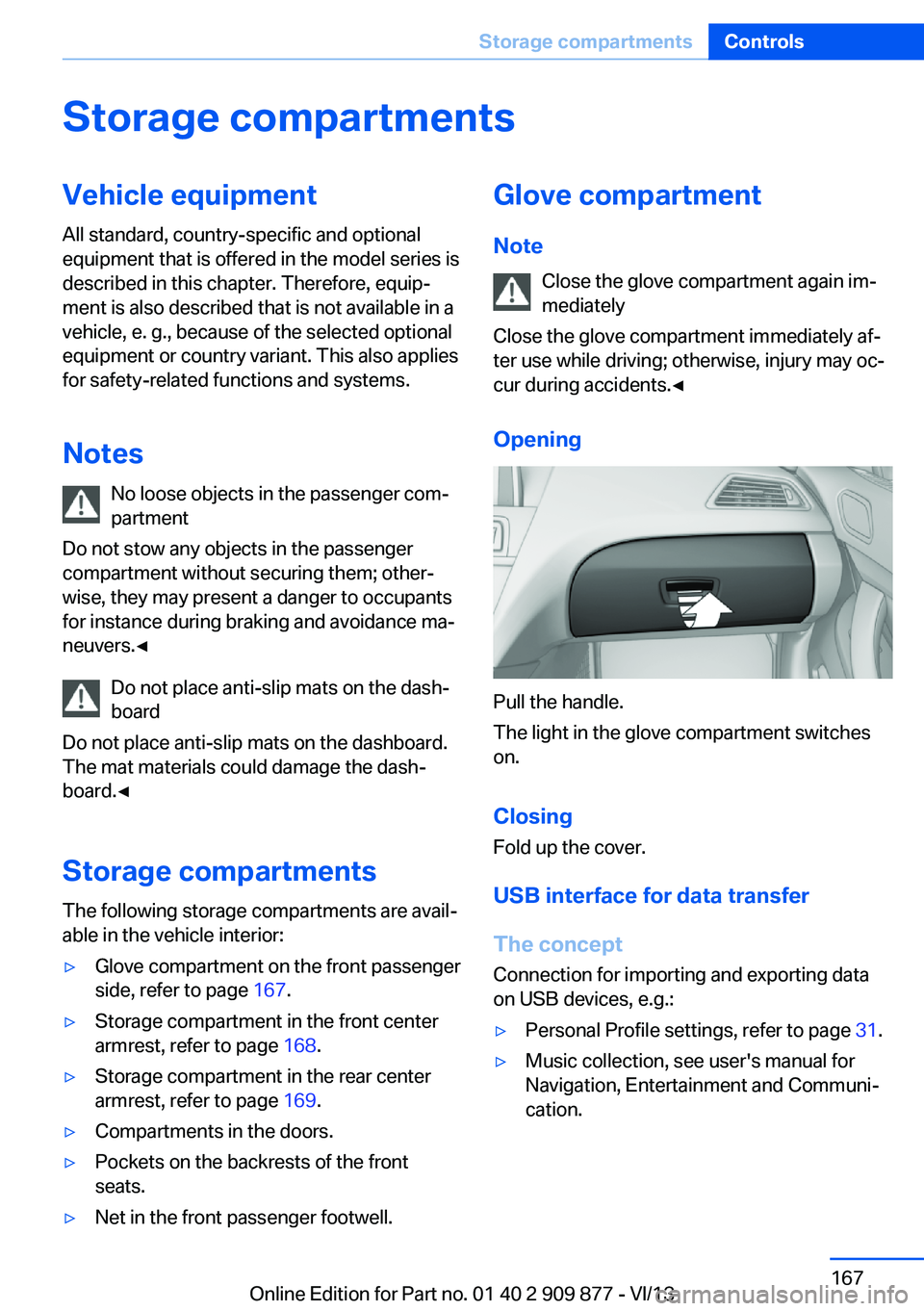
Opening
Pull the handle.
The light in the glove compartment switches
on.
ClosingFold up the cover.
USB interface for data transfer
The concept Connection for importing and exporting data
on USB devices, e.g.:
▷Personal Profile settings, refer to page 31.▷Music collection, see user's manual for
Navigation, Entertainment and Communi‐
cation.Seite 167Storage compartmentsControls167
Online Edition for Part no. 01 40 2 909 877 - VI/13
Page 168 of 243
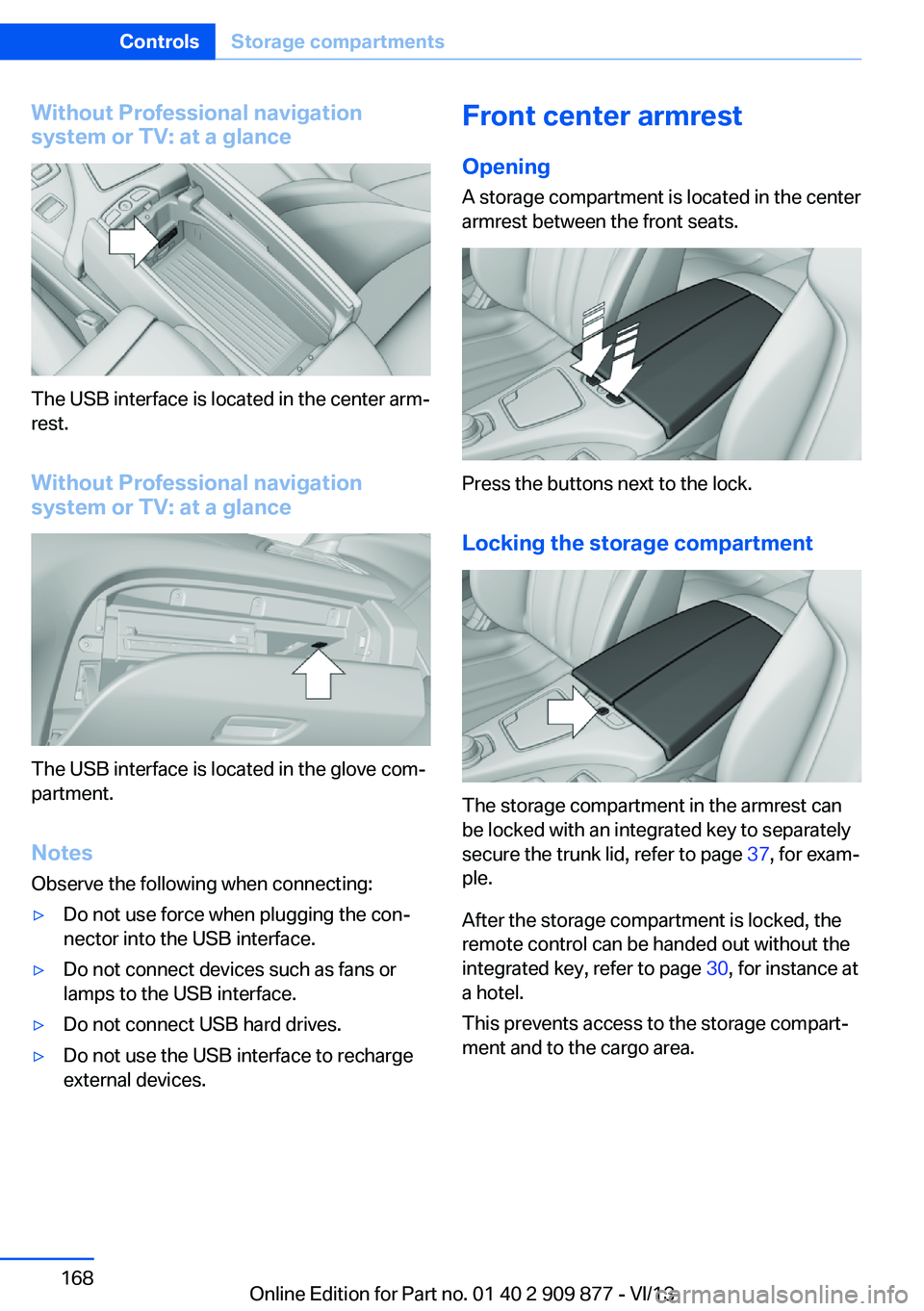
Without Professional navigation
system or TV: at a glance
The USB interface is located in the center arm‐
rest.
Without Professional navigation
system or TV: at a glance
The USB interface is located in the glove com‐
partment.
Notes
Observe the following when connecting:
▷Do not use force when plugging the con‐
nector into the USB interface.▷Do not connect devices such as fans or
lamps to the USB interface.▷Do not connect USB hard drives.▷Do not use the USB interface to recharge
external devices.Front center armrest
Opening A storage compartment is located in the center
armrest between the front seats.
Press the buttons next to the lock.
Locking the storage compartment
The storage compartment in the armrest can
be locked with an integrated key to separately
secure the trunk lid, refer to page 37, for exam‐
ple.
After the storage compartment is locked, the
remote control can be handed out without the
integrated key, refer to page 30, for instance at
a hotel.
This prevents access to the storage compart‐
ment and to the cargo area.
Seite 168ControlsStorage compartments168
Online Edition for Part no. 01 40 2 909 877 - VI/13
Page 169 of 243
Connection for an external audio
device
.
Description, see user's manual
for Navigation, Entertainment
and Communication.
Rear center armrest
The center armrest contains a storage com‐
partment.
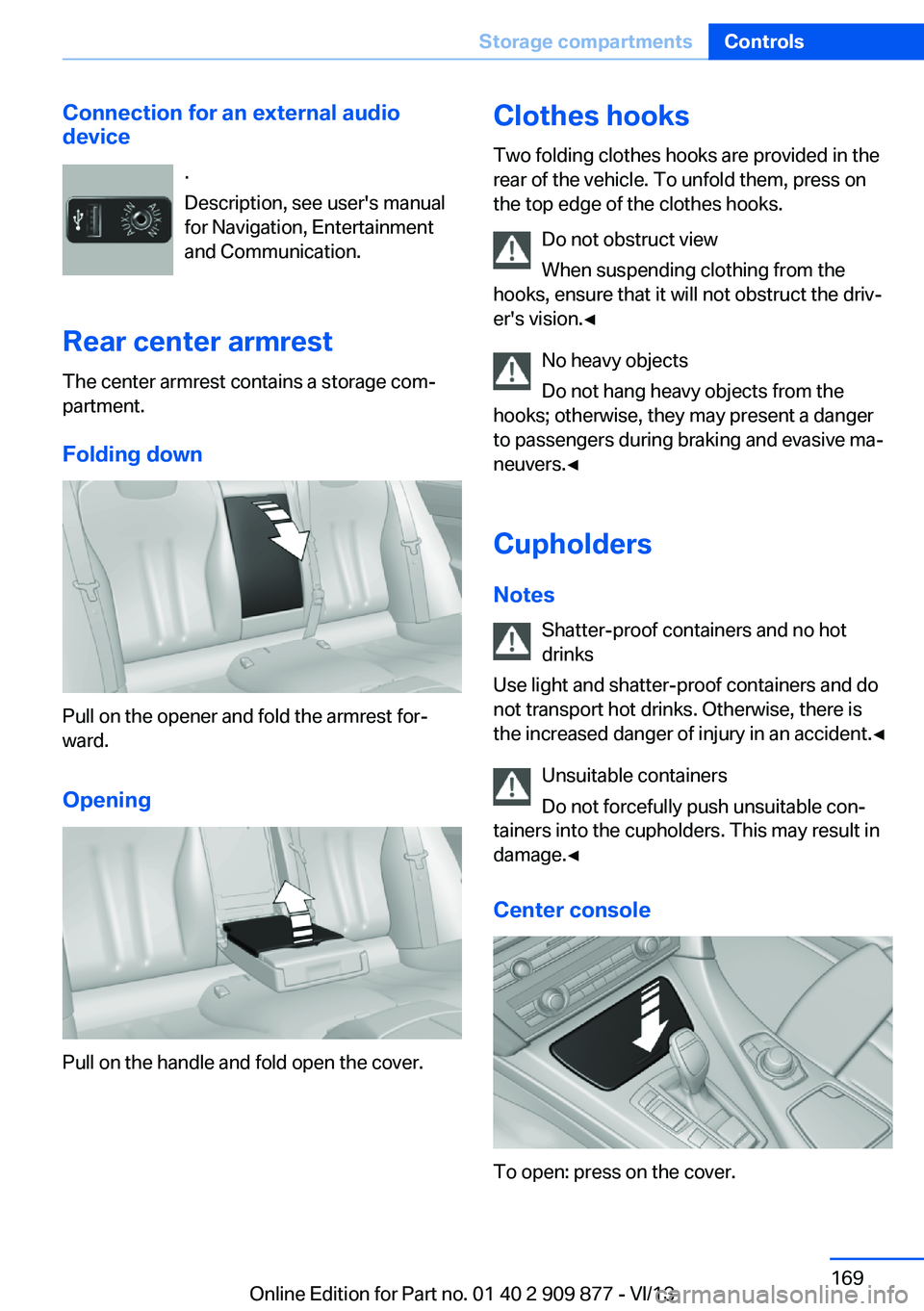
Folding down
Pull on the opener and fold the armrest for‐
ward.
Opening
Pull on the handle and fold open the cover.
Clothes hooks
Two folding clothes hooks are provided in the
rear of the vehicle. To unfold them, press on
the top edge of the clothes hooks.
Do not obstruct view
When suspending clothing from the
hooks, ensure that it will not obstruct the driv‐
er's vision.◀
No heavy objects
Do not hang heavy objects from the
hooks; otherwise, they may present a danger
to passengers during braking and evasive ma‐
neuvers.◀
Cupholders Notes Shatter-proof containers and no hot
drinks
Use light and shatter-proof containers and do
not transport hot drinks. Otherwise, there is
the increased danger of injury in an accident.◀
Unsuitable containers
Do not forcefully push unsuitable con‐
tainers into the cupholders. This may result in
damage.◀
Center console
To open: press on the cover.
Seite 169Storage compartmentsControls169
Online Edition for Part no. 01 40 2 909 877 - VI/13
Page 170 of 243
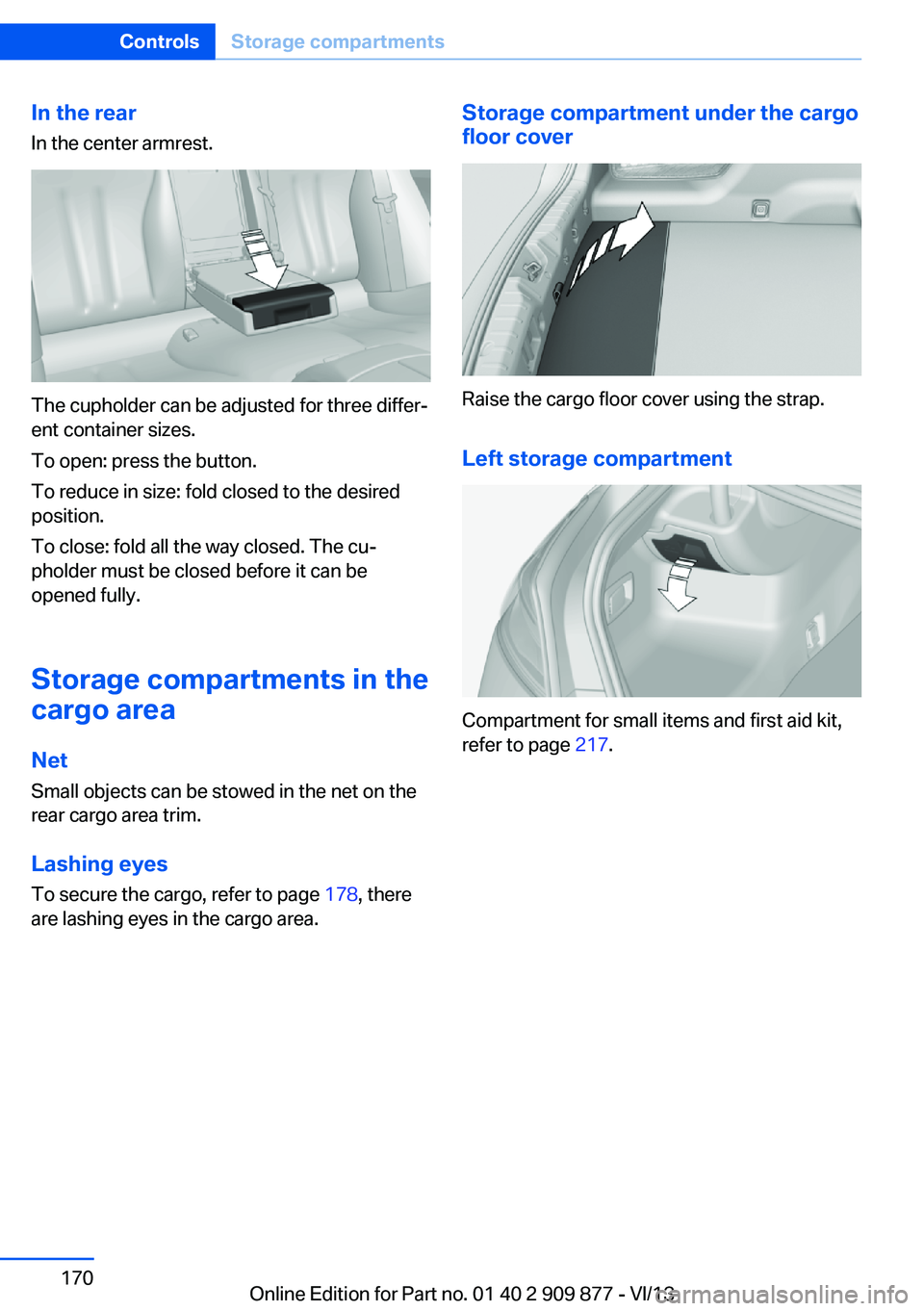
In the rearIn the center armrest.
The cupholder can be adjusted for three differ‐
ent container sizes.
To open: press the button.
To reduce in size: fold closed to the desired
position.
To close: fold all the way closed. The cu‐
pholder must be closed before it can be
opened fully.
Storage compartments in the
cargo area
Net
Small objects can be stowed in the net on the
rear cargo area trim.
Lashing eyes To secure the cargo, refer to page 178, there
are lashing eyes in the cargo area.
Storage compartment under the cargo floor cover
Raise the cargo floor cover using the strap.
Left storage compartment
Compartment for small items and first aid kit,
refer to page 217.
Seite 170ControlsStorage compartments170
Online Edition for Part no. 01 40 2 909 877 - VI/13
Page 232 of 243
Everything from A to Z
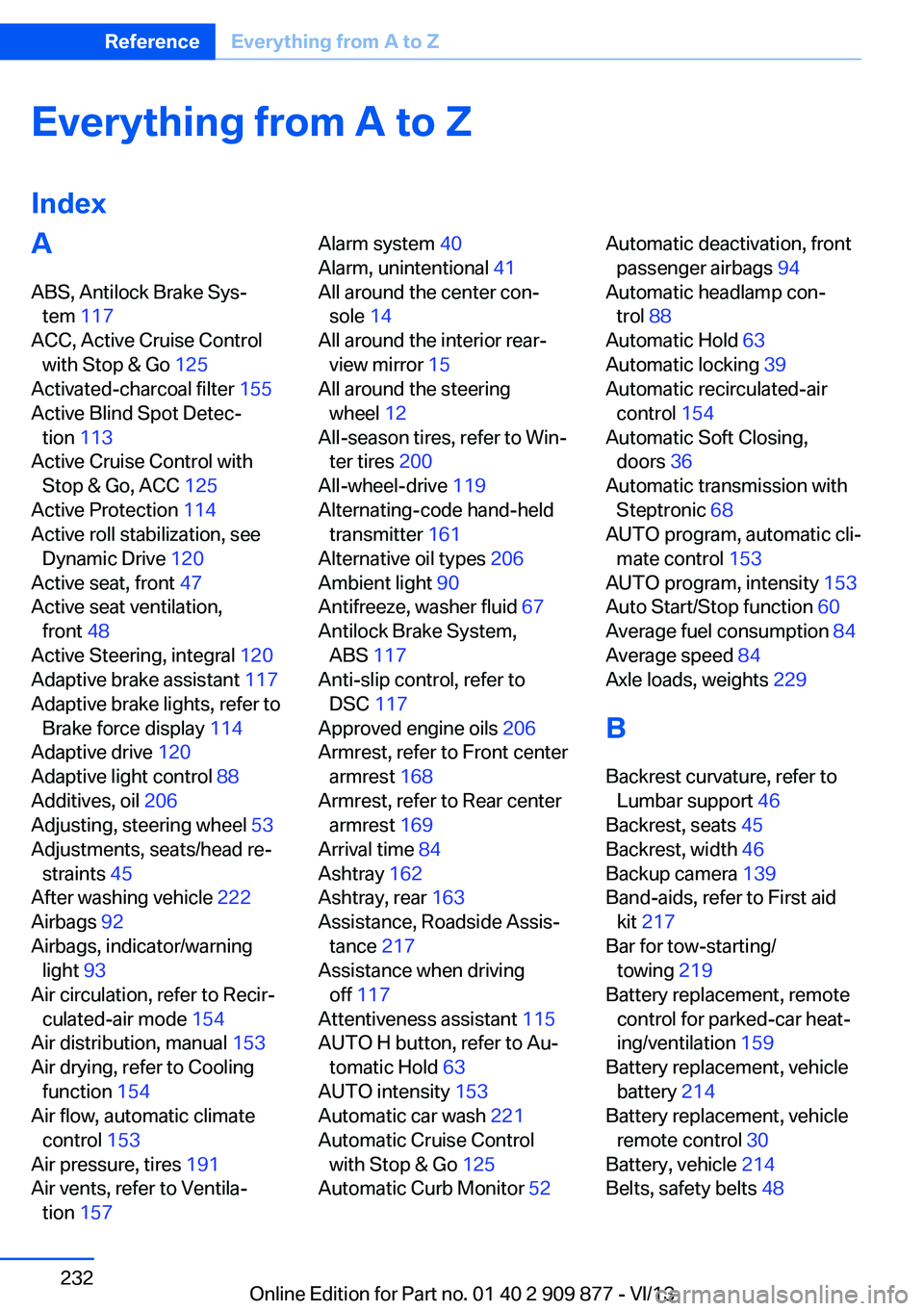
IndexA ABS, Antilock Brake Sys‐ tem 117
ACC, Active Cruise Control with Stop & Go 125
Activated-charcoal filter 155
Active Blind Spot Detec‐ tion 113
Active Cruise Control with Stop & Go, ACC 125
Active Protection 114
Active roll stabilization, see Dynamic Drive 120
Active seat, front 47
Active seat ventilation, front 48
Active Steering, integral 120
Adaptive brake assistant 117
Adaptive brake lights, refer to Brake force display 114
Adaptive drive 120
Adaptive light control 88
Additives, oil 206
Adjusting, steering wheel 53
Adjustments, seats/head re‐ straints 45
After washing vehicle 222
Airbags 92
Airbags, indicator/warning light 93
Air circulation, refer to Recir‐ culated-air mode 154
Air distribution, manual 153
Air drying, refer to Cooling function 154
Air flow, automatic climate control 153
Air pressure, tires 191
Air vents, refer to Ventila‐ tion 157 Alarm system 40
Alarm, unintentional 41
All around the center con‐ sole 14
All around the interior rear‐ view mirror 15
All around the steering wheel 12
All-season tires, refer to Win‐ ter tires 200
All-wheel-drive 119
Alternating-code hand-held transmitter 161
Alternative oil types 206
Ambient light 90
Antifreeze, washer fluid 67
Antilock Brake System, ABS 117
Anti-slip control, refer to DSC 117
Approved engine oils 206
Armrest, refer to Front center armrest 168
Armrest, refer to Rear center armrest 169
Arrival time 84
Ashtray 162
Ashtray, rear 163
Assistance, Roadside Assis‐ tance 217
Assistance when driving off 117
Attentiveness assistant 115
AUTO H button, refer to Au‐ tomatic Hold 63
AUTO intensity 153
Automatic car wash 221
Automatic Cruise Control with Stop & Go 125
Automatic Curb Monitor 52 Automatic deactivation, front
passenger airbags 94
Automatic headlamp con‐ trol 88
Automatic Hold 63
Automatic locking 39
Automatic recirculated-air control 154
Automatic Soft Closing, doors 36
Automatic transmission with Steptronic 68
AUTO program, automatic cli‐ mate control 153
AUTO program, intensity 153
Auto Start/Stop function 60
Average fuel consumption 84
Average speed 84
Axle loads, weights 229
B Backrest curvature, refer to Lumbar support 46
Backrest, seats 45
Backrest, width 46
Backup camera 139
Band-aids, refer to First aid kit 217
Bar for tow-starting/ towing 219
Battery replacement, remote control for parked-car heat‐
ing/ventilation 159
Battery replacement, vehicle battery 214
Battery replacement, vehicle remote control 30
Battery, vehicle 214
Belts, safety belts 48 Seite 232ReferenceEverything from A to Z232
Online Edition for Part no. 01 40 2 909 877 - VI/13
Page 235 of 243
Engine, automatic switch-off 60
Engine compartment 203
Engine compartment, work‐ ing in 203
Engine coolant 207
Engine idling when driving, coasting 183
Engine oil 205
Engine oil, adding 206
Engine oil additives 206
Engine oil change 206
Engine oil filler neck 206
Engine oil temperature 78
Engine oil types, alterna‐ tive 206
Engine oil types, ap‐ proved 206
Engine start during malfunc‐ tion 31
Engine start, jump-start‐ ing 217
Engine start, refer to Starting the engine 59
Engine stop 59
Engine temperature 78
Entering/exiting vehicle, as‐ sistance, steering wheel 53
Entering a car wash 221
Equipment, interior 160
ESP Electronic Stability Pro‐ gram, refer to DSC 117
Exchanging wheels/tires 199
Exhaust system 174
Exterior mirror, automatic dimming feature 52
Exterior mirrors 51
External start 217
External temperature dis‐ play 79
External temperature warn‐ ing 79
Eyes for securing cargo 178 F
Failure message, refer to Check Control 76
False alarm, refer to Uninten‐ tional alarm 41
Fan, refer to Air flow 153
Fault displays, refer to Check Control 76
Filler neck for engine oil 206
Fine wood, care 223
First aid kit 217
Fitting for towing, refer to Tow fitting 220
Flat tire, changing wheels 213
Flat Tire Monitor FTM 98
Flat tire, Tire Pressure Moni‐ tor TPM 95
Flat tire, warning lamp 96, 99
Flooding 175
Floor carpet, care 224
Floor mats, care 224
Fold down the rear seat back‐ rest, see Though-loading
system 164
Fold-out position, windshield wipers 67
Foot brake 175
For the headliner, refer to All around the interior rearview
mirror 15
Front airbags 92
Front center armrest 168
Front fog lamps 90
Front lamps 210
Front passenger airbags, au‐ tomatic deactivation 94
Front passenger airbags, indi‐ cator lamp 94
Front seats 45
FTM Flat Tire Monitor 98
Fuel 190
Fuel cap 188
Fuel consumption, current 80 Fuel consumption, refer to
Average fuel consump‐
tion 84
Fuel filler flap 188
Fuel gauge 78
Fuel quality 190
Fuel recommendation 190
Fuel, tank capacity 230
Fuse 214
G Garage door opener, refer to Integrated universal remote
control 160
Gasoline 190
Gasoline quality 190
Gear change, automatic transmission 68
Gear shift indicator 81
General driving notes 174
Glass sunroof, powered with tilt function 43
Glove compartment 167
Gross vehicle weight, ap‐ proved 229
Gross weight, permissible for trailer towing 229
H
Handbrake, refer to Parking brake 62
Hand-held transmitter, alter‐ nating code 161
Hazard warning flashers 216
HDC Hill Descent Con‐ trol 119
Head airbags 92
Headlamp control, auto‐ matic 88
Headlamp courtesy delay fea‐ ture 87
Headlamp courtesy delay fea‐ ture via remote control 34
Headlamp flasher 65 Seite 235Everything from A to ZReference235
Online Edition for Part no. 01 40 2 909 877 - VI/13