service BMW 645CI COUPE 2004 E63 Owner's Guide
[x] Cancel search | Manufacturer: BMW, Model Year: 2004, Model line: 645CI COUPE, Model: BMW 645CI COUPE 2004 E63Pages: 216, PDF Size: 3.46 MB
Page 158 of 216
TeleService, BMW Assist
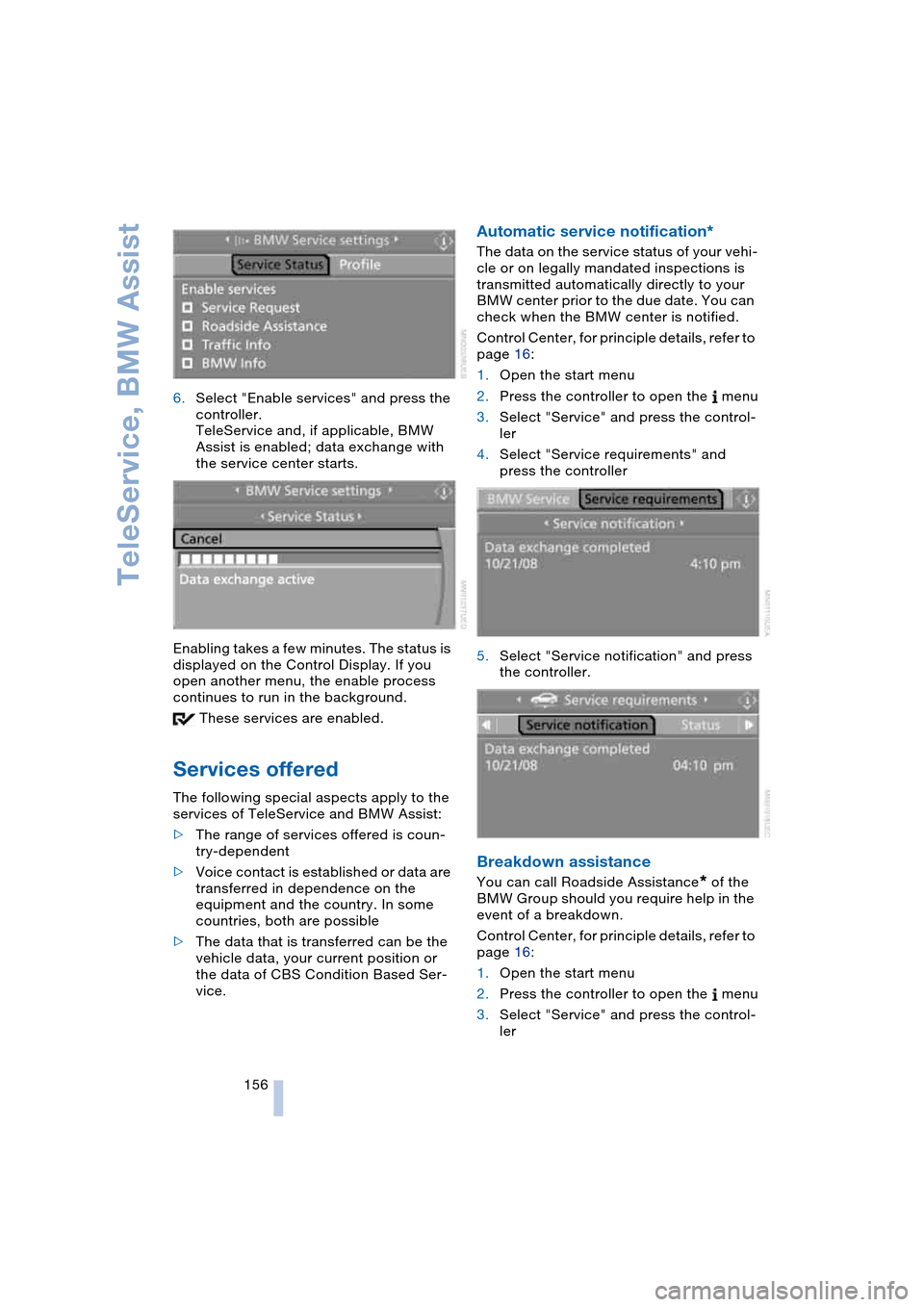
156 6.Select "Enable services" and press the
controller.
TeleService and, if applicable, BMW
Assist is enabled; data exchange with
the service center starts.
Enabling takes a few minutes. The status is
displayed on the Control Display. If you
open another menu, the enable process
continues to run in the background.
These services are enabled.
Services offered
The following special aspects apply to the
services of TeleService and BMW Assist:
>The range of services offered is coun-
try-dependent
>Voice contact is established or data are
transferred in dependence on the
equipment and the country. In some
countries, both are possible
>The data that is transferred can be the
vehicle data, your current position or
the data of CBS Condition Based Ser-
vice.
Automatic service notification*
The data on the service status of your vehi-
cle or on legally mandated inspections is
transmitted automatically directly to your
BMW center prior to the due date. You can
check when the BMW center is notified.
Control Center, for principle details, refer to
page 16:
1.Open the start menu
2.Press the controller to open the menu
3.Select "Service" and press the control-
ler
4.Select "Service requirements" and
press the controller
5.Select "Service notification" and press
the controller.
Breakdown assistance
You can call Roadside Assistance* of the
BMW Group should you require help in the
event of a breakdown.
Control Center, for principle details, refer to
page 16:
1.Open the start menu
2.Press the controller to open the menu
3.Select "Service" and press the control-
ler
Page 159 of 216
157
Entertainment
Reference
At a glance
Controls
Driving tips Communications
Navigation
Mobility
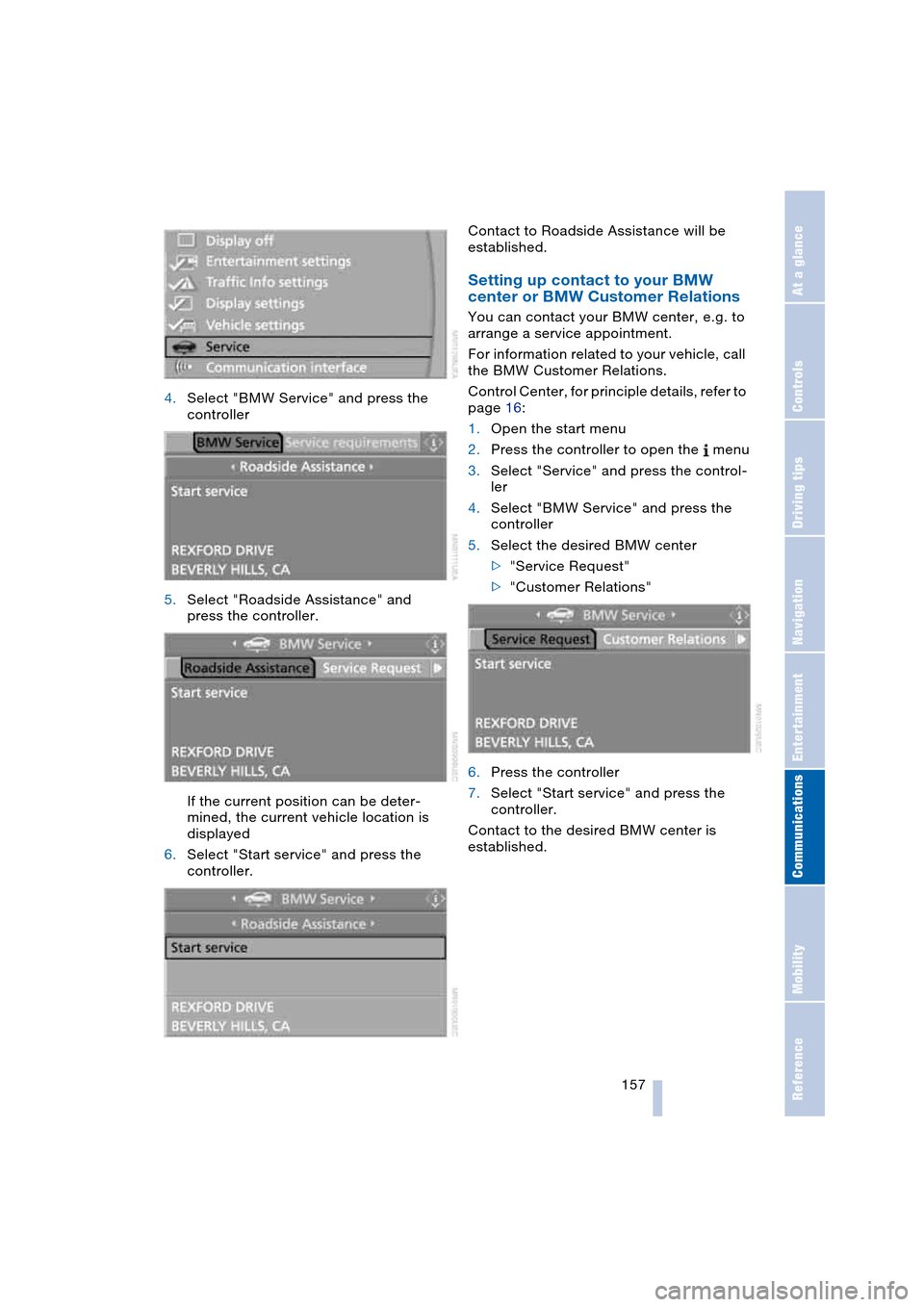
4.Select "BMW Service" and press the
controller
5.Select "Roadside Assistance" and
press the controller.
If the current position can be deter-
mined, the current vehicle location is
displayed
6.Select "Start service" and press the
controller.Contact to Roadside Assistance will be
established.
Setting up contact to your BMW
center or BMW Customer Relations
You can contact your BMW center, e.g. to
arrange a service appointment.
For information related to your vehicle, call
the BMW Customer Relations.
Control Center, for principle details, refer to
page 16:
1.Open the start menu
2.Press the controller to open the menu
3.Select "Service" and press the control-
ler
4.Select "BMW Service" and press the
controller
5.Select the desired BMW center
>"Service Request"
>"Customer Relations"
6.Press the controller
7.Select "Start service" and press the
controller.
Contact to the desired BMW center is
established.
Page 160 of 216
TeleService, BMW Assist
158
Adapting TeleService or
BMW Assist
Displaying and updating services
You will be informed about the changes in
the scope of TeleService or BMW Assist. In
this case, you should update the services.
Control Center, for principle details, refer to
page 16:
1.Open the start menu
2.Press the controller to open the menu
3.Select "Communication interface" and
press the controller
4.Select "BMW Service settings" and
press the controller
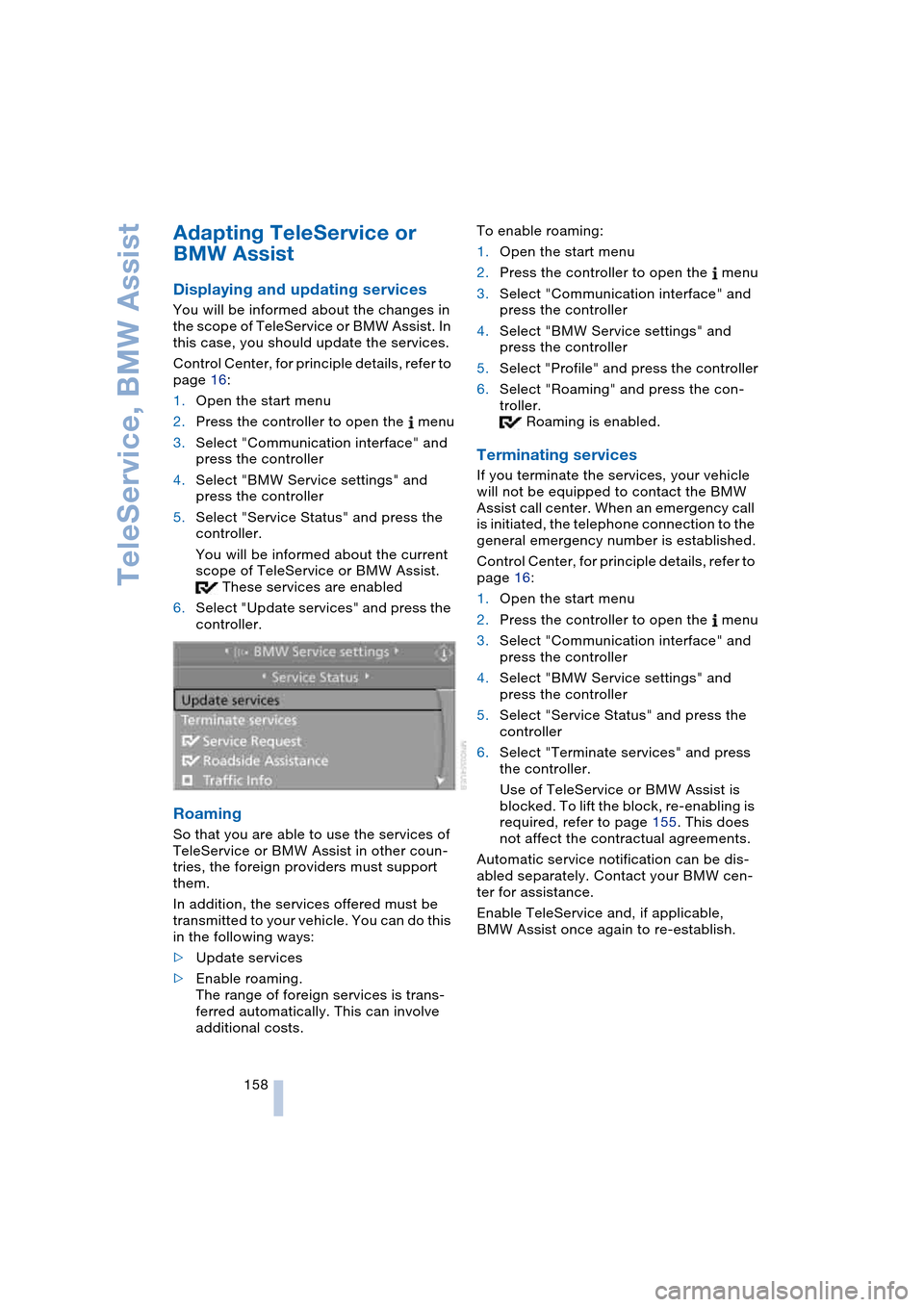
5.Select "Service Status" and press the
controller.
You will be informed about the current
scope of TeleService or BMW Assist.
These services are enabled
6.Select "Update services" and press the
controller.
Roaming
So that you are able to use the services of
TeleService or BMW Assist in other coun-
tries, the foreign providers must support
them.
In addition, the services offered must be
transmitted to your vehicle. You can do this
in the following ways:
>Update services
>Enable roaming.
The range of foreign services is trans-
ferred automatically. This can involve
additional costs.To enable roaming:
1.Open the start menu
2.Press the controller to open the menu
3.Select "Communication interface" and
press the controller
4.Select "BMW Service settings" and
press the controller
5.Select "Profile" and press the controller
6.Select "Roaming" and press the con-
troller.
Roaming is enabled.
Terminating services
If you terminate the services, your vehicle
will not be equipped to contact the BMW
Assist call center. When an emergency call
is initiated, the telephone connection to the
general emergency number is established.
Control Center, for principle details, refer to
page 16:
1.Open the start menu
2.Press the controller to open the menu
3.Select "Communication interface" and
press the controller
4.Select "BMW Service settings" and
press the controller
5.Select "Service Status" and press the
controller
6.Select "Terminate services" and press
the controller.
Use of TeleService or BMW Assist is
blocked. To lift the block, re-enabling is
required, refer to page 155. This does
not affect the contractual agreements.
Automatic service notification can be dis-
abled separately. Contact your BMW cen-
ter for assistance.
Enable TeleService and, if applicable,
BMW Assist once again to re-establish.
Page 161 of 216
159
Entertainment
Reference
At a glance
Controls
Driving tips Communications
Navigation
Mobility
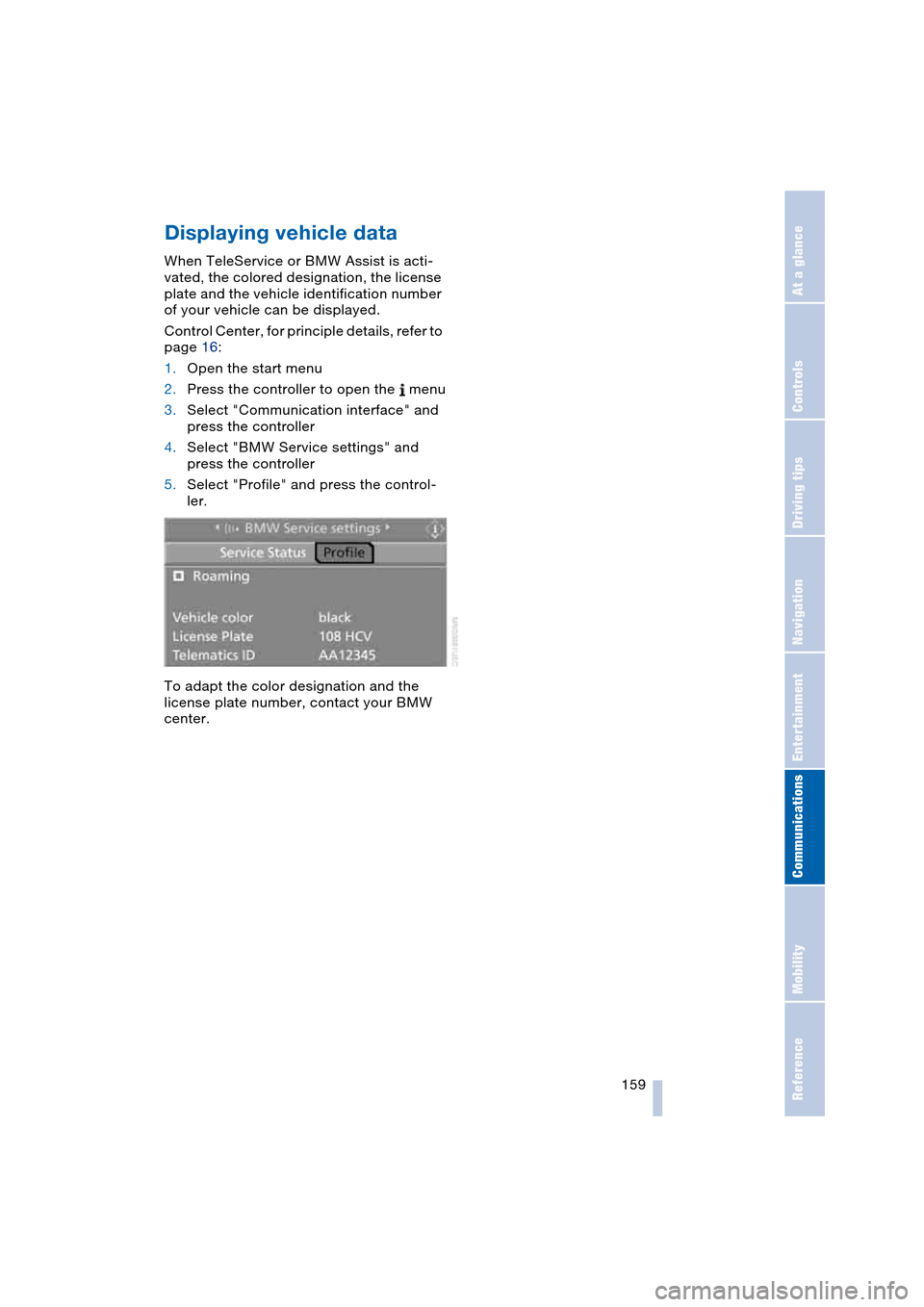
Displaying vehicle data
When TeleService or BMW Assist is acti-
vated, the colored designation, the license
plate and the vehicle identification number
of your vehicle can be displayed.
Control Center, for principle details, refer to
page 16:
1.Open the start menu
2.Press the controller to open the menu
3.Select "Communication interface" and
press the controller
4.Select "BMW Service settings" and
press the controller
5.Select "Profile" and press the control-
ler.
To adapt the color designation and the
license plate number, contact your BMW
center.
Page 163 of 216
Mobility
This section helps you maintain
your mobility by supplying important
information on vital topics including fuels
and lubricants, wheels and tires, service,
maintenance and how to deal with any
problems that may occur.
Page 166 of 216
Wheels and tires
164
Wheels and tires
Tire inflation pressure
Information for your safety
It is not merely the tire's service life, but
also driving comfort and – to a great extent
– driving safety that depend on the condi-
tion of the tires and the maintenance of the
specified tire pressure.
Check the tire inflation pressure regu-
larly and correct it if necessary: at
least every two weeks and before begin-
ning a longer trip. If you fail to observe this
precaution, you may be driving on tires with
incorrect tire pressures, a condition that
can not only compromise your vehicle's
stability, but also lead to tire damage and
the risk of an accident.<
Checking tire inflation pressure
Only check tire inflation pressure when the
tires are cold. This means after a maximum
of 1.25 miles/2 km driving or when the
vehicle has been parked for at least
2 hours. When tires are warm, the tire infla-
tion pressure increases.
After correcting the inflation pres-
sure(s), always reinitialize the Flat Tire
Monitor, refer to page 79.<
Inflation pressures for original tires
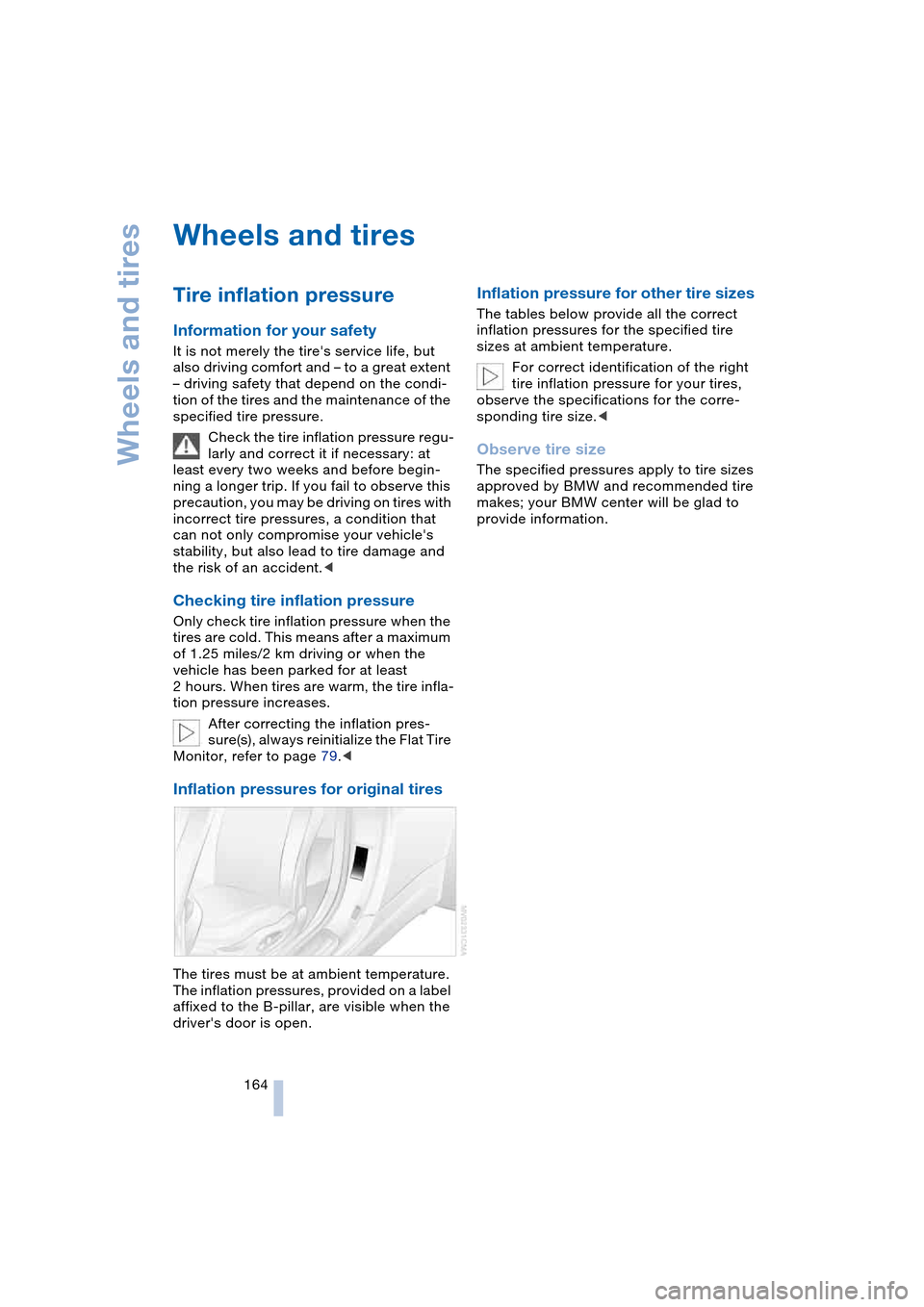
The tires must be at ambient temperature.
The inflation pressures, provided on a label
affixed to the B-pillar, are visible when the
driver's door is open.
Inflation pressure for other tire sizes
The tables below provide all the correct
inflation pressures for the specified tire
sizes at ambient temperature.
For correct identification of the right
tire inflation pressure for your tires,
observe the specifications for the corre-
sponding tire size.<
Observe tire size
The specified pressures apply to tire sizes
approved by BMW and recommended tire
makes; your BMW center will be glad to
provide information.
Page 168 of 216
Wheels and tires
166
Tire identification marks
Knowledge of the labeling on the side of
the tire makes it easier to identify and
choose the right tires.
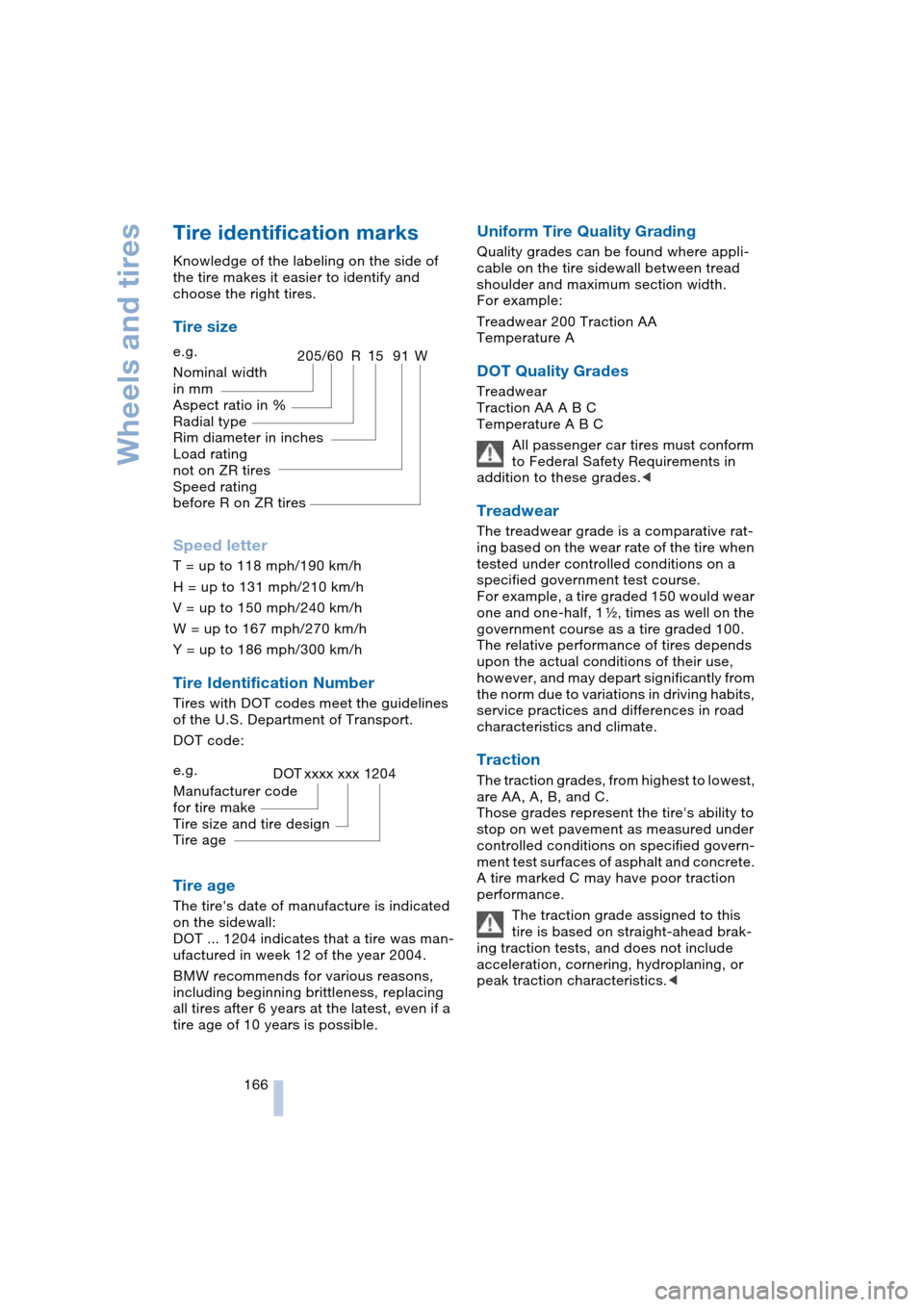
Tire size
Speed letter
T = up to 118 mph/190 km/h
H = up to 131 mph/210 km/h
V = up to 150 mph/240 km/h
W = up to 167 mph/270 km/h
Y = up to 186 mph/300 km/h
Tire Identification Number
Tires with DOT codes meet the guidelines
of the U.S. Department of Transport.
DOT code:
Tire age
The tire's date of manufacture is indicated
on the sidewall:
DOT ... 1204 indicates that a tire was man-
ufactured in week 12 of the year 2004.
BMW recommends for various reasons,
including beginning brittleness, replacing
all tires after 6 years at the latest, even if a
tire age of 10 years is possible.
Uniform Tire Quality Grading
Quality grades can be found where appli-
cable on the tire sidewall between tread
shoulder and maximum section width.
For example:
Treadwear 200 Traction AA
Temperature A
DOT Quality Grades
Treadwear
Traction AA A B C
Temperature A B C
All passenger car tires must conform
to Federal Safety Requirements in
addition to these grades.<
Treadwear
The treadwear grade is a comparative rat-
ing based on the wear rate of the tire when
tested under controlled conditions on a
specified government test course.
For example, a tire graded 150 would wear
one and one-half, 1g, times as well on the
government course as a tire graded 100.
The relative performance of tires depends
upon the actual conditions of their use,
however, and may depart significantly from
the norm due to variations in driving habits,
service practices and differences in road
characteristics and climate.
Traction
The traction grades, from highest to lowest,
are AA, A, B, and C.
Those grades represent the tire's ability to
stop on wet pavement as measured under
controlled conditions on specified govern-
ment test surfaces of asphalt and concrete.
A tire marked C may have poor traction
performance.
The traction grade assigned to this
tire is based on straight-ahead brak-
ing traction tests, and does not include
acceleration, cornering, hydroplaning, or
peak traction characteristics.< e.g.
Nominal width
in mm
Aspect ratio in X
Radial type
Rim diameter in inches
Load rating
not on ZR tires
Speed rating
before R on ZR tires
205/60 R1591W
e.g.
Manufacturer code
for tire make
Tire size and tire design
Tire ageDOT xxxx xxx 1204
Page 172 of 216
Under the hood
170
Under the hood
Never attempt to perform any service
or repair operations on your vehicle
without the required, professional technical
training. If you are unfamiliar with the ser-
vice procedures and precautions, always
have any required work on your vehicle
carried out at your BMW center. If this work
is performed inexpertly, there is a danger of
damage and associated safety risks.<
Hood
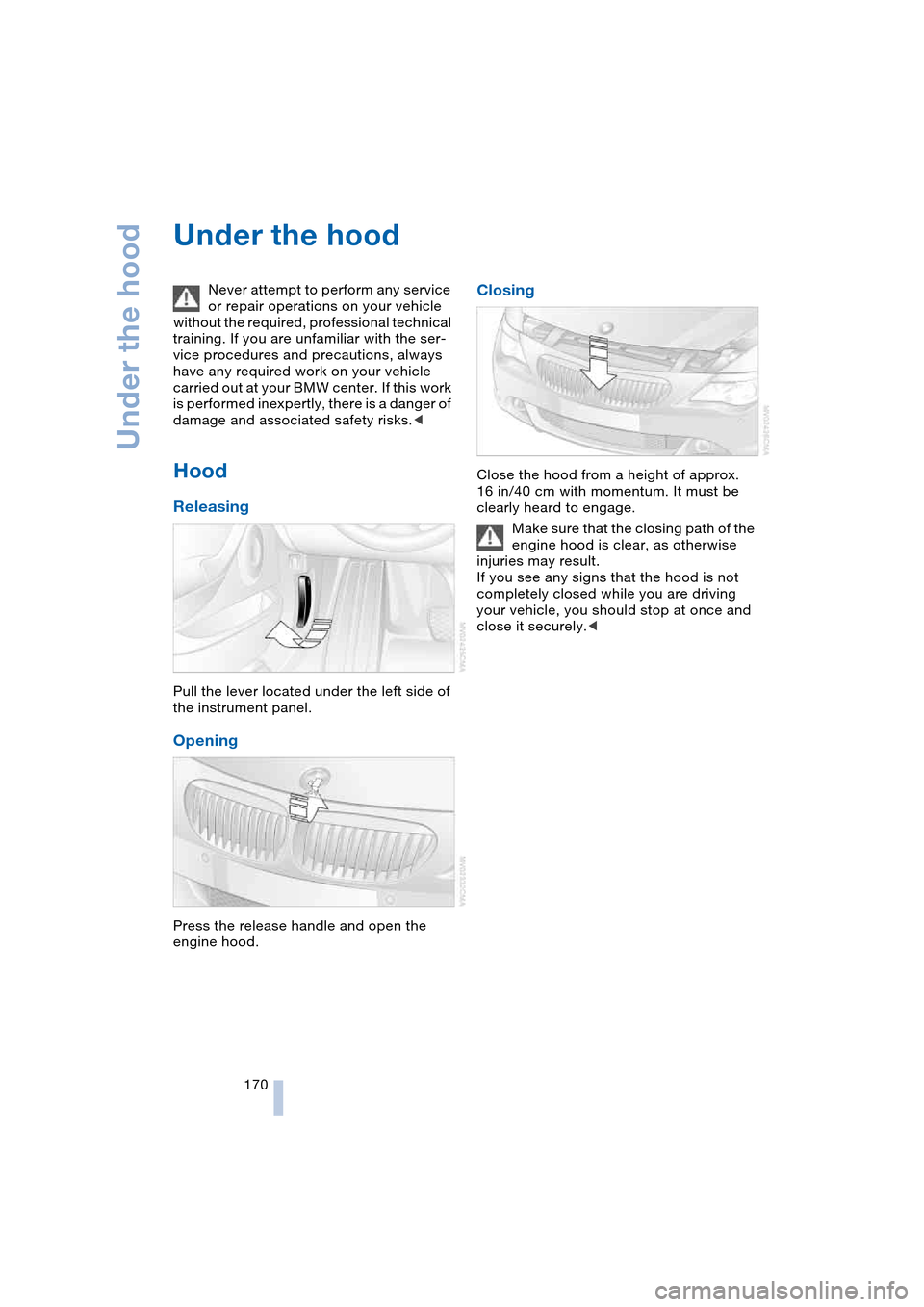
Releasing
Pull the lever located under the left side of
the instrument panel.
Opening
Press the release handle and open the
engine hood.
Closing
Close the hood from a height of approx.
16 in/40 cm with momentum. It must be
clearly heard to engage.
Make sure that the closing path of the
engine hood is clear, as otherwise
injuries may result.
If you see any signs that the hood is not
completely closed while you are driving
your vehicle, you should stop at once and
close it securely.<
Page 174 of 216
Under the hood
172
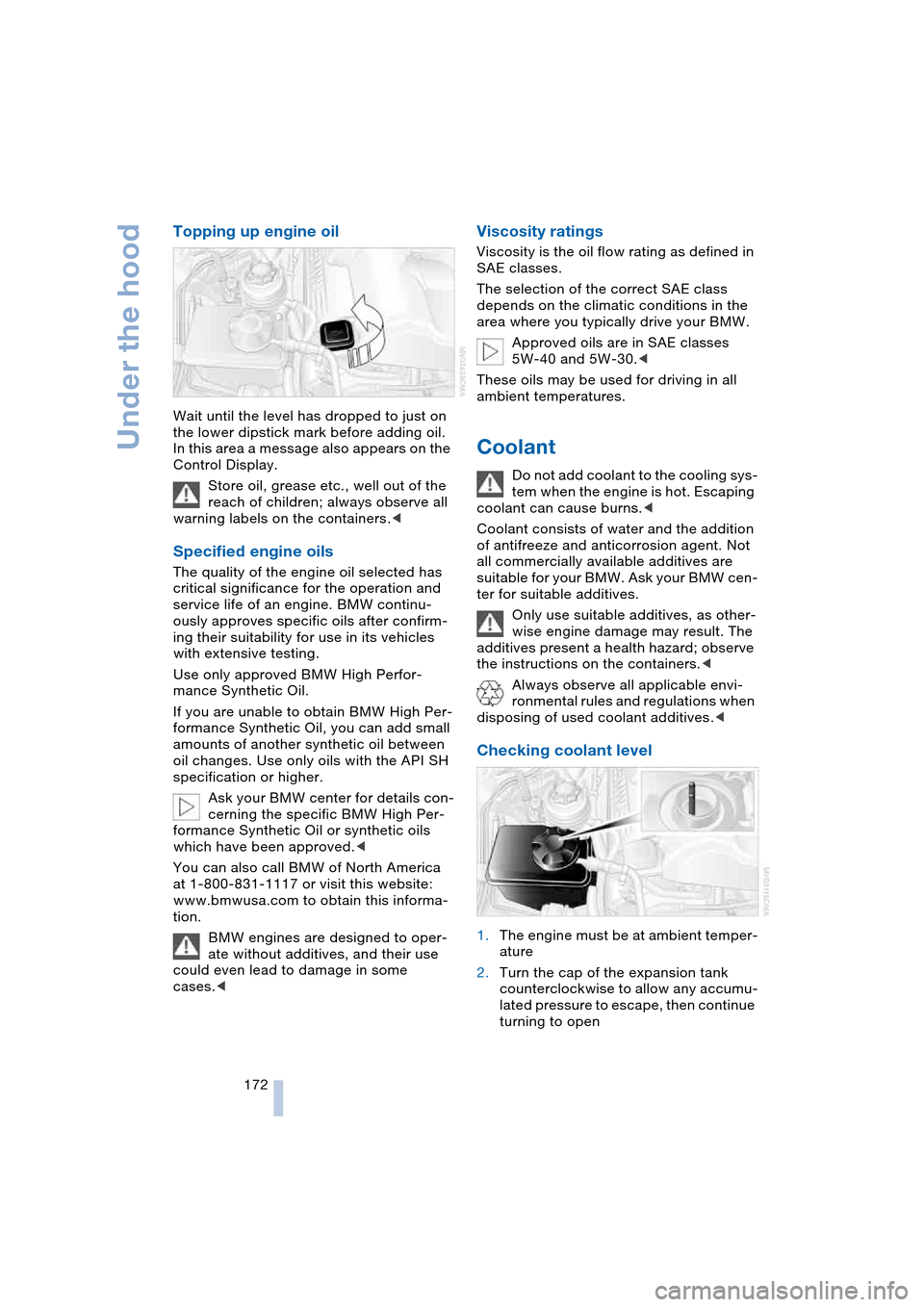
Topping up engine oil
Wait until the level has dropped to just on
the lower dipstick mark before adding oil.
In this area a message also appears on the
Control Display.
Store oil, grease etc., well out of the
reach of children; always observe all
warning labels on the containers.<
Specified engine oils
The quality of the engine oil selected has
critical significance for the operation and
service life of an engine. BMW continu-
ously approves specific oils after confirm-
ing their suitability for use in its vehicles
with extensive testing.
Use only approved BMW High Perfor-
mance Synthetic Oil.
If you are unable to obtain BMW High Per-
formance Synthetic Oil, you can add small
amounts of another synthetic oil between
oil changes. Use only oils with the API SH
specification or higher.
Ask your BMW center for details con-
cerning the specific BMW High Per-
formance Synthetic Oil or synthetic oils
which have been approved.<
You can also call BMW of North America
at 1-800-831-1117 or visit this website:
www.bmwusa.com to obtain this informa-
tion.
BMW engines are designed to oper-
ate without additives, and their use
could even lead to damage in some
cases.<
Viscosity ratings
Viscosity is the oil flow rating as defined in
SAE classes.
The selection of the correct SAE class
depends on the climatic conditions in the
area where you typically drive your BMW.
Approved oils are in SAE classes
5W-40 and 5W-30.<
These oils may be used for driving in all
ambient temperatures.
Coolant
Do not add coolant to the cooling sys-
tem when the engine is hot. Escaping
coolant can cause burns.<
Coolant consists of water and the addition
of antifreeze and anticorrosion agent. Not
all commercially available additives are
suitable for your BMW. Ask your BMW cen-
ter for suitable additives.
Only use suitable additives, as other-
wise engine damage may result. The
additives present a health hazard; observe
the instructions on the containers.<
Always observe all applicable envi-
ronmental rules and regulations when
disposing of used coolant additives.<
Checking coolant level
1.The engine must be at ambient temper-
ature
2.Turn the cap of the expansion tank
counterclockwise to allow any accumu-
lated pressure to escape, then continue
turning to open
Page 176 of 216
Maintenance
174
Maintenance
The BMW maintenance
system
The BMW maintenance system supports
the preservation of the traffic and operating
safety of your BMW. The service schedule
also includes operations related to the
vehicle's comfort and convenience fea-
tures, such as replacement of the filters for
the inside air. The ultimate objective is to
ensure economical maintenance by provid-
ing the ideal service for your vehicle.
Should the day come when you decide to
sell your BMW, you will find that a complete
dealer service history is an asset of inesti-
mable value.
CBS Condition Based Service
Sensors and special algorithms take the
different driving conditions of your BMW
into account. Condition Based Service
uses this to determine the current and
future maintenance requirement. By letting
you define a service and maintenance reg-
imen that reflects your own individual
requirements, the system builds the basis
for trouble-free driving.
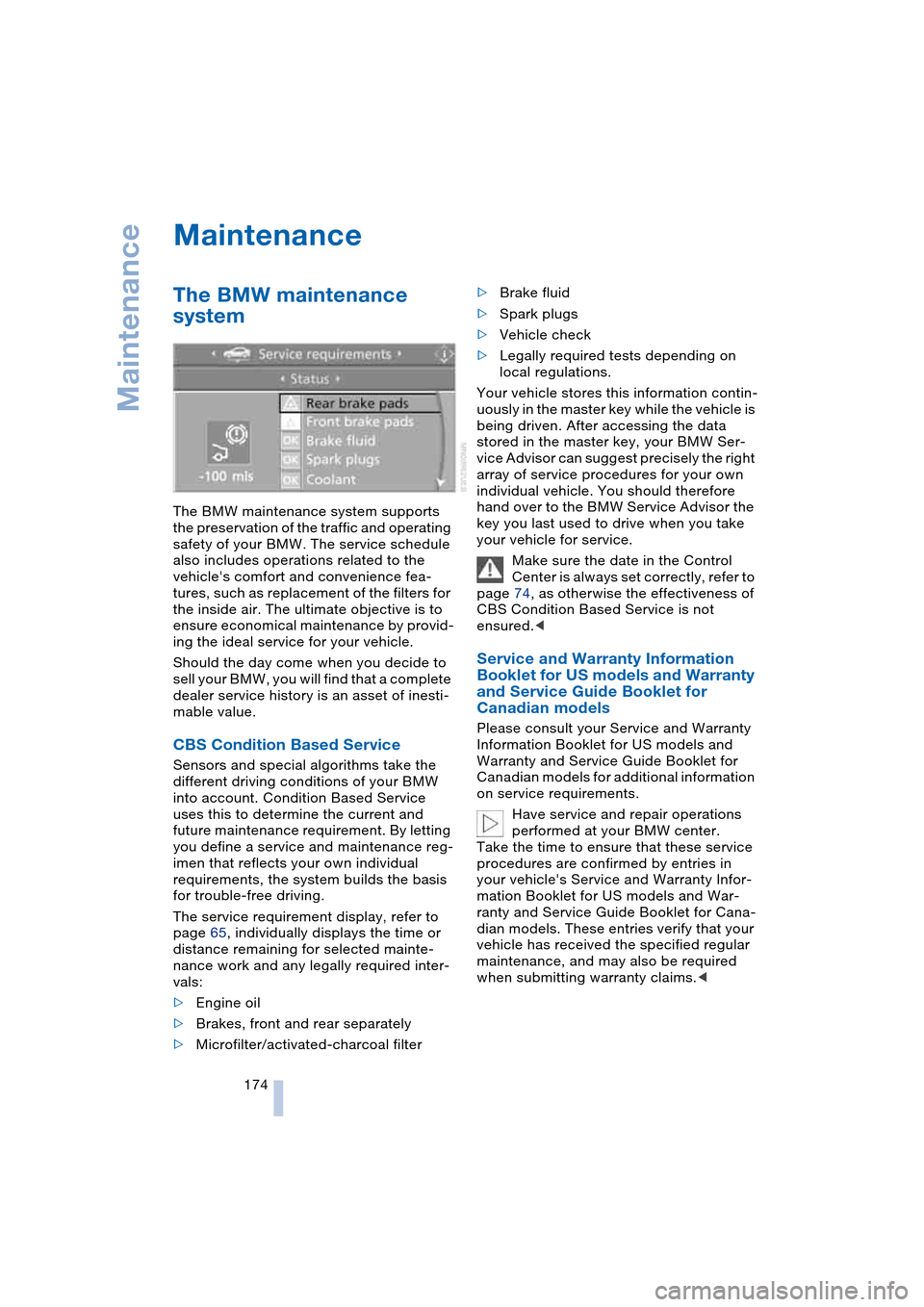
The service requirement display, refer to
page 65, individually displays the time or
distance remaining for selected mainte-
nance work and any legally required inter-
vals:
>Engine oil
>Brakes, front and rear separately
>Microfilter/activated-charcoal filter>Brake fluid
>Spark plugs
>Vehicle check
>Legally required tests depending on
local regulations.
Your vehicle stores this information contin-
uously in the master key while the vehicle is
being driven. After accessing the data
stored in the master key, your BMW Ser-
vice Advisor can suggest precisely the right
array of service procedures for your own
individual vehicle. You should therefore
hand over to the BMW Service Advisor the
key you last used to drive when you take
your vehicle for service.
Make sure the date in the Control
Center is always set correctly, refer to
page 74, as otherwise the effectiveness of
CBS Condition Based Service is not
ensured.<
Service and Warranty Information
Booklet for US models and Warranty
and Service Guide Booklet for
Canadian models
Please consult your Service and Warranty
Information Booklet for US models and
Warranty and Service Guide Booklet for
Canadian models for additional information
on service requirements.
Have service and repair operations
performed at your BMW center.
Take the time to ensure that these service
procedures are confirmed by entries in
your vehicle's Service and Warranty Infor-
mation Booklet for US models and War-
ranty and Service Guide Booklet for Cana-
dian models. These entries verify that your
vehicle has received the specified regular
maintenance, and may also be required
when submitting warranty claims.<