Control arm BMW 650I CONVERTIBLE 2007 E64 User Guide
[x] Cancel search | Manufacturer: BMW, Model Year: 2007, Model line: 650I CONVERTIBLE, Model: BMW 650I CONVERTIBLE 2007 E64Pages: 254, PDF Size: 7.93 MB
Page 101 of 254
Controls
99Reference
At a glance
Driving tips
Communications
Navigation
Entertainment
Mobility
Care instructions
You can find everything you need to know on
this topic by consulting the Caring for your vehi-
cle brochure.
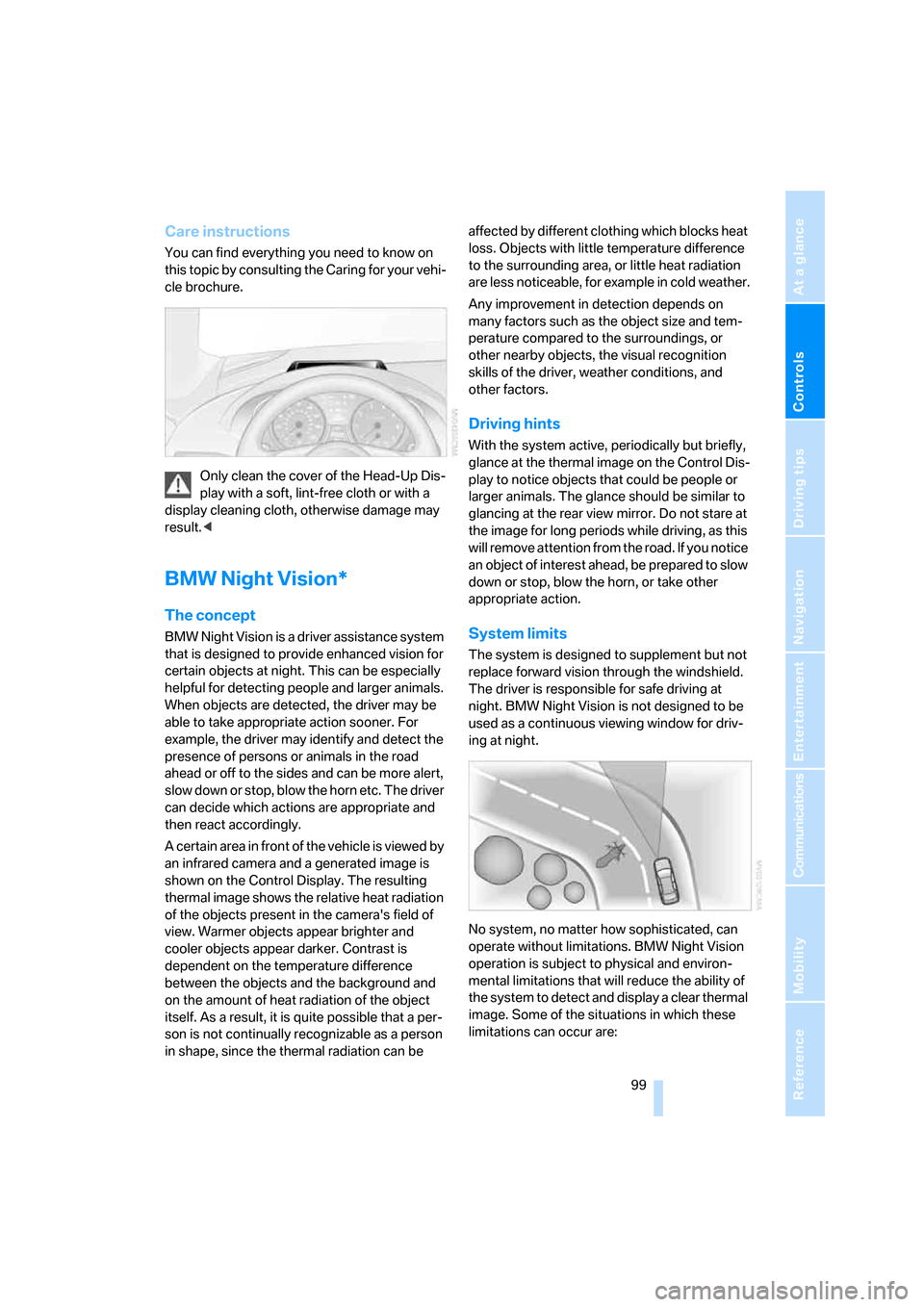
Only clean the cover of the Head-Up Dis-
play with a soft, lint-free cloth or with a
display cleaning cloth, otherwise damage may
result.<
BMW Night Vision*
The concept
BMW Night Vision is a driver assistance system
that is designed to provide enhanced vision for
certain objects at night. This can be especially
helpful for detecting people and larger animals.
When objects are detected, the driver may be
able to take appropriate action sooner. For
example, the driver may identify and detect the
presence of persons or animals in the road
ahead or off to the sides and can be more alert,
slow down or stop, blow the horn etc. The driver
can decide which actions are appropriate and
then react accordingly.
A certain area in front of the vehicle is viewed by
an infrared camera and a generated image is
shown on the Control Display. The resulting
thermal image shows the relative heat radiation
of the objects present in the camera's field of
view. Warmer objects appear brighter and
cooler objects appear darker. Contrast is
dependent on the temperature difference
between the objects and the background and
on the amount of heat radiation of the object
itself. As a result, it is quite possible that a per-
son is not continually recognizable as a person
in shape, since the thermal radiation can be affected by different clothing which blocks heat
loss. Objects with little temperature difference
to the surrounding area, or little heat radiation
are less noticeable, for example in cold weather.
Any improvement in detection depends on
many factors such as the object size and tem-
perature compared to the surroundings, or
other nearby objects, the visual recognition
skills of the driver, weather conditions, and
other factors.
Driving hints
With the system active, periodically but briefly,
glance at the thermal image on the Control Dis-
play to notice objects that could be people or
larger animals. The glance should be similar to
glancing at the rear view mirror. Do not stare at
the image for long periods while driving, as this
will remove attention from the road. If you notice
an object of interest ahead, be prepared to slow
down or stop, blow the horn, or take other
appropriate action.
System limits
The system is designed to supplement but not
replace forward vision through the windshield.
The driver is responsible for safe driving at
night. BMW Night Vision is not designed to be
used as a continuous viewing window for driv-
ing at night.
No system, no matter how sophisticated, can
operate without limitations. BMW Night Vision
operation is subject to physical and environ-
mental limitations that will reduce the ability of
the system to detect and display a clear thermal
image. Some of the situations in which these
limitations can occur are:
Page 112 of 254
Climate
110
Ventilation for cooling
Adjust the vent outlets to direct the flow of cool
air in your direction, for instance, if the interior
has become too warm, etc.
Draft-free ventilation
Set the vent outlets so that the air flows past
you and is not directed straight at you.
Microfilter/activated-charcoal filter
The microfilter removes dust and pollen from
the incoming air. The activated-charcoal filter
provides additional protection by filtering gas-
eous pollutants from the outside air. Your BMW
center replaces this combined filter as a stan-
dard part of your scheduled maintenance.
You can have more detailed information shown
on the Control Display, refer to page78.
Parked car ventilation
The concept
The parked car ventilation blows air into the
passenger compartment to lower interior tem-
peratures.
It is ready to use in the parked-car mode at any
outside temperature.
You can set two different times for the system
to start. The parked car ventilation can also be
switched on and off directly. It remains
switched on for 30 minutes.
Since the system uses a substantial amount of
electrical current, you should refrain from acti-
vating it twice in succession without allowing
the battery to be recharged in normal operation
between uses.
The air emerges through the upper body region
vent outlets in the instrument panel. Therefore,
please open the vent outlets.
The parked car ventilation system is operated
via iDrive.
Switching on and off directly
iDrive, for explanation of principle, refer to
page16.
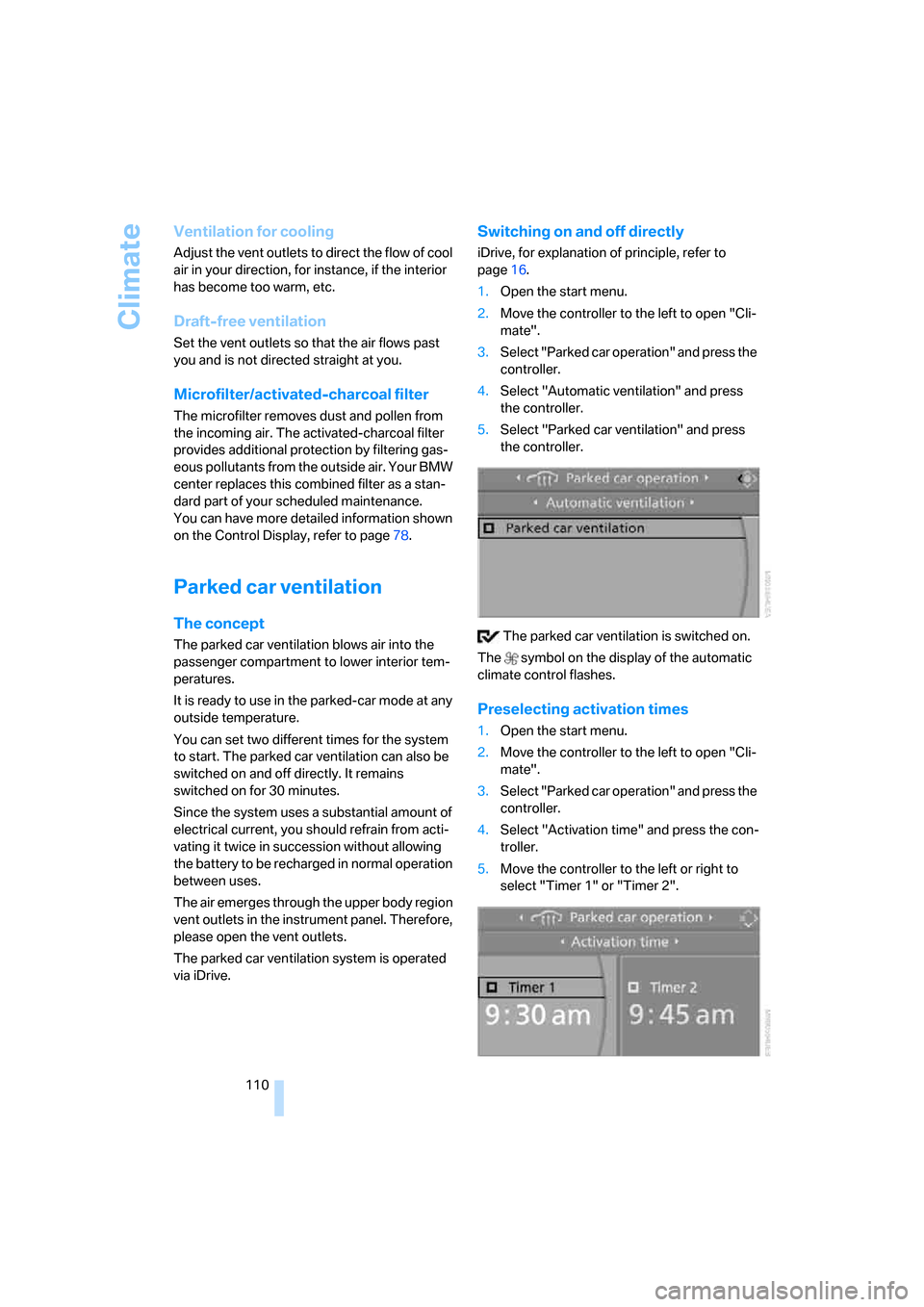
1.Open the start menu.
2.Move the controller to the left to open "Cli-
mate".
3.Select "Parked car operation" and press the
controller.
4.Select "Automatic ventilation" and press
the controller.
5.Select "Parked car ventilation" and press
the controller.
The parked car ventilation is switched on.
The symbol on the display of the automatic
climate control flashes.
Preselecting activation times
1.Open the start menu.
2.Move the controller to the left to open "Cli-
mate".
3.Select "Parked car operation" and press the
controller.
4.Select "Activation time" and press the con-
troller.
5.Move the controller to the left or right to
select "Timer 1" or "Timer 2".
Page 157 of 254
Navigation
Entertainment
Driving tips
155Reference
At a glance
Controls
Communications
Mobility
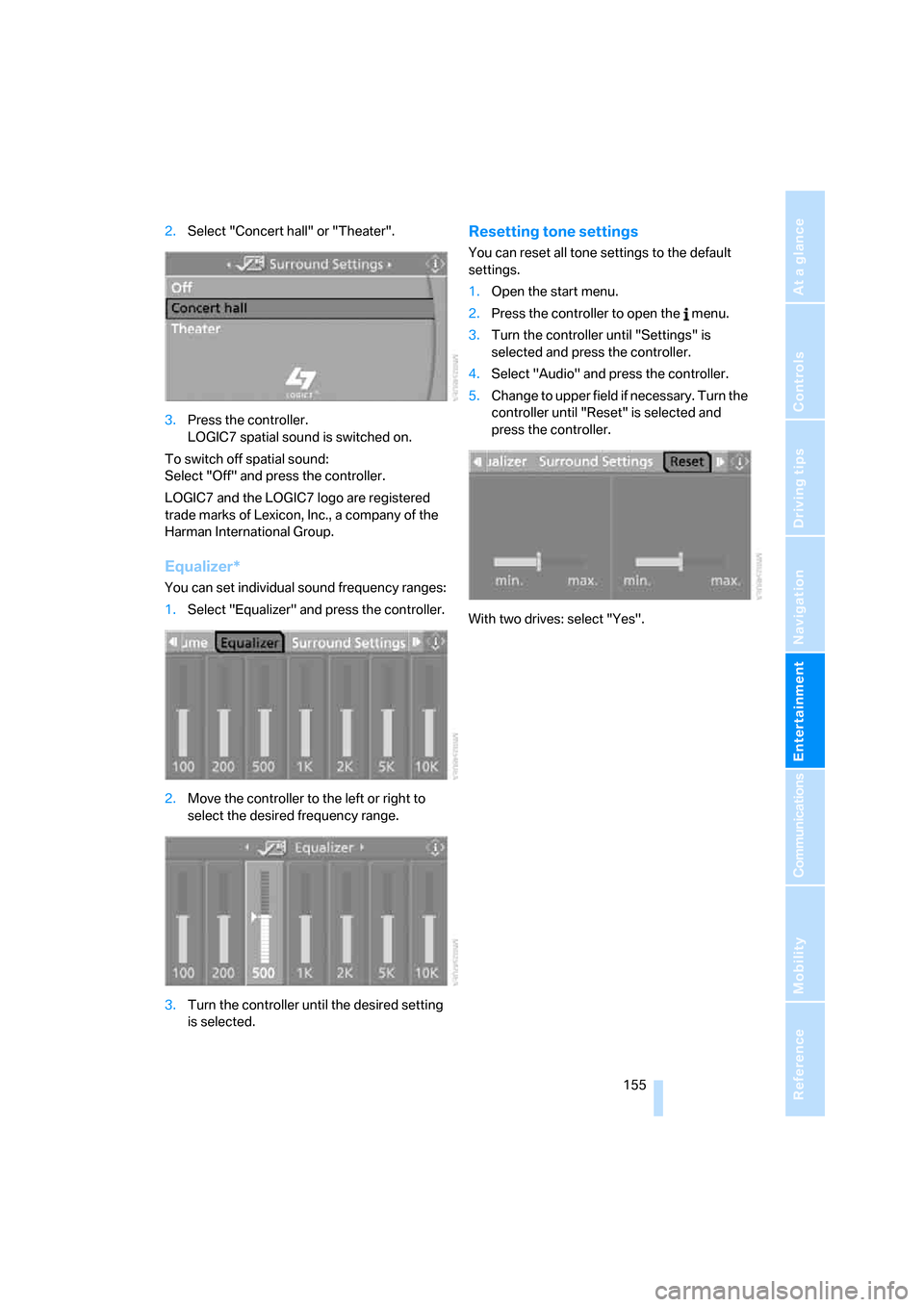
2.Select "Concert hall" or "Theater".
3.Press the controller.
LOGIC7 spatial sound is switched on.
To switch off spatial sound:
Select "Off" and press the controller.
LOGIC7 and the LOGIC7 logo are registered
trade marks of Lexicon, Inc., a company of the
Harman International Group.
Equalizer*
You can set individual sound frequency ranges:
1.Select "Equalizer" and press the controller.
2.Move the controller to the left or right to
select the desired frequency range.
3.Turn the controller until the desired setting
is selected.
Resetting tone settings
You can reset all tone settings to the default
settings.
1.Open the start menu.
2.Press the controller to open the menu.
3.Turn the controller until "Settings" is
selected and press the controller.
4.Select "Audio" and press the controller.
5.Change to upper field if necessary. Turn the
controller until "Reset" is selected and
press the controller.
With two drives: select "Yes".
Page 214 of 254
Replacing components
212
Replacing components
Onboard tool kit
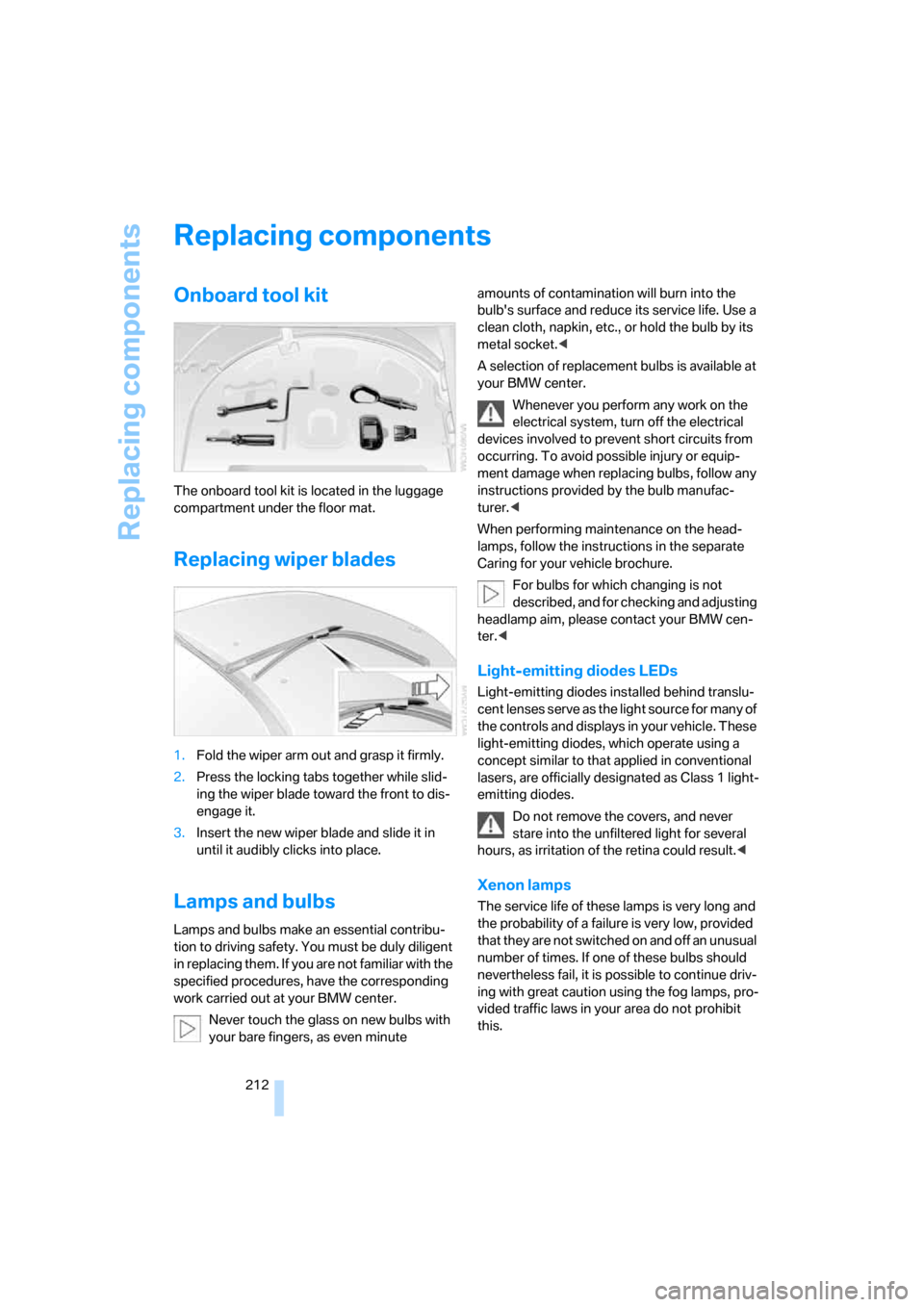
The onboard tool kit is located in the luggage
compartment under the floor mat.
Replacing wiper blades
1.Fold the wiper arm out and grasp it firmly.
2.Press the locking tabs together while slid-
ing the wiper blade toward the front to dis-
engage it.
3.Insert the new wiper blade and slide it in
until it audibly clicks into place.
Lamps and bulbs
Lamps and bulbs make an essential contribu-
tion to driving safety. You must be duly diligent
in replacing them. If you are not familiar with the
specified procedures, have the corresponding
work carried out at your BMW center.
Never touch the glass on new bulbs with
your bare fingers, as even minute amounts of contamination will burn into the
bulb's surface and reduce its service life. Use a
clean cloth, napkin, etc., or hold the bulb by its
metal socket.<
A selection of replacement bulbs is available at
your BMW center.
Whenever you perform any work on the
electrical system, turn off the electrical
devices involved to prevent short circuits from
occurring. To avoid possible injury or equip-
ment damage when replacing bulbs, follow any
instructions provided by the bulb manufac-
turer.<
When performing maintenance on the head-
lamps, follow the instructions in the separate
Caring for your vehicle brochure.
For bulbs for which changing is not
described, and for checking and adjusting
headlamp aim, please contact your BMW cen-
ter.<
Light-emitting diodes LEDs
Light-emitting diodes installed behind translu-
cent lenses serve as the light source for many of
the controls and displays in your vehicle. These
light-emitting diodes, which operate using a
concept similar to that applied in conventional
lasers, are officially designated as Class 1 light-
emitting diodes.
Do not remove the covers, and never
stare into the unfiltered light for several
hours, as irritation of the retina could result.<
Xenon lamps
The service life of these lamps is very long and
the probability of a failure is very low, provided
that they are not switched on and off an unusual
number of times. If one of these bulbs should
nevertheless fail, it is possible to continue driv-
ing with great caution using the fog lamps, pro-
vided traffic laws in your area do not prohibit
this.
Page 234 of 254
Everything from A to Z
232
Everything from A to Z
Index
"..." Identifies Control Display
texts used to select
individual functions, and
indicates where to find them
in the text.
A
ABS Antilock Brake
System87
– indicator/warning lamp89
ACC, refer to Active cruise
control68
Acceleration assistant with
SMG65
Accepted calls182
Accessories6
Accident, refer to Emergency
call217
Activated-charcoal filter for
automatic climate
control110
Activating hour signal84
"Activation time" for parked-
car ventilation110
Active cruise control68
– indicator lamp71
– radar sensor72
– selecting distance70
– warning lamps71
Active steering94
– warning lamp94
Adapter for spare key28
Adaptive brake lamps, refer to
Brake force display94
Adaptive Head Light103
"Add digits" for mobile
phone182
Additives
– coolant209
– engine oil, refer to Approved
engine oils208"Address book" for navigation
system136
Address for navigation
– deleting137
– entering128,131
– selecting136
– storing136
– storing current position136
"Add to address book"135
"Add to destination
list"131,133
Adjusting interior
temperature107
Adjusting thigh support49
Adjusting tone in audio mode,
refer to Tone control153
"After door opened"51
"After unlocking"51
Airbags94
– deactivating, refer to
Exception for front
passenger seat57
– indicator/warning lamp96
– indicator lamp for front
passenger airbags95
– sitting safely48
Air distribution
– automatic107
– manual108
Airing, refer to Ventilation109
Air outlets, refer to
Ventilation109
Air recirculation, refer to AUC
Automatic recirculated-air
control109
"Air recirculation on / off"56
Air supply, automatic climate
control106
Air volume108
AKI, refer to Fuel
specifications199Alarm system35
– avoiding unintentional
alarms36
– interior motion sensor36
– switching off alarm36
– switching off tilt alarm
sensor and interior motion
sensor36
– tilt alarm sensor36
"All channels"163
"All doors"30
All-season tires, refer to
Winter tires205
"All stations", calling up with
radio156,159
Alterations, technical, refer to
For your own safety6
"AM", reception
range152,156
Antenna, refer to Caring for
your vehicle brochure
Antenna for mobile phone174
Antifreeze
– coolant209
– washer fluid67
Antilock Brake System
ABS87
– indicator/warning lamp89
Anti-theft alarm system, refer
to Alarm system35
Anti-theft system, refer to
Central locking system30
Approved axle loads, refer to
Weights226
Approved engine oils208
Approved gross vehicle
weight, refer to Weights226
Armrest, refer to Center
armrest114
Around the center console14
Around the steering wheel10
Page 235 of 254
Reference 233
At a glance
Controls
Driving tips
Communications
Navigation
Entertainment
Mobility
Arrival time
– refer to Computer77
– refer to Starting destination
guidance140
"Arrow display" for navigation
system141
Artificial leather, refer to
Caring for your vehicle
brochure
Ashtray115
Assist, refer to
BMW Assist189
Assistance systems, refer to
Driving stability control
systems87
Assistance window20
"Assist. window off"21
AUC Automatic recirculated-
air control109
"Audio"153,155,160
Audio152
– controls152
– switching on/off152
– tone control153
– volume153
Audio device, external114
Automatic
– air distribution107
– air volume107
– cruise control67,68
– headlamp control102
– recirculated-air control
AUC109
– service notification191
– steering wheel
adjustment50
– storing stations157
Automatic car washes122
– also refer to Caring for your
vehicle brochure
– also refer to Comfort
access38
Automatic climate control106
– automatic air
distribution107
– convertible program107
– switching on and off109
– ventilation with vehicle
parked110Automatic closing of doors,
refer to Automatic soft
closing34
Automatic curb monitor54
Automatic lighting
– refer to Automatic headlamp
control102
– refer to Daytime running
lamps103
– refer to Interior lamps104
– refer to Pathway lighting102
"Automatic programs"107
Automatic soft closing34
Automatic station search157
Automatic transmission with
Steptronic63
– deactivating selector lever
interlock64
– Dynamic Driving Control64
– interlock63
– kick-down64
– selector lever lock,
interlock63
– shiftlock63
– towing220
– tow-starting221
– with comfort access38
"Automatic ventilation"110
AUTO program with
automatic climate
control107
"Autostore" on the
radio156,158
"AUX"152,171
AUX-In connection114,171
Average fuel consumption76
– setting units85
Average speed76
"Avoid ferries" for navigation
system139
"Avoid highways" for
navigation system138
Avoiding freeways for
navigation138
Avoiding unintentional
alarms36
"Avoid tollroads" for
navigation system139Axle loads, refer to
Weights226
"A - Z"182
B
Backrest contour, refer to
Lumbar support49
Backrests, refer to Seats49
Backup lamps, replacing
bulbs, refer to Tail
lamps214
"Balance", refer to Tone
control154
Band-aids, refer to First-aid
kit218
Bass, refer to Tone
control153
"Bass", tone control153
Battery
– jump starting218
– refer to Vehicle battery215
Battery replacement, remote
control for comfort
access38
BC button, refer to
Computer76
Being towed220
Belts, refer to Safety belts53
Beverage holder, refer to Cup
holders115
Blower, refer to Air
volume108
"Bluetooth"176
"BMW Assist"190
BMW Assist189
– activating194
– breakdown assistance190
– contacting BMW Customer
Relations192
– displaying vehicle data195
– information service192
– services offered189
– TeleService191
– updating193
"BMW Contact"184
"BMW Contact
Numbers"184
Page 236 of 254
Everything from A to Z
234 BMW homepage4
BMW Maintenance
System210
BMW Night Vision99
– activating100
– cleaning camera101
– cleaning camera, refer to
Wiper system67
– deactivating100
– making settings100
"BMW Service settings"193
BMW website4
Bottle holder, refer to Cup
holders115
Bracket for telephone or
mobile phone, refer to Snap-
in adapter187
Brake assistant88
Brake force display94
Brake lamps
– replacing bulbs, refer to Tail
lamps214
– two-stage94
Brake rotors
– breaking-in120
– refer to Braking safely121
Brakes
– ABS Antilock Brake
System87
– brake force display94
– breaking-in120
– CBC Cornering Brake
Control87
– electronic brake-force
distribution87
– handbrake61
– refer to Braking safely121
Brake system120
– brake pads120
– brake rotors122
– breaking-in120
– warning lamp13,89
Braking safely121
Breakdown assistance190
Breakdown services, refer to
Roadside Assistance218
Breaking-in120Breaking-in brake pads120
Breaking-in the clutch120
Breaking-in the differential,
refer to Engine and
differential120
"Brightness"85,98
– with BMW Night Vision101
Brightness of Control
Display84
Button for starting engine,
refer to Start/Stop button59
Buttons on steering wheel11
Bypassing route sections144
C
California Proposition 65
Warning6
"Call"182,193
Call
– accepting181
– displaying accepted183
– ending181
– in absence183
– rejecting181
– starting181
Calling
– by entering phone
number181
– from phone book182
– from Top 8 list183
– redialing183
Can holder, refer to Cup
holders115
Capacities226
Car battery, refer to Vehicle
battery215
Car care, refer to Caring for
your vehicle brochure
Car-care products, refer to
Caring for your vehicle
brochure
"Car Data"77
Care211
– refer to Caring for your
vehicle brochureCargo loading
– securing cargo123
– stowing cargo123
– vehicle122
Caring for artificial leather,
refer to Caring for your
vehicle brochure
Caring for leather, refer to
Caring for your vehicle
brochure
Caring for light-alloy wheels,
refer to Caring for your
vehicle brochure
Caring for plastic, refer to
Caring for your vehicle
brochure
Caring for the carpet, refer to
Caring for your vehicle
brochure
Caring for the vehicle finish,
refer to Caring for your
vehicle brochure
Car key, refer to Keys/remote
control28
Car phone175
– installation location, refer to
Center armrest114
– refer to Mobile phone174
– refer to separate operating
instructions
Car radio, refer to Radio156
Car wash122
– refer to Before driving into a
car wash122
– refer to Caring for your
vehicle brochure
– with comfort access38
Catalytic converter, refer to
Hot exhaust system120
"Categories"163
CBC Cornering Brake
Control87
CBS Condition Based
Service210
"CD"152,165
Page 237 of 254
Reference 235
At a glance
Controls
Driving tips
Communications
Navigation
Entertainment
Mobility
CD changer165
– controls152
– fast forward/reverse168
– installation location168
– random sequence168
– repeating a track167
– sampling a track167
– selecting a CD165
– selecting a track166
– switching on/off152
– tone control153
– volume153
CD player165
– controls152
– fast forward/reverse168
– random sequence168
– repeating a track167
– sampling a track167
– selecting a track166
– switching on/off152
– tone control153
– volume153
Center armrest, adjusting
height114
Center console14
"Central locking"30
Central locking
– from inside32
– from outside30
Central locking system30
– comfort access37
– hotel function33
Changes, technical, refer to
For your own safety6
Changing a wheel215
Changing language on
Control Display85
Changing scale for navigation
system display142
Changing units of measure on
Control Display85
Changing wheels204
CHECK button81
Check Control80
"Check Control
messages"81
Check Gas Cap198
Checking air pressure, refer to
Tire inflation pressure200Child-restraint fixing system
LATCH58
Child restraint systems57
Child seats, refer to
Transporting children
safely57
Chrome parts, refer to Caring
for your vehicle brochure
Cigarette lighter
116
Cigarette lighter socket, refer
to Connecting electrical
devices116
Cleaning, refer to Caring for
your vehicle brochure
"Climate"107
Clock75
– 12h/24h mode84
– hour signal84
– setting time and date83
Closing
– from inside32
– from outside30
Closing fuel filler cap198
Clothes hooks, Coupe115
Cockpit10
Cold start, refer to Starting
engine60
Comfort access37
– observe in car wash38
– replacing battery, remote
control38
Comfort closing
– windows, with comfort
access with Coupe37
– with comfort access37
Comfort operation
– convertible top31,32
– glass sunroof31,32
– windows31,32
"Communication"180,190
Compact disc
– refer to CD changer165
– refer to CD player165
Compartment for remote
control, refer to Ignition
lock59
Compartments, refer to
Storage compartments114
Compressed audio files165Computer76
– displays on Control
Display77
– hour signal84
"Concert hall", refer to Tone
control155
"Concierge"192
Condensation, refer to When
vehicle is parked122
Condition Based Service
CBS210
"Confirmation"31
Confirmation signals for
locking and unlocking31
Connecting car vacuum
cleaner, refer to Connecting
electrical devices116
Consumption display, refer to
Average fuel
consumption
76
Consumption statistics, refer
to Average fuel
consumption76
"Continue guidance to
destination?"141
"Contrast" with BMW Night
Vision101
Control Center, refer to
iDrive16
Control Display, refer to
iDrive16
– setting brightness84
– switching off/on21
Controller, refer to iDrive16
Controls, refer to Cockpit10
Convertible
– convertible program for
automatic climate
control107
– opening and closing
windows39
– rollover protection
system96
– top42
– wind deflector46
– window and convertible top
operation with comfort
access37
Page 240 of 254
Everything from A to Z
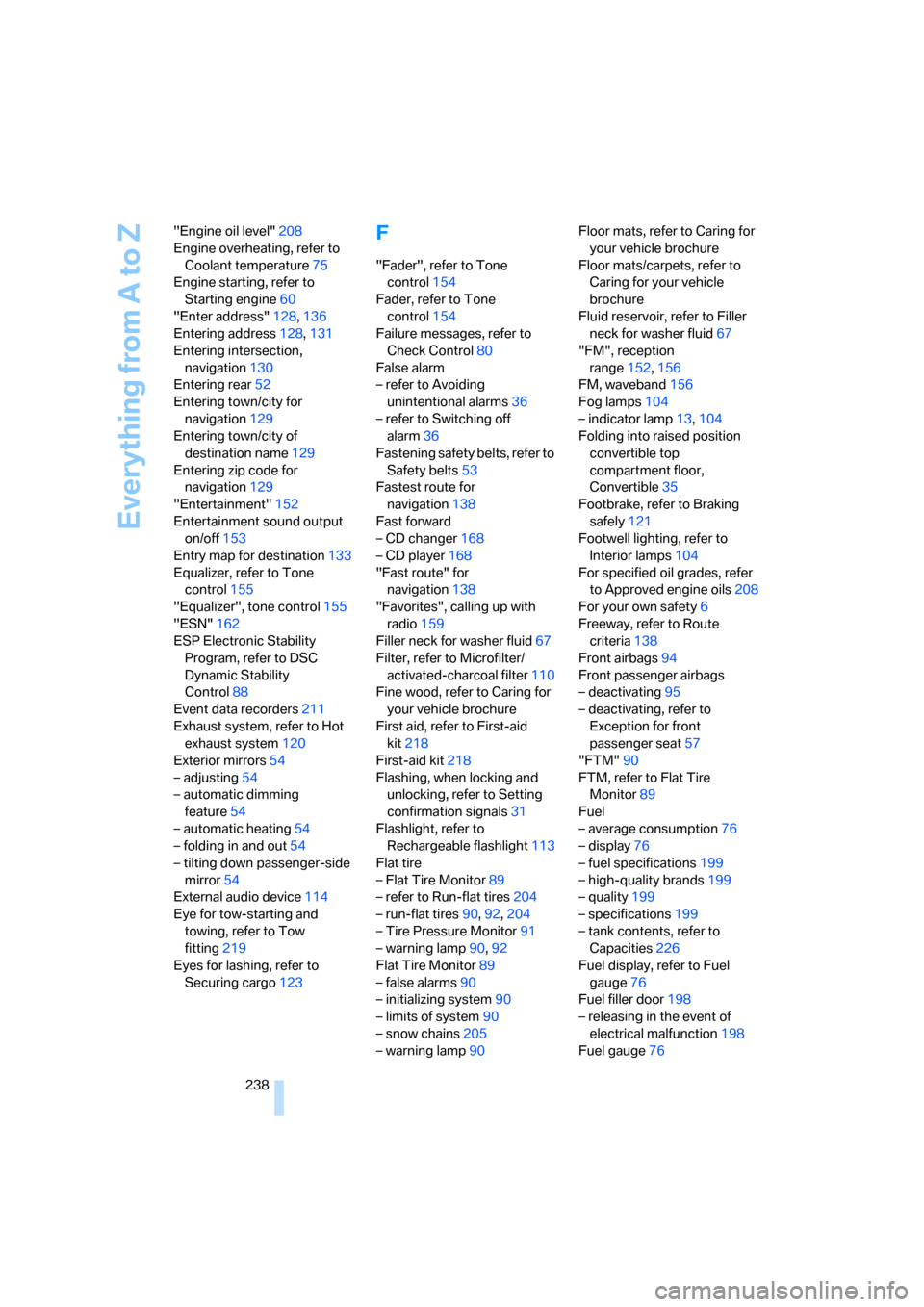
238 "Engine oil level"208
Engine overheating, refer to
Coolant temperature75
Engine starting, refer to
Starting engine60
"Enter address"128,136
Entering address128,131
Entering intersection,
navigation130
Entering rear52
Entering town/city for
navigation129
Entering town/city of
destination name129
Entering zip code for
navigation129
"Entertainment"152
Entertainment sound output
on/off153
Entry map for destination133
Equalizer, refer to Tone
control155
"Equalizer", tone control155
"ESN"162
ESP Electronic Stability
Program, refer to DSC
Dynamic Stability
Control88
Event data recorders211
Exhaust system, refer to Hot
exhaust system120
Exterior mirrors54
– adjusting54
– automatic dimming
feature54
– automatic heating54
– folding in and out54
– tilting down passenger-side
mirror54
External audio device114
Eye for tow-starting and
towing, refer to Tow
fitting219
Eyes for lashing, refer to
Securing cargo123
F
"Fader", refer to Tone
control154
Fader, refer to Tone
control154
Failure messages, refer to
Check Control80
False alarm
– refer to Avoiding
unintentional alarms36
– refer to Switching off
alarm36
Fastening safety belts, refer to
Safety belts53
Fastest route for
navigation138
Fast forward
– CD changer168
– CD player168
"Fast route" for
navigation138
"Favorites", calling up with
radio159
Filler neck for washer fluid67
Filter, refer to Microfilter/
activated-charcoal filter110
Fine wood, refer to Caring for
your vehicle brochure
First aid, refer to First-aid
kit218
First-aid kit218
Flashing, when locking and
unlocking, refer to Setting
confirmation signals31
Flashlight, refer to
Rechargeable flashlight113
Flat tire
– Flat Tire Monitor89
– refer to Run-flat tires204
– run-flat tires90,92,204
– Tire Pressure Monitor91
– warning lamp90,92
Flat Tire Monitor89
– false alarms90
– initializing system90
– limits of system90
– snow chains205
– warning lamp90Floor mats, refer to Caring for
your vehicle brochure
Floor mats/carpets, refer to
Caring for your vehicle
brochure
Fluid reservoir, refer to Filler
neck for washer fluid67
"FM", reception
range152,156
FM, waveband156
Fog lamps104
– indicator lamp13,104
Folding into raised position
convertible top
compartment floor,
Convertible35
Footbrake, refer to Braking
safely121
Footwell lighting, refer to
Interior lamps104
For specified oil grades, refer
to Approved engine oils208
For your own safety6
Freeway, refer to Route
criteria138
Front airbags94
Front passenger airbags
– deactivating95
– deactivating, refer to
Exception for front
passenger seat57
"FTM"90
FTM, refer to Flat Tire
Monitor89
Fuel
– average consumption76
– display76
– fuel specifications199
– high-quality brands199
– quality199
– specifications199
– tank contents, refer to
Capacities226
Fuel display, refer to Fuel
gauge76
Fuel filler door198
– releasing in the event of
electrical malfunction198
Fuel gauge76
Page 244 of 254
Everything from A to Z
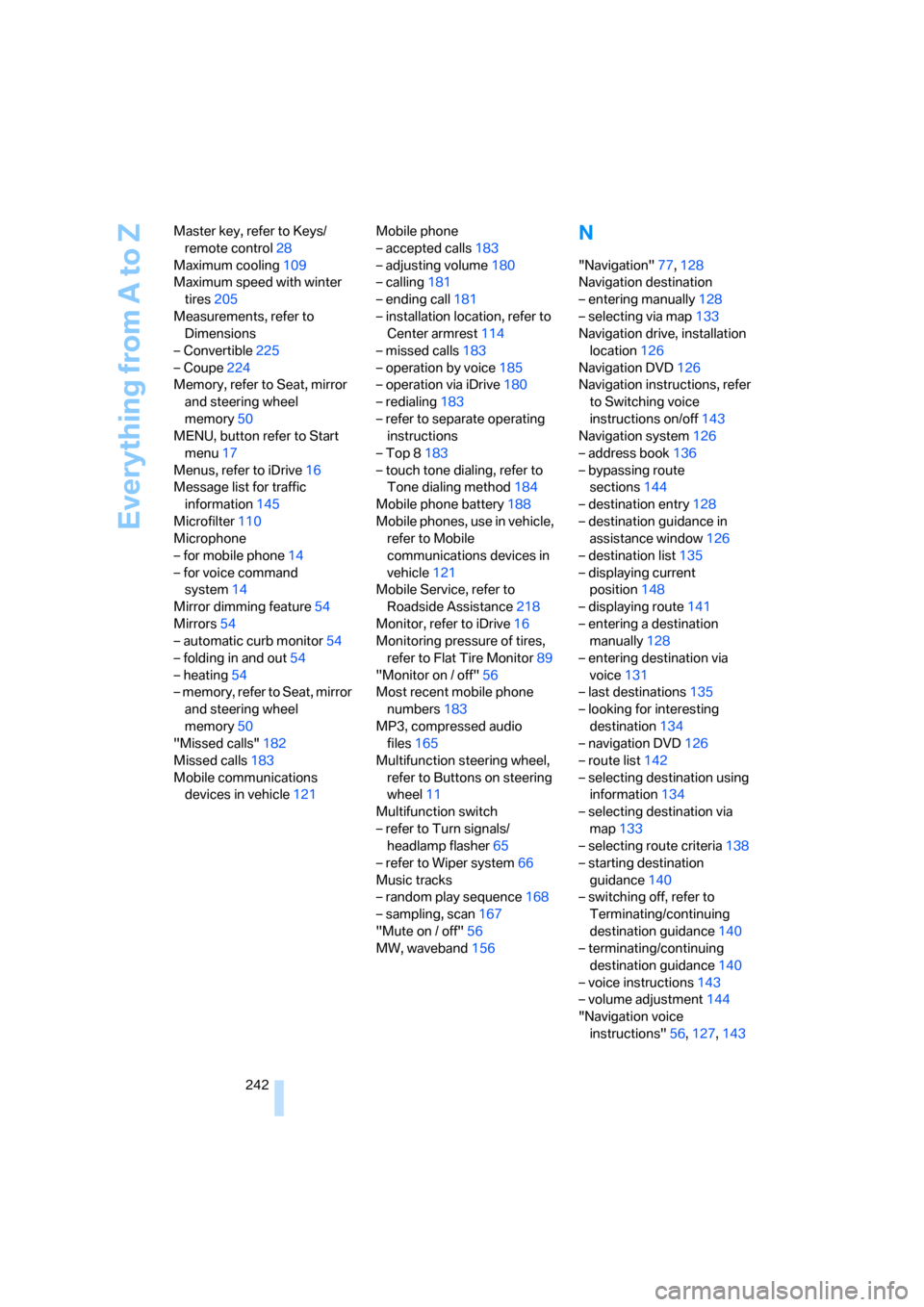
242 Master key, refer to Keys/
remote control28
Maximum cooling109
Maximum speed with winter
tires205
Measurements, refer to
Dimensions
– Convertible225
– Coupe224
Memory, refer to Seat, mirror
and steering wheel
memory50
MENU, button refer to Start
menu17
Menus, refer to iDrive16
Message list for traffic
information145
Microfilter110
Microphone
– for mobile phone14
– for voice command
system14
Mirror dimming feature54
Mirrors54
– automatic curb monitor54
– folding in and out54
– heating54
– memory, refer to Seat, mirror
and steering wheel
memory50
"Missed calls"182
Missed calls183
Mobile communications
devices in vehicle121Mobile phone
– accepted calls183
– adjusting volume180
– calling181
– ending call181
– installation location, refer to
Center armrest114
– missed calls183
– operation by voice185
– operation via iDrive180
– redialing183
– refer to separate operating
instructions
– Top 8183
– touch tone dialing, refer to
Tone dialing method184
Mobile phone battery188
Mobile phones, use in vehicle,
refer to Mobile
communications devices in
vehicle121
Mobile Service, refer to
Roadside Assistance218
Monitor, refer to iDrive16
Monitoring pressure of tires,
refer to Flat Tire Monitor89
"Monitor on / off"56
Most recent mobile phone
numbers183
MP3, compressed audio
files165
Multifunction steering wheel,
refer to Buttons on steering
wheel11
Multifunction switch
– refer to Turn signals/
headlamp flasher65
– refer to Wiper system66
Music tracks
– random play sequence168
– sampling, scan167
"Mute on / off"56
MW, waveband156
N
"Navigation"77,128
Navigation destination
– entering manually128
– selecting via map133
Navigation drive, installation
location126
Navigation DVD126
Navigation instructions, refer
to Switching voice
instructions on/off143
Navigation system126
– address book136
– bypassing route
sections144
– destination entry128
– destination guidance in
assistance window126
– destination list135
– displaying current
position148
– displaying route141
– entering a destination
manually128
– entering destination via
voice131
– last destinations135
– looking for interesting
destination134
– navigation DVD126
– route list142
– selecting destination using
information134
– selecting destination via
map133
– selecting route criteria138
– starting destination
guidance140
– switching off, refer to
Terminating/continuing
destination guidance140
– terminating/continuing
destination guidance140
– voice instructions143
– volume adjustment144
"Navigation voice
instructions"56,127,143