window BMW 650I CONVERTIBLE 2007 E64 Owner's Guide
[x] Cancel search | Manufacturer: BMW, Model Year: 2007, Model line: 650I CONVERTIBLE, Model: BMW 650I CONVERTIBLE 2007 E64Pages: 254, PDF Size: 7.93 MB
Page 111 of 254
Controls
109Reference
At a glance
Driving tips
Communications
Navigation
Entertainment
Mobility
compartment can only be cooled with the
engine running.
Maximum cooling
Maximally cooled air is obtained as
quickly as possible from an outside
temperature above approx. 327/
06 and with the engine running.
The automatic climate control changes over to
the lowest temperature and switches into the
recirculated-air mode. The maximum air vol-
ume only flows out of the vents for the upper
body. It is therefore necessary for these vents to
be open for maximum cooling.
AUC Automatic recirculated-air
control/recirculated-air mode
You can respond to unpleasant
odors or pollutants in the immedi-
ate environment by temporarily
suspending the supply of outside air. The sys-
tem then recirculates the air currently within the
vehicle. In AUC mode, a sensor detects pollut-
ants in the outside air and controls the shut-off
automatically.
Press the button repeatedly to run through the
following control sequence:
>LED off: outside air flows into the vehicle
continuously.
>Right LED on, AUC mode: the system
detects pollutants in the outside air and
responds by blocking the supply of outside
air when required.
>Left LED on, recirculated-air mode: the
supply of outside air into the vehicle is shut
off continuously.
If condensation starts to form on the
inside window surfaces during operation
in the recirculated-air mode, you should switch
it off while also increasing the air volume as
required.
The recirculated-air mode should not be used
over a longer period of time, as the air quality
inside the vehicle deteriorates continuously.<
Residual heat
The heat stored in the engine is
used to heat the passenger com-
partment, e.g. while stopped at a
school to pick up a child.
The function can be switched on when the fol-
lowing conditions are met:
>up to 15 minutes after switching off the
engine
>engine at operating temperature
>sufficient battery voltage
>outside temperature below 777/256
The LED lights up when the function is
switched on.
With the ignition lock at radio readiness or
higher the interior temperature, the air volume
and the air distribution can be set.
Switching automatic climate control on
and off
The air volume, the heater and the
cooling function are all switched
off.
You can restart the automatic cli-
mate control by pressing any of its buttons
except the REST button.
Ventilation
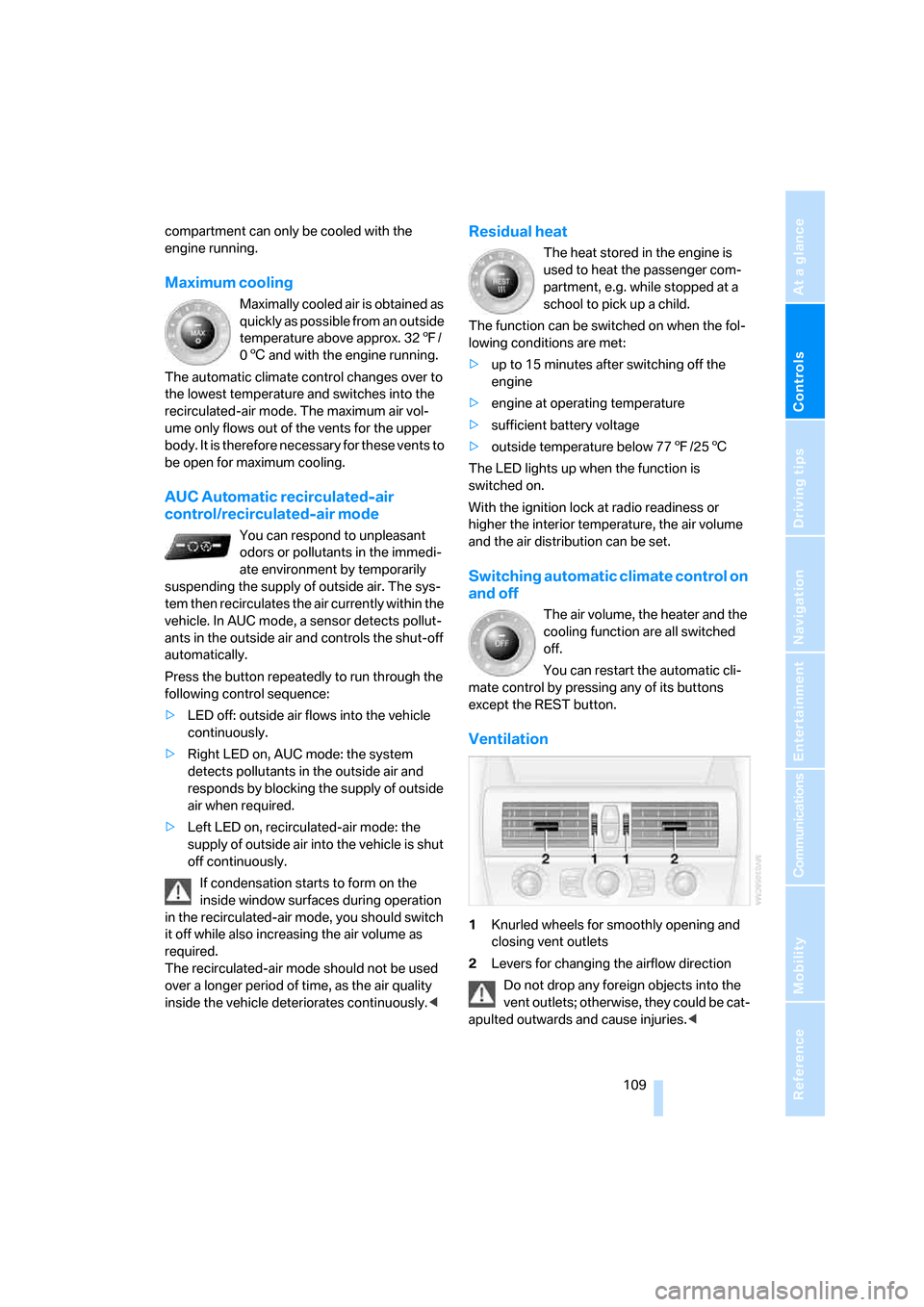
1Knurled wheels for smoothly opening and
closing vent outlets
2Levers for changing the airflow direction
Do not drop any foreign objects into the
vent outlets; otherwise, they could be cat-
apulted outwards and cause injuries.<
Page 122 of 254
Things to remember when driving
120
Things to remember when driving
Breaking-in
Moving parts need time to adjust to one
another. To ensure that your vehicle continues
to provide optimized economy of operation
throughout an extended service life, we request
that you devote careful attention to the follow-
ing section.
Engine and differential
Always obey all official speed limits.
Up to 1,200 miles/2,000 km
Drive at changing engine and driving speeds,
however do not exceed 4,500 rpm or 100 mph/
160 km/h.
Avoid full-throttle operation and use of the
transmission's kick-down mode during these
initial miles.
From 1,200 miles/2,000 km
The engine and vehicle speed can gradually be
increased.
SMG Sequential Manual Transmission
Do not use the acceleration assistant during the
break-in period, refer to page65.
Tires
Due to technical factors associated with their
manufacture, tires do not achieve their full trac-
tion potential until after an initial break-in
period. Therefore, drive reservedly during the
first 200 miles/300 km.
Brake system
Brakes require an initial break-in period of
approx. 300 miles/500 km to achieve optimized
contact and wear patterns between brake pads
and rotors. Drive in a reserved manner during
this break-in period.
Clutch
The function of the clutch is only at its opti-
mized level after a distance driven of approx.
300 miles/500 km. During this break-in period,
engage the clutch gently.
Following part replacement
Observe the break-in instructions again if com-
ponents mentioned above must be replaced
after subsequent driving operation.
General driving notes
Closing luggage compartment lid
Only drive with the luggage compartment
lid completely closed, otherwise exhaust
can penetrate into the passenger compart-
ment.<
If special circumstances should make it abso-
lutely necessary to operate the vehicle with the
luggage compartment lid open:
1.Coupe: close both windows and the glass
sunroof.
Convertible: with closed top, close all win-
dows.
2.Increase the air volume of the automatic cli-
mate control to a high level, refer to
page108.
Hot exhaust system
As in all vehicles, extremely high temper-
atures are generated in the exhaust sys-
tem. Do not remove the heat shields installed
adjacent to it, and never apply undercoating to
them. When driving, standing at idle and while
parking, take care to avoid possible contact
between the hot exhaust system and any highly
flammable materials such as hay, leaves, grass,
etc. Such contact could lead to a fire, and with it
the risk of serious property damage as well as
personal injury. Do not touch hot exhaust tail
pipes. Otherwise there is a risk of burns.<
Page 128 of 254
Starting navigation system
126
Starting navigation system
Your navigation system can use satellites to
ascertain the precise position of your vehicle
and guide you reliably to any destination you
enter.
Navigation DVD
The navigation system requires a special navi-
gation DVD. The latest version is available at
your BMW center.
Inserting navigation DVD
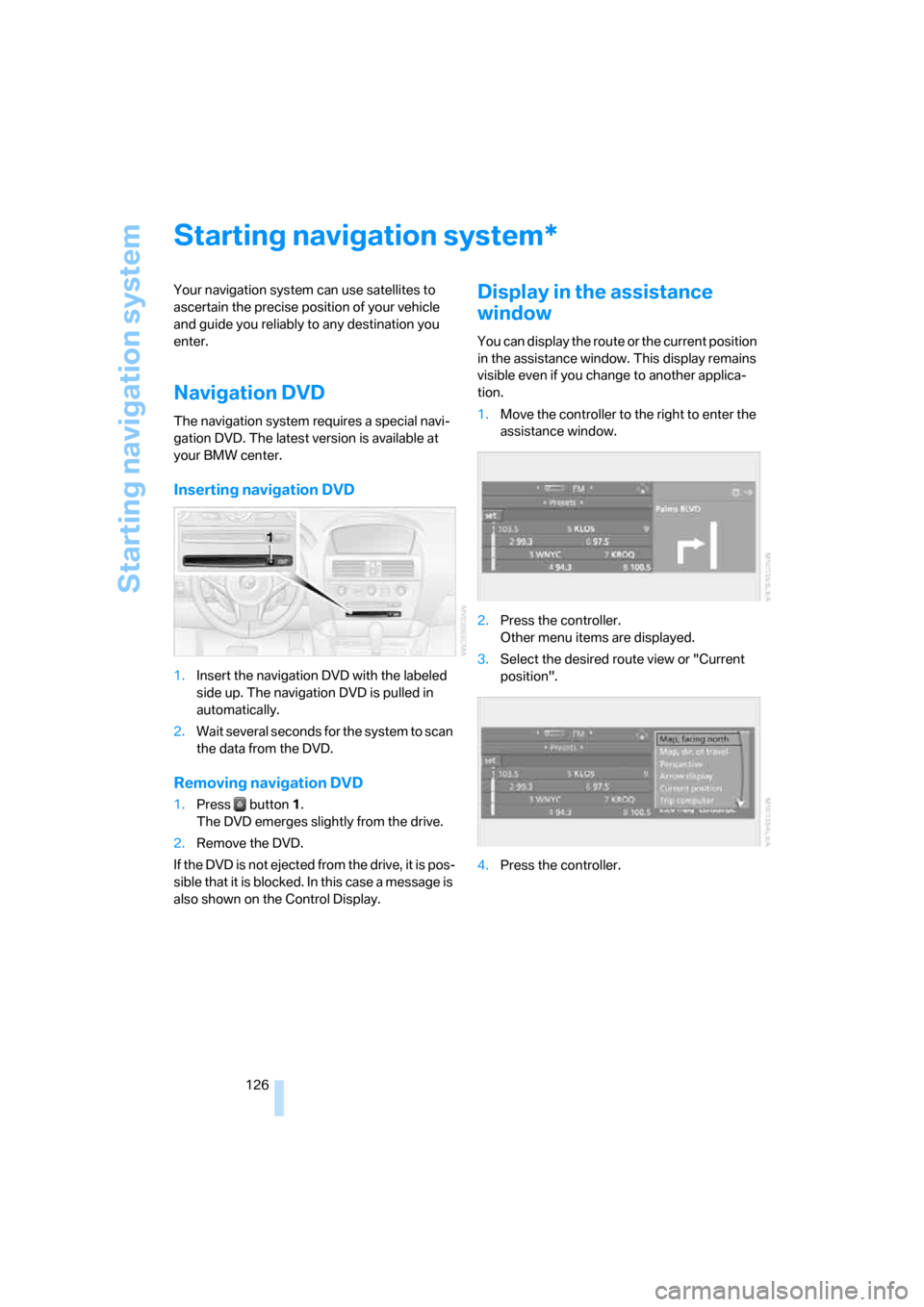
1.Insert the navigation DVD with the labeled
side up. The navigation DVD is pulled in
automatically.
2.Wait several seconds for the system to scan
the data from the DVD.
Removing navigation DVD
1.Press button 1.
The DVD emerges slightly from the drive.
2.Remove the DVD.
If the DVD is not ejected from the drive, it is pos-
sible that it is blocked. In this case a message is
also shown on the Control Display.
Display in the assistance
window
You can display the route or the current position
in the assistance window. This display remains
visible even if you change to another applica-
tion.
1.Move the controller to the right to enter the
assistance window.
2.Press the controller.
Other menu items are displayed.
3.Select the desired route view or "Current
position".
4.Press the controller.
*
Page 182 of 254
Telephoning
180
Adjusting volume
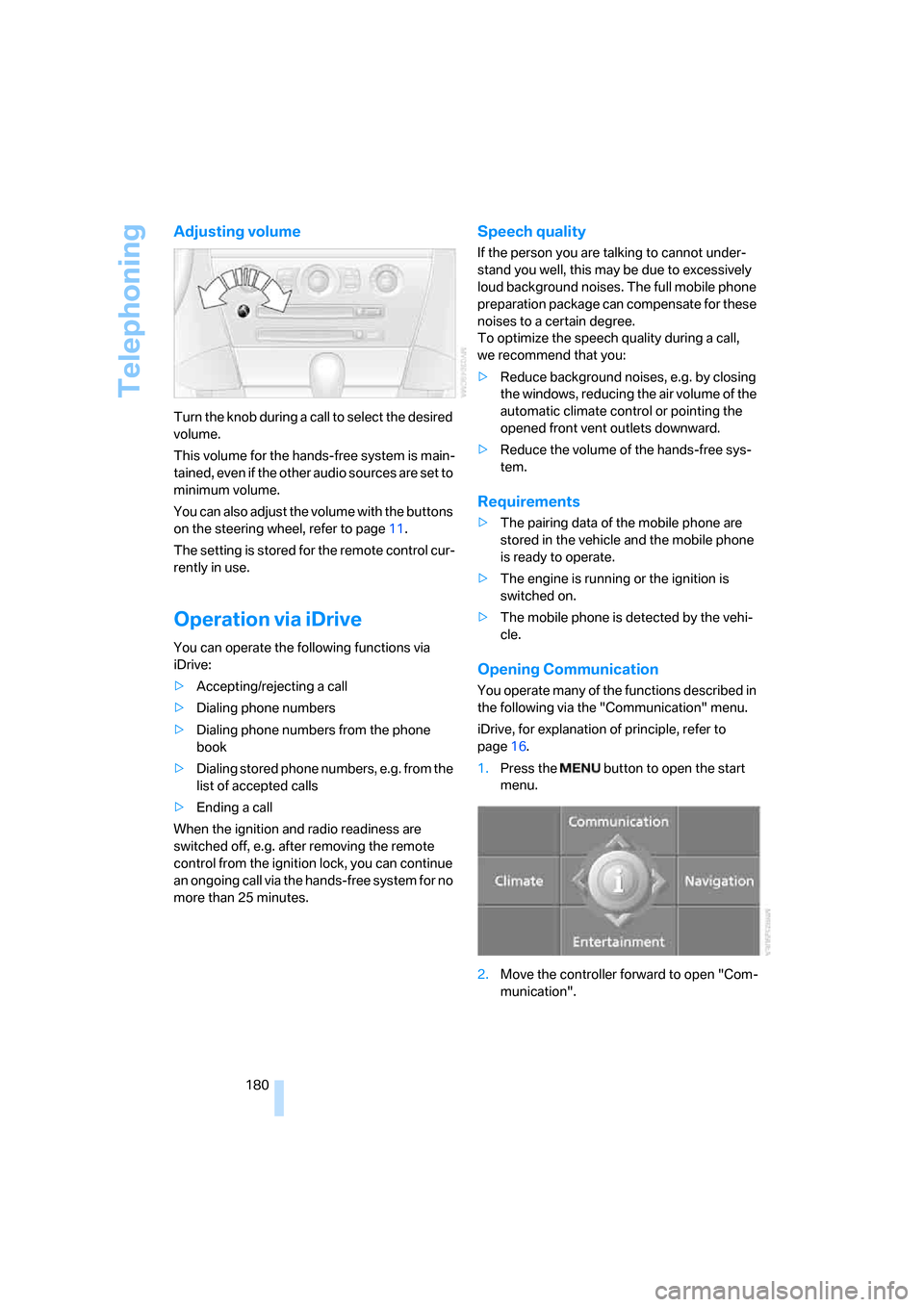
Turn the knob during a call to select the desired
volume.
This volume for the hands-free system is main-
tained, even if the other audio sources are set to
minimum volume.
You can also adjust the volume with the buttons
on the steering wheel, refer to page11.
The setting is stored for the remote control cur-
rently in use.
Operation via iDrive
You can operate the following functions via
iDrive:
>Accepting/rejecting a call
>Dialing phone numbers
>Dialing phone numbers from the phone
book
>Dialing stored phone numbers, e.g. from the
list of accepted calls
>Ending a call
When the ignition and radio readiness are
switched off, e.g. after removing the remote
control from the ignition lock, you can continue
an ongoing call via the hands-free system for no
more than 25 minutes.
Speech quality
If the person you are talking to cannot under-
stand you well, this may be due to excessively
loud background noises. The full mobile phone
preparation package can compensate for these
noises to a certain degree.
To optimize the speech quality during a call,
we recommend that you:
>Reduce background noises, e.g. by closing
the windows, reducing the air volume of the
automatic climate control or pointing the
opened front vent outlets downward.
>Reduce the volume of the hands-free sys-
tem.
Requirements
>The pairing data of the mobile phone are
stored in the vehicle and the mobile phone
is ready to operate.
>The engine is running or the ignition is
switched on.
>The mobile phone is detected by the vehi-
cle.
Opening Communication
You operate many of the functions described in
the following via the "Communication" menu.
iDrive, for explanation of principle, refer to
page16.
1.Press the button to open the start
menu.
2.Move the controller forward to open "Com-
munication".
Page 189 of 254
187
Entertainment
Reference
At a glance
Controls
Driving tips Communications
Navigation
Mobility
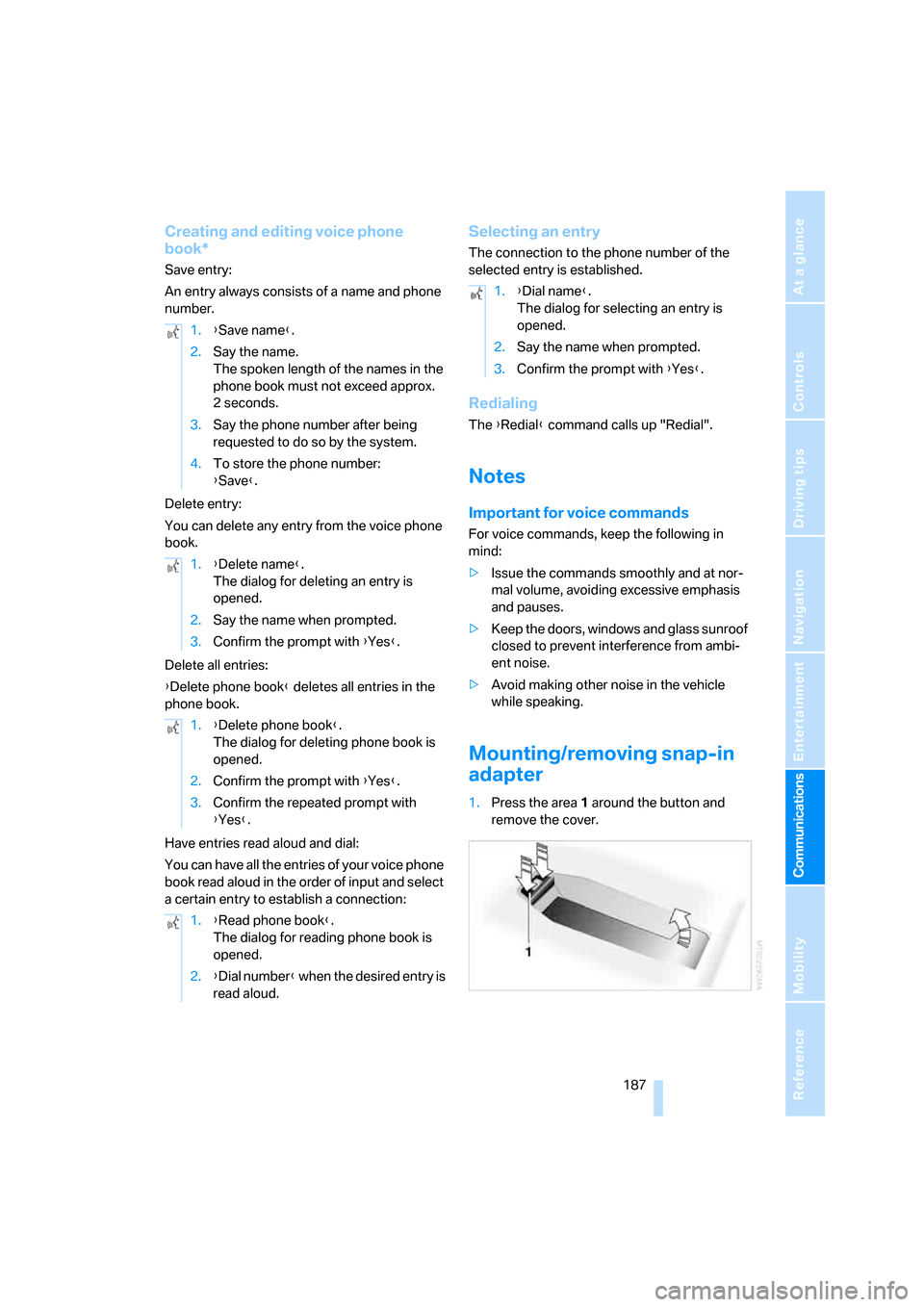
Creating and editing voice phone
book*
Save entry:
An entry always consists of a name and phone
number.
Delete entry:
You can delete any entry from the voice phone
book.
Delete all entries:
{Delete phone book} deletes all entries in the
phone book.
Have entries read aloud and dial:
You can have all the entries of your voice phone
book read aloud in the order of input and select
a certain entry to establish a connection:
Selecting an entry
The connection to the phone number of the
selected entry is established.
Redialing
The {Redial} command calls up "Redial".
Notes
Important for voice commands
For voice commands, keep the following in
mind:
>Issue the commands smoothly and at nor-
mal volume, avoiding excessive emphasis
and pauses.
>Keep the doors, windows and glass sunroof
closed to prevent interference from ambi-
ent noise.
>Avoid making other noise in the vehicle
while speaking.
Mounting/removing snap-in
adapter
1.Press the area 1 around the button and
remove the cover. 1.{Save name}.
2.Say the name.
The spoken length of the names in the
phone book must not exceed approx.
2seconds.
3.Say the phone number after being
requested to do so by the system.
4.To store the phone number:
{Save}.
1.{Delete name}.
The dialog for deleting an entry is
opened.
2.Say the name when prompted.
3.Confirm the prompt with {Yes}.
1.{Delete phone book}.
The dialog for deleting phone book is
opened.
2.Confirm the prompt with {Yes}.
3.Confirm the repeated prompt with
{Yes}.
1.{Read phone book}.
The dialog for reading phone book is
opened.
2.{Dial number} when the desired entry is
read aloud.
1.{Dial name}.
The dialog for selecting an entry is
opened.
2.Say the name when prompted.
3.Confirm the prompt with {Yes}.
Page 222 of 254
Giving and receiving assistance
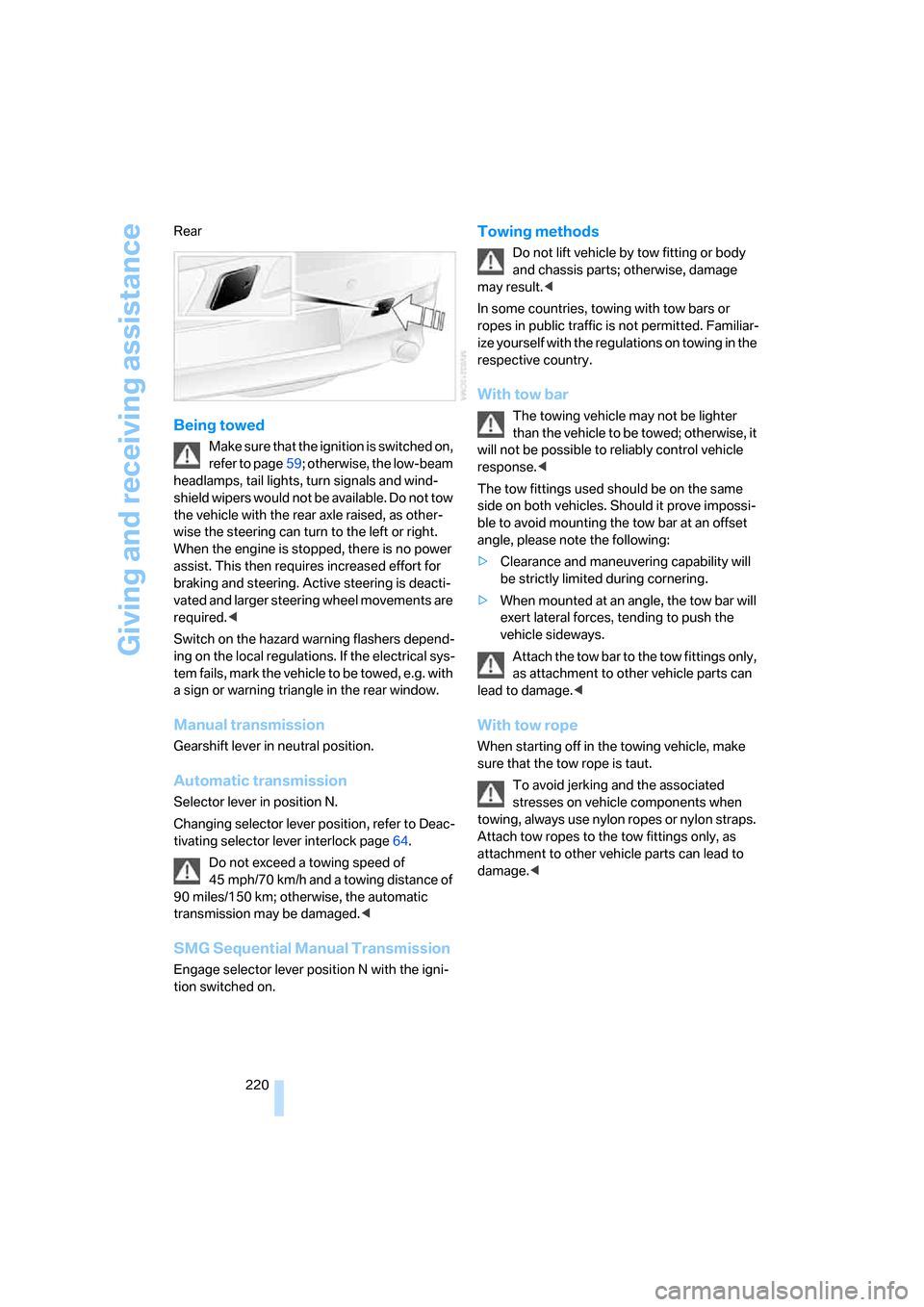
220 Rear
Being towed
Make sure that the ignition is switched on,
refer to page59; otherwise, the low-beam
headlamps, tail lights, turn signals and wind-
shield wipers would not be available. Do not tow
the vehicle with the rear axle raised, as other-
wise the steering can turn to the left or right.
When the engine is stopped, there is no power
assist. This then requires increased effort for
braking and steering. Active steering is deacti-
vated and larger steering wheel movements are
required.<
Switch on the hazard warning flashers depend-
ing on the local regulations. If the electrical sys-
tem fails, mark the vehicle to be towed, e.g. with
a sign or warning triangle in the rear window.
Manual transmission
Gearshift lever in neutral position.
Automatic transmission
Selector lever in position N.
Changing selector lever position, refer to Deac-
tivating selector lever interlock page64.
Do not exceed a towing speed of
45 mph/70 km/h and a towing distance of
90 miles/150 km; otherwise, the automatic
transmission may be damaged.<
SMG Sequential Manual Transmission
Engage selector lever position N with the igni-
tion switched on.
Towing methods
Do not lift vehicle by tow fitting or body
and chassis parts; otherwise, damage
may result.<
In some countries, towing with tow bars or
ropes in public traffic is not permitted. Familiar-
ize yourself with the regulations on towing in the
respective country.
With tow bar
The towing vehicle may not be lighter
than the vehicle to be towed; otherwise, it
will not be possible to reliably control vehicle
response.<
The tow fittings used should be on the same
side on both vehicles. Should it prove impossi-
ble to avoid mounting the tow bar at an offset
angle, please note the following:
>Clearance and maneuvering capability will
be strictly limited during cornering.
>When mounted at an angle, the tow bar will
exert lateral forces, tending to push the
vehicle sideways.
Attach the tow bar to the tow fittings only,
as attachment to other vehicle parts can
lead to damage.<
With tow rope
When starting off in the towing vehicle, make
sure that the tow rope is taut.
To avoid jerking and the associated
stresses on vehicle components when
towing, always use nylon ropes or nylon straps.
Attach tow ropes to the tow fittings only, as
attachment to other vehicle parts can lead to
damage.<
Page 228 of 254
Technical data
226
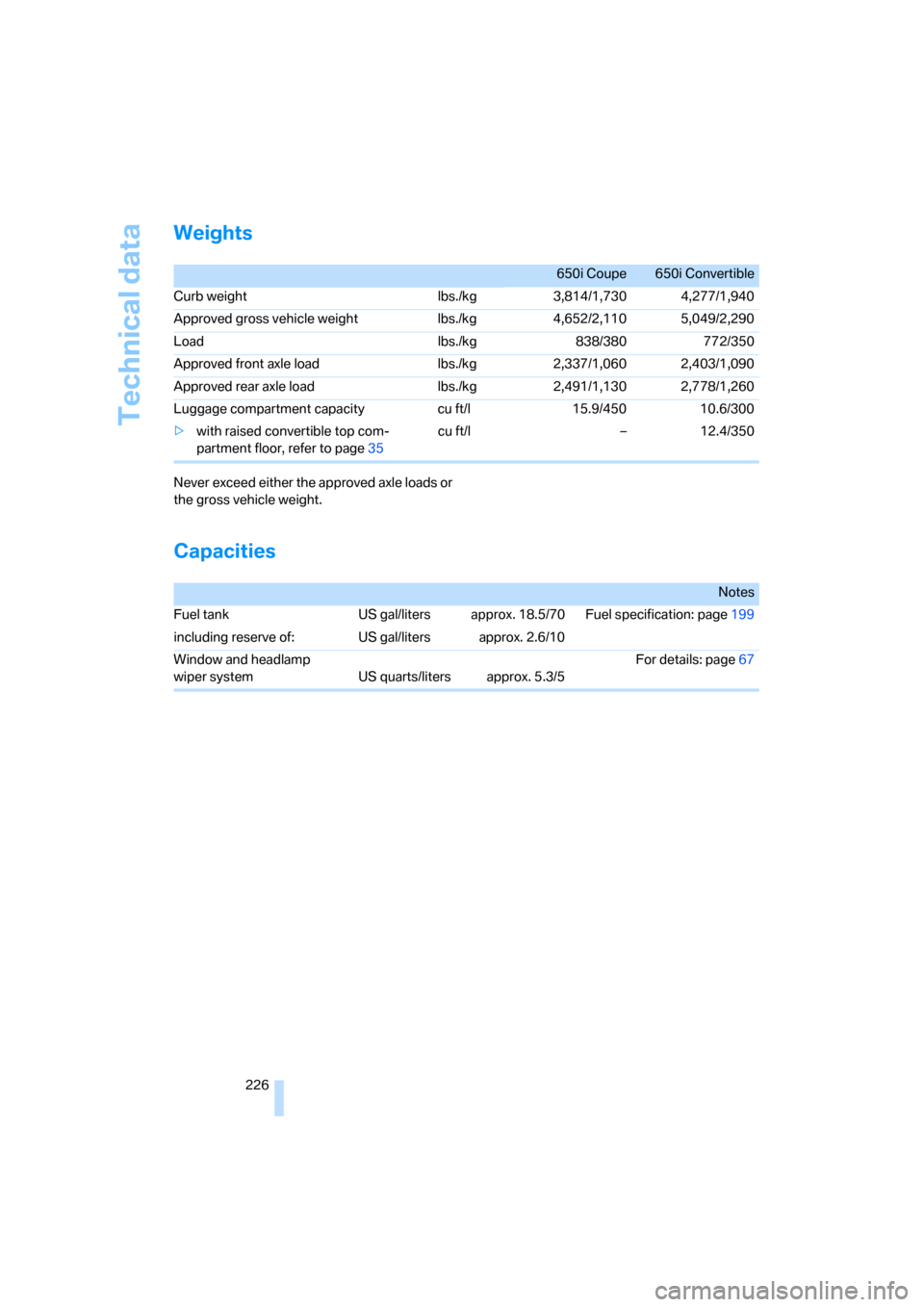
Weights
Never exceed either the approved axle loads or
the gross vehicle weight.
Capacities
650i Coupe 650i Convertible
Curb weight lbs./kg 3,814/1,730 4,277/1,940
Approved gross vehicle weight lbs./kg 4,652/2,110 5,049/2,290
Load lbs./kg 838/380 772/350
Approved front axle load lbs./kg 2,337/1,060 2,403/1,090
Approved rear axle load lbs./kg 2,491/1,130 2,778/1,260
Luggage compartment capacity cu ft/l 15.9/450 10.6/300
>with raised convertible top com-
partment floor, refer to page35cu ft/l – 12.4/350
Notes
Fuel tank US gal/liters approx. 18.5/70 Fuel specification: page199
including reserve of: US gal/liters approx. 2.6/10
Window and headlamp
wiper system US quarts/liters approx. 5.3/5For details: page67
Page 229 of 254
Reference 227
At a glance
Controls
Driving tips
Communications
Navigation
Entertainment
Mobility
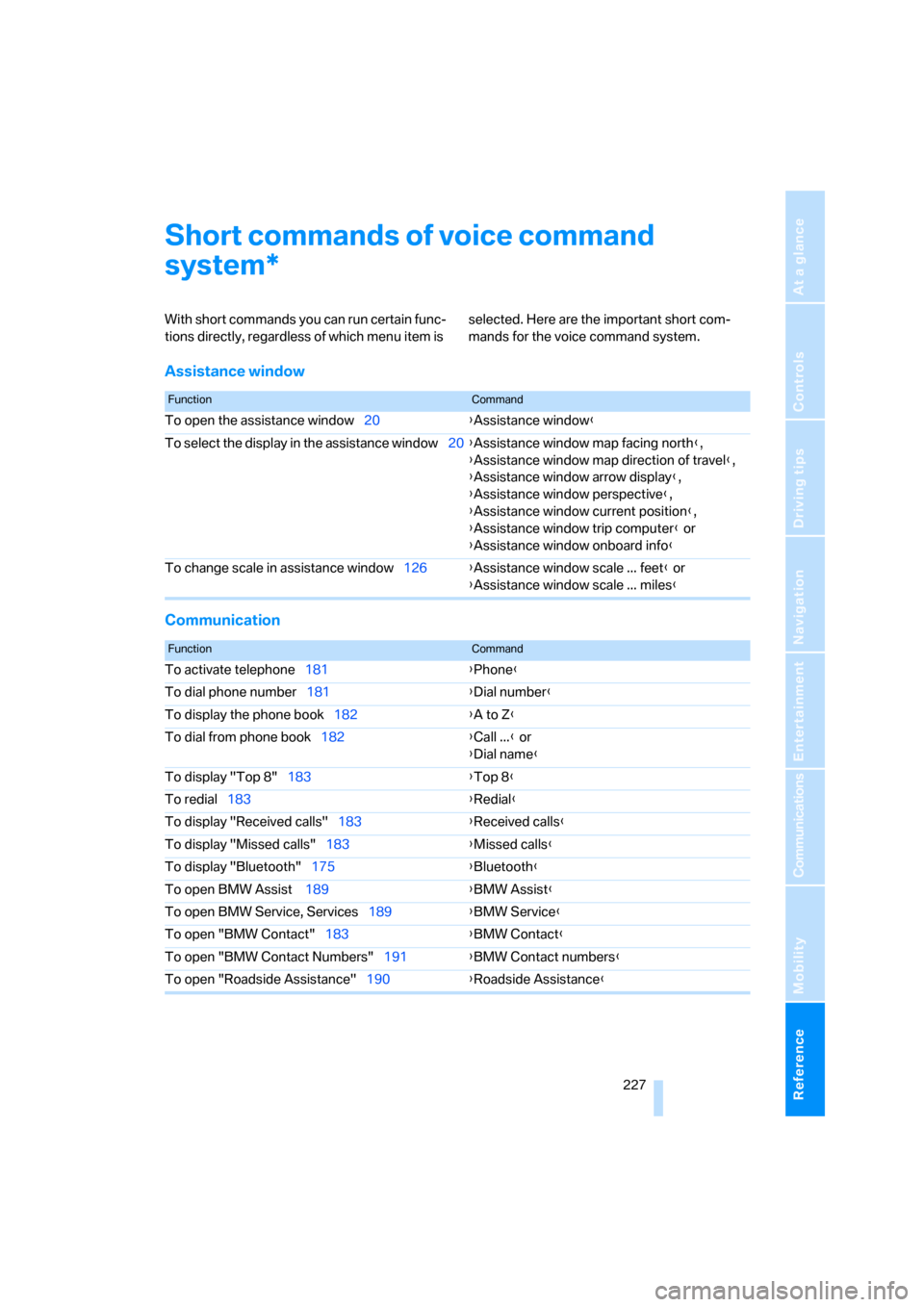
Short commands of voice command
system
With short commands you can run certain func-
tions directly, regardless of which menu item is selected. Here are the important short com-
mands for the voice command system.
Assistance window
Communication
*
FunctionCommand
To open the assistance window20{Assistance window}
To select the display in the assistance window20{Assistance window map facing north},
{Assistance window map direction of travel},
{Assistance window arrow display},
{Assistance window perspective},
{Assistance window current position},
{Assistance window trip computer} or
{Assistance window onboard info}
To change scale in assistance window126{Assistance window scale ... feet} or
{Assistance window scale ... miles}
FunctionCommand
To activate telephone181{Phone}
To dial phone number181{Dial number}
To display the phone book182{A to Z}
To dial from phone book182{Call ...} or
{Dial name}
To display "Top 8"183{Top 8}
To redial183{Redial}
To display "Received calls"183{Received calls}
To display "Missed calls"183{Missed calls}
To display "Bluetooth"175{Bluetooth}
To open BMW Assist 189{BMW Assist}
To open BMW Service, Services189{BMW Service}
To open "BMW Contact"183{BMW Contact}
To open "BMW Contact Numbers"191{BMW Contact numbers}
To open "Roadside Assistance"190{Roadside Assistance}
Page 235 of 254
Reference 233
At a glance
Controls
Driving tips
Communications
Navigation
Entertainment
Mobility
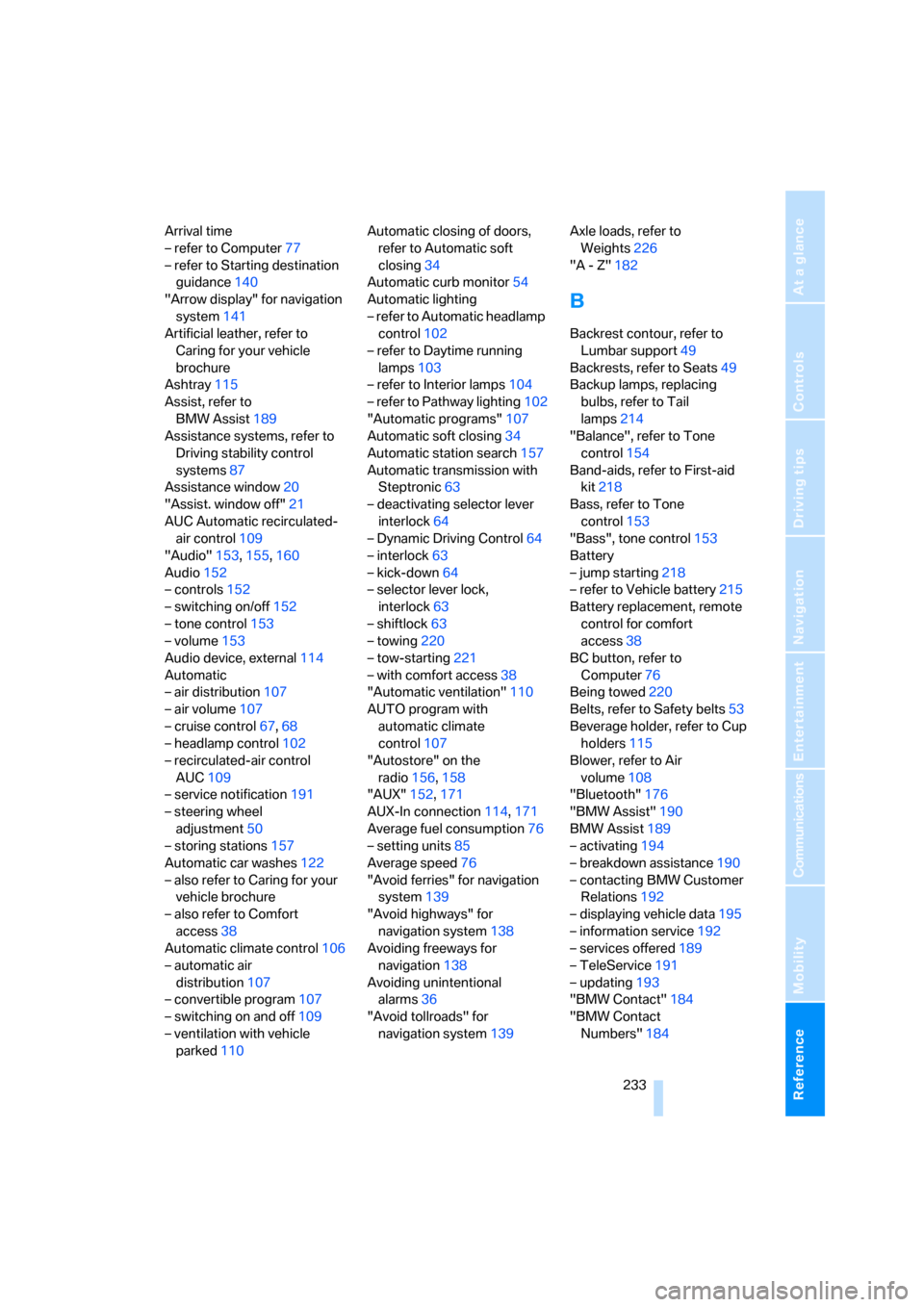
Arrival time
– refer to Computer77
– refer to Starting destination
guidance140
"Arrow display" for navigation
system141
Artificial leather, refer to
Caring for your vehicle
brochure
Ashtray115
Assist, refer to
BMW Assist189
Assistance systems, refer to
Driving stability control
systems87
Assistance window20
"Assist. window off"21
AUC Automatic recirculated-
air control109
"Audio"153,155,160
Audio152
– controls152
– switching on/off152
– tone control153
– volume153
Audio device, external114
Automatic
– air distribution107
– air volume107
– cruise control67,68
– headlamp control102
– recirculated-air control
AUC109
– service notification191
– steering wheel
adjustment50
– storing stations157
Automatic car washes122
– also refer to Caring for your
vehicle brochure
– also refer to Comfort
access38
Automatic climate control106
– automatic air
distribution107
– convertible program107
– switching on and off109
– ventilation with vehicle
parked110Automatic closing of doors,
refer to Automatic soft
closing34
Automatic curb monitor54
Automatic lighting
– refer to Automatic headlamp
control102
– refer to Daytime running
lamps103
– refer to Interior lamps104
– refer to Pathway lighting102
"Automatic programs"107
Automatic soft closing34
Automatic station search157
Automatic transmission with
Steptronic63
– deactivating selector lever
interlock64
– Dynamic Driving Control64
– interlock63
– kick-down64
– selector lever lock,
interlock63
– shiftlock63
– towing220
– tow-starting221
– with comfort access38
"Automatic ventilation"110
AUTO program with
automatic climate
control107
"Autostore" on the
radio156,158
"AUX"152,171
AUX-In connection114,171
Average fuel consumption76
– setting units85
Average speed76
"Avoid ferries" for navigation
system139
"Avoid highways" for
navigation system138
Avoiding freeways for
navigation138
Avoiding unintentional
alarms36
"Avoid tollroads" for
navigation system139Axle loads, refer to
Weights226
"A - Z"182
B
Backrest contour, refer to
Lumbar support49
Backrests, refer to Seats49
Backup lamps, replacing
bulbs, refer to Tail
lamps214
"Balance", refer to Tone
control154
Band-aids, refer to First-aid
kit218
Bass, refer to Tone
control153
"Bass", tone control153
Battery
– jump starting218
– refer to Vehicle battery215
Battery replacement, remote
control for comfort
access38
BC button, refer to
Computer76
Being towed220
Belts, refer to Safety belts53
Beverage holder, refer to Cup
holders115
Blower, refer to Air
volume108
"Bluetooth"176
"BMW Assist"190
BMW Assist189
– activating194
– breakdown assistance190
– contacting BMW Customer
Relations192
– displaying vehicle data195
– information service192
– services offered189
– TeleService191
– updating193
"BMW Contact"184
"BMW Contact
Numbers"184
Page 237 of 254
Reference 235
At a glance
Controls
Driving tips
Communications
Navigation
Entertainment
Mobility
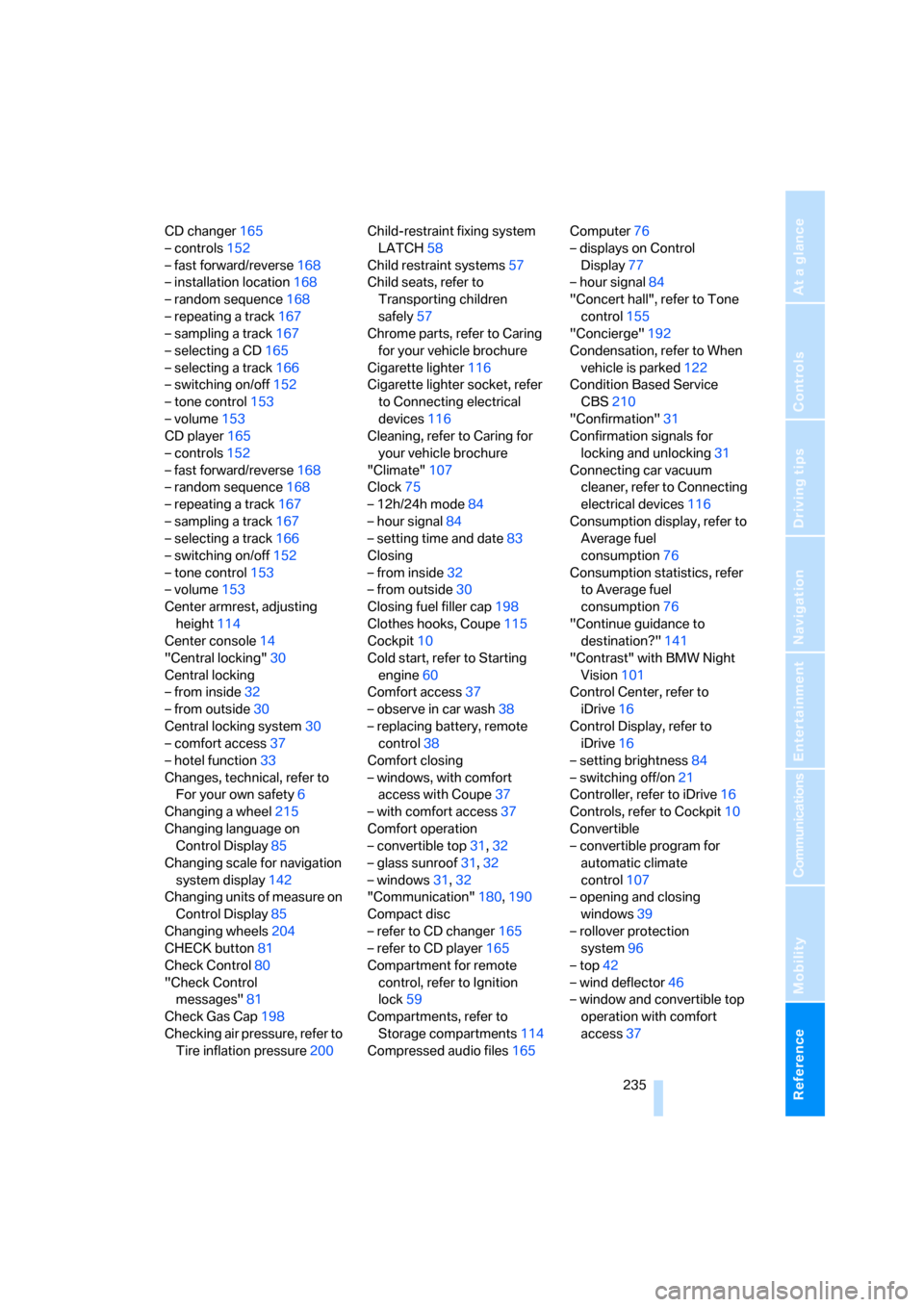
CD changer165
– controls152
– fast forward/reverse168
– installation location168
– random sequence168
– repeating a track167
– sampling a track167
– selecting a CD165
– selecting a track166
– switching on/off152
– tone control153
– volume153
CD player165
– controls152
– fast forward/reverse168
– random sequence168
– repeating a track167
– sampling a track167
– selecting a track166
– switching on/off152
– tone control153
– volume153
Center armrest, adjusting
height114
Center console14
"Central locking"30
Central locking
– from inside32
– from outside30
Central locking system30
– comfort access37
– hotel function33
Changes, technical, refer to
For your own safety6
Changing a wheel215
Changing language on
Control Display85
Changing scale for navigation
system display142
Changing units of measure on
Control Display85
Changing wheels204
CHECK button81
Check Control80
"Check Control
messages"81
Check Gas Cap198
Checking air pressure, refer to
Tire inflation pressure200Child-restraint fixing system
LATCH58
Child restraint systems57
Child seats, refer to
Transporting children
safely57
Chrome parts, refer to Caring
for your vehicle brochure
Cigarette lighter
116
Cigarette lighter socket, refer
to Connecting electrical
devices116
Cleaning, refer to Caring for
your vehicle brochure
"Climate"107
Clock75
– 12h/24h mode84
– hour signal84
– setting time and date83
Closing
– from inside32
– from outside30
Closing fuel filler cap198
Clothes hooks, Coupe115
Cockpit10
Cold start, refer to Starting
engine60
Comfort access37
– observe in car wash38
– replacing battery, remote
control38
Comfort closing
– windows, with comfort
access with Coupe37
– with comfort access37
Comfort operation
– convertible top31,32
– glass sunroof31,32
– windows31,32
"Communication"180,190
Compact disc
– refer to CD changer165
– refer to CD player165
Compartment for remote
control, refer to Ignition
lock59
Compartments, refer to
Storage compartments114
Compressed audio files165Computer76
– displays on Control
Display77
– hour signal84
"Concert hall", refer to Tone
control155
"Concierge"192
Condensation, refer to When
vehicle is parked122
Condition Based Service
CBS210
"Confirmation"31
Confirmation signals for
locking and unlocking31
Connecting car vacuum
cleaner, refer to Connecting
electrical devices116
Consumption display, refer to
Average fuel
consumption
76
Consumption statistics, refer
to Average fuel
consumption76
"Continue guidance to
destination?"141
"Contrast" with BMW Night
Vision101
Control Center, refer to
iDrive16
Control Display, refer to
iDrive16
– setting brightness84
– switching off/on21
Controller, refer to iDrive16
Controls, refer to Cockpit10
Convertible
– convertible program for
automatic climate
control107
– opening and closing
windows39
– rollover protection
system96
– top42
– wind deflector46
– window and convertible top
operation with comfort
access37