stop start BMW 650I CONVERTIBLE 2014 Owner's Manual
[x] Cancel search | Manufacturer: BMW, Model Year: 2014, Model line: 650I CONVERTIBLE, Model: BMW 650I CONVERTIBLE 2014Pages: 243, PDF Size: 7.83 MB
Page 122 of 243
Driving stability control systemsVehicle equipmentAll standard, country-specific and optional
equipment that is offered in the model series is
described in this chapter. Therefore, equip‐
ment is also described that is not available in a
vehicle, e. g., because of the selected optional
equipment or country variant. This also applies
for safety-related functions and systems.
Antilock Brake System ABS ABS prevents locking of the wheels during
braking.
The vehicle remains steerable even during full
brake applications, thus increasing active
safety.
ABS is operational every time you start the en‐
gine.
Brake assistant
When you apply the brakes rapidly, this system
automatically produces the maximum braking
force boost. This then reduces braking dis‐ tance to a minimum during full braking. This
system utilizes all of the benefits provided by ABS.
Do not reduce the pressure on the brake pedal
for the duration of the full braking.
When equipped with Driving Assistant Plus or
with Active Cruise Control with Stop & Go
function, ACC is supported by the braking in‐
tervention if there is a possible risk of collision.
To do this, the braking force is automatically increased if the braking pressure is insufficient
when the brakes are applied.Adaptive brake assistant
In combination with the Active Cruise Control,
this system ensures that the brakes respond
even more rapidly when braking in critical sit‐
uations.
Drive-off assistant
This system supports driving away on gradi‐
ents. The parking brake is not required.1.Hold the vehicle in place with the foot
brake.2.Release the foot brake and drive away
without delay.
After the foot brake is released, the vehicle is
held in place for approx. 2 seconds.
Depending on the vehicle load, the vehicle may
roll back slightly.
Driving off without delay
After releasing the foot brake, start driv‐
ing without delay, since the drive-off assistant
will not hold the vehicle in place for more than
approx. 2 seconds and the vehicle will begin
rolling back.◀
DSC Dynamic Stability
Control
The concept DSC prevents traction loss in the driving
wheels when driving away and accelerating.
DSC also recognizes unstable vehicle condi‐
tions, such as fishtailing or nose-diving. Sub‐
ject to physical limits, DSC helps to keep the
vehicle on a steady course by reducing engine
speed and by applying brakes at individual
wheels.
Seite 122ControlsDriving stability control systems122
Online Edition for Part no. 01 40 2 910 721 - VI/13
Page 150 of 243
System limits
The cameras capture a maximum range of
330 ft/100 m.
Parking assistantThe concept
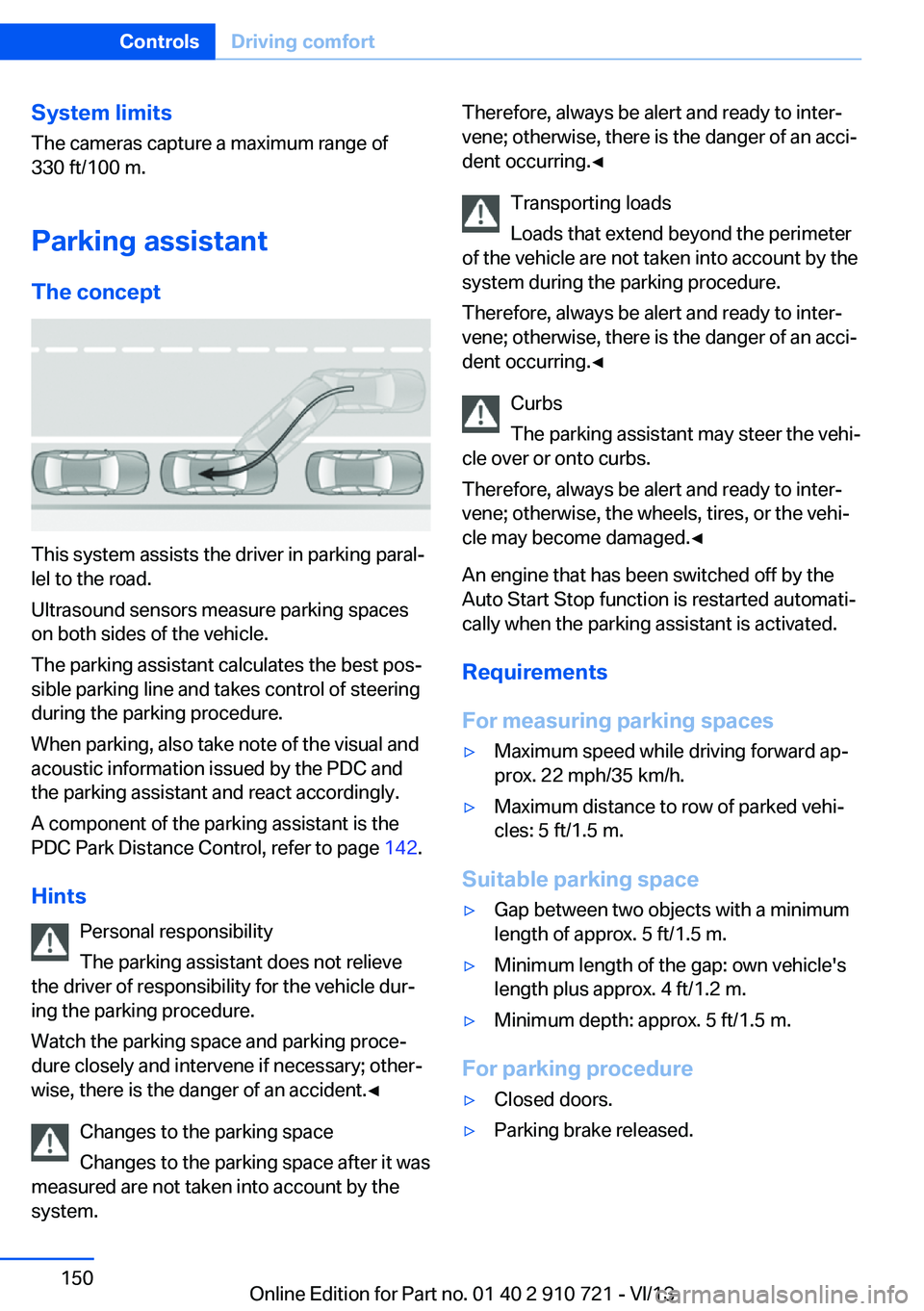
This system assists the driver in parking paral‐
lel to the road.
Ultrasound sensors measure parking spaces
on both sides of the vehicle.
The parking assistant calculates the best pos‐
sible parking line and takes control of steering
during the parking procedure.
When parking, also take note of the visual and
acoustic information issued by the PDC and
the parking assistant and react accordingly.
A component of the parking assistant is the
PDC Park Distance Control, refer to page 142.
Hints Personal responsibility
The parking assistant does not relieve
the driver of responsibility for the vehicle dur‐
ing the parking procedure.
Watch the parking space and parking proce‐
dure closely and intervene if necessary; other‐
wise, there is the danger of an accident.◀
Changes to the parking space
Changes to the parking space after it was
measured are not taken into account by the
system.
Therefore, always be alert and ready to inter‐
vene; otherwise, there is the danger of an acci‐
dent occurring.◀
Transporting loads
Loads that extend beyond the perimeter
of the vehicle are not taken into account by the
system during the parking procedure.
Therefore, always be alert and ready to inter‐
vene; otherwise, there is the danger of an acci‐
dent occurring.◀
Curbs
The parking assistant may steer the vehi‐
cle over or onto curbs.
Therefore, always be alert and ready to inter‐
vene; otherwise, the wheels, tires, or the vehi‐
cle may become damaged.◀
An engine that has been switched off by the
Auto Start Stop function is restarted automati‐
cally when the parking assistant is activated.
Requirements
For measuring parking spaces▷Maximum speed while driving forward ap‐
prox. 22 mph/35 km/h.▷Maximum distance to row of parked vehi‐
cles: 5 ft/1.5 m.
Suitable parking space
▷Gap between two objects with a minimum
length of approx. 5 ft/1.5 m.▷Minimum length of the gap: own vehicle's
length plus approx. 4 ft/1.2 m.▷Minimum depth: approx. 5 ft/1.5 m.
For parking procedure
▷Closed doors.▷Parking brake released.Seite 150ControlsDriving comfort150
Online Edition for Part no. 01 40 2 910 721 - VI/13
Page 180 of 243
On a downhill gradient, take your foot off the
accelerator and let the vehicle roll.
The flow of fuel is interrupted while coasting.
Switch off the engine during
longer stops
Switch off the engine during longer stops, e.g.,
at traffic lights, railroad crossings or in traffic
congestion.
Automatic Engine Start/Stop Function
The Auto Start/Stop function of your vehicle
automatically switches off the engine during a
stop.
If the engine is switched off and then restarted
rather than leaving the engine running con‐
stantly, fuel consumption and emissions are
reduced. Savings can begin within a few sec‐
onds of switching off the engine.
Using this system can cause certain compo‐
nents of the vehicle to become worn prema‐
turely.
In addition, fuel consumption is also deter‐
mined by other factors, such as driving style,
road conditions, maintenance or environmental
factors.
Switch off any functions that
are not currently needed
Functions such as seat heating and the rear
window defroster require a lot of energy and
consume additional fuel, especially in city and
stop-and-go traffic.
Therefore, switch off these functions if they
are not actually needed.Have maintenance carried
out
Have vehicles maintained regularly to achieve
optimal vehicle economy and operating life.
Have the maintenance carried out by your
service center.
Please also note the BMW Maintenance Sys‐
tem, refer to page 208.
ECO PRO
The concept ECO PRO supports a driving style that saves
on fuel consumption. For this purpose, the en‐
gine control and comfort functions, e. g. the
climate control output, are adjusted.
In addition, context-sensitive instructions can
be displayed that assist in driving in a manner
that optimizes fuel consumption.
The extension of the range that is achieved as
a result can be displayed in the instrument
cluster.
At a glance
The system includes the following
EfficientDynamics functions and displays:▷ECO PRO bonus range, refer to page 181.▷ECO PRO tips driving instruction, refer to
page 182▷ECO PRO climate control, refer to
page 181.
Activating ECO PRO
Press button repeatedly until ECO
PRO is displayed in the instrument
cluster.
Configuring ECO PRO
Via the Driving Dynamics Control
1.Activate ECO PRO.Seite 180Driving tipsSaving fuel180
Online Edition for Part no. 01 40 2 910 721 - VI/13
Page 182 of 243
The display switches to blue as soon as all
conditions for fuel-economy-optimized driving
are met.
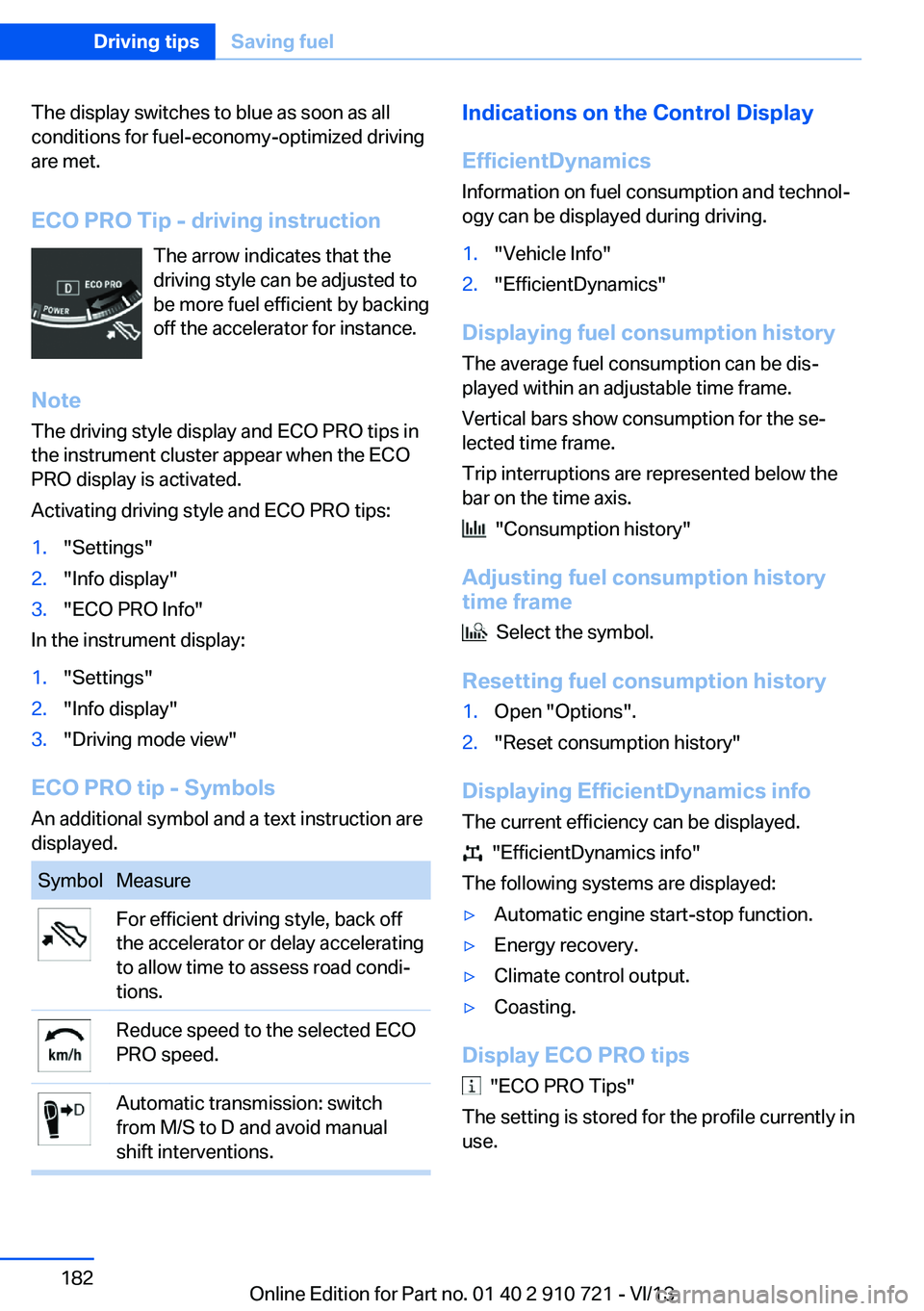
ECO PRO Tip - driving instruction The arrow indicates that the
driving style can be adjusted to
be more fuel efficient by backing
off the accelerator for instance.
Note The driving style display and ECO PRO tips in
the instrument cluster appear when the ECO
PRO display is activated.
Activating driving style and ECO PRO tips:1."Settings"2."Info display"3."ECO PRO Info"
In the instrument display:
1."Settings"2."Info display"3."Driving mode view"
ECO PRO tip - Symbols An additional symbol and a text instruction are
displayed.
SymbolMeasureFor efficient driving style, back off
the accelerator or delay accelerating
to allow time to assess road condi‐
tions.Reduce speed to the selected ECO
PRO speed.Automatic transmission: switch
from M/S to D and avoid manual
shift interventions.Indications on the Control Display
EfficientDynamics Information on fuel consumption and technol‐
ogy can be displayed during driving.1."Vehicle Info"2."EfficientDynamics"
Displaying fuel consumption history
The average fuel consumption can be dis‐
played within an adjustable time frame.
Vertical bars show consumption for the se‐
lected time frame.
Trip interruptions are represented below the
bar on the time axis.
"Consumption history"
Adjusting fuel consumption history time frame
Select the symbol.
Resetting fuel consumption history
1.Open "Options".2."Reset consumption history"
Displaying EfficientDynamics info
The current efficiency can be displayed.
"EfficientDynamics info"
The following systems are displayed:
▷Automatic engine start-stop function.▷Energy recovery.▷Climate control output.▷Coasting.
Display ECO PRO tips
"ECO PRO Tips"
The setting is stored for the profile currently in
use.
Seite 182Driving tipsSaving fuel182
Online Edition for Part no. 01 40 2 910 721 - VI/13
Page 222 of 243
2.Engage transmission position N.3.Switch the engine off.
In this way, the ignition remains switched
on, and a Check-Control message is dis‐
played.
Do not turn off the ignition in the car
wash
Do not turn off the ignition in the car wash;
otherwise, the transmission position P is
engaged and damages can result.◀
To start the engine:
1.Depress the brake pedal.2.Press the Start/Stop button.
Pressing the Start/Stop button without step‐
ping on the brake turns the ignition off.
The vehicle cannot be locked from the outside
when in transmission position N. A signal is
sounded when an attempt is made to lock the
vehicle.
Transmission position
Transmission position P is engaged automati‐
cally:
▷When the ignition is switched off.▷After approx. 15 minutes.
Headlamps
▷Do not rub dry and do not use abrasive or
caustic cleansers.▷Soak areas that have been soiled e.g. due
to insects, with shampoo and wash off with
water.▷Thaw ice with deicing spray; do not use an
ice scraper.
After washing the vehicle
After washing the vehicle, apply the brakes
briefly to dry them; otherwise, braking action
can be reduced and corrosion of the brake
discs can occur.
Completely remove all residues on the win‐
dows, to minimize loss of visibility due to
smearing and to reduce wiper noises and
wiper blade wear.
Vehicle care
Car care products BMW recommends using cleaning and care
products from BMW, since these have been
tested and approved.
Car care and cleaning products
Follow the instructions on the container.
When cleaning the interior, open the doors or
windows.
Only use products intended for cleaning vehi‐
cles.
Cleansers can contain substances that are
dangerous and harmful to your health.◀
Vehicle paint
Regular care contributes to driving safety and
value retention. Environmental influences in
areas with elevated air pollution or natural con‐
taminants, such as tree resin or pollen can af‐
fect the vehicle's paintwork. Tailor the fre‐
quency and extent of your car care to these
influences.
Aggressive substances, such as spilled fuel,
oil, grease or bird droppings, must be removed
immediately to prevent the finish from being
altered or discolored.
Caring for the convertible top
The appearance and life of the convertible top
depend on correct care and operation.
Note the following instructions:▷To prevent water stains, mildew spots, and
chafe marks, do not enclose the
convertible top in the convertible top well
for a long period and do not fold and stowSeite 222MobilityCare222
Online Edition for Part no. 01 40 2 910 721 - VI/13
Page 232 of 243
Everything from A to Z
IndexA ABS, Antilock Brake Sys‐ tem 122
ACC, Active Cruise Control with Stop & Go 130
Activated-charcoal filter 160
Active Blind Spot Detec‐ tion 117
Active Cruise Control with Stop & Go, ACC 130
Active Protection 119
Active roll stabilization, see Dynamic Drive 125
Active seat, front 53
Active seat ventilation, front 53
Active Steering, integral 125
Adaptive brake assistant 122
Adaptive brake lights, refer to Brake force display 119
Adaptive drive 125
Adaptive light control 92
Additives, oil 206
Adjusting, steering wheel 59
Adjustments, seats/head re‐ straints 51
After washing vehicle 222
Airbags 96
Airbags, indicator/warning light 97
Air circulation, refer to Recir‐ culated-air mode 159
Air distribution, manual 158
Air drying, refer to Cooling function 159
Air flow, automatic climate control 158
Air pressure, tires 191
Air vents, refer to Ventila‐ tion 160 Alarm system 40
Alarm, unintentional 41
All around the center con‐ sole 14
All around the interior rear‐ view mirror 15
All around the steering wheel 12
All-season tires, refer to Win‐ ter tires 200
All-wheel-drive 124
Alternating-code hand-held transmitter 165
Alternative oil types 206
Ambient light 94
Antifreeze, washer fluid 72
Antilock Brake System, ABS 122
Anti-slip control, refer to DSC 122
Approved engine oils 206
Armrest, refer to Front center armrest 170
Arrival time 88
Ashtray 166
Assistance, Roadside Assis‐ tance 217
Assistance when driving off 122
Attentiveness assistant 119
AUTO H button, refer to Au‐ tomatic Hold 68
AUTO intensity 158
Automatic car wash 221
Automatic Cruise Control with Stop & Go 130
Automatic Curb Monitor 58
Automatic deactivation, front passenger airbags 98
Automatic headlamp con‐ trol 92 Automatic Hold 68
Automatic locking 39
Automatic recirculated-air control 159
Automatic Soft Closing, doors 36
Automatic transmission with Steptronic 72
AUTO program, automatic cli‐ mate control 158
AUTO program, intensity 158
Auto Start/Stop function 65
Average fuel consumption 88
Average speed 88
Axle loads, weights 229
B Backrest curvature, refer to Lumbar support 52
Backrest, seats 51
Backrest, width 52
Backup camera 144
Band-aids, refer to First aid kit 217
Bar for tow-starting/ towing 219
Battery replacement, remote control for parked-car heat‐
ing/ventilation 162
Battery replacement, vehicle battery 214
Battery replacement, vehicle remote control 30
Battery, vehicle 214
Belts, safety belts 54
Beverage holder, cu‐ pholder 171
BMW Assist, see user's manual for Navigation, En‐Seite 232ReferenceEverything from A to Z232
Online Edition for Part no. 01 40 2 910 721 - VI/13
Page 233 of 243
tertainment and Communi‐
cation
BMW Homepage 6
BMW Internet page 6
BMW maintenance sys‐ tem 208
Bonus range, ECO PRO 181
Bottle holder, refer to Cu‐ pholder 171
Brake assistant 122
Brake assistant, adaptive 122
Brake discs, breaking in 174
Brake force display 119
Brake lamps, brake force dis‐ play 119
Brake lamps, bulb replace‐ ment 212
Brake lights, adaptive 119
Brake pads, breaking in 174
Braking, hints 175
Breakdown assis‐ tance 216, 217
Breaking in 174
Brightness of Control Dis‐ play 90
Bulb replacement, front 210
Bulb replacement, rear 212
Button, RES 133
Button, Start/Stop 63
Bypassing, refer to Jump- starting 218
C
California Proposition 65 Warning 7
Calling up mirror adjust‐ ment 39
Calling up seat adjust‐ ment 39
Calling up steering wheel ad‐ justment 39
Camera, backup camera 144
Camera, care 225
Camera, Side View 149
Camera, Top View 147 Can holder, refer to Cu‐
pholder 171
Car battery 214
Car care products 222
Care, displays 225
Care, vehicle 222
Cargo 177
Cargo area lid 37
Cargo area partition 45
Cargo area, storage compart‐ ments 171
Cargo, securing 178
Cargo straps, securing cargo 178
Car key, refer to Remote con‐ trol 30
Carpet, care 224
Car wash 221
Catalytic converter, refer to Hot exhaust system 174
CBS Condition Based Serv‐ ice 208
CD/Multimedia, see user's manual for Navigation, En‐
tertainment and Communi‐
cation
Center console 14
Center-Lock, see button for central locking 33
Central locking system 33
Central screen, refer to Con‐ trol Display 16
Changes, technical, refer to Safety 7
Changing parts 210
Changing wheels 213
Changing wheels/tires 199
Check Control 80
Checking the oil level elec‐ tronically 205
Children, seating position 60
Children, transporting safely 60
Child restraint fixing sys‐ tem 60 Child restraint fixing system
LATCH 61
Child restraint fixing systems, mounting 60
Child seat, mounting 60
Child seats 60
Chrome parts, care 224
Cigarette lighter 166
Cleaning, displays 225
Climate control 157
Climate control wind‐ shield 175
Clock 83
Closing/opening from in‐ side 36
Closing/opening via door lock 35
Closing/opening with remote control 34
Coasting 183
Coasting with engine decou‐ pled, coasting 183
Coasting with idling en‐ gine 183
Collision warning with braking function 106
Collision warning with City Braking function 108
Combination switch, refer to Turn signals 69
Combination switch, refer to Wiper system 70
COMFORT+ program, Driving Dynamics Control 128
Comfort Access 38
COMFORT program, Driving Dynamics Control 128
Computer 87
Condensation on win‐ dows 159
Condensation under the vehi‐ cle 176
Condition Based Service CBS 208
Configure driving mode 128
Confirmation signal 39 Seite 233Everything from A to ZReference233
Online Edition for Part no. 01 40 2 910 721 - VI/13
Page 234 of 243
Congestion Assistant 136
ConnectedDrive, see user's manual for Navigation, En‐
tertainment and Communi‐
cation
ConnectedDrive Services
Control Display 16
Control Display, settings 89
Controller 16
Control systems, driving sta‐ bility 122
Convenient closing 34
Convenient opening 34
Convertible, convertible top 43
Convertible mode, automatic climate control 158
Convertible program, auto‐ matic climate control 158
Convertible top 43
Convertible top, care 222
Convertible top, cargo area partition 45
Convertible top, emergency operation 45
Convertible top, rollover pro‐ tection system 99
Convertible top tool 45
Coolant 207
Coolant temperature 83
Cooling function 159
Cooling, maximum 159
Cooling system 207
Corrosion on brake discs 176
Cruise control 139
Cruise control, active with Stop & Go 130
Cruising range 83
Cupholder 171
Current fuel consumption 84
D
Damage, tires 199
Damping Control, dy‐ namic 125 Data, technical 228
Date 83
Daytime running lights 92
Defrosting, refer to Windows, defrosting 159
Departure time, parked-car heating 162
Departure time, parked-car ventilation 162
Destination distance 88
Digital clock 83
Dimensions 228
Dimmable exterior mirrors 58
Dimmable interior rearview mirror 58
Direction indicator, refer to Turn signals 69
Display in windshield 154
Display lighting, refer to In‐ strument lighting 94
Displays 76, 77
Displays, cleaning 225
Disposal, coolant 207
Disposal, vehicle battery 214
Distance control, refer to PDC 142
Distance information 155
Distance to destination 88
Divided screen view, split screen 20
Door lock, refer to Remote control 30
Doors, Automatic Soft Clos‐ ing 36
Downhill control 124
Drive-off assistant 122
Drive-off assistant, refer to DSC 122
Driver assistance, see Intelli‐ gent Safety 105
Driving Assistant, see Intelli‐ gent Safety 105
Driving Dynamics Con‐ trol 126
Driving instructions, breaking in 174 Driving mode 126
Driving notes, general 174
Driving stability control sys‐ tems 122
Driving tips 174
DSC Dynamic Stability Con‐ trol 122
DTC driving dynamics 123
DTC Dynamic Traction Con‐ trol 123
Dynamic Damping Con‐ trol 125
Dynamic Drive 125
Dynamic Stability Control DSC 122
Dynamic Traction Control DTC 123
E
ECO PRO 180
ECO PRO, bonus range 181
ECO PRO display 180
ECO PRO displays 79
ECO PRO driving mode 180
ECO PRO mode 180
ECO PRO Tip - driving in‐ struction 182
EfficientDynamics 182
Electronic displays, instru‐ ment cluster 77
Electronic Stability Program ESP, refer to DSC 122
Emergency detection, remote control 31
Emergency operation, convertible top 45
Emergency release, door lock 36
Emergency release, fuel filler flap 188
Emergency Request 216
Emergency service, refer to Roadside Assistance 217
Emergency start function, en‐ gine start 31 Seite 234ReferenceEverything from A to Z234
Online Edition for Part no. 01 40 2 910 721 - VI/13
Page 235 of 243
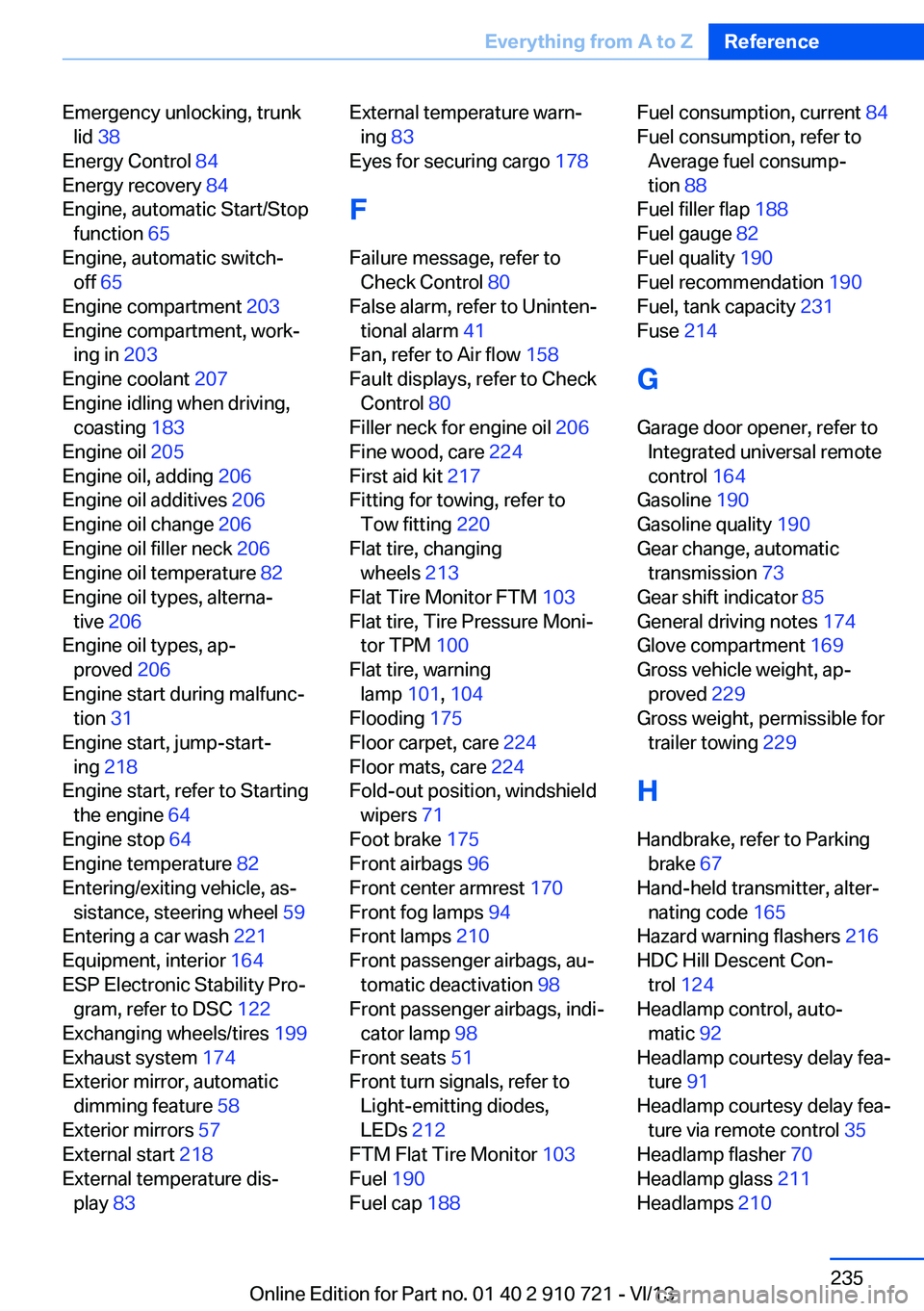
Emergency unlocking, trunklid 38
Energy Control 84
Energy recovery 84
Engine, automatic Start/Stop function 65
Engine, automatic switch- off 65
Engine compartment 203
Engine compartment, work‐ ing in 203
Engine coolant 207
Engine idling when driving, coasting 183
Engine oil 205
Engine oil, adding 206
Engine oil additives 206
Engine oil change 206
Engine oil filler neck 206
Engine oil temperature 82
Engine oil types, alterna‐ tive 206
Engine oil types, ap‐ proved 206
Engine start during malfunc‐ tion 31
Engine start, jump-start‐ ing 218
Engine start, refer to Starting the engine 64
Engine stop 64
Engine temperature 82
Entering/exiting vehicle, as‐ sistance, steering wheel 59
Entering a car wash 221
Equipment, interior 164
ESP Electronic Stability Pro‐ gram, refer to DSC 122
Exchanging wheels/tires 199
Exhaust system 174
Exterior mirror, automatic dimming feature 58
Exterior mirrors 57
External start 218
External temperature dis‐ play 83 External temperature warn‐
ing 83
Eyes for securing cargo 178
F
Failure message, refer to Check Control 80
False alarm, refer to Uninten‐ tional alarm 41
Fan, refer to Air flow 158
Fault displays, refer to Check Control 80
Filler neck for engine oil 206
Fine wood, care 224
First aid kit 217
Fitting for towing, refer to Tow fitting 220
Flat tire, changing wheels 213
Flat Tire Monitor FTM 103
Flat tire, Tire Pressure Moni‐ tor TPM 100
Flat tire, warning lamp 101, 104
Flooding 175
Floor carpet, care 224
Floor mats, care 224
Fold-out position, windshield wipers 71
Foot brake 175
Front airbags 96
Front center armrest 170
Front fog lamps 94
Front lamps 210
Front passenger airbags, au‐ tomatic deactivation 98
Front passenger airbags, indi‐ cator lamp 98
Front seats 51
Front turn signals, refer to Light-emitting diodes,
LEDs 212
FTM Flat Tire Monitor 103
Fuel 190
Fuel cap 188 Fuel consumption, current 84
Fuel consumption, refer to Average fuel consump‐
tion 88
Fuel filler flap 188
Fuel gauge 82
Fuel quality 190
Fuel recommendation 190
Fuel, tank capacity 231
Fuse 214
G
Garage door opener, refer to Integrated universal remote
control 164
Gasoline 190
Gasoline quality 190
Gear change, automatic transmission 73
Gear shift indicator 85
General driving notes 174
Glove compartment 169
Gross vehicle weight, ap‐ proved 229
Gross weight, permissible for trailer towing 229
H
Handbrake, refer to Parking brake 67
Hand-held transmitter, alter‐ nating code 165
Hazard warning flashers 216
HDC Hill Descent Con‐ trol 124
Headlamp control, auto‐ matic 92
Headlamp courtesy delay fea‐ ture 91
Headlamp courtesy delay fea‐ ture via remote control 35
Headlamp flasher 70
Headlamp glass 211
Headlamps 210 Seite 235Everything from A to ZReference235
Online Edition for Part no. 01 40 2 910 721 - VI/13
Page 239 of 243
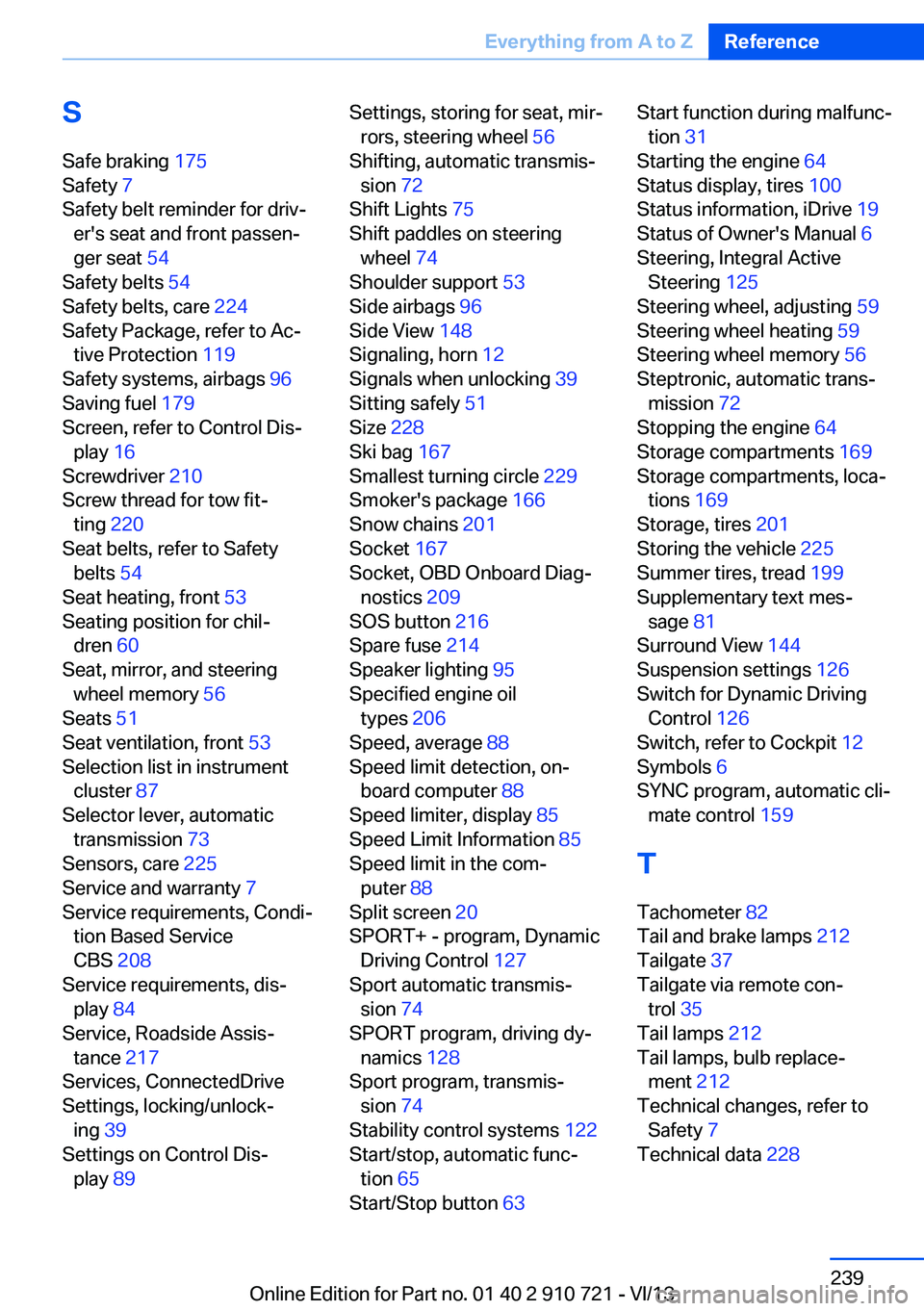
SSafe braking 175
Safety 7
Safety belt reminder for driv‐ er's seat and front passen‐
ger seat 54
Safety belts 54
Safety belts, care 224
Safety Package, refer to Ac‐ tive Protection 119
Safety systems, airbags 96
Saving fuel 179
Screen, refer to Control Dis‐ play 16
Screwdriver 210
Screw thread for tow fit‐ ting 220
Seat belts, refer to Safety belts 54
Seat heating, front 53
Seating position for chil‐ dren 60
Seat, mirror, and steering wheel memory 56
Seats 51
Seat ventilation, front 53
Selection list in instrument cluster 87
Selector lever, automatic transmission 73
Sensors, care 225
Service and warranty 7
Service requirements, Condi‐ tion Based Service
CBS 208
Service requirements, dis‐ play 84
Service, Roadside Assis‐ tance 217
Services, ConnectedDrive
Settings, locking/unlock‐ ing 39
Settings on Control Dis‐ play 89 Settings, storing for seat, mir‐
rors, steering wheel 56
Shifting, automatic transmis‐ sion 72
Shift Lights 75
Shift paddles on steering wheel 74
Shoulder support 53
Side airbags 96
Side View 148
Signaling, horn 12
Signals when unlocking 39
Sitting safely 51
Size 228
Ski bag 167
Smallest turning circle 229
Smoker's package 166
Snow chains 201
Socket 167
Socket, OBD Onboard Diag‐ nostics 209
SOS button 216
Spare fuse 214
Speaker lighting 95
Specified engine oil types 206
Speed, average 88
Speed limit detection, on‐ board computer 88
Speed limiter, display 85
Speed Limit Information 85
Speed limit in the com‐ puter 88
Split screen 20
SPORT+ - program, Dynamic Driving Control 127
Sport automatic transmis‐ sion 74
SPORT program, driving dy‐ namics 128
Sport program, transmis‐ sion 74
Stability control systems 122
Start/stop, automatic func‐ tion 65
Start/Stop button 63 Start function during malfunc‐
tion 31
Starting the engine 64
Status display, tires 100
Status information, iDrive 19
Status of Owner's Manual 6
Steering, Integral Active Steering 125
Steering wheel, adjusting 59
Steering wheel heating 59
Steering wheel memory 56
Steptronic, automatic trans‐ mission 72
Stopping the engine 64
Storage compartments 169
Storage compartments, loca‐ tions 169
Storage, tires 201
Storing the vehicle 225
Summer tires, tread 199
Supplementary text mes‐ sage 81
Surround View 144
Suspension settings 126
Switch for Dynamic Driving Control 126
Switch, refer to Cockpit 12
Symbols 6
SYNC program, automatic cli‐ mate control 159
T Tachometer 82
Tail and brake lamps 212
Tailgate 37
Tailgate via remote con‐ trol 35
Tail lamps 212
Tail lamps, bulb replace‐ ment 212
Technical changes, refer to Safety 7
Technical data 228 Seite 239Everything from A to ZReference239
Online Edition for Part no. 01 40 2 910 721 - VI/13