warning lights BMW 650I CONVERTIBLE 2015 Owner's Guide
[x] Cancel search | Manufacturer: BMW, Model Year: 2015, Model line: 650I CONVERTIBLE, Model: BMW 650I CONVERTIBLE 2015Pages: 259, PDF Size: 7.85 MB
Page 157 of 259
Low objects already displayed, e.g., curbs, can
move into the blind area of the sensors before
or after a continuous tone sounds.
False warnings
PDC may issue a warning under the following conditions even though there is no obstacle
within the detection range:▷In heavy rain.▷When sensors are very dirty or covered
with ice.▷When sensors are covered in snow.▷On rough road surfaces.▷On uneven surfaces, such as speed
bumps.▷In large buildings with right angles and
smooth walls, e.g., in underground ga‐
rages.▷In automatic car washes.▷Through heavy pollution.▷Due to other ultrasound sources, e.g.,
sweeping machines, high pressure steam
cleaners or neon lights.
Malfunction
A Check Control message is displayed.
The range of the sensors is shown as a shaded
area on the Control Display.
PDC has failed. Have the system checked.
To ensure full functionality:
▷Keep the sensors clean and free of ice.▷dimmedDo not put any stickers on sen‐
sors.▷When using high-pressure washers, do not
spray the sensors for long periods and
maintain a distance of at least 12 in/30 cm.Surround View
The concept Surround View comprises various camera as‐
sistance systems that help the driver when
parking, maneuvering, and at complex exits
and intersections.▷Rearview camera, refer to page 153▷Side View, refer to page 156.▷Top View, refer to page 157.
Rearview camera
The concept The rearview camera provides assistance in
parking and maneuvering backwards. The area
behind the vehicle is shown on the Control
Display.
Hints Check the traffic situation as well
Check the traffic situation around the ve‐
hicle with your own eyes. Otherwise, an acci‐
dent could result from road users or objects
that are not lidtured by the camera.◀
At a glance
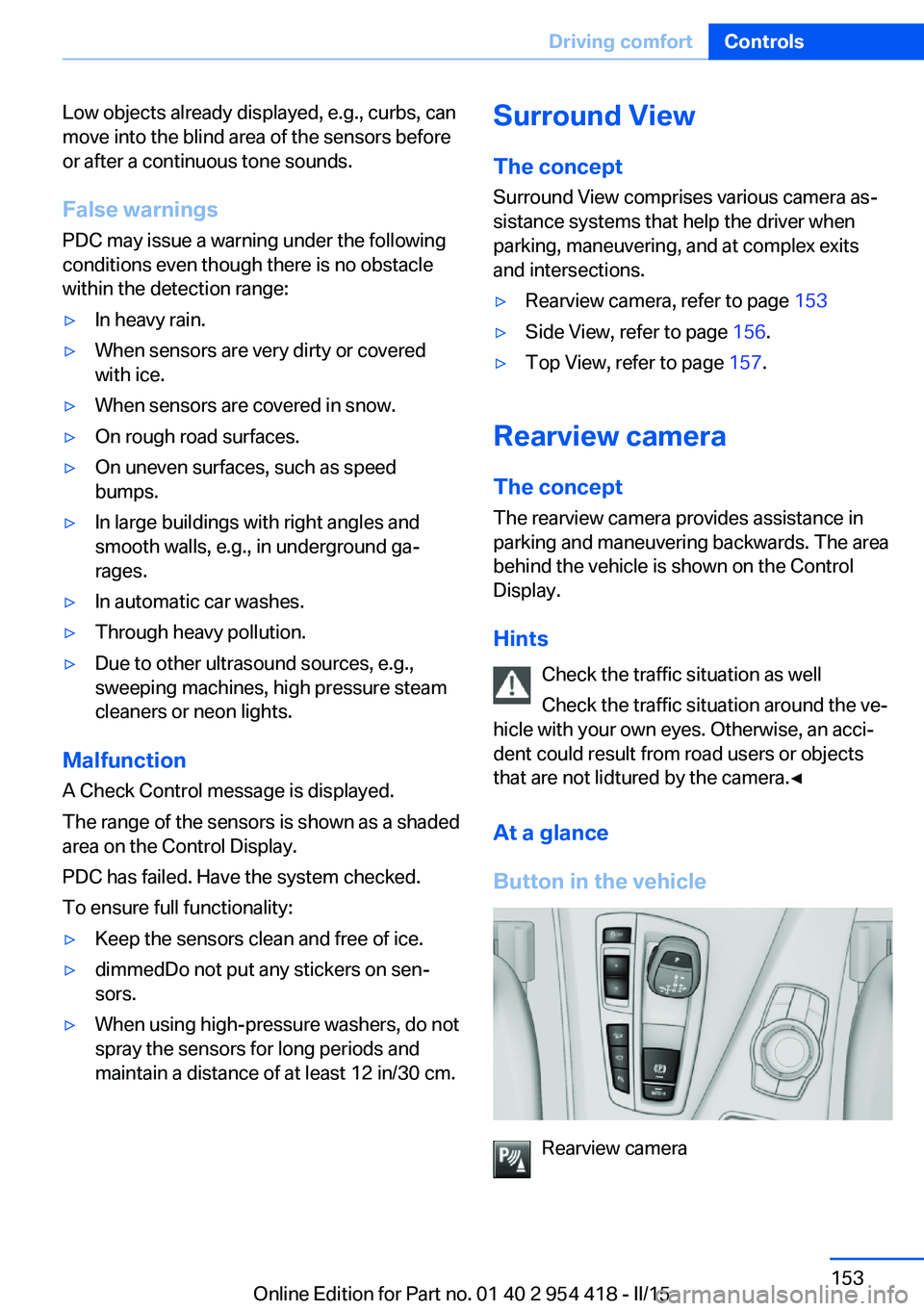
Button in the vehicle
Rearview camera
Seite 153Driving comfortControls153
Online Edition for Part no. 01 40 2 954 418 - II/15
Page 162 of 259
Cameras
The lenses of the Top View camera are located
at the bottom in the mirror housings. The im‐
age quality may be impaired by dirt.
Clean the camera lenses, refer to page 236.
Switching on/off
Switching on automatically With the engine running, engage lever in posi‐
tion P R.
The Top View and PDC images are displayed if
the system is switched on via iDrive.
Automatic deactivation during forward
travel
The system switches off when a certain driving
distance or speed is exceeded.
Switch the system back on if needed.
Switching on/off manually Press button.
▷On: the LED lights up.▷Off: the LED goes out.
Top View is displayed.
Display
Visual warning
The approach of the vehicle to an object can
be shown on the Control Display.
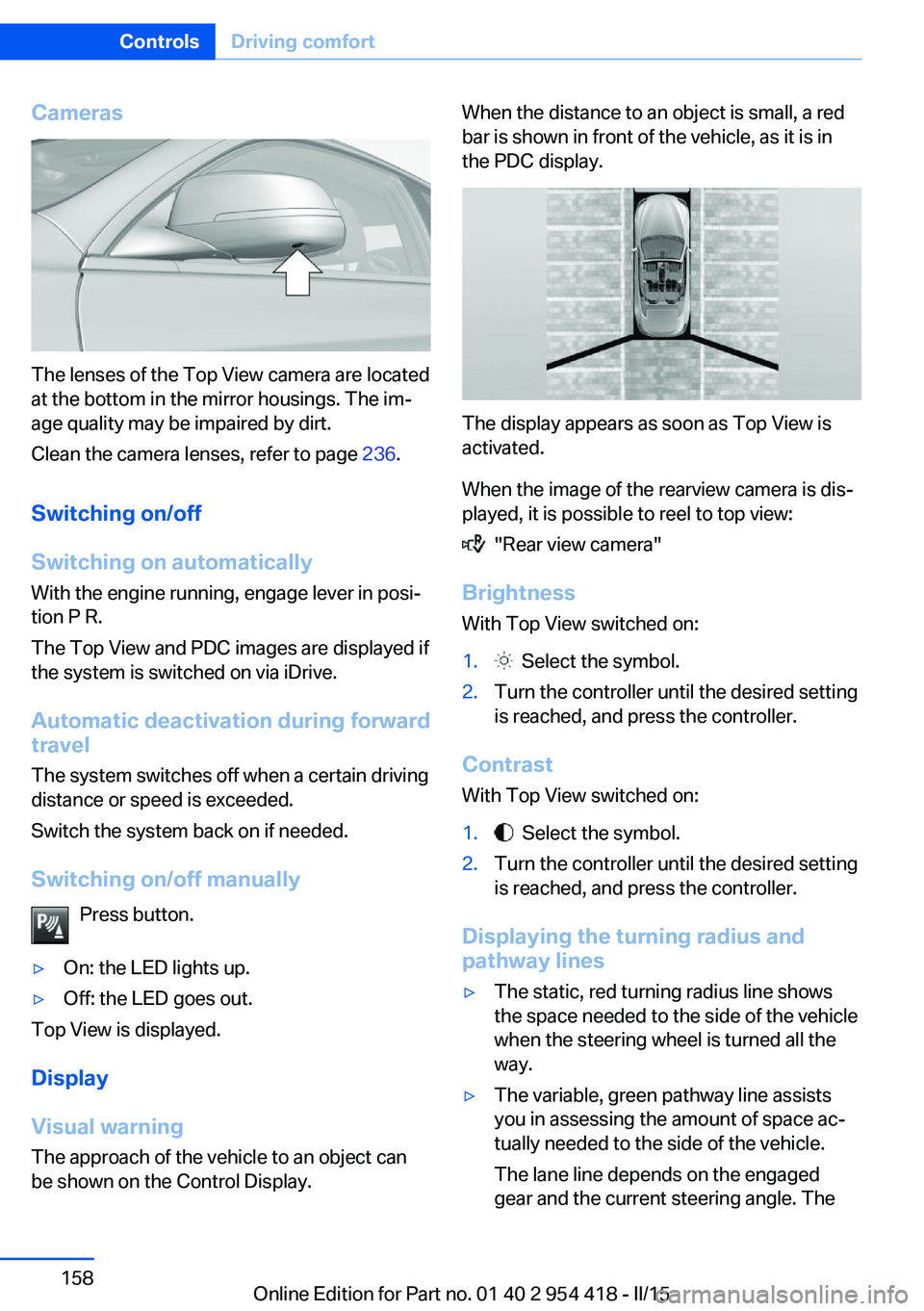
When the distance to an object is small, a red
bar is shown in front of the vehicle, as it is in
the PDC display.
The display appears as soon as Top View is
activated.
When the image of the rearview camera is dis‐
played, it is possible to reel to top view:
"Rear view camera"
Brightness
With Top View switched on:
1. Select the symbol.2.Turn the controller until the desired setting
is reached, and press the controller.
Contrast
With Top View switched on:
1. Select the symbol.2.Turn the controller until the desired setting
is reached, and press the controller.
Displaying the turning radius and
pathway lines
▷The static, red turning radius line shows
the space needed to the side of the vehicle
when the steering wheel is turned all the
way.▷The variable, green pathway line assists
you in assessing the amount of space ac‐
tually needed to the side of the vehicle.
The lane line depends on the engaged
gear and the current steering angle. TheSeite 158ControlsDriving comfort158
Online Edition for Part no. 01 40 2 954 418 - II/15
Page 225 of 259
Socket for OBD Onboard
Diagnosis
Note Socket for Onboard Diagnosis
The socket for onboard diagnostics may
only be used by the service center or a work‐
shop that operates in accordance with the
specifications of the vehicle manufacturer with
correspondingly trained personnel and other
authorized persons. Otherwise, use may result
in operating problems for the vehicle.◀
Position
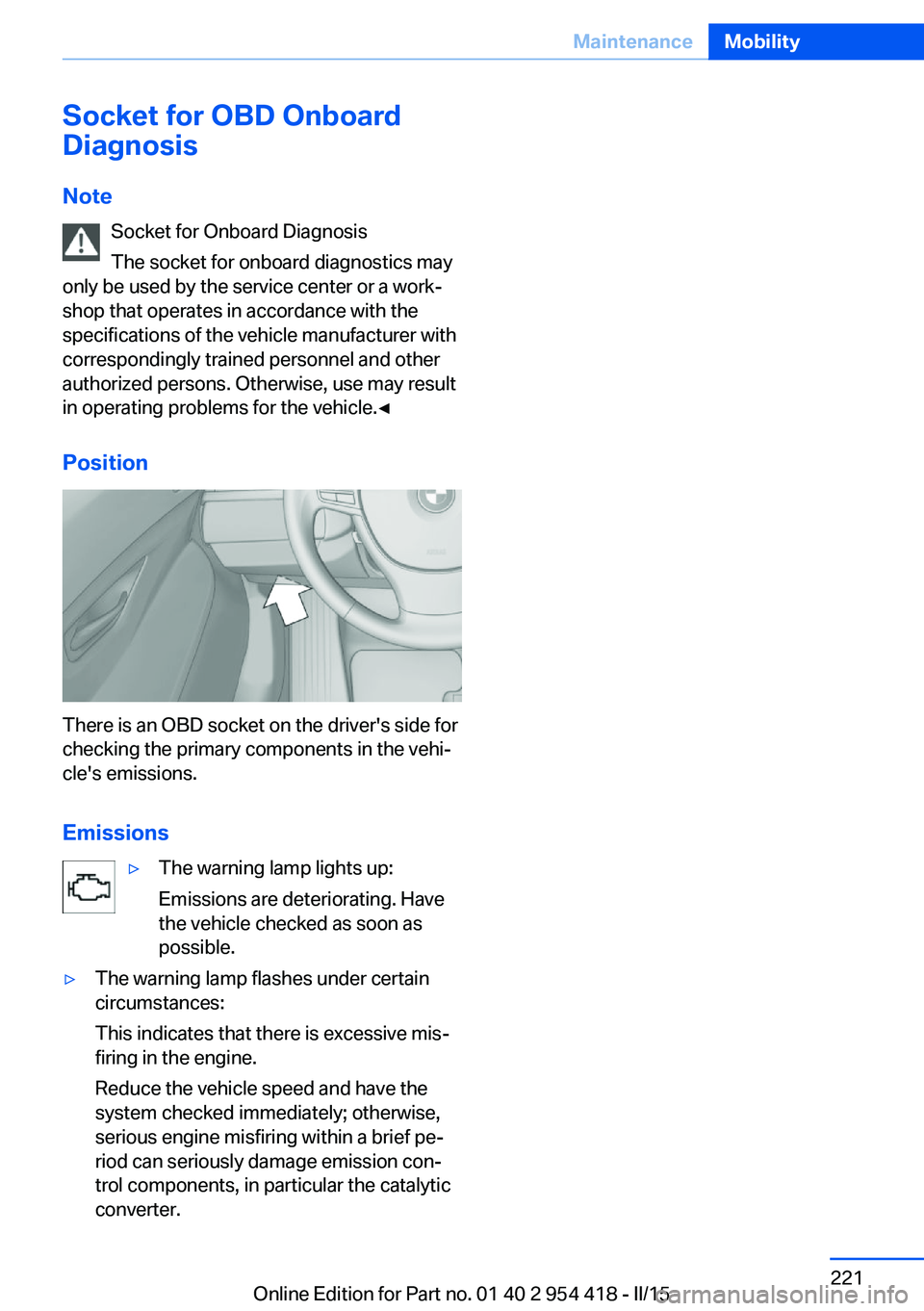
There is an OBD socket on the driver's side for
checking the primary components in the vehi‐
cle's emissions.
Emissions
▷The warning lamp lights up:
Emissions are deteriorating. Have
the vehicle checked as soon as
possible.▷The warning lamp flashes under certain
circumstances:
This indicates that there is excessive mis‐
firing in the engine.
Reduce the vehicle speed and have the
system checked immediately; otherwise,
serious engine misfiring within a brief pe‐
riod can seriously damage emission con‐
trol components, in particular the catalytic
converter.Seite 221MaintenanceMobility221
Online Edition for Part no. 01 40 2 954 418 - II/15
Page 231 of 259
Breakdown assistanceVehicle features and options
This chapter describes all standard, country-
specific and optional features offered with the
series. It also describes features that are not
necessarily available in your car, e. g., due to
the selected options or country versions. This
also applies to safety-related functions and
systems. The respectively applicable country
provisions must be observed when using the
respective features and systems.
Hazard warning flashers
The button is located in the center console.
Intelligent Emergency
Request
The concept In case of an emergency, an Emergency Re‐
quest can be made through this system.
General information
Only press the SOS button in an emergency.
Hints
Emergency Request not guaranteed
For technical reasons, the Emergency
Request cannot be guaranteed under unfavor‐
able conditions.◀
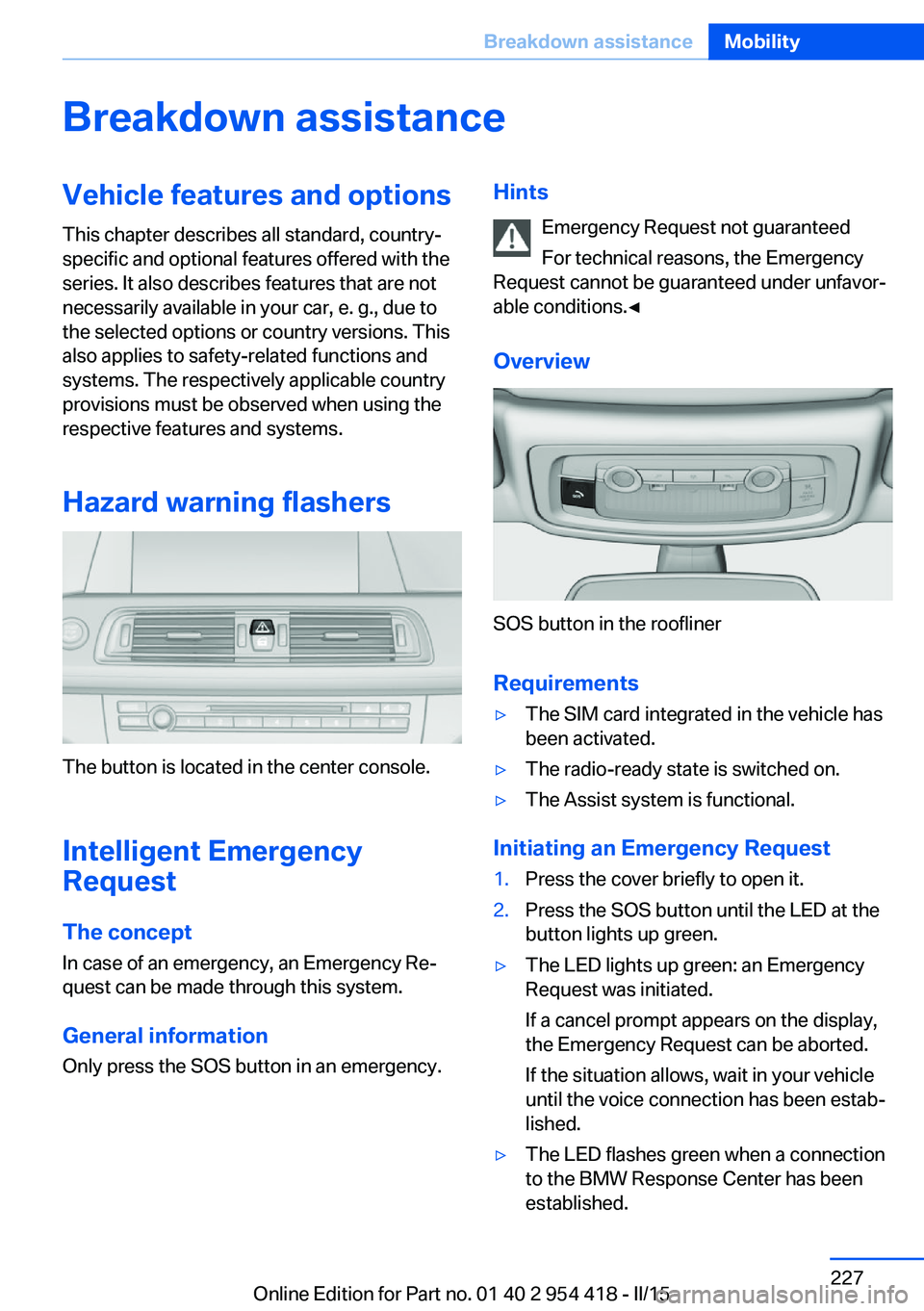
Overview
SOS button in the roofliner
Requirements
▷The SIM card integrated in the vehicle has
been activated.▷The radio-ready state is switched on.▷The Assist system is functional.
Initiating an Emergency Request
1.Press the cover briefly to open it.2.Press the SOS button until the LED at the
button lights up green.▷The LED lights up green: an Emergency
Request was initiated.
If a cancel prompt appears on the display,
the Emergency Request can be aborted.
If the situation allows, wait in your vehicle
until the voice connection has been estab‐
lished.▷The LED flashes green when a connection
to the BMW Response Center has been
established.Seite 227Breakdown assistanceMobility227
Online Edition for Part no. 01 40 2 954 418 - II/15
Page 248 of 259
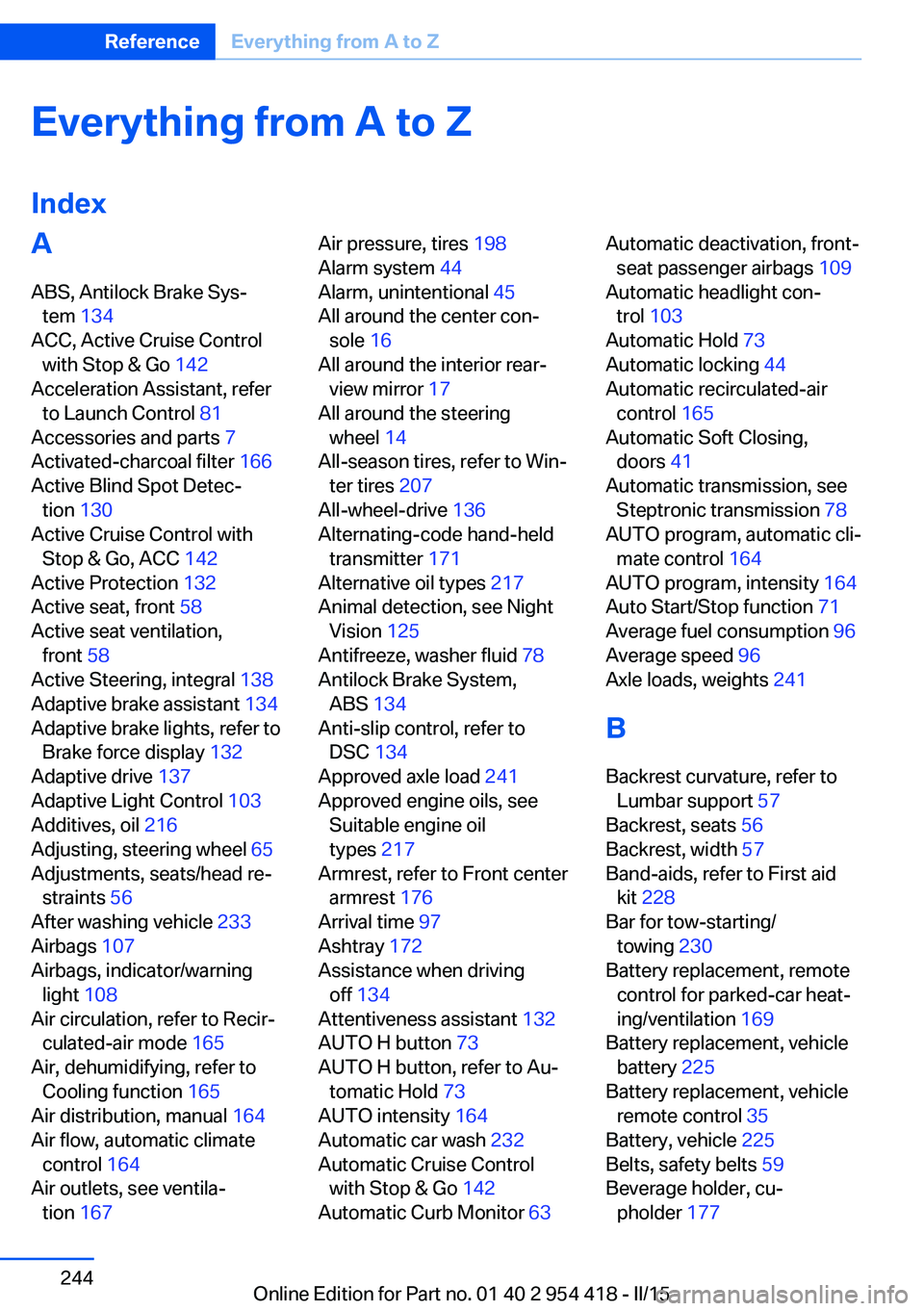
Everything from A to Z
IndexA ABS, Antilock Brake Sys‐ tem 134
ACC, Active Cruise Control with Stop & Go 142
Acceleration Assistant, refer to Launch Control 81
Accessories and parts 7
Activated-charcoal filter 166
Active Blind Spot Detec‐ tion 130
Active Cruise Control with Stop & Go, ACC 142
Active Protection 132
Active seat, front 58
Active seat ventilation, front 58
Active Steering, integral 138
Adaptive brake assistant 134
Adaptive brake lights, refer to Brake force display 132
Adaptive drive 137
Adaptive Light Control 103
Additives, oil 216
Adjusting, steering wheel 65
Adjustments, seats/head re‐ straints 56
After washing vehicle 233
Airbags 107
Airbags, indicator/warning light 108
Air circulation, refer to Recir‐ culated-air mode 165
Air, dehumidifying, refer to Cooling function 165
Air distribution, manual 164
Air flow, automatic climate control 164
Air outlets, see ventila‐ tion 167 Air pressure, tires 198
Alarm system 44
Alarm, unintentional 45
All around the center con‐ sole 16
All around the interior rear‐ view mirror 17
All around the steering wheel 14
All-season tires, refer to Win‐ ter tires 207
All-wheel-drive 136
Alternating-code hand-held transmitter 171
Alternative oil types 217
Animal detection, see Night Vision 125
Antifreeze, washer fluid 78
Antilock Brake System, ABS 134
Anti-slip control, refer to DSC 134
Approved axle load 241
Approved engine oils, see Suitable engine oil
types 217
Armrest, refer to Front center armrest 176
Arrival time 97
Ashtray 172
Assistance when driving off 134
Attentiveness assistant 132
AUTO H button 73
AUTO H button, refer to Au‐ tomatic Hold 73
AUTO intensity 164
Automatic car wash 232
Automatic Cruise Control with Stop & Go 142
Automatic Curb Monitor 63 Automatic deactivation, front-
seat passenger airbags 109
Automatic headlight con‐ trol 103
Automatic Hold 73
Automatic locking 44
Automatic recirculated-air control 165
Automatic Soft Closing, doors 41
Automatic transmission, see Steptronic transmission 78
AUTO program, automatic cli‐ mate control 164
AUTO program, intensity 164
Auto Start/Stop function 71
Average fuel consumption 96
Average speed 96
Axle loads, weights 241
B Backrest curvature, refer to Lumbar support 57
Backrest, seats 56
Backrest, width 57
Band-aids, refer to First aid kit 228
Bar for tow-starting/ towing 230
Battery replacement, remote control for parked-car heat‐
ing/ventilation 169
Battery replacement, vehicle battery 225
Battery replacement, vehicle remote control 35
Battery, vehicle 225
Belts, safety belts 59
Beverage holder, cu‐ pholder 177 Seite 244ReferenceEverything from A to Z244
Online Edition for Part no. 01 40 2 954 418 - II/15
Page 249 of 259
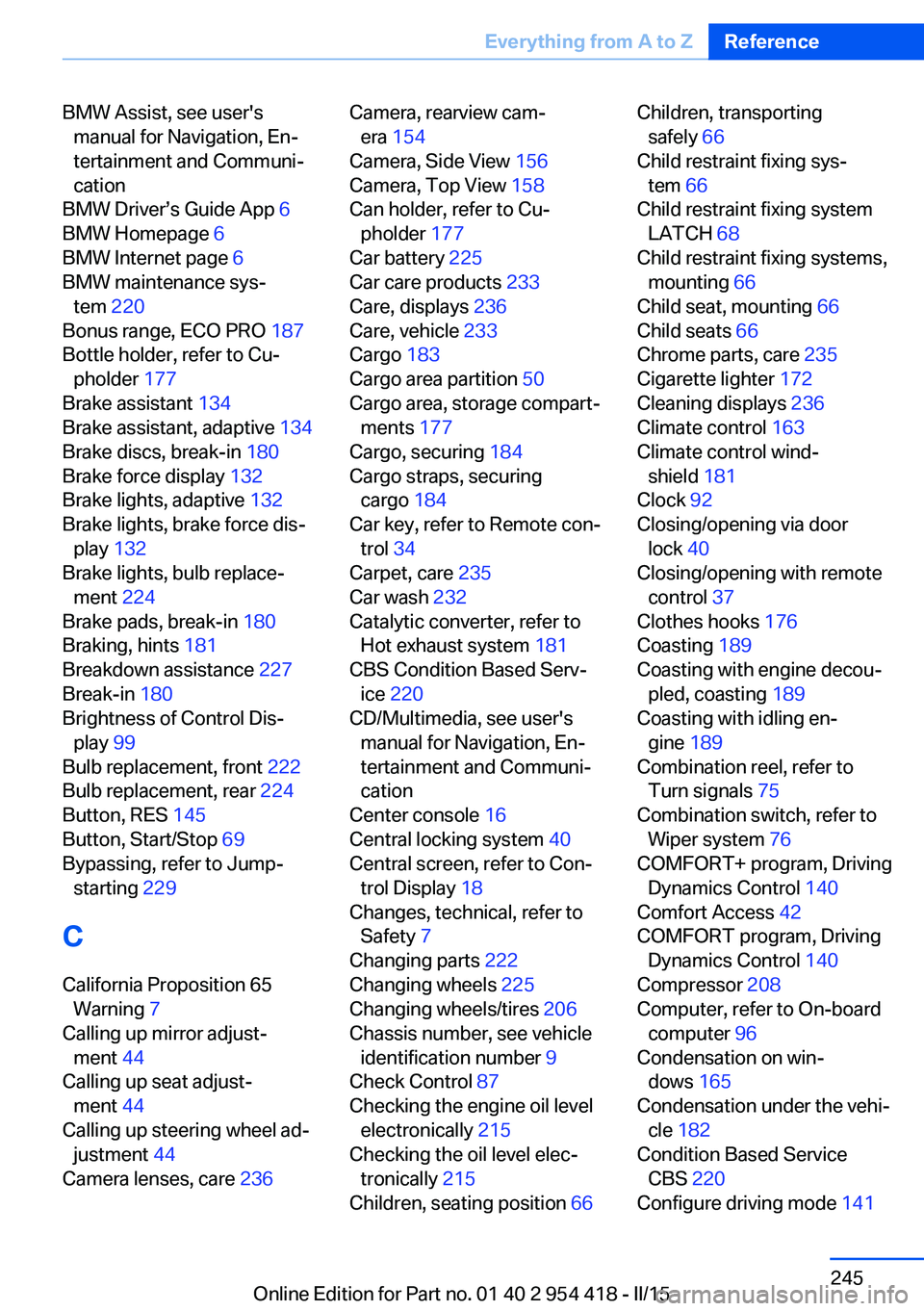
BMW Assist, see user'smanual for Navigation, En‐
tertainment and Communi‐
cation
BMW Driver’s Guide App 6
BMW Homepage 6
BMW Internet page 6
BMW maintenance sys‐ tem 220
Bonus range, ECO PRO 187
Bottle holder, refer to Cu‐ pholder 177
Brake assistant 134
Brake assistant, adaptive 134
Brake discs, break-in 180
Brake force display 132
Brake lights, adaptive 132
Brake lights, brake force dis‐ play 132
Brake lights, bulb replace‐ ment 224
Brake pads, break-in 180
Braking, hints 181
Breakdown assistance 227
Break-in 180
Brightness of Control Dis‐ play 99
Bulb replacement, front 222
Bulb replacement, rear 224
Button, RES 145
Button, Start/Stop 69
Bypassing, refer to Jump- starting 229
C
California Proposition 65 Warning 7
Calling up mirror adjust‐ ment 44
Calling up seat adjust‐ ment 44
Calling up steering wheel ad‐ justment 44
Camera lenses, care 236 Camera, rearview cam‐
era 154
Camera, Side View 156
Camera, Top View 158
Can holder, refer to Cu‐ pholder 177
Car battery 225
Car care products 233
Care, displays 236
Care, vehicle 233
Cargo 183
Cargo area partition 50
Cargo area, storage compart‐ ments 177
Cargo, securing 184
Cargo straps, securing cargo 184
Car key, refer to Remote con‐ trol 34
Carpet, care 235
Car wash 232
Catalytic converter, refer to Hot exhaust system 181
CBS Condition Based Serv‐ ice 220
CD/Multimedia, see user's manual for Navigation, En‐
tertainment and Communi‐
cation
Center console 16
Central locking system 40
Central screen, refer to Con‐ trol Display 18
Changes, technical, refer to Safety 7
Changing parts 222
Changing wheels 225
Changing wheels/tires 206
Chassis number, see vehicle identification number 9
Check Control 87
Checking the engine oil level electronically 215
Checking the oil level elec‐ tronically 215
Children, seating position 66 Children, transporting
safely 66
Child restraint fixing sys‐ tem 66
Child restraint fixing system LATCH 68
Child restraint fixing systems, mounting 66
Child seat, mounting 66
Child seats 66
Chrome parts, care 235
Cigarette lighter 172
Cleaning displays 236
Climate control 163
Climate control wind‐ shield 181
Clock 92
Closing/opening via door lock 40
Closing/opening with remote control 37
Clothes hooks 176
Coasting 189
Coasting with engine decou‐ pled, coasting 189
Coasting with idling en‐ gine 189
Combination reel, refer to Turn signals 75
Combination switch, refer to Wiper system 76
COMFORT+ program, Driving Dynamics Control 140
Comfort Access 42
COMFORT program, Driving Dynamics Control 140
Compressor 208
Computer, refer to On-board computer 96
Condensation on win‐ dows 165
Condensation under the vehi‐ cle 182
Condition Based Service CBS 220
Configure driving mode 141 Seite 245Everything from A to ZReference245
Online Edition for Part no. 01 40 2 954 418 - II/15
Page 251 of 259
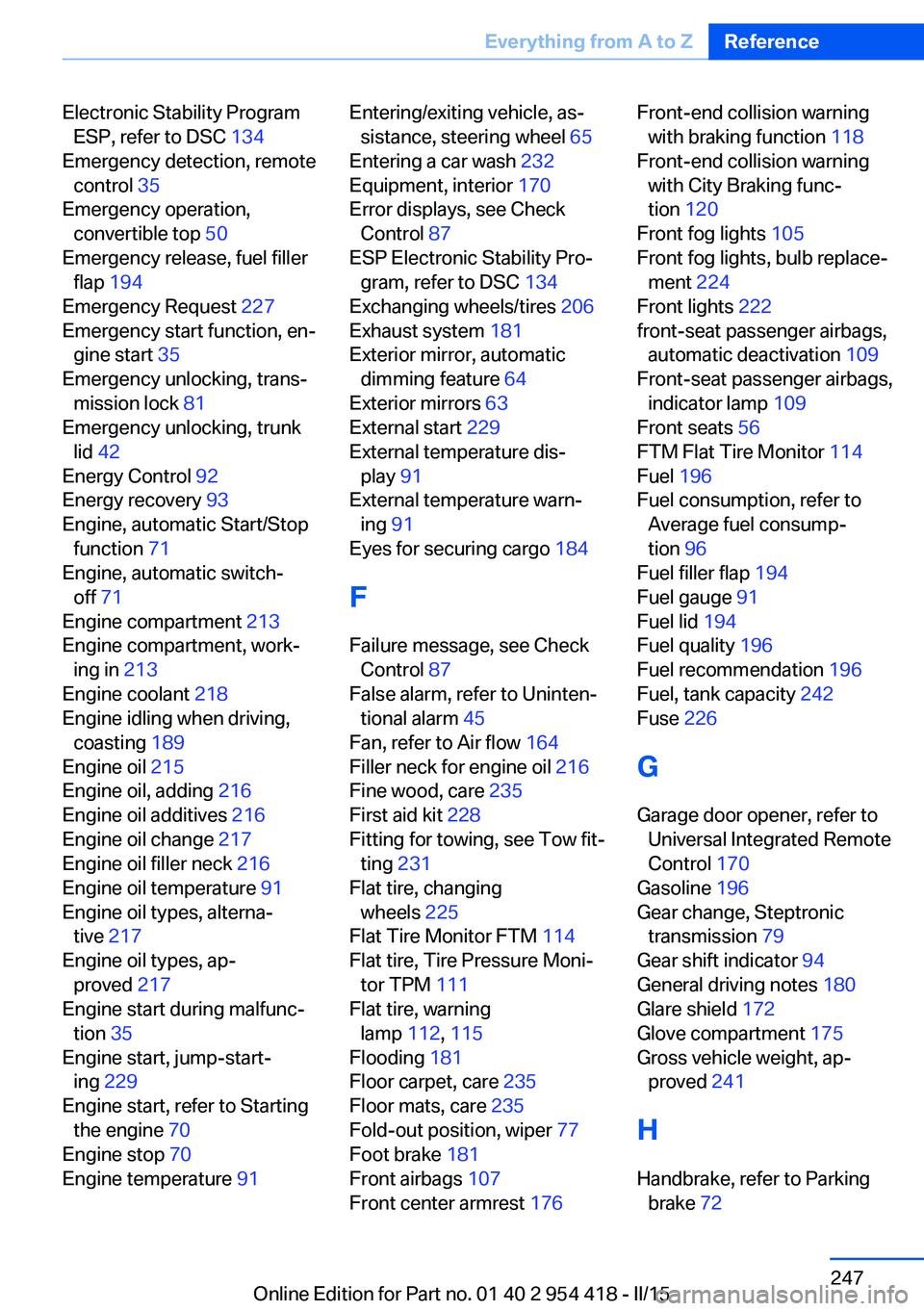
Electronic Stability ProgramESP, refer to DSC 134
Emergency detection, remote control 35
Emergency operation, convertible top 50
Emergency release, fuel filler flap 194
Emergency Request 227
Emergency start function, en‐ gine start 35
Emergency unlocking, trans‐ mission lock 81
Emergency unlocking, trunk lid 42
Energy Control 92
Energy recovery 93
Engine, automatic Start/Stop function 71
Engine, automatic switch- off 71
Engine compartment 213
Engine compartment, work‐ ing in 213
Engine coolant 218
Engine idling when driving, coasting 189
Engine oil 215
Engine oil, adding 216
Engine oil additives 216
Engine oil change 217
Engine oil filler neck 216
Engine oil temperature 91
Engine oil types, alterna‐ tive 217
Engine oil types, ap‐ proved 217
Engine start during malfunc‐ tion 35
Engine start, jump-start‐ ing 229
Engine start, refer to Starting the engine 70
Engine stop 70
Engine temperature 91 Entering/exiting vehicle, as‐
sistance, steering wheel 65
Entering a car wash 232
Equipment, interior 170
Error displays, see Check Control 87
ESP Electronic Stability Pro‐ gram, refer to DSC 134
Exchanging wheels/tires 206
Exhaust system 181
Exterior mirror, automatic dimming feature 64
Exterior mirrors 63
External start 229
External temperature dis‐ play 91
External temperature warn‐ ing 91
Eyes for securing cargo 184
F
Failure message, see Check Control 87
False alarm, refer to Uninten‐ tional alarm 45
Fan, refer to Air flow 164
Filler neck for engine oil 216
Fine wood, care 235
First aid kit 228
Fitting for towing, see Tow fit‐ ting 231
Flat tire, changing wheels 225
Flat Tire Monitor FTM 114
Flat tire, Tire Pressure Moni‐ tor TPM 111
Flat tire, warning lamp 112, 115
Flooding 181
Floor carpet, care 235
Floor mats, care 235
Fold-out position, wiper 77
Foot brake 181
Front airbags 107
Front center armrest 176 Front-end collision warning
with braking function 118
Front-end collision warning with City Braking func‐
tion 120
Front fog lights 105
Front fog lights, bulb replace‐ ment 224
Front lights 222
front-seat passenger airbags, automatic deactivation 109
Front-seat passenger airbags, indicator lamp 109
Front seats 56
FTM Flat Tire Monitor 114
Fuel 196
Fuel consumption, refer to Average fuel consump‐
tion 96
Fuel filler flap 194
Fuel gauge 91
Fuel lid 194
Fuel quality 196
Fuel recommendation 196
Fuel, tank capacity 242
Fuse 226
G
Garage door opener, refer to Universal Integrated Remote
Control 170
Gasoline 196
Gear change, Steptronic transmission 79
Gear shift indicator 94
General driving notes 180
Glare shield 172
Glove compartment 175
Gross vehicle weight, ap‐ proved 241
H
Handbrake, refer to Parking brake 72 Seite 247Everything from A to ZReference247
Online Edition for Part no. 01 40 2 954 418 - II/15
Page 252 of 259
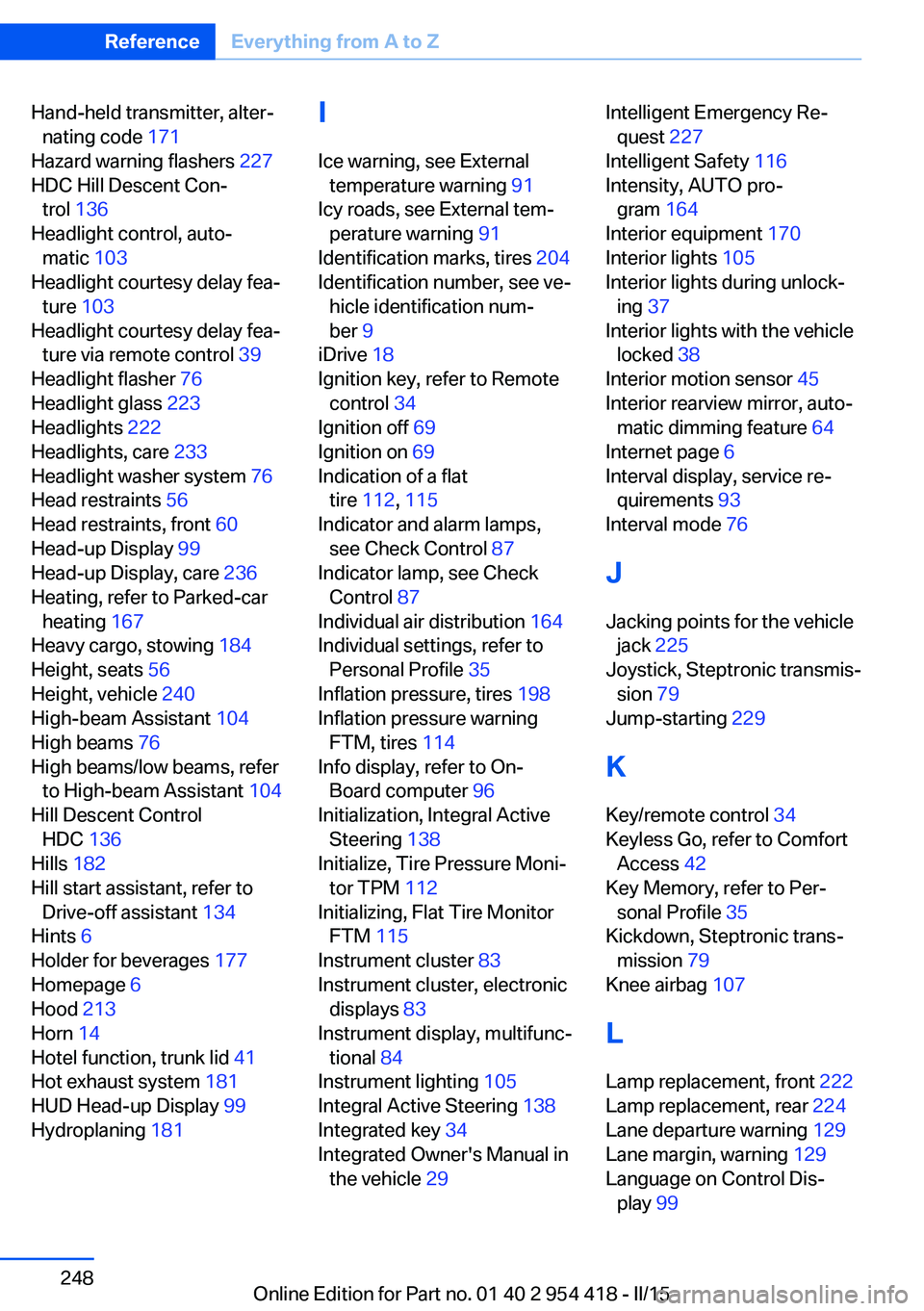
Hand-held transmitter, alter‐nating code 171
Hazard warning flashers 227
HDC Hill Descent Con‐ trol 136
Headlight control, auto‐ matic 103
Headlight courtesy delay fea‐ ture 103
Headlight courtesy delay fea‐ ture via remote control 39
Headlight flasher 76
Headlight glass 223
Headlights 222
Headlights, care 233
Headlight washer system 76
Head restraints 56
Head restraints, front 60
Head-up Display 99
Head-up Display, care 236
Heating, refer to Parked-car heating 167
Heavy cargo, stowing 184
Height, seats 56
Height, vehicle 240
High-beam Assistant 104
High beams 76
High beams/low beams, refer to High-beam Assistant 104
Hill Descent Control HDC 136
Hills 182
Hill start assistant, refer to Drive-off assistant 134
Hints 6
Holder for beverages 177
Homepage 6
Hood 213
Horn 14
Hotel function, trunk lid 41
Hot exhaust system 181
HUD Head-up Display 99
Hydroplaning 181 I
Ice warning, see External temperature warning 91
Icy roads, see External tem‐ perature warning 91
Identification marks, tires 204
Identification number, see ve‐ hicle identification num‐
ber 9
iDrive 18
Ignition key, refer to Remote control 34
Ignition off 69
Ignition on 69
Indication of a flat tire 112 , 115
Indicator and alarm lamps, see Check Control 87
Indicator lamp, see Check Control 87
Individual air distribution 164
Individual settings, refer to Personal Profile 35
Inflation pressure, tires 198
Inflation pressure warning FTM, tires 114
Info display, refer to On- Board computer 96
Initialization, Integral Active Steering 138
Initialize, Tire Pressure Moni‐ tor TPM 112
Initializing, Flat Tire Monitor FTM 115
Instrument cluster 83
Instrument cluster, electronic displays 83
Instrument display, multifunc‐ tional 84
Instrument lighting 105
Integral Active Steering 138
Integrated key 34
Integrated Owner's Manual in the vehicle 29 Intelligent Emergency Re‐
quest 227
Intelligent Safety 116
Intensity, AUTO pro‐ gram 164
Interior equipment 170
Interior lights 105
Interior lights during unlock‐ ing 37
Interior lights with the vehicle locked 38
Interior motion sensor 45
Interior rearview mirror, auto‐ matic dimming feature 64
Internet page 6
Interval display, service re‐ quirements 93
Interval mode 76
J
Jacking points for the vehicle jack 225
Joystick, Steptronic transmis‐ sion 79
Jump-starting 229
K
Key/remote control 34
Keyless Go, refer to Comfort Access 42
Key Memory, refer to Per‐ sonal Profile 35
Kickdown, Steptronic trans‐ mission 79
Knee airbag 107
L Lamp replacement, front 222
Lamp replacement, rear 224
Lane departure warning 129
Lane margin, warning 129
Language on Control Dis‐ play 99 Seite 248ReferenceEverything from A to Z248
Online Edition for Part no. 01 40 2 954 418 - II/15
Page 254 of 259
Object detection, see NightVision 125
Obstacle marking, rearview camera 155
Octane rating, refer to Rec‐ ommended fuel grade 196
Odometer 91
Office, see user's manual for Navigation, Entertainment
and Communication
Oil 215
Oil, adding 216
Oil additives 216
Oil change 217
Oil change interval, service requirements 93
Oil filler neck 216
Oil types, alternative 217
Oil types, approved 217
Old batteries, disposal 226
On-board computer 96
Onboard monitor, refer to Control Display 18
Onboard vehicle tool kit 222
Opening/closing via door lock 40
Opening and closing 34
Opening and closing, without remote control 40
Opening and closing, with re‐ mote control 37
Operating concept, iDrive 18
Optional equipment, standard equipment 6
Outside air, refer to Auto‐ matic recirculated-air con‐
trol 165
Overheating of engine, refer to Coolant temperature 91
P Paint, vehicle 233
Parallel parking assistant 159
Park Distance Control PDC 151 Parked vehicle, condensa‐
tion 182
Parking aid, refer to PDC 151
Parking assistant 159
Parking brake 72
Parking lights 102
Parking with Automatic Hold 73
Parts and accessories 7
Passenger side mirror, tilting downward 63
Pathway lines, rearview cam‐ era 154
PDC Park Distance Con‐ trol 151
Pedestrian detection, see Night Vision 125
Pedestrian warning with city braking function 123
Personal Profile 35
Personal Profile, exporting profiles 36
Pinch protection system, win‐ dows 47
Plastic, care 235
Power failure 226
Power windows 46
Pressure, tire air pres‐ sure 198
Pressure warning FTM, tires 114
Profile, refer to Personal Pro‐ file 35
Programmable memory but‐ tons, iDrive 23
Protective function, win‐ dows 47
Push-and-turn switch, refer to Controller 18
R Radiator fluid 218
Radio-operated key, refer to Remote control 34
Radio ready state 69 Radio, see user's manual for
Navigation, Entertainment
and Communication
Rain sensor 76
Rear axle steering 138
Rear lights 224
Rearview camera 153
Rearview mirror 63
Rear window defroster 165
Recirculated-air mode 165
Recommended fuel grade 196
Recommended tire brands 207
Refueling 194
Remaining range 92
Remote control/key 34
Remote control, malfunc‐ tion 39
Remote control, parked-car heating/ventilation 168
Remote control, univer‐ sal 170
Replacement fuse 226
Replacing bulbs, see Lamp replacement 222
Replacing parts 222
Replacing wheels/tires 206
Reporting safety defects 9
RES button 145
RES button, see Active Cruise Control, ACC 142
RES button, see Cruise con‐ trol 149
Reserve warning, refer to Range 92
Reset, Tire Pressure Monitor TPM 112
Residual heat, automatic cli‐ mate control 166
Retaining straps, securing cargo 184
Retreaded tires 207
Reversing lamp, bulb replace‐ ment 224
Roadside parking lights 103 Seite 250ReferenceEverything from A to Z250
Online Edition for Part no. 01 40 2 954 418 - II/15
Page 257 of 259
Vent, see ventilation 167
VIN, see vehicle identification number 9
Voice activation system 26
W Warning and indicator lamps, see Check Control 87
Warning displays, see Check Control 87
Warning messages, see Check Control 87
Warning triangle 228
Warranty 7
Washer fluid 78
Washer nozzles, wind‐ shield 77
Washer system 76
Washing, vehicle 232
Water on roads 181
Weights 241
Welcome lamps during un‐ locking 37
Welcome lights 102
Wheel base, vehicle 240
Wheel cleaner 235
Wheels, changing 206
Wheels, everything on wheels and tires 198
Wheels, Flat Tire Monitor FTM 114
Wheels, Tire Pressure Moni‐ tor TPM 111
Width, vehicle 240
Wind deflector 54
Window defroster, rear 165
Windows, powered 46
Windshield, climate con‐ trol 181
Windshield washer fluid 78
Windshield washer noz‐ zles 77
Windshield washer sys‐ tem 76
Windshield wiper 76 Winter storage, care 236
Winter tires, suitable tires 207
Winter tires, tread 205
Wiper 76
Wiper blades, replacing 222
Wiper fluid 78
Wiper, fold-out position 77
Wiper system 76
Wood, care 235
Word match concept, naviga‐ tion 24
Wrench, see Onboard vehicle tool kit 222
X
xDrive 136 Seite 253Everything from A to ZReference253
Online Edition for Part no. 01 40 2 954 418 - II/15