mirror BMW 650I COUPE 2006 E63 User Guide
[x] Cancel search | Manufacturer: BMW, Model Year: 2006, Model line: 650I COUPE, Model: BMW 650I COUPE 2006 E63Pages: 236, PDF Size: 8.21 MB
Page 99 of 236
Lamps
98 ahead and to well-lit areas such as towns and
cities.
Manually switching between high and
low beams
You can intervene at any time if you wish or the
situation requires.
>If the high-beam assistant has switched on
the high beams, but you want to use the low
beams, simply switch to the low beams with
the turn signal lever. This also deactivates
the high-beam assistant.
To reactivate the system, briefly press the
turn signal lever in the high beam direction
again.
>If the high-beam assistant has switched on
the low beams, but you want to use the high
beams, switch to the high beams in the
accustomed manner. The system is deacti-
vated in the process and you must switch to
the low beams manually.
To reactivate the system, briefly press the
turn signal lever in the high beam direction
again.
>You use the headlamp flasher in the usual
way when the low beams are on.
System limits
The high-beam assistant cannot replace
personal decisions about the benefits of
using high beams. In situations that require
them, you should switch to the low beams man-
ually to avoid a safety risk.<
In the following sample situations, the system
either does not function or functions only in a
limited way and a personal reaction may be
required:
>Under extremely unfavorable weather con-
ditions, such as heavy fog or precipitation
>To make out poorly-lit road users such as
pedestrians, cyclists, people on horseback,
horse-drawn vehicles, train or ship traffic
close to the road and wild animals crossing
the road>In tight curves, on steep hilltops or in
depressions, with cross traffic or partially
concealed oncoming traffic on the freeway
>In poorly lit places and with highly reflective
signs
>In the low speed range
>When the windshield is fogged up, dirty or
covered with stickers, decals, etc. in the
area of the interior rearview mirror
>When the sensor is dirty. Clean the sensor
on the front side of the interior rearview mir-
ror with a cloth moistened with a small
amount of glass cleaner.
Front fog lamps
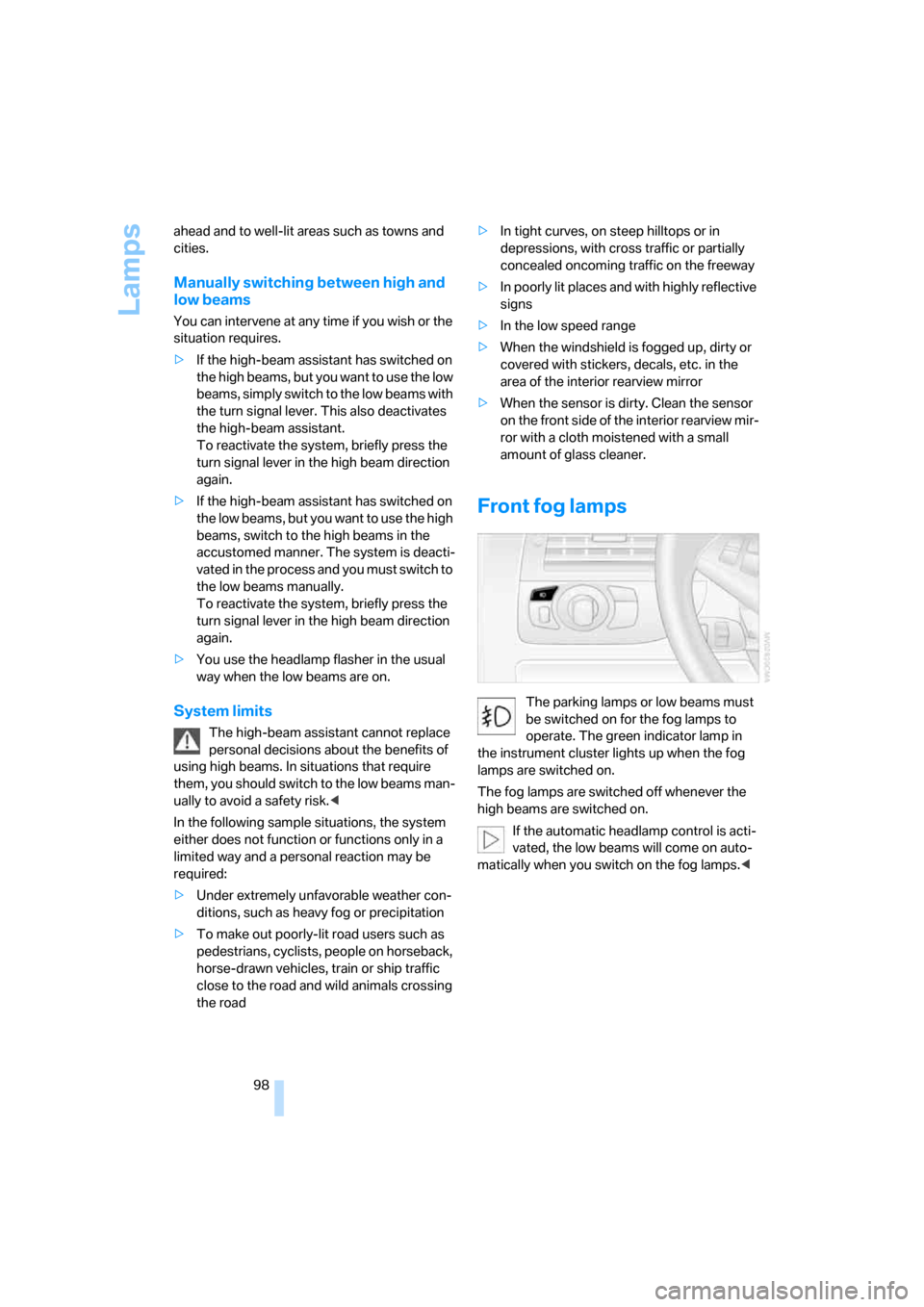
The parking lamps or low beams must
be switched on for the fog lamps to
operate. The green indicator lamp in
the instrument cluster lights up when the fog
lamps are switched on.
The fog lamps are switched off whenever the
high beams are switched on.
If the automatic headlamp control is acti-
vated, the low beams will come on auto-
matically when you switch on the fog lamps.<
Page 117 of 236
Things to remember when driving
116 steep downhill stretches. Even light but consis-
tent pedal pressure can lead to high tempera-
tures, brake wear and possibly even brake fail-
ure.<
The braking action of the engine can be further
increased by downshifting in the manual mode
of the automatic transmission, possibly as far as
first gear, refer to page63. This prevents an
excessive load on the brakes.
Do not drive with the clutch depressed, in
idle or with the engine switched off; other-
wise, there will be no engine braking action or
power-assisted braking and steering.
Never allow floor mats, carpets or any other
objects to protrude into the area of movement
of the pedals and impair their operation.<
Corrosion on brake rotors
When the vehicle is driven only occasionally,
during extended periods when the vehicle is not
used at all, and in operating conditions where
brake applications are less frequent, there is an
increased tendency for corrosion to form on
rotors, while contaminants accumulate on the
brake pads. This occurs because the minimum
pressure which must be exerted by the pads
during brake applications to clean the rotors is
not reached.
Should corrosion form on the brake rotors, the
brakes will tend to respond with a pulsating
effect that even extended application will fail to
cure.
When vehicle is parked
Condensation forms in the automatic climate
control during operation, and then exits under
the vehicle. Traces of condensed water under
the vehicle are therefore normal.
Before driving into a car wash
To prevent the exterior mirrors on this vehicle
from being damaged, always fold them in by
hand before entering an automatic car wash.
With comfort access and automatic
transmission
Insert the remote control into the ignition lock.
The engine can be switched off in the selector
lever position N. Also refer to page37.
Cargo loading
To avoid loading the tires beyond their
approved carrying capacity, never over-
load the vehicle. Overloading can lead to over-
heating and increases the rate at which damage
develops inside the tires. The ultimate result
can assume the form of a sudden blow-out.<
Determining loading limit
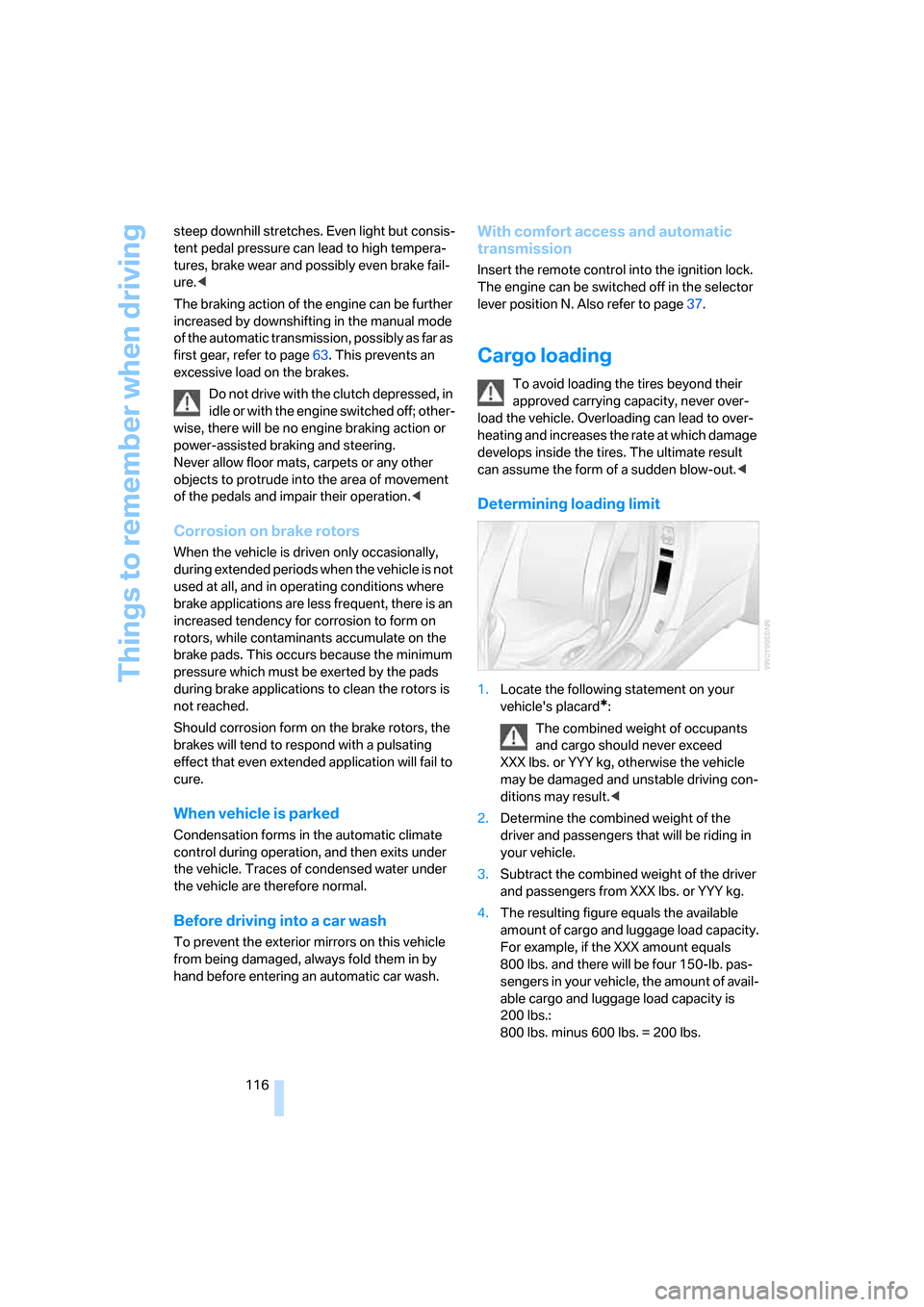
1.Locate the following statement on your
vehicle's placard
*:
The combined weight of occupants
and cargo should never exceed
XXX lbs. or YYY kg, otherwise the vehicle
may be damaged and unstable driving con-
ditions may result.<
2.Determine the combined weight of the
driver and passengers that will be riding in
your vehicle.
3.Subtract the combined weight of the driver
and passengers from XXX lbs. or YYY kg.
4.The resulting figure equals the available
amount of cargo and luggage load capacity.
For example, if the XXX amount equals
800 lbs. and there will be four 150-lb. pas-
sengers in your vehicle, the amount of avail-
able cargo and luggage load capacity is
200 lbs.:
800 lbs. minus 600 lbs. = 200 lbs.
Page 202 of 236
Mobility
201Reference
At a glance
Controls
Driving tips
Communications
Navigation
Entertainment
Power failure
Following a temporary interruption of the power
supply, the operation of some equipment is lim-
ited and must be reinitialized. Individual settings
are also lost and must be updated:
>Seat, mirror and steering wheel memory
The position must be stored again, refer to
page49.
>Time and Date
The values must be updated, refer to
page82.
>Radio
Stations must be stored again if necessary,
refer to page146.
>Navigation system
Wait until the system starts, refer to
page137.
Fuses
Never attempt to repair a blown fuse, and
do not replace a defective fuse with a sub-
stitute of another color or amperage rating, as
this could lead to overloading of the wiring, ulti-
mately resulting in a fire in the vehicle.<
Spare fuses and a pair of plastic tweezers are
located in the compartment for the onboard tool
kit, refer to page197.
Information on fuse allocation is located below
the bracket for the onboard tool kit, see below.
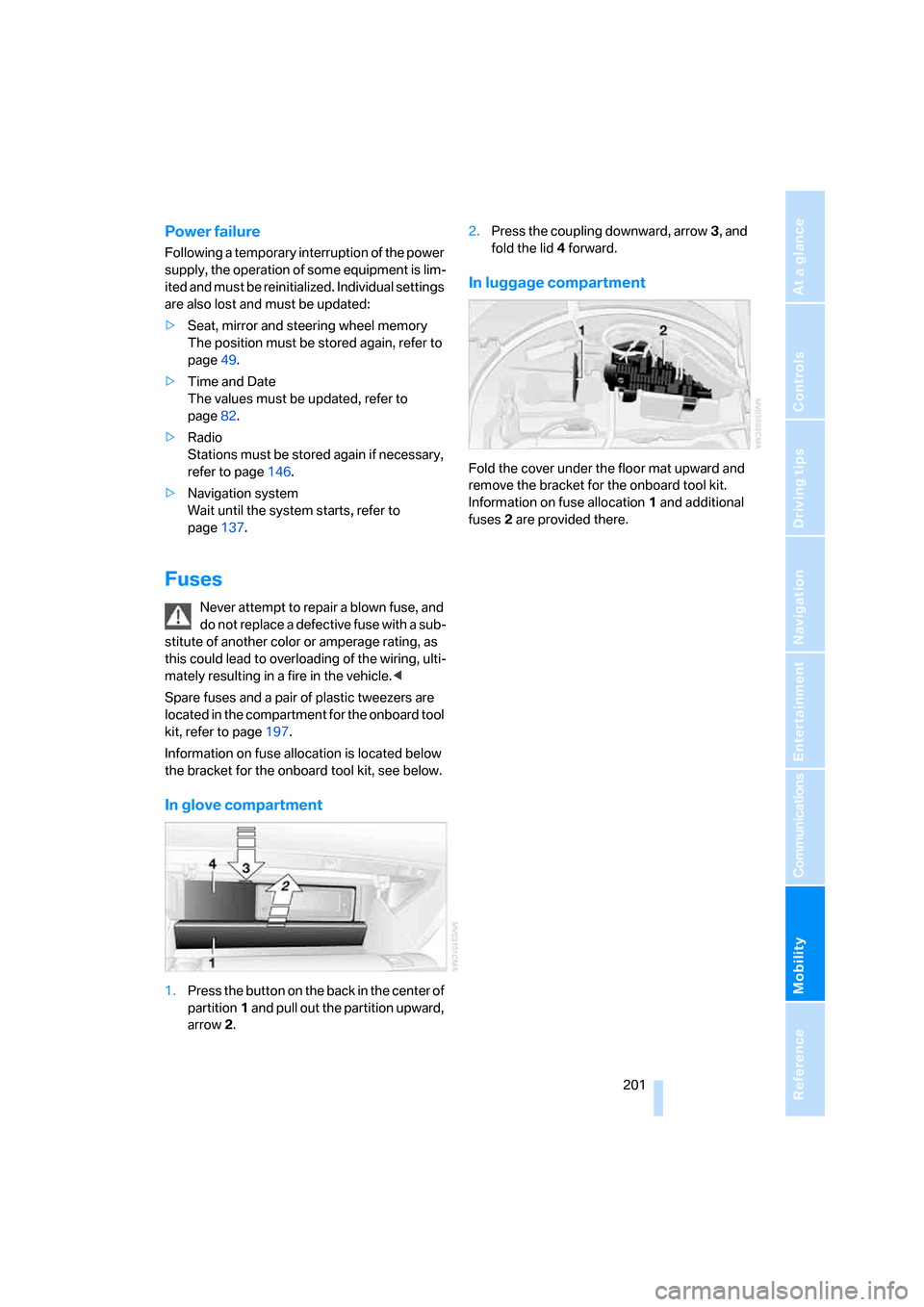
In glove compartment
1.Press the button on the back in the center of
partition1 and pull out the partition upward,
arrow2.2.Press the coupling downward, arrow3, and
fold the lid 4 forward.
In luggage compartment
Fold the cover under the floor mat upward and
remove the bracket for the onboard tool kit.
Information on fuse allocation1 and additional
fuses2 are provided there.
Page 223 of 236
Everything from A to Z
222 Dynamic Brake Control
DBC86
Dynamic Drive88
Dynamic Driving Control64
Dynamic Stability Control
DSC86
Dynamic Traction Control
DTC87
E
Easy entry, refer to Getting in
back51
Easy entry/exit53
EBV, refer to Electronic brake-
force distribution86
Eject button, refer to Buttons
on CD player140
Electrical malfunction
– convertible top43
– door lock32
– driver's door32
– fuel filler door182
– glass sunroof41
– luggage compartment lid34
– storage compartment, hotel
function33
Electric steering wheel
adjustment53
Electronic brake-force
distribution86
Electronic oil level check191
Emergency assistance, refer
to Roadside Assistance203
Emergency call202
Emergency operation, refer to
Manual operation
– convertible top43
– door lock32
– driver's door32
– fuel filler door182
– glass sunroof41
– hotel function33
– luggage compartment lid34
– selector lever interlock,
automatic transmission63Emergency release for
luggage compartment lid in
luggage compartment34
Emergency services, refer to
Roadside Assistance203
"Emission inspect."78
"Enable services"175
"End call"167
Engine
– breaking-in114
– data210
– overheated, refer to Coolant
temperature74
– speed210
– starting59
– starting, comfort access36
– starting difficulties59
– switching off59
– switching off when equipped
with Automatic transmission
with comfort access37
Engine compartment191
Engine coolant193
Engine oil
– additives192
– approved oils192
– electronic oil level check191
– recommended oils192
– temperature75
– temperature gauge75
– topping off192
"Engine oil level"192
Engine output, refer to Engine
data210
Engine overheating, refer to
Coolant temperature74
Engine speed, refer to Engine
specifications210
Engine starting, refer to
Starting engine59
"Enter address"122,128
Entering address121,124
Entering destination via town/
city name122
Entering intersection123
Entering town/city for
navigation122Entering zip code for
navigation123
"Entertainment"140
"Entertainment
settings"141,148
Entertainment sound output
on/off141
Entry map for destination125
Equalizer, refer to Tone
control143
"Equalizer", tone control143
"ESN"150
ESP Electronic Stability
Program, refer to DSC
Dynamic Stability
Control86
Event Data Recorders196
Exhaust system, refer to Hot
exhaust system114
Exterior mirrors52
– automatic dimming
feature53
– automatic heating53
– folding in and out52
– tilting down passenger-side
mirror53
Eye for tow-starting and
towing, refer to Tow
fitting204
Eyes for lashing, refer to
Securing cargo117
F
"Fader", refer to Tone
control142
Fader, refer to Tone
control142
Failure messages, refer to
Check Control79
False alarms, refer to Avoiding
unintentional alarms36
Fastening safety belts, refer to
Safety belts51
Fastest route for
navigation130
Page 225 of 236
Everything from A to Z
224 Heated
– mirrors, refer to Automatic
functions53
– rear window102
– seats52
– steering wheel54
Heater101
Heating
– exterior mirrors53
– interior100
– rear window102
– residual heat103
– seats52
– steering wheel54
Heating with engine switched
off, refer to Residual
heat103
Heavy cargo, refer to Securing
cargo117
Height, refer to
Dimensions211
Height adjustment
– seats48
– steering wheel53
High-beam assistant97
High beams97
– headlamp flasher97
– indicator lamp13
– replacing bulbs198
High Definition Radio148
Highs, refer to Tone
control141
High water, refer to Driving
through water115
Hills115
Holder for cups109
"Home address" in
navigation130
Homepage4
Hood190
Horn10
Hotel function33
– unlocking manually33
Hot exhaust system114
"Hour memo"83
"House number" for desti-
nation entry124Hydraulic brake assistant,
refer to DBC Dynamic Brake
Control86
Hydroplaning115
– also refer to Minimum tread
depth187
I
IBOC, refer to High Definition
Radio148
Ice, refer to Outside temper-
ature warning74
ID3-Tag, refer to Information
about track155
iDrive16
– adjusting brightness83
– assistance window20
– changing date and time82
– changing language84
– changing menu page19
– changing settings82
– changing unit of measure
units and display form83
– controller16
– controls16
– displaying menus17
– selecting menu item19
– selecting or confirming
entry19
– start menu17
– status information20
– symbols18
Ignition58
– switched off58
– switched on58
Ignition key, refer to Keys/
remote control28
Ignition key position 1, refer to
Radio readiness58
Ignition key position 2, refer to
Ignition on58
Ignition lock58
– starting engine with comfort
access37Indicator/warning lamps
– active steering90
– airbags92
– DSC13,87
– DTC13,87
– Flat Tire Monitor89
– fog lamps13,98
– handbrake13,60
– overview13
– safety belt warning52
Individually programmable
buttons on steering
wheel54
Individual settings, refer to
Personal Profile29
Inflation pressure, refer to Tire
inflation pressure184
Inflation pressure monitoring,
refer to Flat Tire Monitor88
Information
– on another location126
– on country126
– on current position126
– on destination location126
"Information" for
navigation126
"Information on
destination"128
Initializing
– Flat Tire Monitor88
– radio, refer to Storing
stations146
– refer to Power failure201
– seat, mirror and steering
wheel memory49
– time and date82
"Input map"126
Installation location
– CD changer157
– navigation drive120
Instructions for navigation
system, refer to Voice
instructions135
Instrument cluster12
Instrument illumination, refer
to Instrument lighting99
Instrument lighting99
Page 226 of 236
Reference 225
At a glance
Controls
Driving tips
Communications
Navigation
Entertainment
Mobility
Instrument panel, refer to
Instrument cluster12
Integrated key28
Integrated universal remote
control106
Interesting destination for
navigation126
"Interim time"82
Interior lamps99
– switching on with remote
control31
Interior motion sensor36
– switching off36
Interior rearview mirror53
– automatically dimming, refer
to Automatic functions53
Interlock on automatic
transmission62
Intermittent wiper mode65
J
Jacking points200
Joystick, refer to iDrive16
Jump starting203
K
Keyless-Go, refer to Comfort
access36
Keyless opening and closing,
refer to Comfort access36
Key Memory, refer to Personal
Profile29
"Keypad"169
Keys28
– key-related settings, refer to
Personal Profile29
Kick-down
– automatic transmission with
Steptronic63
– SMG Sequential Manual
Gearbox62
Knock control183
L
Lamps, refer to Parking lamps/
low beams96
Lamps and bulbs197
"Languages"84
"Languages" for
navigation135
Lashing eyes, refer to
Securing cargo117
Last destinations, refer to
Destination list127
"Last seat pos."49
LATCH child-restraint fixing
system57
Length, refer to
Dimensions211
License plate lamps, replacing
bulbs200
Light-emitting diodes
LEDs200
Lighter110
"Lighting"65,96
Lighting
– instruments99
– of the vehicle, refer to
Lamps96
– refer to High-beam
assistant97
Light switch96
"Limit"81
Loading, refer to Cargo
loading116
"Lock after driving"32
Lock buttons in the doors,
refer to Locking33
Locking
– from inside33
– from outside31
– without key, refer to Comfort
access36
Locking and unlocking doors
– from inside32
– from outside30
Locking out, refer to
Unlocking36
Locking without key, refer to
Comfort access36"LOGIC7", refer to Tone
control142
Low beams96
– automatic96
– replacing bulbs197
Lower back support, refer to
Lumbar support48
Luggage compartment
– capacity210
– emergency release34
– hotel function33
– increasing capacity,
Convertible35
– opening/closing, refer to
Luggage compartment
lid34
– opening from inside34
– opening from outside34
– opening with remote
control31
Luggage compartment lid34
– emergency operation34
– emergency release34
– opening from inside34
– opening from outside34
– opening with remote
control31,34
– unlocking manually34
Lumbar support48
LW, waveband144
M
M+S tires, refer to Winter
tires189
Maintenance
– refer to Service
requirements77
– refer to the Service and
Warranty Information
Booklet for US models195
– refer to Warranty and
Service Guide Booklet for
Canadian models195
Maintenance system195
Page 227 of 236
Everything from A to Z
226 Malfunction
– convertible top43
– door lock32
– fuel filler door182
– glass sunroof41
– hotel function33
– luggage compartment lid34
Malfunction warnings, refer to
Check Control79
Manual air distribution102
Manual mode with automatic
transmission with
Steptronic63
"Manual" on the radio145
Manual operation
– convertible top43
– door lock32
– driver's door32
– fuel filler door182
– glass sunroof41
– hotel function33
– luggage compartment lid34
– selector lever interlock,
Automatic transmission63
Manual transmission60
"Map direction of travel"134
"Map facing north"134
Map for navigation
– changing scale134
– destination entry125
Map view133
Map view facing north133
Master key, refer to Keys/
remote control28
Maximum cooling103
Maximum speed with winter
tires189
Memory, refer to Seat, mirror
and steering wheel
memory49
Menus, refer to iDrive16
Microfilter104
Microphone
– for mobile phone14
– for voice command
system14
Mirror dimming feature53Mirrors52
– automatic curb monitor53
– heating53
– memory, refer to Seat, mirror
and steering wheel
memory49
"Missed calls"168
Missed calls168
Mobile communications
devices in vehicle115
Mobile phone
– accepted calls168
– adjusting volume
166
– calling167
– ending call167
– missed calls168
– operation via iDrive166
– redialing168
– refer to separate Owner's
Manual
– Top 8168
– touch tone dialing169
Mobile phones
– use in vehicle, refer to Mobile
communications devices in
vehicle115
Mobile Service, refer to
Roadside Assistance203
Monitor, refer to iDrive16
Monitoring pressure of tires,
refer to Flat Tire Monitor88
"Monitor on / off"54
Most recent mobile phone
numbers168
MP3, refer to Compressed
audio files153
Multi-function steering wheel,
refer to Buttons on steering
wheel11
Multifunction switch
– refer to Turn signals/
headlamp flasher64
– refer to Wiper/washer
system65
"Mute on / off"54
MW, waveband144
N
"Navigation"76,121
Navigation destination
– manual entry121,124
– selecting via map125
Navigation drive, installation
location120
Navigation DVD120
Navigation instructions, refer
to Switching voice instruc-
tions on/off135
Navigation system120
– address book128
– bypassing route
sections136
– destination entry121
– destination guidance in
assistance window120
– destination list127
– displaying current
position136
– entering a destination
manually121,124
– last destinations127
– looking for interesting
destination126
– route display133
– route list134
– selecting destination using
information126
– selecting destination via
map125
– selecting route criteria130
– starting121
– starting destination
guidance132
– switching off, refer to Termi-
nating/continuing desti-
nation guidance132
– terminating/continuing
destination guidance132
– voice instructions135
– volume adjustment135
"Navigation voice
instructions"54
"Navigation voice instructions
on"135
Page 228 of 236
Reference 227
At a glance
Controls
Driving tips
Communications
Navigation
Entertainment
Mobility
Neck support, refer to Front
head restraints50
"New address" for
navigation128
"New destination"121,125
New remote control28
"New route"136
New wheels and tires188
"Next entertainment
source"54
Nozzles
– refer to Ventilation103
– refer to Windshield washer
nozzles66
Nylon rope, refer to Tow-
starting and towing204
O
OBD Socket196
Octane ratings, refer to Fuel
specifications183
Odometer74
Oil
– additives192
– approved engine oils192
– capacity212
– consumption191
– consumption, refer to
Engine oil, checking191
– level191
– topping off192
Oil change intervals
– refer to Service
requirements77
– refer to the Service and
Warranty Information
Booklet for US models or to
the Warranty and Service
Guide Booklet for Canadian
models
"On a new destination" for
navigation127
"onboard info"76
Onboard monitor, refer to
iDrive16
Onboard tool kit197
"On destination"127"On location"127
Opening and closing
– comfort access36
– from inside32
– from outside30
– using door lock32
– using the remote control30
Operation by voice for mobile
phone170
– adjusting volume171
– canceling170
– commands170
– correcting phone
number171
– dialing phone number171
– placing a call171
– redialing172
– voice phone book171
"Options"177
Orientation menu, refer to
Start menu17
Output, refer to Engine
data210
Outside air, refer to AUC
Automatic recirculated-air
control103
Outside temperature
display74
– changing unit of measure83
P
Panic mode31
Park Distance Control PDC85
"Parked car operation"104
"Parked car ventilation"104
Parked car ventilation
– activating an activation
time105
– setting activation time104
– switching on and off
directly104
Parking, vehicle59
Parking aid, refer to PDC Park
Distance Control85
Parking assistant, refer to Park
Distance Control PDC85Parking brake, refer to
Handbrake60
Parking lamps/low beams96
– replacing bulbs198
Parts and accessories6
Passenger airbags, deacti-
vating, refer to Exception for
front passenger’s seat56
Passenger-side exterior
mirror, tilting down53
"Pathway lighting"96
Pathway lighting96
"PDC"86
"PDC display on"86
PDC Park Distance Control85
Personal Profile29
"Perspective"134
"Phone"167
Phone book166
Phone numbers
– deleting from phone
book169
– dialing167
– most recent numbers168
– selecting in phone book168
– Top 8168
Plasters, refer to First-aid
kit203
"Play" in audio mode154
"Play" on the radio,
selecting151
Plug-in unit for remote
control, refer to Ignition
lock58
Pollen, refer to Microfilter/
activated-charcoal filter104
Position
– displaying136
– storing128
Power failure201
Power windows, refer to
Windows38
"Presets" on the
radio144,150
Presetting parked car venti-
lation activation times104
Pressure, tires184
"Profile"177
Page 229 of 236
Everything from A to Z
228 Programmable buttons on
steering wheel54
Protective function, refer to
Anti-trapping mechanism
– glass sunroof40
– windows39
R
Radio
– Autostore145
– controls140
– High Definition Radio148
– playing stations145
– satellite radio149
– selecting frequency
manually145
– selecting
waveband140,144
– station search145
– station selection144
– station with best
reception145
– storing stations146
– switching on/off140
– tone control141
– volume141
– Weather Band, refer to
Weather news flashes147
Radio key, refer to Keys/
remote control28
Radio position, refer to Radio
readiness58
Radio readiness58
– switched off58
– switched on58
– with comfort access37
Rain sensor, windshield
washer system65
"Random", random play
sequence, selecting156
"Random all" in audio
mode156
"Random directory" in audio
mode156
Random play sequence
– CD changer156
– CD player156"RDS"147
Reading lamps99
Rear lamps, refer to Tail
lamps199
Rearview mirrors, refer to
Mirrors52
Rear window
– heating102
– opening and closing39
"Received calls"168
Reception
– quality147
– radio stations147
– regional station145
Reception quality of mobile
phone, refer to Status
information20
Rechargeable flashlight107
Recirculated-air mode, refer
to AUC Automatic recircu-
lated-air control103
Recirculation of air, refer to
AUC Automatic recircu-
lated-air control103
Reclining seat, refer to
Backrest48
Recording times, refer to
Stopwatch81
"Redial" for mobile phone168
Reflectors, refer to Tail
lamps199
Refueling182
Releasing, hood190
"Relock door if not
opened"32
Remaining distance, refer to
Remaining range75
Remaining distance to desti-
nation, refer to Computer76
Remaining range75
Remote control28
– battery replacement38
– comfort access36
– garage-door opener106
– luggage compartment lid31
– malfunction31,37
Removing condensation from
windows102"Repeat directory" in audio
mode156
"Repeat" in audio mode156
"Repeat track" in audio
mode156
Replacement fuses201
Replacing bulbs, refer to
Lamps and bulbs197
Replacing tires
– changing a wheel200
– new wheels and tires188
Reporting an accident, refer to
Initiating emergency
call202
Reporting safety defects7
Required fuel183
Reserve warning, refer to Fuel
gauge75
Reset, refer to Resetting tone
settings143
"Reset" for stopwatch81
"Reset" tone settings143
Residual heat103
Restraint systems
– for children56
– refer to Safety belts51
Retreaded tires188
Reverse, fast
– CD changer157
– CD player157
Reverse gear
– automatic transmission with
Steptronic63
– manual transmission
61
– SMG Sequential Manual
Gearbox61
Road map133
"Roadside
Assistance"176,178
Roadside Assistance203
Roadside parking lamps97
– replacing bulbs, refer to
Parking lamps198
Rollover protection system on
Convertible92
– lowering93
Rope, refer to Tow-starting
and towing204
Page 230 of 236
Reference 229
At a glance
Controls
Driving tips
Communications
Navigation
Entertainment
Mobility
Rotary fuel controller, refer to
iDrive16
Route130
– bypassing sections136
– changing130,136
– display133
– displaying arrow display133
– displaying map133
– displaying towns/cities and
streets134
– list134
– selecting130
– selecting criteria130
Route map, refer to Map
view133
"Route preference",
changing130
Route selection130
Run-flat tires188
– continuing driving with a
damaged tire89
– flat tire89
– tire inflation pressure184
– tire replacement188
– winter tires188
S
Safety belts51
– damage52
– indicator lamp52
– sitting safely47
Safety belt tensioners, refer to
Safety belts51
Safety systems
– ABS Antilock Brake
System86
– airbags90
– DSC Dynamic Stability
Control86
– rollover protection system,
Convertible92
– safety belts51
Satellite radio149
– enabling channels150
– selecting channel150
– storing channel150
"SAT" on the radio140,150"Save current
destination"130
"Scan"
– playing a music track155
– playing stations145
Scan
– CD changer155
– CD player155
– radio145
"Scan all" in audio mode155
"Scan directory" in audio
mode155
Screw thread for tow
fitting205
SDARS, refer to Satellite
radio149
Seats48
– adjusting48
– heating52
– lumbar support48
– memory, refer to Seat, mirror
and steering wheel
memory49
– sitting safely47
– sports seat48
– storing the setting49
– thigh support48
Securing cargo117
– ski bag111
Securing load, refer to
Securing cargo117
– ski bag111
"Select as destination"127
"Select current speed"81
Selecting audio sources, refer
to Operating via iDrive140
Selecting distance for active
cruise control69
Selecting frequency
manually145
Selecting menu items19
Selecting new scale for
navigation system
display134
Selecting route130
Selection options with
navigation system130Selector lever
– automatic transmission with
Steptronic62
– manual transmission60
– SMG Sequential Manual
Gearbox61
Selector lever interlock, refer
to Shiftlock
– automatic transmission with
Steptronic62
– SMG Sequential Manual
Gearbox61
Sequential Manual Gearbox
SMG61
"Service"77,175,191
Service, refer to Roadside
Assistance203
Service and Warranty Infor-
mation Booklet for US
models195
Service interval display, refer
to Service requirements77
"Service notification"175
"Service Request"176,178
"Service
requirements"78,175,192
Service requirements77
– also refer to CBS Condition
Based Service195
"Service Status"175
"Set date"83
"Set" in audio mode140
"Set" in trip computer77
"Set service date"78
"Set time"82
Settings
– changing on Control
Display82
– clock, 12h/24h mode83
– configuring, refer to
Personal Profile29
Setting speed limit81
Setting time, refer to Prese-
lecting activation time104
"Set tire pressure"89