air condition BMW 650I COUPE 2006 E63 Owner's Manual
[x] Cancel search | Manufacturer: BMW, Model Year: 2006, Model line: 650I COUPE, Model: BMW 650I COUPE 2006 E63Pages: 236, PDF Size: 8.21 MB
Page 72 of 236
Controls
71Reference
At a glance
Driving tips
Communications
Navigation
Entertainment
Mobility
If the display ACC --- mph/km/h briefly
appears in the instrument cluster, it might
be that conditions necessary for operation are
not currently being met. To call up Check Con-
trol messages, refer to page79.<
Warning lamps
The display2 flashes red and a sig-
nal sounds.
The system is warning you to inter-
vene by braking or executing an
evasive maneuver. The active
cruise control cannot automatically restore the
distance to the vehicle driving ahead.
This display does not, however, relieve the
driver of the responsibility for adapting desired
speed and driving style to traffic conditions.
The display2 flashes yellow.
Automatic intervention by ABS or
DSC. The active cruise control
intervenes by braking until you
actively take over.
Radar sensor
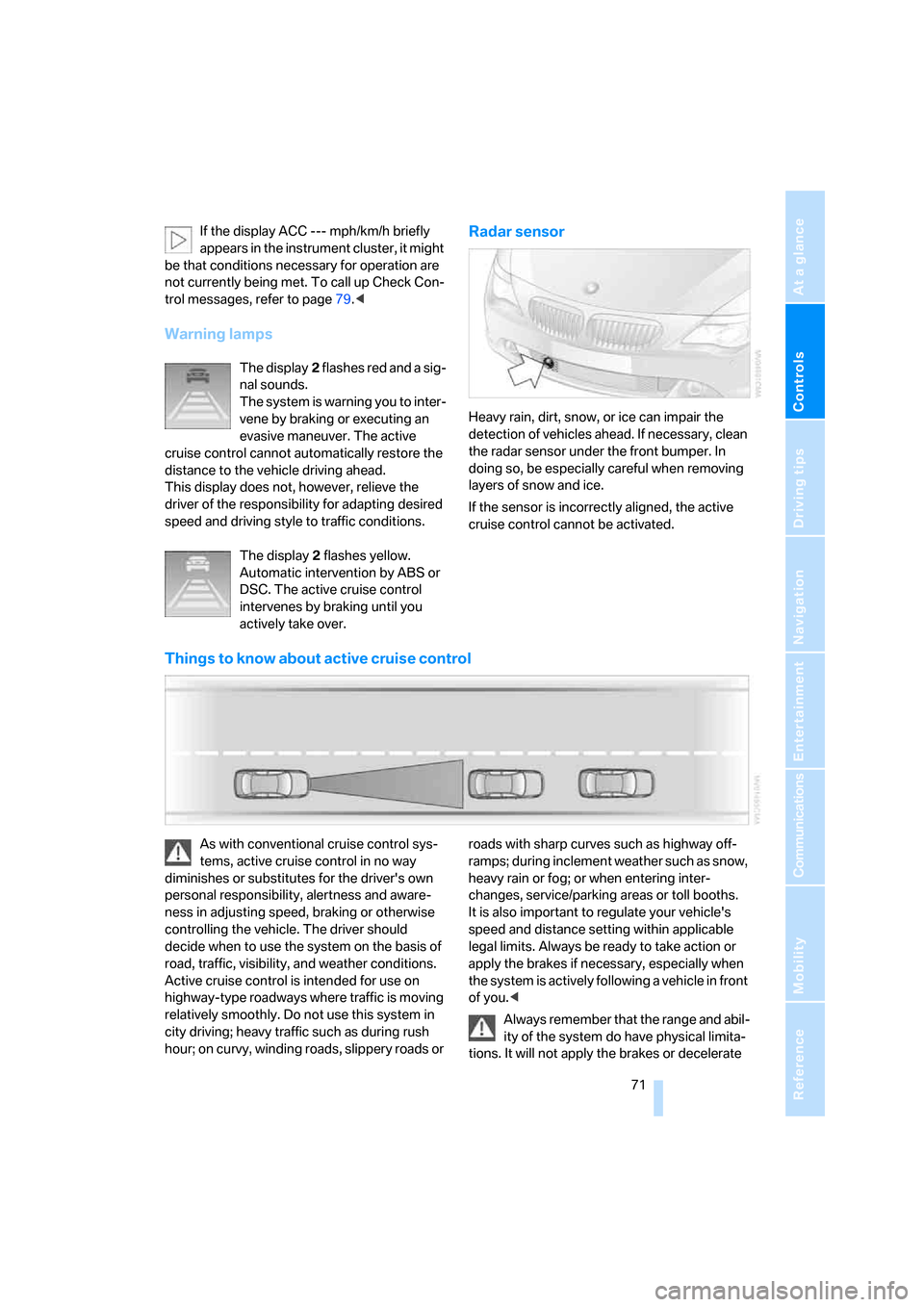
Heavy rain, dirt, snow, or ice can impair the
detection of vehicles ahead. If necessary, clean
the radar sensor under the front bumper. In
doing so, be especially careful when removing
layers of snow and ice.
If the sensor is incorrectly aligned, the active
cruise control cannot be activated.
Things to know about active cruise control
As with conventional cruise control sys-
tems, active cruise control in no way
diminishes or substitutes for the driver's own
personal responsibility, alertness and aware-
ness in adjusting speed, braking or otherwise
controlling the vehicle. The driver should
decide when to use the system on the basis of
road, traffic, visibility, and weather conditions.
Active cruise control is intended for use on
highway-type roadways where traffic is moving
relatively smoothly. Do not use this system in
city driving; heavy traffic such as during rush
hour; on curvy, winding roads, slippery roads or roads with sharp curves such as highway off-
ramps; during inclement weather such as snow,
heavy rain or fog; or when entering inter-
changes, service/parking areas or toll booths.
It is also important to regulate your vehicle's
speed and distance setting within applicable
legal limits. Always be ready to take action or
apply the brakes if necessary, especially when
the system is actively following a vehicle in front
of you.<
Always remember that the range and abil-
ity of the system do have physical limita-
tions. It will not apply the brakes or decelerate
Page 104 of 236
Controls
103Reference
At a glance
Driving tips
Communications
Navigation
Entertainment
Mobility
Maximum cooling
Maximally cooled air is obtained as
quickly as possible from an outside
temperature above 327/06 and
with the engine running.
The automatic climate control changes over to
the lowest temperature and switches into the
recirculated-air mode. The maximum air quan-
tity only flows out of the vents for the upper
body. It is therefore necessary for these vents to
be open for maximum cooling.
AUC Automatic recirculated-air
control/recirculated-air mode
You can respond to unpleasant
odors or pollutants in the immedi-
ate environment by temporarily
suspending the supply of outside air. The sys-
tem then recirculates the air currently within the
vehicle. In AUC mode, a sensor detects pollut-
ants in the outside air and controls the shut-off
automatically.
Press the button repeatedly to run through the
following control sequence:
>LED off: outside air flows into the vehicle
continuously.
>Right LED on, AUC mode: the system
detects pollutants in the outside air and
responds by blocking the supply of outside
air when required.
>Left LED on, recirculated-air mode: the
supply of outside air into the vehicle is shut
off continuously.
If condensation starts to form on the
inside window surfaces during operation
in the recirculated-air mode, you should switch
it off while also increasing the air volume as
required.
The recirculated-air mode should not be used
over a longer period of time, as the air quality
inside the vehicle deteriorates continuously.<
Residual heat
The heat stored in the engine is
used to heat the passenger com-
partment, e.g. while stopped at a
school to pick up a child.
The function can be switched on when the fol-
lowing conditions are met:
>up to 15 minutes after switching off the
engine
>engine at operating temperature
>sufficient battery voltage
>outside temperature below 777/256
The LED lights up when the function is
switched on.
With the ignition switch at radio readiness or
higher the interior temperature, the air volume
and the air distribution can be set.
Switching off automatic climate control
The air volume, the heater and the
cooling function are all switched
off.
You can restart the automatic cli-
mate control by pressing any of its buttons
except the REST button.
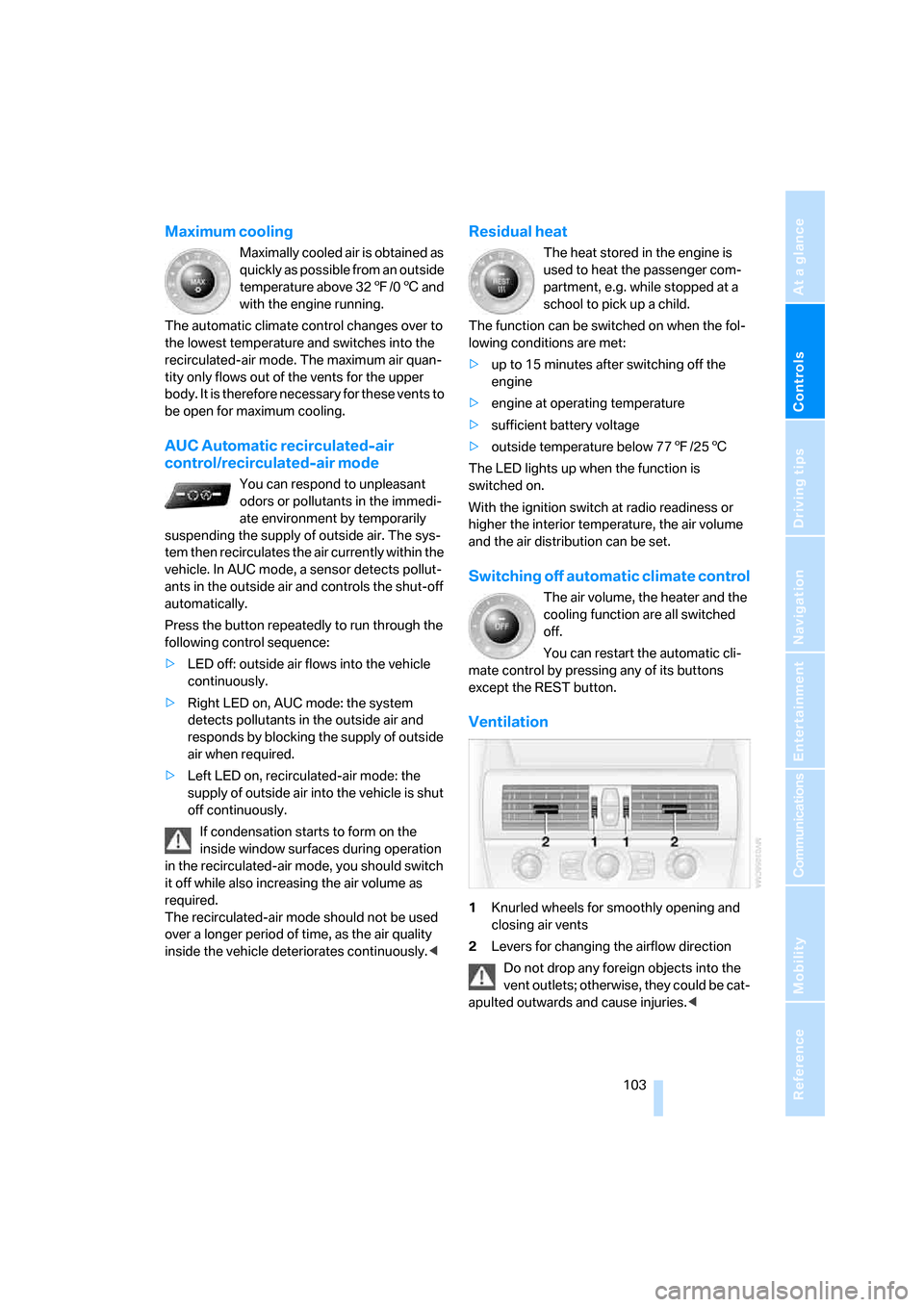
Ventilation
1Knurled wheels for smoothly opening and
closing air vents
2Levers for changing the airflow direction
Do not drop any foreign objects into the
vent outlets; otherwise, they could be cat-
apulted outwards and cause injuries.<
Page 117 of 236
Things to remember when driving
116 steep downhill stretches. Even light but consis-
tent pedal pressure can lead to high tempera-
tures, brake wear and possibly even brake fail-
ure.<
The braking action of the engine can be further
increased by downshifting in the manual mode
of the automatic transmission, possibly as far as
first gear, refer to page63. This prevents an
excessive load on the brakes.
Do not drive with the clutch depressed, in
idle or with the engine switched off; other-
wise, there will be no engine braking action or
power-assisted braking and steering.
Never allow floor mats, carpets or any other
objects to protrude into the area of movement
of the pedals and impair their operation.<
Corrosion on brake rotors
When the vehicle is driven only occasionally,
during extended periods when the vehicle is not
used at all, and in operating conditions where
brake applications are less frequent, there is an
increased tendency for corrosion to form on
rotors, while contaminants accumulate on the
brake pads. This occurs because the minimum
pressure which must be exerted by the pads
during brake applications to clean the rotors is
not reached.
Should corrosion form on the brake rotors, the
brakes will tend to respond with a pulsating
effect that even extended application will fail to
cure.
When vehicle is parked
Condensation forms in the automatic climate
control during operation, and then exits under
the vehicle. Traces of condensed water under
the vehicle are therefore normal.
Before driving into a car wash
To prevent the exterior mirrors on this vehicle
from being damaged, always fold them in by
hand before entering an automatic car wash.
With comfort access and automatic
transmission
Insert the remote control into the ignition lock.
The engine can be switched off in the selector
lever position N. Also refer to page37.
Cargo loading
To avoid loading the tires beyond their
approved carrying capacity, never over-
load the vehicle. Overloading can lead to over-
heating and increases the rate at which damage
develops inside the tires. The ultimate result
can assume the form of a sudden blow-out.<
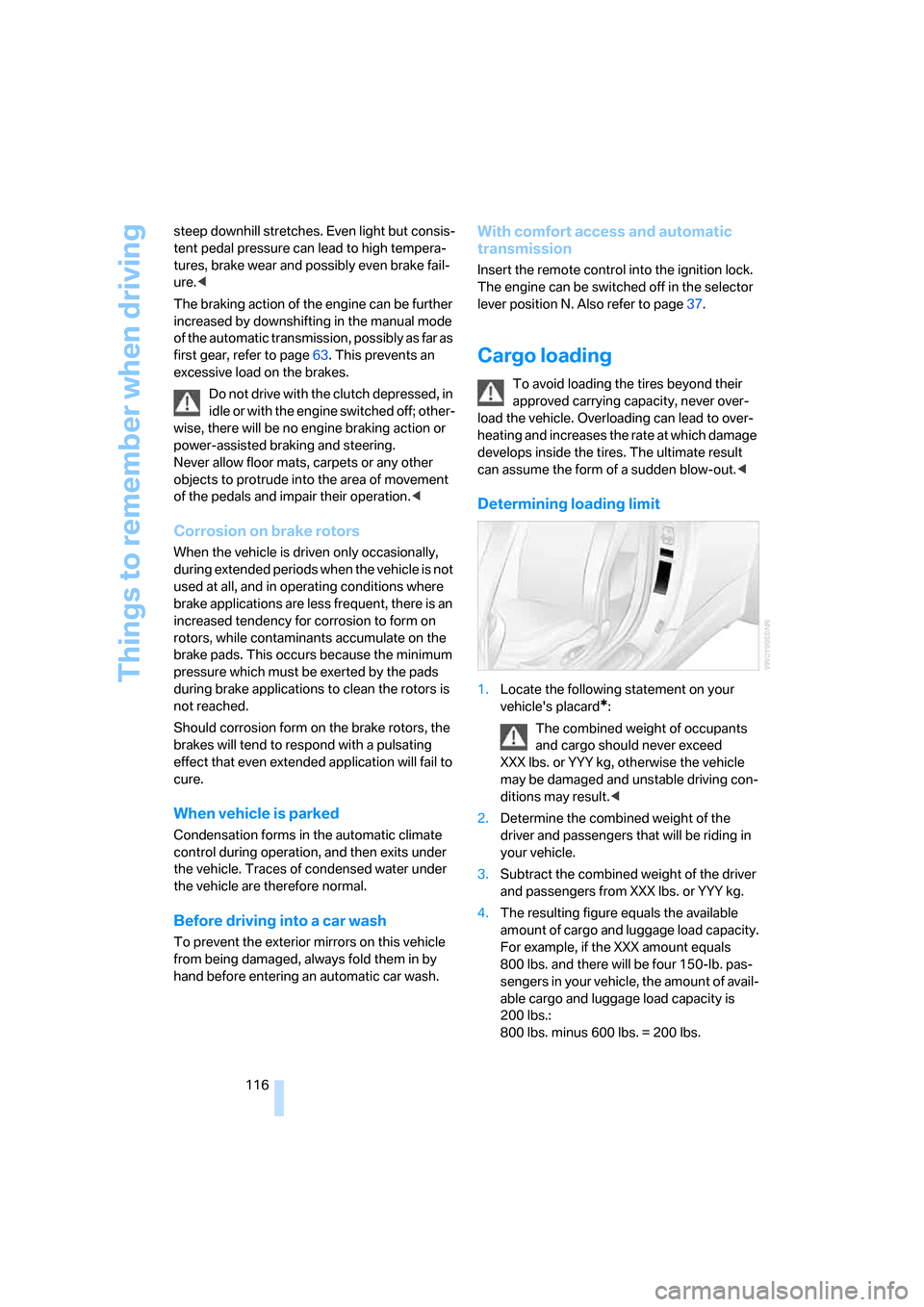
Determining loading limit
1.Locate the following statement on your
vehicle's placard
*:
The combined weight of occupants
and cargo should never exceed
XXX lbs. or YYY kg, otherwise the vehicle
may be damaged and unstable driving con-
ditions may result.<
2.Determine the combined weight of the
driver and passengers that will be riding in
your vehicle.
3.Subtract the combined weight of the driver
and passengers from XXX lbs. or YYY kg.
4.The resulting figure equals the available
amount of cargo and luggage load capacity.
For example, if the XXX amount equals
800 lbs. and there will be four 150-lb. pas-
sengers in your vehicle, the amount of avail-
able cargo and luggage load capacity is
200 lbs.:
800 lbs. minus 600 lbs. = 200 lbs.
Page 188 of 236
Mobility
187Reference
At a glance
Controls
Driving tips
Communications
Navigation
Entertainment
Temperature
The temperature grades are A, the highest, B,
and C, representing the tire's resistance to the
generation of heat and its ability to dissipate
heat when tested under controlled conditions
on a specified indoor laboratory test wheel.
Sustained high temperature can cause the
material of the tire to degenerate and reduce
tire life, and excessive temperature can lead to
sudden tire failure. The grade C corresponds to
a level of performance which all passenger car
tires must meet under the Federal Motor Vehi-
cle Safety Standard No. 109. Grades B and A
represent higher levels of performance on the
laboratory test wheel than the minimum
required by law.
The temperature grade for this tire is
established for a tire that is properly
inflated and not overloaded. Excessive speed,
underinflation, or excessive loading, either
separately or in combination, can cause heat
buildup and possible tire failure.<
RSC – run-flat tires
You will recognize run-flat tires by a circular
symbol containing the letters RSC on the side
of the tire, refer to page188.
M+S
Winter and all-season tires.
These have better winter properties than sum-
mer tires.
Tire condition
Inspect your tires frequently for tread wear,
signs of damage and foreign objects lodged in
the tread, and check the tread depth.
Minimum tread depth
The tread depth should not fall below 0.12 in/
3 mm, although, for example, European legisla-
tion only specifies a minimum tread depth of
0.063 in/1.6 mm.
At tread depths below 0.12 in/3 mm, there is an
increased risk of high-speed hydroplaning, even when only small amounts of water are
present on the road surface.
Winter tires noticeably loose their suitability for
winter use below a tread depth of 0.16 in/4 mm.
New tires should be mounted in the interest of
safety.
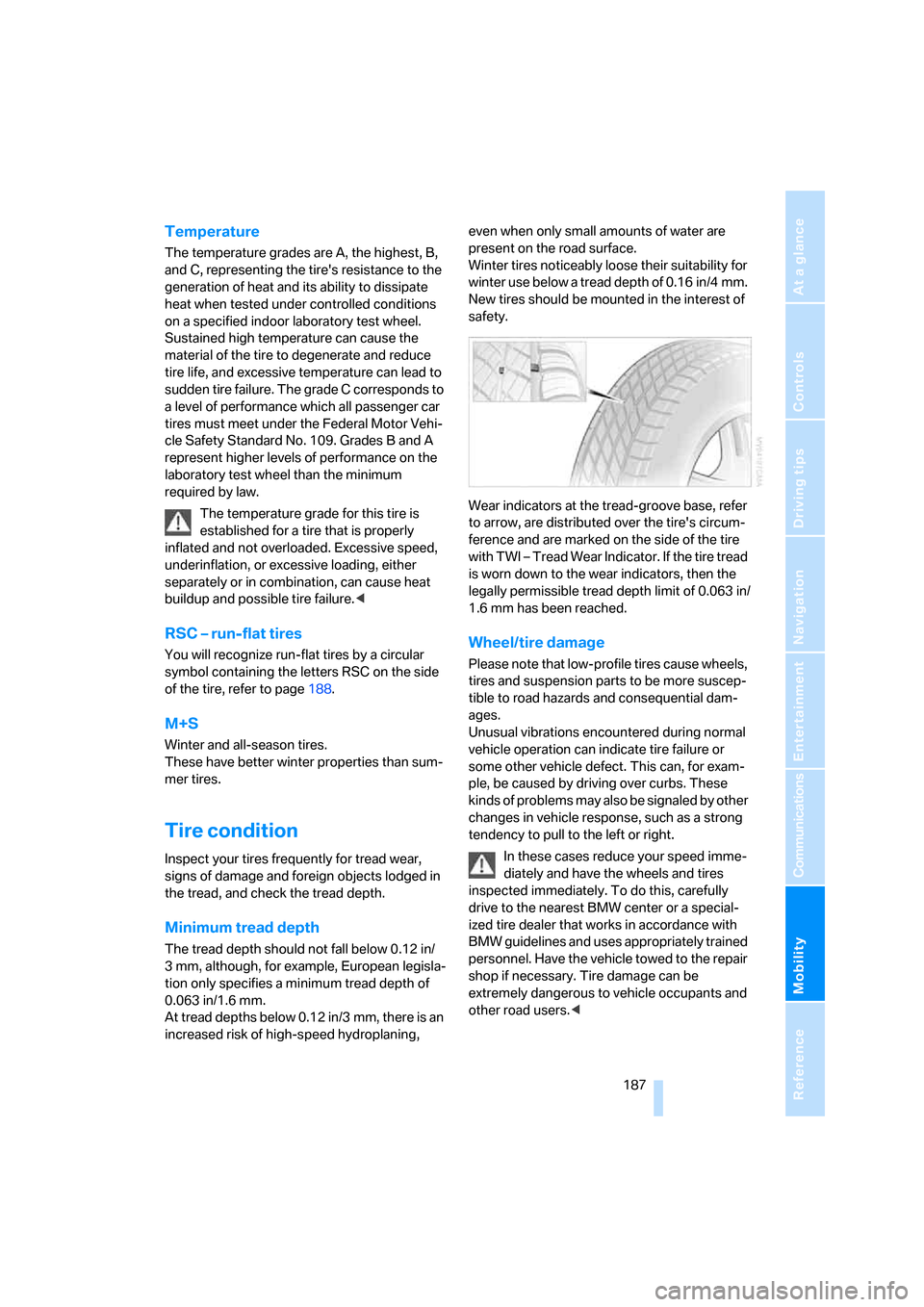
Wear indicators at the tread-groove base, refer
to arrow, are distributed over the tire's circum-
ference and are marked on the side of the tire
with TWI – Tread Wear Indicator. If the tire tread
is worn down to the wear indicators, then the
legally permissible tread depth limit of 0.063 in/
1.6 mm has been reached.
Wheel/tire damage
Please note that low-profile tires cause wheels,
tires and suspension parts to be more suscep-
tible to road hazards and consequential dam-
ages.
Unusual vibrations encountered during normal
vehicle operation can indicate tire failure or
some other vehicle defect. This can, for exam-
ple, be caused by driving over curbs. These
kinds of problems may also be signaled by other
changes in vehicle response, such as a strong
tendency to pull to the left or right.
In these cases reduce your speed imme-
diately and have the wheels and tires
inspected immediately. To do this, carefully
drive to the nearest BMW center or a special-
ized tire dealer that works in accordance with
BMW guidelines and uses appropriately trained
personnel. Have the vehicle towed to the repair
shop if necessary. Tire damage can be
extremely dangerous to vehicle occupants and
other road users.<
Page 190 of 236
Mobility
189Reference
At a glance
Controls
Driving tips
Communications
Navigation
Entertainment
Special characteristics of winter tires
BMW recommends winter tires for use in cold
winter driving conditions. Although all-season
M+S tires provide better winter traction than
summer tires, they generally fail to provide the
same levels of cold-weather performance as
winter tires.
Watch speed
Always observe the maximum permissi-
ble speed for the winter tires, otherwise
tire damage may occur, which can result in acci-
dents.<
Storage
Always store wheels and tires in a cool, dry
place with as little exposure to light as possible.
Always protect tires against all contact with oil,
grease and fuels. Do not exceed the maximum
tire inflation pressure indicated on the side wall
of the tire.
Snow chains*
BMW only tests certain fine-link snow chains,
classifies them as road-safe and recommends
them. Consult your BMW center for more infor-
mation.
These snow chains are approved exclusively for
use in pairs on the rear wheels with the tire size:
>245/50 R 17 Y
>245/45 R 18 Y
Follow the chain manufacturer's instructions
when installing snow chains. Do not exceed a
vehicle speed of 30 mph/50 km/h with the
chains installed.
Do not initialize the Flat Tire Monitor after
installing snow chains as this could cause
the Flat Tire Monitor to malfunction.
When you are driving with snow chains, it can
be beneficial to switch off DTC briefly, refer to
page87.<
Page 196 of 236
Mobility
195Reference
At a glance
Controls
Driving tips
Communications
Navigation
Entertainment
Maintenance
The BMW Maintenance
System
The BMW Maintenance System supports the
preservation of the traffic and operating safety
of your BMW. The service schedule also
includes operations related to the vehicle's
comfort and convenience features, such as
replacement of the filters for the inside air.
The ultimate objective is to ensure economical
maintenance by providing the ideal service for
your vehicle.
Should the day come when you decide to sell
your BMW, you will find that a complete dealer
service history is an asset of inestimable value.
CBS Condition Based Service
Sensors and special algorithms take the differ-
ent driving conditions of your BMW into
account. Condition Based Service uses this to
determine the current and future service
requirements. By letting you define a service
and maintenance regimen that reflects your
own individual requirements, the system builds
the basis for trouble-free driving.
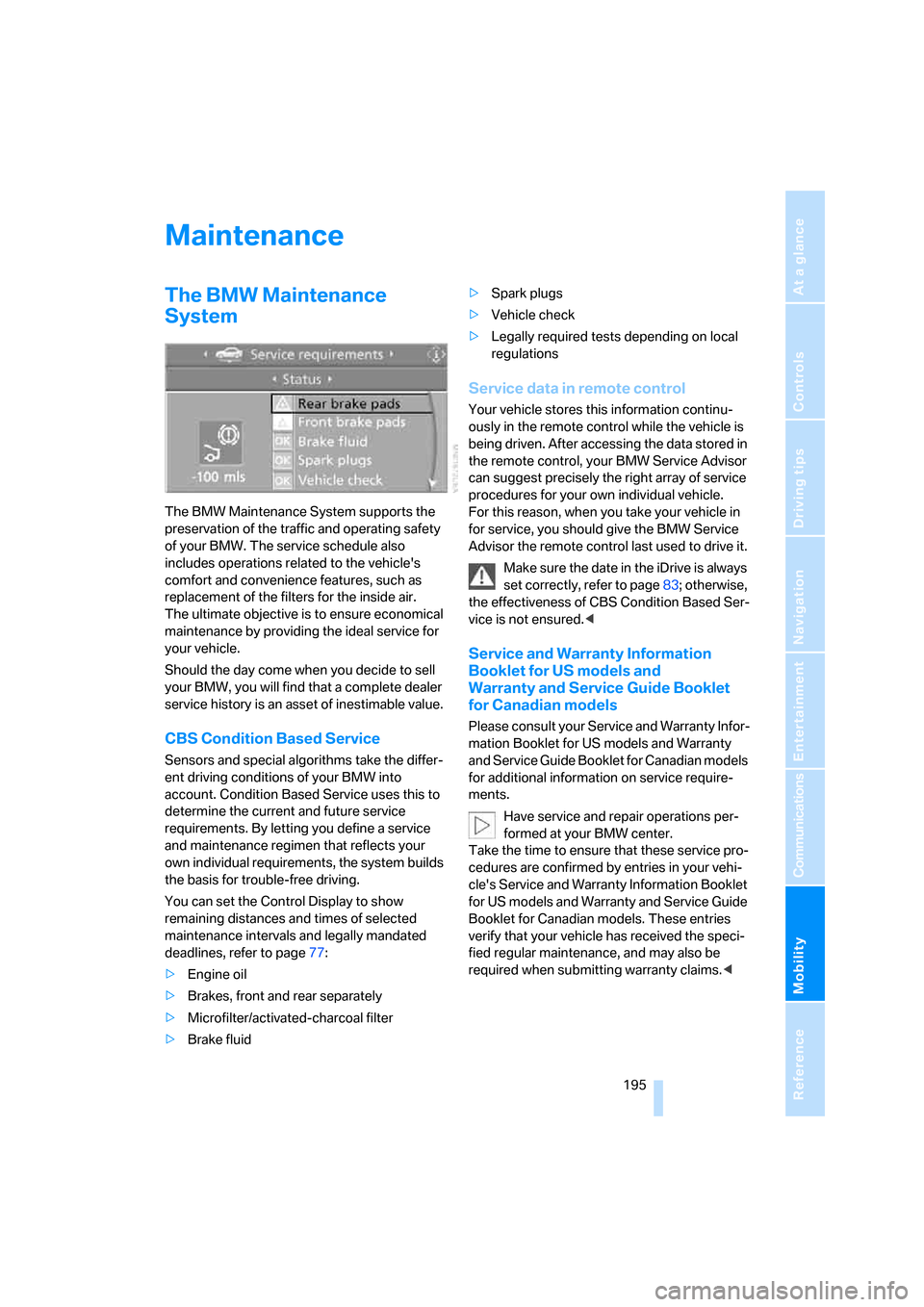
You can set the Control Display to show
remaining distances and times of selected
maintenance intervals and legally mandated
deadlines, refer to page77:
>Engine oil
>Brakes, front and rear separately
>Microfilter/activated-charcoal filter
>Brake fluid>Spark plugs
>Vehicle check
>Legally required tests depending on local
regulations
Service data in remote control
Your vehicle stores this information continu-
ously in the remote control while the vehicle is
being driven. After accessing the data stored in
the remote control, your BMW Service Advisor
can suggest precisely the right array of service
procedures for your own individual vehicle.
For this reason, when you take your vehicle in
for service, you should give the BMW Service
Advisor the remote control last used to drive it.
Make sure the date in the iDrive is always
set correctly, refer to page83; otherwise,
the effectiveness of CBS Condition Based Ser-
vice is not ensured.<
Service and Warranty Information
Booklet for US models and
Warranty and Service Guide Booklet
for Canadian models
Please consult your Service and Warranty Infor-
mation Booklet for US models and Warranty
and Service Guide Booklet for Canadian models
for additional information on service require-
ments.
Have service and repair operations per-
formed at your BMW center.
Take the time to ensure that these service pro-
cedures are confirmed by entries in your vehi-
cle's Service and Warranty Information Booklet
for US models and Warranty and Service Guide
Booklet for Canadian models. These entries
verify that your vehicle has received the speci-
fied regular maintenance, and may also be
required when submitting warranty claims.<
Page 221 of 236
Everything from A to Z
220 Center console14
"Central locking"30
Central locking system29
– comfort access36
– from inside vehicle32
Changes, technical, refer to
For your own safety6
Changing a wheel200
Changing language on
Control Display84
Changing units of measure on
Control Display83
Changing wheels188
CHECK button80
Check Control79
"Check Control
messages"80
Check Gas Cap182
Checking air pressure, refer to
Tire inflation pressure184
Children's seats, refer to
Child-restraint systems56
Child-restraint fixing system
LATCH57
Child-restraint systems56
Chrome parts, care, refer to
the Caring for your vehicle
brochure
Cigarette lighter110
Cigarette lighter socket, refer
to Connecting electrical
devices110
Cleaning, refer to the Caring
for your vehicle brochure
"Climate"101
Clock74
– 12h/24h mode83
– setting time and date82
Closing
– from inside32
– from outside30
Closing fuel filler cap182
Clothes hooks, Coupe109
Cockpit10
Cold start, refer to Starting
engine59Comfort access36
– observing in car wash37
– replacing battery38
Comfort operation
– windows with comfort
access37
– with comfort access37
"Communication"166,176
"Communication
settings"174
Compact disc
– refer to CD changer153
– refer to CD player153
Compartment for remote
control, refer to Ignition
lock58
Compartments, refer to
Storage compartments108
Compressed audio files153
Computer75
– displays on Control
Display76
– hour signal83
"Concert hall", refer to Tone
control142
Condition Based Service
CBS195
"Confirmation"31
Connecting car vacuum
cleaner, refer to Connecting
electrical devices110
Consumption display, refer to
Average fuel
consumption75
Consumption statistics, refer
to Average fuel
consumption75
"Continue guidance to
destination?"132
Control Center, refer to
iDrive16
Control Display, refer to
iDrive16
– setting brightness83
Controller, refer to iDrive16
Controls, refer to Cockpit10Convenience operation
– convertible top31,32
– glass sunroof30,32
– windows30,32
Convertible
– convertible program for
automatic climate
control101
– opening and closing
windows38
– rollover protection
system92
– top41
– wind deflector45
Convertible top
– care, refer to the Caring for
your vehicle brochure
– convenience operation32
– emergency closing43
– manual closing43
– opening and closing42
Coolant193
– checking level193
– temperature74
Cooling, maximum103
Cornering Brake Control
CBC86
Country of destination for
navigation
122
Courtesy lamps, refer to
Interior lamps99
Cruise control66,67
– active cruise control67
Cup holders109
Curb weight, refer to
Weights210
"Current position"136
Current position
– displaying136
– entering128
– storing128
"Customer
Relations"176,178
Cylinders, refer to Engine
data210
Page 230 of 236
Reference 229
At a glance
Controls
Driving tips
Communications
Navigation
Entertainment
Mobility
Rotary fuel controller, refer to
iDrive16
Route130
– bypassing sections136
– changing130,136
– display133
– displaying arrow display133
– displaying map133
– displaying towns/cities and
streets134
– list134
– selecting130
– selecting criteria130
Route map, refer to Map
view133
"Route preference",
changing130
Route selection130
Run-flat tires188
– continuing driving with a
damaged tire89
– flat tire89
– tire inflation pressure184
– tire replacement188
– winter tires188
S
Safety belts51
– damage52
– indicator lamp52
– sitting safely47
Safety belt tensioners, refer to
Safety belts51
Safety systems
– ABS Antilock Brake
System86
– airbags90
– DSC Dynamic Stability
Control86
– rollover protection system,
Convertible92
– safety belts51
Satellite radio149
– enabling channels150
– selecting channel150
– storing channel150
"SAT" on the radio140,150"Save current
destination"130
"Scan"
– playing a music track155
– playing stations145
Scan
– CD changer155
– CD player155
– radio145
"Scan all" in audio mode155
"Scan directory" in audio
mode155
Screw thread for tow
fitting205
SDARS, refer to Satellite
radio149
Seats48
– adjusting48
– heating52
– lumbar support48
– memory, refer to Seat, mirror
and steering wheel
memory49
– sitting safely47
– sports seat48
– storing the setting49
– thigh support48
Securing cargo117
– ski bag111
Securing load, refer to
Securing cargo117
– ski bag111
"Select as destination"127
"Select current speed"81
Selecting audio sources, refer
to Operating via iDrive140
Selecting distance for active
cruise control69
Selecting frequency
manually145
Selecting menu items19
Selecting new scale for
navigation system
display134
Selecting route130
Selection options with
navigation system130Selector lever
– automatic transmission with
Steptronic62
– manual transmission60
– SMG Sequential Manual
Gearbox61
Selector lever interlock, refer
to Shiftlock
– automatic transmission with
Steptronic62
– SMG Sequential Manual
Gearbox61
Sequential Manual Gearbox
SMG61
"Service"77,175,191
Service, refer to Roadside
Assistance203
Service and Warranty Infor-
mation Booklet for US
models195
Service interval display, refer
to Service requirements77
"Service notification"175
"Service Request"176,178
"Service
requirements"78,175,192
Service requirements77
– also refer to CBS Condition
Based Service195
"Service Status"175
"Set date"83
"Set" in audio mode140
"Set" in trip computer77
"Set service date"78
"Set time"82
Settings
– changing on Control
Display82
– clock, 12h/24h mode83
– configuring, refer to
Personal Profile29
Setting speed limit81
Setting time, refer to Prese-
lecting activation time104
"Set tire pressure"89
Page 231 of 236
Everything from A to Z
230 Shifting
– automatic transmission with
Steptronic62
– SMG Sequential Manual
Gearbox62
Shifting paddles62
Shiftlock
– automatic transmission with
Steptronic62
– SMG Sequential Manual
Gearbox61
Short commands of voice
command system213
"Short route" for
navigation131
Short route in navigation, refer
to Selecting route130
"Show current position"126
"Show destination
position"126
Side airbags90
Side marker lamps, replacing
bulbs199
Side turn signals, replacing
bulbs199
Signal horn, refer to Horn10
Sill panel lighting, refer to
Interior lamps99
Sitting safely47
– with airbags47
– with head restraints47
– with safety belts47
Ski bag110
Sliding/tilt roof, refer to Glass
sunroof, electric with raise
function40
Slope assistant, refer to
Starting assistant115
SMG Sequential Manual
Gearbox61
– acceleration assistant64
– breaking-in114
– Dynamic Driving Control64
– gear display61
– kick-down62
– shiftlock61
– towing205
– tow-starting206Snow chains189
Socket, refer to Connecting
electrical devices110
Socket for Onboard
Diagnostics interface196
Socket for remote control,
refer to Ignition lock58
Song search with CD, refer to
Playing a track155
SOS, refer to Initiating an
emergency call202
Spare fuses201
Spare key28
– adapter
28
Spare remote control28
Special oils, refer to Approved
engine oils192
Speed-dependent
volume142
Speed limit81
Speed limit warning, refer to
Speed limit81
Speedometer12
"Speed volume", tone
control142
Speed with winter tires189
Sport program
– automatic transmission with
Steptronic63
– refer to Dynamic Driving
Control64
Stability control, refer to
Driving stability control
systems86
"Star button"54
Start/Stop button58
"Start" for stopwatch81
"Start guidance"124,132
Starting assistant115
Starting difficulties
– jump starting203
– refer to Special starting
conditions59
Starting engine59
Starting off on slopes, refer to
Starting assistant115
Start menu, iDrive17
"Start route guidance"126"Start service"176
"State / Province" for desti-
nation entry122
"State inspection"78
Station, refer to Radio144
"Status"78
Status information on Control
Display20
Status of this Owner's Manual
at time of printing5
Steering wheel
– adjustment53
– automatic adjustment, refer
to Easy entry/exit53
– buttons on steering
wheel11
– heating54
– lock58
– locking58
– memory49
– programmable buttons54
"Steering wheel buttons"54
Steering-wheel shift buttons,
refer to Shift paddles62
Steering with variable ratio,
refer to Active steering
90
Steptronic, refer to Automatic
transmission with
Steptronic62
"Stop" for stopwatch81
"Stopwatch"81
Stopwatch81
Storage compartments108
"Store in address book" for
navigation128
"Store" on the radio146,151
Storing current position128
Storing radio stations146
Storing sitting position, refer
to Seat, mirror and steering
wheel memory49
Storing tires189
Straps, refer to Loading117
"Street" for destination
entry123
Summer tires, refer to Wheels
and tires184
SW, waveband144
Page 232 of 236
Reference 231
At a glance
Controls
Driving tips
Communications
Navigation
Entertainment
Mobility
Switches, refer to Cockpit10
Switching between high
beams and low beams,
automatic, refer to High-
beam assistant97
Switching off engine59
Switching off the tilt alarm
sensor36
Switching on
– audio140
– CD changer140
– CD player140
– radio140
Switching the cooling function
on and off102
Swiveling headlamps, refer to
Adaptive Head Light97
Symbols4
– indicator and warning
lamps13
T
Tachometer74
Tail lamps199
– replacing bulbs199
Tank capacity
– also refer to Filling
capacities212
– fuel tank capacity182
Target cursor for
navigation126
Technical alterations, refer to
For your own safety6
Technical data210
Telematic, refer to
TeleService, BMW
Assist174
Telephone
– refer to Mobile phone162
– refer to separate Owner’s
Manual
"Telephone list"54
TeleService174
– enabling174
– services offered175Temperature
– adjusting in upper body
region102
– adjusting with automatic
climate control101
– of coolant, refer to Coolant
temperature74
Temperature display
– changing units of
measure83
– outside temperature74
– temperature warning74
Temperature gauge, engine
oil75
Temperature warning74
Tempomat, refer to Cruise
control66
"Terminate services"177
"Text language"84
"Theater", refer to Tone
control142
The individual vehicle5
Tie-down points, refer to
Securing cargo117
Tilting down passenger-side
exterior mirror53
"Time"82
"Time format"83
Timer, refer to Preselecting
activation time104
"Timer 1" for parked car
ventilation105
"Timer 2" for parked car
ventilation105
Tire Quality Grading186Tires
– age186
– air loss89
– breaking-in114
– condition187
– damage187
– inflation pressure184
– minimum tread depth187
– Monitoring inflation
pressure, refer to Flat Tire
Monitor88
– new wheels and tires188
– replacing188
– retreaded tires188
– run-flat tires188
– size185
– size, refer to The right
wheels and tires188
– wear indicators187
– wheel/tire combination188
– winter tires189
Tires with run-flat properties,
refer to Run-flat tires
– continuing to drive with a
damaged tire89
– flat tire89
– new wheels and tires188
"Tone"141
Tone in audio mode
– adjusting141
– middle setting143
Tools, refer to Onboard tool
kit197
top41
"Top 8" for mobile phone168
Torque, refer to Engine
specifications210
Touch tone dialing169
Tow fitting204
Towing204
– tow fitting204
"Town / City" for destination
entry122
Tow-starting204,206
Tracks
– finding155
– random play sequence156
– sample, Scan155