remote control BMW 650I COUPE 2010 E63 Service Manual
[x] Cancel search | Manufacturer: BMW, Model Year: 2010, Model line: 650I COUPE, Model: BMW 650I COUPE 2010 E63Pages: 252, PDF Size: 8.4 MB
Page 175 of 252
173
Entertainment
Reference
At a glance
Controls
Driving tips Communications
Navigation
Mobility
>Depending on the mobile phone, certain
settings may be necessary on the mobile
phone, e. g. via the following menu items:
>Bluetooth activated
>Connection must be allowed without
requiring further confirmation
>Reconnect
>Depending on the mobile phone model, the
setting energy saving mode can, for exam-
ple, result in vehicle failing to detect the
paired mobile phone.
>For pairing, define a 4- to 16-digit number
of your choice as the Bluetooth Passkey,
e.g. 25081107. A long and complex number
offers better protection against unautho-
rized access. This Bluetooth passkey is no
longer required following successful pair-
ing.
>The ignition is switched on.
Only pair the mobile phone with the vehi-
cle stopped, otherwise the passengers
and other road users can be endangered due to
a lack of attentiveness on the part of the
driver.<
Switching on ignition
1.Insert the remote control as far as possible
into the ignition lock.
2.Switch on the ignition by pressing the Start/
Stop button without depressing the brake
or clutch pedal.
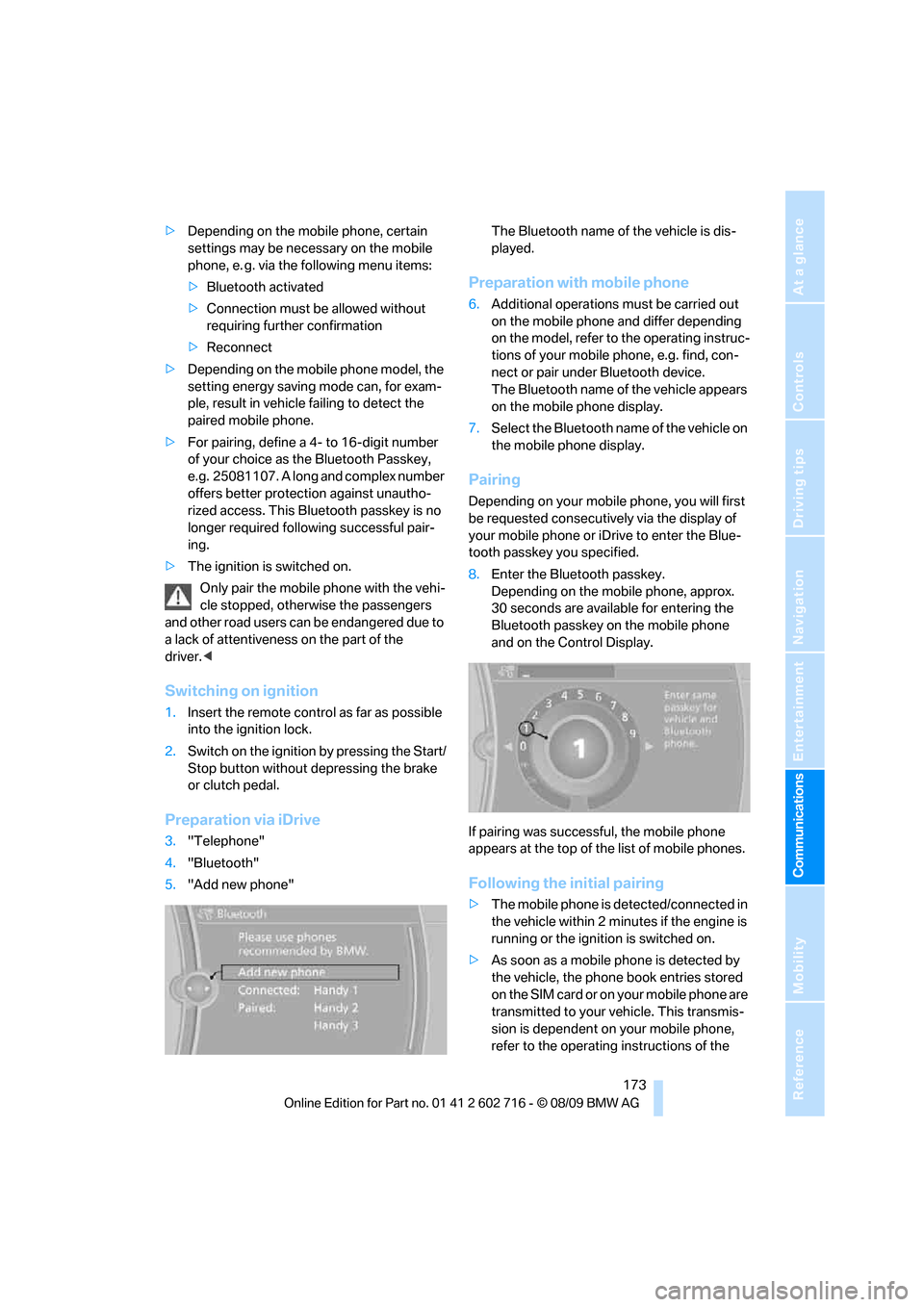
Preparation via iDrive
3."Telephone"
4."Bluetooth"
5."Add new phone"The Bluetooth name of the vehicle is dis-
played.
Preparation with mobile phone
6.Additional operations must be carried out
on the mobile phone and differ depending
on the model, refer to the operating instruc-
tions of your mobile phone, e.g. find, con-
nect or pair under Bluetooth device.
The Bluetooth name of the vehicle appears
on the mobile phone display.
7.Select the Bluetooth name of the vehicle on
the mobile phone display.
Pairing
Depending on your mobile phone, you will first
be requested consecutively via the display of
your mobile phone or iDrive to enter the Blue-
tooth passkey you specified.
8.Enter the Bluetooth passkey.
Depending on the mobile phone, approx.
30 seconds are available for entering the
Bluetooth passkey on the mobile phone
and on the Control Display.
If pairing was successful, the mobile phone
appears at the top of the list of mobile phones.
Following the initial pairing
>The mobile phone is detected/connected in
the vehicle within 2 minutes if the engine is
running or the ignition is switched on.
>As soon as a mobile phone is detected by
the vehicle, the phone book entries stored
on the SIM card or on your mobile phone are
transmitted to your vehicle. This transmis-
sion is dependent on your mobile phone,
refer to the operating instructions of the
Page 177 of 252
175
Entertainment
Reference
At a glance
Controls
Driving tips Communications
Navigation
Mobility
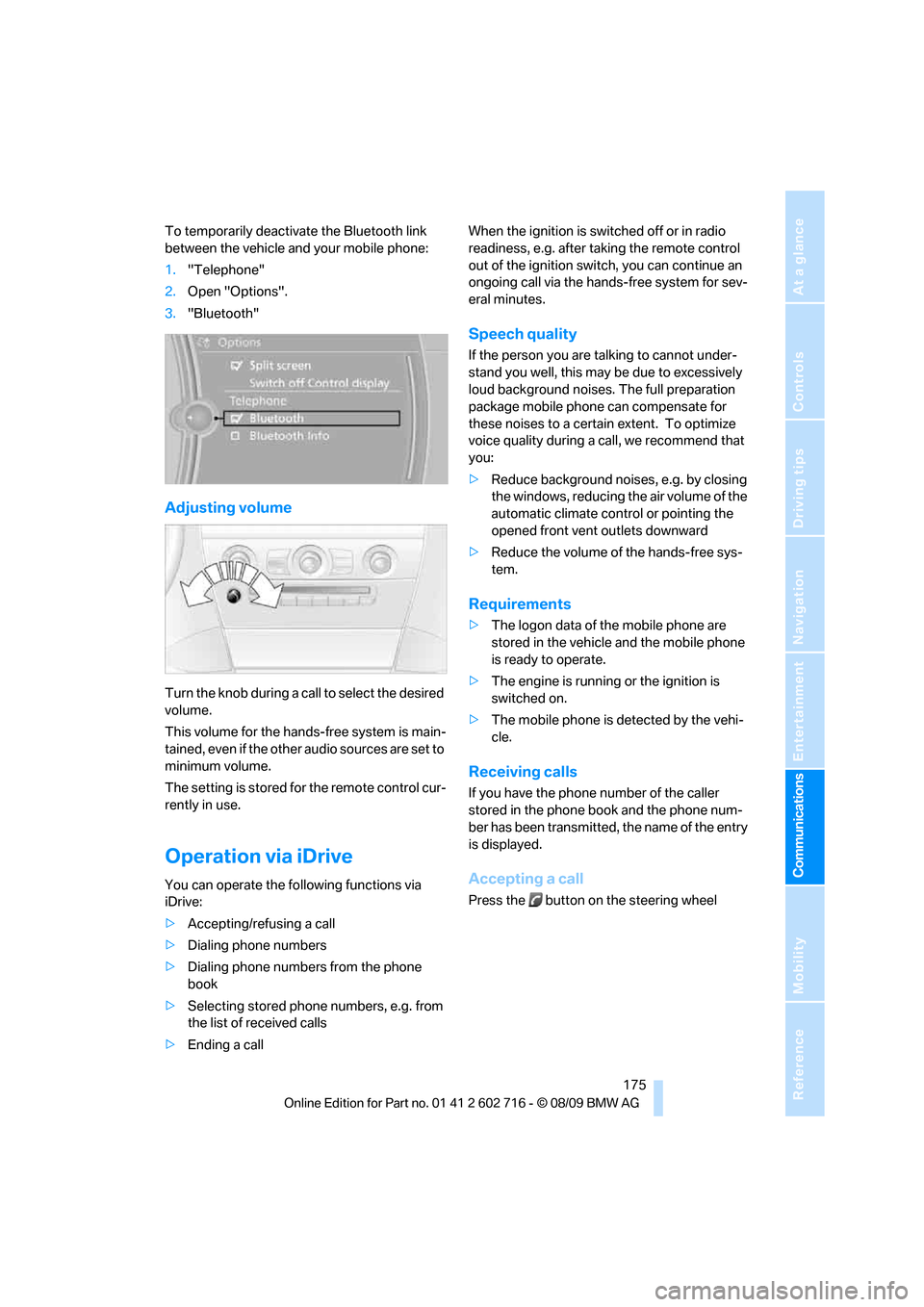
To temporarily deactivate the Bluetooth link
between the vehicle and your mobile phone:
1."Telephone"
2.Open "Options".
3."Bluetooth"
Adjusting volume
Turn the knob during a call to select the desired
volume.
This volume for the hands-free system is main-
tained, even if the other audio sources are set to
minimum volume.
The setting is stored for the remote control cur-
rently in use.
Operation via iDrive
You can operate the following functions via
iDrive:
>Accepting/refusing a call
>Dialing phone numbers
>Dialing phone numbers from the phone
book
>Selecting stored phone numbers, e.g. from
the list of received calls
>Ending a callWhen the ignition is switched off or in radio
readiness, e.g. after taking the remote control
out of the ignition switch, you can continue an
ongoing call via the hands-free system for sev-
eral minutes.
Speech quality
If the person you are talking to cannot under-
stand you well, this may be due to excessively
loud background noises. The full preparation
package mobile phone can compensate for
these noises to a certain extent. To optimize
voice quality during a call, we recommend that
you:
>Reduce background noises, e.g. by closing
the windows, reducing the air volume of the
automatic climate control or pointing the
opened front vent outlets downward
>Reduce the volume of the hands-free sys-
tem.
Requirements
>The logon data of the mobile phone are
stored in the vehicle and the mobile phone
is ready to operate.
>The engine is running or the ignition is
switched on.
>The mobile phone is detected by the vehi-
cle.
Receiving calls
If you have the phone number of the caller
stored in the phone book and the phone num-
ber has been transmitted, the name of the entry
is displayed.
Accepting a call
Press the button on the steering wheel
Page 182 of 252
Telephone
180 activation system supports you by making
announcements and asking questions.
>{...} Verbal instructions to use with the voice
activation system.
Requirements
The same prerequisites as for operation via
iDrive apply, refer to page175.
Voice commands
Activating voice activation system
1.Briefly press the button on the steering
wheel.
An acoustic signal indicates that you can
say commands.
2.Say the command.
Ending/canceling operation by voice
Briefly press the button on the steering
wheel orIn dialogs where text is spoken, e.g. a name
rather than a command, canceling is only possi-
ble using the button on the steering wheel.
Having possible commands read aloud
The system understands default commands
that must be spoken word for word.
You can have the possible commands for any
function read aloud to you:
The system recognizes digits from zero to nine.
You can say each digit individually or group
them into a sequence to accelerate the input.
Using alternative commands
Often there is more than a single command to
run a function, e.g.:
Example: Dialing phone numbers
To start the dialog:
Press the button on the steering wheel.
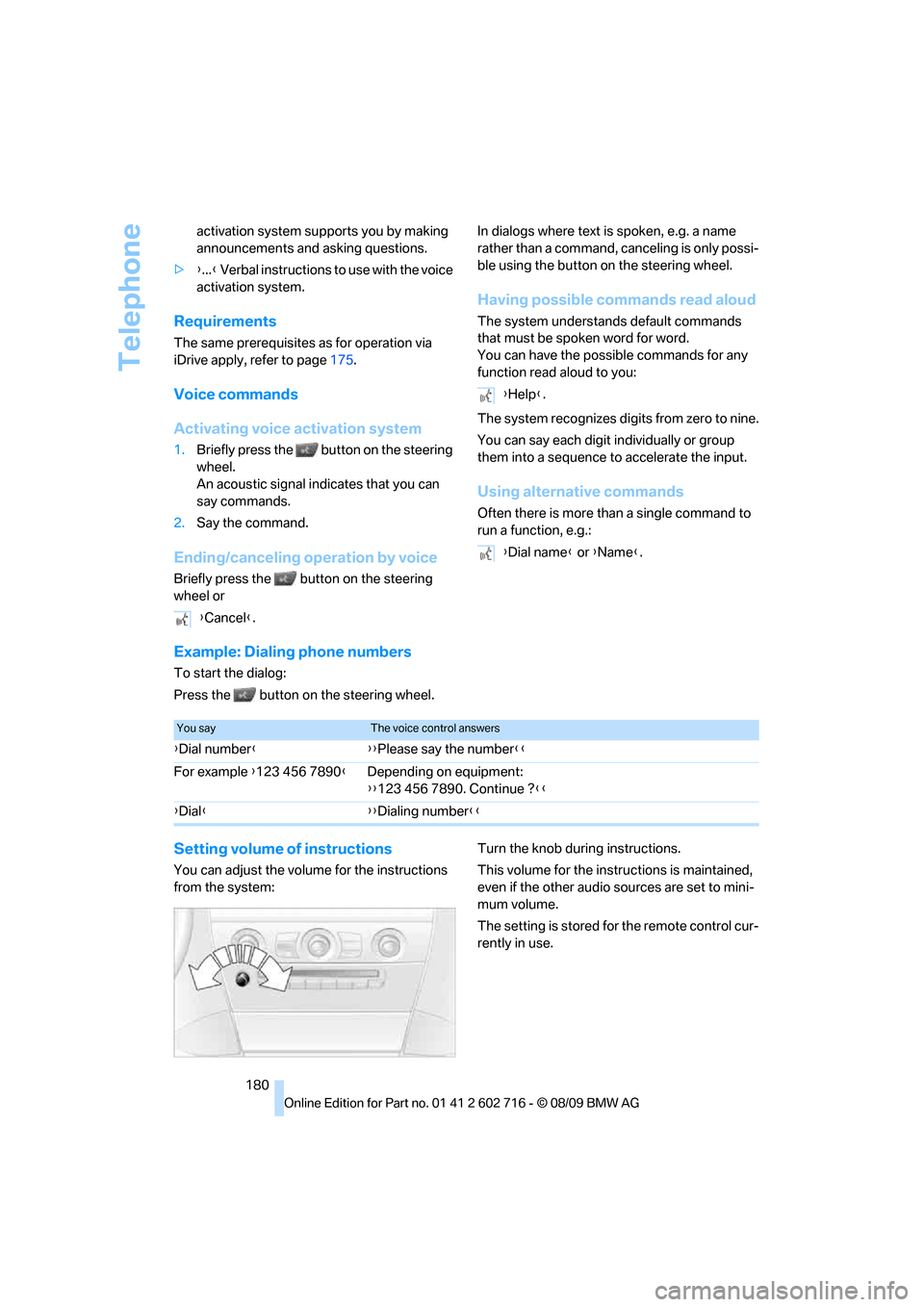
Setting volume of instructions
You can adjust the volume for the instructions
from the system:Turn the knob during instructions.
This volume for the instructions is maintained,
even if the other audio sources are set to mini-
mum volume.
The setting is stored for the remote control cur-
rently in use. {Cancel}.
{Help}.
{Dial name} or {Name}.
You sayThe voice control answers
{Dial number}{{Please say the number}}
For example {123 456 7890}Depending on equipment:
{{123 456 7890. Continue ?}}
{Dial}{{Dialing number}}
Page 188 of 252
BMW Assist
186
BMW Assist
BMW Assist*
BMW Assist provides a number of different ser-
vices. For example, the position data of the
vehicle can be transmitted to the BMW Assist
Response Center when an Emergency
Request
* is sent.
Many BMW Assist services depend on the indi-
vidually agreed contract.
After your contract has expired, the BMW
Assist system will be deactivated by the BMW
Assist Response Center without you having to
visit a BMW center. After the BMW Assist sys-
tem has been deactivated, no BMW Assist ser-
vice will be available. The BMW Assist system
can be reactivated by a BMW center after sign-
ing a new contract.
Requirements
>The installed BMW Assist system is logged
on to a mobile phone network. This network
must be capable of transmitting the ser-
vices.
>To transmit position data, the vehicle must
be able to determine the current position.
>To activate and update BMW Assist, a GPS
signal must be available.
>The BMW Assist service contract was
signed with your BMW center or with the
BMW Assist Response Center. Activation
must be completed.
>BMW Assist is activated.
Offered services
>Emergency Request: when you press the
SOS button, a connection is established to
the BMW Assist Response Center. The
BMW Assist Response Center then speaks
with you and takes further steps to help you.
>Automatic collision notification: under cer-
tain conditions, a connection is established
to the BMW Assist Response Center after a
serious accident. If possible, the BMW Assist Response Center then speaks with
you and takes further steps to help you.
>Enhanced roadside assistance: BMW
Roadside Assistance
* can be contacted if
assistance is needed in the event of a
breakdown. If possible, the vehicle data and
position data are transmitted during this
time.
>BMW Customer Relations: connection with
Customer Relations for information on all
aspects of your vehicle.
>TeleService: data on your vehicle's service
status or required inspections are transmit-
ted to your BMW center, either automati-
cally before a service due date or when you
request a BMW service appointment.
>Remote door unlock: the BMW Assist
Response Center provides assistance if, for
example, the remote control is not available
and the vehicle needs to be opened.
>Stolen vehicle recovery: after you report to
the police that your vehicle was stolen, the
BMW Assist Response Center can deter-
mine its position.
>In addition to these services, the optional
Convenience Plan offers a concierge ser-
vice and information for route planning, traf-
fic and weather. A limited number of calls
can be made via the BMW Assist Response
Center with Critical Calling, such as when
the mobile phone is not available or dis-
charged.
Press the SOS button to contact the BMW
Assist Response Center.
TeleService*
TeleService supports communication with your
BMW center.
>Data on the vehicle's service requirements
can be sent directly to the BMW center. In
this way, the BMW center can plan its work
*
Page 208 of 252
Maintenance
206
Maintenance
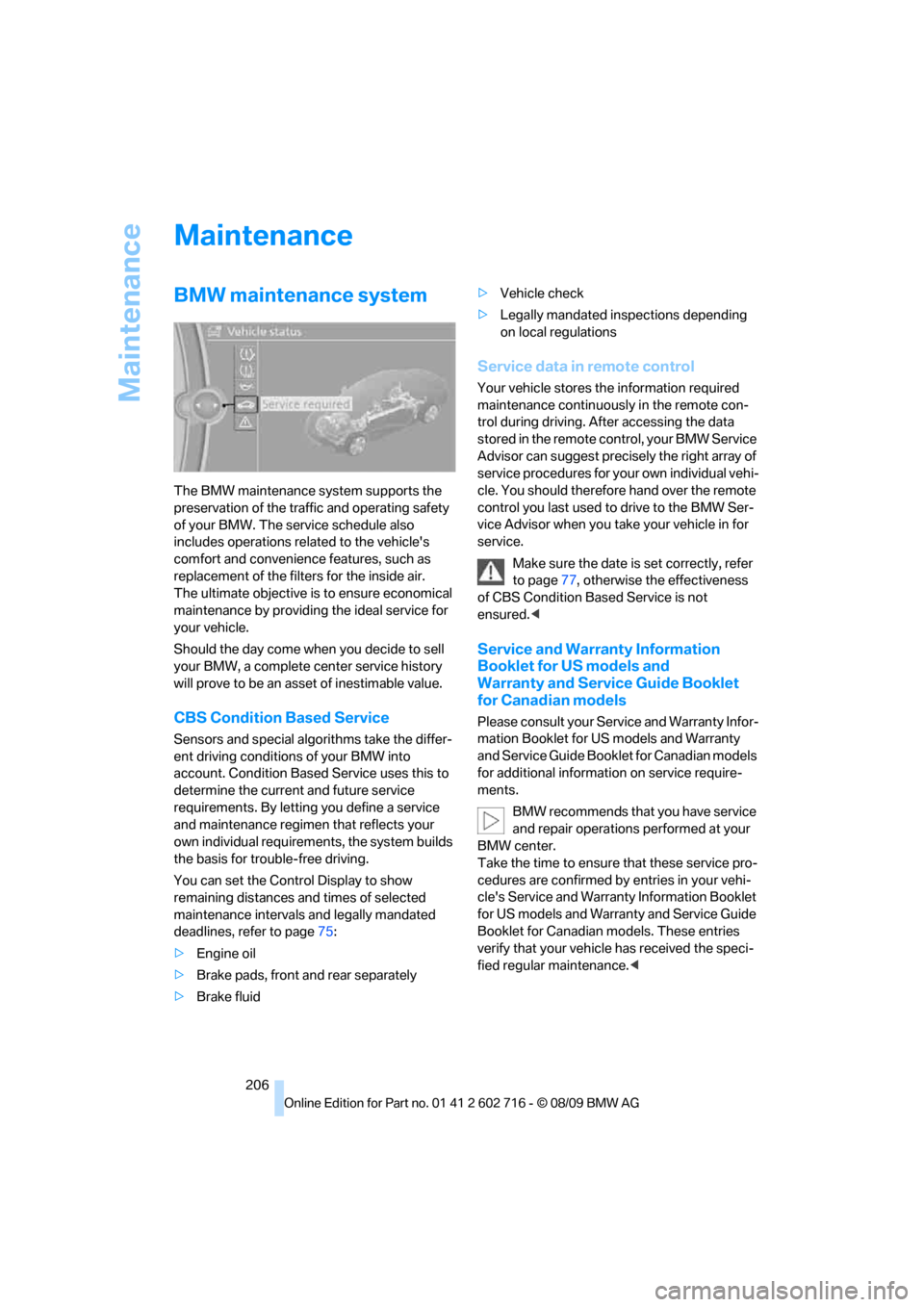
BMW maintenance system
The BMW maintenance system supports the
preservation of the traffic and operating safety
of your BMW. The service schedule also
includes operations related to the vehicle's
comfort and convenience features, such as
replacement of the filters for the inside air.
The ultimate objective is to ensure economical
maintenance by providing the ideal service for
your vehicle.
Should the day come when you decide to sell
your BMW, a complete center service history
will prove to be an asset of inestimable value.
CBS Condition Based Service
Sensors and special algorithms take the differ-
ent driving conditions of your BMW into
account. Condition Based Service uses this to
determine the current and future service
requirements. By letting you define a service
and maintenance regimen that reflects your
own individual requirements, the system builds
the basis for trouble-free driving.
You can set the Control Display to show
remaining distances and times of selected
maintenance intervals and legally mandated
deadlines, refer to page75:
>Engine oil
>Brake pads, front and rear separately
>Brake fluid>Vehicle check
>Legally mandated inspections depending
on local regulations
Service data in remote control
Your vehicle stores the information required
maintenance continuously in the remote con-
trol during driving. After accessing the data
stored in the remote control, your BMW Service
Advisor can suggest precisely the right array of
service procedures for your own individual vehi-
cle. You should therefore hand over the remote
control you last used to drive to the BMW Ser-
vice Advisor when you take your vehicle in for
service.
Make sure the date is set correctly, refer
to page77, otherwise the effectiveness
of CBS Condition Based Service is not
ensured.<
Service and Warranty Information
Booklet for US models and
Warranty and Service Guide Booklet
for Canadian models
Please consult your Service and Warranty Infor-
mation Booklet for US models and Warranty
and Service Guide Booklet for Canadian models
for additional information on service require-
ments.
BMW recommends that you have service
and repair operations performed at your
BMW center.
Take the time to ensure that these service pro-
cedures are confirmed by entries in your vehi-
cle's Service and Warranty Information Booklet
for US models and Warranty and Service Guide
Booklet for Canadian models. These entries
verify that your vehicle has received the speci-
fied regular maintenance.<
Page 210 of 252
Care
208
Care
Car-care products
Regular cleaning and care make a significant
contribution to retaining your BMW's value.
For the cleaning and care of your vehicle, BMW
recommends using only products that BMW
has approved for this purpose.
Your BMW center will be glad to advise you
about products and services for the cleaning
and care of your BMW.
Original BMW Care Products are materi-
als tested, laboratory tested, and tested in
actual use. They offer optimum care and pro-
tection for your vehicle.<
Do not use cleaners that contain alcohol
or solvents; they can damage your vehi-
cle.<
Cleaning agents can contain substances
that are dangerous or pose health risks.
You should therefore heed the warnings and
hazard indications on the packaging. Open the
doors or windows on your vehicle whenever
cleaning the interior. Make sure there is suffi-
cient ventilation in enclosed spaces. Use only
products that are formulated for vehicle clean-
ing.<
Exterior care
Washing your vehicle
In the winter months, it is especially
important to ensure that the vehicle is
washed on a regular basis. Otherwise, signifi-
cant soiling and road salt can cause damage to
the vehicle.<
After washing the vehicle, apply the
brakes briefly to dry them. Failure to do so
may lead to a reduction in braking efficiency and
also to corrosion of the brake rotors.<
Car washes
Give preference to cloth car washes.Do not use high-pressure car washes
because they can cause drops of water to
penetrate in the vicinity of the windshield.<
Before driving into the car wash, make sure that
it is suitable for your BMW. Pay attention to the
following points:
>Dimensions of your vehicle, refer to
page225.
>If necessary, fold in the outside rearview
mirrors, refer to page51.
>Maximum permissible tire width.
>The convertible top must not be treated
with wax. Make sure that a program without
wax or a special convertible program is
available.
Avoid car washes with guide rail heights
over 4 in/10 cm; otherwise, there is a dan-
ger of damaging chassis parts.<
Preparations for driving into the car wash:
>Deactivate rain sensor to prevent unwanted
wiper activation.
>Remove additional add-on parts, e.g. spoil-
ers or phone antennas, if they could be
damaged.
Automatic transmission
Before driving into the car wash, make sure the
vehicle is able to roll by making sure to:
1.Insert the remote control into the ignition
lock, even with Comfort Access.
2.Shift into transmission position N.
3.Release the parking brake.
4.Switch off the engine.
5.Leave the remote control in the ignition lock
so that the vehicle can roll.
Steam jets/high-pressure washers
When using steam jets or high-pressure
washers, ensure that you maintain suffi-
cient clearance to the vehicle and do not exceed
a temperature of 140 °F/606.
Page 237 of 252
Reference 235
At a glance
Controls
Driving tips
Communications
Navigation
Entertainment
Mobility
Automatic climate control103
– automatic air
distribution104
– convertible program104
– parked car ventilation/
heating107
– switching on and off106
Automatic closing of doors,
refer to Automatic soft
closing31
Automatic curb monitor51
Automatic lighting
– refer to Automatic headlamp
control98
– refer to Daytime running
lamps99
– refer to Interior lamps102
– refer to Pathway lighting99
– refer to Welcome lamps98
Automatic lights
– refer to High-beam
Assistant100
Automatic Service
Request190
Automatic soft closing31
AUTO program for automatic
climate control104
AUX-IN connection111
AUX-IN port166
Available services190
Average fuel consumption73
– setting units74
Average speed73
Avoiding highways for
navigation136
Avoiding unintentional
alarms34
Axle loads, refer to
Weights227
B
Backrest contour, refer to
Lumbar support46
Backrests, refer to Seats45
Backup lamps, replacing
bulbs, refer to Tail
lamps213Band-aids, refer to First aid
kit217
Bass, refer to Tone
control146
Battery
– jump starting217
– refer to Vehicle battery214
Battery replacement, remote
control for Comfort
Access36
BC button, refer to
Computer73
Being towed219
Belts, refer to Safety belts50
Beverage holder, refer to
Cupholders112
Blower, refer to Air
volume105
Bluetooth, activating/
deactivating174
BMW
– Car Shampoo211
BMW Assist,
activating188,190
BMW Assist186
BMW homepage4
BMW maintenance
system206
BMW Night Vision94
– activating95
– cleaning camera96
– cleaning camera, refer to
Wiper system62
– deactivating96
– making settings96
BMW Search188
BMW website4
Bottle holder, refer to
Cupholders112
Bracket for telephone or
mobile phone
– refer to Snap-in adapter182
Brake assistant83
– adaptive83
Brake force display90
Brake lamps
– replacing bulbs, refer to Tail
lamps213
– two-stage90Brake rotors
– breaking-in118
– refer to Braking safely120
Brakes
– ABS Antilock Brake
System83
– brake force display90
– breaking-in
118
– CBC Cornering Brake
Control83
– electronic brake-force
distribution83
– parking brake58
– refer to Braking safely120
Brake system118
– brake pads118
– brake rotors120
– breaking-in118
– warning lamp13,84
Braking safely120
Breakdown services, refer to
Roadside Assistance217
Breaking-in brake pads118
Breaking-in the clutch118
Breaking-in the differential,
refer to Engine and
differential118
Break-in period118
Brightness of Control
Display81
Button for starting engine,
refer to Start/Stop button56
Buttons on steering wheel11
C
California Proposition 65
Warning6
Call
– accepting175
– ending176
– rejecting176
Calling, refer to Phone
numbers, dialing176
Can holder, refer to
Cupholders112
Capacities227
Car battery, refer to Vehicle
battery214
Page 238 of 252
Everything from A to Z
236 Care208
– car-care products208
– carpets210
– car washes208
– CD/DVD player211
– chrome components210
– convertible top209
– displays211
– exterior208
– fine wooden
components211
– hand washing209
– headlamps209
– high-pressure cleaning
jets208
– interior210
– leather210
– light-alloy wheels210
– paint209
– plastic components210
– rubber gaskets210
– safety belts211
– sensors and cameras211
– upholstery and cloth-
covered paneling210
– windows209
Cargo bay
– capacity227
– emergency release32
– opening/closing, refer to
Luggage compartment
lid31
– opening from inside31
– opening from outside31
– opening with remote
control28
Caring for the vehicle
finish209
Car key, refer to Keys/remote
control26
Car phone
– installation location, refer to
Center armrest111
– refer to separate operating
instructions
Car phone, refer to
Telephone172
Car radio, refer to Radio149
Car Shampoo211Car wash57
– with Comfort Access35
Car washes208
Catalytic converter, refer to
Hot exhaust system119
CBC Cornering Brake
Control83
CBS Condition Based
Service206
CD, audio playback154
CD changer154,158
– controls146
– fast forward/reverse156
– filling or emptying the
magazine158
– random sequence155
– selecting a track154
– switching on/off146
– tone control146
– volume146
CD player154
– controls146
– fast forward/reverse156
– random sequence155
– selecting a track154
– switching on/off146
– tone control146
– volume146
Center armrest, adjusting
height111
Center console14
Central locking
– from inside30
– from outside28
Central locking system27
– Comfort Access34
– hotel function30
Changes, technical, refer to
For your own safety5
Changing language on
Control Display80
Changing units of measure on
Control Display74
Changing wheels200,214
CHECK button78
Check Control77
Check Gas Cap194
Checking air pressure, refer to
Tire inflation pressure196Child restraint fixing system
LATCH54
Child restraint systems53
Child seats, refer to
Transporting children
safely53
Chrome-plated parts211
Chrome polish211
Cigarette lighter113
Cigarette lighter socket, refer
to Connecting electrical
devices113
Cleaning your BMW, refer to
Care208
Clock72
– 12h/24h format77
– setting time76
– setting time and date
77
Closing
– from inside30
– from outside28
Closing fuel filler cap194
Clothes hooks, Coupe112
Cockpit10
Cold start, refer to Starting
engine57
Comfort Access34
– observe in car wash35
– replacing battery, remote
control35
Compartment for remote
control, refer to Ignition
lock56
Compartments, refer to
Storage compartments112
Computer73
– displays on Control
Display74
Concierge service187
Condensation, refer to When
vehicle is parked120
Condition Based Service
CBS206
Confirmation signals for
locking and unlocking29
Connecting car vacuum
cleaner, refer to Connecting
electrical devices113
Page 240 of 252
Everything from A to Z
238 Displacement, refer to Engine
data224
Display, refer to iDrive
controls16
Display elements, refer to
Instrument cluster12
Display lighting, refer to
Instrument lighting102
Displays
– on Control Display, refer to
iDrive16
– refer to Instrument
cluster12
Displays on the windshield,
refer to Head-up Display93
Disposal
– battery of remote control
with Comfort Access36
– coolant205
– vehicle battery214
Distance, refer to
Computer74
Distance control, refer to
Active cruise control64
Distance to destination, refer
to Computer74
Distance warning, refer to
PDC Park Distance
Control82
Door entry lighting, refer to
Interior lamps102
Door key, refer to Keys/
remote control26
Door lock29
Doors
– manual operation30
– remote control28
DOT Quality Grades198
Draft-free ventilation106
Drinks holder, refer to
Cupholders112
Drive-off assistant85
Driving lamps, refer to Parking
lamps/low beams98
Driving stability control
systems83
Driving through water120
Driving tips, refer to General
driving notes118Dry air, refer to Cooling
function105
Drying the air, refer to Cooling
function105
DSC Dynamic Stability
Control83
– indicator lamp13,84
– malfunction84
DTC Dynamic Traction
Control84
– activating84
– indicator lamp13,84
DVD
– country codes156
– settings157
– video playback156
DVD menu157
DVD player, refer to CD
player154
DVD video156
Dynamic Brake Control DBC
– warning lamp85
Dynamic destination
guidance137
Dynamic Drive85
Dynamic Driving Control60
Dynamic Stability Control
DSC83
Dynamic Traction Control
DTC84
E
Easy entry, refer to Entering
rear49
Easy entry/exit52
Eject button, refer to Buttons
in area of the CD/DVD
player146
Electrical malfunction
– convertible top41
– door lock30
– driver's door30
– fuel filler flap194
– glass sunroof39
– luggage compartment lid32
– storage compartment, hotel
function31
Electric convertible top39Electric steering wheel
adjustment52
Electronic brake-force
distribution83
Electronic oil level check203
Emergency operation, refer to
Manual operation
– convertible top41
– door lock30
– driver's door30
– fuel filler flap194
– glass sunroof39
– hotel function31
– luggage compartment lid32
– transmission lock, sport
automatic transmission60
Emergency release for
luggage compartment lid in
cargo bay32
Emergency request216
Emergency services, refer to
Roadside Assistance217
Engine
– breaking-in118
– data224
– overheated, refer to Coolant
temperature72
– speed224
– starting57
– starting, Comfort Access34
– switching off57
– switching off when equipped
with Automatic
transmission, with Comfort
Access35
Engine compartment203
Engine coolant205
Page 241 of 252
Reference 239
At a glance
Controls
Driving tips
Communications
Navigation
Entertainment
Mobility
Engine oil
– adding204
– additives, refer to Approved
engine oils204
– approved oils204
– electronic oil level check203
– interval between changes,
refer to Service
requirements75
– oil change204
– oil grades, refer to Approved
engine oils204
– recommended oils204
– temperature73
– temperature gauge73
Engine output, refer to Engine
data224
Engine overheating, refer to
Coolant temperature72
Engine speed, refer to Engine
data224
Engine starting, refer to
Starting engine57
Entering destination via town/
city name127
Entering rear49
Entering zip code for
navigation128
Entertainment sound output
on/off146
Entry map for destination132
Equalizer, refer to Tone
control147
ESP Electronic Stability
Program, refer to DSC
Dynamic Stability
Control83
Event Data Recorders207
Exhaust system, refer to Hot
exhaust system119
Exterior mirrors51
– adjusting51
– automatic dimming
feature52
– automatic heating51
– folding in and out51
– tilting down passenger-side
exterior mirror51
External audio device111External devices
– random sequence168
Eye for tow-starting and
towing, refer to Tow
fitting218
F
Failure messages, refer to
Check Control77
False alarm
– refer to Avoiding
unintentional alarms34
– refer to Switching off
alarm33
Fastening safety belts, refer to
Safety belts50
Fastest route for
navigation136
Fast forward
– CD changer156
– CD player156
Filler neck for washer fluid63
Filter, refer to Microfilter/
activated-charcoal filter107
First aid, refer to First aid
kit217
First aid kit217
Flashing
– during locking/unlocking,
refer to Setting confirmation
signals29
– triple turn signal
activation62
Flat tire
– Flat Tire Monitor85
– run-flat tires86,88,200
– Tire Pressure Monitor87
– TPM Tire Pressure
Monitor87
– warning lamp86,88
Flat tire, refer to Run-flat
tires200
Flat Tire Monitor85
– false alarms85
– initializing system86
– snow chains201
– system limits85
– warning lamp86Fluid reservoir, refer to Filler
neck for washer fluid63
FM, waveband149
Fog lamps102
– indicator lamp13,102
Folding into raised position
convertible top
compartment floor,
Convertible32
Footbrake, refer to Braking
safely120
Footwell lamps, refer to
Interior lamps102
For your own safety5
Free memory capacity, music
collection164
Front airbags90
Front passenger airbags
– deactivating91
FTM, refer to Flat Tire
Monitor
85
Fuel
– average consumption73
– display73
– fuel specifications195
– high-quality brands195
– quality195
– specifications195
– tank contents, refer to
Capacities227
Fuel clock, refer to Fuel
gauge73
Fuel display, refer to Fuel
gauge73
Fuel-efficient driving
– refer to Saving fuel118
Fuel filler door
– releasing in the event of
electrical malfunction194
Fuel filler flap194
Fuses215
G
Garage door opener, refer to
Integrated universal remote
control109