reset BMW 650I COUPE 2014 User Guide
[x] Cancel search | Manufacturer: BMW, Model Year: 2014, Model line: 650I COUPE, Model: BMW 650I COUPE 2014Pages: 237, PDF Size: 7.53 MB
Page 98 of 237
sured. Initialize the system after each correc‐
tion of the tire inflation pressure and after
every tire or wheel change.
Status display The current status of the Flat Tire Monitor can
be displayed on the Control Display, e.g.,
whether or not the FTM is active.1."Vehicle Info"2."Vehicle status"3. "Flat Tire Monitor (FTM)"
The status is displayed.
Initialization
The initialization process adopts the set infla‐
tion tire pressures as reference values for the
detection of a flat tire. Initialization is started by
confirming the inflation pressures.
Do not initialize the system when driving with
snow chains.
1."Vehicle Info"2."Vehicle status"3. "Perform reset"4.Start the engine - do not drive away.5.Start the initialization with "Perform reset".6.Drive away.
The initialization is completed while driving,
which can be interrupted at any time.
The initialization automatically continues when
driving resumes.
Indication of a flat tire The yellow warning lamp lights up. A
Check Control message is displayed.
There is a flat tire or a major loss in tire
inflation pressure.
1.Reduce your speed and stop cautiously.
Avoid sudden braking and steering maneu‐
vers.2.Check whether the vehicle is fitted with
regular tires or run-flat tires.
Run-flat tires, refer to page 195, are la‐
beled with a circular symbol containing the
letters RSC marked on the tire sidewall.
Do not continue driving without run-flat
tires
Do not continue driving if the vehicle is not
equipped with run-flat tires; continued driving
may result in serious accidents.◀
When a flat tire is indicated, DSC Dynamic Sta‐
bility Control is switched on if necessary.
System limits Sudden tire damage
Sudden serious tire damage caused by
external influences cannot be indicated in ad‐
vance.◀
A natural, even pressure loss in all four tires
cannot be detected. Therefore, check the tire
inflation pressure regularly.
The system could be delayed or malfunction in
the following situations:
▷When the system has not been initialized.▷When driving on a snowy or slippery road
surface.▷Sporty driving style: slip in the drive
wheels, high lateral acceleration.▷When driving with snow chains.
Actions in the event of a flat tire
Normal tires
1.Identify the damaged tire.
Do this by checking the air pressure in all
four tires.
If the tire inflation pressure in all four tires
is correct, the Flat Tire Monitor may not
have been initialized. In this case, initialize
the system.Seite 98ControlsSafety98
Online Edition for Part no. 0140 2 910 771 - VI/13
Page 155 of 237
The parked-car heating warms the vehicle in‐
terior, making snow and ice easier to remove.
With the ignition switched off, the air is auto‐
matically routed to the windshield, to the side
windows, and into the footwell.
The systems can be switched on and off di‐
rectly or by using two preset departure times.
The switch-on time is automatically deter‐
mined based on the temperature. The systems
promptly switch on before the selected depar‐
ture time.
Operation takes place on the iDrive or the re‐
mote control.
Note Parked-car heating in enclosed areas
Do not operate the parked-car heating in
enclosed areas, as breathing of the harmful ex‐
haust fumes may lead to loss of consciousness
and death. The exhaust gases contain carbon
monoxide, an odorless and colorless but highly
toxic gas. Switch off the parked-car heating
when refueling.◀
At external temperatures below 32 ℉/0 ℃, wa‐
ter vapor occurs that emerges from below the
vehicle.
Functional requirements
Parked-car ventilation▷With remote control or when the departure
time is preselected: depends on internal,
external and set temperature.▷Direct operation via iDrive: any external
temperature.▷In direct mode via remote control: external
temperature above approx. 59 ℉/15 ℃.
Open the vents to allow air to flow out.
Parked-car heating
▷With remote control or when the departure
time is preselected: depends on internal,
external and set temperature.▷Direct operation via iDrive: any external
temperature.▷In direct mode via remote control: external
temperature below approx. 59 ℉/15 ℃.▷The battery is sufficiently charged.▷The fuel tank is filled to above the reserve
range.
If the parked-car heating has not been used for
several months, it may be necessary to switch
the system on again after several minutes.
Switching on/off directly
1."Settings"2."Climate"3."Activate ind. heating" or
"Activate comf. ventilation"
The symbol on the automatic climate con‐
trol flashes if the system is switched on.
The system continues to run for some time af‐
ter being switched off.
Preselecting the departure time
1."Settings"2."Climate"3."Dep. time 1:" or "Dep. time 2:"4.Set the desired time.
Activating the departure time
1."Settings"2."Climate"3."Activate depart. time 1" or "Activate
depart. time 2"
The symbol on the automatic climate con‐
trol lights up when the departure time is acti‐
vated.
The symbol on the automatic climate con‐
trol flashes when the system has been
switched on.
The system will only be switched on within the
next 24 hours. After that, it needs to reacti‐
vated.
Seite 155Climate controlControls155
Online Edition for Part no. 0140 2 910 771 - VI/13
Page 175 of 237
2."Configure ECO PRO"3.Configure the program.
Via the iDrive
1."Settings"2."ECO PRO mode"
Or
1."Settings"2."Driving mode"3."Configure ECO PRO"
Configure the program.
ECO PRO Tip
▷"Tip at:":
Set ECO Pro speed at which an ECO PRO
Tip is to be displayed.▷"ECO PRO speed warning":
A reminder is displayed if the set ECO PRO
speed is exceeded.
ECO PRO climate control
"ECO PRO climate control"
The climate control is adjusted to be fuel-effi‐
cient.
By making a slight change to the set tempera‐
ture, or slowly adjusting the rate of heating or
cooling of the passenger compartment, fuel
consumption can be economized.
The outputs of the seat heater and the exterior
mirror heating are also reduced.
The exterior mirror heating is made available
when outside temperatures are very cold.
ECO PRO potentialThe percentage of potential savings that can
be achieved with the current configuration is
displayed.
Display in the instrument cluster
Display in the instrument display
When ECO PRO mode is activated, the display
switches to a special configuration.
Some of the displays may differ from the dis‐
play in the instrument cluster.
ECO PRO bonus range An extension of the range can
be achieved by an adjusted driv‐
ing style.
This may be displayed as the
bonus range in the instrument
cluster.
The bonus range is shown in the range display.
The bonus range is automatically reset every
time the vehicle is refueled.
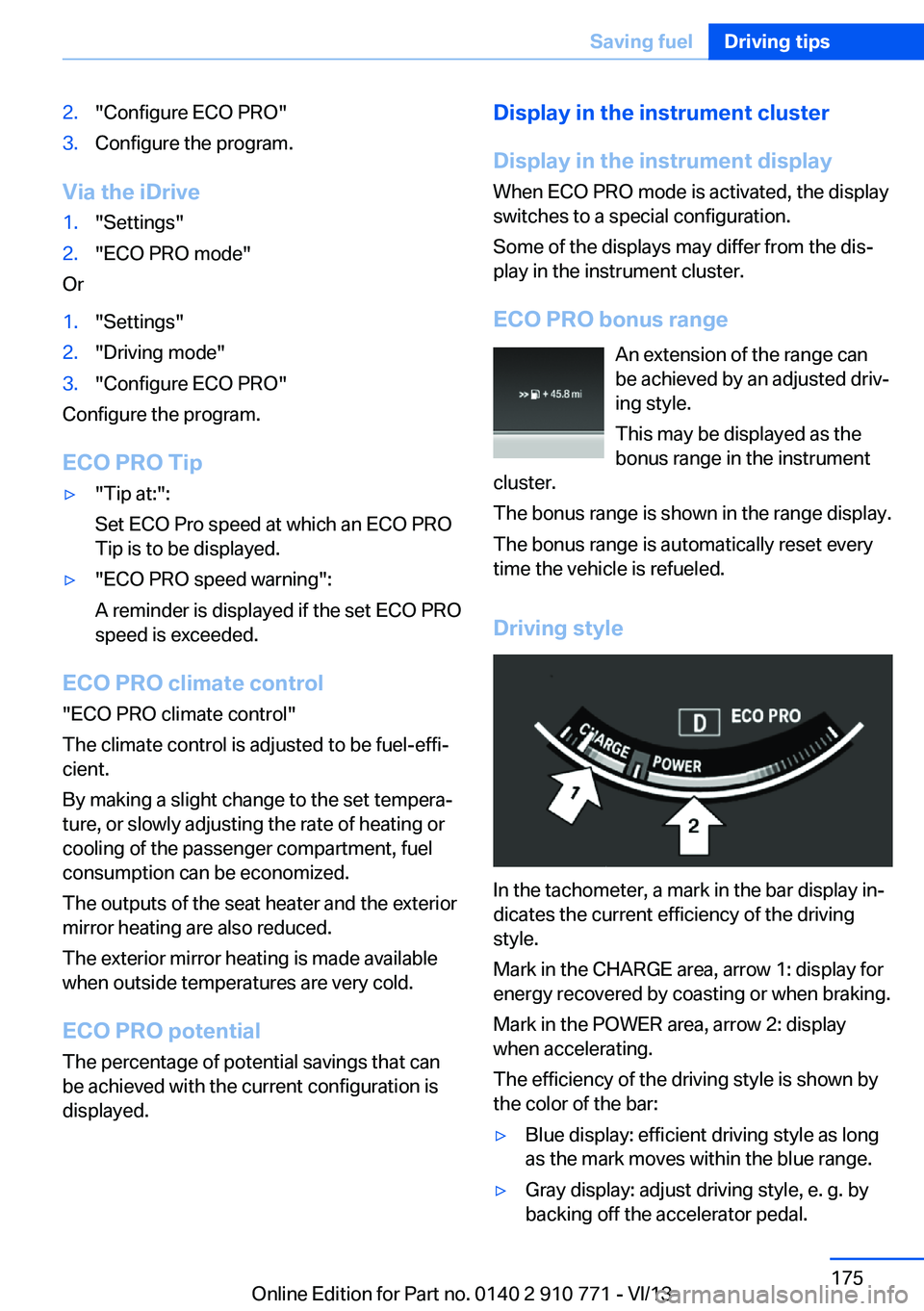
Driving style
In the tachometer, a mark in the bar display in‐
dicates the current efficiency of the driving
style.
Mark in the CHARGE area, arrow 1: display for
energy recovered by coasting or when braking.
Mark in the POWER area, arrow 2: display
when accelerating.
The efficiency of the driving style is shown by
the color of the bar:
▷Blue display: efficient driving style as long
as the mark moves within the blue range.▷Gray display: adjust driving style, e. g. by
backing off the accelerator pedal.Seite 175Saving fuelDriving tips175
Online Edition for Part no. 0140 2 910 771 - VI/13
Page 176 of 237
The display switches to blue as soon as all
conditions for fuel-economy-optimized driving
are met.
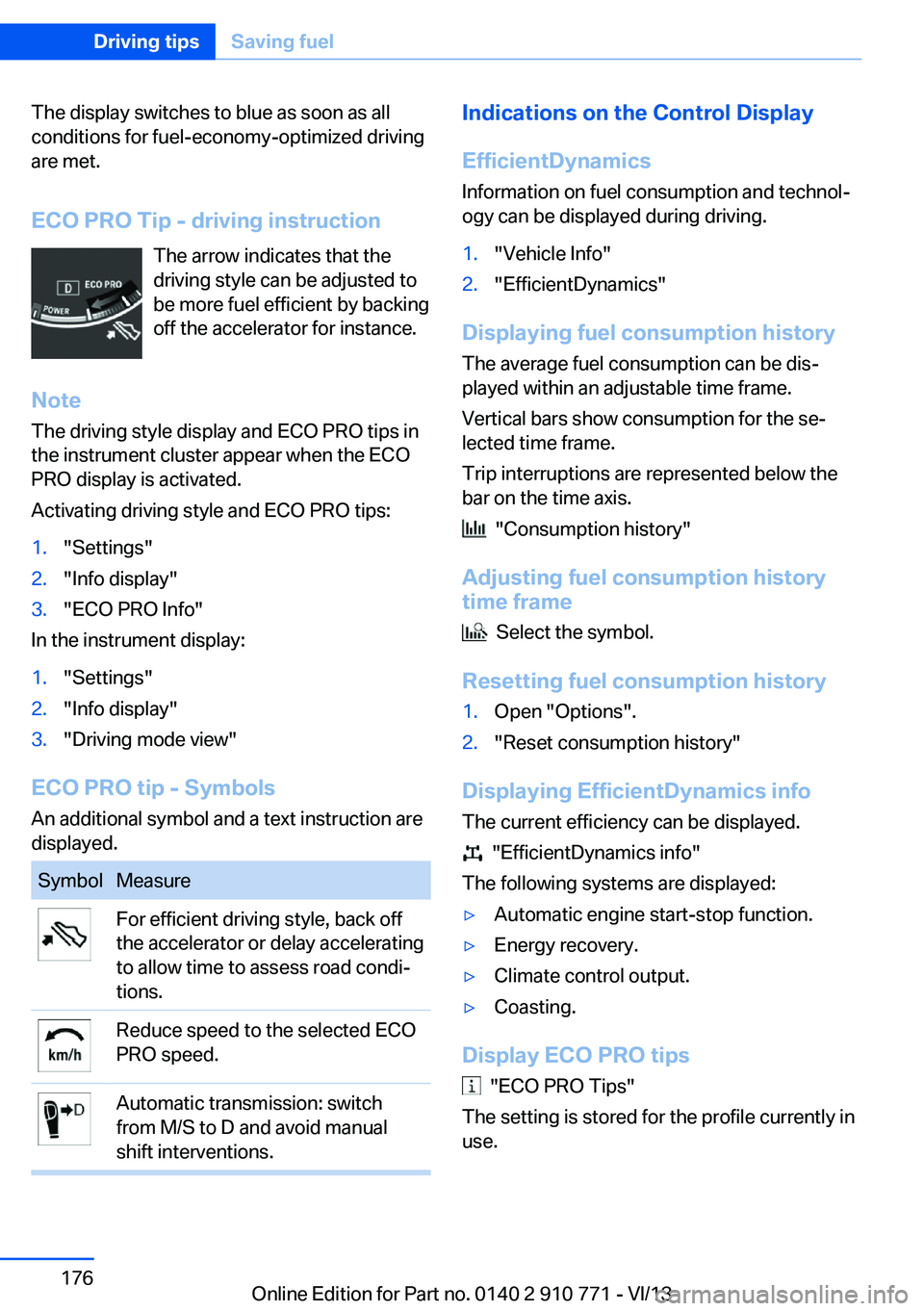
ECO PRO Tip - driving instruction The arrow indicates that the
driving style can be adjusted to
be more fuel efficient by backing
off the accelerator for instance.
Note The driving style display and ECO PRO tips in
the instrument cluster appear when the ECO
PRO display is activated.
Activating driving style and ECO PRO tips:1."Settings"2."Info display"3."ECO PRO Info"
In the instrument display:
1."Settings"2."Info display"3."Driving mode view"
ECO PRO tip - Symbols An additional symbol and a text instruction are
displayed.
SymbolMeasureFor efficient driving style, back off
the accelerator or delay accelerating
to allow time to assess road condi‐
tions.Reduce speed to the selected ECO
PRO speed.Automatic transmission: switch
from M/S to D and avoid manual
shift interventions.Indications on the Control Display
EfficientDynamics Information on fuel consumption and technol‐
ogy can be displayed during driving.1."Vehicle Info"2."EfficientDynamics"
Displaying fuel consumption history
The average fuel consumption can be dis‐
played within an adjustable time frame.
Vertical bars show consumption for the se‐
lected time frame.
Trip interruptions are represented below the
bar on the time axis.
"Consumption history"
Adjusting fuel consumption history time frame
Select the symbol.
Resetting fuel consumption history
1.Open "Options".2."Reset consumption history"
Displaying EfficientDynamics info
The current efficiency can be displayed.
"EfficientDynamics info"
The following systems are displayed:
▷Automatic engine start-stop function.▷Energy recovery.▷Climate control output.▷Coasting.
Display ECO PRO tips
"ECO PRO Tips"
The setting is stored for the profile currently in
use.
Seite 176Driving tipsSaving fuel176
Online Edition for Part no. 0140 2 910 771 - VI/13
Page 232 of 237
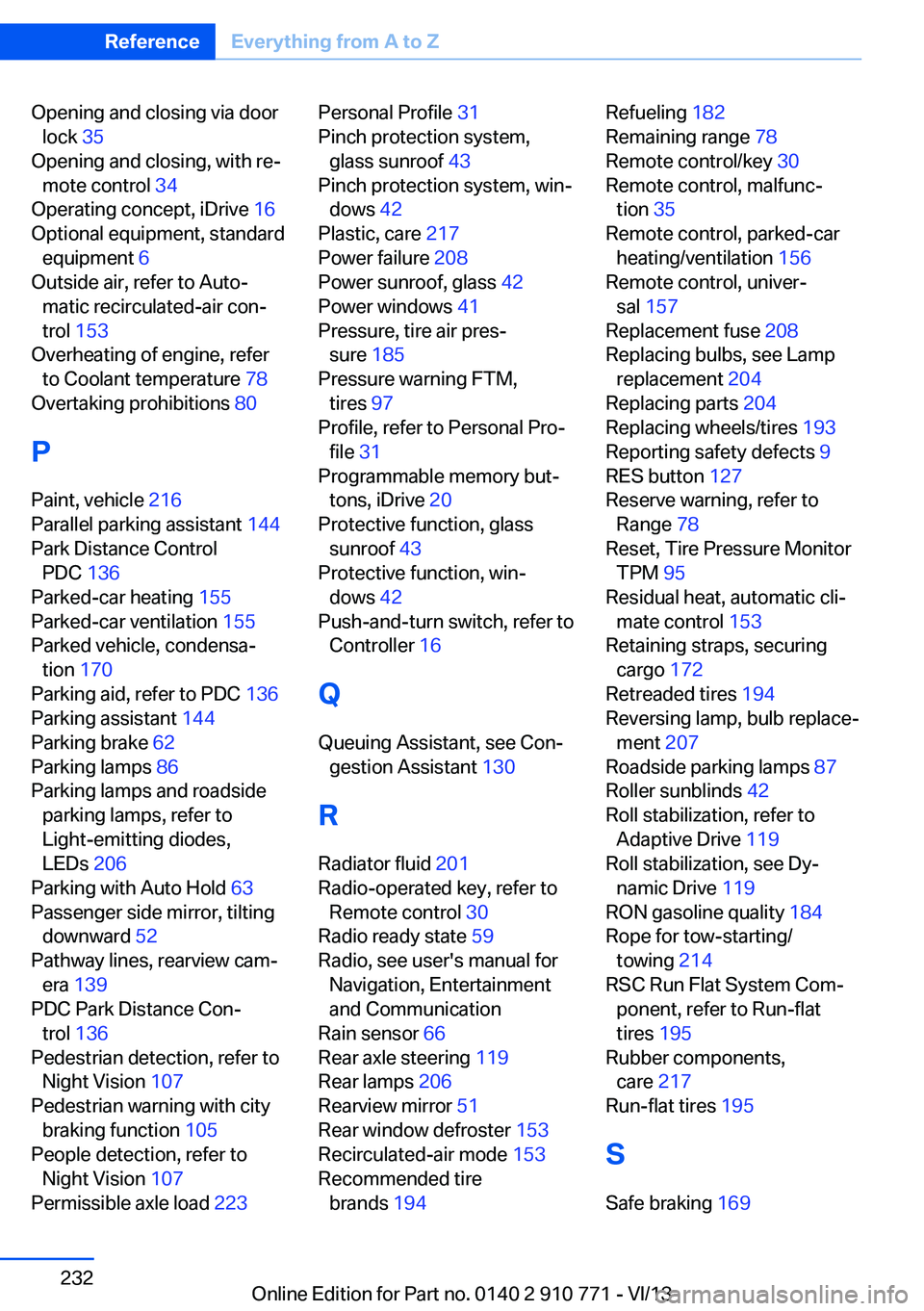
Opening and closing via doorlock 35
Opening and closing, with re‐ mote control 34
Operating concept, iDrive 16
Optional equipment, standard equipment 6
Outside air, refer to Auto‐ matic recirculated-air con‐
trol 153
Overheating of engine, refer to Coolant temperature 78
Overtaking prohibitions 80
P Paint, vehicle 216
Parallel parking assistant 144
Park Distance Control PDC 136
Parked-car heating 155
Parked-car ventilation 155
Parked vehicle, condensa‐ tion 170
Parking aid, refer to PDC 136
Parking assistant 144
Parking brake 62
Parking lamps 86
Parking lamps and roadside parking lamps, refer to
Light-emitting diodes,
LEDs 206
Parking with Auto Hold 63
Passenger side mirror, tilting downward 52
Pathway lines, rearview cam‐ era 139
PDC Park Distance Con‐ trol 136
Pedestrian detection, refer to Night Vision 107
Pedestrian warning with city braking function 105
People detection, refer to Night Vision 107
Permissible axle load 223 Personal Profile 31
Pinch protection system, glass sunroof 43
Pinch protection system, win‐ dows 42
Plastic, care 217
Power failure 208
Power sunroof, glass 42
Power windows 41
Pressure, tire air pres‐ sure 185
Pressure warning FTM, tires 97
Profile, refer to Personal Pro‐ file 31
Programmable memory but‐ tons, iDrive 20
Protective function, glass sunroof 43
Protective function, win‐ dows 42
Push-and-turn switch, refer to Controller 16
Q Queuing Assistant, see Con‐ gestion Assistant 130
R
Radiator fluid 201
Radio-operated key, refer to Remote control 30
Radio ready state 59
Radio, see user's manual for Navigation, Entertainment
and Communication
Rain sensor 66
Rear axle steering 119
Rear lamps 206
Rearview mirror 51
Rear window defroster 153
Recirculated-air mode 153
Recommended tire brands 194 Refueling 182
Remaining range 78
Remote control/key 30
Remote control, malfunc‐ tion 35
Remote control, parked-car heating/ventilation 156
Remote control, univer‐ sal 157
Replacement fuse 208
Replacing bulbs, see Lamp replacement 204
Replacing parts 204
Replacing wheels/tires 193
Reporting safety defects 9
RES button 127
Reserve warning, refer to Range 78
Reset, Tire Pressure Monitor TPM 95
Residual heat, automatic cli‐ mate control 153
Retaining straps, securing cargo 172
Retreaded tires 194
Reversing lamp, bulb replace‐ ment 207
Roadside parking lamps 87
Roller sunblinds 42
Roll stabilization, refer to Adaptive Drive 119
Roll stabilization, see Dy‐ namic Drive 119
RON gasoline quality 184
Rope for tow-starting/ towing 214
RSC Run Flat System Com‐ ponent, refer to Run-flat
tires 195
Rubber components, care 217
Run-flat tires 195
S Safe braking 169 Seite 232ReferenceEverything from A to Z232
Online Edition for Part no. 0140 2 910 771 - VI/13