child lock BMW 650I COUPE&CONVERTIBLE 2006 Owners Manual
[x] Cancel search | Manufacturer: BMW, Model Year: 2006, Model line: 650I COUPE&CONVERTIBLE, Model: BMW 650I COUPE&CONVERTIBLE 2006Pages: 242, PDF Size: 8.47 MB
Page 39 of 242
Opening and closing
38 If you take the remote control with you when
leaving the vehicle with the engine running, a
warning lamp lights up. In addition, a message
appears on the Control Display. As long as no
remote control is detected in the vehicle, it is
only possible to restart the engine within
approx. 10 seconds after it is switched off.
Switching off engine with automatic
transmission
The engine can only be switched off in the
selector lever position P, refer to page60.
To switch off the engine in the selector lever
position N, the remote control must be inserted
in the ignition lock.
Before driving into a car wash with
automatic transmission
1.Insert remote control into ignition lock.
2.Depress brake pedal.
3.Place selector lever in position N.
4.Switch off the engine.
The vehicle can roll.
Malfunction
The comfort access function may malfunction
due to local radio waves. If this occurs, then
open or close the vehicle with the buttons on
the remote control or with a key. To start the
engine after this, insert the remote control in the
ignition lock.
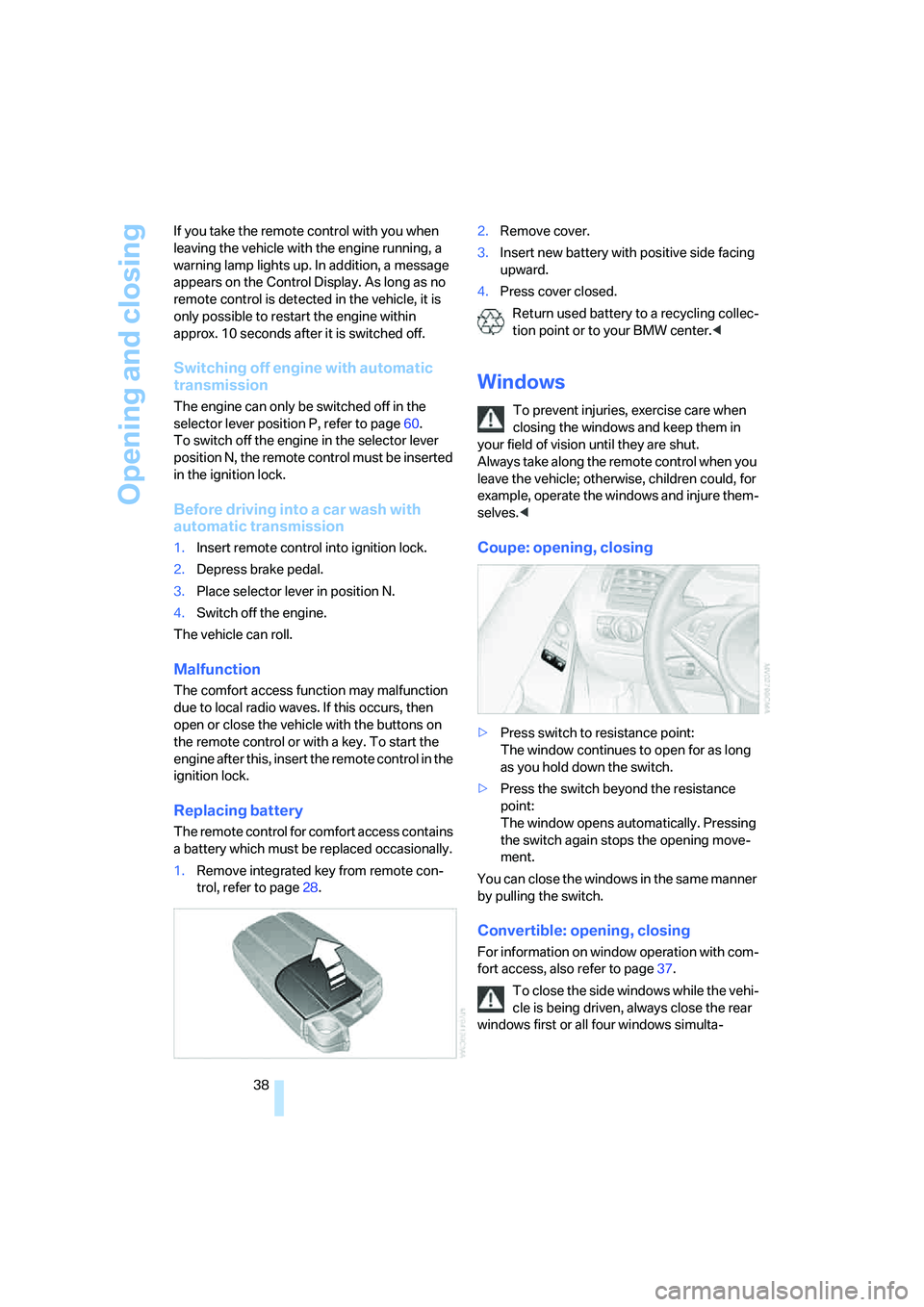
Replacing battery
The remote control for comfort access contains
a battery which must be replaced occasionally.
1.Remove integrated key from remote con-
trol, refer to page28.2.Remove cover.
3.Insert new battery with positive side facing
upward.
4.Press cover closed.
Return used battery to a recycling collec-
tion point or to your BMW center.<
Windows
To prevent injuries, exercise care when
closing the windows and keep them in
your field of vision until they are shut.
Always take along the remote control when you
leave the vehicle; otherwise, children could, for
example, operate the windows and injure them-
selves.<
Coupe: opening, closing
>Press switch to resistance point:
The window continues to open for as long
as you hold down the switch.
>Press the switch beyond the resistance
point:
The window opens automatically. Pressing
the switch again stops the opening move-
ment.
You can close the windows in the same manner
by pulling the switch.
Convertible: opening, closing
For information on window operation with com-
fort access, also refer to page37.
To close the side windows while the vehi-
cle is being driven, always close the rear
windows first or all four windows simulta-
Page 41 of 242
Opening and closing
40 Coupe: for information on comfort closing with
comfort access, refer to page37.
Pinch protection system
If the closing force rises beyond a predefined
threshold during closing, the system will imme-
diately stop moving the window prior to lower-
ing it slightly.
Despite the pinch protection system,
inspect the window's travel path prior to
closing it, as the safety system might fail to
detect certain kinds of obstructions, such as
thin objects, and the window would continue
closing.
Pulling the switch beyond the resistance point
and holding it limits the response of the pinch
protection system. In this case, the window will
respond to forces beyond a defined threshold
by opening only slightly.
If you pull the switch past the resistance point
again within approx. 4 seconds and hold it there,
the pinch protection system will be deactivated.
Do not install any accessories in the range of
movement of the windows, as otherwise the
pinch protection system will be impaired.
Convertible: the rear side windows and rear
window are not equipped with a pinch protec-
tion system. Therefore, watch the rear side win-
dows and the rear window during closing, as
otherwise injuries can occur.<
Coupe:
Glass sunroof, electric with
raise function*
The glass sunroof and sliding visor are opera-
tional whenever the ignition is switched on.
To prevent injuries, exercise care when
closing the glass sunroof and keep it in
your field of vision until it is shut.
Always take along the remote control when you
leave the vehicle; otherwise, children could, for
example, operate the roof and injure them-
selves.<
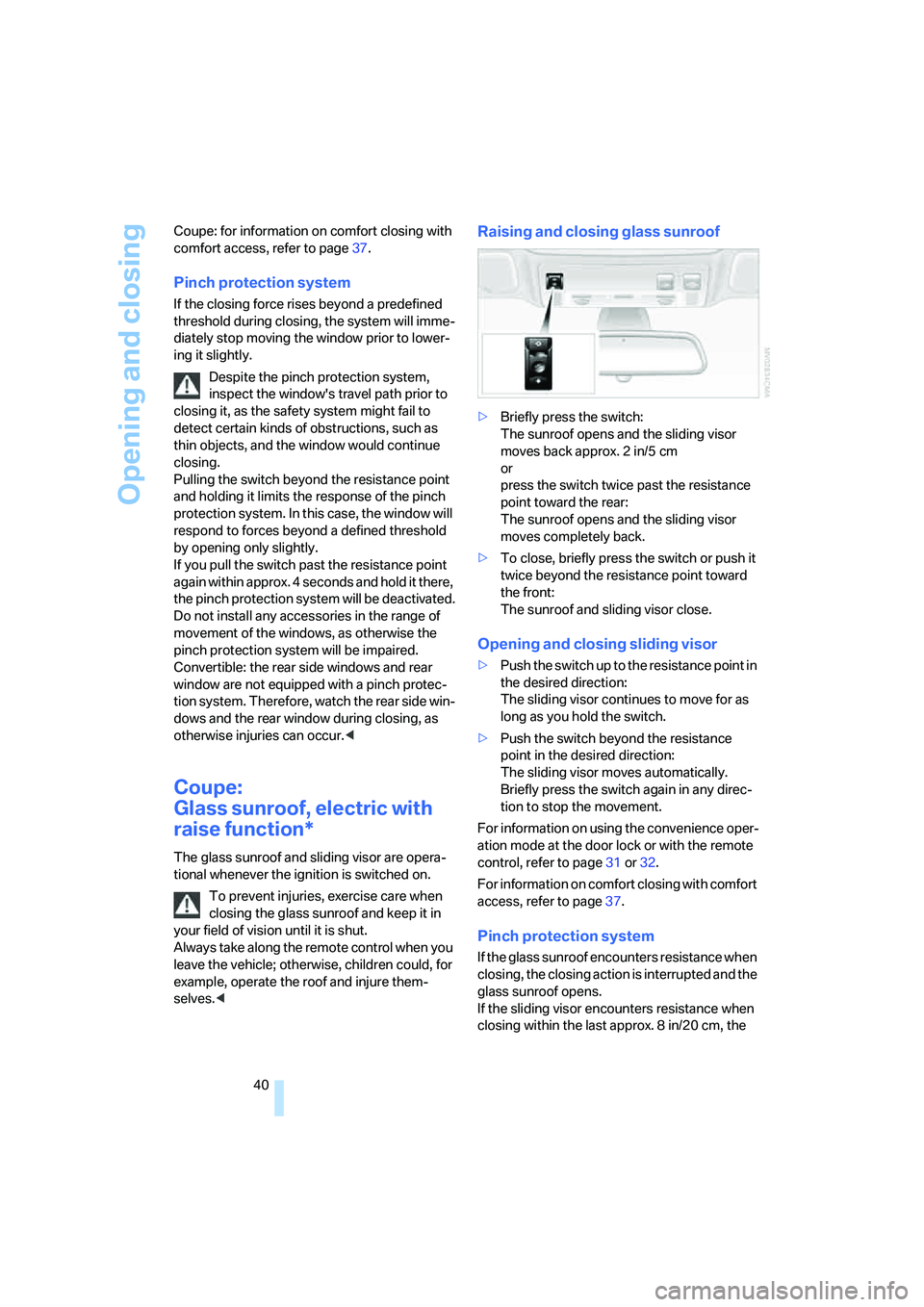
Raising and closing glass sunroof
>Briefly press the switch:
The sunroof opens and the sliding visor
moves back approx. 2 in/5 cm
or
press the switch twice past the resistance
point toward the rear:
The sunroof opens and the sliding visor
moves completely back.
>To close, briefly press the switch or push it
twice beyond the resistance point toward
the front:
The sunroof and sliding visor close.
Opening and closing sliding visor
>Push the switch up to the resistance point in
the desired direction:
The sliding visor continues to move for as
long as you hold the switch.
>Push the switch beyond the resistance
point in the desired direction:
The sliding visor moves automatically.
Briefly press the switch again in any direc-
tion to stop the movement.
For information on using the convenience oper-
ation mode at the door lock or with the remote
control, refer to page31 or32.
For information on comfort closing with comfort
access, refer to page37.
Pinch protection system
If the glass sunroof encounters resistance when
closing, the closing action is interrupted and the
glass sunroof opens.
If the sliding visor encounters resistance when
closing within the last approx. 8 in/20 cm, the
Page 48 of 242
Controls
47Reference
At a glance
Driving tips
Communications
Navigation
Entertainment
Mobility
Adjustments
Sitting safely
The ideal sitting position can make a vital con-
tribution to relaxed, fatigue-free driving. In the
interaction with the safety belts, the head
restraints and the airbags, the seat position
plays an important role in an accident. To
ensure that the safety systems operate with
optimal efficiency, we strongly urge you to fol-
low the instructions contained in the following
section.
For additional information on transporting chil-
dren safely, refer to page56.
Airbags
Always maintain an adequate distance
between yourself and the airbags. Always
hold the steering wheel by its rim with hands at
the 9 o'clock and 3 o'clock positions to mini-
mize the risk of injuries to your hands and arms
in the event of airbag deployment.
No one and nothing is to come between the air-
bags and the seat occupant.
Do not use the cover of the front airbag on the
front passenger side as a storage area. Make
sure that the front passenger is sitting correctly
and does not rest feet or legs on the instrument
panel, otherwise leg injuries can occur if the
knee and front airbags are triggered.
Make sure that occupants do not rest their head
on the side or head airbag; otherwise, injuries
can occur if the airbags are triggered.<
Even if you adhere to all the instructions, inju-
ries resulting from contact with airbags cannot
be fully excluded, depending on the circum-
stances. The ignition and inflation noise may
provoke a mild hearing loss in extremely sensi-
tive individuals. This effect is usually only tem-
porary.
For airbag locations and additional information
on airbags, refer to page92.
Head restraints
A correctly adjusted head restraint reduces the
risk of injury to cervical vertebrae in an accident.
Adjust the head restraint so that its center
is approx. at ear level. Otherwise, there is
increased danger of injury in the event of an
accident.<
Head restraints, refer to page50.
Safety belt
Before every drive, make sure that safety belts
are being worn at all of the occupied seats. Air-
bags complement the safety belt as an addi-
tional safety device, but they do not represent a
substitute.
Your vehicle has four seats that are each
equipped with a safety belt.
Never allow more than one person to
wear a single safety belt. Never allow
infants or small children to ride in a passenger's
lap. Make sure that the belt lies low around the
hips in the lap area and does not press on the
abdomen. The safety belt may not lie across the
neck, rub on sharp edges, be routed over solid
or breakable objects or be pinched. Wear the
safety belt without twisting, snugly across the
lap and shoulders, as close to the body as pos-
sible. Otherwise, the belt can slip over the hips
in the lap area in a frontal impact and injure the
abdomen. Avoid wearing clothing that prevents
the belt from fitting properly and pull the shoul-
der belt upward periodically to readjust the ten-
sion across your lap in order to avoid a reduc-
tion in the retention effect of the safety belt.<
Safety belts refer to page51.
Page 57 of 242
Transporting children safely
56
Transporting children safely
The right place for children
Do not leave children unattended in the
vehicle; otherwise, they could endanger
themselves and other persons, e.g. by opening
the doors.<
Children always in the rear
Accident research shows that the safest place
for children is in the back.
Children younger than 13 years of age or
with a height under 5 ft/150 cm may only
be transported in the rear in child restraint sys-
tems which correspond to the age, weight and
height of the child. Otherwise there is an
increased danger of injury in an accident.<
Children 13 years of age or older must wear a
safety belt as soon as a suitable child restraint
system can no longer be used due to their age,
size and weight.
With the exception of the driver's seat, all seats
in your BMW comply with the recommenda-
tions of the standard SAE J1819 for the safe
securing of child restraint systems in motor
vehicles.
Exception for front passenger seat
Should it be necessary to use a child
restraint system on the front passenger
seat, the front, knee and side airbag on the pas-
senger side must be deactivated. Otherwise,
there is an increased risk of injury for the child if
the airbags are triggered, even with a child
restraint system. Your BMW center will be glad
to advise you.<
For more information on automatic deactivation
of the front passenger airbags, refer to page93.
Installing child restraint
systems
Follow child-restraint system manufac-
turer's instructions for the selection,
installation and use of child restraint systems.
Otherwise the degree of protection they offer
may be reduced.<
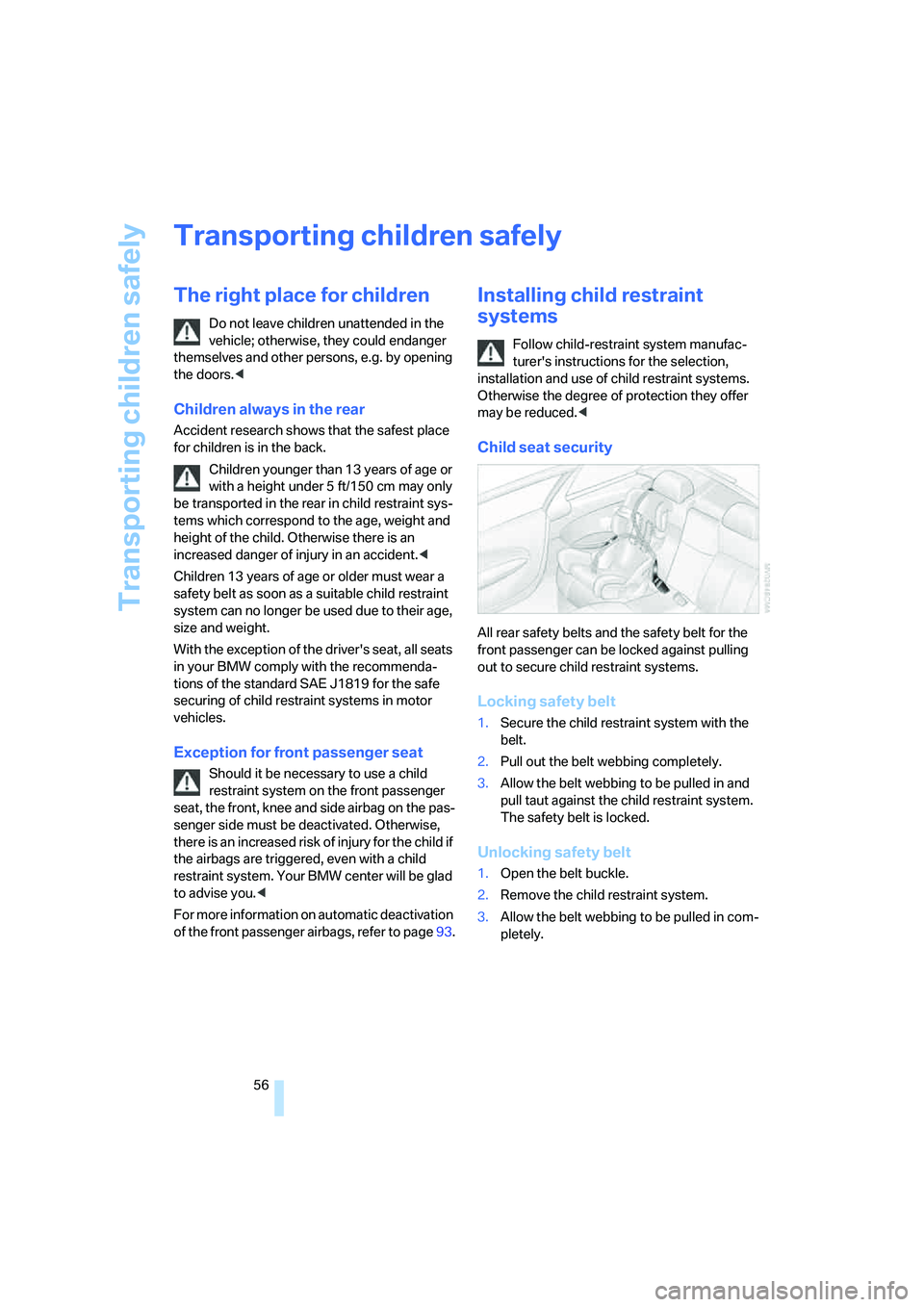
Child seat security
All rear safety belts and the safety belt for the
front passenger can be locked against pulling
out to secure child restraint systems.
Locking safety belt
1.Secure the child restraint system with the
belt.
2.Pull out the belt webbing completely.
3.Allow the belt webbing to be pulled in and
pull taut against the child restraint system.
The safety belt is locked.
Unlocking safety belt
1.Open the belt buckle.
2.Remove the child restraint system.
3.Allow the belt webbing to be pulled in com-
pletely.
Page 108 of 242
Controls
107Reference
At a glance
Driving tips
Communications
Navigation
Entertainment
Mobility
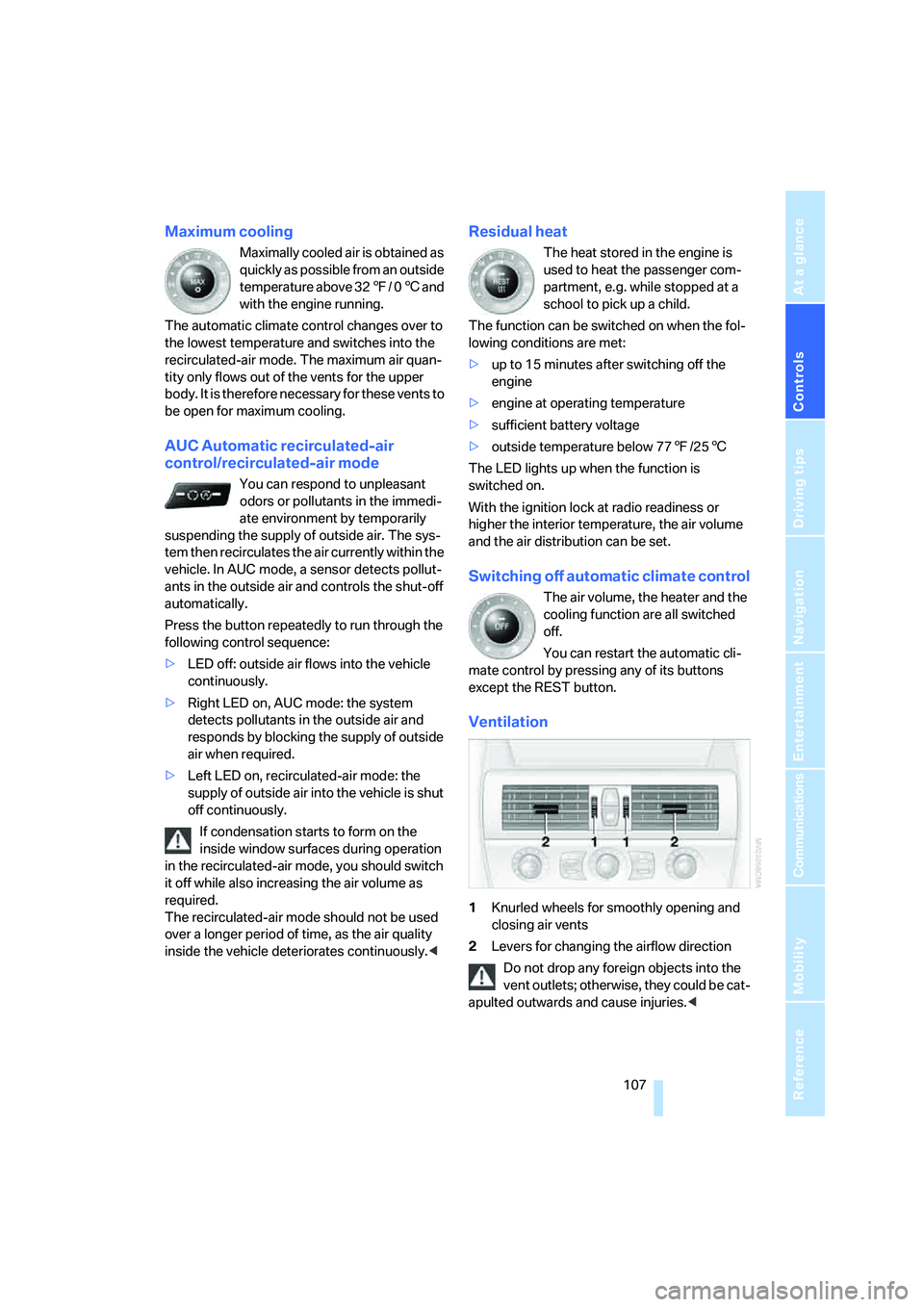
Maximum cooling
Maximally cooled air is obtained as
quickly as possible from an outside
temperature above 327/ 06 and
with the engine running.
The automatic climate control changes over to
the lowest temperature and switches into the
recirculated-air mode. The maximum air quan-
tity only flows out of the vents for the upper
body. It is therefore necessary for these vents to
be open for maximum cooling.
AUC Automatic recirculated-air
control/recirculated-air mode
You can respond to unpleasant
odors or pollutants in the immedi-
ate environment by temporarily
suspending the supply of outside air. The sys-
tem then recirculates the air currently within the
vehicle. In AUC mode, a sensor detects pollut-
ants in the outside air and controls the shut-off
automatically.
Press the button repeatedly to run through the
following control sequence:
>LED off: outside air flows into the vehicle
continuously.
>Right LED on, AUC mode: the system
detects pollutants in the outside air and
responds by blocking the supply of outside
air when required.
>Left LED on, recirculated-air mode: the
supply of outside air into the vehicle is shut
off continuously.
If condensation starts to form on the
inside window surfaces during operation
in the recirculated-air mode, you should switch
it off while also increasing the air volume as
required.
The recirculated-air mode should not be used
over a longer period of time, as the air quality
inside the vehicle deteriorates continuously.<
Residual heat
The heat stored in the engine is
used to heat the passenger com-
partment, e.g. while stopped at a
school to pick up a child.
The function can be switched on when the fol-
lowing conditions are met:
>up to 15 minutes after switching off the
engine
>engine at operating temperature
>sufficient battery voltage
>outside temperature below 777/256
The LED lights up when the function is
switched on.
With the ignition lock at radio readiness or
higher the interior temperature, the air volume
and the air distribution can be set.
Switching off automatic climate control
The air volume, the heater and the
cooling function are all switched
off.
You can restart the automatic cli-
mate control by pressing any of its buttons
except the REST button.
Ventilation
1Knurled wheels for smoothly opening and
closing air vents
2Levers for changing the airflow direction
Do not drop any foreign objects into the
vent outlets; otherwise, they could be cat-
apulted outwards and cause injuries.<
Page 226 of 242
Reference 225
At a glance
Controls
Driving tips
Communications
Navigation
Entertainment
Mobility
Central locking system29
– comfort access36
– from inside vehicle32
Changes, technical, refer to
For your own safety6
Changing a wheel204
Changing language on
Control Display84
Changing units of measure on
Control Display84
Changing wheels192
CHECK button80
Check Control79
"Check Control
messages"80
Check Gas Cap186
Checking air pressure, refer to
Tire inflation pressure188
Children's seats, refer to Child
restraint systems56
Child-restraint fixing system
LATCH57
Child restraint systems56
Chrome parts, care, refer to
the Caring for your vehicle
brochure
Cigarette lighter113
Cigarette lighter socket, refer
to Connecting electrical
devices114
Cleaning, refer to Caring for
your vehicle brochure
"Climate"105
Clock74
– 12h/24h mode83
– setting time and date82
Closing
– from inside32
– from outside30
Closing fuel filler cap186
Clothes hooks, Coupe113
Cockpit10
Cold start, refer to Starting
engine59
Comfort access36
– observe in car wash38
– replacing battery38Comfort closing
– windows, with comfort
access with Coupe37
– with comfort access37
"Communication"170,181
"Communication
settings"180
Compact disc
– refer to CD changer157
– refer to CD player157
Compartment for remote
control, refer to Ignition
lock58
Compartments, refer to
Storage compartments112
Compressed audio files157
Computer75
– displays on Control
Display76
– hour signal83
"Concert hall", refer to Tone
control146
Condition Based Service
CBS199
"Confirmation"31
Connecting car vacuum
cleaner, refer to Connecting
electrical devices114
Consumption display, refer to
Average fuel
consumption75
Consumption statistics, refer
to Average fuel
consumption75
"Continue guidance to
destination?"136
"Contrast" with BMW Night
Vision99
Control Center, refer to
iDrive16
Control Display, refer to
iDrive16
– setting brightness83
Controller, refer to iDrive16
Controls, refer to Cockpit10
Convenience operation
– convertible top31,32
– glass sunroof31,32
– windows31,32Convertible
– convertible program for
automatic climate
control105
– opening and closing
windows38
– rollover protection
system94
– top42
– wind deflector45
– window and convertible top
operation with comfort
access37
Convertible top
– care, refer to the Caring for
your vehicle brochure
– convenience operation32
– emergency closing43
– manual closing43
– opening and closing42
Coolant197
– checking level197
– temperature74
Cooling, maximum107
Cornering Brake Control
CBC86
Country of destination for
navigation126
Courtesy lamps, refer to
Interior lamps103
Cruise control66,67
– active cruise control67
Cruising range75
Curb weight, refer to
Weights217
"Current position"140
Current position
– displaying140
– entering132
– storing132
"Curve mode" with
BMW Night Vision99
"Customer
Relations"173,182
Cylinders, refer to Engine
data214
Page 231 of 242
Everything from A to Z
230 Instructions for navigation
system, refer to Voice
instructions139
Instrument cluster12
Instrument illumination, refer
to Instrument lighting103
Instrument lighting103
Instrument panel, refer to
Instrument cluster12
Integrated key28
Integrated universal remote
control110
Interesting destination for
navigation130
"Interim time"82
Interior lamps103
– switching on with remote
control31
Interior motion sensor36
– switching off36
Interior rearview mirror53
– automatically dimming, refer
to Automatic functions53
Interlock on automatic
transmission62
Intermittent wiper mode65
J
Jacking points204
Joystick, refer to iDrive16
Jump starting207
K
Keyless-Go, refer to Comfort
access36
Keyless opening and closing,
refer to Comfort access36
Key Memory, refer to Personal
Profile29
"Keypad"174
Keys28
– key-related settings, refer to
Personal Profile29Kick-down
– automatic transmission with
Steptronic63
– SMG Sequential Manual
Transmission62
Knock control187
L
Lamps, refer to Parking lamps/
low beams100
Lamps and bulbs201
"Languages"84
– for navigation139
Lashing eyes, refer to
Securing cargo121
Last destinations, refer to
Destination list131
"Last seat pos."49
LATCH child-restraint fixing
system57
LEDs light-emitting
diodes201
Length, refer to
Dimensions215
License plate lamps, replacing
bulbs204
Light-emitting diodes
LEDs201
Lighter113
"Lighting"65,101
Lighting
– instruments103
– of the vehicle, refer to
Lamps100
– refer to High-beam
assistant102
Light switch100
"Limit"81
Loading, refer to Cargo
loading120
"Lock after driving"32
Lock buttons in the doors,
refer to Locking33
Locking
– from inside33
– from outside31
– without key, refer to Comfort
access36Locking and unlocking doors
– from inside32
– from outside30
Locking out, refer to
Unlocking37
Locking without key, refer to
Comfort access36
Low beams100
– automatic100
– replacing bulbs201
Lower back support, refer to
Lumbar support48
Luggage compartment
– capacity217
– emergency release35
– hotel function33
– increasing capacity,
Convertible35
– opening/closing, refer to
Luggage compartment
lid34
– opening from inside34
– opening from outside34
– opening with remote
control31
Luggage compartment lid34
– emergency operation34
– emergency release35
– opening from inside34
– opening from outside34
– opening with remote
control31,34
– unlocking manually34
Lumbar support48
LW, waveband148
M
M+S tires, refer to Winter
tires193
Maintenance
– refer to Service
requirements77
– refer to the Service and
Warranty Information
Booklet for US models199
– refer to Warranty and
Service Guide Booklet for
Canadian models199
Page 234 of 242
Reference 233
At a glance
Controls
Driving tips
Communications
Navigation
Entertainment
Mobility
Power windows, refer to
Windows38
"Presets" on the
radio148,154
Presetting parked car venti-
lation activation times108
Pressure, tires188
Pressure monitoring of tires,
refer to TPM Tire Pressure
Monitor89
"Profile"183
Programmable buttons on
steering wheel54
Protective function, refer to
Pinch protection system
– glass sunroof40
– windows40
R
Radio
– Autostore149
– controls144
– High Definition Radio152
– playing stations149
– satellite radio153
– selecting frequency
manually149
– selecting
waveband144,148
– station search149
– station selection148
– station with best
reception149
– storing stations150
– switching on/off144
– tone control145
– volume145
– Weather Band, refer to
Weather news flashes151
Radio key, refer to Keys/
remote control28
Radio position, refer to Radio
readiness58
Radio readiness58
– switched off58
– switched on58
– with comfort access37Rain sensor, windshield
washer system65
"Random", random play
sequence, selecting160
"Random all" in audio
mode160
"Random directory" in audio
mode160
Random play sequence
– CD changer160
– CD player160
"RDS"151
Reading lamps103
Rear lamps, refer to Tail
lamps203
Rearview mirrors, refer to
Mirrors52
Rear window
– heating106
– opening and closing39
"Received calls"172
Reception
– quality151
– radio stations151
– regional station149
Reception quality of mobile
phone, refer to Status
information20
Rechargeable flashlight111
Recirculated-air mode, refer
to AUC Automatic recircu-
lated-air control
107
Recirculation of air, refer to
AUC Automatic recircu-
lated-air control107
Reclining seat, refer to
Backrest48
Recording times, refer to
Stopwatch81
"Redial" for mobile phone171
Reflectors, refer to Tail
lamps203
Refueling186
Releasing, hood194
"Relock door if not
opened"32
Remaining distance, refer to
Cruising range75Remaining distance to desti-
nation, refer to Computer76
Remote control28
– battery replacement38
– comfort access36
– garage-door opener110
– luggage compartment lid31
– malfunction31,38
Removing condensation from
windows106
"Repeat directory" in audio
mode160
"Repeat" in audio mode160
"Repeat track" in audio
mode160
Replacement fuses205
Replacing bulbs, refer to
Lamps and bulbs201
Replacing tires
– changing a wheel204
– new wheels and tires192
Reporting an accident, refer to
Initiating emergency
call206
Reporting safety defects7
Required fuel187
Reserve warning, refer to Fuel
gauge75
Reservoir for washer
systems66
"Reset"90
– for stopwatch81
– tone settings147
Reset, refer to Resetting tone
settings147
Residual heat107
Restraint systems
– for children56
– refer to Safety belts51
Retreaded tires192
Reverse, fast
– CD changer161
– CD player161
Reverse gear
– automatic transmission with
Steptronic
63
– manual transmission61
– SMG Sequential Manual
Transmission61
Page 238 of 242
Reference 237
At a glance
Controls
Driving tips
Communications
Navigation
Entertainment
Mobility
TPM Tire Pressure
Monitor89
– resetting system90
– system limits90
– warning lamp91
Tracks
– finding159
– random play sequence160
– sample, Scan159
Track width, refer to
Dimensions215
Traction-assist feature, refer
to DSC Dynamic Stability
Control86
Traction control, refer to DSC
Dynamic Stability
Control86
Traffic congestion, refer to
Bypassing route
sections140
Transmission
– automatic transmission with
Steptronic62
– deactivating selector lever
interlock on automatic
transmission with
Steptronic63
– manual transmission60
– SMG Sequential Manual
Transmission61
– starting assistant119
Transporting children
safely56
Transport securing device,
refer to Securing cargo121
Tread depth, refer to Minimum
tread depth191
Treble, refer to Tone
control145
"Treble", tone control146
"Trip computer"77
Trip computer76
Trip-distance counter, refer to
Trip odometer74
"Triple turn signal
activation"65
Trip odometer74Trunk, refer to Luggage
compartment35
Trunk lid, refer to Luggage
compartment lid34
Turning circle, refer to
Dimensions215
Turn signals64
– replacing bulbs202
U
Undercarriage protection,
refer to the Caring for your
vehicle brochure
Uniform Tire Quality Grading/
UTQR190
"Units"84
Units
– average fuel
consumption84
– temperature84
Universal garage-door
opener, refer to Integrated
universal remote
control110
Universal remote control, refer
to Integrated universal
remote control110
"Unlock button"30
Unlocking
– from inside33
– from outside30
– without key, refer to Comfort
access36
Unlocking and locking doors,
setting confirmation
signals31
Unlocking without key, refer to
Comfort access36
"Update services"182
"Use current location as
address"133,134
Used batteries
– refer to Disposal204
– refer to Replacing battery38
V
Vehicle
– breaking-in118
– care, refer to the Caring for
your vehicle brochure
– cargo loading120
– dimensions215
– parking60
– washing, refer to the Caring
for your vehicle brochure
– weights217
Vehicle battery204
Vehicle jack204
– jacking points204
Vehicle position, refer to
Displaying current
position140
"Vehicle settings" when
unlocking30
Ventilation107
– draft-free108
– for cooling108
– parked car ventilation108
Vent outlets of automatic
climate control104
"Vent settings"106
Voice, refer to Destination
guidance with voice
instructions139
Voice command system22
– short commands218
Voice instructions for
navigation system139
– muting55
– repeating55,139
– switching on/off55,139
– volume139
Voice phone book176
Volume144
– audio sources144
– mobile phone170
– setting speed-
dependent146
– voice instructions139
Volume adjustment in audio
mode, front-to-rear146