night vision BMW 650I COUPE&CONVERTIBLE 2006 Owners Manual
[x] Cancel search | Manufacturer: BMW, Model Year: 2006, Model line: 650I COUPE&CONVERTIBLE, Model: BMW 650I COUPE&CONVERTIBLE 2006Pages: 242, PDF Size: 8.47 MB
Page 12 of 242
At a glance
11Reference
Controls
Driving tips
Communications
Navigation
Entertainment
Mobility
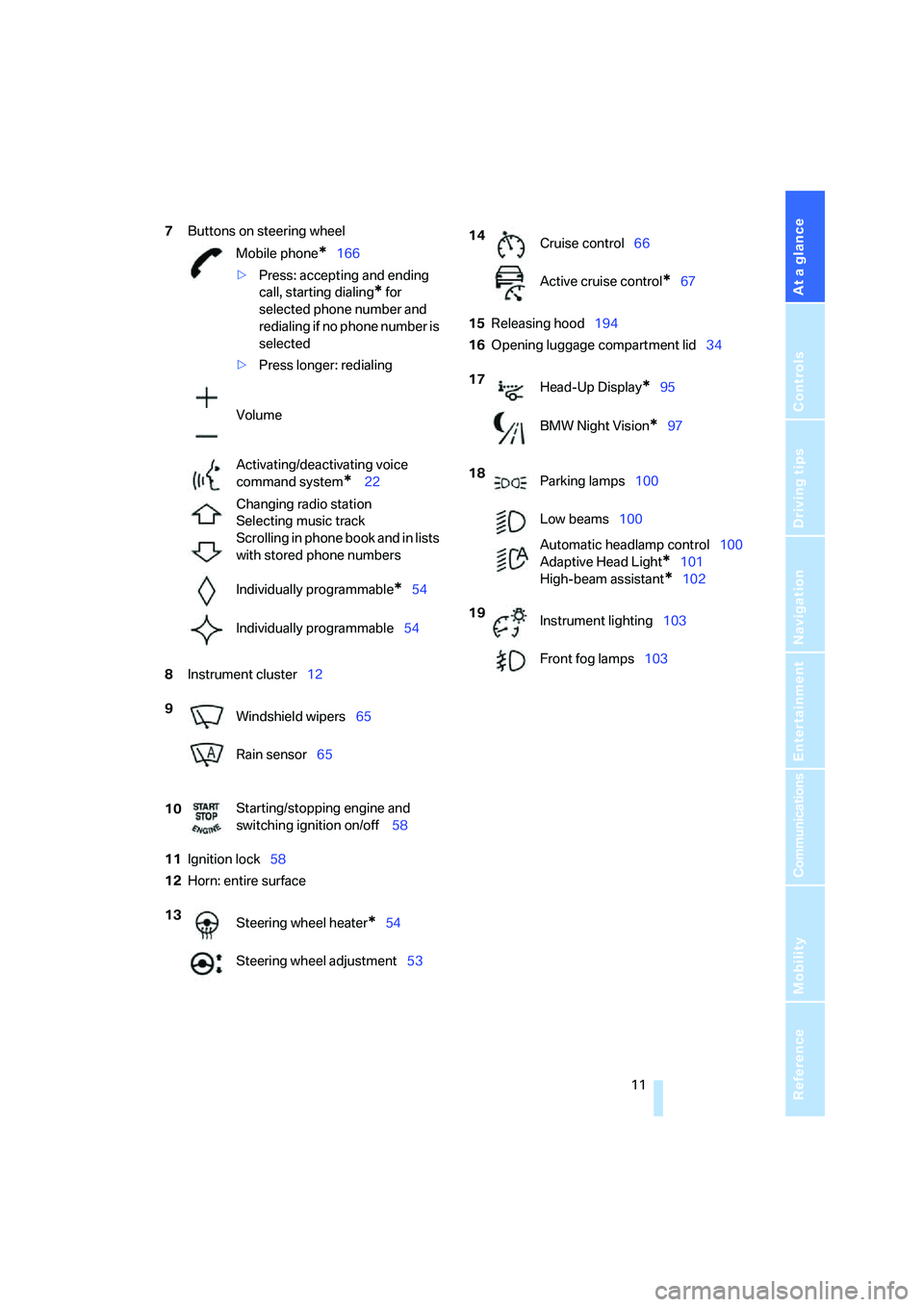
7Buttons on steering wheel
8Instrument cluster12
11Ignition lock58
12Horn: entire surface15Releasing hood194
16Opening luggage compartment lid34 Mobile phone
*166
>Press: accepting and ending
call, starting dialing
* for
selected phone number and
redialing if no phone number is
selected
>Press longer: redialing
Volume
Activating/deactivating voice
command system
* 22
Changing radio station
Selecting music track
Scrolling in phone book and in lists
with stored phone numbers
Individually programmable
*54
Individually programmable54
9
Windshield wipers65
Rain sensor65
10Starting/stopping engine and
switching ignition on/off 58
13
Steering wheel heater
*54
Steering wheel adjustment53
14
Cruise control66
Active cruise control
*67
17
Head-Up Display
*95
BMW Night Vision
*97
18
Parking lamps100
Low beams100
Automatic headlamp control100
Adaptive Head Light
*101
High-beam assistant
*102
19
Instrument lighting103
Front fog lamps103
Page 30 of 242
Controls
29Reference
At a glance
Driving tips
Communications
Navigation
Entertainment
Mobility
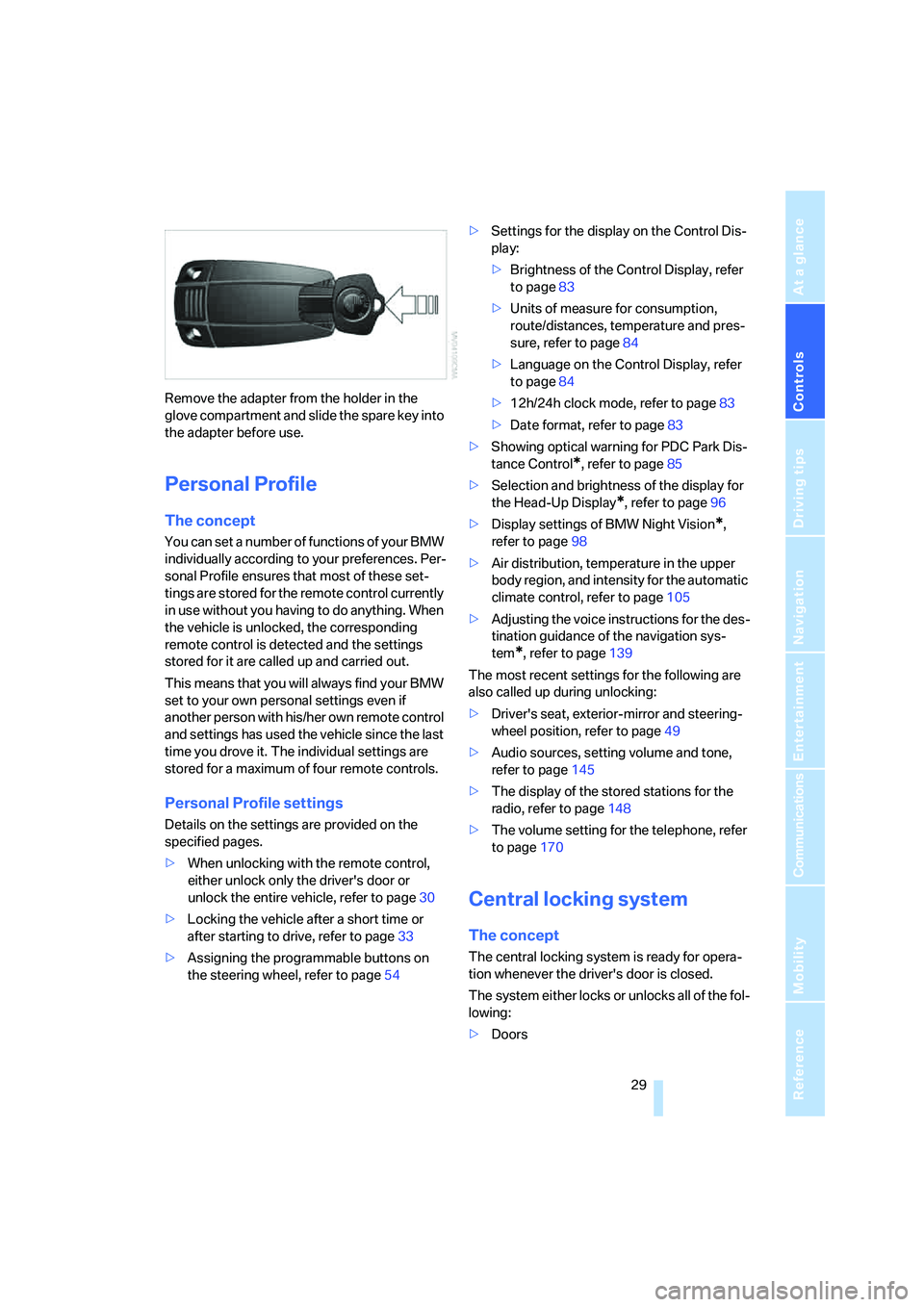
Remove the adapter from the holder in the
glove compartment and slide the spare key into
the adapter before use.
Personal Profile
The concept
You can set a number of functions of your BMW
individually according to your preferences. Per-
sonal Profile ensures that most of these set-
tings are stored for the remote control currently
in use without you having to do anything. When
the vehicle is unlocked, the corresponding
remote control is detected and the settings
stored for it are called up and carried out.
This means that you will always find your BMW
set to your own personal settings even if
another person with his/her own remote control
and settings has used the vehicle since the last
time you drove it. The individual settings are
stored for a maximum of four remote controls.
Personal Profile settings
Details on the settings are provided on the
specified pages.
>When unlocking with the remote control,
either unlock only the driver's door or
unlock the entire vehicle, refer to page30
>Locking the vehicle after a short time or
after starting to drive, refer to page33
>Assigning the programmable buttons on
the steering wheel, refer to page54>Settings for the display on the Control Dis-
play:
>Brightness of the Control Display, refer
to page83
>Units of measure for consumption,
route/distances, temperature and pres-
sure, refer to page84
>Language on the Control Display, refer
to page84
>12h/24h clock mode, refer to page83
>Date format, refer to page83
>Showing optical warning for PDC Park Dis-
tance Control
*, refer to page85
>Selection and brightness of the display for
the Head-Up Display
*, refer to page96
>Display settings of BMW Night Vision
*,
refer to page98
>Air distribution, temperature in the upper
body region, and intensity for the automatic
climate control, refer to page105
>Adjusting the voice instructions for the des-
tination guidance of the navigation sys-
tem
*, refer to page139
The most recent settings for the following are
also called up during unlocking:
>Driver's seat, exterior-mirror and steering-
wheel position, refer to page49
>Audio sources, setting volume and tone,
refer to page145
>The display of the stored stations for the
radio, refer to page148
>The volume setting for the telephone, refer
to page170
Central locking system
The concept
The central locking system is ready for opera-
tion whenever the driver's door is closed.
The system either locks or unlocks all of the fol-
lowing:
>Doors
Page 55 of 242
Adjustments
54
Steering wheel heater*
Press the button with the ignition switched on.
The indicator lamp in the button lights up when
the steering wheel heater is switched on.
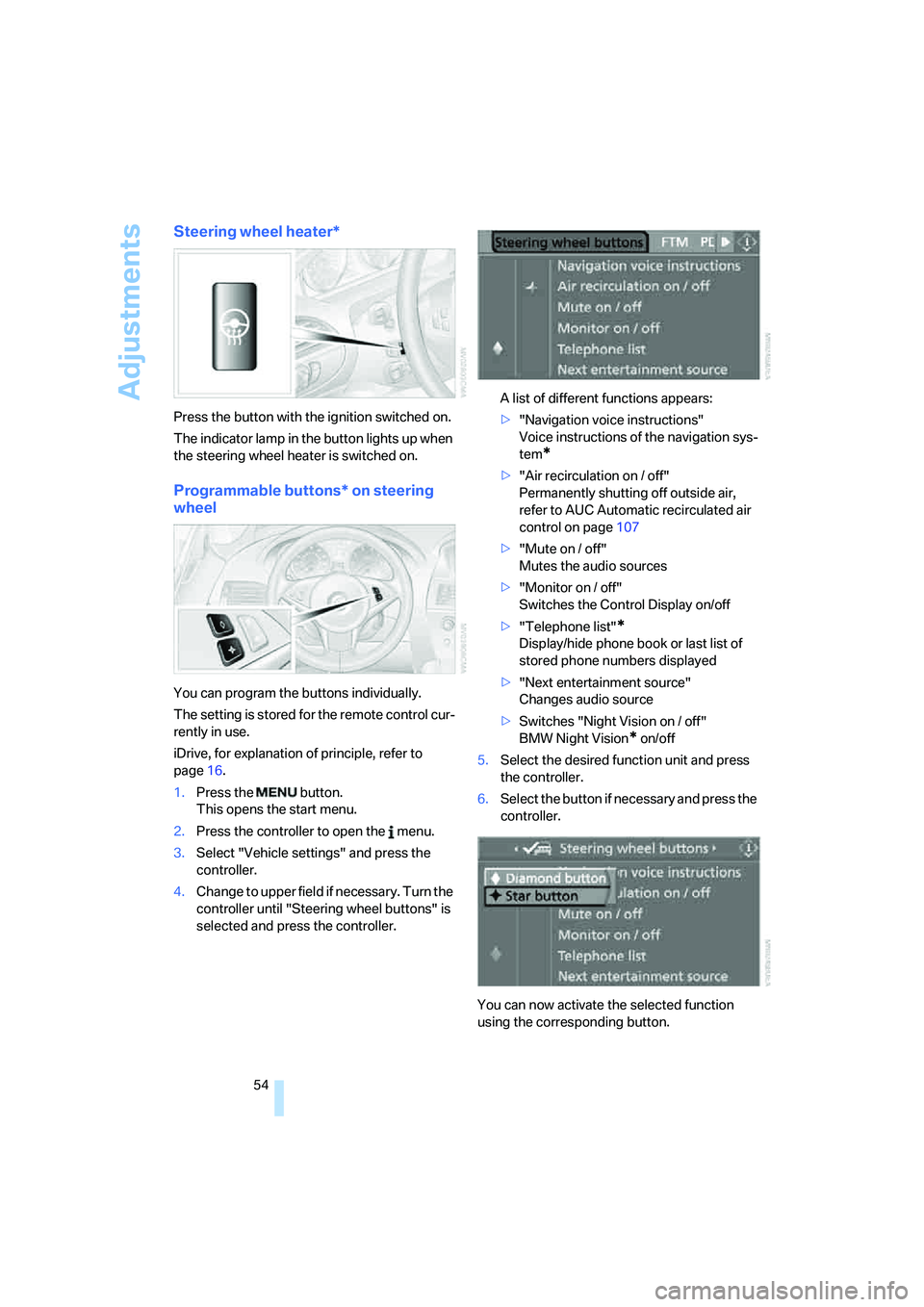
Programmable buttons* on steering
wheel
You can program the buttons individually.
The setting is stored for the remote control cur-
rently in use.
iDrive, for explanation of principle, refer to
page16.
1.Press the button.
This opens the start menu.
2.Press the controller to open the menu.
3.Select "Vehicle settings" and press the
controller.
4.Change to upper field if necessary. Turn the
controller until "Steering wheel buttons" is
selected and press the controller.A list of different functions appears:
>"Navigation voice instructions"
Voice instructions of the navigation sys-
tem
*
>"Air recirculation on / off"
Permanently shutting off outside air,
refer to AUC Automatic recirculated air
control on page107
>"Mute on / off"
Mutes the audio sources
>"Monitor on / off"
Switches the Control Display on/off
>"Telephone list"
*
Display/hide phone book or last list of
stored phone numbers displayed
>"Next entertainment source"
Changes audio source
>Switches "Night Vision on / off"
BMW Night Vision
* on/off
5.Select the desired function unit and press
the controller.
6.Select the button if necessary and press the
controller.
You can now activate the selected function
using the corresponding button.
Page 66 of 242
Controls
65Reference
At a glance
Driving tips
Communications
Navigation
Entertainment
Mobility
Using turn signals
Move the lever beyond the resistance point.
To switch off manually, only press the lever as
far as the resistance point.
Atypically rapid flashing of the indicator
lamp indicates the failure of a turn signal
lamp.<
Signaling briefly
Press the lever to the resistance point and hold
it there as long as you wish to signal.
Triple turn signal activation
Press the lever to the resistance point; the turn
signals flash three times.
You can activate or deactivate this function.
iDrive, for explanation of principle, refer to
page16.
1.Open the start menu.
2.Press the controller to open the menu.
3.Select "Vehicle settings" and press the
controller.
4.Select "Lighting" and press the controller.
5.Select "Triple turn signal activation" and
press the controller.
Triple turn signal is activated.
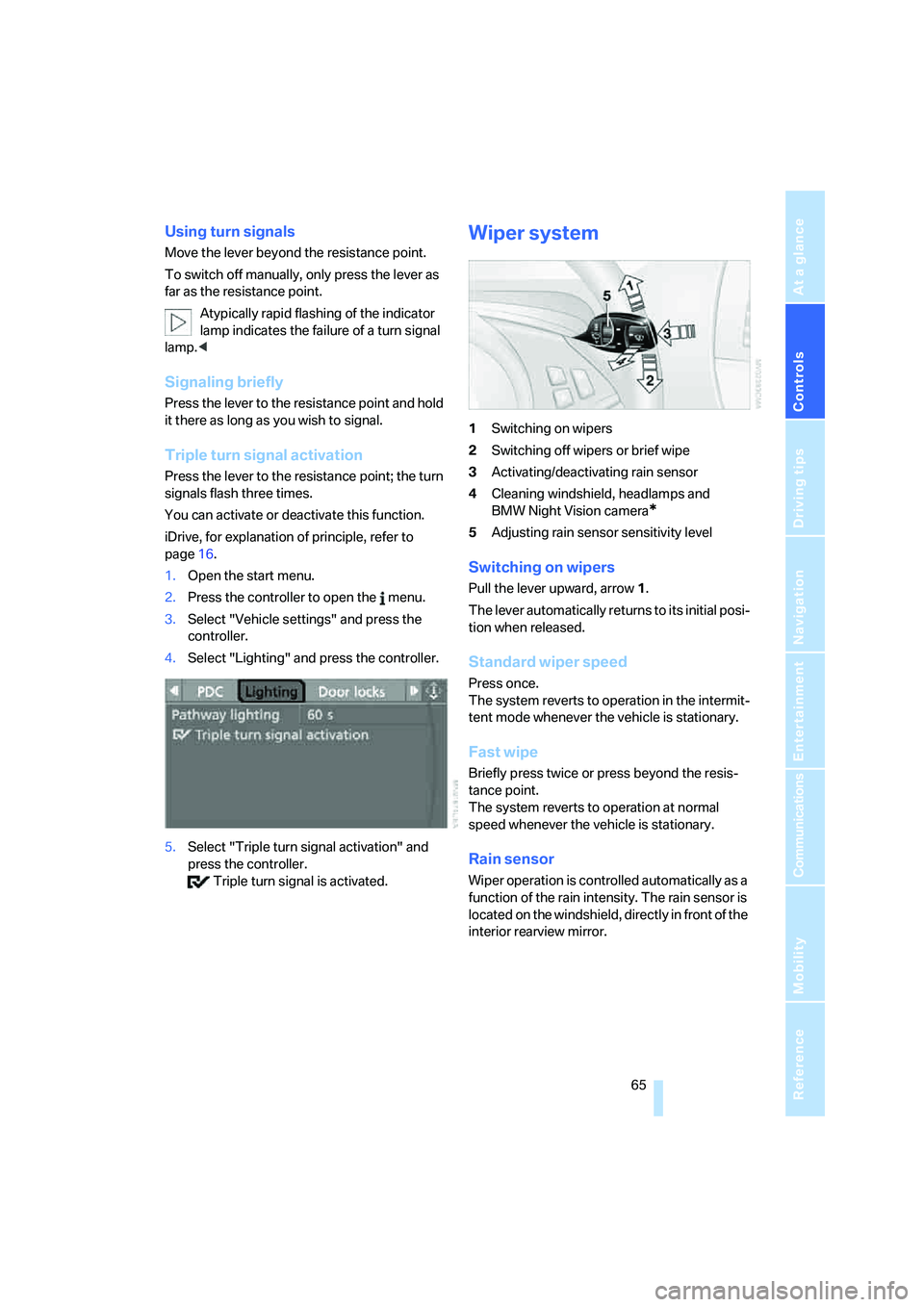
Wiper system
1Switching on wipers
2Switching off wipers or brief wipe
3Activating/deactivating rain sensor
4Cleaning windshield, headlamps and
BMW Night Vision camera
*
5Adjusting rain sensor sensitivity level
Switching on wipers
Pull the lever upward, arrow1.
The lever automatically returns to its initial posi-
tion when released.
Standard wiper speed
Press once.
The system reverts to operation in the intermit-
tent mode whenever the vehicle is stationary.
Fast wipe
Briefly press twice or press beyond the resis-
tance point.
The system reverts to operation at normal
speed whenever the vehicle is stationary.
Rain sensor
Wiper operation is controlled automatically as a
function of the rain intensity. The rain sensor is
located on the windshield, directly in front of the
interior rearview mirror.
Page 67 of 242
Driving
66
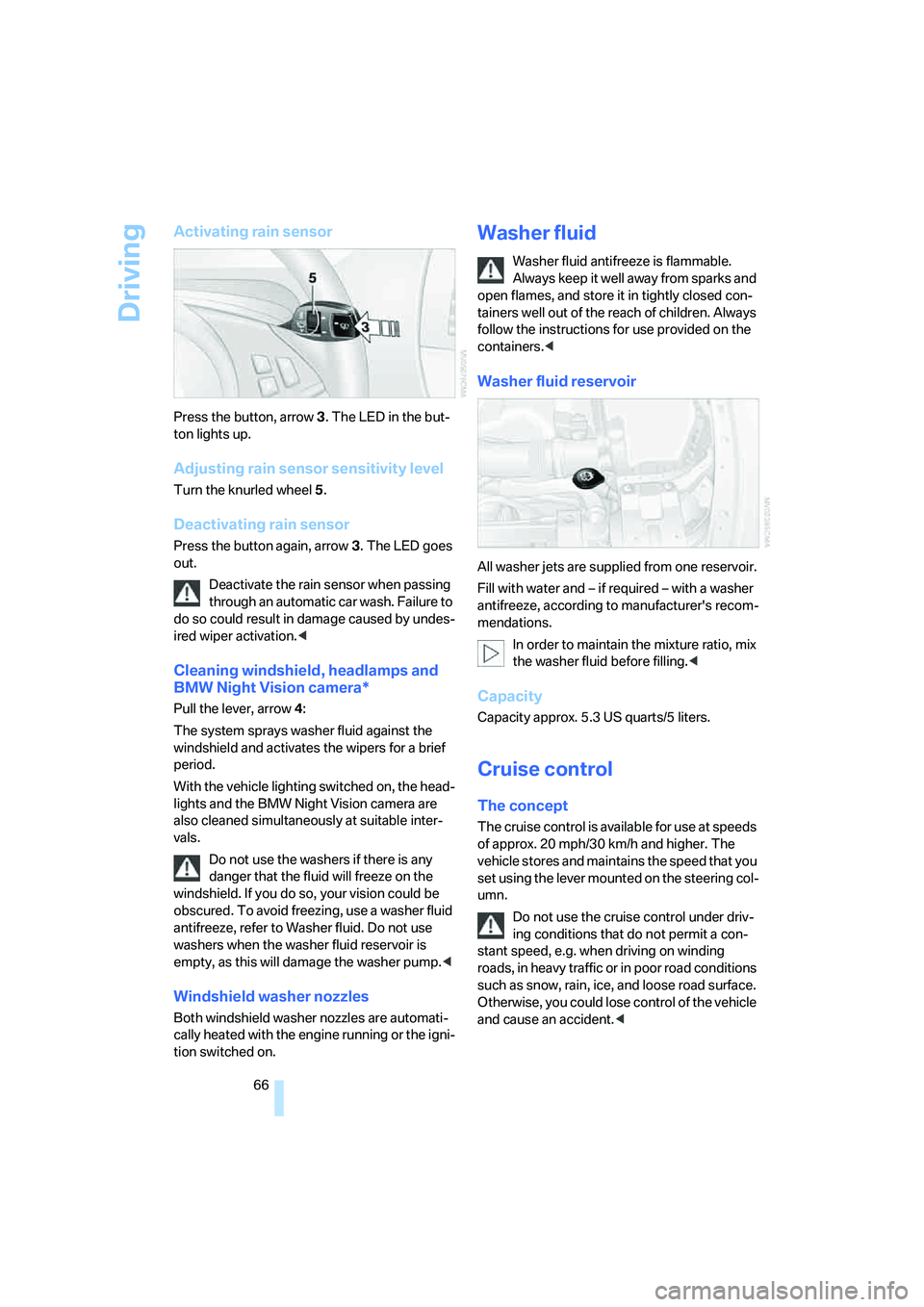
Activating rain sensor
Press the button, arrow3. The LED in the but-
ton lights up.
Adjusting rain sensor sensitivity level
Turn the knurled wheel5.
Deactivating rain sensor
Press the button again, arrow3. The LED goes
out.
Deactivate the rain sensor when passing
through an automatic car wash. Failure to
do so could result in damage caused by undes-
ired wiper activation.<
Cleaning windshield, headlamps and
BMW Night Vision camera*
Pull the lever, arrow4:
The system sprays washer fluid against the
windshield and activates the wipers for a brief
period.
With the vehicle lighting switched on, the head-
lights and the BMW Night Vision camera are
also cleaned simultaneously at suitable inter-
vals.
Do not use the washers if there is any
danger that the fluid will freeze on the
windshield. If you do so, your vision could be
obscured. To avoid freezing, use a washer fluid
antifreeze, refer to Washer fluid. Do not use
washers when the washer fluid reservoir is
empty, as this will damage the washer pump.<
Windshield washer nozzles
Both windshield washer nozzles are automati-
cally heated with the engine running or the igni-
tion switched on.
Washer fluid
Washer fluid antifreeze is flammable.
Always keep it well away from sparks and
open flames, and store it in tightly closed con-
tainers well out of the reach of children. Always
follow the instructions for use provided on the
containers.<
Washer fluid reservoir
All washer jets are supplied from one reservoir.
Fill with water and – if required – with a washer
antifreeze, according to manufacturer's recom-
mendations.
In order to maintain the mixture ratio, mix
the washer fluid before filling.<
Capacity
Capacity approx. 5.3 US quarts/5 liters.
Cruise control
The concept
The cruise control is available for use at speeds
of approx. 20 mph/30 km/h and higher. The
vehicle stores and maintains the speed that you
set using the lever mounted on the steering col-
umn.
Do not use the cruise control under driv-
ing conditions that do not permit a con-
stant speed, e.g. when driving on winding
roads , in heavy traffic or in poor roa d co nditions
such as snow, rain, ice, and loose road surface.
Otherwise, you could lose control of the vehicle
and cause an accident.<
Page 98 of 242
Controls
97Reference
At a glance
Driving tips
Communications
Navigation
Entertainment
Mobility
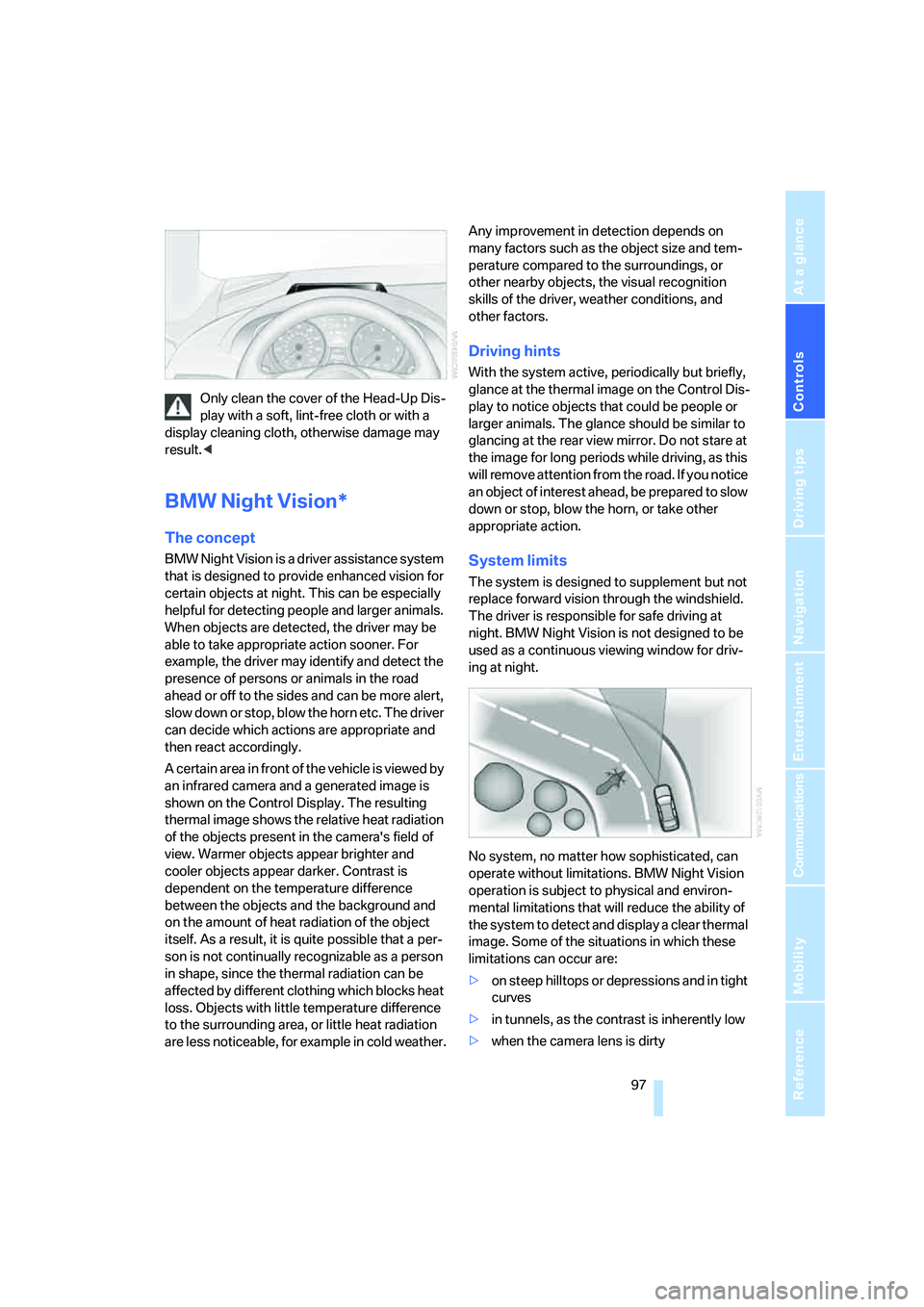
Only clean the cover of the Head-Up Dis-
play with a soft, lint-free cloth or with a
display cleaning cloth, otherwise damage may
result.<
BMW Night Vision*
The concept
BMW Night Vision is a driver assistance system
that is designed to provide enhanced vision for
certain objects at night. This can be especially
helpful for detecting people and larger animals.
When objects are detected, the driver may be
able to take appropriate action sooner. For
example, the driver may identify and detect the
presence of persons or animals in the road
ahead or off to the sides and can be more alert,
slow down or stop, blow the horn etc. The driver
can decide which actions are appropriate and
then react accordingly.
A certain area in front of the vehicle is viewed by
an infrared camera and a generated image is
shown on the Control Display. The resulting
thermal image shows the relative heat radiation
of the objects present in the camera's field of
view. Warmer objects appear brighter and
cooler objects appear darker. Contrast is
dependent on the temperature difference
between the objects and the background and
on the amount of heat radiation of the object
itself. As a result, it is quite possible that a per-
son is not continually recognizable as a person
in shape, since the thermal radiation can be
affected by different clothing which blocks heat
loss. Objects with little temperature difference
to the surrounding area, or little heat radiation
are less noticeable, for example in cold weather.Any improvement in detection depends on
many factors such as the object size and tem-
perature compared to the surroundings, or
other nearby objects, the visual recognition
skills of the driver, weather conditions, and
other factors.
Driving hints
With the system active, periodically but briefly,
glance at the thermal image on the Control Dis-
play to notice objects that could be people or
larger animals. The glance should be similar to
glancing at the rear view mirror. Do not stare at
the image for long periods while driving, as this
will remove attention from the road. If you notice
an object of interest ahead, be prepared to slow
down or stop, blow the horn, or take other
appropriate action.
System limits
The system is designed to supplement but not
replace forward vision through the windshield.
The driver is responsible for safe driving at
night. BMW Night Vision is not designed to be
used as a continuous viewing window for driv-
ing at night.
No system, no matter how sophisticated, can
operate without limitations. BMW Night Vision
operation is subject to physical and environ-
mental limitations that will reduce the ability of
the system to detect and display a clear thermal
image. Some of the situations in which these
limitations can occur are:
>on steep hilltops or depressions and in tight
curves
>in tunnels, as the contrast is inherently low
>when the camera lens is dirty
Page 99 of 242
Technology for comfort, convenience and safety
98 >in dense fog, heavy rain or snowfall
>when displaying very hot objects such as
transformers, car exhausts etc.
>when the image briefly freezes during nor-
mal system adjustment.
BMW Night Vision's potential benefits
can be limited by the driving style of the
driver, the size and relative temperature of the
detected objects, dirt or contamination on the
camera lens, adverse weather like snow, rain or
fog, and other factors not mentioned here. It will
always be the driver's responsibility to drive at a
speed and in a manner that recognizes potential
hazards and adjust accordingly.
BMW Night Vision is not a substitute or replace-
ment for driver responsibility or for accommo-
dating the visibility conditions and the traffic sit-
uation. The forward view illuminated by the
headlamps must always be the basis for making
safe driving decisions, otherwise a safety risk
will result.<
Activating BMW Night Vision
1.Turn the light switch to position2 or3, refer
to page100.
2.With low beams switched on:
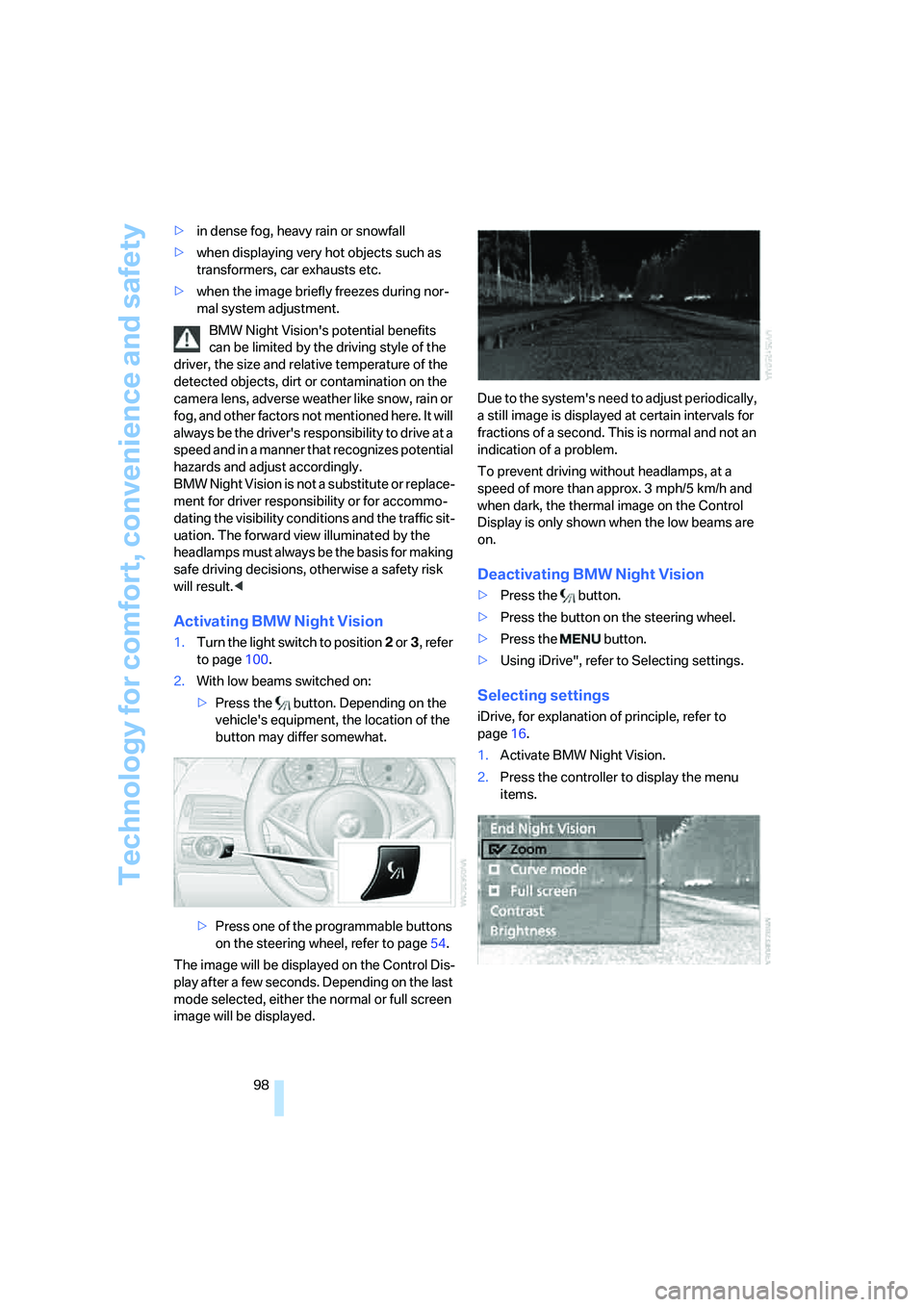
>Press the button. Depending on the
vehicle's equipment, the location of the
button may differ somewhat.
>Press one of the programmable buttons
on the steering wheel, refer to page54.
The image will be displayed on the Control Dis-
play after a few seconds. Depending on the last
mode selected, either the normal or full screen
image will be displayed.Due to the system's need to adjust periodically,
a still image is displayed at certain intervals for
fractions of a second. This is normal and not an
indication of a problem.
To prevent driving without headlamps, at a
speed of more than approx. 3 mph/5 km/h and
when dark, the thermal image on the Control
Display is only shown when the low beams are
on.
Deactivating BMW Night Vision
>Press the button.
>Press the button on the steering wheel.
>Press the button.
>Using iDrive", refer to Selecting settings.
Selecting settings
iDrive, for explanation of principle, refer to
page16.
1.Activate BMW Night Vision.
2.Press the controller to display the menu
items.
Page 100 of 242
Controls
99Reference
At a glance
Driving tips
Communications
Navigation
Entertainment
Mobility
3.Select the menu item and press the control-
ler:
>"End Night Vision":
Deactivate BMW Night Vision.
>"Zoom":
At higher speeds, the image is zoomed
in.
>"Curve mode":
Depending on the steering angle and
other parameters, the image sections
follows the course of the road to some
degree.
>"Full screen":
The image is shown on the entire Con-
trol Display.
>"Contrast":
The contrast of the screen can be
adjusted.
>"Brightness":
The brightness of the screen can be
adjusted.
"Curve mode" can only be activated with
the "Zoom" function switched on. With
"Full screen" activated, "Curve mode" and
"Zoom" cannot be selected.<
The settings are stored for the remote control
currently in use.
To exit the menu:
The image will automatically disappear after
approx. 5 seconds.
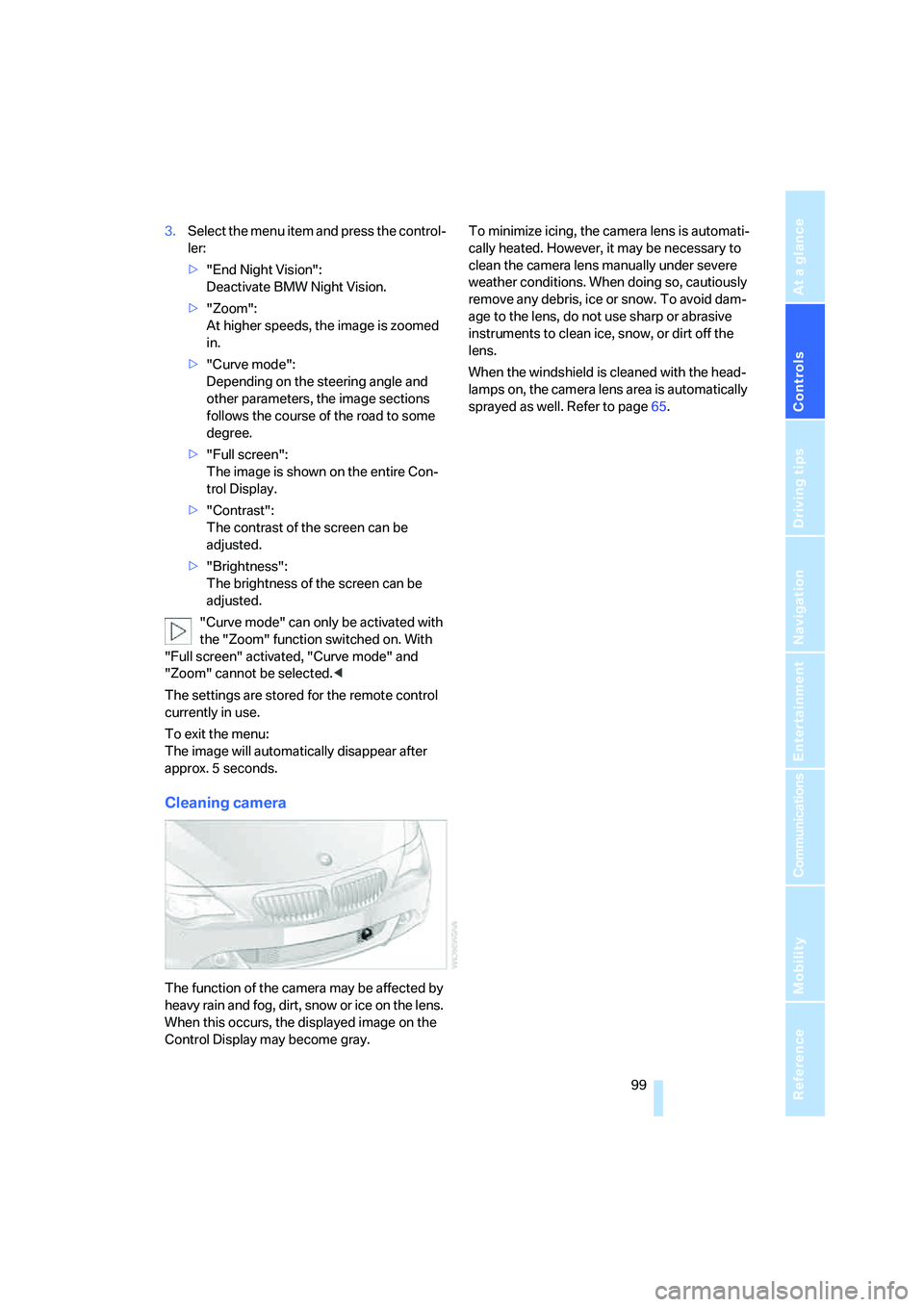
Cleaning camera
The function of the camera may be affected by
heavy rain and fog, dirt, snow or ice on the lens.
When this occurs, the displayed image on the
Control Display may become gray.To minimize icing, the camera lens is automati-
cally heated. However, it may be necessary to
clean the camera lens manually under severe
weather conditions. When doing so, cautiously
remove any debris, ice or snow. To avoid dam-
age to the lens, do not use sharp or abrasive
instruments to clean ice, snow, or dirt off the
lens.
When the windshield is cleaned with the head-
lamps on, the camera lens area is automatically
sprayed as well. Refer to page65.
Page 222 of 242
Reference 221
At a glance
Controls
Driving tips
Communications
Navigation
Entertainment
Mobility
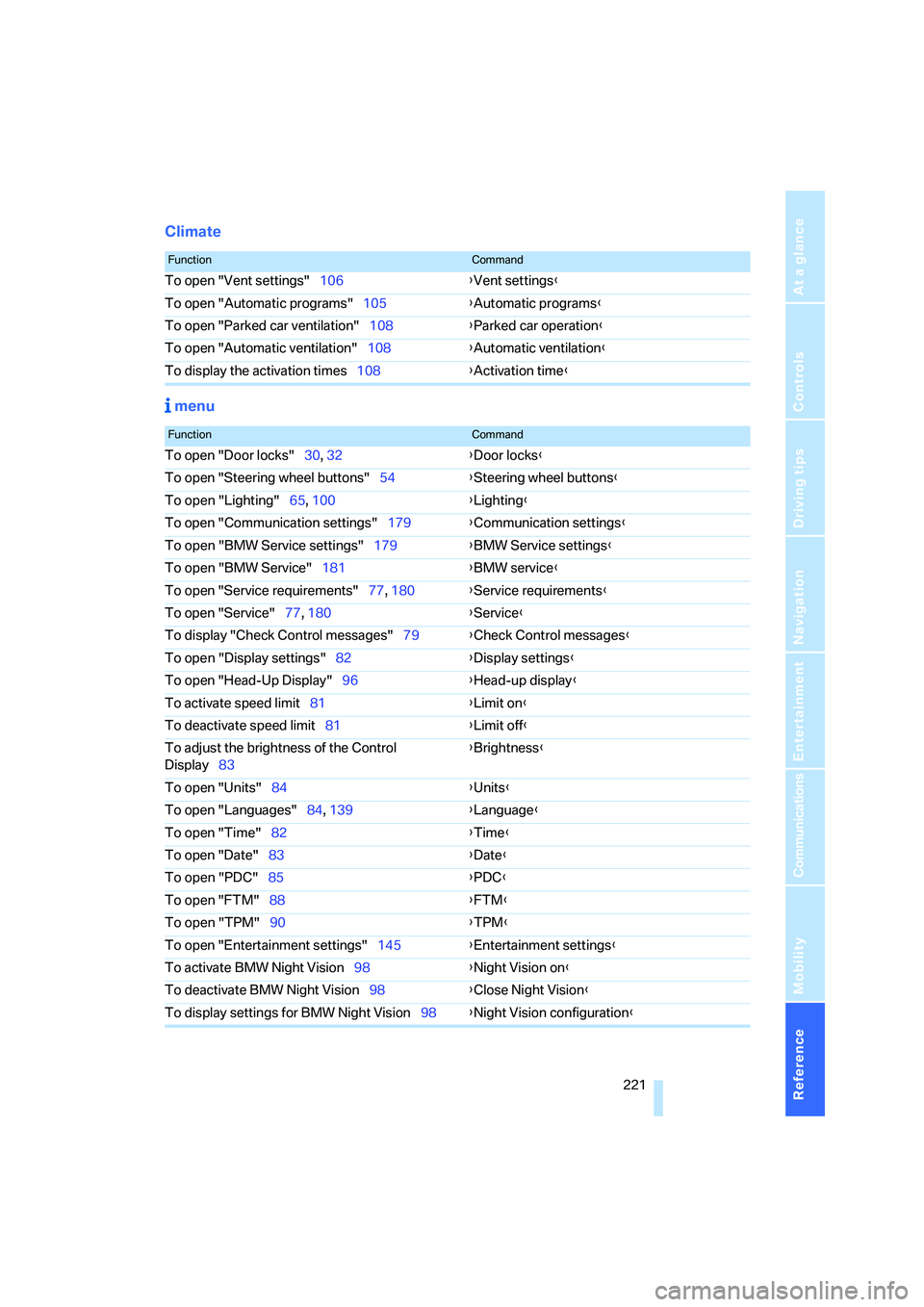
Climate
menu
FunctionCommand
To open "Vent settings"106{Vent settings}
To open "Automatic programs"105{Automatic programs}
To open "Parked car ventilation"108{Parked car operation}
To open "Automatic ventilation"108{Automatic ventilation}
To display the activation times108{Activation time}
FunctionCommand
To open "Door locks"30, 32{Door locks}
To open "Steering wheel buttons"54{Steering wheel buttons}
To open "Lighting"65, 100{Lighting}
To open "Communication settings"179{Communication settings}
To open "BMW Service settings"179{BMW Service settings}
To open "BMW Service"181{BMW service}
To open "Service requirements"77, 180{Service requirements}
To open "Service"77, 180{Service}
To display "Check Control messages"79{Check Control messages}
To open "Display settings"82{Display settings}
To open "Head-Up Display"96{Head-up display}
To activate speed limit81{Limit on}
To deactivate speed limit81{Limit off}
To adjust the brightness of the Control
Display83{Brightness}
To open "Units"84{Units}
To open "Languages"84, 139{Language}
To open "Time"82{Time}
To open "Date"83{Date}
To open "PDC"85{PDC}
To open "FTM"88{FTM}
To open "TPM"90{TPM}
To open "Entertainment settings"145{Entertainment settings}
To activate BMW Night Vision98{Night Vision on}
To deactivate BMW Night Vision98{Close Night Vision}
To display settings for BMW Night Vision98{Night Vision configuration}
Page 224 of 242
Reference 223
At a glance
Controls
Driving tips
Communications
Navigation
Entertainment
Mobility
Audio144
– controls144
– switching on/off144
– tone control145
– volume145
"Audio", refer to Tone
control145
Automatic
– air distribution105
– air volume105
– headlamp control100
– service notification180
– steering wheel adjustment,
refer to Easy entry/exit53
– storing stations149
Automatically switching
between high beams and
low beams, refer to High-
beam assistant102
Automatic car washes120
– also refer to Comfort
access38
– also refer to the Caring for
your vehicle brochure
Automatic climate control104
– automatic air
distribution105
– convertible program105
– switching off107
Automatic closing of doors,
see Automatic soft
closing33
Automatic curb monitor53
Automatic lighting
– refer to Automatic headlamp
control100
– refer to Daytime running
lamps101
– refer to High-beam
assistant102
– refer to Interior lamps103
– refer to Pathway lighting100
"Automatic programs"105
Automatic recirculated-air
control AUC107
Automatic soft closing33
Automatic station search149Automatic transmission with
Steptronic62
– deactivating selector lever
interlock63
– Dynamic Driving Control64
– interlock62
– kick-down63
– selector lever lock,
Interlock62
– shiftlock62
– towing209
– tow-starting210
– with comfort access38
"Automatic ventilation"108
AUTO program with
automatic climate
control105
"Autostore" on the
radio148,150
Average fuel consumption75
– setting units84
Average speed75
"Avoid ferries" for
navigation135
"Avoid highways" for
navigation135
Avoiding freeways for
navigation134
Avoiding unintentional
alarms36
"Avoid tollroads" for
navigation135
Axle loads, refer to
Weights217
"A - Z"171,172
B
Backrest contour, refer to
Lumbar support48
Backrests, refer to Seats48
Backup lamps
– refer to Reverse gear61
– replacing bulbs, refer to Tail
lamps203
"Balance", refer to Tone
control146Balance, refer to Tone
control146
Balance adjustment in audio
mode, right/left146
Band-aids, refer to First-aid
kit207
Bass, refer to Tone
control145
"Bass", tone control146
Battery
– disposal38
– jump starting207
– refer to Vehicle battery204
Battery change38
Being towed209
Belts, refer to Safety belts51
Blower, refer to Air
volume106
"BMW Assist"181
BMW Assist179
– enabling179
– services offered180
"BMW Contact"173
"BMW Contact
Numbers"173
BMW homepage4
BMW Maintenance
System199
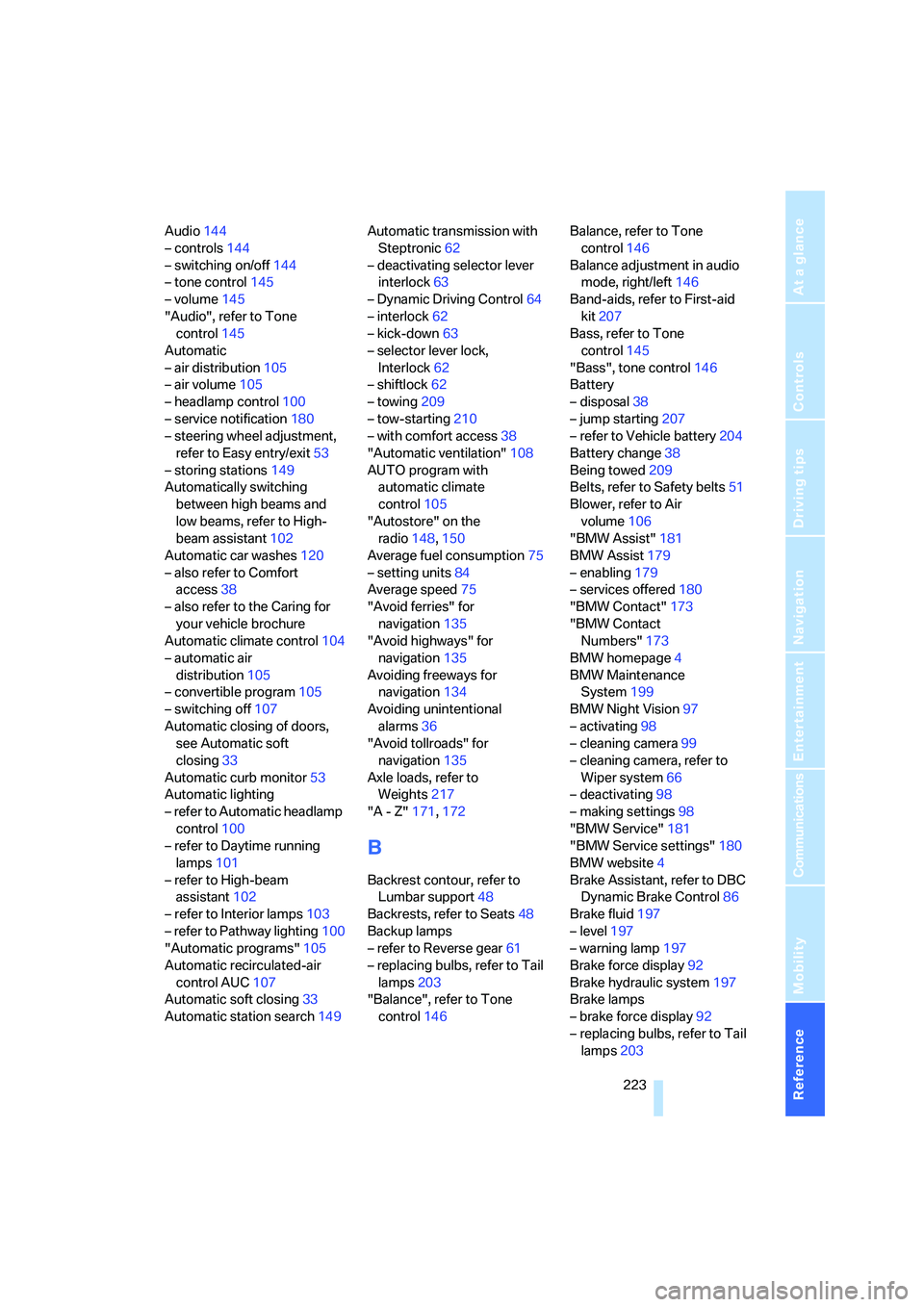
BMW Night Vision97
– activating98
– cleaning camera99
– cleaning camera, refer to
Wiper system66
– deactivating98
– making settings98
"BMW Service"181
"BMW Service settings"180
BMW website4
Brake Assistant, refer to DBC
Dynamic Brake Control86
Brake fluid197
– level197
– warning lamp197
Brake force display92
Brake hydraulic system197
Brake lamps
– brake force display92
– replacing bulbs, refer to Tail
lamps203