parking brake BMW 7 SERIES 2012 User Guide
[x] Cancel search | Manufacturer: BMW, Model Year: 2012, Model line: 7 SERIES, Model: BMW 7 SERIES 2012Pages: 299, PDF Size: 8.49 MB
Page 181 of 299
Automatic repeat*
The selected CDs or DVDs are repeated auto‐
matically.
Video playback*
Country codes
Only
DVDs with the code of the home region can
be played back; also refer to the information on
the DVD. Code Region
1 USA, Canada
2 Japan, Europe, Middle East, South Af‐
rica
3 Southeast Asia
4 Australia, Central and South America, New Zealand
5 Northwest Asia, North Africa
6 China
0 All regions Playback
The video image is displayed on the front Con‐
trol
Display up to a speed of approx. 2 mph/3 km/
h; in some countries, it is only displayed if the
parking brake is set or if the automatic trans‐
mission is in position P.
DVD video
1. "CD/Multimedia"
2. "CD/DVD" 3.
Select a DVD with video content.
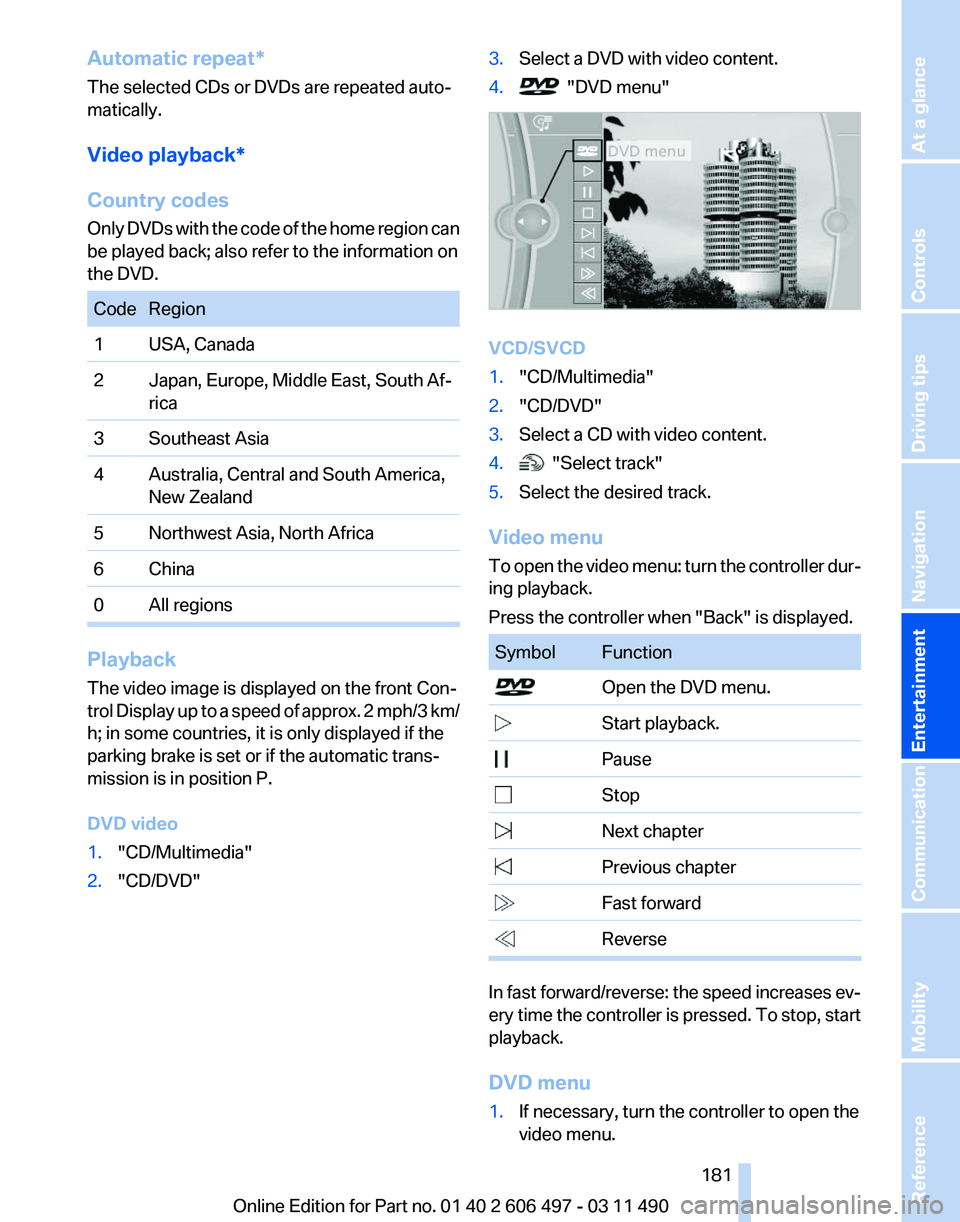
4. "DVD menu"
VCD/SVCD
1.
"CD/Multimedia"
2. "CD/DVD"
3. Select a CD with video content.
4. "Select track"
5. Select the desired track.
Video menu
To
open the video menu: turn the controller dur‐
ing playback.
Press the controller when "Back" is displayed. Symbol Function
Open the DVD menu.
Start playback.
Pause Stop
Next chapter
Previous chapter
Fast forward
Reverse
In fast forward/reverse: the speed increases ev‐
ery
time the controller is pressed. To stop, start
playback.
DVD menu
1. If necessary, turn the controller to open the
video menu.
Seite 181
181Online Edition for Part no. 01 40 2 606 497 - 03 11 490
Reference Mobility Communication
Entertainment Navigation Driving tips Controls At a glance
Page 193 of 299
all results that contain that sequence are
displayed.
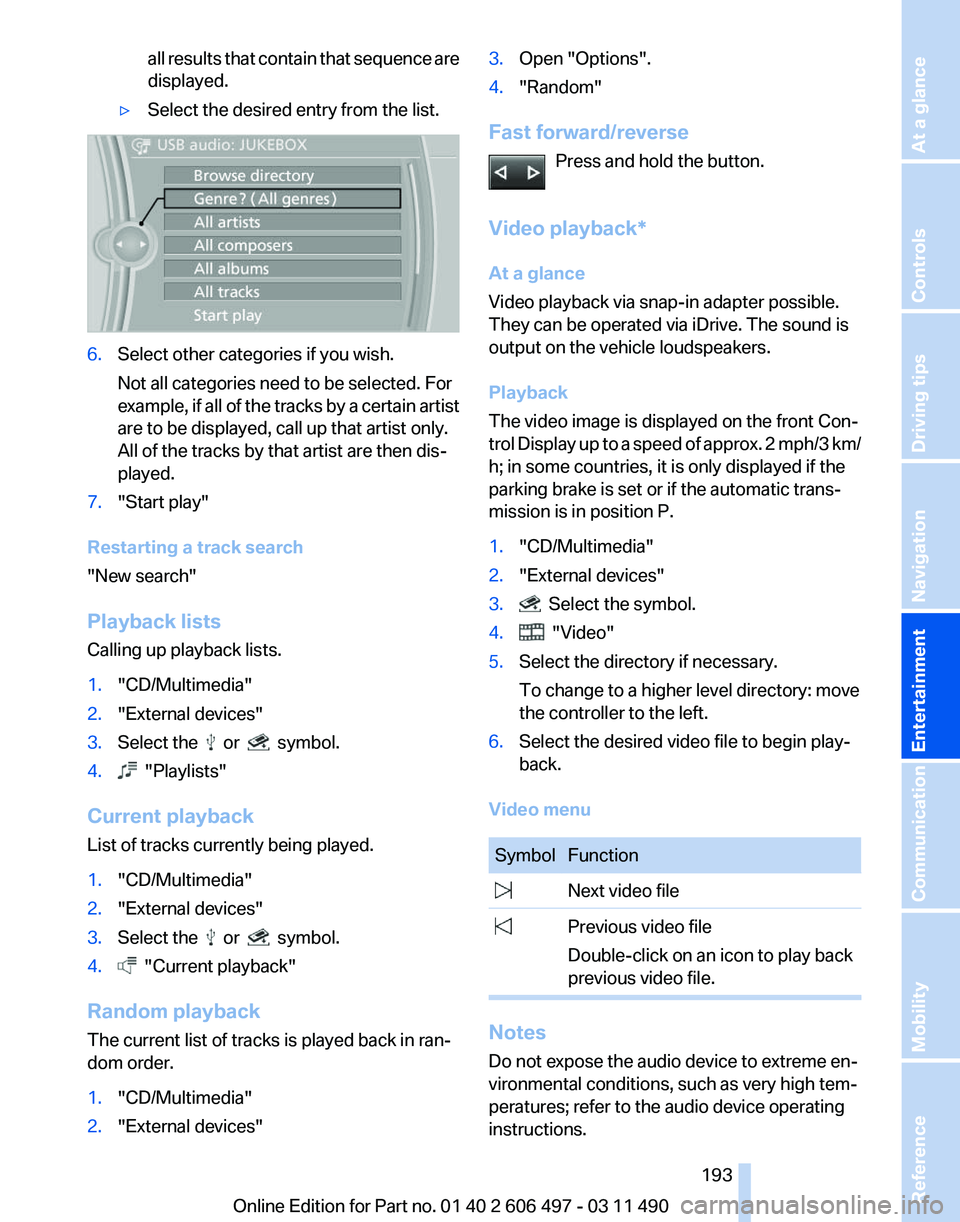
▷ Select the desired entry from the list. 6.
Select other categories if you wish.
Not all categories need to be selected. For
example,
if all of the tracks by a certain artist
are to be displayed, call up that artist only.
All of the tracks by that artist are then dis‐
played.
7. "Start play"
Restarting a track search
"New search"
Playback lists
Calling up playback lists.
1. "CD/Multimedia"
2. "External devices"
3. Select the or symbol.
4. "Playlists"
Current playback
List of tracks currently being played.
1. "CD/Multimedia"
2. "External devices"
3. Select the or symbol.
4. "Current playback"
Random playback
The current list of tracks is played back in ran‐
dom order.
1. "CD/Multimedia"
2. "External devices" 3.
Open "Options".
4. "Random"
Fast forward/reverse Press and hold the button.
Video playback*
At a glance
Video playback via snap-in adapter possible.
They can be operated via iDrive. The sound is
output on the vehicle loudspeakers.
Playback
The video image is displayed on the front Con‐
trol
Display up to a speed of approx. 2 mph/3 km/
h; in some countries, it is only displayed if the
parking brake is set or if the automatic trans‐
mission is in position P.
1. "CD/Multimedia"
2. "External devices"
3. Select the symbol.
4. "Video"
5. Select the directory if necessary.
To change to a higher level directory: move
the controller to the left.
6. Select the desired video file to begin play‐
back.
Video menu Symbol Function
Next video file
Previous video file
Double-click on an icon to play back
previous video file. Notes
Do not expose the audio device to extreme en‐
vironmental conditions, such as very high tem‐
peratures; refer to the audio device operating
instructions. Seite 193
193Online Edition for Part no. 01 40 2 606 497 - 03 11 490
Reference Mobility Communication
Entertainment Navigation Driving tips Controls At a glance
Page 236 of 299
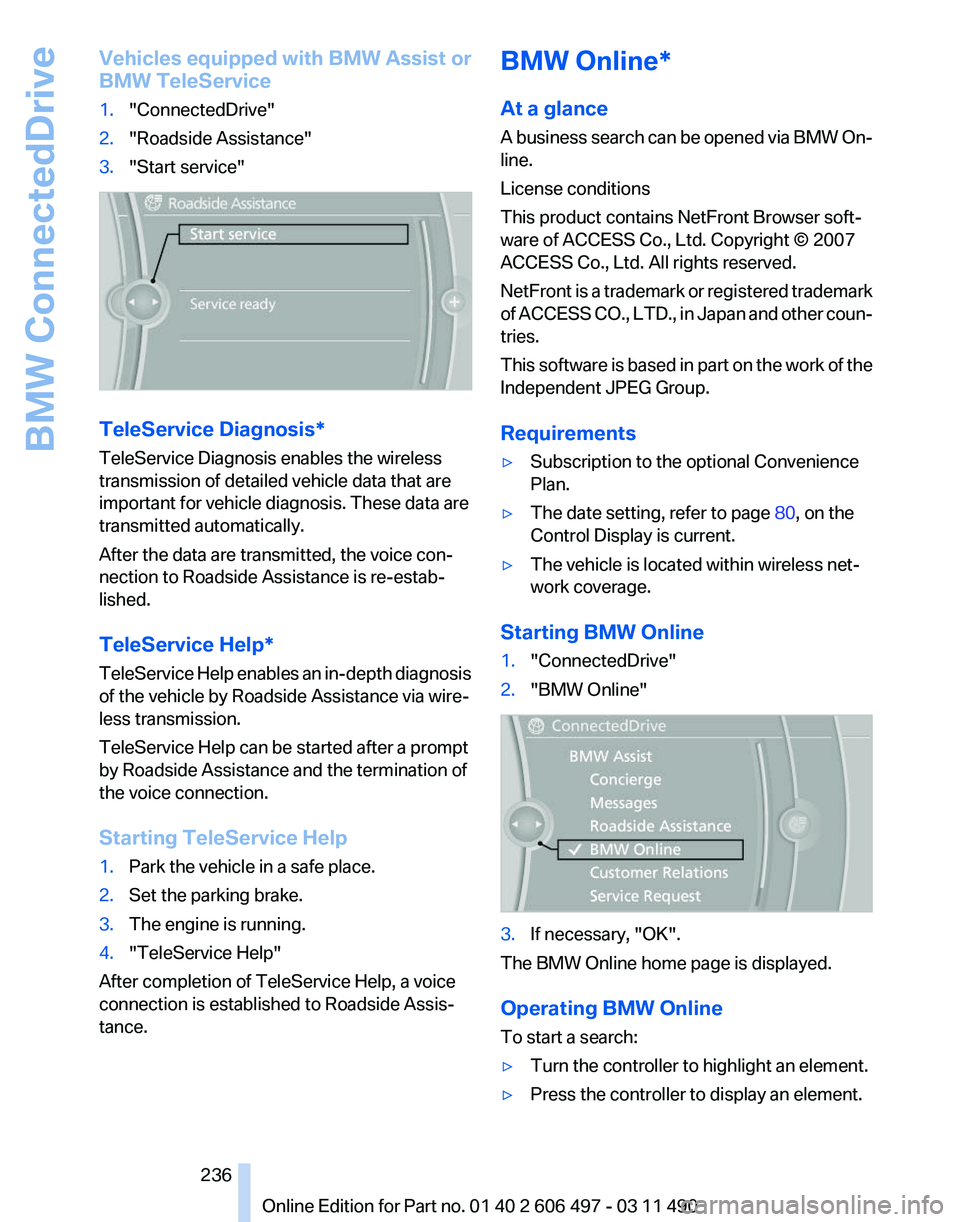
Vehicles equipped with BMW Assist or
BMW TeleService
1.
"ConnectedDrive"
2. "Roadside Assistance"
3. "Start service" TeleService Diagnosis*
TeleService Diagnosis enables the wireless
transmission of detailed vehicle data that are
important for vehicle diagnosis. These data are
transmitted automatically.
After the data are transmitted, the voice con‐
nection to Roadside Assistance is re-estab‐
lished.
TeleService Help
*
TeleService Help enables an in-depth diagnosis
of the vehicle by Roadside Assistance via wire‐
less transmission.
TeleService Help can be started after a prompt
by Roadside Assistance and the termination of
the voice connection.
Starting TeleService Help
1. Park the vehicle in a safe place.
2. Set the parking brake.
3. The engine is running.
4. "TeleService Help"
After completion of TeleService Help, a voice
connection is established to Roadside Assis‐
tance. BMW Online*
At a glance
A
business search can be opened via BMW On‐
line.
License conditions
This product contains NetFront Browser soft‐
ware of ACCESS Co., Ltd. Copyright © 2007
ACCESS Co., Ltd. All rights reserved.
NetFront is a trademark or registered trademark
of ACCESS CO., LTD., in Japan and other coun‐
tries.
This software is based in part on the work of the
Independent JPEG Group.
Requirements
▷ Subscription to the optional Convenience
Plan.
▷ The date setting, refer to page 80, on the
Control Display is current.
▷ The vehicle is located within wireless net‐
work coverage.
Starting BMW Online
1. "ConnectedDrive"
2. "BMW Online" 3.
If necessary, "OK".
The BMW Online home page is displayed.
Operating BMW Online
To start a search:
▷ Turn the controller to highlight an element.
▷ Press the controller to display an element.
Seite 236
236 Online Edition for Part no. 01 40 2 606 497 - 03 11 490
BMW ConnectedDrive
Page 271 of 299
Care
Car washes
Notes
Steam jets or high-pressure washers
When using steam jets or high-pressure
washers, hold them a sufficient distance away
and use a maximum temperature of 140 ℉/
60 ℃.
Holding them too close or using excessively
high
pressures or temperatures can cause dam‐
age or preliminary damage that may then lead to
long-term damage.
Follow the operating instructions for the high-
pressure washer.◀
Cleaning sensors/cameras with high-
pressure washers
When using high-pressure washers, do not
spray the exterior sensors and cameras, e.g.,
Park Distance Control*, for extended periods of
time and only from a distance of at least 12 in/
30 cm.◀
Wash your vehicle frequently, particularly in win‐
ter.
Intense soiling and road salt can damage the ve‐
hicle.
Washing in automatic car washes
Your vehicle can be washed in automatic car
washes right from the start.
Give preference to cloth car washes or those
that use soft brushes in order to avoid paint
damage.
Notes
Note the following:
▷ Make sure that the wheels and tires are not
damaged by the transport mechanisms.
▷ Fold in the exterior mirrors; otherwise, they
may
be damaged, depending on the width of
the vehicle. ▷
Deactivate the rain sensor, refer to page 71,
to avoid unintentional wiper activation.
▷ In some cases, an unintentional alarm can be
triggered
by the interior motion sensor of the
alarm system*. Follow the instructions on
avoiding an unintentional alarm, refer to
page 44.
Guide rails in car washes
Avoid car washes with guide rails higher
than 4 in/10 cm; otherwise, the vehicle body
could be damaged.
◀
Before driving into a car wash
The vehicle is able to roll when the following
steps are taken:
1. Depress the brake pedal.
2. Engage transmission position N.
3. Release the parking brake, refer to page 66,
or deactivate Automatic Hold, refer to
page 68.
4. Switch the engine off.
Transmission
position P with the igni‐
tion off
When the ignition is switched off, position P
is engaged automatically. When in an auto‐
matic car wash, for example, ensure that the
ignition is not switched off accidentally.◀ The vehicle cannot be locked from the outside
when in transmission position N.
A
signal is sounded when an attempt is made to
lock the vehicle.
Transmission position
Transmission position P is engaged automati‐
cally:
▷ When the ignition is switched off.
▷ After approx. 15 minutes. Seite 271
271Online Edition for Part no. 01 40 2 606 497 - 03 11 490
Reference
Mobility Communication Entertainment Navigation Driving tips Controls At a glance
Page 290 of 299
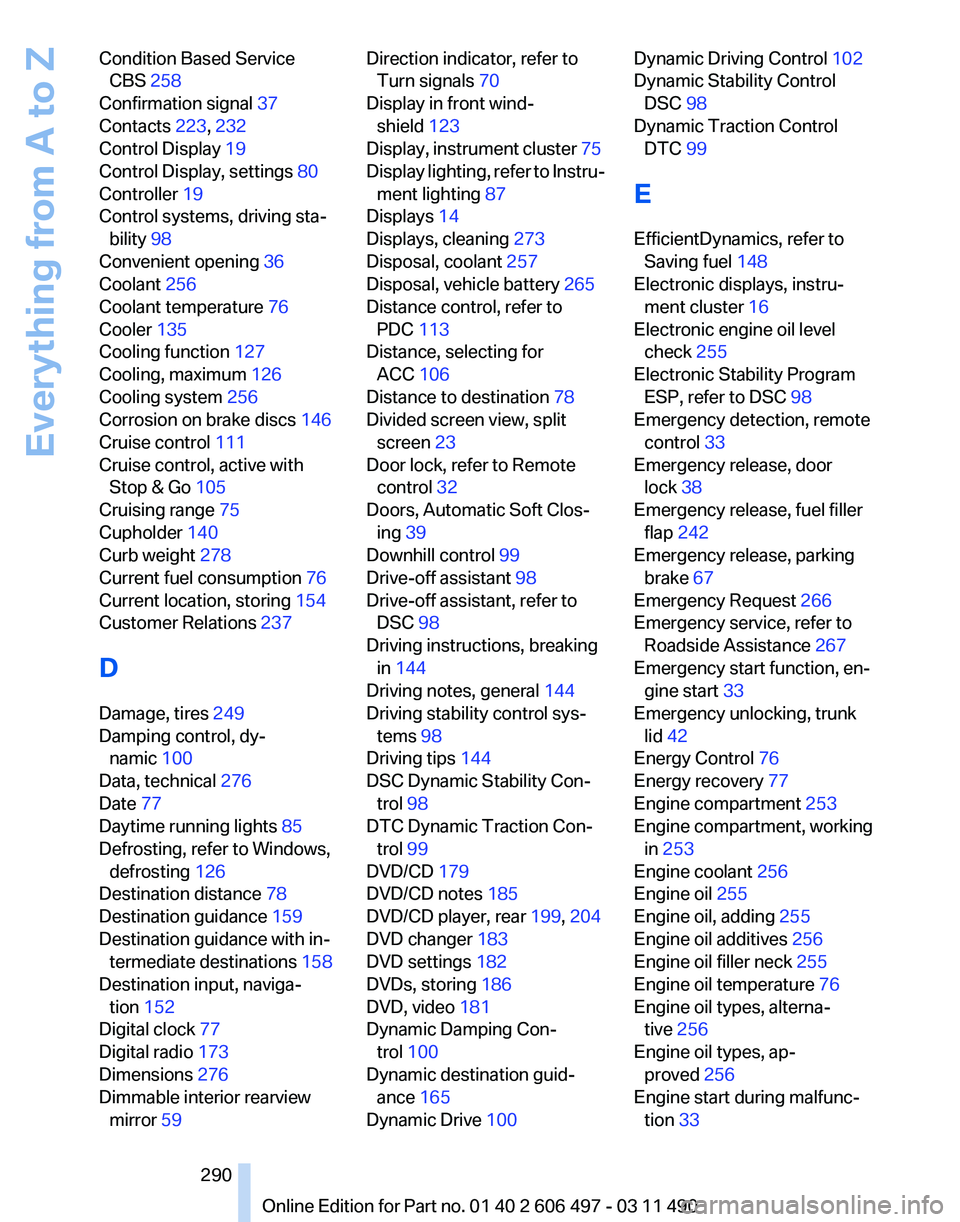
Condition Based Service
CBS 258
Confirmation signal 37
Contacts 223, 232
Control Display 19
Control Display, settings 80
Controller 19
Control systems, driving sta‐ bility 98
Convenient opening 36
Coolant 256
Coolant temperature 76
Cooler 135
Cooling function 127
Cooling, maximum 126
Cooling system 256
Corrosion on brake discs 146
Cruise control 111
Cruise control, active with Stop & Go 105
Cruising range 75
Cupholder 140
Curb weight 278
Current fuel consumption 76
Current location, storing 154
Customer Relations 237
D
Damage, tires 249
Damping control, dy‐ namic 100
Data, technical 276
Date 77
Daytime running lights 85
Defrosting, refer to Windows, defrosting 126
Destination distance 78
Destination guidance 159
Destination guidance with in‐ termediate destinations 158
Destination input, naviga‐ tion 152
Digital clock 77
Digital radio 173
Dimensions 276
Dimmable interior rearview mirror 59 Direction indicator, refer to
Turn signals 70
Display in front wind‐ shield 123
Display,
instrument cluster 75
Display lighting, refer to Instru‐ ment lighting 87
Displays 14
Displays, cleaning 273
Disposal, coolant 257
Disposal, vehicle battery 265
Distance control, refer to PDC 113
Distance, selecting for ACC 106
Distance to destination 78
Divided screen view, split screen 23
Door lock, refer to Remote control 32
Doors, Automatic Soft Clos‐ ing 39
Downhill control 99
Drive-off assistant 98
Drive-off assistant, refer to DSC 98
Driving instructions, breaking in 144
Driving notes, general 144
Driving stability control sys‐ tems 98
Driving tips 144
DSC Dynamic Stability Con‐ trol 98
DTC Dynamic Traction Con‐ trol 99
DVD/CD 179
DVD/CD notes 185
DVD/CD player, rear 199, 204
DVD changer 183
DVD settings 182
DVDs, storing 186
DVD, video 181
Dynamic Damping Con‐ trol 100
Dynamic destination guid‐ ance 165
Dynamic Drive 100 Dynamic Driving Control
102
Dynamic Stability Control DSC 98
Dynamic Traction Control DTC 99
E
EfficientDynamics, refer to Saving fuel 148
Electronic displays, instru‐ ment cluster 16
Electronic engine oil level check 255
Electronic Stability Program ESP, refer to DSC 98
Emergency detection, remote control 33
Emergency release, door lock 38
Emergency release, fuel filler flap 242
Emergency release, parking brake 67
Emergency Request 266
Emergency service, refer to Roadside Assistance 267
Emergency start function, en‐ gine start 33
Emergency unlocking, trunk lid 42
Energy Control 76
Energy recovery 77
Engine compartment 253
Engine compartment, working in 253
Engine coolant 256
Engine oil 255
Engine oil, adding 255
Engine oil additives 256
Engine oil filler neck 255
Engine oil temperature 76
Engine oil types, alterna‐ tive 256
Engine oil types, ap‐ proved 256
Engine start during malfunc‐ tion 33
Seite 290
290 Online Edition for Part no. 01 40 2 606 497 - 03 11 490
Everything from A to Z
Page 291 of 299
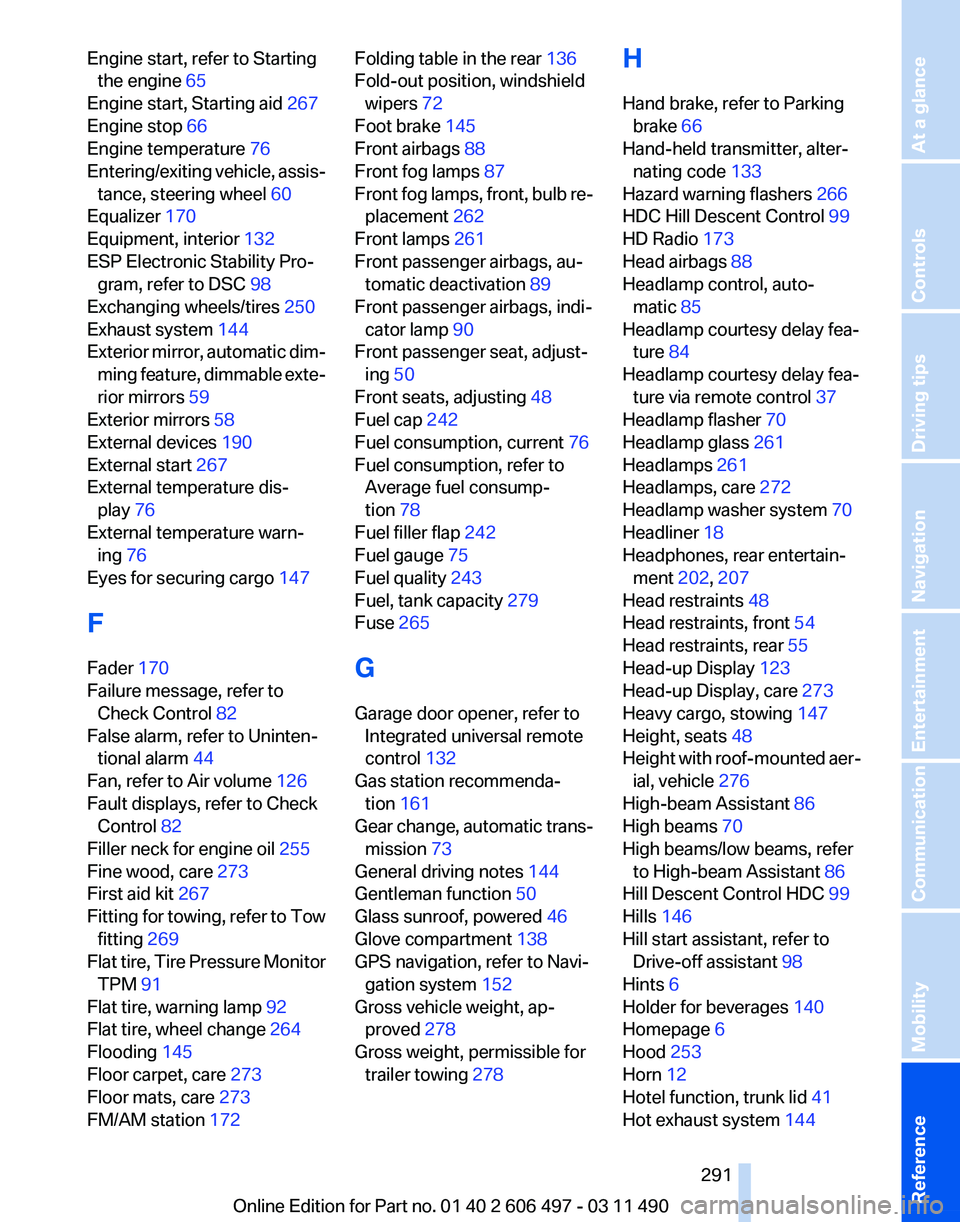
Engine start, refer to Starting
the engine 65
Engine start, Starting aid 267
Engine stop 66
Engine temperature 76
Entering/exiting
vehicle, assis‐
tance, steering wheel 60
Equalizer 170
Equipment, interior 132
ESP Electronic Stability Pro‐ gram, refer to DSC 98
Exchanging wheels/tires 250
Exhaust system 144
Exterior mirror, automatic dim‐ ming feature, dimmable exte‐
rior mirrors 59
Exterior mirrors 58
External devices 190
External start 267
External temperature dis‐ play 76
External temperature warn‐ ing 76
Eyes for securing cargo 147
F
Fader 170
Failure message, refer to Check Control 82
False alarm, refer to Uninten‐ tional alarm 44
Fan, refer to Air volume 126
Fault displays, refer to Check Control 82
Filler neck for engine oil 255
Fine wood, care 273
First aid kit 267
Fitting for towing, refer to Tow fitting 269
Flat tire, Tire Pressure Monitor TPM 91
Flat tire, warning lamp 92
Flat tire, wheel change 264
Flooding 145
Floor carpet, care 273
Floor mats, care 273
FM/AM station 172 Folding table in the rear
136
Fold-out position, windshield wipers 72
Foot brake 145
Front airbags 88
Front fog lamps 87
Front
fog lamps, front, bulb re‐
placement 262
Front lamps 261
Front passenger airbags, au‐ tomatic deactivation 89
Front passenger airbags, indi‐ cator lamp 90
Front passenger seat, adjust‐ ing 50
Front seats, adjusting 48
Fuel cap 242
Fuel consumption, current 76
Fuel consumption, refer to Average fuel consump‐
tion 78
Fuel filler flap 242
Fuel gauge 75
Fuel quality 243
Fuel, tank capacity 279
Fuse 265
G
Garage door opener, refer to Integrated universal remote
control 132
Gas station recommenda‐ tion 161
Gear change, automatic trans‐ mission 73
General driving notes 144
Gentleman function 50
Glass sunroof, powered 46
Glove compartment 138
GPS navigation, refer to Navi‐ gation system 152
Gross vehicle weight, ap‐ proved 278
Gross weight, permissible for trailer towing 278 H
Hand brake, refer to Parking
brake 66
Hand-held transmitter, alter‐ nating code 133
Hazard warning flashers 266
HDC Hill Descent Control 99
HD Radio 173
Head airbags 88
Headlamp control, auto‐ matic 85
Headlamp courtesy delay fea‐ ture 84
Headlamp courtesy delay fea‐ ture via remote control 37
Headlamp flasher 70
Headlamp glass 261
Headlamps 261
Headlamps, care 272
Headlamp washer system 70
Headliner 18
Headphones, rear entertain‐ ment 202, 207
Head restraints 48
Head restraints, front 54
Head restraints, rear 55
Head-up Display 123
Head-up Display, care 273
Heavy cargo, stowing 147
Height, seats 48
Height
with roof-mounted aer‐
ial, vehicle 276
High-beam Assistant 86
High beams 70
High beams/low beams, refer to High-beam Assistant 86
Hill Descent Control HDC 99
Hills 146
Hill start assistant, refer to Drive-off assistant 98
Hints 6
Holder for beverages 140
Homepage 6
Hood 253
Horn 12
Hotel function, trunk lid 41
Hot exhaust system 144
Seite 291
291Online Edition for Part no. 01 40 2 606 497 - 03 11 490
Reference Mobility Communication Entertainment Navigation Driving tips Controls At a glance
Page 293 of 299
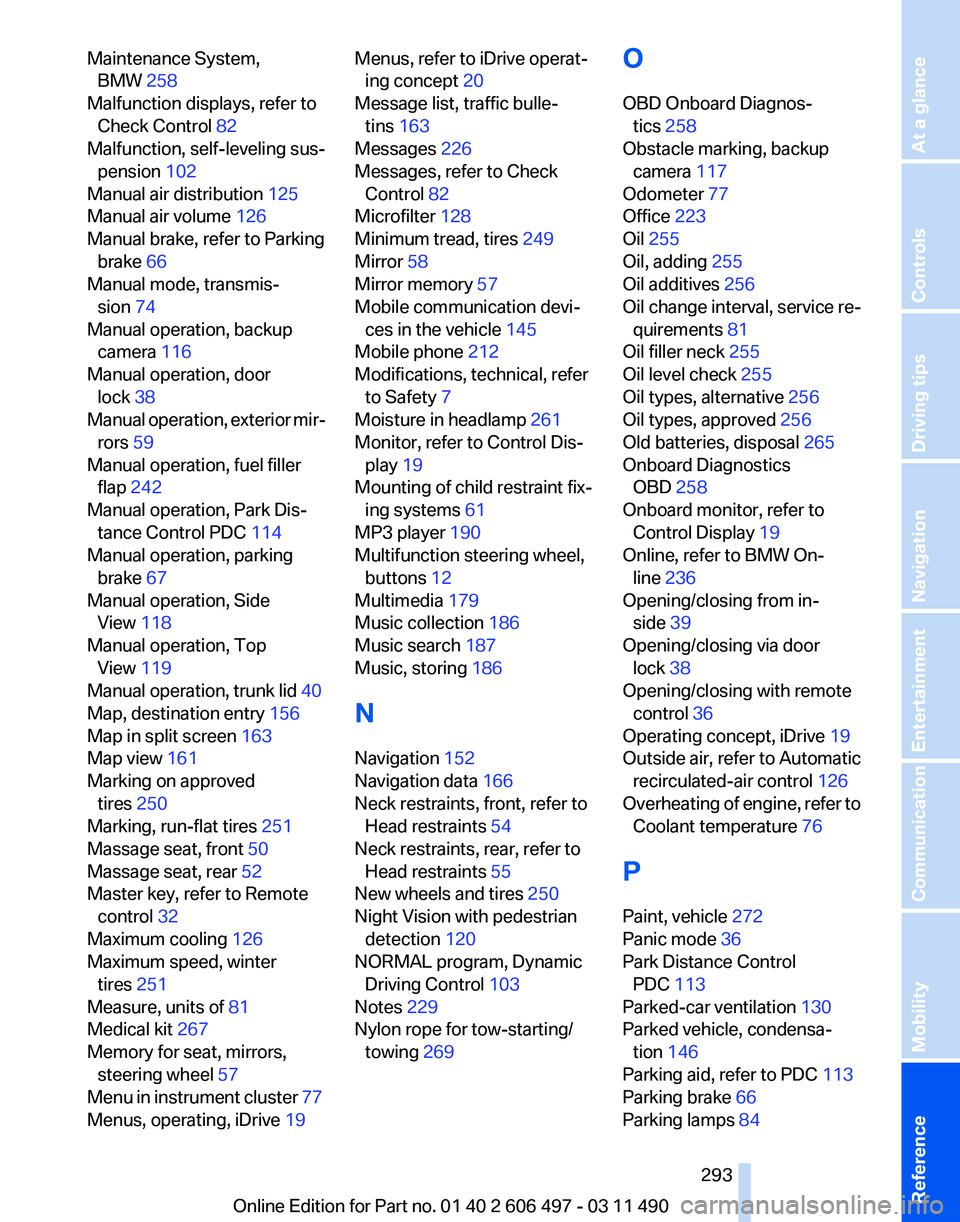
Maintenance System,
BMW 258
Malfunction displays, refer to Check Control 82
Malfunction, self-leveling sus‐ pension 102
Manual air distribution 125
Manual air volume 126
Manual brake, refer to Parking brake 66
Manual mode, transmis‐ sion 74
Manual operation, backup camera 116
Manual operation, door lock 38
Manual
operation, exterior mir‐
rors 59
Manual operation, fuel filler flap 242
Manual operation, Park Dis‐ tance Control PDC 114
Manual operation, parking brake 67
Manual operation, Side View 118
Manual operation, Top View 119
Manual operation, trunk lid 40
Map, destination entry 156
Map in split screen 163
Map view 161
Marking on approved tires 250
Marking, run-flat tires 251
Massage seat, front 50
Massage seat, rear 52
Master key, refer to Remote control 32
Maximum cooling 126
Maximum speed, winter tires 251
Measure, units of 81
Medical kit 267
Memory for seat, mirrors, steering wheel 57
Menu in instrument cluster 77
Menus, operating, iDrive 19 Menus, refer to iDrive operat‐
ing concept 20
Message list, traffic bulle‐ tins 163
Messages 226
Messages, refer to Check Control 82
Microfilter 128
Minimum tread, tires 249
Mirror 58
Mirror memory 57
Mobile communication devi‐ ces in the vehicle 145
Mobile phone 212
Modifications, technical, refer to Safety 7
Moisture in headlamp 261
Monitor, refer to Control Dis‐ play 19
Mounting of child restraint fix‐ ing systems 61
MP3 player 190
Multifunction steering wheel, buttons 12
Multimedia 179
Music collection 186
Music search 187
Music, storing 186
N
Navigation 152
Navigation data 166
Neck restraints, front, refer to Head restraints 54
Neck restraints, rear, refer to Head restraints 55
New wheels and tires 250
Night Vision with pedestrian detection 120
NORMAL program, Dynamic Driving Control 103
Notes 229
Nylon rope for tow-starting/ towing 269 O
OBD Onboard Diagnos‐
tics 258
Obstacle marking, backup camera 117
Odometer 77
Office 223
Oil 255
Oil, adding 255
Oil additives 256
Oil
change interval, service re‐
quirements 81
Oil filler neck 255
Oil level check 255
Oil types, alternative 256
Oil types, approved 256
Old batteries, disposal 265
Onboard Diagnostics OBD 258
Onboard monitor, refer to Control Display 19
Online, refer to BMW On‐ line 236
Opening/closing from in‐ side 39
Opening/closing via door lock 38
Opening/closing with remote control 36
Operating concept, iDrive 19
Outside air, refer to Automatic recirculated-air control 126
Overheating of engine, refer to Coolant temperature 76
P
Paint, vehicle 272
Panic mode 36
Park Distance Control PDC 113
Parked-car ventilation 130
Parked vehicle, condensa‐ tion 146
Parking aid, refer to PDC 113
Parking brake 66
Parking lamps 84
Seite 293
293Online Edition for Part no. 01 40 2 606 497 - 03 11 490
Reference Mobility Communication Entertainment Navigation Driving tips Controls At a glance