window BMW 7 SERIES 2013 F01 Owner's Guide
[x] Cancel search | Manufacturer: BMW, Model Year: 2013, Model line: 7 SERIES, Model: BMW 7 SERIES 2013 F01Pages: 255, PDF Size: 5.22 MB
Page 168 of 255
Adjust the vent to direct the air in your di‐
rection, e.g., if the vehicle interior is hot
from the sun.▷Draft-free ventilation:
Adjust the vent to let the air flow past you.
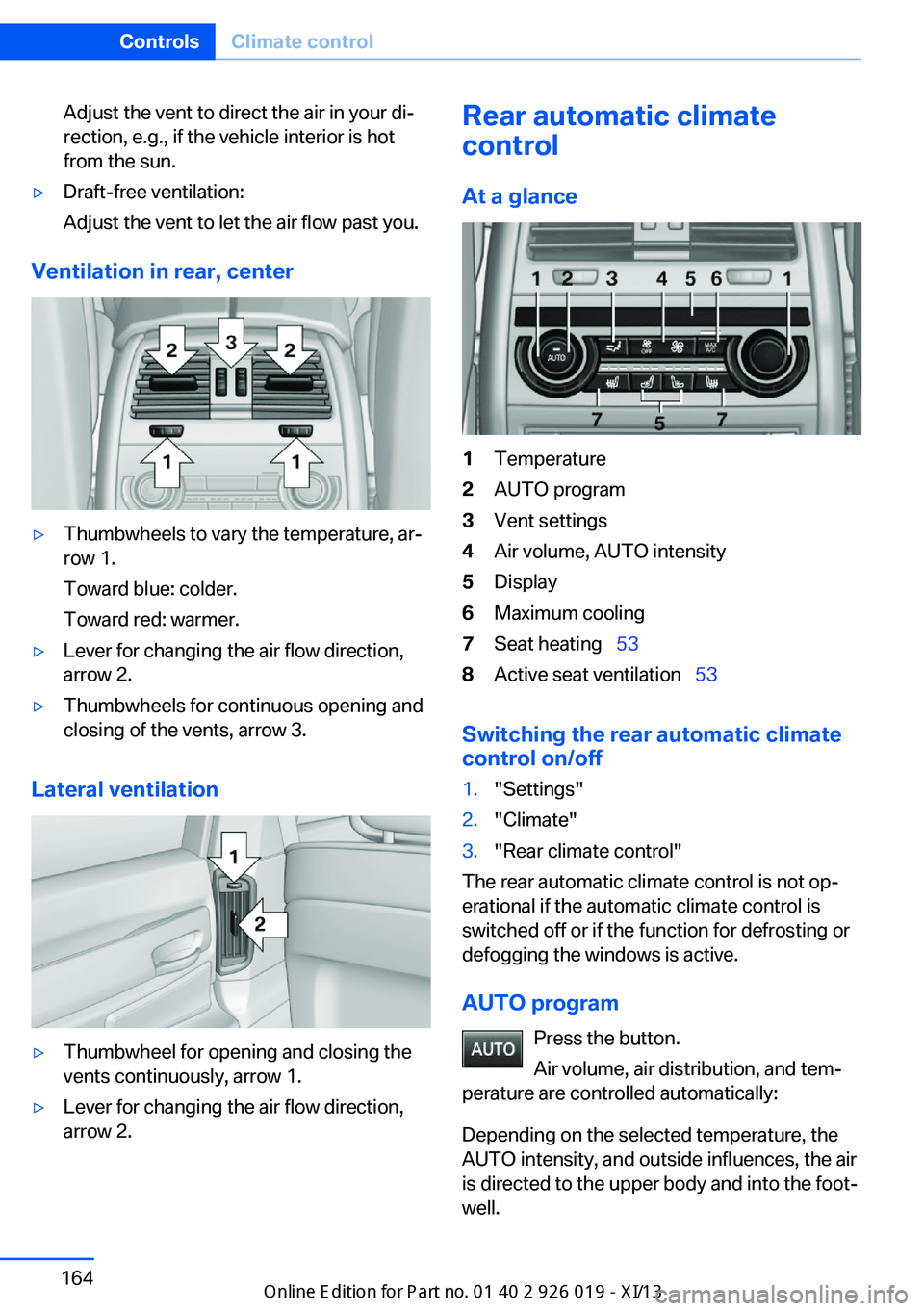
Ventilation in rear, center
▷Thumbwheels to vary the temperature, ar‐
row 1.
Toward blue: colder.
Toward red: warmer.▷Lever for changing the air flow direction,
arrow 2.▷Thumbwheels for continuous opening and
closing of the vents, arrow 3.
Lateral ventilation
▷Thumbwheel for opening and closing the
vents continuously, arrow 1.▷Lever for changing the air flow direction,
arrow 2.Rear automatic climate
control
At a glance1Temperature2AUTO program3Vent settings4Air volume, AUTO intensity5Display6Maximum cooling7Seat heating 538Active seat ventilation 53
Switching the rear automatic climate
control on/off
1."Settings"2."Climate"3."Rear climate control"
The rear automatic climate control is not op‐
erational if the automatic climate control is
switched off or if the function for defrosting or
defogging the windows is active.
AUTO program Press the button.
Air volume, air distribution, and tem‐
perature are controlled automatically:
Depending on the selected temperature, the
AUTO intensity, and outside influences, the air
is directed to the upper body and into the foot‐
well.
Seite 164ControlsClimate control164
Online Edition for Part no. 01 40 2 909 749 - VI/13
Page 186 of 255
Things to remember when drivingVehicle equipment
All standard, country-specific and optional
equipment that is offered in the model series is
described in this chapter. Therefore, equip‐
ment is also described that is not available in a
vehicle, e. g., because of the selected optional
equipment or country variant. This also applies
for safety-related functions and systems.
Breaking-in period General information Moving parts need to be broken in to adjust to
each other.
The following instructions will help achieve a
long vehicle life and good economy.
Engine and differential Always obey the official speed limit.
Up to 1,200 miles/2,000 km
Do not exceed the maximum engine and road
speed:▷For gasoline engine 4,500 rpm and
100 mph/160 km/h.
Avoid full load or kickdown under all circum‐
stances.
From 1,200 miles/2,000 km The engine and vehicle speed can gradually be
increased.
Tires
Due to technical factors associated with their
manufacture, tires do not achieve their full
traction potential until after an initial breaking-
in period.
Drive conservatively for the first
200 miles/300 km.
Brake system
Brakes require an initial break-in period of ap‐
prox. 300 miles/500 km to achieve optimized
contact and wear patterns between brake
discs and brake pads. Drive moderately during
this break-in period.
Following part replacement
The same breaking in procedures should be
observed if any of the components mentioned
above have to be renewed in the course of the
vehicle's operating life.
General driving notes
Closing the trunk lid Drive with the trunk lid closed
Only drive with the tailgate closed; other‐
wise, in the event of an accident or braking and
evasive maneuvers, passengers and other road
users may be injured, and the vehicle may be
damaged. In addition, exhaust fumes may en‐
ter the passenger compartment.◀
If driving with the tailgate open cannot be
avoided:▷Close all windows and the glass sunroof.▷Greatly increase the blower speed.▷Drive moderately.
Hot exhaust system
Hot exhaust system
High temperatures are generated in the
exhaust system.
Do not remove the heat shields installed and
never apply undercoating to them. Make sure
that flammable materials, e. g. hay, leaves,
grass, etc. do not come in contact with the hot
exhaust system during driving, while in idle po‐
Seite 182Driving tipsThings to remember when driving182
Online Edition for Part no. 01 40 2 909 749 - VI/13
Page 192 of 255
Saving fuelVehicle equipmentAll standard, country-specific and optional
equipment that is offered in the model series is
described in this chapter. Therefore, equip‐
ment is also described that is not available in a
vehicle, e. g., because of the selected optional
equipment or country variant. This also applies
for safety-related functions and systems.
General information Your vehicle contains advanced technology for
the reduction of fuel consumption and emis‐
sions.
Fuel consumption depends on a number of dif‐
ferent factors.
The implementation of certain measures, driv‐
ing style and regular maintenance can have an
influence on fuel consumption and on the envi‐
ronmental impact.
Remove unnecessary cargoAdditional weight increases fuel consumption.
Remove attached parts
following use
Remove auxiliary mirrors, roof or rear luggage
racks which are no longer required following
use.
Attached parts on the vehicle impair the aero‐
dynamics and increase the fuel consumption.Close the windows and glass
sunroof
Driving with the glass sunroof and windows
open results in increased air resistance and
raises fuel consumption.
Tires General information
Tires can affect fuel consumption values in
various ways, for instance fuel consumption
can be influenced by the size of the tires.
Check the tire inflation pressure
regularly
Check and, if necessary, correct the tire infla‐
tion pressure at least twice a month and before
starting on a long trip.
Low tire inflation pressure increases rolling re‐
sistance and thus raises fuel consumption and
tire wear.
Drive away without delay Do not wait for the engine to warm-up while
the vehicle remains stationary. Start driving
right away, but at moderate engine speeds.
This is the fastest way for the cold engine to
reach its operating temperature.
Look well ahead when
driving
Avoid unnecessary acceleration and braking.
By maintaining a suitable distance to the vehi‐
cle driving ahead of you.
Driving smoothly and looking ahead reduces
fuel consumption.Seite 188Driving tipsSaving fuel188
Online Edition for Part no. 01 40 2 909 749 - VI/13
Page 193 of 255
Use coasting conditions
When approaching a red light, take your foot
off the accelerator and let the vehicle coast to
a halt.
On a downhill gradient, take your foot off the
accelerator and let the vehicle roll.
The flow of fuel is interrupted while coasting.
Switch off the engine during longer stops
Switch off the engine during longer stops, e.g.,
at traffic lights, railroad crossings or in traffic
congestion.
Automatic Engine Start/Stop Function The Auto Start/Stop function of your vehicle
automatically switches off the engine during a
stop.
If the engine is switched off and then restarted
rather than leaving the engine running con‐
stantly, fuel consumption and emissions are
reduced. Savings can begin within a few sec‐
onds of switching off the engine.
Using this system can cause certain compo‐
nents of the vehicle to become worn prema‐
turely.
In addition, fuel consumption is also deter‐
mined by other factors, such as driving style,
road conditions, maintenance or environmental
factors.
Switch off any functions that
are not currently needed
Functions such as seat heating and the rear
window defroster require a lot of energy and
consume additional fuel, especially in city and
stop-and-go traffic.
Therefore, switch off these functions if they
are not actually needed.Have maintenance carried
out
Have vehicles maintained regularly to achieve
optimal vehicle economy and operating life.
Have the maintenance carried out by your
service center.
Please also note the BMW Maintenance Sys‐
tem, refer to page 216.
ECO PRO
The concept ECO PRO supports a driving style that saves
on fuel consumption. For this purpose, the en‐
gine control and comfort functions, e. g. the
climate control output, are adjusted.
Under certain conditions the engine is auto‐
matically decoupled from the transmission
when transmission position D is engaged. The
vehicle continues traveling with the engine
idling to reduce fuel consumption. Transmis‐
sion position D remains engaged.
In addition, context-sensitive instructions can
be displayed that assist in driving in a manner
that optimizes fuel consumption.
The extension of the range that is achieved as
a result can be displayed in the instrument
cluster.
At a glance
The system includes the following
EfficientDynamics functions and displays:▷ECO PRO bonus range, refer to page 190.▷ECO PRO tips driving instruction, refer to
page 191▷ECO PRO climate control, refer to
page 190.▷ECO PRO coasting driving status, refer to
page 192.Seite 189Saving fuelDriving tips189
Online Edition for Part no. 01 40 2 909 749 - VI/13
Page 235 of 255
Do not turn off the ignition in the car
wash
Do not turn off the ignition in the car wash;
otherwise, the transmission position P is
engaged and damages can result.◀
To start the engine:
1.Depress the brake pedal.2.Press the Start/Stop button.
Pressing the Start/Stop button without step‐
ping on the brake turns the ignition off.
The vehicle cannot be locked from the outside
when in transmission position N. A signal is
sounded when an attempt is made to lock the
vehicle.
Transmission position
Transmission position P is engaged automati‐
cally:
▷When the ignition is switched off.▷After approx. 15 minutes.
Headlamps
▷Do not rub dry and do not use abrasive or
caustic cleansers.▷Soak areas that have been soiled e.g. due
to insects, with shampoo and wash off with
water.▷Thaw ice with deicing spray; do not use an
ice scraper.
After washing the vehicle
After washing the vehicle, apply the brakes
briefly to dry them; otherwise, braking action
can be reduced and corrosion of the brake
discs can occur.
Completely remove all residues on the win‐
dows, to minimize loss of visibility due to
smearing and to reduce wiper noises and
wiper blade wear.
Vehicle care
Car care productsBMW recommends using cleaning and care
products from BMW, since these have been
tested and approved.
Car care and cleaning products
Follow the instructions on the container.
When cleaning the interior, open the doors or
windows.
Only use products intended for cleaning vehi‐ cles.
Cleansers can contain substances that are
dangerous and harmful to your health.◀
Vehicle paint Regular care contributes to driving safety and
value retention. Environmental influences in
areas with elevated air pollution or natural con‐
taminants, such as tree resin or pollen can af‐
fect the vehicle's paintwork. Tailor the fre‐
quency and extent of your car care to these
influences.
Aggressive substances, such as spilled fuel,
oil, grease or bird droppings, must be removed
immediately to prevent the finish from being
altered or discolored.
Leather care
Remove dust from the leather often, using a
cloth or vacuum cleaner.
Otherwise, particles of dust and road grime
chafe in pores and folds, and lead to increased
wear and premature degradation of the leather
surface.
To guard against discoloration, such as from
clothing, provide leather care roughly every
two months.
Clean light-colored leather more frequently be‐
cause soiling on such surfaces is substantially
more visible.Seite 231CareMobility231
Online Edition for Part no. 01 40 2 909 749 - VI/13
Page 246 of 255
Combination switch, refer toWiper system 74
COMFORT+ program, Driving Dynamics Control 131
Comfort Access 39
COMFORT program, Driving Dynamics Control 131
Computer 91
Condensation on win‐ dows 161
Condensation under the vehi‐ cle 184
Condition Based Service CBS 216
Configure driving mode 132
Confirmation signal 42
Congestion Assistant 139
ConnectedDrive, see user's manual for Navigation, En‐
tertainment and Communi‐
cation
ConnectedDrive Services
Control Display 16
Control Display, settings 93
Controller 16
Control systems, driving sta‐ bility 125
Convenient opening 34
Coolant 215
Coolant temperature 86
Cooler 173
Cooling function 162
Cooling, maximum 162
Cooling system 215
Corrosion on brake discs 184
Cruise control 142
Cruise control, active with Stop & Go 133
Cruising range 86
Cupholder 178
Curb weight 237
Current fuel consumption 87
D
Damage, tires 206 Damping Control, dy‐
namic 128
Data, technical 236
Date 86
Daytime running lights 96
Defrosting, refer to Windows, defrosting 161
Departure time, parked-car ventilation 166
Destination distance 92
Digital clock 86
Dimensions 236
Dimmable exterior mirrors 59
Dimmable interior rearview mirror 60
Direction indicator, refer to Turn signals 73
Display in windshield 157
Display lighting, refer to In‐ strument lighting 98
Displays 79, 80
Displays, cleaning 233
Disposal, vehicle battery 223
Distance control, refer to PDC 145
Distance information 158
Distance to destination 92
Divided screen view, split screen 20
Door lock, refer to Remote control 30
Doors, Automatic Soft Clos‐ ing 36
Downhill control 127
Drive-off assistant 125
Drive-off assistant, refer to DSC 125
Driver assistance, see Intelli‐ gent Safety 108
Driving Assistant, see Intelli‐ gent Safety 108
Driving Dynamics Con‐ trol 130
Driving instructions, breaking in 182
Driving mode 130 Driving notes, general 182
Driving stability control sys‐ tems 125
Driving tips 182
DSC Dynamic Stability Con‐ trol 125
DTC driving dynamics 126
DTC Dynamic Traction Con‐ trol 126
Dynamic Damping Con‐ trol 128
Dynamic Drive 128
Dynamic Stability Control DSC 125
Dynamic Traction Control DTC 126
E
ECO PRO 189
ECO PRO, bonus range 190
ECO PRO display 189
ECO PRO displays 82
ECO PRO driving mode 189
ECO PRO mode 189
ECO PRO Tip - driving in‐ struction 191
EfficientDynamics 191
Electronic displays, instru‐ ment cluster 80
Electronic Stability Program ESP, refer to DSC 125
Emergency detection, remote control 31
Emergency release, door lock 36
Emergency release, fuel filler flap 196
Emergency release, parking brake 71
Emergency Request 225
Emergency service, refer to Roadside Assistance 226
Emergency start function, en‐ gine start 31 Seite 242ReferenceEverything from A to Z242
Online Edition for Part no. 01 40 2 909 749 - VI/13
Page 249 of 255
License plate lamp, bulb re‐placement 221
Light alloy wheels, care 232
Light control 96
Light-emitting diodes, LEDs 219
Lighter, rear 171
Lighting 95
Lighting, speaker 99
Lighting via remote con‐ trol 34
Light switch 95
Load 185
Loading 185
Lock, door 35
Locking/unlocking from in‐ side 36
Locking/unlocking via door lock 35
Locking/unlocking with re‐ mote control 34
Locking, automatic 42
Locking, central 33
Locking, settings 41
Locking via trunk lid 37
Lock, power window 45
Locks, doors, and win‐ dows 65
Low beams 95
Low beams, automatic, refer to High-beam Assistant 97
Lower back support 49
Lug bolt lock 222
Luggage rack, refer to Roof- mounted luggage rack 186
Lumbar support 49
M
Maintenance 216
Maintenance require‐ ments 216
Maintenance, service require‐ ments 87
Maintenance system, BMW 216 Malfunction displays, refer to
Check Control 83
Malfunction, self-leveling sus‐ pension 130
Manual air distribution 161
Manual air flow 161
Manual brake, refer to Parking brake 70
Manual mode, transmis‐ sion 78
Manual operation, backup camera 148
Manual operation, door lock 36
Manual operation, exterior mirrors 59
Manual operation, fuel filler flap 196
Manual operation, Park Dis‐ tance Control PDC 145
Manual operation, parking brake 71
Manual operation, Side View 150
Manual operation, Top View 151
Manual operation, trunk lid 37
Marking on approved tires 207
Marking, run-flat tires 208
Massage seat, front 50
Massage seat, rear 52
Master key, refer to Remote control 30
Maximum cooling 162
Maximum speed, display 89
Maximum speed, winter tires 208
Measure, units of 93
Medical kit 226
Memory for seat, mirrors, steering wheel 57
Menu, EfficientDynamics 191
Menu in instrument clus‐ ter 90 Menus, operating, iDrive 16
Menus, refer to iDrive operat‐ ing concept 17
Messages, refer to Check Control 83
Microfilter 163
Minimum tread, tires 206
Mirror 58
Mirror memory 57
Mobile communication devi‐ ces in the vehicle 183
Modifications, technical, refer to Safety 7
Moisture in headlamp 219
Monitor, refer to Control Dis‐ play 16
Mounting of child restraint fix‐ ing systems 62
Multifunctional instrument display 80
Multifunction steering wheel, buttons 12
N Navigation, see user's manual for Navigation, Entertain‐
ment and Communication
Neck restraints, front, refer to Head restraints 55
Neck restraints, rear, refer to Head restraints 56
Neutral cleaner, see wheel cleaner 232
New wheels and tires 206
Night Vision with pedestrian detection 116
No Passing Information 89
Nylon rope for tow-starting/ towing 228
O OBD Onboard Diagnosis 217
OBD, see OBD Onboard Di‐ agnosis 217 Seite 245Everything from A to ZReference245
Online Edition for Part no. 01 40 2 909 749 - VI/13
Page 250 of 255
Obstacle marking, rearview
camera 149
Octane rating, refer to Gaso‐
line quality 198
Odometer 86
Office, see user's manual for
Navigation, Entertainment
and Communication
Oil 212
Oil, adding 213
Oil additives 213
Oil change 214
Oil change interval, service
requirements 87
Oil filler neck 213
Oil types, alternative 213
Oil types, approved 213
Old batteries, disposal 223
Onboard monitor, refer to
Control Display 16
Onboard vehicle tool kit 218
Opening/closing the trunk lid
with no-touch activation 40
Opening and closing 30
Opening and closing, from in‐
side 36
Opening and closing via door
lock 35
Opening and closing, with re‐
mote control 34
Operating concept, iDrive 16
Optional equipment, standard
equipment 6
Outside air, refer to Auto‐
matic recirculated-air con‐
trol 162
Overheating of engine, refer
to Coolant temperature 86
Overtaking prohibitions 89
P
Paint, vehicle 231
Parallel parking assistant 153
Park Distance Control
PDC 145
Parked-car ventilation 166
Parked vehicle, condensa‐
tion 184
Parking aid, refer to PDC 145
Parking assistant 153
Parking brake 70
Parking lamps 95
Parking lamps and roadside
parking lamps, refer to
Light-emitting diodes,
LEDs 220
Parking with Auto Hold 72
Passenger side mirror, tilting
downward 59
Pathway lines, rearview cam‐
era 148
PDC Park Distance Con‐
trol 145
Pedestrian detection, refer to
Night Vision 116
Pedestrian warning with city
braking function 114
People detection, refer to
Night Vision 116
Permissible axle load 237
Personal Profile 31
Pinch protection system,
glass sunroof 47
Pinch protection system, win‐
dows 44
Plastic, care 232
Power failure 223
Power sunroof, glass 46
Power windows 44
Pressure, tire air pres‐
sure 199
Pressure warning FTM,
tires 103
Profile, refer to Personal Pro‐
file 31
Programmable memory but‐
tons, iDrive 21
Protective function, glass
sunroof 47
Protective function, win‐
dows 44
Push-and-turn switch, refer to
Controller 16
Q
Queuing Assistant, see Con‐
gestion Assistant 139
R
Radiator fluid 215
Radio-operated key, refer to
Remote control 30
Radio ready state 67
Radio, see user's manual for
Navigation, Entertainment
and Communication
Rain sensor 75
Rear automatic climate con‐
trol 164
Rear axle steering 129
Rear cooler 173
Rear lamps 221
Rear seats, adjusting 51
Rear seats, basic position 52
Rear sockets 172
Rearview mirror 58
Rear window defroster 162
Recirculated-air mode 162
Recommended tire
brands 207
Refueling 196
Remaining range 86
Remote control/key 30
Remote control, malfunc‐
tion 35
Remote control, univer‐
sal 168
Replacement fuse 224
Replacing parts 218
Replacing wheels/tires 206
Reporting safety defects 9
RES button 136
Reserve warning, refer to
Range 86
Seite 246ReferenceEverything from A to Z246
Online Edition for Part no. 01 40 2 909 749 - VI/13
Page 251 of 255
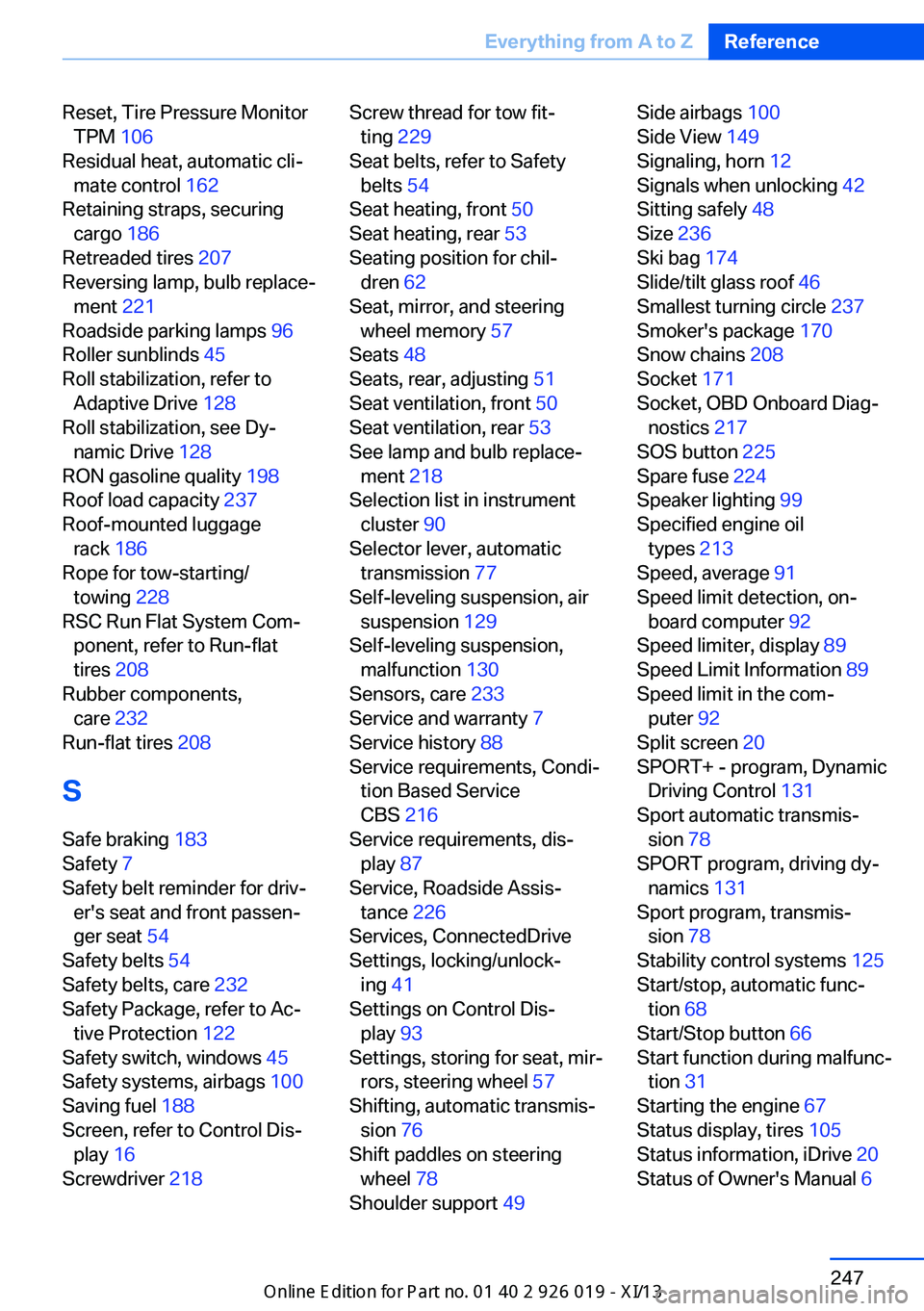
Reset, Tire Pressure MonitorTPM 106
Residual heat, automatic cli‐ mate control 162
Retaining straps, securing cargo 186
Retreaded tires 207
Reversing lamp, bulb replace‐ ment 221
Roadside parking lamps 96
Roller sunblinds 45
Roll stabilization, refer to Adaptive Drive 128
Roll stabilization, see Dy‐ namic Drive 128
RON gasoline quality 198
Roof load capacity 237
Roof-mounted luggage rack 186
Rope for tow-starting/ towing 228
RSC Run Flat System Com‐ ponent, refer to Run-flat
tires 208
Rubber components, care 232
Run-flat tires 208
S Safe braking 183
Safety 7
Safety belt reminder for driv‐ er's seat and front passen‐
ger seat 54
Safety belts 54
Safety belts, care 232
Safety Package, refer to Ac‐ tive Protection 122
Safety switch, windows 45
Safety systems, airbags 100
Saving fuel 188
Screen, refer to Control Dis‐ play 16
Screwdriver 218 Screw thread for tow fit‐
ting 229
Seat belts, refer to Safety belts 54
Seat heating, front 50
Seat heating, rear 53
Seating position for chil‐ dren 62
Seat, mirror, and steering wheel memory 57
Seats 48
Seats, rear, adjusting 51
Seat ventilation, front 50
Seat ventilation, rear 53
See lamp and bulb replace‐ ment 218
Selection list in instrument cluster 90
Selector lever, automatic transmission 77
Self-leveling suspension, air suspension 129
Self-leveling suspension, malfunction 130
Sensors, care 233
Service and warranty 7
Service history 88
Service requirements, Condi‐ tion Based Service
CBS 216
Service requirements, dis‐ play 87
Service, Roadside Assis‐ tance 226
Services, ConnectedDrive
Settings, locking/unlock‐ ing 41
Settings on Control Dis‐ play 93
Settings, storing for seat, mir‐ rors, steering wheel 57
Shifting, automatic transmis‐ sion 76
Shift paddles on steering wheel 78
Shoulder support 49 Side airbags 100
Side View 149
Signaling, horn 12
Signals when unlocking 42
Sitting safely 48
Size 236
Ski bag 174
Slide/tilt glass roof 46
Smallest turning circle 237
Smoker's package 170
Snow chains 208
Socket 171
Socket, OBD Onboard Diag‐ nostics 217
SOS button 225
Spare fuse 224
Speaker lighting 99
Specified engine oil types 213
Speed, average 91
Speed limit detection, on‐ board computer 92
Speed limiter, display 89
Speed Limit Information 89
Speed limit in the com‐ puter 92
Split screen 20
SPORT+ - program, Dynamic Driving Control 131
Sport automatic transmis‐ sion 78
SPORT program, driving dy‐ namics 131
Sport program, transmis‐ sion 78
Stability control systems 125
Start/stop, automatic func‐ tion 68
Start/Stop button 66
Start function during malfunc‐ tion 31
Starting the engine 67
Status display, tires 105
Status information, iDrive 20
Status of Owner's Manual 6 Seite 247Everything from A to ZReference247
Online Edition for Part no. 01 40 2 909 749 - VI/13
Page 253 of 255
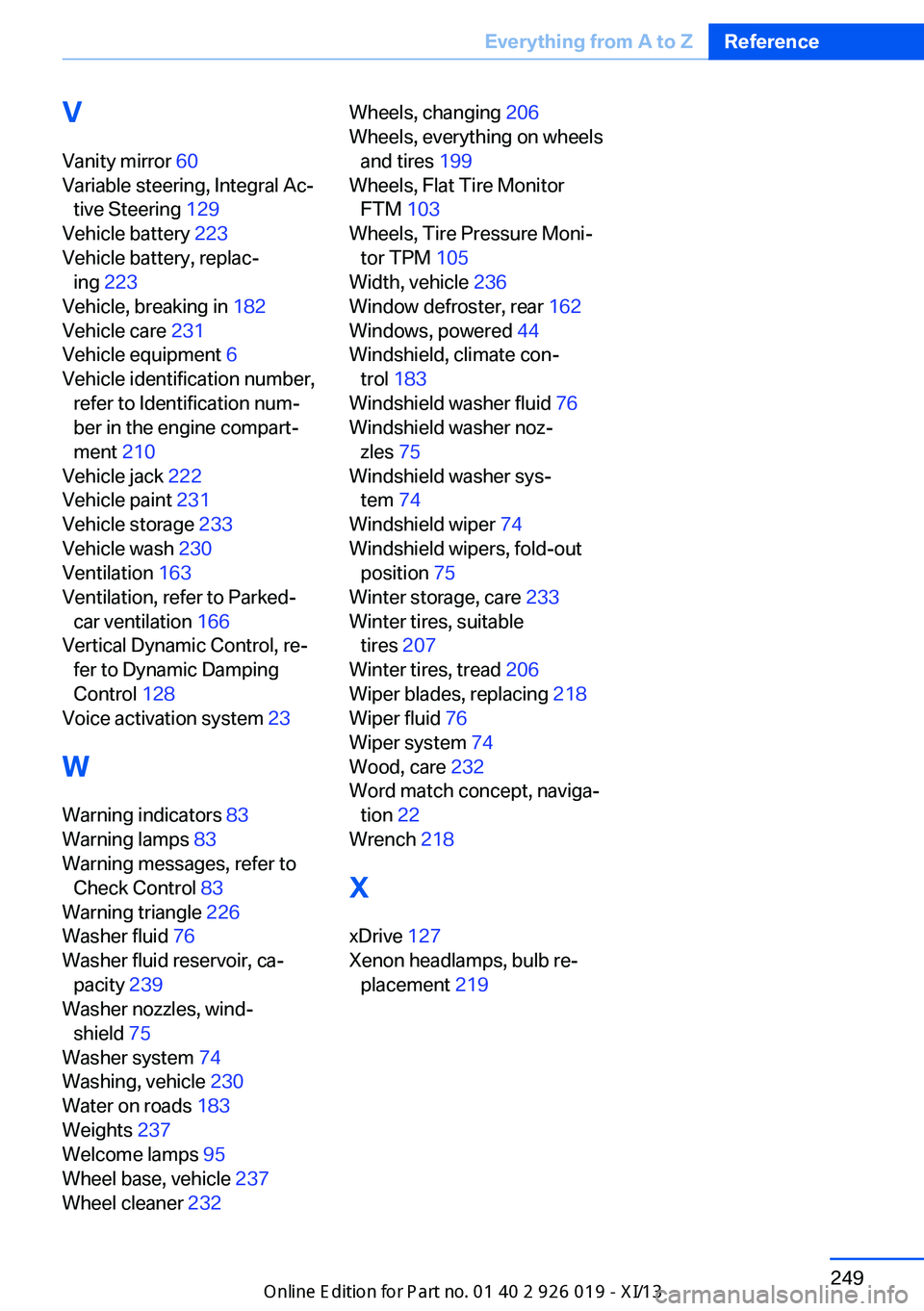
V
Vanity mirror 60
Variable steering, Integral Ac‐ tive Steering 129
Vehicle battery 223
Vehicle battery, replac‐ ing 223
Vehicle, breaking in 182
Vehicle care 231
Vehicle equipment 6
Vehicle identification number, refer to Identification num‐
ber in the engine compart‐
ment 210
Vehicle jack 222
Vehicle paint 231
Vehicle storage 233
Vehicle wash 230
Ventilation 163
Ventilation, refer to Parked- car ventilation 166
Vertical Dynamic Control, re‐ fer to Dynamic Damping
Control 128
Voice activation system 23
W Warning indicators 83
Warning lamps 83
Warning messages, refer to Check Control 83
Warning triangle 226
Washer fluid 76
Washer fluid reservoir, ca‐ pacity 239
Washer nozzles, wind‐ shield 75
Washer system 74
Washing, vehicle 230
Water on roads 183
Weights 237
Welcome lamps 95
Wheel base, vehicle 237
Wheel cleaner 232 Wheels, changing 206
Wheels, everything on wheels and tires 199
Wheels, Flat Tire Monitor FTM 103
Wheels, Tire Pressure Moni‐ tor TPM 105
Width, vehicle 236
Window defroster, rear 162
Windows, powered 44
Windshield, climate con‐ trol 183
Windshield washer fluid 76
Windshield washer noz‐ zles 75
Windshield washer sys‐ tem 74
Windshield wiper 74
Windshield wipers, fold-out position 75
Winter storage, care 233
Winter tires, suitable tires 207
Winter tires, tread 206
Wiper blades, replacing 218
Wiper fluid 76
Wiper system 74
Wood, care 232
Word match concept, naviga‐ tion 22
Wrench 218
X xDrive 127
Xenon headlamps, bulb re‐ placement 219 Seite 249Everything from A to ZReference249
Online Edition for Part no. 01 40 2 909 749 - VI/13