Def BMW 7 SERIES 2014 F01 User Guide
[x] Cancel search | Manufacturer: BMW, Model Year: 2014, Model line: 7 SERIES, Model: BMW 7 SERIES 2014 F01Pages: 265, PDF Size: 5.68 MB
Page 170 of 265
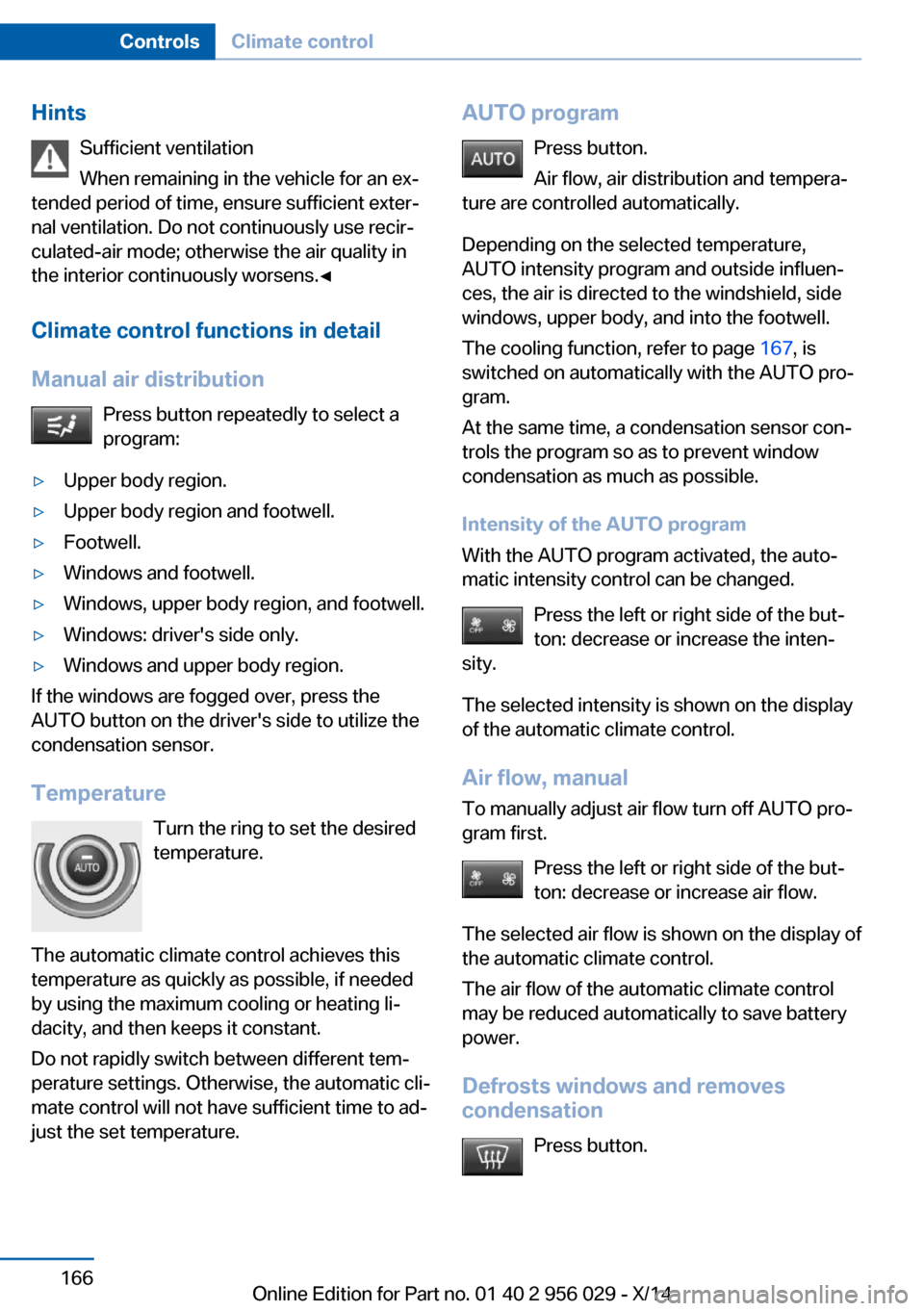
HintsSufficient ventilation
When remaining in the vehicle for an ex‐
tended period of time, ensure sufficient exter‐
nal ventilation. Do not continuously use recir‐
culated-air mode; otherwise the air quality in
the interior continuously worsens.◀
Climate control functions in detail
Manual air distribution Press button repeatedly to select a
program:▷Upper body region.▷Upper body region and footwell.▷Footwell.▷Windows and footwell.▷Windows, upper body region, and footwell.▷Windows: driver's side only.▷Windows and upper body region.
If the windows are fogged over, press the
AUTO button on the driver's side to utilize the
condensation sensor.
Temperature Turn the ring to set the desired
temperature.
The automatic climate control achieves this
temperature as quickly as possible, if needed
by using the maximum cooling or heating li‐
dacity, and then keeps it constant.
Do not rapidly switch between different tem‐
perature settings. Otherwise, the automatic cli‐
mate control will not have sufficient time to ad‐
just the set temperature.
AUTO program
Press button.
Air flow, air distribution and tempera‐
ture are controlled automatically.
Depending on the selected temperature,
AUTO intensity program and outside influen‐
ces, the air is directed to the windshield, side
windows, upper body, and into the footwell.
The cooling function, refer to page 167, is
switched on automatically with the AUTO pro‐
gram.
At the same time, a condensation sensor con‐
trols the program so as to prevent window
condensation as much as possible.
Intensity of the AUTO program
With the AUTO program activated, the auto‐
matic intensity control can be changed.
Press the left or right side of the but‐
ton: decrease or increase the inten‐
sity.
The selected intensity is shown on the display
of the automatic climate control.
Air flow, manual
To manually adjust air flow turn off AUTO pro‐
gram first.
Press the left or right side of the but‐
ton: decrease or increase air flow.
The selected air flow is shown on the display of
the automatic climate control.
The air flow of the automatic climate control
may be reduced automatically to save battery
power.
Defrosts windows and removes
condensation
Press button.Seite 166ControlsClimate control166
Online Edition for Part no. 01 40 2 956 029 - X/14
Page 171 of 265
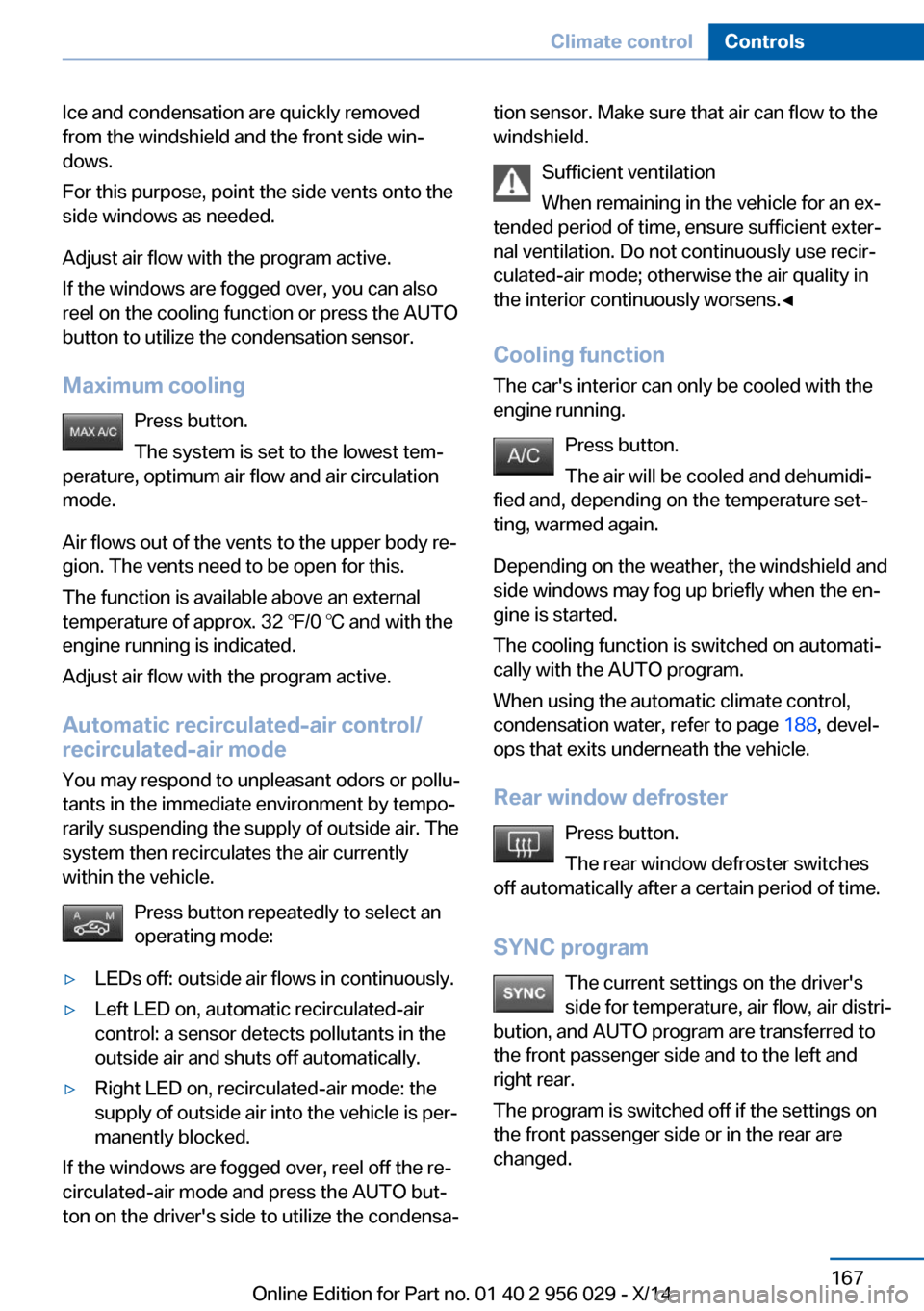
Ice and condensation are quickly removed
from the windshield and the front side win‐
dows.
For this purpose, point the side vents onto the
side windows as needed.
Adjust air flow with the program active.
If the windows are fogged over, you can also
reel on the cooling function or press the AUTO
button to utilize the condensation sensor.
Maximum cooling Press button.
The system is set to the lowest tem‐
perature, optimum air flow and air circulation
mode.
Air flows out of the vents to the upper body re‐
gion. The vents need to be open for this.
The function is available above an external
temperature of approx. 32 ℉/0 ℃ and with the
engine running is indicated.
Adjust air flow with the program active.
Automatic recirculated-air control/
recirculated-air mode
You may respond to unpleasant odors or pollu‐
tants in the immediate environment by tempo‐
rarily suspending the supply of outside air. The
system then recirculates the air currently
within the vehicle.
Press button repeatedly to select an
operating mode:▷LEDs off: outside air flows in continuously.▷Left LED on, automatic recirculated-air
control: a sensor detects pollutants in the
outside air and shuts off automatically.▷Right LED on, recirculated-air mode: the
supply of outside air into the vehicle is per‐
manently blocked.
If the windows are fogged over, reel off the re‐
circulated-air mode and press the AUTO but‐
ton on the driver's side to utilize the condensa‐
tion sensor. Make sure that air can flow to the
windshield.
Sufficient ventilation
When remaining in the vehicle for an ex‐
tended period of time, ensure sufficient exter‐
nal ventilation. Do not continuously use recir‐
culated-air mode; otherwise the air quality in
the interior continuously worsens.◀
Cooling function
The car's interior can only be cooled with the
engine running.
Press button.
The air will be cooled and dehumidi‐
fied and, depending on the temperature set‐
ting, warmed again.
Depending on the weather, the windshield and
side windows may fog up briefly when the en‐
gine is started.
The cooling function is switched on automati‐
cally with the AUTO program.
When using the automatic climate control,
condensation water, refer to page 188, devel‐
ops that exits underneath the vehicle.
Rear window defroster Press button.
The rear window defroster switches
off automatically after a certain period of time.
SYNC program The current settings on the driver'sside for temperature, air flow, air distri‐
bution, and AUTO program are transferred to the front passenger side and to the left andright rear.
The program is switched off if the settings on
the front passenger side or in the rear are
changed.Seite 167Climate controlControls167
Online Edition for Part no. 01 40 2 956 029 - X/14
Page 172 of 265
Residual heat
The heat stored in the engine is used to heat
the interior.
Functional requirement▷Up to 15 minutes after switching off the
engine.▷Warm engine.▷The battery is sufficiently charged.▷External temperature below 77 ℉/25 ℃.
The availability of the function is shown on the
display of the automatic climate control.
Switching on
1.Switch off the ignition.2. Press the right side of the button
on the driver's side.
The symbol appears on the automatic cli‐
mate Control Display.
The interior temperature, air volume and air
distribution can be adjusted with the ignition
switched on.
Switch off
At the lowest fan speed, press the left side of
the button on the driver's side.
The symbol on the display of the automatic
climate control flashes.
Switching the system on/off Switch off
▷Complete system: Press and hold the left button on
the driver's side until the control
clicks off.▷On the front passenger side:
Press and hold the left button on
the front passenger side.Switching on
Press any button except:▷Rear window defroster.▷Left side of Air volume button.▷Seat heating.▷Seat ventilation.▷If necessary, SYNC program.
Microfilter/activated-charcoal filter
The microfilter removes dust and pollen from
the incoming air.
The activated-charcoal filter removes gaseous
pollutants from the outside air that enters the
vehicle.
This combined filter should be replaced during
scheduled maintenance, refer to page 225, of
your vehicle.
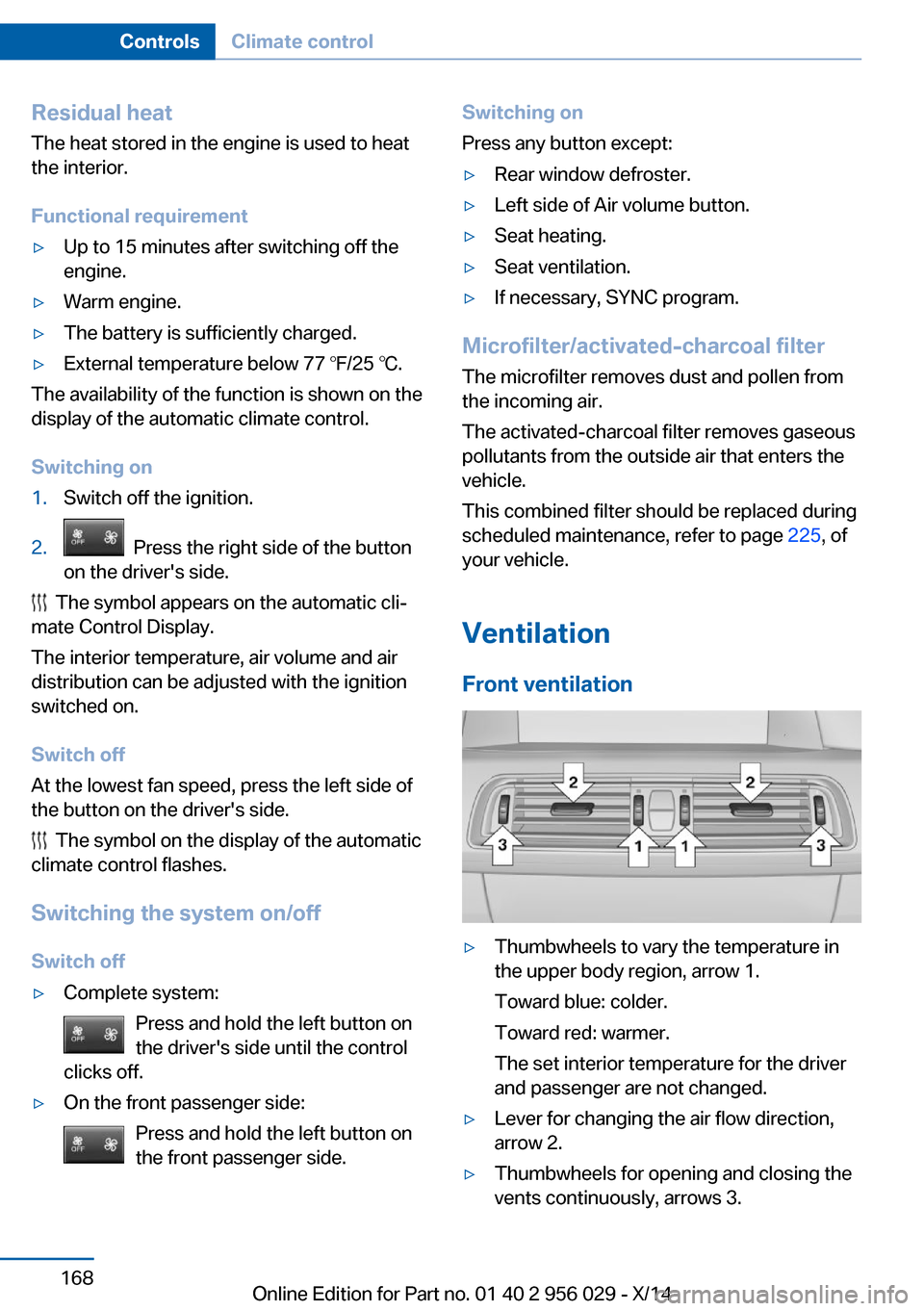
Ventilation Front ventilation
▷Thumbwheels to vary the temperature in
the upper body region, arrow 1.
Toward blue: colder.
Toward red: warmer.
The set interior temperature for the driver
and passenger are not changed.▷Lever for changing the air flow direction,
arrow 2.▷Thumbwheels for opening and closing the
vents continuously, arrows 3.Seite 168ControlsClimate control168
Online Edition for Part no. 01 40 2 956 029 - X/14
Page 174 of 265
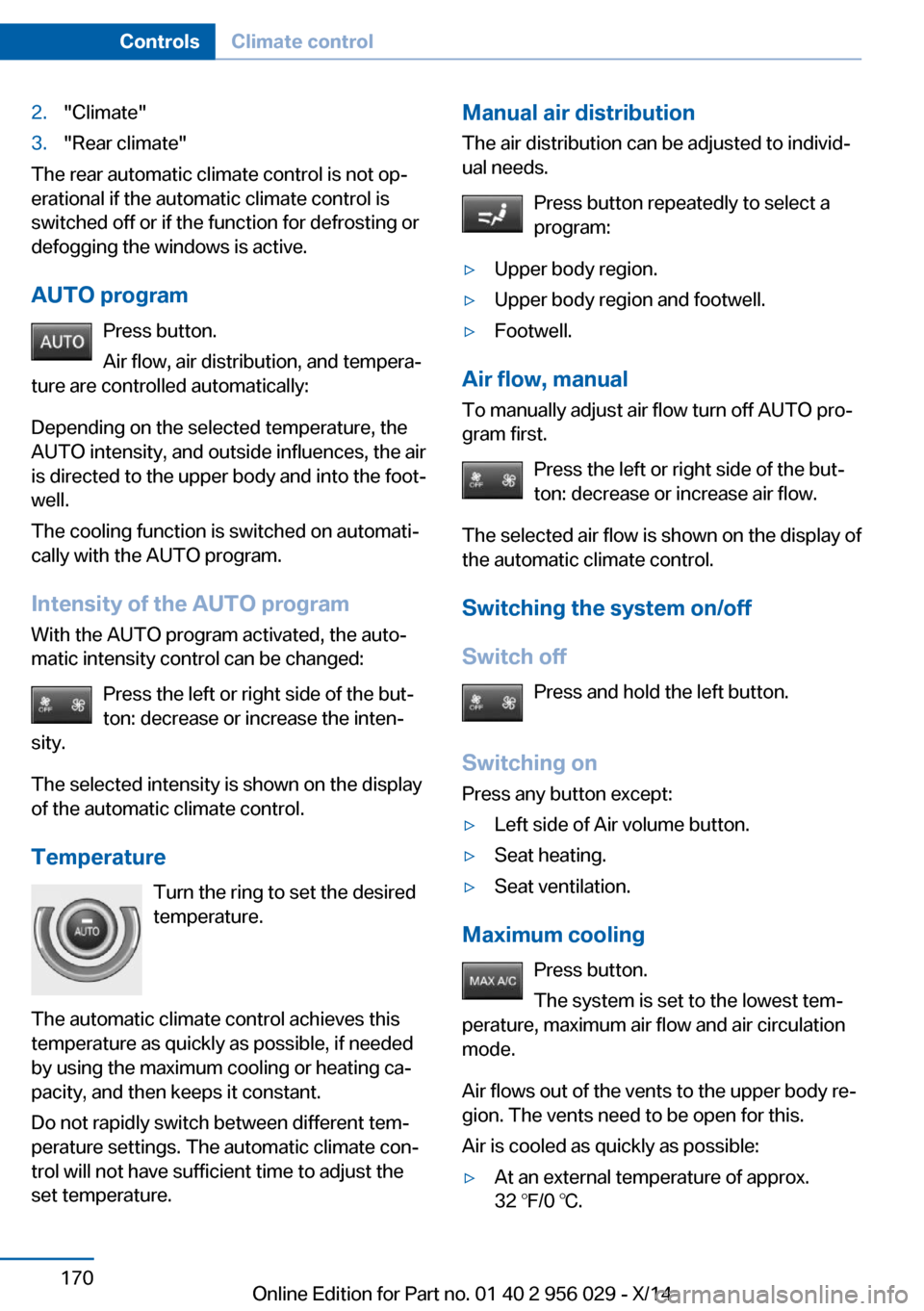
2."Climate"3."Rear climate"
The rear automatic climate control is not op‐
erational if the automatic climate control is
switched off or if the function for defrosting or
defogging the windows is active.
AUTO program Press button.
Air flow, air distribution, and tempera‐
ture are controlled automatically:
Depending on the selected temperature, the
AUTO intensity, and outside influences, the air
is directed to the upper body and into the foot‐
well.
The cooling function is switched on automati‐
cally with the AUTO program.
Intensity of the AUTO program With the AUTO program activated, the auto‐
matic intensity control can be changed:
Press the left or right side of the but‐
ton: decrease or increase the inten‐
sity.
The selected intensity is shown on the display
of the automatic climate control.
Temperature Turn the ring to set the desired
temperature.
The automatic climate control achieves this
temperature as quickly as possible, if needed
by using the maximum cooling or heating ca‐
pacity, and then keeps it constant.
Do not rapidly switch between different tem‐
perature settings. The automatic climate con‐
trol will not have sufficient time to adjust the
set temperature.
Manual air distribution
The air distribution can be adjusted to individ‐
ual needs.
Press button repeatedly to select a
program:▷Upper body region.▷Upper body region and footwell.▷Footwell.
Air flow, manual
To manually adjust air flow turn off AUTO pro‐
gram first.
Press the left or right side of the but‐
ton: decrease or increase air flow.
The selected air flow is shown on the display of
the automatic climate control.
Switching the system on/off
Switch off Press and hold the left button.
Switching on Press any button except:
▷Left side of Air volume button.▷Seat heating.▷Seat ventilation.
Maximum cooling
Press button.
The system is set to the lowest tem‐
perature, maximum air flow and air circulation
mode.
Air flows out of the vents to the upper body re‐
gion. The vents need to be open for this.
Air is cooled as quickly as possible:
▷At an external temperature of approx.
32 ℉/0 ℃.Seite 170ControlsClimate control170
Online Edition for Part no. 01 40 2 956 029 - X/14
Page 197 of 265
Avoid high engine speeds
As a rule: driving at low engine speeds lowers
fuel consumption and reduces wear.
If necessary, observe the gear shift indicator of
the vehicle, refer to page 97.
Use coasting
When approaching a red light, take your foot
off the accelerator and let the vehicle coast to
a halt.
For going downhill take your foot off the accel‐
erator and let the vehicle roll.
The flow of fuel is interrupted while coasting.
Switch off the engine during longer stops
Switch off the engine during longer stops, e.g.,
at traffic lights, railroad crossings or in traffic
congestion.
Auto Start/Stop function The Auto Start/Stop function of your vehicle
automatically switches off the engine during a
stop.
If the engine is switched off and then restarted
rather than leaving the engine running con‐
stantly, fuel consumption and emissions are
reduced. Savings can begin within a few sec‐
onds of switching off the engine.
In addition, fuel consumption is also deter‐
mined by other factors, such as driving style,
road conditions, maintenance or environmental
factors.
Switch off any functions that
are not currently needed
Functions such as seat heating and the rear
window defroster require a lot of energy andreduce the range, especially in city and stop-
and-go traffic.
Reel off these functions if they are not needed. The ECO PRO driving program supports the
energy conserving use of comfort features.
These functions are automatically deactivated
partially or completely.
Have maintenance carriedout
Have vehicles maintained regularly to achieve
optimal vehicle efficiency and operating life.
The maintenance should be carried out by
your service center.
Also note the BMW Maintenance System, refer
to page 225.
ECO PRO
The concept ECO PRO supports a driving style that saves
on fuel consumption. For this purpose, the en‐
gine control and comfort features, e. g. the cli‐
mate control output, are adjusted.
Under certain conditions the engine is auto‐
matically decoupled from the transmission in
the D selector lever position. The vehicle con‐
tinues traveling with the engine idling to re‐
duce fuel consumption. Selector lever position
D remains engaged.
In addition, context-sensitive instructions are
displayed to assist with an optimized fuel con‐
sumption driving style.
The achieved extended range is displayed in
the instrument cluster as bonus range.
At a glance The system includes the following
EfficientDynamics functions and displays:▷ECO PRO bonus range, refer to page 194.Seite 193Saving fuelDriving tips193
Online Edition for Part no. 01 40 2 956 029 - X/14
Page 208 of 265
tion agent, refer to page
204 .
Diesel exhaust fluid on minimum
▷The remaining range is dis‐
played in the instrument
cluster: refill with reduction
agent. The engine will con‐
tinue to run as long as it is
not switched off and all
other operating conditions
are satisfied; sufficient fuel,
e.g.
Engine does not start
Do not continue driving to the limit of the
remaining travel distance. Otherwise, you will
not be able to restart the engine after switch‐
ing it off. In certain cases, this could cause
safety to be impaired.◀
Filling with an incorrect fluid A Check Control message is displayed when
an incorrect fluid is added.
After adding the incorrect fluid, contact your
service center.
System defect A Check Control message is displayed when
there is a system defect.
Have the diesel exhaust fluid
replenished
The reducing agent is added by the service
center within the context of regular mainte‐
nance.
It may be necessary to have the fluid replen‐
ished several times under particular circum‐
stances, e.g., if the vehicle is driven in a partic‐
ularly sporty style or if it is driven at high
altitudes.
The reducing agent must be replenished as
soon as the reserve display appears in the in‐
strument cluster to avoid not being able to re‐
start the engine.
Diesel exhaust fluid at low
temperatures
Due to its physical properties, it is possible that the reducing agent may also need to be
replenished between regular maintenance ap‐
pointments if it is exposed to temperatures un‐
der + 23 ℉/- 5 ℃. In this case, add reducing
agent only immediately before driving off.
The need to replenish it is indicated by the Re‐
serve display in the instrument cluster.
At temperatures below + 12 ℉/- 11 ℃, the fill‐
ing level cannot be measured in some cases.
After adding reducing agent, the Reserve Dis‐
play is displayed only until the fill level can be
measured again.
Replenishing Diesel exhaust fluid
yourself in exceptional cases
You can replenish reducing agent yourself in
exceptional cases, e.g., to get to the service
center.
Avoid contact with Diesel exhaust fluid
Do not come into contact with the reduc‐
ing agent. Otherwise, skin or eye irritations
may result.◀
Handling Diesel exhaust fluid
When working with reducing agent in
closed spaces, ensure good ventilation. When
the bottle or container is opened, acrid smell‐
ing fumes may eslide.◀
Keeping Diesel exhaust fluid out of reach
of children
Keep reducing agent out of reach of children.◀
Avoid contact with surfaces
Avoid contact of reduction agent with
surfaces of the vehicle; otherwise, damage
could occur.◀Seite 204MobilityFuel204
Online Edition for Part no. 01 40 2 956 029 - X/14
Page 235 of 265
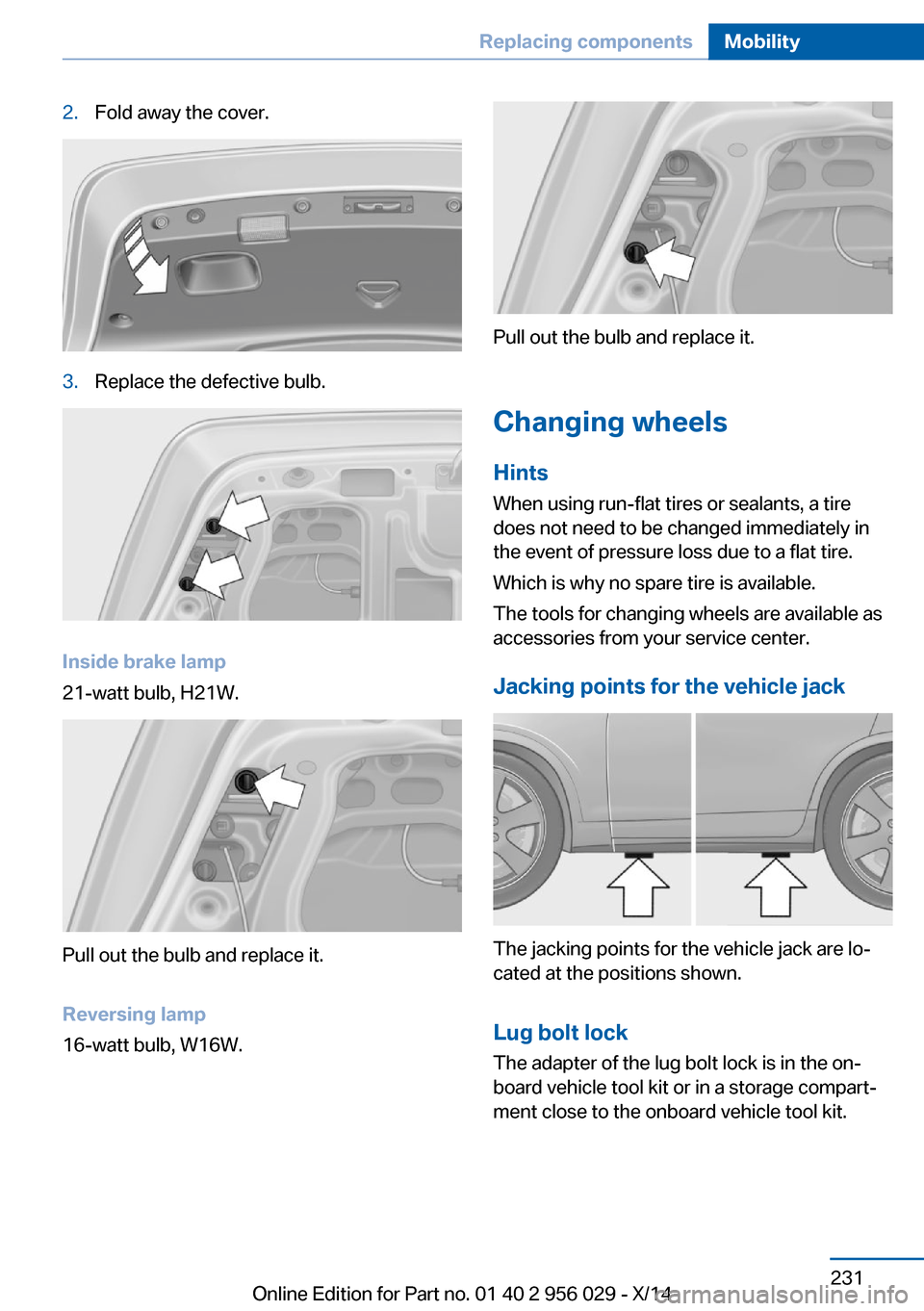
2.Fold away the cover.3.Replace the defective bulb.
Inside brake lamp
21-watt bulb, H21W.
Pull out the bulb and replace it.
Reversing lamp
16-watt bulb, W16W.
Pull out the bulb and replace it.
Changing wheels
Hints
When using run-flat tires or sealants, a tire
does not need to be changed immediately in
the event of pressure loss due to a flat tire.
Which is why no spare tire is available.
The tools for changing wheels are available as
accessories from your service center.
Jacking points for the vehicle jack
The jacking points for the vehicle jack are lo‐
cated at the positions shown.
Lug bolt lock
The adapter of the lug bolt lock is in the on‐
board vehicle tool kit or in a storage compart‐
ment close to the onboard vehicle tool kit.
Seite 231Replacing componentsMobility231
Online Edition for Part no. 01 40 2 956 029 - X/14
Page 237 of 265
Maintain the battery in an upright position for
transport and storage. Secure the battery so
that it does not tip over during transport.
Fuses Hints Replacing fuses
Never attempt to repair a blown fuse and
do not replace a defective fuse with a substi‐
tute of another color or amperage rating; this
could lead to a circuit overload, ultimately re‐
sulting in a fire in the vehicle.◀
Plastic tweezers and information on the fuse
types and locations are stored in the fuse box
in the cargo area.
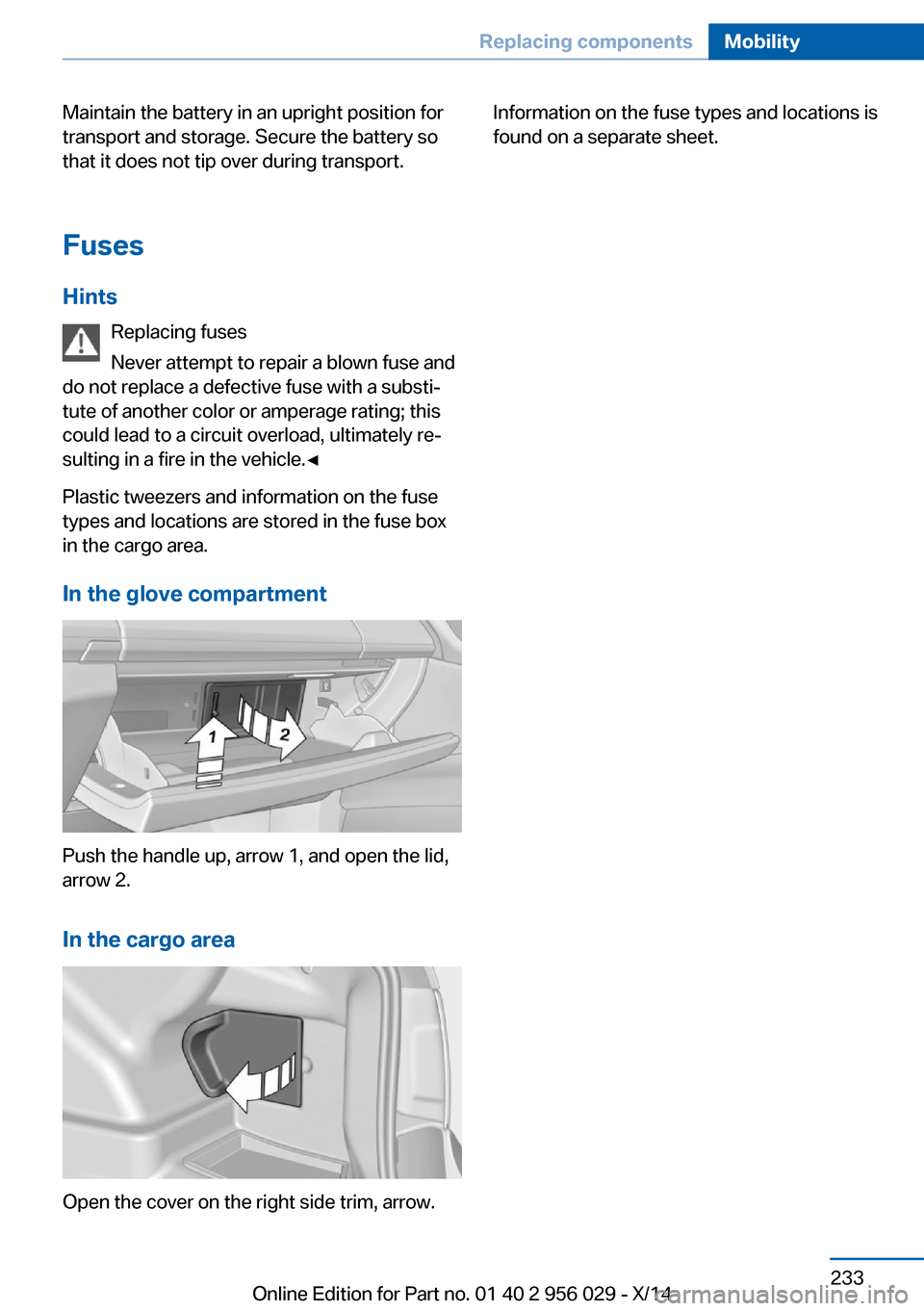
In the glove compartment
Push the handle up, arrow 1, and open the lid,
arrow 2.
In the cargo area
Open the cover on the right side trim, arrow.
Information on the fuse types and locations is
found on a separate sheet.Seite 233Replacing componentsMobility233
Online Edition for Part no. 01 40 2 956 029 - X/14
Page 256 of 265
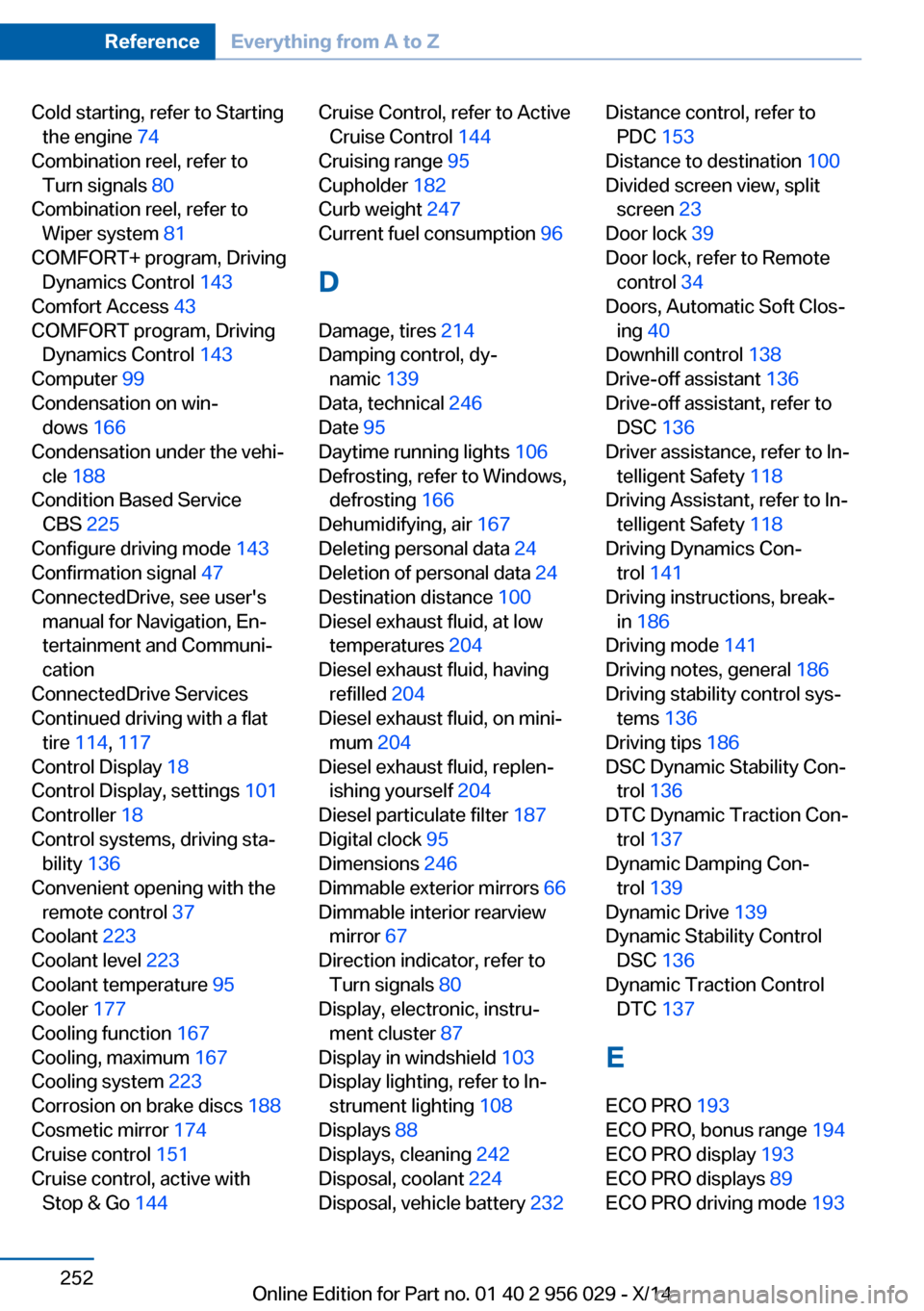
Cold starting, refer to Startingthe engine 74
Combination reel, refer to Turn signals 80
Combination reel, refer to Wiper system 81
COMFORT+ program, Driving Dynamics Control 143
Comfort Access 43
COMFORT program, Driving Dynamics Control 143
Computer 99
Condensation on win‐ dows 166
Condensation under the vehi‐ cle 188
Condition Based Service CBS 225
Configure driving mode 143
Confirmation signal 47
ConnectedDrive, see user's manual for Navigation, En‐
tertainment and Communi‐
cation
ConnectedDrive Services
Continued driving with a flat tire 114 , 117
Control Display 18
Control Display, settings 101
Controller 18
Control systems, driving sta‐ bility 136
Convenient opening with the remote control 37
Coolant 223
Coolant level 223
Coolant temperature 95
Cooler 177
Cooling function 167
Cooling, maximum 167
Cooling system 223
Corrosion on brake discs 188
Cosmetic mirror 174
Cruise control 151
Cruise control, active with Stop & Go 144 Cruise Control, refer to Active
Cruise Control 144
Cruising range 95
Cupholder 182
Curb weight 247
Current fuel consumption 96
D
Damage, tires 214
Damping control, dy‐ namic 139
Data, technical 246
Date 95
Daytime running lights 106
Defrosting, refer to Windows, defrosting 166
Dehumidifying, air 167
Deleting personal data 24
Deletion of personal data 24
Destination distance 100
Diesel exhaust fluid, at low temperatures 204
Diesel exhaust fluid, having refilled 204
Diesel exhaust fluid, on mini‐ mum 204
Diesel exhaust fluid, replen‐ ishing yourself 204
Diesel particulate filter 187
Digital clock 95
Dimensions 246
Dimmable exterior mirrors 66
Dimmable interior rearview mirror 67
Direction indicator, refer to Turn signals 80
Display, electronic, instru‐ ment cluster 87
Display in windshield 103
Display lighting, refer to In‐ strument lighting 108
Displays 88
Displays, cleaning 242
Disposal, coolant 224
Disposal, vehicle battery 232 Distance control, refer to
PDC 153
Distance to destination 100
Divided screen view, split screen 23
Door lock 39
Door lock, refer to Remote control 34
Doors, Automatic Soft Clos‐ ing 40
Downhill control 138
Drive-off assistant 136
Drive-off assistant, refer to DSC 136
Driver assistance, refer to In‐ telligent Safety 118
Driving Assistant, refer to In‐ telligent Safety 118
Driving Dynamics Con‐ trol 141
Driving instructions, break- in 186
Driving mode 141
Driving notes, general 186
Driving stability control sys‐ tems 136
Driving tips 186
DSC Dynamic Stability Con‐ trol 136
DTC Dynamic Traction Con‐ trol 137
Dynamic Damping Con‐ trol 139
Dynamic Drive 139
Dynamic Stability Control DSC 136
Dynamic Traction Control DTC 137
E ECO PRO 193
ECO PRO, bonus range 194
ECO PRO display 193
ECO PRO displays 89
ECO PRO driving mode 193 Seite 252ReferenceEverything from A to Z252
Online Edition for Part no. 01 40 2 956 029 - X/14
Page 261 of 265
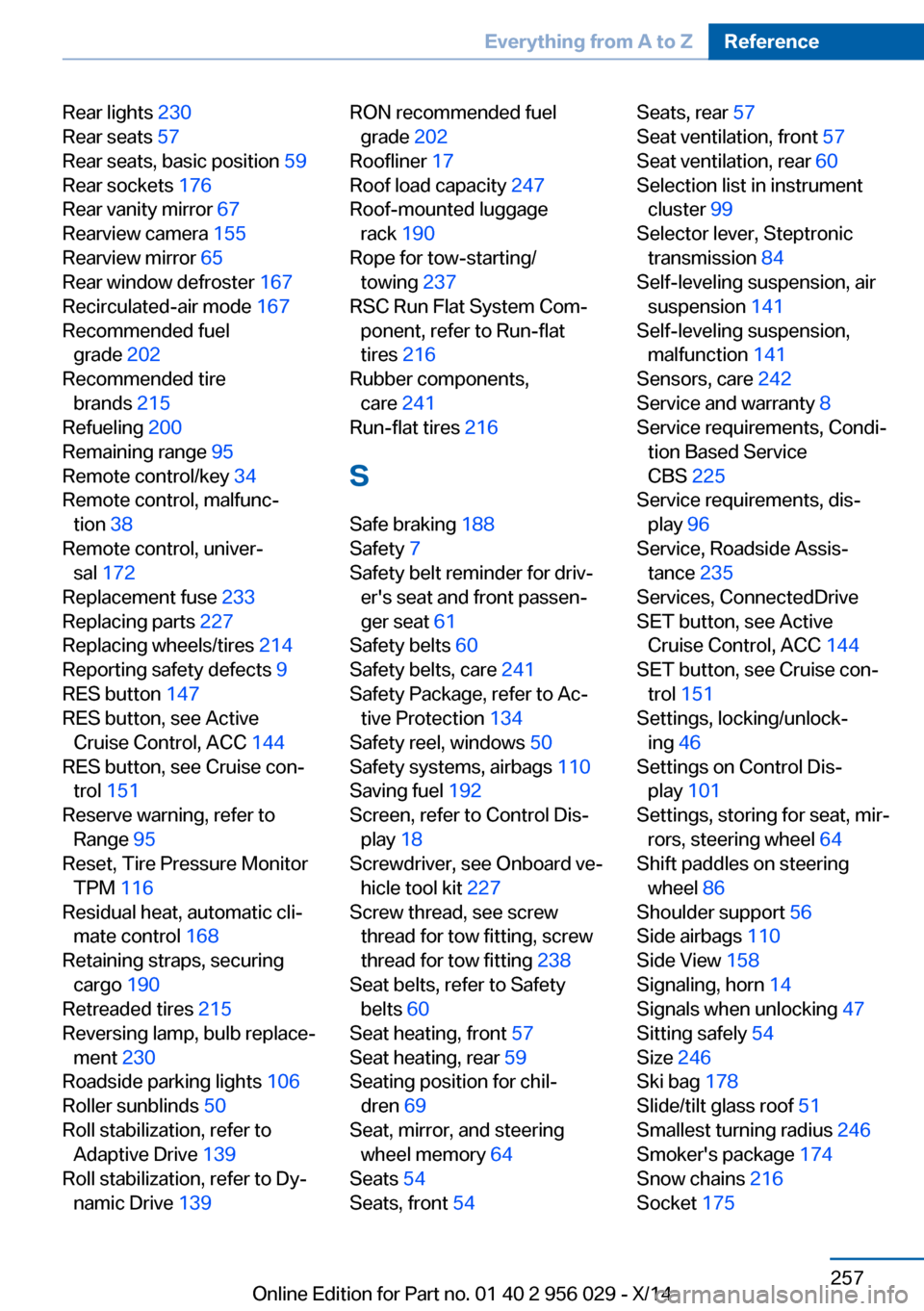
Rear lights 230
Rear seats 57
Rear seats, basic position 59
Rear sockets 176
Rear vanity mirror 67
Rearview camera 155
Rearview mirror 65
Rear window defroster 167
Recirculated-air mode 167
Recommended fuel grade 202
Recommended tire brands 215
Refueling 200
Remaining range 95
Remote control/key 34
Remote control, malfunc‐ tion 38
Remote control, univer‐ sal 172
Replacement fuse 233
Replacing parts 227
Replacing wheels/tires 214
Reporting safety defects 9
RES button 147
RES button, see Active Cruise Control, ACC 144
RES button, see Cruise con‐ trol 151
Reserve warning, refer to Range 95
Reset, Tire Pressure Monitor TPM 116
Residual heat, automatic cli‐ mate control 168
Retaining straps, securing cargo 190
Retreaded tires 215
Reversing lamp, bulb replace‐ ment 230
Roadside parking lights 106
Roller sunblinds 50
Roll stabilization, refer to Adaptive Drive 139
Roll stabilization, refer to Dy‐ namic Drive 139 RON recommended fuel
grade 202
Roofliner 17
Roof load capacity 247
Roof-mounted luggage rack 190
Rope for tow-starting/ towing 237
RSC Run Flat System Com‐ ponent, refer to Run-flat
tires 216
Rubber components, care 241
Run-flat tires 216
S Safe braking 188
Safety 7
Safety belt reminder for driv‐ er's seat and front passen‐
ger seat 61
Safety belts 60
Safety belts, care 241
Safety Package, refer to Ac‐ tive Protection 134
Safety reel, windows 50
Safety systems, airbags 110
Saving fuel 192
Screen, refer to Control Dis‐ play 18
Screwdriver, see Onboard ve‐ hicle tool kit 227
Screw thread, see screw thread for tow fitting, screw
thread for tow fitting 238
Seat belts, refer to Safety belts 60
Seat heating, front 57
Seat heating, rear 59
Seating position for chil‐ dren 69
Seat, mirror, and steering wheel memory 64
Seats 54
Seats, front 54 Seats, rear 57
Seat ventilation, front 57
Seat ventilation, rear 60
Selection list in instrument cluster 99
Selector lever, Steptronic transmission 84
Self-leveling suspension, air suspension 141
Self-leveling suspension, malfunction 141
Sensors, care 242
Service and warranty 8
Service requirements, Condi‐ tion Based Service
CBS 225
Service requirements, dis‐ play 96
Service, Roadside Assis‐ tance 235
Services, ConnectedDrive
SET button, see Active Cruise Control, ACC 144
SET button, see Cruise con‐ trol 151
Settings, locking/unlock‐ ing 46
Settings on Control Dis‐ play 101
Settings, storing for seat, mir‐ rors, steering wheel 64
Shift paddles on steering wheel 86
Shoulder support 56
Side airbags 110
Side View 158
Signaling, horn 14
Signals when unlocking 47
Sitting safely 54
Size 246
Ski bag 178
Slide/tilt glass roof 51
Smallest turning radius 246
Smoker's package 174
Snow chains 216
Socket 175 Seite 257Everything from A to ZReference257
Online Edition for Part no. 01 40 2 956 029 - X/14