SPORT+ BMW 7 SERIES 2014 F01 Owner's Manual
[x] Cancel search | Manufacturer: BMW, Model Year: 2014, Model line: 7 SERIES, Model: BMW 7 SERIES 2014 F01Pages: 265, PDF Size: 5.68 MB
Page 94 of 265
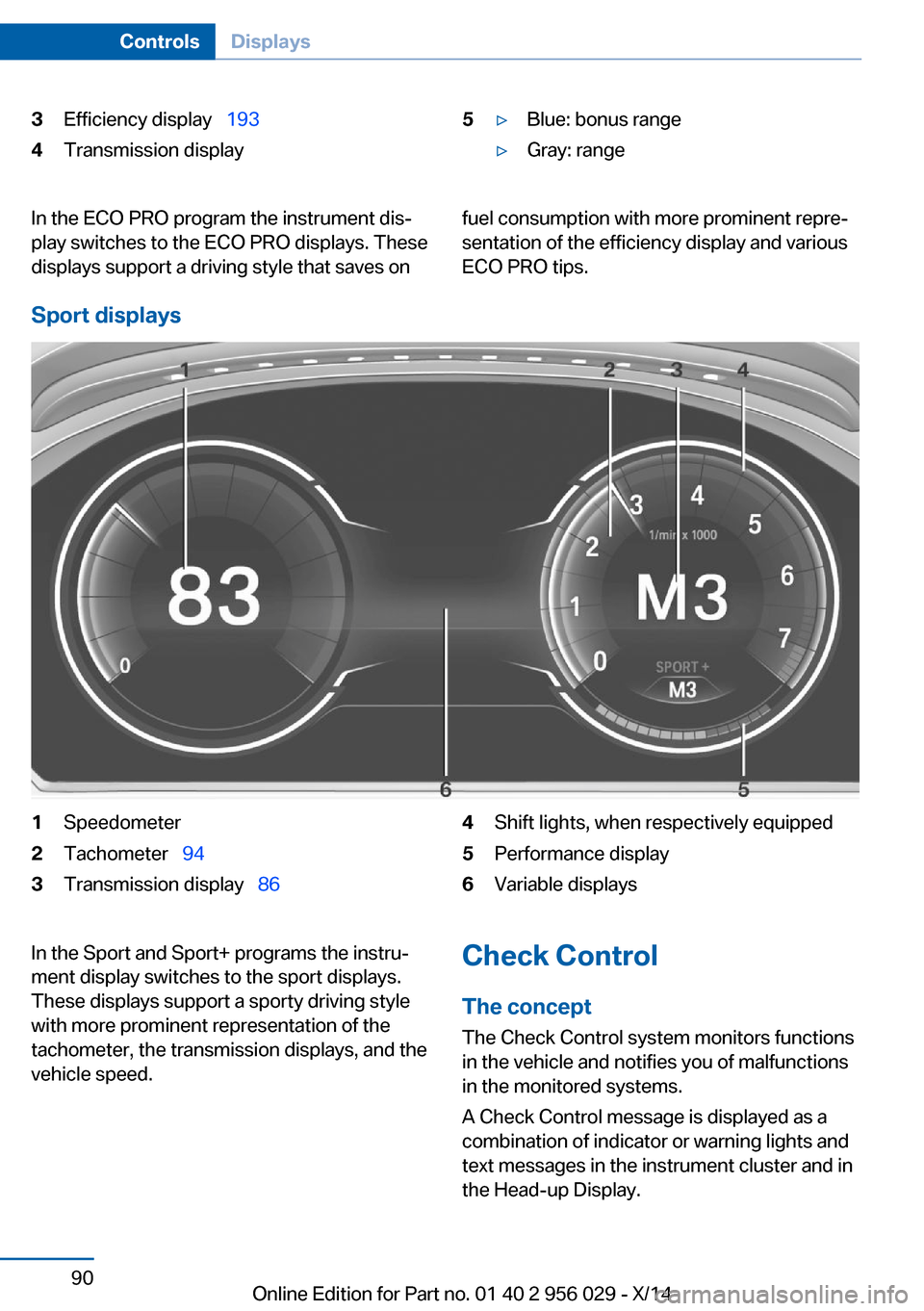
3Efficiency display 1934Transmission display5▷Blue: bonus range▷Gray: rangeIn the ECO PRO program the instrument dis‐
play switches to the ECO PRO displays. These
displays support a driving style that saves onfuel consumption with more prominent repre‐
sentation of the efficiency display and various
ECO PRO tips.
Sport displays
1Speedometer2Tachometer 943Transmission display 864Shift lights, when respectively equipped5Performance display6Variable displaysIn the Sport and Sport+ programs the instru‐
ment display switches to the sport displays.
These displays support a sporty driving style
with more prominent representation of the
tachometer, the transmission displays, and the
vehicle speed.Check Control
The concept The Check Control system monitors functions
in the vehicle and notifies you of malfunctions
in the monitored systems.
A Check Control message is displayed as a
combination of indicator or warning lights and
text messages in the instrument cluster and in
the Head-up Display.Seite 90ControlsDisplays90
Online Edition for Part no. 01 40 2 956 029 - X/14
Page 143 of 265
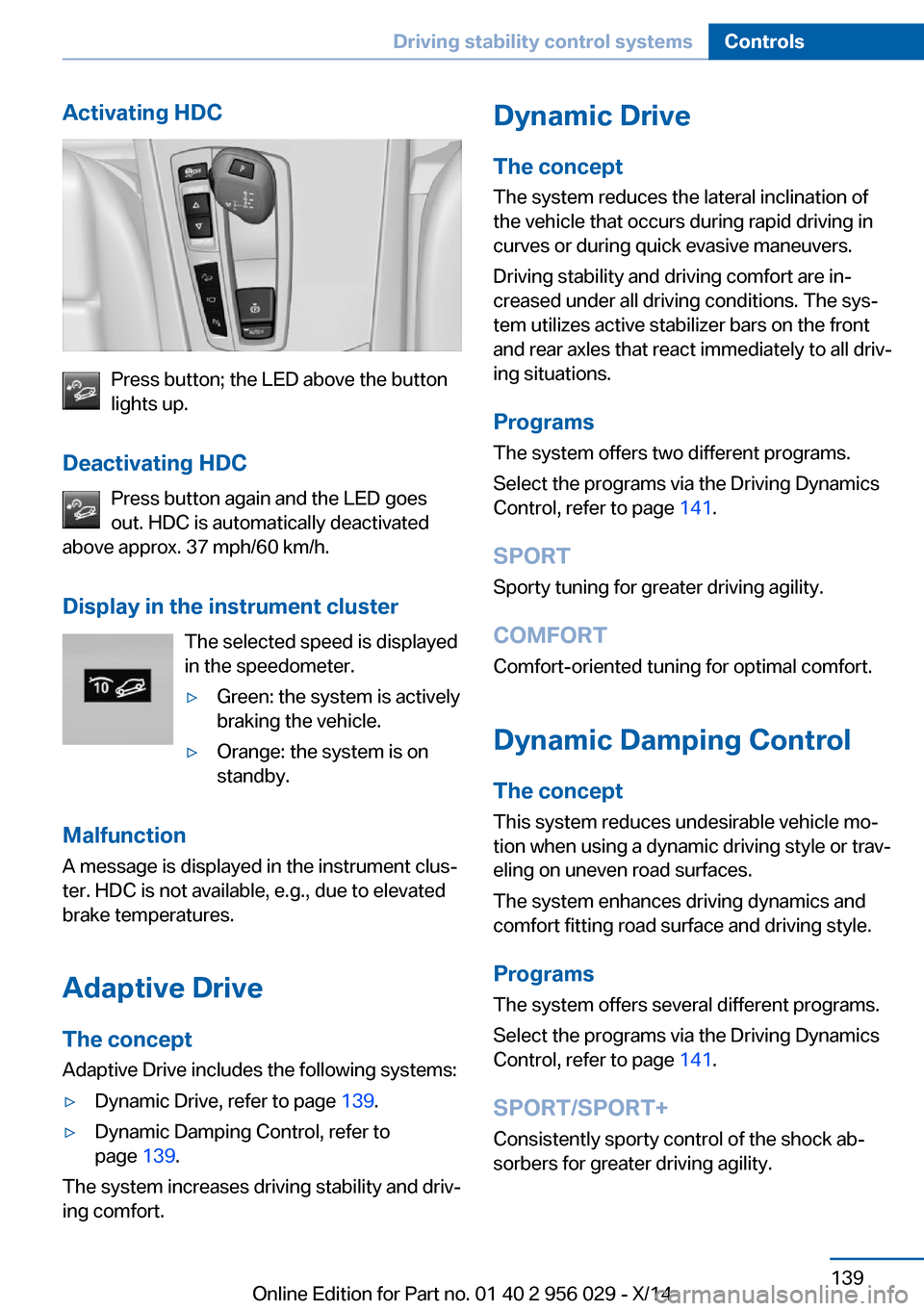
Activating HDC
Press button; the LED above the button
lights up.
Deactivating HDC Press button again and the LED goes
out. HDC is automatically deactivated
above approx. 37 mph/60 km/h.
Display in the instrument cluster The selected speed is displayed
in the speedometer.
▷Green: the system is actively
braking the vehicle.▷Orange: the system is on
standby.
Malfunction
A message is displayed in the instrument clus‐
ter. HDC is not available, e.g., due to elevated
brake temperatures.
Adaptive Drive
The concept Adaptive Drive includes the following systems:
▷Dynamic Drive, refer to page 139.▷Dynamic Damping Control, refer to
page 139.
The system increases driving stability and driv‐
ing comfort.
Dynamic Drive
The concept The system reduces the lateral inclination of
the vehicle that occurs during rapid driving in curves or during quick evasive maneuvers.
Driving stability and driving comfort are in‐
creased under all driving conditions. The sys‐
tem utilizes active stabilizer bars on the front
and rear axles that react immediately to all driv‐
ing situations.
Programs The system offers two different programs.
Select the programs via the Driving Dynamics
Control, refer to page 141.
SPORT
Sporty tuning for greater driving agility.
COMFORT
Comfort-oriented tuning for optimal comfort.
Dynamic Damping Control The concept
This system reduces undesirable vehicle mo‐
tion when using a dynamic driving style or trav‐
eling on uneven road surfaces.
The system enhances driving dynamics and
comfort fitting road surface and driving style.
Programs The system offers several different programs.
Select the programs via the Driving Dynamics
Control, refer to page 141.
SPORT/SPORT+
Consistently sporty control of the shock ab‐
sorbers for greater driving agility.Seite 139Driving stability control systemsControls139
Online Edition for Part no. 01 40 2 956 029 - X/14
Page 145 of 265
Self-leveling suspensionThe concept The self-leveling suspension keeps the vehicle
height and ground clearance constant. The
height of the vehicle at the rear axle is main‐
tained at a predefined level under all load con‐
ditions.
The system ensures consistent comfort by
keeping spring travel constant in all driving sit‐
uations.
Malfunction
A Check Control message is displayed. The system is disrupted. Vehicle handling may be
altered and driving comfort may be noticeably
reduced. Visit your nearest service center.
Driving Dynamics Control The concept
The Driving Dynamics Control can be used to
adjust the driving dynamics of the vehicle. For
this purpose various programs are available for
selection that are activated via the two buttons
of the Driving Dynamics Control and the DSC
OFF-button.
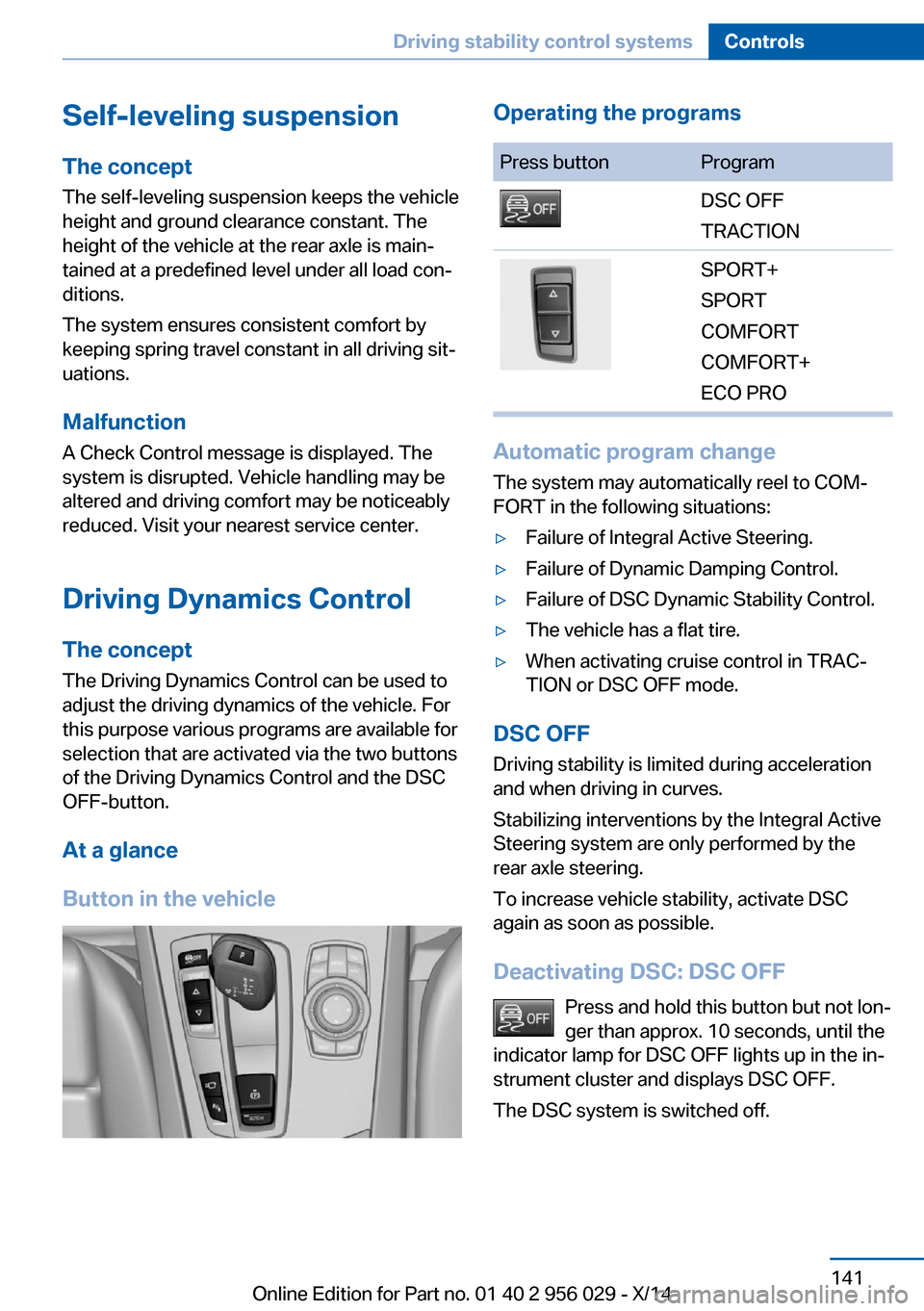
At a glance
Button in the vehicleOperating the programsPress buttonProgramDSC OFF
TRACTIONSPORT+
SPORT
COMFORT
COMFORT+
ECO PRO
Automatic program change
The system may automatically reel to COM‐
FORT in the following situations:
▷Failure of Integral Active Steering.▷Failure of Dynamic Damping Control.▷Failure of DSC Dynamic Stability Control.▷The vehicle has a flat tire.▷When activating cruise control in TRAC‐
TION or DSC OFF mode.
DSC OFF
Driving stability is limited during acceleration
and when driving in curves.
Stabilizing interventions by the Integral Active
Steering system are only performed by the
rear axle steering.
To increase vehicle stability, activate DSC
again as soon as possible.
Deactivating DSC: DSC OFF Press and hold this button but not lon‐
ger than approx. 10 seconds, until the
indicator lamp for DSC OFF lights up in the in‐
strument cluster and displays DSC OFF.
The DSC system is switched off.
Seite 141Driving stability control systemsControls141
Online Edition for Part no. 01 40 2 956 029 - X/14
Page 146 of 265
Activating DSCPress button.
DSC OFF and the DSC OFF indicator
lamp go out.
Indicator/warning lights
When DSC OFF is activated, DSC OFF is dis‐
played in the instrument cluster.
The indicator lamp lights up: DSC OFF
is activated.
TRACTION Maximum traction on loose road surfaces. DTC
Dynamic Traction Control is switched on. Driv‐
ing stability is limited during acceleration and
when driving in curves.
Activating TRACTION Press button.
TRACTION is displayed in the instru‐
ment cluster and the indicator lamp for DSC
OFF lights up.
Deactivating TRACTION Press button again.
TRACTION and the DSC OFF indica‐
tor lamp go out.
Indicator/warning lights
If TRACTION is activated, TRACTION is dis‐
played in the instrument cluster.
The indicator lamp lights up: TRAC‐
TION is activated.
SPORT+ Sporty driving with optimized suspension and
adapted engine control with limited driving sta‐
bilization.
Dynamic Traction Control is switched on.The driver handles several of the stabilization
tasks.
Activating SPORT+ Press button repeatedly until SPORT+
appears in the instrument cluster and
the DSC OFF indicator lamp lights up.
Automatic program change When switching on the adjustable speed limit
or activating cruise control, the program auto‐
matically switches to SPORT mode.
Indicator/warning lights
SPORT+ is displayed in the instrument cluster.
The DSC OFF indicator lamp lights up:
Dynamic Traction Control is activated.
SPORT
Consistently sporty tuning of the suspension
and engine control for greater driving agility
with maximum driving stabilization.
The program can be configured to individual
specifications.
The configuration is stored for the profile cur‐
rently in use.
Activating SPORT Press button repeatedly until SPORT
is displayed in the instrument cluster.
Configuring SPORT When the display is activated on the ControlDisplay, refer to page 143, the SPORT driving
mode can be set.
After the SPORT driving mode is activated, se‐
lect "Configure SPORT" on the displayed
panel and configure the program.
SPORT can also be configured before it is acti‐
vated:1."Settings"Seite 142ControlsDriving stability control systems142
Online Edition for Part no. 01 40 2 956 029 - X/14
Page 150 of 265
The indicator lights in the instrument cluster
light up and the mark in the speedometer is set
to the current speed.
Cruise control can be used.
Switch off Deactivated or interrupted system
With deactivated or interrupted system
use your brakes, steering and moves as usual
to avoid the chance of an accident.◀
To switch off the system while standing, step
on brake pedal at the same time.
Press button on the steering wheel.▷If active: press twice.▷If interrupted: press once.
The displays go out. The stored desired speed
and distance are deleted.
Interrupting Press button on the steering wheel.
If interrupting the system while stationary,
press on the brake pedal at the same time.
The system is automatically interrupted in the
following situations:
▷When the brakes are applied.▷When selector lever position D is disen‐
gaged.▷When DTC Dynamic Traction Control is
activated or DSC is deactivated.▷When DSC is actively controlling stability.▷When SPORT+ is activated with Driving
Dynamics Control.▷If the safety belt and the driver's door are
opened while the vehicle is standing still.▷If the system has not detected objects for
an extended period, e.g., on a road with
very little traffic without curb or shoulder
markings.▷If the detection range of the radar is dis‐
rupted, e.g., by dirt or heavy fog.
Maintaining, storing, and changing the
speed
Hints Adjusting the desired speedModify desired speed to road conditions
and be ready to brake at all times; otherwise,
there is the risk of an accident.◀
Differences in speed
Large differences in speed relative to
other vehicles cannot be compensated by the
system such as in the following situations:
▷When fast approaching a slowly moving
vehicle.▷When another vehicle suddenly swerves
into the wrong lane.▷When stationary objects are approached at
high speed.◀
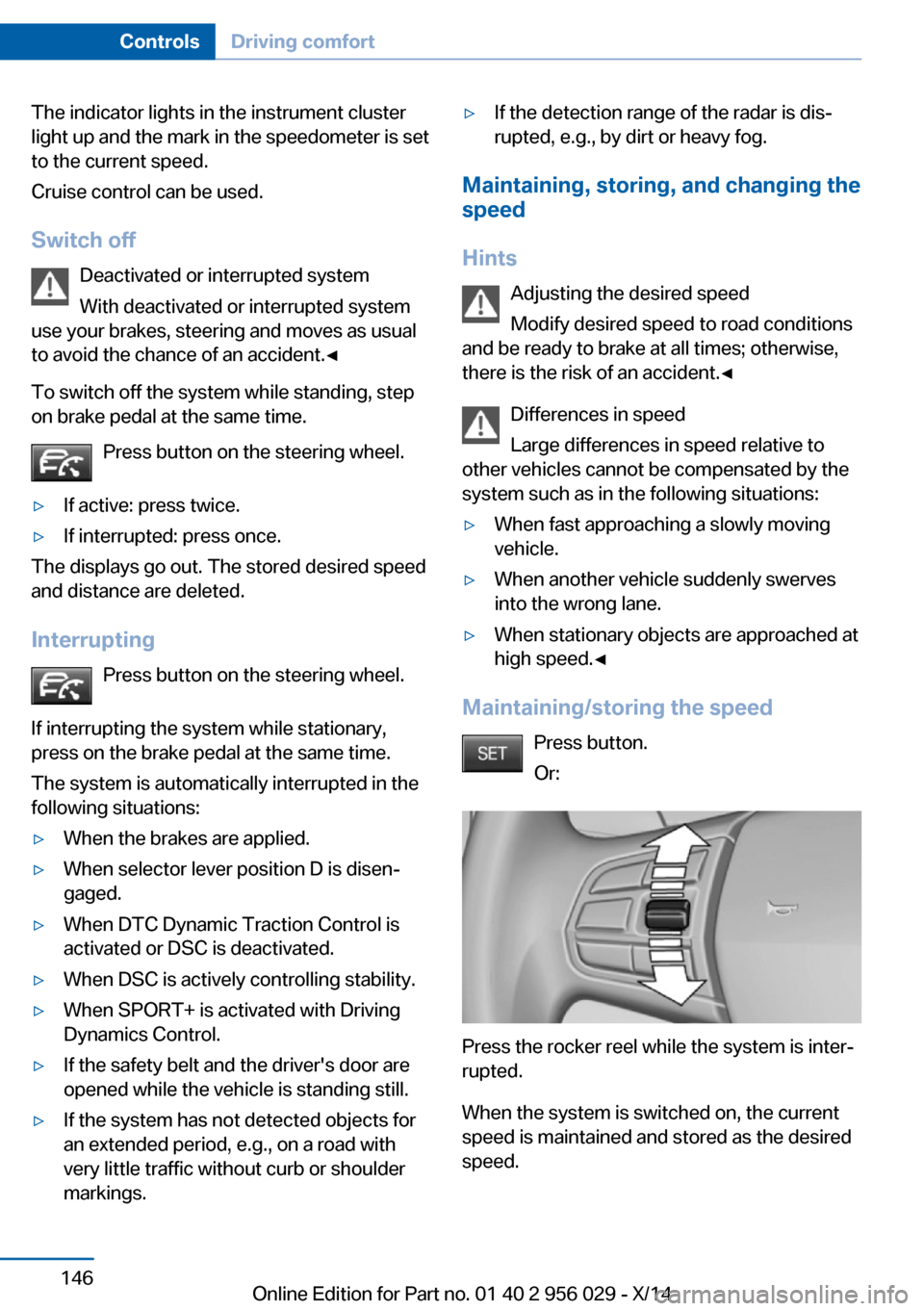
Maintaining/storing the speed
Press button.
Or:
Press the rocker reel while the system is inter‐
rupted.
When the system is switched on, the current
speed is maintained and stored as the desired
speed.
Seite 146ControlsDriving comfort146
Online Edition for Part no. 01 40 2 956 029 - X/14
Page 155 of 265
Cruise controlThe concept The system maintains a preset speed via the
buttons on the steering wheel. The system
brakes on downhill gradients if engine braking
is insufficient.
General information
Depending on the driving settings, the features
of the cruise control can change in certain
areas.
Hints Unfavorable conditions
Do not use the system if unfavorable
conditions make it impossible to drive at a con‐
stant speed, e.g.:▷On winding roads.▷In heavy traffic.▷On slippery roads, in fog, snow or rain, or
on a loose road surface.
Otherwise, you could lose control of the vehi‐
cle and cause an accident.◀
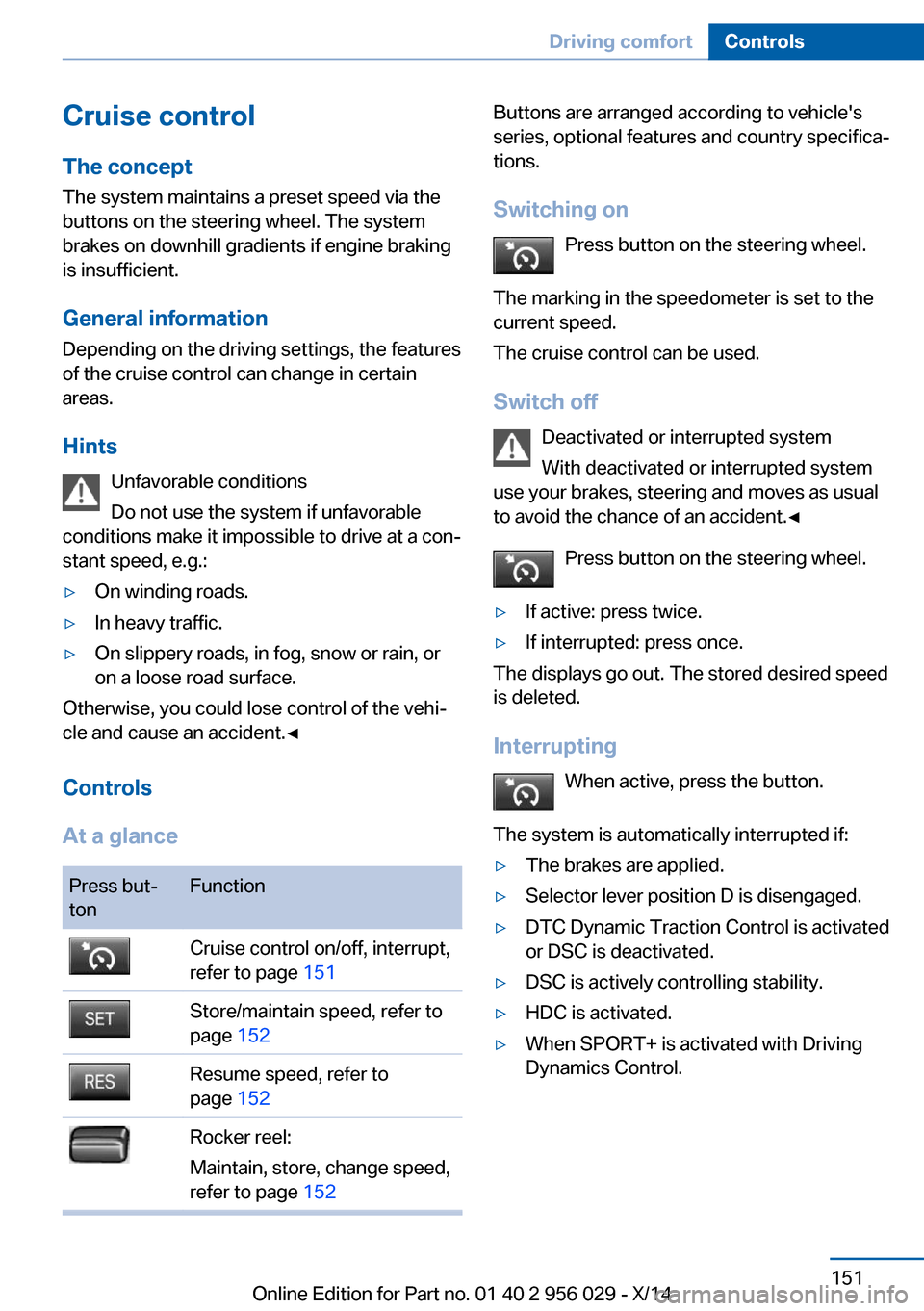
Controls
At a glance
Press but‐
tonFunctionCruise control on/off, interrupt,
refer to page 151Store/maintain speed, refer to
page 152Resume speed, refer to
page 152Rocker reel:
Maintain, store, change speed,
refer to page 152Buttons are arranged according to vehicle's
series, optional features and country specifica‐
tions.
Switching on Press button on the steering wheel.
The marking in the speedometer is set to the
current speed.
The cruise control can be used.
Switch off Deactivated or interrupted system
With deactivated or interrupted system
use your brakes, steering and moves as usual
to avoid the chance of an accident.◀
Press button on the steering wheel.▷If active: press twice.▷If interrupted: press once.
The displays go out. The stored desired speed
is deleted.
Interrupting When active, press the button.
The system is automatically interrupted if:
▷The brakes are applied.▷Selector lever position D is disengaged.▷DTC Dynamic Traction Control is activated
or DSC is deactivated.▷DSC is actively controlling stability.▷HDC is activated.▷When SPORT+ is activated with Driving
Dynamics Control.Seite 151Driving comfortControls151
Online Edition for Part no. 01 40 2 956 029 - X/14
Page 262 of 265
Socket, OBD Onboard Diag‐nostics 225
Soot particulate filter 187
SOS button 234
Spare fuse 233
Speaker lighting 109
Specified engine oil types 222
Speed, average 100
Speed limit detection, com‐ puter 100
Speed limiter, display 97
Speed Limit Information 97
Speed warning 101
Split screen 23
SPORT+ - program, Dynamic Driving Control 142
Sport displays, torque dis‐ play, performance dis‐
play 101
SPORT program, driving dy‐ namics 142
Sport program, transmis‐ sion 85
Stability control systems 136
Start/stop, automatic func‐ tion 75
Start/Stop button 73
Start function during malfunc‐ tion 35
Starting the engine 74
Status control display, tires 115
Status information, iDrive 22
Status of Owner's Manual 6
Steering, Integral Active Steering 140
Steering wheel, adjusting 67
Steering wheel heating 68
Steering wheel memory 64
Steptronic Sport transmis‐ sion 86
Steptronic transmission 84
Stopping the engine 74
Storage compartments 180 Storage compartments, loca‐
tions 180
Storage, tires 216
Storing the vehicle 242
Summer tires, tread 214
Sun visor 174
Supplementary text mes‐ sage 93
Surround View 155
Suspension settings 141
Switch for Dynamic Driving Control 141
Switch-on times, parked-car ventilation 171
Switch, refer to Cockpit 14
Symbols 6
Symbols in the status field 22
SYNC program, automatic cli‐ mate control 167
T Tachometer 94
Tail and brake lights 230
Tail lights 230
Tail lights, bulb replace‐ ment 230
Technical changes, refer to Safety 7
Technical data 246
Telephone, see user's manual for Navigation, Entertain‐
ment and Communication
Temperature, automatic cli‐ mate control 166
Temperature display for ex‐ ternal temperature 95
Temperature, engine oil 94
Terminal, starting aid 236
Text message, supplemen‐ tary 93
Theft alarm system, refer to Alarm system 47
Theft protection, lug bolts 231 Thermal camera, see Night
Vision 127
Thigh support 55
Tilt alarm sensor 48
Time of arrival 100
Tire damage 214
Tire identification marks 212
Tire inflation pressure 207
Tire inflation pressure moni‐ tor, refer to FTM 113
Tire Pressure Monitor TPM 115
Tires, changing 214
Tires, everything on wheels and tires 207
Tires, run-flat tires 216
Tire tread 214
Tone, see user's manual for Navigation, Entertainment
and Communication
Tool 227
Top View 159
Total vehicle weight 247
Touchpad 21
Tow fitting 238
Towing 237
Tow lug, see tow fitting 238
Tow-starting 237
TPM Tire Pressure Moni‐ tor 115
Traction control 137
TRACTION, driving dynam‐ ics 137
TRACTION program, Dy‐ namic Driving Control 142
Transmission lock, electronic unlocking 86
Transmission, see Steptronic transmission 84
Transporting children safely 69
Tread, tires 214
Trip computer 100
Triple turn signal activa‐ tion 80
Trip odometer 95 Seite 258ReferenceEverything from A to Z258
Online Edition for Part no. 01 40 2 956 029 - X/14