Body BMW 7 SERIES 2016 G11 User Guide
[x] Cancel search | Manufacturer: BMW, Model Year: 2016, Model line: 7 SERIES, Model: BMW 7 SERIES 2016 G11Pages: 314, PDF Size: 7.9 MB
Page 84 of 314
Adjusting the height
Manual head restraints
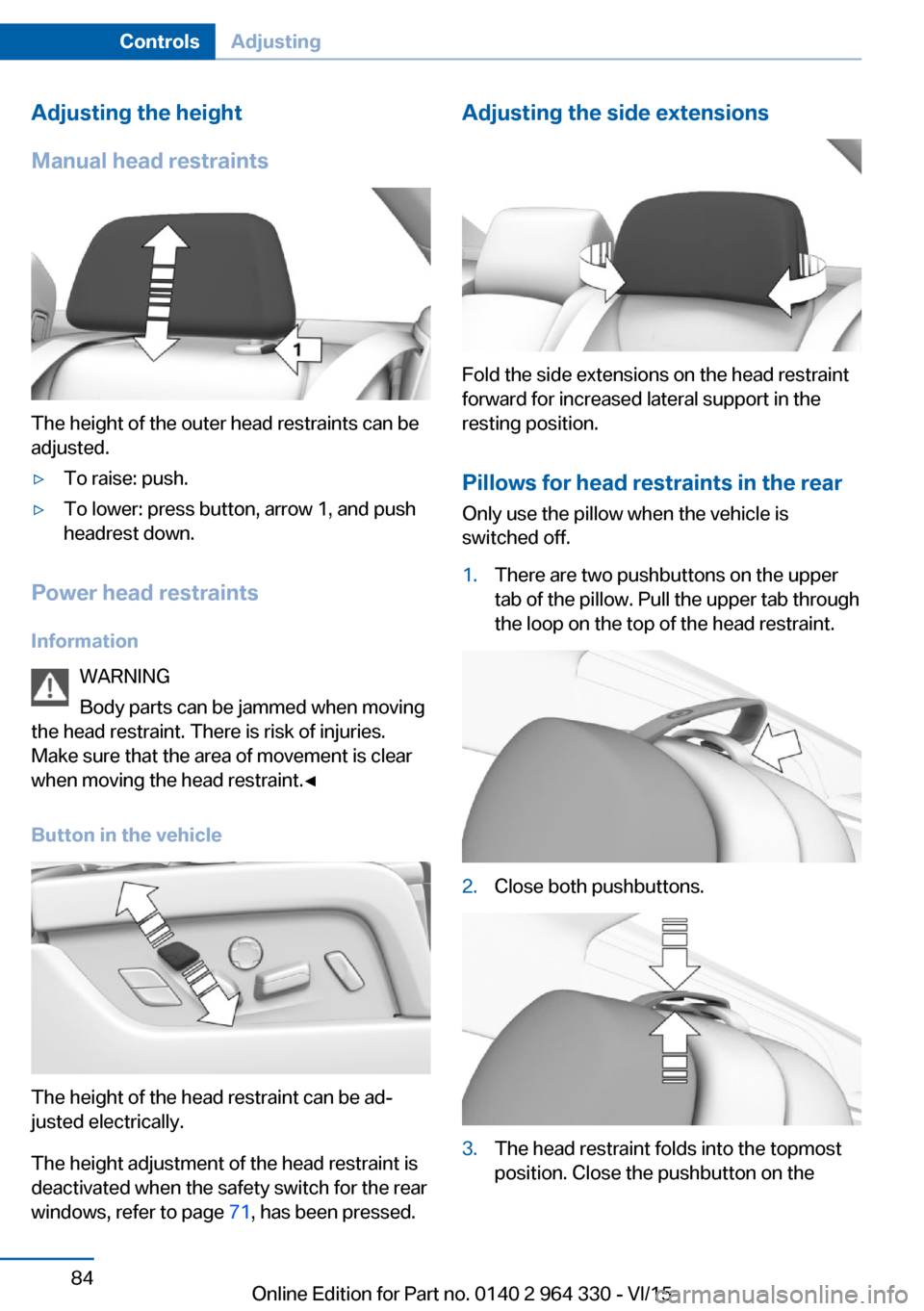
The height of the outer head restraints can be
adjusted.
▷To raise: push.▷To lower: press button, arrow 1, and push
headrest down.
Power head restraints
Information WARNING
Body parts can be jammed when moving
the head restraint. There is risk of injuries.
Make sure that the area of movement is clear
when moving the head restraint.◀
Button in the vehicle
The height of the head restraint can be ad‐
justed electrically.
The height adjustment of the head restraint is
deactivated when the safety switch for the rear
windows, refer to page 71, has been pressed.
Adjusting the side extensions
Fold the side extensions on the head restraint
forward for increased lateral support in the
resting position.
Pillows for head restraints in the rear
Only use the pillow when the vehicle is
switched off.
1.There are two pushbuttons on the upper
tab of the pillow. Pull the upper tab through
the loop on the top of the head restraint.2.Close both pushbuttons.3.The head restraint folds into the topmost
position. Close the pushbutton on theSeite 84ControlsAdjusting84
Online Edition for Part no. 0140 2 964 330 - VI/15
Page 88 of 314
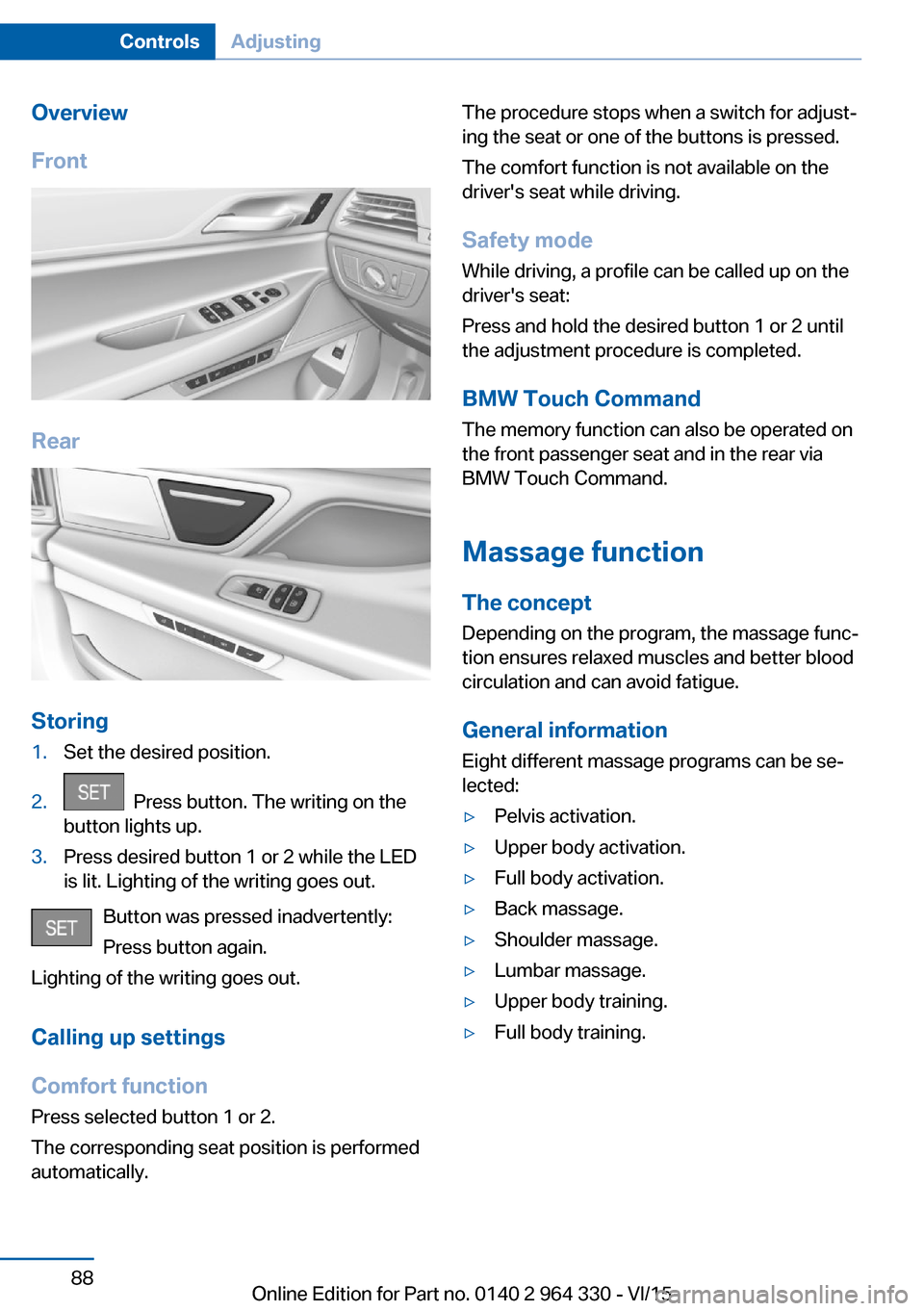
Overview
Front
Rear
Storing
1.Set the desired position.2. Press button. The writing on the
button lights up.3.Press desired button 1 or 2 while the LED
is lit. Lighting of the writing goes out.
Button was pressed inadvertently:
Press button again.
Lighting of the writing goes out.
Calling up settings
Comfort function
Press selected button 1 or 2.
The corresponding seat position is performed
automatically.
The procedure stops when a switch for adjust‐
ing the seat or one of the buttons is pressed.
The comfort function is not available on the
driver's seat while driving.
Safety mode While driving, a profile can be called up on the
driver's seat:
Press and hold the desired button 1 or 2 until
the adjustment procedure is completed.
BMW Touch Command The memory function can also be operated on
the front passenger seat and in the rear via
BMW Touch Command.
Massage function
The concept Depending on the program, the massage func‐
tion ensures relaxed muscles and better blood
circulation and can avoid fatigue.
General information
Eight different massage programs can be se‐
lected:▷Pelvis activation.▷Upper body activation.▷Full body activation.▷Back massage.▷Shoulder massage.▷Lumbar massage.▷Upper body training.▷Full body training.Seite 88ControlsAdjusting88
Online Edition for Part no. 0140 2 964 330 - VI/15
Page 89 of 314
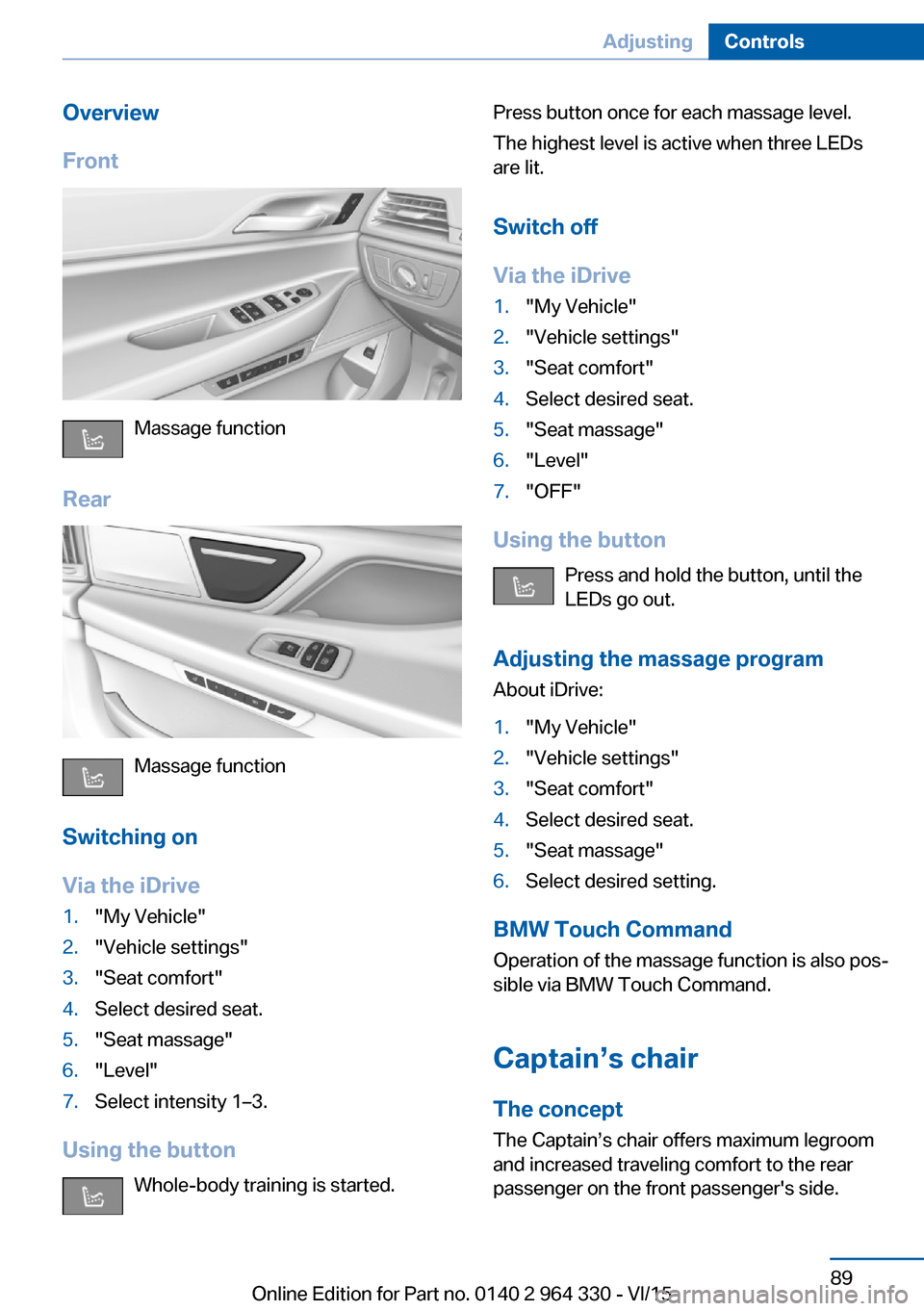
Overview
Front
Massage function
Rear
Massage function
Switching on
Via the iDrive
1."My Vehicle"2."Vehicle settings"3."Seat comfort"4.Select desired seat.5."Seat massage"6."Level"7.Select intensity 1–3.
Using the button Whole-body training is started.
Press button once for each massage level.
The highest level is active when three LEDs
are lit.
Switch off
Via the iDrive1."My Vehicle"2."Vehicle settings"3."Seat comfort"4.Select desired seat.5."Seat massage"6."Level"7."OFF"
Using the button Press and hold the button, until the
LEDs go out.
Adjusting the massage program About iDrive:
1."My Vehicle"2."Vehicle settings"3."Seat comfort"4.Select desired seat.5."Seat massage"6.Select desired setting.
BMW Touch Command
Operation of the massage function is also pos‐
sible via BMW Touch Command.
Captain’s chair
The concept The Captain’s chair offers maximum legroom
and increased traveling comfort to the rear
passenger on the front passenger's side.
Seite 89AdjustingControls89
Online Edition for Part no. 0140 2 964 330 - VI/15
Page 105 of 314
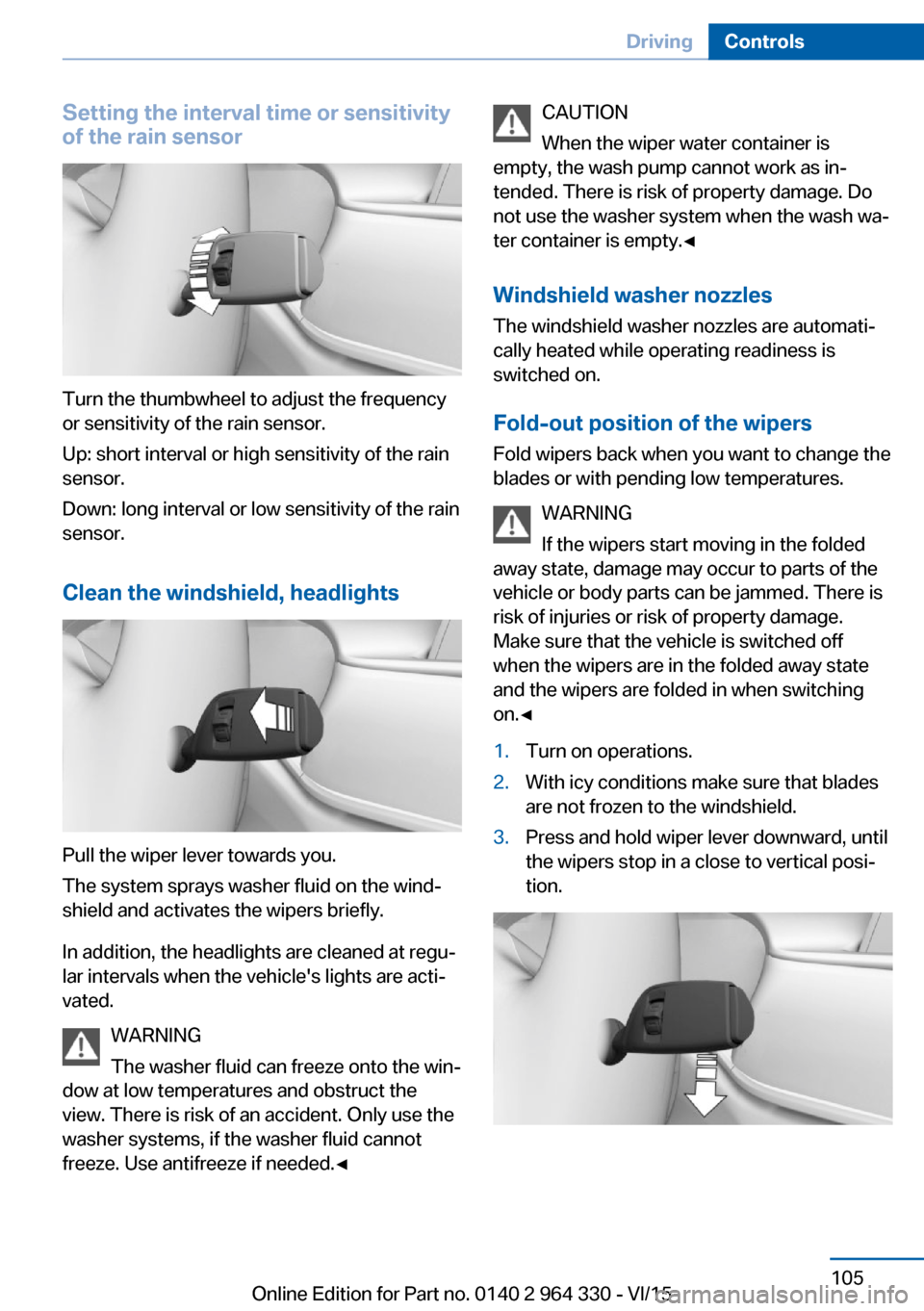
Setting the interval time or sensitivity
of the rain sensor
Turn the thumbwheel to adjust the frequency
or sensitivity of the rain sensor.
Up: short interval or high sensitivity of the rain
sensor.
Down: long interval or low sensitivity of the rain
sensor.
Clean the windshield, headlights
Pull the wiper lever towards you.
The system sprays washer fluid on the wind‐
shield and activates the wipers briefly.
In addition, the headlights are cleaned at regu‐
lar intervals when the vehicle's lights are acti‐
vated.
WARNING
The washer fluid can freeze onto the win‐
dow at low temperatures and obstruct the
view. There is risk of an accident. Only use the
washer systems, if the washer fluid cannot
freeze. Use antifreeze if needed.◀
CAUTION
When the wiper water container is
empty, the wash pump cannot work as in‐
tended. There is risk of property damage. Do
not use the washer system when the wash wa‐
ter container is empty.◀
Windshield washer nozzles
The windshield washer nozzles are automati‐
cally heated while operating readiness is
switched on.
Fold-out position of the wipers Fold wipers back when you want to change the
blades or with pending low temperatures.
WARNING
If the wipers start moving in the folded
away state, damage may occur to parts of the vehicle or body parts can be jammed. There is
risk of injuries or risk of property damage.
Make sure that the vehicle is switched off
when the wipers are in the folded away state
and the wipers are folded in when switching
on.◀1.Turn on operations.2.With icy conditions make sure that blades
are not frozen to the windshield.3.Press and hold wiper lever downward, until
the wipers stop in a close to vertical posi‐
tion.Seite 105DrivingControls105
Online Edition for Part no. 0140 2 964 330 - VI/15
Page 136 of 314
SafetyVehicle features and options
This chapter describes all standard, country-
specific and optional features offered with the
series. It also describes features that are not
necessarily available in your car, e. g., due tothe selected options or country versions. This
also applies to safety-related functions and
systems. The respectively applicable country
provisions must be observed when using the
respective features and systems.
Airbags
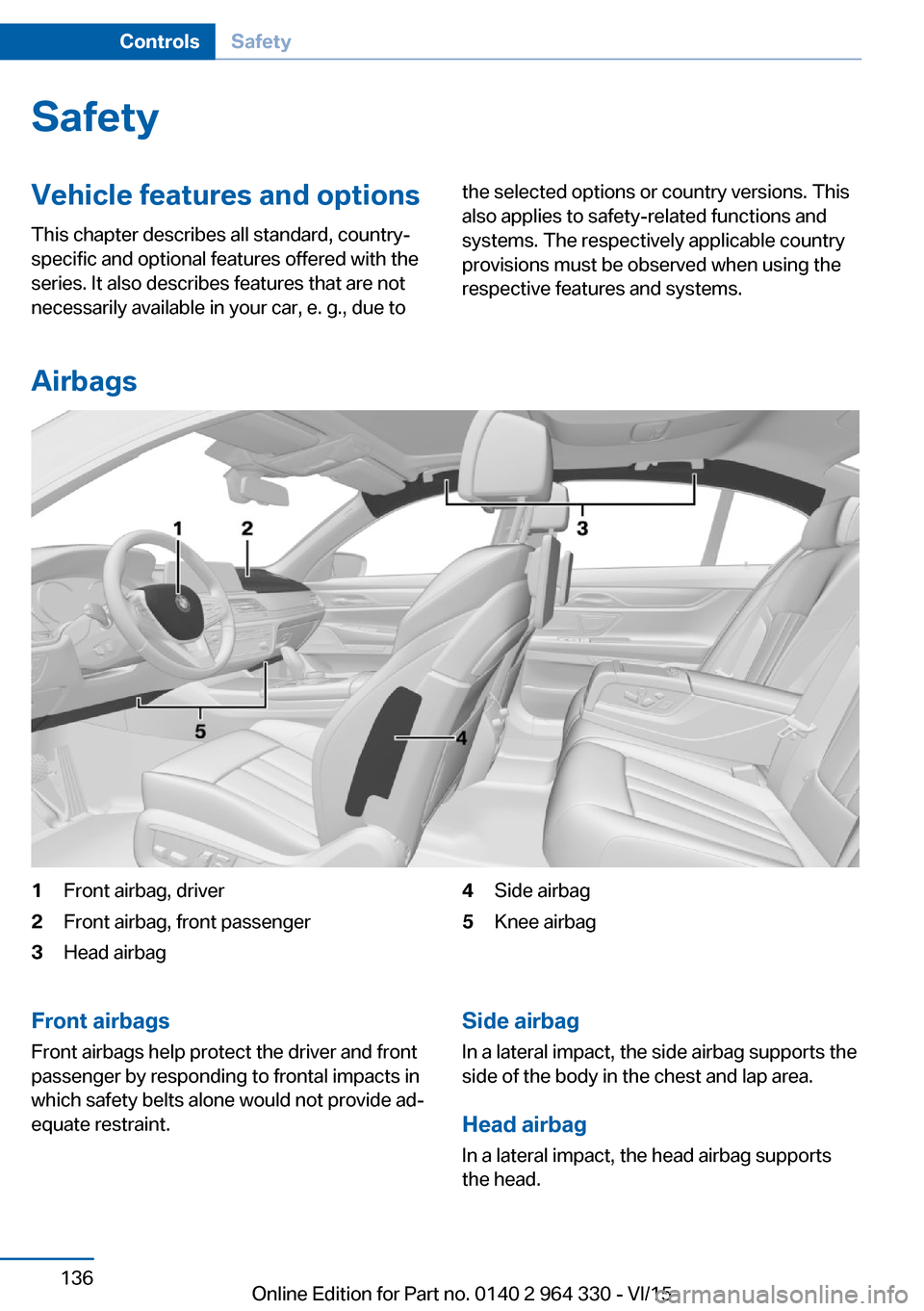
1Front airbag, driver2Front airbag, front passenger3Head airbag4Side airbag5Knee airbagFront airbags
Front airbags help protect the driver and front
passenger by responding to frontal impacts in
which safety belts alone would not provide ad‐
equate restraint.Side airbag
In a lateral impact, the side airbag supports the
side of the body in the chest and lap area.
Head airbag In a lateral impact, the head airbag supports
the head.Seite 136ControlsSafety136
Online Edition for Part no. 0140 2 964 330 - VI/15
Page 138 of 314
spective accident severity. There is risk of
injuries or danger to life. Have the airbag sys‐
tem checked, repaired, dismantled and scrap‐
ped by a dealer’s service center or another
qualified service center or repair shop.◀
Correct function When drive readiness is switched on,
the warning lamp in the instrument
cluster lights up briefly and thereby in‐
dicates the function readiness of the entire air‐
bag system and the belt tensioners.
Airbag system malfunctioning▷Warning lamp does not come on when
drive readiness is switched on.▷The warning lamp lights up continuously.
Automatic deactivation of the front-
seat passenger airbags
The concept The system reads if the front passenger seat is
occupied by measuring the human body's re‐
sistance.
Front, knee and side airbag on the front pas‐
senger's side are either activated or deacti‐
vated.
Information Before transporting a child on the front pas‐
senger seat, refer to the safety notes and in‐
structions for children on the front passenger
seat, see Children.
WARNING
The ensure the front-seat passenger air‐
bag function, it must be detected, whether a
person occupies the front passenger seat. The
entire seat cushion area must be used for this
purpose. There is risk of injuries or danger to
life. Make sure that the front passenger keeps
his or her feet in the floor area.◀
Malfunction of the automatic
deactivation system
When transporting older children and adults,
the front-seat passenger airbags may be deac‐
tivated in certain sitting positions. In this case,
the indicator lamp for the front-seat passenger
airbags lights up.
In this case, change the sitting position so that
the front-seat passenger airbags are activated
and the indicator lamp goes out.
If it is not possible to activate the airbags, have
the person sit in the rear.
To enable correct recognition of the occupied
seat cushion▷Do not attach covers, cushions, ball mats
or other items to the front passenger seat
unless they are specifically determined to
be safe for use on the front passenger
seat.▷Do not place any electronic devices on the
passenger seat if a child restraint system is
to be installed on it.▷Do not place objects under the seat that
could press against the seat from below.▷No moisture in or on the seat.
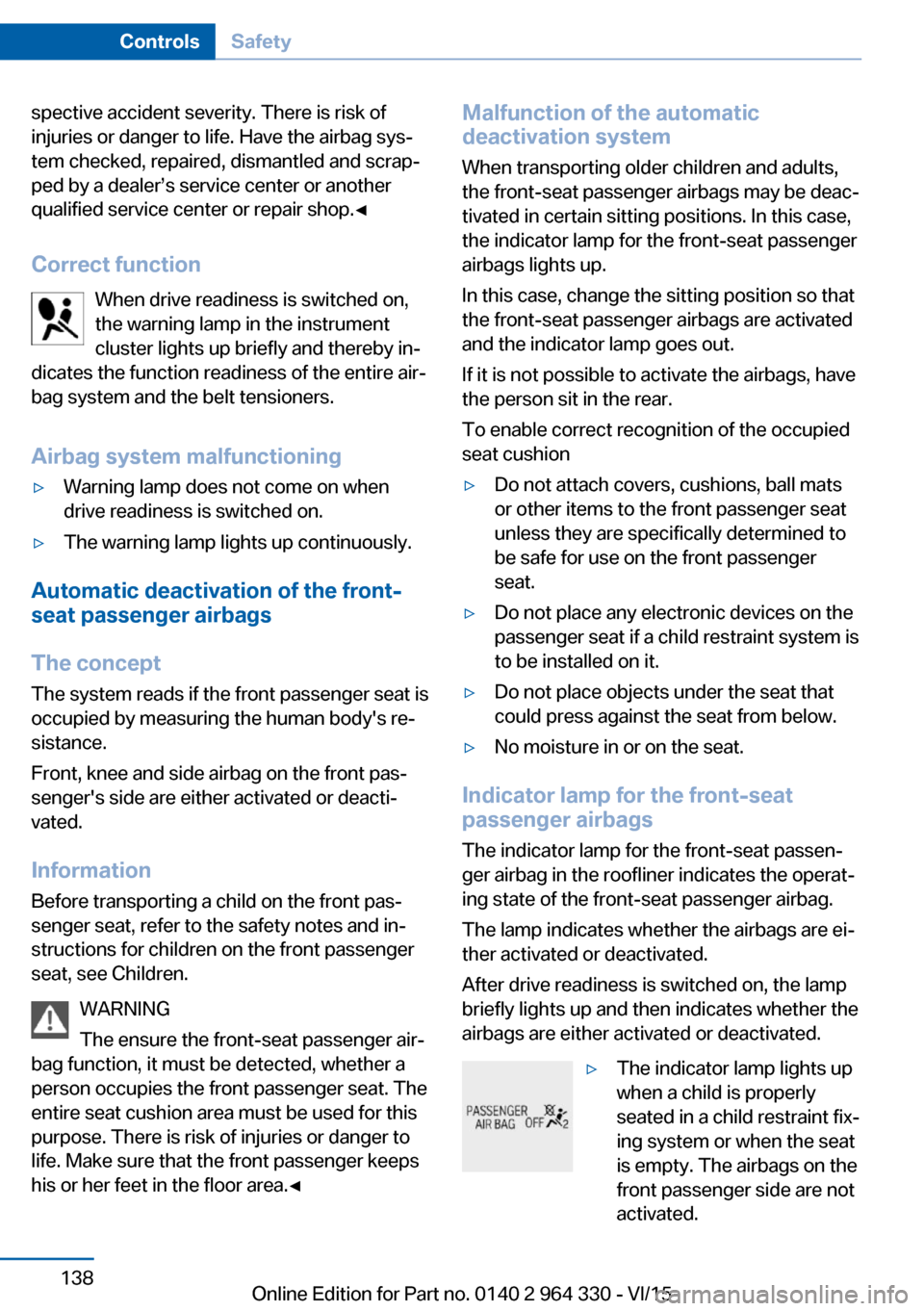
Indicator lamp for the front-seat
passenger airbags
The indicator lamp for the front-seat passen‐
ger airbag in the roofliner indicates the operat‐
ing state of the front-seat passenger airbag.
The lamp indicates whether the airbags are ei‐
ther activated or deactivated.
After drive readiness is switched on, the lamp
briefly lights up and then indicates whether the
airbags are either activated or deactivated.
▷The indicator lamp lights up
when a child is properly
seated in a child restraint fix‐
ing system or when the seat
is empty. The airbags on the
front passenger side are not
activated.Seite 138ControlsSafety138
Online Edition for Part no. 0140 2 964 330 - VI/15
Page 146 of 314
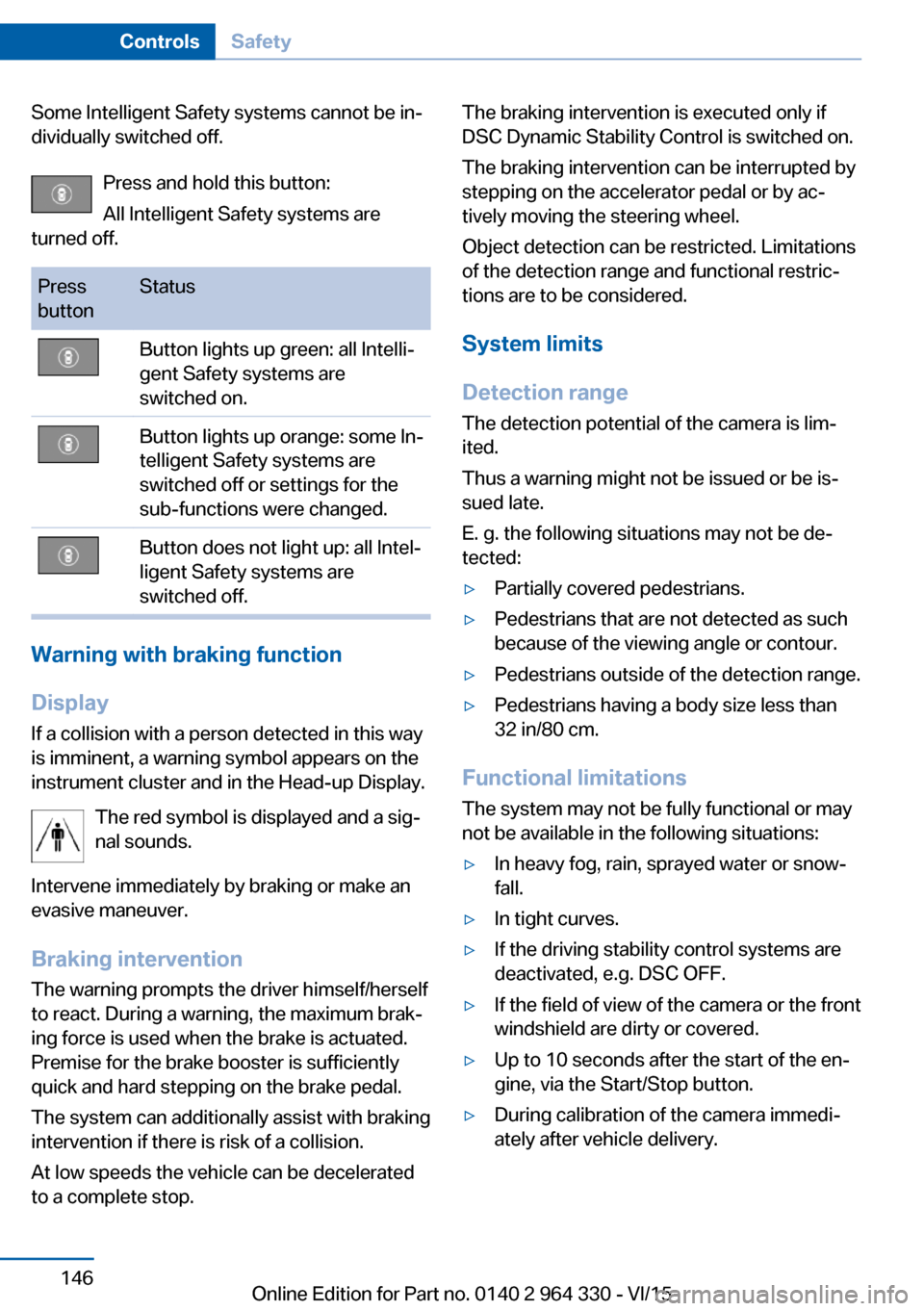
Some Intelligent Safety systems cannot be in‐
dividually switched off.
Press and hold this button:
All Intelligent Safety systems are
turned off.Press
buttonStatusButton lights up green: all Intelli‐
gent Safety systems are
switched on.Button lights up orange: some In‐
telligent Safety systems are
switched off or settings for the
sub-functions were changed.Button does not light up: all Intel‐
ligent Safety systems are
switched off.
Warning with braking function
Display
If a collision with a person detected in this way
is imminent, a warning symbol appears on the
instrument cluster and in the Head-up Display.
The red symbol is displayed and a sig‐
nal sounds.
Intervene immediately by braking or make an
evasive maneuver.
Braking intervention
The warning prompts the driver himself/herself
to react. During a warning, the maximum brak‐
ing force is used when the brake is actuated.
Premise for the brake booster is sufficiently
quick and hard stepping on the brake pedal.
The system can additionally assist with braking
intervention if there is risk of a collision.
At low speeds the vehicle can be decelerated
to a complete stop.
The braking intervention is executed only if
DSC Dynamic Stability Control is switched on.
The braking intervention can be interrupted by
stepping on the accelerator pedal or by ac‐
tively moving the steering wheel.
Object detection can be restricted. Limitations
of the detection range and functional restric‐
tions are to be considered.
System limits
Detection range
The detection potential of the camera is lim‐
ited.
Thus a warning might not be issued or be is‐
sued late.
E. g. the following situations may not be de‐
tected:▷Partially covered pedestrians.▷Pedestrians that are not detected as such
because of the viewing angle or contour.▷Pedestrians outside of the detection range.▷Pedestrians having a body size less than
32 in/80 cm.
Functional limitations
The system may not be fully functional or may
not be available in the following situations:
▷In heavy fog, rain, sprayed water or snow‐
fall.▷In tight curves.▷If the driving stability control systems are
deactivated, e.g. DSC OFF.▷If the field of view of the camera or the front
windshield are dirty or covered.▷Up to 10 seconds after the start of the en‐
gine, via the Start/Stop button.▷During calibration of the camera immedi‐
ately after vehicle delivery.Seite 146ControlsSafety146
Online Edition for Part no. 0140 2 964 330 - VI/15
Page 200 of 314
Driving comfortVehicle features and options
This chapter describes all standard, country-
specific and optional features offered with the
series. It also describes features that are not
necessarily available in your car, e. g., due to
the selected options or country versions. This
also applies to safety-related functions and
systems. The respectively applicable country
provisions must be observed when using the
respective features and systems.
Air suspension The conceptAir suspension ensures best possible driving
comfort under all load conditions. Due to a var‐
iable adjustment of the front and rear axles, the
damping is adjusted to the vehicle condition.
General information In the case of an uneven road surface, the ve‐
hicle level can be elevated to increase ground
clearance.▷Normal level, for normal road surface.▷Raised level, when the road surface is poor.
In the SPORT driving mode, refer to page 110,
or at higher speeds, the vehicle lowers itself.
Information WARNING
With lowering the vehicle, body parts can
be jammed. There is risk of injuries. When low‐
ering the vehicle, make sure that the areas of
movement under the vehicle and under the
wheel housing are free.◀
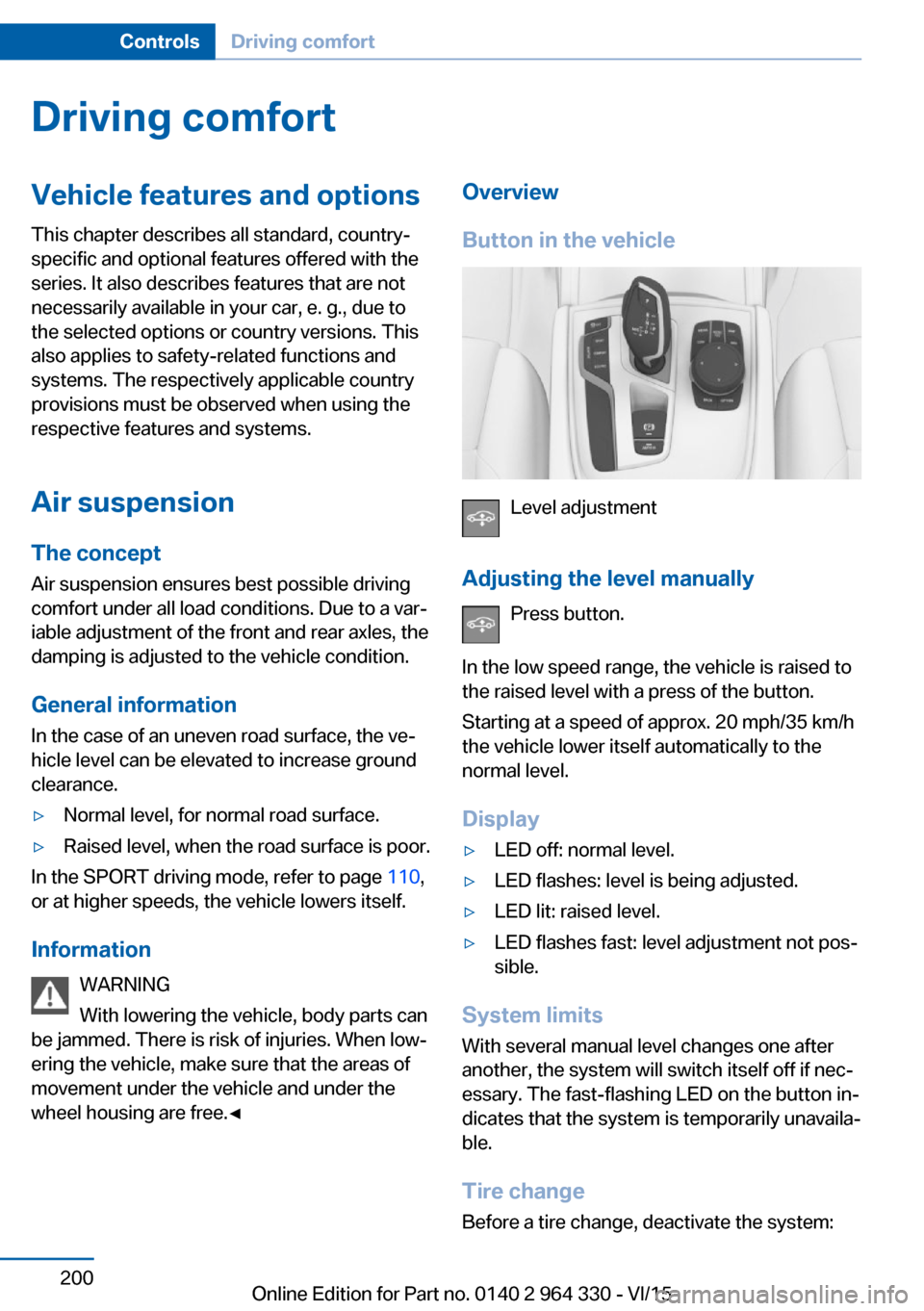
Overview
Button in the vehicle
Level adjustment
Adjusting the level manually Press button.
In the low speed range, the vehicle is raised to
the raised level with a press of the button.
Starting at a speed of approx. 20 mph/35 km/h
the vehicle lower itself automatically to the
normal level.
Display
▷LED off: normal level.▷LED flashes: level is being adjusted.▷LED lit: raised level.▷LED flashes fast: level adjustment not pos‐
sible.
System limits
With several manual level changes one after
another, the system will switch itself off if nec‐
essary. The fast-flashing LED on the button in‐
dicates that the system is temporarily unavaila‐
ble.
Tire change Before a tire change, deactivate the system:
Seite 200ControlsDriving comfort200
Online Edition for Part no. 0140 2 964 330 - VI/15
Page 204 of 314
Press and hold the left button on
the driver's side until the control
clicks off.▷On the front passenger side:
Press and hold the left button on
the front passenger side.
Temperature
Turn the ring to set the desired
temperature.
The automatic climate control achieves this
temperature as quickly as possible, if needed
by using the maximum cooling or heating ca‐
pacity, and then keeps it constant.
Do not rapidly switch between different tem‐
perature settings. Otherwise, the automatic cli‐
mate control will not have sufficient time to ad‐
just the set temperature.
Information
Symbol is displayed permanently on the
display of the automatic climate control.
Cooling function The car's interior can only be cooled with the
engine running.
Press button. The LED lights up.
The air will be cooled and dehumidi‐
fied and, depending on the temperature set‐
ting, warmed again.
Depending on the weather, the windshield and
side windows may fog up briefly when the en‐
gine is started.
The cooling function is switched on automati‐
cally with the AUTO program.
When using the automatic climate control,
condensation water, refer to page 236, devel‐
ops that exits underneath the vehicle.
Maximum cooling
Press button.
The system is set to the lowest tem‐
perature, optimum air flow and air circulation
mode.
Air flows out of the vents to the upper body re‐
gion. The vents need to be open for this.
The function is available with external temper‐
atures beyond approx. 32 ℉/0 ℃ and with the
engine running.
Adjust air flow on the driver's side with the pro‐
gram active.
AUTO program Press button.
Air flow, air distribution and tempera‐
ture are controlled automatically.
Depending on the selected temperature,
AUTO intensity program and outside influen‐
ces, the air is directed to the windshield, side
windows, upper body, and into the footwell.
The cooling function, refer to page 204, is
switched on automatically with the AUTO pro‐
gram.
At the same time, a condensation sensor con‐
trols the program so as to prevent window
condensation as much as possible.
To switch off the program: press the button
again or manually adjust the air distribution.
Intensity of the AUTO program
With the AUTO program activated, the auto‐
matic intensity control can be changed.
Press the left or right side of the but‐
ton: decrease or increase the inten‐
sity.
The selected intensity is shown on the display
of the automatic climate control.Seite 204ControlsClimate control204
Online Edition for Part no. 0140 2 964 330 - VI/15
Page 205 of 314
Automatic recirculated-air control
AUC
The concept
The automatic recirculated air control AUC au‐
tomatically recognizes odors or pollutants in
the outside air. The outside air supply is then
automatically shut off, the interior air is recircu‐
lated.
General information
If the system is activated, a sensor detects pol‐
lutants in the outside air and controls the shut-
off automatically.
If the system is deactivated, outside air contin‐ uously flows into the car's interior.
With constant recirculated-air mode, the air
quality in the car's interior deteriorates and the
fogging of the windows increases.
If there is window condensation,
switch off the recirculated-air mode
and press the button on the driver's side to uti‐ lize the condensation sensor. Make sure that
air can flow to the windshield.
Switching on/off
About iDrive:1."My Vehicle"2."Vehicle settings"3."Climate functions"4."Air quality"5."Automatic air recirculation"
Recirculated-air mode
The concept
You may respond to unpleasant odors or pollu‐
tants in the immediate environment by tempo‐
rarily suspending the supply of outside air. The
system then recirculates the air currently
within the vehicle.
Operating via button
Press button repeatedly to select an
operating mode:▷LED off: outside air flows in continuously.▷LED on: the supply of outside air is perma‐
nently shut off.
With constant recirculated-air mode, the air
quality in the car's interior deteriorates and the
fogging of the windows increases.
If there is window condensation,
switch off the recirculated-air mode
and press the button on the driver's side to uti‐
lize the condensation sensor. Make sure that
air can flow to the windshield.
Air flow, manual
To manually adjust air flow turn off AUTO pro‐
gram first.
Press the left or right side of the but‐
ton: decrease or increase air flow.
The selected air flow is shown on the display of
the automatic climate control.
The air flow of the automatic climate control
may be reduced automatically to save battery
power.
Manual air distribution Press button repeatedly to select a
program:
▷Windows, upper body region, and footwell.▷Upper body region and footwell.▷Footwell.▷Windows and footwell.▷Windows.▷Windows and upper body.▷Upper body region.
The selected air distribution is shown on the
display of the automatic climate control.
Seite 205Climate controlControls205
Online Edition for Part no. 0140 2 964 330 - VI/15