windshield BMW 7 SERIES 2016 G11 Owner's Guide
[x] Cancel search | Manufacturer: BMW, Model Year: 2016, Model line: 7 SERIES, Model: BMW 7 SERIES 2016 G11Pages: 314, PDF Size: 7.9 MB
Page 158 of 314
"INDIVIDUAL": the Intelligent Safety systems
are switched on according to the individual
settings.
Some Intelligent Safety systems cannot be in‐
dividually switched off.
Press and hold this button:
All Intelligent Safety systems are
turned off.Press
buttonStatusButton lights up green: all Intelli‐
gent Safety systems are
switched on.Button lights up orange: some In‐
telligent Safety systems are
switched off or settings for the
sub-functions were changed.Button does not light up: all Intel‐
ligent Safety systems are
switched off.
Issued warning
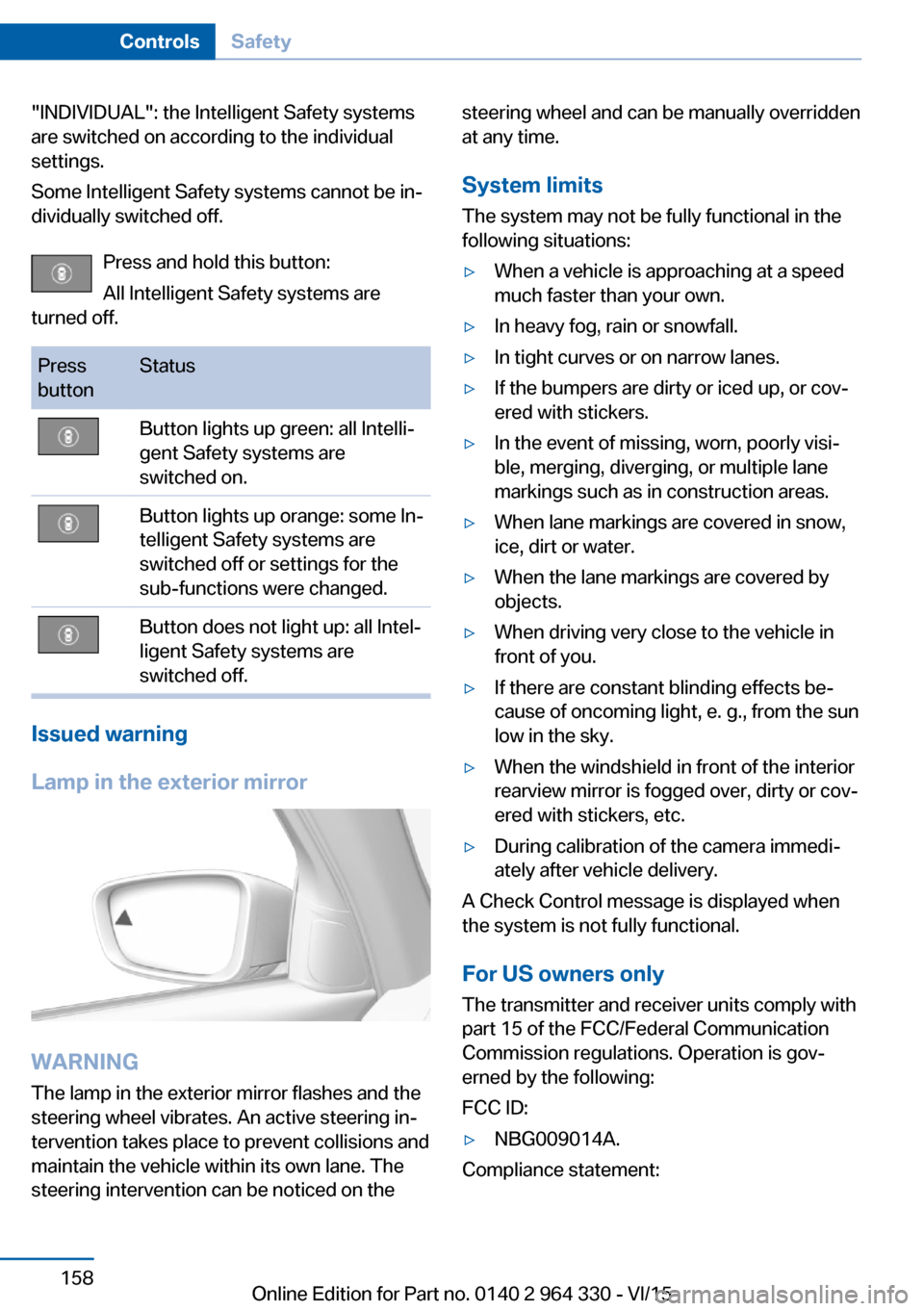
Lamp in the exterior mirror
WARNING
The lamp in the exterior mirror flashes and the
steering wheel vibrates. An active steering in‐
tervention takes place to prevent collisions and
maintain the vehicle within its own lane. The
steering intervention can be noticed on the
steering wheel and can be manually overridden
at any time.
System limits
The system may not be fully functional in the
following situations:▷When a vehicle is approaching at a speed
much faster than your own.▷In heavy fog, rain or snowfall.▷In tight curves or on narrow lanes.▷If the bumpers are dirty or iced up, or cov‐
ered with stickers.▷In the event of missing, worn, poorly visi‐
ble, merging, diverging, or multiple lane
markings such as in construction areas.▷When lane markings are covered in snow,
ice, dirt or water.▷When the lane markings are covered by
objects.▷When driving very close to the vehicle in
front of you.▷If there are constant blinding effects be‐
cause of oncoming light, e. g., from the sun
low in the sky.▷When the windshield in front of the interior
rearview mirror is fogged over, dirty or cov‐
ered with stickers, etc.▷During calibration of the camera immedi‐
ately after vehicle delivery.
A Check Control message is displayed when
the system is not fully functional.
For US owners only The transmitter and receiver units comply with
part 15 of the FCC/Federal Communication
Commission regulations. Operation is gov‐
erned by the following:
FCC ID:
▷NBG009014A.
Compliance statement:
Seite 158ControlsSafety158
Online Edition for Part no. 0140 2 964 330 - VI/15
Page 169 of 314
Overview
Buttons on the steering wheelPress
buttonFunctionCruise control on/off, refer to
page 169.Store/maintain speed, refer to
page 170.Pause cruise control, refer to
page 170.
Continue cruise control with the
last setting, refer to page 171.Without steering and lane guid‐
ance assistant:
Increase distance, refer to
page 171.Without steering and lane guid‐
ance assistant:
Reduce distance, refer to
page 171.With steering and lane guidance
assistant:
Adjust distance, refer to
page 171.Rocker switch:
Maintain, store, change speed,
refer to page 170.With steering and lane guidance
assistant:
Steering and lane guidance as‐
sistant including Traffic Jam As‐
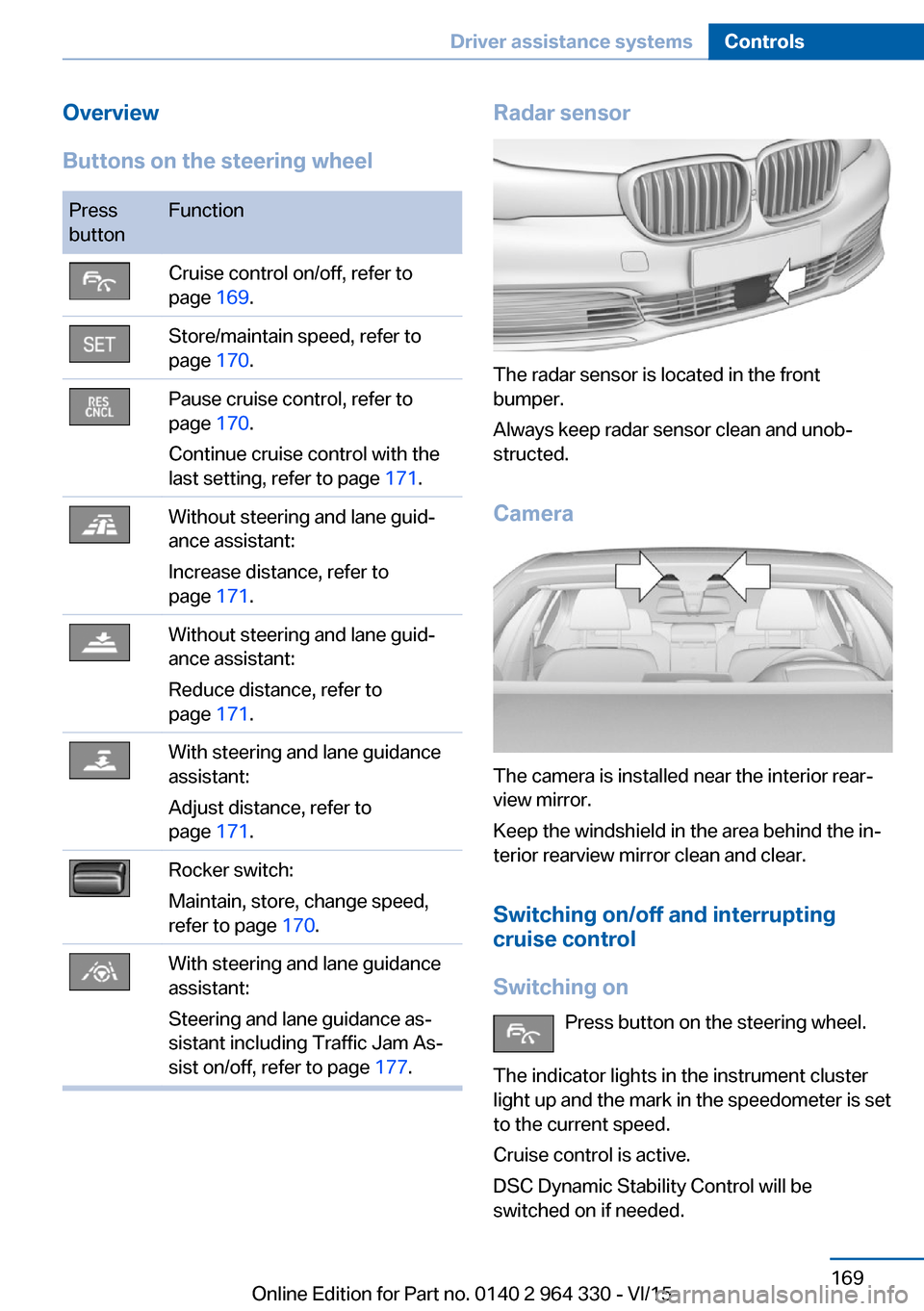
sist on/off, refer to page 177.Radar sensor
The radar sensor is located in the front
bumper.
Always keep radar sensor clean and unob‐
structed.
Camera
The camera is installed near the interior rear‐
view mirror.
Keep the windshield in the area behind the in‐
terior rearview mirror clean and clear.
Switching on/off and interrupting
cruise control
Switching on Press button on the steering wheel.
The indicator lights in the instrument cluster
light up and the mark in the speedometer is set
to the current speed.
Cruise control is active.
DSC Dynamic Stability Control will be
switched on if needed.
Seite 169Driver assistance systemsControls169
Online Edition for Part no. 0140 2 964 330 - VI/15
Page 179 of 314
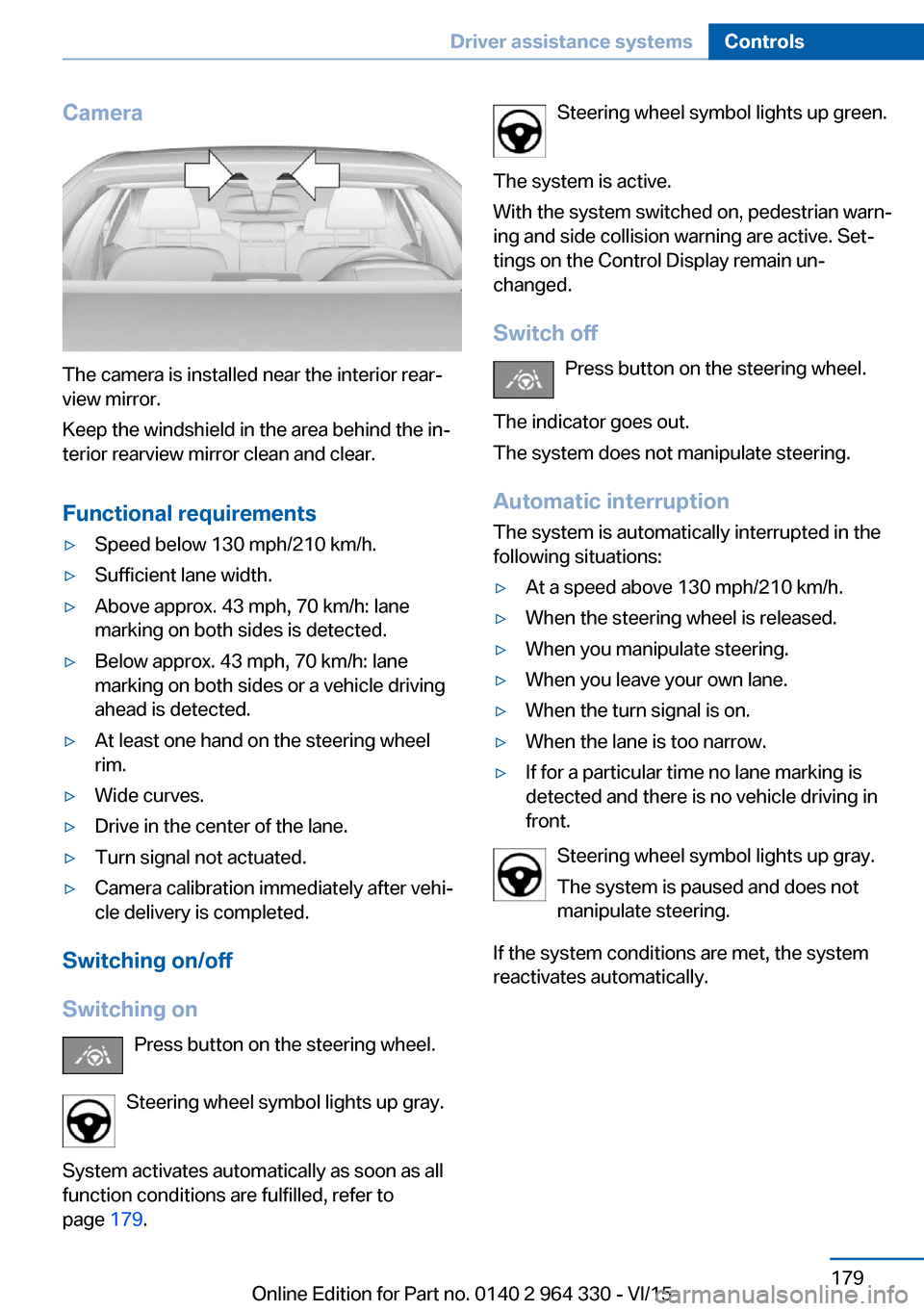
Camera
The camera is installed near the interior rear‐
view mirror.
Keep the windshield in the area behind the in‐
terior rearview mirror clean and clear.
Functional requirements
▷Speed below 130 mph/210 km/h.▷Sufficient lane width.▷Above approx. 43 mph, 70 km/h: lane
marking on both sides is detected.▷Below approx. 43 mph, 70 km/h: lane
marking on both sides or a vehicle driving
ahead is detected.▷At least one hand on the steering wheel
rim.▷Wide curves.▷Drive in the center of the lane.▷Turn signal not actuated.▷Camera calibration immediately after vehi‐
cle delivery is completed.
Switching on/off
Switching on Press button on the steering wheel.
Steering wheel symbol lights up gray.
System activates automatically as soon as all
function conditions are fulfilled, refer to
page 179.
Steering wheel symbol lights up green.
The system is active.
With the system switched on, pedestrian warn‐
ing and side collision warning are active. Set‐
tings on the Control Display remain un‐
changed.
Switch off Press button on the steering wheel.
The indicator goes out.
The system does not manipulate steering.
Automatic interruptionThe system is automatically interrupted in the
following situations:▷At a speed above 130 mph/210 km/h.▷When the steering wheel is released.▷When you manipulate steering.▷When you leave your own lane.▷When the turn signal is on.▷When the lane is too narrow.▷If for a particular time no lane marking is
detected and there is no vehicle driving in
front.
Steering wheel symbol lights up gray.
The system is paused and does not
manipulate steering.
If the system conditions are met, the system
reactivates automatically.
Seite 179Driver assistance systemsControls179
Online Edition for Part no. 0140 2 964 330 - VI/15
Page 202 of 314
Overview
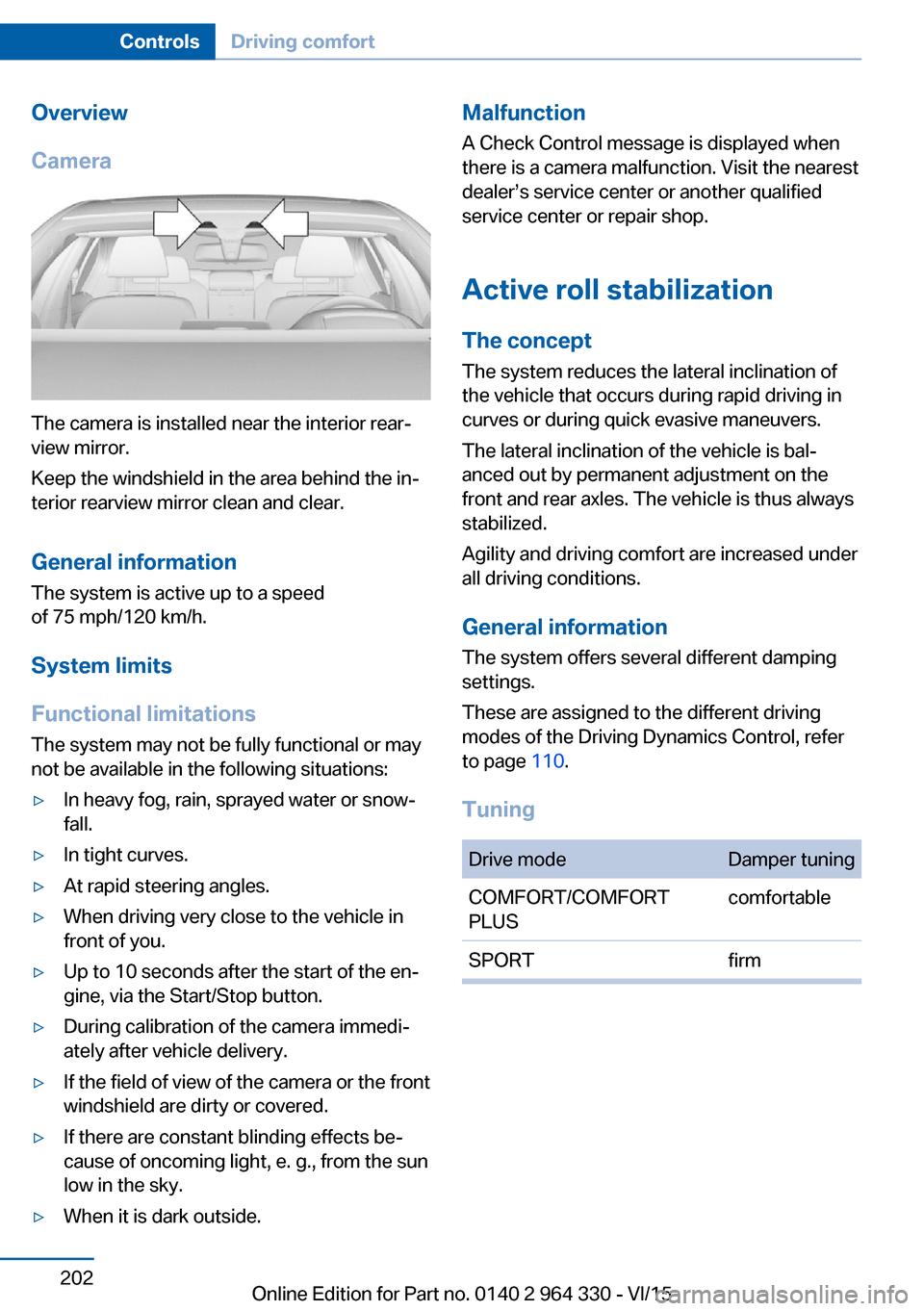
Camera
The camera is installed near the interior rear‐
view mirror.
Keep the windshield in the area behind the in‐
terior rearview mirror clean and clear.
General information
The system is active up to a speed
of 75 mph/120 km/h.
System limits
Functional limitations The system may not be fully functional or may
not be available in the following situations:
▷In heavy fog, rain, sprayed water or snow‐
fall.▷In tight curves.▷At rapid steering angles.▷When driving very close to the vehicle in
front of you.▷Up to 10 seconds after the start of the en‐
gine, via the Start/Stop button.▷During calibration of the camera immedi‐
ately after vehicle delivery.▷If the field of view of the camera or the front
windshield are dirty or covered.▷If there are constant blinding effects be‐
cause of oncoming light, e. g., from the sun
low in the sky.▷When it is dark outside.Malfunction
A Check Control message is displayed when
there is a camera malfunction. Visit the nearest
dealer’s service center or another qualified
service center or repair shop.
Active roll stabilization
The concept The system reduces the lateral inclination of
the vehicle that occurs during rapid driving in
curves or during quick evasive maneuvers.
The lateral inclination of the vehicle is bal‐
anced out by permanent adjustment on the
front and rear axles. The vehicle is thus always
stabilized.
Agility and driving comfort are increased under
all driving conditions.
General information
The system offers several different damping
settings.
These are assigned to the different driving
modes of the Driving Dynamics Control, refer
to page 110.
TuningDrive modeDamper tuningCOMFORT/COMFORT
PLUScomfortableSPORTfirmSeite 202ControlsDriving comfort202
Online Edition for Part no. 0140 2 964 330 - VI/15
Page 204 of 314
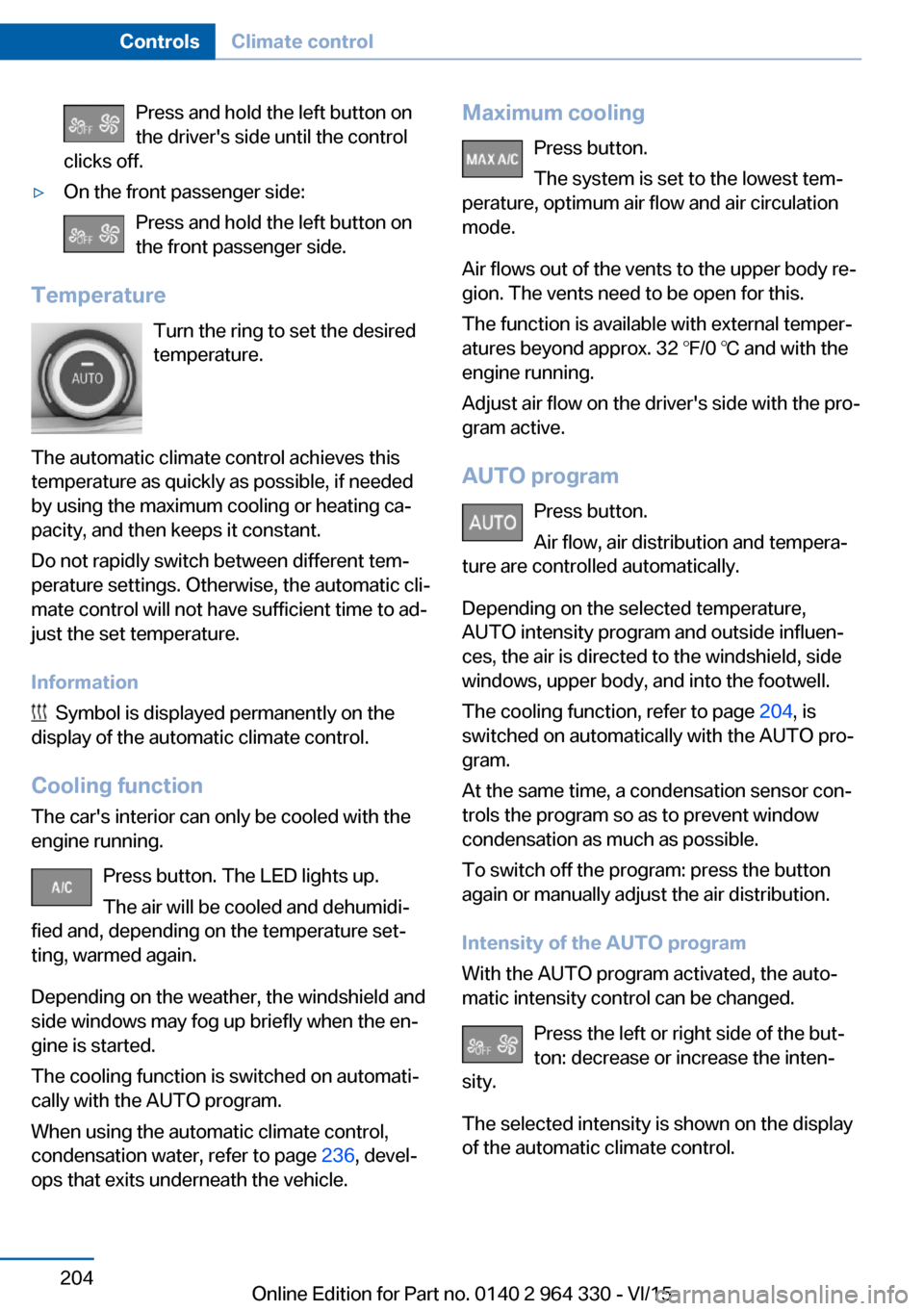
Press and hold the left button on
the driver's side until the control
clicks off.▷On the front passenger side:
Press and hold the left button on
the front passenger side.
Temperature
Turn the ring to set the desired
temperature.
The automatic climate control achieves this
temperature as quickly as possible, if needed
by using the maximum cooling or heating ca‐
pacity, and then keeps it constant.
Do not rapidly switch between different tem‐
perature settings. Otherwise, the automatic cli‐
mate control will not have sufficient time to ad‐
just the set temperature.
Information
Symbol is displayed permanently on the
display of the automatic climate control.
Cooling function The car's interior can only be cooled with the
engine running.
Press button. The LED lights up.
The air will be cooled and dehumidi‐
fied and, depending on the temperature set‐
ting, warmed again.
Depending on the weather, the windshield and
side windows may fog up briefly when the en‐
gine is started.
The cooling function is switched on automati‐
cally with the AUTO program.
When using the automatic climate control,
condensation water, refer to page 236, devel‐
ops that exits underneath the vehicle.
Maximum cooling
Press button.
The system is set to the lowest tem‐
perature, optimum air flow and air circulation
mode.
Air flows out of the vents to the upper body re‐
gion. The vents need to be open for this.
The function is available with external temper‐
atures beyond approx. 32 ℉/0 ℃ and with the
engine running.
Adjust air flow on the driver's side with the pro‐
gram active.
AUTO program Press button.
Air flow, air distribution and tempera‐
ture are controlled automatically.
Depending on the selected temperature,
AUTO intensity program and outside influen‐
ces, the air is directed to the windshield, side
windows, upper body, and into the footwell.
The cooling function, refer to page 204, is
switched on automatically with the AUTO pro‐
gram.
At the same time, a condensation sensor con‐
trols the program so as to prevent window
condensation as much as possible.
To switch off the program: press the button
again or manually adjust the air distribution.
Intensity of the AUTO program
With the AUTO program activated, the auto‐
matic intensity control can be changed.
Press the left or right side of the but‐
ton: decrease or increase the inten‐
sity.
The selected intensity is shown on the display
of the automatic climate control.Seite 204ControlsClimate control204
Online Edition for Part no. 0140 2 964 330 - VI/15
Page 205 of 314
Automatic recirculated-air control
AUC
The concept
The automatic recirculated air control AUC au‐
tomatically recognizes odors or pollutants in
the outside air. The outside air supply is then
automatically shut off, the interior air is recircu‐
lated.
General information
If the system is activated, a sensor detects pol‐
lutants in the outside air and controls the shut-
off automatically.
If the system is deactivated, outside air contin‐ uously flows into the car's interior.
With constant recirculated-air mode, the air
quality in the car's interior deteriorates and the
fogging of the windows increases.
If there is window condensation,
switch off the recirculated-air mode
and press the button on the driver's side to uti‐ lize the condensation sensor. Make sure that
air can flow to the windshield.
Switching on/off
About iDrive:1."My Vehicle"2."Vehicle settings"3."Climate functions"4."Air quality"5."Automatic air recirculation"
Recirculated-air mode
The concept
You may respond to unpleasant odors or pollu‐
tants in the immediate environment by tempo‐
rarily suspending the supply of outside air. The
system then recirculates the air currently
within the vehicle.
Operating via button
Press button repeatedly to select an
operating mode:▷LED off: outside air flows in continuously.▷LED on: the supply of outside air is perma‐
nently shut off.
With constant recirculated-air mode, the air
quality in the car's interior deteriorates and the
fogging of the windows increases.
If there is window condensation,
switch off the recirculated-air mode
and press the button on the driver's side to uti‐
lize the condensation sensor. Make sure that
air can flow to the windshield.
Air flow, manual
To manually adjust air flow turn off AUTO pro‐
gram first.
Press the left or right side of the but‐
ton: decrease or increase air flow.
The selected air flow is shown on the display of
the automatic climate control.
The air flow of the automatic climate control
may be reduced automatically to save battery
power.
Manual air distribution Press button repeatedly to select a
program:
▷Windows, upper body region, and footwell.▷Upper body region and footwell.▷Footwell.▷Windows and footwell.▷Windows.▷Windows and upper body.▷Upper body region.
The selected air distribution is shown on the
display of the automatic climate control.
Seite 205Climate controlControls205
Online Edition for Part no. 0140 2 964 330 - VI/15
Page 206 of 314
If there is window condensation, press
the button on the driver's side to uti‐
lize the condensation sensor.
SYNC program Press button.
The current settings on the driver's
side for temperature, air flow, air distribution,
and AUTO program are transferred to the front
passenger side and to the left and right rear.
To switch off, press the button again.
The program is switched off if the settings on
the front passenger side or in the rear are
changed.
Defrosts windows and removes
condensation
Press button.
Ice and condensation are quickly re‐
moved from the windshield and the front side
windows.
For this purpose, point the side vents onto the
side windows as needed.
Adjust air flow with the program active. If there is window condensation, you
can also switch on the air conditioning
or press the button to utilize the condensation
sensor.
Rear window defroster Press button.
The rear window defroster switches
off automatically after a certain period of time.
Microfilter/activated-charcoal filter
The microfilter removes dust and pollen from
the incoming air.
The activated-charcoal filter removes gaseous
pollutants from the outside air that enters the
vehicle.This combined filter should be replaced during
scheduled maintenance, refer to page 279, of
your vehicle.
Ventilation
Setting The air flow directions can be individually ad‐
justed:▷Direct ventilation:
The air flow is directly pointed onto the
person. The air flow heats or cools noticea‐
bly, depending on the adjusted tempera‐
ture.▷Indirect ventilation:
If the vents are fully or partly closed, the air
is directly routed into the car's interior.
Indirect ventilation can also be adjusted on
the Control Display.
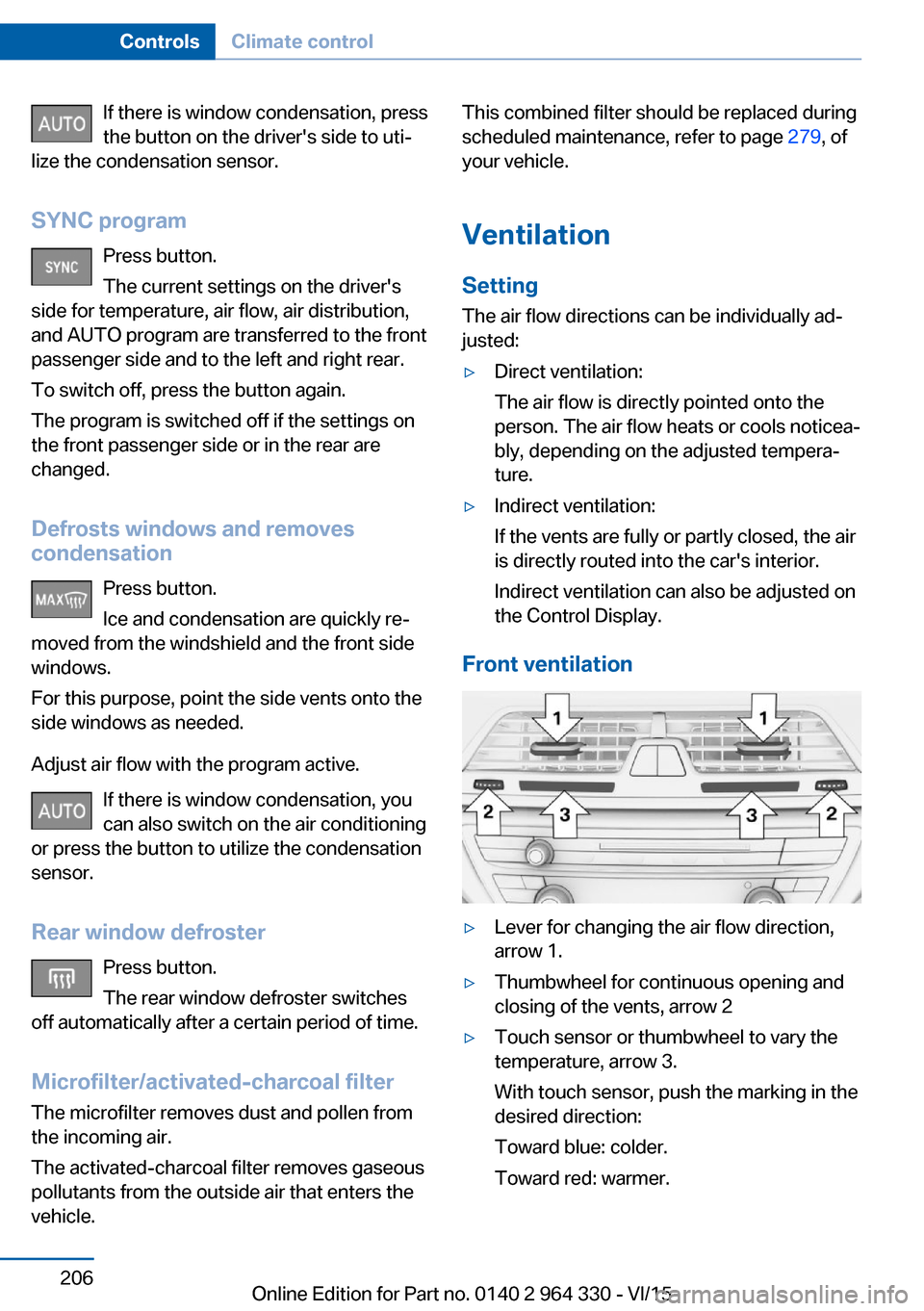
Front ventilation
▷Lever for changing the air flow direction,
arrow 1.▷Thumbwheel for continuous opening and
closing of the vents, arrow 2▷Touch sensor or thumbwheel to vary the
temperature, arrow 3.
With touch sensor, push the marking in the
desired direction:
Toward blue: colder.
Toward red: warmer.Seite 206ControlsClimate control206
Online Edition for Part no. 0140 2 964 330 - VI/15
Page 272 of 314
Hood
Information WARNING
Improperly executed work in the engine
compartment can damage components and
lead to a safety risk. There is risk of accidents
or risk of property damage.◀
WARNING
The engine compartment accommo‐
dates moving components. Certain compo‐
nents can move in the engine compartment
with the vehicle switched off, e.g. the cooler
fan. There is risk of injuries. Do not reach into
the area of moving parts. Keep articles of
clothing and hair away from moving parts.◀
CAUTION
Folded-away wipers can be jammed
when the hood is opened. There is risk of
property damage. Make sure that the wipers
with the wiper blades mounted are folded
down onto the windshield before opening the
hood.◀
WARNING
There are protruding parts, e.g. lock
hook, on the inside of the hood. There is risk of
injuries. If the hood is open, pay attention to
protruding parts and keep these areas clear.◀
WARNING
An incorrectly locked hood can open
while driving and restrict visibility. There is risk
of an accident. Stop immediately and correctly
close the hood.◀
WARNING
Body parts can be jammed on opening
and closing the hood. There is risk of injuries.
Make sure that the area of movement of the
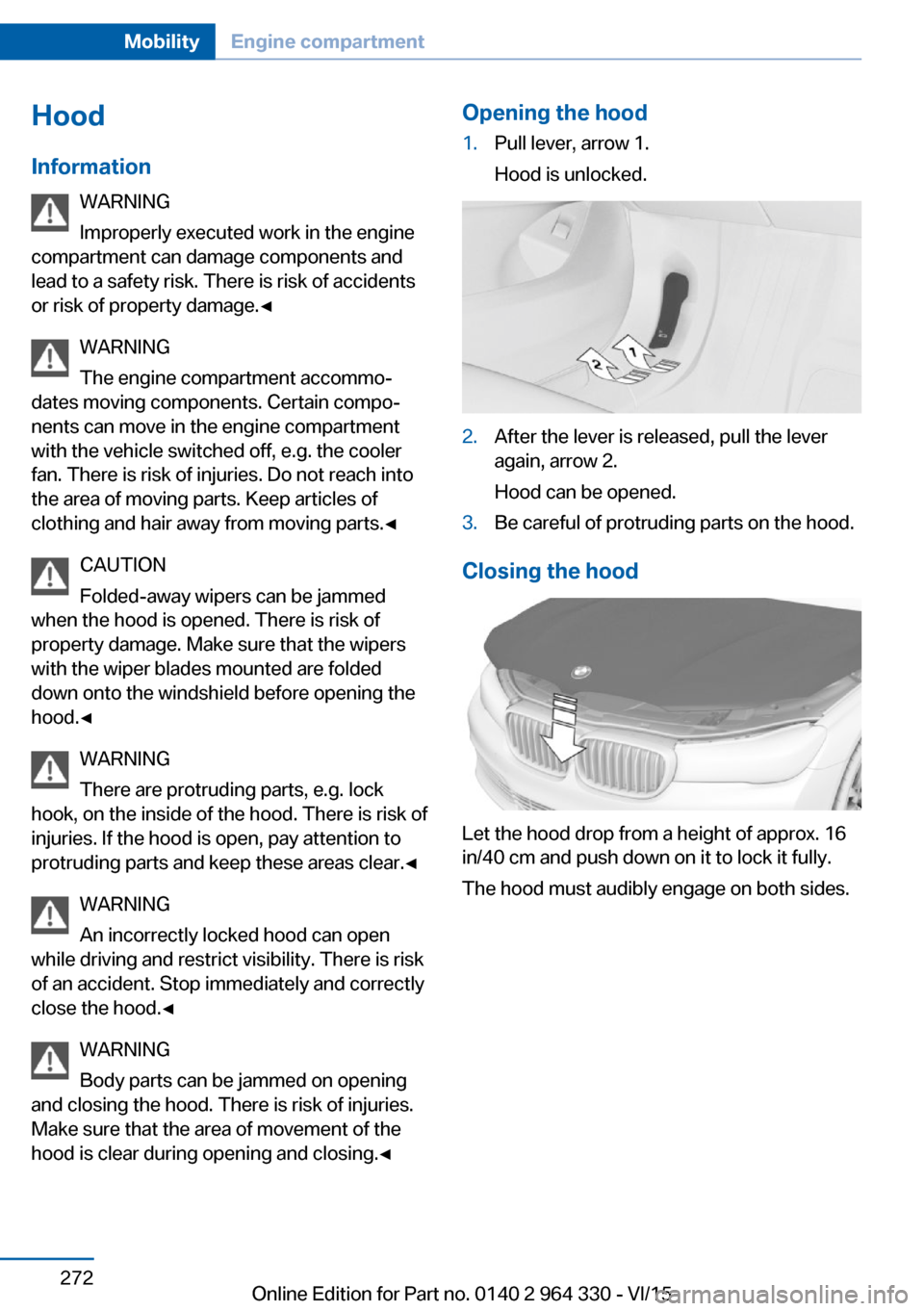
hood is clear during opening and closing.◀Opening the hood1.Pull lever, arrow 1.
Hood is unlocked.2.After the lever is released, pull the lever
again, arrow 2.
Hood can be opened.3.Be careful of protruding parts on the hood.
Closing the hood
Let the hood drop from a height of approx. 16
in/40 cm and push down on it to lock it fully.
The hood must audibly engage on both sides.
Seite 272MobilityEngine compartment272
Online Edition for Part no. 0140 2 964 330 - VI/15
Page 281 of 314
Replacing componentsVehicle features and optionsThis chapter describes all standard, country-
specific and optional features offered with the
series. It also describes features that are not
necessarily available in your car, e. g., due to
the selected options or country versions. This
also applies to safety-related functions and
systems. The respectively applicable country
provisions must be observed when using the
respective features and systems.
Onboard vehicle tool kit
The onboard vehicle tool kit is located in the
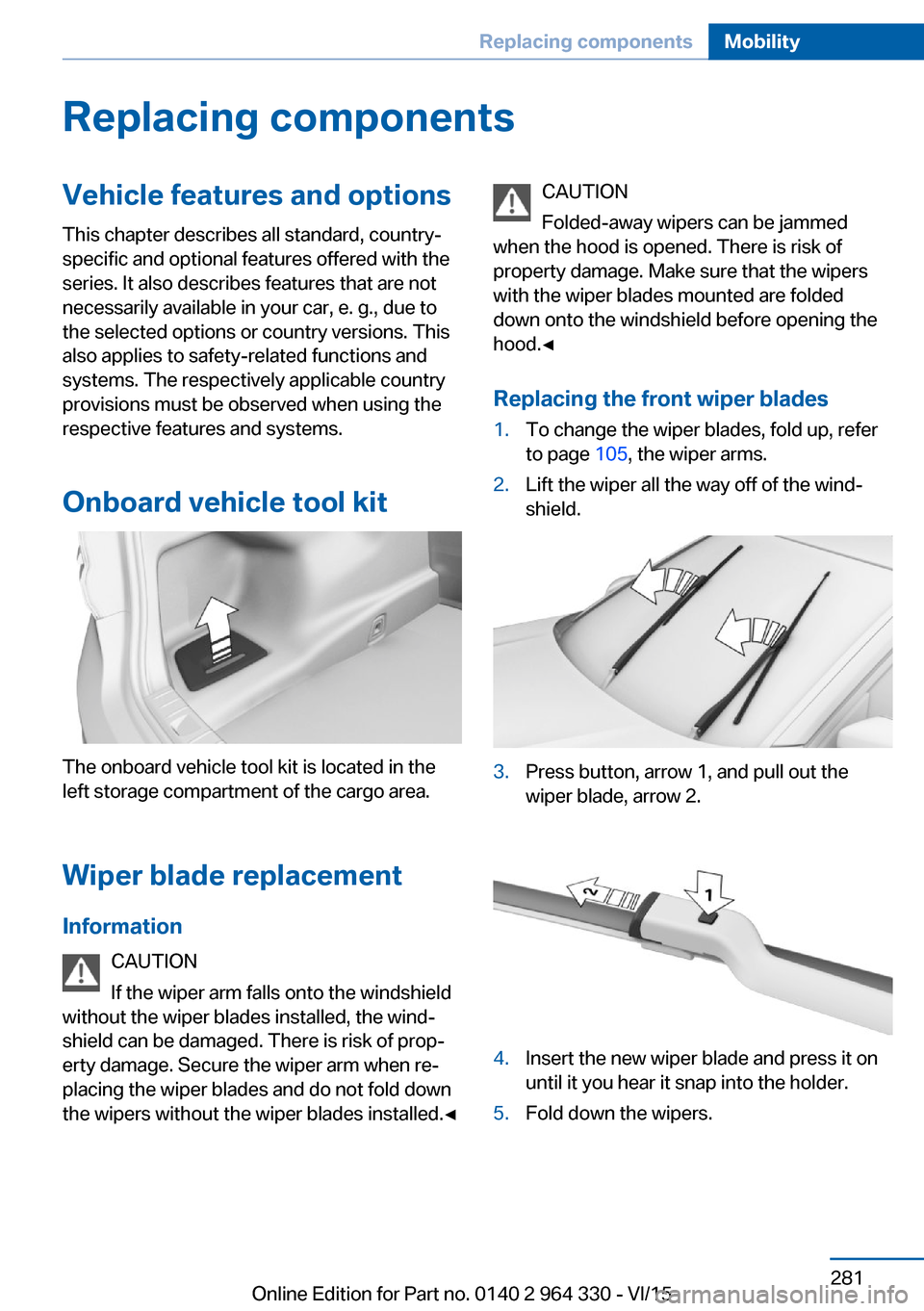
left storage compartment of the cargo area.
Wiper blade replacement
Information CAUTION
If the wiper arm falls onto the windshield
without the wiper blades installed, the wind‐
shield can be damaged. There is risk of prop‐
erty damage. Secure the wiper arm when re‐
placing the wiper blades and do not fold down
the wipers without the wiper blades installed.◀
CAUTION
Folded-away wipers can be jammed
when the hood is opened. There is risk of
property damage. Make sure that the wipers
with the wiper blades mounted are folded
down onto the windshield before opening the
hood.◀
Replacing the front wiper blades1.To change the wiper blades, fold up, refer
to page 105, the wiper arms.2.Lift the wiper all the way off of the wind‐
shield.3.Press button, arrow 1, and pull out the
wiper blade, arrow 2.4.Insert the new wiper blade and press it on
until it you hear it snap into the holder.5.Fold down the wipers.Seite 281Replacing componentsMobility281
Online Edition for Part no. 0140 2 964 330 - VI/15
Page 291 of 314
CareVehicle features and optionsThis chapter describes all standard, country-
specific and optional features offered with the
series. It also describes features that are not
necessarily available in your car, e. g., due to
the selected options or country versions. This
also applies to safety-related functions and
systems. The respectively applicable country
provisions must be observed when using the
respective features and systems.
Car washes General information
Regularly remove foreign objects such as
leaves in the area below the windshield when
the hood is raised.
Wash your vehicle frequently, particularly in
winter. Intense soiling and road salt can dam‐
age the vehicle.
Steam blaster and high-pressure
washer
Information CAUTION
When cleaning with high-pressure wash‐
ers, components can be damaged due to the
pressure or temperatures being too high.
There is risk of property damage. Maintain suf‐
ficient distance and do not spray too long con‐
tinuously. Follow the user's manual for the
high-pressure washer.◀
Distances and temperature▷Maximum temperature: 140 ℉/60 ℃.▷Minimum distance from sensors, cameras,
seals: 12 in/30 cm.▷Minimum distance from glass sunroof:
31.5 inches/80 cm.
Automatic car washes
Information Note the following:
▷Give preference to cloth car washes or
those that use soft brushes in order to
avoid paint damage.▷Make sure that the wheels and tires are not
damaged by the transport mechanisms.▷Fold in the exterior mirrors; otherwise, they
may be damaged, depending on the width
of the vehicle.▷Deactivate the rain sensor, refer to
page 104, to avoid unintentional wiper acti‐
vation.▷In some cases, an unintentional alarm can
be triggered by the interior motion sensor
of the alarm system. Follow the instruc‐
tions on avoiding an unintentional alarm,
refer to page 70.
CAUTION
Too high guide rails in car washes can
damage body parts. There is risk of property
damage. Avoid car washes with guide rails
higher than 4 in/10 cm.◀
Before driving into a car wash In order to ensure that the vehicle can roll in a
car wash, take the following steps:
1.Drive into the car wash.2.Engage selector lever position N.3.Deactivating Automatic Hold, refer to
page 102.4.Release the parking brake.5.Switch off drive readiness.Seite 291CareMobility291
Online Edition for Part no. 0140 2 964 330 - VI/15