pre condition BMW 7 SERIES 2016 G11 Owner's Manual
[x] Cancel search | Manufacturer: BMW, Model Year: 2016, Model line: 7 SERIES, Model: BMW 7 SERIES 2016 G11Pages: 314, PDF Size: 7.9 MB
Page 8 of 314
BMW warrants genuine BMW parts and acces‐
sories.
BMW does not evaluate whether each individ‐
ual product from another manufacturer can be
used with BMW vehicles without presenting a
safety hazard, even if a country-specific official
approval was issued. BMW does not evaluate
whether these products are suitable for BMW
vehicles under all usage conditions.
California Proposition 65 Warning California laws require us to state the following
warning:
Engine exhaust and a wide variety of automo‐
bile components and parts, including compo‐
nents found in the interior furnishings in a vehi‐
cle, contain or emit chemicals known to the
State of California to cause cancer and birth
defects and reproductive harm. In addition,
certain fluids contained in vehicles and certain
products of component wear contain or emit
chemicals known to the State of California to
cause cancer and birth defects or other repro‐
ductive harm. Battery posts, terminals and re‐
lated accessories contain lead and lead com‐
pounds. Wash your hands after handling. Used
engine oil contains chemicals that have caused
cancer in laboratory animals. Always protect
your skin by washing thoroughly with soap and
water.
Service and warranty
We recommend that you read this publication
thoroughly. Your vehicle is covered by the fol‐
lowing warranties:▷New Vehicle Limited Warranty.▷Rust Perforation Limited Warranty.▷Federal Emissions System Defect War‐
ranty.▷Federal Emissions Performance Warranty.▷California Emission Control System Lim‐
ited Warranty.
Detailed information about these warranties is
listed in the Service and Warranty Information
Booklet for US models or in the Warranty and
Service Guide Booklet for Canadian models.
Your vehicle has been specifically adapted and
designed to meet the particular operating con‐
ditions and homologation requirements in your
country and continental region in order to de‐
liver the full driving pleasure while the vehicle
is operated under those conditions. If you wish
to operate your vehicle in another country or
region, you may be required to adapt your ve‐
hicle to meet different prevailing operating
conditions and homologation requirements.
You should also be aware of any applicable
warranty limitations or exclusions for such
country or region. In such case, please contact
Customer Relations for further information.
Maintenance
Maintain the vehicle regularly to sustain the
road safety, operational reliability and the New
Vehicle Limited Warranty.
Specifications for required maintenance meas‐
ures:▷BMW Maintenance system▷Service and Warranty Information Booklet
for US models▷Warranty and Service Guide Booklet for
Canadian models
If the vehicle is not maintained according to
these specifications, this could result in seri‐
ous damage to the vehicle. Such damage is
not covered by the BMW New Vehicle Limited
Warranty.
Data memory
Many electronic components on your vehicle
are equipped with data memories that tempo‐
rarily or permanently store technical informa‐
tion about the condition of the vehicle, events
and faults. This technical information generally
records the state of a component, a module, a system or the environment:
Seite 8Information8
Online Edition for Part no. 0140 2 964 330 - VI/15
Page 9 of 314
▷Operating mode of system components, fill
levels for instance.▷Status messages for the vehicle and from
its individual components, e.g., wheel rota‐
tion speed/vehicle speed, deceleration,
transverse acceleration.▷Malfunctions and faults in important sys‐
tem components, e.g., lights and brakes.▷Responses by the vehicle to special situa‐
tions such as airbag deployment or engag‐
ing the stability control system.▷Ambient conditions, such as temperature.
This data is purely technical in nature and is
used to detect and correct faults and to opti‐
mize vehicle functions. Motion profiles over
routes traveled cannot be created from this
data. When service offerings are used, e.g., re‐
pair services, service processes, warranty
claims, quality assurance, this technical infor‐
mation can be read out from the event and
fault memories by employees of the dealer’s
service center or another qualified service cen‐
ter or repair shop, including the manufacturer,
using special diagnostic tools. You can obtain
further information there if you need it. After an
error is corrected, the information in the fault
memory is deleted or overwritten on a continu‐
ous basis.
With the vehicle in use there are situations
where you can associate these technical data
with individuals if combined with other infor‐
mation, e.g., an accident report, damage to the
vehicle, eye witness accounts — possibly with
the assistance of an expert.
Additional functions that are contractually
agreed with the customer - such as vehicle
emergency locating - you can transmit certain
vehicle data from the vehicle.
Event Data Recorder EDR
This vehicle is equipped with an event data re‐
corder EDR. The main purpose of an EDR is to
record, in certain crash or near crash-like situa‐
tions, such as an air bag deployment or hitting
a road obstacle, data that will assist in under‐
standing how a vehicle’s systems performed.
The EDR is designed to record data related to
vehicle dynamics and safety systems for a
short period of time, typically 30 seconds or
less.
The EDR in this vehicle is designed to record
such data as:▷How various systems in your vehicle were
operating.▷Whether or not the driver and passenger
safety belts were fastened.▷How far, if at all, the driver was depressing
the accelerator and/or brake pedal.▷How fast the vehicle was traveling.
These data can help provide a better under‐
standing of the circumstances in which
crashes and injuries occur.
EDR data are recorded by your vehicle only if a
nontrivial crash situation occurs; no data are
recorded by the EDR under normal driving
conditions and no personal data, e.g., name,
gender, age, and crash location, are recorded.
However, other parties, such as law enforce‐
ment, could combine the EDR data with the
type of personally identifying data routinely ac‐
quired during a crash investigation.
To read data recorded by an EDR, special
equipment is required, and access to the vehi‐
cle or the EDR is needed. In addition to the ve‐
hicle manufacturer, other parties, such as law
enforcement, that have the special equipment,
can read the information if they have access to
the vehicle or the EDR.
Seite 9Information9
Online Edition for Part no. 0140 2 964 330 - VI/15
Page 35 of 314
Environmental conditions▷Say the commands, numbers, and letters
smoothly and with normal volume, empha‐
sis, and speed.▷Always say commands in the language of
the voice activation system.▷Keep the doors, windows, and glass sun‐
roof closed to prevent noise interference.▷Avoid making other noise in the vehicle
while speaking.Seite 35Voice activation systemAt a glance35
Online Edition for Part no. 0140 2 964 330 - VI/15
Page 40 of 314
The setting is stored for the drive profile cur‐
rently used.
Depending on the light conditions, the bright‐
ness settings may not be clearly visible.
Screen saver
If no settings are made via iDriver, after a time
that can be set, a screen saver is displayed.
About iDrive:1."My Vehicle"2."System settings"3."Pop-ups"4."Screensaver"5.Select desired setting.
The setting is stored for the drive profile cur‐
rently used.
Messages The concept
The menu centrally displays all messages ar‐
riving in the vehicle in list form.
The following messages can be displayed:
▷Traffic messages.▷Check Control messages.▷Communication messages, e.g. e-mail,
SMS or Twitter.▷Service requirements messages.
Messages are additionally displayed in the sta‐
tus field.
Retrieving messages About iDrive:
1."Notifications"2.Select the desired message.
The respective menu is opened, where the
message is displayed.
Deleting messages
All messages, except Check Control mes‐
sages, can be deleted from the list. Check
Control messages are displayed as long as
they are relevant.
About iDrive:1."Notifications"2.Select the desired message.3. Press button.4."Delete this notification" or "Delete all
notifications"
Adjusting
The following settings can be adjusted:
▷Select the applications, from which mes‐
sages will be permitted.▷Define the number of new messages per
application, e.g. maximum ten new e-mails.▷Sort the messages according to date or
priority.▷Combine several messages of the same
type.
About iDrive:
1."My Vehicle"2."System settings"3."Notifications"4.Select desired setting.
Deleting personal in the
vehicle
The concept
Depending on the usage, the vehicle saves
personal data, such as stored radio stations.
These personal data can be permanently de‐
leted through iDrive.
Seite 40At a glanceGeneral settings40
Online Edition for Part no. 0140 2 964 330 - VI/15
Page 57 of 314
last data transfer from the vehicle took
place.
Controls
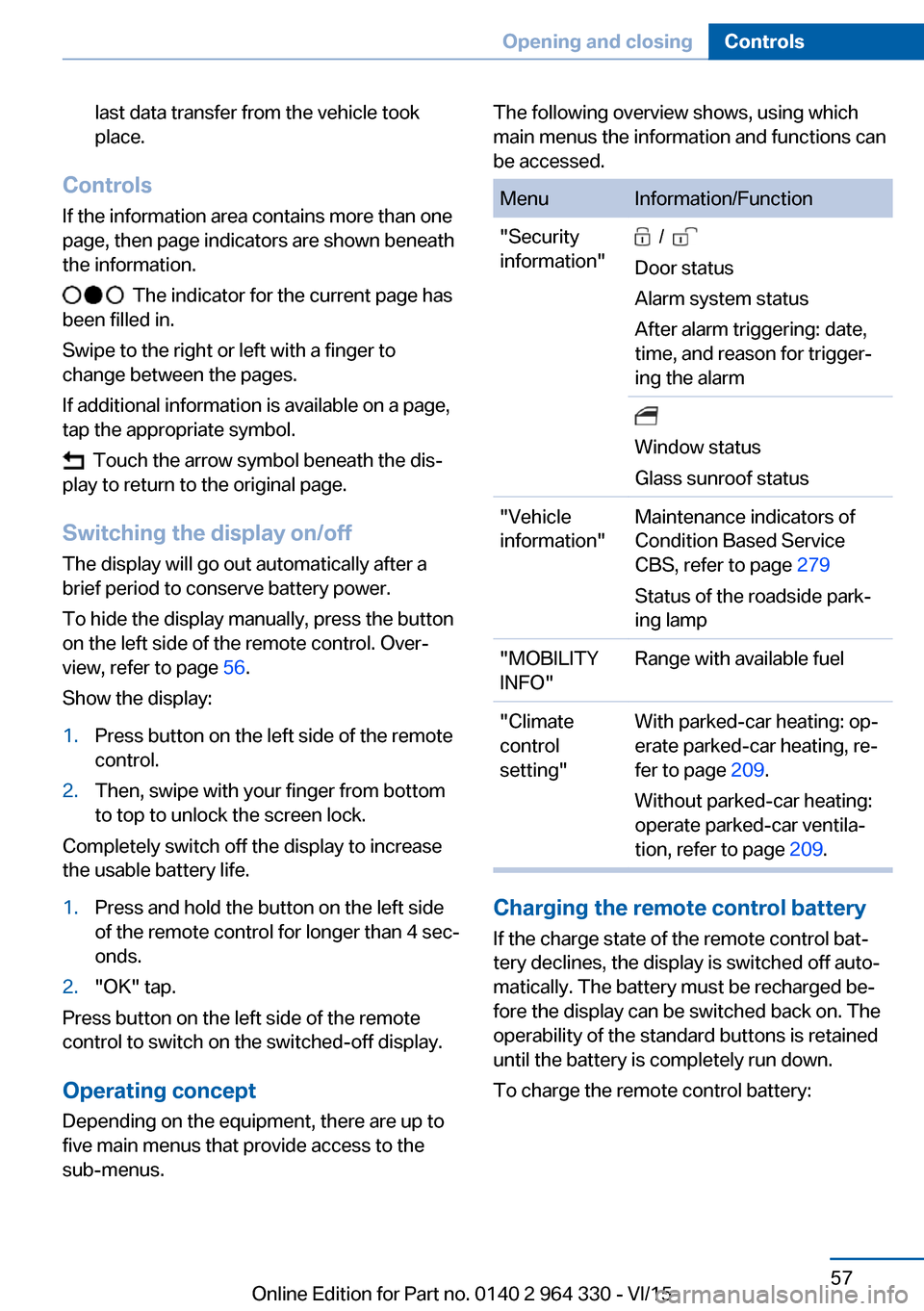
If the information area contains more than one
page, then page indicators are shown beneath
the information.
The indicator for the current page has
been filled in.
Swipe to the right or left with a finger to
change between the pages.
If additional information is available on a page,
tap the appropriate symbol.
Touch the arrow symbol beneath the dis‐
play to return to the original page.
Switching the display on/off
The display will go out automatically after a
brief period to conserve battery power.
To hide the display manually, press the button
on the left side of the remote control. Over‐
view, refer to page 56.
Show the display:
1.Press button on the left side of the remote
control.2.Then, swipe with your finger from bottom
to top to unlock the screen lock.
Completely switch off the display to increase
the usable battery life.
1.Press and hold the button on the left side
of the remote control for longer than 4 sec‐
onds.2."OK" tap.
Press button on the left side of the remote
control to switch on the switched-off display.
Operating concept
Depending on the equipment, there are up to
five main menus that provide access to the
sub-menus.
The following overview shows, using which
main menus the information and functions can
be accessed.MenuInformation/Function"Security
information" /
Door status
Alarm system status
After alarm triggering: date,
time, and reason for trigger‐
ing the alarm
Window status
Glass sunroof status"Vehicle
information"Maintenance indicators of
Condition Based Service
CBS, refer to page 279
Status of the roadside park‐
ing lamp"MOBILITY
INFO"Range with available fuel"Climate
control
setting"With parked-car heating: op‐
erate parked-car heating, re‐
fer to page 209.
Without parked-car heating:
operate parked-car ventila‐
tion, refer to page 209.
Charging the remote control battery
If the charge state of the remote control bat‐
tery declines, the display is switched off auto‐
matically. The battery must be recharged be‐
fore the display can be switched back on. The
operability of the standard buttons is retained
until the battery is completely run down.
To charge the remote control battery:
Seite 57Opening and closingControls57
Online Edition for Part no. 0140 2 964 330 - VI/15
Page 98 of 314
3.Set the parking brake.
Before driving into a car wash
So that the vehicle can roll into a car wash ob‐
serve instructions for going into an automatic
car wash, refer to page 291.
Auto Start/Stop function
The concept The Auto Start/Stop function helps save fuel.
The system switches off the engine during a
stop, e.g., in traffic congestion or at traffic lights. Drive readiness remains switched on.
The engine starts again automatically for driv‐
ing off.
Information After every engine start via the Start/Stop but‐
ton, the Auto Start/Stop function is activated or
deactivated, according to the last setting, refer
to page 99. If the Auto Start/Stop function is
active, it is available as soon as a speed of ap‐
prox. 3 mph, approx. 5 km/h is exceeded.
Engine stop
The engine is switched off automatically dur‐
ing a stop under the following conditions:
▷The selector lever is in selector lever posi‐
tion D.▷The brake pedal remains pressed while the
vehicle is stationary or the vehicle is held
by Automatic Hold.▷The driver's safety belt is buckled or the
driver's door is closed.
The air flow from the air conditioner is reduced
when the engine is switched off.
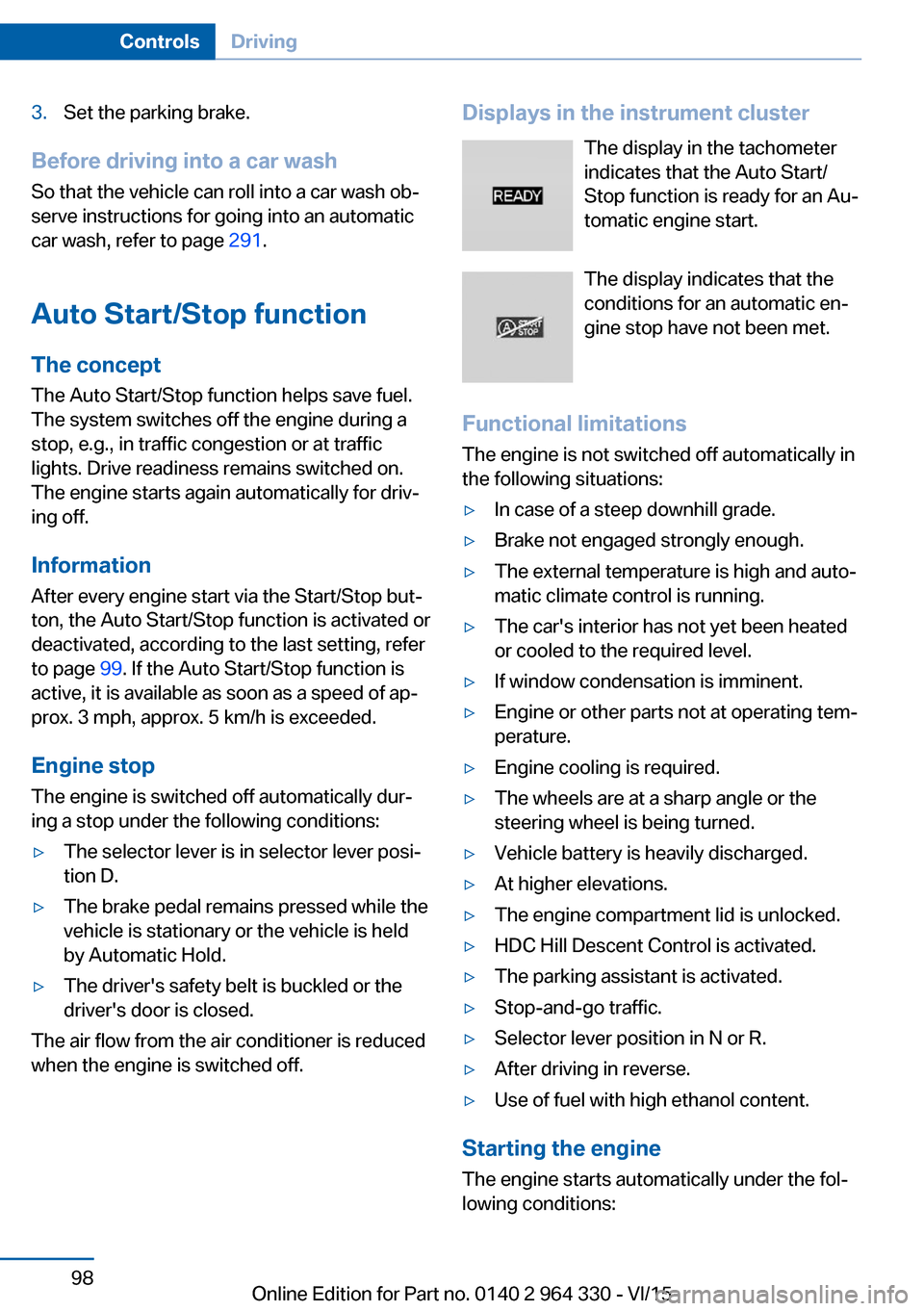
Displays in the instrument cluster
The display in the tachometer
indicates that the Auto Start/
Stop function is ready for an Au‐
tomatic engine start.
The display indicates that the
conditions for an automatic en‐
gine stop have not been met.
Functional limitations The engine is not switched off automatically in
the following situations:▷In case of a steep downhill grade.▷Brake not engaged strongly enough.▷The external temperature is high and auto‐
matic climate control is running.▷The car's interior has not yet been heated
or cooled to the required level.▷If window condensation is imminent.▷Engine or other parts not at operating tem‐
perature.▷Engine cooling is required.▷The wheels are at a sharp angle or the
steering wheel is being turned.▷Vehicle battery is heavily discharged.▷At higher elevations.▷The engine compartment lid is unlocked.▷HDC Hill Descent Control is activated.▷The parking assistant is activated.▷Stop-and-go traffic.▷Selector lever position in N or R.▷After driving in reverse.▷Use of fuel with high ethanol content.
Starting the engine
The engine starts automatically under the fol‐
lowing conditions:
Seite 98ControlsDriving98
Online Edition for Part no. 0140 2 964 330 - VI/15
Page 99 of 314
▷By releasing the brake pedal.▷When Automatic Hold is activated: press
the accelerator pedal.
After the engine starts, accelerate as usual.
Safety mode
After the engine switches off automatically, it
will not start again automatically if any one of
the following conditions are met:
▷The driver's safety belt is unbuckled and
the driver's door is open.▷The hood was unlocked.
Some indicator lights light up for a varied
length of time.
The engine can only be started via the Start/
Stop button.
Functional limitations
Even if driving off was not intended, the deacti‐
vated engine starts up automatically in the fol‐
lowing situations:
▷Excessive warming of the car's interior
when the cooling function is switched on.▷Excessive cooling of the car's interior when
the heating is switched on.▷If window condensation is imminent.▷The steering wheel is turned.▷Change from selector lever position D to N
or R.▷Change from selector lever position P to N,
D or R.▷Vehicle battery is heavily discharged.▷Start of an oil level measurement.Activating/deactivating the system
manually
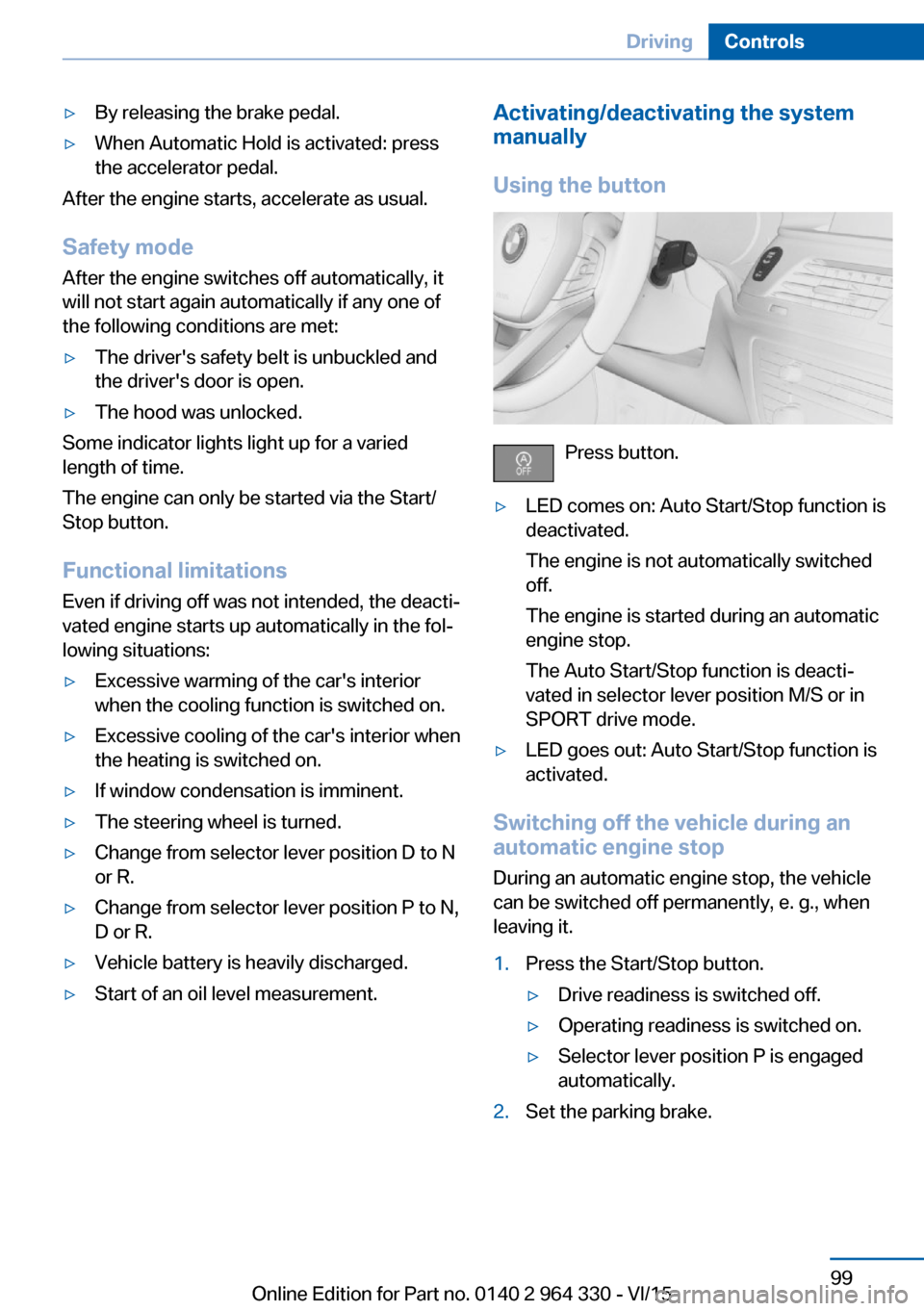
Using the button
Press button.
▷LED comes on: Auto Start/Stop function is
deactivated.
The engine is not automatically switched
off.
The engine is started during an automatic
engine stop.
The Auto Start/Stop function is deacti‐
vated in selector lever position M/S or in
SPORT drive mode.▷LED goes out: Auto Start/Stop function is
activated.
Switching off the vehicle during an
automatic engine stop
During an automatic engine stop, the vehicle
can be switched off permanently, e. g., when
leaving it.
1.Press the Start/Stop button.▷Drive readiness is switched off.▷Operating readiness is switched on.▷Selector lever position P is engaged
automatically.2.Set the parking brake.Seite 99DrivingControls99
Online Edition for Part no. 0140 2 964 330 - VI/15
Page 101 of 314
Press the switch while stepping on the
brake pedal or selector lever position P is
set.
The LED and indicator lamp go out.
The parking brake is released.
Automatic release
The parking brake is released automatically
when you drive away.
The LED and indicator lamp go out.
Automatic Hold
The concept
This system assists the driver by automatically
setting and releasing the brake, such as when
moving in stop-and-go traffic.
The vehicle is automatically held in place when
it is stationary.
On inclines, the system prevents the vehicle
from rolling backward when driving off.
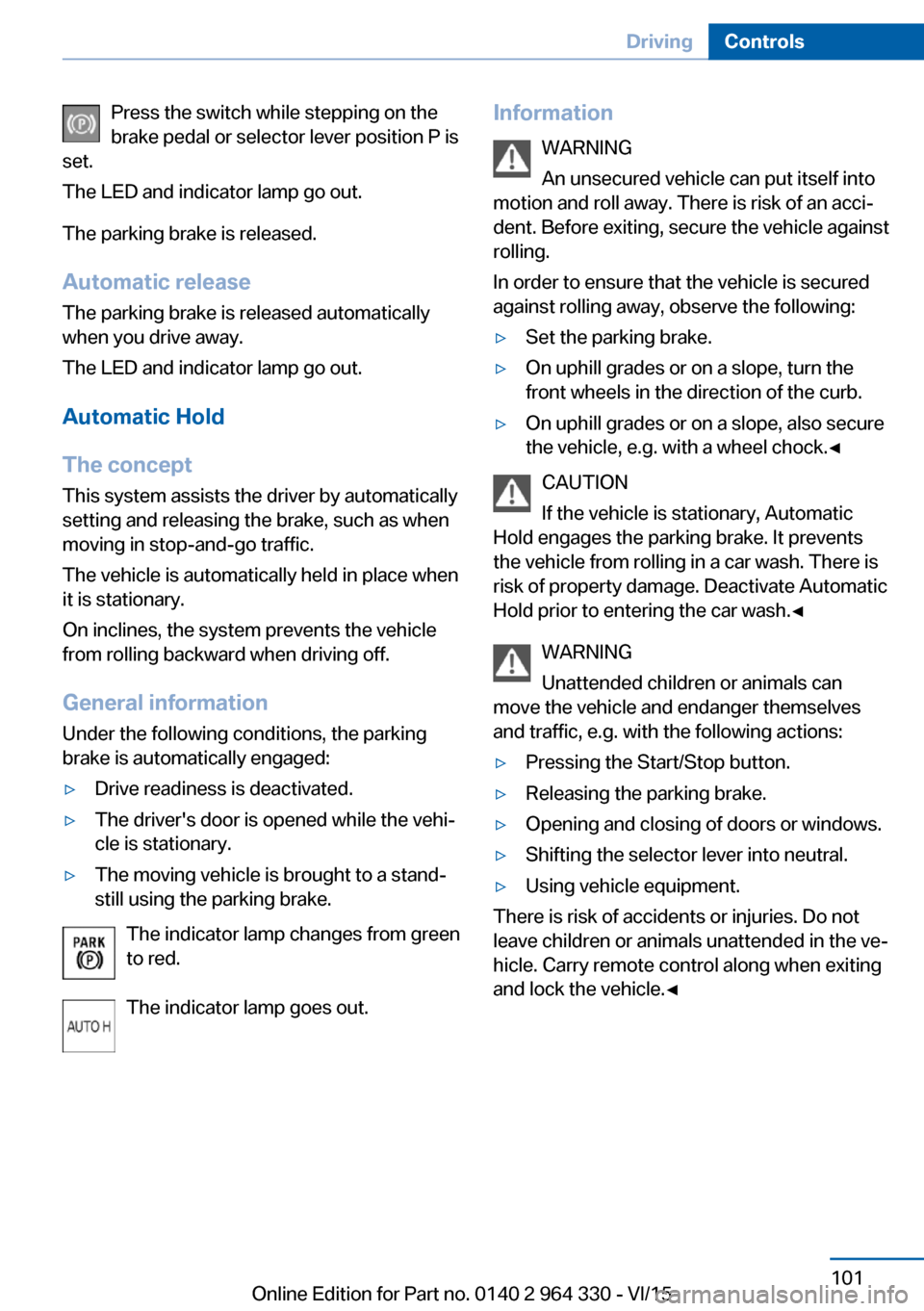
General information
Under the following conditions, the parking
brake is automatically engaged:▷Drive readiness is deactivated.▷The driver's door is opened while the vehi‐
cle is stationary.▷The moving vehicle is brought to a stand‐
still using the parking brake.
The indicator lamp changes from green
to red.
The indicator lamp goes out.
Information WARNING
An unsecured vehicle can put itself into
motion and roll away. There is risk of an acci‐
dent. Before exiting, secure the vehicle against
rolling.
In order to ensure that the vehicle is secured
against rolling away, observe the following:▷Set the parking brake.▷On uphill grades or on a slope, turn the
front wheels in the direction of the curb.▷On uphill grades or on a slope, also secure
the vehicle, e.g. with a wheel chock.◀
CAUTION
If the vehicle is stationary, Automatic
Hold engages the parking brake. It prevents
the vehicle from rolling in a car wash. There is
risk of property damage. Deactivate Automatic
Hold prior to entering the car wash.◀
WARNING
Unattended children or animals can
move the vehicle and endanger themselves
and traffic, e.g. with the following actions:
▷Pressing the Start/Stop button.▷Releasing the parking brake.▷Opening and closing of doors or windows.▷Shifting the selector lever into neutral.▷Using vehicle equipment.
There is risk of accidents or injuries. Do not
leave children or animals unattended in the ve‐
hicle. Carry remote control along when exiting
and lock the vehicle.◀
Seite 101DrivingControls101
Online Edition for Part no. 0140 2 964 330 - VI/15
Page 105 of 314
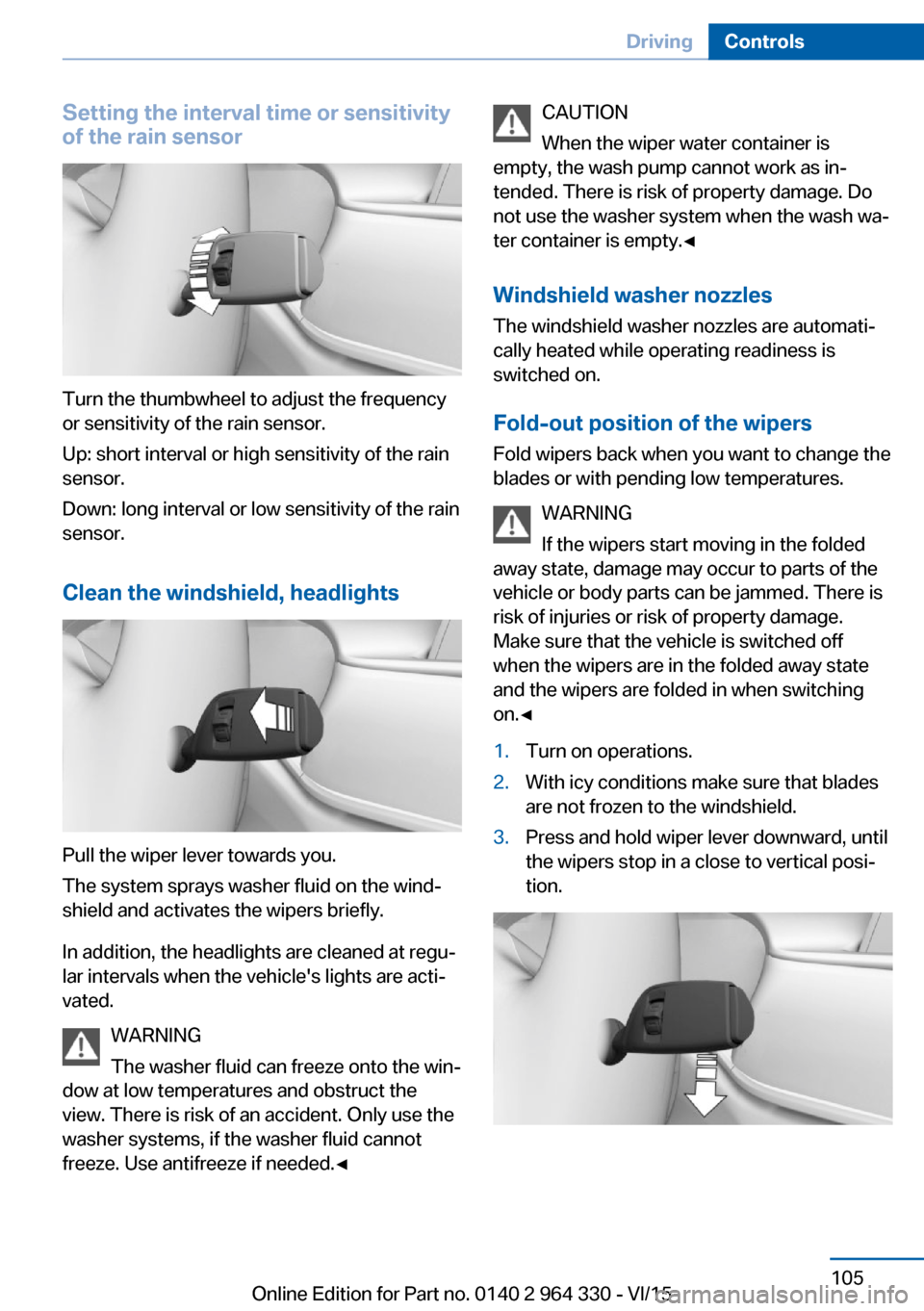
Setting the interval time or sensitivity
of the rain sensor
Turn the thumbwheel to adjust the frequency
or sensitivity of the rain sensor.
Up: short interval or high sensitivity of the rain
sensor.
Down: long interval or low sensitivity of the rain
sensor.
Clean the windshield, headlights
Pull the wiper lever towards you.
The system sprays washer fluid on the wind‐
shield and activates the wipers briefly.
In addition, the headlights are cleaned at regu‐
lar intervals when the vehicle's lights are acti‐
vated.
WARNING
The washer fluid can freeze onto the win‐
dow at low temperatures and obstruct the
view. There is risk of an accident. Only use the
washer systems, if the washer fluid cannot
freeze. Use antifreeze if needed.◀
CAUTION
When the wiper water container is
empty, the wash pump cannot work as in‐
tended. There is risk of property damage. Do
not use the washer system when the wash wa‐
ter container is empty.◀
Windshield washer nozzles
The windshield washer nozzles are automati‐
cally heated while operating readiness is
switched on.
Fold-out position of the wipers Fold wipers back when you want to change the
blades or with pending low temperatures.
WARNING
If the wipers start moving in the folded
away state, damage may occur to parts of the vehicle or body parts can be jammed. There is
risk of injuries or risk of property damage.
Make sure that the vehicle is switched off
when the wipers are in the folded away state
and the wipers are folded in when switching
on.◀1.Turn on operations.2.With icy conditions make sure that blades
are not frozen to the windshield.3.Press and hold wiper lever downward, until
the wipers stop in a close to vertical posi‐
tion.Seite 105DrivingControls105
Online Edition for Part no. 0140 2 964 330 - VI/15
Page 107 of 314
▷On uphill grades or on a slope, also secure
the vehicle, e.g. with a wheel chock.◀
Selector lever positions
D Drive
Selector lever position for normal vehicle oper‐
ation. All gears for forward travel are activated
automatically.
To reduce fuel consumption, the engine is au‐
tomatically decoupled from the transmission
under the conditions described for Coasting,
refer to page 245.
R is Reverse
Select only when the vehicle is stationary.
N Neutral:
The vehicle may roll in selector lever posi‐
tion N.
Engage selector lever position N, e.g. in car
washes, refer to page 291.
With operating readiness switched off, refer to
page 20, selector lever position P is engaged
automatically.
P Park Select only when the vehicle is stationary. The
drive wheels are blocked.
Selector lever position P is engaged automati‐
cally:
▷After drive readiness, refer to page 97, is
switched off and selector lever position R
or D is engaged.▷If operating readiness is switched off and
selector lever position N is engaged.▷If the driver's safety belt is released, the
driver's door is opened, and the brake
pedal is not pressed while the vehicle is
stationary and selector lever position D or
R is set.Kickdown
Kickdown is used to achieve maximum driving
performance. Step on the accelerator pedal
beyond the resistance point at the full throttle
position.
Engaging selector lever positions General information To prevent the vehicle from creeping after you
select a gear, maintain pressure on the brake
pedal until you are ready to start.
It is not possible to shift out of selector lever
position P until the engine is running and the
brake is applied.
With the vehicle is stationary, press on the
brake pedal before shifting out of selector lever
position P or N; otherwise, the shift command
will not be executed: shift lock.
A block prevents the inadvertent switching to
selector lever position R or the inadvertent
change from selector lever position P.
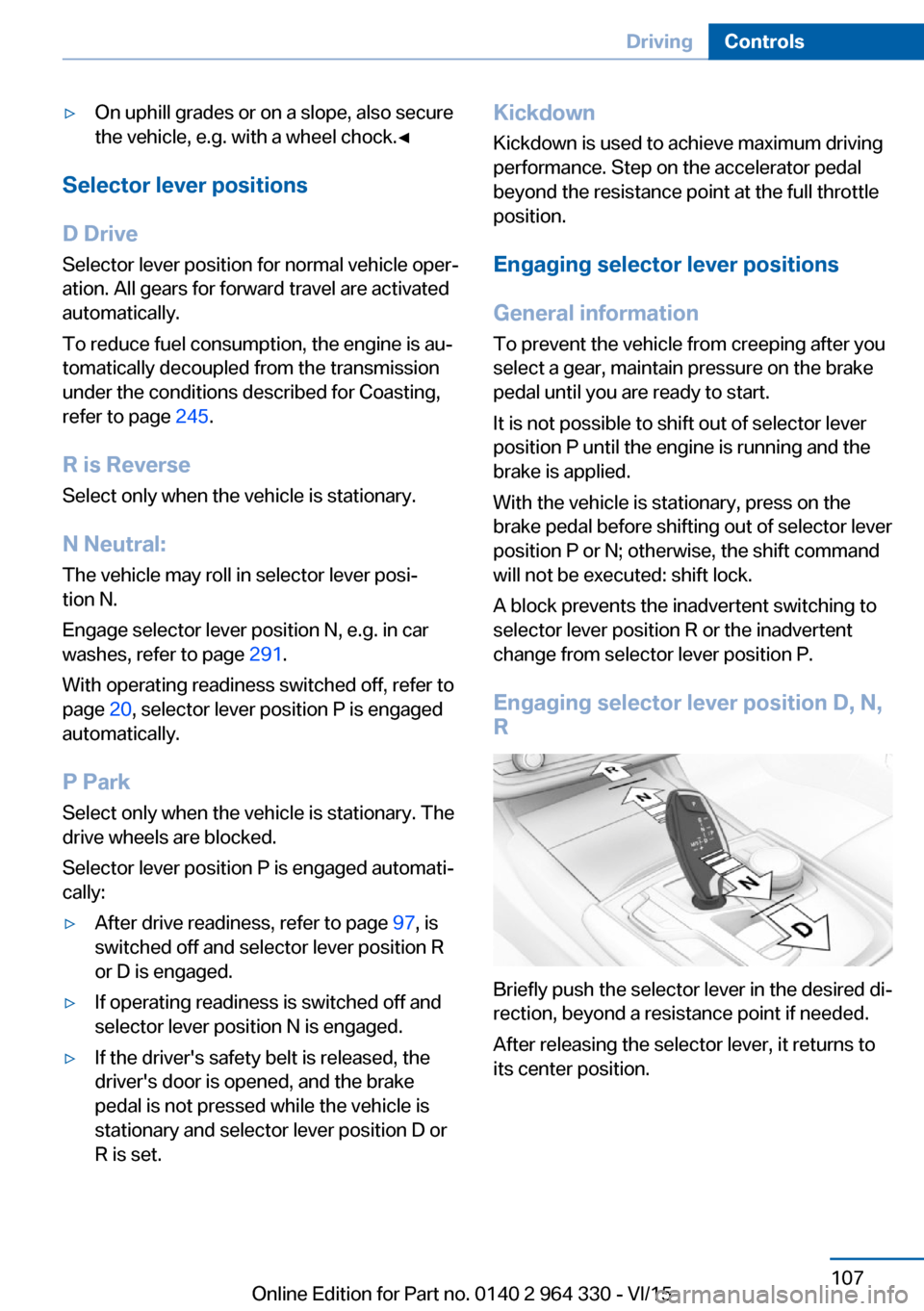
Engaging selector lever position D, N, R
Briefly push the selector lever in the desired di‐
rection, beyond a resistance point if needed.
After releasing the selector lever, it returns to
its center position.
Seite 107DrivingControls107
Online Edition for Part no. 0140 2 964 330 - VI/15