speed sensor BMW 7 SERIES LONG 2015 G12 User Guide
[x] Cancel search | Manufacturer: BMW, Model Year: 2015, Model line: 7 SERIES LONG, Model: BMW 7 SERIES LONG 2015 G12Pages: 314, PDF Size: 7.9 MB
Page 171 of 314
Changing the speed
Press the rocker switch up or down repeatedly
until the desired speed is set.
If active, the displayed speed is stored and the
vehicle reaches the stored speed when the
road is clear.▷Each time the rocker switch is pressed to
the resistance point, the desired speed in‐
creases or decreases by 1 mph/1 km/h.▷Each time the rocker switch is pressed
past the point of resistance, the desired
speed increases or decreases by a maxi‐
mum of 5 mph/10 km/h.
Hold the rocker switch in position to repeat the
action.
Distance WARNING
The system does not relieve from the
personal responsibility. Due to the system lim‐
its, braking can be late. There is risk of acci‐
dents or risk of property damage. Be aware to
the traffic situation at all times. Adjust the dis‐
tance to the traffic and weather conditions and
maintain the prescribed safety distance, possi‐
bly by braking.◀
Without steering and lane guidance
assistant: reducing distance
Press button repeatedly until the de‐
sired distance is set.
Instrument cluster will display selected dis‐
tance, refer to page 172.
Without steering and lane guidance
assistant: increasing distance
Press button repeatedly until the de‐
sired distance is set.
Instrument cluster will display selected dis‐
tance, refer to page 172.
With steering and lane guidance
assistant: adjusting distance
Press button repeatedly until the de‐
sired distance is set.
Continuing cruise control
General information Press button with the system inter‐
rupted.
The stored speed is reached and maintained.
In the following cases, the stored speed value
is deleted and cannot be called up again:▷When the system is switched off.▷When drive readiness is switched off.
While standing
The system brought the vehicle to a complete
standstill:
▷Green marking in the speedometer:
Your vehicle accelerates automatically as
soon as the vehicle in the range of the ra‐
dar sensor moves off.▷Speedometer markings turn orange/white
after a short time: no automatic driving off.
By pressing the button, the time in
which there is automatic driving off is
extended.
Vehicle symbol in the distance indicator is
moving away: detected vehicle drove off.
The system was paused or your vehicle was
brought to a halt actively through stepping on
the brake pedal and it is standing behind an‐
other vehicle:
1. Press button to call up a stored
desired speed.2.Release the brake pedal.3.When the vehicle in front drives off:▷briefly press the gas pedal.Seite 171Driver assistance systemsControls171
Online Edition for Part no. 0140 2 964 330 - VI/15
Page 175 of 314
Weather
In the event of unfavorable weather and light conditions, e. g. if there is rain, snowfall, slush,
fog or glare, this may result in poorer recogni‐
tion of vehicles as well as short-term interrup‐
tions for vehicles that are already detected. Drive attentively, and react to the current trafficsituation. If necessary, intervene actively, e.g.
by braking, steering or evading.
Radar sensor
For US owners only
The transmitter and receiver units comply with
part 15 of the FCC/Federal Communication
Commission regulations. Operation is gov‐
erned by the following:
FCC ID:▷OAYARS3-A
Compliance statement:
This device complies with part 15 of the FCC
Rules. Operation is subject to the following
two conditions:
▷This device may not cause harmful inter‐
ference, and▷this device must accept any interference
received, including interference that may
cause undesired operation.
Any unauthorized modifications or changes to
these devices could void the user's authority to
operate this equipment.
Malfunction
The system cannot be activated if the radar sensor is not aligned correctly. This may be
caused by damage incurred during parking,
e.g.
A Check Control message is displayed if the
system fails.
The function for detecting and responding
when approaching stationary vehicles may be limited in the following situations:
▷During calibration of the camera immedi‐
ately after vehicle delivery.▷If the camera is malfunctioning or dirty. A
Check Control message is displayed.
Cruise control
The concept The system maintains a preset speed via the
buttons on the steering wheel. The system
brakes on downhill gradients if engine braking
is insufficient.
General information
Depending on the driving settings, the features
of the cruise control can change in certain
areas.
The desired speed is also maintained downhill,
but may not be maintained on uphill grades if
engine power is insufficient.
Due to the driving style that minimizes fuel
consumption in ECO PRO drive mode, the ve‐
hicle may drop below the set desired speed in
some situations, e.g. on uphill grades.
Information WARNING
The use of the system can lead to an in‐
creased risk of accidents in the following situa‐
tions:
▷On winding roads.▷In heavy traffic.▷On slippery roads, in fog, snow or rain, or
on a loose road surface.
There is risk of accidents or risk of property
damage. Only use the system if driving at con‐
stant speed is possible.◀
Seite 175Driver assistance systemsControls175
Online Edition for Part no. 0140 2 964 330 - VI/15
Page 181 of 314
▷With parking assistant: by the side sensors
at approx. 24 in/60 cm.▷When a collision is imminent.
Information
WARNING
The system does not relieve from the
personal responsibility to correctly assess the
traffic situation. Based on the limits of the sys‐
tem, it cannot independently react to all traffic
situations. There is risk of an accident. Adjust
the driving style to the traffic conditions. Watch
traffic closely and actively interfere in the re‐
spective situations.◀
WARNING
Due to high speeds when PDC is acti‐
vated, the warning can be delayed due to
physical circumstances. There is risk of injuries
or risk of property damage. Avoid approaching
an object too fast. Avoid driving off fast while
PDC is not yet active.◀
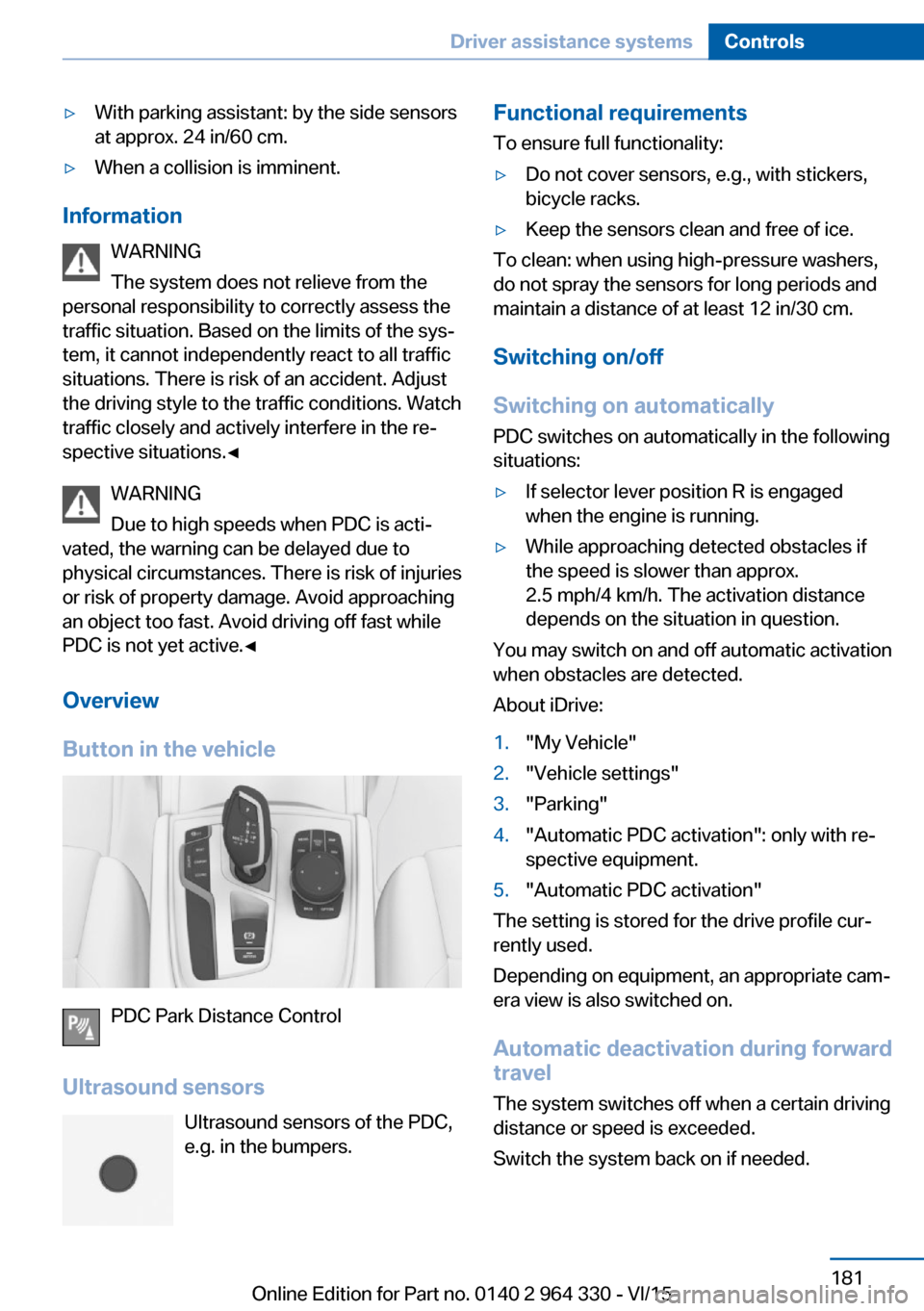
Overview
Button in the vehicle
PDC Park Distance Control
Ultrasound sensors Ultrasound sensors of the PDC,e.g. in the bumpers.
Functional requirements
To ensure full functionality:▷Do not cover sensors, e.g., with stickers,
bicycle racks.▷Keep the sensors clean and free of ice.
To clean: when using high-pressure washers,
do not spray the sensors for long periods and
maintain a distance of at least 12 in/30 cm.
Switching on/off
Switching on automatically PDC switches on automatically in the following
situations:
▷If selector lever position R is engaged
when the engine is running.▷While approaching detected obstacles if
the speed is slower than approx.
2.5 mph/4 km/h. The activation distance
depends on the situation in question.
You may switch on and off automatic activation
when obstacles are detected.
About iDrive:
1."My Vehicle"2."Vehicle settings"3."Parking"4."Automatic PDC activation": only with re‐
spective equipment.5."Automatic PDC activation"
The setting is stored for the drive profile cur‐
rently used.
Depending on equipment, an appropriate cam‐
era view is also switched on.
Automatic deactivation during forward
travel
The system switches off when a certain driving
distance or speed is exceeded.
Switch the system back on if needed.
Seite 181Driver assistance systemsControls181
Online Edition for Part no. 0140 2 964 330 - VI/15
Page 183 of 314
sion cannot be prevented under all circum‐
stances.
The function is available from walking speed
while backing up or rolling backward.
A press of the gas pedal interrupts the braking
intervention.
After emergency braking to a stop, further
creeping toward an obstacle is possible. To
creep toward the obstacle, lightly press the ac‐
celerator pedal and release it again.
If the accelerator pedal is heavily depressed,
the vehicle drives off as usual. Manual braking
is possible at any time.
General information The system uses the ultrasound sensors of
PDC and parking assistant.
Information WARNING
The system does not relieve from the
personal responsibility to correctly assess the
traffic situation. There is risk of an accident.
Adjust the driving style to the traffic condi‐
tions. Watch traffic and vehicle surroundings
closely and actively interfere in the respective
situations.◀
Activating/deactivating the system About iDrive:1."My Vehicle"2."Vehicle settings"3."Parking"4."Active PDC emergency brake function"5."Active PDC emergency brake function"
The setting is stored for the drive profile cur‐
rently used.
With parking assistant: side
protection
The concept Obstacles on the side of the vehicle are de‐
tected by the sensors of the system. The sys‐
tem warns against these obstacles.
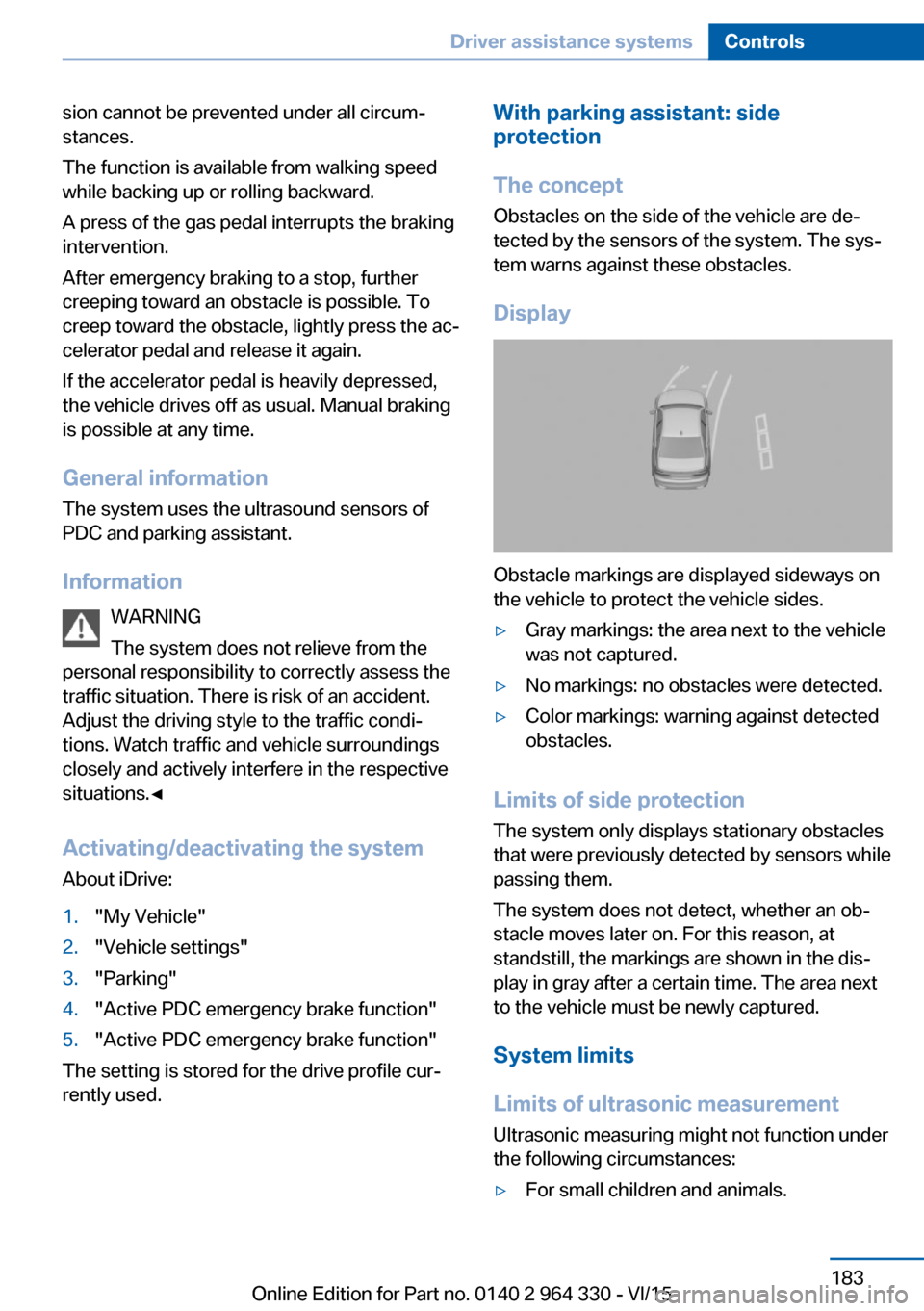
Display
Obstacle markings are displayed sideways on
the vehicle to protect the vehicle sides.
▷Gray markings: the area next to the vehicle
was not captured.▷No markings: no obstacles were detected.▷Color markings: warning against detected
obstacles.
Limits of side protection
The system only displays stationary obstacles
that were previously detected by sensors while passing them.
The system does not detect, whether an ob‐
stacle moves later on. For this reason, at standstill, the markings are shown in the dis‐
play in gray after a certain time. The area next
to the vehicle must be newly captured.
System limits
Limits of ultrasonic measurement Ultrasonic measuring might not function under
the following circumstances:
▷For small children and animals.Seite 183Driver assistance systemsControls183
Online Edition for Part no. 0140 2 964 330 - VI/15
Page 184 of 314
▷For persons with certain clothing, e.g.
coats.▷With external interference of the ultra‐
sound, e.g. from passing vehicles or loud
machines.▷When sensors are dirty, iced over, dam‐
aged or out of position.▷Under certain weather conditions such as
high relative humidity, rain, snowfall, ex‐
treme heat or strong wind.▷With tow bars and trailer couplings of other
vehicles.▷With thin or wedge-shaped objects.▷With moving objects.▷With elevated, protruding objects such as
ledges or cargo.▷With objects with corners and sharp edges.▷With objects with a fine surface structure
such as fences.▷For objects with porous surfaces.
Low objects already displayed, e.g., curbs, can
move into the blind area of the sensors before
or after a continuous tone sounds.
Cargo that extends beyond the perimeter of
the vehicle is not taken into account by the
system.
False warnings
PDC may issue a warning under the following
conditions even though there is no obstacle
within the detection range:
▷In heavy rain.▷When sensors are very dirty or covered
with ice.▷When sensors are covered in snow.▷On rough road surfaces.▷On uneven surfaces, such as speed
bumps.▷In large buildings with right angles and
smooth walls, e.g., in underground ga‐
rages.▷In automatic car washes.▷Through heavy pollution.▷Due to other ultrasound sources, e.g.,
sweeping machines, high pressure steam
cleaners or neon lights.
Malfunction
A Check Control message is displayed.
White symbol is displayed, and the
range of the sensors is dimmed on the
Control Display.
PDC has failed. Have the system checked.
Without Surround View:
rearview camera
The concept The rearview camera provides assistance in
parking and maneuvering backwards. The area
behind the vehicle is shown on the Control
Display.
Information WARNING
The system does not relieve from the
personal responsibility to correctly assess the
traffic situation. There is risk of an accident.
Adjust the driving style to the traffic condi‐
tions. Watch traffic and vehicle surroundings
closely and actively interfere in the respective
situations.◀
Seite 184ControlsDriver assistance systems184
Online Edition for Part no. 0140 2 964 330 - VI/15
Page 194 of 314
WARNING
The system does not relieve from the
personal responsibility to correctly assess the
traffic situation. Based on the limits of the sys‐
tem, it cannot independently react to all traffic
situations. There is risk of an accident. Adjust
the driving style to the traffic conditions. Watch
traffic closely and actively interfere in the re‐
spective situations.◀
CAUTION
The parking assistant can steer the vehi‐
cle over or onto curbs. There is risk of property
damage. Watch traffic closely and actively in‐
terfere in the respective situations.◀
An engine that has been switched off by the
Auto Start Stop function is restarted automati‐
cally when the parking assistant is activated.
Overview
Button in the vehicle
Parking assistant
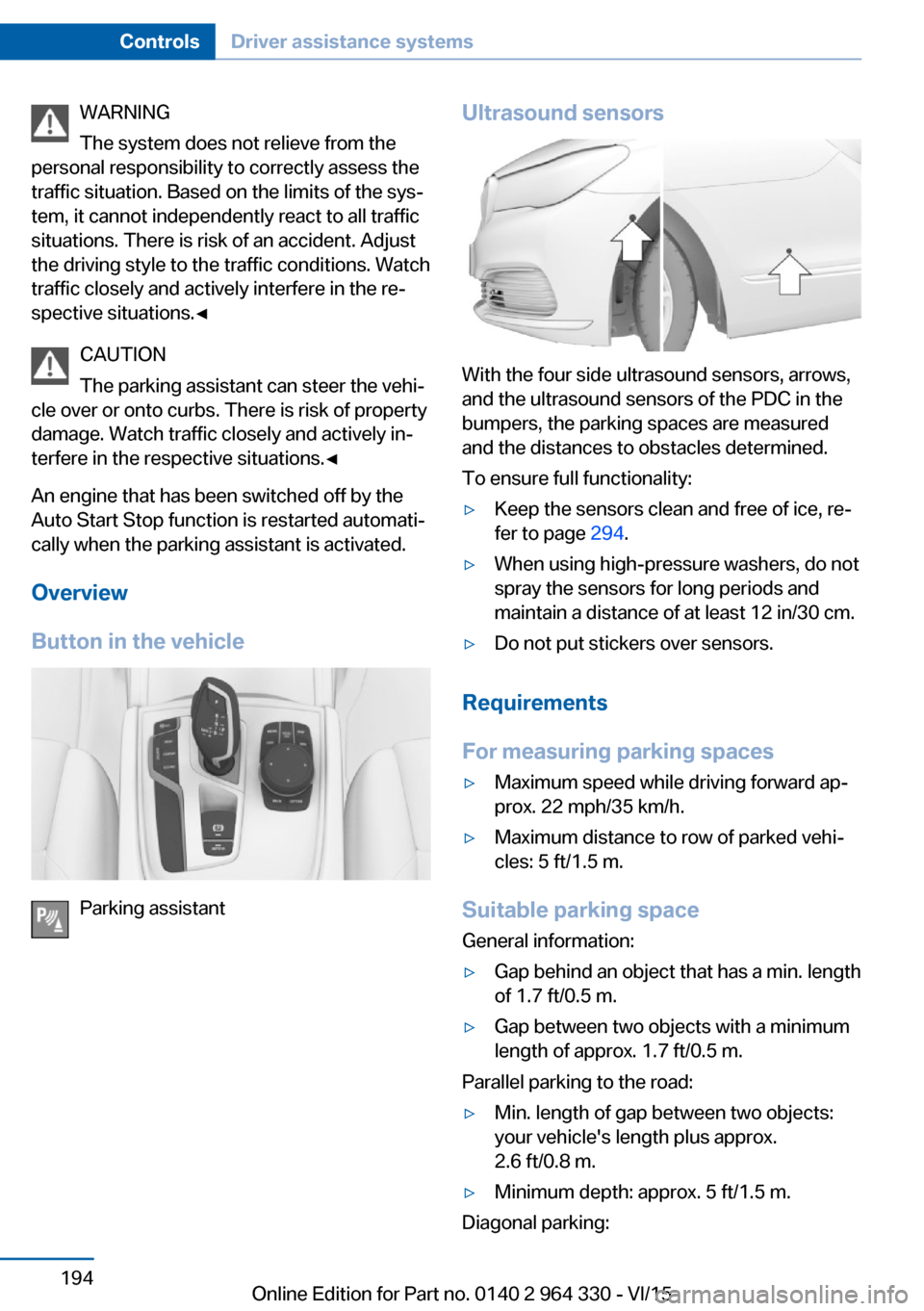
Ultrasound sensors
With the four side ultrasound sensors, arrows,
and the ultrasound sensors of the PDC in the
bumpers, the parking spaces are measured
and the distances to obstacles determined.
To ensure full functionality:
▷Keep the sensors clean and free of ice, re‐
fer to page 294.▷When using high-pressure washers, do not
spray the sensors for long periods and
maintain a distance of at least 12 in/30 cm.▷Do not put stickers over sensors.
Requirements
For measuring parking spaces
▷Maximum speed while driving forward ap‐
prox. 22 mph/35 km/h.▷Maximum distance to row of parked vehi‐
cles: 5 ft/1.5 m.
Suitable parking space
General information:
▷Gap behind an object that has a min. length
of 1.7 ft/0.5 m.▷Gap between two objects with a minimum
length of approx. 1.7 ft/0.5 m.
Parallel parking to the road:
▷Min. length of gap between two objects:
your vehicle's length plus approx.
2.6 ft/0.8 m.▷Minimum depth: approx. 5 ft/1.5 m.
Diagonal parking:
Seite 194ControlsDriver assistance systems194
Online Edition for Part no. 0140 2 964 330 - VI/15
Page 198 of 314
InformationWARNING
The system does not relieve from the
personal responsibility to correctly assess visi‐
bility and traffic situation. There is risk of an ac‐
cident. Adjust the driving style to the traffic
conditions. Watch traffic closely and actively
interfere in the respective situations.◀
Overview
Button in the vehicle
Parking assistance systems
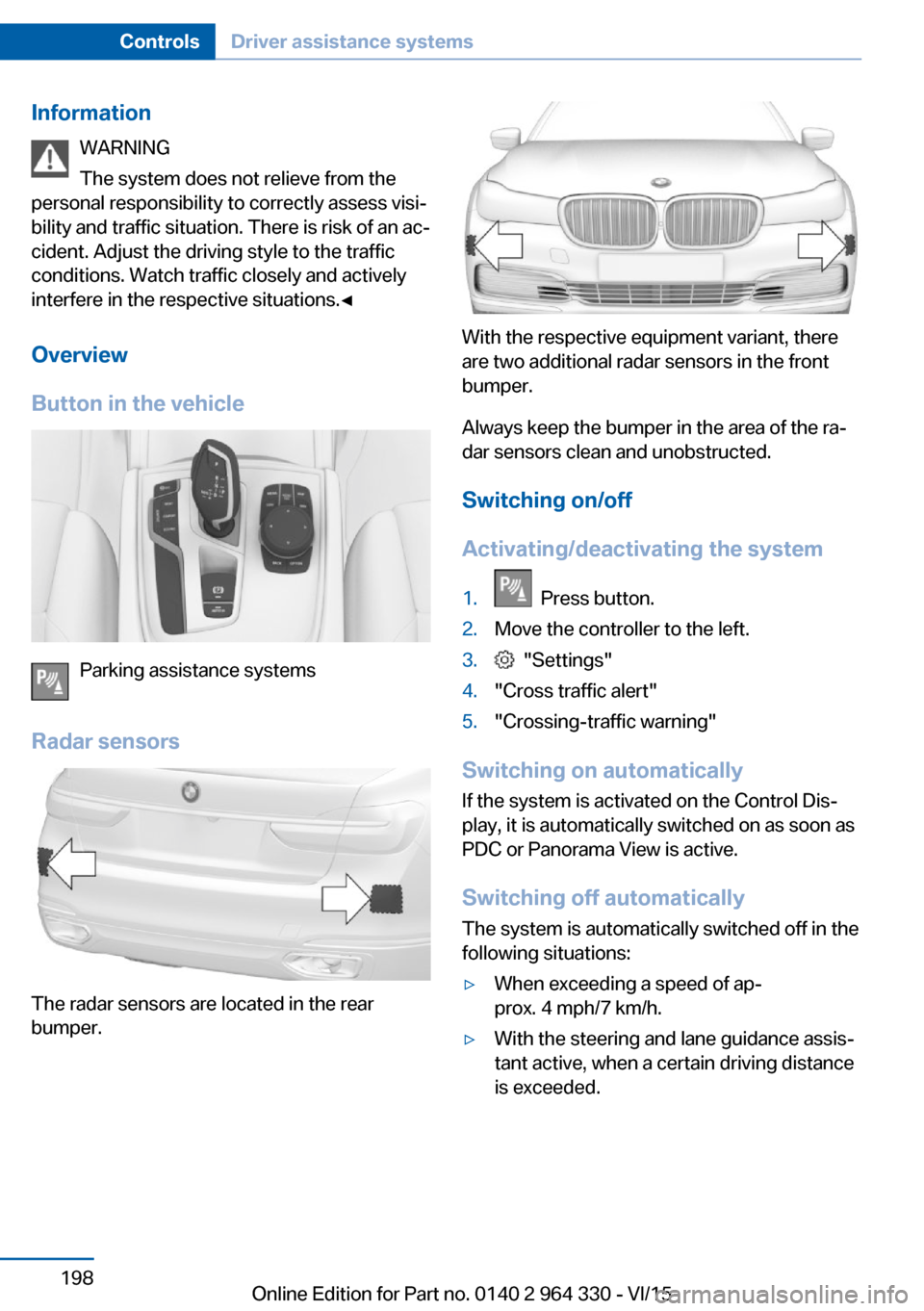
Radar sensors
The radar sensors are located in the rear
bumper.
With the respective equipment variant, there
are two additional radar sensors in the front
bumper.
Always keep the bumper in the area of the ra‐
dar sensors clean and unobstructed.
Switching on/off
Activating/deactivating the system
1. Press button.2.Move the controller to the left.3. "Settings"4."Cross traffic alert"5."Crossing-traffic warning"
Switching on automatically If the system is activated on the Control Dis‐
play, it is automatically switched on as soon as PDC or Panorama View is active.
Switching off automatically The system is automatically switched off in the
following situations:
▷When exceeding a speed of ap‐
prox. 4 mph/7 km/h.▷With the steering and lane guidance assis‐
tant active, when a certain driving distance
is exceeded.Seite 198ControlsDriver assistance systems198
Online Edition for Part no. 0140 2 964 330 - VI/15
Page 199 of 314
Display
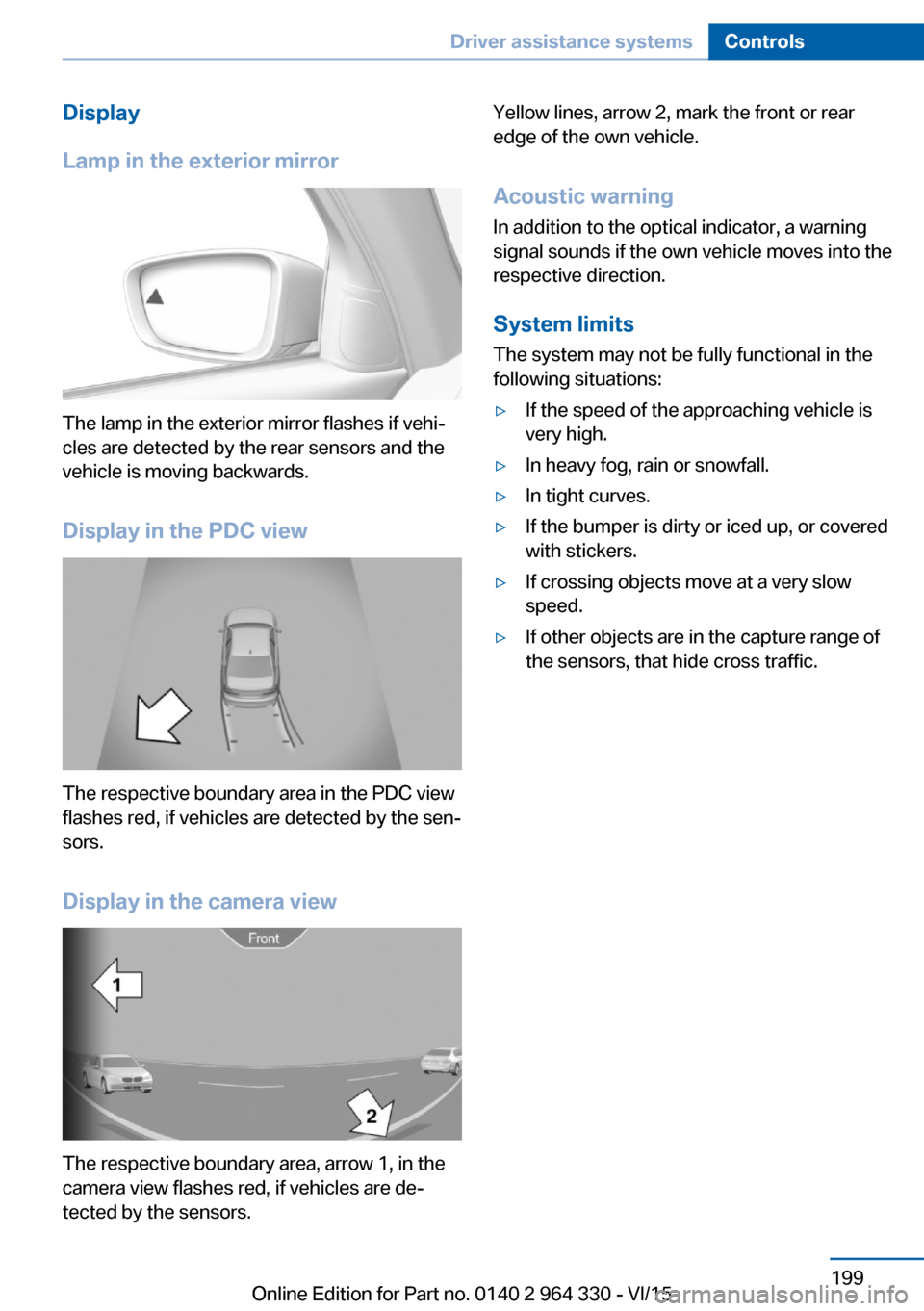
Lamp in the exterior mirror
The lamp in the exterior mirror flashes if vehi‐
cles are detected by the rear sensors and the
vehicle is moving backwards.
Display in the PDC view
The respective boundary area in the PDC view
flashes red, if vehicles are detected by the sen‐
sors.
Display in the camera view
The respective boundary area, arrow 1, in the
camera view flashes red, if vehicles are de‐
tected by the sensors.
Yellow lines, arrow 2, mark the front or rear
edge of the own vehicle.
Acoustic warning
In addition to the optical indicator, a warning
signal sounds if the own vehicle moves into the
respective direction.
System limits
The system may not be fully functional in the
following situations:▷If the speed of the approaching vehicle is
very high.▷In heavy fog, rain or snowfall.▷In tight curves.▷If the bumper is dirty or iced up, or covered
with stickers.▷If crossing objects move at a very slow
speed.▷If other objects are in the capture range of
the sensors, that hide cross traffic.Seite 199Driver assistance systemsControls199
Online Edition for Part no. 0140 2 964 330 - VI/15
Page 264 of 314
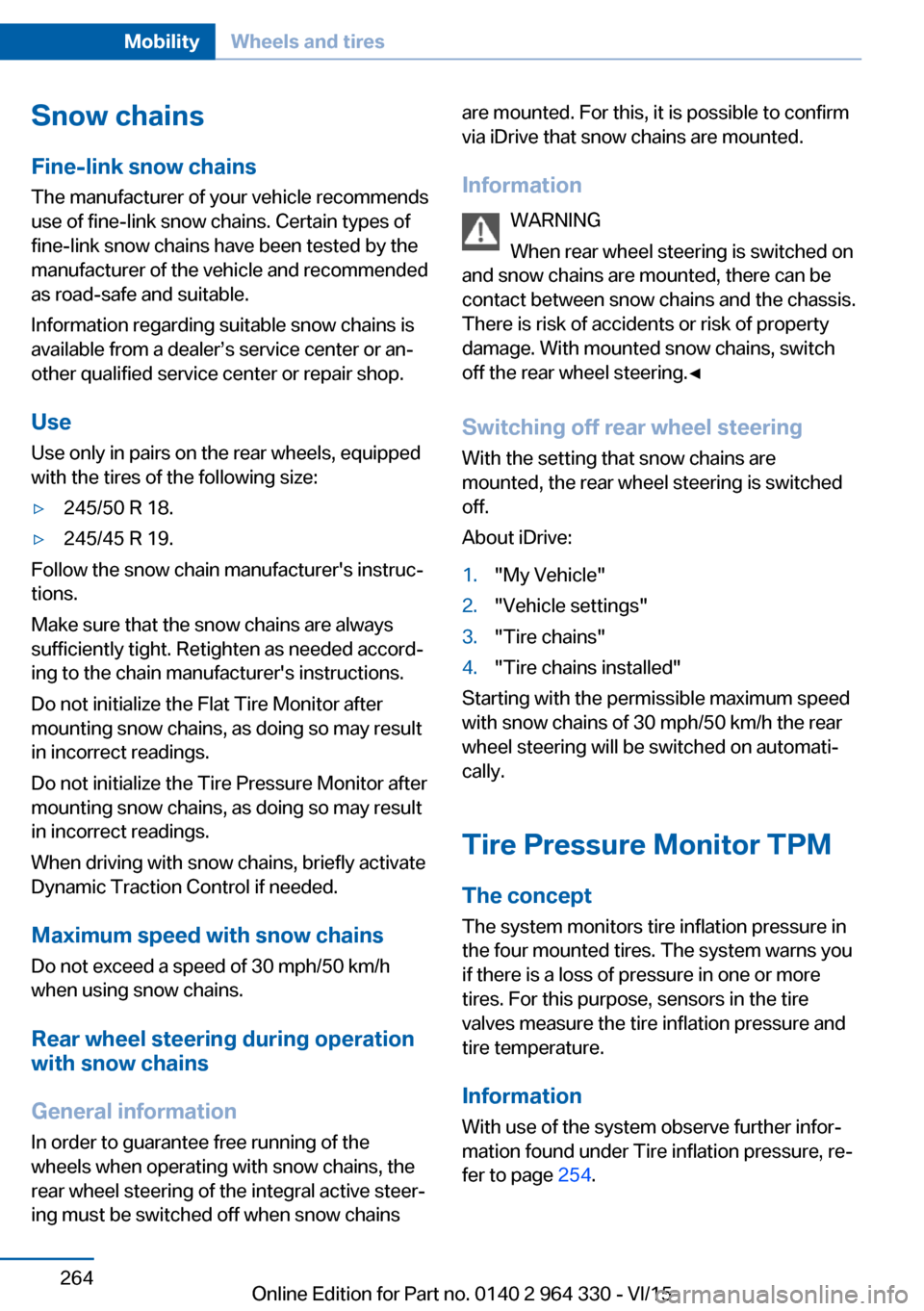
Snow chains
Fine-link snow chains The manufacturer of your vehicle recommends
use of fine-link snow chains. Certain types of
fine-link snow chains have been tested by the
manufacturer of the vehicle and recommended
as road-safe and suitable.
Information regarding suitable snow chains is
available from a dealer’s service center or an‐
other qualified service center or repair shop.
Use
Use only in pairs on the rear wheels, equipped
with the tires of the following size:▷245/50 R 18.▷245/45 R 19.
Follow the snow chain manufacturer's instruc‐
tions.
Make sure that the snow chains are always
sufficiently tight. Retighten as needed accord‐
ing to the chain manufacturer's instructions.
Do not initialize the Flat Tire Monitor after
mounting snow chains, as doing so may result
in incorrect readings.
Do not initialize the Tire Pressure Monitor after
mounting snow chains, as doing so may result
in incorrect readings.
When driving with snow chains, briefly activate
Dynamic Traction Control if needed.
Maximum speed with snow chains Do not exceed a speed of 30 mph/50 km/hwhen using snow chains.
Rear wheel steering during operation with snow chains
General information
In order to guarantee free running of the
wheels when operating with snow chains, the
rear wheel steering of the integral active steer‐
ing must be switched off when snow chains
are mounted. For this, it is possible to confirm
via iDrive that snow chains are mounted.
Information WARNING
When rear wheel steering is switched on
and snow chains are mounted, there can be
contact between snow chains and the chassis.
There is risk of accidents or risk of property
damage. With mounted snow chains, switch
off the rear wheel steering.◀
Switching off rear wheel steering With the setting that snow chains are
mounted, the rear wheel steering is switched
off.
About iDrive:1."My Vehicle"2."Vehicle settings"3."Tire chains"4."Tire chains installed"
Starting with the permissible maximum speed
with snow chains of 30 mph/50 km/h the rear
wheel steering will be switched on automati‐
cally.
Tire Pressure Monitor TPM
The concept
The system monitors tire inflation pressure in
the four mounted tires. The system warns you
if there is a loss of pressure in one or more
tires. For this purpose, sensors in the tire
valves measure the tire inflation pressure and
tire temperature.
Information
With use of the system observe further infor‐
mation found under Tire inflation pressure, re‐
fer to page 254.
Seite 264MobilityWheels and tires264
Online Edition for Part no. 0140 2 964 330 - VI/15
Page 307 of 314
Intensity, AUTO pro‐gram 204
Interior equipment 215
Interior lights 133
Interior lights during unlock‐ ing 60
Interior lights with the vehicle locked 61
Interior motion sensor 70
Interior rearview mirror, auto‐ matic dimming feature 86
Internet page 6
Interval display, service re‐ quirements 119
Ionization, see Ambient air package 211
J Jacking points for the vehicle jack 282
Joystick, Steptronic transmis‐ sion 106
Jump-starting 287
K Key/remote control 54
Keyless Go, see Comfort Ac‐ cess 65
Kickdown, Steptronic trans‐ mission 106
Knee airbag 137
L Label on recommended tires 259
Lamp in the exterior mirror, see Active Blind Spot De‐
tection 153
Lamp in the exterior mirror, see crossing traffic warn‐
ing 197
Lamp replacement 282
Lamp replacement, front 282 Lamp replacement, rear 282
Lane departure warning 150
Lane margin, warning 150
Language, on the Control Display 38
Lashing eyes, securing cargo 238
LATCH child restraint sys‐ tem 95
Launch Control 106
Leather, care 292
LEDs, replace light-emitting diodes 282
Light alloy wheels, care 293
Light control 131
Lighting 129
Lights 129
Lights and bulbs 282
Light switch 129
List of all messages 40
Load 238
Loading 237
Lock, door 62
Locking, automatic 68
Locking, settings 67
Locking via door lock 62
Locking with remote con‐ trol 60
Lock, power window 71
Locks, doors, and win‐ dows 96
Low beams 129
Low beams, automatic, see High-beam Assistant 132
Lower back support 77
Luggage rack, see Roof- mounted luggage rack 238
Lumbar support 77
M
Maintenance 279
Maintenance require‐ ments 279
Maintenance, service require‐ ments 119 Maintenance system,
BMW 279
Make-up mirror 217
Malfunction displays, see Check Control 114
Manual air distribution 205
Manual air flow 205
Manual brake, see Parking brake 100
Manual mode, Steptronic transmission 106
Manual operation, door lock 62
Manual operation, exterior mirrors 85
Manual operation, fuel filler flap 250
Marking, run-flat tires 260
Massage seat, front 88
Massage seat, rear 88
Master key, see Remote con‐ trol 54
Maximum cooling 204
Maximum speed, display 120
Maximum speed, winter tires 259
Measurement, units of 39
Medical kit 287
Memory for seat, mirrors, steering wheel 87
Menu in instrument clus‐ ter 121
Menus 22
Menus, operating, iDrive 21
Messages 40
Messages, see Check Con‐ trol 114
Microfilter 206
Minimum tread, tires 258
Mirror 85
Mirror memory 87
Mobile communication devi‐ ces in the vehicle 235
Mobility System 260
Modifications, technical, see Own Safety 7 Seite 307Everything from A to ZReference307
Online Edition for Part no. 0140 2 964 330 - VI/15