display BMW 740I 1998 User Guide
[x] Cancel search | Manufacturer: BMW, Model Year: 1998, Model line: 740I, Model: BMW 740I 1998Pages: 211, PDF Size: 1.68 MB
Page 79 of 211
78n
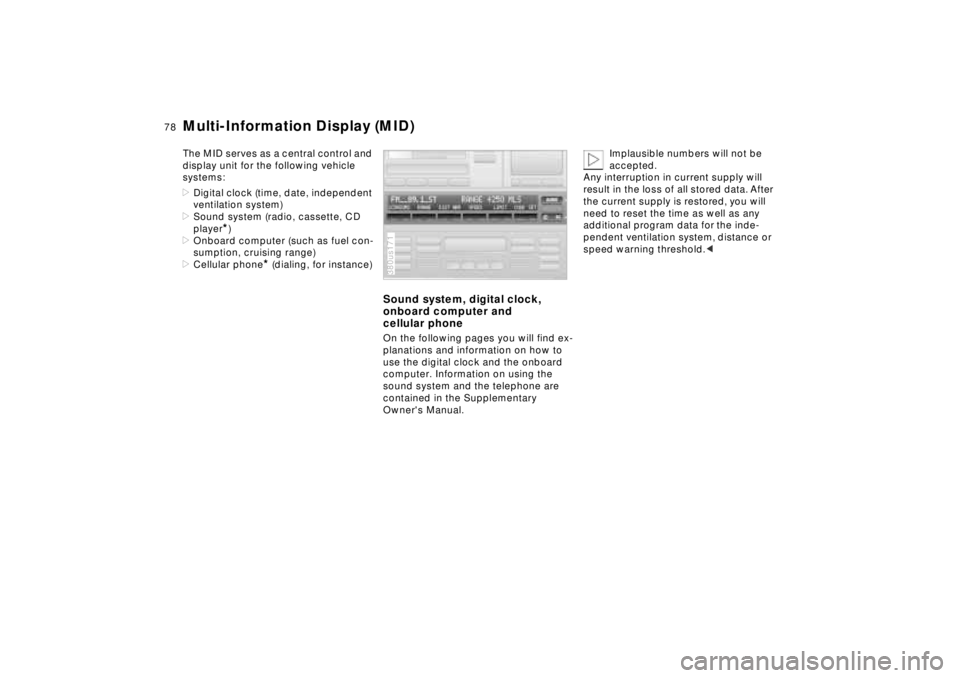
Multi-Information Display (MID)The MID serves as a central control and
display unit for the following vehicle
systems:
>Digital clock (time, date, independent
ventilation system)
>Sound system (radio, cassette, CD
player
*)
>Onboard computer (such as fuel con-
sumption, cruising range)
>Cellular phone
* (dialing, for instance)
Sound system, digital clock,
onboard computer and
cellular phoneOn the following pages you will find ex-
planations and information on how to
use the digital clock and the onboard
computer. Information on using the
sound system and the telephone are
contained in the Supplementary
Owner's Manual.380us171
Implausible numbers will not be
accepted.
Any interruption in current supply will
result in the loss of all stored data. After
the current supply is restored, you will
need to reset the time as well as any
additional program data for the inde-
pendent ventilation system, distance or
speed warning threshold.<
Page 80 of 211
79n
RepairsIndexOverview Controls Car care Technology Data
Digital clockFrom ignition switch position 1, you can
make use of the following functions:
>Time and date
>Program an hourly reminder (memo),
for instance, to remind you of news
broadcasts
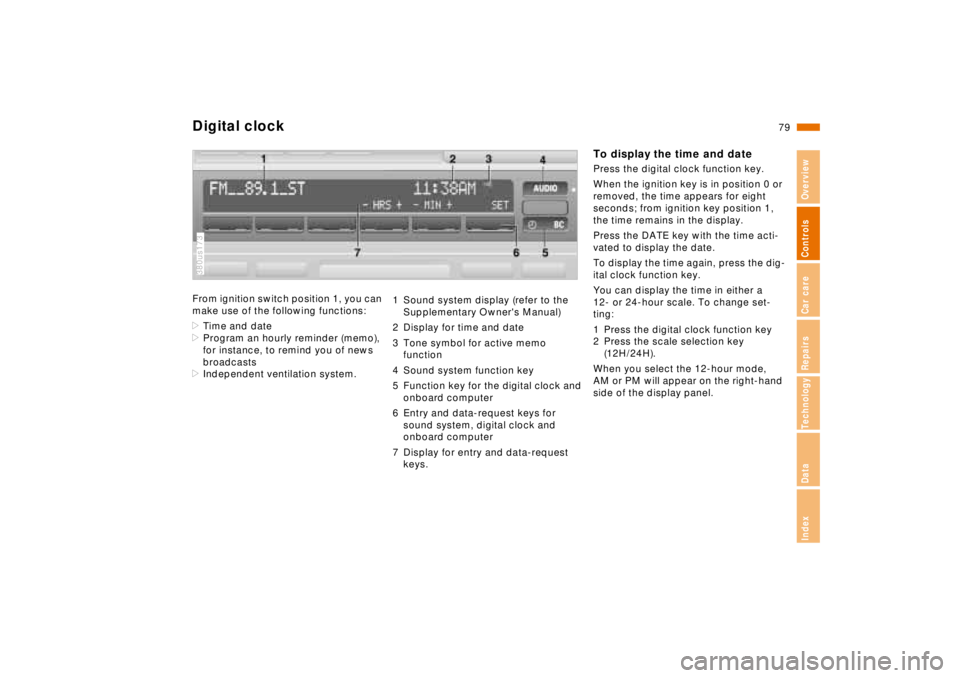
>Independent ventilation system.380us173
1 Sound system display (refer to the
Supplementary Owner's Manual)
2 Display for time and date
3 Tone symbol for active memo
function
4 Sound system function key
5 Function key for the digital clock and
onboard computer
6 Entry and data-request keys for
sound system, digital clock and
onboard computer
7 Display for entry and data-request
keys.
To display the time and datePress the digital clock function key.
When the ignition key is in position 0 or
removed, the time appears for eight
seconds; from ignition key position 1,
the time remains in the display.
Press the DATE key with the time acti-
vated to display the date.
To display the time again, press the dig-
ital clock function key.
You can display the time in either a
12- or 24-hour scale. To change set-
ting:
1 Press the digital clock function key
2 Press the scale selection key
(12H/24H).
When you select the 12-hour mode,
AM or PM will appear on the right-hand
side of the display panel.
Page 81 of 211
80n
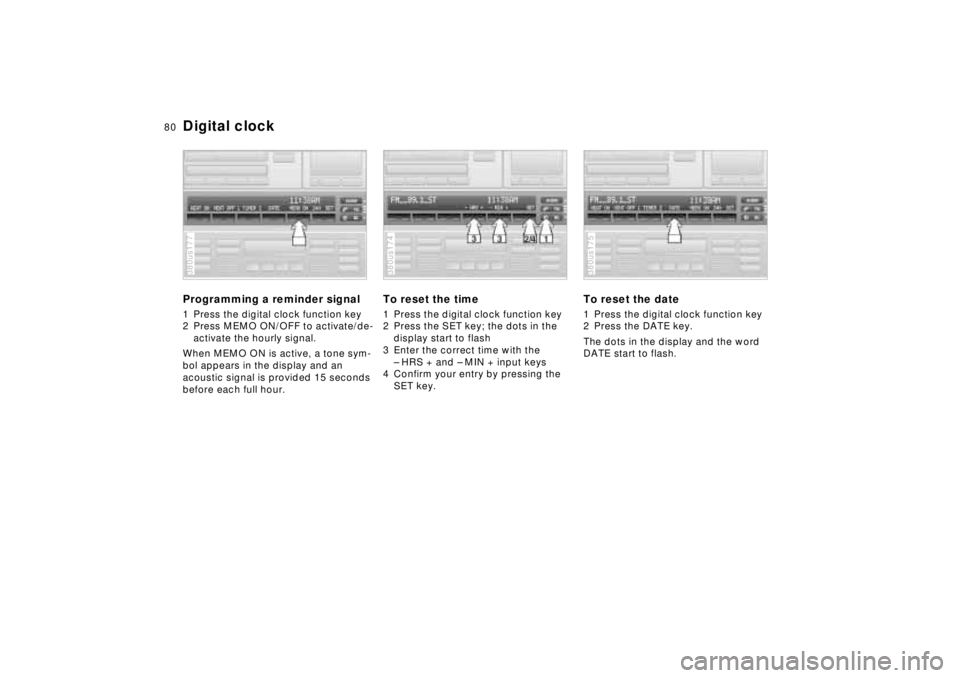
Digital clockProgramming a reminder signal1 Press the digital clock function key
2 Press MEMO ON/OFF to activate/de-
activate the hourly signal.
When MEMO ON is active, a tone sym-
bol appears in the display and an
acoustic signal is provided 15 seconds
before each full hour.380us177
To reset the time1 Press the digital clock function key
2 Press the SET key; the dots in the
display start to flash
3 Enter the correct time with the
– HRS + and – MIN + input keys
4 Confirm your entry by pressing the
SET key.380us174
To reset the date1 Press the digital clock function key
2 Press the DATE key.
The dots in the display and the word
DATE start to flash.380us175
Page 82 of 211
81n
RepairsIndexOverview Controls Car care Technology Data
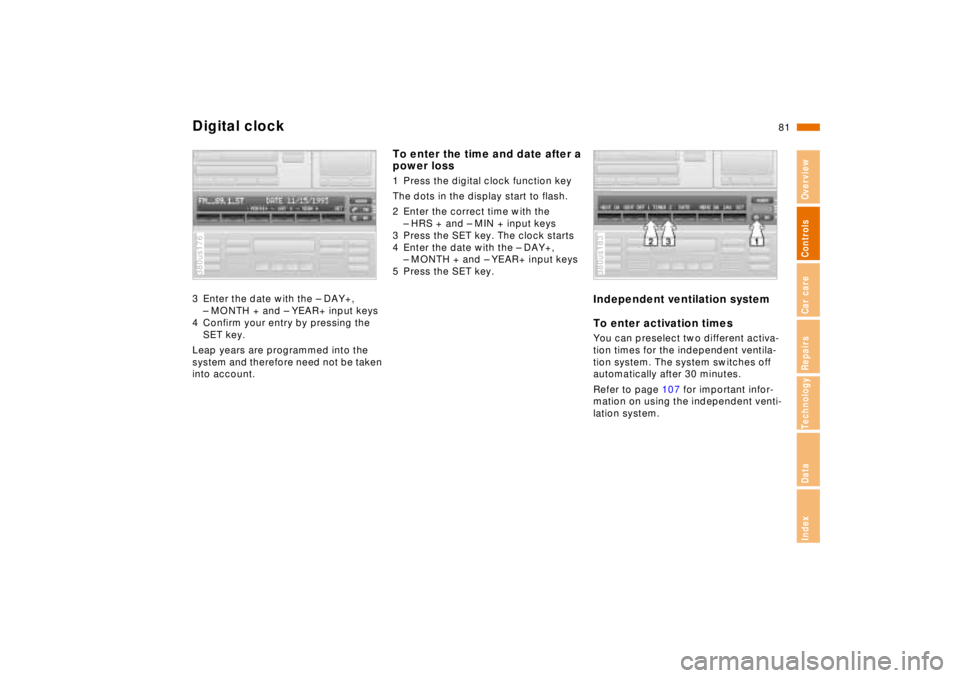
Digital clock3 Enter the date with the – DAY+,
– MONTH + and – YEAR+ input keys
4 Confirm your entry by pressing the
SET key.
Leap years are programmed into the
system and therefore need not be taken
into account.380us176
To enter the time and date after a
power loss1 Press the digital clock function key
The dots in the display start to flash.
2 Enter the correct time with the
– HRS + and – MIN + input keys
3 Press the SET key. The clock starts
4 Enter the date with the – DAY+,
– MONTH + and – YEAR+ input keys
5 Press the SET key.
Independent ventilation system
To enter activation times You can preselect two different activa-
tion times for the independent ventila-
tion system. The system switches off
automatically after 30 minutes.
Refer to page 107 for important infor-
mation on using the independent venti-
lation system.380us183
Page 83 of 211
82n
Digital clockTo enter the first activation timeBefore you can enter data, the ignition
key must be at position 1 and the digital
clock must be visible in the display.
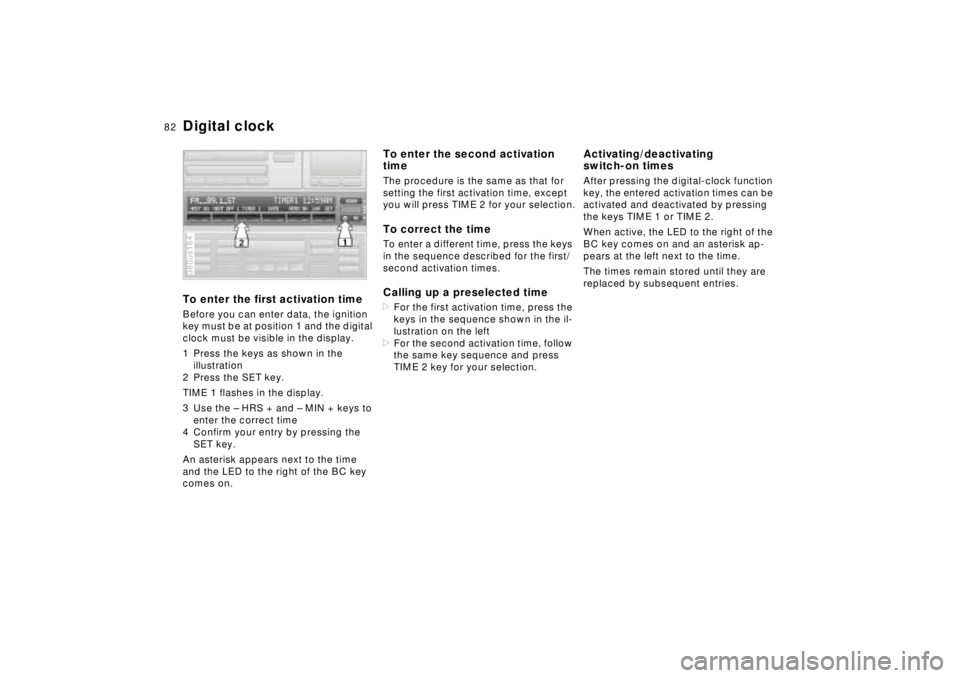
1 Press the keys as shown in the
illustration
2 Press the SET key.
TIME 1 flashes in the display.
3 Use the – HRS + and – MIN + keys to
enter the correct time
4 Confirm your entry by pressing the
SET key.
An asterisk appears next to the time
and the LED to the right of the BC key
comes on.380us184
To enter the second activation
timeThe procedure is the same as that for
setting the first activation time, except
you will press TIME 2 for your selection.To correct the timeTo enter a different time, press the keys
in the sequence described for the first/
second activation times.Calling up a preselected time>For the first activation time, press the
keys in the sequence shown in the il-
lustration on the left
>For the second activation time, follow
the same key sequence and press
TIME 2 key for your selection.
Activating/deactivating
switch-on timesAfter pressing the digital-clock function
key, the entered activation times can be
activated and deactivated by pressing
the keys TIME 1 or TIME 2.
When active, the LED to the right of the
BC key comes on and an asterisk ap-
pears at the left next to the time.
The times remain stored until they are
replaced by subsequent entries.
Page 84 of 211
83n
RepairsIndexOverview Controls Car care Technology Data
Digital clockVentilation modeDuring ventilation, the LED to the right
of the BC key flashes and AIR OFF ap-
pears in the display. Pressing this key
switches off the ventilation mode and
the LED goes out.
When a preselected activation
time is set, the independent venti-
lation system is operational at outside
temperatures above 607 (166), or by
direct switch activation. It cannot be
switched on when the vehicle is mov-
ing.<
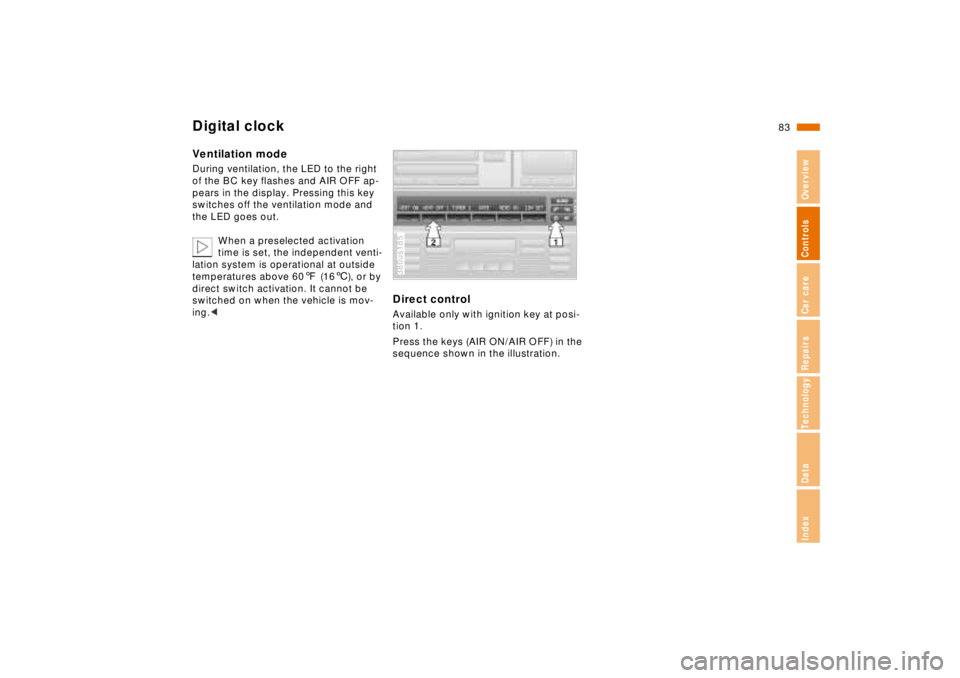
Direct controlAvailable only with ignition key at posi-
tion 1.
Press the keys (AIR ON/AIR OFF) in the
sequence shown in the illustration.380us185
Page 85 of 211
84n
Onboard computerThe onboard computer operates at igni-
tion key positions 1 and 2.
Information for safe and economical
driving can be called up for display.
You can use the key with the clock
symbol to
>display the time and date
>program an hourly reminder signal
(Memo), to remind you of the next
news broadcast, for instance
>operate the independent ventilation
system.
Refer to page 79 for information and
details on using the digital clock.380us178
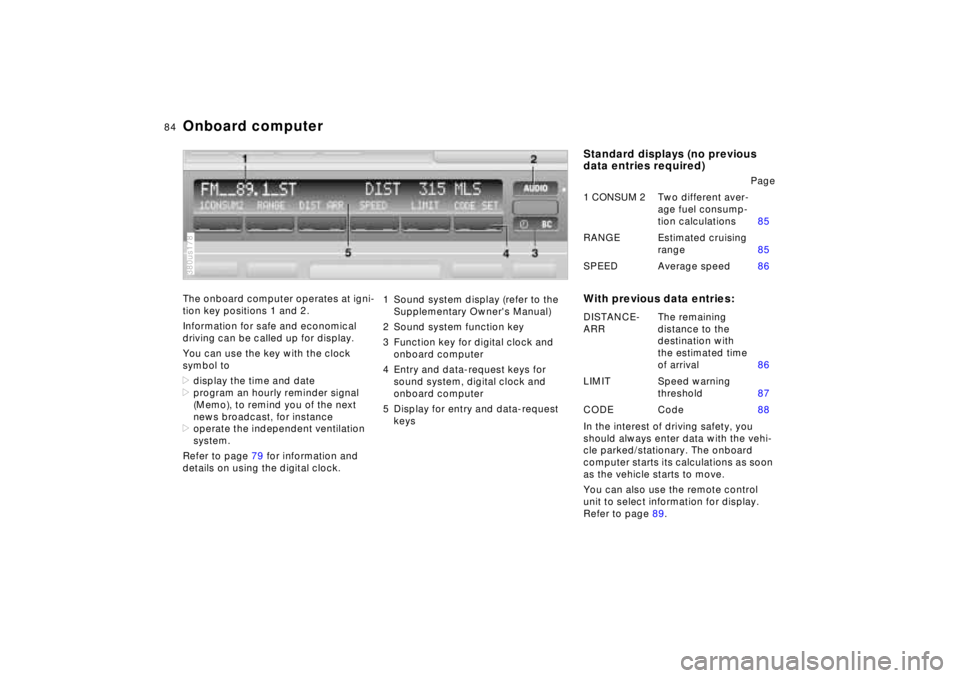
1 Sound system display (refer to the
Supplementary Owner's Manual)
2 Sound system function key
3 Function key for digital clock and
onboard computer
4 Entry and data-request keys for
sound system, digital clock and
onboard computer
5 Display for entry and data-request
keys
Standard displays (no previous
data entries required)
With previous data entries:In the interest of driving safety, you
should always enter data with the vehi-
cle parked/stationary. The onboard
computer starts its calculations as soon
as the vehicle starts to move.
You can also use the remote control
unit to select information for display.
Refer to page 89.Page
1 CONSUM 2Two different aver-
age fuel consump-
tion calculations85
RANGE Estimated cruising
range85
SPEED Average speed86
DISTANCE-
ARRThe remaining
distance to the
destination with
the estimated time
of arrival86
LIMIT Speed warning
threshold87
CODE Code88
Page 86 of 211
85n
RepairsIndexOverview Controls Car care Technology Data
Onboard computerAverage fuel consumptionThe computer can calculate average
fuel consumption rates for two different
distances at the same time (simulta-
neous data for an entire journey and for
a single segment of it, for instance).
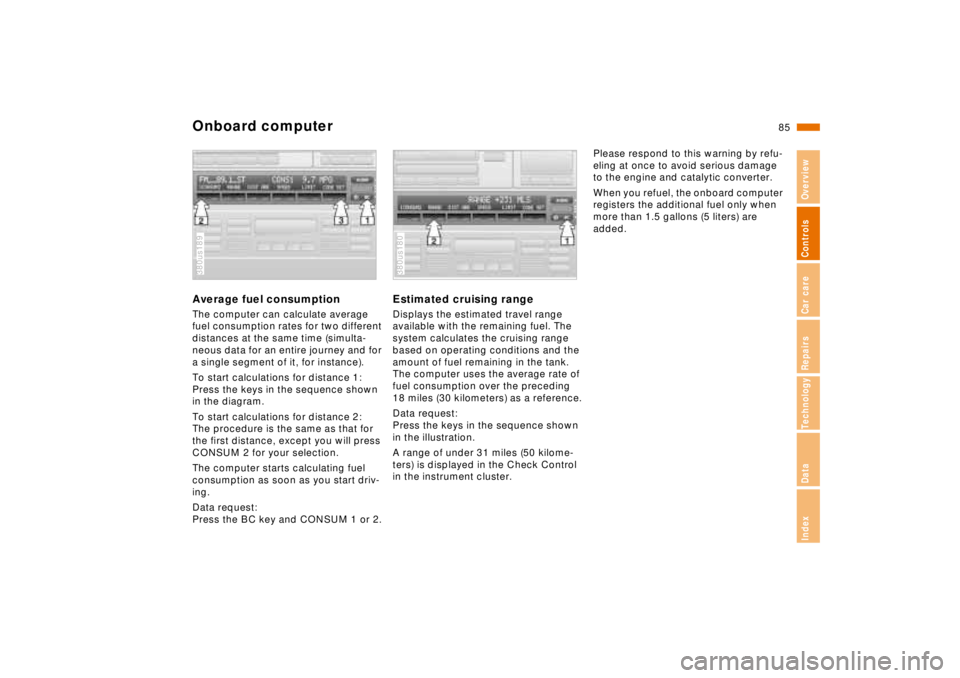
To start calculations for distance 1:
Press the keys in the sequence shown
in the diagram.
To start calculations for distance 2:
The procedure is the same as that for
the first distance, except you will press
CONSUM 2 for your selection.
The computer starts calculating fuel
consumption as soon as you start driv-
ing.
Data request:
Press the BC key and CONSUM 1 or 2.380us189
Estimated cruising rangeDisplays the estimated travel range
available with the remaining fuel. The
system calculates the cruising range
based on operating conditions and the
amount of fuel remaining in the tank.
The computer uses the average rate of
fuel consumption over the preceding
18 miles (30 kilometers) as a reference.
Data request:
Press the keys in the sequence shown
in the illustration.
A range of under 31 miles (50 kilome-
ters) is displayed in the Check Control
in the instrument cluster.380us180
Please respond to this warning by refu-
eling at once to avoid serious damage
to the engine and catalytic converter.
When you refuel, the onboard computer
registers the additional fuel only when
more than 1.5 gallons (5 liters) are
added.
Page 87 of 211
86n
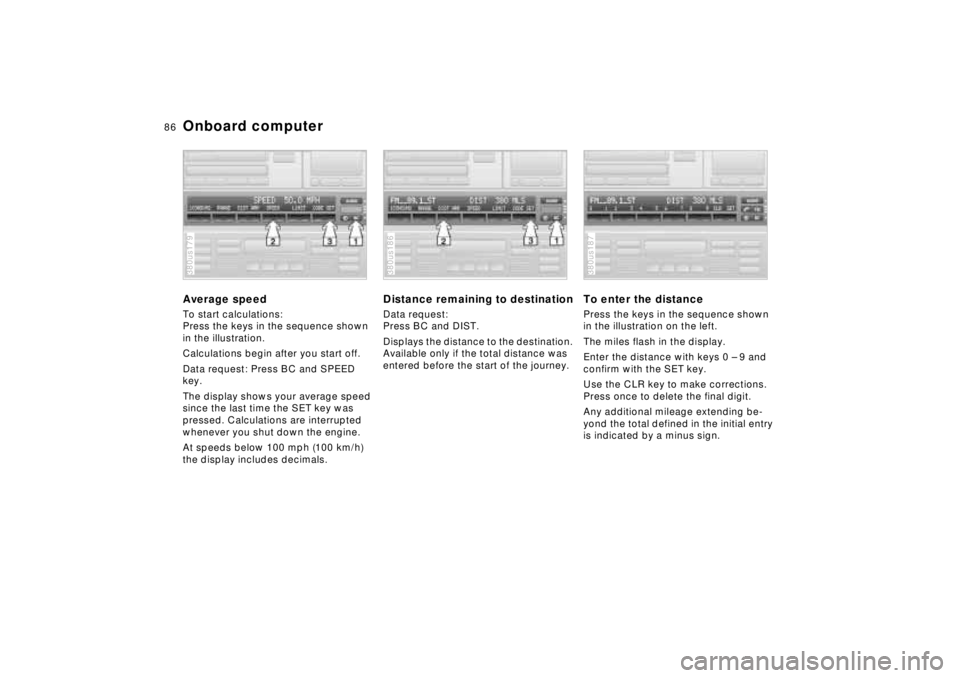
Onboard computerAverage speedTo start calculations:
Press the keys in the sequence shown
in the illustration.
Calculations begin after you start off.
Data request: Press BC and SPEED
key.
The display shows your average speed
since the last time the SET key was
pressed. Calculations are interrupted
whenever you shut down the engine.
At speeds below 100 mph (100 km/h)
the display includes decimals.380us179
Distance remaining to destinationData request:
Press BC and DIST.
Displays the distance to the destination.
Available only if the total distance was
entered before the start of the journey.380us186
To enter the distancePress the keys in the sequence shown
in the illustration on the left.
The miles flash in the display.
Enter the distance with keys 0 – 9 and
confirm with the SET key.
Use the CLR key to make corrections.
Press once to delete the final digit.
Any additional mileage extending be-
yond the total defined in the initial entry
is indicated by a minus sign.380us187
Page 88 of 211
87n
RepairsIndexOverview Controls Car care Technology Data
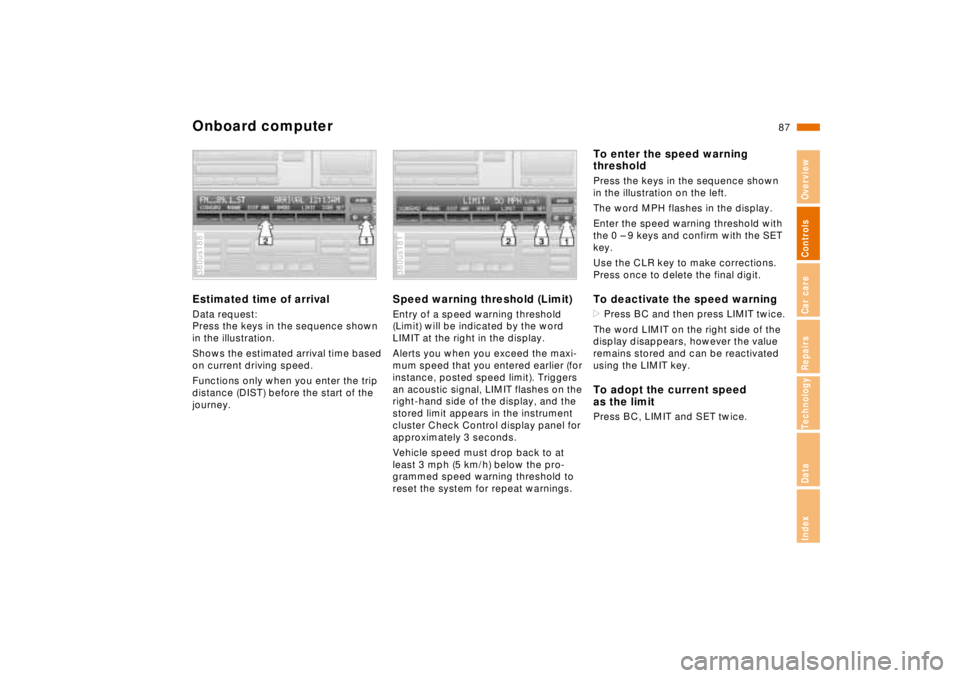
Onboard computerEstimated time of arrivalData request:
Press the keys in the sequence shown
in the illustration.
Shows the estimated arrival time based
on current driving speed.
Functions only when you enter the trip
distance (DIST) before the start of the
journey.380us188
Speed warning threshold (Limit)Entry of a speed warning threshold
(Limit) will be indicated by the word
LIMIT at the right in the display.
Alerts you when you exceed the maxi-
mum speed that you entered earlier (for
instance, posted speed limit). Triggers
an acoustic signal, LIMIT flashes on the
right-hand side of the display, and the
stored limit appears in the instrument
cluster Check Control display panel for
approximately 3 seconds.
Vehicle speed must drop back to at
least 3 mph (5 km/h) below the pro-
grammed speed warning threshold to
reset the system for repeat warnings.380us181
To enter the speed warning
thresholdPress the keys in the sequence shown
in the illustration on the left.
The word MPH flashes in the display.
Enter the speed warning threshold with
the 0 – 9 keys and confirm with the SET
key.
Use the CLR key to make corrections.
Press once to delete the final digit.To deactivate the speed warning>Press BC and then press LIMIT twice.
The word LIMIT on the right side of the
display disappears, however the value
remains stored and can be reactivated
using the LIMIT key.To adopt the current speed
as the limitPress BC, LIMIT and SET twice.